langers2k
Resident Member
-
Joined
-
Last visited
Everything posted by langers2k
-
I'd ring a few local garages and see if anyone has the correct VW spec coolant. If you're quick, Amazon can get you some tomorrow using prime: https://www.amazon.co.uk/Volkswagen-coolant-G12E050A2-replaces-G013A8JM1/dp/B08BNNMR2G/ G12evo can be added to G13 without issue: https://forums.ross-tech.com/index.php?threads/20182/
-
Bluetooth won't help... Most of the AA apps on XDA suggest they need root, maybe take a look at AAAD on XDA as that doesn't seem to need root although it may require an out-of-date AA version. This isn't something I've done nor intend to try, the links/videos are to give you a starting point and set you off in the right general direction
-
As above, the first thing is to see if your car and phone support Android Auto: Once you've confirmed that, you'll probably need to root your phone and install one of the various AA apps to allow video streaming. How to root will depend on your phone, be warned, there is a risk of losing all your data, security concerns and even the possibly of bricking the phone. XDA is a good place to start, they have sperate sub-forums for most common phone models with rooting guides and there are a few AA streaming options here: https://forum.xda-developers.com/f/android-auto-general.3834/ There is also a video guide to downgrade AA here: Personally, I wouldn't want to be rooting my phone or running old apps but that's my view so it may not match yours. Obviously it's your choice but if you have an older, unused phone, I'd be tempted to use that when you want video streaming rather than your main phone
-
Hopefully it's just another fuse issue as that's pretty easy to solve....
-
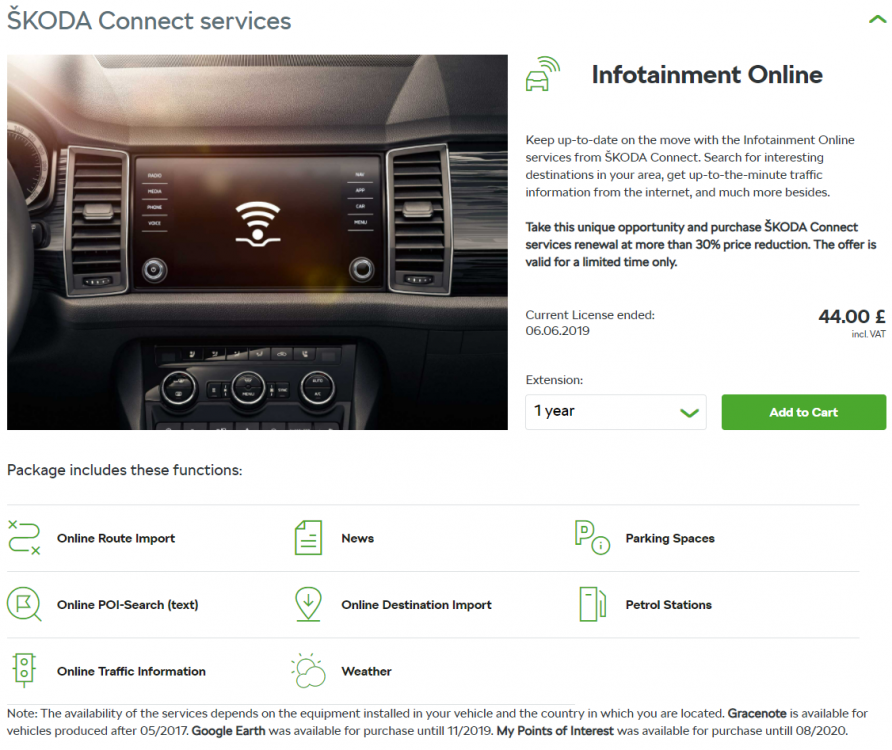
I have Connect but I've not subscribed and it's pretty much useless... - The status page last updated when the PO Connect subscription expired meaning the fuel level, mileage and time until service are all wrong - The health report 'works' in as much as it says "We have not found a defect" although the date is two months out of date and the mileage shows 0 - The trip planner is something I have no use for, I use Waze for nav - The logbook is the same, I'm not going to log my drives - The Skoda dealer address isn't helpful, I know where they are, I bought the car from them - The details page shows me the VIN and that it's a 180KW manual vRS, all things I know It wouldn't be so bad but my phone is always connected by USB and the car is parked in an area with good WiFi coverage. Before they merged the apps, at least I could see the service log but that's missing since the merge... It might be better if I added a datastick and a Connect subscription, looking at the Connect subscription page, probably not. The functions may depend on vehicle age/spec, mine is a MY18. Update: Just hopped in the car and poked all the buttons. It's updated the vehicle status page for the first time in my ownership! Although the health report is still out of date... @varaderoguy I've never used the Connect Lite dongle, how does it compare? I think it does some driving analysis too IIRC? Sorry to @JayLibove if we're going a little off topic, I thought it might be helpful to understand what Connect or Connect Lite actually add as I don't believe either will offer or alert you to firmware/software updates. Edit: Left the car on for 10-15 mins and it has updated the health report inc the mileage. Maybe it just needs more time in WiFi range whilst turned on...
-
That's nothing to do with adapting or coding... On a working car, it should look similar to this: Address 55: Headlight Range (J745) Labels:. 5M0-907-357-V3.clb Part No SW: 5M0 907 357 F HW: 7L6 907 357 C Component: AFS-ECU H04 0111 Revision: -------- Serial number: -------------- Subsystem 1 - Part No SW: 8U0 941 329 HW: 8U0 941 329 Labels: 3D0-941-329.CLB Component: LeiMo links H01 0005 Coding: 8E0000 Subsystem 2 - Part No SW: 8U0 941 329 HW: 8U0 941 329 Labels: 3D0-941-329.CLB Component: LeiMo rechts H01 0005 Coding: 8E0000 Notice there are two subsystems, one for each headlight. On your scan, you only have one subsystem so for some reason, the AFS master can't communicate with one of the headlights. Given both the old and new module show the same error message, it's likely to be a wiring issue somewhere. You need to check the power, ground and CAN-bus connections... Based on the Octavia and MK6 Golf, the headlight pinout is: - pin 1 is AFS CAN high - pin 2 is AFS CAN low - pin 4 is AFS slave power - pin 5 and 7 are ground As I mentioned previously, on my Octavia both AFS slaves are powered by a single fuse (SC21) but given the replacement modules isn't talking, I just checked the Superb manual and that suggests: - fuse 10 Adaptive left main headlight - fuse 11 Adaptive right main headlight I'd check for power on pin 4 of the headlight and fuse 10/11 as a start. If you've got power, disconnect the car battery and check continuity for the AFS CAN-bus between the headlights and the grounds are good.
-
Erm, I thought the 1.6 CR was OK to convert but the 2.0CR isn't...
-
I thought the 1.6TDi was OK with a conversion but the 2.0TDi really don't like it? Not sure which engine the OP has though...
-
Pretty sure Skoda Connect doesn't alert the owner to any software/firmware updates. Even if you take it for a service at Skoda, they probably won't do any updates either unless it's a safety related recall. The 'best' way to find out about updates is to take a look at the TPI/TSB on erwin for your VIN. Some maybe apply regardless, others may need certain pre-conditions such as a particular symptom or fault code. If you meet the pre-conditions, a local Skoda dealer should be able to apply the update for you if you tell them the TPI. If you don't, they will probably refuse the work
-
I've never noticed any redness from that panel on my 2018 vRS... Could a previous owner have tinted them or used red bulbs perhaps?
-
It might be better to post a full autoscan to give that coding some context
-
Did you buy the car from a Skoda dealer? If so, I'd tell them to check/fix it for you. Otherwise, you could check the following adaption channels in the CAN-gateway: IDE01996-SFT00169-Installation list: specified installations-Actuator For Structure-borne Sound,coded ENG137058-SFT00169-GW_Enable_CAN_Timeout_DTC-Actuator For Structure-borne Sound,Enabled
-
I'd be tempted to speak to a local garage and see if they can empty the system, let you make your repairs and then check/refill...
-
At a guess, P14AC00 is probably related to the exhaust flaps being stuck or obstructed? Not sure if that would cause the other codes
-
I'm sure @pab567 will be along shortly. It might be worth confirming the full filename of the update you're trying to use too...
-
I think there are two versions: - 5E0075101 for the pre-facelift excluding the vRS and Scout - 5E0075101A for the facelift excluding the vRS and Scout I'm not sure how much difference there is but 5E0075101 seems to be the preferred option for the hatchback facelift vRS
-
Yup, as above, press and hold for the android voice assistant
-
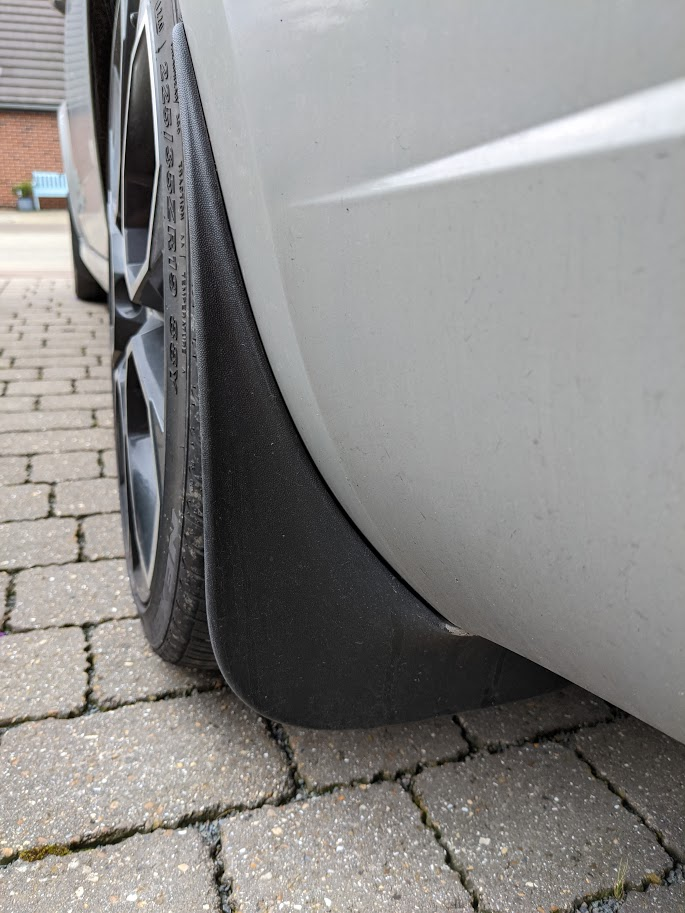
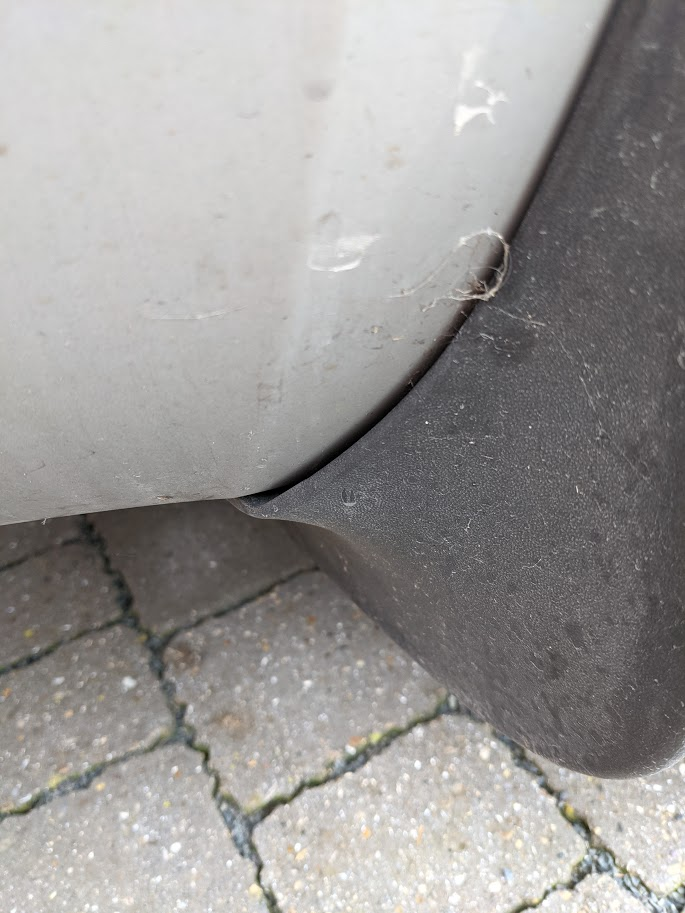
@roaddetective - which part number did you use? I used 5E0075101 which fitted fine on the rear of my '18 vRS hatch. There is a tiny gap but you wouldn't notice it unless looking for it... Apologies for a somewhat mucky car
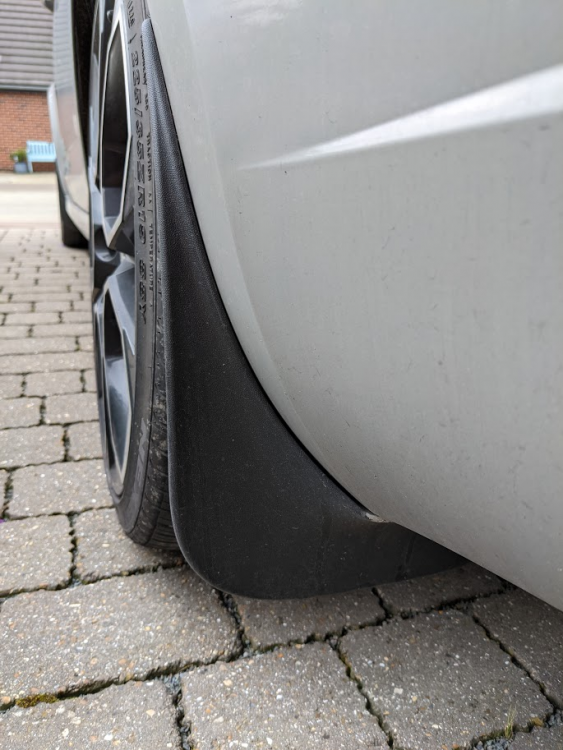
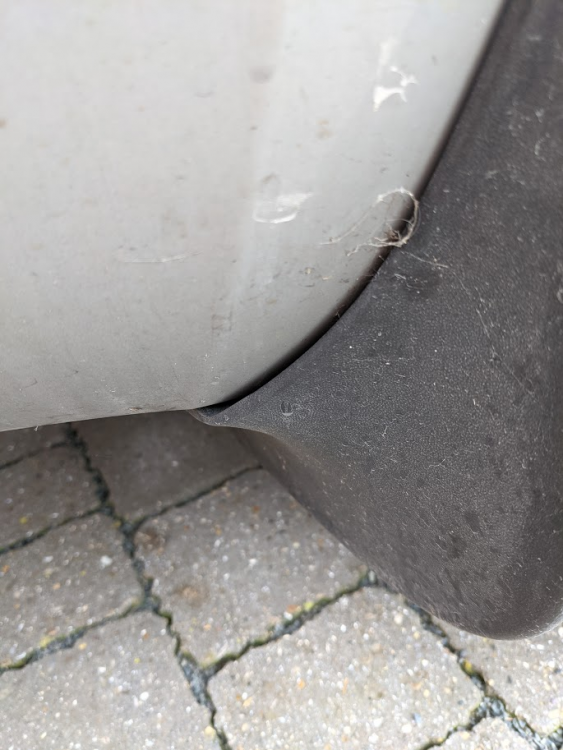
-
I grabbed mine from Kopacek but looking on eBay they aren't too bad atm: - Front (5E0075111) @ £25: https://www.ebay.co.uk/itm/283782771035 - Rear (5E0075101) @ £19: https://www.ebay.co.uk/itm/124039557681 Just check the part numbers are correct for your car
-
Given nothing else is complaining about missing comms with the cluster, it could just be the RCD330 is confused? The car is much older than it would have been originally installed in. If the buttons worked normally with the CF but not with the AQ , that would suggest they need LIN 2.0 rather than 1.3 as that's the most obvious difference between the modules. I don't think I'm familiar enough with the pre-FL and it's MFSW to comment further I'm afraid :(
-
That all looks pretty happy, it's certainly the coding I would have used and the XXXXXX is normal. The measuring blocks can be used to check for the MFSW function. You need to do the G85 calibration: http://wiki.ross-tech.com/wiki/index.php/VW_Golf_(1K)_Steering_Assist#Sensor_for_Steering_Angle_.28G85.29 Might be worth checking "Channel 009: Steering Angle Sensor" is set correctly too... Error 31 isn't uncommon, it typically means you're trying to set an invalid coding and the module is refusing it. Assuming your VCDS is genuine, you could always make a thread over on Rosstech's forums as they may have more insight
-
Heh, no worries, happy to help We probably went a little overboard checking the wiring but I like to rule out as much as possible before spending money on parts. Still, nice to see the dealer got it right with a blown display and weren't just throwing parts at the problem!
-
Agreed - FAT32 should be fine for the maps I added a guide a little while ago that might help: Although I've got the latest maps I can't say I've ever used the nav so I can't comment on the country entry or missing A14. They can be slow to update roads though....
-
Yup, I believe Carista should be fine for resetting an airbag code. You could always contact their support first to make sure. I've never used it so I can't add any detail I'm afraid
-
There are many reasons for the EML to come on. Ideally you need to get the car scanned for fault codes to narrow it down