langers2k
Resident Member
-
Joined
-
Last visited
Everything posted by langers2k
-
Yeah I'd assume it's only the haldex side that gets serviced. The actual diff probably shares the gearbox oil as it would in a non VAQ equipt car 👍
-
Yeah, connect the two wires together. There is a link inside the brake pad that does the same. As the pad wears, it eventually destroys the link so they aren't connected causing the warning light to show. At least that's my understanding 👍
-
I think it's recommended at 3 years/30k or earlier if you have an aggressive driving style. At least based on a Golf with the performance pack (includes a VAQ).
-
The VAQ does need servicing occasionally so it probably needs doing depending on your mileage. Make sure they remove the pump and clean the strainer/filter too
-
You should be able to short the two wires together for the brake pad warning to disable it. If not, you can code the warning out with VCDS or similar.
-
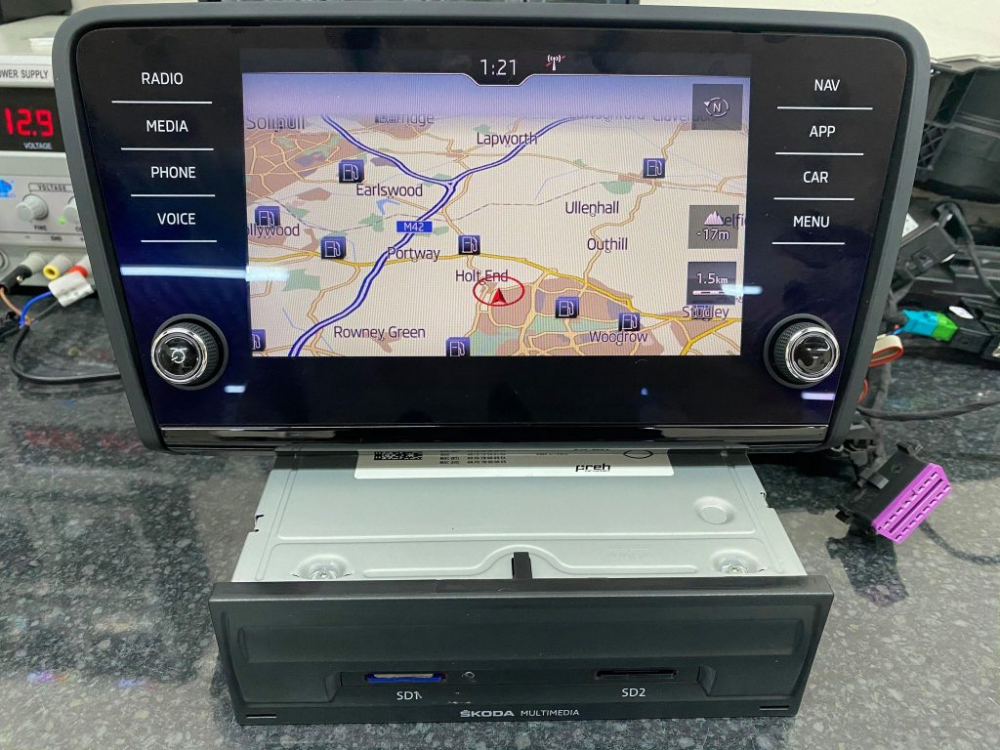
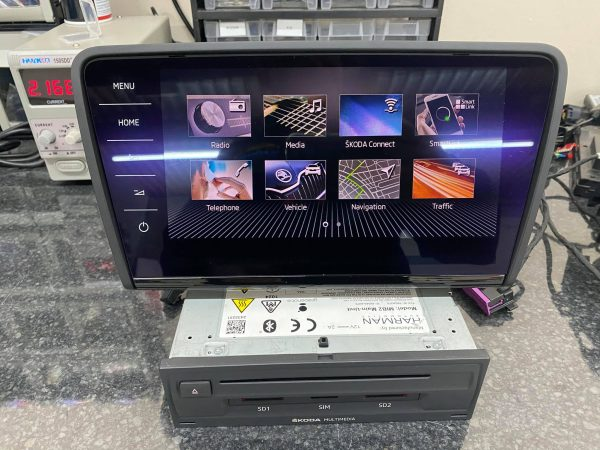
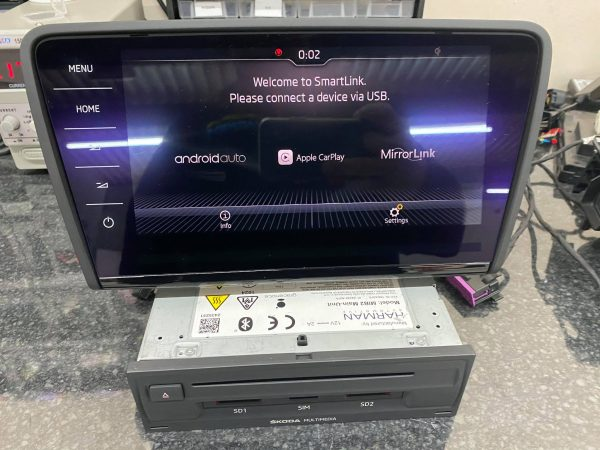
I had assumed you would have a Bolero/Amundsen which look sorta like this with a physical 'App' button: If instead you have a Columbus, it'll look like this: If you press 'Menu' there should be a 'Smartlink' option which will show a screen like this:
-
I would expect a '19 plate car to have Smartlink+ with both AndroidAuto and Apple CarPlay enabled... If you press the 'App' button on the radio, both should be shown and it'll ask you to connect a device.
-
I don't mean to sound like a broken record but that really is the first thing to figure out. There are no switches, relays or anything interesting on the power/ground path for the door controllers. It's just wires, joints and fuses... If I were you: - I'd disconnect all four door controllers while you do this (one or more may have internal faults although unlikely) - Check that the door fuse(s) have 12v on the output and are capable of supplying decent current without much voltage drop (test lamp with a 21w bulb is fine ~2a) - Check for continuity and load carrying capability along each power feed between the fuse(s) and the power consumer (door modules) - again test lamp is fine Hopefully that'll find a fault in either the power or ground wiring and after repairing, you'll get a solid 12v supply to all four doors. Once you have verified there are no wiring issues with the power feeds, you can then add the door controllers back in one-by-one and scan between each addition to see if they communicate and if the power rail stays happy. As the late, great Jack over on the Rosstech forums used to post:
-
While I agree it isn't an MOT issue, it could cause issues if the OP were to have an accident either caused by a faulty front assist system or would have been avoided had it been working. It'll depend on what you agreed to when taking out the insurance. No idea if it would cause issues in the real world or is just theoretical
-
I'd expect it behind a boot trim to keep the cable between it and the external antenna short. Part number 15 (https://nemigaparts.com/cat_spares/etka/skoda/sup/851/035350/)
-
-
You can access the official workshop manuals directly from Skoda: https://erwin.skoda-auto.cz/erwin/ It's a pay per time slot service so I'd suggest a decent internet connection and saving as much as you can A 'print to pdf' function might help too...
-
Take a look with a borescope? I'd be worried that expanding foam would get everywhere, come out the top, bottom and any other hole along it... Maybe check if the top or bottom are open and use a spongy foam you can squeeze in and remove later?
-
A faulty BCM shouldn't stop the door controllers communicating... You can probably access the three connectors if you remove the trim in the drivers footwell. I don't have a guide or pictures unfortunately. It shouldn't be necessary to completely remove it yet. If the door controllers still don't show up with it disconnected, then it's unlikely to be related. Have you managed to get 12v to the door controllers yet?
-
They are different on the pre-FL and FL. The pre-FL seems to use: - 5E0 821 105 A/B https://www.skoda-parts.com/spare-part/5e0821105b-front-left-fender-skoda-21305.html - 5E0 821 106 A/B https://www.skoda-parts.com/spare-part/5e0821106b-front-right-fender-skoda-21306.html The FL seems to use: - 5E0 821 105 C https://www.skoda-parts.com/spare-part/5e0821105c-left-front-fender-skoda-32524.html - 5E0 821 106 C https://www.skoda-parts.com/spare-part/5e0821106c-right-front-fender-skoda-32525.html If you're buying used, make sure it came from the correct car...
-
The connector be shared amongst various antenna. You need the part number for the entire thing. It might be stamped on the base or possibly on a sticker stuck around one of wires.
-
There is no video input or connection for an external satnav, so no, I doubt this is possible... :(
-
If they have the same part number, they will be identical
-
When the 245 was first released, it had a few extra's compared to the a standard vRS. It seems to be known as the '245 edition'... Then towards the end of the MK3 vRS run, they released the challenge edition which also had a better spec than the standard vRS. I've attached a couple of brochures for you. Octavia Brochure Nov 2017.pdf Octavia Brochure Nov 2019.pdf
-
Can you add a log or some screen shots? It would be handy to see exactly what OBD11 is reporting and which module is unhappy. Most google hits seem to be Audi related so I expect something may be miscoded but it's had to say without more information.
-
It's not clear from your original post what you're trying to do or find out. You might need to give some context and tell us a little bit more At a guess, your radio has stopped working and that's the fault code stored in the CAN gateway??
-
You need TSR to get the speed limit to show in the cluster 👍
-
Yup, scanning with the engine running is fine 👍
-
A genuine VAG TPMS sensor can be had for sub £20 but obviously you will probably need to pay a tyre fitter to install it. Still, compared to most things that can go wrong on a car, it feels pretty cheap to me
-
Should be possible to retrofit it...