langers2k
Resident Member
-
Joined
-
Last visited
Everything posted by langers2k
-
@Danoid - the OP seems to be complaining the lights aren't dimming rather than wanting to stop them doing so Anyway, I'd take a look at static AFS light-Abdimmgeschwindigkeit - mine are set to 25.
-
289 miles on 39 litres is ~33.7 mpg 330 miles on 39 litres is ~38.5 mpg To put that into context, the worse/best from a single tank in my vRS is 33.0 vs 41.95 mpg so its certainly within single tank variance. Might be worth measuring a few more tanks to confirm the fuel usage Also you should bare in mind that: - A to E rated tyres can change fuel usage by up to 5% (A to G is upto 7.5%) - Used (2mm tread) to new (8mm tread) will effect the odometer by ~2% - Not all 225/45 R17 tyres are even the same size which will effect the odometer The reason I mention the tyre size is because a larger tyre will make the car think it's covered less distance and mess up your calculation by making it appear low. A combination of the above factors can easily cause extra fuel use and also make the reported mileage seem to drop giving a large difference
-
The dealer/company should be able to confirm the part numbers from the VIN. My best guess would be the part numbers stamped on these: https://www.ebay.co.uk/itm/284064547632
-
Can you post a VCDS autoscan and an adaption map from 09?
-
You can have front assist without adaptive cruise control - which is what I expect the OP has. Unfortunately, if you do only have front assist, the radar unit fitted is very unlikely to support ACC
-
Modified cars will always put some people off as they are more difficult to insure assuming you declare them. The mods you've made might not be to the taste of your potential buyers. I'm not saying people don't like them but if you want to maximise your target market, removing some of the mods will probably help
-
Might be worth tweaking the additional DRL bumper lights to make them road legal? Pretty sure you can't show a blue light so I'd suggest either making them white on driving or disabling/removing them At least that way if the new owner has issues due to them, it's down to them
-
I think it was Android only to start as the dongle only supported Bluetooth. They released a newer dongle with WiFi so iOS devices could use it too. The op screenshot certainly looks like iOS and when I checked the Android store on my phone running Android 11 it showed 0.35.
-
Android and iPhone have different app versions. At a guess you're on Android and the op is on iOS 😉
-
A5 cameras have a triangular cutout on the windscreen to look out of 👍
-
Do you have DCC? If you don't then use normal dampers If you do, as MartiniB mentioned above, you'll either need: - a DCC delete to use regular dampers - replacement OEM dampers - aftermarket DCC dampers like the Damptronic
-
The sticker in the boot and owners manual only represent a small subset of the full PR-code list. A friendly dealer might provide the full list for your VIN if you ask nicely, or you can get it from erwin but you'll need to pay €7 + tax for an hours access
-
I use VCDS which is ~£225, others use OBDeleven and quite like it. I think a few still use Carista too. If the front assist radar stopped working correctly, I would expect a warning shown on the dashboard
-
When I added a VC to my car, these are the notes I made: Address 5F 5Q0 035 874 C channel ENG122227-ENG142087-Car_Function_adaptations_Gen2-menu_display_Display_Configuration adapted from not activated to activated channel ENG122227-ENG142089-Car_Function_adaptations_Gen2-menu_display_Display_Configuration_over_threshold_high adapted from not activated to activated channel IDE11524-ENG137043-Vehicle function list BAP 2nd generation: expansion-display_configuration_0x45 adapted from not activated to activated channel IDE11524-ENG137044-Vehicle function list BAP 2nd generation: expansion-display_configuration_0x45_msg_bus adapted from not activated to Databus Infotainment channel ENG122230-ENG142097-Dashboard_Display_Configuration-ability_switch_nav_maps adapted from OFF to On channel ENG122230-ENG122343-Dashboard_Display_Configuration-call_picture adapted from OFF to On channel ENG122230-ENG122341-Dashboard_Display_Configuration-coverart adapted from OFF to On channel ENG122230-ENG122342-Dashboard_Display_Configuration-stationart adapted from OFF to On channel ENG122230-ENG122338-Dashboard_Display_Configuration-navigation_map_compression_mode adapted from RLE to H264 channel ENG122230-ENG122339-Dashboard_Display_Configuration-navigation_map_resolution adapted from resolution_1 to resolution_3 channel ENG122230-ENG127005-Dashboard_Display_Configuration-navigation_map_transmission_mode adapted from OFF to MOST_streaming 5F Coding: - Byte 19, Bit 5, Ticked - MOST Enabled - Byte 22, Bit 0, Unticked - Dashboard via MOST/CAN 17 Coding: - Byte 0, Bit 1, Unticked - ?? - Byte 10, bit 3, Unticked - ?? As you have a Columbus, I think these need to be different: - channel ENG122230-ENG142097-Dashboard_Display_Configuration-ability_switch_nav_maps off - channel ENG122230-ENG127501-Dashboard_Display_Configuration-fastlist_most on Personally, I find the history file a big confusing to navigate given the number of changes/scans it seems to contain. Might be as I'm used to VCDS which makes this stuff much clearer with a date stamped autoscan + adaption map. Oh, the entire file is backwards, so the top is the latest? Great plan Rewrites post... I think the oldest/original codings were: - 17 >> 27A5091A7F80000801886A0B5001000000000000 - 5F >> 038402080000000011510002000908002F0000E601200100DE So I'd try: - 17 >> 25A5091A7F8000080188620B5001000000000000 - 5F >> 038402080000000011510002000908002F0000E601200000DE I'll let you go through the adaption channels as it looks like you just changed a load back to the default values.
-
It's come up a few times over the years, the max seems to be 8. Top bar: - ESC/TCS - Blank - Blank - Stop/start - Central locking Bottom bar: - Parking (auto park/PLA) - Parking (show sensors/camera) - Electronic boot - Set TPMS - Drive/vRS mode Pretty sure the order is reversed for LHD cars. As for the two blanks, I expect it was to give some flexibility if they needed more buttons in the future, guess they didn't need them!
-
Check the flexi hoses too, if they start to degrade then they can block causing a calliper to stay on
-
1) Try changing MAS03685-Digital speedometer to on or 1 2/3) - Is your headunit a MIB2 or MIB2.5? Can you post the adaption channels for the headunit, I think OBDeleven can do this as a 'backup'? I only have a MY18 to go on which had the correct CAN gateway, MIB2.5 and BCM from factory
-
Well it'll depend exactly which of their tyres you've fitted... Just as an example, this eBay seller suggests 'a' Farroad variant is E rated for fuel: https://www.ebay.co.uk/itm/402098366545
-
At a guess, it'll be the brake fluid as it's at approximately 3 years old. Impressive number of punctures though...
-
I found it easiest to unclip the plastic from the bootlid, reattach the rubber and simply clip the plastic back in. If I recall, there were two clips on the long sides that need prodding.
-
-
Reserved for future use. Just to point out, the Skoda method is much slower so I'm still in the progress of creating the SD card. I'll confirm once it's worked edit: Now completed without issue
-
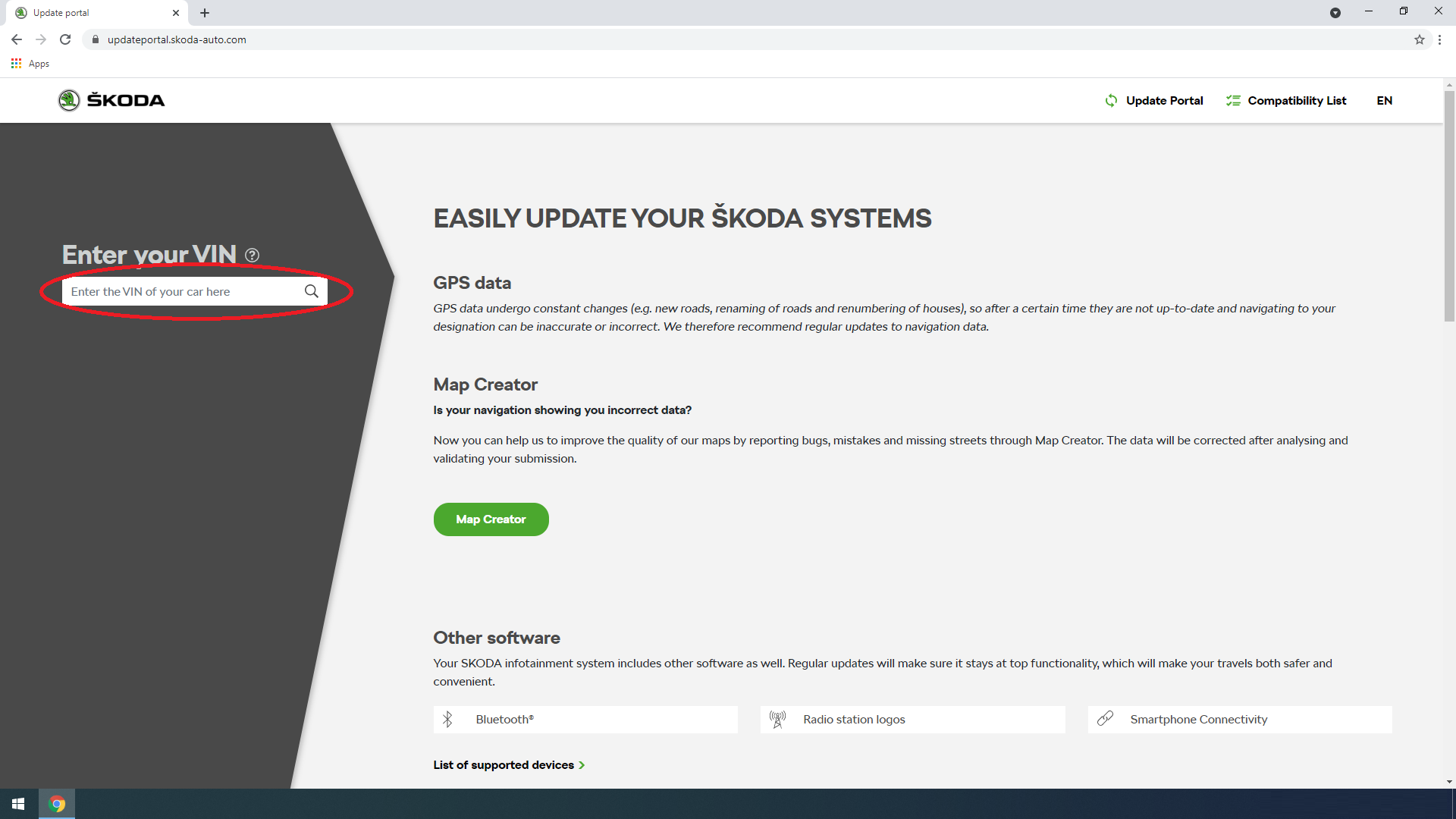
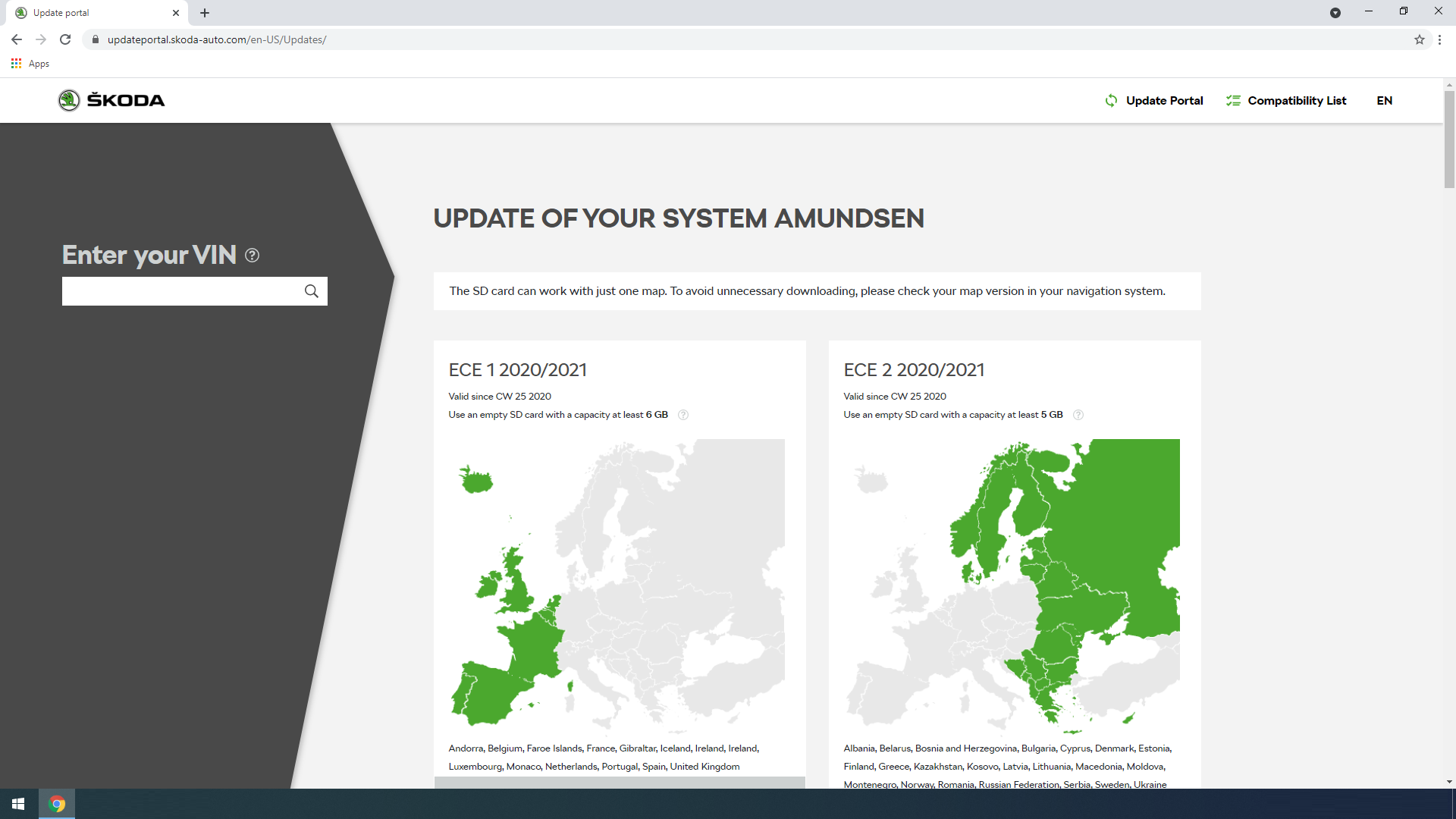
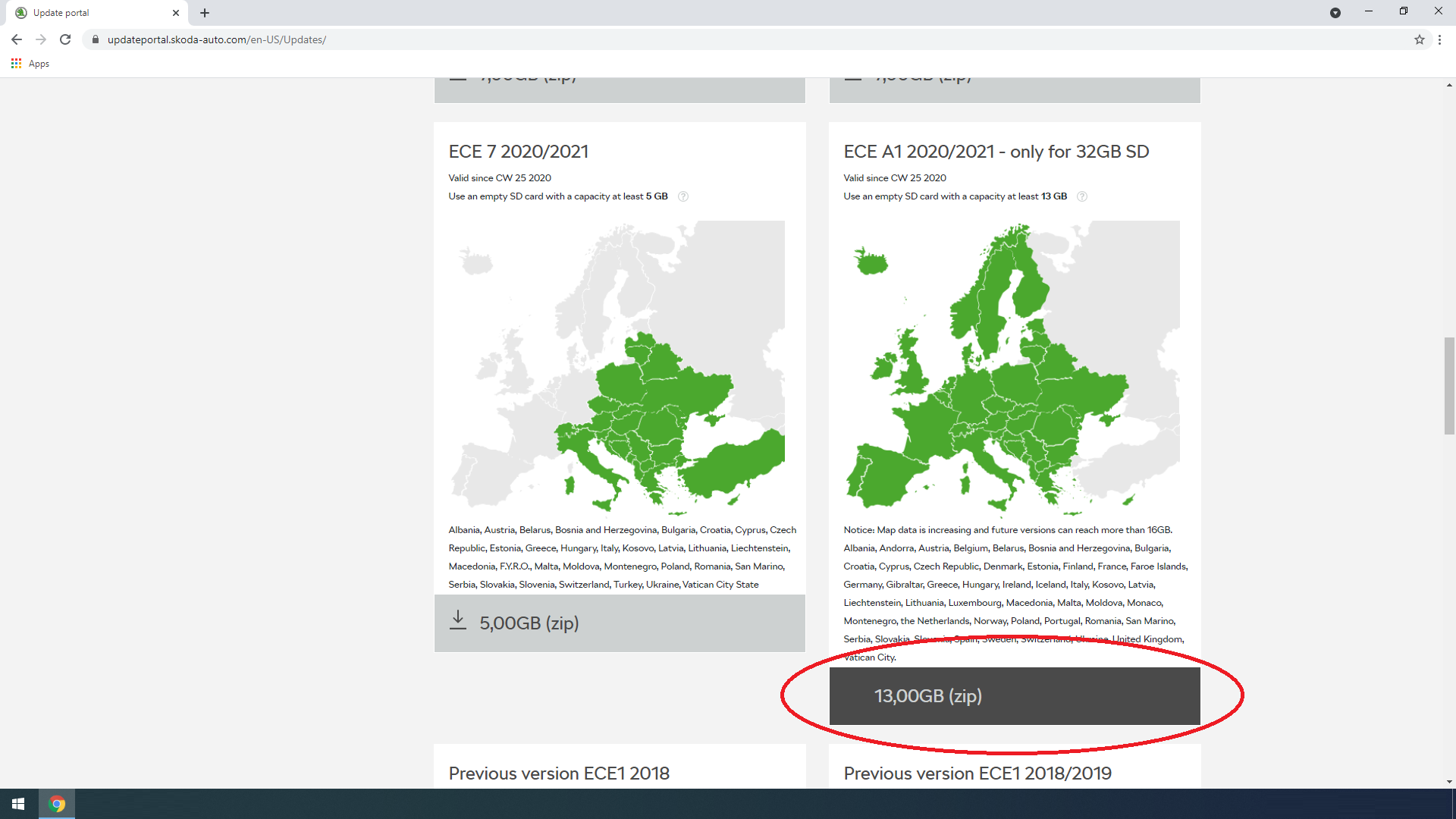
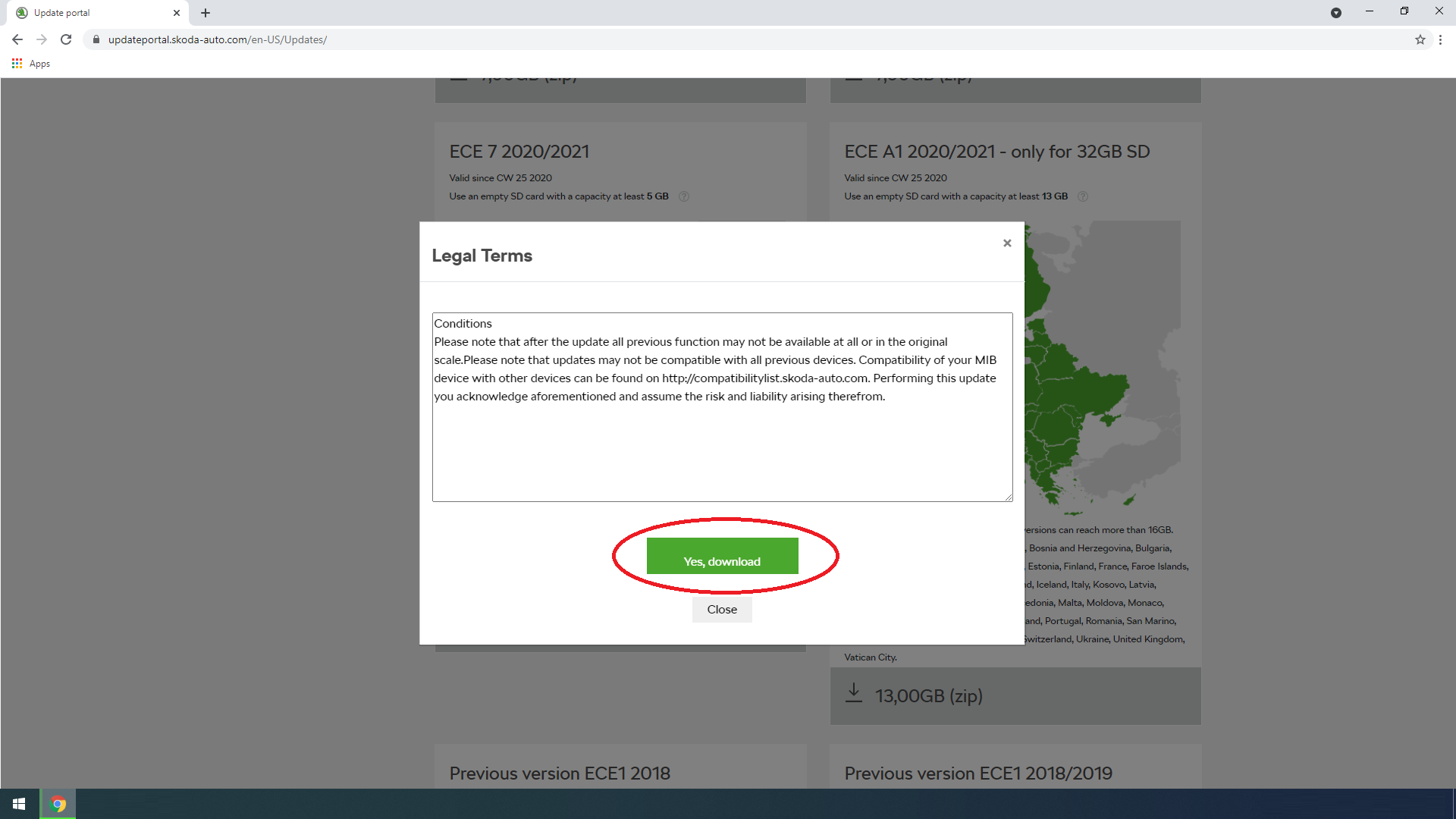
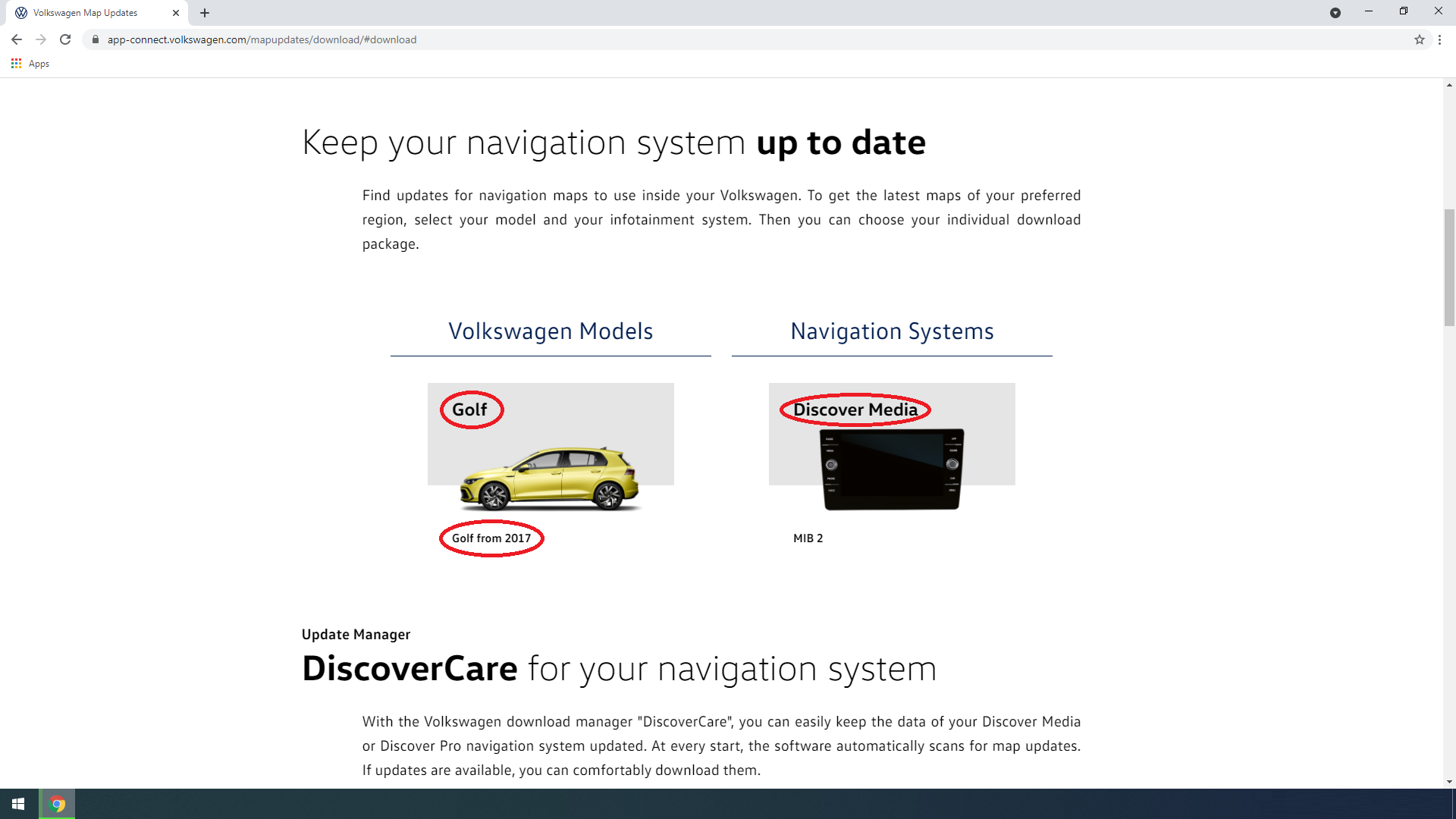
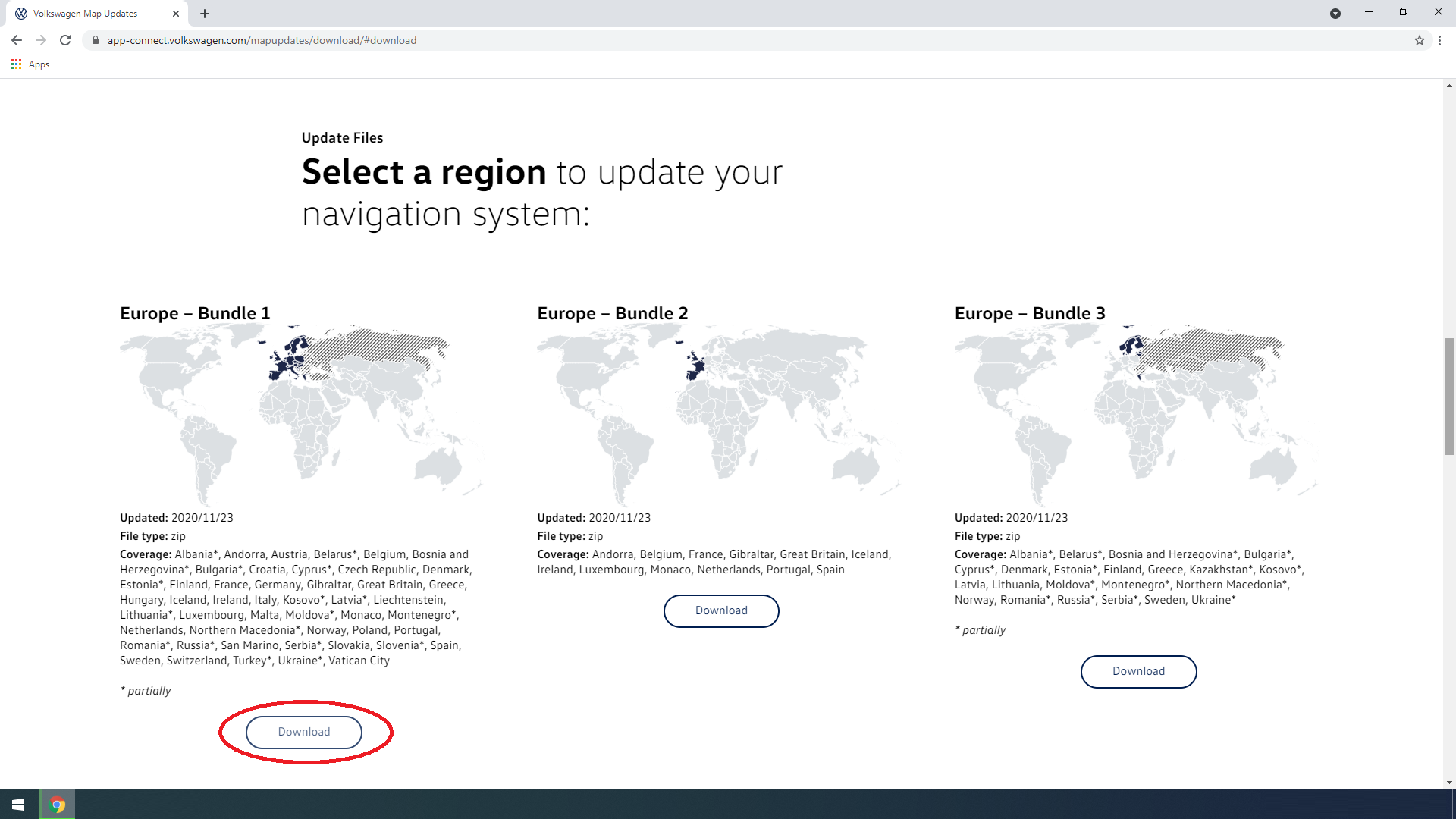
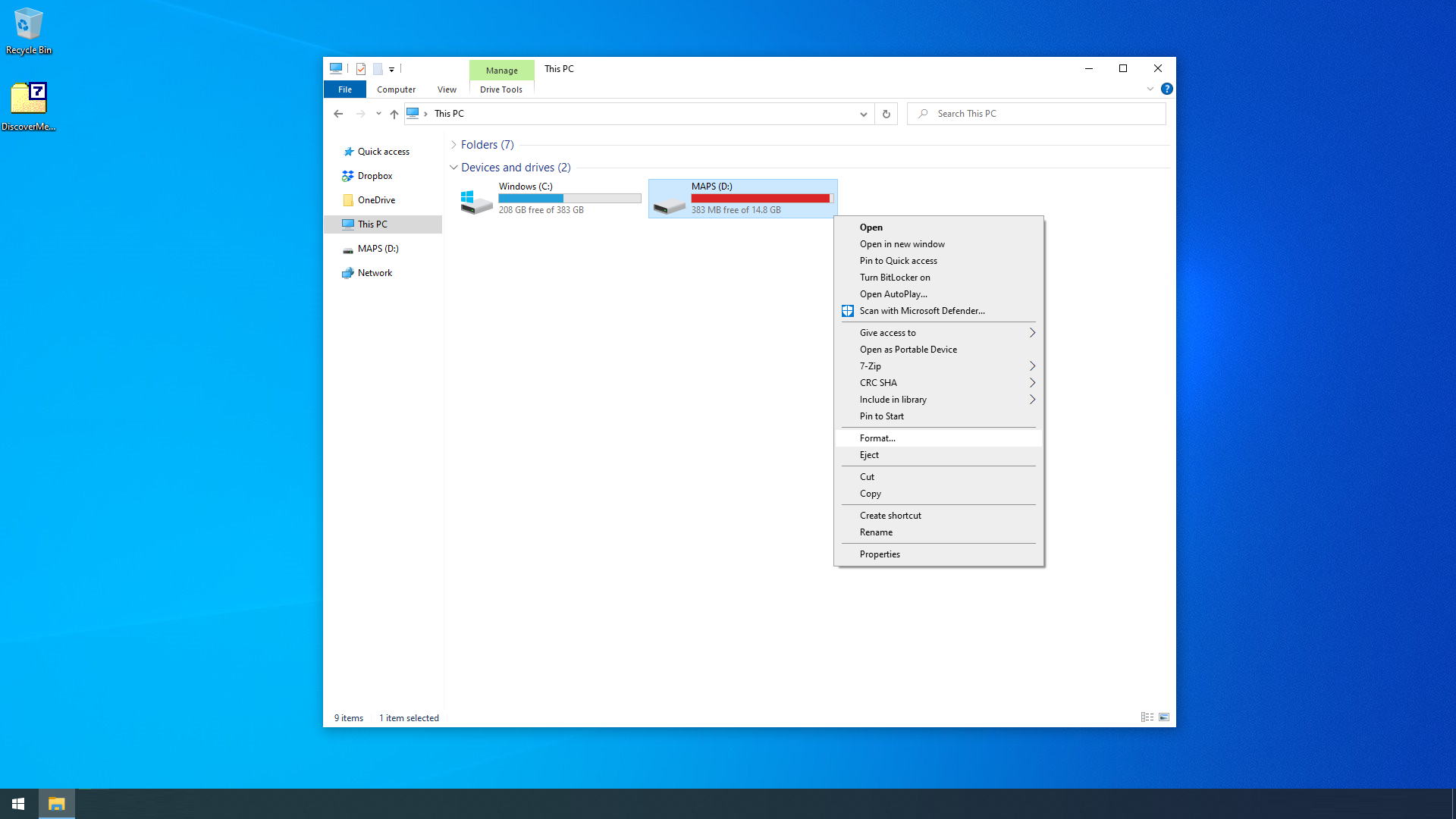
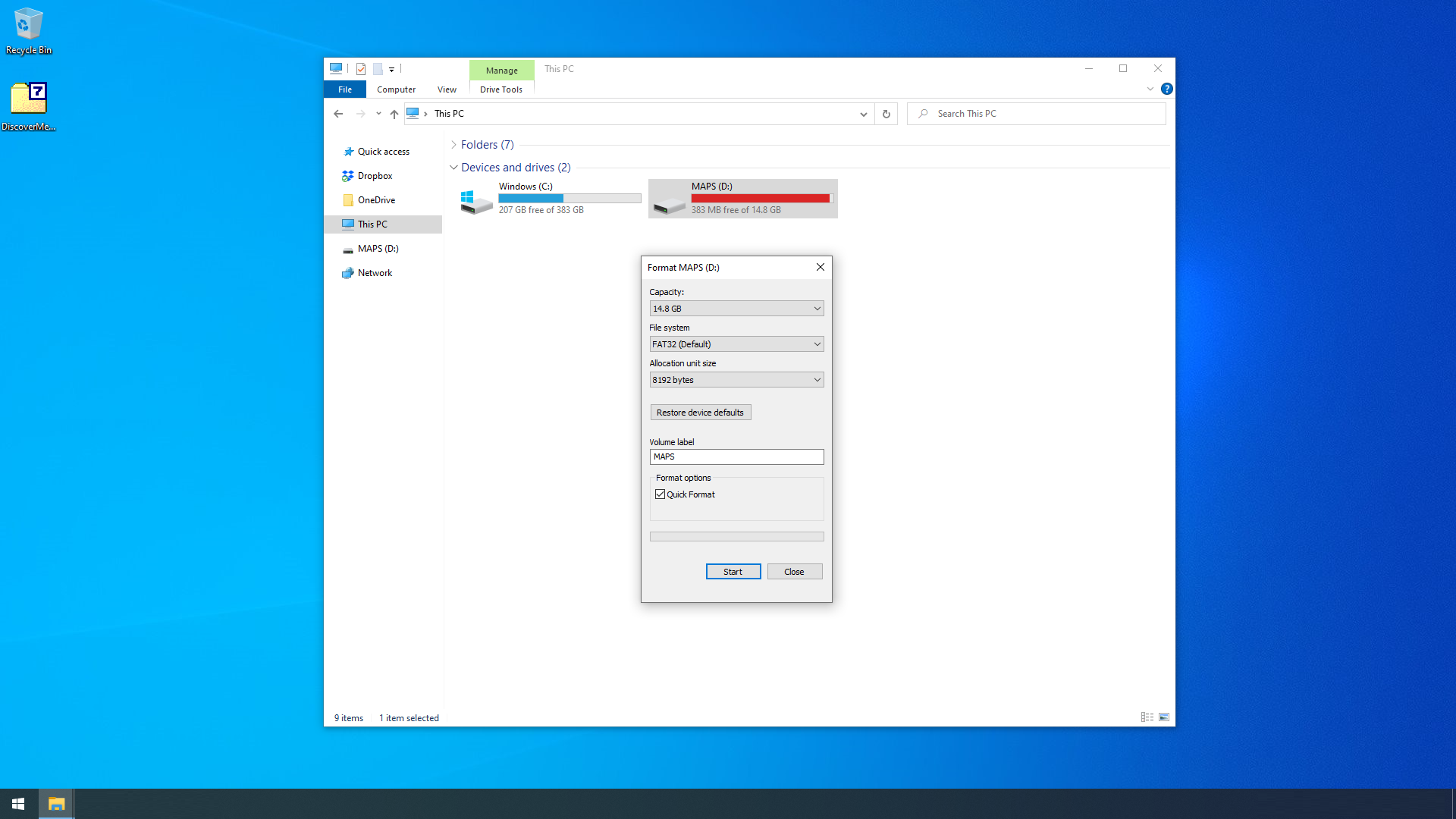
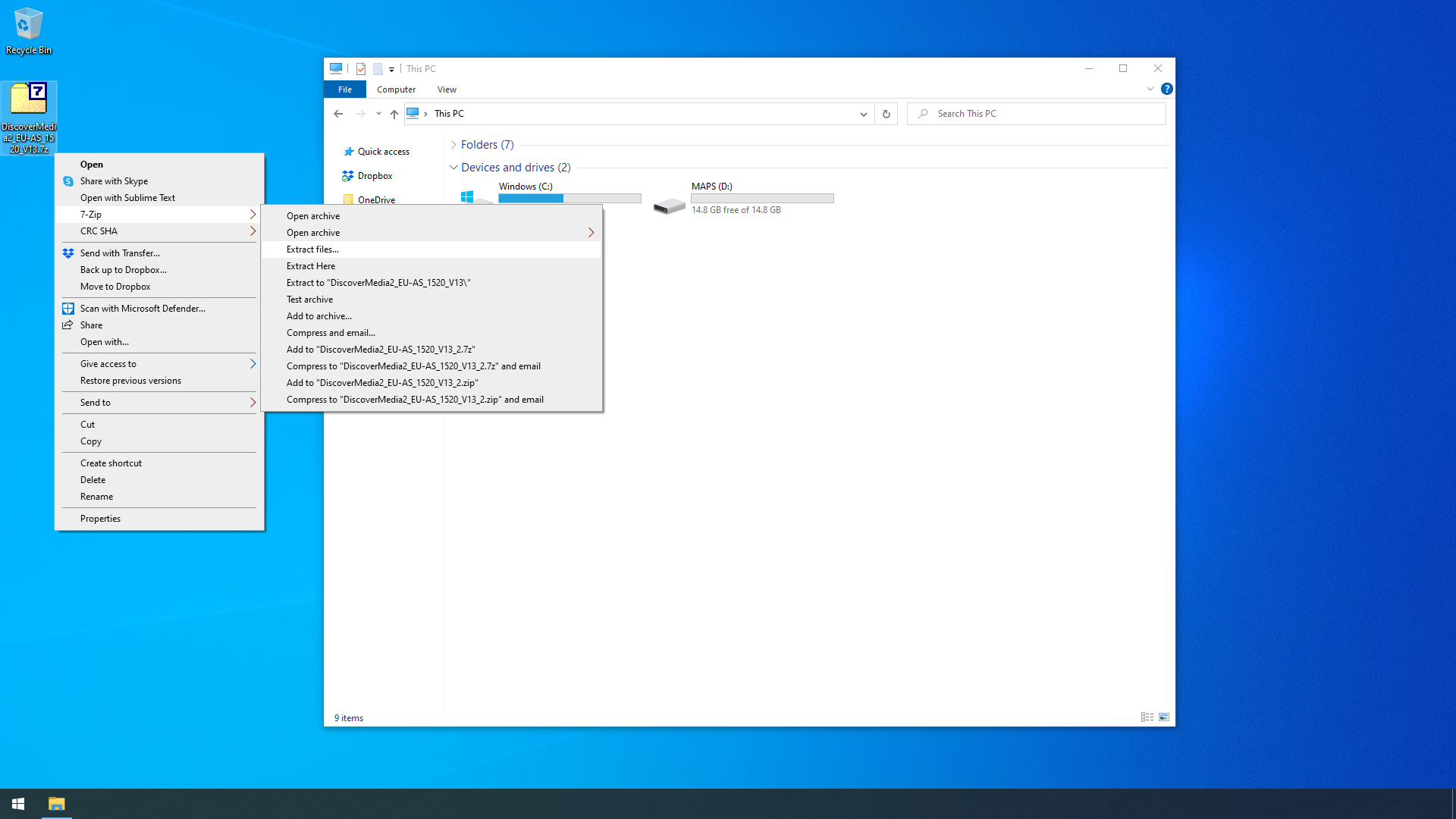
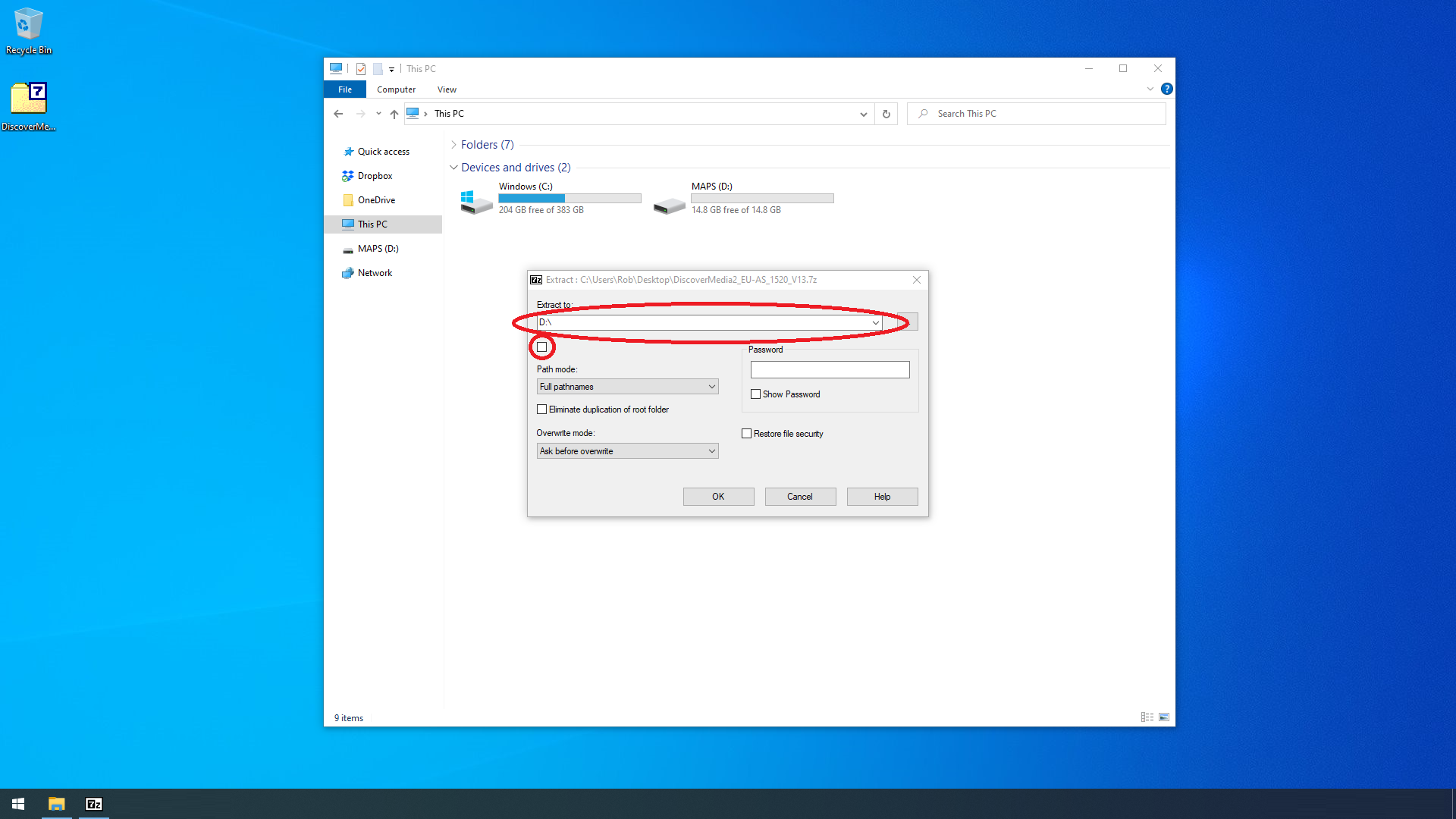
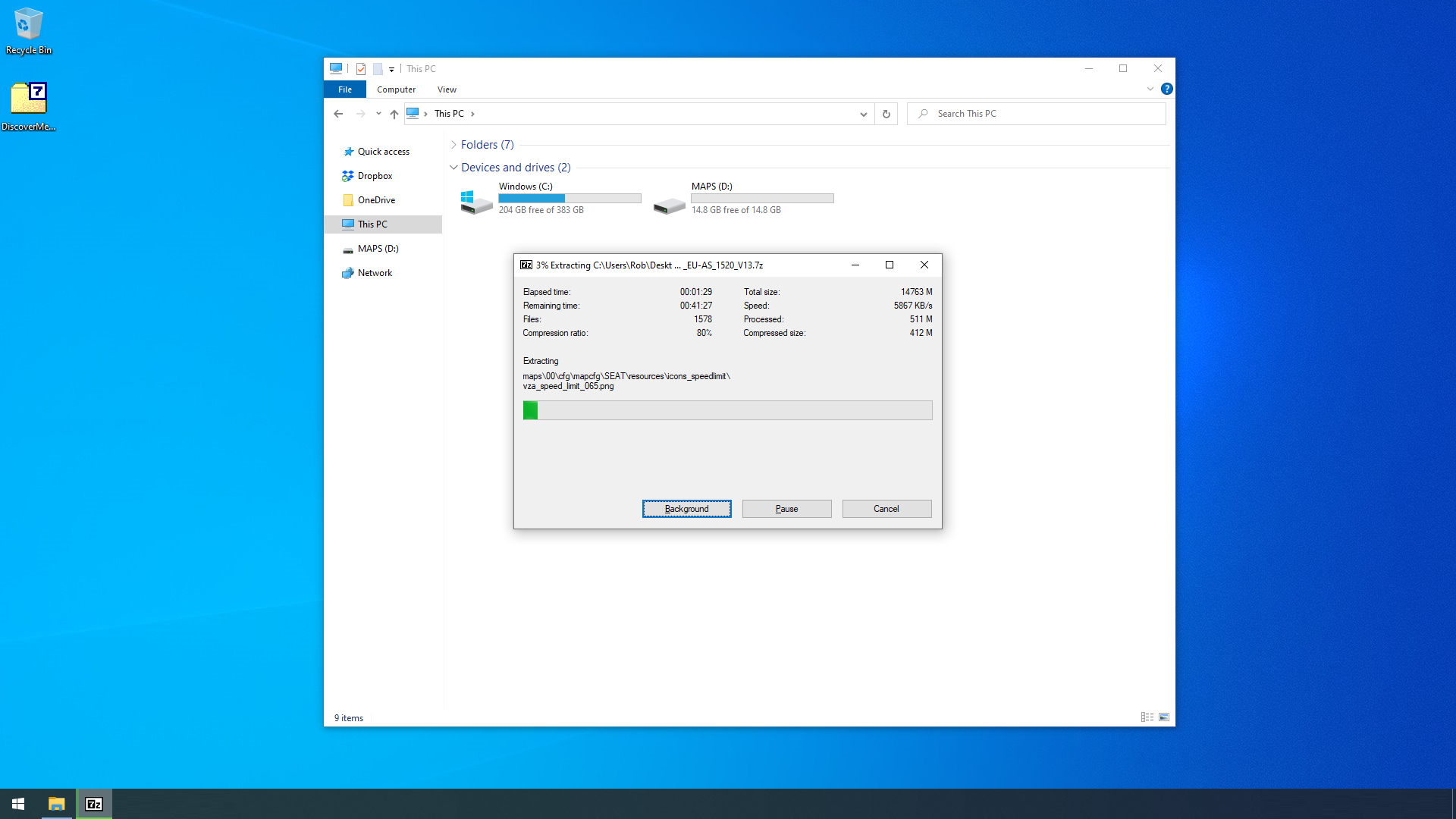
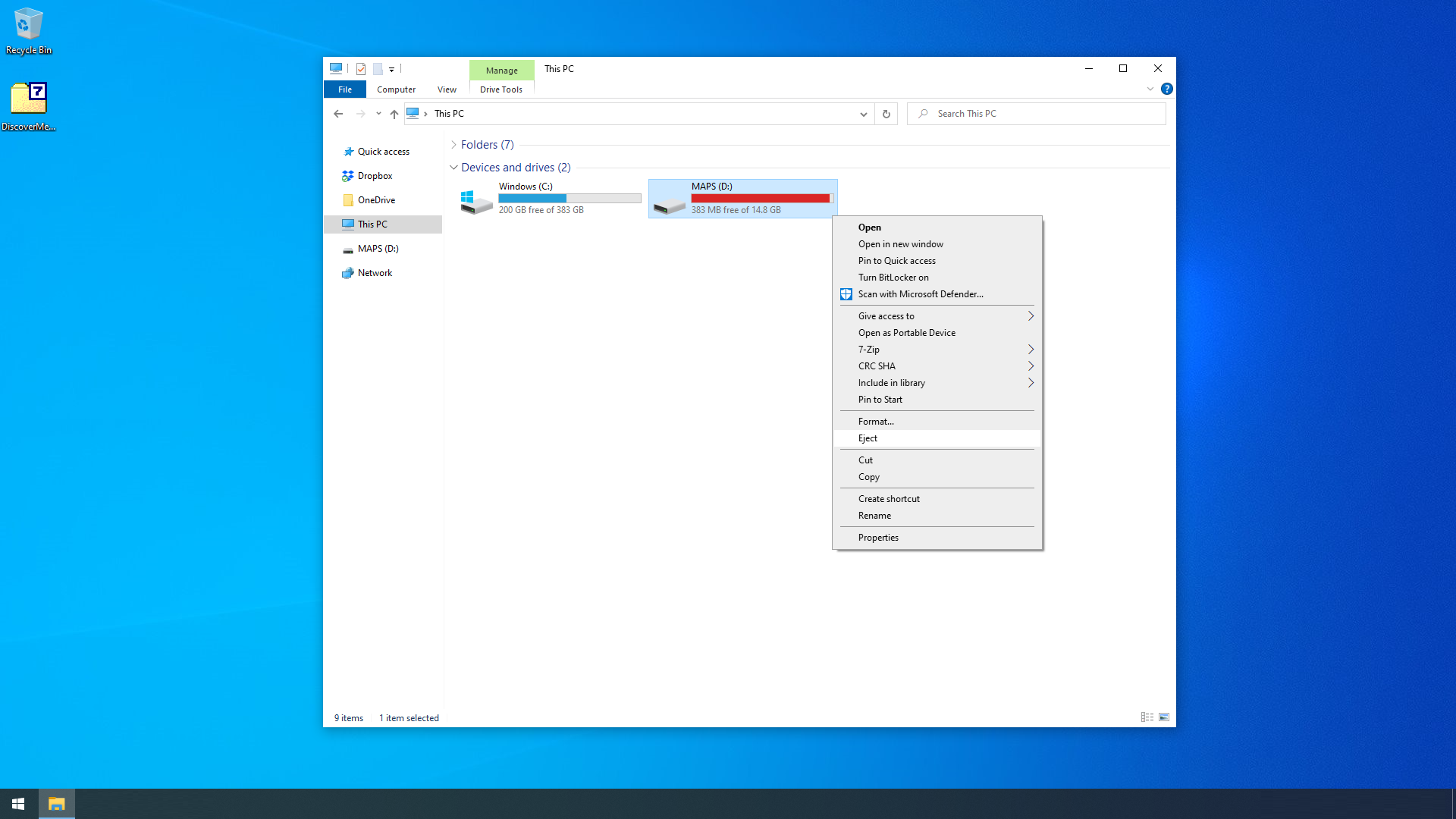
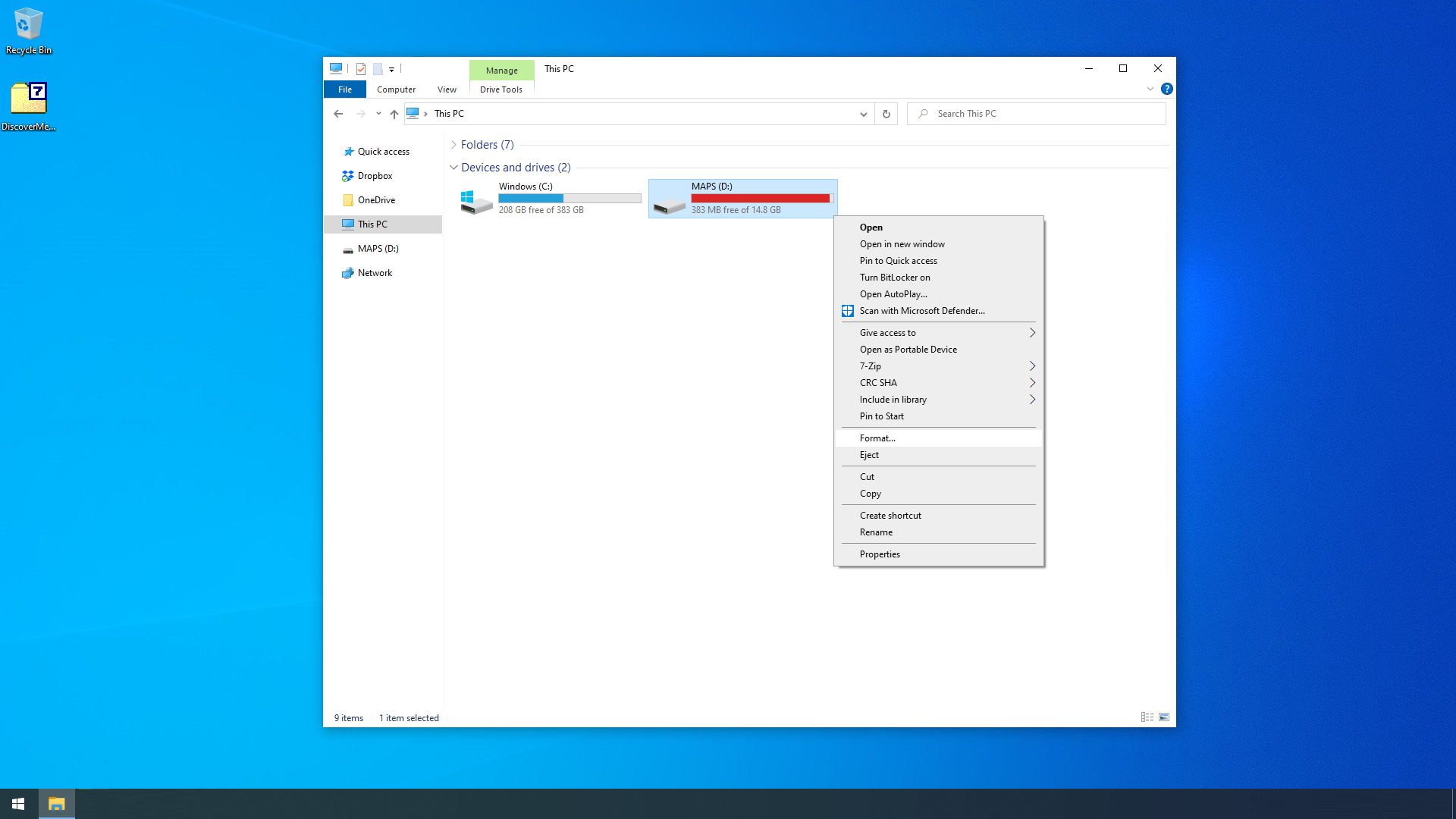
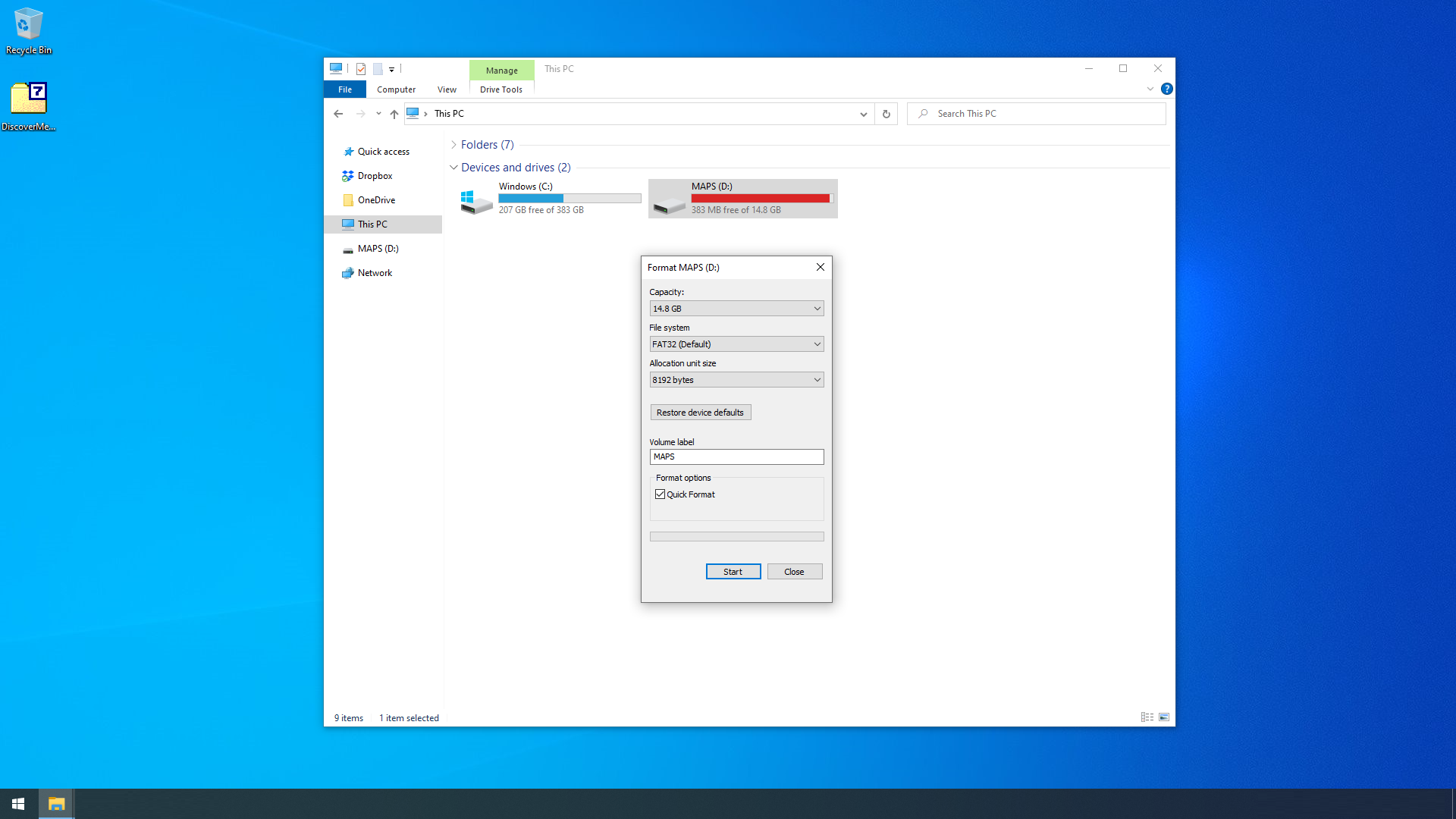
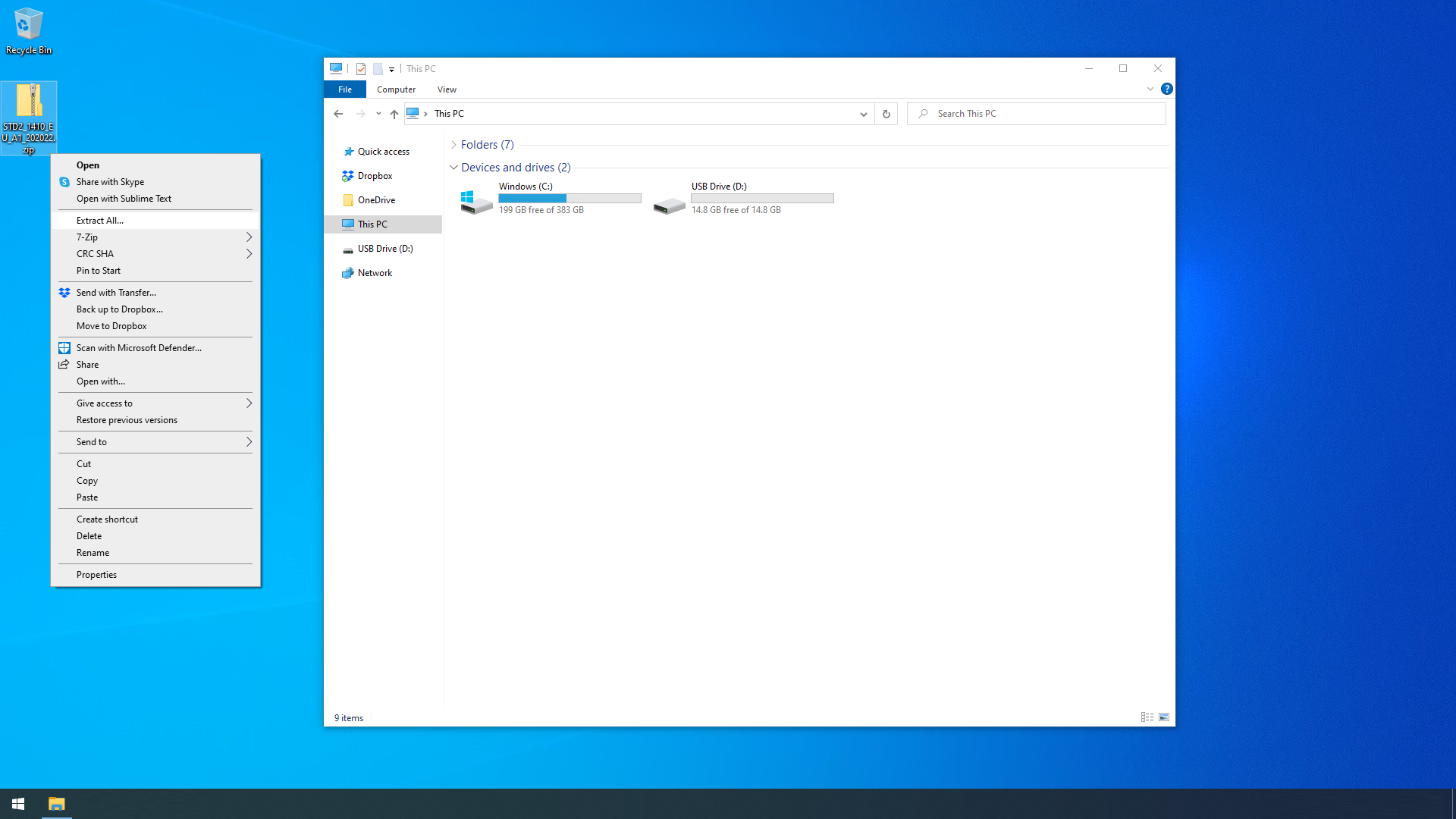
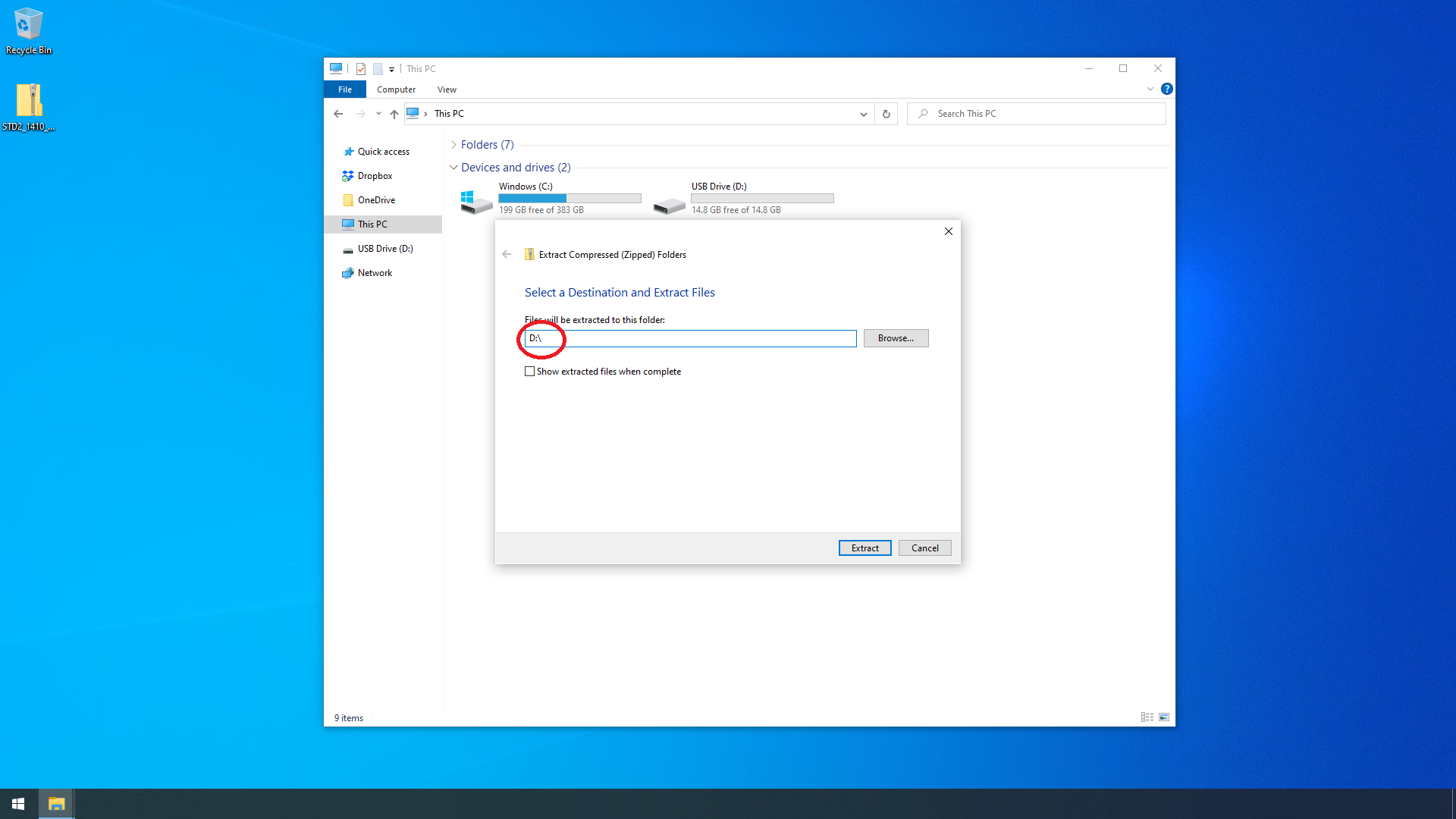
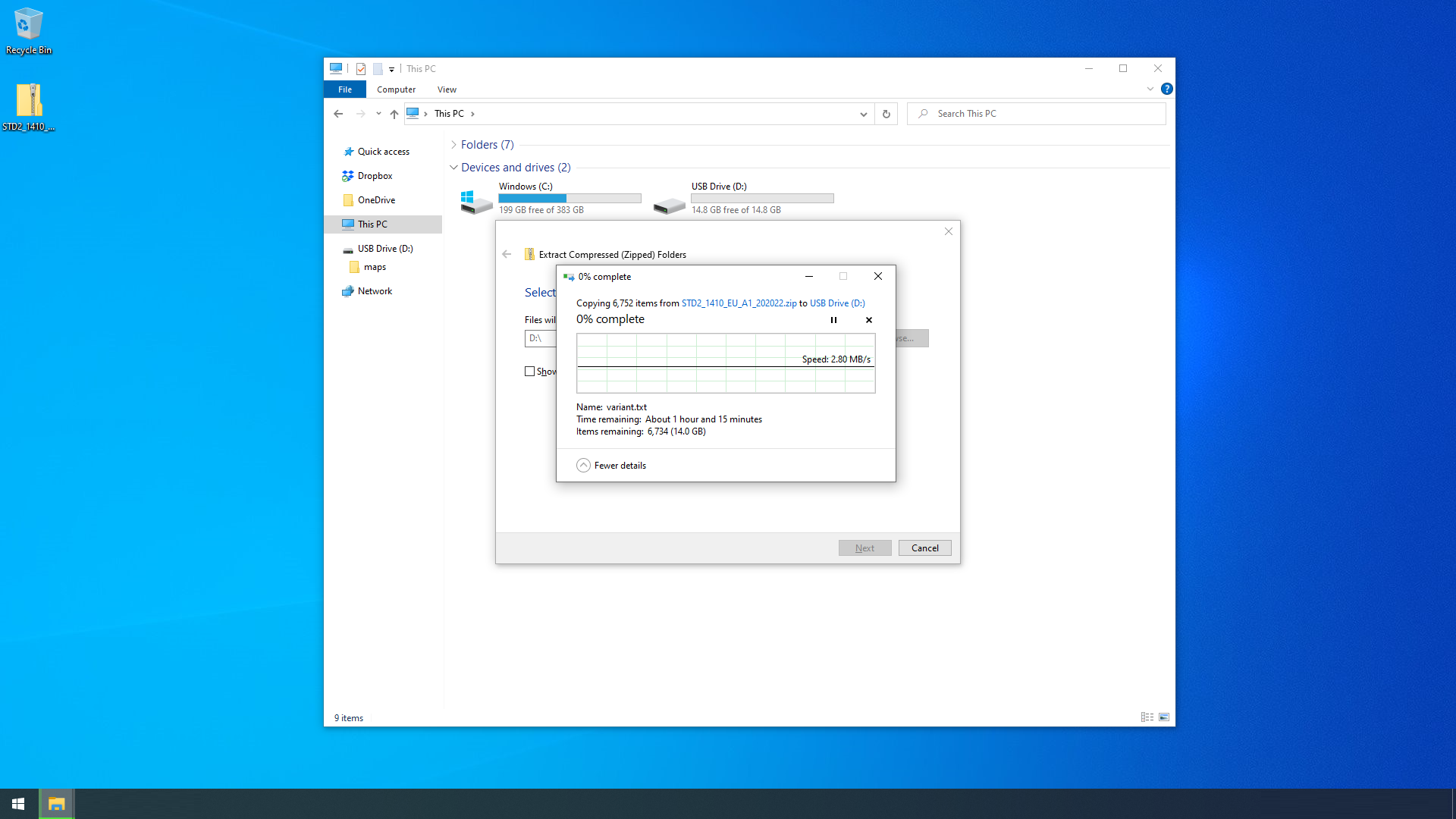
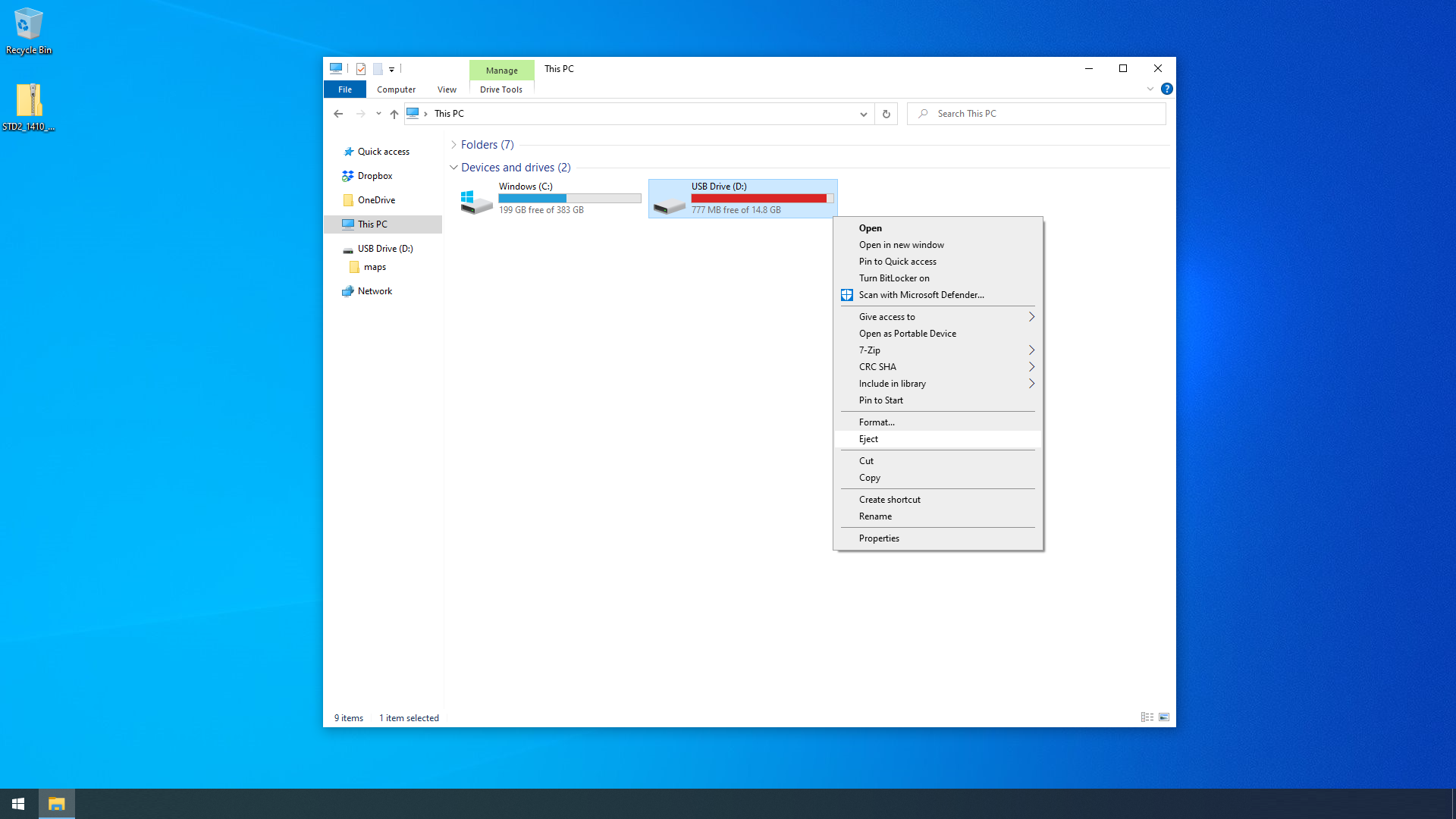
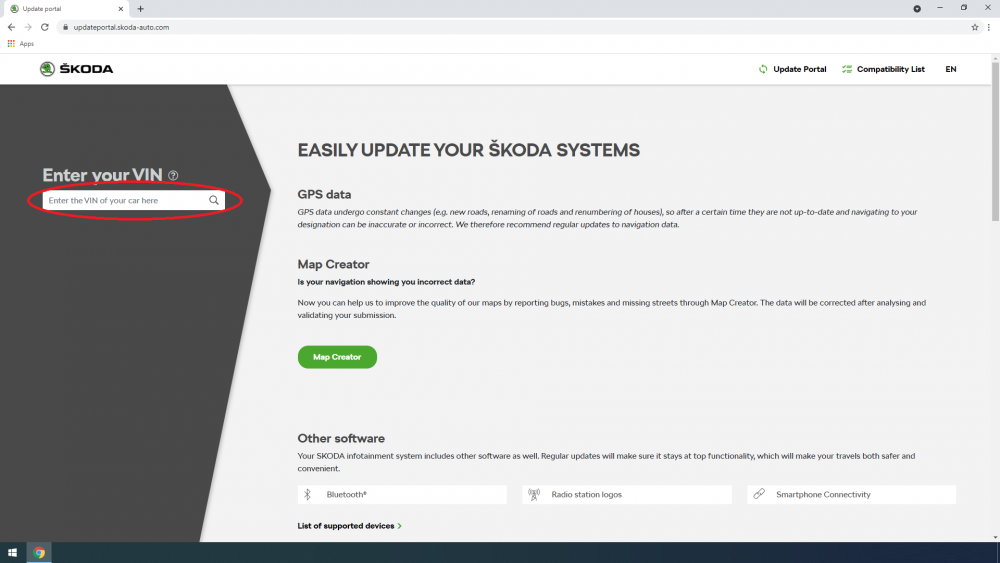
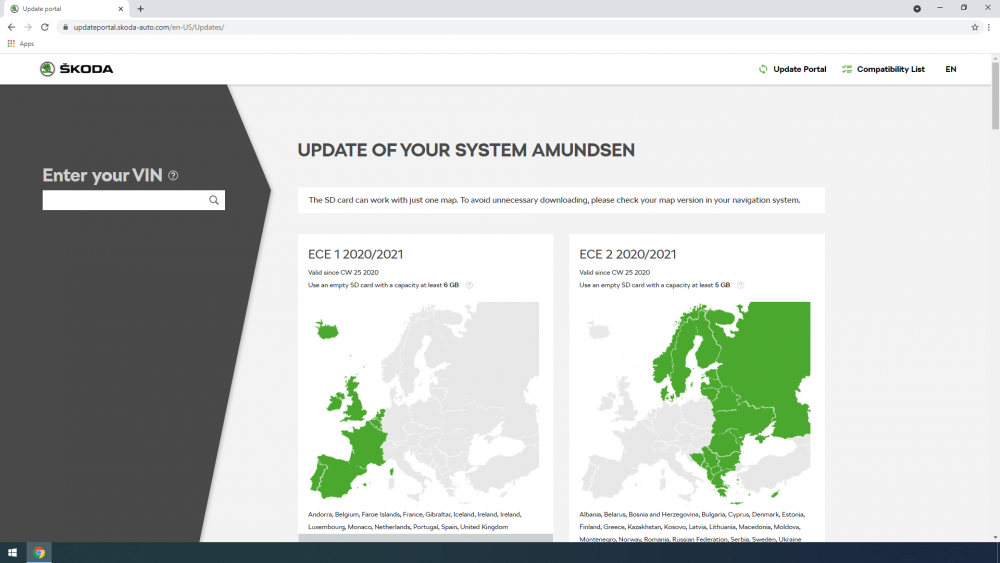
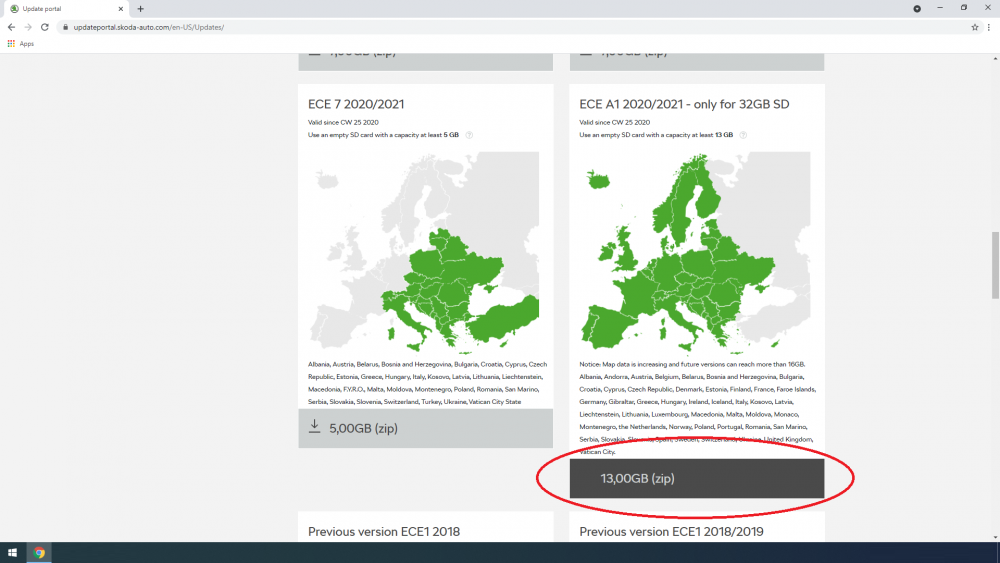
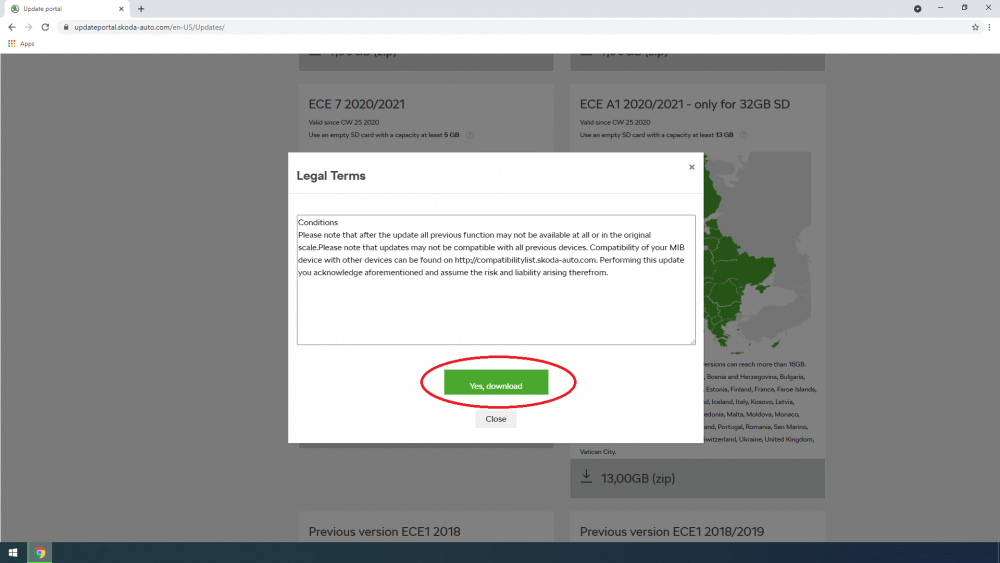
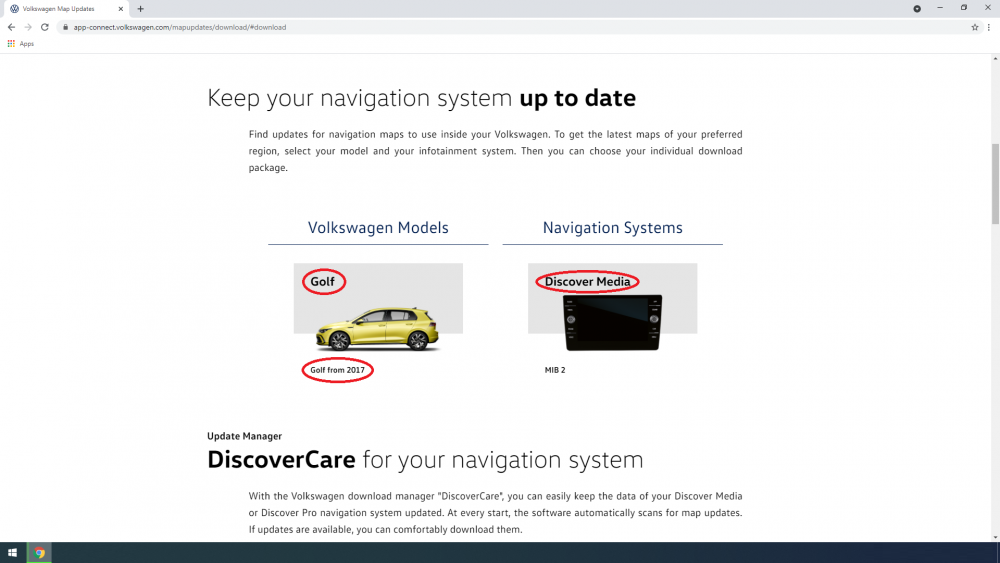
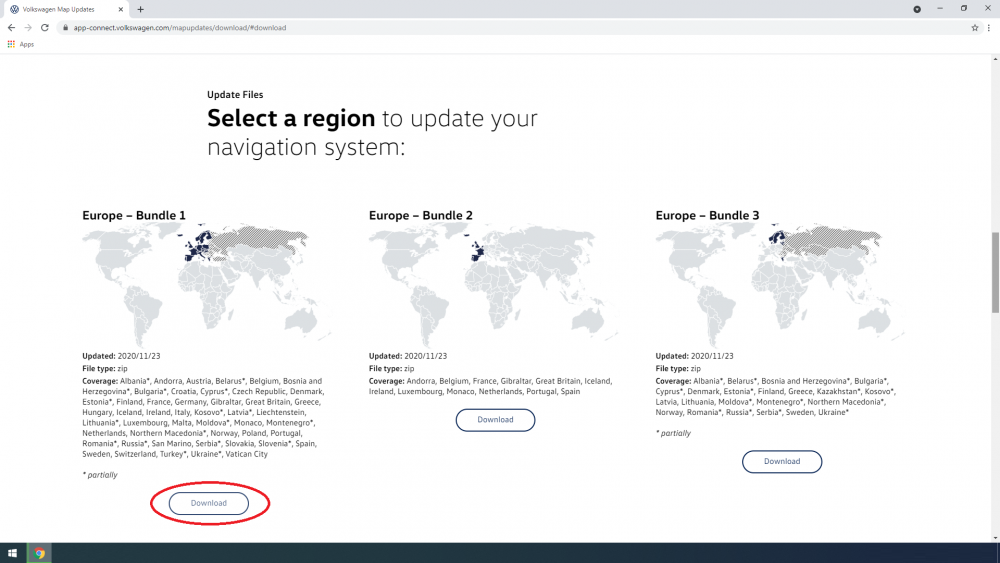
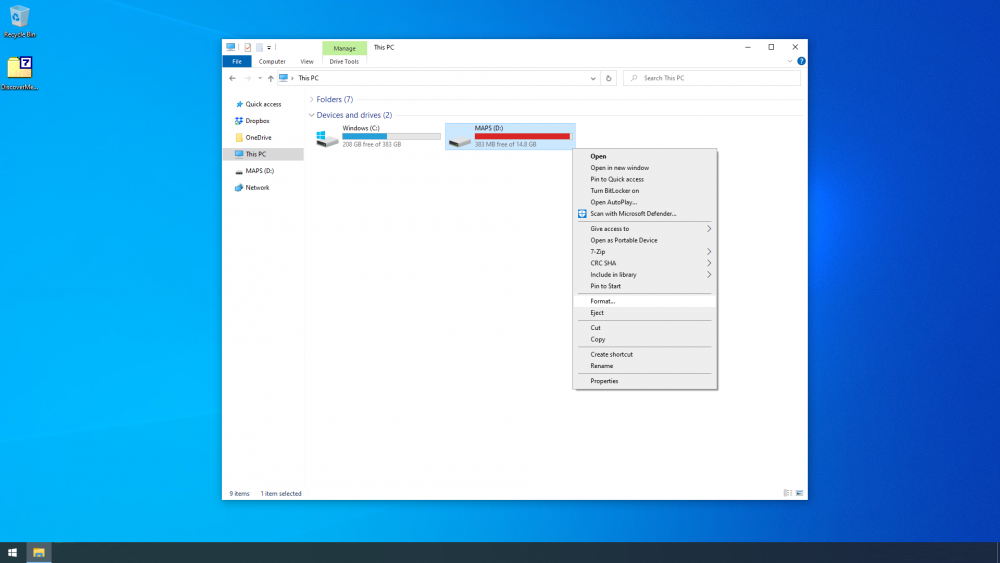
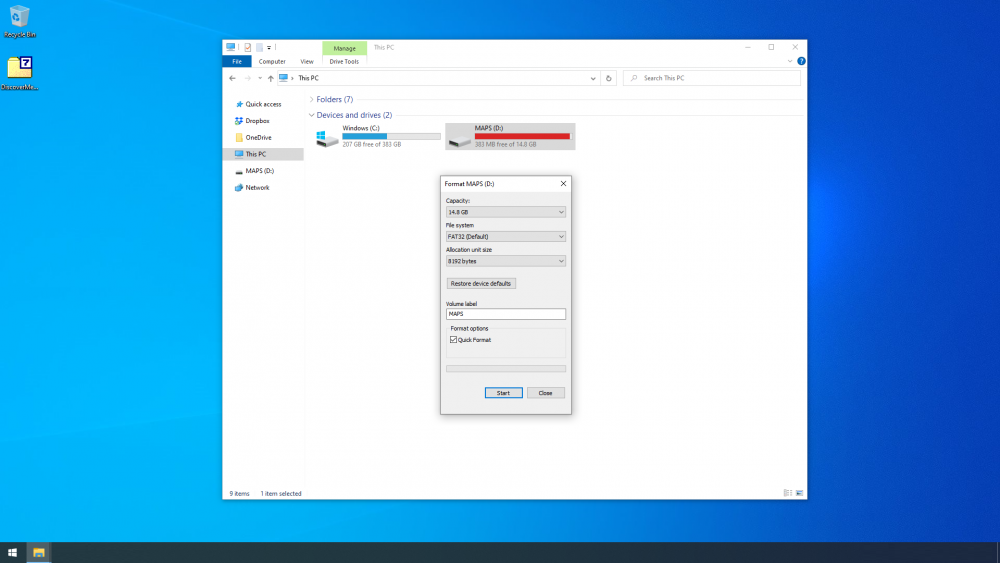
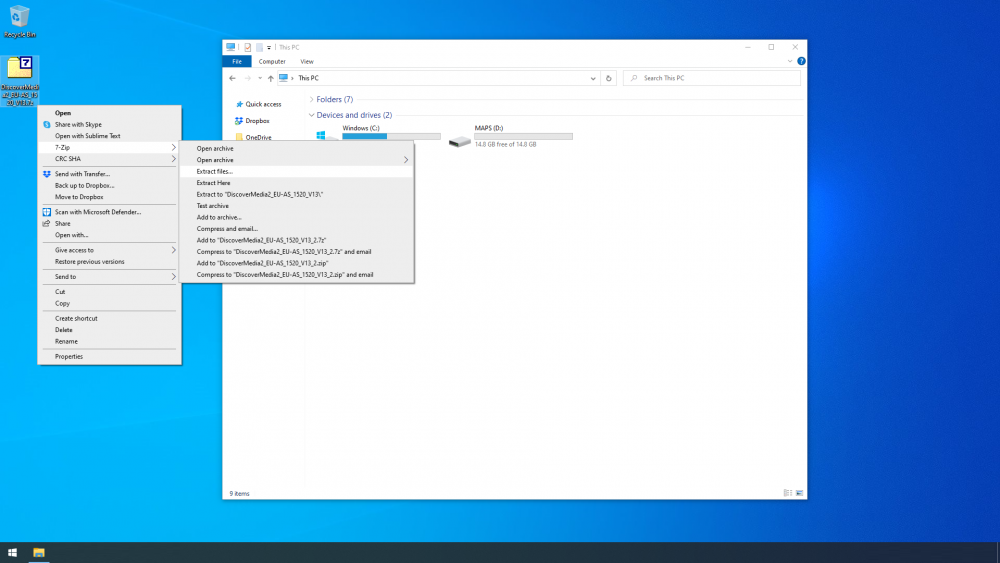
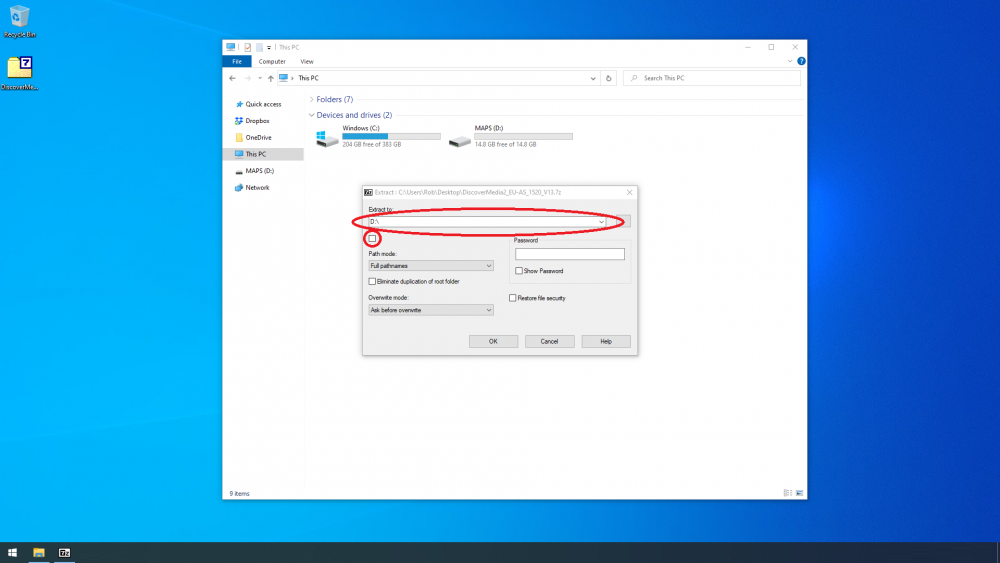
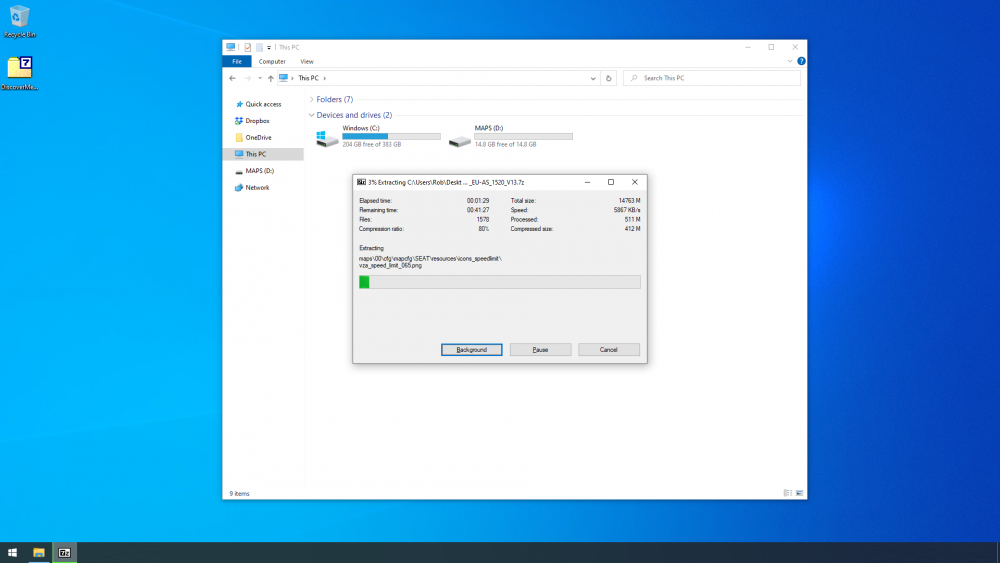
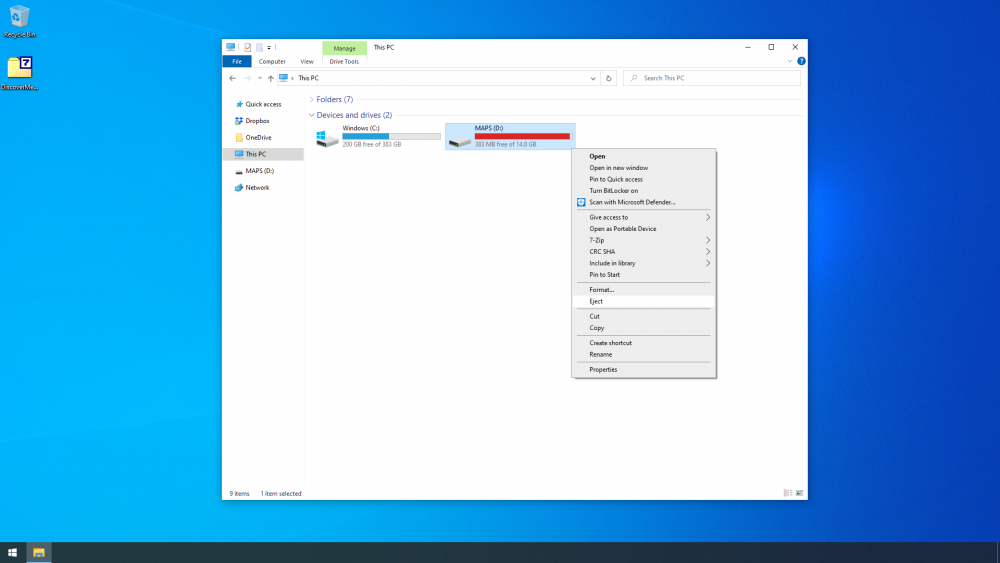
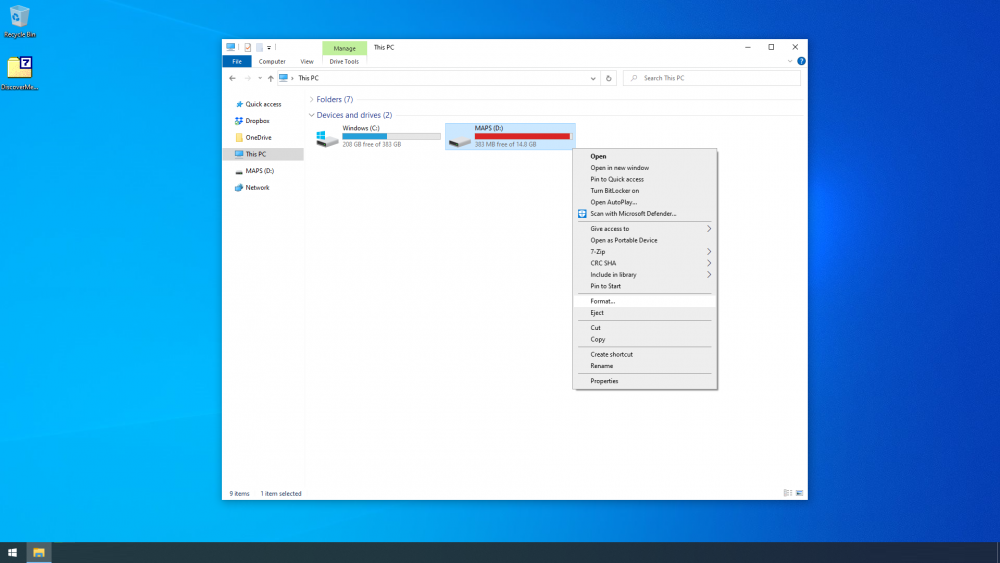
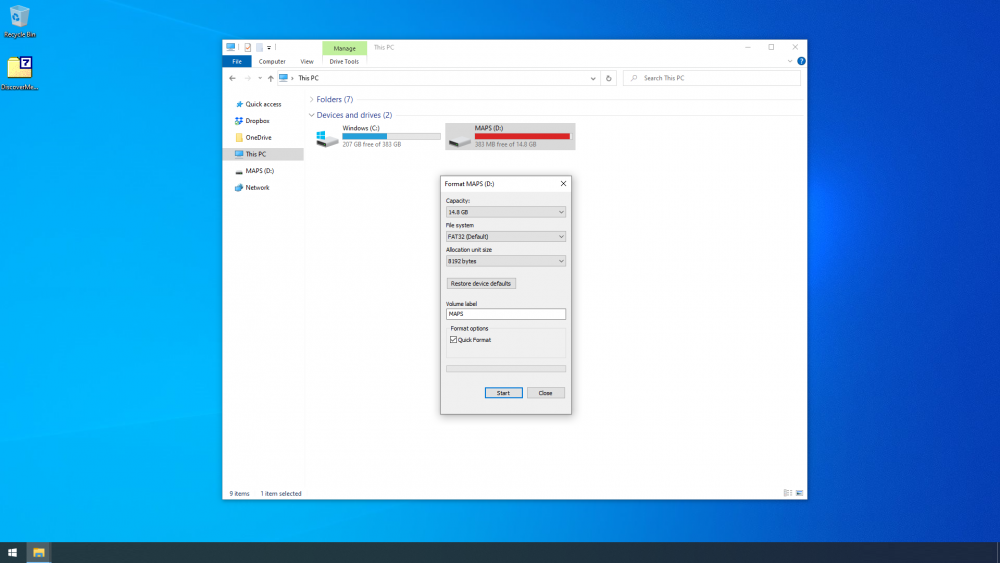
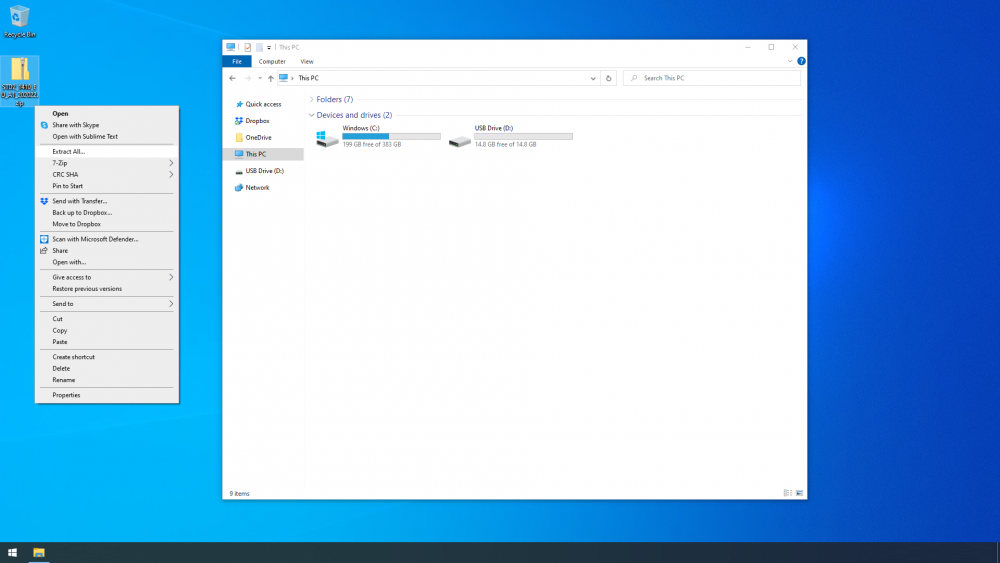
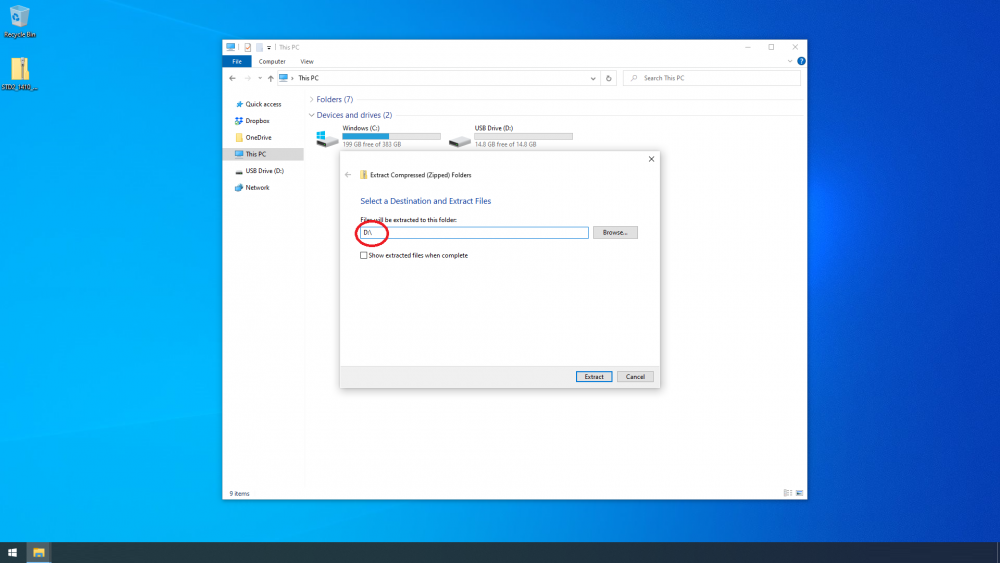
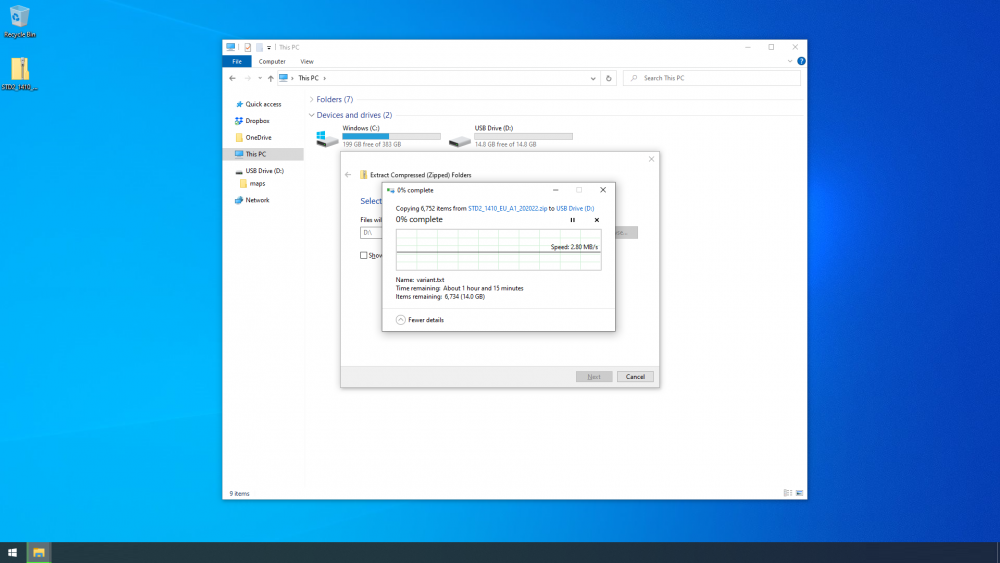
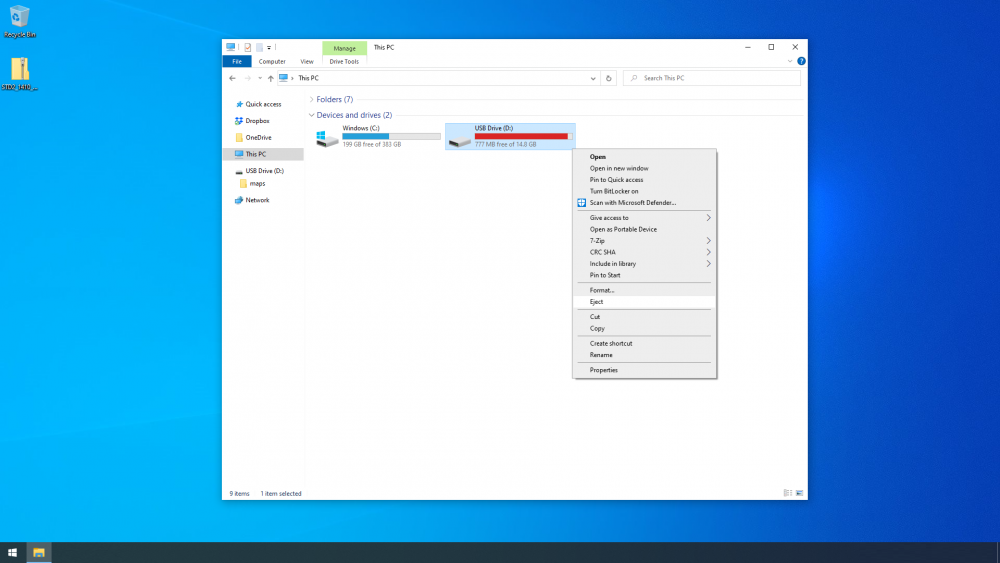
This seems to come up pretty frequently so here are a few screenshots to show the process. First step is to download the maps to your computer, you have three choices: - download from Skoda - download from VW - use MartiniB's direct links The direct links are easiest and updated quite quickly, these are probably the latest, updated Nov '22: https://www.briskoda.net/forums/topic/508188-amundsen-mib2-map-updates-20232024 Warning: The full Europe maps no longer fit on a 16GB card without modification. The smaller ECE 1-7 versions should be fine Bit more info regarding which files to delete can be found here: https://www.briskoda.net/forums/topic/498473-amundsen-mib2-map-updates-202223/?do=findComment&comment=5592747 Downloading maps (Skoda) Goto https://updateportal.skoda-auto.com/ and enter your VIN. Choose whichever maps you'd like. For this guide, I choose the European maps. Click download and wait until they are on your computer. Copying the maps to your SD card (Skoda) Once the download has completed, we can copy the maps to your SD card. - Remove the SD card from your car and make sure the 'lock' tab is in the unlock position (it should be in the position that's closest to the gold/silver contacts) - Then plug the SD card into your computer - Optional step, you can copy the files from the SD card as a backup if you'd like. I don't bother but it's your call. Start 'File Explorer' and find your SD card. In my case it shows up as D:\ but it could be another letter on your computer. Right click on the SD card and select format. People have differing options on the format options, you can see what I used below. Once the format is complete, right click on the maps you downloaded earlier and select 'Extract All...' from the submenu. You need to change the destination folder to match your SD card. In my case it's 'D:\' but you may need 'E:\', 'F:\' etc. Click 'Extract'. And wait! Time will depend on your computer and SD card slot. When it's complete, right click and eject the SD card. Not all computers will show this option. You can now remove the SD from your computer and slide the 'lock' tab is in the lock position (it should be in the position that's furthest from the gold/silver contacts). Downloading maps (VW) Goto https://app-connect.volkswagen.com/mapupdates/car/#download and select 'Golf' then 'Golf from 2017' then 'Discover Media'. There are various options but that should be fine for the MIB2/MIB2.5 Amundsen. Click download and wait until they are on your computer. Copying the maps to your SD card (VW) You'll need to install some extra software called 7-Zip to use the VW maps, it's freely available from: https://www.7-zip.org/ Once the download has completed, we can copy the maps to your SD card. - Remove the SD card from your car and make sure the 'lock' tab is in the unlock position (it should be in the position that's closest to the gold/silver contacts) - Then plug the SD card into your computer - Optional step, you can copy the files from the SD card as a backup if you'd like. I don't bother but it's your call. Start 'File Explorer' and find your SD card. In my case it shows up as D:\ but it maybe another letter on your computer. Right click on the SD card and select format. People have differing options on the format options, you can see what I used below. Once the format is complete, right click on the maps you downloaded earlier and select 'Extract files...' from the 7-Zip submenu. You need to change the 'Extract to:' to match your SD card. In my case it's 'D:\' but you may need 'E:\', 'F:\' etc. You should also uncheck the tick-box if ticked as below. Click OK. And wait! Time will depend on your computer and SD card slot. When it's complete, right click and eject the SD card. Not all computers will show this option. You can now remove the SD from your computer and slide the 'lock' tab is in the lock position (it should be in the position that's furthest from the gold/silver contacts).
-
Ug, doesn't help that OBDeleven hides the light functions... Anyway, I expect these are the front sidelight/DRL channels: Lasttyp 4: 9 - allgemeine Glühlampe 27W, auch H15 BAP Bitposition 4: 3a Reserved 4: 0 Fehlerort mittleres Byte DTC-DFCC 4: 43 Lichtfunktion A 4: 8 Lichtfunktion B 4: 9 Dimmwert AB 4: 30 Lichtansteuerung HD AB 4: always Lichtfunktion C 4: 30 Lichtfunktion D 4: 0 Dimmwert CD 4: 30 Dimming Direction CD 4: maximize Lichtfunktion E 4: 20 Lichtfunktion F 4: 0 Dimmwert EF 4: 100 Dimming Direction EF 4: maximize Lichtfunktion G 4: 0 Lichtfunktion H 4: 0 Dimmwert GH 4: 0 Dimming Direction GH 4: maximize Lasttyp 5: 9 - allgemeine Glühlampe 27W, auch H15 BAP Bitposition 5: 44 Reserved 5: 0 Fehlerort mittleres Byte DTC-DFCC 5: 44 Lichtfunktion A 5: 8 Lichtfunktion B 5: 10 Dimmwert AB 5: 30 Lichtansteuerung HD AB 5: always Lichtfunktion C 5: 30 Lichtfunktion D 5: 0 Dimmwert CD 5: 30 Dimming Direction CD 5: maximize Lichtfunktion E 5: 20 Lichtfunktion F5: 0 Dimmwert EF 5: 100 Dimming Direction EF 5: maximize Lichtfunktion G 5: 0 Lichtfunktion H 5: 0 Dimmwert GH 5: 0 Dimming Direction GH 5: maximize Based on that, I'd probably try changing the two lasttyp channels to 'general LED'. It might be shown as '43 - allgemeine LED'.
-
I've asked a mod to move this to the MK3 section. This seems to come up fairly frequently and although plenty of threads do have instructions, it's not always obvious which apply. Give me an hour or two and I'll throw together a guide for the MIB2/MIB2.5 Amundsen which is what I assume the OP has.