SkOmk4
Members
-
Joined
-
Last visited
Everything posted by SkOmk4
-
Thanks for that, but I think what that post was saying is "how to get OUT of coasting". Even my TDI DSG has this very annoying setting - going into coasting when you lift off the accelerator with the DSG in D-mode; and indeed, clicking the left paddle will engage back the clutch. When I was "preparing" for the Formentor test-drive I saw some video showing that even the PHEV DSG is coded such that it will go into coasting in some situations when in "D". However, if you keep the DSG in S-mode it will always regen when lifting from the accelerator. But the regeneration intensity cannot be changed as far as I understood and tested. I drove other PHEVs where you could change the regeneration intensity with the paddles - really enjoyable!
-
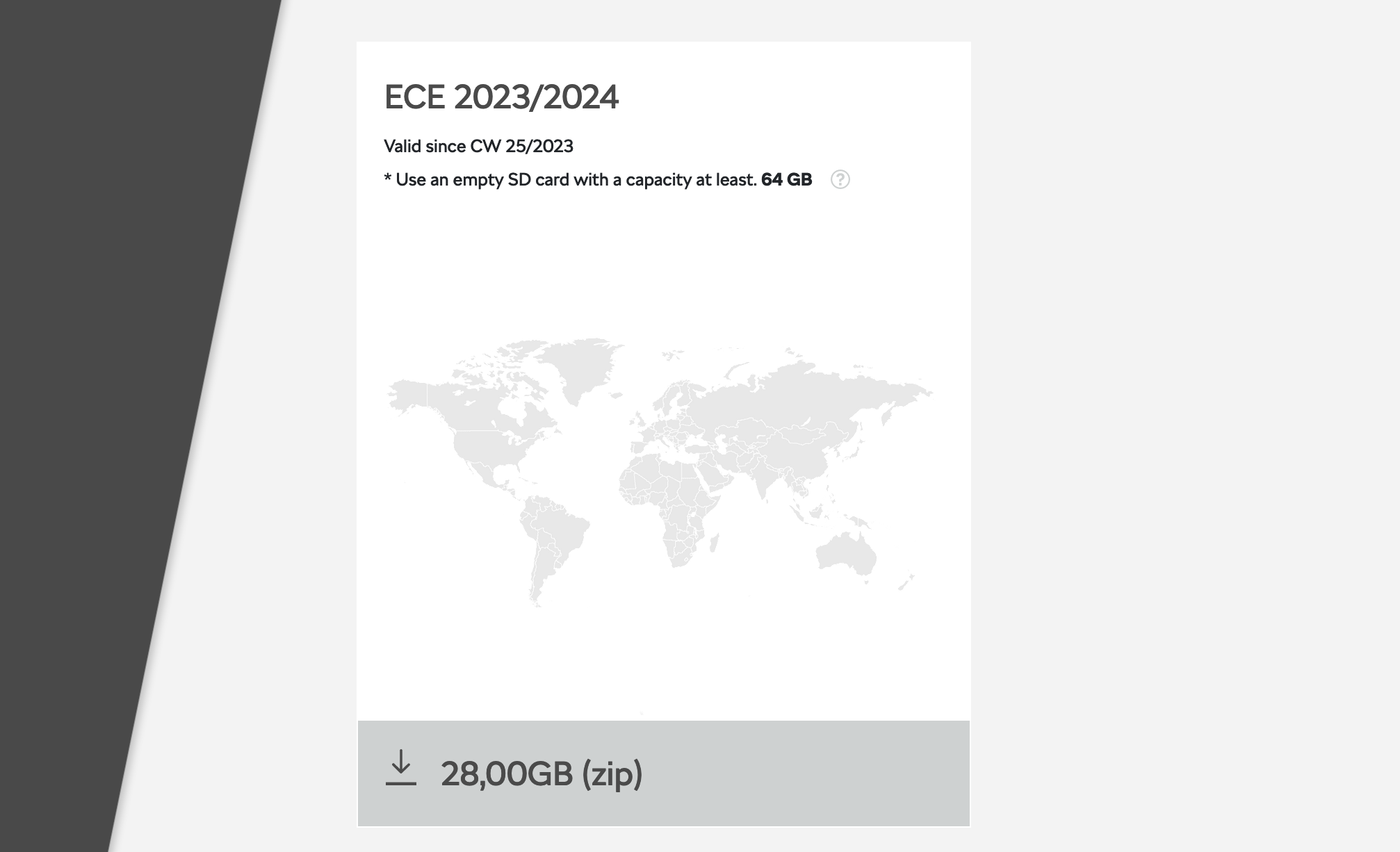
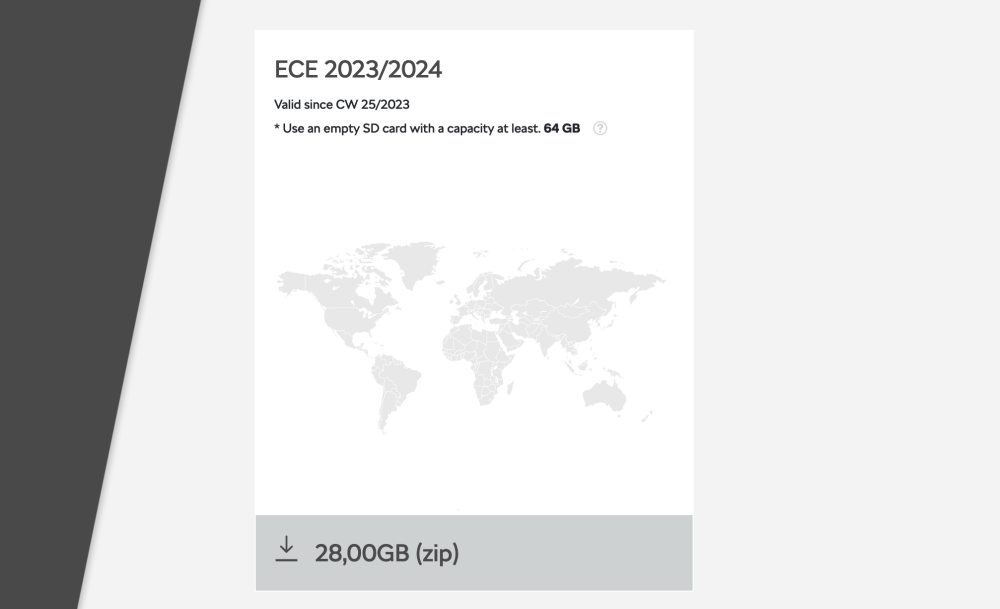
I use the same USB-drive that I'm plugging into the car for Music, so it's there all the time. However, if your old version was 19.7 and now it's 21.something, it means the update was performed. But I'm puzzled why you didn't get 22.12 as most of us. What was the name of the map-archive you downloaded? Or the files after archive-extraction - map version should be inferred in the filename. L.E. have a look at the image - when I try to download the maps it shows "Valid since" week 25.2023 - which actually means map version 22.12. Can you check what's yours?
-
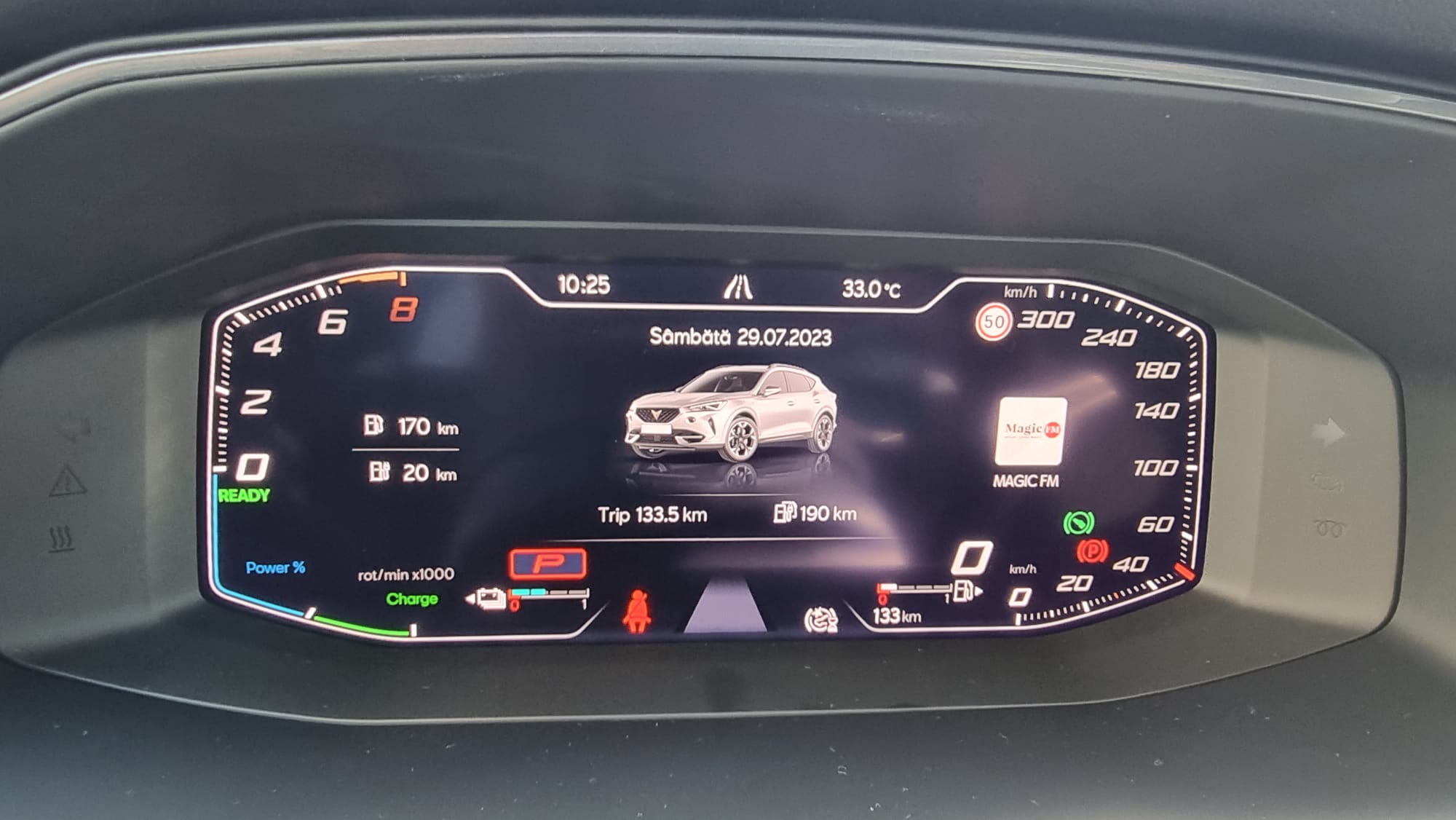
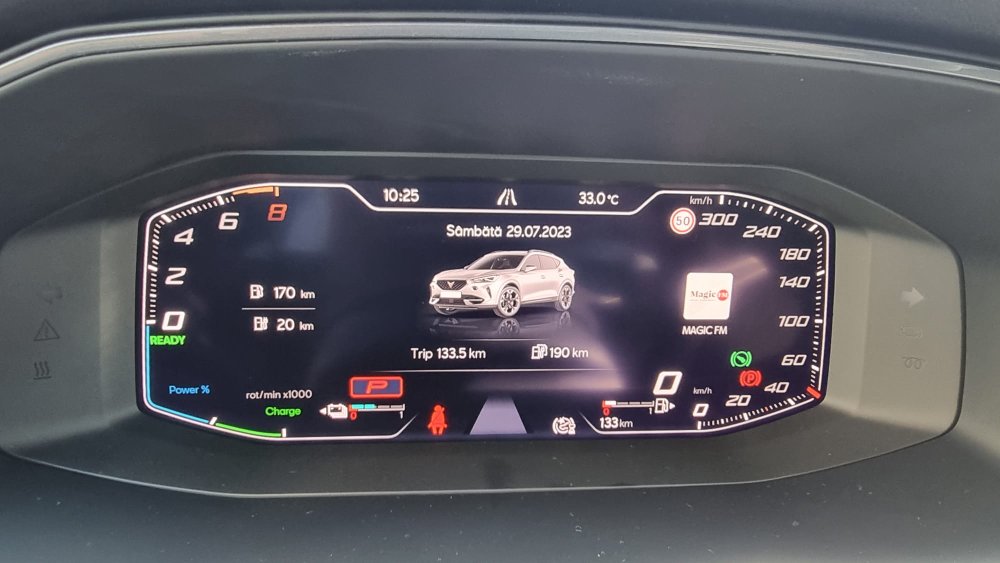
Today I test-drove a Cupra Formentor VZ e-Hybrid 245 HP - so the equivalent of the Octavia VRS iV. It was quite impressive getting off my TDI/DSG 150 HP and "playing" with the Formentor in Sport mode. It made no sense to drive using Cupra-mode, since it was a 50-50% city-highway for about 45 minutes. Obviously the electric range of that car is naturally lower than the one of the Octavia iV - it's also indicated in the data-sheet. However, since the dealership gave me the car with the battery 1/2 full, while I was testing the behavior and transitions between electric and ICE, a question rose in my mind... maybe you guys "iV-owners" can enlighten me: If there's no more juice left in the battery, and you can no longer switch to EV-mode, AFAIK the car still behaves as a simple hybrid (non-PHEV), still keeping a battery reserve "hidden from the driver" - please correct me if I'm wrong. Now my question is: at this point, does the hybrid system still provide the electric-boost when you floor the noise-making pedal? Or is the electric motor only used to start from a complete stop? I spent some time online (mainly youTube) to find an answer, but couldn't find anything relevant. As a comment after the test: I would have loved to have the option of using the shifter-paddles on the steering-wheel as energy recovery adjustment (I saw this on other hybrids and it's great!), such that in town you can even go into one-pedal-drive mode. I guess it could be easily implemented SW-wise... to have an option in the Infotainment "Paddels-mode" with a choice between gear-changing and recovery-adjustment. P.S. I got a bit of torque-steer flooring the car on a straight line, rejoining the highway from a secondary road. It took me by surprise, I was expecting the electronics of the car to take care of that - but IT DID put a smile on my face... L.E. Another rookie question: when you're out of electric range, do you guys get better mileage in town than on motorways - as it is the case with normal-hybrids I drove on several occasions?
-
I hate to quote myself, but more details on the other topic - below... Link for Skoda Update Portal: https://updateportal.skoda-auto.com/ Read several posts from the link above... Most of us are not using the Skoda navigation (I don't even have the navigation paid for), it's for the car's management/settings in the background - parameters that you don't adjust while driving.
-
SW 1941 is the latest update, so they DID install a SW update on your car. Updating OTA is normal after the installation of 1941, it's been mentioned several times on the other topic ("Infotainment reboot"). Since you have the latest SW, it would also be a good idea to update the Maps - yours are more than 3 years old; latest version is 22.12, released 23.06.
-
Yep, I'm not using the car Navigation either, but apparently the car uses Map info in the background to adjust various parameters and behavior while driving. That's why those that don't have the Skoda Navigation active (paid for), still have the maps onboard. @tzolyomi - I was also hoping that, I downloaded again the maps that have June.2023 in the title, and have them on a USB inside the car for several weeks now. But my Navi.database still shows 22.12. Someone mentioned around here that even though the maps are released 23.06, those are actually 6 months old. Does your MiB sys.info show 23.06? If yes, updated by yourself or from factory (or dealership)?
-
Now since you started updating, maybe you'll do something about those maps... AFAIK the latest version is 22.12, so you're more than 2.5 years outdated. You know how to proceed, it's described around here - download the maps from the Skoda Update Portal and unzip those to an USB that you leave inside the car for a long drive; it will update in the background.
-
'cause there was no signal from him... @second 14->15 @TheWanderer already started the takeover, @15->16 his car is entirely on the other side of the road, while @second 15 the Ferrari's right wheels didn't cross the mid-line yet, he starts clearly moving @16->17 AFAIK a driver is forbidden to start an overtake while being overtaken... Why don't we leave those aspects to the road authorities that decided there's no need for a continuous line on that segment? Sure, by the looks of it, that will need replacing too.
-
That would be a Mod I'd gladly apply... plus the option of Enabling/Disabling the coasting - which I also hate.
-
D won't show any #gear, and E I never used - I actually didn't know it existed! The only way you'll get #gear in D, is by using the steering-wheel paddles.
-
Not sure what you mean by "move" the back seats... But I'm assuming you're interested in what @Jorgeminator presented in the first several posts of his topic here: A search might have helped before opening a new topic...
-
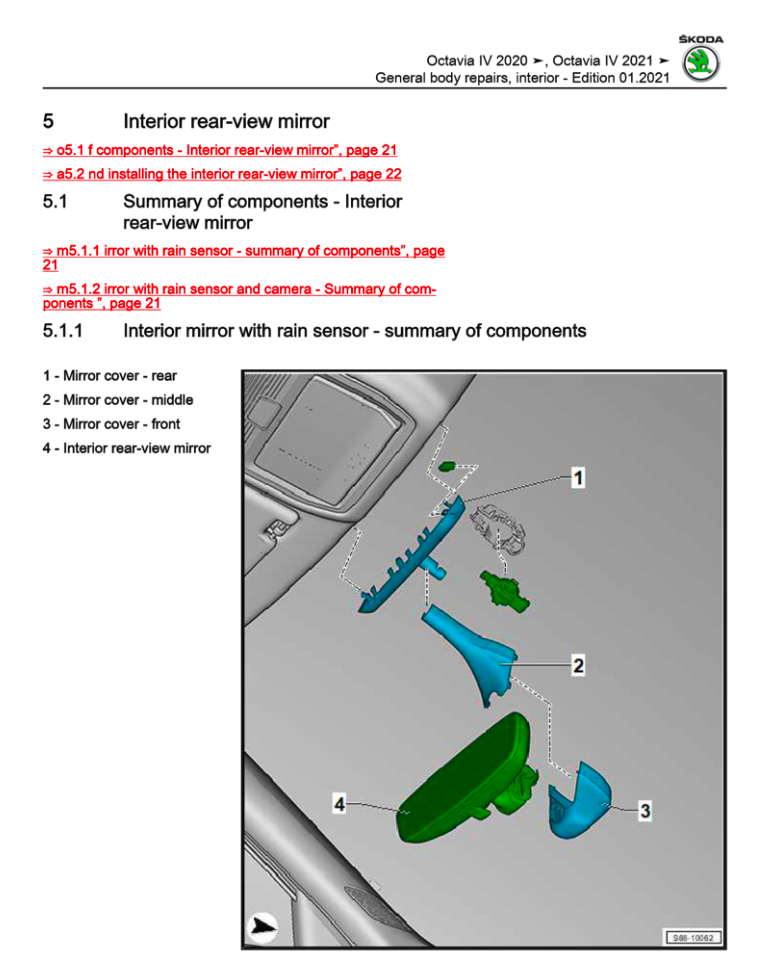
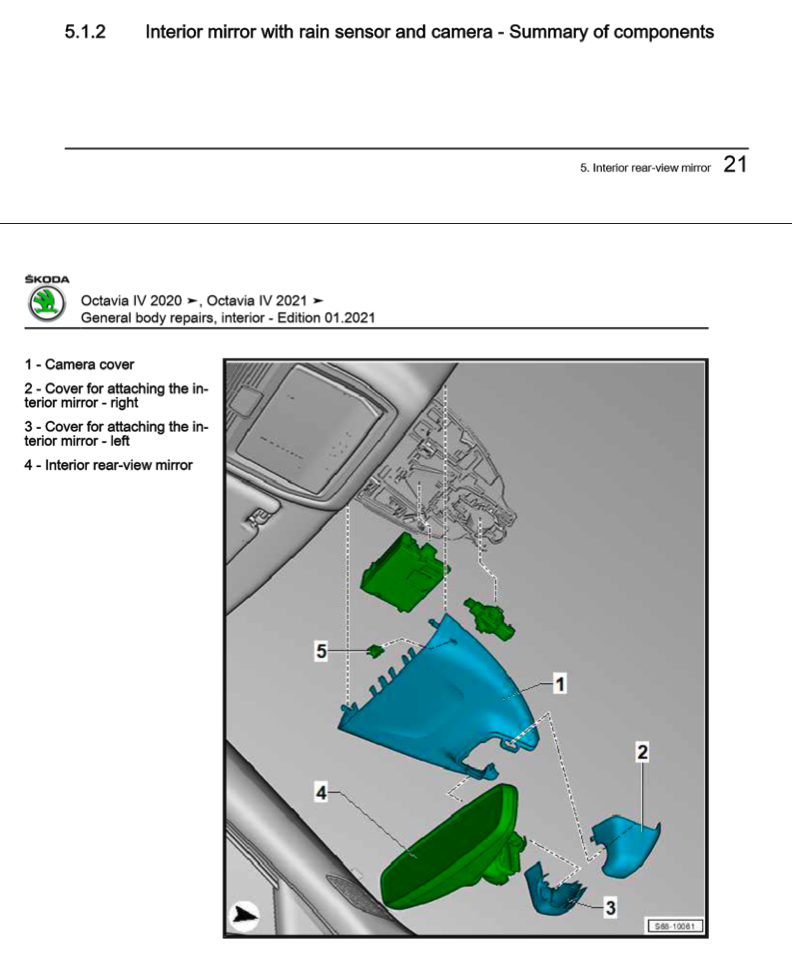
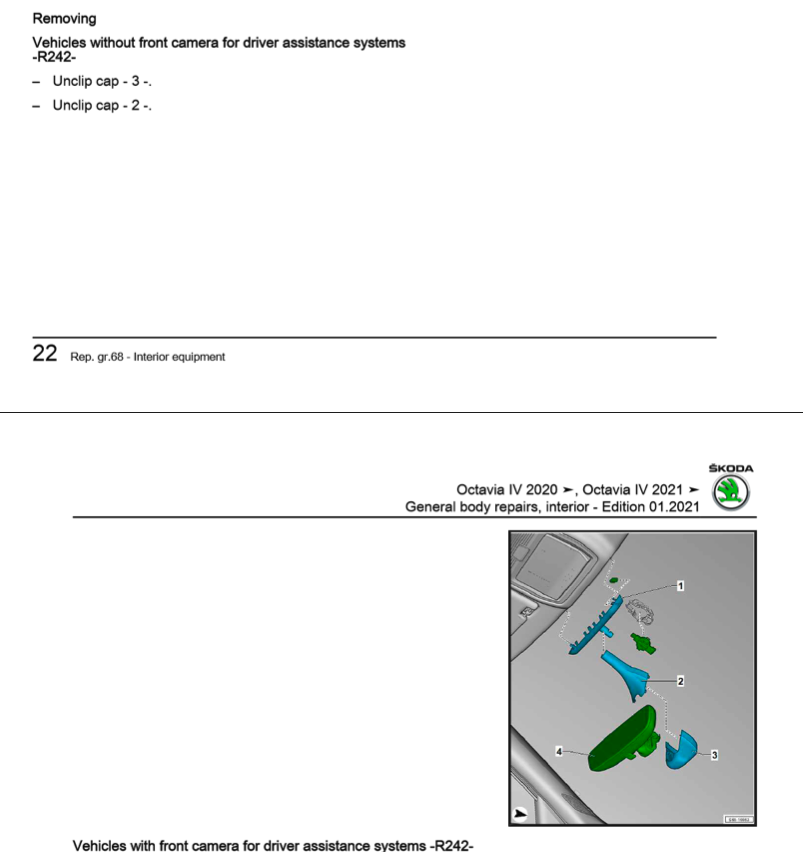
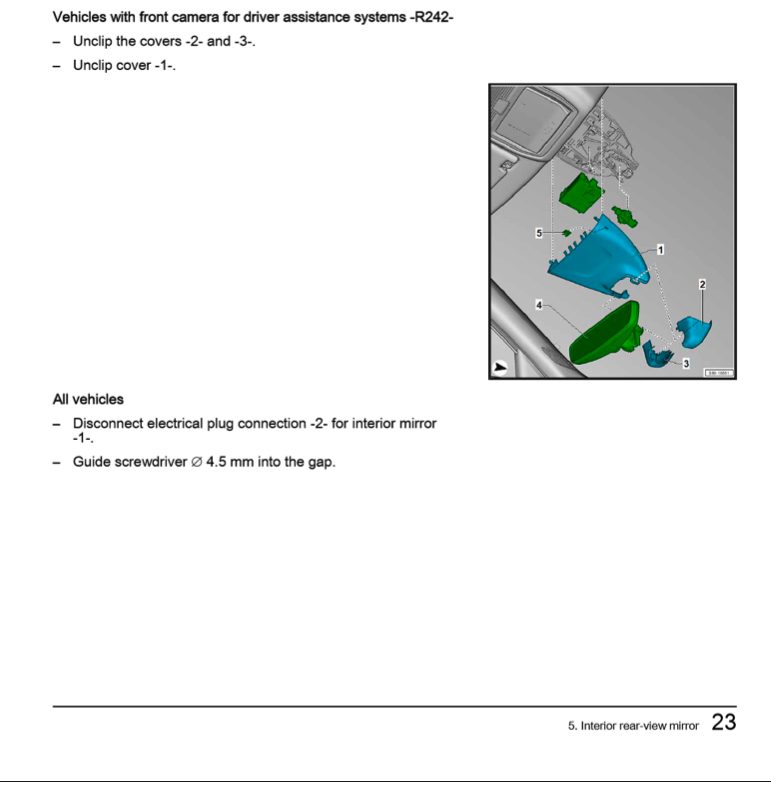
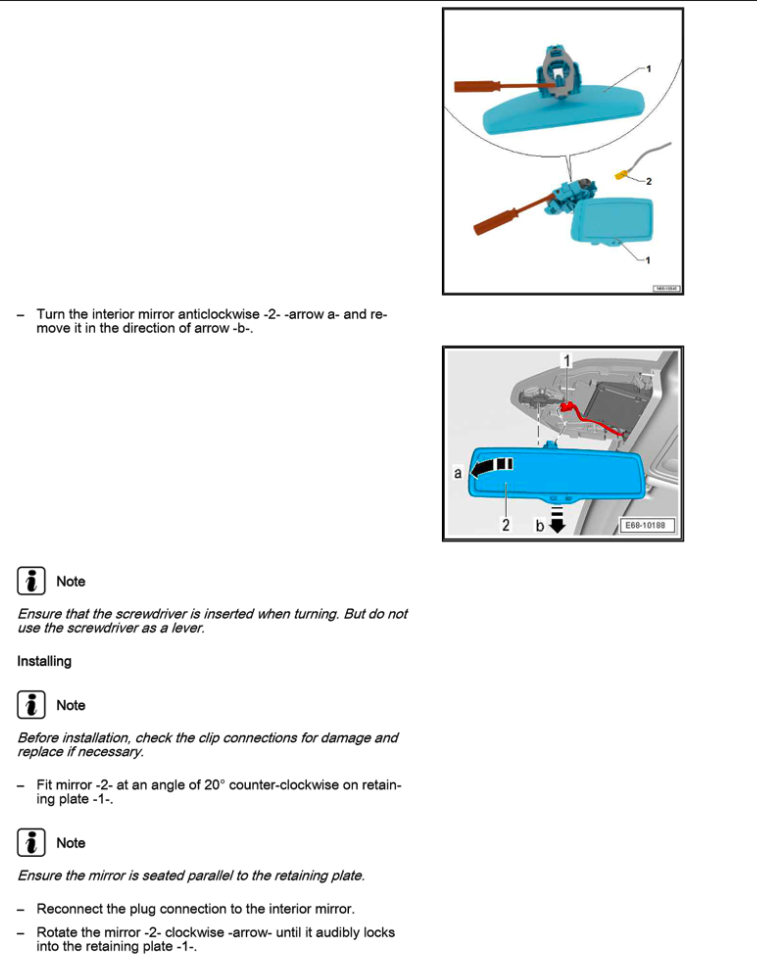
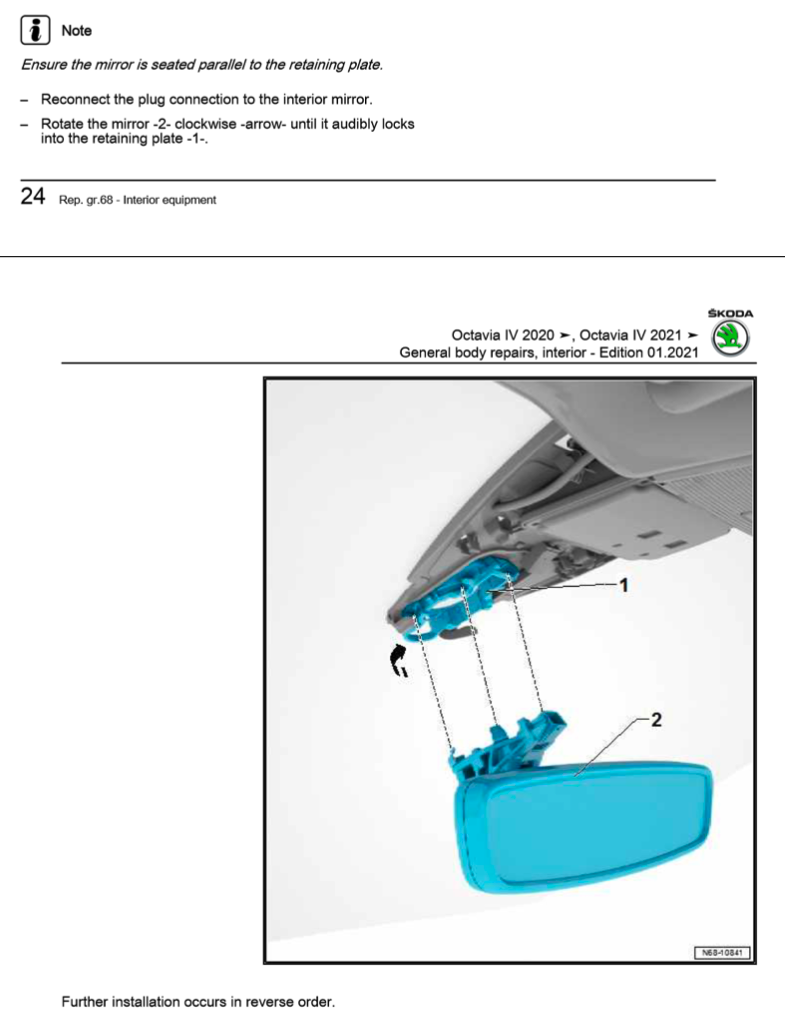
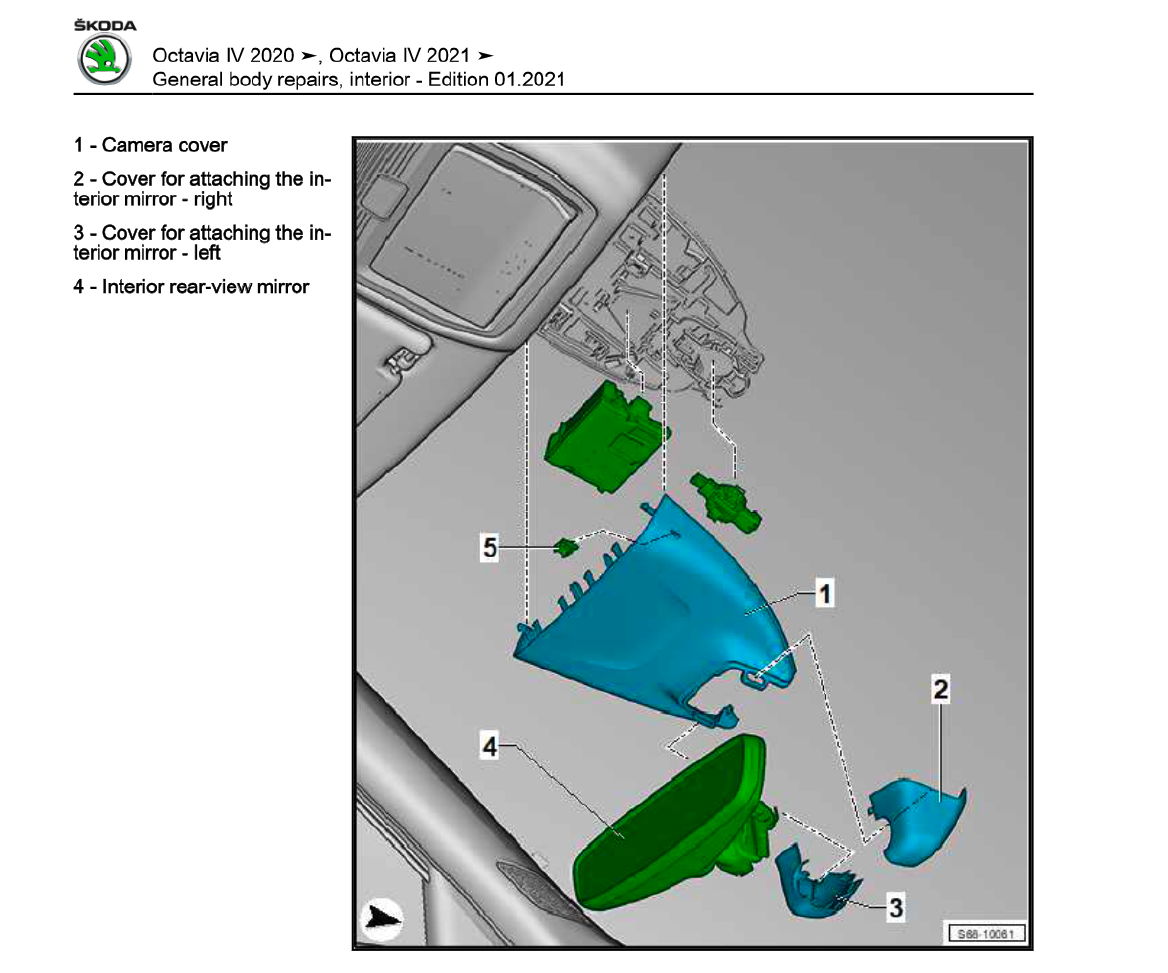
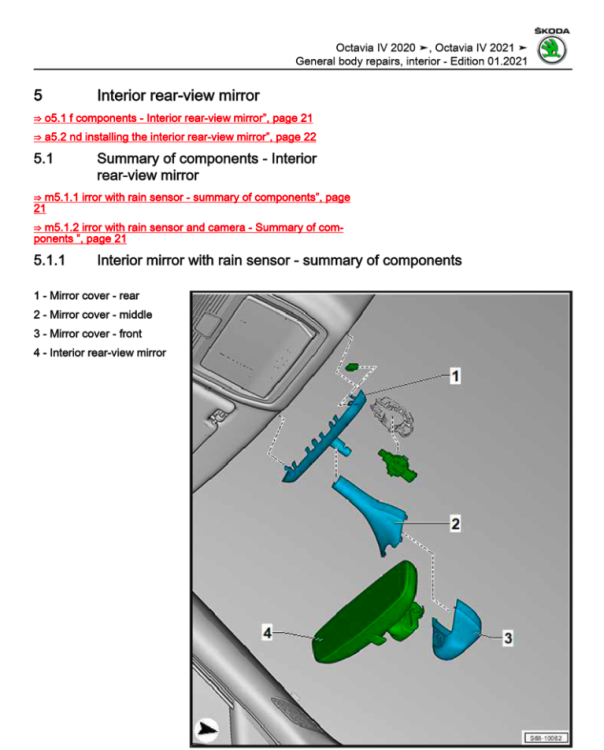
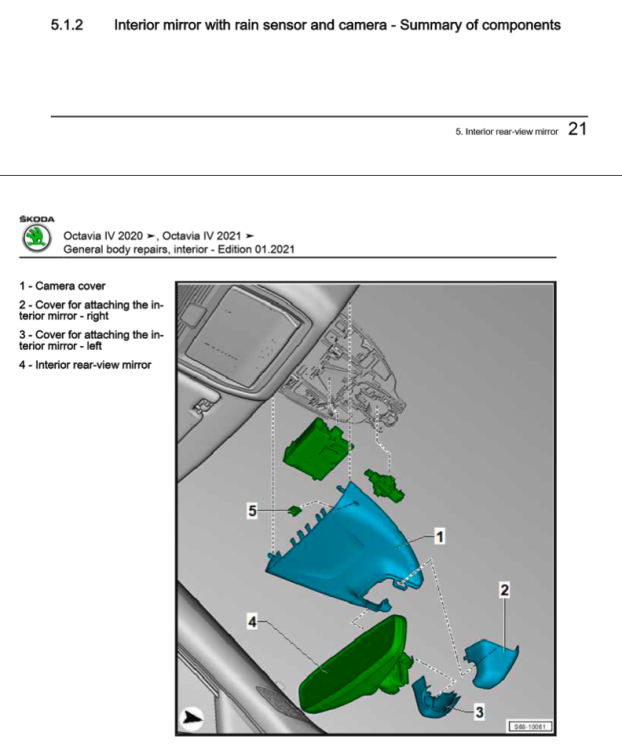
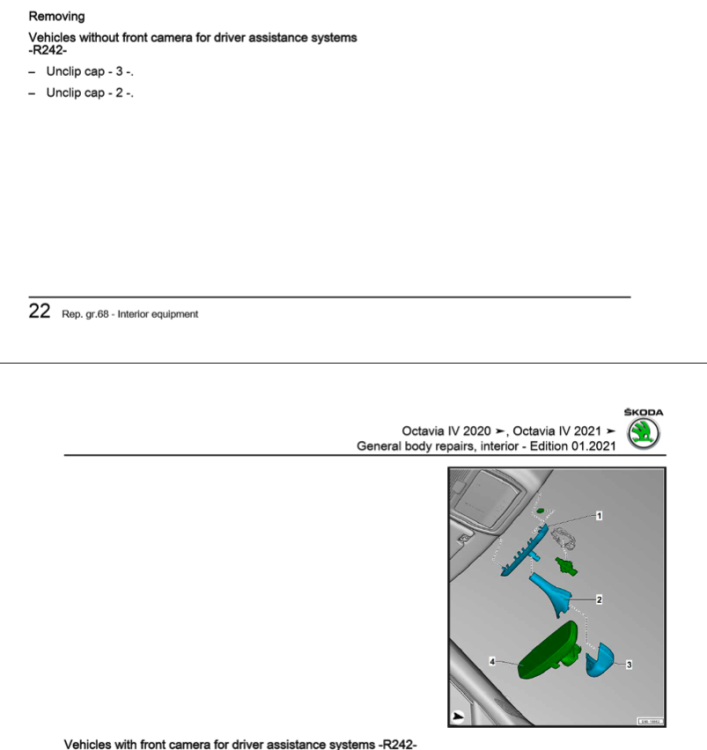
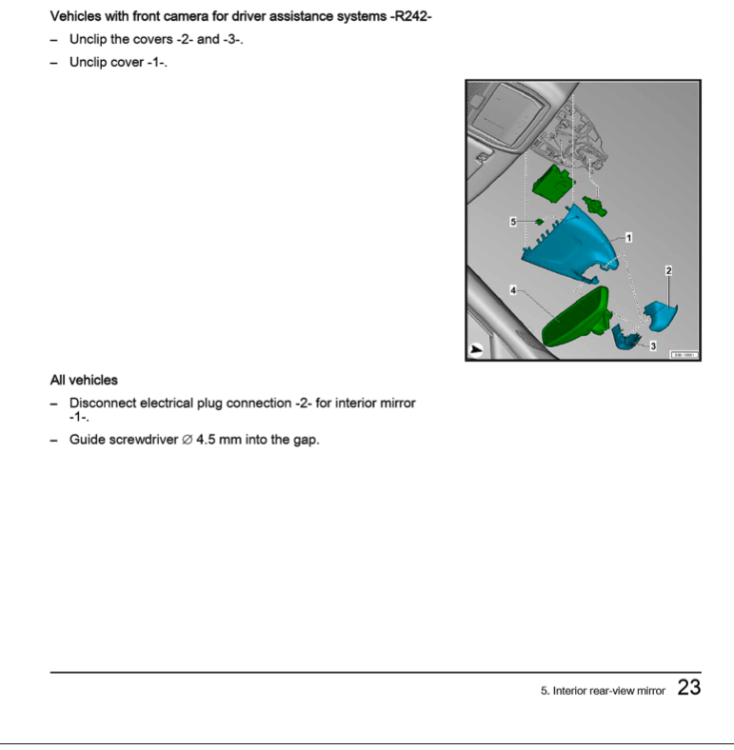
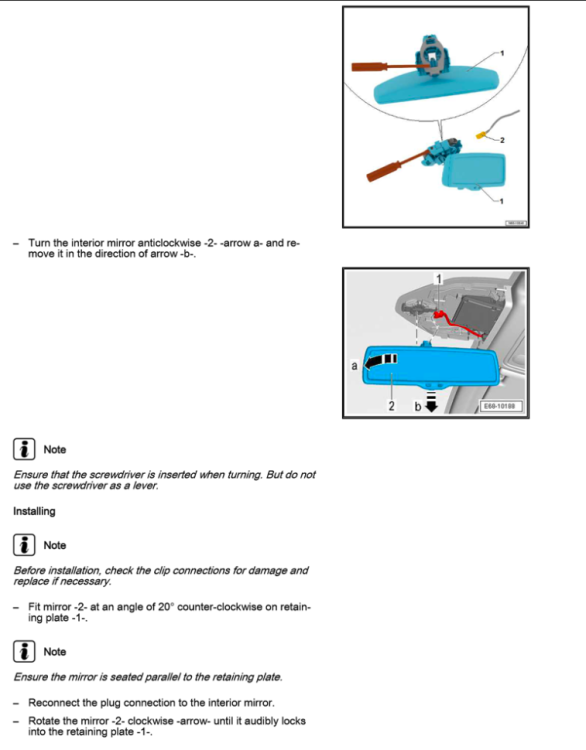
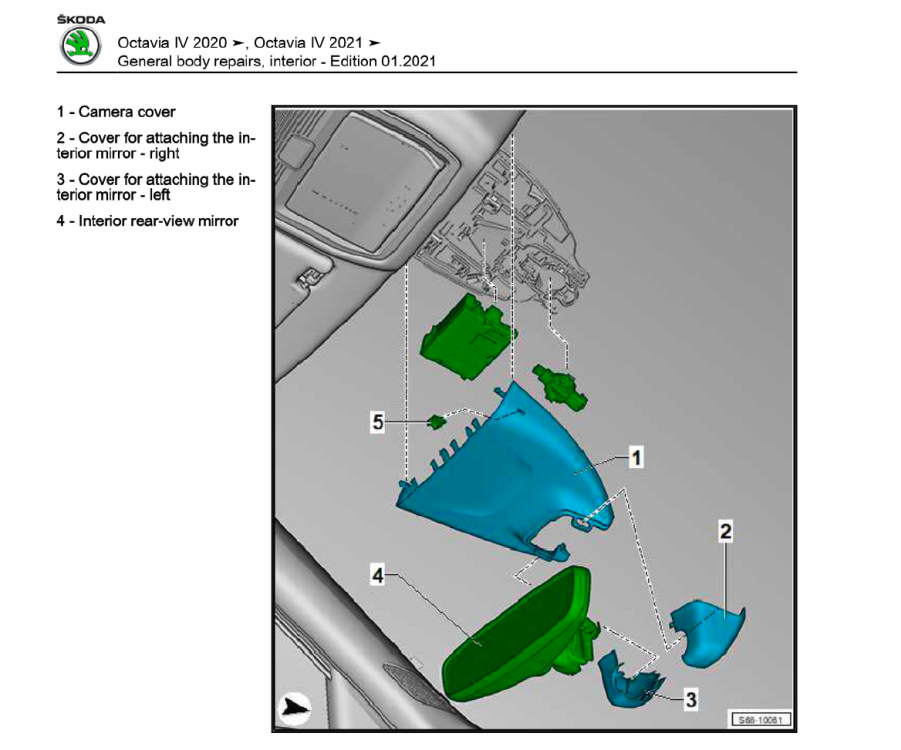
Ok, in case mirror cover is the problem, I'll also add the sequence for that:
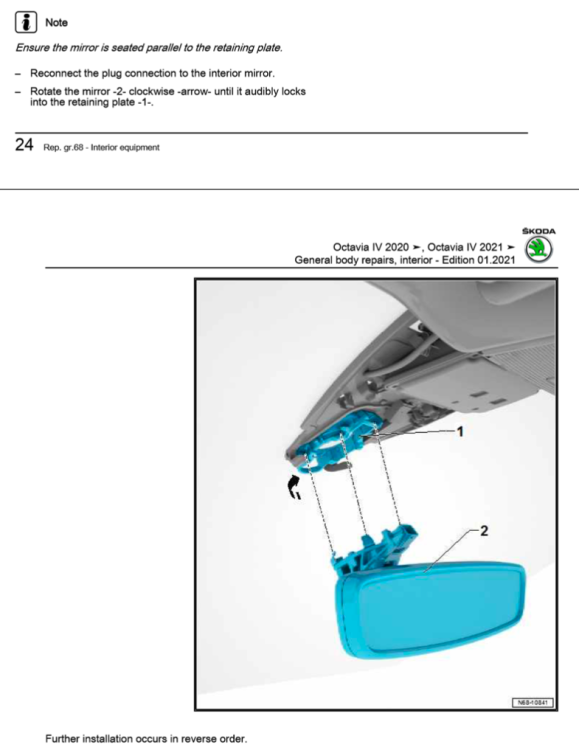
-
I see 2 (TWO) new topics for a single question?!?! Actually, the navigation database can be upgraded offline using a USB memory and downloading the new maps from here: https://updateportal.skoda-auto.com/ I have the Infotainment Online package and even though I received the OTAs, the navi database didn't update by itself. I had to download to USB and leave in into the car for a while. You'll find all the instructions in the above link. BTW, I had an appointment on Monday for the MiB SW update to 1941 - they did it, but didn't bother to update the Navi database which is still v.22.12 that I updated myself 1 or 2 months ago. The latest version is already on the USB inside the car, but I had no long drive recently, so it didn't have time to update.
-
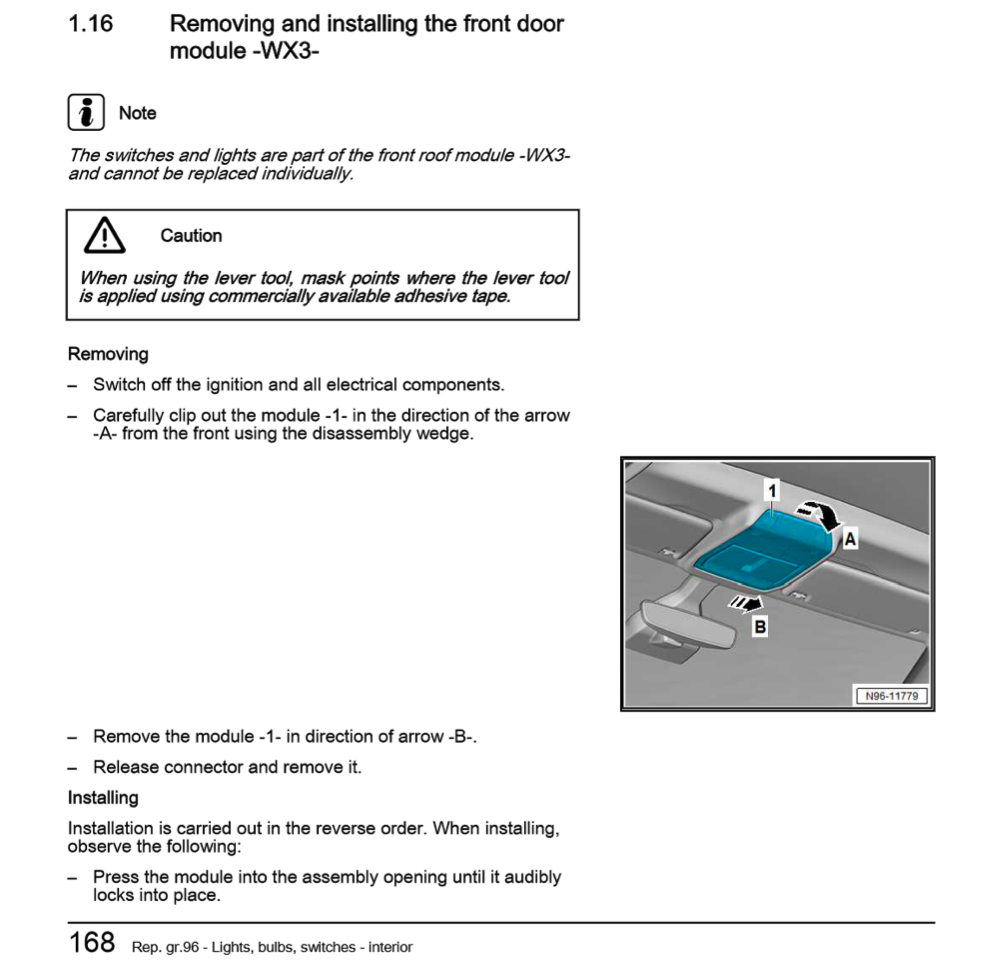
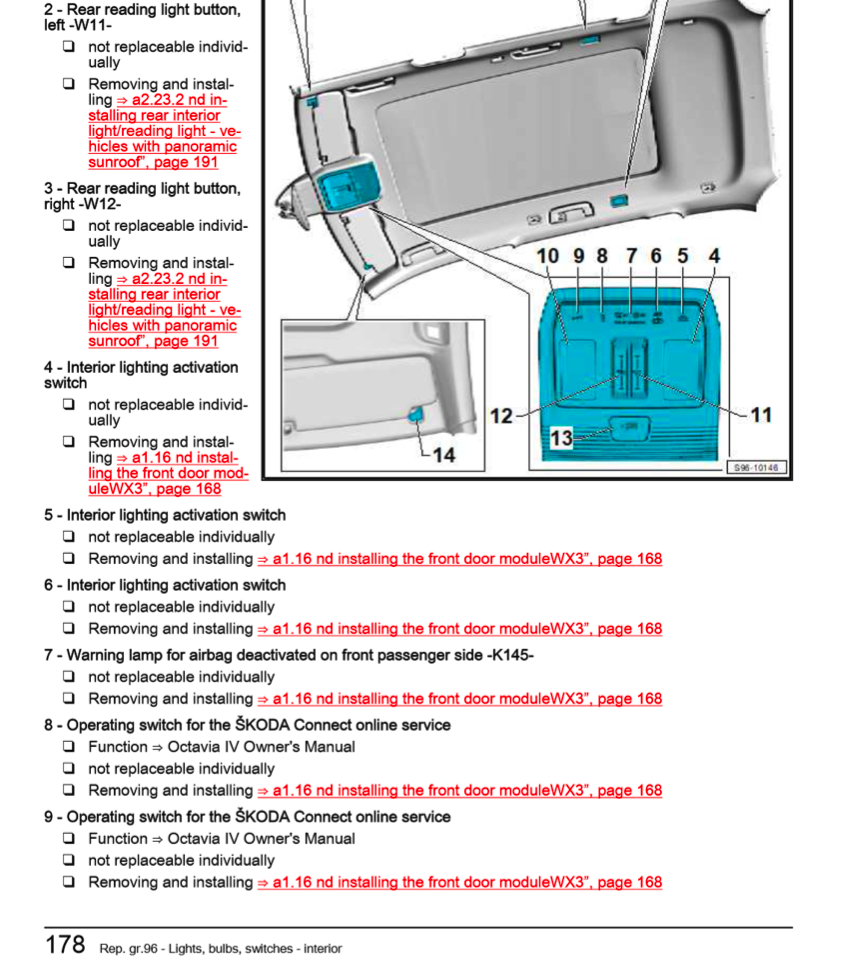
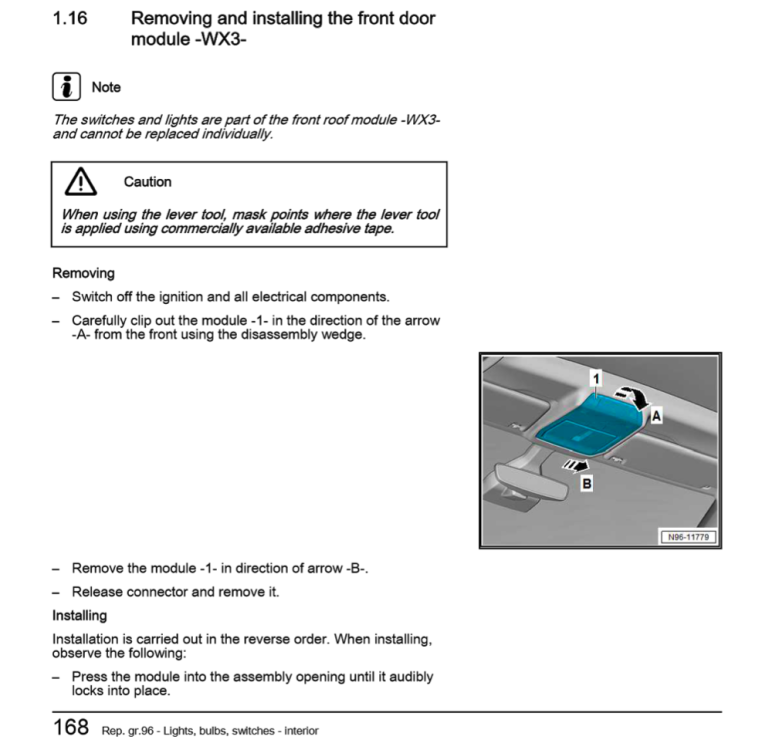
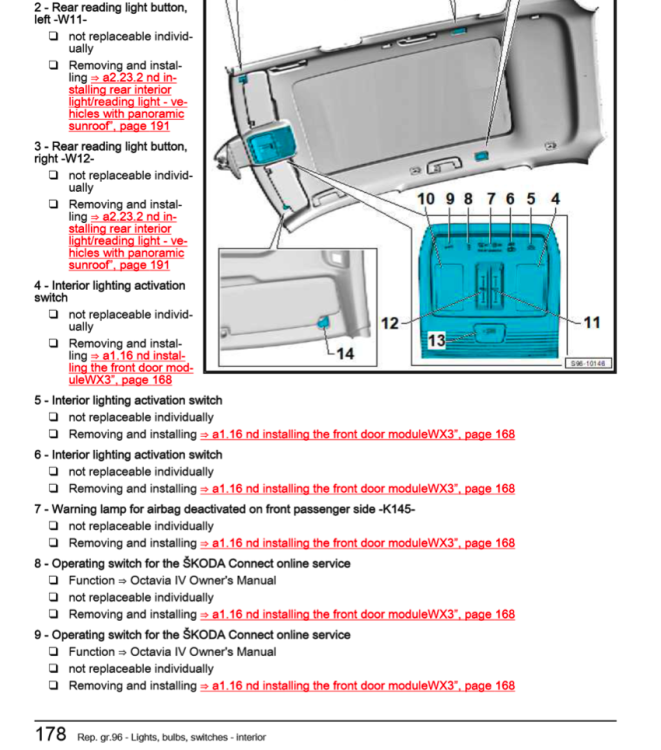
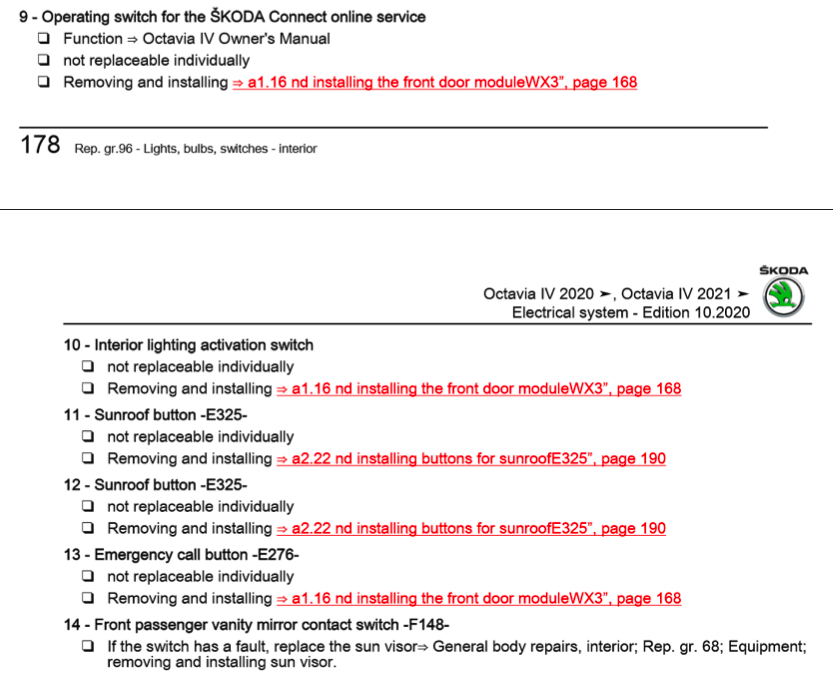
Attaching in case it helps... L.E.: Unbelievable!!! (at least for me) The ENTIRE "front door module" as they call it - is a single unit. The Manual says none of the components (4 to 13) are individually replaceable... 🤕
-
You kind of have to complain about some specific problem (ideally mentioned in the TPI presented here a few pages back), they will pretend to test and read some errors. Afterwards they would conclude it's the SW that needs to be updated, and they ask for a formal confirmation at country HQ. At least that's what I was told by the dealership. But that confirmation cannot take ages; it'a matter of minutes to max. few hours AFAIK.
-
As I was anticipating some time ago, today I joined the v.1941 club (through the front door 🙃 ) - believe it or not - installed by dealership, same one that did the installation for @djmartzian (thanks for the tip!). It was not as long as they anticipated when they were threatening me with 3 to 4 hours installation time, but still - considerably longer than what it should have been. The car returned into the parking lot in about 2 hours after they took it inside for the upgrade. No idea what they did all that time, maybe they were listening to musing, or simply killing time - but the car had the hood and the driver's door opened during those 2 hours - I checked it via the phone App every 10-15 minutes while waiting... Fingers crossed it will run smooth from now on... at least until they release another major-fail OTA ☹️
-
I've seen '21, '22 and '23, but never '19... You can actually update the maps yourself, using the link below; you enter your VIN, and should be offered to download the latest maps. Then you copy those to an USB an plug it inside your car (instructions are also provided by the link). Leave it there for a long drive (few hours) and the update will be performed "behind the scenes" - you won't notice. But you'll see a "Younger" Navi-DB on your MiB. https://updateportal.skoda-auto.com/ For instance, have a look at those pictures: I thought so too, but it's actually not true. For those with Bolero (without navi) the car uses the maps to adjust the behavior. It was discussed around here some time ago.
-
"Navigation database" 19.7!!! How come?
-
The picture I found online was for Golf mk7 and 7.5 - I couldn't find any for Octavia mk4. Maybe links below (golf mk7) might help you further. It should be pretty easy to install - the Octavia glove-box is quite easy to remove. The question is if the ventilator housing inside the dashboard already has the hole pre-drilled, such that you connect the hose directly. https://www.amazon.nl/-/en/Dashboard-Glove-Outlet-Cooling-5E0816355/dp/B09HHJ1SQL?th=1 https://www.aliexpress.com/i/1005001944187275.html The second link has the OEM codes for each piece - but that's still for Golf mk7 😔
-
That's odd! Wired AA should work without any glitch. Concerning the wireless AA, IIRC since MY22 or MY23 all mk4s should have it. The first 2 years only had wireless CP and wired AA. (someone correct me if I'm wrong) Can you check all permissions are correctly set for AA on your phone? And make sure you have a good quality cable...
-
So what's the actual problem you encounter with your phone? Does it fail to connect? Does it disconnect after a while? Both on cable and wireless?
-
No
-
Oh, you know those guys so well!!! I'm scheduled for the update at the dealership next week, and the guy was warning me it will take 3-4 hours... I didn't know whether to laugh, cry or feel insulted... Not sure if they're lying to their clients or if they're Simply not-Clever.
-
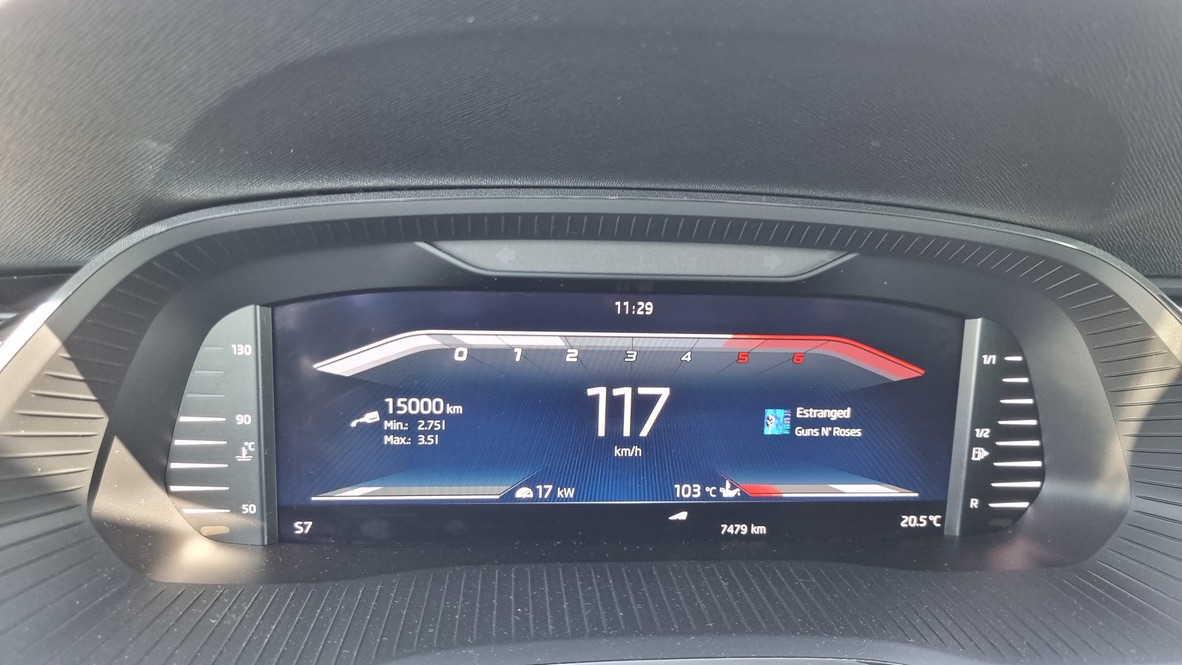
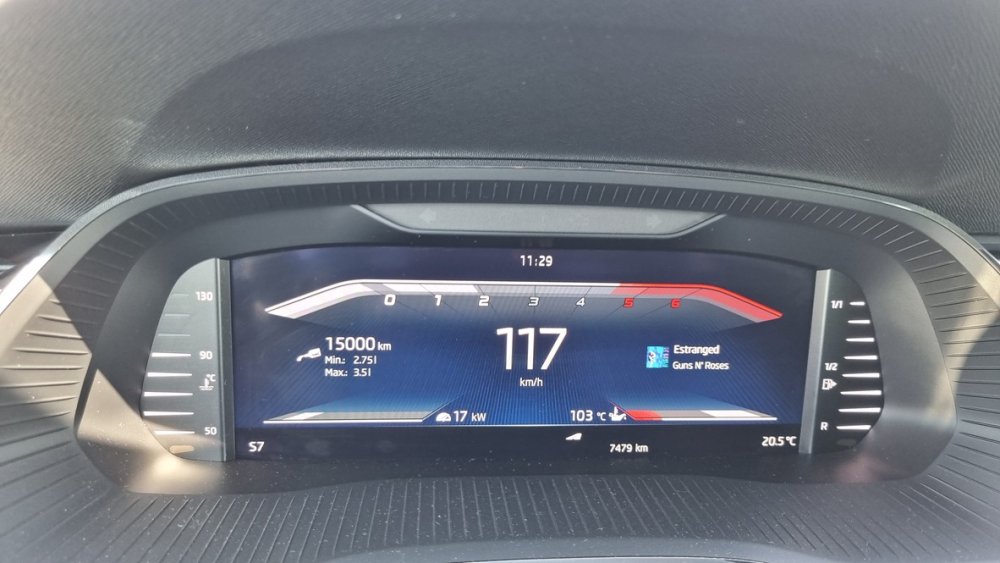
IMHO your dealer is just bragging... The Factory fills up the Ad Blue tank AFAIK, as they do with the screen washer liquid for instance. The dealer's job is to verify all fluid levels (except fuel) during the delivery preparation process. One might compute it from the attached picture. Just to let you know - mine is driven ~90% outside the city, that might increase the range comparing to an urban-driven car... You need to play with the Settings for items to be displayed on left-right side of the VC, AdBlue level is there - you just need to Enable it, and then scroll until it's displayed.
-
Plenty of posts to read on this subject, only a few pages back on this forum. Why would anyone open a new topic before even trying a quick search???