Cairus
Members
-
Joined
-
Last visited
Everything posted by Cairus
-
The multifunctional steering wheel is managed by the gateway via LIN. Then there's the question of whether it's the 5Q0 or 5Q1 control unit of the steering column. There's a significant difference.
-
No warrenty Byte 11 Bit 02 Karoq Model 2025 have This Option
-
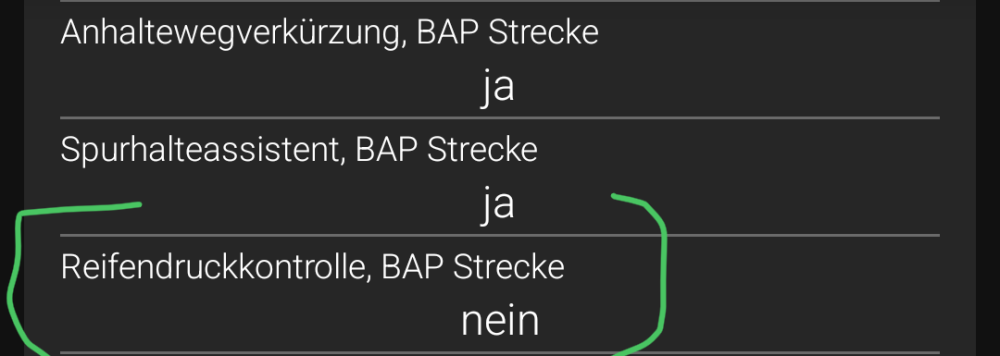
Set Activ
-
Is normaly Dashboard Coding
-
Yes, mib2 and Dashboard same time
-
The middle seat is not heated. Furthermore, the central connection is not for the seat heating.
-
The Controller is damage. Replace IT, all Other is waste time
-
https://mega.nz/#P!AgDyKQPZIFP5eBHREurx_1e70g7-nGkJn4ov-kvj7bSRTfMCnJZLEzYVKlUag9iAgfD3aTlTJP9IMJ7H-X7xDBlpE_KzMqPVp_E8iGNRujgKqAvBDWXdUQ
-
-
-
Buy facelift taillights, run cables, change connectors, replace BCM and gateway, code control units
-
-
-
-
-
The display must work for both at the same time.
-
https://www.briskoda.net/forums/topic/535341-dcc-slider-mode/
-
Why activate? System detected self
-
Firmware Update my Next Option
-
-
The part number is differentiated as follows: up to production date 07/07/2019, it is 3V0827566X. X is the index depending on the vehicle's equipment. From production date 08/07/2019 onwards, it is 566827566X.
-
What does the file have to do with the fact that the colleague is looking for someone who can do it for him? And Odis, vcp are Not the only Tools which can write Dateset
-
Have you tried factory reset?
-
Share a Autoscan Protokoll
-
MEGAMEGA provides free cloud storage with convenient and powerful always-on privacy. Claim your free 20GB nowPassword write PM