




inspectorman
Members
-
Joined
-
Last visited
Everything posted by inspectorman
-
Good news. Even as low as £10 in the usual places. Your battery is still on borrowed time at 8 years - you don't want to be forced to buy one at the RAC's exorbitant price in an emergency somewhere. Save up your bawbees for a present for the car.
-
Well, yes. I assumed that by clearing all faults you had assessed each entry as being insignificant or not relevant to your issues. Clearing faults without plodding down the list to see if there's a pattern or critical fact emerging doesn't get much closer to analysing and then resolving the problem. Rescan and see if you have anything relevant - for VCDS address 03 ABS Brakes would be a good place to start. ABS sensors can fail in all sorts of exciting ways. Fortunately they're quite cheap. If the fault persists then you'll be chasing the wiring for issues.
-
If you found no specific fault like an ABS sensor being defective, then it probably is time for a new battery. You've done well to make it last eight years. Someone will be along shortly to tell you whether the battery needs "coding" or not; this process tells the battery management system (BMS) that a new battery has been fitted and therefore the charging / discharge parameters will be adjusted to suit. The BMS will work it out eventually for itself if the coding is not done. The VCDS owners map shows a couple of possibly helpful VCDS owners near you if your OBD11 can't do the coding. A five minute job.
-
Does this work for you? https://manual-directory.com/view-manual-pdf/?mid=29369
-
Owners manuals here; https://manual.skoda-auto.com/004/en-com/Models Speed limit display can be wrong.
-
4H0827505A, 4H0827505, 8K9827505A, 8R0827505, 8K9827505, 8R0827505A, 8U0827520 all look the same. Common across a lot of VAG (even Bentley!)
-
Is this any help? Never done this myself since I've paid the annual sub.
-
And they're a lot cheaper than £517. Get the belt changed as well.
-
Not as cheap as an Ebay special but better fitting; https://tinyurl.com/2tnuzudn
-
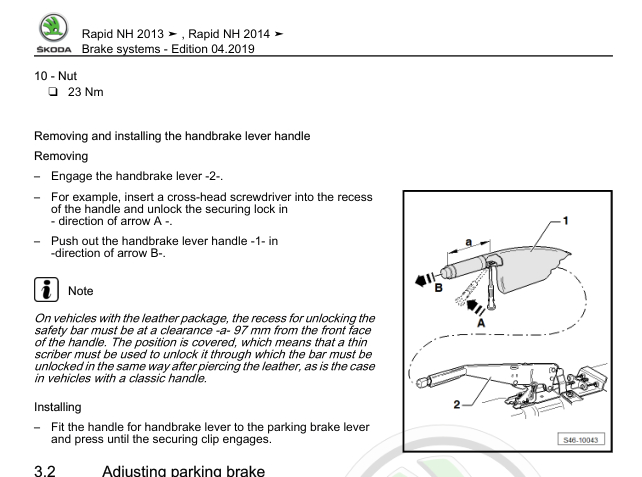
Is this any help?
-
This took about five seconds - and reminds you you need the jack/wheelbrace/foam gubbins as well https://shop.wingsskoda.co.uk/products/tool-kit-spare-wheel-for-octavia-vrs 5K0601011AA looks like a little harder to find but persistence pays off. Maybe you have a closer VW / Seat dealer.
-
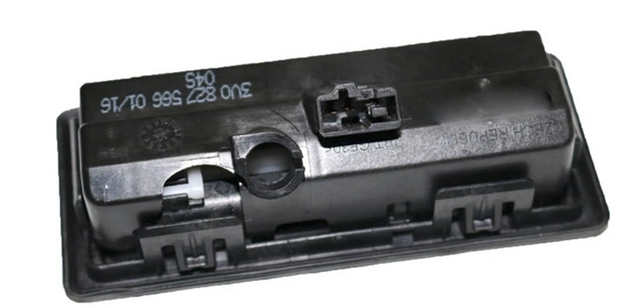
Looks like 3V0827566 if you don't have the reversing camera. The switch is a push fit in; it has two wedges down each long side and one down each of the short side. So looks like removal is wiggling the switch out one wedge at a time with a trim removal tool. If you get it out first you can usually find the part number moulded / printed on the component
-
Thanks for this super useful data!
-
Unlikely to be a result of the battery not being coded. My money is on a failing ABS sensor. Get it scanned and report back.
-
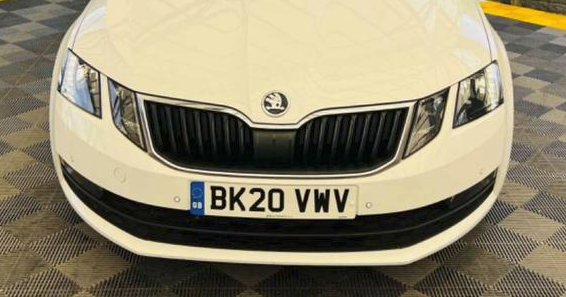
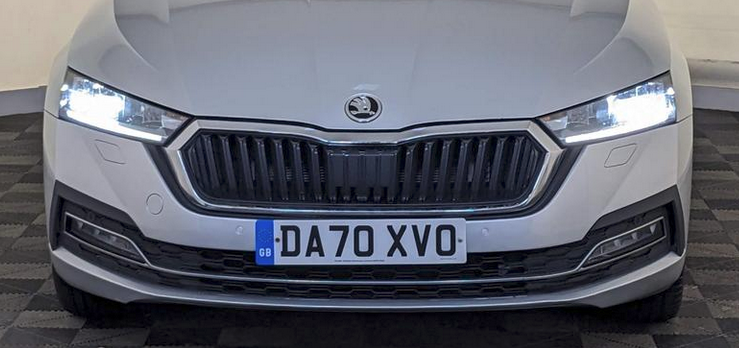
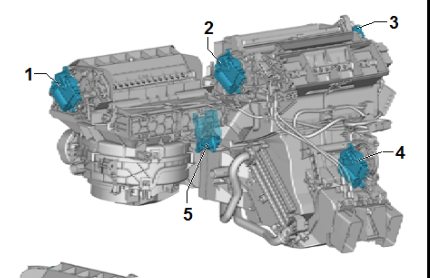
Mark 3; Mark 4;
-
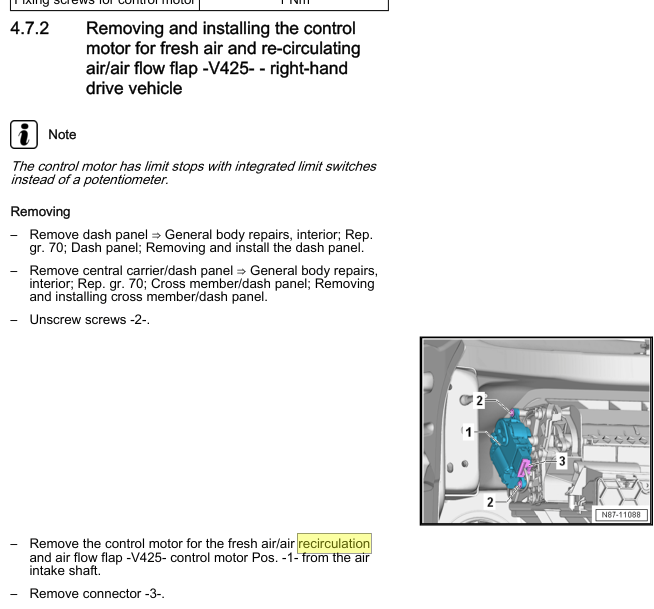
Number one on this diagram. So up and left of the pollen filter housing behind the glovebox (for Climatronic equipped cars)
 Your navigation database also looks pretty ancient.Start at about page 11 with the video on Golf mark 8.8 tabs and a bit of wiggling. No screws. https://www.briskoda.net/forums/topic/499015-centre-air-vent-trim/Take it out and look for a part number on it. You'll have to do it anyway if/when you get the new part.Find another dealer. And.... VAG OE discs and pads aren't much cop, either.Common to a whole range of VAG cars and I think unchanged from Octavia 3 to 4. 5K6955435. Worth checking with your local parts department.Not as cheap as an Ebay special but better fitting; https://tinyurl.com/2tnuzudnIf you have the handbook, there may be a sticker in it with a list of codes. You are looking for the two codes relating to the brakes; I think you will see 1LG for the front (340 mm) and 1KW for the rear (310 mm). The sticker also used to be in the boot somewhere but your car may be too new. Someone with a VRS will be along soon to confirm or deny my guess.



Important Information
Welcome to BRISKODA. Please note the following important links Terms of Use. We have a comprehensive Privacy Policy. We have placed cookies on your device to help make this website better. You can adjust your cookie settings, otherwise we'll assume you're okay to continue.