Breezy_Pete
Sponsor
-
Joined
-
Last visited
Everything posted by Breezy_Pete
-
Yes, if the wiring is all intact.
-
Pump only. Is this the original pump or a replacement?
-
Cabin fuse 16, I think; but that is shared with a few other things that you would know were not working if it had failed.
-
Have you fitted the replacement pump yet? Wiring fault is always a possibility for no comms, either the CAN pair or the ignition switched feed on the same 4-way connector (or the fuse for that feed, though often shared with other functions. I am in a car (not driving!) just now, not sure if I can look at circuits to say what fuse, but will try.
-
To get the head off, the timing cover has to come off. To get that off the sump has to come off. Sealant gaskets everywhere except head/block. Pain to work on. Been there. Far rather swap an engine in.
-
You've never worked on one of these engines, have you sep? Not way easier at all. Especially if you did a 'heart and lung' transplant by sourcing an engine still bolted up to gearbox. Comparative quotes worth getting though, perhaps.
-
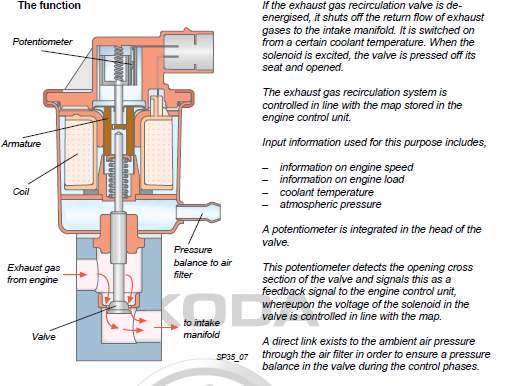
Goes to the stub on the side of the EGR, via a flexible rubber hose that pushes onto a spigot just near the serpent mouth end of the narrow one in your pic.
-
I guess you mean the narrow one, not the fat serpent? Isn't it a filtered feed to the EGR valve?
-
Yes, I got lucky with a secondhand engine from a breakers. Was under £300 delivered too, which is a chunk less than the norm. Fitting isn't too bad, especially if done in professional facilities by experienced people with all the right tools. Took me 2 full days out and in, but I am pretty old and slow and don't have any of those things just mentioned. Ideally you'd hear the candidate engine running prior to removal at their end.
-
Pre-VAT price looks to be in the ballpark of £360 genuine, but aftermarket alternatives probably exist that are considerably cheaper. May not be bad enough to deserve replacement to be honest. Another MOT tester may not have even mentioned it.
-
Cost to replace will depend where you get the part from, whether it is new or 2nd hand, and your local labour rates. If you want to know part price for genuine new from skoda, message me your VIN. (Or just phone your local dealership parts counter, obviously).
-
The oil separator on the back of the engine block tends to be neglected on this engine family. Good oil quality is about what you put in, but also how it is looked after by the engine lubrication system as a whole. This separator is part of that system, with the crankcase ventilation valve being part of it.
-
Coolant reservoir connector generally is solely for coolant level sensor.
-
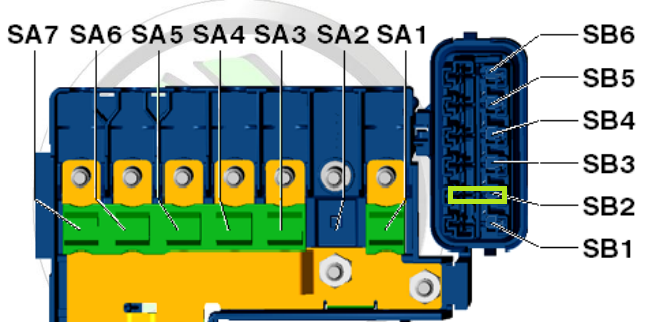
Check blade fuse 2 on right side (as you look) of the fuseholder on the battery (second nearest fuse to front of car). If that's intact, unplug the connector of the radiator thermoswitch (often near radiator bottom hose connection) and short the terminals of the loom plug, fan should spin up (mind fingers/hands).
-
😂 never mind then.
-
-
Send me a message with VIN and I can probably help.
-
Paging @Crasher for real world experience. My take on it, without having seen or done, would be that it's almost always quicker and easier to remove stuff that's in the way compared with struggling against poor access and/or visibility.
-
6R0423156C is the part number suggested. This page suggests that there are a lot of part numbers equivalent to this, but I would stick to what's suggested as a first search. You may not wish to consider new from Skoda, the pre-VAT cost just breaks into 4 figures.
-
Pull harder I think Joe. The o-rings will have hardened and become less able to seal or deform to escape the housing, but brutality will win. 🙂 Counterhold locally with your other hand to avoid straining anything else nearby. Edit: I've just fixed the broken picture link in the opening post should it be any help.
-
Can look up for you later if you message me with your VIN. Just off to the gym now.
-
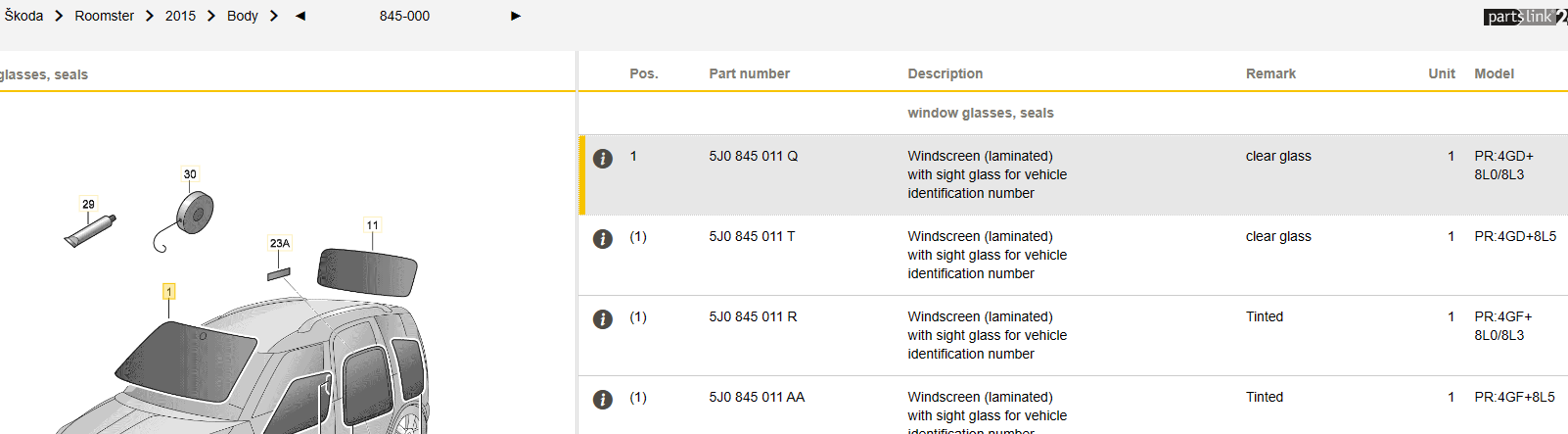
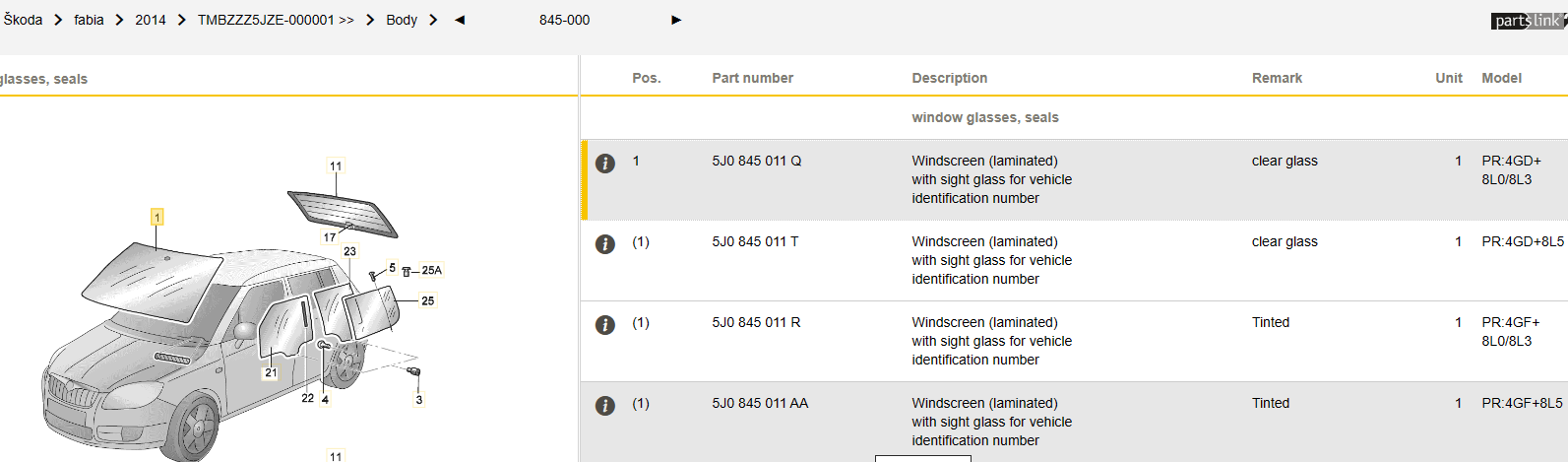
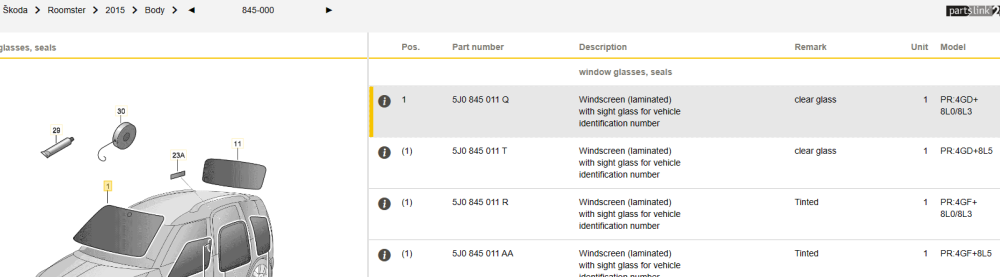
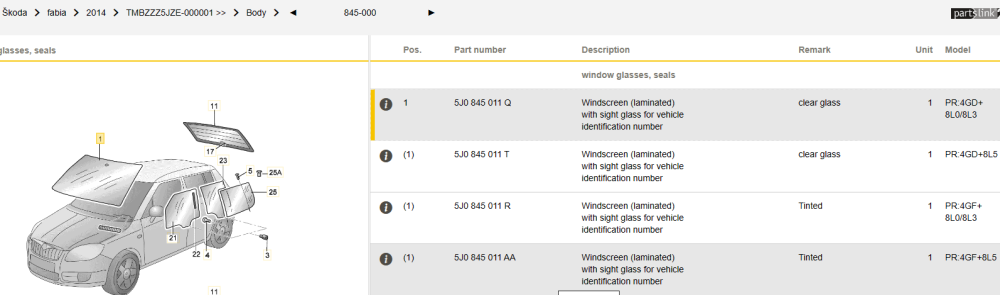
All the screen options appear to be identical between the two models Roomy and Fabia mk2 (years picked as being close to your car):
-
Hi Josh and welcome.
-
When the original(?) screen was replaced on our 2005 mk1 last year some time, the fitter asked if it had been leaking at one point on top edge. Barely any seal material there at all, he reckoned. Don't think it ever did leak though.
-
I wonder if the wheels are just not parallel. Spend a bit of time going backwards and forwards a few metres on a really nice flat surface, aiming to get your driver's side front wheel pointing perfectly straight forwards. Then go around and look at what angle the other front wheel is relative to the car as a whole. The eye is really sensitive to detecting 'not straight'. Or take it to a place that does 'free' alignment checks, if that exists in your country.