langers2k
Resident Member
-
Joined
-
Last visited
Everything posted by langers2k
-
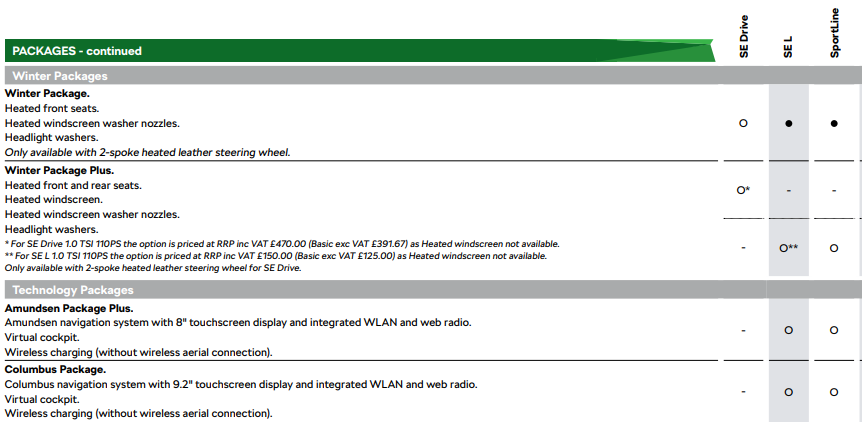
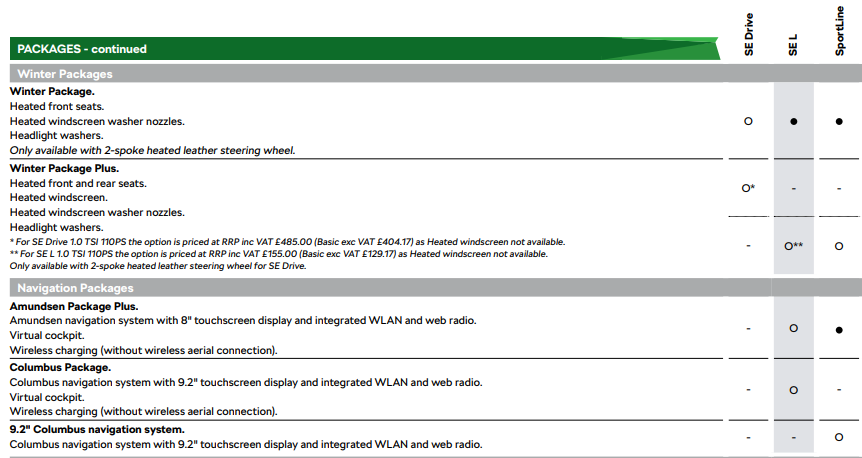
It'll depend on build date.... The 12/2022 brochure shows it as an option: The 04/2023 brochure shows it as standard: Given it's a pre-reg, I would expect it to pre-date the April 2023 spec revision and I would not expect wireless charging as standard. I've attached both brochures for you, the imagery is identical so I imagine both are facelifts skoda-karoq 04-23.pdf skoda-karoq 12-22.pdf
-
Looking at your picture, the coding is: 07A40A00 29800008 01082A00 10000000 00000000 Dropping the new lines gives: 07A40A002980000801082A001000000000000000 Split into bytes: byte 00 01 02 03 04 05 06 07 08 09 10 11 12 13 14 15 16 17 18 19 value 07 A4 0A 00 29 80 00 08 01 08 2A 00 10 00 00 00 00 00 00 00 That shows your current byte 10 value as 2A, next thing is to convert the hex to binary: 00101010 Split into bits: bit 7 6 5 4 3 2 1 0 value 0 0 1 0 1 0 1 0 Flipping bit 4 gives: bit 7 6 5 4 3 2 1 0 value 0 0 1 1 1 0 1 0 Converting from binary to hex gives: 3A Adding it back to the original coding gives: byte 00 01 02 03 04 05 06 07 08 09 10 11 12 13 14 15 16 17 18 19 value 07 A4 0A 00 29 80 00 08 01 08 3A 00 10 00 00 00 00 00 00 00 Which would be: 07A40A002980000801083A001000000000000000 And shown on your tool as: 07A40A00 29800008 01083A00 10000000 00000000 Just be careful, I expect it'll have some horrible method to enter the coding so double check everything...
-
Maybe add screen shot so we can see how it's presented 👍
-
You should ask Uwe over on the Ross-tech forum, I don't they want it as common knowledge given the issues it could cause
-
Your autoscan is full of 'Status: Cannot be reached 0100' errors. This is because your CAN gateway has been coded to say that module is present but it can't communicate with them. You should go through the installation list and remove any that are fitted to your vehicle.
-
Your CAN gateway is a right mess... Has it been swapped or replaced at some point? I would be tempted to sort the installation list as it's expecting lots of modules that aren't present.
-
As above, only the TDi tends to get the under bonnet cover as it's purpose is sound deadening. I think the part number is 5E0863831A. Both your picture show the 'rear dust cover' is fitted. The clips are just in different places as the Kodiaq has a larger lip to hide them under
-
Pretty sure it is 👍
-
Found the Golf thread: https://www.golfmk7.com/forums/index.php?threads/how-to-retro-fit-skid-trays-aerodynamic-under-trays-stone-guards-to-a-mk7-golf.320687/ I expect some of the parts will be transferable but that's an adventure for the OP to figure out 😆
-
It's been done on a few Golf's using OEM parts. I doubt it significantly increases fuel economy though...
-
Probably removed or disconnected the buzzer/speaker in the instrument cluster...
-
Since start is the start of the trip. However... It will only reset after two hours so if you're making multiple trips without a two hour gap, they'll count a one longer trip.
-
@Bap33 - You also need to check: IDE09731-ENG154511-Int. light: 2nd generation-Ambiente_Fahrprofil_Individual At a guess, it's set to 1 which would mess up the comfort colours. Try 4 as that's a profile you don't have With older CAN gateway SW, it should be set to a profile that doesn't exist to avoid the disco mode.
-
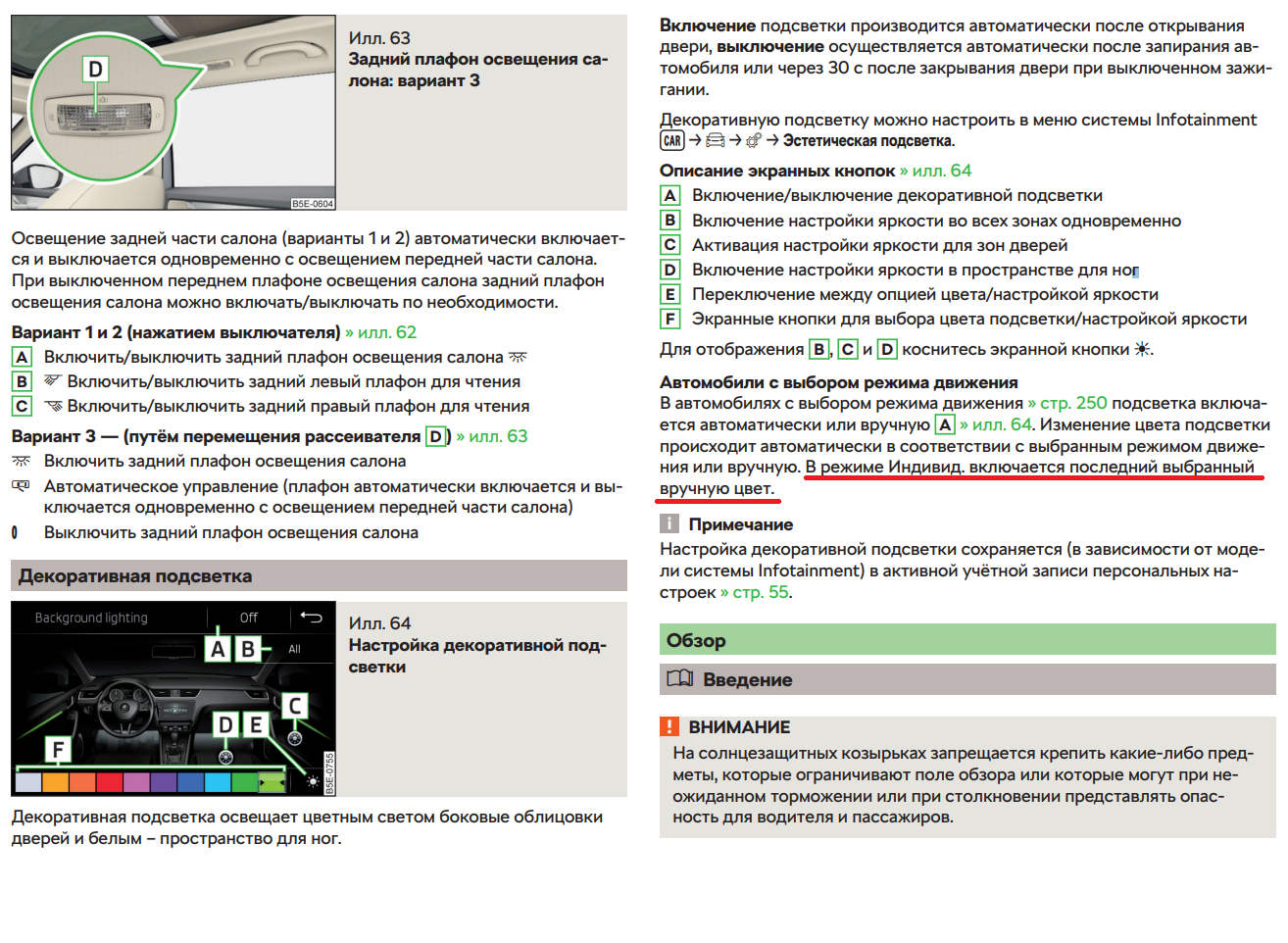
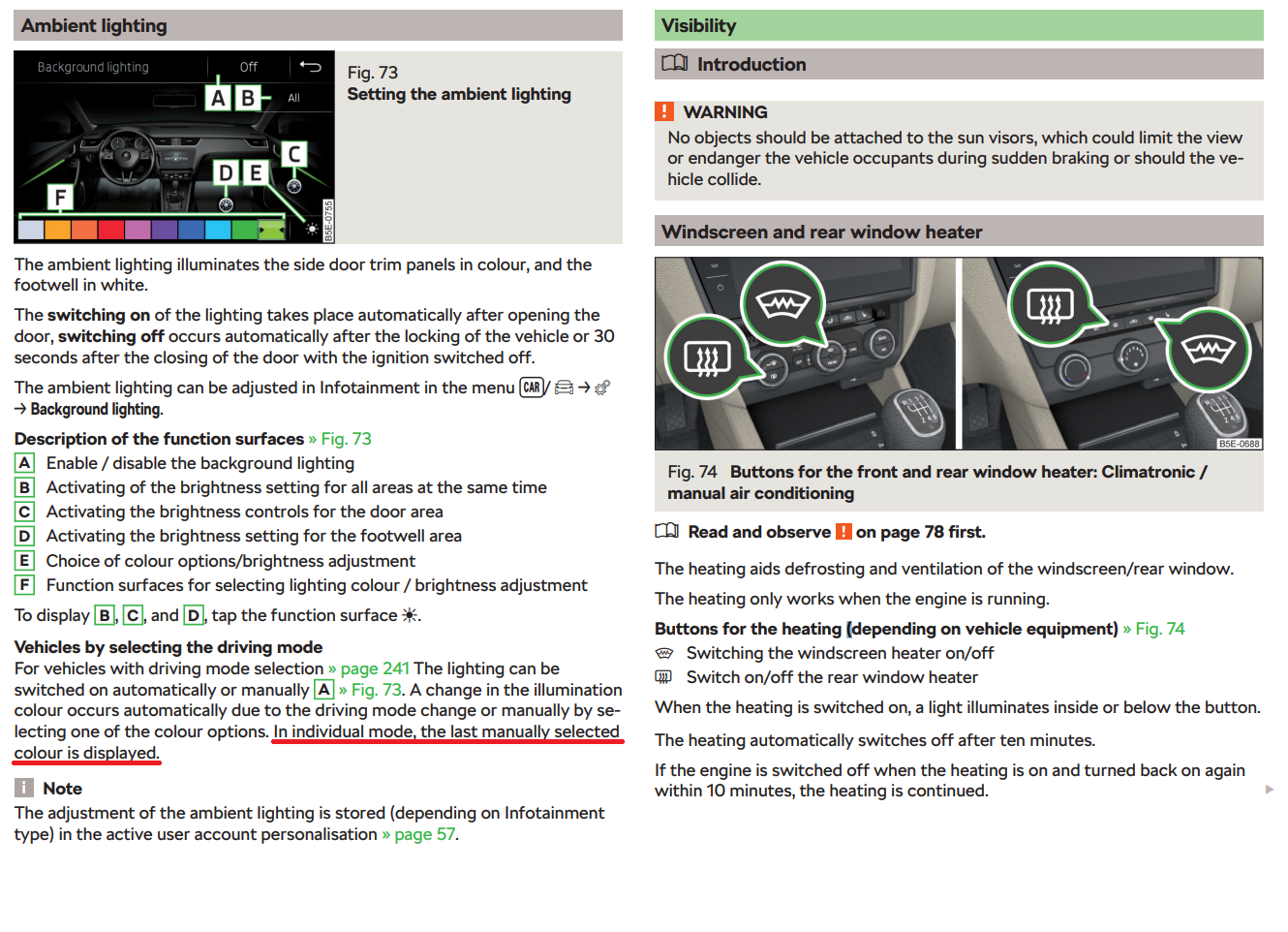
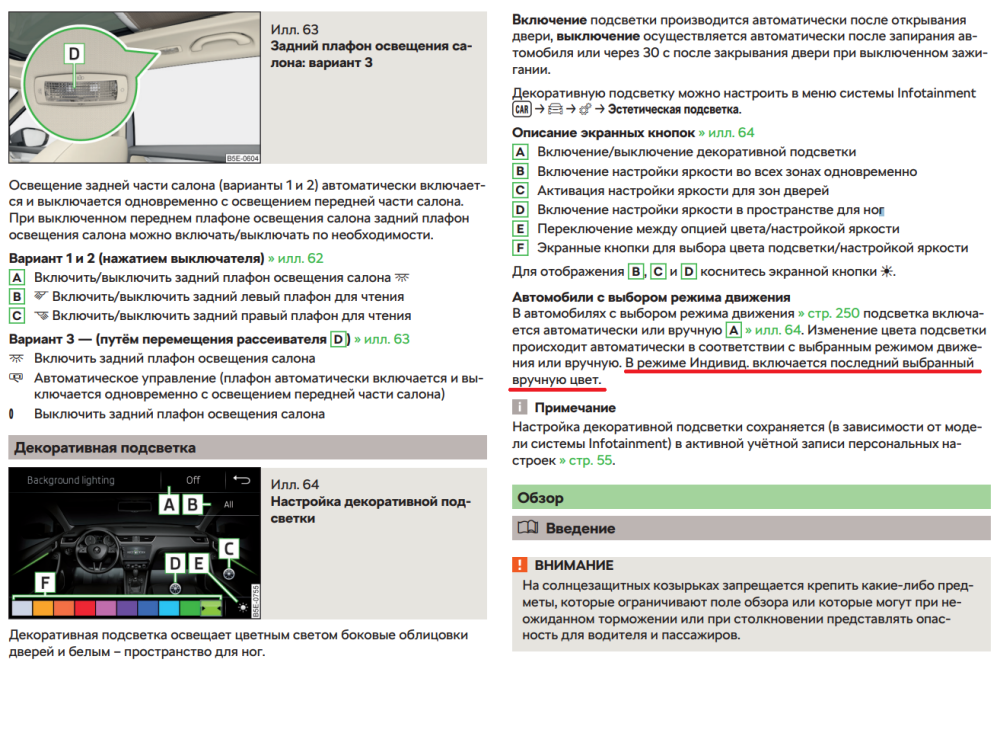
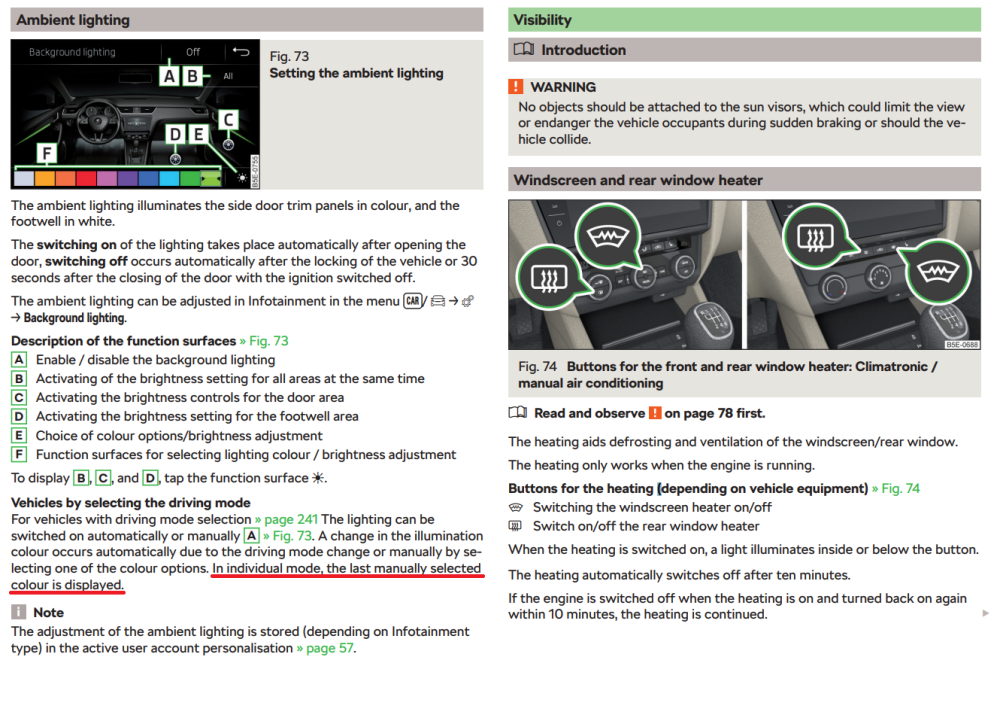
Yes. It will only let you change the colour of one profile. The stock behaviour is to change the individual profile colour which is why Ambiente_Fahrprofil_Individual is set to 7. I've added extracts from both a Russian and English MY19 Octavia manual:
-
I think we may be misunderstanding each other here... When IDE09731-ENG154511-Int. light: 2nd generation-Ambiente_Fahrprofil_Individual is set to 7. The correct behaviour in automatic mode is that the individual profile colour will match whichever colour was last selected in manual mode. This is the feature that requires SW:4344 or SW:5344 onwards. Earlier SW versions cause a disco mode where the colour keeps changing between that last set in manual mode and that in the matching Fahrprofil-Fahrprofil channel. Look at the coding @ igrozan posted they have IDE09731-ENG154511-Int. light: 2nd generation-Ambiente_Fahrprofil_Individual set to 1 which is the comfort profile and not available on their car. This means the individual profile will always have it's colour set by ENG153712-ENG154615-Ambientelicht Zuordnung der Farbe zum Fahrprofil-Fahrprofil_7 which in this case is 7 (happens to be lilac) - avoiding the above problem at the cost of functionallity. Reading the post by @bap33 again, I think that when in automatic mode, the colours are correctly working for the eco, normal, sport and individual profiles. Only the comfort profile is causing the disco effect. If so, I would try setting: - ENG153712-ENG154603-Ambientelicht Zuordnung der Farbe zum Fahrprofil-Fahrprofil_1 to the colour you want for the comfort profile - IDE09731-ENG154511-Int. light: 2nd generation-Ambiente_Fahrprofil_Individual to any profile you don't have, at a guess try 9 At this point, there should be no disco mode but the individual profile colour will be permanently set by the value in Fahrprofil-Fahrprofil_7 rather than taking whatever you choose in manual mode. Hopefully that makes sense and apologies for any confusion I've caused
-
My Octavia is a MY18 with J as the 10th digit. It had 10 colours from factory with these modules installed: Address 09: Cent. Elect. (J519) Labels:. 5Q0-937-08X-V2.clb Part No SW: 5Q0 937 084 CQ HW: 5Q0 937 084 CG Component: BCM MQBAB H H36 0253 Address 19: CAN Gateway (J533) Labels:| 3Q0-907-530-V1.clb Part No SW: 3Q0 907 530 L HW: 3Q0 907 530 C Component: GW MQB High 436 4326 This was not enough for automatic mode, I had to flash and parameterise the CAN gateway to become: Address 19: CAN Gateway (J533) Labels:| 3Q0-907-530-V1.clb Part No SW: 3Q0 907 530 Q HW: 3Q0 907 530 C Component: GW MQB High 436 4344 It's been fine since
-
50'C and above is normal for these sensors
-
-
It's probably that your CAN gateway software is too old... I had the same with my gateway 3Q0 907 530 L (436 4326) but I was able to flash it with SW:4344 o become 3Q0 907 530 Q which fixed the disco mode Original post/thread here:
-
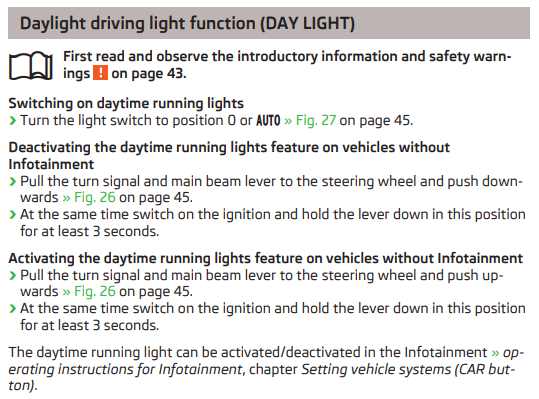
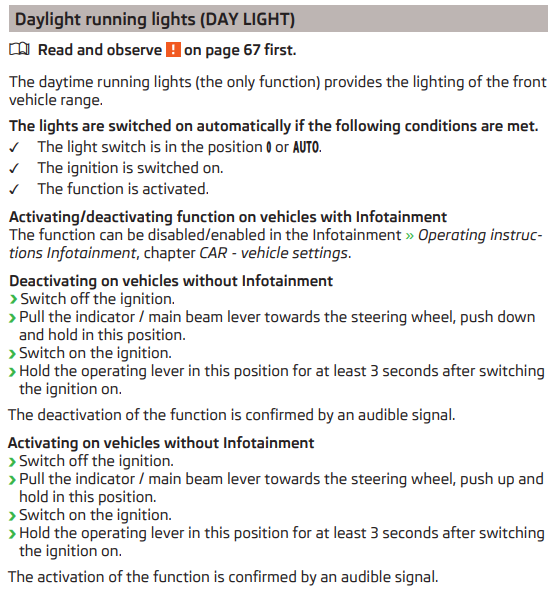
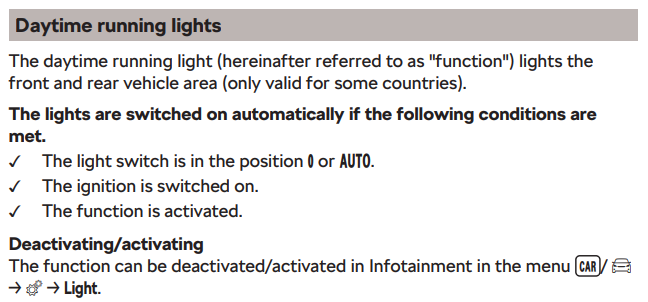
Whilst I agree all mods should be declared, I think the insurance company would be hard pushed to refuse a claim due to turned off DRL. Still - that's a rabbit hole for a different thread I had a quick look and DRL enabling/disabling is well documented in various (all?) MK3 Octavia owners manuals so maybe the OP should try the methods described before resorting to VCDS. A few example are below... 2012/11 edition 2015/05 edition 2019/07 edition
-
Sorted, well spotted 👍
-
Ideally, you should login into erwin and check against your VIN for any TSB regarding the engine software. A very quick google shows at least two different ECU's for an Octavia with a DADA fitted so it's impossible to give an answer with the info you've provided. Couple of examples: https://forums.ross-tech.com/index.php?threads/28457/ - newest is likely 6019 Address 01: Engine (J623-DADA) Labels:. 04E-907-309-V1.clb Part No SW: 05E 906 018 A HW: 05E 907 309 Component: R4 1.5l TFS H22 5471 https://forums.ross-tech.com/index.php?threads/16307/ - newest is likely 9692 Address 01: Engine (J623-DADA) Labels:. 04E-907-309-V1.clb Part No SW: 05E 906 018 AL HW: 05E 907 309 Component: R4 1.5l TFS H22 6084
-
Autoscan: Start VCDS -> Autoscan -> Start -> Save Adaption map: Start VCDS -> Applications -> Controller channel map -> Select: - Single controller 09 - Adaptions - CSV file Go Assuming you've used the default installation paths, both files should be in C:\Ross-Tech\VCDS\Logs If you haven't already, it's worth grabbing an autoscan and using the "Whole vehicle" option in the channel maps. This way you know exactly how your car is configured which will help if you ever mess something up or need to replace a module
-
Pretty sure mine come on/off with the ignition rather than the engine.
-
Just count the spokes Themisto have 7 pairs, Luxon have 9 pairs 👍