langers2k
Resident Member
-
Joined
-
Last visited
Everything posted by langers2k
-
Welcome, Have you checked the owners list: https://www.briskoda.net/forums/topic/262215-list-of-vcds-owners-previously-known-as-vag-com-vcp-owners/ And owners map: https://www.briskoda.net/forums/topic/224376-vcds-owners-map/ For a local member with VCDS and tried dropping them a PM?
-
Erm... Both are from this thread Might be worth seeing the the OP's old KPH facia's are correct for your Yeti by checking the warning icon layout. If so, you might be able to sort both at the same time
-
Might be contacting the seller, I'm not sure if the sinosmart cameras support coding or not. They are a bit weird as they seem to automatically recode other modules when they are fitted which scares me... When I fitted my OEM one, I had to apply the following changes so it could be worth checking them if you have access to VCDS/OBDeleven: Coding was super easy: - Address 19, add 6C to the installation list - Address 10, coding, tick byte 2 bit 4 - Address 5F, adaptions, change Car_Function_List_BAP_Gen2-VPS_0x0B to "activated" - Address 5F, adaptions, change Car_Function_List_BAP_Gen2-VPS_0x0B_msg_bus to "Infotainment data bus"
-
Erm - as in to buy or someone using it? They are super easy to buy, first hit on eBay for instance: https://www.ebay.co.uk/itm/233866295090
-
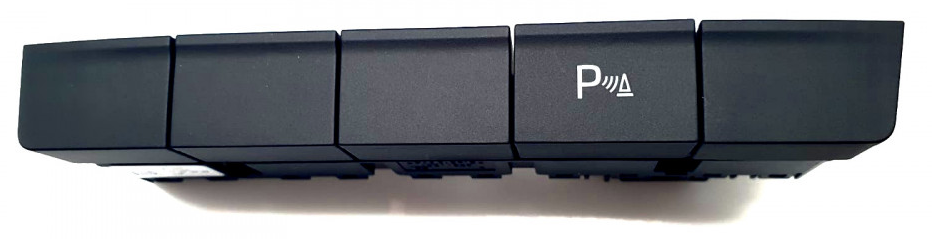
Parking sensor button should look like this: I'm not sure how the Chinese (I think that's what you have?) cameras decide to turn on/off.
-
If you have front+rear sensors, hitting the parking sensor button should turn the camera on. At least it does with my OEM highline version
-
I can't find any pictures or info about 5E3035874 on google. Guess you need to remove it and see what you're dealing with Might be worth buying some time to access https://erwin.skoda-auto.cz/erwin/ as that's the official source for workshop manuals. It should help you find out where it's likely to be and how to remove any trim to get access.
-
I've no idea on costs, it's not something I've looked into on a MK3 as I already have LED front and rear on my vRS. Just did a cursory google for you, check before you buy anything and I expect other suppliers are available. For the rears, I'm not 100%, but I think you'll need adaptors something like these which are ~€70. You can probably make some for less: - hatchback: https://www.cars-equipment.com/en/shop/tail-lights-3/led-tail-light-adapters-from-octavia/ - estate: https://www.cars-equipment.com/en/shop/tail-lights-3/led-tail-light-adapters-from-octavia-2/ Obviously you'll also need to find someone who can recode the car for you too as a dealer is unlikely to want to help. Fronts are much harder -one possible loom is €165 https://www.cars-equipment.com/en/shop/xenon-led-ballasts-8/autolevel-o3-full-led-wiring-harness/. - modules are probably around €250-300 from that supplier but I'm not sure exactly sure which you need - you might to replace other modules like the CAN gateway or BCM depending what's currently fitted - no idea about washer jets, maybe €100-300? Most of the module costs will depend on if you can find the correct used versions or if you end up buying new then having them parameterised for your car. If you're serious about the headlights, I'd suggest you buy some time on https://erwin.skoda-auto.cz/erwin/ to get the factory wiring diagrams.
-
Yes, it's currently in miles but may have been in km when sold. I think the OP is worried if they take the car in for any work or warranty repairs, the odometer may read less than when sold. The seller may accuse them of clocking it etc. Not sure if there is any paper trail for the car yet but if there is, that could also raise similar questions when they sell it.
-
They are the same physical size. For the LED taillights, you'll need an adaptor loom and some coding changes. For the LED headlights, you'll need to add level sensors, an AFS/headlight controller, various wiring and adaptors to get the levelling to work. You'll also need headlight washers if they aren't fitted as standard on your model. In short, taillights are pretty easy, headlights are much harder to do and keep it road legal/MOT friendly
-
I'd probably splice into the normal red light wiring and have both Seems there are some cheaper Chinese 'bottom mount' versions but no examples of what they're projecting. For example: https://www.aliexpress.com/item/1005002062192243.html
-
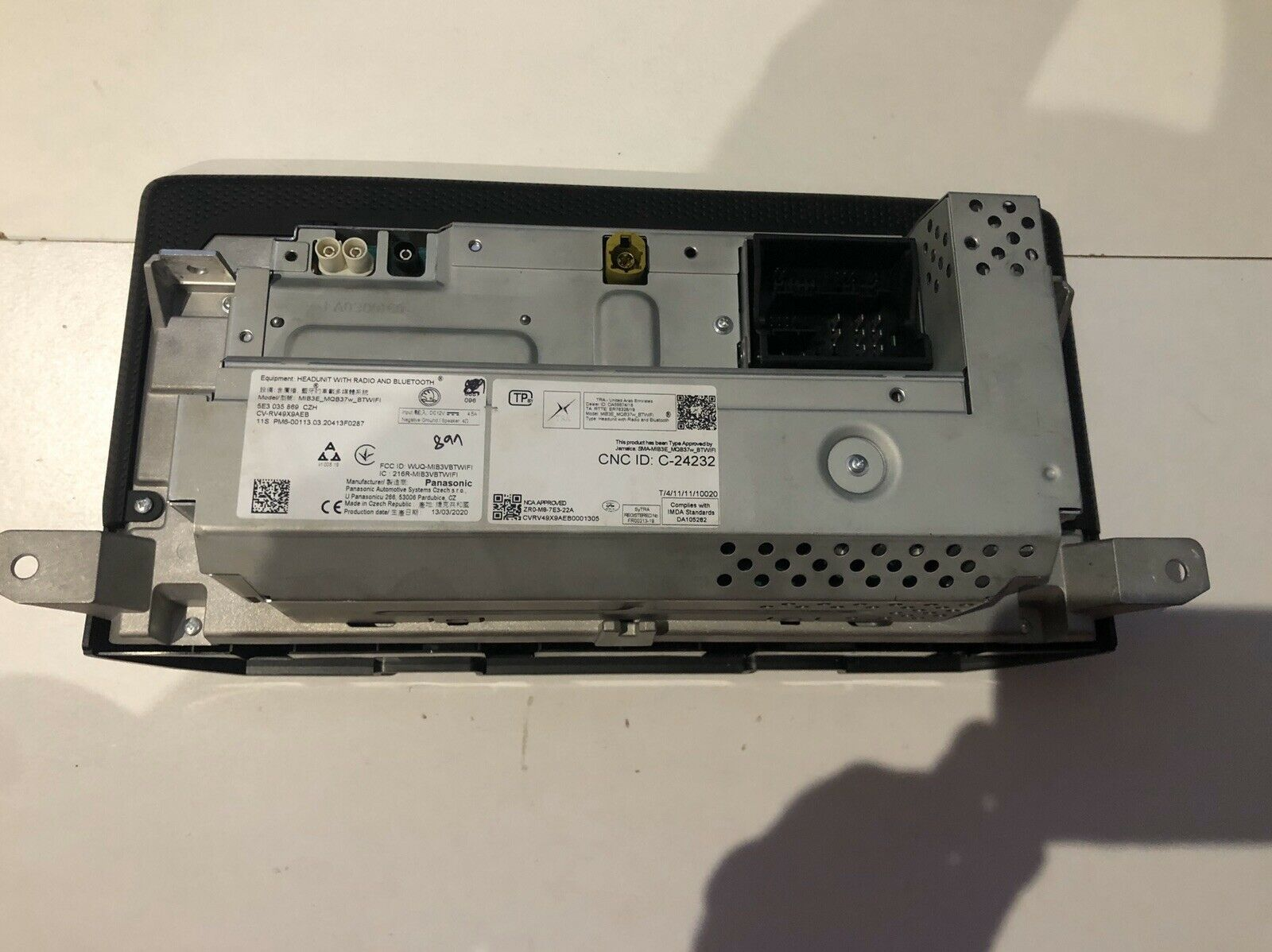
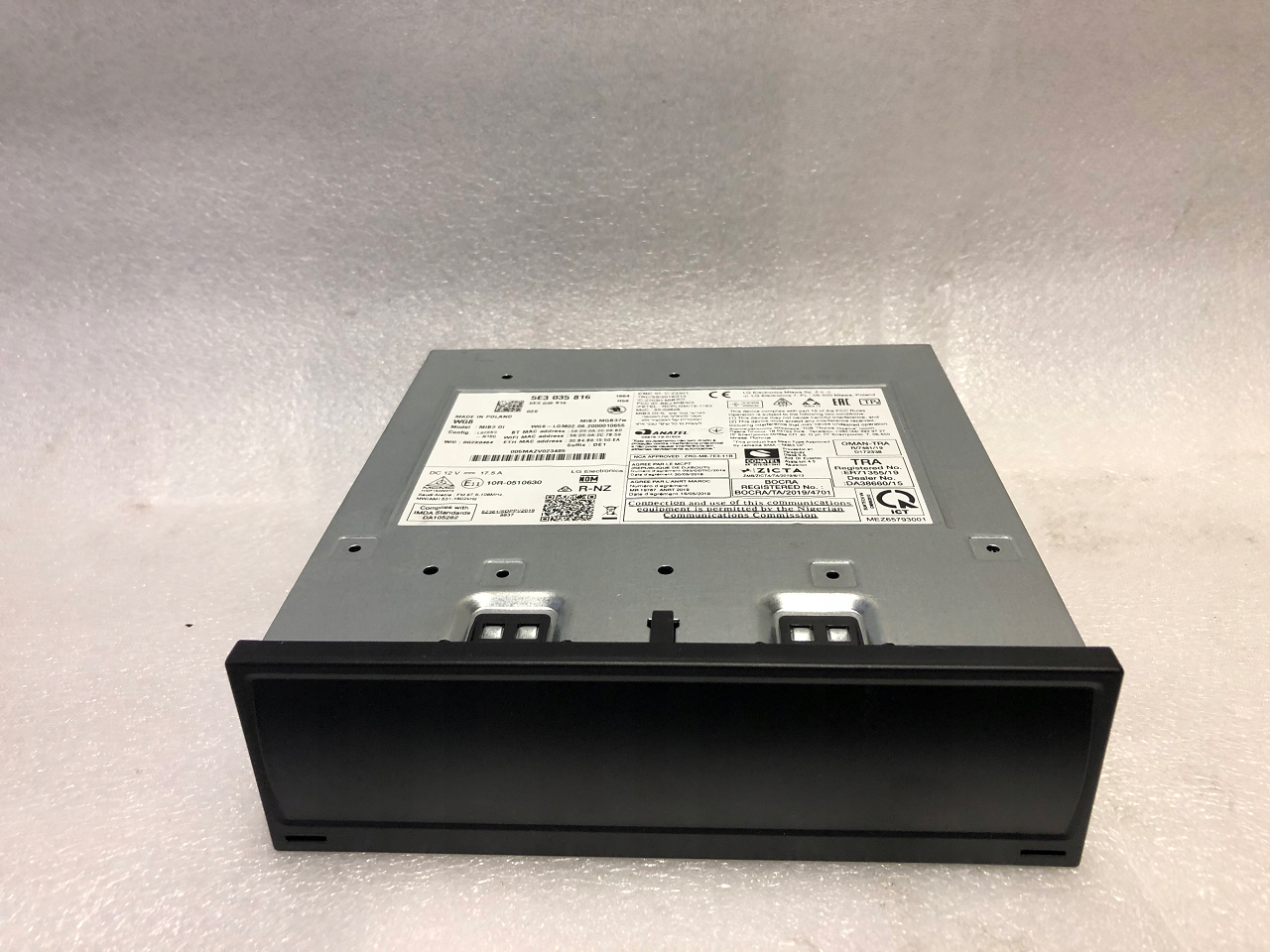
Erm, you're missing my point... It will depend on which headunit is fitted to whether the separate box exists. Both parts I showed above are from MK4 Octavia's with different spec. As a further example, here are two VCDS autoscans from Mk4 Octavia's: - https://forums.ross-tech.com/index.php?threads/26100/ - https://forums.ross-tech.com/index.php?threads/26099/ The radio part number in both is "5E3 035 816 B" which is a box, just like the one I showed above, shown here: http://dorian-czesci.sklep.pl/en/product/multimedia-czytnik-skoda-octavia-iv-5e3035816b/ If your car doesn't have a box, it's likely to be a lower spec headunit which is an all-in-one configuration. That would suggest the speaker connections are to the rear of the screen. It's impossible to know for sure as you've not given a part number or anything helpful to narrow down which headunit you have.
-
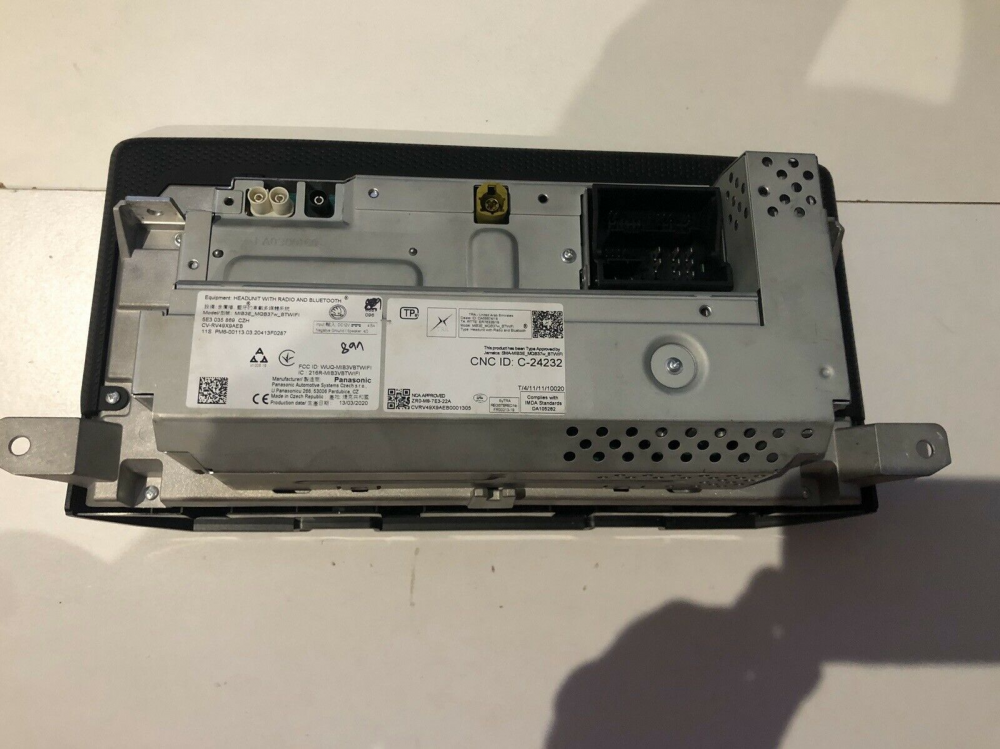
I think it'll be much like the MK3 - it'll depend which headunit you have. Lower spec versions will be an all-in-one unit with direct speaker connections, as shown below (5E3 035 869): Higher spec versions still appear to be split into the display and 'brains'. Given the shape of the second unit (5e3 035 816), it looks like it would still fit in the glovebox:
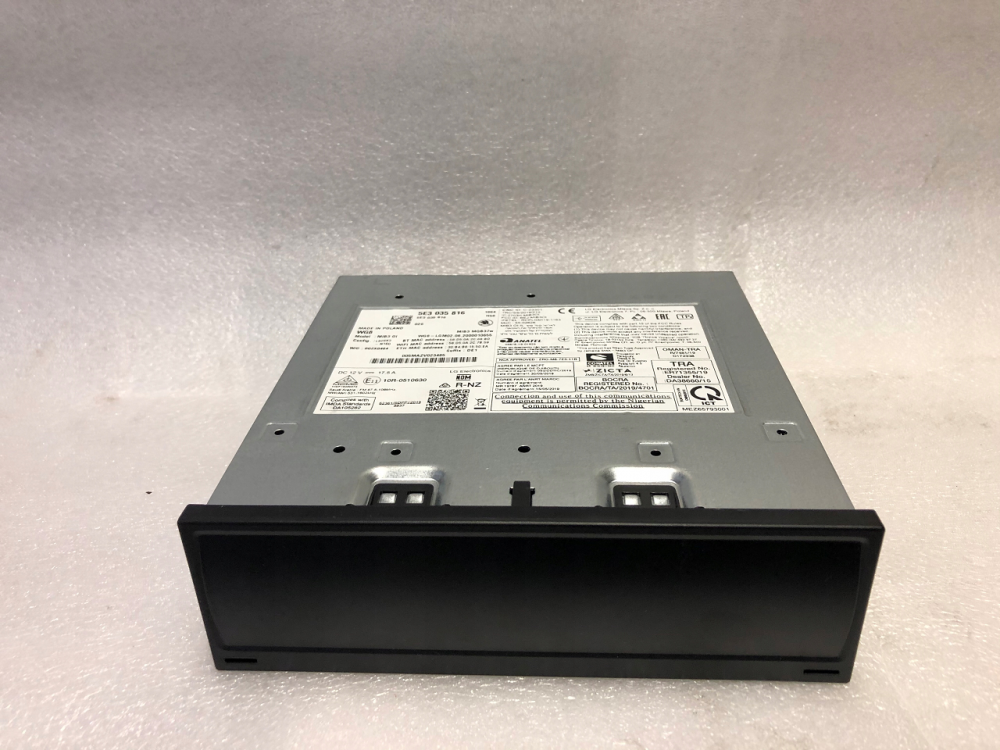
-
I think the kopacek ones are pretty ugly given the extra chunk required to project the logo. Most aftermarket versions have the same issue. If I were to do this, I'd probably fit the OE versions from the Karoq (57A052133, 57A052134) as these fit into the bottom of the door card so are completely hidden from view. Obviously it requires a hole to be cut in the door card but they feel a much neater solution. Shame they are so expensive at the moment :(
-
As above, given you've not said what you did or were trying to do before this happened and you're using a clone which may have cause some of these issues, I'm not sure I can help. I'd suggest you contact whoever you purchased 'VCDS' from for support or find someone with genuine tools to take a look.
-
Mine is. At least, things on the left side of the car appear on the left side of the camera image if that's what you mean? Yours is also flipped. It matches what you'd see in the rear view mirror as the fencing is to the left of the car and the left in the image. If it wasn't flipped, it would be the same view as turning your head to face backwards. Namely the fence to the left of the car would be on the right on the image
-
-
What are you trying to do? The modules and coding will depend on the spec level and which options were fitted so just looking for a scan might not help you. Can you post an autoscan from your vehicle as that'll help find other similar cars.
-
9913 miles is just short of 16000km. I wonder if the odometer can change units as that would certainly explain it
-
Get it scanned for fault codes? Even a simple thing like the buzzer failing will disable the parking sensors but a scan will help narrow it down
-
By rolling the car forward, the wheels would have aligned with the steering position and taken the pressure off the steering lock. Very much seems like it was just tighter than you expected... Still, sorted for now so I'm sure it's fine.
-
Leave byte 18 as 00, don't touch it! You need to use the PQ35 BCM programmer as shown in this video: Depending if your car is LHD or RHD, it'll be either C47 or A6 that needs the fog function adding.
-
That seems about right, there is a lot of diagrams as the cars split into various functions. Official source is https://erwin.skoda-auto.cz/erwin/ but I think it's down atm.
-
You just needed to turn the wheel slightly to take the pressure off the steering lock. The key should have turned as normal then 👍 It will feel quite heavy as you've got no power assistance.
-
Which camera did you install? Have you contacted the seller?