




TheUltraRunner
Members
-
Joined
-
Last visited
Everything posted by TheUltraRunner
-
You can't reroute drive select button since there is no physical button for this anymore in the mk4.
-
I got the same info as SkOmk4. You need memory seats for this function to work properly since the desired position of the dipped mirror is stored in the same memory.
-
Sorry, looks like I misunderstood the question. I didn't know this is even possible. From my experiences I would say this is not possible as you can only select the info screens that are available in the menu.
-
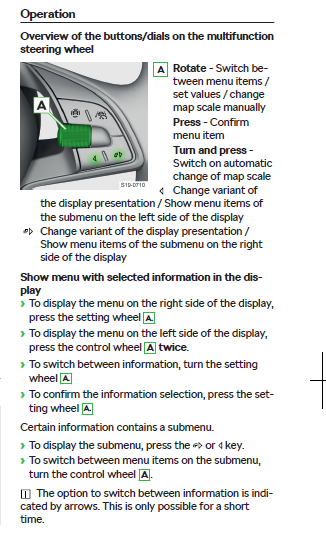
Hi, it's not a long press, it's just a normal press. Once to get to the right area and twice to get to the left area.
-
Same here in Slovenia with the temperatures. I know exactly what you are talking about. And as I said I was pleasantly surprised how well the jets have cleaned that salty dirt from the lights.
-
It would look really nice in a RS. But I'm really wondering how can they code in these buttons since the computer in the new Octavia is so restricted.
-
I agree about the map. But I think here you would need a completely different layout rather just a change of the info displayed in the center.
-
I noticed some posts in German FB group about recalibration of the assistance system when people did lower their cars. Not sure if this is really needed or not.

-
I have just used them yesterday. And actually I was surprised how clean they were after the wash.
-
So we shouldn't drive when raining? Because too much glare?
-
Not sure if you can change anything in the centre display. Even with OBD or similar. Haven't seen anything online about the center display. I really wonder what would you want in the center display instead of the speed. I can't see anything from the current options that would make sense having in the center.
-
My car is now almost 13 months old and I still have the first batteries in the keys.
-
Not by default.
-
Because till now (see Ad@m's post above) only small updates were installed OTA (over the air) and all major updates needed to be installed in the garage. But for the last month quite a few owners reported to get this (a bit larger) OTA update which takes apparently 30 minutes to install.
-
Press the right wheel button twice to select the menu on the left side of the digital instrument. Then scroll the right wheel button till you find the desired info screen. Wait till green arrows disappear.
-
I know. Haven't seen the black one in any configurator I tried. Only anthracite and in some countries also silver ones.
-
To me they don't look that dark. I would go with the black ones if they would be available for configuration.
-
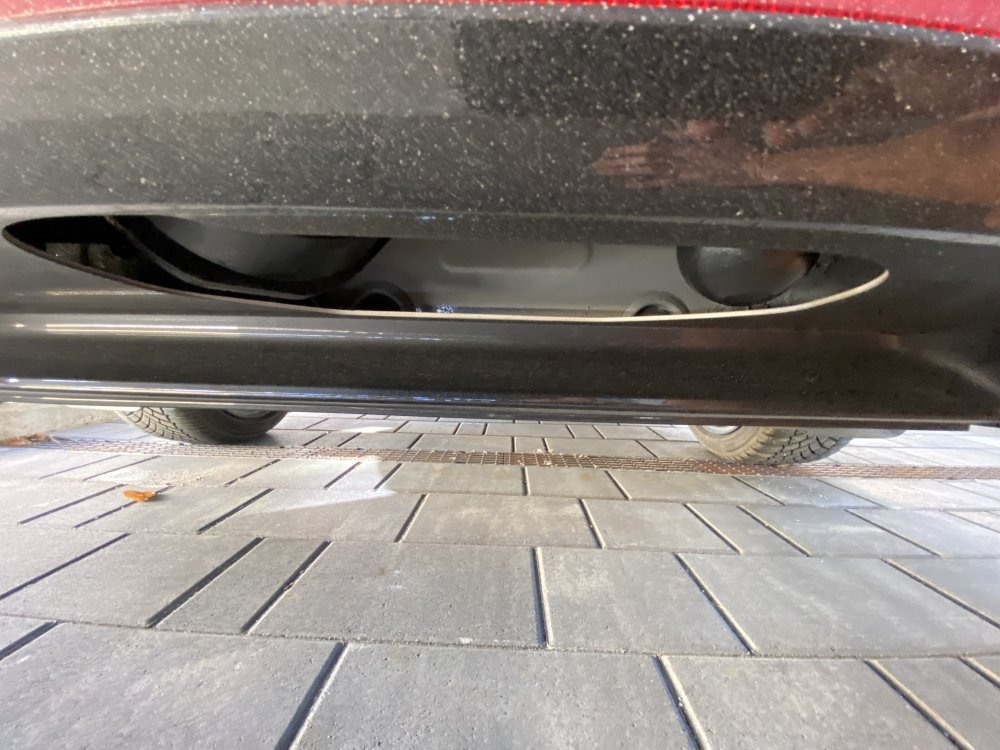
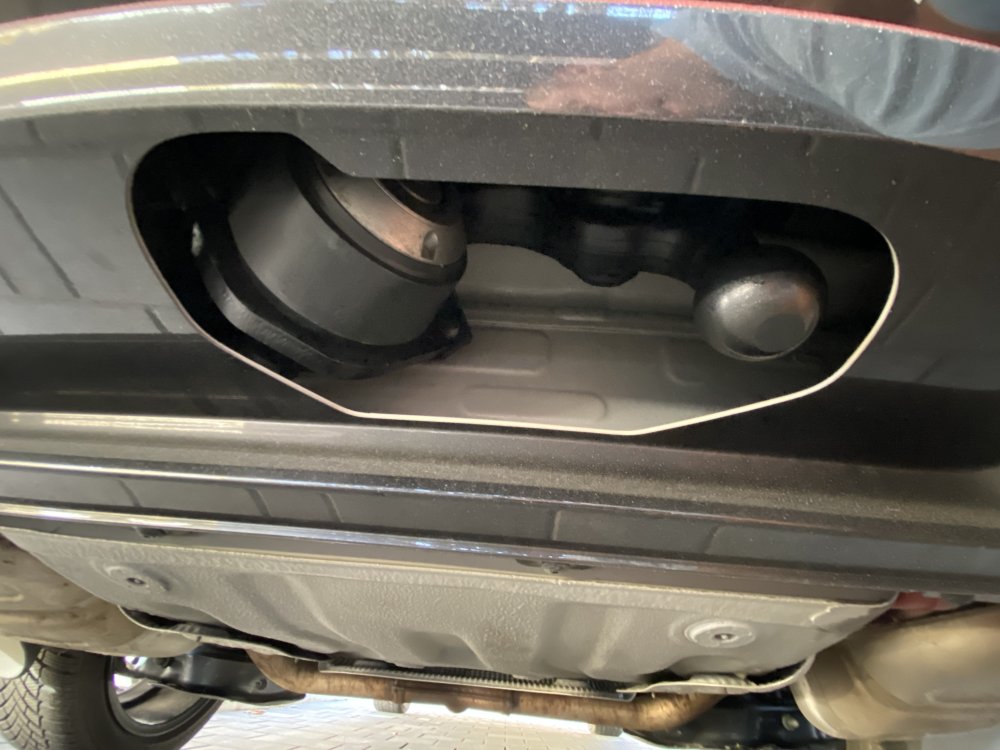
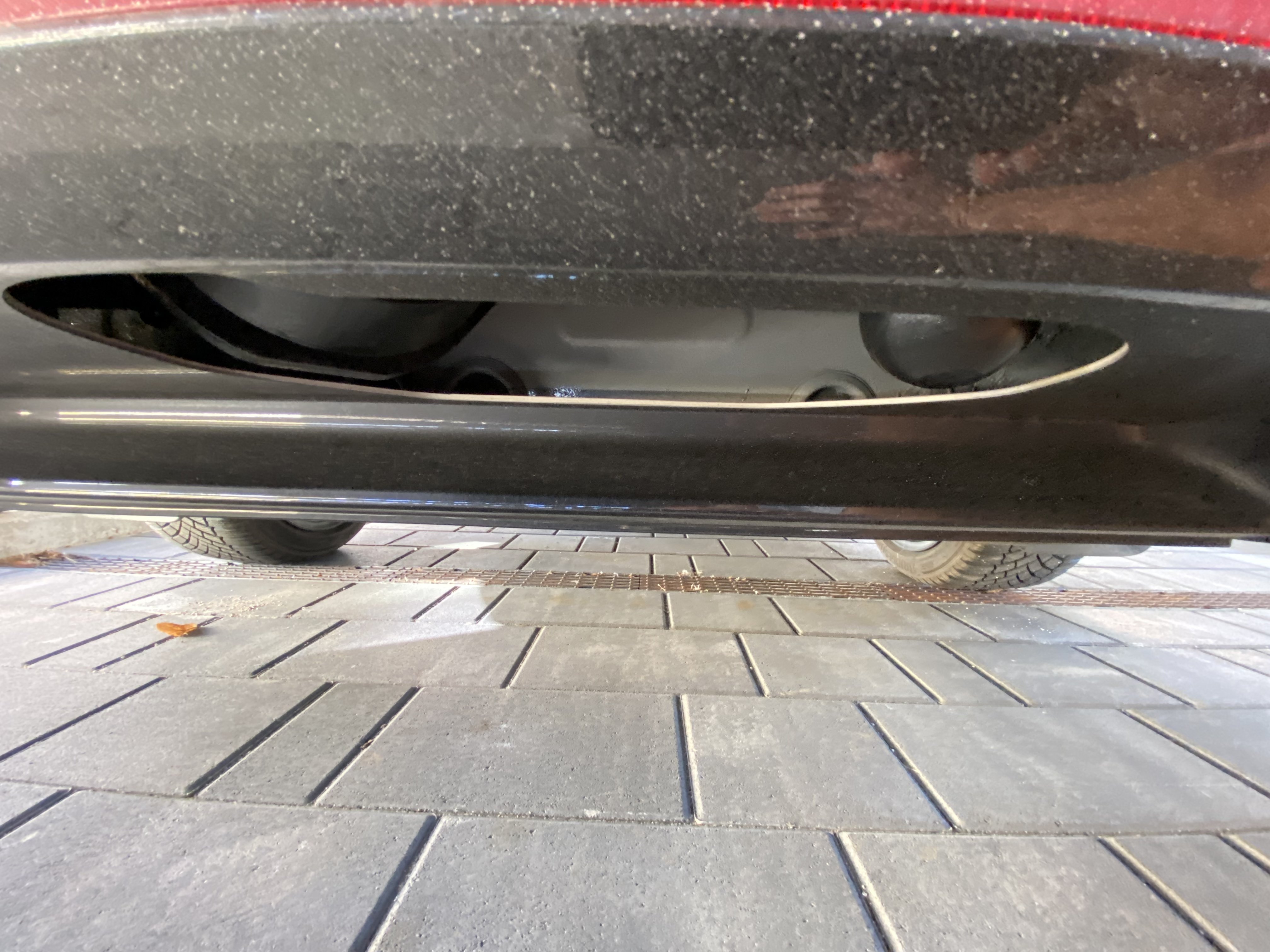
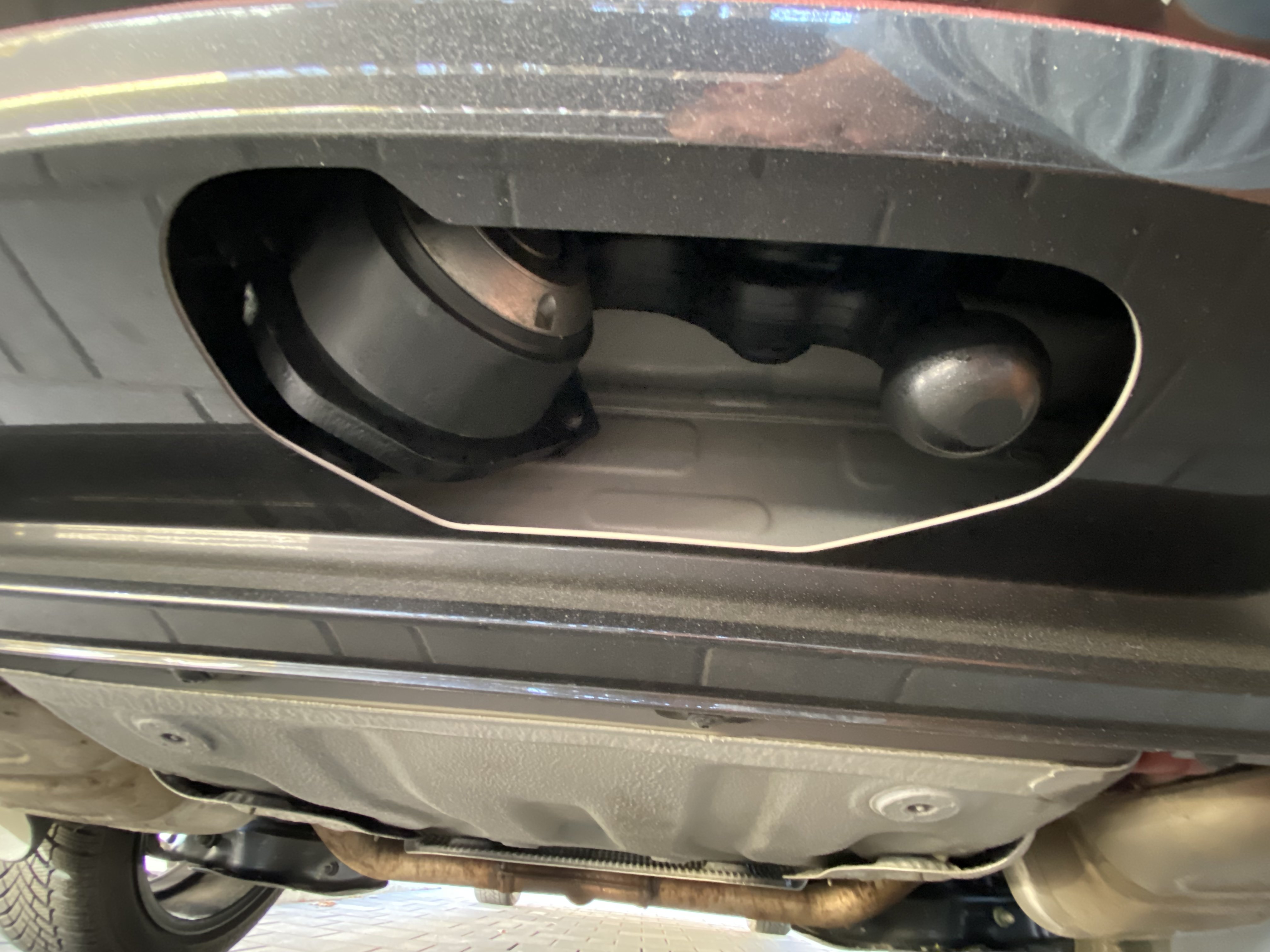
Just took some pictures of mine
-
Thanks for confirming!
-
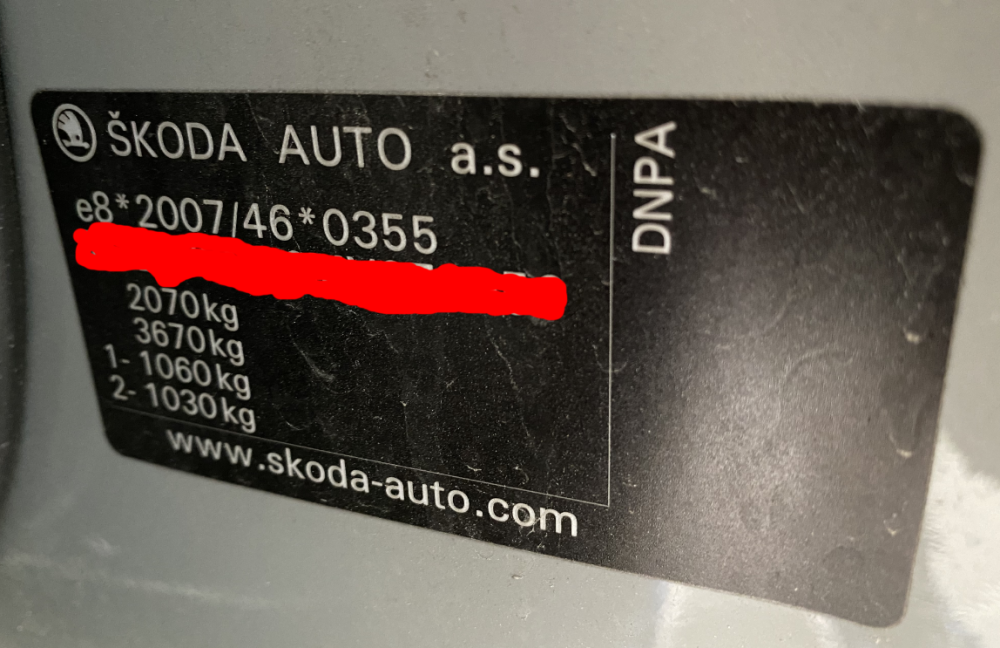
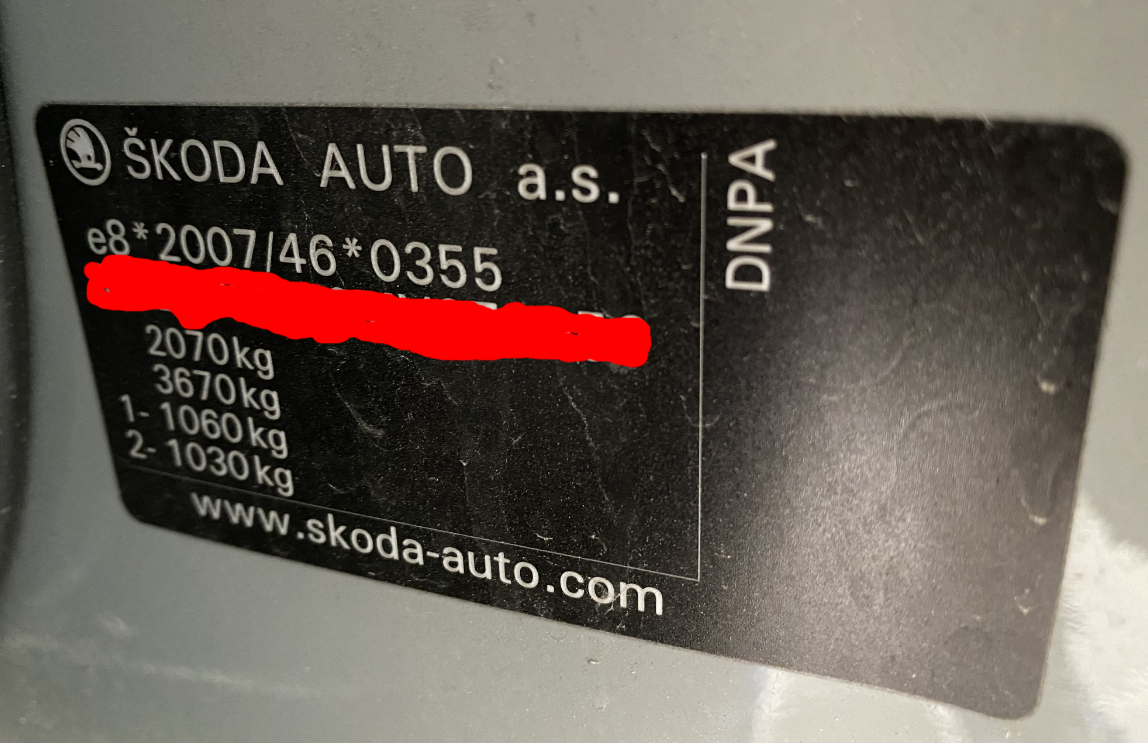
In Slovenia you needed to purchase the towbar preparation separately. It wasn't included as a standard. And even if you have the preparation kit, I think it an additional adaptation/coding is needed when you install a towbar. You also need to check if your car is factory homologated for towing. You can check that on this plate. If I'm not mistaken, If there is no number on the second line, then your car is not allowed to tow anything.
-
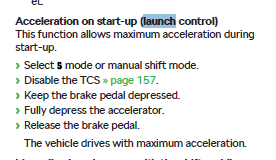
Did not try it on mine yet. You have it in the manual. Nothing said about any limitation or similar.
-
I have the original one. Actually you don't see it from behind when standing. You need to bend quite low if you want to see the cutout for the towbar. Don't have any good pic of it at the moment.
-
Yes, you are right. The ones in the boot are easy peasy to change. The on in the glove box is a bit trickier since you need to widen the hole a bit to squeeze the new light in. I bought these from ebay.de. They are cheaper (together with delivery) from those from kopacek.com (ex superskoda). https://www.ebay.de/itm/363245150685?ssPageName=STRK%3AMEBIDX%3AIT&_trksid=p2060353.m2749.l2649I remember this! And I think I was involved in that topic. 😁 That was the initial theory which was soon shattered to pieces.



Important Information
Welcome to BRISKODA. Please note the following important links Terms of Use. We have a comprehensive Privacy Policy. We have placed cookies on your device to help make this website better. You can adjust your cookie settings, otherwise we'll assume you're okay to continue.