ApertureS
Resident Member
-
Joined
-
Last visited
Everything posted by ApertureS
-
After 3 years of ownership - this weekend coming will be the first fully loaded holiday. 5 adults and a boot full of luggage driving down to Isle of Wight for the weekend. Should be a fun trip!
-
Ah the dpf substrate had a hole through it you mean? No back pressure I guess?
-
Any fault codes? Can you connect to it via diagnostic? I think your issue is you’ve fitted a much older control unit and it’s not compatible, but would need to see the fault codes first to know. The one you have fitted won’t have functionality for a bypass valve compressor and only a magnetic clutch so coding it to have one would do nothing. (Unless it’s got newer software on it)
-
Did you calibrate the new struts via diagnostic software?
-
Drop the vin and I’ll let you know
-
You said you already checked all hoses and gaskets? I assume this wasn’t actually the case at this point then? Was a smoke test carried out then and an exhaust leak detected?
-
Im pretty sure the the only cars with the dq200 7 speed were the 1.4 tsi, I could be wrong though!
-
When it says battery charger it’s looking for one that can output 50A+ (workshop level one that are silly money), your charger won’t be able to output anywhere near most likely so I just wouldn’t bother for the short amount of time. Just make sure your battery is well charged before beginning the work
-
We need to know what gearbox and if it’s 4x4 as this will decide if the gearbox is due now or at 80k
-
Servive books haven’t existed for quite a few years. its all done online through the Skoda portal now
-
This is why you get the 'CHECK SAFELOCK' warning on the dashboard when you get out the car. Basically telling you when you lock the car people cant get out or in.
-
You need to tell us brand and part numbers of what you have so it can be cross referenced.
-
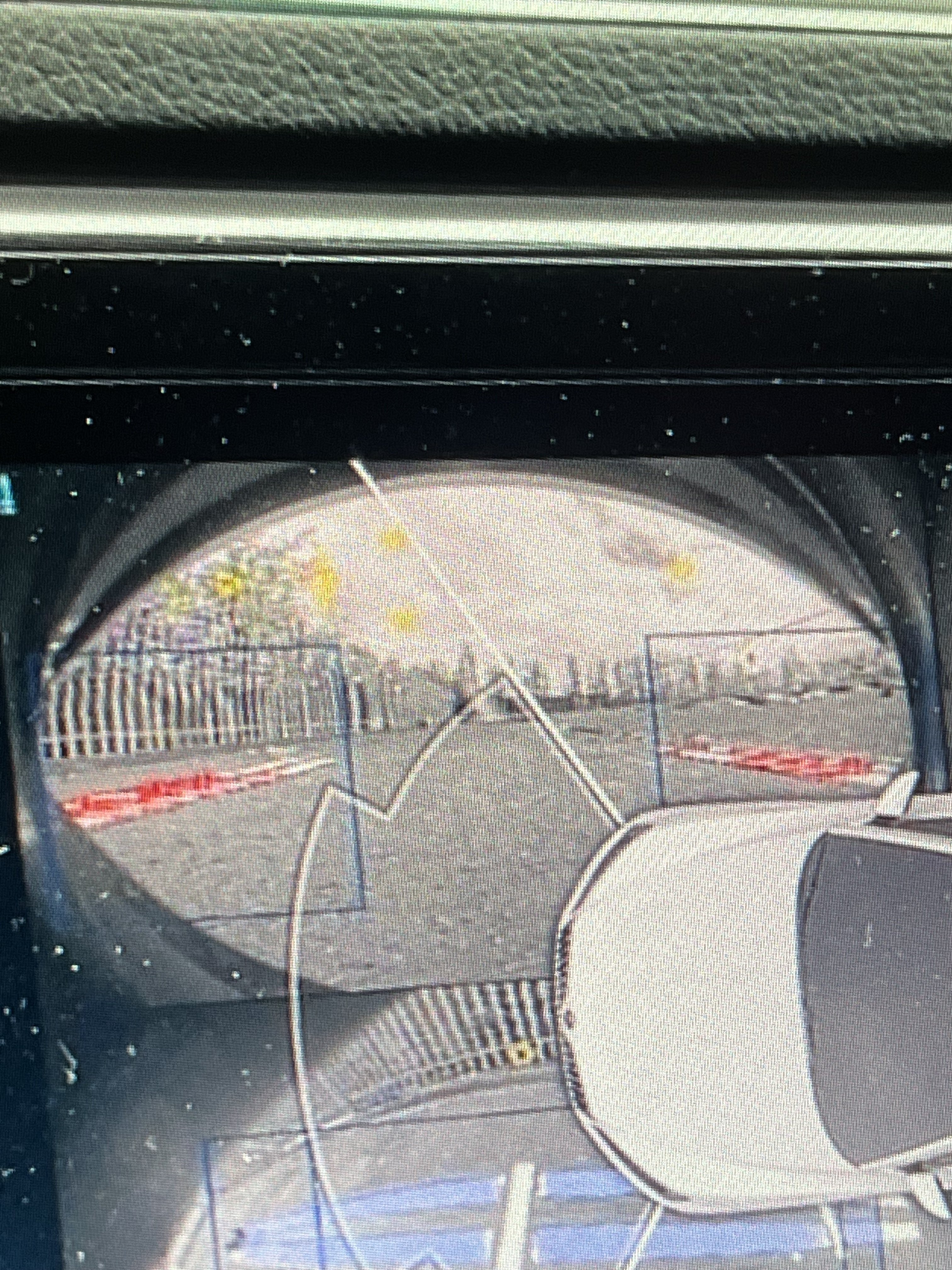
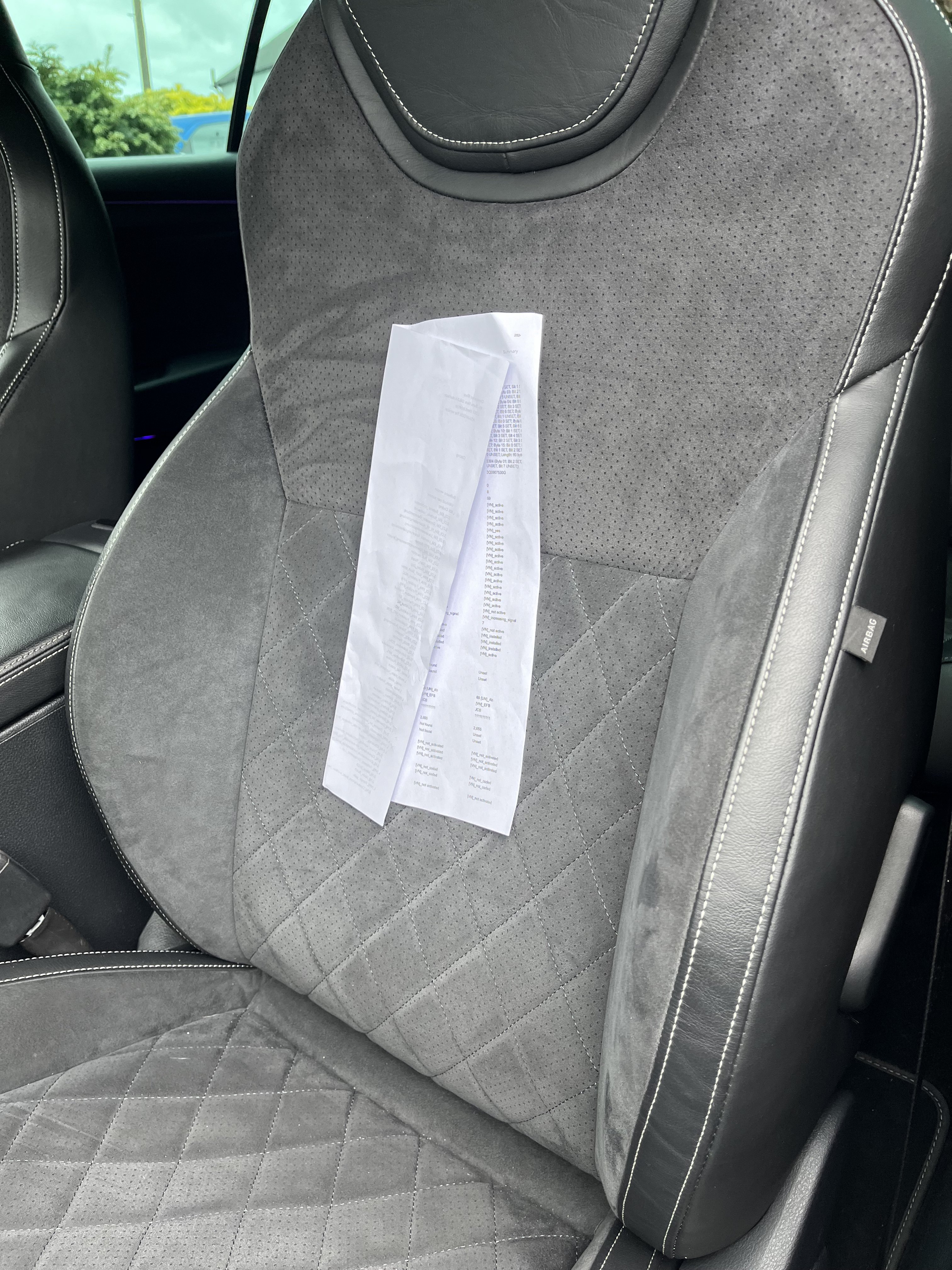
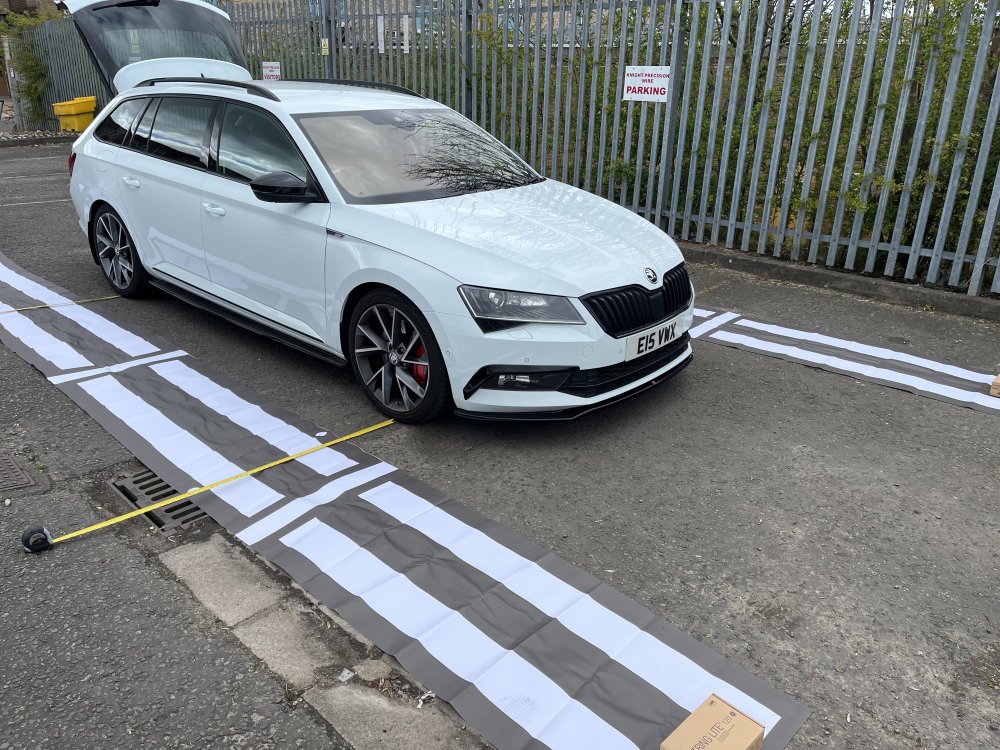
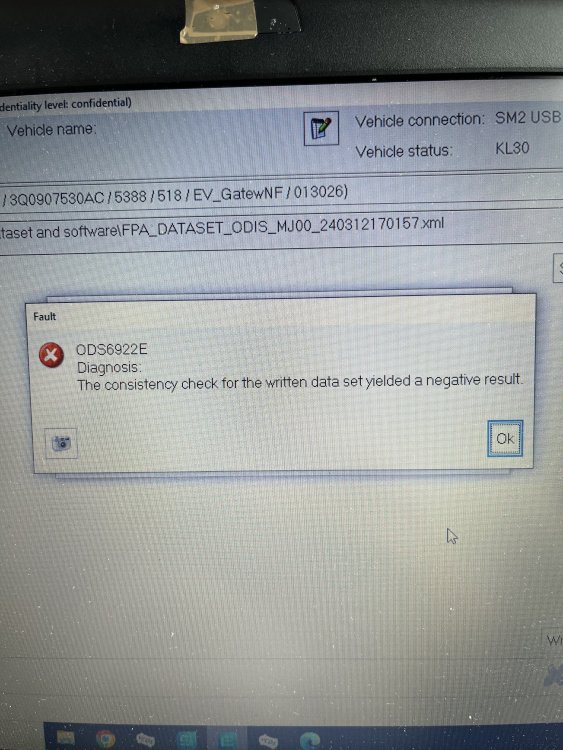
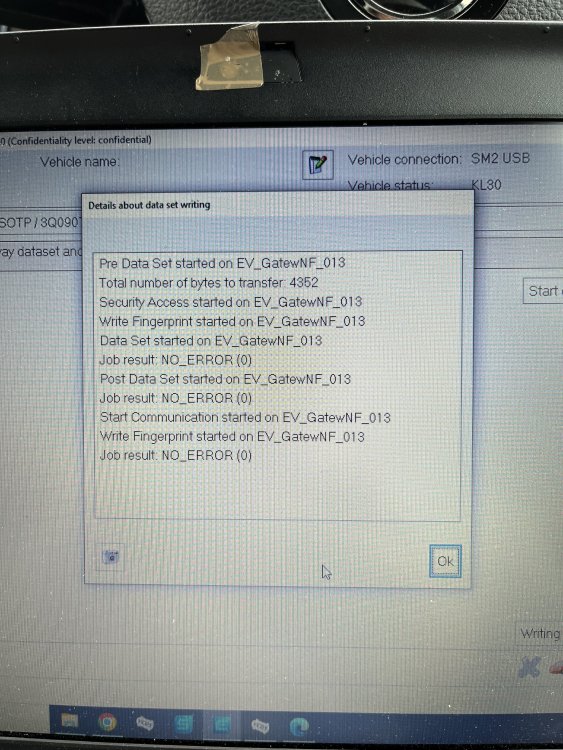
So a few further updates: Areaview fully coded and 'working The coding for areaview is actually really straight forward, the hard part is the hardware and wiring. Gateway - Install list - Add 6C (same as reverse camera) Parking Sensor - Coding - Change to areaview camera type '20' 5F Infotainment - Adaptation - VPS_0x0B to activated Then all the relevent coding in 6C areaview (manual/auto, bodytype, make, model and such, same as reverse camera again) Dataset needs uploading to 6C - only datasets I have are tiguan, passat pre-FL, passat FL Calibrate the camera using vas721001 calibration mats and a diagnostic tool Now I was unable to calibrate the areaview as it keeps picking up errors on the front camera, both sides and rear are perfectly fine. The red lines means its detecting part, but not all it needs (turns blue when it finds all it needs) the yellow dots in the sky are things it thinks its looking for, so that gives us the next issue to work out why and ive narrowed it down to many things: The mats need to be wrinkle free Needs to be done indoors with uniform lighting to prevent sky issues The calibration mat isnt perfect as the forward white lines SHOULD go directly to the end. not stop short. The dataset currently on there is for a tiguan which has a different camera placement, i may try a passat pre-FL which is much more similar to my setup. The camera I have fitted is too low and not in a suitable location, could try lifting the car up level on bricks 2/3 inches or may end up having to change camera mounting location, yikes. All of these need to be worked out so i can fully calibrate the system and have a seamless image. Next up, the heated washer jets were coded, real straight forward: BCM 09 - adaptation - Window heater-Waschduesenheizung to active The heated steering wheel again was real straight forward and all done through HVAC 08 - coding: Byte 11 bit 2 - 1 (Enable heated SW) Byte 11 bit 3 - 1 (Enable multi-stage heated SW) Byte 13 bit 2-3 (Decide if you want it to auto come on with the heated seat or outside temp) The phone charger with antenna base again, very straight forward on coding, all in 5F infotainment - coding: Byte 15 bit 0 - 1 (Enable baseplate) Byte 15 bit 1 - 1 (Enable antenna amplifier in baseplate) Byte 15 bit 2 - 1 (Enable wireless charger) This came with a fault code - B156401 - Antenna for telephone mount, electrical error and working out exactly what this fault code relates to will be fun, the below are the options that need further diagnosis: My coding has a possible problem and im either missing something or wasnt meant to enable bit 1 My fakra cable from charger to amplifier is faulty My amplifier is faulty Amplifier not receiving power, ground or switch on signal Faulty charger or roof antenna (but both brand new so id hope not) Faulty fakra cable between amplifier and roof antenna The USB hub was next, this added a second USB port in the centre console that is fully supportive of carplay/android auto and everything else and coding was very simple again, all in 5F infotainment: Byte 19 bit 6 - 1 Byte 19 bit 7 - 1 (Both of these will already be on if you have a carplay/android auto USB port) 5F Adaptation - Interface for external media activation - connection 1 → activated Interface for external media activation - connection 2 → activated Straight forward and no faults with this, fully working and no issues! The TV tuner was next, now this im only half way through sorting and have yet to disable component protection which means i cant currently see anything and my TV list only shows liverpool tv, so something is very very wrong here but im yet to work it out. There are no faults for any open antennas or such, which is a very good start! The coding so far is as follows: 5F infotainment - adaptation: Gateway component list: TV Tuner - enable TV_tuner_0x2C - enable TV_tuner_0x2C_msg_bus - currently not sure, possibly Terminal 15? menu_display_tv_tuner - enable Gateway - installation list - 57 TV tuner Now with this coding I have no fault codes anywhere except component protection, which is a good start! Im yet to fiddle around and see if anything works on this side so when i find time ill do this In preparation for the DCC retrofit, A custom gateway FPA dataset is required, this now gets a small bit complicated. So a lovely gent managed to decode the entire gateway dataset to allow reverse engineering. The only issue, you need to have a gateway with at least version Q, mine was C. I thought id give it a go, so first I intercepted my own dataset from ODIS for version C of gateway, when looking at it under a HEX editor you could see the differences already between a version C and Q dataset. Namely the section that holds the FPA data starts at address 0B80 on a Q dataset and is exactly 4352 bytes. On my C dataset the address with 4352 bytes started at 0320 which is NOT 0B80, this is an issue. I tried picking out the individual bits I needed but this was no good. Annoying as I would of prefered to make small changes to my current dataset instead of creating one from scratch. Next I scrapped the idea and started from scratch and began using the FPA editor to create a dataset - http://www.mqbtools.nl/fpa/ Once this dataset was done, I couldnt upload it as its only suitable for Q and onwards software. So the gateway module now needs an update! There are two paths for 19 gateway modules that are 3Q0907530 - Lear and Continental. Both have the same suffixes for hardware and software but are NOT interchangable. If you do that, youll brick the module. So as I have continental (can read through diagnostic or physical checking label) I know that my software numbers start with 5, whereas lear start with 4. So my continental software was C - 5287 (Lear C - 4287) and I needed to get to at least Q - 5344 (Lear Q - 4344) (With gateway, as long as its a valid software, you can flash forward, backward, skip some, do whatever. No risk of bricking) So I made the choice to jump to the newest version which is AC, or in full 3Q0907530AC - 5388 (Lear 4388) after this, everything worked perfectly except for loosing coding, adaptations and many fault codes..... I then used ODIS-E to reconfigure the coding and adaptations to what they were before, no issues here and now almost all the fault codes are gone and no more dash errors. The custom made dataset was then uploaded to the module (ODIS-E did not like this but still accepted it) as the checksum was incorrect, but still a valid dataset. The only additional coding to enable the DCC options to appear in profile selection was 19 - coding - FPA_Funktion_DR (DR for damper regulation) Everything is now working, but im left with a single fault code that there is no documentation on "00301 - 769 - C115531 - Analog measurement input, No signal" and although it causes no issues, This will be a seamless build with no faults left so i done some digging. I found a single other person who had the same issue and they advised I roll the software from AC to AA - 5366, I am yet to try this but I have acquired the software, so that will be my next test to see if it fixes it. The only saving grace, all datasets for anything from Q to AC are the same and can be uploaded with no issues. We currently have a working DCC slider and options displaying (but of course not doing anything until the coding for DCC and damper fitting)
-
Thanks for that, just wanted to check it is fairly loud as mine are
-
Out of interest, how noisy are your ventilated seats? This first one ive done is really noisy when on setting 3!
-
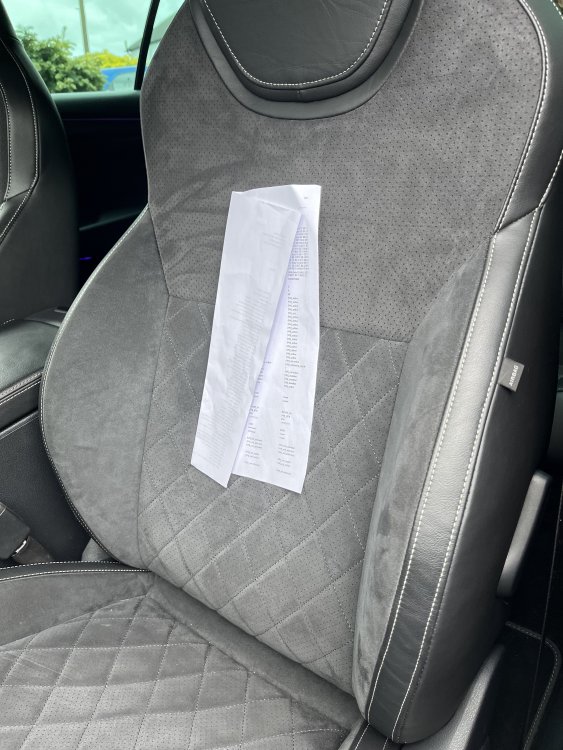
Another teaser photo for all.... (No glue, tape or anything else used to stick it)
-
Yikes... its there for a reason! As much as adas systems are there for a reason and have came a long way, they are far from perfect and not to be relied on. They are just assist systems and not fully autonomous. If you cant steer the car in the direction in needs to go once every 10 seconds, then there are other issues. To answer the question, yes it can be done and has been done by some - but I wont be showing anyone how to do it/where to do it or such, sorry.
-
There isn’t much retail that will refit it sadly. You need an industrial etch, primer and adhesive that is specific for glass to do it properly else it will just fall off. your best bet is getting in touch with a windscreen company who should be able to do it.
-
Sadly the newer cars use a 2Q0 MK4 camera which locks traffic sign recognition behind a ‘swap’ code which can’t be hacked to my knowledge, sorry!
-
It would be module 75, would need checking for fault codes. never replaced a battery myself on these but the module is located behind the infotainment display.
-
The screens are so fragile and even using a wet cloth on them has irrecoverably damaged them before. Not much that can be done about it sadly, unless you can find a replacement display and get it swapped over
-
Type the reg into this https://tps.trade/info/paint-lookup?utm_source=Magazine&utm_medium=Print&utm_campaign=Direct+Insider+Magazine&utm_id=Direct+Insider
-
Nope sorry it comes blank and will need programming with Odis sorry.
-
Message me your vin and I’ll supply the full list free of charge. i have a 2017 with the sticker still in the boot but it has a very small amount of pr codes compared to the full list.
-
What is the reason for wanting to calibrate? Is it a replacement gearbox/mechatronic unit?