Breezy_Pete
Sponsor
-
Joined
-
Last visited
-
Currently
Viewing Topic: Wanted: wiring diagram for blower motor
Everything posted by Breezy_Pete
-
It could simply be that someone has dismantled the instrument cluster for genuine reasons (to repair a fault), and put back that gauge needle in a wrong position. It can be hard to get them back perfectly right on clusters I've worked on. Worth checking that all the warning lights that you should see briefly at ignition on are present though. One reason for getting into clusters is to mask stubborn warning lights...
-
Well done.
-
I think the QMM bit is probably your gearbox code, but scouring the parts catalogue for CRMB engine coolant temperature sensors has drawn a bit of a blank so far. This page should have one as item 9, but your engine code isn't in those listed, oddly: LLLParts Thus far I haven't found a listing for a second sensor, despite looking in electronics and engine subsections. I wonder if @nige8021 may have more success, with his greater familiarity with diesel engines? This previous discussion suggests that I should have looked at wiring info instead of parts catalogue, and that you may be chasing unicorns looking for a sensor no.2:
-
Probably close to the point the lower radiator hose attaches to the radiator. Engine code and the exact fault code might help to confirm. If engine code is a term you're not familiar with, see the relevant link in my signature. If you can't see my signature, view on a computer instead of a phone. I'm not convinced that the rapidity of the gauge reaching 90°C indicates a fault though. Modern engines have partitioned cooling systems deliberately designed to hasten warm-up. Much more actively so than just a thermostat keeping the radiator out of circuit for a while.
-
If you send me the loom I could repair and return, for a reasonable sum. The bank hols get in the way a bit, but let me know by PM if interested.
-
Lock-related signals go direct to the BCM via the wires in the last section of my word doc, but the LIN data comms line on 5/28 forwards that info to the window motor module, for functions where there's an interaction between door or lock position and what the windows should/shouldn't be doing.
-
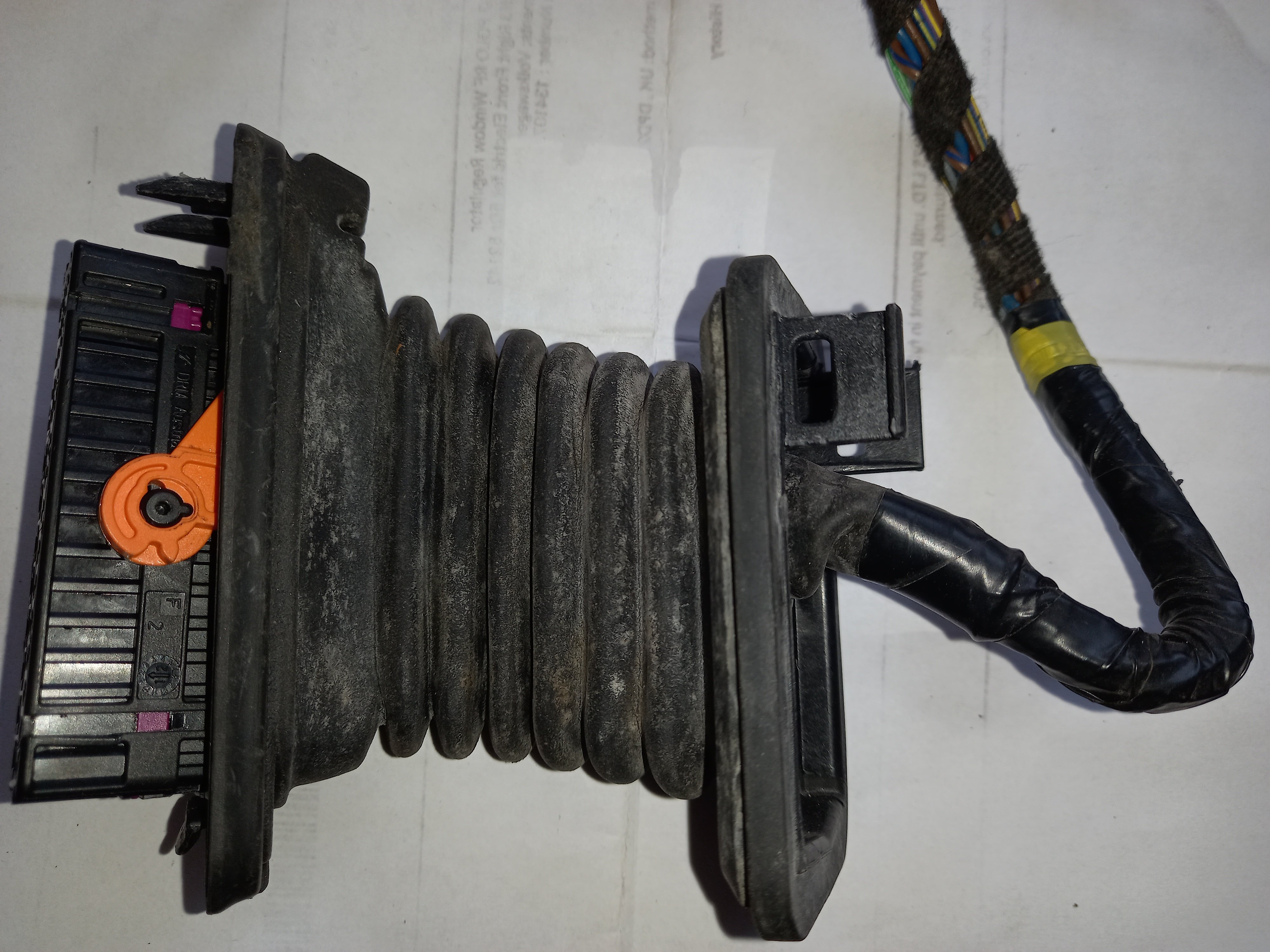
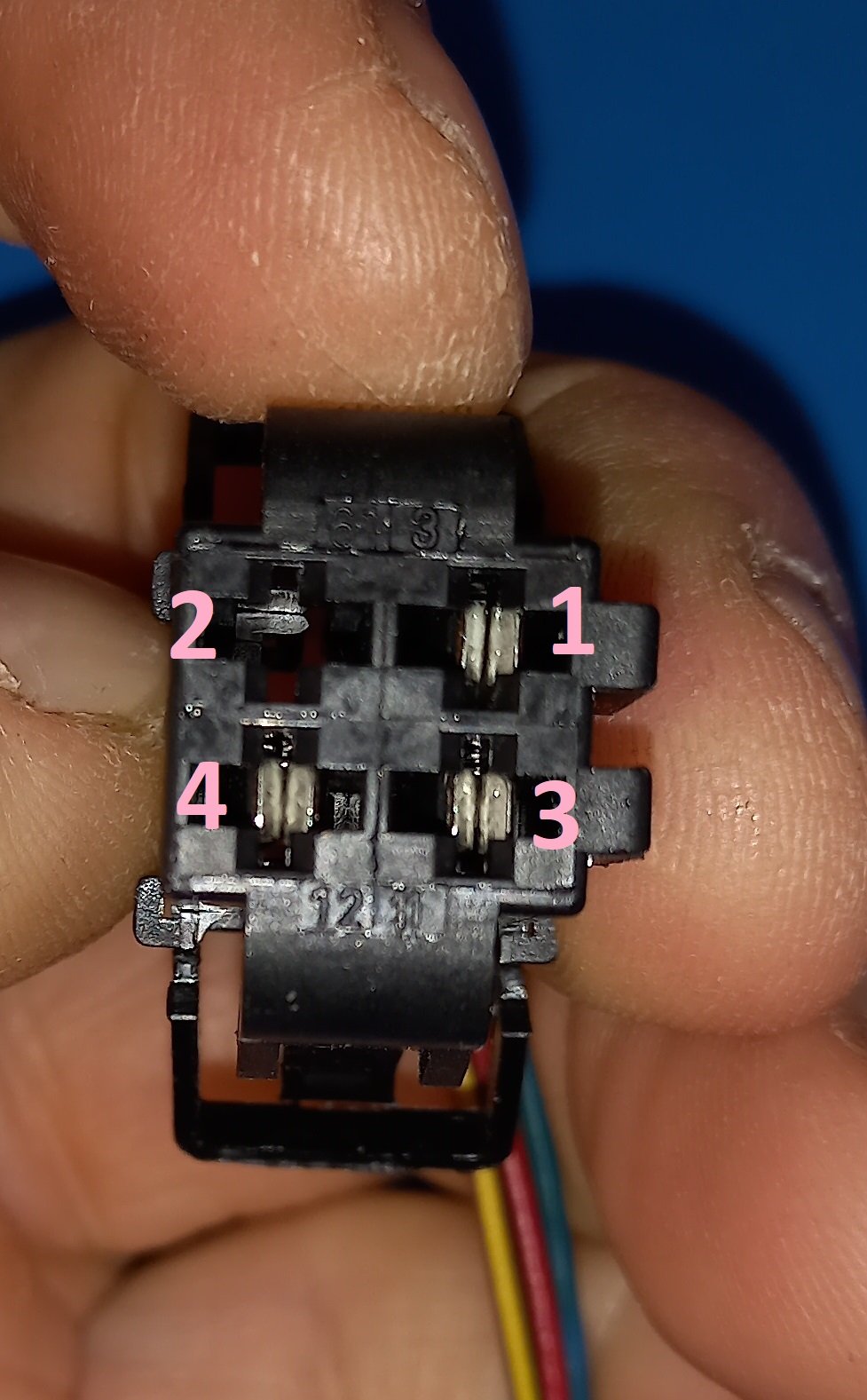
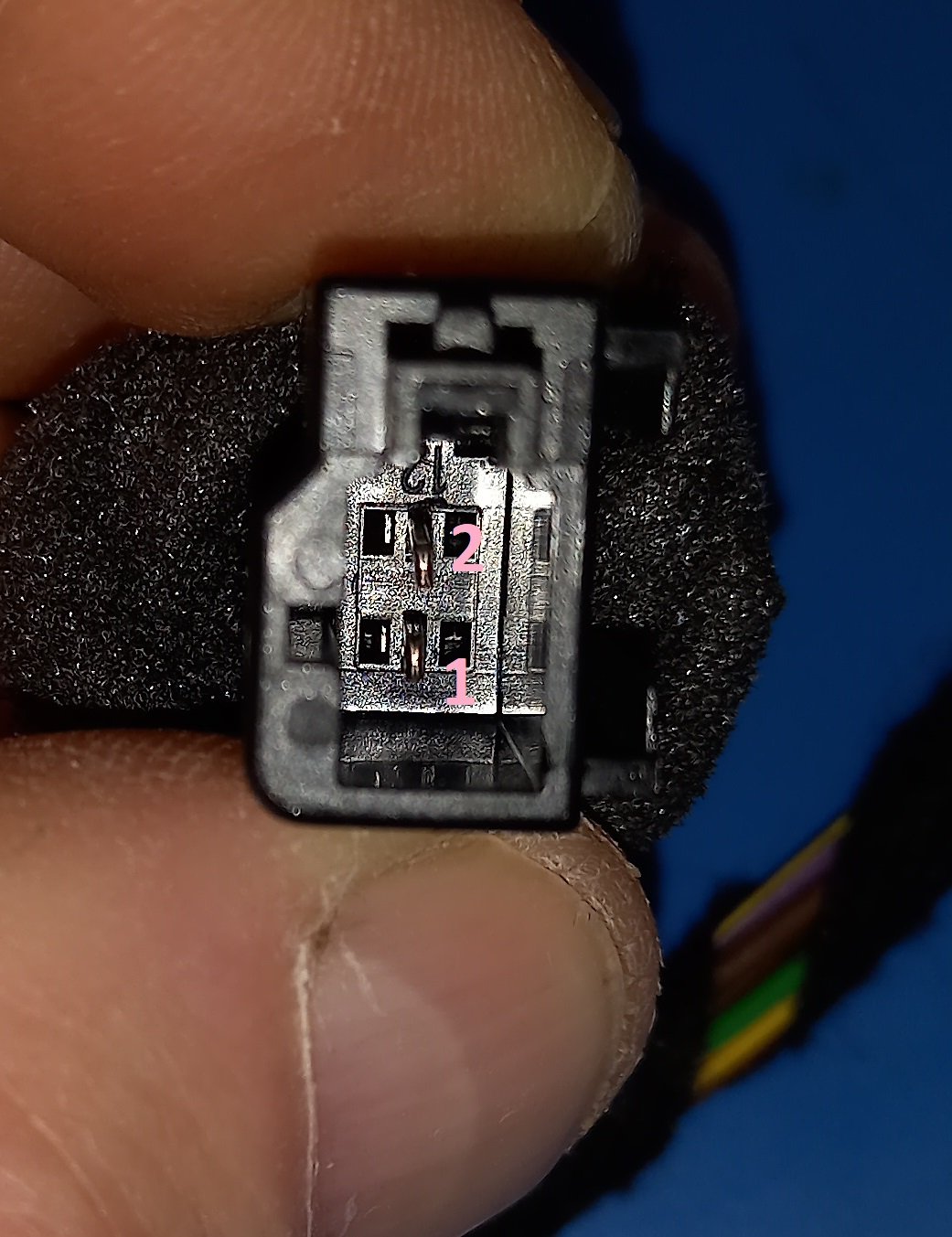
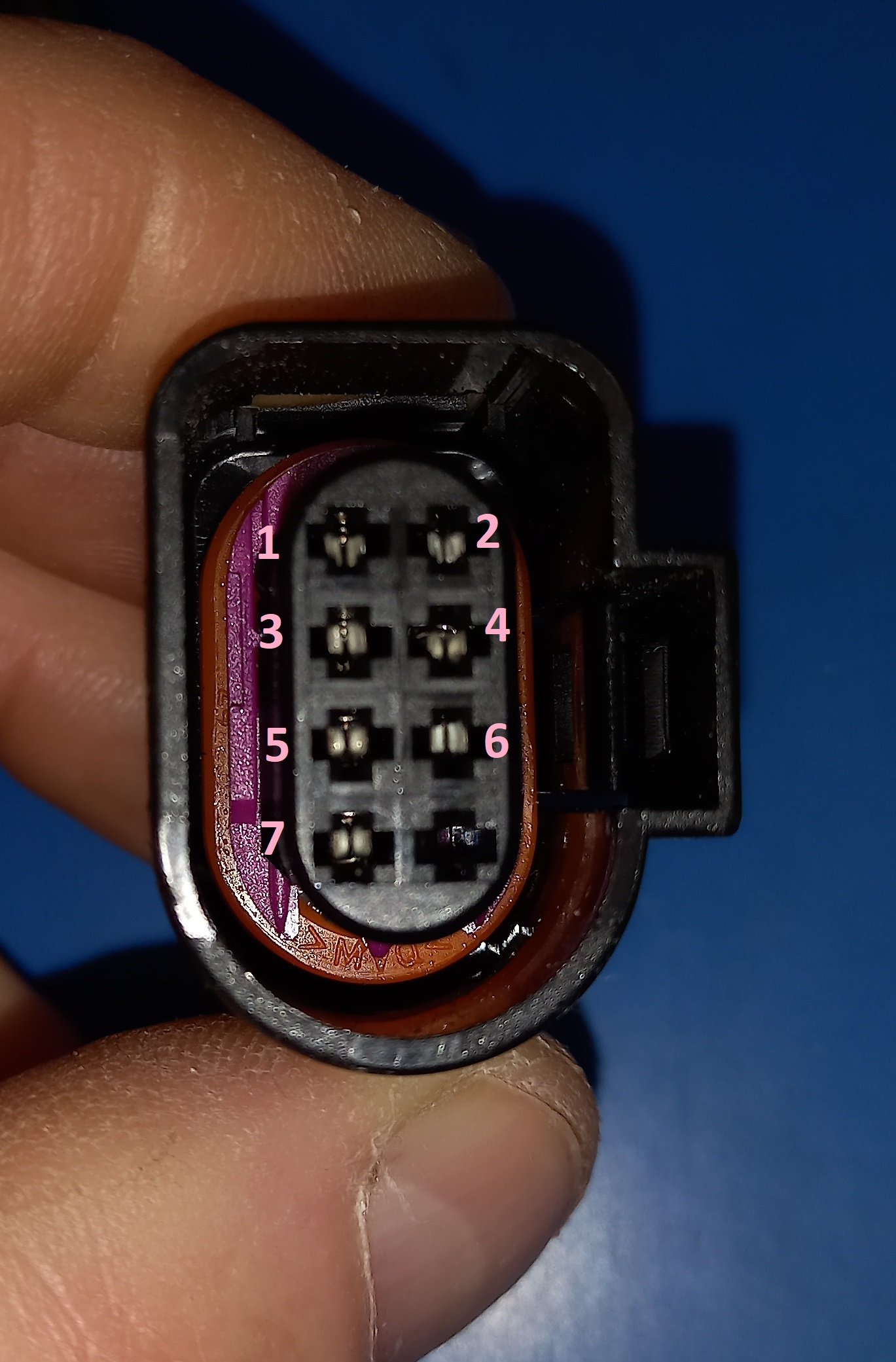
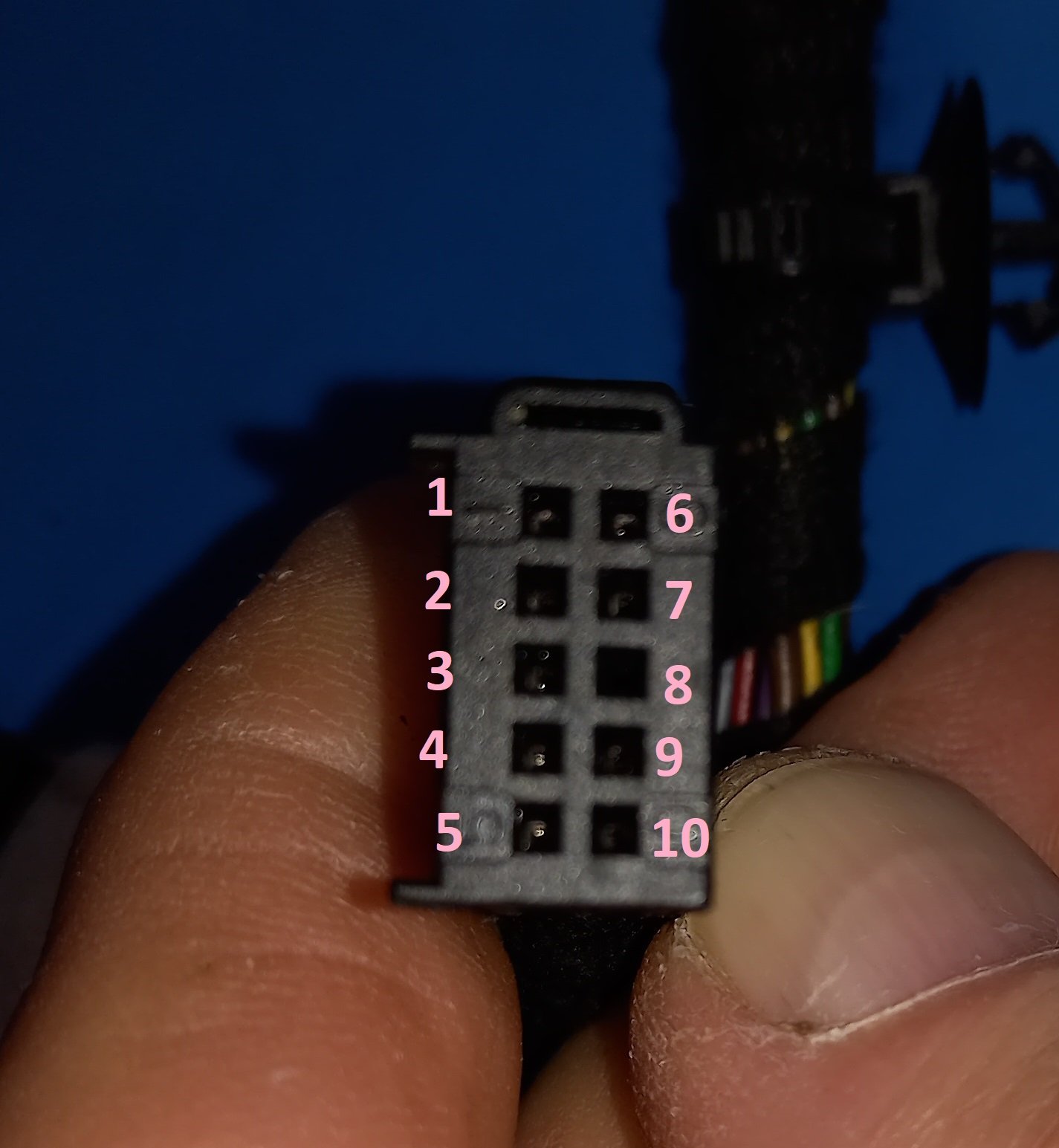
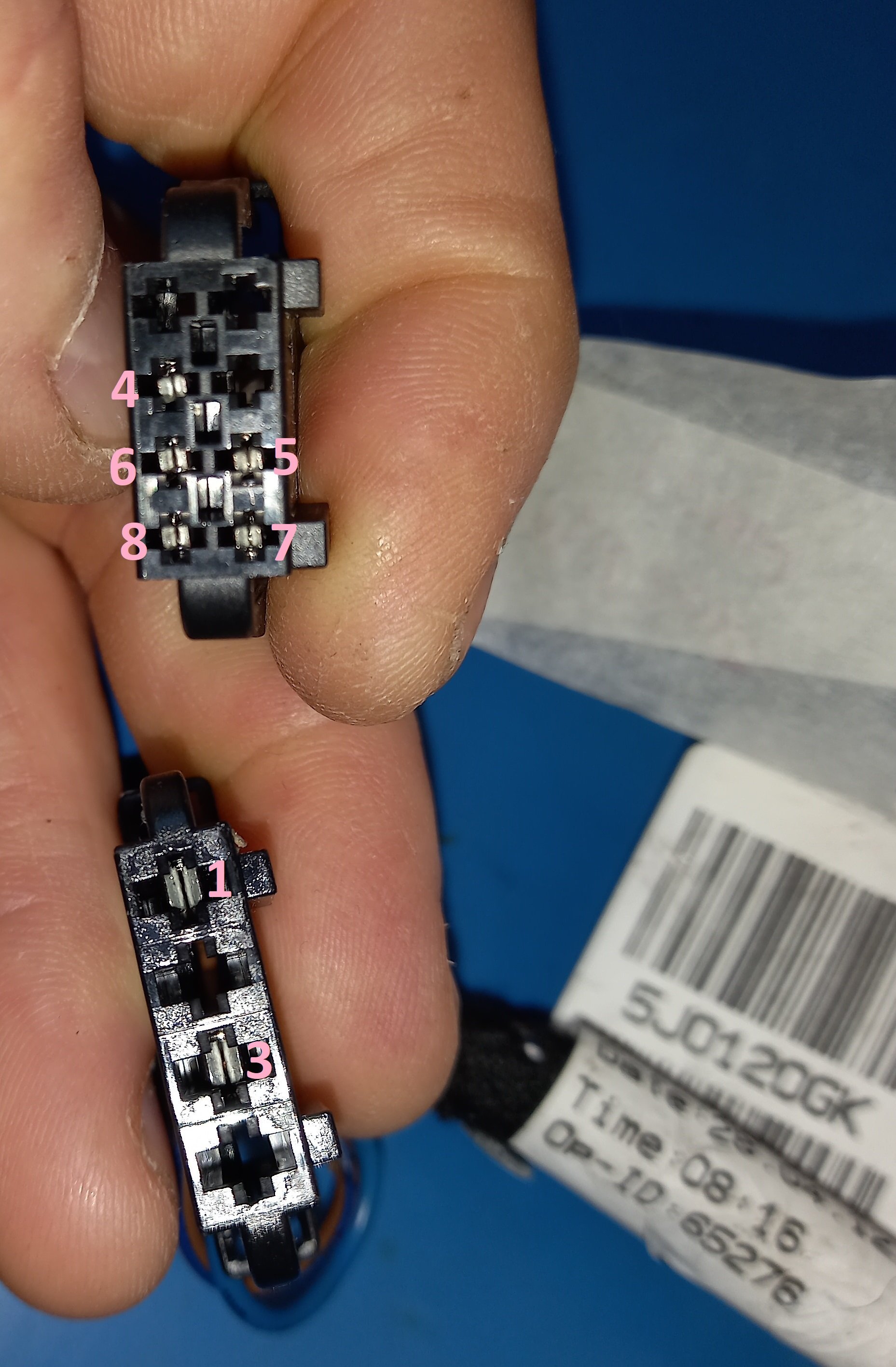
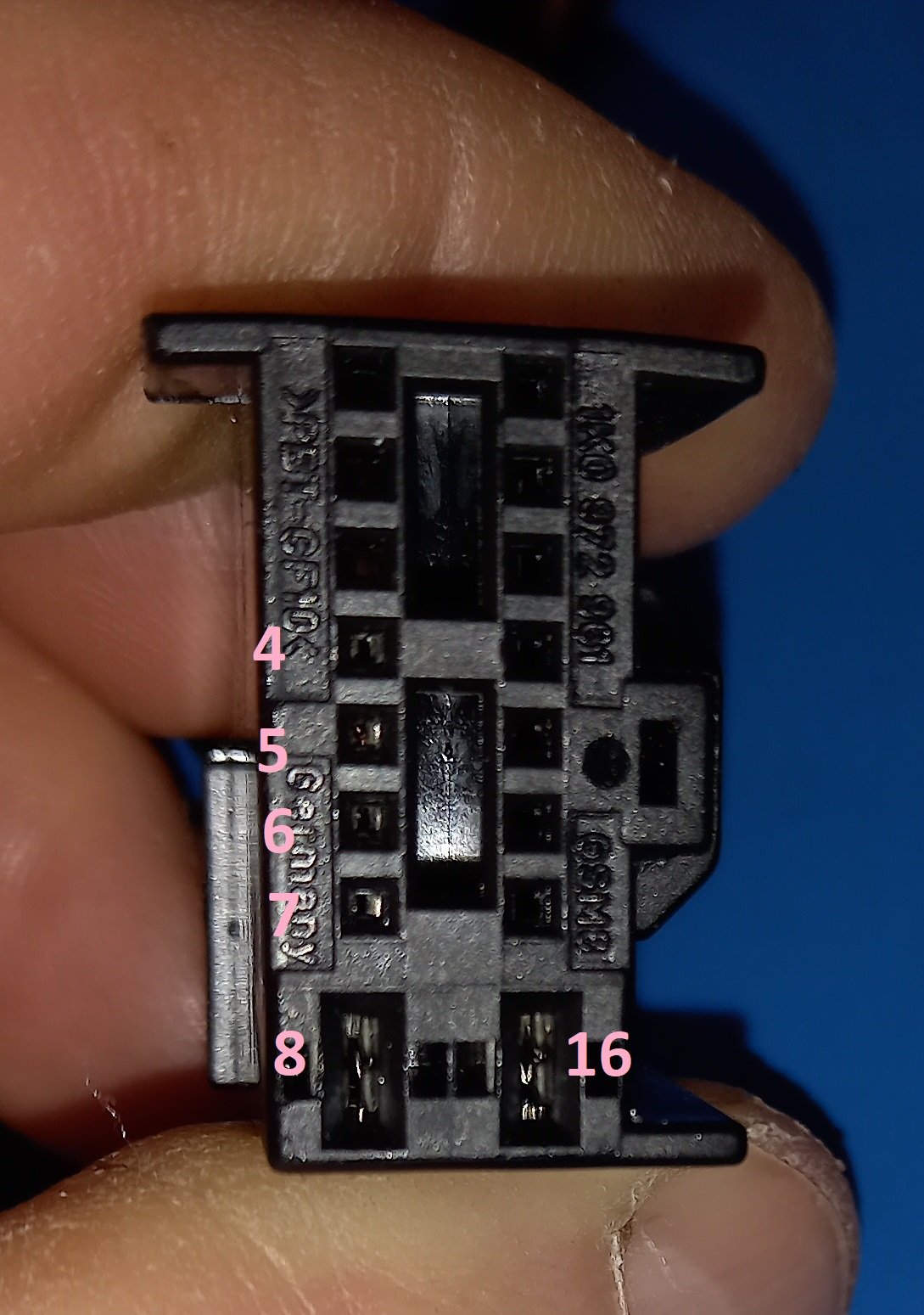
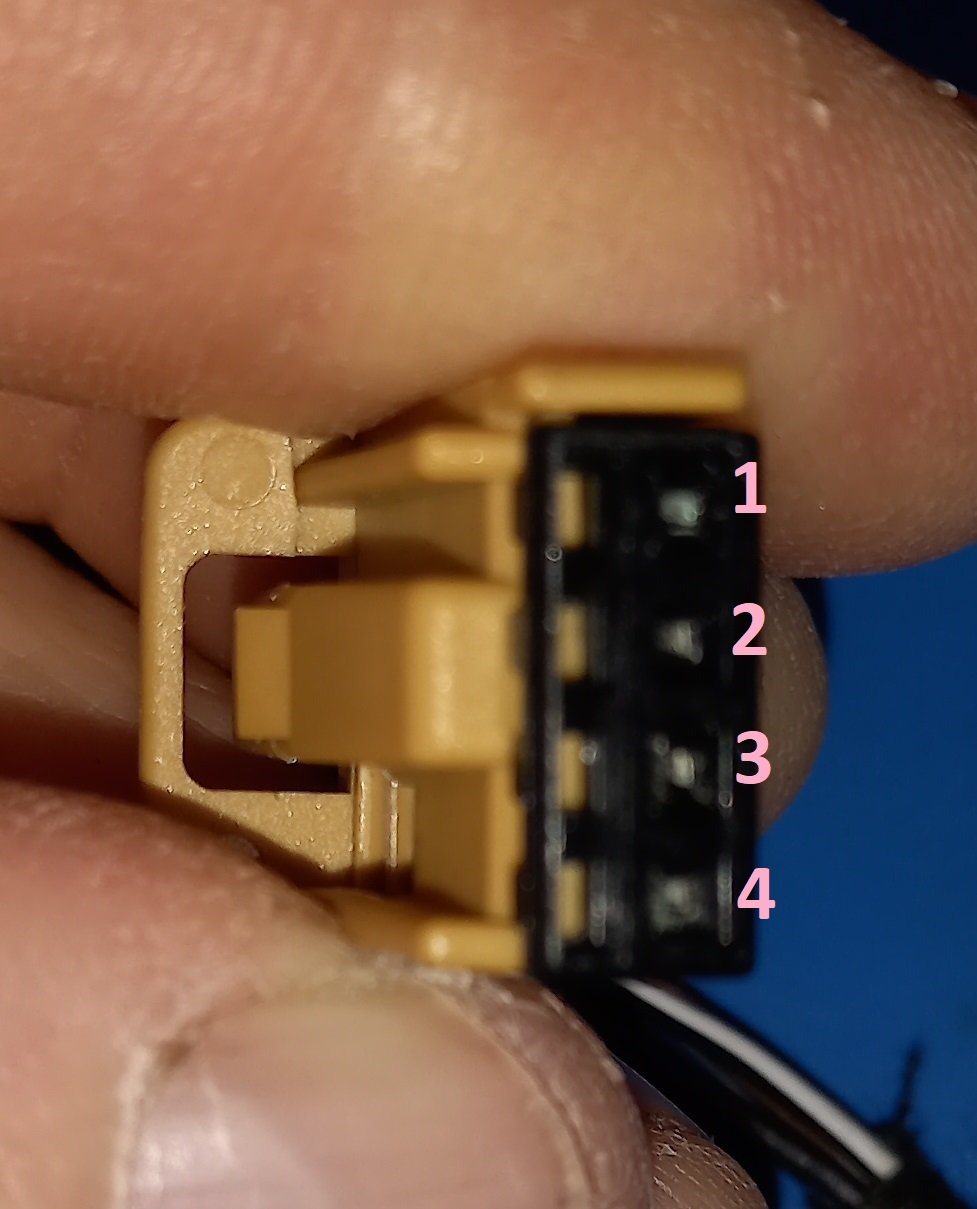
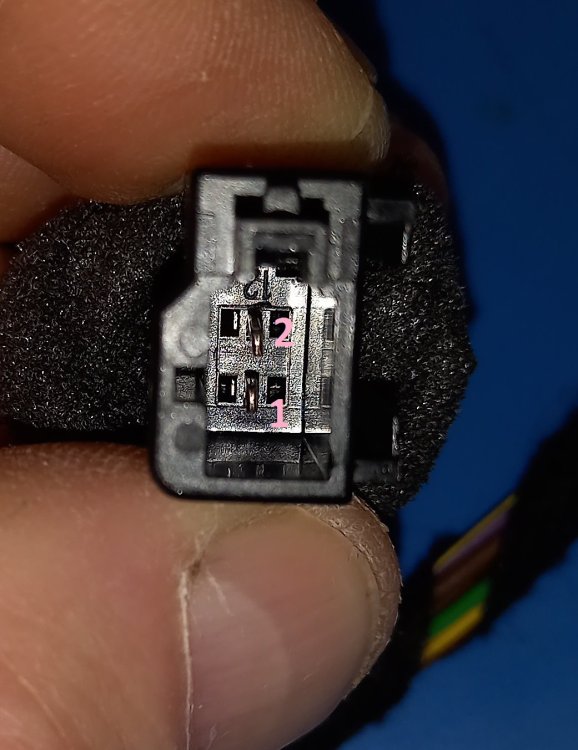
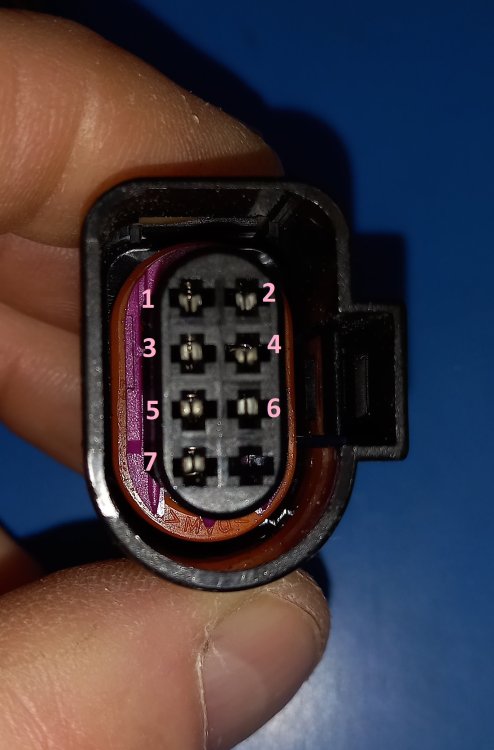
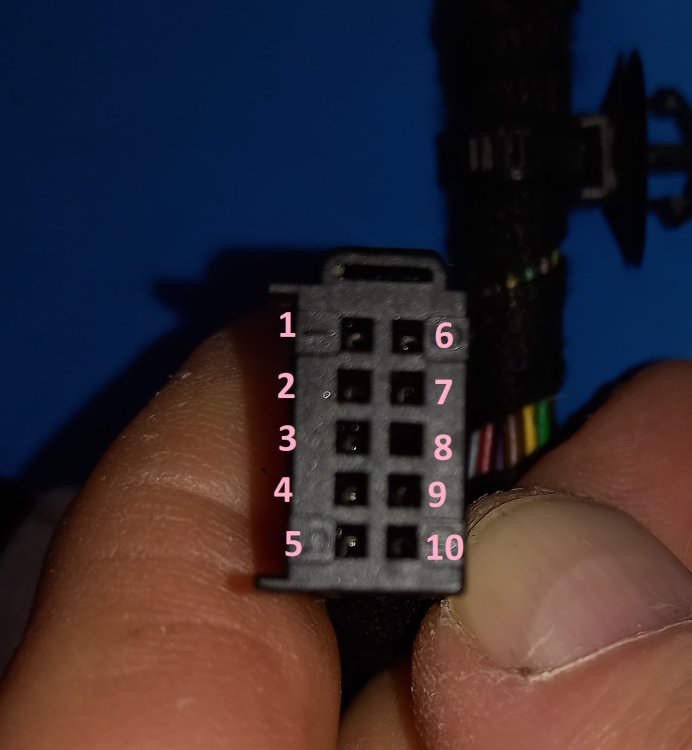
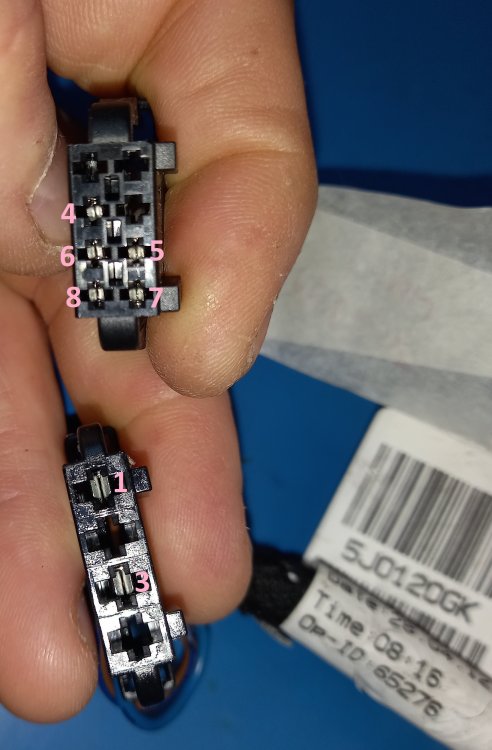
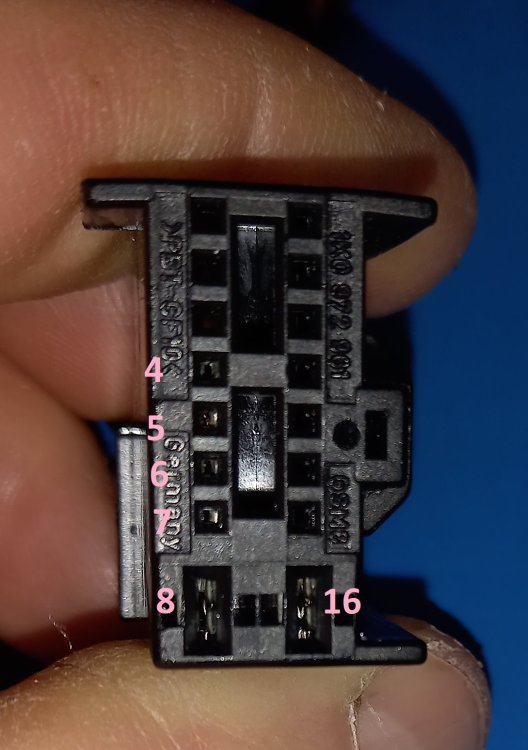
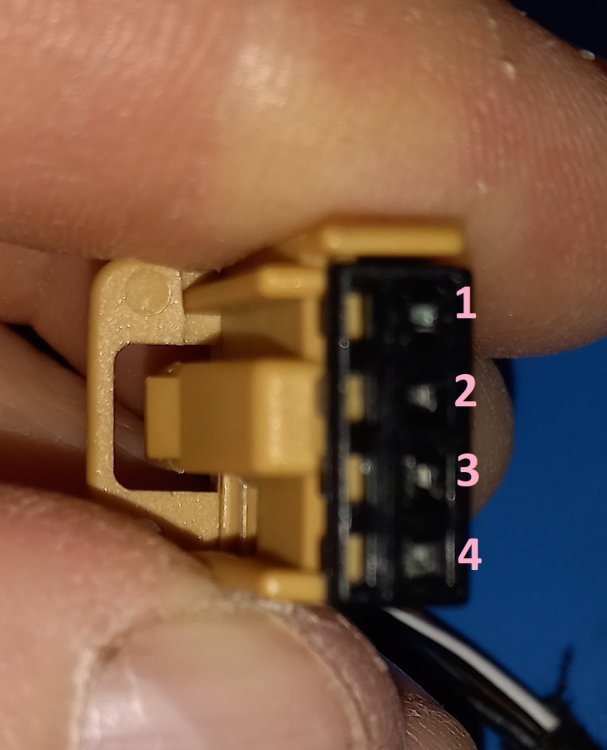
The loom from which these photos and wiring tables was generated was part number 5J0971120GK (made in late April 2012); if yours is a different part number the tables shouldn't be relied on 100%.
-
Yes, there's a purple plastic part that needs to slide one way to unlock all the pins, then you'll probably need a pin removal tool of some sort, not sure exactly which type suits, but generally a pair of stiff steel wires just the right distance apart to defeat the locking features of the crimp inserts.
-
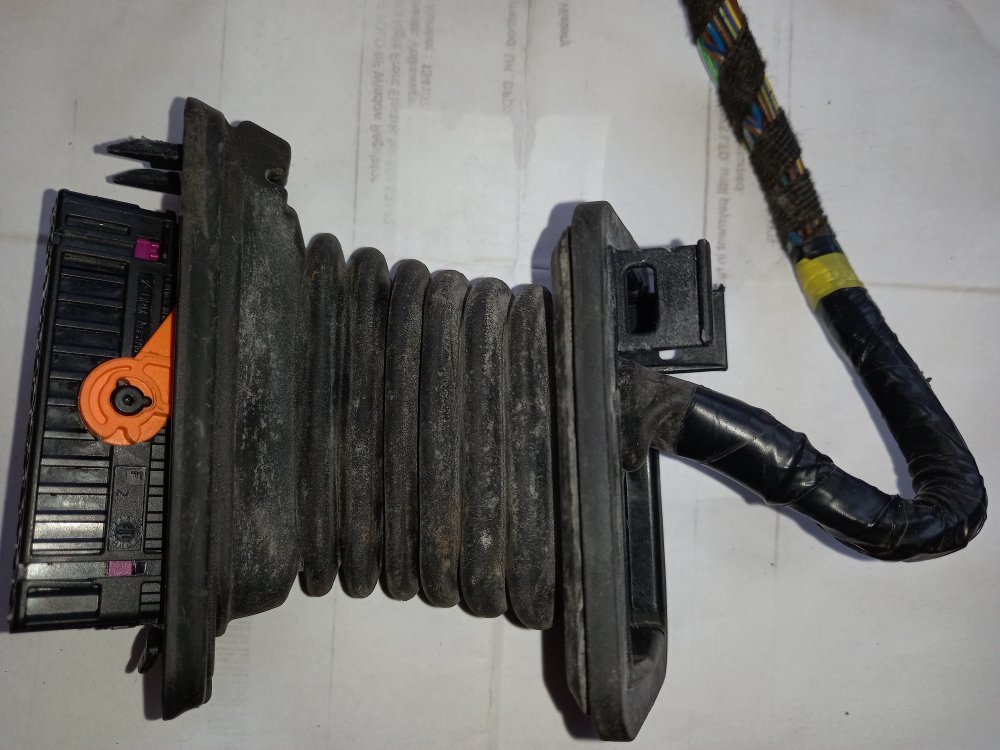
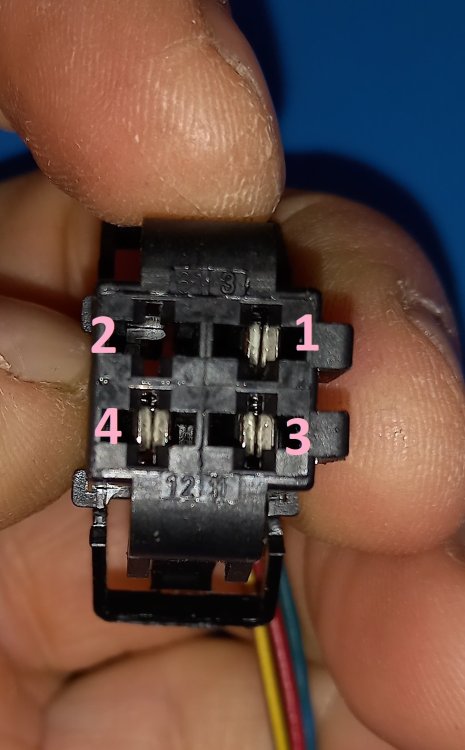
Not sure if it'll let me upload all the other pics at once, but here's my attempt: They could do with labels saying what they are, which I'll add and try to harmonise with the written info when I get round to the proper how-to . Be aware that if trying to buzz out with a multimeter, you're very likely to need a short piece of thin wire to poke into each connector 'pin' to ensure good contact with the multimeter probe, most of the orifices won't let a probe tip far enough in.
-
I see an error in my word doc where 3/4 got turned into three quarters, and another where I wrote 24/25 instead of 24/28; cheers!
-
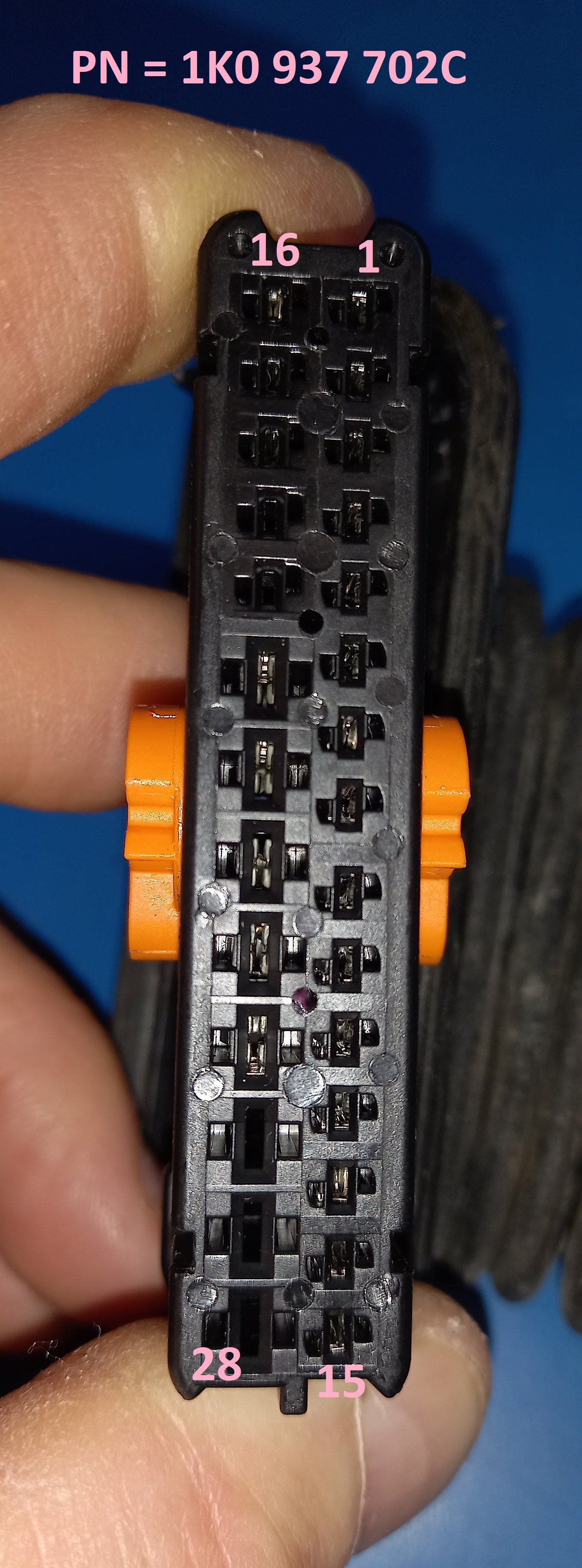
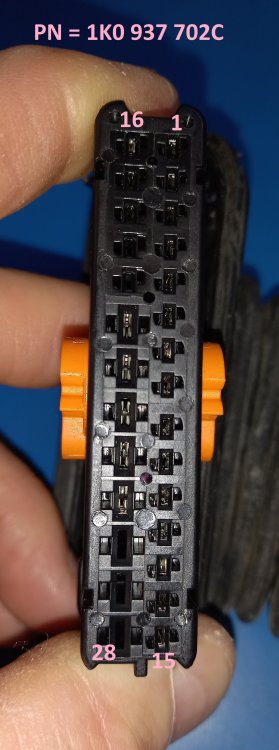
This is the pinout of the 28-way loom connector, viewed on the mating face
-
Yes, pin 5 of the 28-way at the a-pillar connector is the one you've heavily underlined. Column of pins nearest you, 5th one down.
-
I'll try to attach a word doc I sketched out quickly this morning showing point to point connectivity between each connector downstream of the main 28-way. It was created from a mixture of 'buzzing out' and viewing circuits, from a 2012 car. Will find and add exact loom part number when I'm not sitting outside a pub in the sunshine! There are a bunch of pics of each connector to go with the tables. To be continued... Mirror switch.docx
-
Grey/blue is power for LEDs that illuminates switches, sorry, not LIN.
-
That grey/blue wire sounds like the LIN data line that links the window motor modules on each side of the car, and also to the body control module. If not connected I can well imagine the windows will play up. Funnily enough I am in the process of doing a little 'how to' thread on checking mk2 Fabia door looms, I'll push on with it!
-
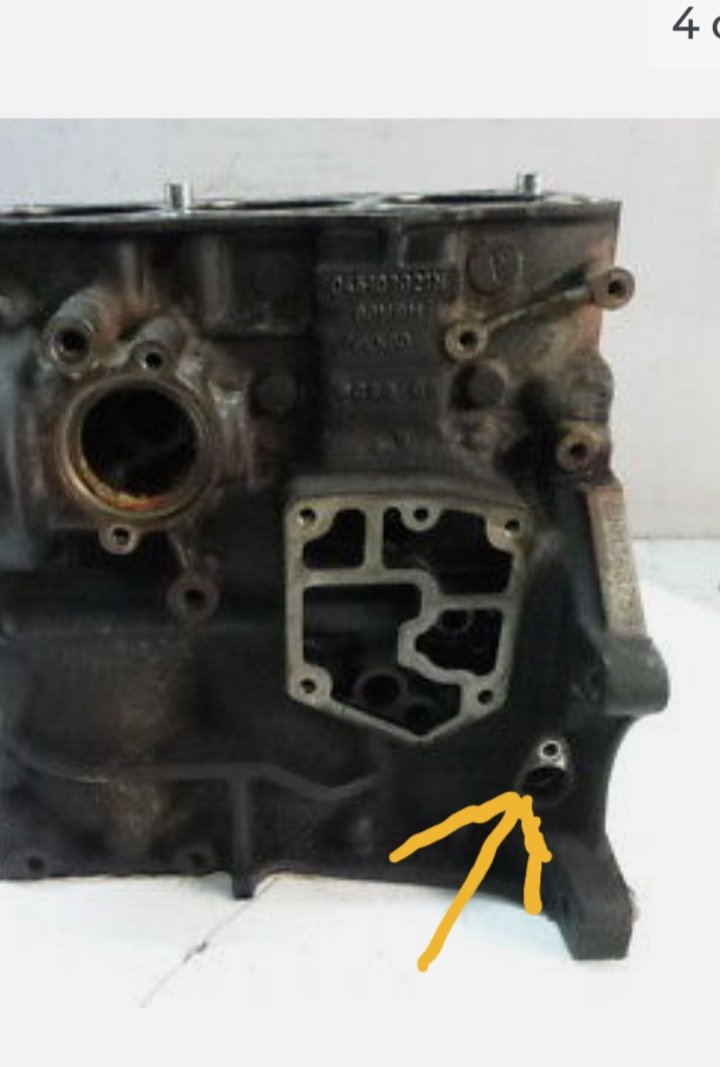
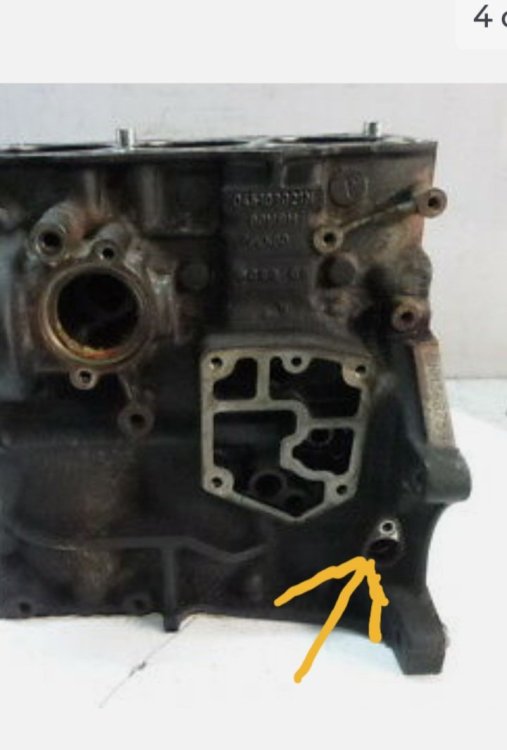
It looks like maybe it points at the crankshaft through this hole
-
Part number 045957147C Position on engine; not sure but close to and pointing at flywheel usually. Probably in behind the coolant pipes that go to the oil cooler.
-
I will try.
-
Not the same. Crankshaft sensor is where engine speed (rpm) is measured. What problem are you trying to solve?
-
Do you have another battery you can fit, in case that one has an internal short?
-
Yes, I did mean the alternator brushes, but it does seem hard to believe they could wear out completely in one year. Voltage measurement technique sounds good.
-
Brushes worn down too far to make good contact?
-
Oh, I see. Is the switch here? LLLParts
-
The creakiness makes me wonder if maybe one of the sliders that connect glass to lifting mechanism has broken. Investigate by moving both front windows to halfway open and try gently lifting the glass between fingertips, near front and rear of each pane, looking at how much vertical 'play' there is. Compare front/back of pane on each side and compare sides. If there is such a breakage it will result in significantly more movement, but don't be forceful, it'll be readily obvious if there is a breakage. Don't think it'll take VIN, but I use this site for parts lookups lately. More up to date than any other I've found: LLLParts
-
Yes, very likely the driver's side motor module; almost certainly repairable. Have a read of the thread Nige kindly linked, and drop me a message if interested. 🙂