Breezy_Pete
Sponsor
-
Joined
-
Last visited
Everything posted by Breezy_Pete
-
You may have to remove the connector to look between it and the board surface. Easier to just try another motor module if you can find one at a reasonable price.
-
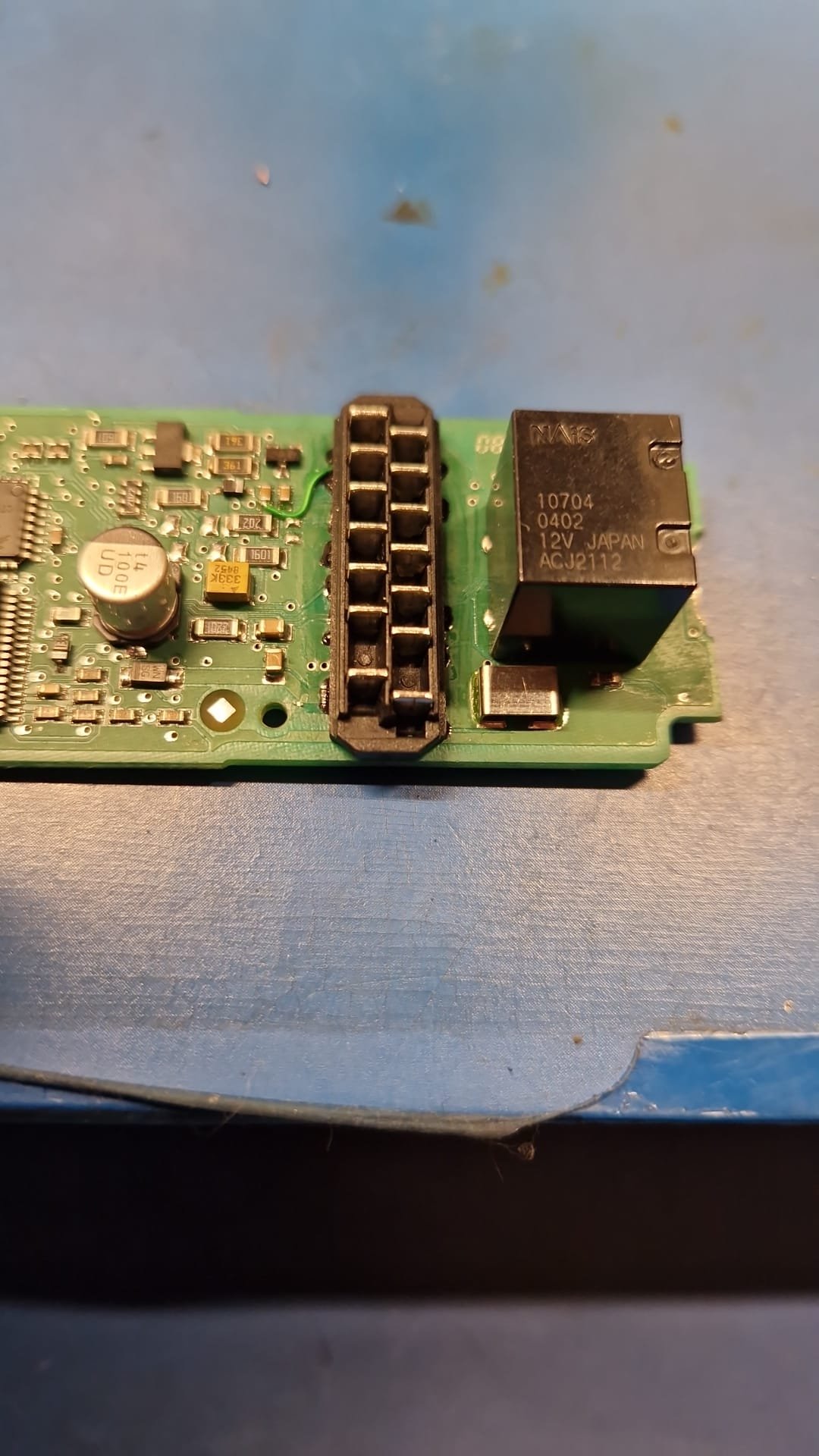
I believe you that the LIN is working that far, but there is the adaptor part which that connector plugs onto, which itself then plugs onto the circuitboard-mounted connector, all of which may have corrosion or loose connections. Here's one where I have repaired track breaks under the connector (the black stuff visible each side is lacquer covering board surface repairs). Usually it is the door open signal that seems to be worst affected by corrosion under that connector body, but other points of failure can easily occur if sufficient moisture accumulates there. If you decide to remove the board for examination, be careful to 'help' it out by pushing the left edge of that connector with a small screwdriver or similar, to help the board come with the motor housing after undoing the 4 Torx Tx20 screws. Otherwise you may easily damage the motor brushes.
-
LIN communication further into the passenger side module must be damaged somehow. Condensation can get under the circuitboard-mounted male connector and corrode tracks. Try a different passenger side motor.
-
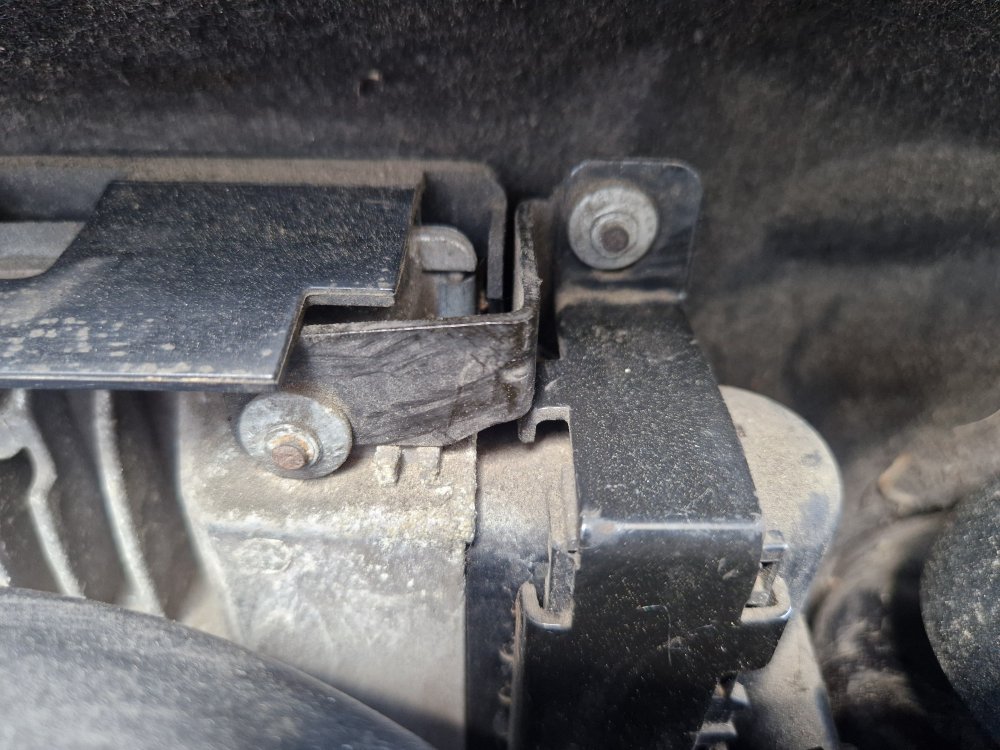
On a 2012 Roomster 1.2 TSI but probably widespread amongst other models, hence posting here. How do you get these fasteners off, please? Want to buzz out some wiring and can't get ECU connectors out until these are undone.
-
Personally, I find the wiring diagrams invaluable for helping me and others solve electrical problems on their cars. It's not part of my day job, no.
-
Think of another component like manual gearbox oil, a fuel pump, or a petrol fuel filter and you'll find the same absence from any service schedule. They've just taken it a step further and washed their hands of advising on cambelts on these petrol models in some markets.
-
Assumptions...
-
You can download any you wish, or all, from erWin Skoda, for only 7 Euro plus tax.
-
Show me such a bit of circuitry on a Skoda 12V socket wiring diagram and I'll learn something. Until then I will not expect what you claim to be of relevance, sorry.
-
On Citigo it's fed by a relay. Other makes not hugely relevant.
-
Citigo only, AFAIK.
-
Not on any Skoda wiring diagram I've seen. Mythology I think.
-
Suit yourself, but I'm pretty sure you're guessing and wrong on this.
-
There will be nothing but fuses.
-
I'd defer to @Carlston and other owners of similar cars on that one.
-
Predictably, in partslink24, your VIN suggests rear spring part number 3Q0 511 115 AJ as quoted by other look-ups. The relevant PR-code is 0YC, which is confirmed in your build sheet "Weight range 3". The other PR code related to rear suspension is 1JP, but I think that's for the shocks.
-
Not a problem to post it really, but I'll start a conversation with you privately and you should be able to reply to that with VIN.
-
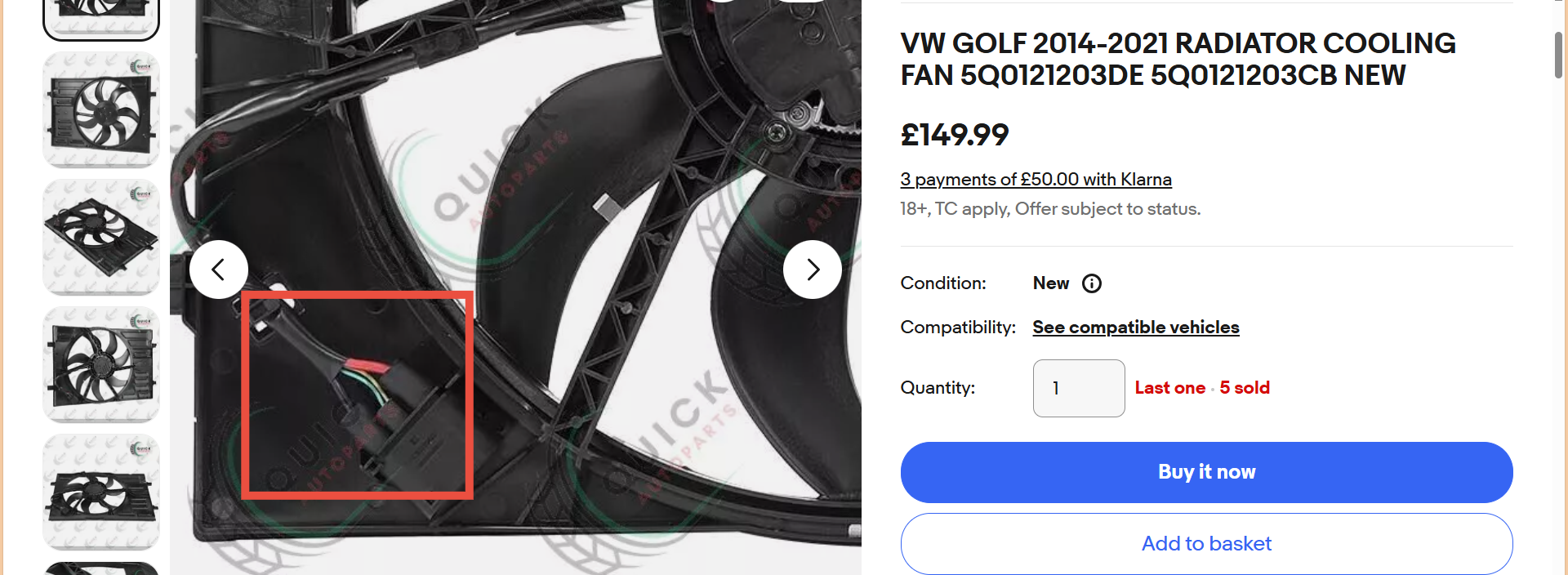
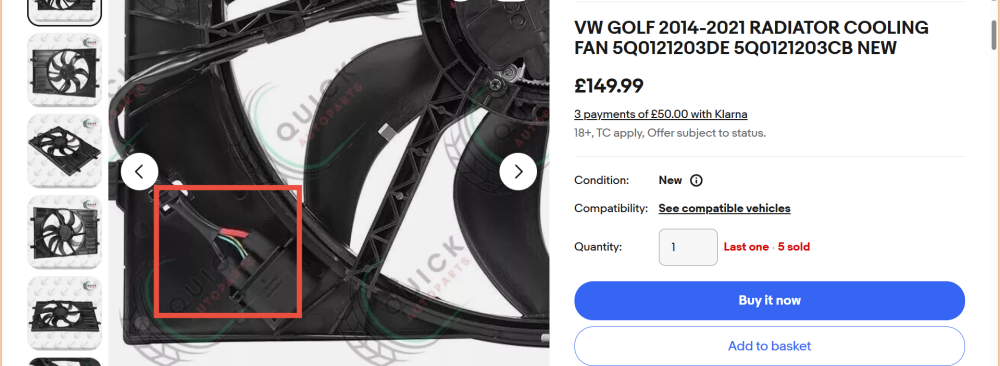
That VIN gives the part number(s) shown in this ebay listing for your fan. I've highlighted the four-way connection block. Two high current wires, two slim ones. Look for this arrangement on your car to confirm. Circuit shows J293 radiator fan control unit, and radiator fan V7 as a single schematic block. Optionally with a second 'daughter' fan powered from it too. Fuses involved are a 50 Amp fuse in fuseholder A position 5, the rightmost fuse with wire coming off it, front of engine bay fusebox (permanent power feed for fan) as well as the one you have already identified which is more of a 'wake up we're running' feed. The other wire on pin 3 of the pictured connector is from engine ECU, the control feed for the fan module. This ebay listing was just used for a quick screengrab, not as a recommendation of where to buy from.
-
I offered to help with this but you posted something almost at the same moment, and maybe didn't see? Just message me with the VIN.
-
It means there is no replacement interval defined by Skoda. Unless you live in a dust rich environment. Not too sure why that makes s difference, since the belt is fully enclosed.
-
I can look up part number with VIN, but expect I'll see same answer.
-
It should be interpreted that they are looking at a table similar to the one that Ootohere posted a little further up this page, and they are looking at replacement interval for toothed belt on a petrol engine in a non-dusty country and seeing a - (like there is in that table for Karoq), which means there is no recommendation for replacement.
-
Yellow/blue wire from pin 5 of the 10-way connector at lock module, to pin 3 of the 16-way at front window motors. Confusing symptoms. The fact that the rear windows open/close OK via key in driver's door proves that the LIN connection from driver's side (master) module is intact to those two (slave) motors, I think. Also proves that driver's side module is correctly receiving and passing on the door lock key position status. Strange that the front windows are not responding. Check LIN connection to passenger front motor particularly, I think. Are all four motors the factory fitted originals, as far as you know? Is there a keyhole in passenger front door? If so what happens if you command global opening/closing from there? Will send you a private message shortly.
-
Yes, BCM has no data comms with any of the window motors. All it gets is an input from the door open microswitches on the lock modules- which also go to the window motors - no other involvement. I will try to grab some circuits. VIN would be useful to pin down build date precisely.
-
And that's exactly what you'll get here too. 😁 I'd leave it another few years if it was mine.