jjc
Members
-
Joined
-
Last visited
Everything posted by jjc
-
Hi, I have one from OpenEVSE has great integration with Solar and TOU tariffs John
-
Hope so :-) John
-
as far as I am aware there is a log file that should show the long code before you changed it. these files should be in C:\Ross-Tech\VCDS\Debug if you installed it using defaults John
-
Mine had a wobble today, looked to be rebooting but just hung. Left the car as needed to do something when I got back in and started up again it was OK so will have to see. John
-
Hi, this is dead easy, put it in sport mode once in drive tap the gear leaver back and the display will change from D to B in this mode (not listed any where I can find) it will act like a non PHEV ie the engine will charge the battery. Does knock the fuel use up a bit if the battery was a bit low to start but will do what you want. When you get close to your destination change to E (battery) mode and it will just use the battery. I always drive in B mode even when only on electric as it uses engine breaking to charge the battery. John
-
Hi, do not have an Octavia but a Superb iV and as my work mileage is 20 the Iv is great (I get 5 hours at night at 5.5p/Kw) so running cost is very low. But once on a motorway it will switch to the ICE with some EV mode. Overall I an very happy and if you boot it when both drives come it it goes very well. John
-
I think the central Skoda servers are having issues, I had the same last night unable to use the app. Today the app let me sign in but some of the functions are not working. The issue I think is that the MIB3 downloads your profile from the servers when you turn the car on which seems to be why some days it takes quite a time to boot others it is quick. It would be good if the car had a last used profile stored so that if it cant talk to mother Skoda if uses that. It looks like the my car has not reported in since mid afternoon yesterday :-( John
-
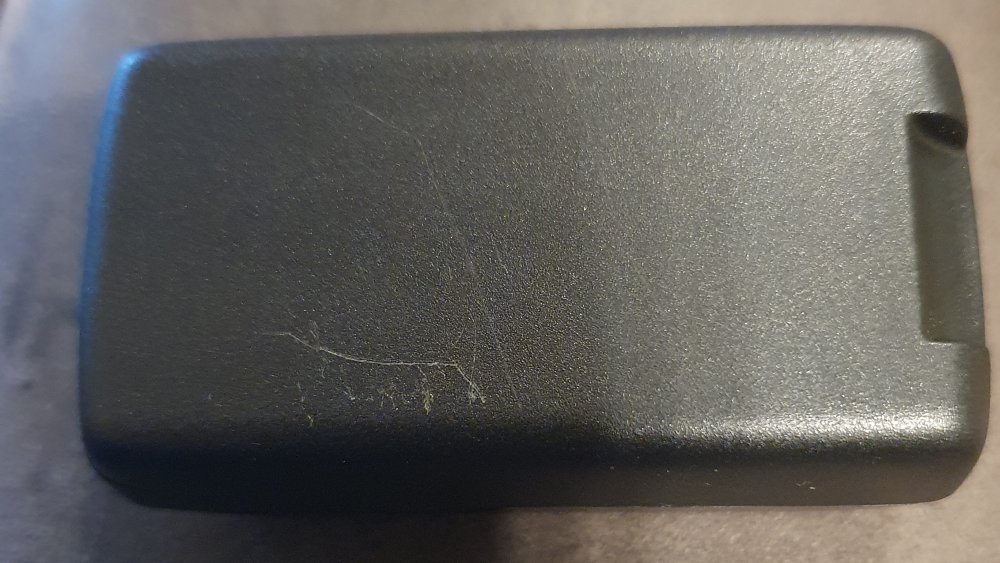
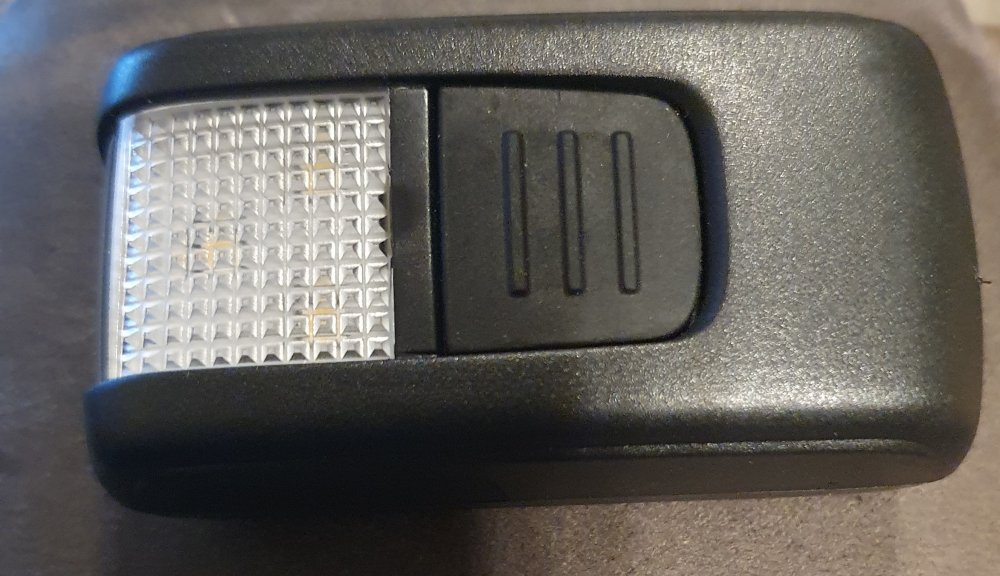
Hi, Mine does not look like it comes apart, I cannot even see the strips, it is a pig to get out of the holder though
-
@SashaGrace not had that issue with the torch batteries, what exactly is wrong and will see if mine does it Agree the dripping water into the luggage space is a pain John
-
Hi, mine is the 2020 version so some bits may not be the same 1. Anybody got a picture of the 3 Pin U.K. Charging Cable it comes with just interested to see it and the length. No but it is a two stage affair the input is about 1M then the "lump" then about 3M of output cable. It is slower to charge off this cable than a fixed point as I think it limits to 10A 2. A couple of things were removed from the iV versions like Torch and Umbrella. Is the Umbrella slot/hold still in the door where I could put my own or is it covered over. The holders were in both doors on mine but only came with one so said to the dealer I was keeping the passenger one from my PX. Mine did have the torch 3. I’ll be driving purely in Hybrid mode as it’s for work and I’ll be doing longer miles each day, any feedback on 200 mile round trips or longer would be good. Just want to see how the battery has been lasting for you in these types of trips. Do you have to charge everyday. You will get better range out of the battery if you use the Sat Nav all the time as it links to the hybrid system to know when is best to use the battery. You can also increase the range by "tapping" the gear stick back to use regenerative braking (I much prefer this mode as it decelerates more like a normal engine) Yes you will need to charge every day. 4. Mine is a 21 plate, is the infotainment system that comes with it then ‘New’Columbus 9.2 or 10inch screen. Not sure on the size but it is the new MIB3 which has some bad bits (radio logos) but this may get fixed as many people are complaining. 5. any other tips that you have come across would be welcomed as it’s my first hybrid/electric car. There seem to be many undocumented features, one is if you have the regenerative braking on and sport mode it will act the same as a standard non plug-in hybrid and use the engine to charge the battery (does knock the fuel consumption a bit) Let us know any you find John
-
I added it a while back, not sure what it will give me but it is free at the moment, will be a cost option at some point though. John
-
Hi, my iV is a Mar 2020 one and as far as I can hear does not have the noise maker. Do you know when they were started to be fitted? John
-
@ERIK99 Mine went in the other week for an oil change and I asked them if they could do the software update and they came back that there was nothing on the system. Do you have any more info regarding the update? I could then go in with this and get them to do it. John
-
Hi, not in Bristol, but not too far away. Near Pewsey Wiltshire Have you looked at the VCDS map thread? John
-
@SashaGrace Welcome to the Superb fold, this one looks to have the new MIB3 so will look forward to you sorting out all the niggles that this unit has John
-
-
Hi, do not think it is. I have the charge box but does not have any boost to the signal that I can see. John
-
If the update is marked as URGENT this is usually because of a security flaw that has been found. It does depend a lot on supplier, most of the machines I work with are Dell and I would say we see about 2 to 3 urgent updates per year. Working in a role that has very high security we are very hot on updates relating to security. Modern BIOS updates are much better and it is very unusual to "brick" a device and generally these can be recovered with a bit of work. John
-
Problem on the MIB3 we are all waiting for an update to fix the issue :-( John
-
If you have the latest MIB3 it is not possible at the moment. We are all waiting for some sort of update so we can do it again :-( John
-
Hi, not just email but you could try https://ukwebsolutionsdirect.co.uk/ set up your own URL, you them manage it all yourself. They also offer a profesional spam catcher which I find great as it catches all those mails you do not want. John
-
I have used this function a few times (minimal because of lockdown even though I am a blue light worker) and it has worked every time. I have taken the tick out of use battery as I think this is counter productive as it seems to use lots of battery power, when plugged in it takes about 3+KW to run the AC (heating) and the screen heating. I find it great to be able to get into a warm cleared car and looks to increase the range on the battery as it does not have to do the initial heating of the car. John
-
Just remember as well that if it is not plugged in and you have not put a tick in the use battery it will not heat up. Also be aware that it does hammer the battery to do the heating :-( John
-
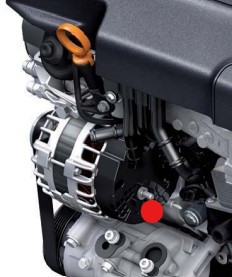
if you can see the starter from either underneath or where you have the grill off you should be able to see the power in from the battery which will be the heavy cable, this connects straight to the battery positive. if you attach a charger to this and ground you should be able to charge the battery up enough to open the door. The other connection which may be easier to get to is the alternator connecter shown in this pic this again is a positive.
-
Hi, what you need to do is connect to the IP of the TP-link (you may need to look on the router DHCP table to find it.) Then log in with admin and change the wifi protocol from auto to WPA2 and it should be OK John