Breezy_Pete
Sponsor
-
Joined
-
Last visited
Everything posted by Breezy_Pete
-
Where it joins the y-piece the hole/jet is quite a small diameter, so not much volume of air will be going in there. Something to do with the fact that it's an automatic transmission car, I think.
-
Not sure, can check on our 2012 Roomster tomorrow afternoon. Can also check whether only the intermittent wiper function is impacted by bonnet open, which I think may be the case.
-
I seem to remember that this may just be a characteristic of this old engine, due to various tweaks related to emissions regs.
-
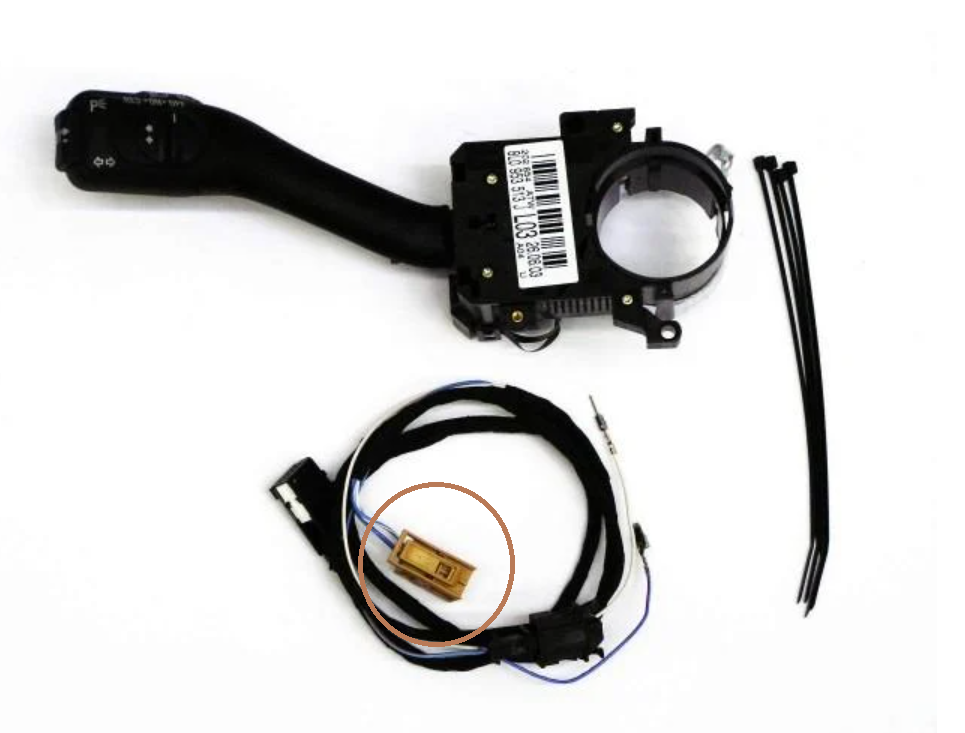
Does it have an alarm? If not, it probably hasn't got the microswitch on the bonnet latch.
-
Not necessarily. Try it.
-
Make sure the bonnet is properly shut. If the microswitch that senses bonnet being open isn't saying 'shut' the intermittent setting may be disabled.
-
I'll message you to make arrangements. 🙂
-
Still a lot less bother than diesel engine versions though.
-
Could it have been mis-fuelled with diesel?
-
A mk1 Fabia isn't really a newer petrol car, and even in those, after about late 2005 EGR's were dropped in petrol engines in those, I believe.
-
Ah, just spotted the empty 3 positions in front of contacts 5, 6, 7 making it potentially a 10-way connector. Was scratching my head til then. Everything seems to correspond colour-wise.
-
-
Maybe folks are thinking of gasoline particulate filters, GPFs, rather than EGR valves? Very different things.
-
Disagree. Not for the last 15 or 20 years in Skodas as far as I know.
-
Diesels, yes, petrols no, as far as I can see from parts lists and wiring diagrams. Where did you read that?
-
How many wires and ways in the loom connector? Circuit diagram shows a 10 pin connector at motor, permanent 12V on red/yellow at pin 2, brown earth at pin 3, passenger side switch inputs on 5 and 6, green/black and black/grey respectively. Then inputs from driver's side switch on 7 and 4, red/violet and brown/black. I don't see a way to power motor itself directly without disassembling the motor.
-
No, you shouldn't be able to turn that cog, the motor shaft has a worm gear on it, and those don't work 'backwards'. Have you checked wiring at passenger side A-pillar bellows? A power wire that's almost but not quite parted may be able to click a relay but not start the motor spinning. Will look at wiring info shortly,
-
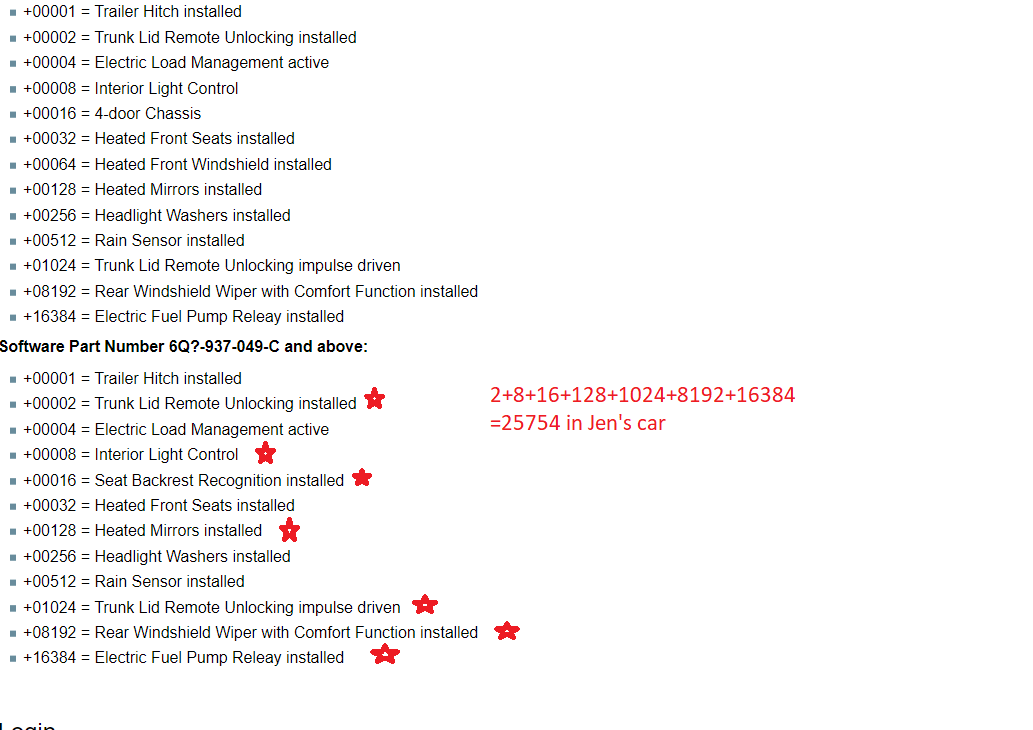
There is some coding, for certain options, as follows (example marked up with the individual coding contributions of one given mk1 Fabia, coding is the sum of all these numbers): You may well find there's sufficient overlap between any given secondhand unit and what's configured in your car, so you don't find any functional differences.
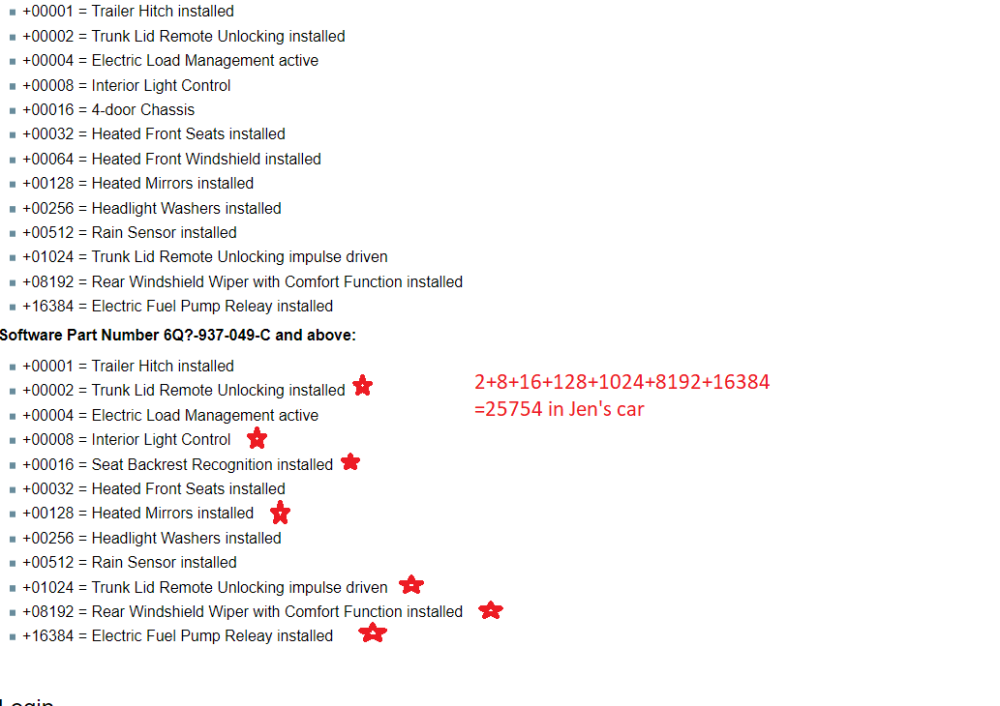
-
It says this, but I would happily reuse if it's not too badly corroded: 70 Nm + 90° ❑ replace after each removal
-
Not sure, but will look at workshop manual now for you.
-
Find my thread on wiper relay replacement in Fabia Guides section. Pretty sure that within that somewhere are instructions for shorting two pins of the relevant BCM connector to test stuff beyond the relay.
-
Must be, our 2012 Roomster no doubt has the same arrangement, but is out and about just now. Can probably see with front wheels parked at an angle??
-
-
@phs12 no, all differs from this guide on a 2012 car, see here, item 5 for the front bolt (and other differences). https://www.lllparts.co.uk/catalogs/skoda/CZ/FAB/697/4/407/407010
-
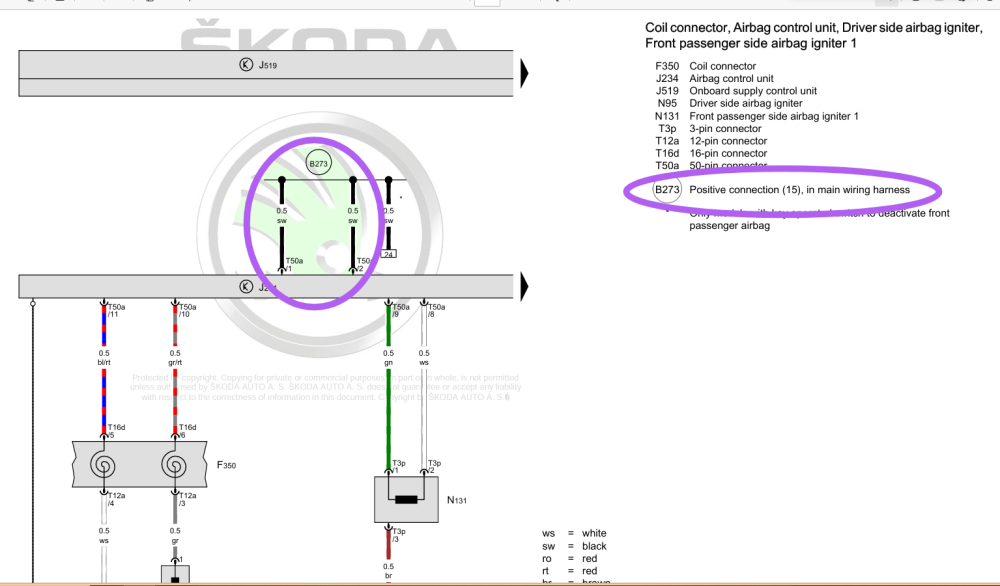
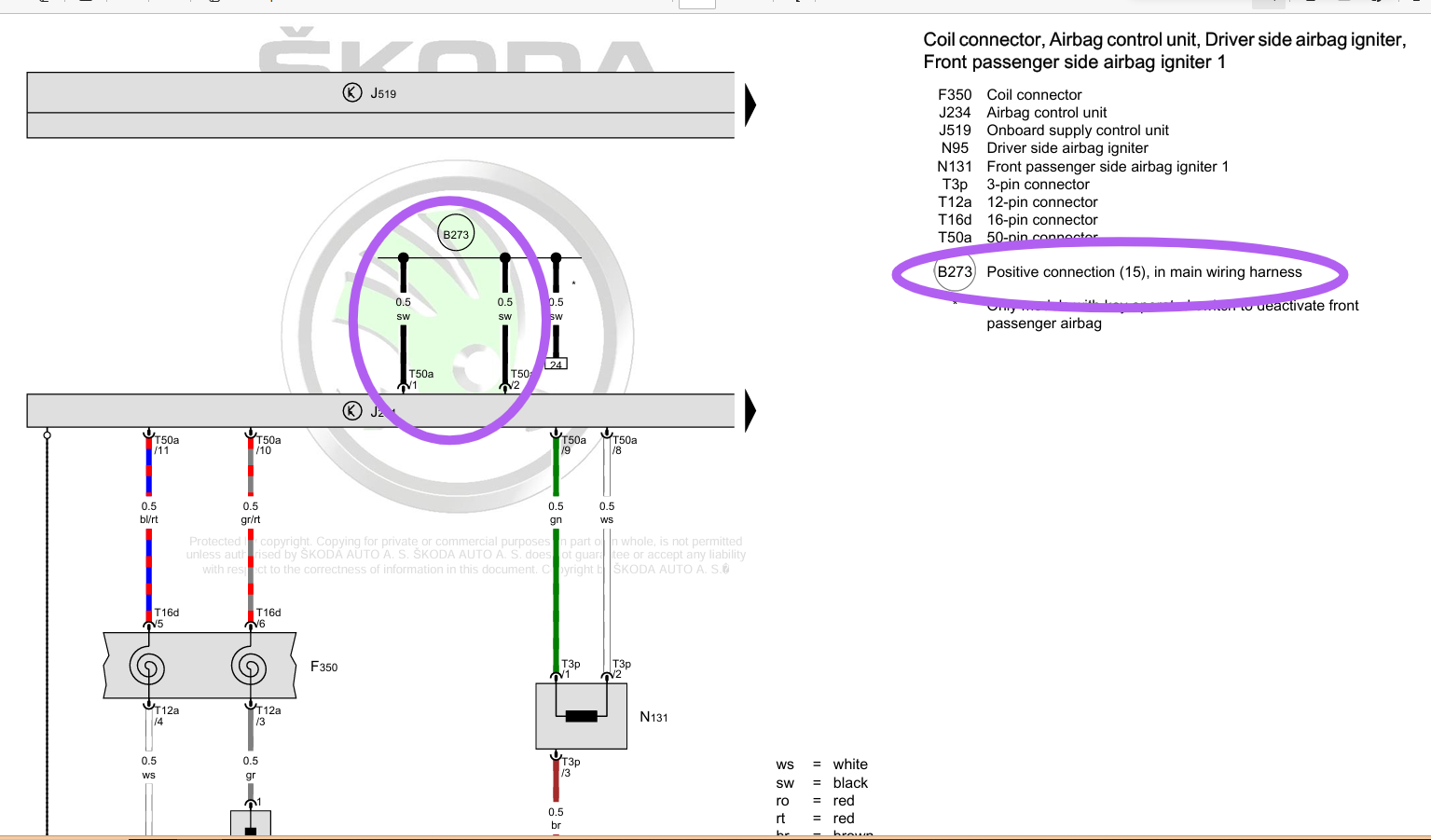
Wiring diagram shows both pins 1 and 2 being ignition switched. Pins 36 and 46 should be brown earths on your version with switched passenger airbag. Can't see any connections at all to pins 25, 26.