pab567
FREEDOMTech
-
Joined
-
Last visited
Everything posted by pab567
-
-
-
This is English forum, pls use English
-
All check your PMs
-
You can't, to use 5E0919605M you must have your glove box unit replaced as well.
-
Just take a knife and cut off the pink plug the excessive plastic trim that doesn not allow it to put into grey socket in 3V0035020B. Same to be done with blue plug that must be put into black socket of 5E0919606. Pls share VIN in PM so I can check your configuration (required to answer your question abouth USB).
-
PM sent
-
-
-
-
@hubrad if you are fine with using phone in the craddle and you don't intend to use oem sat nav (for MIB2 maps were updated this month, for MIB1 unfortunatly new maps are not available since coupdl of years) and you are OK with featores of your MIB1 Amundsen then it does not make any sense to spend money on upgrading. Although for myslef Android AUto is must in a car... but it's my personal requiremnt.
-
Sure, I will send you PM. All you listed are compatible with Sound System, it's the question of coding only.
-
Fu..ing expensive.. I can prepare one for youfor less than half a price... or, if you already bought another, can send you two cables and blue connector...
-
You can either take the wires out of the old quad lock and put them into connectors and then into the holes in the new quad lock or add two cables bewtween old quadlock socket and new quadlock plug as I indicated above.
-
Sent in PM
-
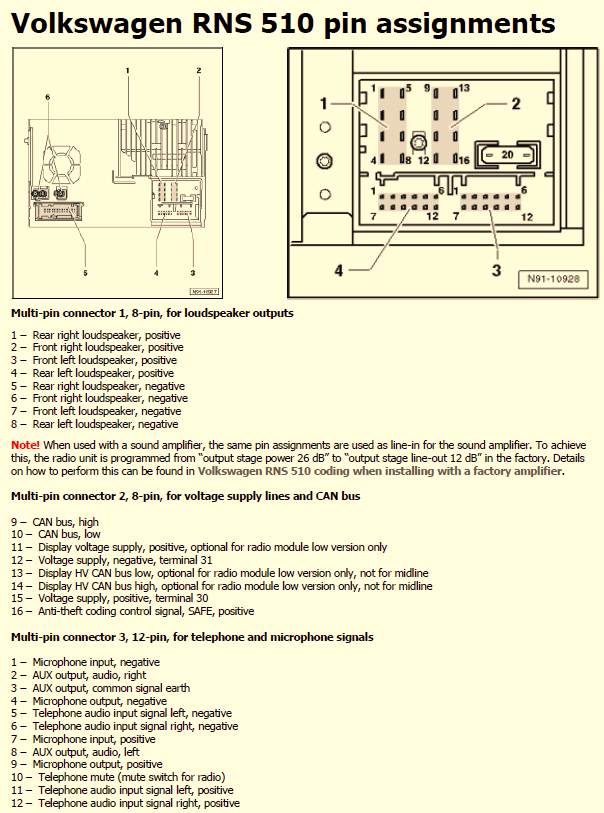
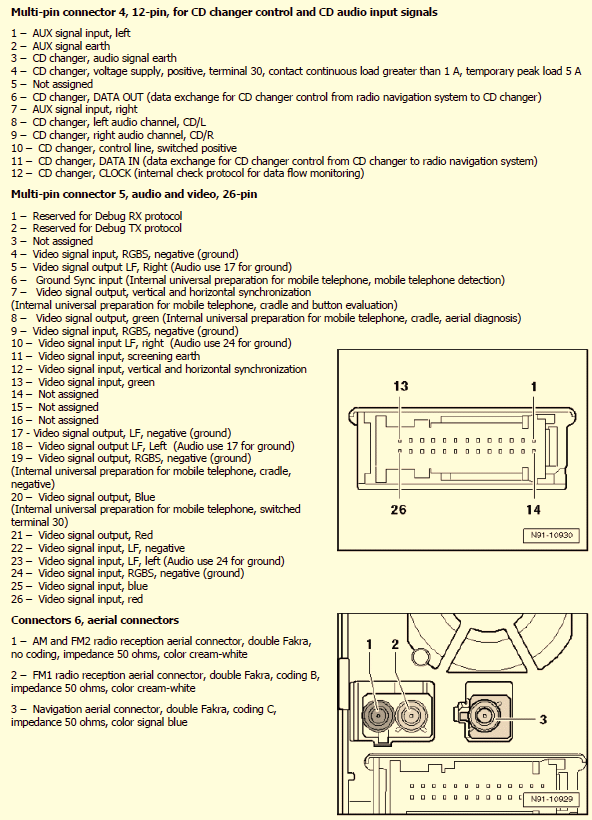
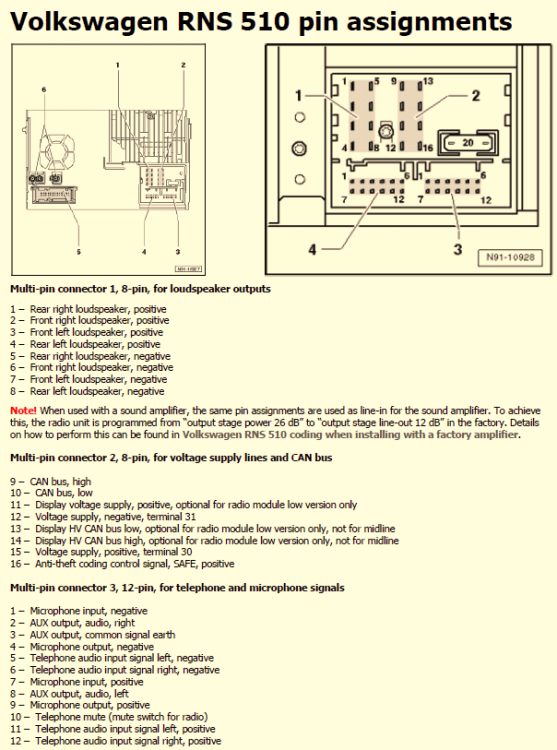
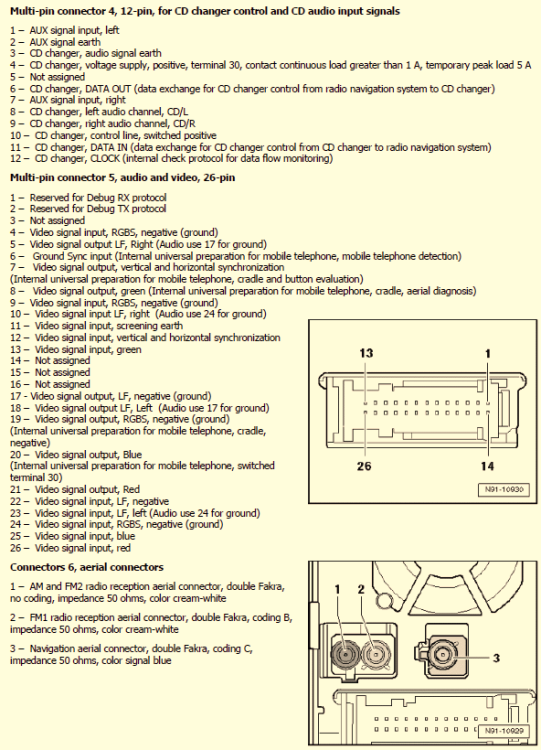
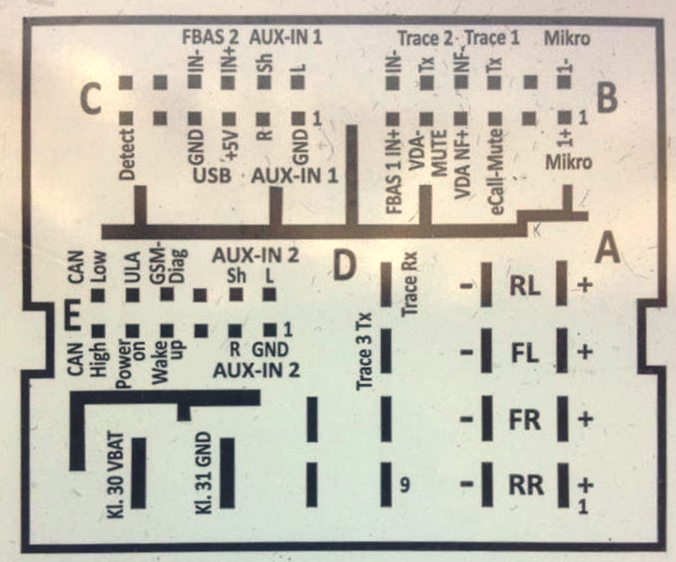
Yes, that's exactly what was needed! And I have good news - the microphone first goes to the unit and then from the unit to BT module underneath driver's seat so all you have to add are two wires from green 12-pin plug (multi-pin connector 3) to blue 12-pin plug (plug B) in new Quadlock plug (old pin 1- new pin 7, old pin 7 - new pin 1). You don't need to re-wire old AUX as you have new USB/AUX harness for MIB STD2 PQ.
-
Yes, it will, but you may also need to put some extra wires - post the picture I asked above so I can give you more details.
-
The microphone is NOT underneath the drivers seat. It is located in the light panel between driver and passneger, just the cable goes either directly to BT module that is located underneath driver's seat or to the Columbus unit and then from the Columbus unit to the BT module. Post the picture of QuadLock plug that goes to Columbus, from the cables side, focus on green plug so I can see the version you have.
-
-
SKDOA dealer will not be able to help, you have to find someone locally who has the tools and can have it slved. If you don't find anyone you can send it to me to Poland and I will handle it..
-
NAND in your unit is it overloaded and requires re-formatting. Unfortunately this must be done with service software like CarProg, SetConfig or Martech.
-
-
Yes, sir
-
Yes, that's what you need
-
Get USB/AUX port with harness and wire it from the new unit to armrest. There is no need to removing the centre console, just pul apart the front part from the passenger side and wire the harness along the console to the back. Remove the rear clock assembly - this will give you the access to the current AUX port so you can remove it and replace with AUX/USB (after extending the hol;e - a sharp knife is good enought to make it).