pab567
FREEDOMTech
-
Joined
-
Last visited
Everything posted by pab567
-
Sure, I sent you request to share VIN in PM
-
I sent you download link for MEN2_EU_SKGPx_P0080L_8755 in PM.
-
-
It's possible but it requires unit to be patched first, also the metainfo2.txt file must be modified. Is it worth? There are no new features, just new skins.
-
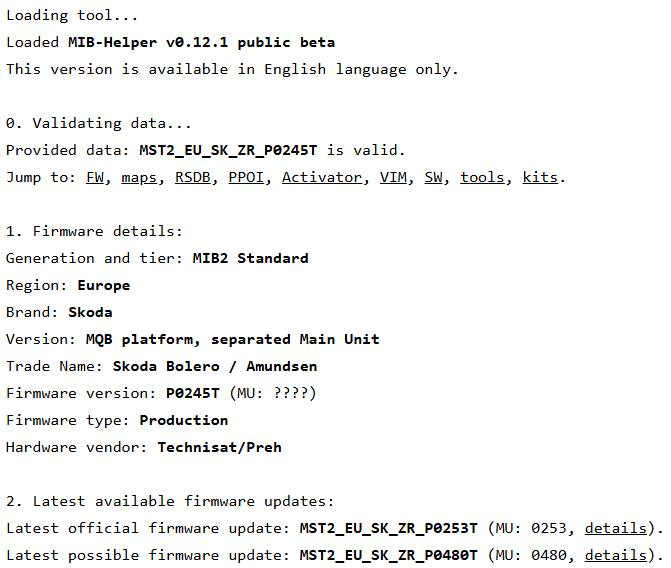
I can see I sent you link to SEAT version instead of SKODA, sorry. have just resent the right one MST2_EU_SK_ZR_P0253T. Of course you can upgrade to , you entered your train incorrectly (MST2_EU_SK_ZRP0245T, the right one is MST2_EU_SK_ZR_P0245T):
-
1800? There is no such firmware, for sure not for your unit. I sent you link to download MST2_EU_SE_ZR_P0253T which is thsn't help pls let me know.e most recent firmware for your unit, if it doe
-
-
-
-
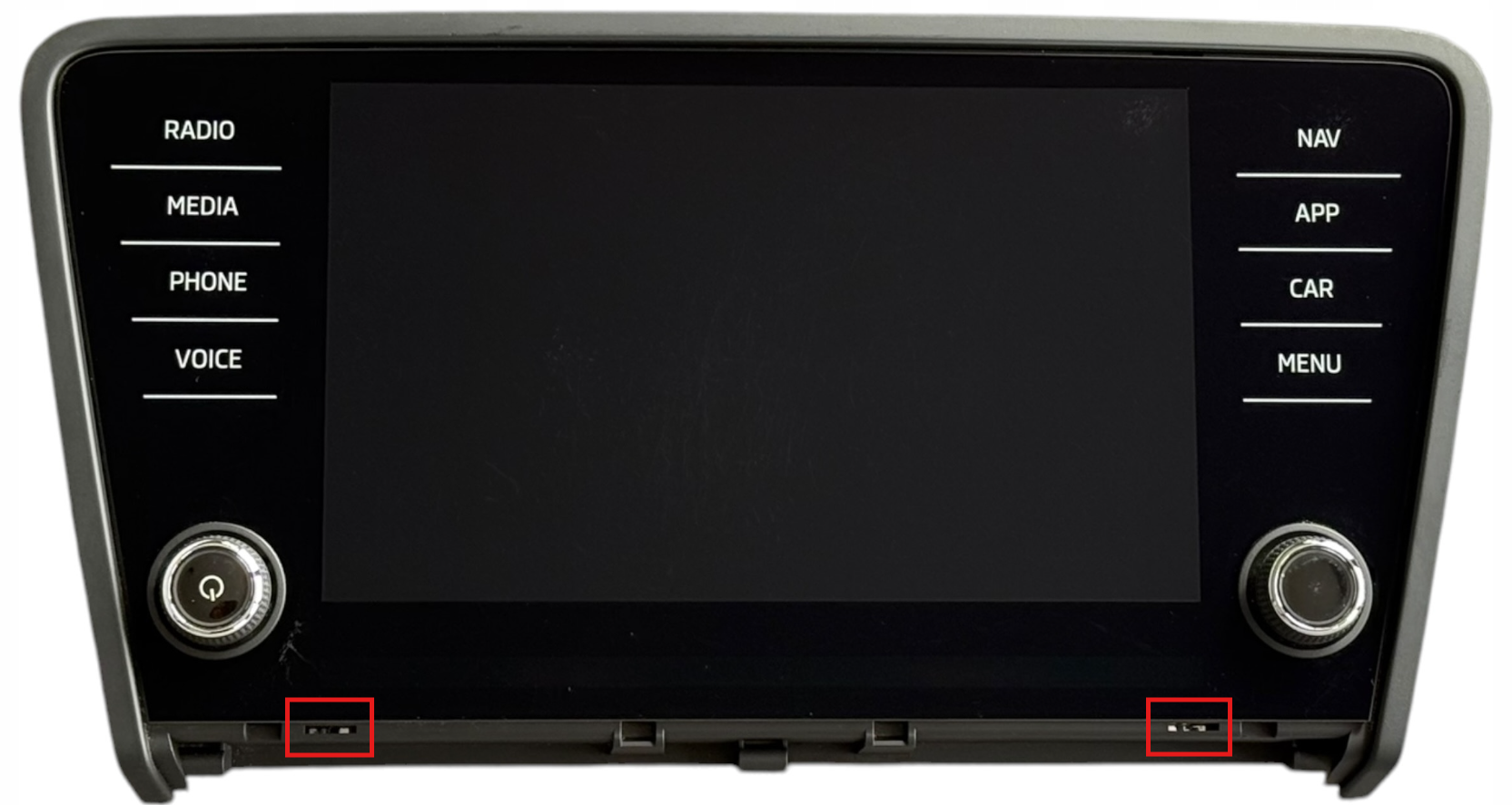
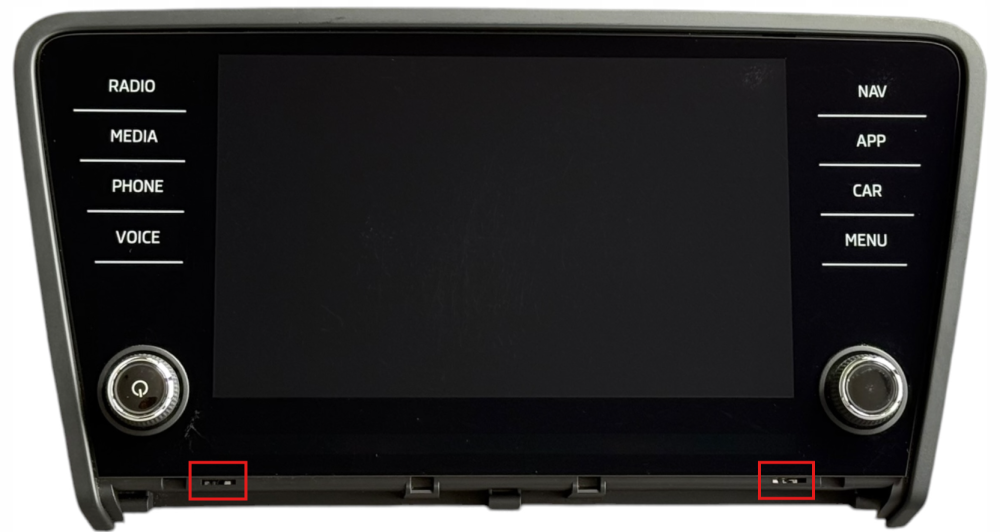
As far as I remember it's really not required but I can check in reality later when I am back home. See the slots in the picture below.
-
Exactly, below the screen but above the plastic trim there are two holes to insert the removal keys. There is NO need to remove the plastic trim.
-
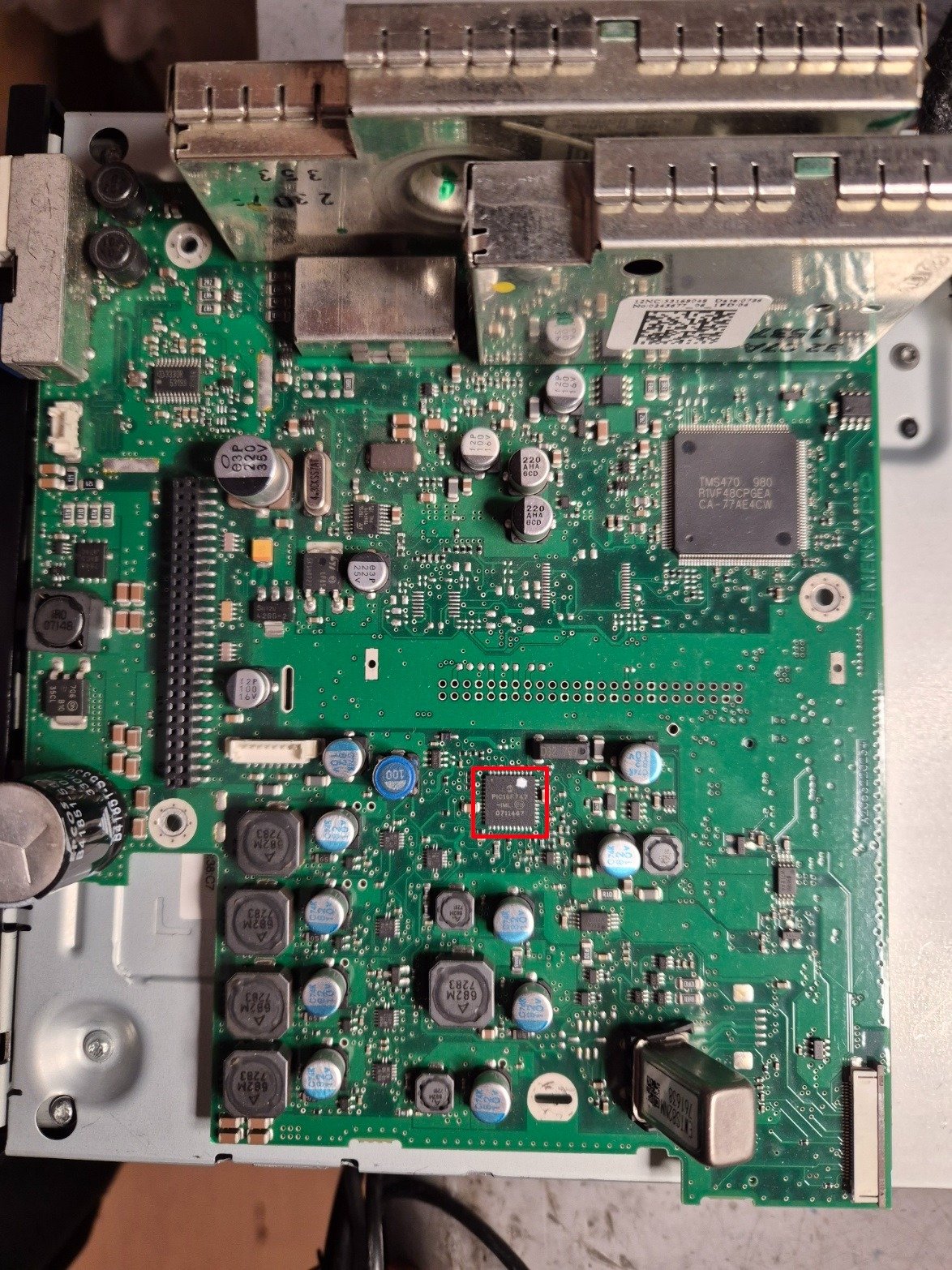
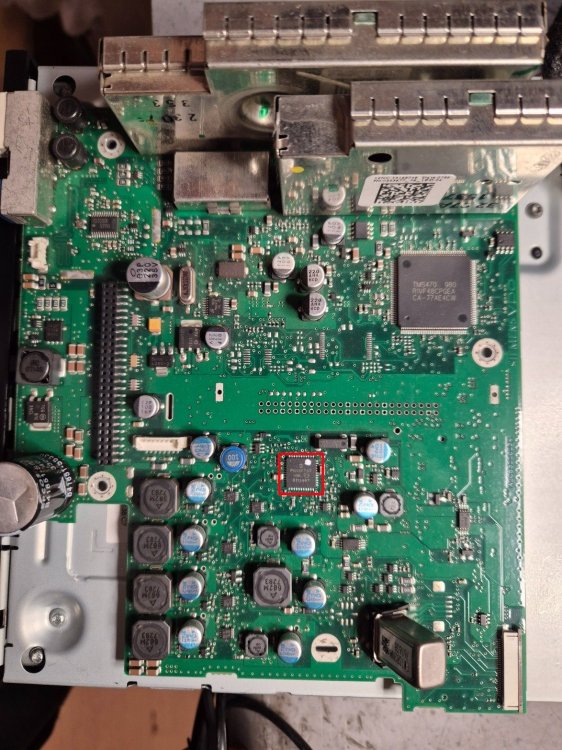
I've sent you link to download 6276 but I'm afraid this might be a hardware, not firmware problem. If firmware reflash doesn't help then you can try to have it repaired locally, start with resoldering chip i marked red in the picture below.
-
Link to MST2_EU_SK_ZR_P0480T sent in PM
-
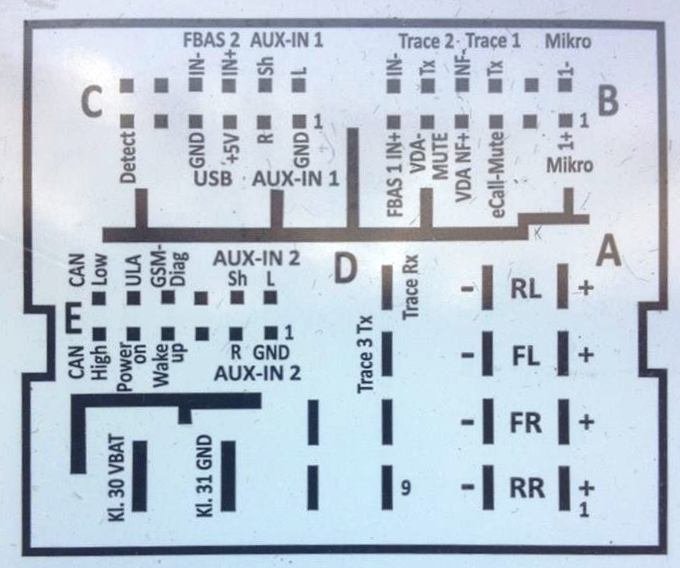
Pinout attached
-
What tool did you use? What is part number of unit you broke?
-
DAB antenna input
-
I'm currently hardly available due to health / family issues. MIB2 High toolbox is your friend
-
-
Answering your doubts and questions: Is 565 035 020 A a suitable retrofit into a Superb MK3 that originally had 5Q0 035 840 B? => Yes, it is Which connector is usually different between these two setups? => LVDS HSD video connector is pink in Bolero and grey in Columbus. Do I need an adapter cable, repinning, or only a small modification to the connector keying? => Small modification is enough as they are electrically the same, just take the sharp knife and cut out from the pink plug an excessive platic trim that prevents it from being plugged into grey socket. After fitting the hardware, what exactly is needed next: Component Protection removal => yes, online or patching coding/adaptations in 5F => yes, usually done by uploading raw data adaptation channel maps with VCDS and then modifying channels that were not updated automatically FEC/SWaP activation for navigation / voice / SmartLink => yes, usually done by patching and loading new FEC container Can any of this be done with ODIS + VCX SE, or is dealer online access still required for some parts? => All can be done by patching and ODIS / VCP / VCDS / VC Tool / OBD Eleven
-
-
-
Well, I can't give any advice for aftermarket units (especially chinese ones based on Android) but if you would like to get MIB STD2 PQ unit you can contact me. It should also be possible to repair your Columbus, this seems like a typical failure of PowerPIC that requires just resoldering.
-
It's not possible to update your unit to enable smartlink - you have to replace infotainment reader, either to Bolero 5Q0035842x / 565035842, or Amundsen 5Q0035874x / 565035874 (x - any letter A, B or C). New unit must be patched to disable component protection and have new features enabled. I can deliver such unit in Plug&Play version if required.
-
OEM solutions do not support current TV standards (DVBT) so all you can do is to find some aftermarket ones.
-
Sent in PM