langers2k
Resident Member
-
Joined
-
Last visited
Everything posted by langers2k
-
If you have VCDS, OBDeleven or similar, then yes, I would sort the code as it only takes a few minutes. If you don't own anything to fix the code, I wouldn't worry about it
-
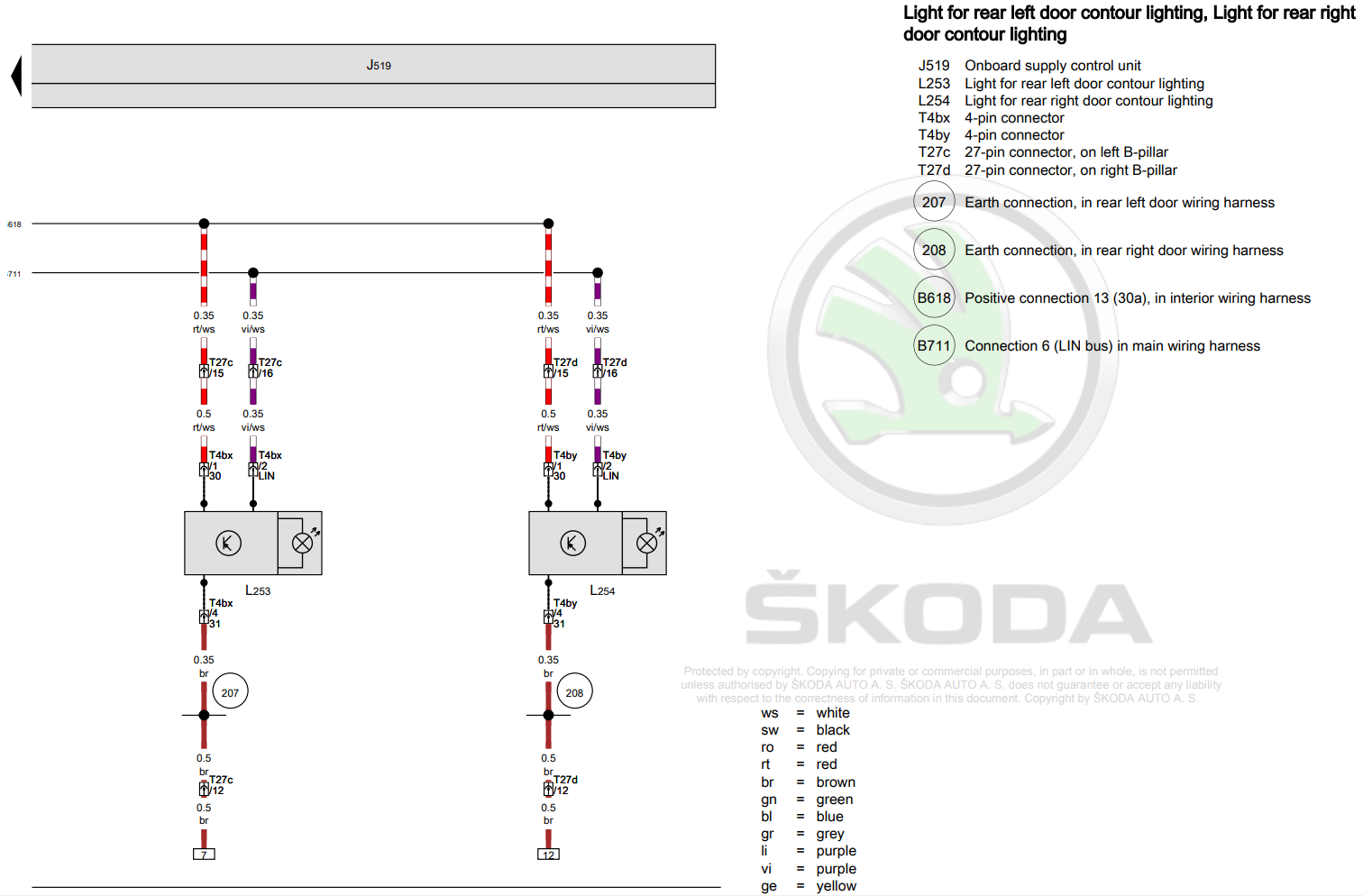
Do you get an image of the car outline when the doors are open, much like this:
-
The 2049459/10 TPI from Skoda states: I expect the reason is to reduce the chance of a voltage spike/drop causing corruption during the update procedure. There is probably a newer TPI for the 0480 update but I've not seen it yet. It's your headunit so if you want to update it while driving you can, personally, I'd follow the instructions
-
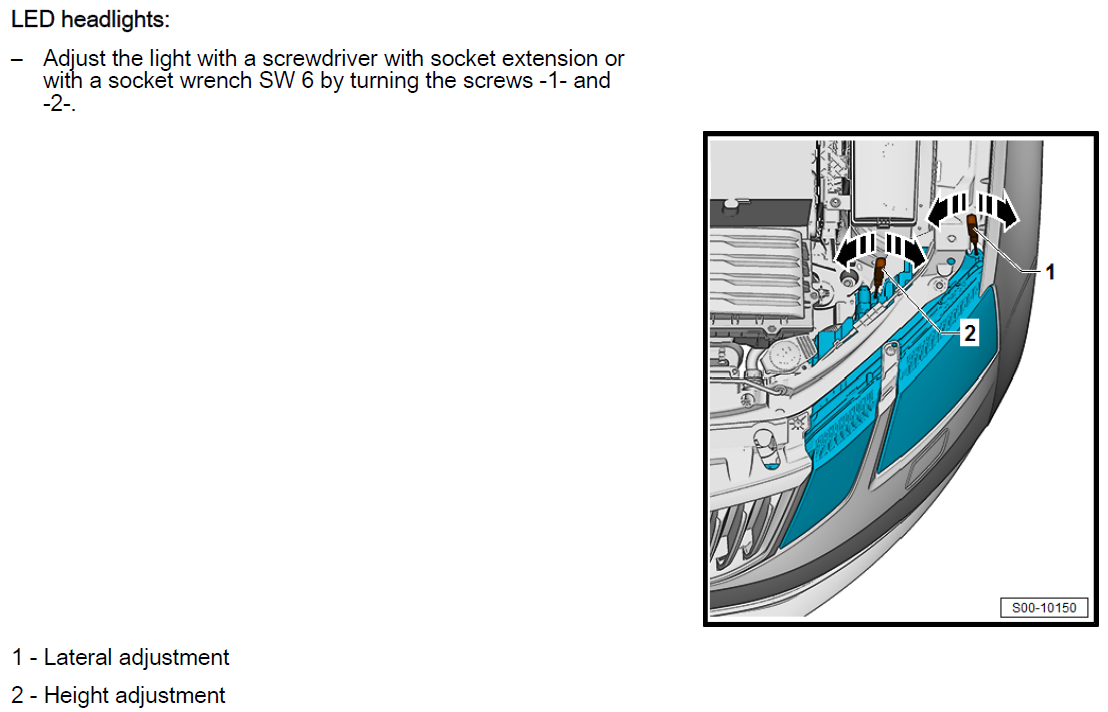
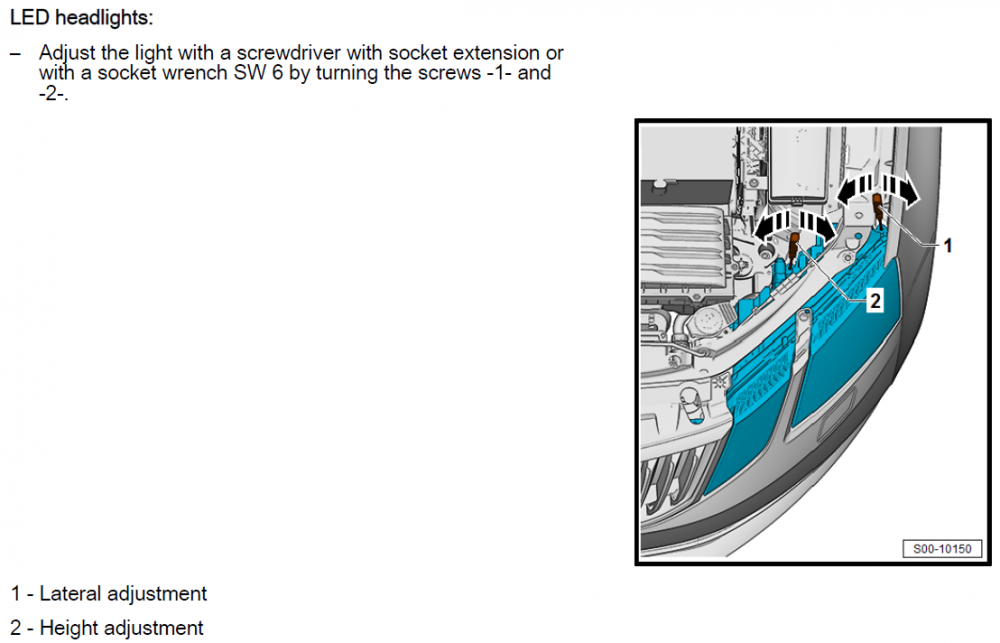
You can use the adjusters on the headlights to lower them slightly: I'm not sure it'll help though. LED headlights have a very sharp cutoff so if you're on bumpy ground, it'll look like your flashing the car in front... High beam assist should be easy enough to enable, I've done it on my vRS and I'm happy to take a look at yours depending where in Norfolk you're based
-
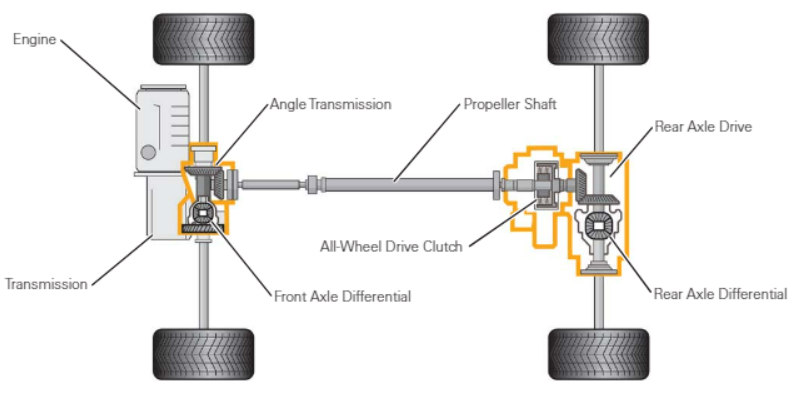
Depends what you actually want to know...? It looks a bit like this: The all-wheel drive clutch (aka haldex) is responsible for transferring torque to the rear wheels. Both differentials are open so left/right torque distribution is achieved by braking the spinning wheel(s). It's all electrically controlled so the AWD controller will detect or pre-empt slip and move the torque around as it sees fit
-
I don't think the blocked heater matrix is a design issue, instead it's a symptom of having contaminants in the cooling system There is a Skoda TPI for this issue 2050019/13 so depending where/how you bought your car, you might be able to get this covered under warranty? If it were my car, I'd probably try the cleaning routine and see if that unblocks the heater matrix. If it doesn't, I'd probably change like for like and then running the cleaning routine again. While switching for a larger bore heater matrix might help prevent it from blocking, having contaminants in the cooling system will still effect the performance and longevity of various components... A quick google suggest G13 might not work well with brass/copper/soldered radiators although G12evo might be fine? I'd definitely suggest double checking that...
-
I thought it was a dataset issue? Happy to be corrected though 👍
-
Might be worth using the owners map/list to find someone local. Seem to be a few in South Wales
-
It's most likely to be the ring/piston issue mentioned in the other thread. If so, you need to find a VAG specialist to rebuild the engine which will probably cost a few thousand pounds I don't think there is any easy/cheap fix for this I'm afraid....
-
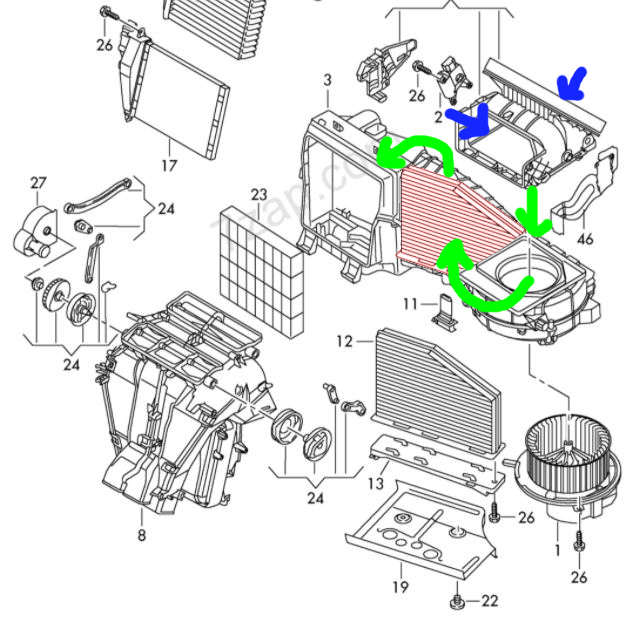
I think it's like this: Air is either drawn from the cabin (left blue arrow) or the outside (right blue arrow). It'll then follow the green arrows, down to the fan, through the filter (front to back) and finally through the heater matrix/AC evaporator and into the cabin Edit: Just for clarity, when I say front to back, that's based on the image above. When in the car, it'll push air from the rear of the car towards the front. As you drop the filter down, the collected crud will be on the side facing the rear of the car
-
There isn't a specific fuse for the footwell lights. If you have a maxidot cluster, there should be a setting to disable them. Otherwise, you could just take the bulbs out
-
That could just be a failed buzzer... If any part of the parking system fails, it'll stop working. I'd be temped to find a local member with VCDS or similar to scan your car for fault codes before spending money on parts. Owners list: https://www.briskoda.net/forums/topic/262215-list-of-vcds-owners-previously-known-as-vag-com-vcp-owners/ Owners map: https://www.briskoda.net/forums/topic/224376-vcds-owners-map/
-
Probably on the left side of the boot around the wheel arch. You'll need to move the boot lining and I think it's held on with one nut and has a couple of connectors plugged in to it. Assuming you get an identical unit from a similar Octavia, it probably won't need coding. Ideally, you'd use VCDS or similar to check the existing coding/adaptions before removing it... Are you sure it's failed, I think they tend to be quite reliable. If the parking sensors aren't working, it might just be a failed sensor rather than the control unit.
-
I'd probably try eBay or a breakers yard
-
The measured and quoted power on VAG engines can be quite different based on various rolling road experiences others have posted. It wouldn't surprise me if the difference between 95 and 98 fuel is less than that Not sure that helps solve your argument though...
-
Why not try the VCDS owners map/list to find someone local with VCDS? At least then you'll know what modules etc you have and if possible, they should be able to code it for you
-
The filters are used in many vehicles so although it fits a LHD Yeti, it may also be used in RHD variants of other vehicles and therefore available. LHD Yeti: https://www.skoda-parts.com/spare-part/jzw819653b-cabin-odour-filter-bosch-21702.html RHD Yeti: https://www.skoda-parts.com/spare-part/1k2819653b-cabin-odour-filter-skoda-36005.html RHD part with the arrows pointing up: https://www.theskodashop.co.uk/products/skoda-pollen-filter-1k2819653b
-
I'd be very careful using it for coding... Looking at the website, it's not clear if it will let you change lcode/adaptions or if it's limited to 'one-click' type functions which change multiple things without showing what: https://www.carscanner.info/coding-mqb/ OBDeleven has some similar functions and they don't always work are described, nor are they always easily reversible. At the very least, make sure you've taken a full backup and put it somewhere safe so if it does mess something up, you at least have a chance of fixing it with VCDS etc.
-
An autoscan will let us see what modules your car has and how they are configured. Once we know what we're dealing with and what you're trying to achieve, it'll be easier to offer advice
-
Might be worth adding an autoscan from VCDS... Ideally along with a picture of your dashboard and what you're expecting it to show
-
Touch wood, I've not had any issues yet but it's likely to vary depending on the roads you're using. Might be worth considering tyre insurance?
-
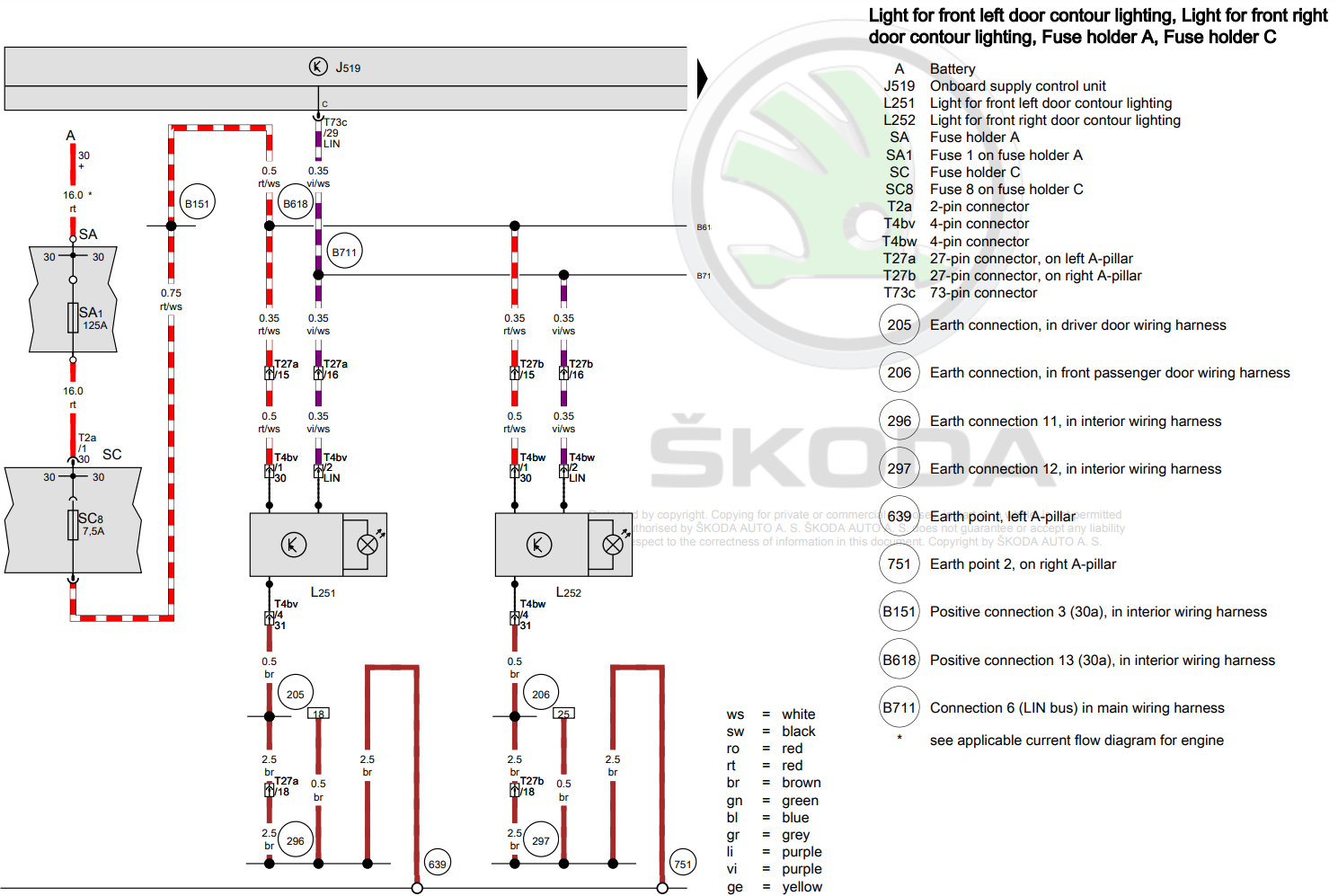
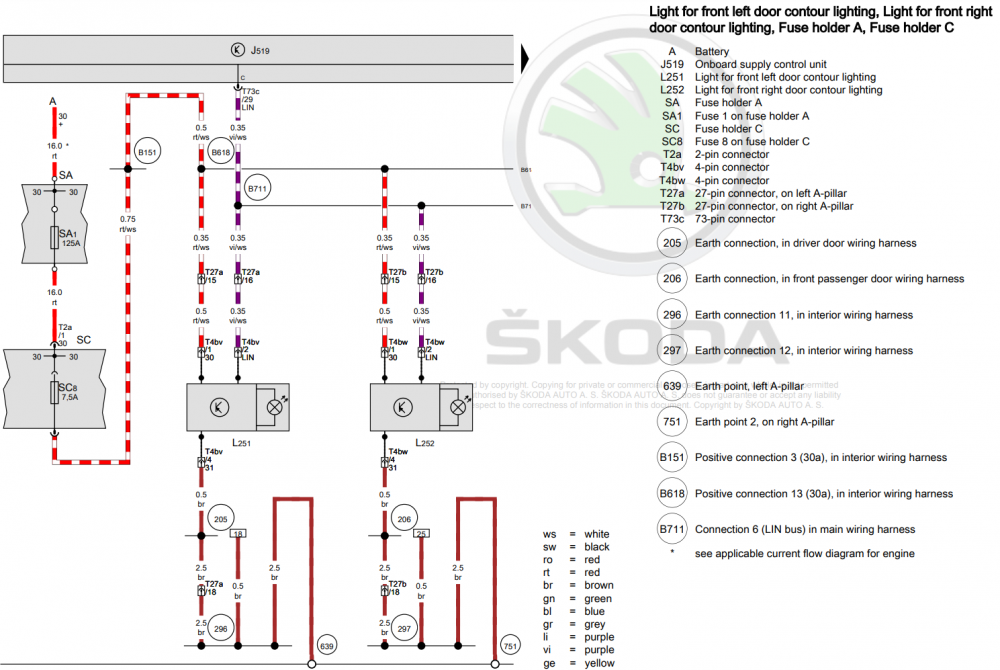
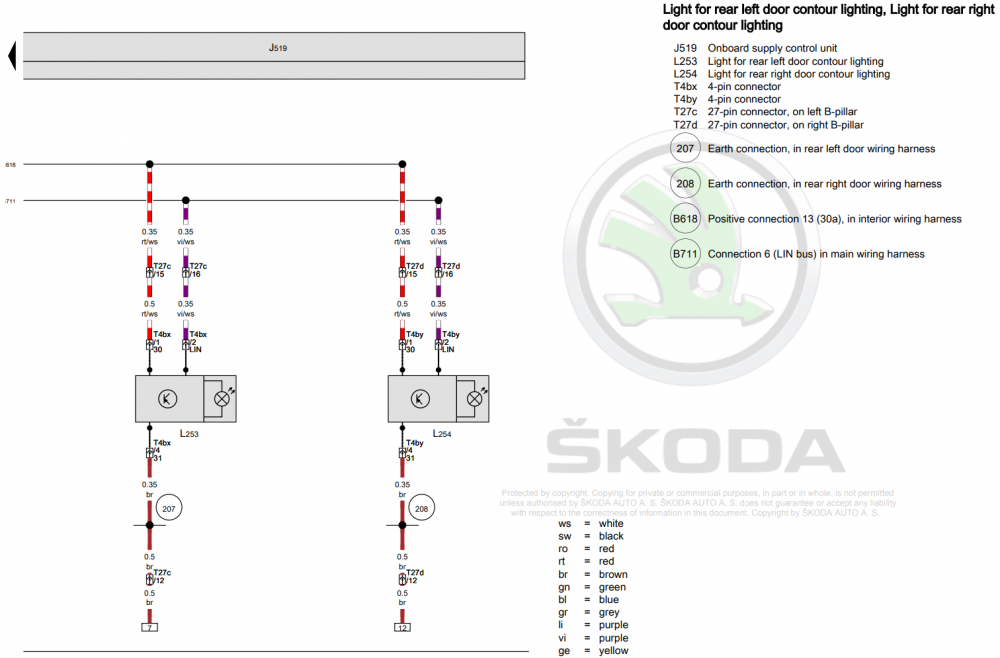
You'll need to make sure your BCM supports RGB ambient lighting. That might only be 5Q0 937 084 CG/CQ/DD/DH, you'll need to do your own research and check for pin 29 on connector C... I'm not sure if you'll also need to change the radio etc to get the correct screens to adjust the colours etc. However, the wiring is pretty simple:
-
With google maps you can download sections of map for offline use. On your phone: - start google maps - click your profile picture (top right) - click offline maps - select map/area and download it Instructions might be slightly different depending what phone you have: https://support.google.com/maps/answer/6291838?hl=en-GB&co=GENIE.Platform%3DAndroid&oco=0 Obviously you won't get live traffic without mobile signal but it should still work as a satnav with search/navigation
-
I think you've miss understood what's happening... It's the standalone mobile app that Google are no longer supporting. Android Auto will continue to work as normal when connected to a car with AA support
-
I would be amazed if it was possible, the hardware will be quite different... You'll also have the issue that the other modules in the car probably won't work properly with the MIB2 headunit either