Breezy_Pete
Sponsor
-
Joined
-
Last visited
Everything posted by Breezy_Pete
-
I would investigate the radiator fan function first. Does the car have A/C, and if so does it work?
-
Probably thermostat failing. Are both radiator hoses hot near the radiator? Radiator fan may also have problems.
-
Where did you earth the module?
-
-
-
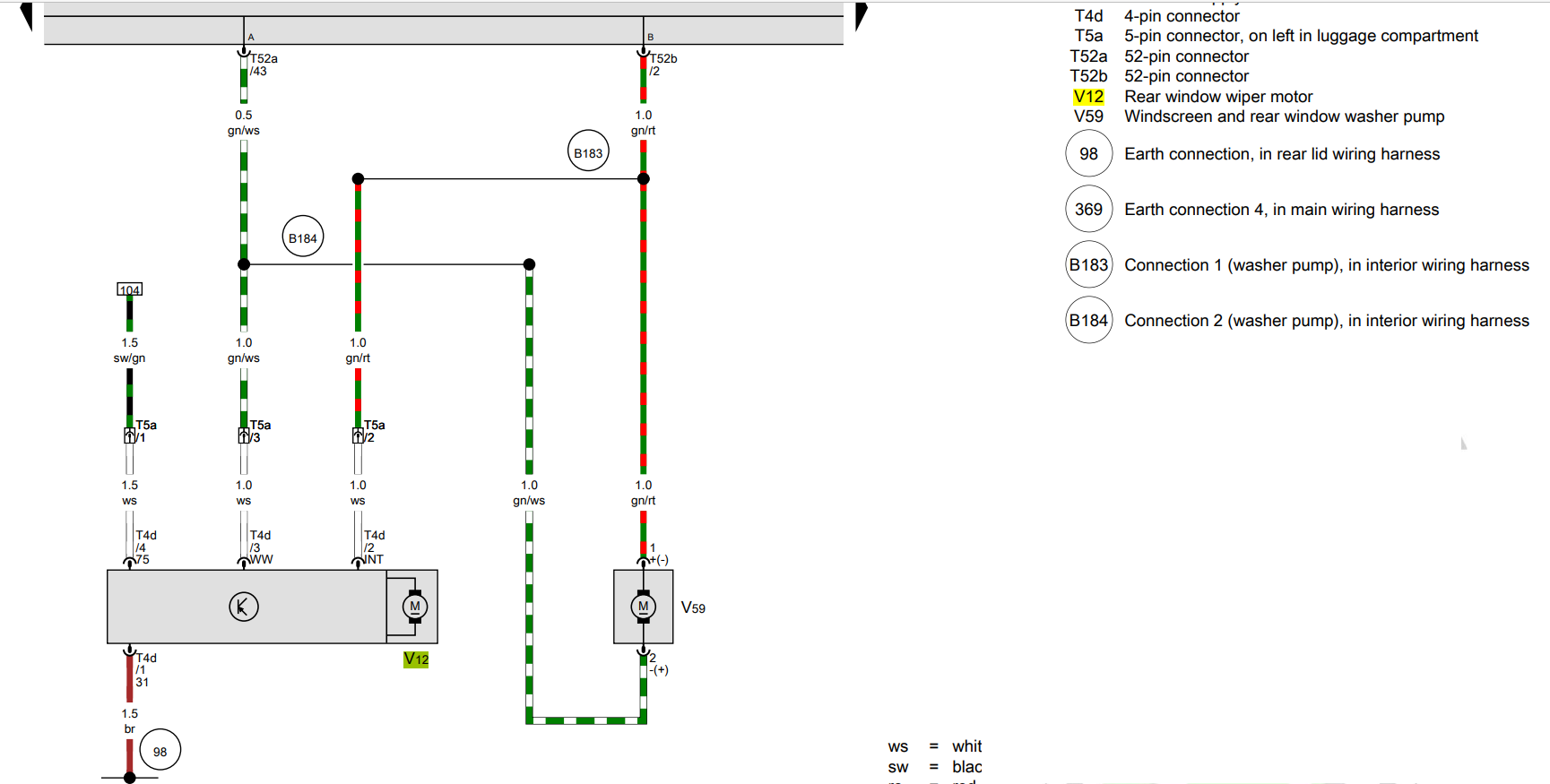
Yes, reversible pump at front. Yes, parallel connected. The two wires are labelled WW and INT where they go into the rear wiper connector. Wash/wipe and Intermittent? I guess maybe if WW is 12V and INT is 0V it will do a wash of rear window and a programmed number of wipes. If both are taken to 12V maybe that triggers intermittent wiping until both go back to 0V? And the washer pump won't run cos there'll be no potential difference across it?
-
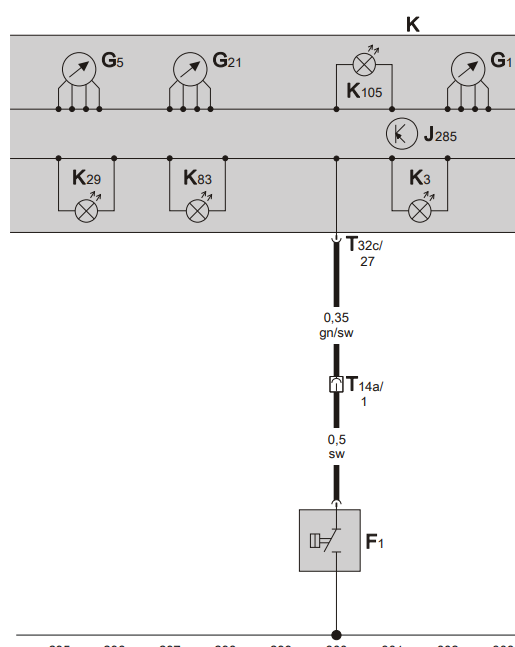
If it's a CAYC engine the oil pressure switch (F1) wire goes via pin 1 of a 14 way black connector pair 'front left in engine compartment', ending up at instrument cluster (K) 32-way connector pin 27. When they say left, that's as viewed from drivers seat facing forwards, so right side of bay as you look in from the front bumper. it's a black wire going into the 14-way, a green/black coming out heading to the cluster.
-
Yes that's what I meant. 12V should be quite safe to apply anywhere since I feel confident that's what is supplied to the washer motor in either polarity. No idea what signals make the rear wiper do its thing, but presumably brief enough or low enough voltage to not activate the washer motor (except when requested).
-
CAN pairs are explicitly labelled on wiring diagrams as CANH and CANL in my experience. Single wire LIN also similarly marked.
-
Not any sort of bus JR, since they also drive the washer pump which is just a dc motor as far as I'm aware.
-
For the sake of completeness, part number found as N 015 082 10 "Hexagon collar nut" £1.60 + VAT each at time of writing.
-
If you ping me your VIN I may be able to look it up.
-
Sounds like a generic flanged nut will do the job. M6 thread corresponds to 10mm spanner. Or is it a plastic thing? M5 M6 M8 M10 M12 M14 M16 YELLOW ZINC FLANGE NUTS HEXAGON FLANGED NUT DIN6923 | eBay
-
Perfect, thanks.
-
Part number of this pump?
-
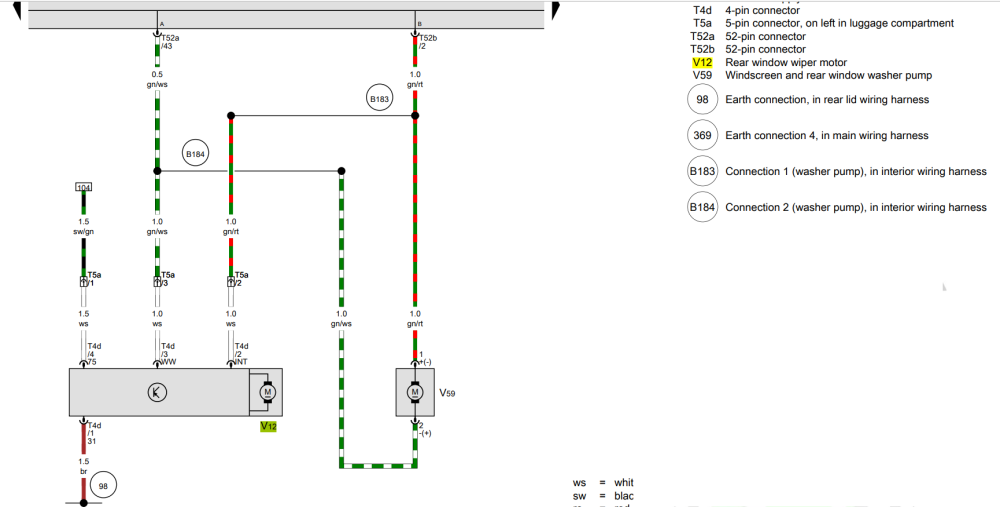
Point labelled 104 comes from cabin fuse 6 (15Amp, ignition switched). Grey bar at the top is the BCM
-
There's a 12V feed, an earth and two 'signals' that tell it what to do. These come from the BCM I think, but also run to the main washer reservoir motor. Will post you a screenshot of wiring in a bit. No CAN connections involved.
-
Here you go: Your control unit will be just a little different, with the rows of connectors closer together I think. relay will also be slightly different type, I'll try to find a thread where someone described this, thought it was in this one, but doesn't seem to be. Same physical position relative to the other relays I think. Ah, it's mentioned in one of the posts:
-
Did you find the relay change how-to? If not I'll link you up next time I'm near the big Internet, shouldn't be long.
-
I seem to remember that there isn't a pump in the sdi tank, just a level sender? Hope I'm not making that up.
-
Is it a face-lift or pre-facelift mk2? Electrics changed quite a bit around March 2010 which I guess was when face-lift came out. Control unit with wiper relay changed a lot too. If you message me with VIN I can do some research for you. Erwin has all wiring diagrams available to download for a small fee (1 hour access <£10). Minor faff to register and familiarise yourself with navigating it though.
-
Usually part of the oil level/temp combined sensor in sump.
-
1. Yes 2. SK240DDRS identifies it more precisely as for a RHD mk1 Fabia. 6Y2959802 might otherwise also be found as a driver's door unit in a LHD mk2 Fabia/Roomster or Polo, with different versions of that last line (SK25..., VW24...). Those ones will have opposite handedness and not fit, I think. I can recommend repair of your unit, see my signature for a link. 🙂
-
Price is an almost infallible guide. Real ones don't get sold cheaply.
-
What year is this Fabia? I think VCDS output tests for module 09 Central Electronics can command wiper action. If nothing happens you can probably conclude that the relay is toast. Doubt you'll see a fault code with relay contact failure. There's a how-to for replacing the relay in this section. Requires soldering/desoldering skills. Whereabouts are you?