Leaderboard
-
Lee01
FREEDOM18Points36,936Posts -

mac11irl
FREEDOM7Points16,806Posts -
lol-lol
FREEDOM6Points16,146Posts -
.jpg.3745ef413bb0c636456d024dfd5d2fd7.jpg)
Evolution13
Resident Member5Points3,201Posts
.thumb.jpg.9dd3f612ba7f13d10be5c518d3c8d255.jpg)



Popular Content
Showing content with the highest reputation on 19/04/26 in all areas
-
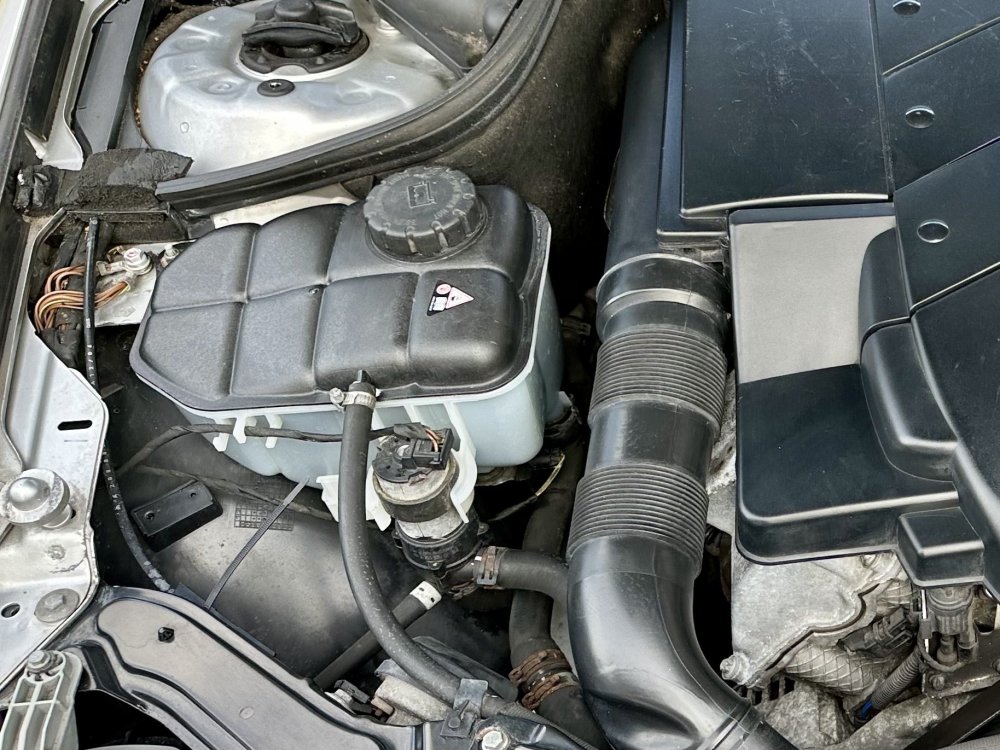
2 pointsCleaned the Sahara Desert off the 280 today. Didn’t realise how dirty it was! Also cleaned my wife’s Focus MK1.5 and our latest money pit too. Anyone want to take a guess as to make / model? (NO - NOT YOU TRAVS!😂).
 2 points
 -
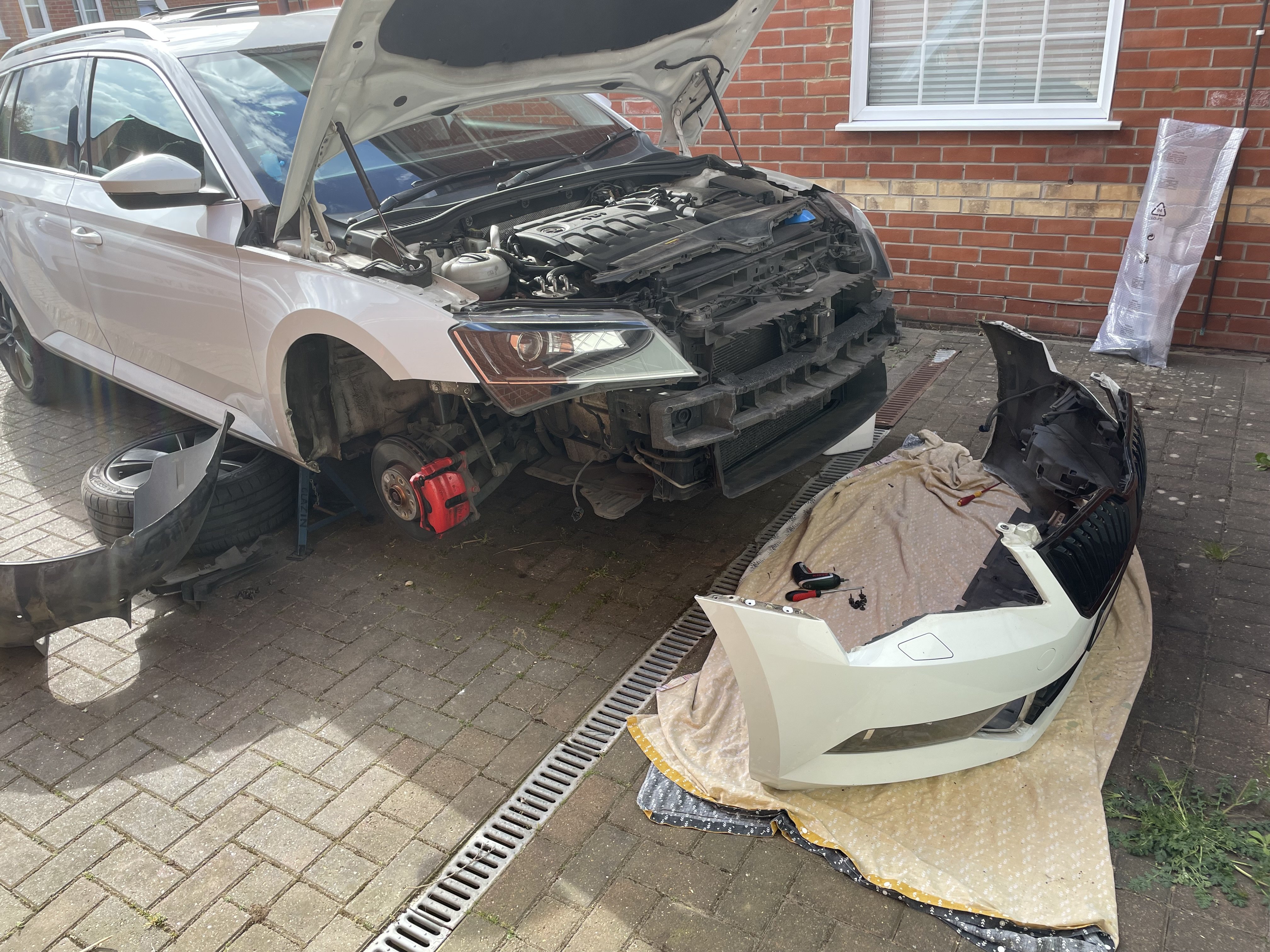
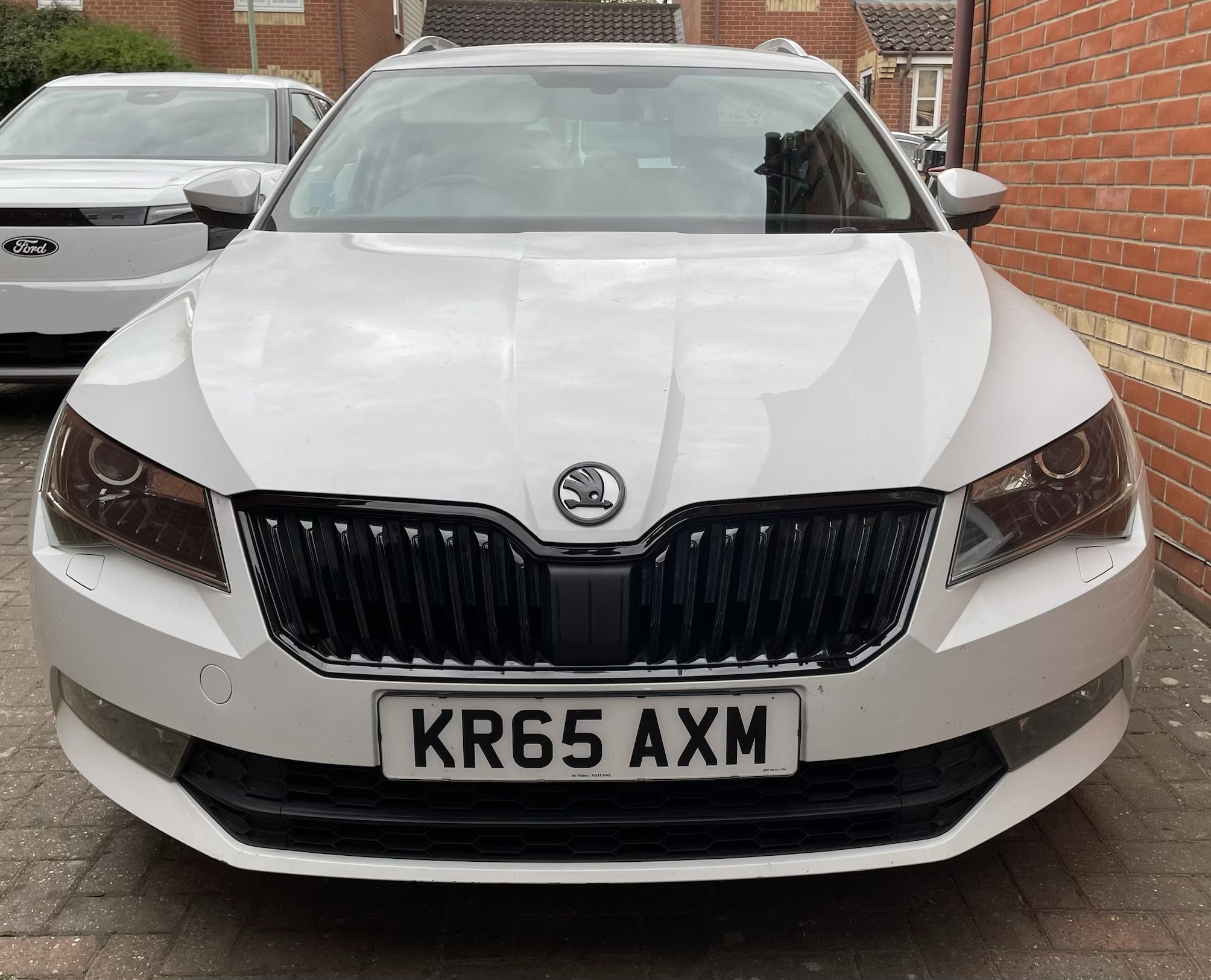
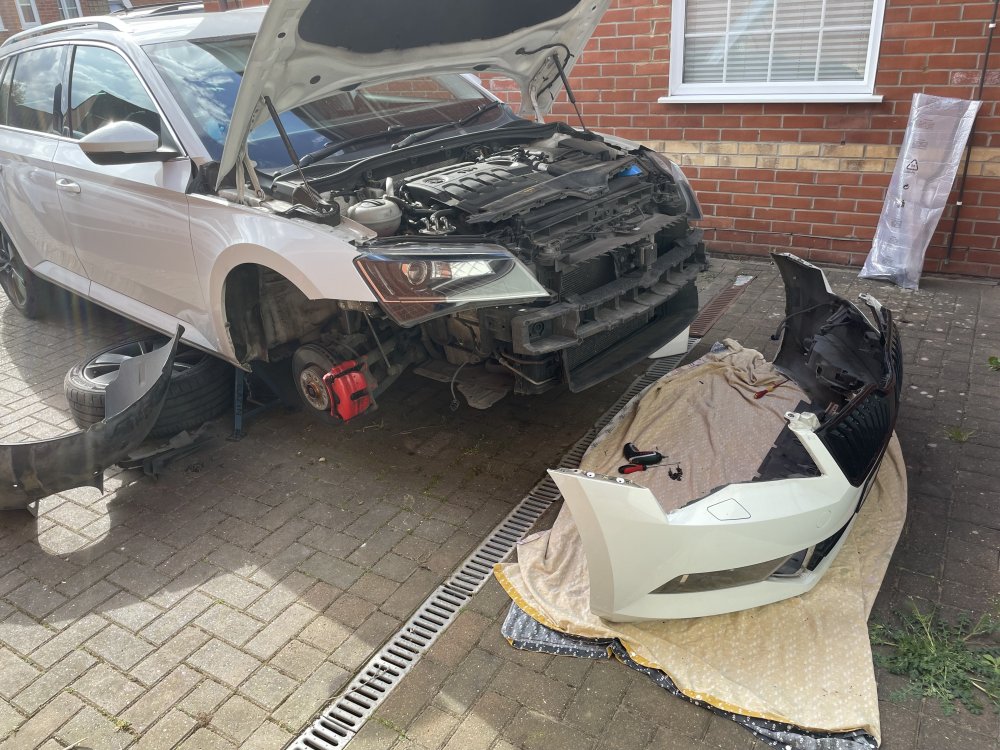
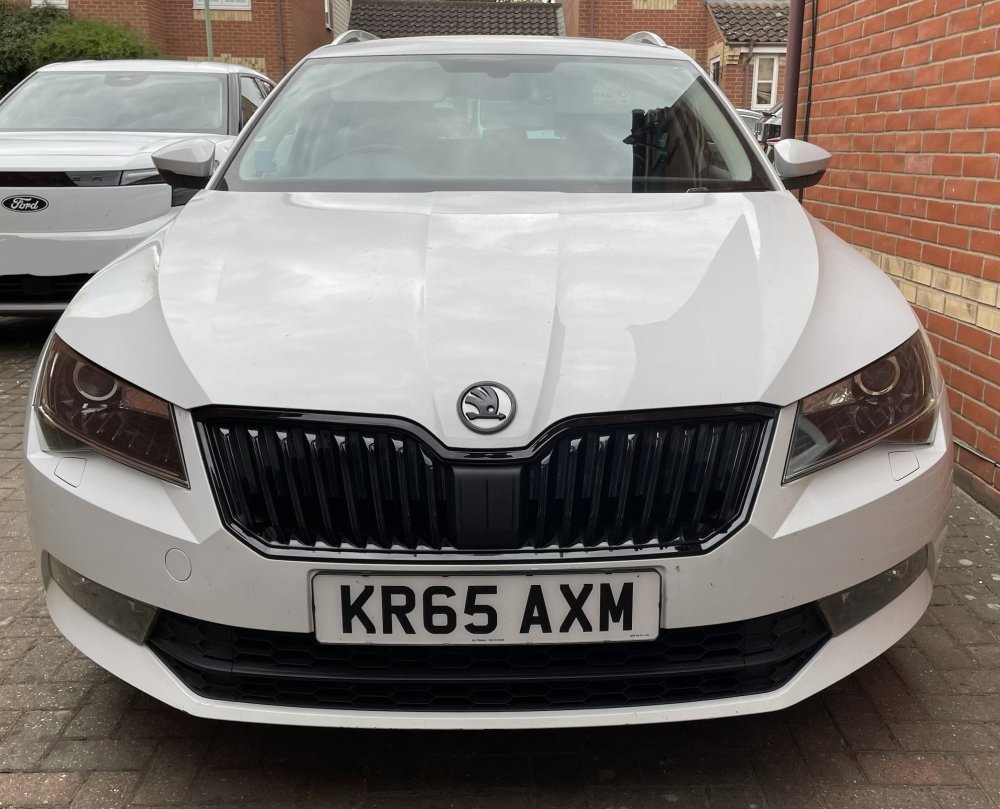
Finished off the front grill today. Bumper off job. Once again a big thanks to @JR RS for a brilliant how to guide. I was naive and thought because I don’t have front parking sensors that there wasn’t a plug to undo. Turns out the ambient air temperature is mounted on the front bumper so that has to be unplugged. There are some who report changing the front grill without taking the bumper off. I have no idea how it could possibly be achieved as even with the bumper off I had a few sweary moments trying to get clips undone! Really like the look now it’s all done! The badge is not quite the right white. I think it’s more candy white. But I begrudge paying £100 from kopacek for two colour matched badges. I may get another couple of cheap Ali ones and try painting them myself with touch up paint. Just the side view left to dechrome with wrap around the windows and the roof rails to install but SWMBO wants new taps fitted in the bathroom so those might have to wait a while!
 2 points
 -
2 pointsKerbside weight, gross weight, max weight and towing capacity IIRC @avi4tor https://www.ntta.co.uk/law/law/towing-capacity https://www.gov.uk/vehicle-weights-explained2 points
-
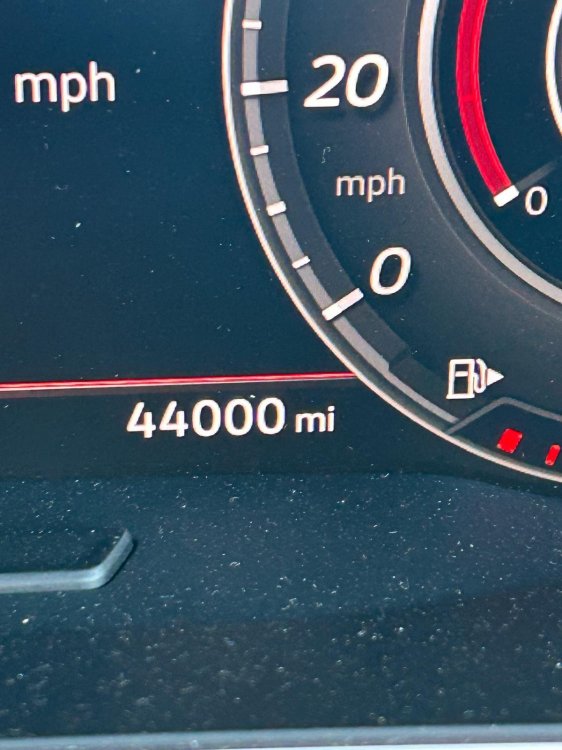
The GTI's eight years old now (that's gone quick!): Not doing too bad on it. New tyres going on the week after next. Think I've decided on PS5's. Gaz
 2 points
 -
2 pointsA note for a few members; Please do not post your VIN or reg number on the public forums, as data scraping may use this information for vehicle cloning or other activities. Only send this information via the PM (Private Messaging) function to trusted members. If the PM function is not yet available to you, tagging the member and asking them to start a conversation will work.2 points
-
2 pointsLoved our Karoqs but wouldn't go back after 3 months Elroq vrs experience.2 points
-
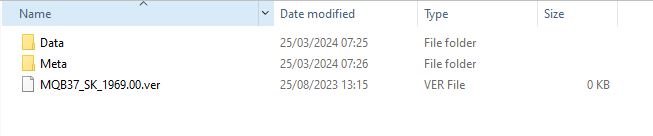
1 pointI thought it would be useful to create this separate topic and collate information as now Infotainment Software Version 1969 is out in the wild I imagine user interest will increase. All credit to those who posted information in other threads - I hopefully have credited you all where necessary. Feel free to comment on your own experiences and observations. Despite saying I was going to wait for this update to come OTA, based on the principle of “If it ain’t broken….” I bit the bullet and applied the 1969 update manually this morning (I'm a sucker for an update). All went very smoothly and took around 20 minutes. Seems an obvious point but to put your car in ignition mode, which you need to do to apply the update, just press the Start Stop button on its own, without depressing the Clutch / Brake which you would do if you were starting the engine I also switched off the climate control before proceeding although I imagine the Update process would disable its functioning anyway. I followed a previous guide for version 1941 by @TheWanderer which was invaluable. I highly recommend watching the YouTube video in the instructions as you are updating as it is a useful reference of the stages your system is going through. I have copied and pasted his guide below but it’s not my work, full credit to @TheWanderer for this: Create a temporary folder on your PC or Tablet for example MIB3 UG. Then find the zip file and then right click on it or press and hold on it, so the menu appears and it should offer you the opportunity to Extract here or elsewhere, tell it to extract the files to MIB3 UG folder and let it get on with it. When it has finished, format a usb memory stick so it's completely empty, then go to the folder MIB3 UG open it and copy the 2 folders and other file directly onto the memory stick. When it has finished copying the files to the memory stick it should look something like this... THERE MUST BE NO OTHER FILES THAN THIS. Once your memory stick looks like this, remove it and take it to the car. Insert it into a USB port, press and hold the menu button for about 10 seconds and the update menu will appear. At this point it's vital that you have a full or very well charged car battery or a battery charger attached so that the car doesn't shutdown halfway through the process. Ignition needs to be ON, the Engine needs to be OFF (NOT RUNNING)! DO NOT START IT DURING THE PROCESS. Here's a video that shows you what to do, albeit in German, you'll get the English version! If you watch it carefully you'll get the gist of what to do. UNDER NO CIRCUMSTANCES MUST THE PROCESS BE STOPPED ONCE IT HAS STARTED OTHERWISE YOU'LL MORE THAN LIKELY NEED A NEW INFOTAINMENT SYSTEM. Notes. After it has finished updating the system, give it a couple of minutes to ensure that all is well and like it shows on video press resume an wait for about 90s or so and the system will restart just, like in the video. DO NOT START THE CAR UNTIL THE SYSTEM HAS RESTARTED After the update the built-in manual is unlikely to be available for about 48hrs, it does come back! You will more than likely receive another OTA update, it's OK to accept it. Ultimately if you are at all worried about doing it, take it to a VW Independent or Skoda dealer and ask them to do it for you Once it has been updated, there should be no more random restarts or crashes on the infotainment system, the pop pop issue should be gone too.. https://youtu.be/4AsSbGd3caU
 1 point
 -
1 pointHello there. Freshly downloaded. Take a piece if you need ;) https://1drv.ms/f/c/d868f7f8e8ece8e8/Eh7N58_7gyZCtogSIt8kgisB4ZszuIGLrZTSSsdabNOtZw?e=5mWfuG1 point
-
1 pointMine was another one with corrosion on one of the bulb contacts on the rear number plate light.1 point
-
1 pointJust for interest. New 1.0L 95BHP TSI Polo battery readings just after driving ~ 10kms after delivery, "mileage" 18kms. Car behaving exactly like the 2019 one, start/stop enabled/ operates after exactly 0.5kms even after a cold (4C) start yesterday morning. Presume its the same 59AH EFB Battery, when I enterd Adaption mode, a message to the effect, "entering advanced diagnostics,open car hood", I didn't, in case it migh be logged that I was in adaption mode and might invalidate warrenty if battery packed up within 3 years and might be used as a dealer's excuse for not honouring it, even if unlikely. It draws a fair bit more current than the 2019 one with ignition on, 7.2A vs ~ 4.8A, usable (new) battery charge is 30A, hopefully will at least rise to ~ 35AH when SOC rises to 85%, its presently charging at full charging voltage of 14.6/14.8V under all driving conditions. New Polo MAS16744-IDE01836 12-volt battery-Battery current -7.159 A MAS16744-IDE01839 12-volt battery-Battery charge status 77 % MAS16744-IDE01841 12-volt battery-Battery internal resistance 6.8 mOhm MAS16744-IDE01842 12-volt battery-Usable battery charge 30 Ah MAS16744-IDE01948 12-volt battery-Battery internal resistance not normed 6.4 mOhm MAS16745-IDE01843 Quiescent current management-Battery voltage at rest 12.5 V 2019 Polo readings first taken when car was 2.7 years old IDE01839 Battery charge level 85 % IDE01841 Battery internal resistance 6.6 mOhm IDE01842 Usable battery charge 38 Ah1 point
-
Depends on how you look at it. I was offered the 'all in' plan for my Karoq recently. Paying the best part of £1,000 to cover the next 2 years is, in my opinion, a rip off compared to using an independent and/or doing most of the service work yourself. I have always felt that these kind of offers are for the benefit of the dealer/manufacturer and not the customer. But if you are happy with it, go for it. Your choice.1 point
-
1 pointIt could the cables that have moved/jumped or hopefully not a gearbox problem. Make sure they are both attached as its not unknown for the plastic ends to break. You should be able to move selector on top of Gbox up/down and left/right without cables attached to check that its not the Box/selector unit thats seized. There are a few tutorials on how to reset cables online. It involves locking selecor on top of Gbox and also gear lever by inserting I think 8mm drill/rod then reattach cables. Alasdair1 point
-
Thanks again. Buying from Cinch is a bit of an experiment, I'm told the 14 day accept/reject period is genuine - I expect I'll be posting a few specific questions on here when I actually get the car in a couple of weeks.1 point
-
1 pointIf it’s not on Kopacek (I believe they get a local dealer to paint emblem backgrounds in body colour paint) then chances are you’d need to take to a Bodyshop and get them to paint the strips themselves.1 point
-
Was looking to see what an STL format file was and found this https://www.yeggi.com/q/skoda+fabia+mk2/ Not sure if its what your looking for. Alasdair1 point
-
1 point
-
It could be that the new bypass has failed for some reason. Depends how it’s been connected.1 point
-
Access pump connector (often via full or partial wheel arch liner removal, don't know for your specific model, others can advise). Check for voltage with one or other polarity depending on whether front or rear washing is being commanded by your assistant in cabin, with ignition on. If voltage is present, replace washer pump.1 point
-
I've seen this before on INA tensioner for my Cordoba. They grinded away all VW markings, because it was not sold as a genuine VW part, but INA-branded part.1 point
-
I had an OTA update about 3 weeks ago and had to log back in with my PIN. I will be checking the car tomorrow.1 point
-
1 pointInterestingly when I started work a LONG time ago at Dowty in Cheltenham I was put up in a B&B at John and Betty Cleeveley's house... John being the founder of Cleevely Motors and who's sons took over the business and subsequently also started Cleeveley EV's.1 point
-
1 point^^^Experts? Who are these experts? Industry experts or Vloggers, running really low is not good or storing with really low charge, BUT So much other Total crap, 30 or 40 even 50 kW battery and you need down to 10% or lower and get charging quick * if you need to 90 or 100 % then you charge to that. Even the slowing down too much above 80% and taking too long can be a nonsense. My small battery car can still be taking in 20 Kw at above 95%. PS, what sediment in ICE vehicle fuel tanks in 2026 in the UK? Filters in filling station tanks to outlets, in the pump and in the vehicles fuel tank. Are we talking old tanks with corrosion in them? As far as EV Experts, an actuall EV Technician doing high annual mikes knows quite a bit more than some random Influencer / Vlogger repeating what they hear or read from others. James & Kate.
 1 point
 -
1 pointYeah has previously appeared and needed resetting as oil change was not allowed by leasing company until 18k. Dealer said they had set it long but obviously not. Happy to be able reset it myself, one less bing bong to worry about. 🤣1 point
-
1 pointMy January 2015 build Yeti Elegance is now into it's 12th year on original battery and starting first time every time.
 1 point
 -
Create a temporary folder on your PC or Tablet for example MIB3 UG. Then find the zip file and then right click on it or press and hold on it, so the menu appears and it should offer you the opportunity to Extract here or elsewhere, tell it to extract the files to MIB3 UG folder and let it get on with it. When it has finished, format a usb memory stick so it's completely empty, then go to the folder MIB3 UG open it and copy the 2 folders and other file directly onto the memory stick. When it has finished copying the files to the memory stick it should look something like this... THERE MUST BE NO OTHER FILES THAN THIS. Once your memory stick looks like this, remove it and take it to the car. Insert it into a USB port, press and hold the menu button for about 10 seconds and the update menu will appear. At this point it's vital that you have a full or very well charged car battery or a battery charger attached so that the car doesn't shutdown halfway through the process. Ignition needs to be ON, the Engine needs to be OFF (NOT RUNNING)! DO NOT START IT DURING THE PROCESS. Here's a video that shows you what to do, albeit in German, you'll get the English version! If you watch it carefully you'll get the gist of what to do. UNDER NO CIRCUMSTANCES MUST THE PROCESS BE STOPPED ONCE IT HAS STARTED OTHERWISE YOU'LL MORE THAN LIKELY NEED A NEW INFOTAINMENT SYSTEM. Notes. After it has finished updating the system, give it a couple of minutes to ensure that all is well and like it shows on video press resume an wait for about 90s or so and the system will restart just, like in the video. DO NOT START THE CAR UNTIL THE SYSTEM HAS RESTARTED After the update the built-in manual is unlikely to be available for about 48hrs, it does come back! You will more than likely receive another OTA update, it's OK to accept it. Ultimately if you are at all worried about doing it, take it to a VW Independent or Skoda dealer and ask them to do it for you Once it has been updated, there should be no more random restarts or crashes on the infotainment system, the pop pop issue should be gone too.. https://youtu.be/4AsSbGd3caU1 point
-
1 pointWe know it can feel a little frustrating at first. The reason we require at least 20 content items before personal messaging is simply to keep the community healthy and genuine. We’ve found that open messaging from brand-new accounts can lead to spam, unsolicited promotions, or people joining only to message others without actually participating. By asking everyone to contribute a bit first, it helps new members get familiar with the space, join conversations, and become part of the community before jumping into private messages.1 point