Leaderboard
-

mac11irl
FREEDOM13Points16,806Posts -
skomaz
FREEDOM11Points11,413Posts -
SteveTheElder
FREEDOM10Points2,469Posts -
Gaz
FREEDOM4Points7,889Posts




Popular Content
Showing content with the highest reputation on 01/08/26 in Posts
-
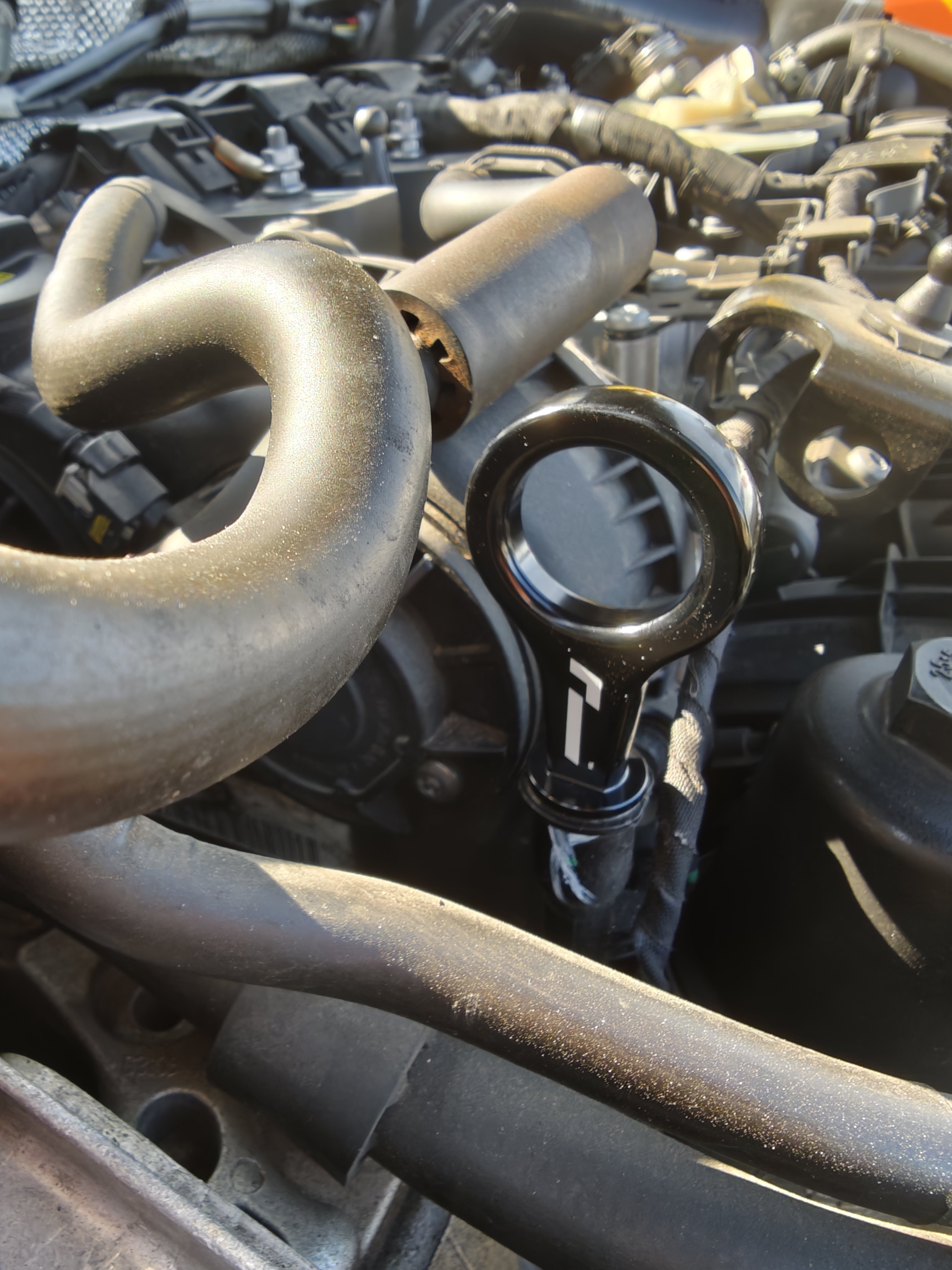
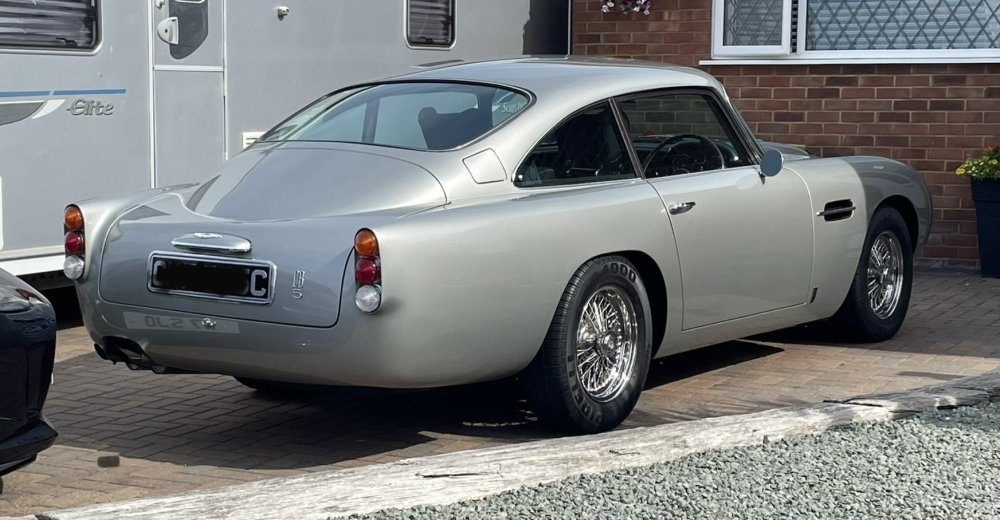
One minute I was toddling along minding my own business, and then this stopped me: Gaz
 3 points
 -
What's the increase in BHP with the new dipstick? 😉2 points
-
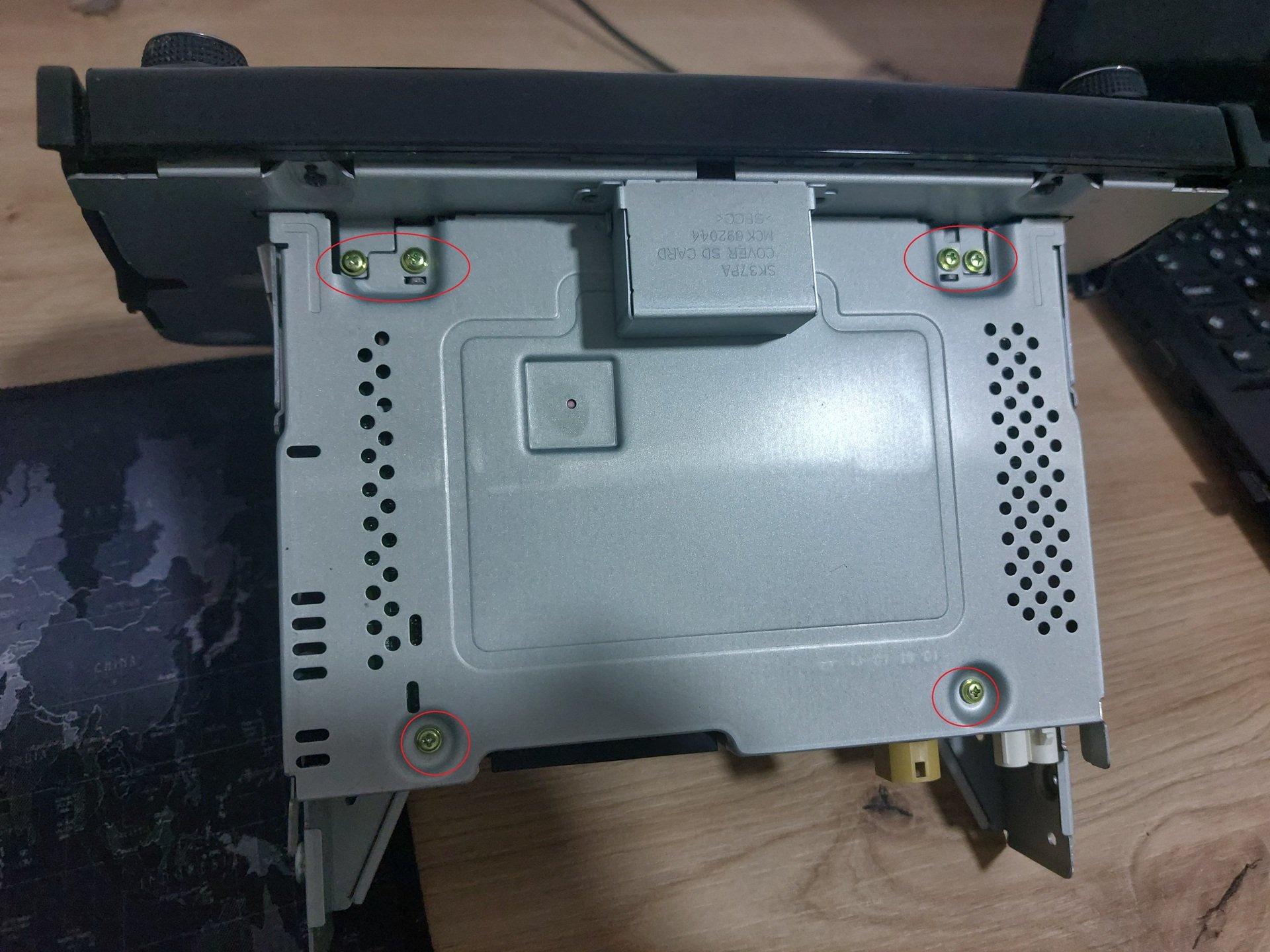
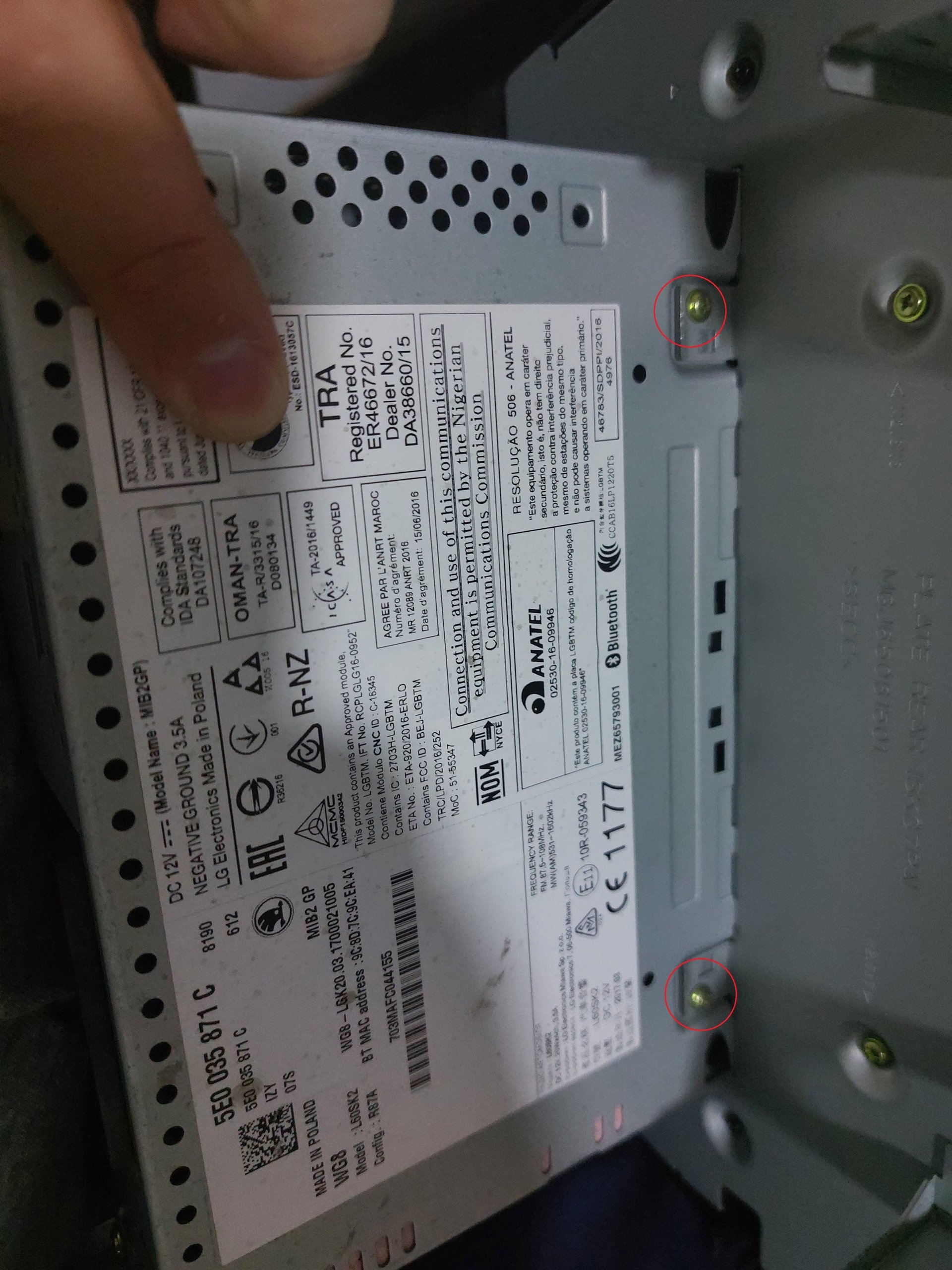
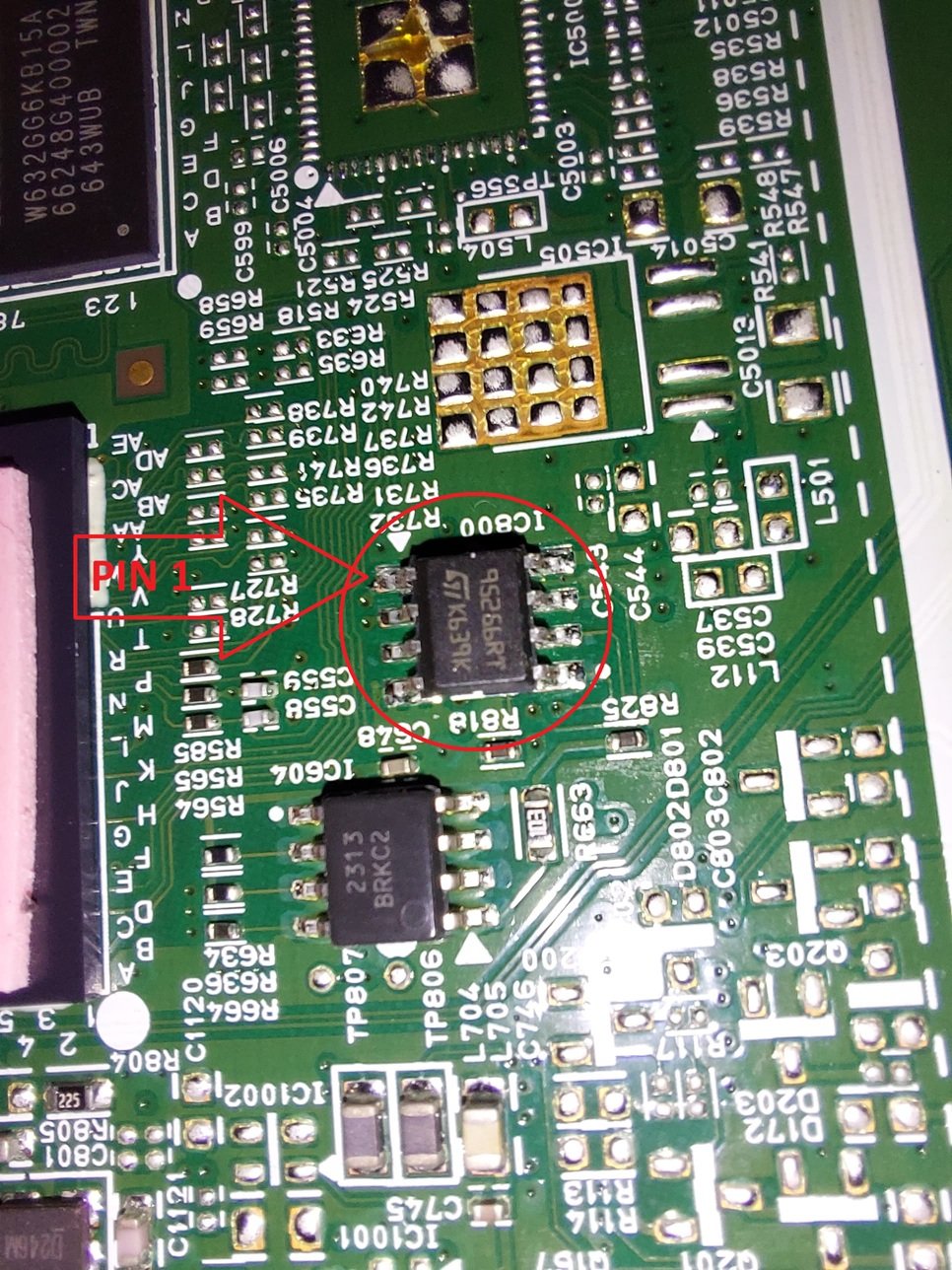
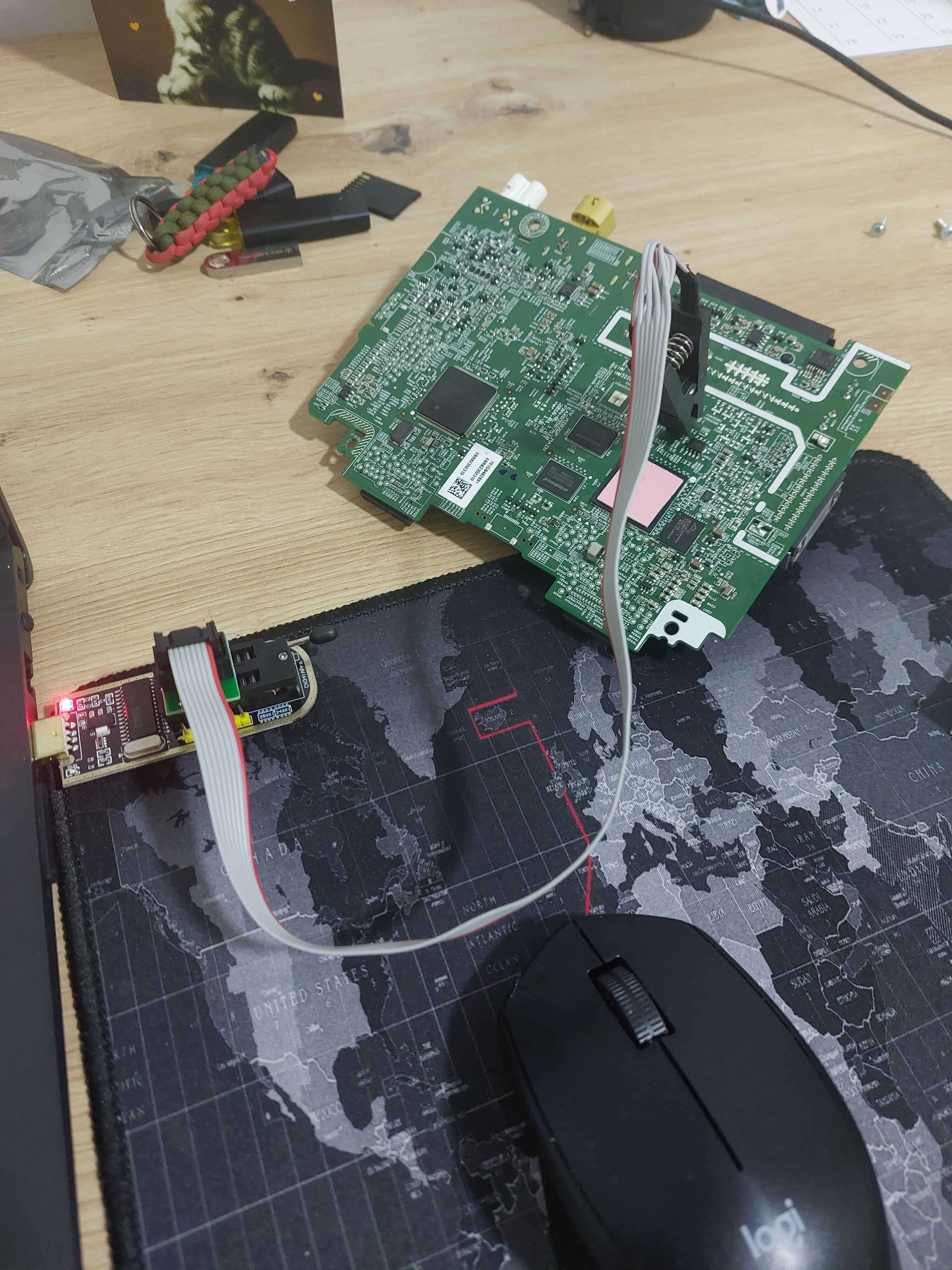
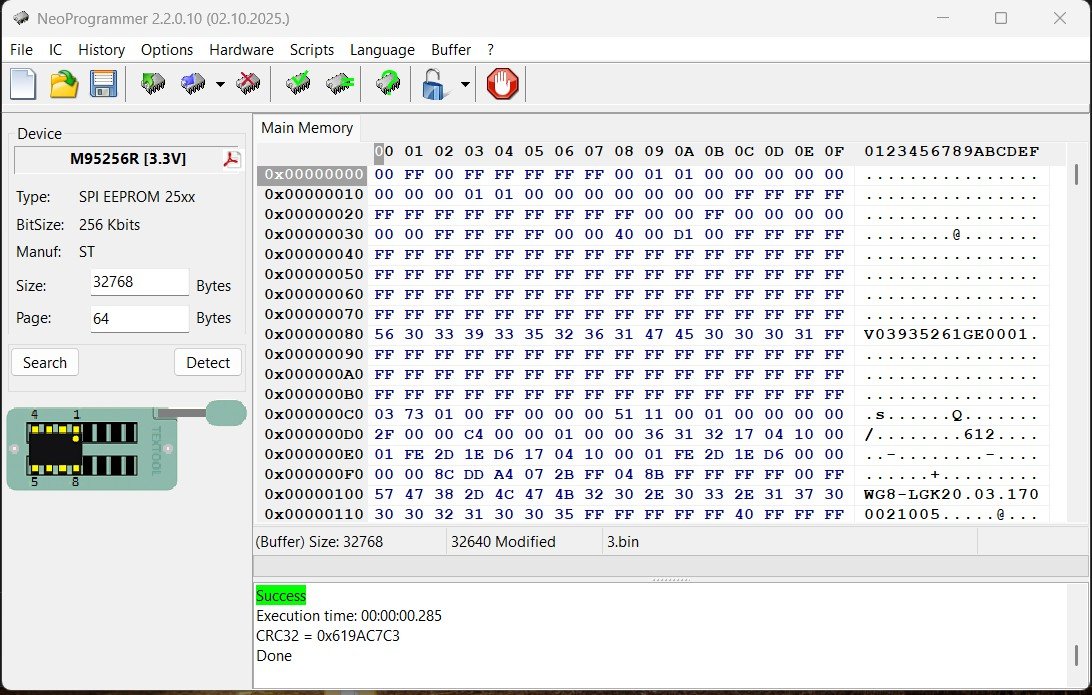
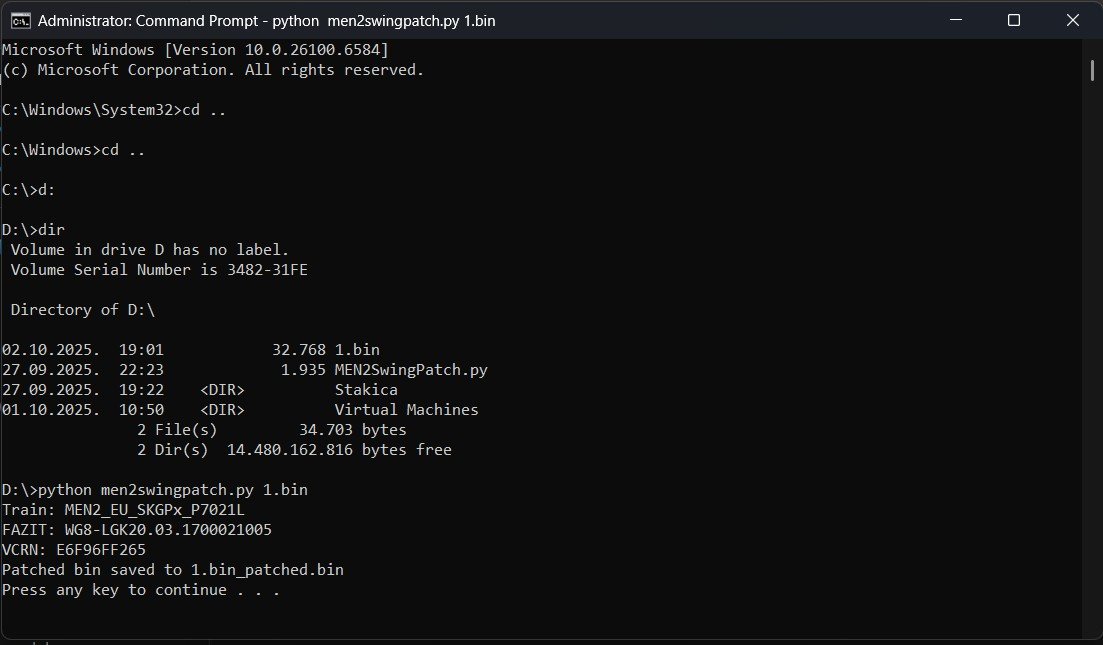
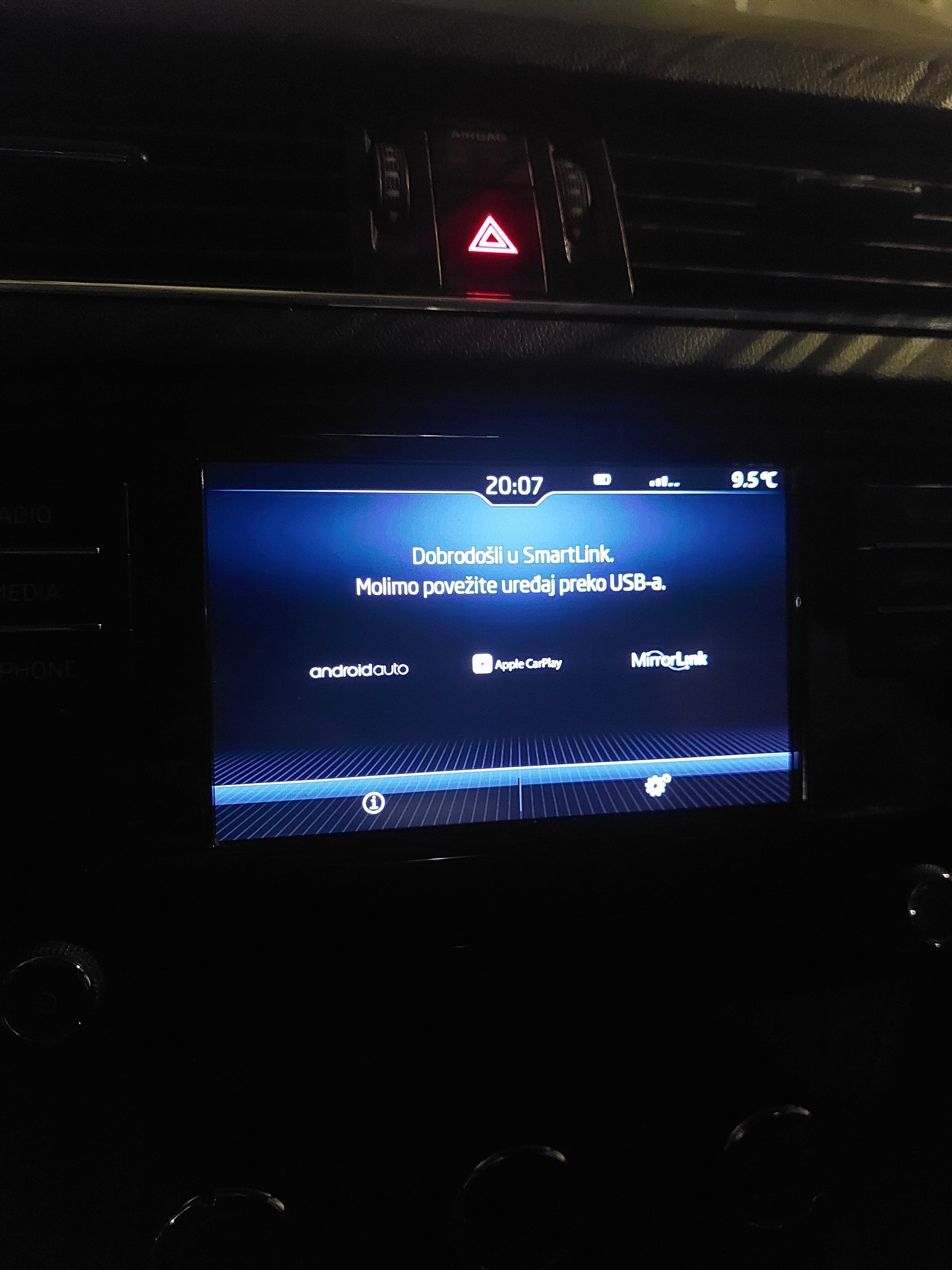
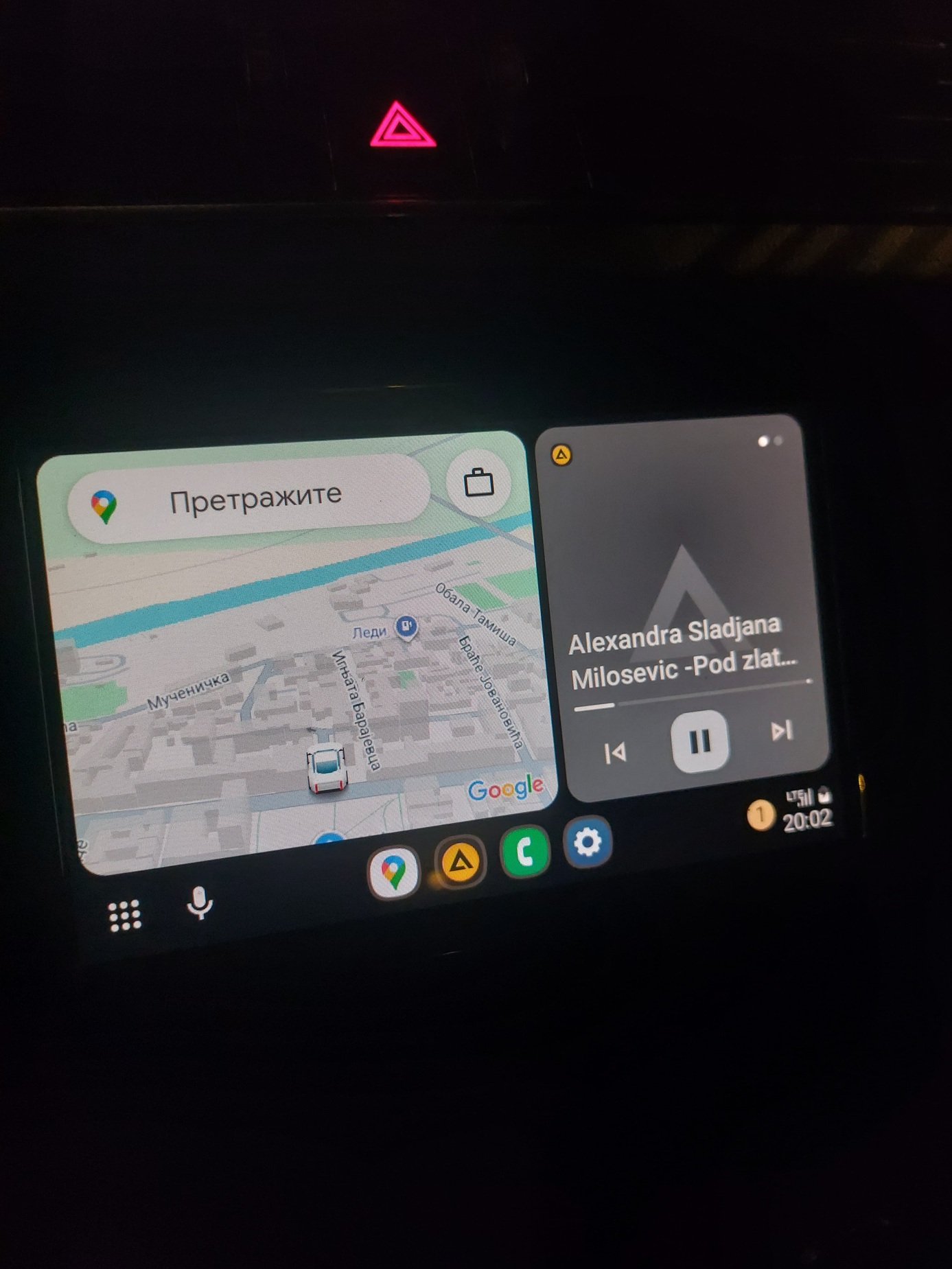
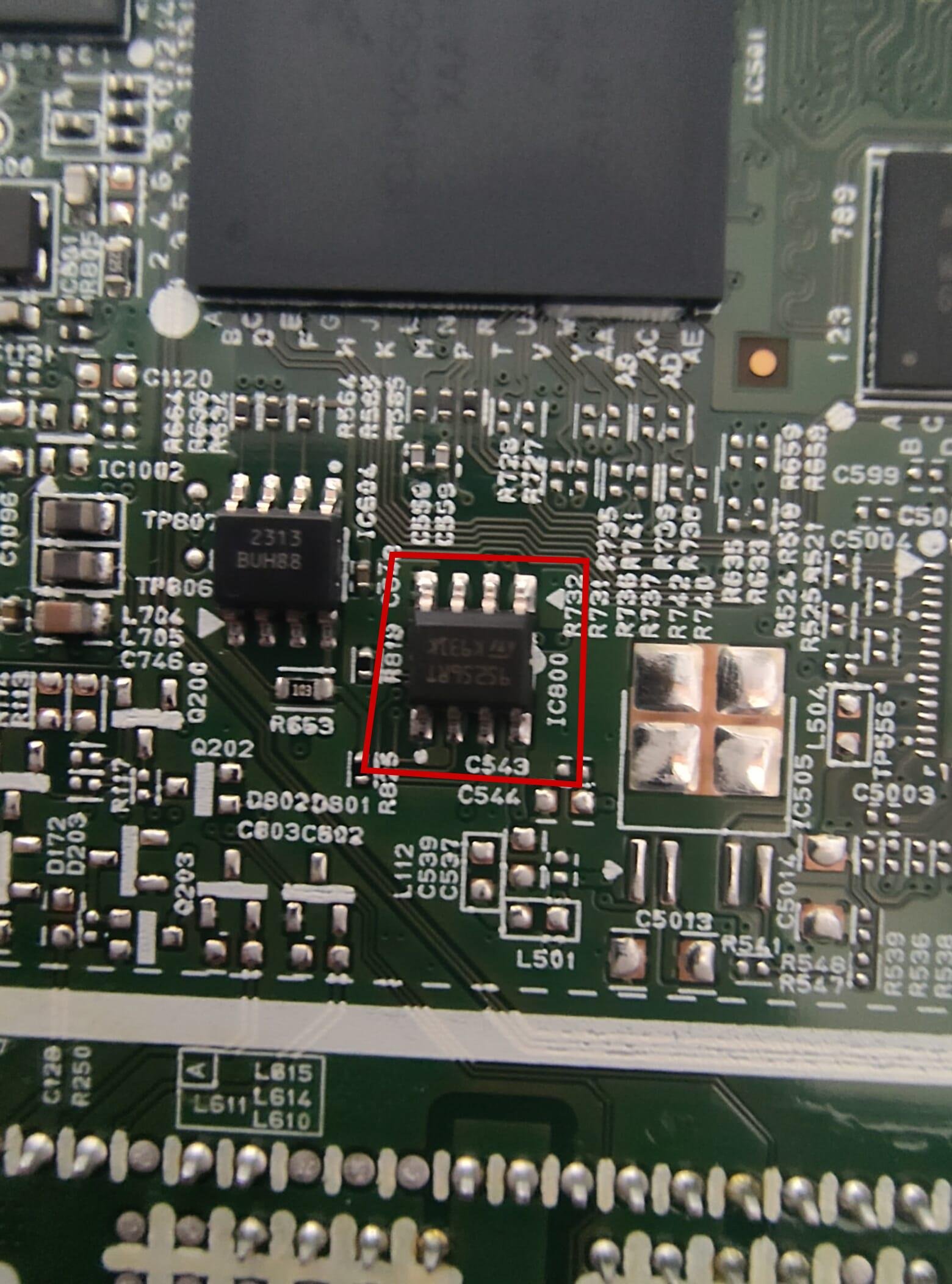
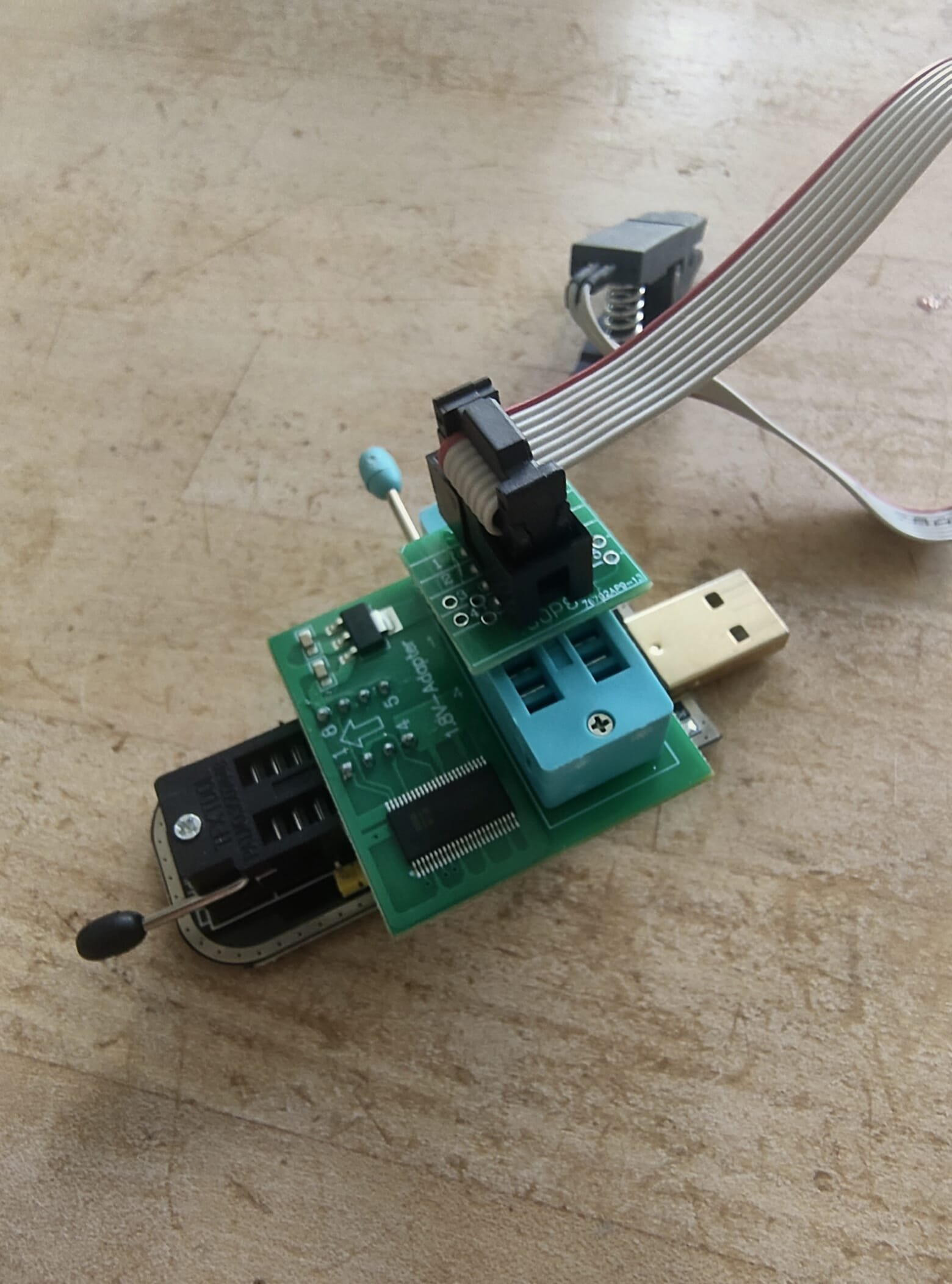
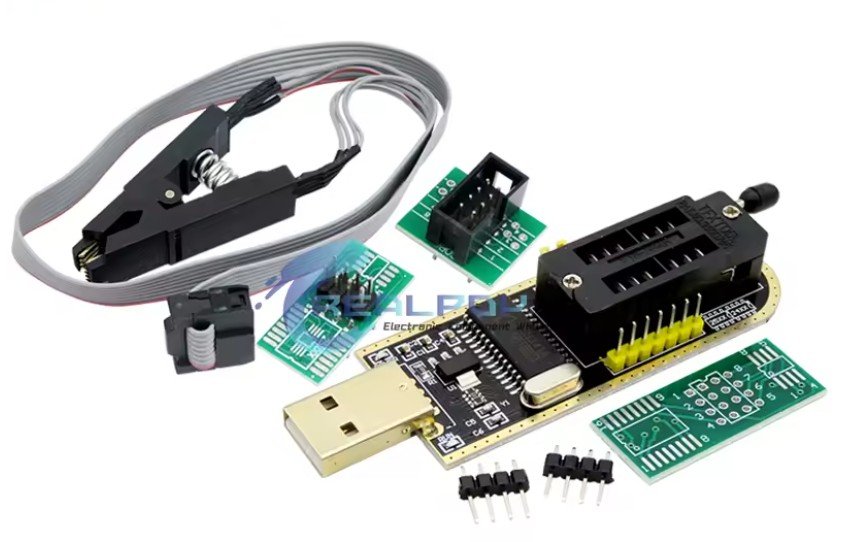
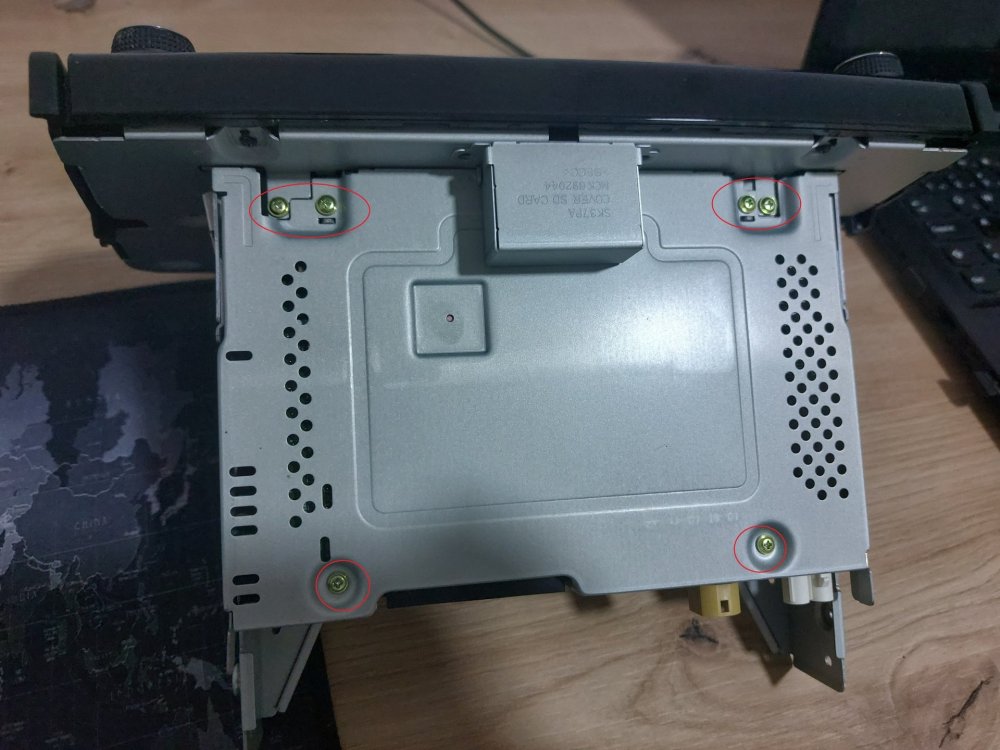
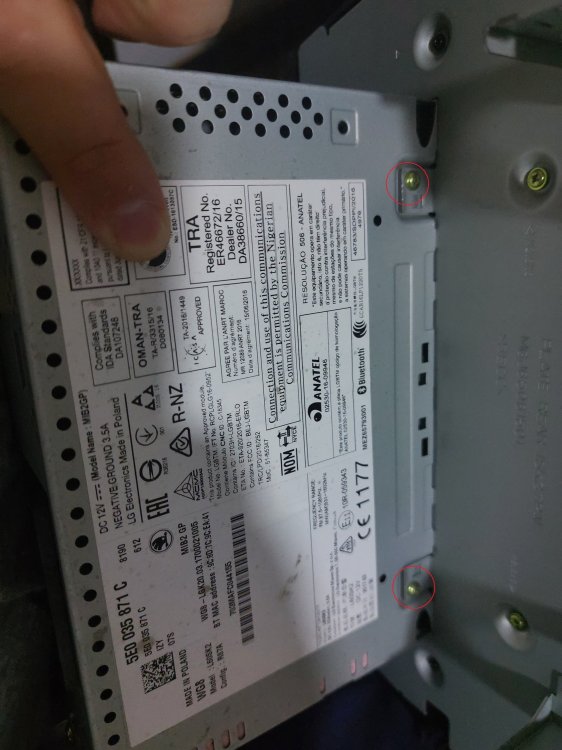
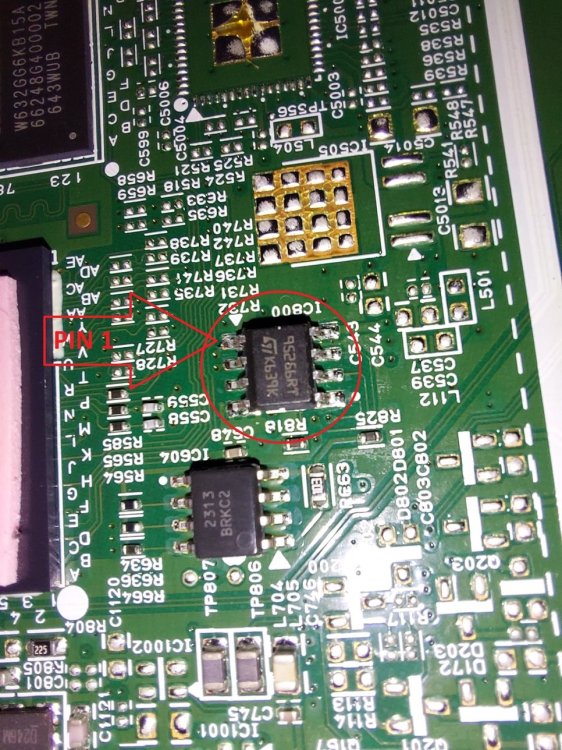
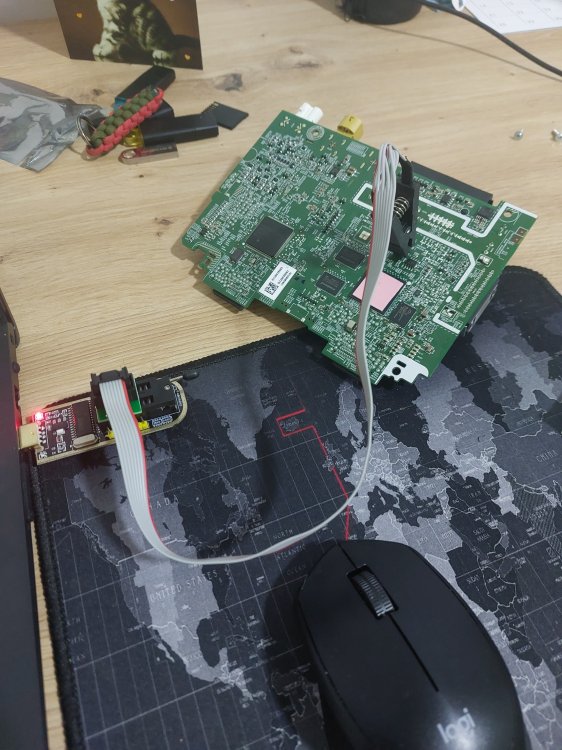
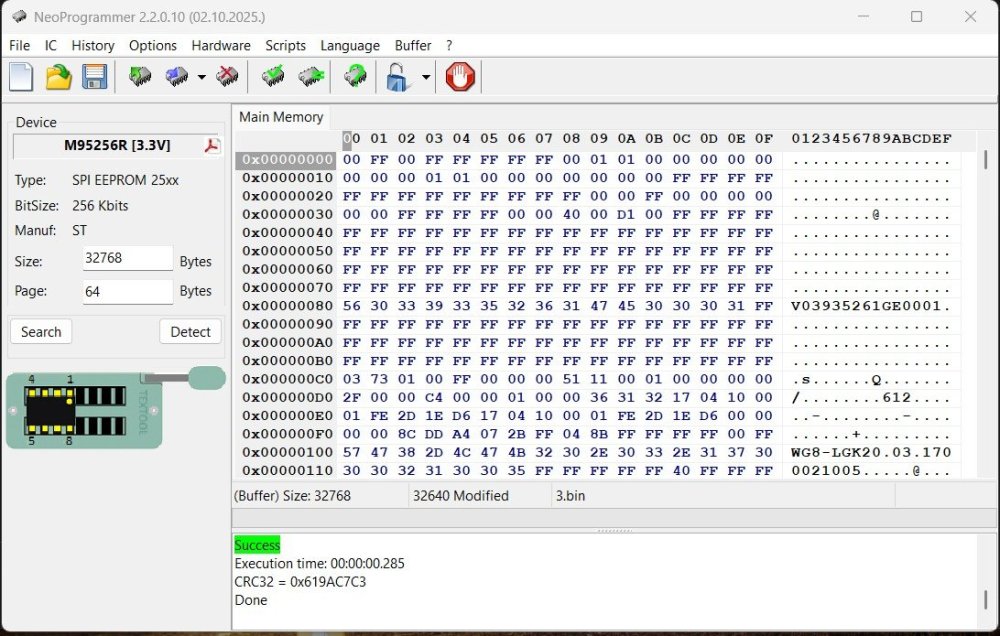
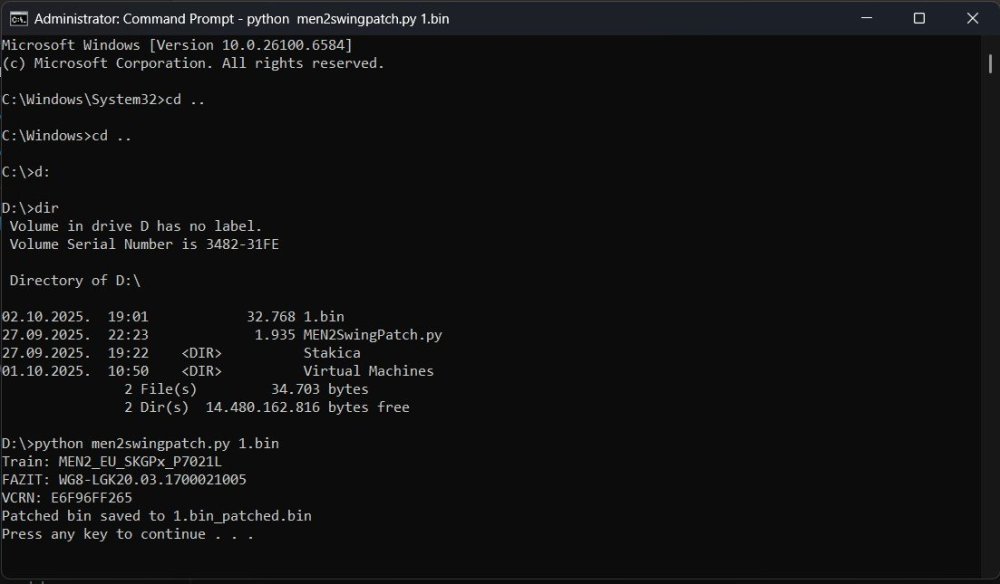
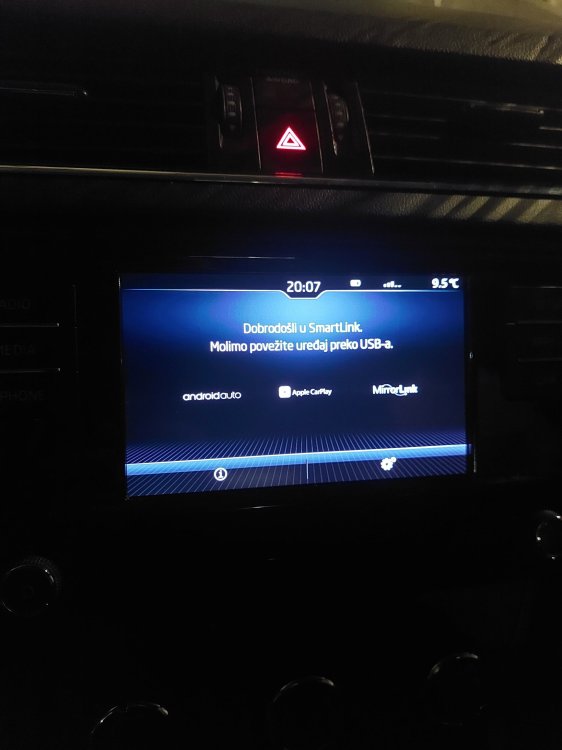
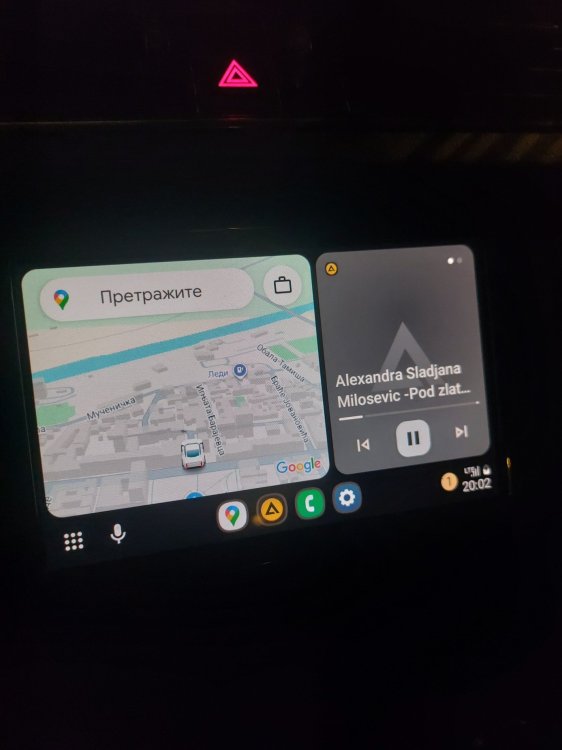
1 pointHello, I activated Smart Link on my swing 3 radio, at Skoda Octavia mk3 MY 2018, so I want to share with everyone how it can be done. DISCLAIMER: You do it at your rensponsability, is not easy to do, and you can mess things out, possible brick you device. Do it only if you have expereince in this kind of activity. Physical tools needed: Tool for removing radio 4 pieces, just google "VAG radio removal tool", cost about 1€. CH341A Mini Programmer, cost about 10€. PC/Laptop Philips screwdriver Software needed (all software in attachment): CH341A driver NeoProgrammer Python (In windows 11, open start menu, type cmd, press enter, type Python, press enter. Microsoft store will open with Python 3.13, click on "Get" and wait to install complete.) Python script for activating CarLink (MEN2SwingPatch.py) Install CH341A driver and NeoProgrammer, make sure python is installed, put MEN2SwingPatch.py script at some accessible location (for example at root D:\). Firstly, you need to remove radio from car, its pretty simple, just insert four "keys" and pull the radio out. Then remove 6 screws from the top and 2 from the bottom, split display from the unit, and pull the top cover to expose top of the PCB. I removed PCB fully from the case to check is there present video chip for reversing camera (unfortunately not), but you don't have to do that. After top cover is removed, and PCB is accessible, you have to find ST 95256 R EEPROM. Put clamp from the CH341A on the EEPROM chip, make sure red cable (clamp) is on the pin 1 (EEPROM). Clamp connector insert in appropriate adapter, and adapter insert in CH341A in part intended for 25XX, make sure red cable facing toward lever. Plug CH341A in computer USB port. All this can be sawn in picture named EEPROM 2. Run NeoProgrammer.exe, go to Hardware tab, select "CH341 Black". Next go to IC>Search>type 95256>select M95256R> click on Read IC. This is the tricky part, if you get all blank result it means that clamp on the eeprom not have a good grip, try to move clamp left-right, take it off and put on again. After 5-6 times of re adjusting clamp I finally got the eeprom content. Save it on pc (for example at root D:\ as 1.bin). Read IC couple more times to be sure that you have good conection to the eeprom chip (if you want to take extra check, you can compare couple .bin with Notepad++ to be sure that you have identical read every time, this is good sign that all is correct). Make sure you dont move accidentaly clamp or PCB. Click on start, type cmd, press enter, navigate to D:\ (place where you saved EEPROM dump and script), type python men2swingpatch.py 1.bin, press enter. If everything is correct you should get printed on display TRAIN:xxx, FAZIT: xxx (see picture "script"), and now you have file named 1.bin_patched.bin. This new file we now need to write back to the eeprom. Get back to the NeoProgrammer, click on File>Open and find 1.bin_patched.bin at D:\, click on Write IC. After writing you can read it again and compare to patched bin, just to be sure its written correct. Now you can disconnect clamp, assemble unit and put it back in the car. Enjoy in your unlocked Smart Link. DOWNLOAD needed software

 1 point
 -
1 pointGuys Today I fitted my dashcam from my previous car to the Karoq. My car has a rain sensor, so I decided to power it using a FitDvr adapter. This piggybacks into the wiring to the sensor and gives switched power, so no parking mode. Dongar also do a fitment for our cars, but were out of stock at the time. I took my time, ensuring proper connection and no damage to mirror shroud. It was dead easy. One thing to note is that the power doesn't switch off until 30s or so after you lock car and comes on when you open the door. For a video, watch FitDvr on YouTube for fitting to an Audi. Hope this helps someone.1 point
-
1 pointAfter dropping a wodge on the Outback for a new battery only for the tailgate issues to immediately recur and funnily enough for a internet search to suddenly (wasn't before) flag that there is a persistent and long standing Subaru issue with a parasitic battery drain via the telematics module. Basically the car continually tries to phone home and drains the battery, the tailgate control module is acutely sensitive to voltage meaning that if the car has sat for more than a day (sometime less) the boot won't open without doing a full control module manual range reset (unlock by hand, open by hand, close by hand and jump up and down on it until the door engages fully). There is a fix and it's not hugely expensive (apparently) but I was going to move the car on anyway None of us love the car either so I stuck it on Motorway while it needs nothing major done. It's v low mileage and pretty much mint other than this known issue. But what next. I've no idea what to get even if money was no object. I'd like another estate. I'd like to it to be fast and decent to drive but also reasonably comfortable. If I had no kids I'd get a used M5 If Volvo did a decent non-hybrid motor I'd get a V90 M3 estate is a bit dear and I hate the interior (no likey flat panels much). I drove an E63s estate a while back and I think it was maybe too fast to enjoy. The ID3 has put us off VAG group I don't do many miles to fuel costs are not really an issue. Coupes are no use with the kids. I'm tempted by another RR as they were a great place to be and super practical but made from terror + Temu parts and tbh not the best to drive as it's a 3T 4x4 after all. I think I need a restomod Jenson Interceptor.1 point
-
Not sure but off the top of my head I'd say that's too big of a jump, I couldn't be sure though. Just be aware that if you try it and it doesn't work out you could brick your system. I've heard of people going from 18xx to 1985, I did so myself, but only based on sound advice. There are a few experty types browse these forums, hopefully one will see your post and be able to advise you better than what I can The other thing to be aware of is that updating your infotainment system won't necessarily get rid of any bugs you may be experiencing, these cars have a lot of modules and each of them need updating from time to time. Could be worth getting in touch with @East_Yorkshire_Retrofits who offers a comprehensive software update package, depending on where you're based1 point
-
Im sure you wont regret it,enjoy!1 point
-
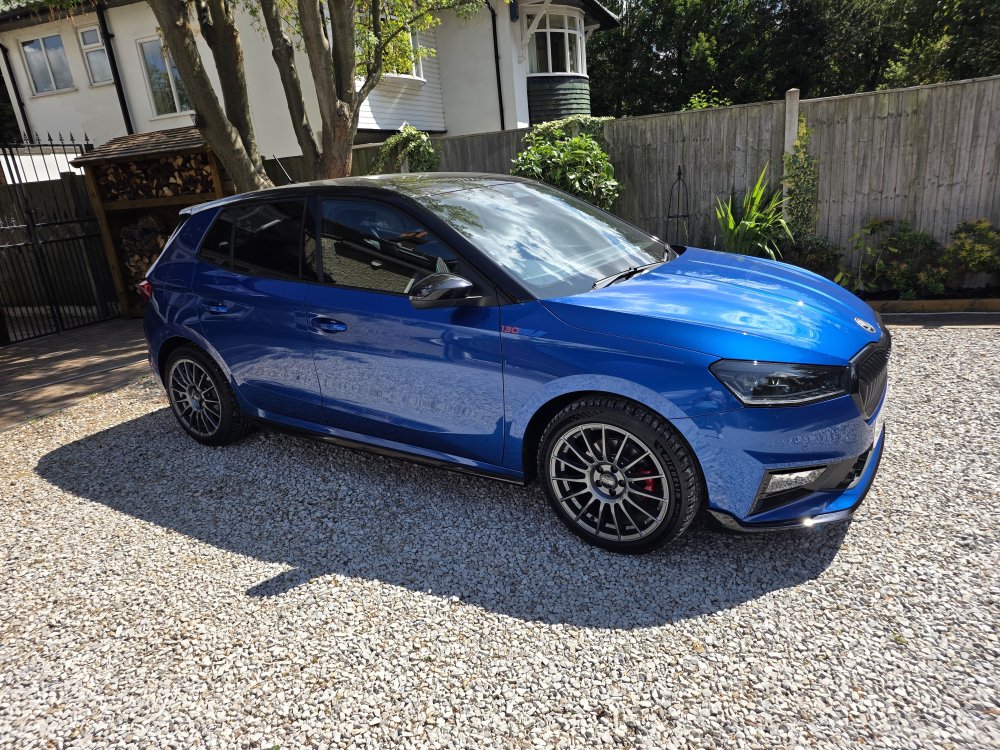
1 pointAnyway 17s are on with ps5s , car drives so much nicer imho so all good here 🥰🤗
 1 point
 -
1 pointHello Mick 9879 If it’s not too later there are loads of reasonable offers on eBay with full kit and free delivery when you have decided exactly what you want1 point
-
1 pointI had a colleague who had one of these. The engine sounded great and he loved everything about it....except it ate front tyres strangely enough. MB said they often do that. Something to do with the standard alignment (it hopped about at low speed, especially manoeuvring and in cold weather). In the end, he took it to an alignment specialist and they adjusted the car to what they considered a more 'sensible' set up and there was once more peace, in the world.1 point
-
Could be the alternator belt as you suspect but flat ribbed ones generally dont screech as much as V belts unless loose/glazed/oil contaminated or perhaps a tensioner/bearing has failed puting it out of alignment. Check the edges for wear and also check tension of belt. Alasdair1 point
-
1 point
-
1 pointWe managed with a Fabia estate with two kids so I'd expect you'll be fine with a Karoq. It'll be a fair bit bigger than a Q2. The Kodiaq is quite a bit longer and has a massive boot but if your parking in London is tight you might struggle a bit with it as it's only a smidge shorter than most traditional parking spaces which are only 4.8m1 point
-
Skoda includes the Direct TPMS instructions in the manual because they build heavy-duty fleet versions and armoured/high-security variants of the Superb that do require live pressure sensors. However, for standard UK/European consumer models, Skoda only installs the Indirect ABS-based TPMS If your car actually had the system shown in the manual, it would require physical wireless sensor valves inside each wheel. If you have standard rubber or standard metal valves and the car forces you to manually hit 'SET' in the menu, your car has the standard indirect system and will never show the numbers My Skoda has the similar screens for tyre pressure as yours.1 point
-
I had a new Scala 1.5 dsg Monte Carlo from 2021 before trading it in for a SEL Karoq in 2025. Had seven Skodas since 2004 and the Scala was my favorite by a country mile, comfortable,economical,spacious and a great looking car. Icant think of anything I didnt like about it, probably get another when I change next time.1 point
-
1 pointJust noticed i have Laufenn tyres all round on the stock wheels , obviously changed the contis down to these at skoda , 1st time I noticed ,1 point
-
Update: I saw a low battery key warning on the screen last week... which kicked in my "change all the batteries now paranoia"! All 4 (3 keys and immobiliser fob) were swapped for new Duracell CR2032s, which I did annually on both previous VW Golfs, and it was also just before service, so another minor cost avoided. I tend to buy a pack of 10 from Amazon so I have them on hand, and ... they have a longer lifespan than their annual use.1 point
-
1 point
-
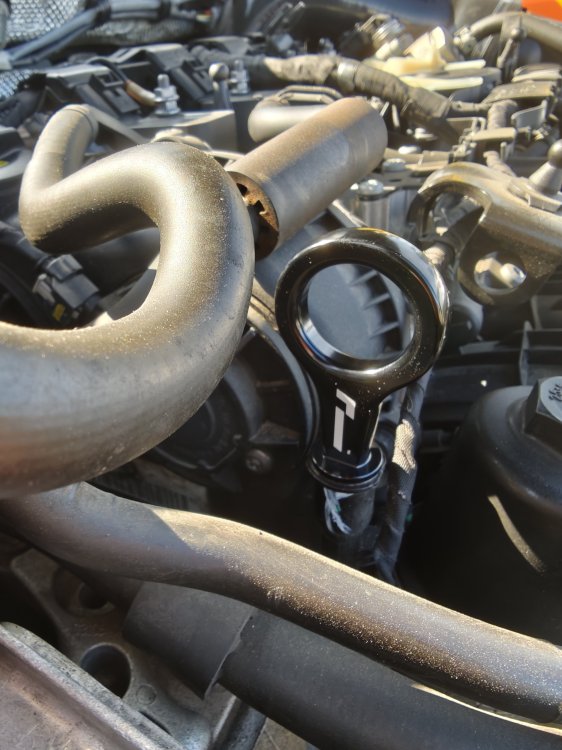
Racing Line dipstick arrived today and replaced the old ****ty one 😎 oil cooler housing next💪🏻
 1 point
 -
1 pointI'd change the whole thing given the age and mileage; components are going to start showing their age so you'll be saving hassle by replacing the arm which includes 2 bushes and the bottom ball joint. You'll find they're just as likely referred to as Lower Control Arms or LCAs. You can get the aluminium ones (pattern parts from Autodoc) but you have to be careful which model as per this post - Passat and Arteon are ok, Golf parts are not as they're too short so make sure it isn't that. I'd also consider changing both sides as it goes, for the same reason.1 point
-
If reset doesnt help It could be the map sensor as you mentioned or wiring to it if you have no vaccum leaks. Check all vaccum hoses carefully for leaks including brake servo hose. Map sensor isnt that expensive from memory Alasdair1 point
-
1 pointHigh beam assist seems to be on special offer at the moment. I've just purchased it for £125 instead of the usual £180. I have the option appearing correctly on the menu, but I haven't driven in the dark yet to try it out.1 point
-
Alright, first things first, feedback after a little over a week with the TVS Stage 2+ tune! For someone who mainly does city driving, it’s been a massive improvement. Since it’s almost always a gear lower than the stock logic, the car is much more responsive to your throttle input. It hovers closer to 1800-2000rpm during city driving, meaning there isn’t much of a delay when attempting to make a quick overtake at low speeds. There’s no downside in terms of fuel consumption or noise, it’s merely closer to how you’d drive a manual car without lugging the engine. As you get to ~90km/h, you’re back in 7th gear as you would’ve been before. Shifts are slightly quicker, and 1-2 shifts when cold are seamless. I went with the following options: 1st gear disengaged, manual kick down disabled, auto-downshift deactivation in manual mode, and of course, gear indicator enabled. If you’re not planning on upping the power however, the drivability tune will get you most of the way there and you definitely won’t be disappointed. I’ve confirmed that the Revo sale is applicable at my local dealer and I’ll be there in a couple of days for a Stage 1 flash.1 point
-
1 pointLast couple I fitted were febi ones as I had to replace bearings and destroyed sensor when removing as they were seized in. They were around £12 each and no problems so far Give it a few days of penetrating oil before trying to remove. Alasdair1 point
-
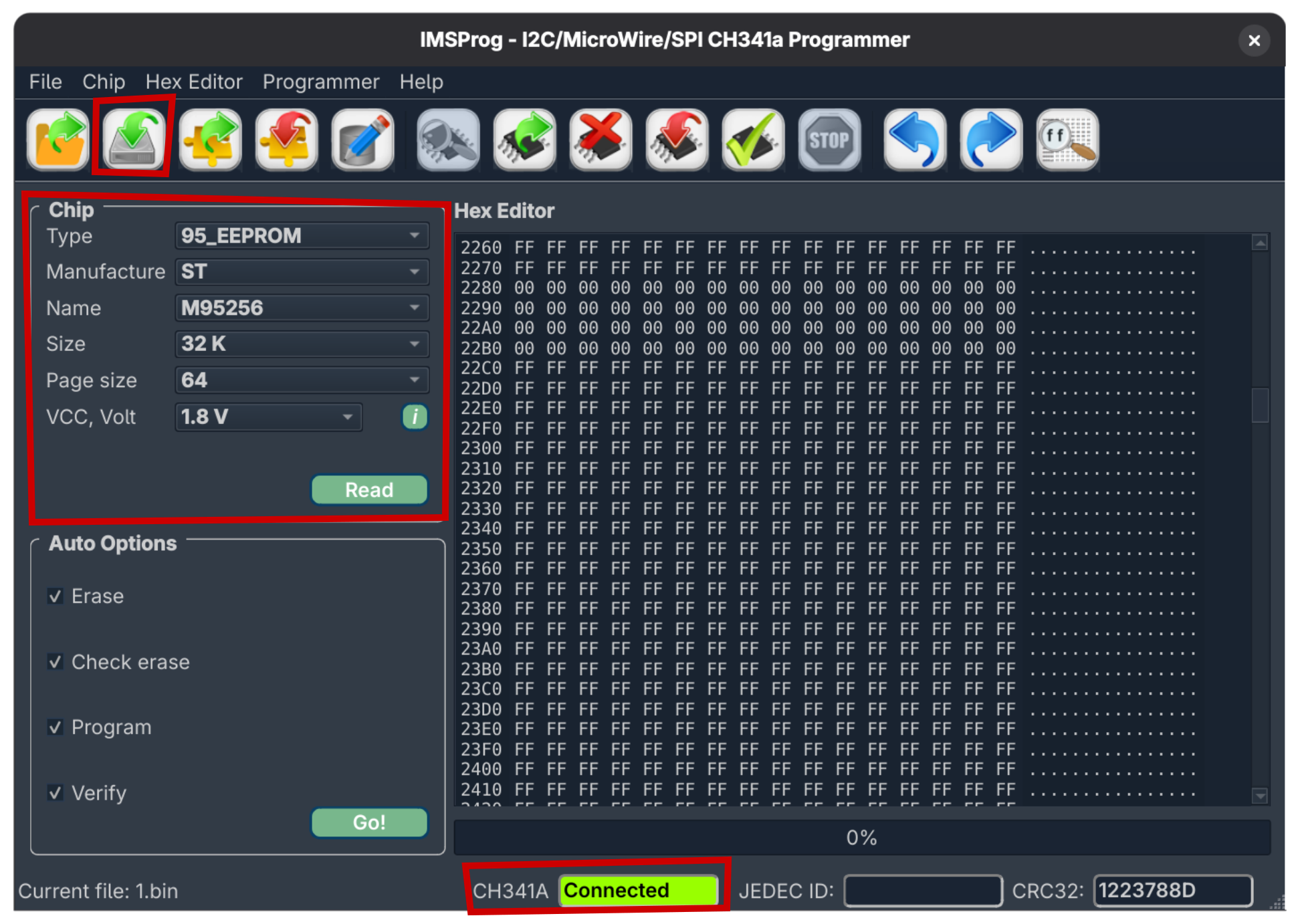
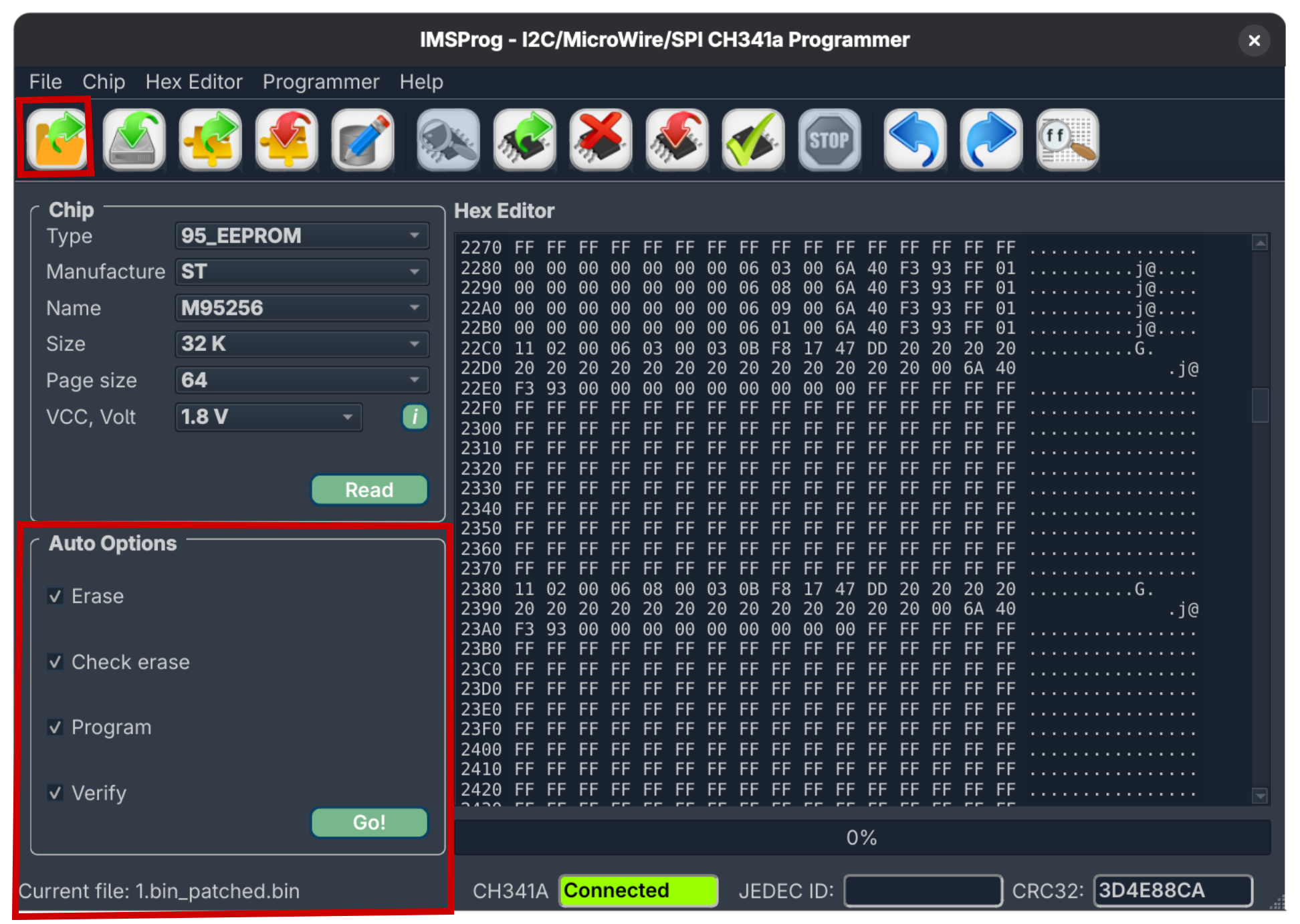
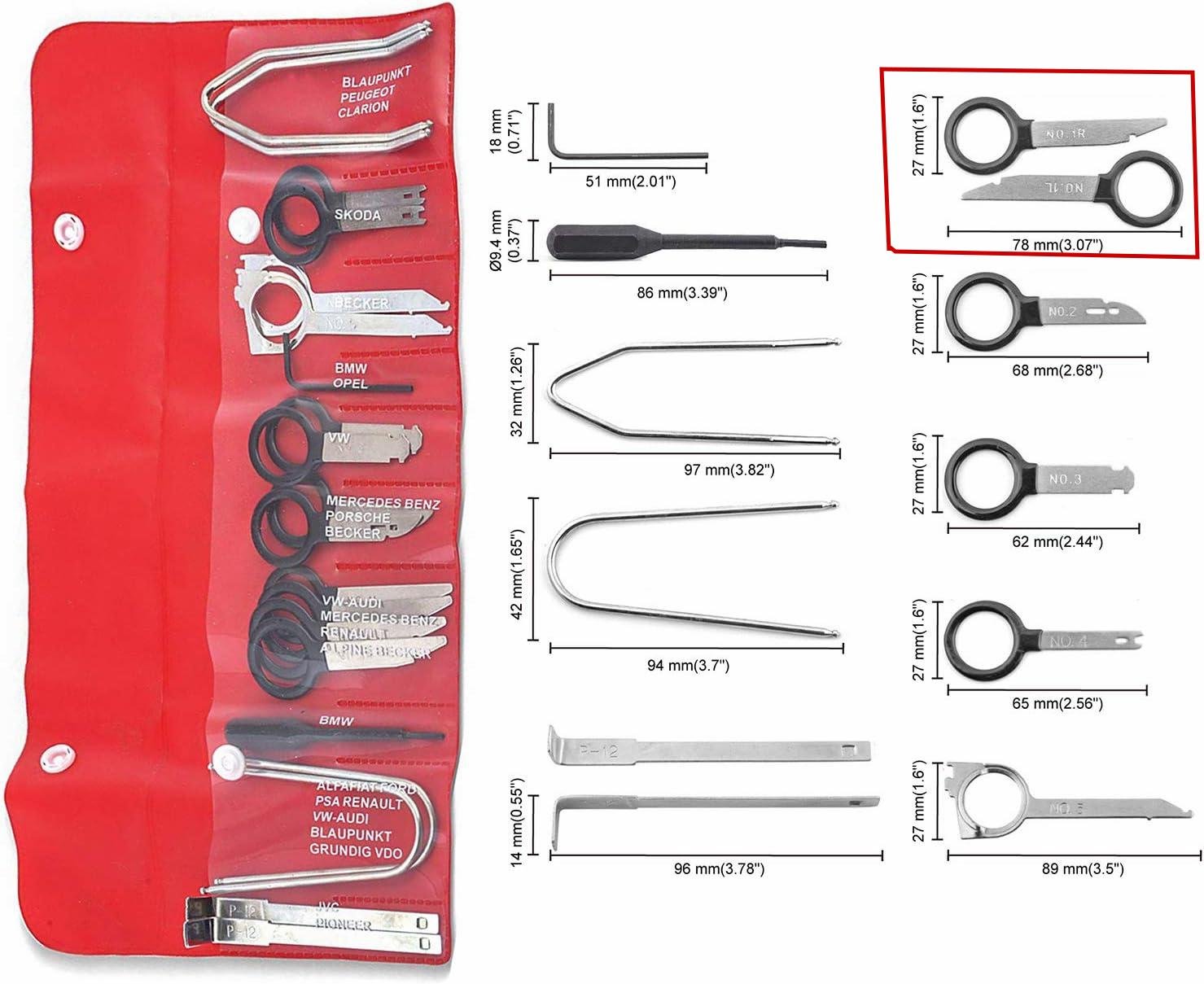
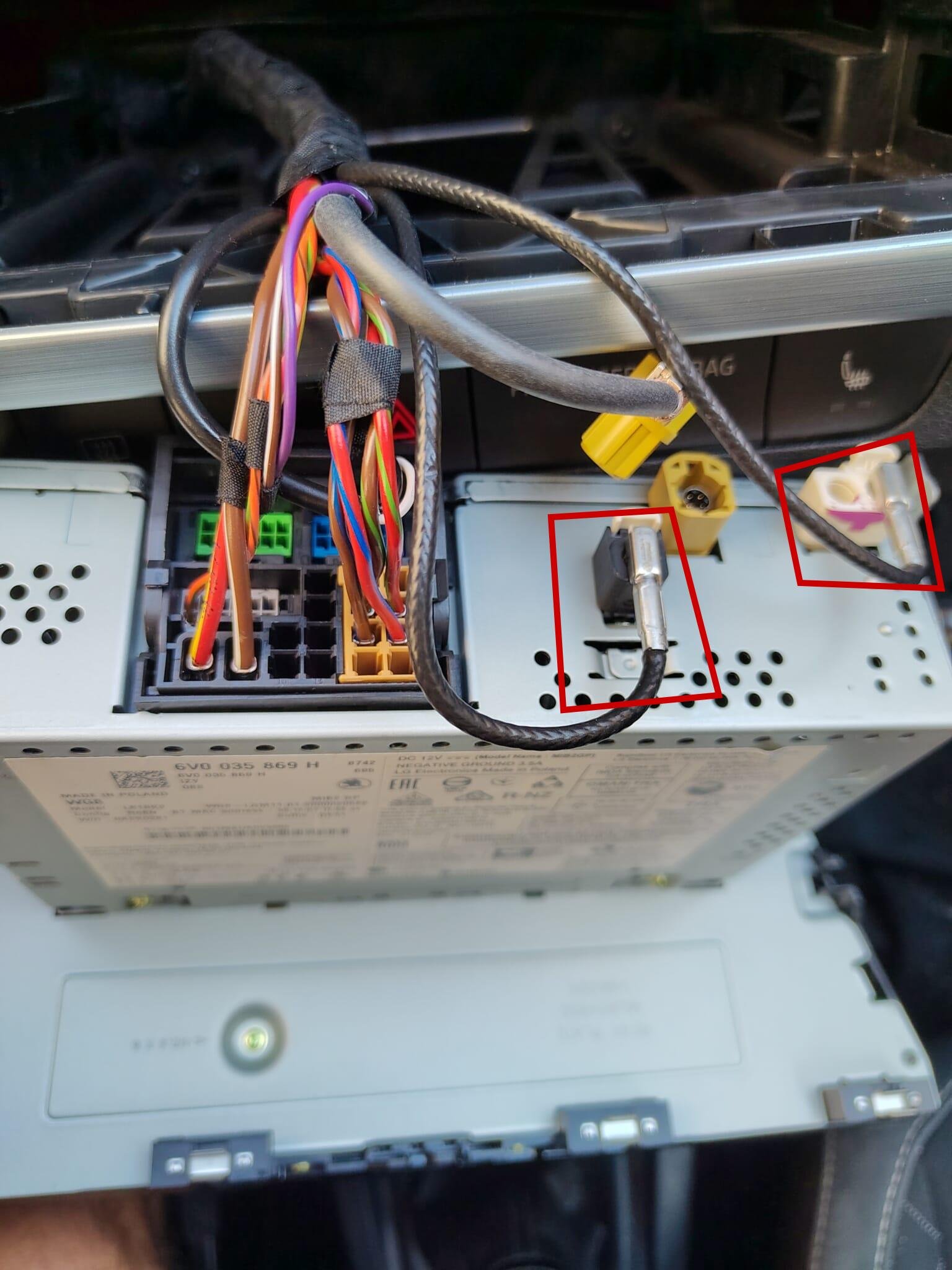
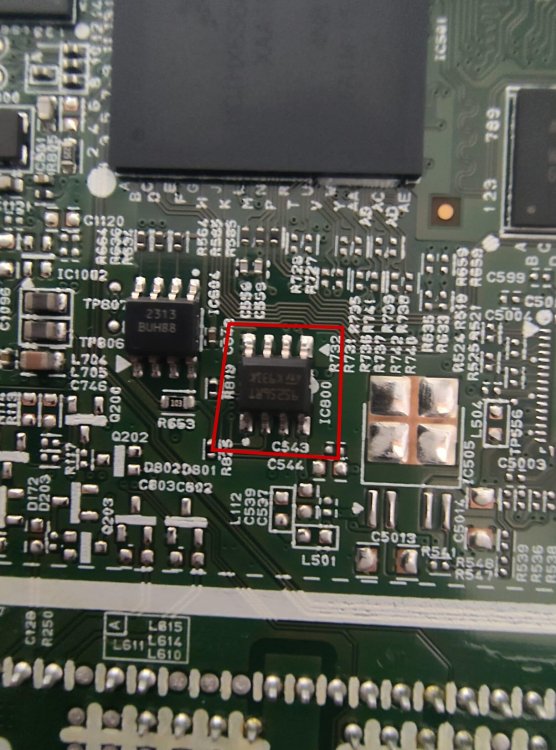
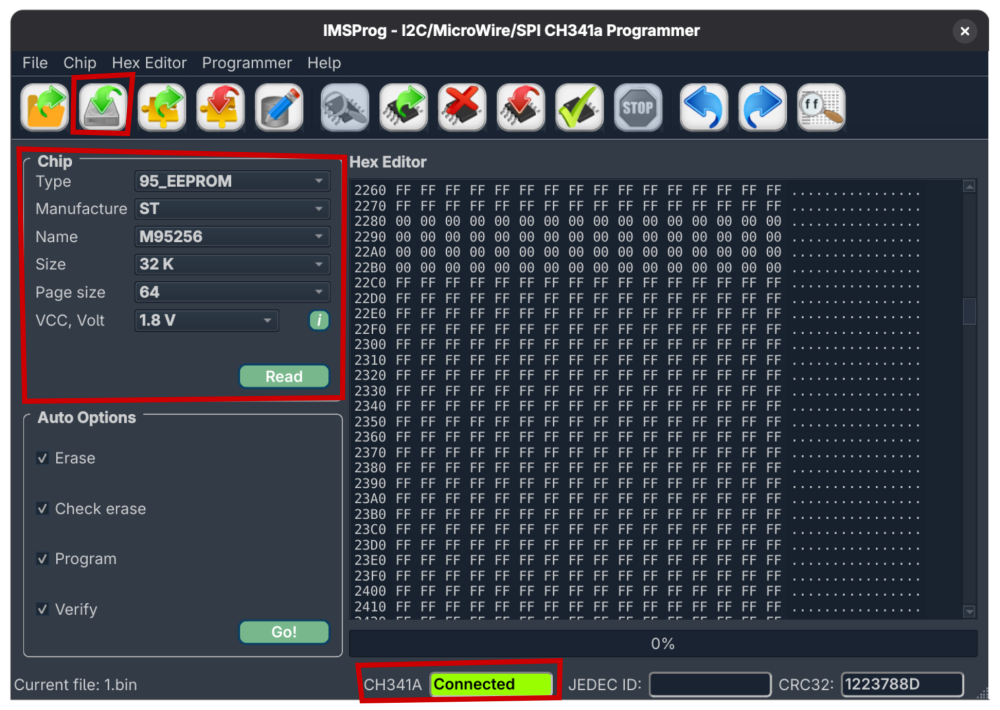
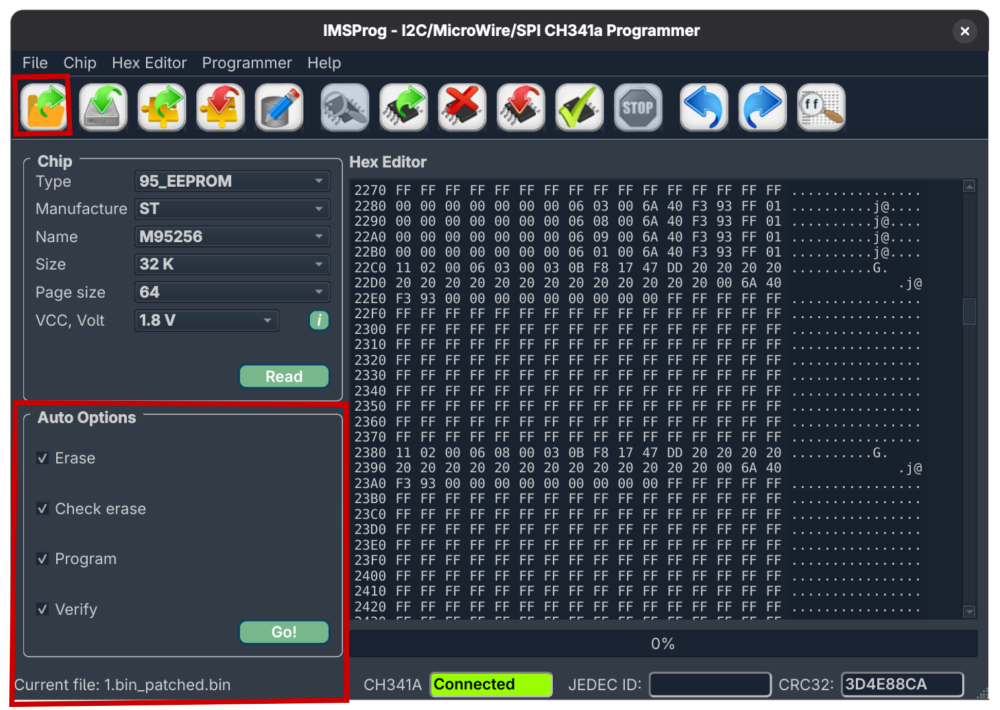
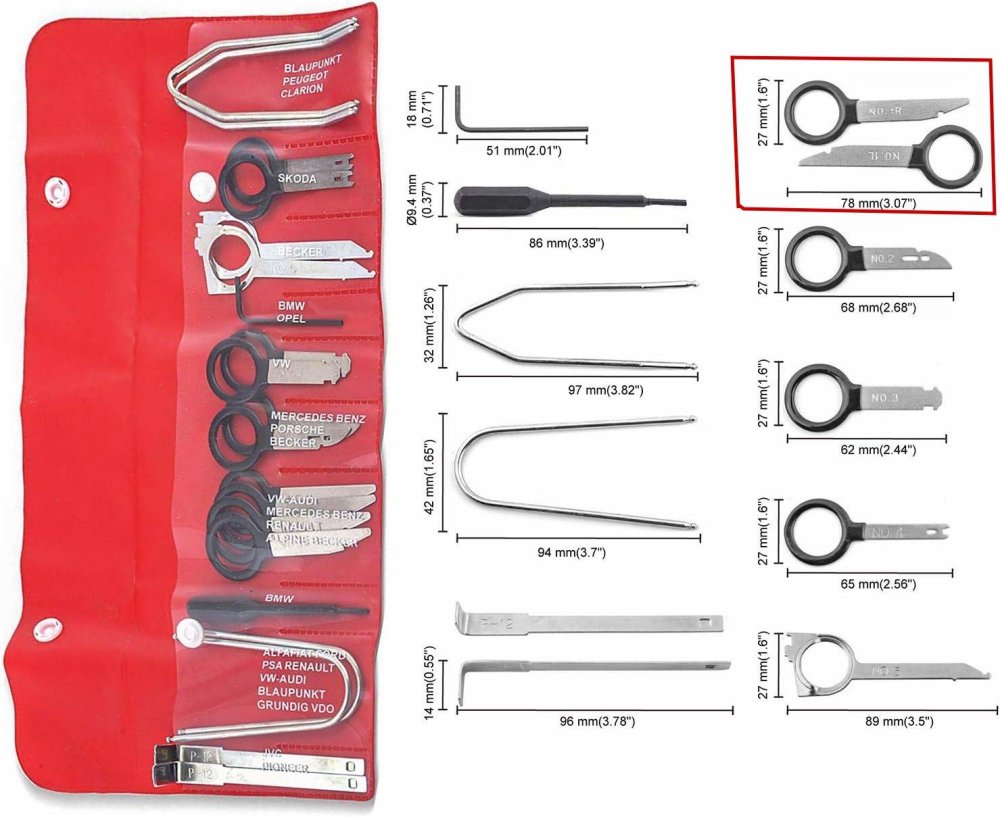
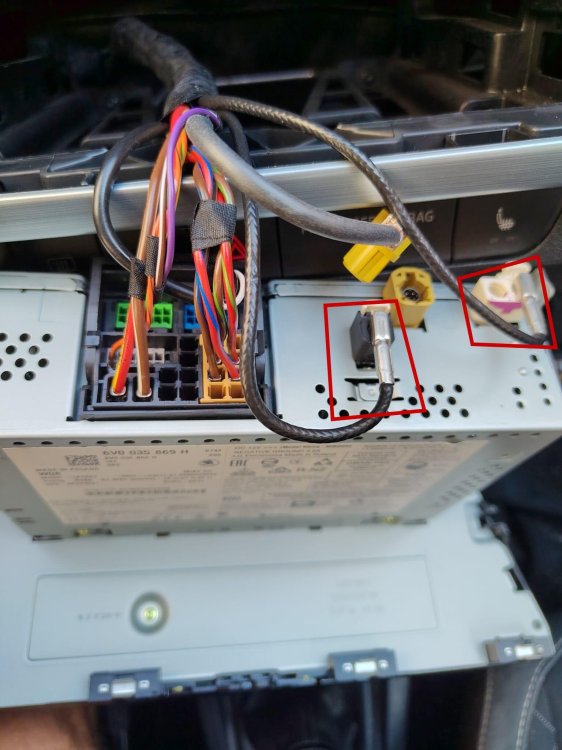
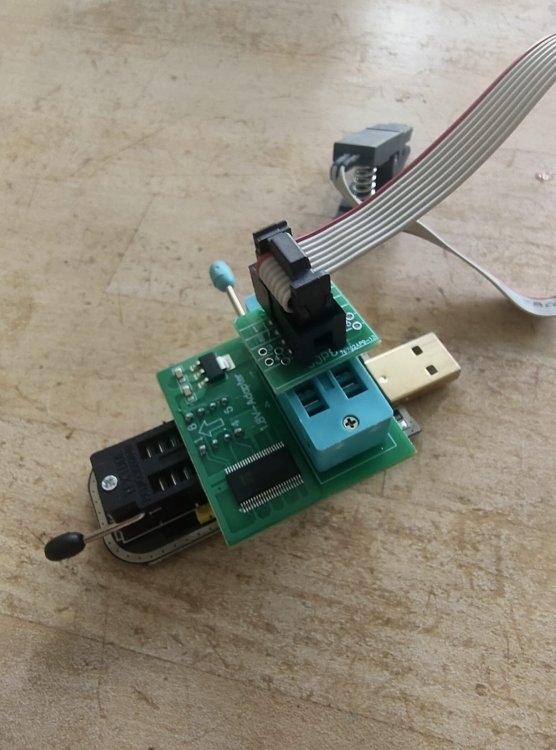
1 pointFirst of all: thank you for the brilliant hack - it really works and will save your summer road trip! This is exactly the kind of weekend project that hits my sweet spot—part grease monkey, part code monkey. Unlocking Smartlink (Apple CarPlay/Android Auto) on the Skoda Fabia III (Swing 3, MEN2) by directly flashing the M95256 EEPROM is a brilliant hack, but as noted in many of the comments, the original guide can be a bit of a maze. If you've got a Fabia III and want to tackle this without bricking your head unit or losing your mind, here is the streamlined, battle-tested notes based on real-world trial and error. Read this as supplement to the original guide. Hardware & Teardown NotesGetting the head unit out and prepped is half the battle. Don't force things, but be prepared for a little stubbornness from the VAG-group hardware. The Right Removal Tool: The "VAG Radio removal tool" isn't universal. While the original guide might point you to different keys, for the Skoda Fabia III, you strictly need the No. 1 removal tool. Don't bother with the No. 2 keys; they won't seat properly in the Swing 3 chassis. I suggest getting a kit – better quality and you will not cut your fingers on cheap e-bay tools. Wrestling the Connections: Once the unit is loose, detaching the back wiring can be a pain. The yellow connector comes off easily, but watch out for the white dual-Fakra antenna plugs. They are notoriously sticky. I actually broke the plastic housing on mine trying to get it off. Pro tip: Even if the plastic clip snaps, they are single plugs underneath and will still attach securely when you reassemble, so don't panic if it cracks. The EEPROM Programmer Setup (CH341A)We are targeting the 95256RT EEPROM chip on the board. You need a CH341A USB programmer, a 1.8V adapter, and an SOIC8 test clip. Assembly: Assemble the stack exactly as shown in the setup: Programmer base -> 1.8V Adapter -> SOIC8 Clip. Make sure to align pin 1. The 1.8V adapter is non-negotiable for this chip; The ”Red Light” power issue (see below) happens when supplying 3.3V or 5V or not enough power. The "Red Light" Power Issue: When you attach the clamp to the chip on the PCB, keep an eye on the programmer's red power LED. If it immediately goes out or dims drastically, you have a power delivery issue, not a dead chip. USB 3.0 is Your Friend: To fix the power drop, plug the programmer directly into a high-powered USB 3.0 port on your motherboard, not a cheap hub. Patience with the Clamp: The SOIC8 clip is finicky. It took me about 10 tries of gently seating, unseating, and wiggling the clamp before the pins made solid contact and the software recognized the chip. Keep at it. What does success look like? Data in the Hex editor window and not zero 00 everywhere! Software, Flashing, & Security (The Linux Way)All due respect to the original poster, but as a rule of thumb: never download and run random executables from forum users. You don't need their .exe files. You only need the raw Python script (MEN2SwingPatch.py). Because of this, Linux is by far the superior environment for this hack. If you're on Windows, just install WSL (Windows Subsystem for Linux)—there are plenty of simple guides out there—and do it safely. Here is the Debian/Ubuntu Linux workflow using IMSProg: 1. Install the Flashing Tool: Forget hunting for sketchy Windows drivers. Just open your terminal and run: sudo apt update sudo apt install imsprog 2. The Read & Patch Workflow: Open IMSProg. Make sure it says Connected (green box at the bottom) and set the Chip Type to 95_EEPROM, Manufacture to ST, and Name to M95256 (32K size, 1.8V). Hit Read. This pulls the original firmware off your radio. Save this file as 1.bin. (Keep a backup of this safe somewhere!) Open your terminal in the directory where you saved it and run the patcher script: python3 MEN2SwingPatch.py 1.bin This will generate a new file named 1.bin_patched.bin. 3. Flashing the Patched File: Go back to IMSProg. Under Auto Options, make sure the following are checked: Erase, Check erase, Program, and Verify. Load your newly created 1.bin_patched.bin into the hex editor. Hit Go! The software will wipe the chip, verify it's blank, write the patched Smartlink-enabled hex data, and do a final checksum verification. Once that passes, unclamp the chip, reinstall the head unit in your Fabia, and enjoy your unlocked Smartlink!
 1 point
 -
1 point
-
1 pointMB command system is a dogs dinner though. Drove the whole way without knowing how to skip a track on Spotify. Still don't know if I have active cruise or not (need to read the spec sheet again). No touch screen but touchpad/wheel where the gear shift should be and two more little thumb sized touch pads on the steering wheel. Too easy to flick things by accident and till too hard to do things without taking your eyes off the road. But the nanny (speed warning bongs) and drunk toddler (lane keeping assistance) are nowhere to be found🥳 It's hard to describe why but the car feels Germanic, I think the actual driving experience is close to the BMW. Same solidity and weight to controls things. Feels familiar even though I've never had a MB before. Need to find some tunnels now...😈1 point
-
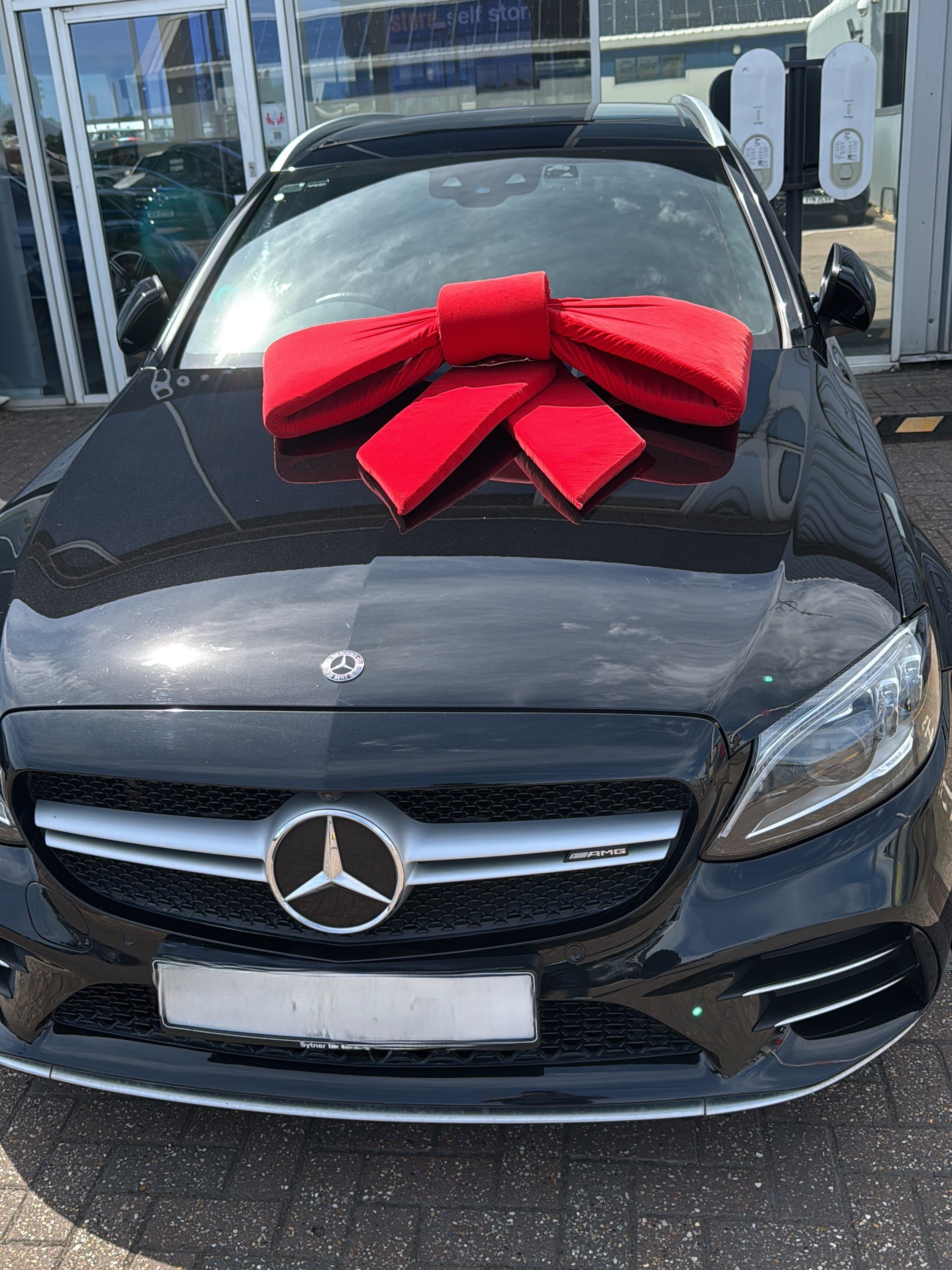
1 pointWell trip all done C43 in hand. I think we've been lucky again seems like the car we wished it would be. Good condition, comfortable, fast, big enough etc etc. The full antisocial exhaust option is lots of fun as well. Dealer warned me about mpg on test drive, and indeed on the test it got 14mpg. But on the long motorway run home at moderately sensible speeds I got approx 35mpg which I think is pretty good considering. Being less sensible giving it the beans with everything on Sport+ and the thing howls. Outright speed feels very similar to the 335d. It does seem to be a car that triggers middle aged men though.1 point
-
Not sure if it’ll help but have you tried to soft reset? Hold down the power button until it turns off, then turn back on again?1 point
-
If you have the app, this will allow you to lock/unlock the car without the key/remote. As noted, fob in the cupholder will allow the car to start If you keep spare batteries in the car, bear in mind that the childproof packaging is really really difficult to open.1 point