




langers2k
Resident Member
-
Joined
-
Last visited
Everything posted by langers2k
-
That all depends what the previous owner did! Normally, they'd be somewhere near the bulb, hopefully stuck to metal body work. I'd hope they were pretty obvious if fitted :/
-
I think it just clips onto a piece of plastic somewhere. I'd be tempted to fix it sooner rather than later as flapping around could damage it's wires. It looks like part number 11 on this diagram: Taken from https://skoda.7zap.com/en/cz/octavia/oct/2015-753/8/805-805000/ One rather pants video of a Leon owner randomly talking rather than actually replacing it, still it shows the sensor fitted:
-
Pretty sure it's the outdoor temperature sensor you're both seeing. Certainly matches the position on various other VAG cars. No idea what the easiest way to refit it is I'm afraid.
-
If the BCM supported LED's (should on a 2014) you can code the BCM with VCP or ODIS-e to remove the bulb out warning (not VCDS!). As for the OP, if the problem is still happening with halogen reverse lights, I'd disconnect the battery for 5 minutes and reconnect to see if a reset helps. If not, there could be a wiring issue or someone may have previously messed with the coding/lighting config. Hard to say for certain I'm afraid. Maybe check for load resistors?
-
Having done this on a MY18 Octavia I can answer some of your questions: - VC and non-VC use the same connector and wiring - If you want maps/radio logos/contact pictures, you'll need to add a MOST (fibre optic) cable and need a MIB 2.5 headunit - Part numbers are either 5E0920790 or 5E0920790A I'm not 100% what the difference between the part numbers are but I'd suggest the later A revision as the software version is much higher. The earlier version might not show the 'sporty' display which is my favourite! Little extra on map mode, the Columbus can display maps on the headunit and cluster concurrently, whereas the Amundsen can only display on one at a time. You'll need someone with ODIS with an online connection to match component protection and the immobiliser/keys. Quick few notes regarding the odometer: - The odometer can only be set on new clusters or those with very low mileage (100km or less?) - You can increase the odometer with a CAN simulator (adding ~4000 miles per day) - I'm not aware of any method to reduce the odometer As you have an pre-FL car you might need to replace the CAN-gateway but I'm sure @SashaGrace can add more info or correct me where needed
-
More or less my understanding, if it's your only fault code I'd probably ignore it
-
If you have a RLS (rain light sensor) for auto wipers, then you'll probably just need a new light switch, an extra wire to the BCM and some coding
-
Honestly no idea. It seems like the hatch and estate may also use difference schemes . At least based on a post from previous me (who'd believe that guy!? ) it seems that the estate may use a 21W rather than 21/4W so it has to use a PWM method to get the full C-shape. Easiest way to check is to remove the bulb holder, put some sunglasses on and ask an assistant to try the tail/brake lights. You should be able to see if the same filament is being used or if it swaps
-
I think you've misunderstood me? There are two 21/4w bulbs and two W3W used to create the C-shape tail lights in each rear cluster on a MK2 Octavia: - All four are lit as tail lights to give the C-shape - The top most 21/4W bulb gets brighter for brakes - The bottom most 21/4W bulb gets brighter for fogs That behaviour doesn't change, it's the method to achieve it that does. Note: Obviously there are two more 21W bulbs for reverse and indicator but that's unrelated to my point. It would be logical to assume the tail lights would use the two W3W and the two lower powered 4W filaments from the dual filament bulbs. I believe some earlier cars did use this method. Yet plenty of Octavia's use the two W3W and the two higher powered 21W filaments to create the C-shape. The car's BCM uses PWM to under drive the 21W filament to lower their brightness so they match the W3W bulbs. When either the brake or fog light is needed, it changes the duty cycle to increase the brightness An example would be my old MY12 Octavia hatch, on the connector to each rear cluster, there were only 5 wires despite the plug and socket having 6 positions: - ground - indicator - reverse - top/brake 21W filament - bottom/fog 21W filament - empty Despite this, I still had the full C-shape on both sides. The 6th position did have a track on the light cluster to the top/bottom 4W filaments but it had no wire and was unused. I can only imagine it was done to make bulb monitoring easier...?
-
Just be wary of the brake and fog lights. If I remember correctly, despite using dual filament 21/4W bulbs, you may find it only uses the 21W filament for both brake/fog and tail lights. It uses PWM to dim the 21W filament to the right brightness for the tail lights rather than using the 4W filament. If you're using a bypass/relay box style towing electronics, this may confuse it.
-
Nothing to worry about based on this thread: https://forums.ross-tech.com/index.php?threads/18048/ There might be a firmware update for the ECU or HVAC panel that fixes it. You'll have to get your dealer to check or buy an hour on erwin to check the TPI/TSB's for anything obvious
-
Oh, in terms of part numbers, you probably have 5L0035200D or 5L0035200E (depending on DAB). You'll probably want 5L0035680D or 5L0035680E (again, depending on DAB). They're quite sought after as the latest Yeti's were the only Skoda to get this style of headunit and they are a popular retrofit in a MK2 Octavia and MK2 Superb too
-
Welcome! If your car has satnav, you'll have a 'nav' button at the top right of the headunit (radio). On a 2017 Yeti, you'll have a MIB2 PQ style headunit. This means that swapping headunits is more complicated due to component protection (CP - anti-theft) and SWaP/FeC codes (feature enablement). CP can be done by a dealer but they will only be able to reactivate features enabled for your VIN so I don't think satnav will work. The alternative is a hacked/patched headunit, this is where CP and been disabled and all features have been activated by modifying the headunit software. You're probably looking at around £400-600 for such a headunit and you'll need to add a GPS antenna too. Pab567 is a popular source for these on Briskoda. Personally, if you have a smartphone, I'd suggest either Android Auto or CarPlay to connect your phone via USB. This should let you use Apple maps, Google maps, Waze etc on the headunit and benefit from live traffic and the latest mapping. If your headunit hasn't got SmartLink activated, a dealer can activate it for around £150 if I remember correctly
-
Just as an FYI, the H7 HID kits aren't road legal and may cause your car to fail the MOT. If you want to retrofit factory xenon's properly, you'll need two original xenon headlights, a range controller with level sensors and headlight washers. As the pre-FL cars are getting on a bit now, you might find the projector reflector surface has become discoloured or dulled. If this is the case then a new set of quality projectors should help improve light output
-
Nope but probably the easiest. You might be able to find Elsawin somewhere but as it's pirated software it may be riddled with bugs and viruses...
-
Official source is: https://erwin.skoda-auto.cz/erwin/showHome.do
-
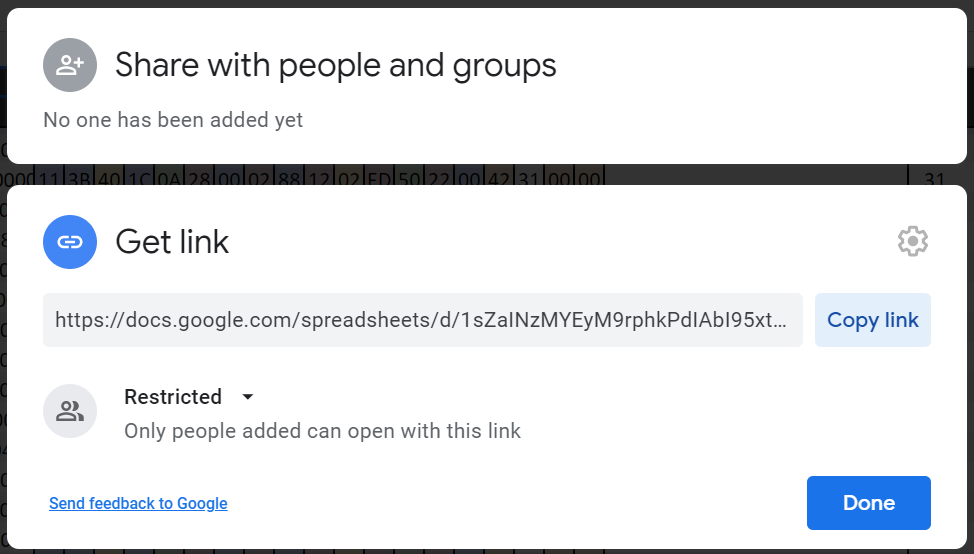
You can share it with specific people and make the link restricted - you'll need both the link and to be on the 'allowed list' to view:
-
You can but if you use navigation on your mobile, it blocks the map display. However you can use the inbuilt nav and have waze up (not navigating). At least that's been my experience 👍
-
Is that date the same as the 'delivery date' in the 'vehicle-specific information' data with the PR-codes? Just curious
-
If you have a Columbus, it can be displayed on both at the same time. If you have an Amundsen, I believe it can only be shown on one at a time :(
-
As above, pretty sure it should charge from the car. They have a service life of 5-6 years. At this point the entire alarm siren needs to be replaced as the battery is not a user serviceable component. Some people have split the alarm siren to remove and replace the battery depending on the condition of the PCB
-
-
Pretty sure they've removed the service record access. No idea if it'll be back in a future version, hope so as it's about the only useful thing the app did for me!
-
As above, where did you buy the car from? If things have been messed with, then ideally, you want it to go to a Skoda dealer who can reset all the modules to the original factory settings. At least then you know it's in a sensible configuration to start with. - If you bought it from a Skoda dealer, I'd expect them to do it. - A non-Skoda dealer should pay for a Skoda specialist with Fazit/Geko access to sort it. - If it's a private seller, it might be worth asking if there aware of any changes made in the hope they have a list of what was done. Saying that, disabling the interior lights is a very odd tweak... Not sure why anyone would do that so I'm a little dubious of the diagnosis.
-
There should be a model number under settings, system information I think? Try posting that

