




langers2k
Resident Member
-
Joined
-
Last visited
Everything posted by langers2k
-
That looks like the suspension level sensor and it's wiring are are fault, not the AFS module. I'd start by inspecting the level sensor on the front left suspension and it's wiring for damage
-
From what I understand, the WLTP certification requires the car reset to 'normal' so this functionally it built in to the CAN gateway software from around MY19 (3Q0 907 530 AA and newer). Unless someone is able to modify the CAN gateway software, I don't think it'll be possible to disable it on a MY21. You could try an older CAN gateway but that may cause issues with other modules :(
-
@Taz1983 - the cool blue boost aren't brighter than other xenon's. If anything, they'll be dimmer. The way they've increased the colour temperature is by adding a blue filter on the bulbs, reducing the total light output. That's the reason they aren't road legal. Still, I agree it's best to stay with road legal ece approved versions 👍
-
If you've coded the camera in and removed it, that could cause issues. If you post an autoscan from VCDS or similar it might give us some ideas
-
@jazzmag2k - yes, the camera connects to the rear of the media unit above the glovebox. The display is only a display The quadlock comes out as one connector once it's unlatched. The fakra connectors are separate but you'll only need to disconnect them if the media unit needs to come fully out
-
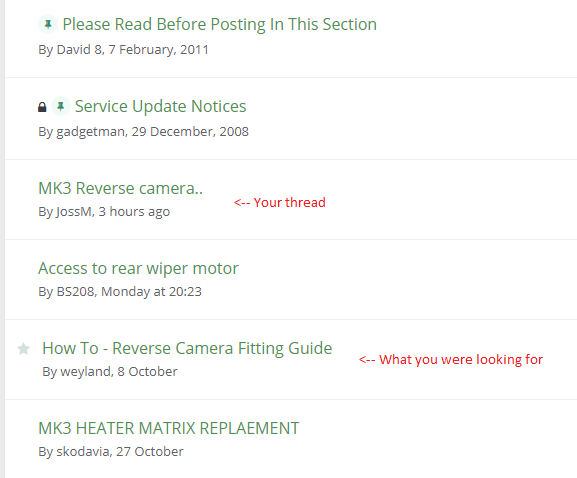
Welcome to the forums. I think your search skills need improving The first post covers post of the wire routing etc: The second post is specifically about genuine highline cameras such as the one you look to have bought: Hope that helps and at least give you a starting point!
-
The low line camera doesn't need or have the CAN high/low wires. Your problem has nothing to do with the wiring. Based on your other posts, you have a 5Q0035819A radio and as Sashagrace told you previously, it doesn't support a rear view camera. It appears it's missing the video chip needed as mentioned on this thread: http://rapidklub.pl/discussion/1512/mib2-doposazenie-w-kamere-cofania-low-retrofitting/
-
It's trivial to clear the software update code: https://forums.ross-tech.com/index.php?threads/18798/
-
At a guess, the four channels are: - Leuchte0BLK VLB35 - Leuchte1BLK VRB23 - Leuchte18BLK HLA71 - Leuchte19BLK HRC10 That's based on their current lasttyp being "Blinkleuchten" and them either being used as "Blinken links Hellphase" or "Blinken rechts Hellphase"
-
At a guess, you need to extract the contents of the file rather than just copy the file across...
-
It's certainly possible but you're correct it won't be road legal although given it's a DRL/sidelight, you might get away with it.... Sounds like it's a bit of an effort to change the DRL too:
-
-
Can you post an adaptation map from your bcm? That way we can see exactly what you're dealing with 👍
-
There is no hidden memory slot. It's just the CID... It can be read from any OS with an appropriate tool. In most cases the CID can only be set at manufacture time. However, there are some Samsung cards where it can be changed but they are probably a similar price to the genuine cards
-
Given that an autoscan and CSV adaption map are both VCDS specific, I guess that'll be VCDS then! Depends what you consider the Earth costs but I think both the 3 and 10 VIN Hex-V2 editions are good value depending on how many cars you'll likely use it on. You're other obvious options are: - OBDeleven - VCP (Vag Can Pro) Although many others use OBDeleven and it can create a backup, the format is very different from VCDS. I'm pretty sure VCP has some kind of backup function too but I'm not familiar with it. Personally, I'd stick with VCDS out of that bunch although I am biased given I already own it
-
Apparently not if it thinks you need a D2s Given how easy the headlights are to remove on a MK2 Octavia, you can certainly remove one and check yourself. The difference is the D1s has the ignitor permanently attached (silver box) whereas the D2s doesn't.
-
@FrankNicklin - feel free to try a DD, it won't work Ages ago, a friend and I made a little CPLD board that would change the CID on the fly so I could use larger SD cards on an RNS-310 style Amundsen. A while later Samsung released a batch of Evo Plus cards with a bug that allowed the CID to be changed using mmc32 so I removed my hardware mod as it seems a better solution. The newer MIB style Amundsen uses the same protection mechanism, it basically relies on the CID being set only once at manufacture time. The CID doesn't need to be unique so you'll find the official SD cards will have a small handful of CIDs between them. I expect the CID is baked into the map update somewhere rather than the headunit firmware to allow for future cards. Pretty sure I've seen a few reports of people claiming they've added CIDs to the "allowed" list but I can't recall the details. A quick google suggests 0941504d49425354102d5033b000d501 is a valid CID for MIB2 Amundsen (aka Discover Media) systems although I've not confirmed it. Given a 32GB Skoda card is only £25-30 it's not worth wasting a CID changeable card
-
Pretty sure you'll need D1s not D2s Just be warned, there are lots of fakes so just make sure you buy a reputable brand from an authorised reseller. Probably worth doing both at the same time too
-
Post an adaption map from 09
-
I'm pretty sure James is suggesting the DC-DC adaptor in the hardwire kit could be causing interference, not that you need to start replacing things. A good starting point would be to unplug it's fuse to see if that helps improve things.
-
Just to point out, the coding and adaption channels can vary wildly between different versions of the cameras so just because one version can be tweaked, it doesn't mean they all can. Looking at the screenshot from Frank, that looks like the RLS/RLHS sensor adaptions so can only tweak the auto headlights (on/off) rather than the high beam assist... Certainly on the A5 camera as fitted to my MY18 Octavia, there are no obvious adjustments that can be made
-
$1500 is madness! I'd suggest getting a decent VAS5054a and using a remote coding service to do the immobiliser, component protection and key matching. I'd guess it'll be around a tenth of that price and probably take 20-30 minutes. I used these guys for my VC: https://www.instagram.com/vagretrofit/?hl=en At the point, you should be able to use OBDeleven to check/tweak the instrument cluster coding (if their labels are any good). Finally, you'll need to tweak the 5F coding. It'll depend if you fitted a MOST cable and which headunit you have to how much coding is needed.
-
Mine works pretty well. If you have lane assist or traffic sign assist, you get a better camera which might be more accurate. Whereas if you only have high beam assist, the camera isn't as good.
-
On the headunit, settings > personalization > disable. Works great if there is only one main driver, obviously if there are more then you might want to keep it enabled.
-
The physical replacement of the cluster is pretty simple. If you want the map display and radio logos etc, you'll need a MIB2.5 headunit and to add a fibre optic cable. Not sure if the Superb needs a different trim panel, the Octavia does. The immobiliser/key pairing and component protection need Odis to sort out. This can either be done at a dealer/garage with the right software/hardware or remotely if you have a suitable laptop and VAS5054a. The odometer can only be set on new clusters (under 100km?) so new clusters are preferred. Some services can add milage by stimulating a car at a certain speed but none can remove milage yet. Ideally you should also replace the MFSW buttons for a set with the view button too 👍

