



Leaderboard
-
.jpg.3745ef413bb0c636456d024dfd5d2fd7.jpg)
Evolution13
Resident Member30Points3,210Posts -
Lady Elanore
FREEDOM12Points25,083Posts -
Lee01
FREEDOM12Points36,937Posts -
Warrior193
FREEDOM10Points6,742Posts


.thumb.jpg.9dd3f612ba7f13d10be5c518d3c8d255.jpg)
Popular Content
Showing content with the highest reputation on 31/05/26 in Posts
-
There was a member posting about spurious oil level warnings on a new car of about the same vintage, a few years ago, I think. Dealer had several goes at fixing it. Wish I could remember the member's name. Don't worry about the cold level, just remember how it relates to operating temperature level, for convenience. Some people swear the level will be higher when cold. My experience is the opposite.4 points
-
I've just done it, 7mins after turning the engine off. The oil is about 3/4 up within the range it's supposed to be. So now I'm just concerned about the measurement at cold, but perhaps I shouldn't be as the manual makes no reference to this? Thanks for all your advice so far.3 points
-
How soon after stopping the engine did you check the level and was the car on level ground? If you did it too quick there could be too much in. I would be worried if my reading was over max when cold whatever the instructions on filling it were. Run the engine until at temp, park on level ground, wait at least 5 min then check the level. If it is still more than 1mm or 2 above max i would be looking for a way to get some out 1:The danger is that if you overfill it hot. when you check it cold the level could read lower 2: It should be lower when cold because liquids expand when heated. The confusion in all this is the drain down factor. Overnight a lot more drains down than in 5 minutes so the manufacturer wants the parts lubricated and below the max as a goal. Too much oil can be as bad as too little. Filling to max is not necessary the reading needs to be "Between" under the circumstance explained in the handbook that's the point of the dipstick and the instructions. It will say check the level is between and don't go over max it doesn't say check the level and fill to the max.3 points
-
2 pointsTurn the steering wheel full lock, so that the TRE is outside the wheel arch. Use a long spanner and gently tap the other end with a mallet. HTH. Thanks. AG Falco2 points
-
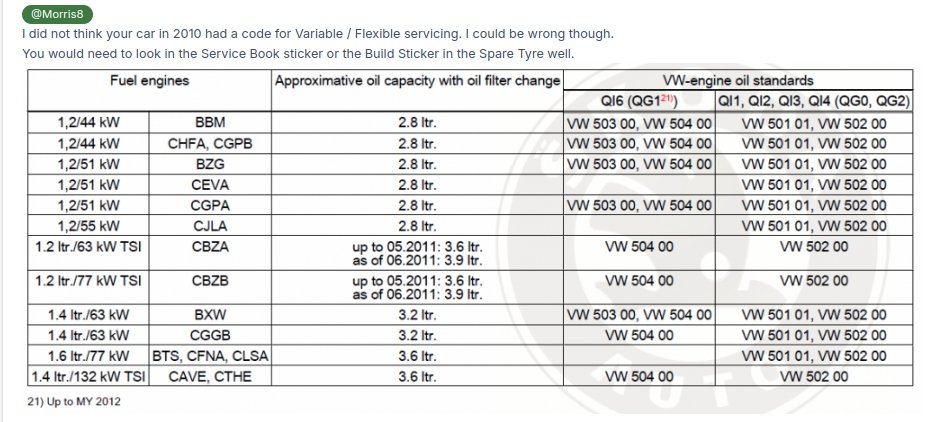
An engine running ticking over and stopped is not normal operating temp. Likely not indicating 50*oC. But likely fine. But still check when up to 90*oC and stopped on the flat that not overfilled. PS, The worst Overfilled & also underfilled posts are there in the Fabia Mk2 section regarding vRS 1.4 TSI Twinchargers where the official oil quantity is 3.6 liter and 3.9 liter is actually required. Then Mk2 Fabia 1.2 TSI,s when the changes in 2011/12 had the quantity change from 3.6 litre to 3.9. Different filters as well. Dealerships fitted the wrong filters and under filled oil for a long time, and some still do. EDIT. For mk2 Fabia vRS oil checks there is the Zoomba check. Cold engine. Dip it. Then Start engine. A few seconds. Stop it. Dip it. If it is the Silver OEM fiter there is 0.5 litre oil in it. After a drive if you check you have the same dip stick level as from the engind start and oil circulating.
 2 points
 -
The oil service and inspection are two seperate things so they both need resetting - and as put it's a bit of a knack thing to getting the procedure to work, the computers are extremy dumb so don't rush them and do expect them to have wobblies sometimes. When I've used the button method for reset I once got the oil reset done first attempt and then straight after the inspection reset took four or five attempts, I've no idea why. Next time I had to do them both three attempts each using same procedure and timings. You have to be as patient as you can with these computers, that's why they're ideal for rage rooms.2 points
-
2 pointsYes, it does indeed need replacing; in order for you to measure the voltage, you had to remove the battery from the key fob, so therefore it was an open circuit, and as such, it should be reading somewhere in the region of 3.3V for a normal, healthy battery.2 points
-
2 pointsHad Renault 's,worked on others's Renaults... never ever again with a bargepole, I'm afraid. Truly awful electronics, that's cabin and engine, every maintenance task took 10x longer than expected, wheel removal to do an oil change (seriously!!). Hopefully they have improved a bit...2 points
-
1 pointFan regulator - J126 https://www.skoda-parts.com/spare-part/5wa907521-fan-regulator-skoda-28981.html1 point
-
Much appreciated @3T51704x4 , Very true ring was very aggressive, also with time dust struck and makes things even harder, I had luck this morning understood the mechanism of removing cigarette holder so added some dw40 under the ring and followed this guy video step by step and magic worked, I will be ordering button from Germany ( skoda-parts) cleaned with brush and lot of 99% isopropyl alcohol but is still unable to remove 100% rust , even tried using dw40 but no luck , possibly ultrasonic cleaner can do it better , just gave up , will order new, will test it again I believe I think pressure resistance may not be as expected and because of rust so not sure if it work on every press. Once again appreciate your time to respond , any body needs any experience about how we go ahead replacing cigarette and button switch please feel free to ping me any time. Fabia Mk2 panels are very poor quality of cheaP plastics, mk1 have much better quality. Thanks kind regrds1 point
-
1 pointInflation was 2.8% in April. This is May which there is not an inflation figure for yet. But coming soon.1 point
-
1 pointYeah no joy with WHT000713 So bought these https://amzn.eu/d/0gwXOEAT it’s the right size (if anyone sees this in the future here’s the title “JatilEr 30 Pcs Heat Shield Clips, 30mm Heat Shield Repair Kit Steel Locking Star Washer Clips Shield Fasteners Engine Under Cover Fixing Clips, Heat Shield Fixing Clip Replacement for Various Autos” Arriving tomorrow and I’ll be applying some Bilt Hamber UV spray on wax1 point
-
1 pointHi where are you? you need to do proper volt drops on lives and earths at the abs ecu plug (word 03) to rule out verdigris in the loom from the source causing intermittent connections. Once that has been done, scope the comms to see if it is being pulled up/down or has noise. This can be caused by aftermarket sensors/devices/components which would need to be disconnected one at a time unitl function returns. ONCE these have been ruled out, look at getting the abs ecu tested/repaired. My 5J had a recent ABS issue for the motor (not the same as this issue but!) , I did a volt drop test and although the fuse showed 14.2V at the ecu plug (on Battery Support), when loading the circuit, the voltage at the ecu plug dropped right off. I will see if I can find a picture. This shows me initially checking the negative feed to the ecu plug under load of a test light. For larger drop checking I would use a higher load. The negative of the test light is on the positive battery terminal when testing the first two Terminal 31 pins. The negative of the test light is moved to the negative battery terminal to test the Terminal 30 and 15 positive pins. Negative Test Followed by Positive load test at the ecu plug.mp4 This is a factory breakout box connected to the ABS ECU plug. Each numbered pin corresponds with the pin on the ecu plug. The battery has been removed to gain access should I need to open up the loom to find a high contact resistance. The power is being provided by a 100A VAS battery support unit. Fuse at SA Fuse Box.mp4 The fault was traced to a fault fuse in the SA fuse box. No output at 10a to the ABS 38 pin1 ABS plug at pin 1 or T38a/1. I found a high contact resistance between the fuse leg and the terminal in the fuese box. The fuse link was fine. Voltage Restored to Pin 1 Via 40A Fuse.mp4 Confirming repair. NB volt meter also used when checking under load. Sometimes a much higher load is required, but not in this case.1 point
-
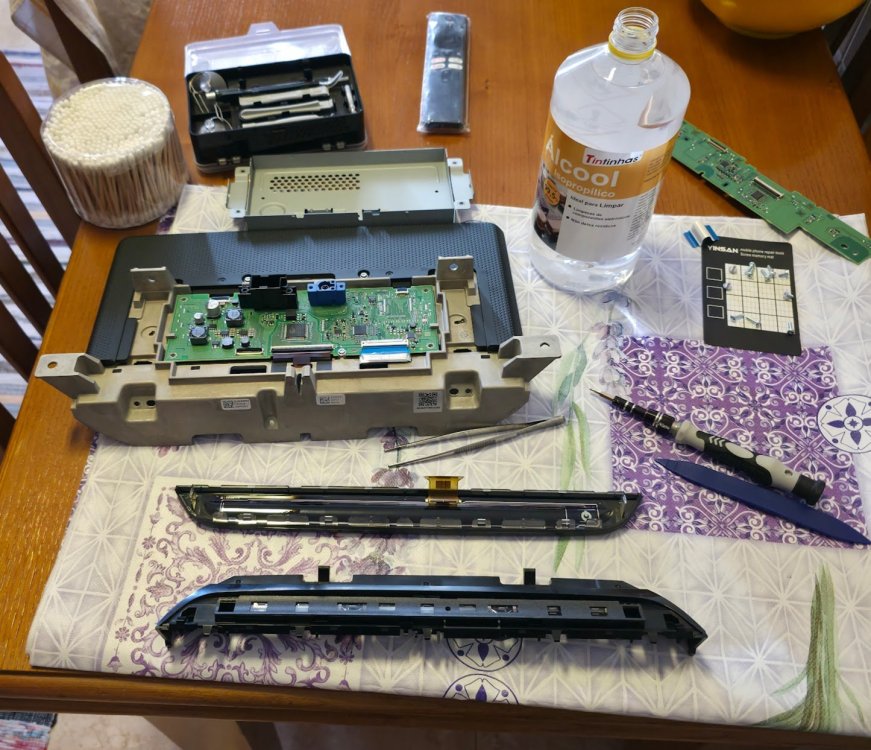
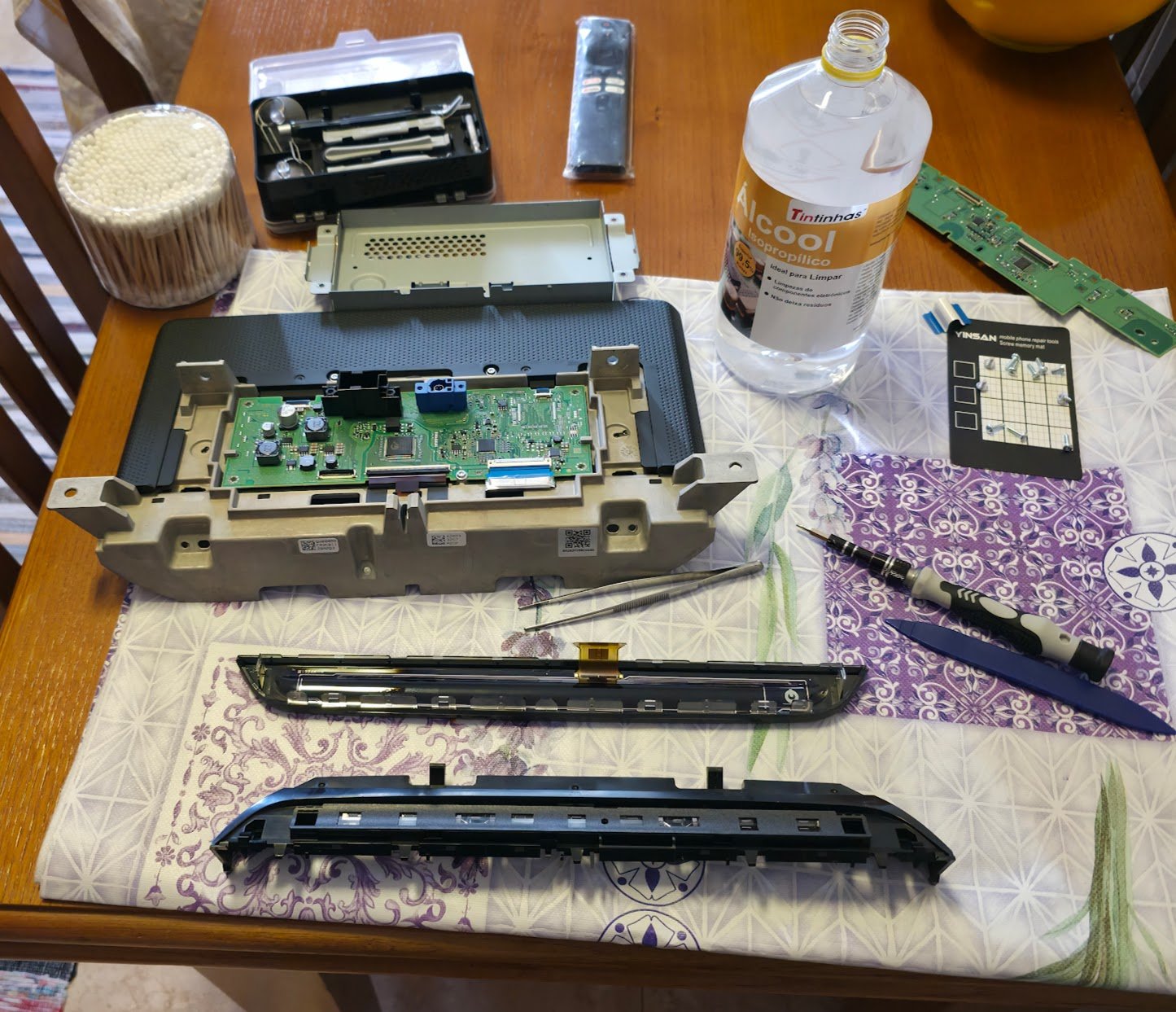
1 pointI did, with cotton swabs for the edges, i already reassembled everything and it seems to be working fine, i have to keep checking at night as well when it gets colder. I did turn on the AC with the car running on full cold and it didn't do any ghost touches like it did before. It was a fun day though, was going out for lunch and the car wouldn't start because the battery was low on charge, jumped started the car with my dad's car, the battery charged fine, held charge fine, went to a car shop 30 minutes away, they diagnosed the battery and said the report came out completely fine, so i'm pretty sure it was the infotainment turning on and off during the night and day while the car was parked with the AC and everything. It has to be this because i've noticed that since the power button started acting up, the car wouldn't auto-unlock when i put my hand on the door handle when it was parked for a day. Today was pretty eventful but i hope the problems are over... Kinda wild how it took 5 years for the power button to start going crazy, must have been humidity from the severe winter rains we had
 1 point
 -
1 pointYour logic was correct. Easier to get it right if holding track rod and lock nut still while unscrewing TRE, cos then it is anticlockwise as viewed from where you are. (Assuming outboard of everything is where you are). If you held the track rod by the flats on it, while trying to shift the nut inwards along it, you would see that as clockwise if sitting outboard of everything.1 point
-
1 pointHave you seen where it's located? If it's the EA189 engine family, they're not exactly in a position to make anything 'simple'.1 point
-
1 pointExcept... Which bit are you holding still and which bit are you trying to shift? Leaving the lock nut stuck where it is, and attempting to unscrew the TRE off it may be easier than trying to move the lock nut inward along the track rod?1 point
-
I put my fingers around the leatherette and under the ring and just pull up hard, not screwed in, just agressive clips. You can clean that up with Isopropyl Alcohol as you suggested Should work fine. But you may need to GENTLEY scuff the contacts for better contact, the rubber bobbles are tipped with conductive material and they just short out the terminals to make the conection. They also may need to be scuffed. Check accross the resistors with a meter to see if they are still the correct value. Oh, sorry you ordered a new one anyway, didn't read down far enough. We have a special tool for removing the ciggi lighters. You can do it by carefully easing out the lock tabs. This is the tool I use1 point
-
1 pointAlways anti or counter clockwise to slacken things - except for when your dealing with left handed threads - which you are not here.1 point
-
1 pointThese "star" fixings are a pain in the bottom! VW used to use them on all the undercovers on the 9N Polo for instance, I always used to keep a few spares for when checking them at service time, later VW Polo 6C uses plastic nuts that have a flange that locates into the "retainers/clips" on that undercover recess, well they do that for where there is not a heat source nearby - where there is heat they use the "star" fixings, and the "brilliant" thing is, the heat shields have aluminium in them - so right away there tends to be a "squabble" between the steel of these clips and the aluminium in the heat shields and both lose out - the aluminium heat shield "dissolves" locally and the "star" fixings does what they do best which is to rust away to nothing!1 point
-
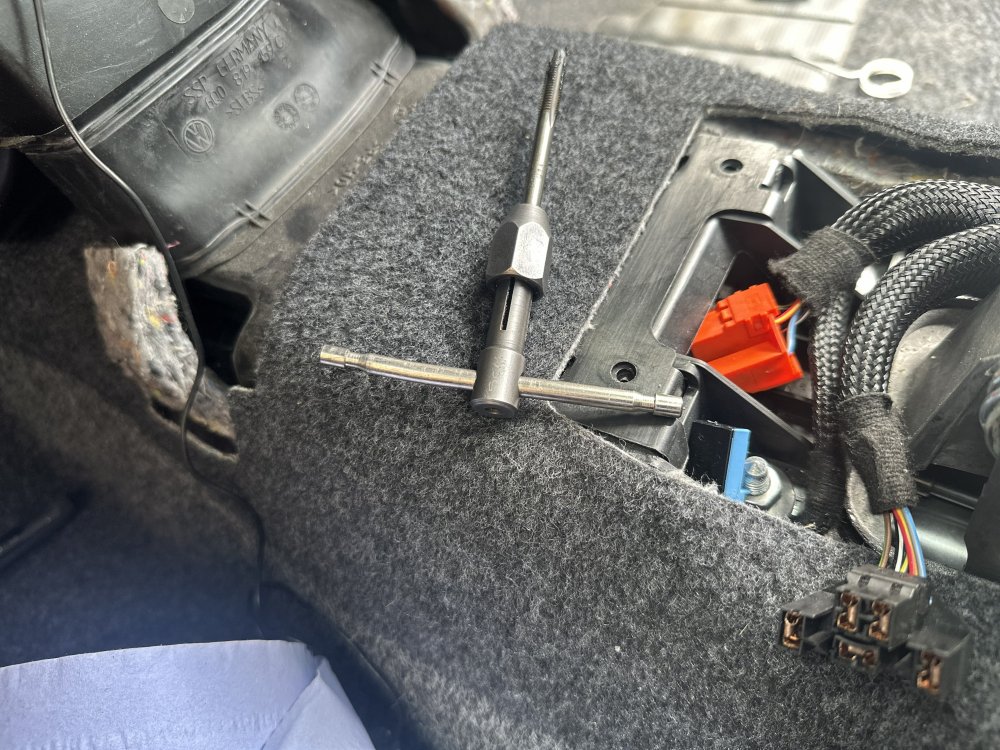
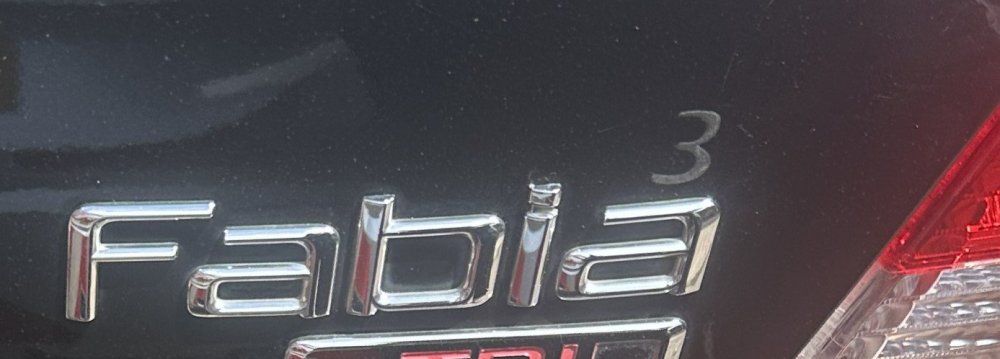
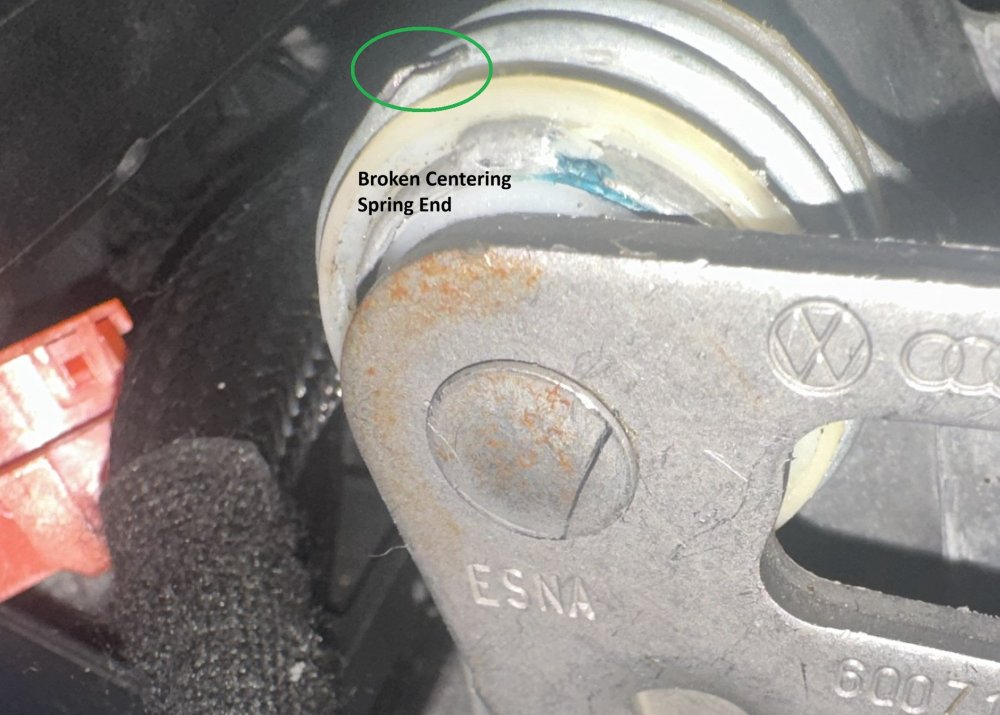
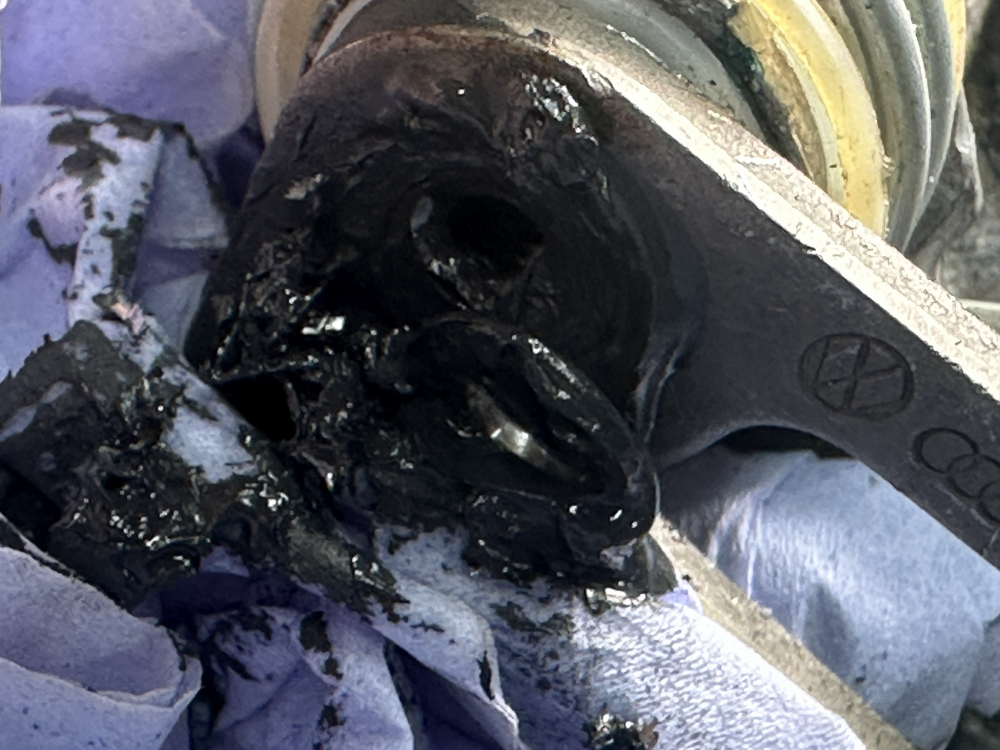
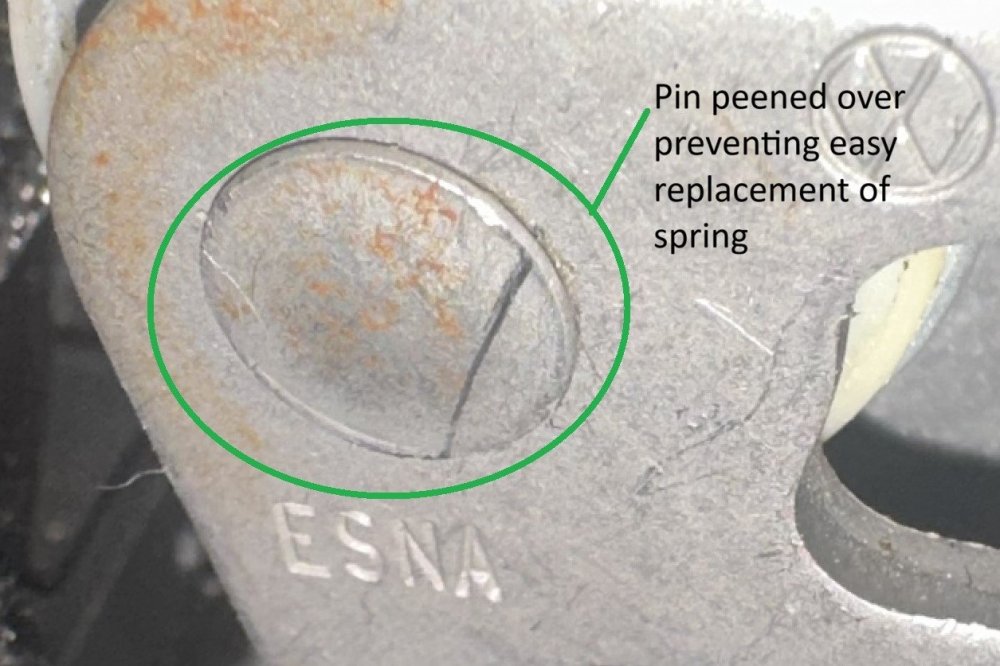
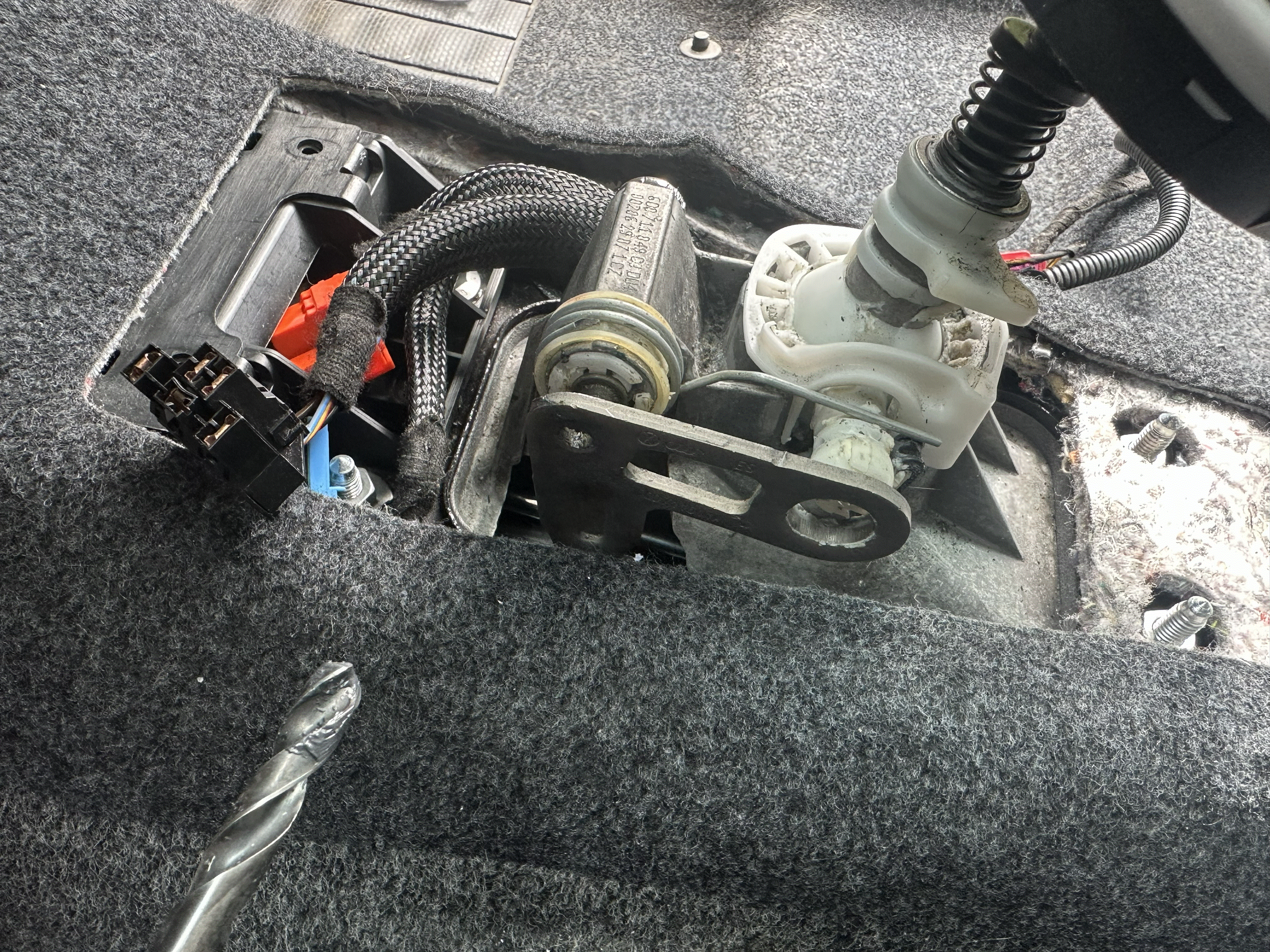
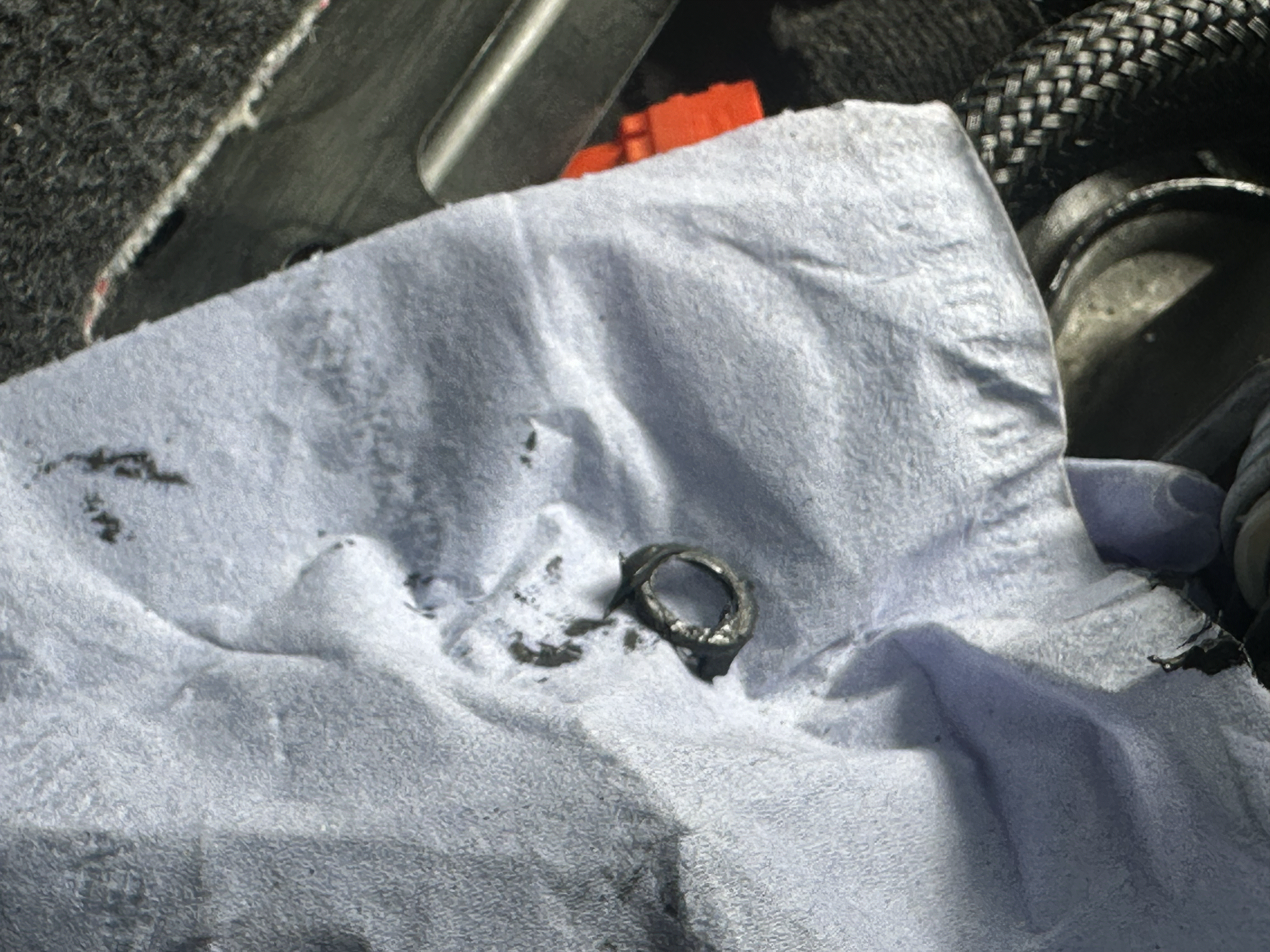
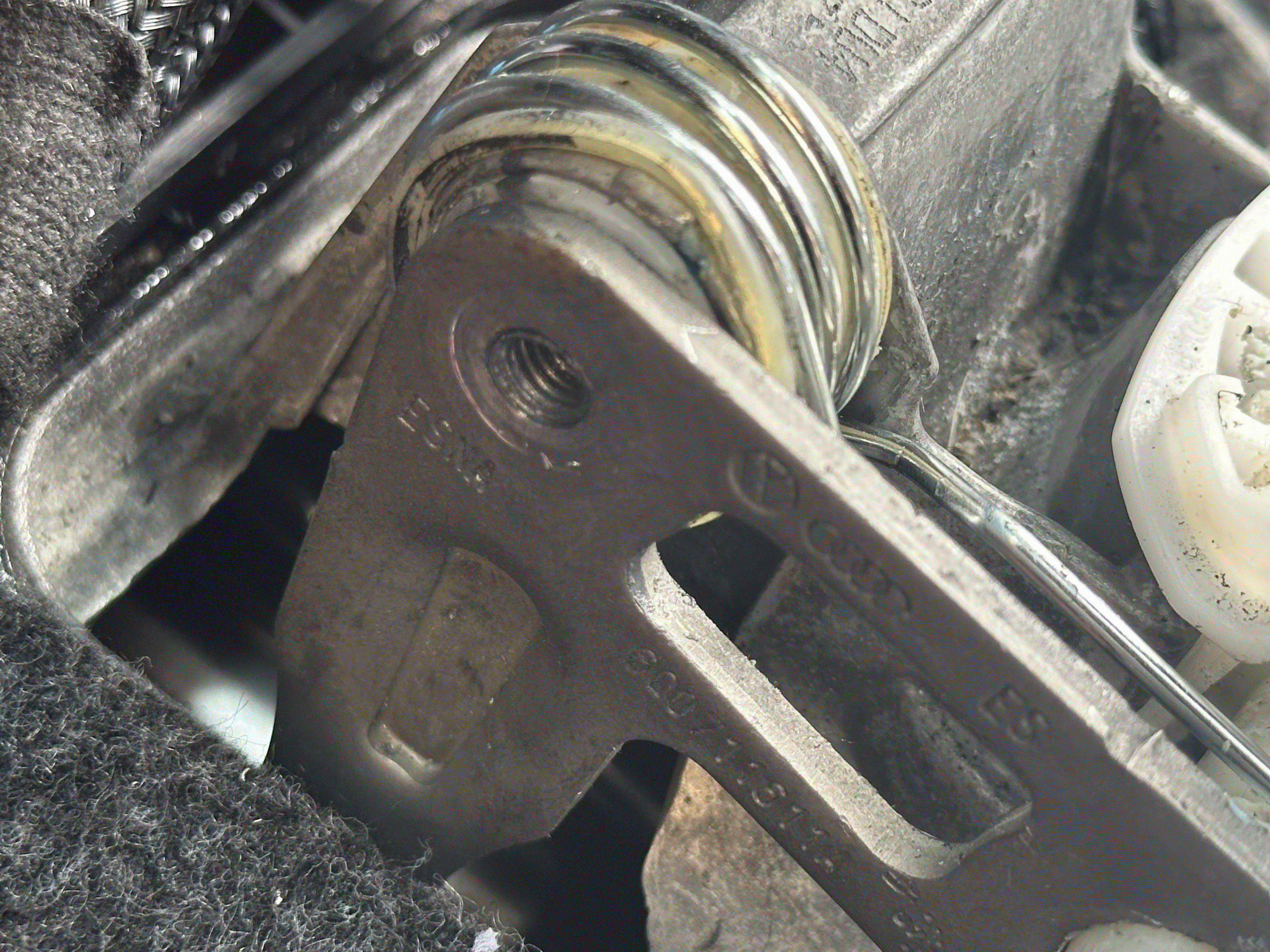
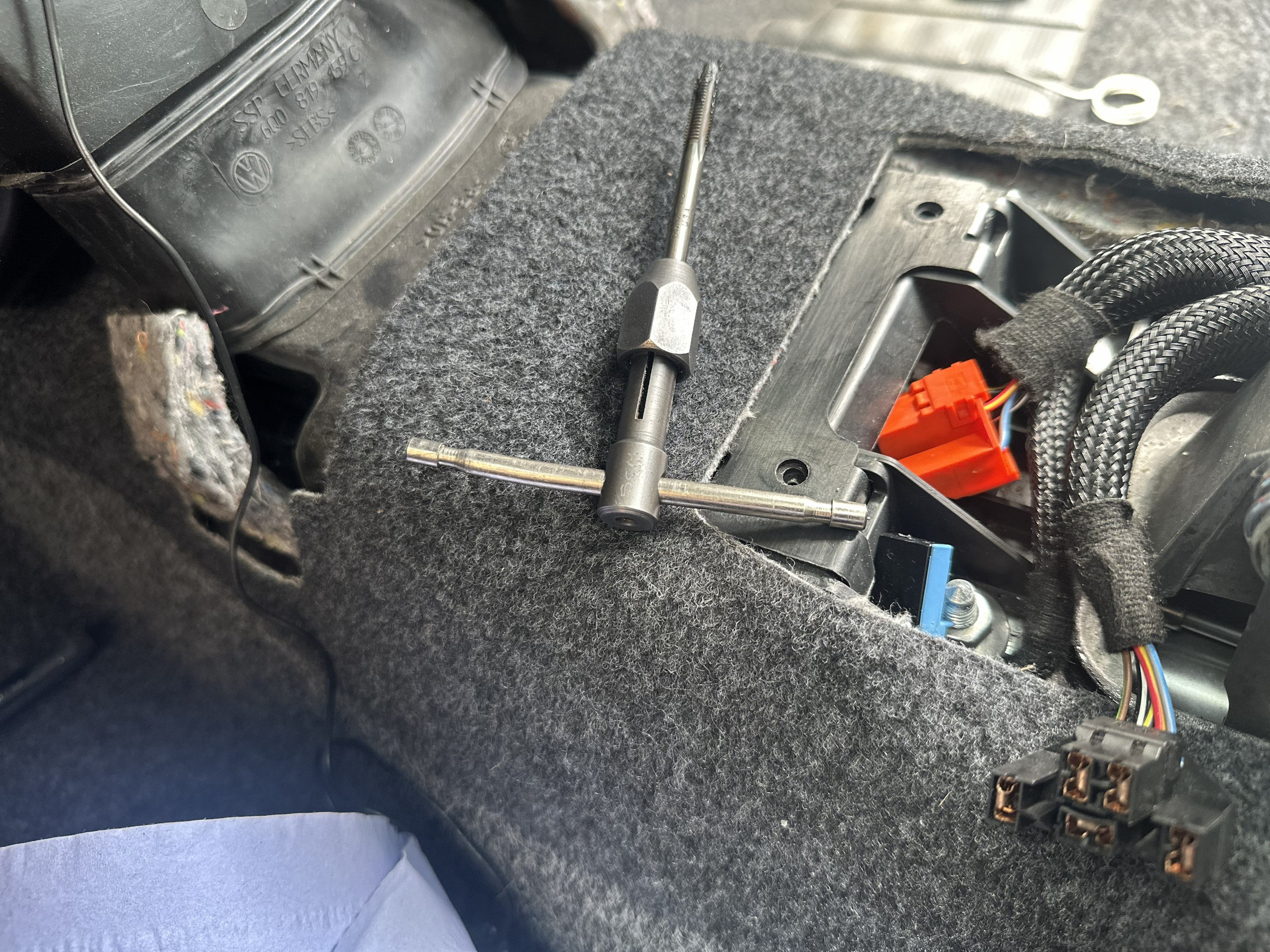
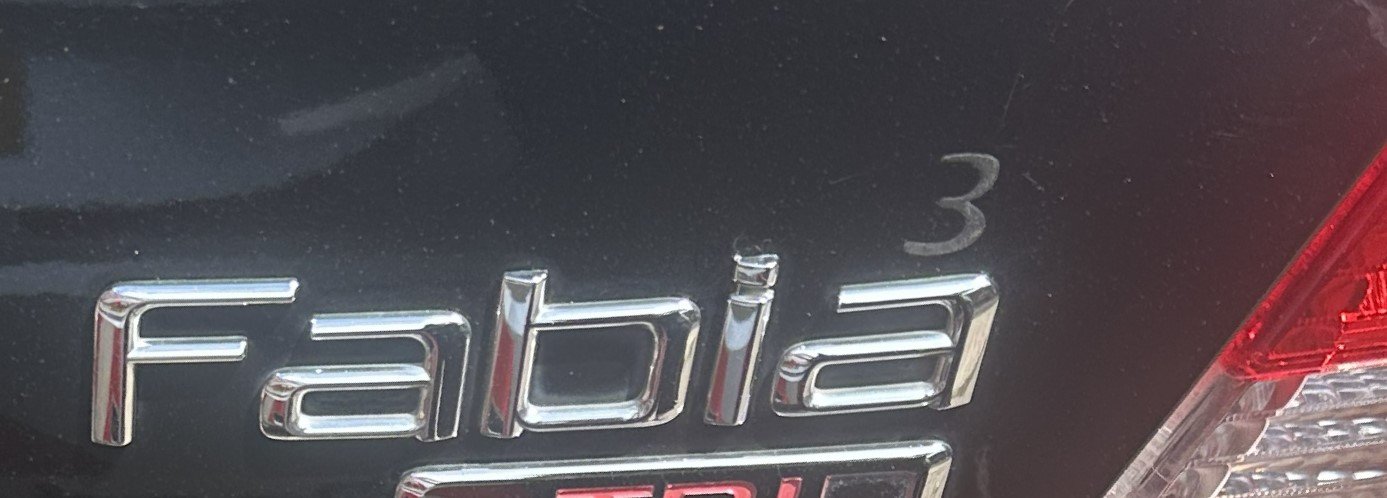
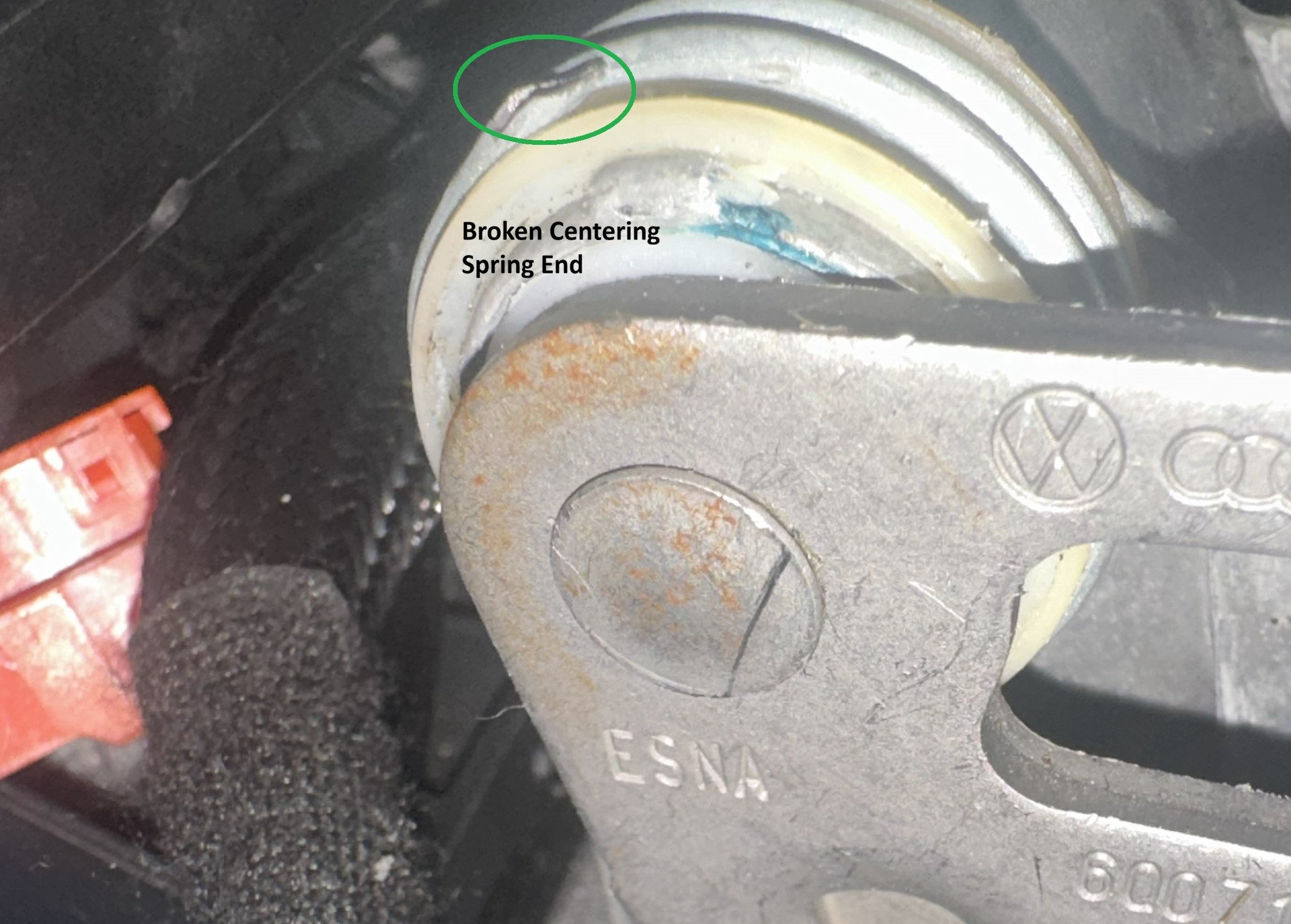
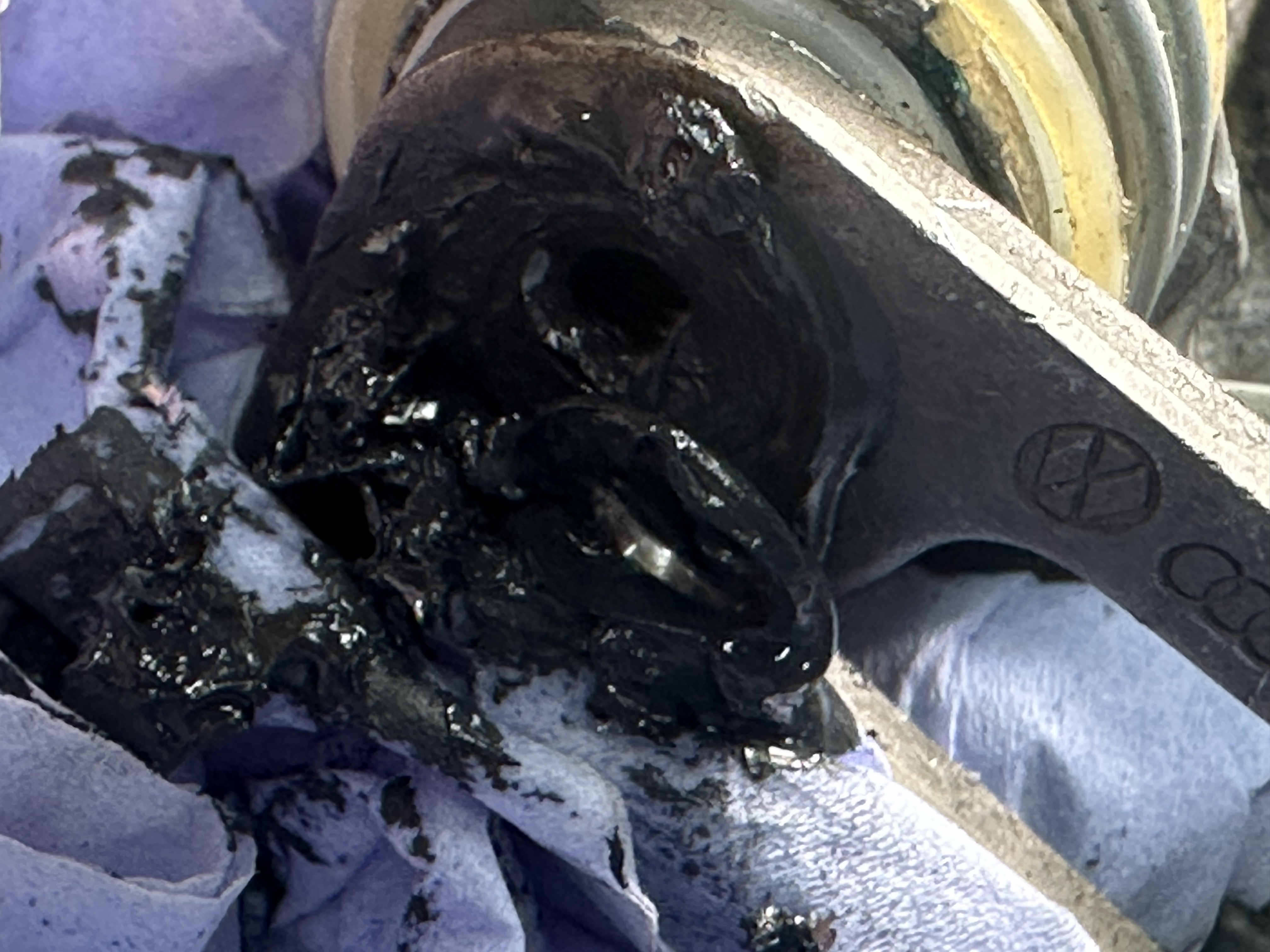
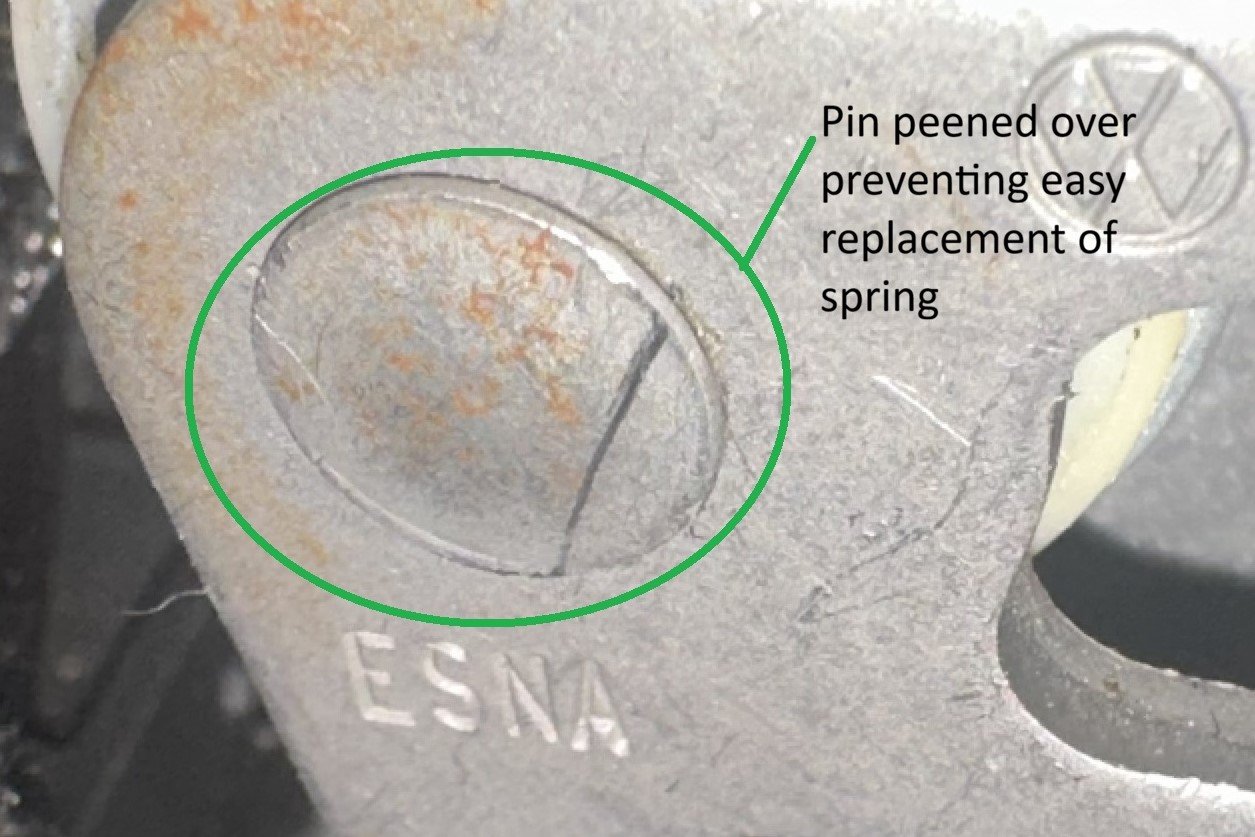
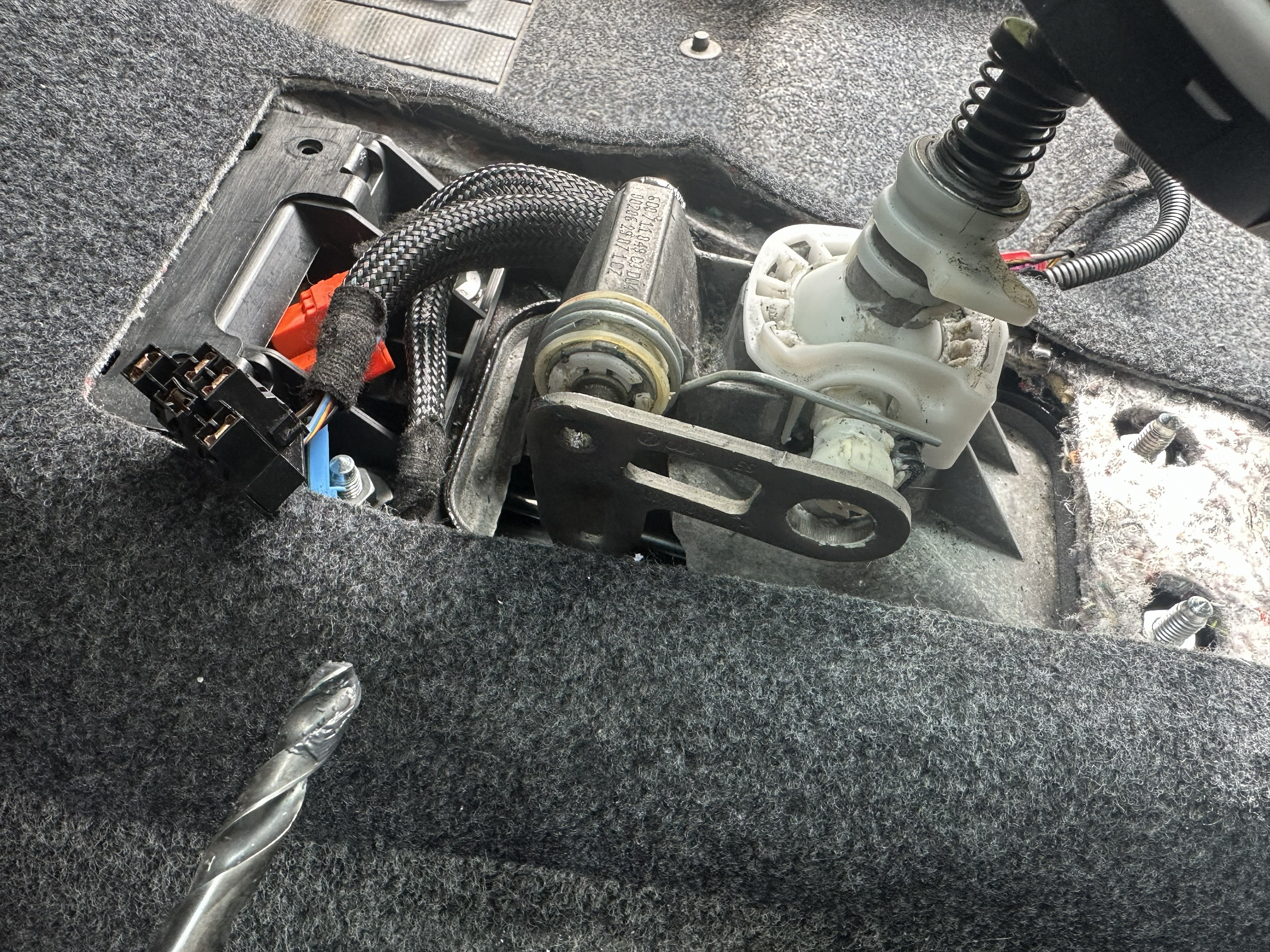
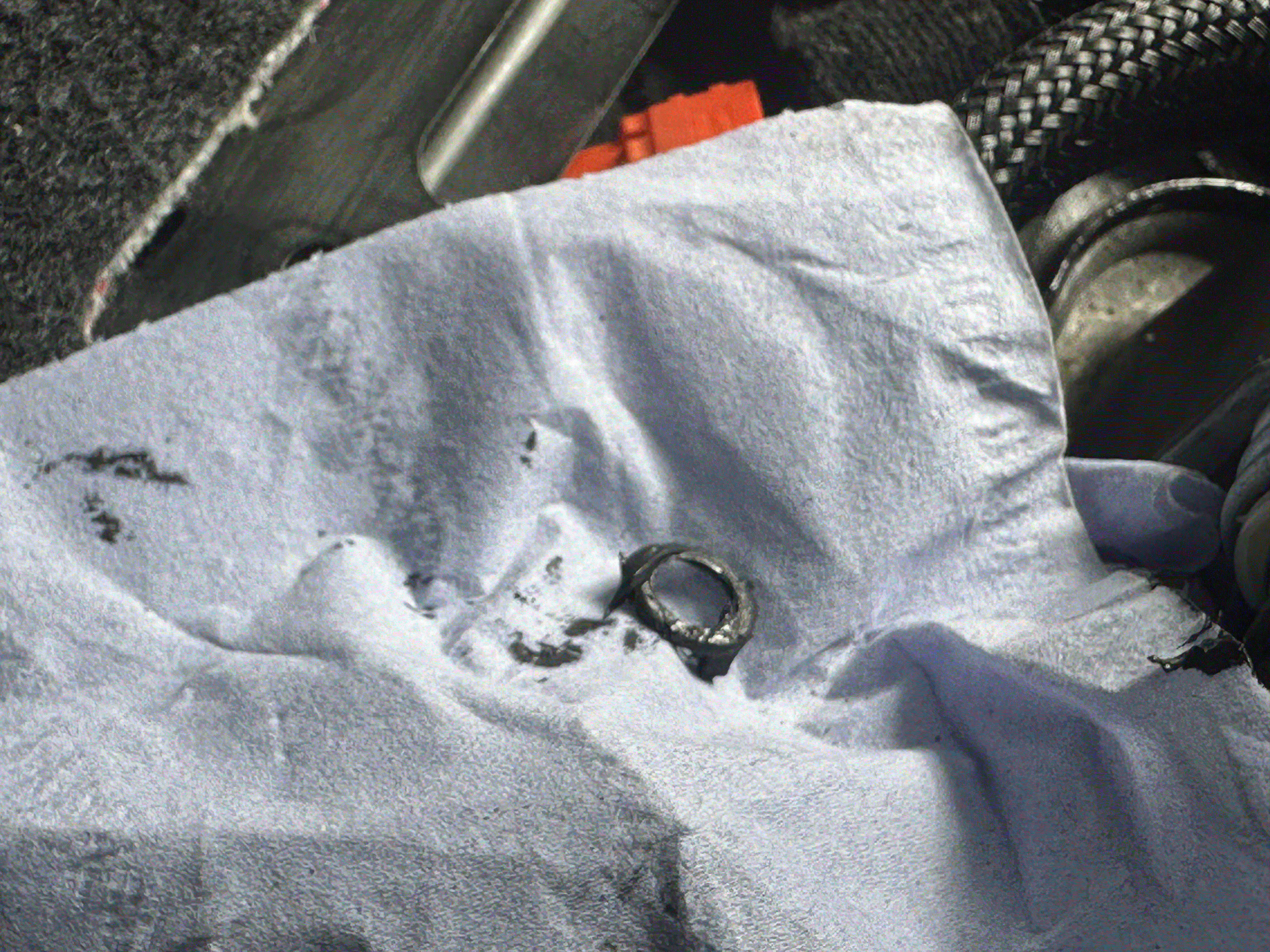
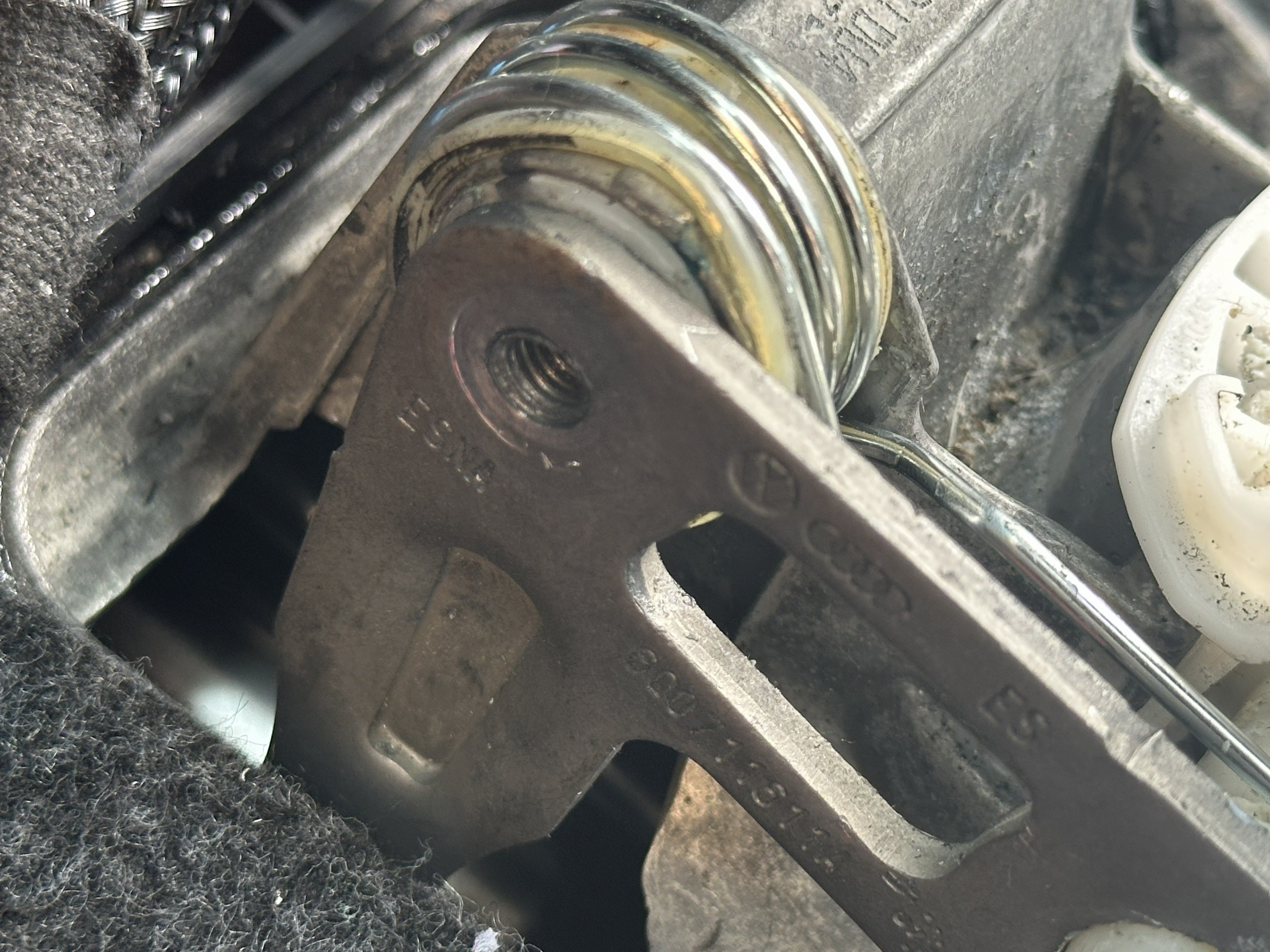
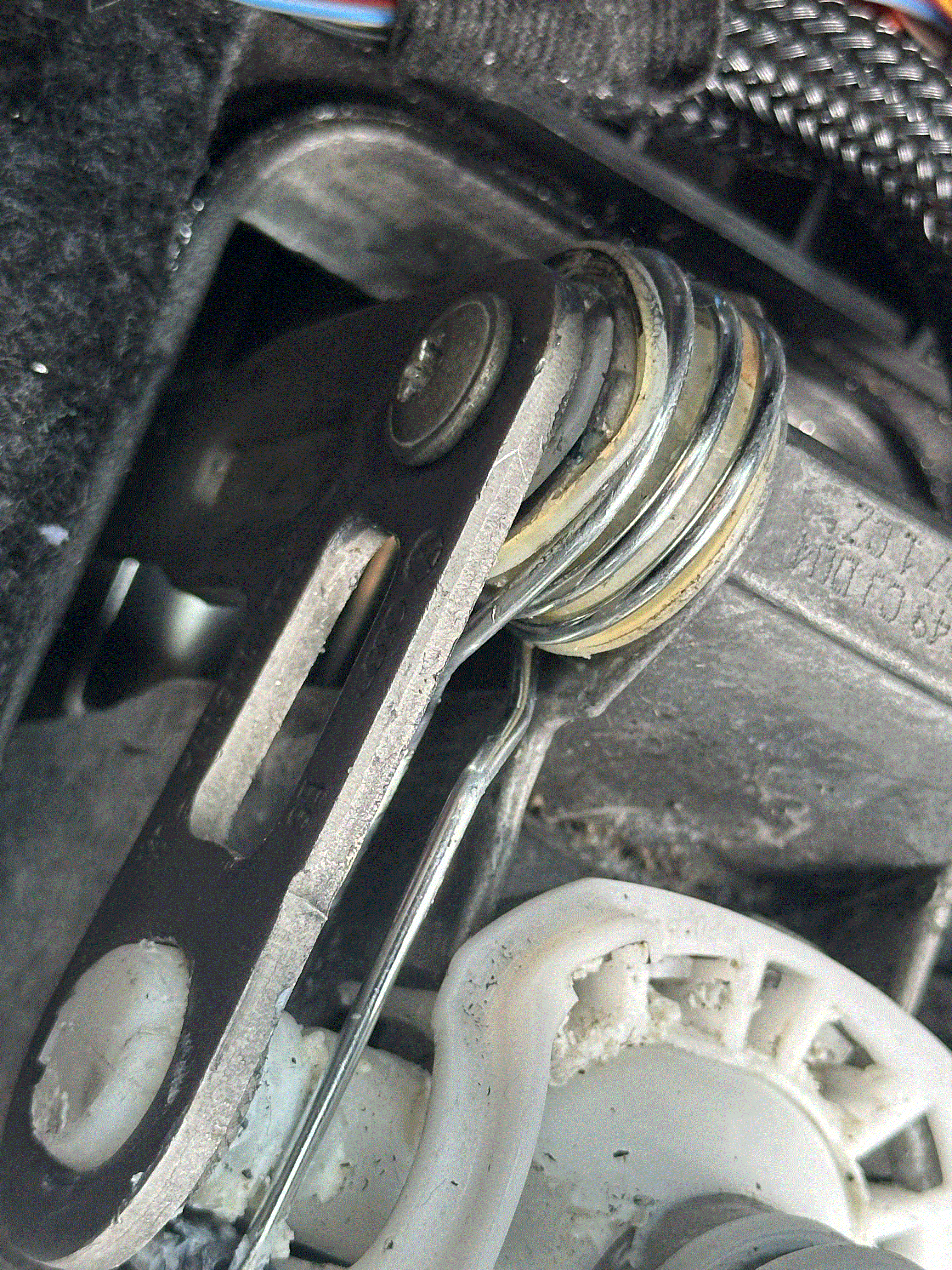
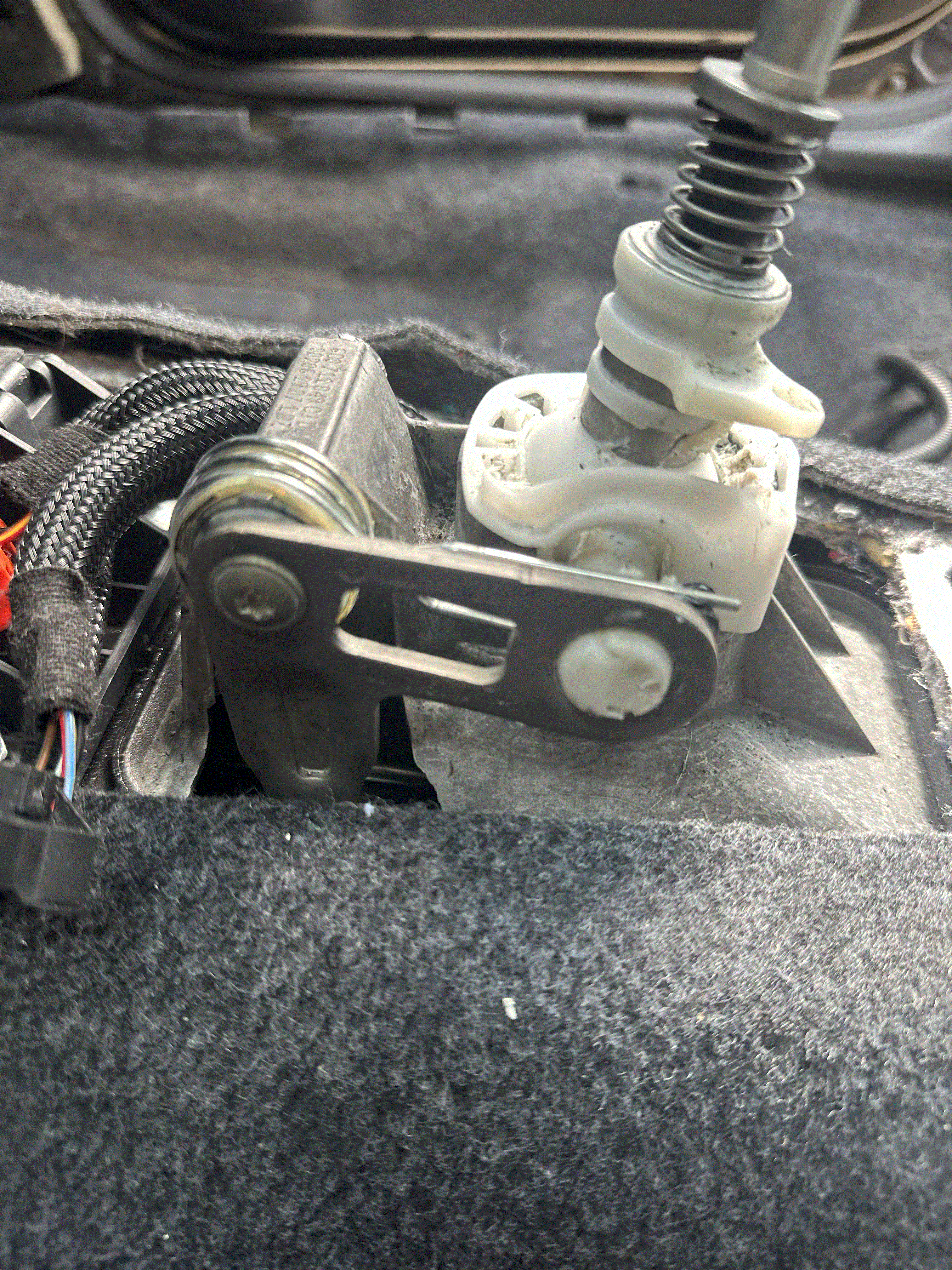
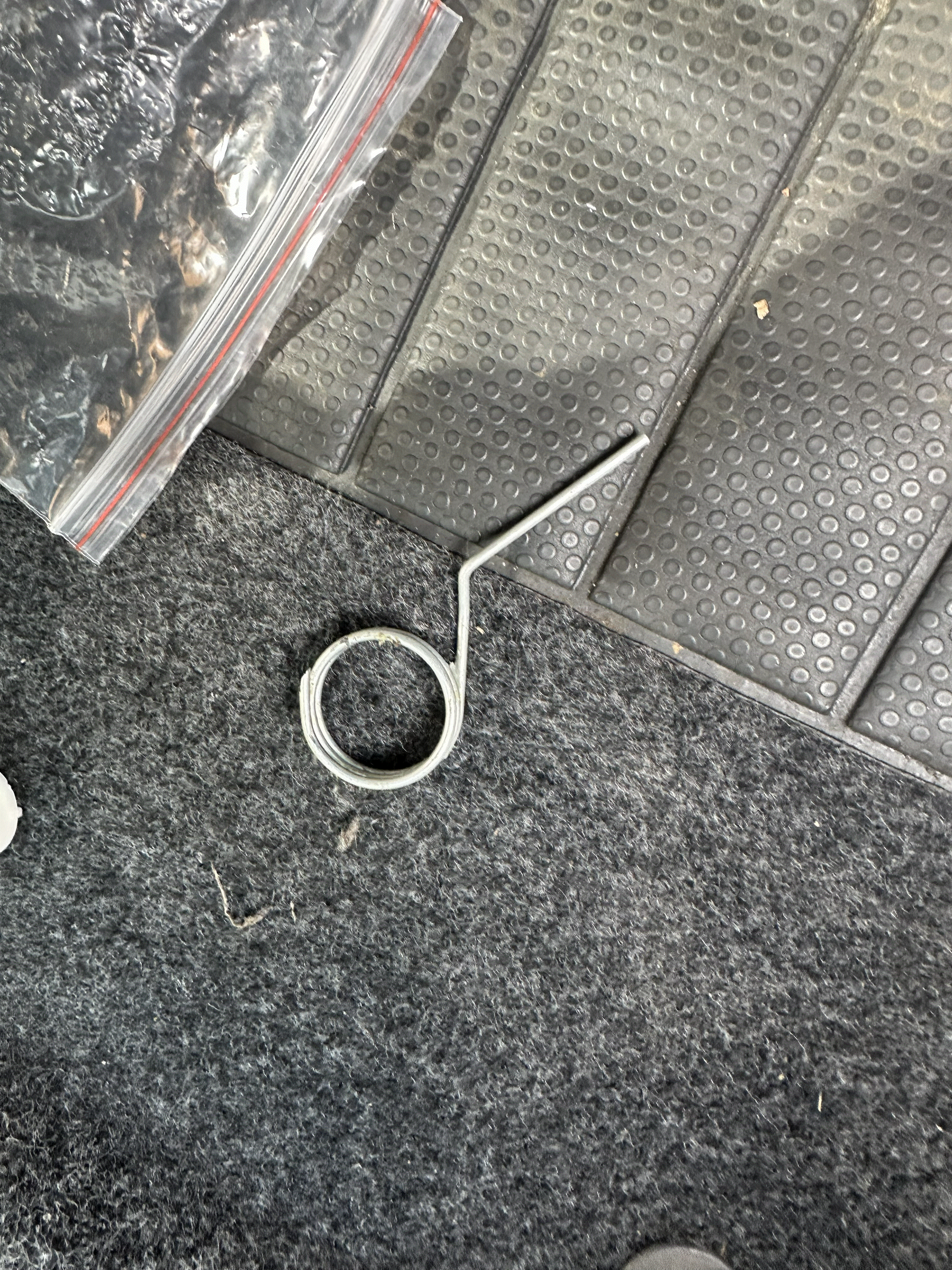
I gave my daughter our MKII Level 3 Fabia for her 18th birthday and decided to fix some issues. One of the faults was a floppy gear shift due to a broken return spring. Easy enough, I had the seats and centre console out anyway so I could Puzzi the carpets so easy access to the gear shift. I found a cheap spring kit online and set about replacing the spring, only to find in my car, the pin going through the lever has been peened over like a rivet!! WTF YOU ARE FREAKING JOKING ME SKODA, no way to change the spring without damaging the lever which is not available seperately. Great, I'm screwed. Put thinking cap on, these used to be secured with a bolt I'm sure. This may help someone else.... I decided to drill a 5mm hole in the centre of the shaft, used an M6 x 1.0mm pitch tap BEFORE releasing the shaft from the lever to give a stable platform to drill into the centre of the pin. I found a suitable T30 torx screw in my "out the **** kit". ONCE I was happy the screw fitted and held the lever in place correctly, using an 8mm drill bit inserted into the tip of the new bolt hole as a guide, I drilled and removed a very small ammount of pin retaining material to release the lever from the pin. Dont go too far, just enough to remove the outer material, this then leaves the machined part of the pin to locate the lever securly and allows the bolt to fit correctly. I used the tap again to clean up the first few threads damaged by the drilling. The spring can now be replaced. The new screw was fitted with thread lock: it is now serviceable for the future. NOTHING ON YOUTUBE OR FORUMS FOR FABIA FITTED WITH THIS POXY MONEY SAVING WAY OF SECURING THE PIN GERRRRRR. Hope this helps many people. M6x1.0mm Tap NB Drill a 5mm hole in the centre ensuring it remains straight as it goes in PRIOR to drilling the peened pin for stability. The peened pin has been removed for clarity showing the treaded bolt hole Use an 8mm drill bit to remove just enough material to free the pin. You dont want to reduce the size of the bush going into the lever. All done with new spring installed. Install bolt with thread lock. This bolt also had serrations under it's head providing more grip. Broken Leg of removed spring Incidentally, if anyone knows where to get the little 3 for the tailgate, let me know, someone nicked ours and they are no longer available from TPS. Peened Over 4.jpg.HEIC
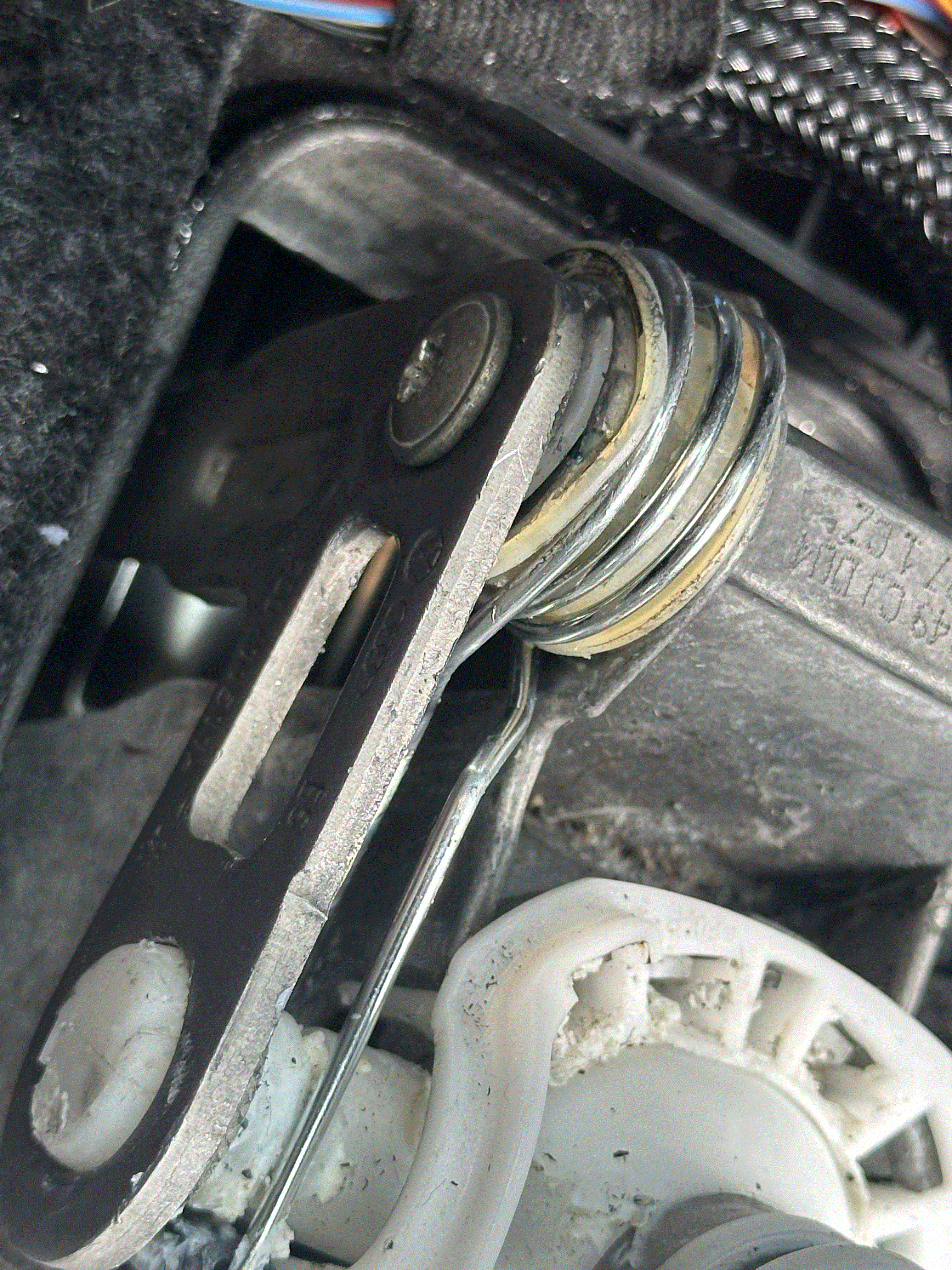
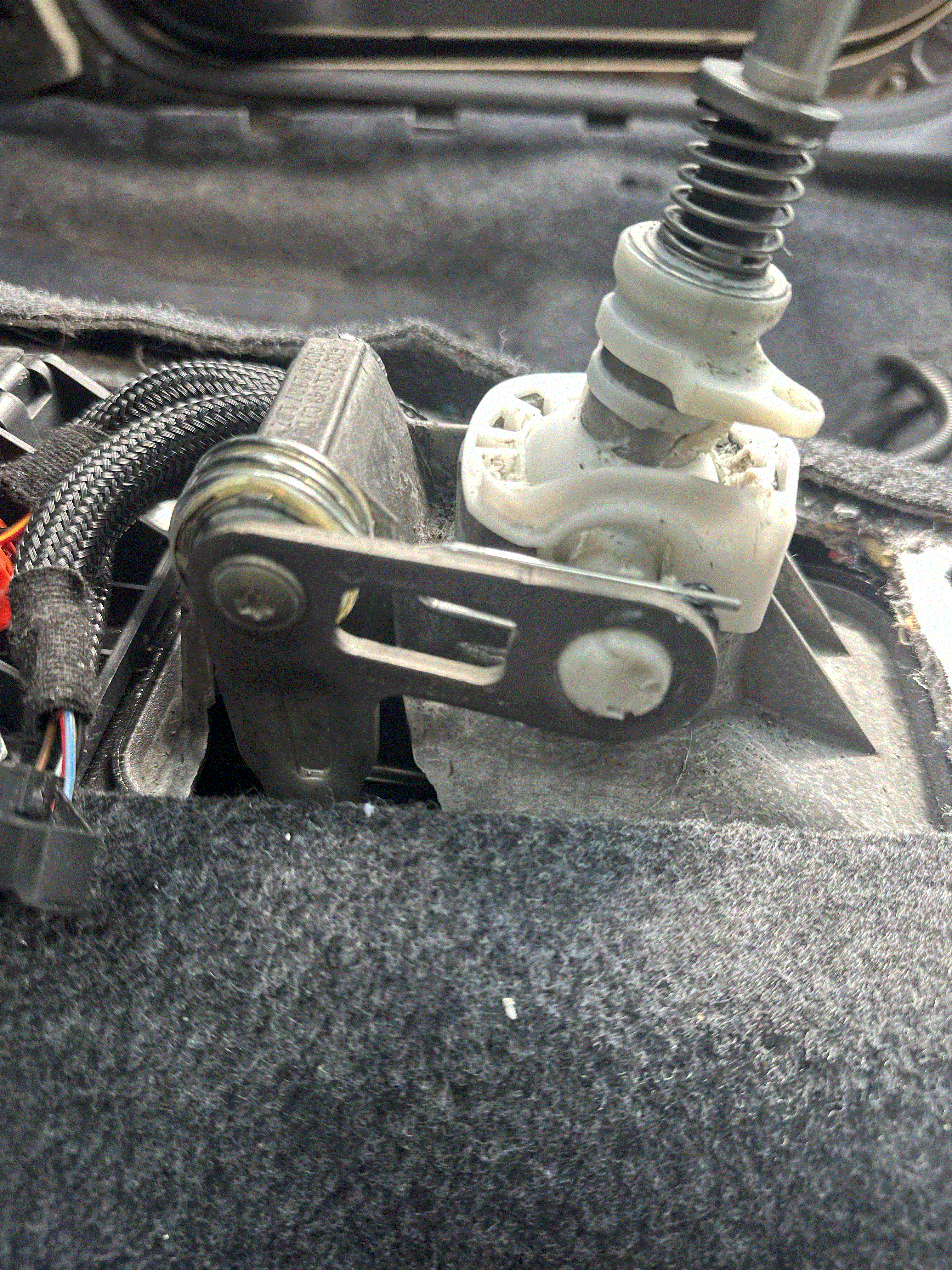
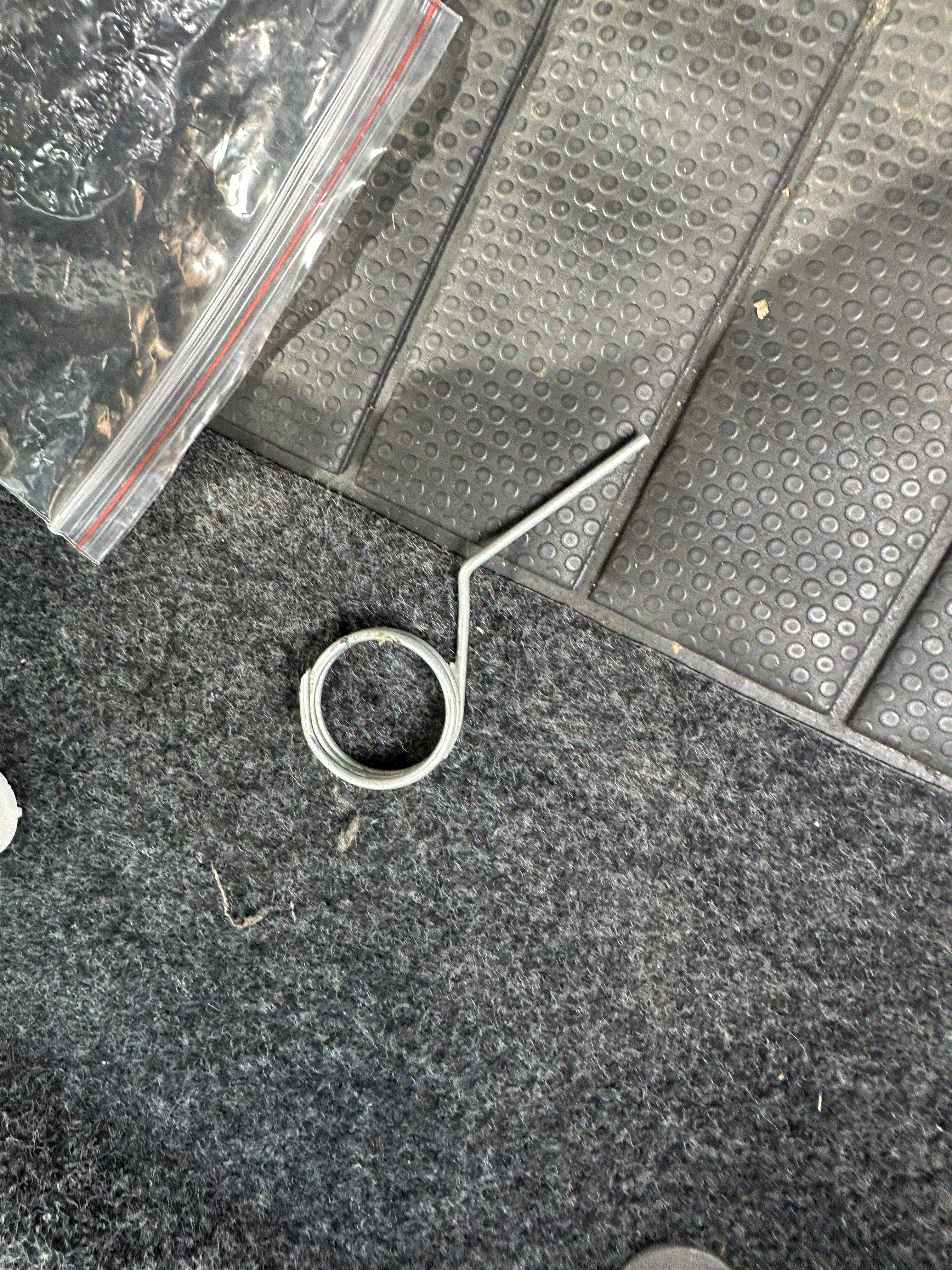 1 point
 -
If you want more bass you could always do something like this…1 point
-
1 pointIn general no... But what it is doing is reducing spend on other things that involve travel and is therefore indirectly reducing car use.1 point
-
1 point@lol-lol the reduction of income is from those in lower income brackets reserving car use for commuting as inflation is really squeezing them hard and they also tend to be very people who are least likely to be to home charge anyway, so it comes as no surprise.1 point
-
I had the aerial one and it went away again. If DAB works then it can be ignored. Looks like you’ve missed the confirmation of update step. Instructions can be found here: https://www.briskoda.net/forums/topic/514645-how-to-guide-for-mib-firmware-update/#comment-6003673h Did you get the Ali express camera? Some I got in install at this post. https://www.briskoda.net/forums/topic/454623-what-have-you-done-to-your-superb-iii-today/page/195/#findComment-5986858 Just make sure you’re careful routing wires around airbags. Worst bit is through the boot and the rubber gaiter. A spray of wd40 inside the rubber helps.1 point
-
And then not checked as the owners manuals show or tell owners too. Because they add a measured amount of oil. The journeyman never does. Road tests are not done then the oil checked again. But when i served my time my bossss were strict even though it was simpler days and engines and checked cold.1 point
-
Usually because the apprentice didn't start it before checking after changing the filter. Then the level drops because the filter gets loaded up.1 point
-
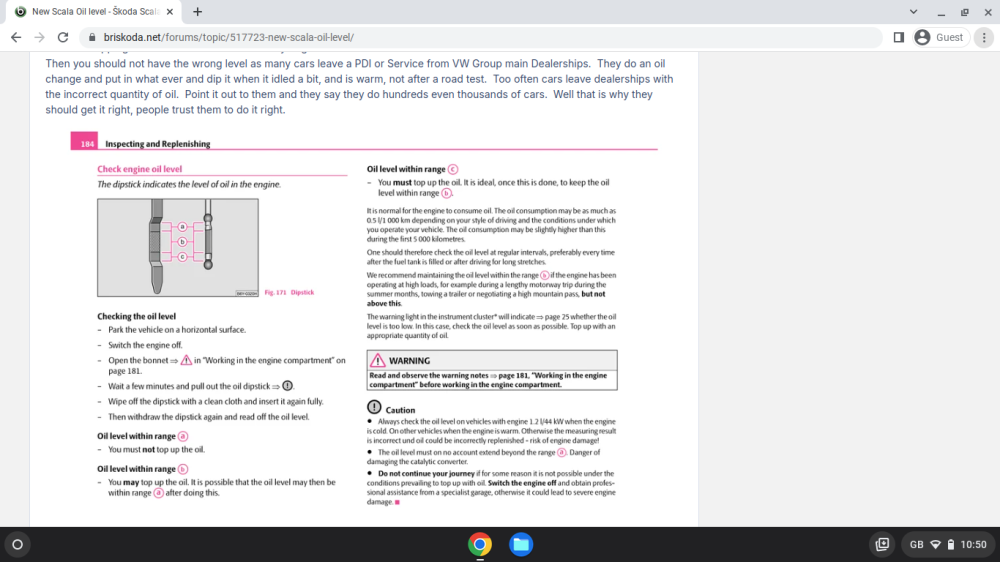
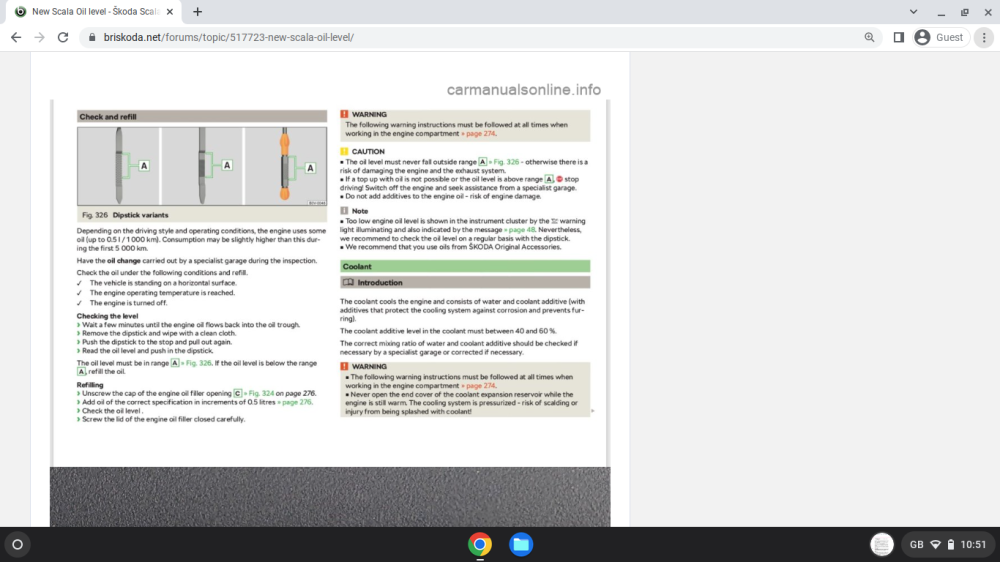
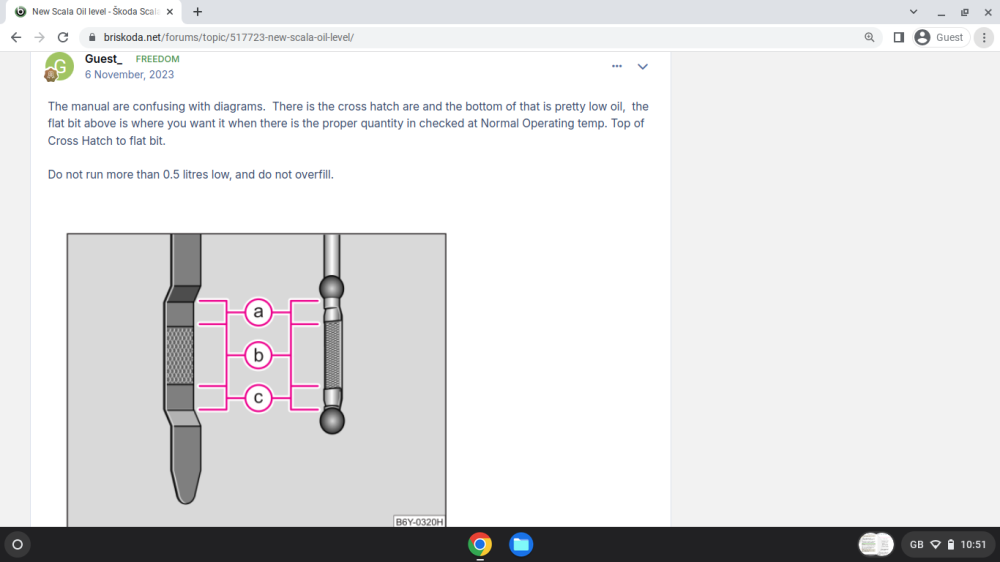
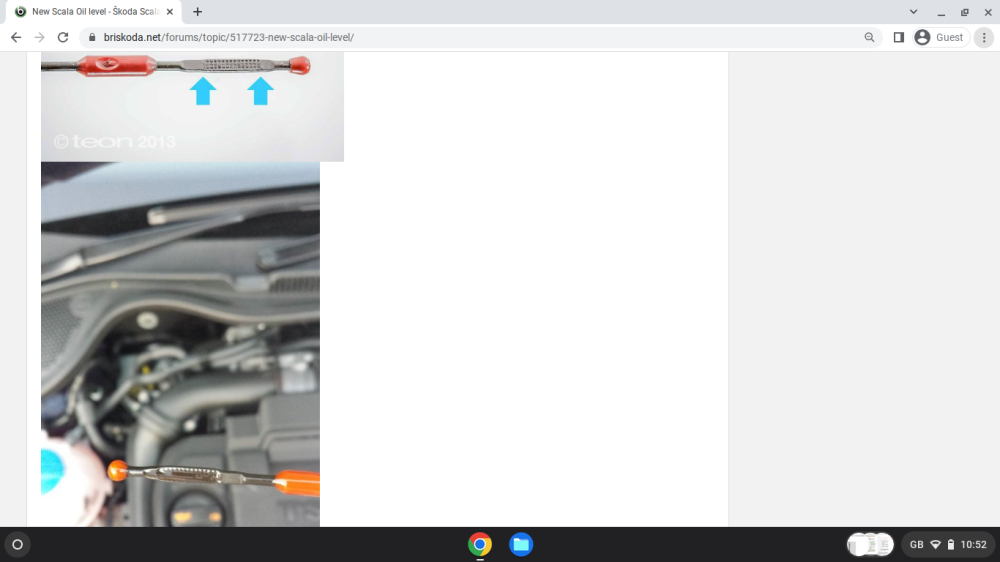
You would think it is Rocket Science not Basic Car Maintenance or just vehicle checks.
 1 point
 -
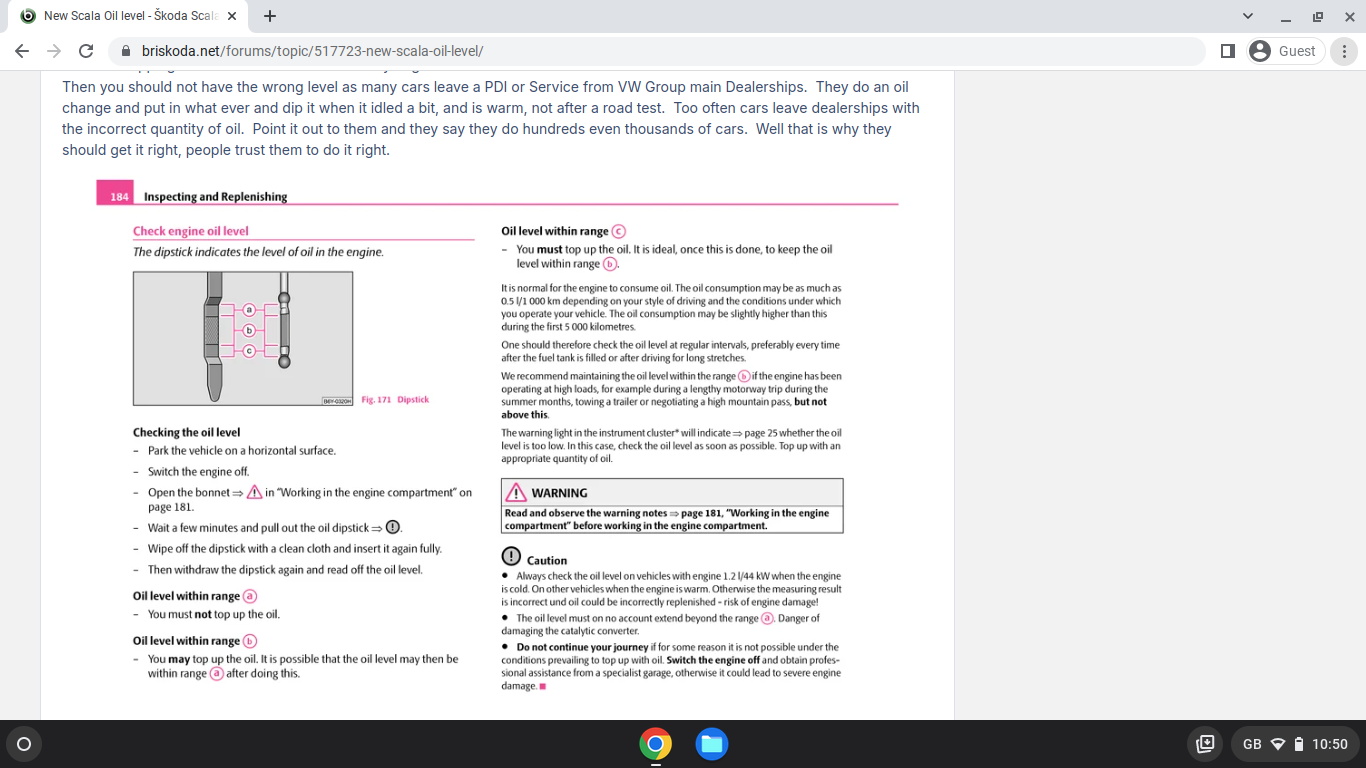
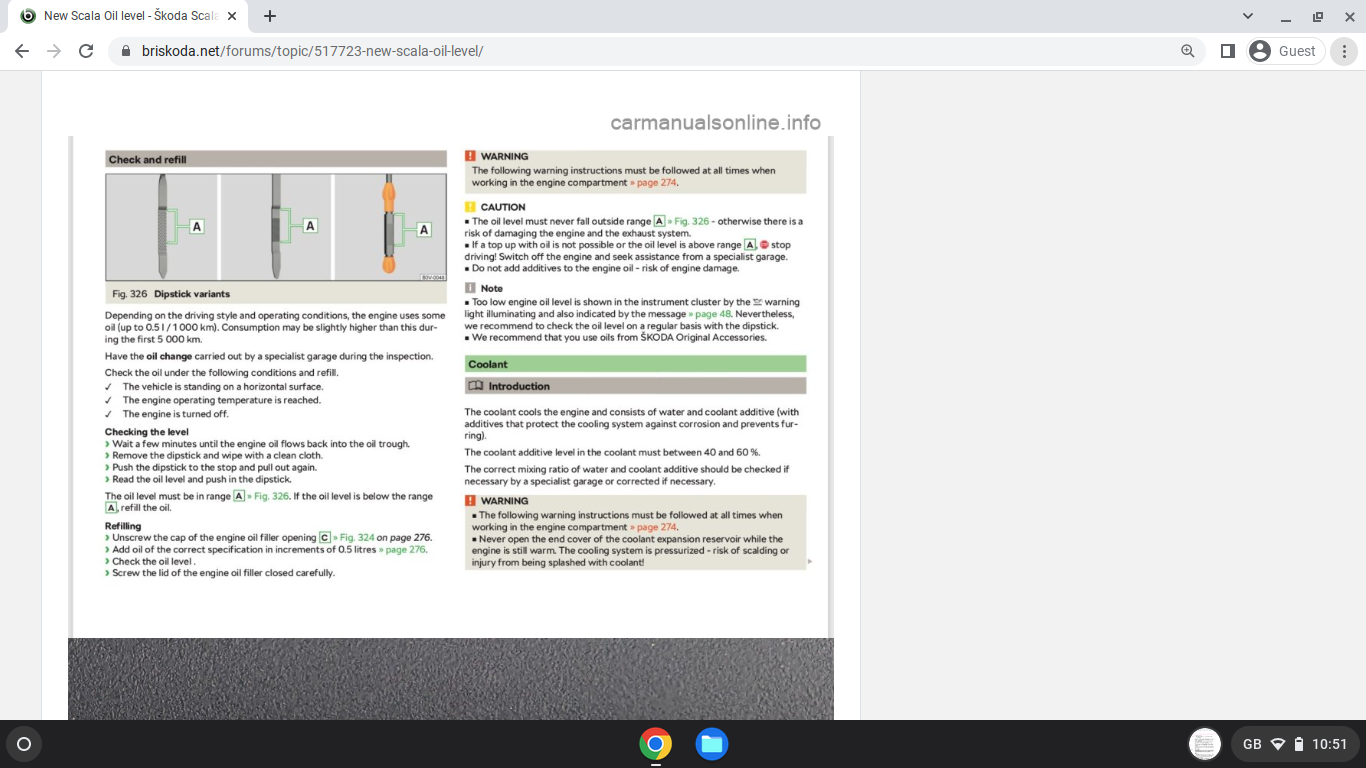
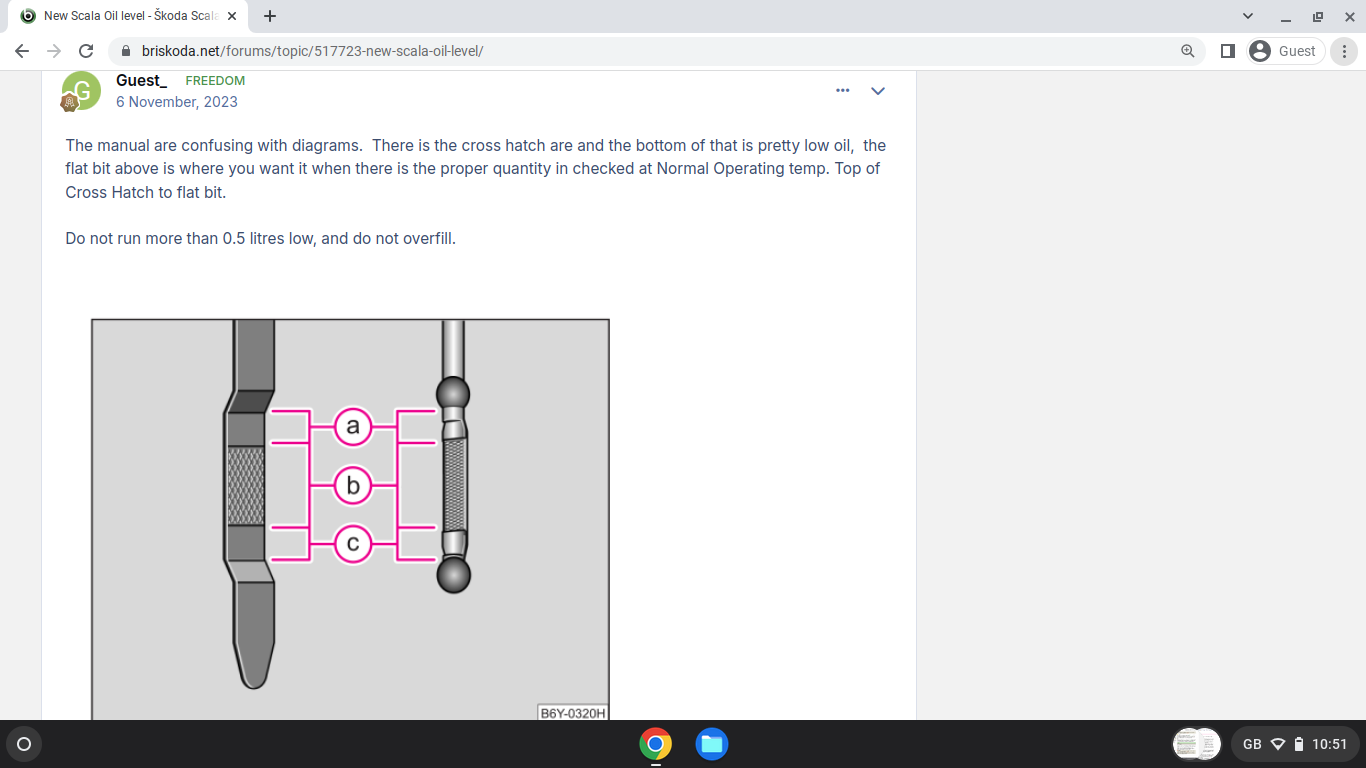
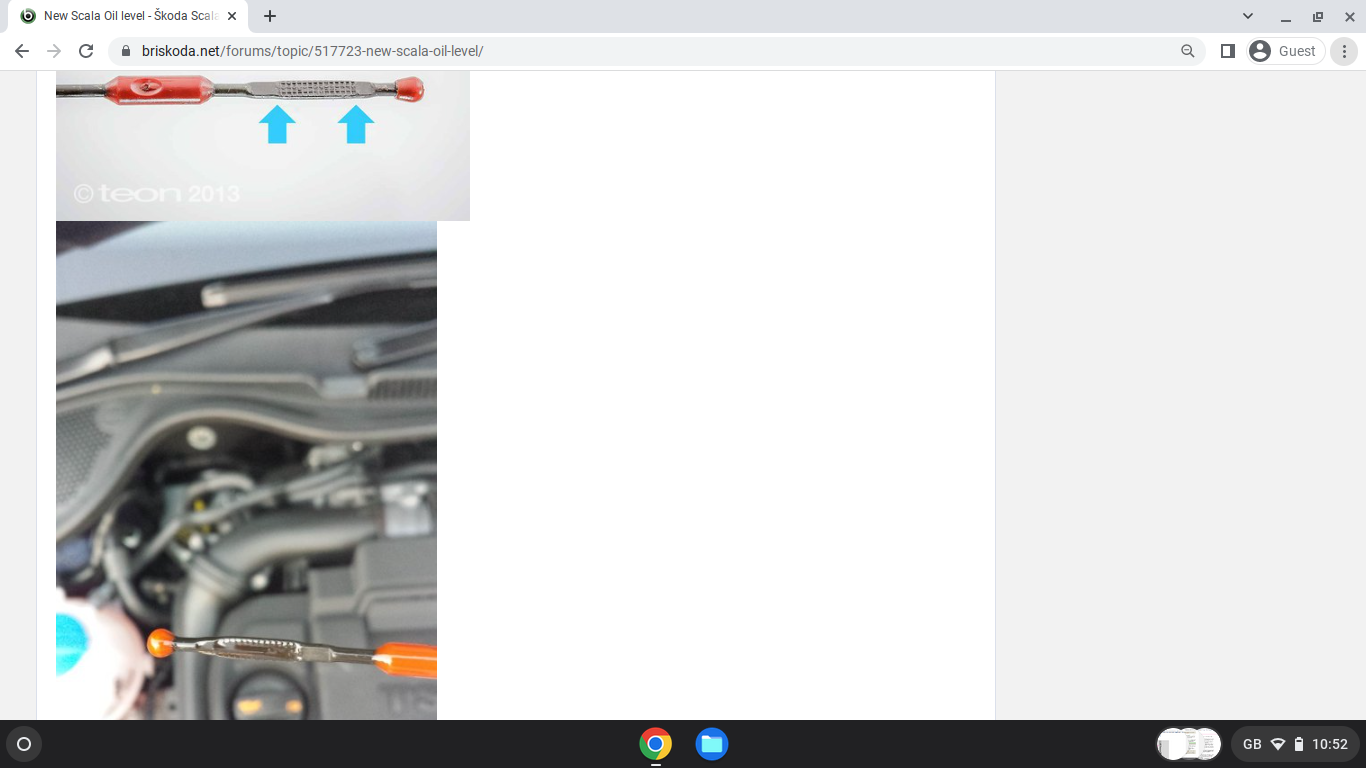
Nonesense. When cold it can be with oil filters on top of engines and the correct quantity of oil. Just go check. Too many cars leave oil services with low oil. PS. Go check Area A, dip stick. Owners manual. Cross hatch area and how to check oil and at normal opating temp VW engines.1 point
-
1 pointForgot to reply yesterday, thank you I ordered the plastic nut and should be here today From what I could see that should be all that’s needed but if I need the clamping washer I’ll get that another time1 point
-
I think I was measuring at the wrong time - I had previously done it when the engine was cold, not when still at running temperature. I got a much lower reading when the engine was hot and topped up accordingly yesterday. Now that the engine is cold again the reading is over the max marker but would I be right in thinking that's fine?1 point
-
1 pointHi - After 20 months of ownership I too have sold my Karoq Sportline. I will miss the cockpit area with all the dials and buttons-much better than just a screen!. I won’t miss the awful manual setup. Two main reasons for selling up 1/ Lack of trust -you have to trust your car to do what you ask of it - I didn’t trust my car. 2/ My mistake in thinking I could downsize from an estate - I couldn’t. My next car? - a new Superb estate with a DSG box!1 point
-
Most likely just a slightly over sensitive oil level sensor. At least these two examples tend to suggest that they're erring on the safe side - but I maintain there's no substitute for regular physical checks of all fluid levels.1 point
-
The service/oil service reset can be a little 'fiddly' on the Mk3, so could be similar on Mk2 - I've found both our Fabia and Octavia to take several attempts to reset the reminders - I think it's a just knack of getting the odo switch press timing sequence exactly right.1 point
-
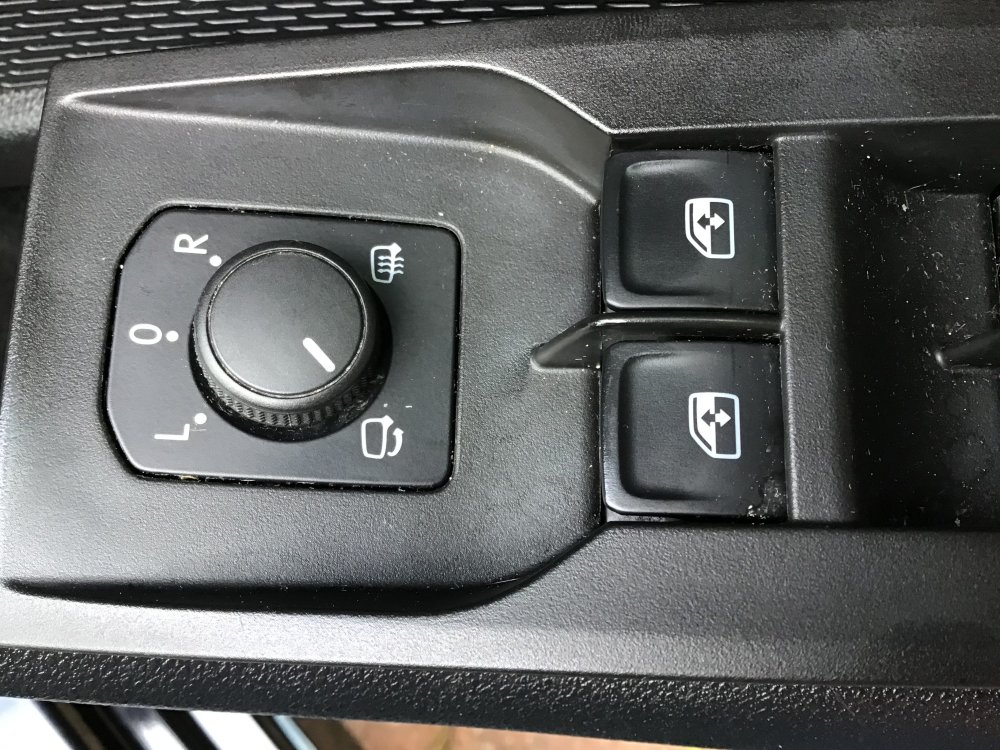
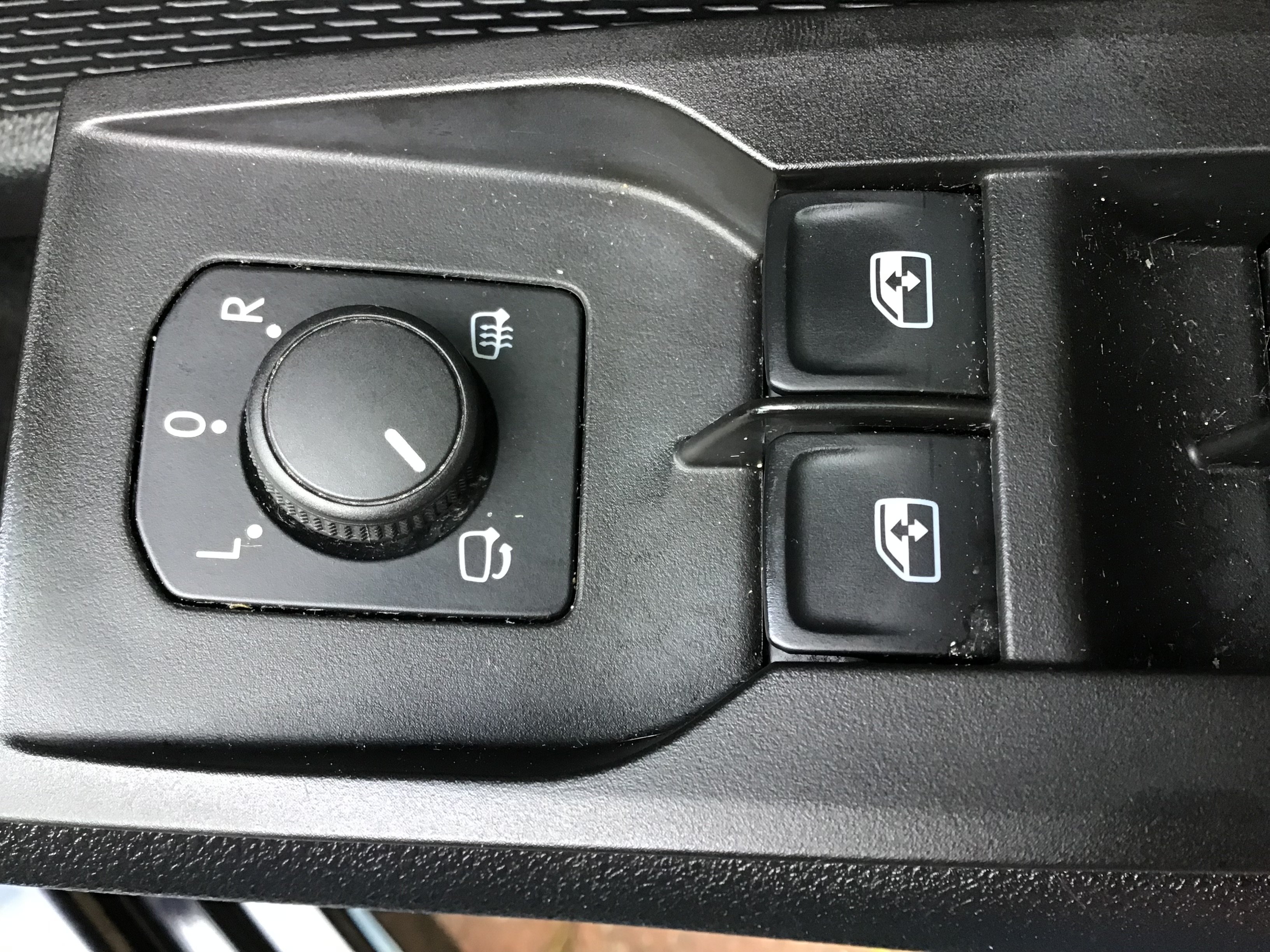
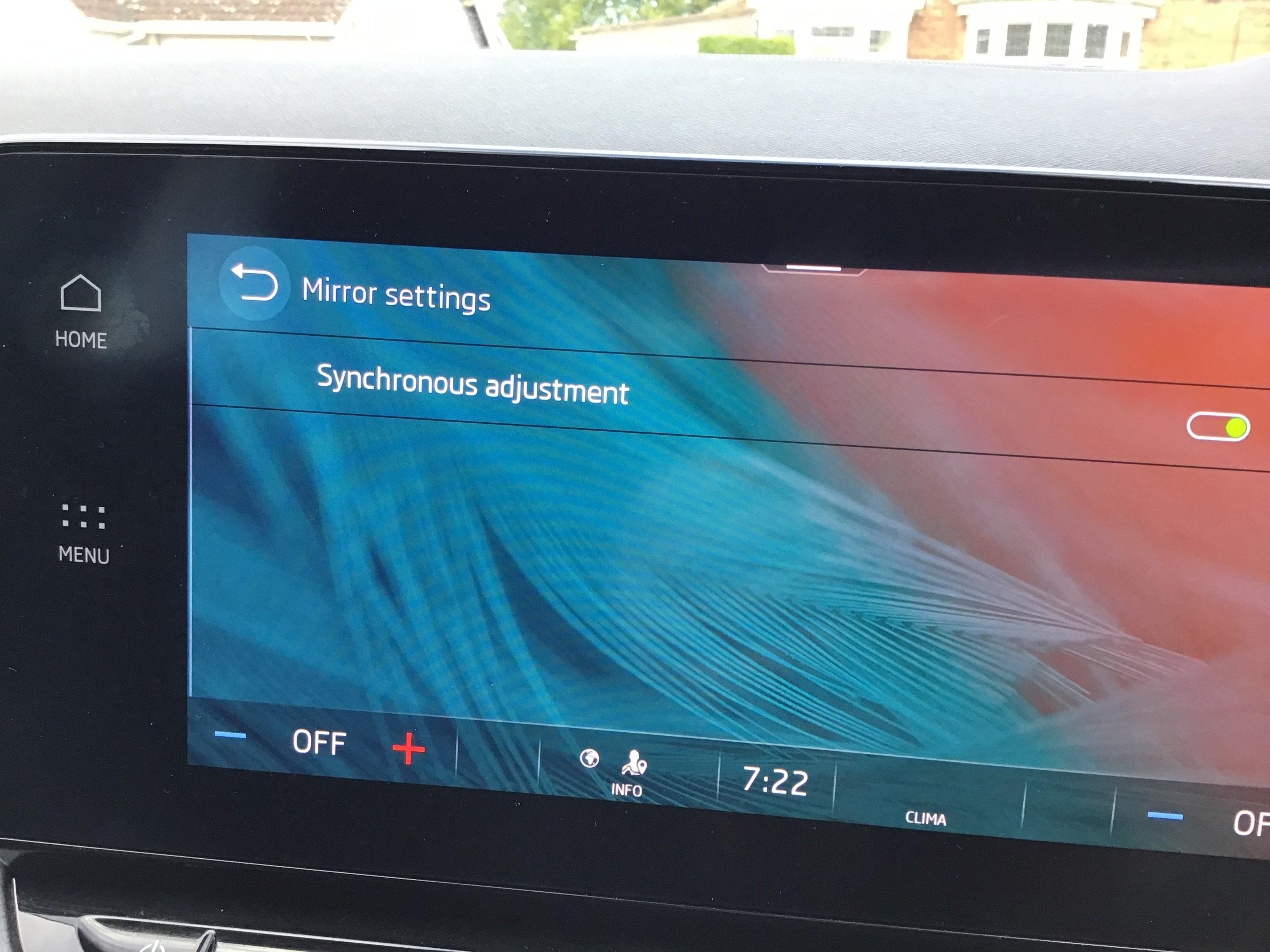
Here is a picture of switch pack and informant screen
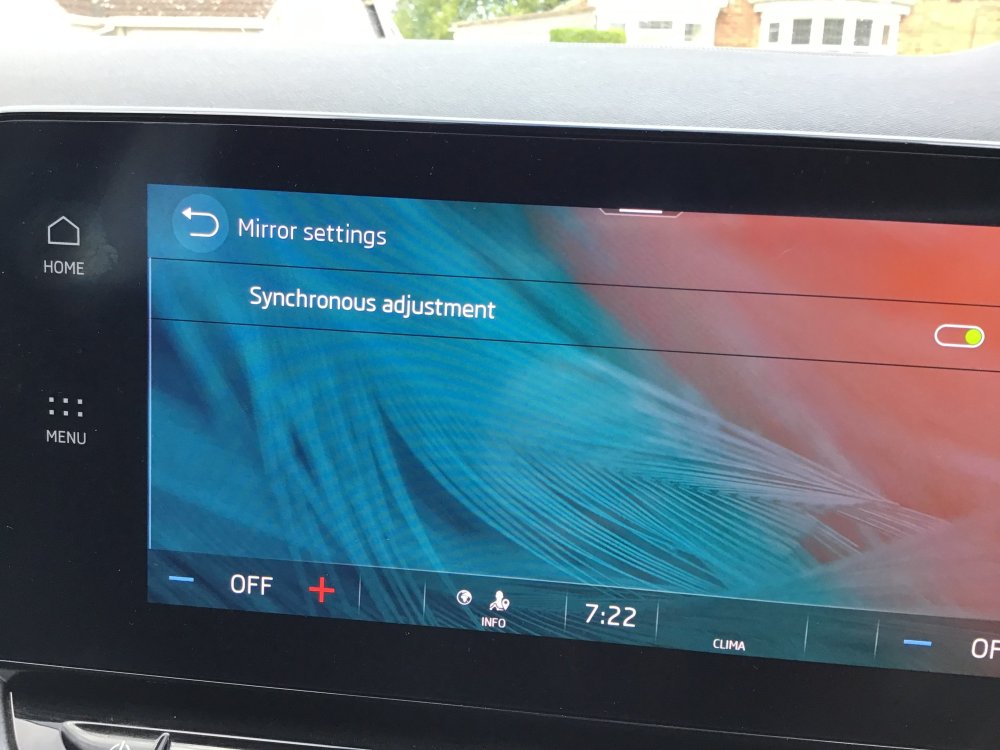 1 point
 -
1 pointRenault 4 e tech. Truly wonderful user friendly software, not quite the build quality of Skoda but excellent to drive and a size that suits us.1 point
-
1 point
-
6 months later, a new video. It's not EP43, but it's a modification of a failed part. Brackets are involved, but sophisticated ones.1 point
-
1 pointIt will not be a "wingnut" that you need just a plastic nut that has a built in "washer" shape to retain in the clips moulded into the covers - I'd think. Edit:- if it is just a plastic nut that is missing, p/n WHT 000 713 Hexagonal Collar Nut Plastic should be what you need. Another Edit:- or in that position it will be a clamping washer WHT 003 386 and, it seems a clamping washer N 903 350 04. - Scrub these last 2 numbers as they are for the exhaust heat shield, I can't see any "fittings" associated with that rear undercover, maybe check to see that a bit has not broken off before trying to order any fixings.1 point
-
1 pointThanks @Cairus for the correction. The wiring diagram is confusing as it shows the BCM on the same page so I assumed there was some connection to it. apologies for any confusion. Yes this fuse box is the one accessed by pulling down the glovebox door on a RHD1 point
-
1 point@Binx1310 Sorry, I need to correct you. The fresh air blower, labeled V2 in the wiring diagrams, has no connection to the BCM at all. It's a LIN SUB device connected to the Climatronic system. You have the power supply directly from fuse SC14 (30 amps), which is terminal 30, as well as ground from a central ground point, both 4 mm². The LIN connection is a 0.35 mm² cross-section and, as mentioned, goes to the Climatronic. Of course, you also have a potential source of error with the blower itself, VW calls it J126, the control unit for the fresh air blower. Personally, I would simply replace the blower and control unit. Of course, the blower alone is also available.1 point
-
Does the warning indicator stay off if you top up the oil to the Max. mark? If so, just keep the level at that, as it's possibly not worth the expense of replacing the sensor.1 point
-
Opening the bonnet can cancel the warning for 62 miles / 100 km.1 point
-
Where is the oil level when the engine is at normal operating temp and stopped a few minutes , 4 or 5. Compared to when all in the sump and cold. The owners manual way is a hot check for every engine but 1. The 1.2 44k engine with 2.8 litre capacity.1 point
-
@NICK87 Even if you are safe what about other road users, like cyclists or bikers if you lose lots of oil while driving or even worse diesel? How much oil or diesel are you seeing?1 point
-
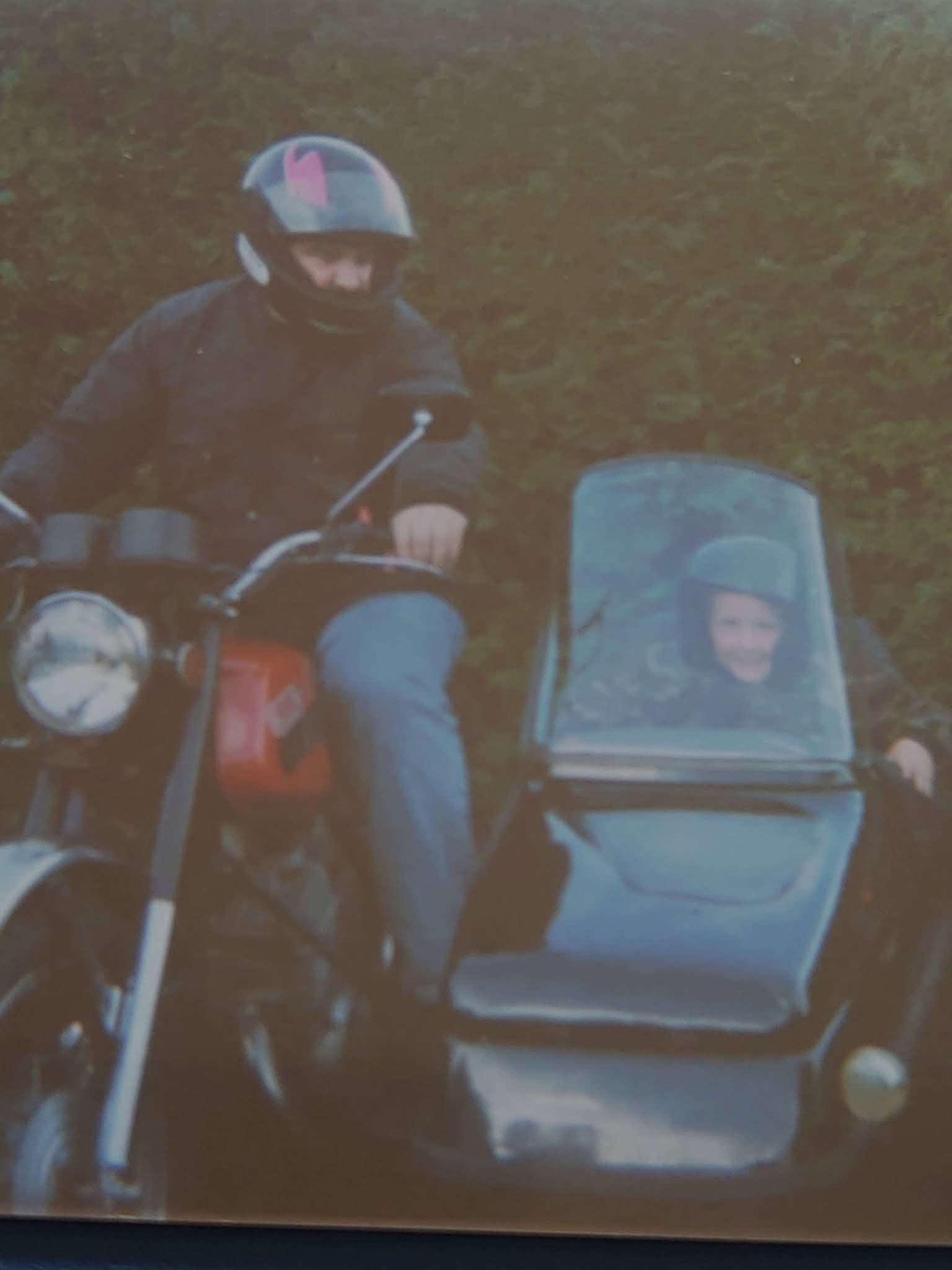
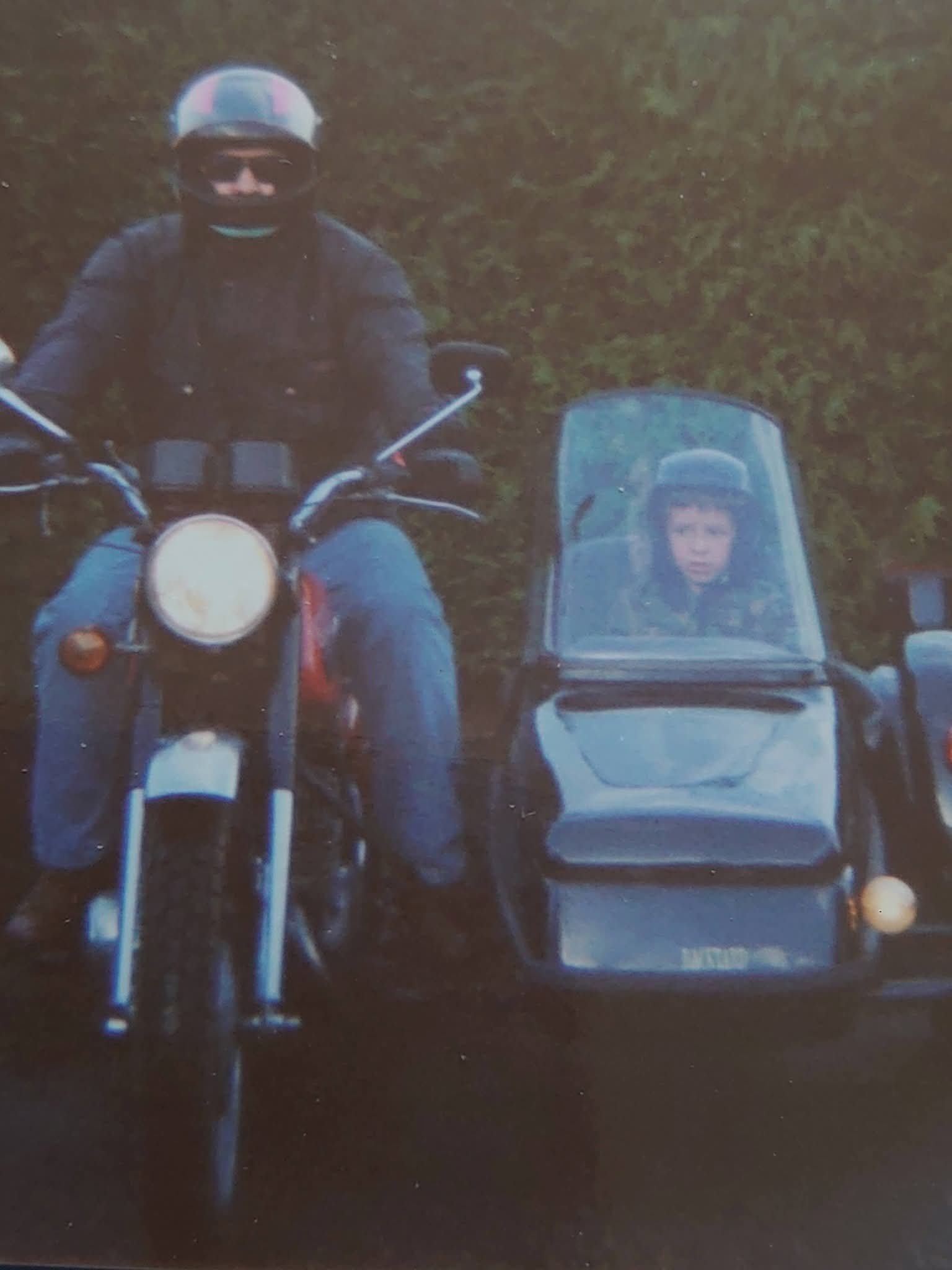
I reckon over 30 years ago given my nephews in the sidecars age now. My son only went out in it hiding down in the chair. & my Yamaha Tricker 250 single, maybe 20 years back.
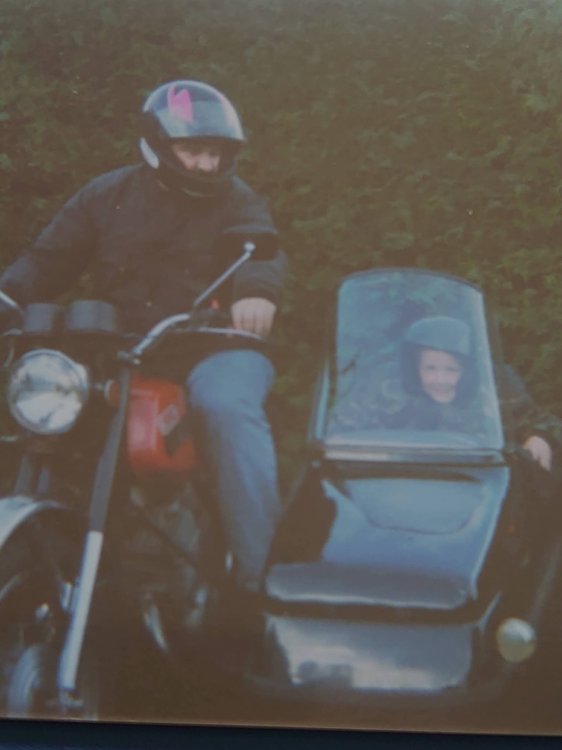
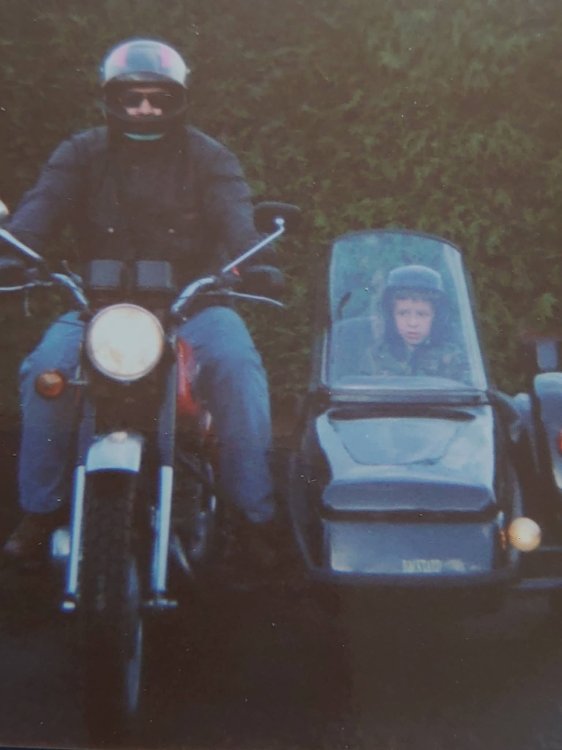

 1 point
 -
This is for a 1.4l, but might be of help to you.1 point
-
1 pointHello, I advise you to use a glasses cleaning cloth to avoid leaving any residue.1 point
-
1 pointBefore anything else, check the 12v battery condition. Even a slight drop in voltage can cause a variety of intermittent electrical gremlins in these cars.1 point
-
1 pointSo a little update: EVERYTHING WORKS. Let's start a "Journey Diary - Guide" so that everyone that wants to do it can follow the steps and update. First of all, the previously mega link posted above (here) contains all the files needed. I did everything myself with the help of @Lennart, not diffucult at all, but the responsability is yours alone. Updating from the ancient 0156 is not that difficult, it's just like any other update for the MIB3, but it breaks Navigation System. This is intentional and it's because Skoda changed the license and offers Navigation as a SWaP now. You can check in the Service Menu (long press menu button) that no 00071C00 FEC is installed and in the supported FECs it doesn't even show up as available to install. According to the 2 TPI in the mega folder (one older in English, one recent 2024 in Italian) Navigation is now a SWaP, and since it already was included in the car package when bought you can reactivate it using the codes that Skoda provides to re-enable it. Tool necessary to do the update is any OBDEleven or VCDS or any other tool that can do SVM (Software Version Management), but to re-enable Navigation ODIS-S is needed. ODIS-S is a dealer level software, so you have to rely on a dealer to apply the SWaP or to someone that has ODIS with a valid Geko Online account and the necessary hardware to connect to the car. Just go to the dealer after all the updates, you can bring the activation code or ask them to provide it, is in their ODIS Service Net and can be also obtained from Erwin Portal online. In the first TPI it's stated that the OCU (Online Connectivity Unit) has to be flashed first. Before doing that use any of the tool to go to the 0075 module (the OCU indeed) and in adaptation you need to change the Crash Signal to "via CAN". Once applied format an usb stick to fat32 or exfat and unpack the version 143 of the OCU update named 5WA035284OCU143.zip in that stick. Insert the usb stick in one of the usb-c port and long press the Menu button for 3-5 sec, reboot in Engineering mode to start the update following the TPI instruction. Once applied it will reboot and the infotainment will be working as usual. Using OBDEleven or VCDS or ODIS-S you will see that you have a fault error B201A, it's normal when doing an update via usb without dealership computer, it can be easily fixed by updating SVM using a xor tool that can be found here. It's nothing critical, you just have to tell the MIB3 that the software is new. Now you can proceed to do the actual MIB3 Update: format the usb stick unpack the first sequential package MOI3_EU_SKMQB_R23802P + P26810P + P27800P.7z in the root folder, go in the Service Menu and then press Update. The software will auto check the usb drive and since everythin is signed by Skoda it only applies if the file is the correct. It is almost an 1h job and it will reboot multiple times (5-6 at least), since it's not incremental everytime it has to delete the previous and reflash. After this you will land on SW version 278, MIB3 will work fine except that Navigation wont start. If you go in the Service Menu you will see that the Predictive Navigation FEC 00071C00 is not installed but it will be present in the available tab that was not present before. You can do a SVM fix again. Re-do everything, format the usb stick and unpack MOI3_EU_SKMQB_P30600P_0306.zip, apply again in the Service Menu and wait for it, will probably need 20-25 min. On reboot, do the same with version MOI3_EU_SKMQB_P30800P_0308.zip than you can find here a then again with MOI3_EU_SKMQB_P33000P_0330.zip that will bring you to the latest 0330 version that was released i think Jannuary 2024. Remember that after each upgrade you have to confirm the installation change. Once done you can finally check if everything is working except of the Navigation System. To fix this you have to enable FEC 00071C00, and as said it can be only done by adding your specific activation license code and unlock pin (that work only in your car and vin) and only using ODIS-S Online, so if you go to a dealership to activate it he surely can and already has your data to do so, else just bring the code with you and let them restore it. It can be found in the excel sheet in the mega folder, just search for your vin and you will find it. If you have the necessary tool to use ODIS-S yourself (like i did), connect to your car and perform a FFS (Function Activation), proceed with option 1, enter the 3 values when asked and apply them, it will ask you to login online using Geko (DSS Login) and let ODIS-S check with the servers if the codes entered are valid, after a 20sec wait or so it will be verified and unlocked. Now Navigation will start again! You can check in the Activated FEC and you will see that 00071C00 is enabled and valid. This is not a hack, it's not some sort of dark magic, is just exactly what the dealer does when they perform an update. Since they often wont do it (if aint broke dont fix it) or refuse because "risky" now you know that you can do it by yourself, files are publicly available if one know where to look and how to find them. And since the latest update is not cumulative you cannot apply the latest to a very old version they would charge you a lot of hours to do it.. well actually it is cumulative but it wont apply because security check will not pass so be patience and follow the TPI. Enjoy. R.1 point



















(3).thumb.png.bd06e3339b700c78df4658318e5ad7c2.png)