Leaderboard
-
.jpg.1006585dfe4e2977315b67c3d642e37b.jpg)
Guest_
FREEDOM16Points83,824Posts -
KenONeill
Resident Member9Points38,125Posts -
Lee01
FREEDOM9Points36,951Posts -
AnnoyingPentium
FREEDOM8Points5,684Posts


.thumb.jpg.9dd3f612ba7f13d10be5c518d3c8d255.jpg)

Popular Content
Showing content with the highest reputation on 13/04/22 in all areas
-
I'm very sorry for all the troubles you have. Pls let me know on private message VIN of your car, I will check what is the unit model number and prepare a solution.5 points
-
Many Thanks to Pab for taking the trouble to find info for me. I apparently have a Bolero unit and he gave me an idea on cost of replacement for This and Amundsen units - a lot cheaper than quote. UPDATE ON THIS- I phoned Skoda Customer Services back as gave up waiting and wanted to know if this quote was right. I finally spoke to a Case Manager. I had received the wrong quote on Friday! It wasn’t £5876 but £587.69 to be precise! It’s a huge relief! Now it turns out that they don’t think it’s the radio but the Control Unit at a cost of £652.94 +£218 labour + Vat Totalling £1045.13. A big difference. I got an apology for misinformation on quote but not prepared to offer any good will payment to help with this. At least I know where I stand now and exactly what it is. It’s s shame I couldn’t have this information when i had my car serviced and I discussed the problem with my local dealer. They did check but couldn’t get it working. That was basically it and No written information on problem or likely costs. I have this now which is a good starting point to get the problem sorted. Many Thanks to all who contributed with help - I am new to this site and not v technologically or mechanically minded and have struggled a bit on my own with Skoda, but this site has been very helpful and I didn’t feel alone with it. Thank you for your patience and non judgemental stance too. Again very appreciated. I wouldn’t hesitate using the Forum again and will pass this website on to other Skoda owners in the future. I wish you all a very Happy Easter and Thank you again. Aj4 points
-
4 pointsExciting news! I've just received a message from my dealer to tell me that my car has been built and is in transit from the factory. I should be able to collect it at the end of this month, or early May. Ordered on February 23rd, Build Week 15 (W/C 11th April - this very week), so incredibly quick!4 points
-
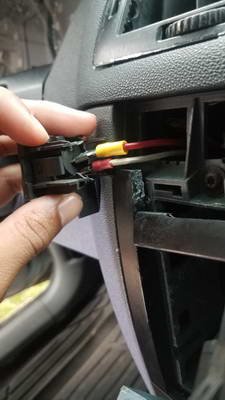
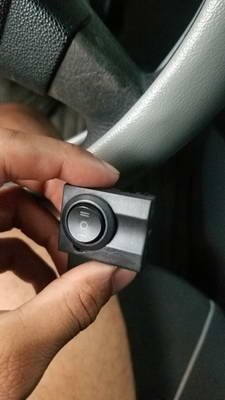
an update. I installed a voltmeter, i am not expecting to run on battery again (which a voltmeter would be extremely useful so i know when to stop) but it i do lot of camping where i need to power many devices using the car, so, a voltmeter is very useful for me. uhmm.. thats actually the fog lights switch, in the small blank space at the right of that switch i installed an even smaller switch for the voltmeter. i got a voltmeter screen the thinnest one in the market, and i fit it in another blank button and then put a tinted plastic over it so it looks like a small screen, it is powered by the first contact of the key, so it is off if the key is out. (yes, the ac vents are still pending)
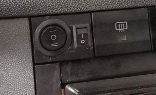
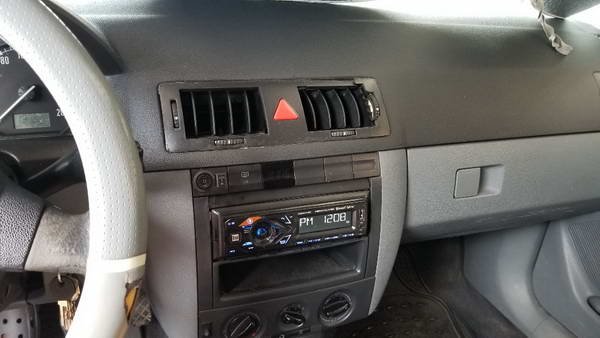
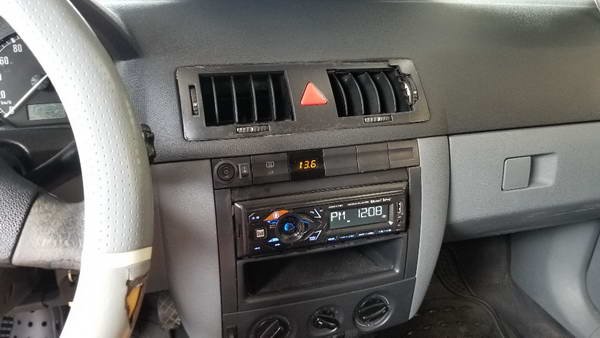 4 points
 -
The only thing to squirt at brakes / discs is Brake Cleaner. But then after doing that you need to use the appropriate grease on pins, back of pads or rubber grease on rubber. You do not want lubricants on the pads or discs obviously.4 points
-
3 pointsGiven that C5 were casting around on twitter for people with bad experiences of charging, I expect a hatchet job.3 points
-
3 points
-
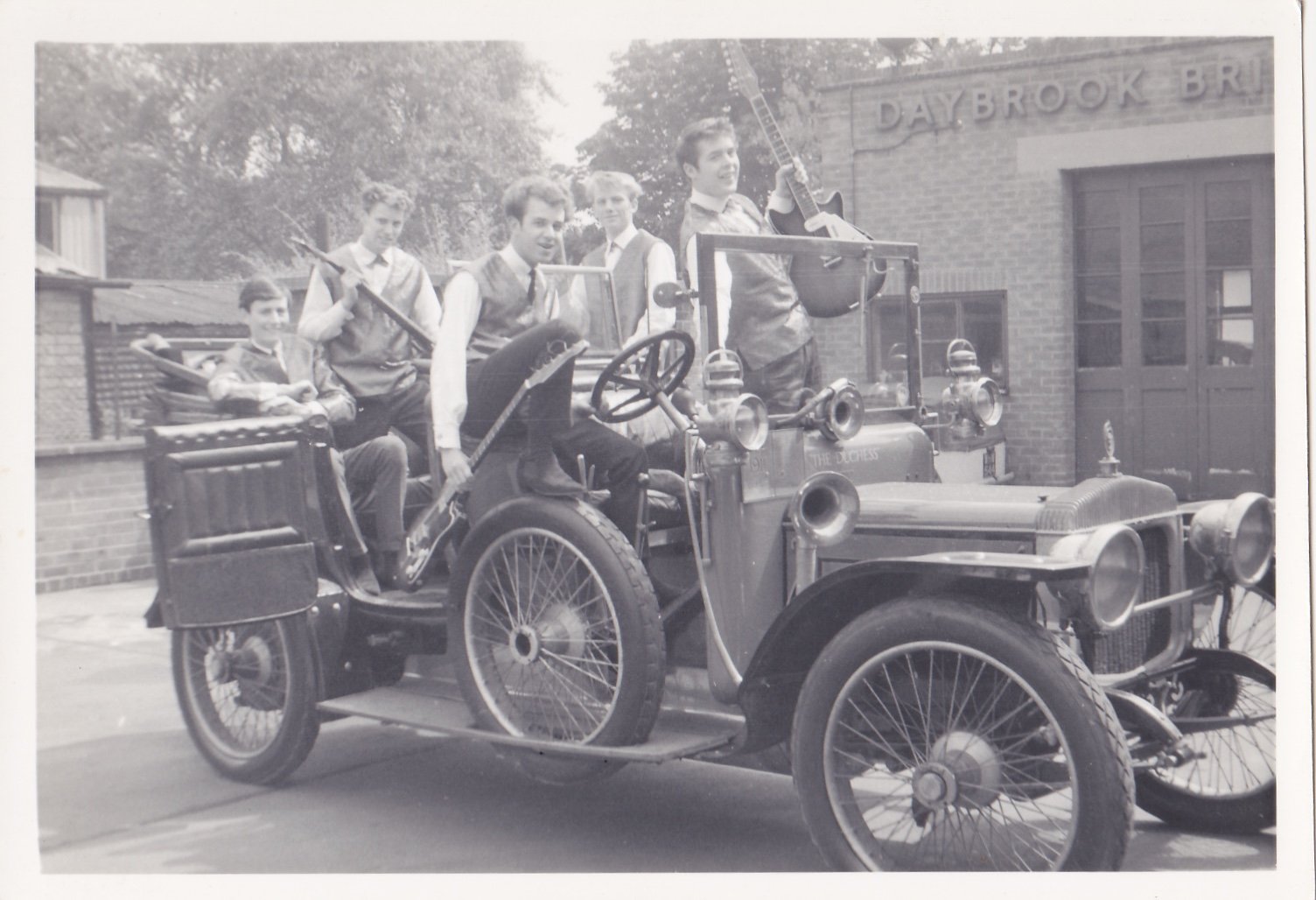
3 pointsNot owned by me, but the thread title is about past cars, and this is deffo a past car! The band was ‘Dave KC and the X-Rays’ (I’m the blond one - the drummer) car is a 1911 Daimler, owned by the dad of one of the guitarists, pic taken 1963/64-ish
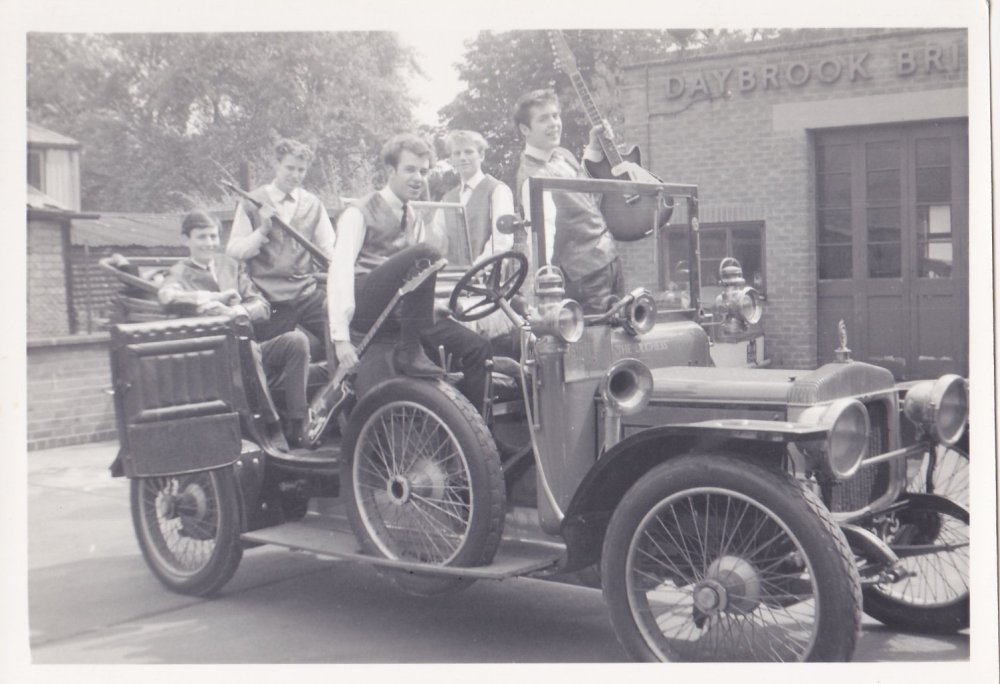 3 points
 -
3 pointsMy first car, a 1937 Morris 8 Tourer, and my Norton Model 50, the latter my first ‘proper’ motorbike, bought the day after I passed my bike test (on a Lambretta) at 16 yrs old in 1963.
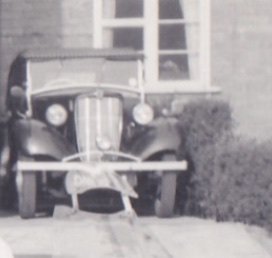
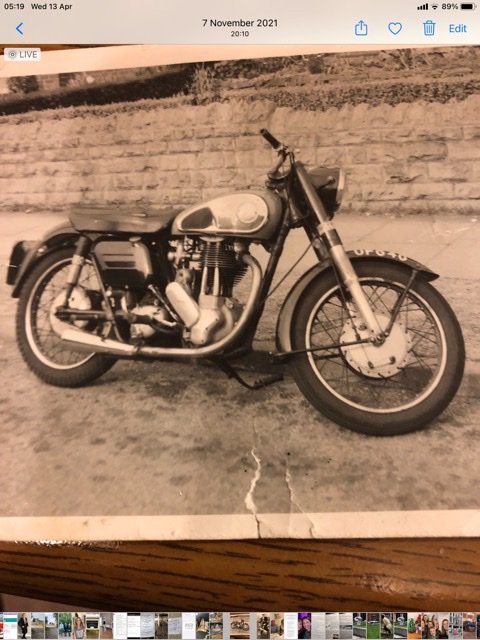 3 points
 -
^^^^ As above. Brakes are service items but a Full Main Dealer Service History does not mean the brakes get touched only 'inspected'. So the brake fluid change was due at 3 years, but maybe not done or the brake fluid tested. Time to get the pads out and the little copper slip on the back and at some point also the brake fluid tested for h20 content and maybe replaced.3 points
-
@Slick2097 - You might consider treating the front disc backplates with Copaslip. If you're unhappy working with brakes, go to a local garage, not a Skoda main stealer.3 points
-
2 points
-
2 points
-
2 pointsChannel 5 tonight at 7pm there's a doc titled 'Should I Buy an Electric Car?' Might be worth a watch for those interested.2 points
-
An update, i did a flush, twice, respecting the cool down times between clycles... and fill with destiled water and ag13 concentrated, small leak first days, no more leaks so far.2 points
-
No need to live with squeaky brakes. They can be properly serviced and pads / discs that are all good can help with that. Regardless of getting the service / warranty history of the first 3 years or beyond just as well to get the brake fluid tested. BUT, Maybe not if there is a record of it being changed last year or at the last service.2 points
-
2 pointsAll sorted. Some German large rat thing had climbed into my engine bay and chewed a pipe. 15mins and €32 and I’m back running2 points
-
Mouse over Pab's username to the left of his posts, and a pop-up will appear under your mouse pointer, at the bottom left of this pop-up will be a button called 'Message'. Click on this.
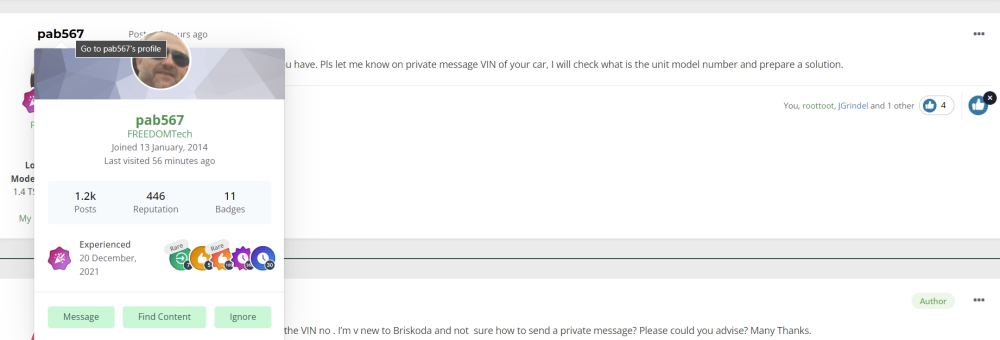 2 points
 -
I've had the same issue for years and just put up with it. Sadly I don't go through brakes very fast so the pads haven't been out. As others have said, it's likely to be a really simple fix if it really bothers you.2 points
-
The main difference between budget (as in real budget) vs premium tyres is normally the wet performance. The difference in dry is there but won't make a difference in day to day driving but might in emergency situations. However the gap in wet widens significantly. In any case a new budget tyre will almost certainly outpeform a worn (just above limit, ~2mm) premium tyre in the wet. Did a tyre event with continental where they let us try it out and the worn contis got spanked on emergency wet braking by a new budget set. My conclusion is, budget tyres are fine, maybe swap them out when it's at 3mm or so. Drive to conditions and all good. My new set of tyres should last the life of my planned ownership as I don't do much mileage. Another 15-20k miles or so I reckon and it'll be 5years old with half-ish the thread left.2 points
-
Oh... wow. I cannot begin to describe just how shady that is. They claim not to be anything like the cheap knock-offs of VAGCOM cables found on eBay, but yet they're selling a... cheap knock-off. I don't for one second believe that they have licensed the firmware - so if, as they claim, it is identical, that has to be a copyright infringement. And I'd be very surprised if the VCDS licence agreement allows you to use it with anything other than a genuine cable. Finally, I love how the pictures are either of an original cable (which is not what you're getting), or they are making cables claiming to be made by Ross-Tech (which is not what you're getting). I'm not for one minute defending the cost of VCDS (although I do think their pricing structure is fairly reasonable) - but this is dodgy as hell and should be avoided at all costs if you have any morals whatsoever.2 points
-
2 pointsNot gat a photo of my actual one, but I'm ashamed to admit my first student car was a white Renault 6 like this one! It lasted 2 months before ending up upside down in a ditch...
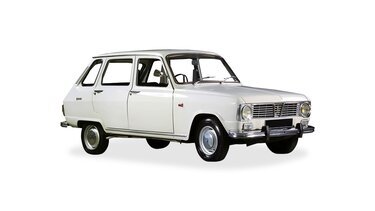 2 points
 -
Change the wheels front to back and go for a spin, then you'll know if its a wheel out of balance straight away. When I swapped tyres back to front on my monte it suddenly shook like crazy above 80, sure enough one of the wheels had lost some weights.2 points
-
2 points
-
**Updated March 2025** The latest firmware version is: 0480 for SOP4.x hardware. 0363 for SOP3.x hardware. 0253 for SOP2.x hardware. **UPDATED May 2021** **Updated Feb 2024** Minimum size of SD card is now 32G **Please note everything on here - is generally warranty effecting - break it and you'll need to pay to get it fixed** Dear all, I thought I would pen down my experience in terms of upgrading my firmware on my 2019 Octavia Scout. I have cleared me writing this piece with the Briskoda Moderators. I have always berated Skoda for the fact that there are firmware updates available to fix various silly niggles on the Entertainment system. I have a Amunsden system (Bolero with Sav Nat). You have to play silly games with your dealer, just so they can look to see if any of your MIB system faults are displayed as a known issues....which is the measure that they use. The point is that unless your car system is seriously glitchy, dealers won't generally touch the MIB system. I am an IT guy, and this kind of thinking (especially with the more modern connected systems) depresses me....the world is told to patch,patch,patch - but VW group choose not to do so unless absolutely necessary. I now understand why....because the MIB2.5 system upgrade that I managed to get hold of for my Scout - took over an hour to upgrade. Time is money in dealers and this is why when dealers do a firmware update, then charge it as a warranty claim. On my system, there were many many patches for 0475. The version of firmware provided by a member on this forum was for 0478. (May21) There are also different version of firmware available. This is an important thing to note: There are generally (for Bolaro and Amunsden) - different software strands: They are: SOP2.x, SOP3.x and SOP4.x - when you look at a firmware version, you will be presented with a version such as 0472 - this says that it is a SOP Version 4.x . You can only update SOP4.x strands with another SOP4.x strand. Therefore, if you have 0472, you can upgrade to 0478. If you have a SOP3.x - e.g. 0359, then you cannot safely upgrade to SOP4.x 0478 firmware. There are people on here who say they can do it, but this is a risky area and you risk bricking your hardware. Now some legal stuff - because Briskoda cannot officially endorse anything that you do to your car (its a forum for Skoda enthusiasts, not dubiously obtained software) and the fact that the forum doesn't want to be sued by VW Group for posting non-authorised/obtained software, all the dealings for firmware has to done behind the scenes. Its sad that way. The firmware files are generally quite large (my copy was about 3GB). So once you have found the appropriate thread for your MIB system (it could be a Bolero, Amunsden or Columbus system), whether it is a MIB, MIB2 or MIB2.5 system, and you have found the appropriate member who has access to the firmware, you will be asked to take a photo screenshot of the system information. You can find that in System Information in the MIB system under Menu and Settings. This information shows the VW part number and the current firmware level. Do not confuse this with the maps/nav version information. If you are brave enough to do the firmware update, my other caveat is that you need to know your way around a PC. I'm a linux guy (which helps), but a good technical expertise level is useful. You will need: The link to the downloaded software An 32GB SD Card - DOS partition and formatted in FAT32 (Linux land it is called vfat) Download the firmware image - it will have a filename similar to: MST2_EU_SK_ZR_P0478T.7z . Briefly, that equates to: MST2 = MIB2 or 2.5, EU_SK_ZR are all countries (its a Europe and Russia image) and P0478 is the firmware version. The file is given in this case in a 7zip format (highly compressed). I know there are Windows decompression tools available, but I use 7z command line - in this case "7z x MST2_EU_SK_ZR_P0478T.7z". Make you do this in a new directory (otherwise it write files all over the place in your current directory). You should also file scan the files to make sure there are no virus's. After a while, you end up with a directory full of files. You can safely move the .7z master file elsewhere. There will be a new directory created with the same name as the firmware. Go into this directory and copy the content onto your SD Card. This process will take about 30 minutes all told. Eject the SD and go to your car..... Now connect up the battery charger to your battery and start the charging process. Remember, if the MIB system detects voltage levels below 12V (I think it is 11.8V), it will not allow you to upgrade (or its a bad idea anyhow). Think of it doing an Android upgrade with low battery voltage - not advised. Get into the passenger seat, and go into the glove compartment. Remove your current SD cards in SD1 (and SD2 if you have that slot). Switch on the MIB system and insert your SD card with the firmware on it - into SD1. It must be SD1 slot only. With the MIB system on, press and HOLD the Menu button until you get some hidden menus appear. Top option is labelled firmware/updates. Select it (either press screen or use the right hand knob and press your selection). Select Upgrade as the option you need. The system will go away and read the SD Card and see if there is a firmware update available. If all is working well, the system will reboot and put itself into Emergency Update mode (Scary Screen). You will now right here find if your files are corrupted or not. First attempt at my upgrade....it didn't go well, because I use 7z e as opposed to 7z x flag to extract the files. Once that snafu had been fixed (and I stopped panicking) , and I had the files in the right order in the right directories, all started working. I had over 100 updates - these were mainly CPU related and firmware for the bluetooth modules etc. They take time to process....be patient. After about 60 minutes, the upgrades finishes and the radio reboots - once to ask you whether you want to downgrade your system to the previous firmware level (press cancel here). The system then completes and switches itself off. Leave it for about 60 seconds. After 60 seconds, switch it back on...(in my case, the Scout Logo appears) and the system boot up. All seemed to work well, but I had some minor niggles to content with. 1) The GPS module went AWOL for about 10 minutes, then came back to life. 2) I could not get Skoda Connect to work. Skoda Connect was an interesting one - and I fixed it an interesting manner. I ended up doing a car factory reset. Skoda Connect still didn't work. A quick check with the Skoda Connect app showed I was logged out, so re-registered the car with my login. The app showed all was well and re-registered, but still no Skoda Connect. I left it to do its thing....(got bored). Today - I had another look at the problem....I realised that because I re-registered the car, that all the personalisation options had gone back to factory reset. I had to go into Menu-> Personalisation and re-associate the car with my profile....Skoda Connect then started working correctly. I hope this is helpful for somebody to understand the process.1 point
-
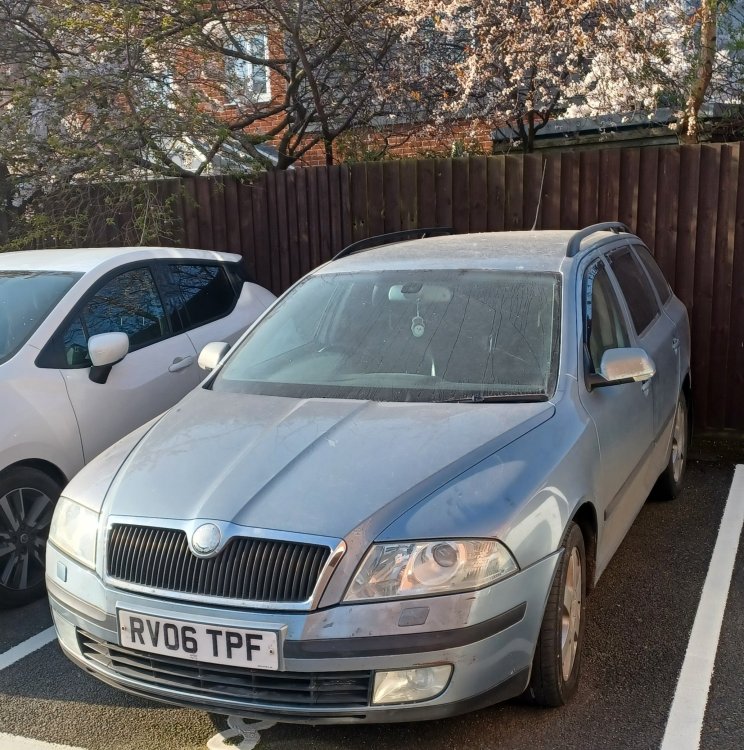
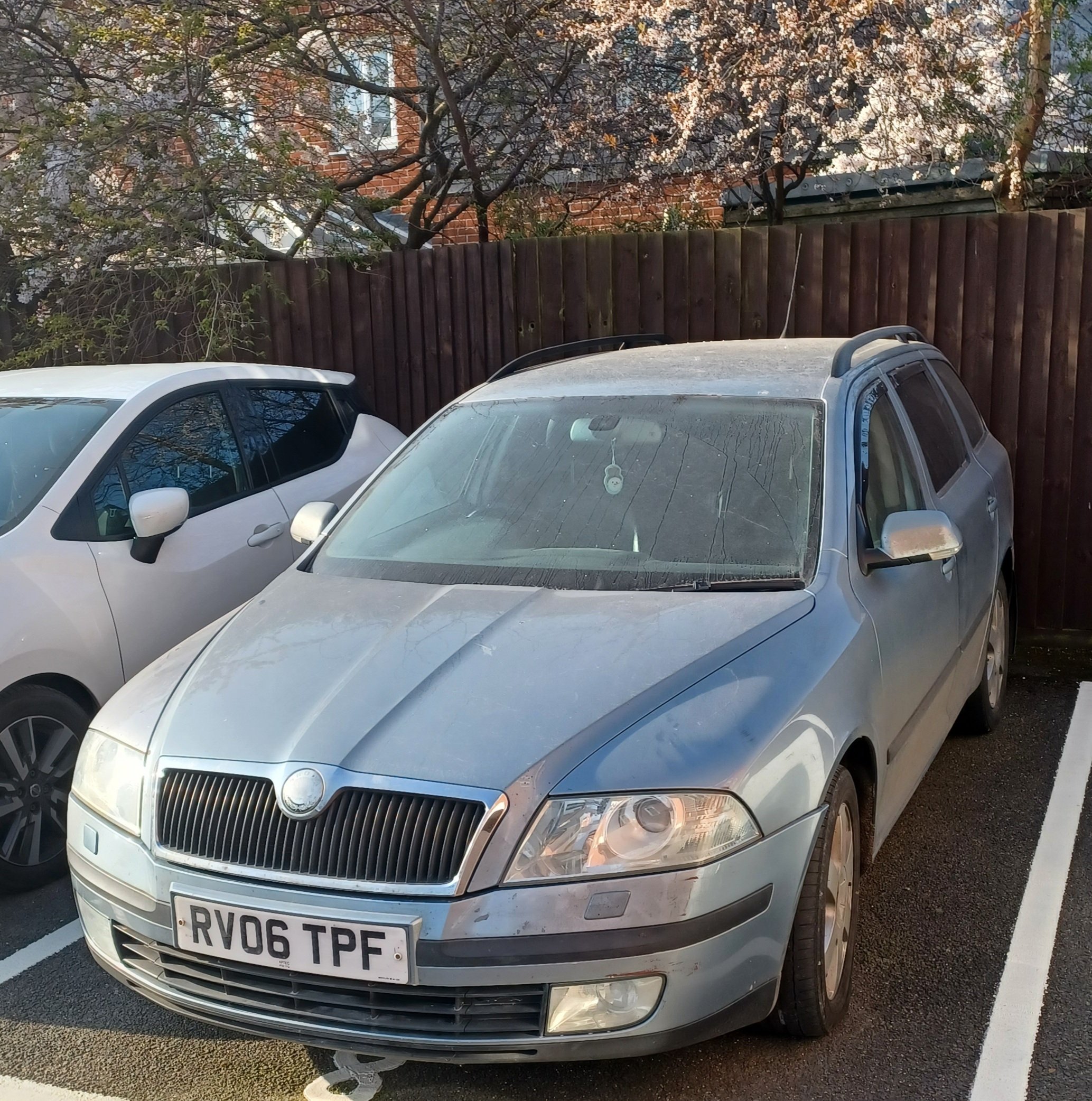
Hey people, I'm new here - but have been browsing for years as I love the old rear-engined Skodas, and have used BRISKODA advice to fix various things on my old Audis! After my A4 was written off in February I picked up a 203k-mile '06 Octavia 2.0TDI L&K with FSH and a dead turbo. After buying some new axle stands and writhing around underneath the thing for hours it's on the road and demonstrating a multitude of intermittent electrical faults. Hey, I love a project! Thanks everyone for the great info here!
 1 point
 -
Roger that. I think that will be the way to go. I'll keep you posted when I get my hands on the OBDEleven. Thanks for the help1 point
-
Call from the dealer today: car is due there next Wednesday and collect Friday (ordered 10/11/21). Fingers crossed.1 point
-
1 point
-
1 pointYes, just to confirm - I enquired about this at my last 50,000 mile serivce and was informed by my main dealer that there is no fuel filter service item as such, so not to worry.1 point
-
1 pointNo I don’t have extended warranty on it. I’ll try and take it out, replace and see what happens.1 point
-
1 pointThe lady goes to several 22 kWh charger, all look like AC ones and I have never heard of a 22 kWh DC charger but she witters on about plugging in to these chargers but does not seem to work out that she is only getting 7 kWh out of any of these, oh dear. Not to good at maths and not even ready the spec of the car she is testing or perhaps understanding what these specification means ie 7.4 kWh onboard charger means that is your limit of what you will get from that AC charger. Be interesting to try and explain single phase and 3 phase electricity to her. This is one of the problems with Youtube I suppose that you do not need any qualification, GCSE Physics or anything to make such videos or at least run it past someone with a half decent level of technical knowledge so you do not look a muppet and mis lead potential buyers.1 point
-
155bhp in a Citigo is honestly the most terrifying thing I've heard but I love it.1 point
-
1 pointI'm late on to this but just for my input, I've had an SE Technology iV for about 16 months and my viewpoint on it It's a company car, so the amount of money I am saving on company car tax made it a no-brainer for me. I charge it overnight on mains (we'll get a charger when we move house) so the length of time to charge it at home is not an issue. When travelling on business, I can't charge it at service stations as it takes too long. When I stop overnight, very few hotels have on-site charging and I can do an 800+ mile round trip without ever being able to charge my car. When travelling on hybrid mode, I get mid 50's mpg, so no better than the 2.0 turbo diesel Superb I had previously. I have been able to tow a caravan with it, with no issues whatsoever. The boot is smaller but, thankfully it is reduced from a big size so still a decent capacity. I like the car, it runs fine but in all honesty, apart from the tax break, and the fact it comes with an auto, it does not give me personally any benefit over the old 2.0 turbo diesel.1 point
-
1 point
-
First thing I do when getting a car is take it to a petrol station and set the tyre's to the correct pressures (and reset the TPM). Don't think they were far off the normal pressures to be honest. I have read previous articles on here from people with squeaky brakes, it does seem to be something with certain octavia's. If (like @MeteorOcty has stated above) its just something to live with, then thats not too bad to be honest. Like I said, the car stops when i'm trying to stop and feels like it will stop in an emergency if needed so I will see what (if anything) I get back from the Skoda Dealer. Again, thanks to all of you for commenting and giving me suggestions, very welcome and appreciated.1 point
-
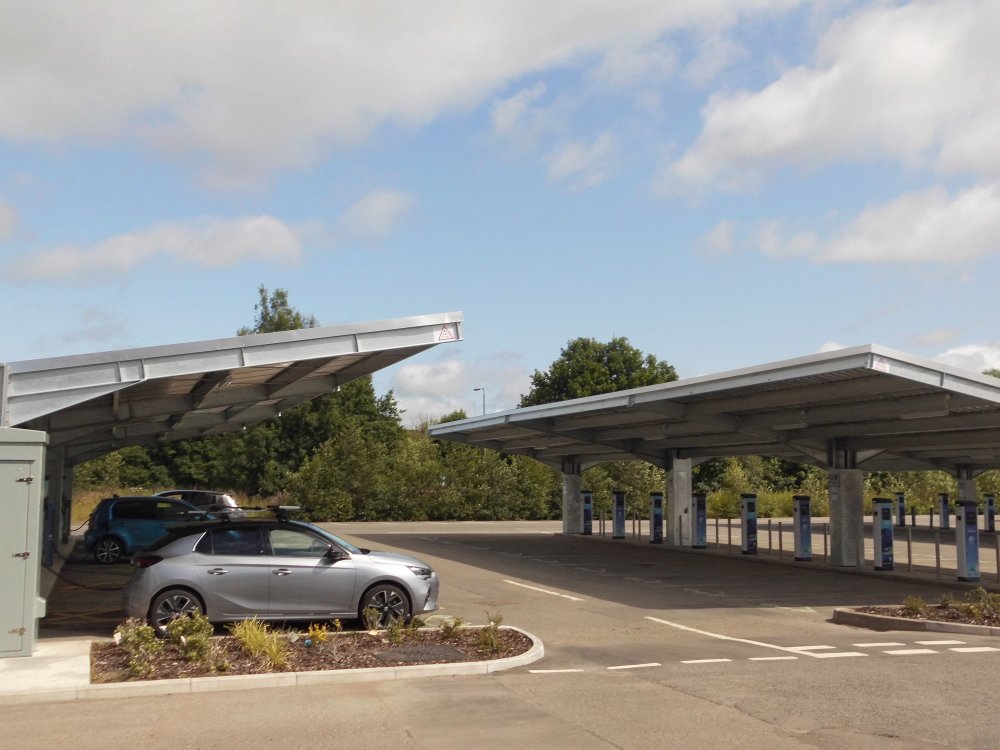
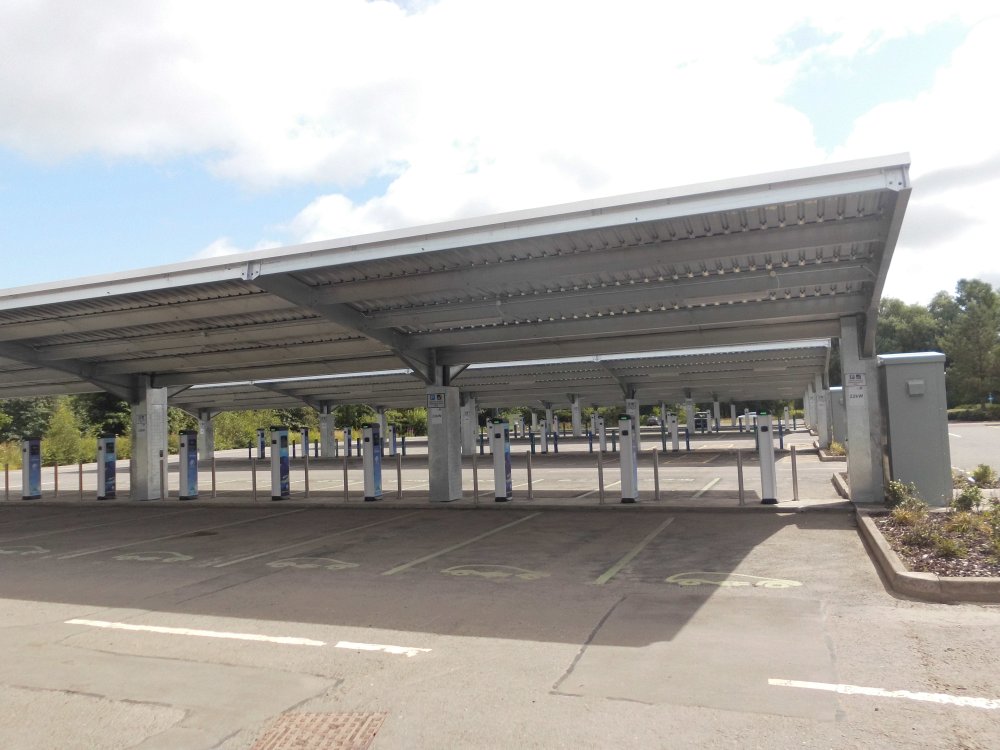
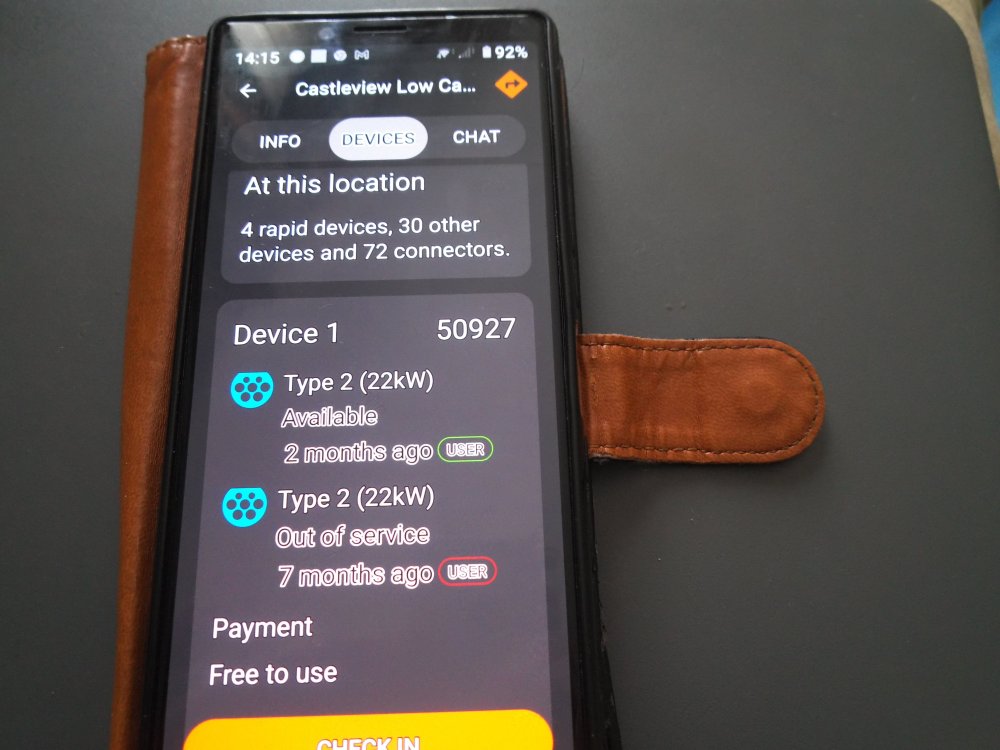
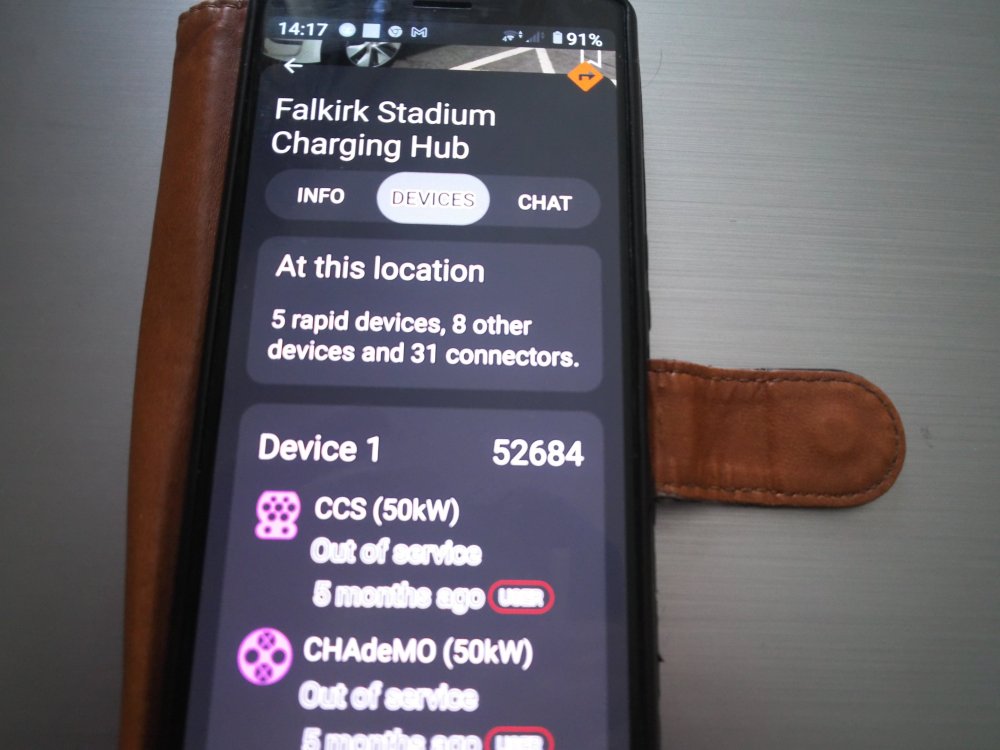
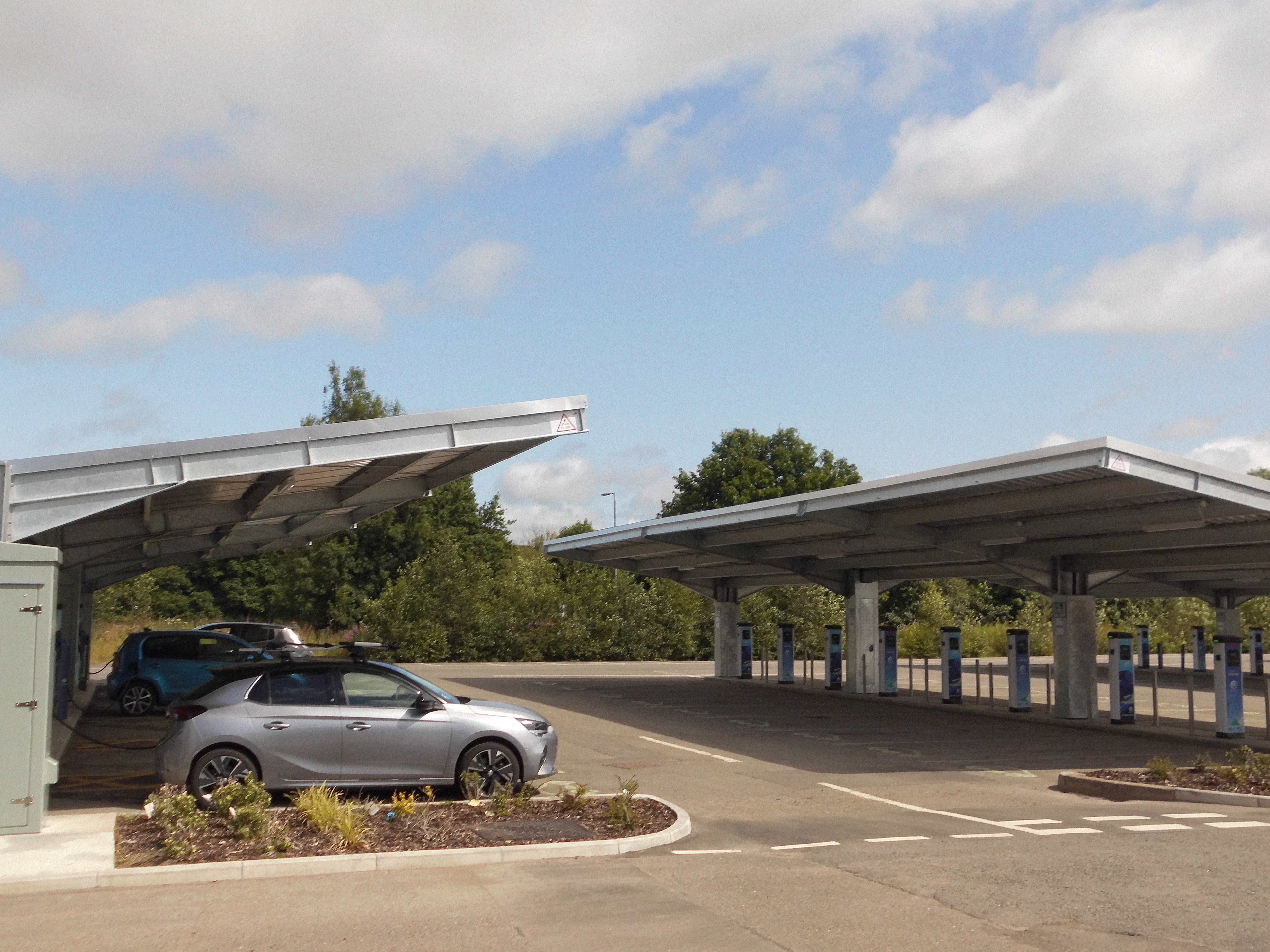
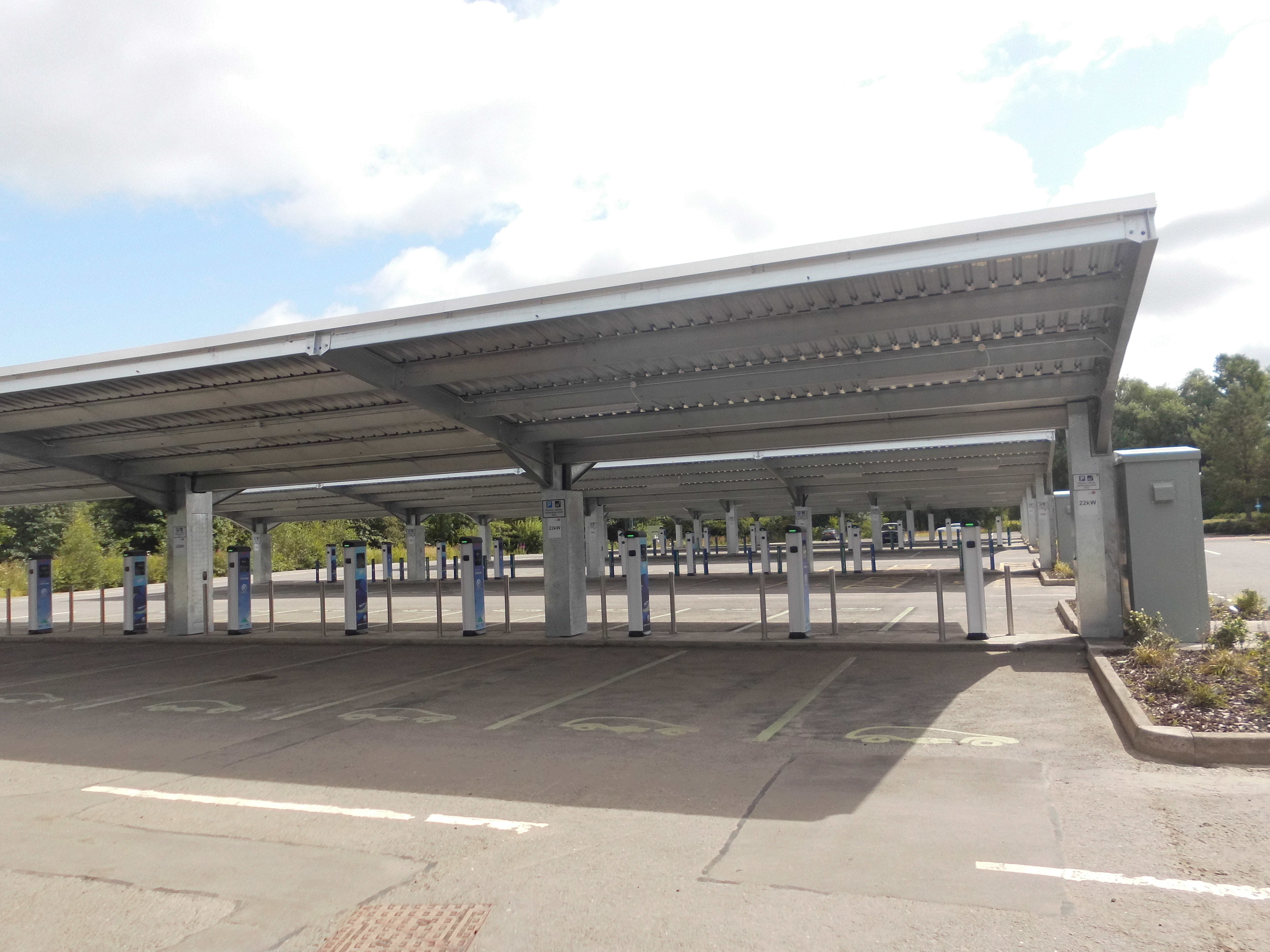
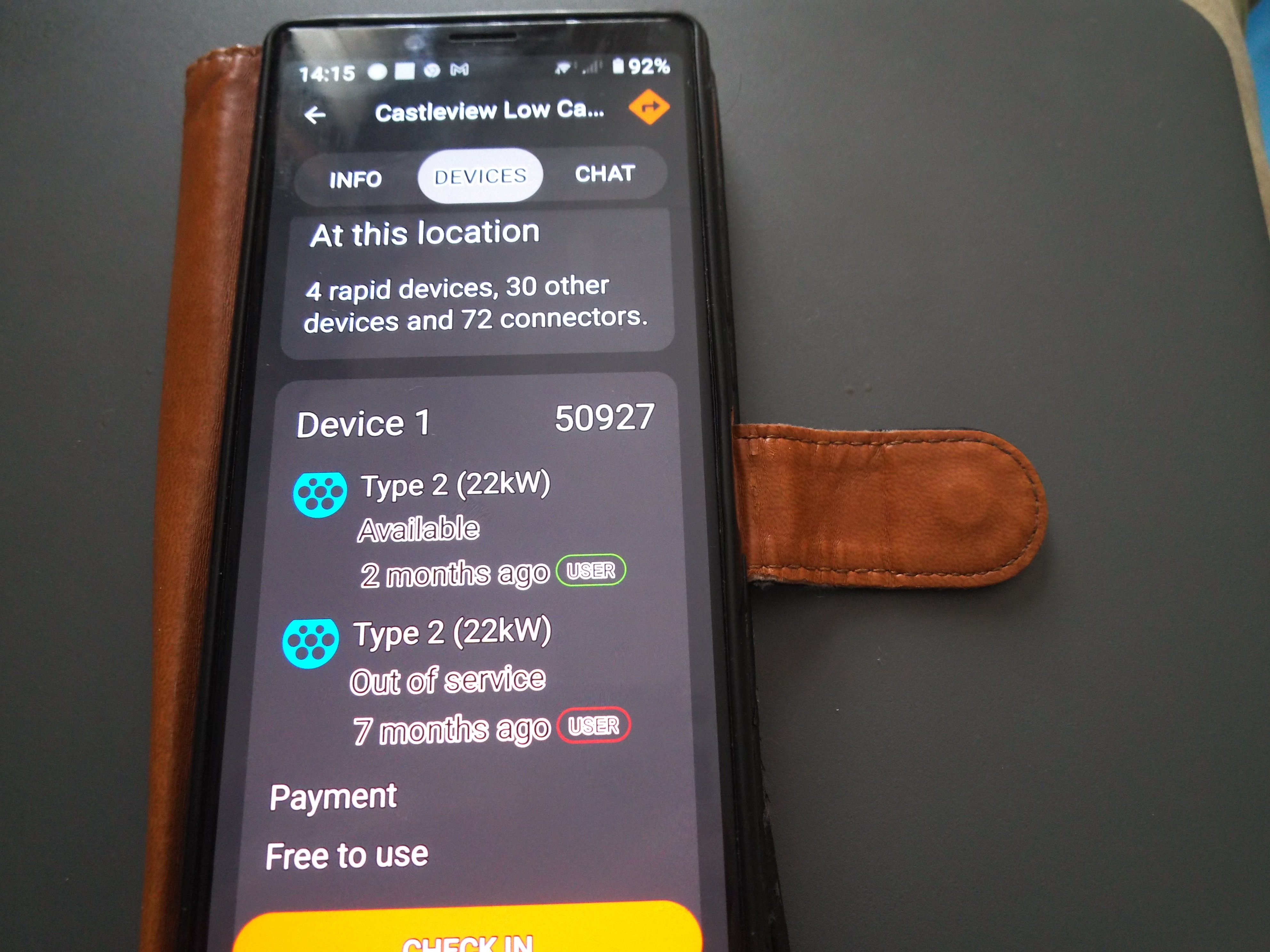
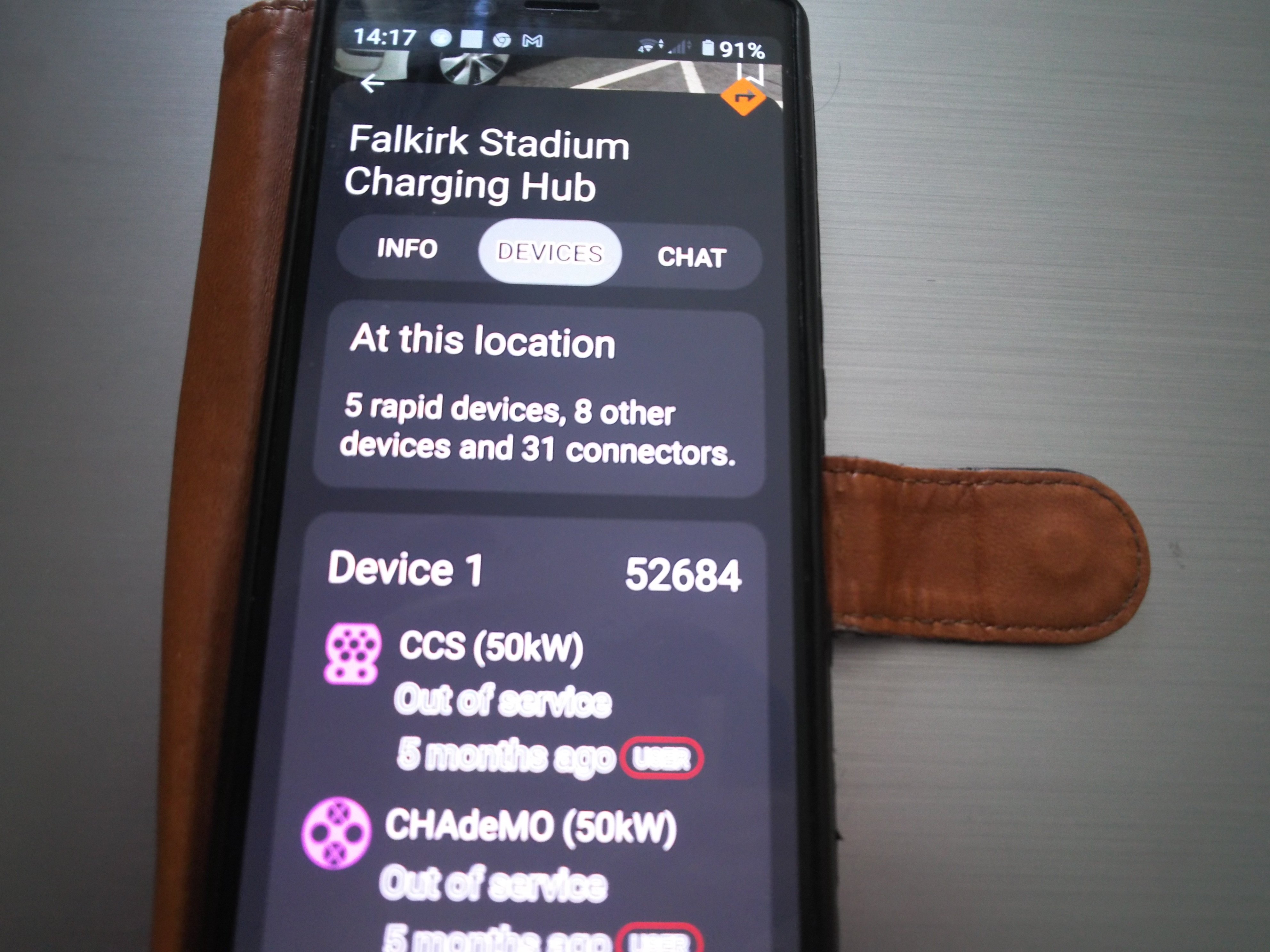
1 pointIf there are 40 odd 7kW, 8 22 kW posts and only 4 CCS and 45 kW tethered AC and a lazy driver just parks their small or big battery car for hours on the AC charger it is easy to see why angry charger police hit the emergency stop button on them. CHARGER RAGE / full on going mental is a thing.. It takes someone that does not give a damn or is clueless to put their car on the AC for hours on the only 4 chargers that are tethered when they have a huge choice of bays, but that would require some effort to use their own cable. Part of the issue is the cards not reading and no numbers on the chargers so starting by the app is an issue.
 1 point
 -
1 pointLook at how Ikea rapid chargers are abused due to 1-2 hours of dwell time. The goal of destination charger at these locations, where the car's owner is not available to move the vehicle, is more for adding a few miles. Think of it this way, for every £ spend on infrastructure, is it better to fully charge 1 vehicle? or to continuously feed miles into 6 vehicles? (50 kW can be split into two 22kW or six 7kW charging posts. Also remember 50kW DC rapid chargers are a lot more expensive to install than 7kW AC posts) It's very simple really: - Put rapid chargers at anywhere that will operate like petrol station, where the owner is actively monitoring and will move the vehicle on completion. Charging comes first here. - Put destination chargers at destinations where there is no expectation to move the vehicle. Owner wonders off and charging is secondary here. - If you are not able to charge or didn't charge enough at destination, fall back to rapid charging network en-route. This is why readily available hugely over-built rapid charging hubs are important on trunk roads. I'm not sure any supermarket/gym/garden centre visitor will drop what they are doing to move their EV........1 point
-
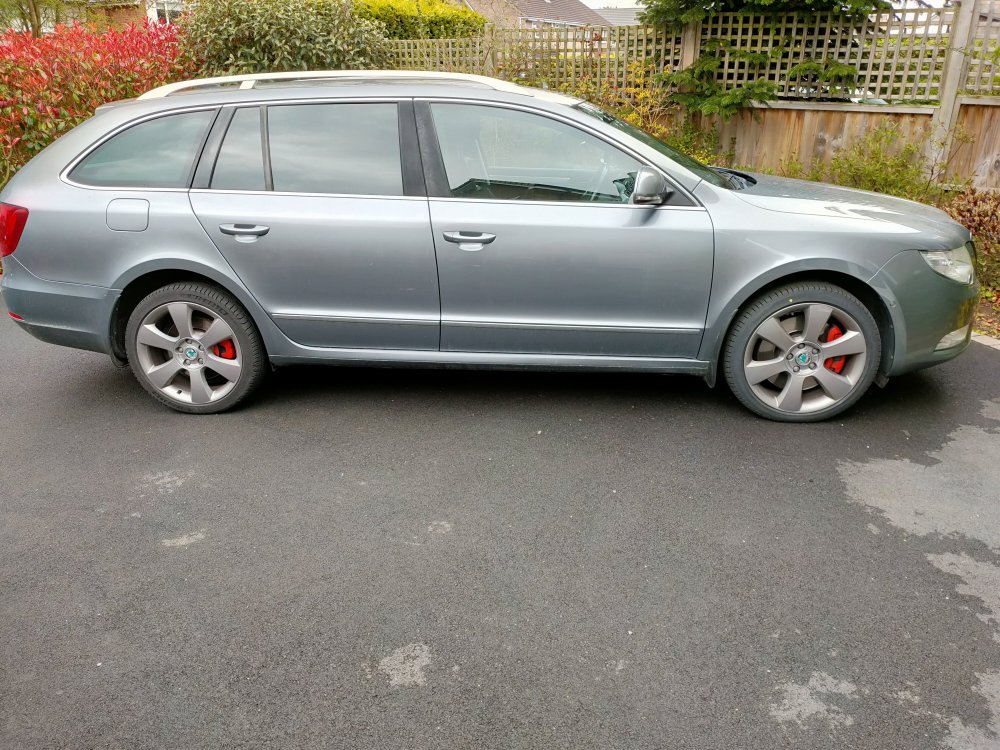
Here are mine, bought with these on, looking through old receipts these are 18 Octavia monzas...a slight colour clash with the car but rides nice. I'm thinking of using these for winter and getting some others for summer...
 1 point
 -
1 pointModified the gateway dataset, driving mode and gearbox mode are not resetting now to Normal after ignition is switched off 😉 Done based on: https://github.com/jilleb/MQB-FPA1 point
-
1 pointHi @TankTankBoom, from my experience the disk and hub look normal. I had mine detailed last year and the detailer took note of the rusty looking hub and cleaned and sprayed the hubs silver. They look great now. The disks will polish up when used. I'm not sure about the wheel nuts, no issue with mine.1 point
-
1 point
-
1 pointOn TSI engines, the fuel filter is fully integrated to the fuel delivery module (FDM) inside the fuel tank, is cannot be serviced. At best, you change the whole FDM.1 point
-
The chip shops normally return used oil via an arrangement with their supplier. Other establishments normally have to pay for the collection, so theres a chance there. To be fair, I've not really heard of anyone running on it in at least 5 years, so you've got a fair chance of finding a source of oil. The other one I used to do was filter and separate the water from waste engine oil and throw a bit of that in the tank with the veg oil.1 point
-
1 point
-
1 pointHi Everyone, I bought my first Skoda in September 2021 with only 16k miles & full dealer history. Its a 66 plate 2017 Octavia III 1.4 SE Sport manual in race blue. Having a few issues which are: 1. Gearchange isn't very smooth feeling a bit notchty, when changing from 1st to 2nd I sometimes hear a crunching sound where cogs trying to line up. 2. Creaking noises when passengers get in the back that is probably caused by cheap brake materials. I have a full set of Brembo discs & pads to fit to rectify the problem. 3. Shock absorbers need replacing at 20k miles Within the first couple of weeks of ownership I'd been trying to find the cause of a weird hollow sound from the back when going over speed humps slowly & the culprit has been found to be the rear shocks making the strange noises. I had the car MOTd at a VAG specialist in March this year @ 20k miles & they informed me that the front shocks are starting to leak but car had passed because it wasn't bad enough to fail. 3 weeks later the car was serviced at the same specialist @ 21k miles & I was advised to replace the front shocks. So, I took the car to a VW specialist who also confirmed the front shocks are leaking & need replacing before next MOT. I have a full set of Bilstein B4 shock absorbers & Eibach Pro springs to fit. Hopefully this forum can give me lots of valuable information that can help me & in return I will help others if I can.1 point
-
1 pointMax Verstappen - "Races should be won on the track." Jackie Stewart - "To finish first, first you have to finish."1 point
-
1 pointThank you so much for taking the time to answer my queiry. My wife is still deliberating what to do, (I've told her to use a map, ha ha), so not sure what she will decide. Your input though has helped a great deal. Cheers1 point
-
1 pointMain post updated with some links to other threads I have updated with pictures ... I will add some here in due course.1 point
-
+1 for the grooved rubber puck / trolley jack / chock of wood approach. You will need a torque wrench to do the wheel nuts up to the correct torque. Maybe a breaker bar to loosen them if some Kwikfit gorilla has left his rattle gun on 300Nm when fitting the wheels. The supplied jack is for emergencies only. Horrible unstable thing.1 point


.thumb.jpg.f83a46b9b3c0d976b9dbffbb523c9874.jpg)














.thumb.jpg.06721e8c8b33ed0eea16572ff131b291.jpg)





.jpg.22b10ea8ec2f6eb2a3ebb6af9fc2b8a5.jpg.b4bdd51d8b3e39b658dd1d5a1e65405d.thumb.jpg.74162820e0b5d517db91d7bf32c1d286.jpg)






.thumb.jpg.7dc67a3bc5d4639457f766996069c0e3.jpg)