Leaderboard
-
MikeTheThinker
FREEDOM16Points8,537Posts -
.jpg.3745ef413bb0c636456d024dfd5d2fd7.jpg)
Evolution13
Resident Member10Points3,207Posts -
Breezy_Pete
Sponsor9Points24,575Posts -
Lee01
FREEDOM8Points36,937Posts



.thumb.jpg.9dd3f612ba7f13d10be5c518d3c8d255.jpg)
Popular Content
Showing content with the highest reputation on 09/01/26 in all areas
-
5 pointsMOT manual is publicly available here: https://www.gov.uk/guidance/mot-inspection-manual-for-private-passenger-and-light-commercial-vehicles If anyone can find a clause anywhere in that which says "any warning light is a reason for failure", please share it. A lot of nonsense gets repeated online about such things, along with the old chestnut "if it's fitted it must work". This is also not true. If that manual doesn't mention something specifically, then that thing is not part of the test, and therefore cannot be a reason for failure. If you look at MOT fails, they are always listed against the specific (sub)clause in that test manual linked.5 points
-
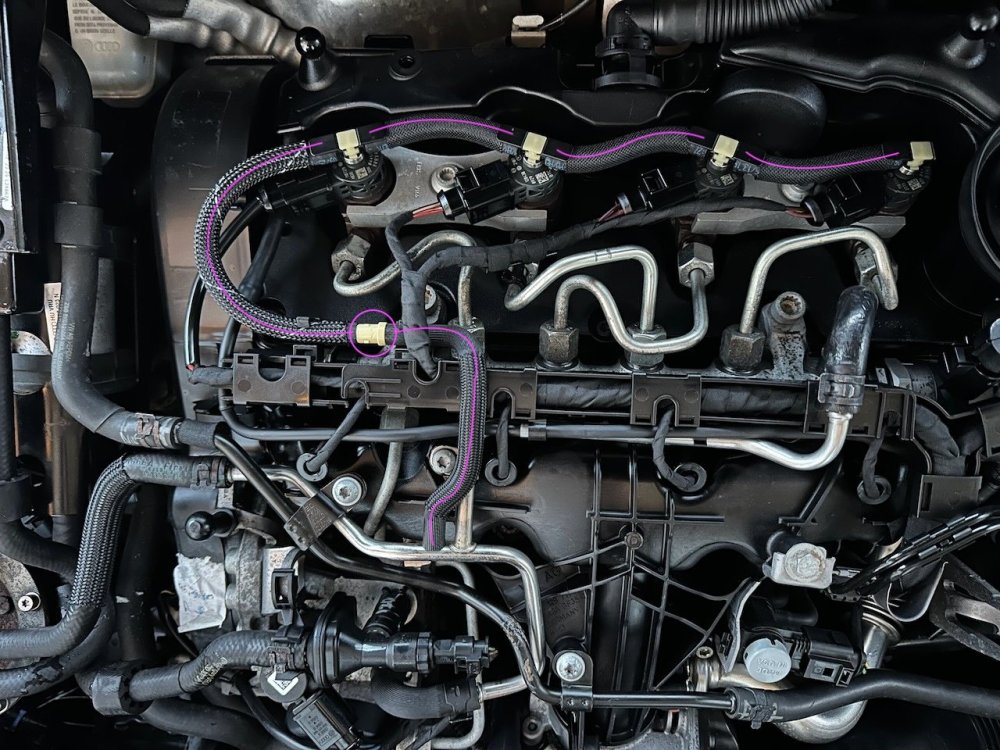
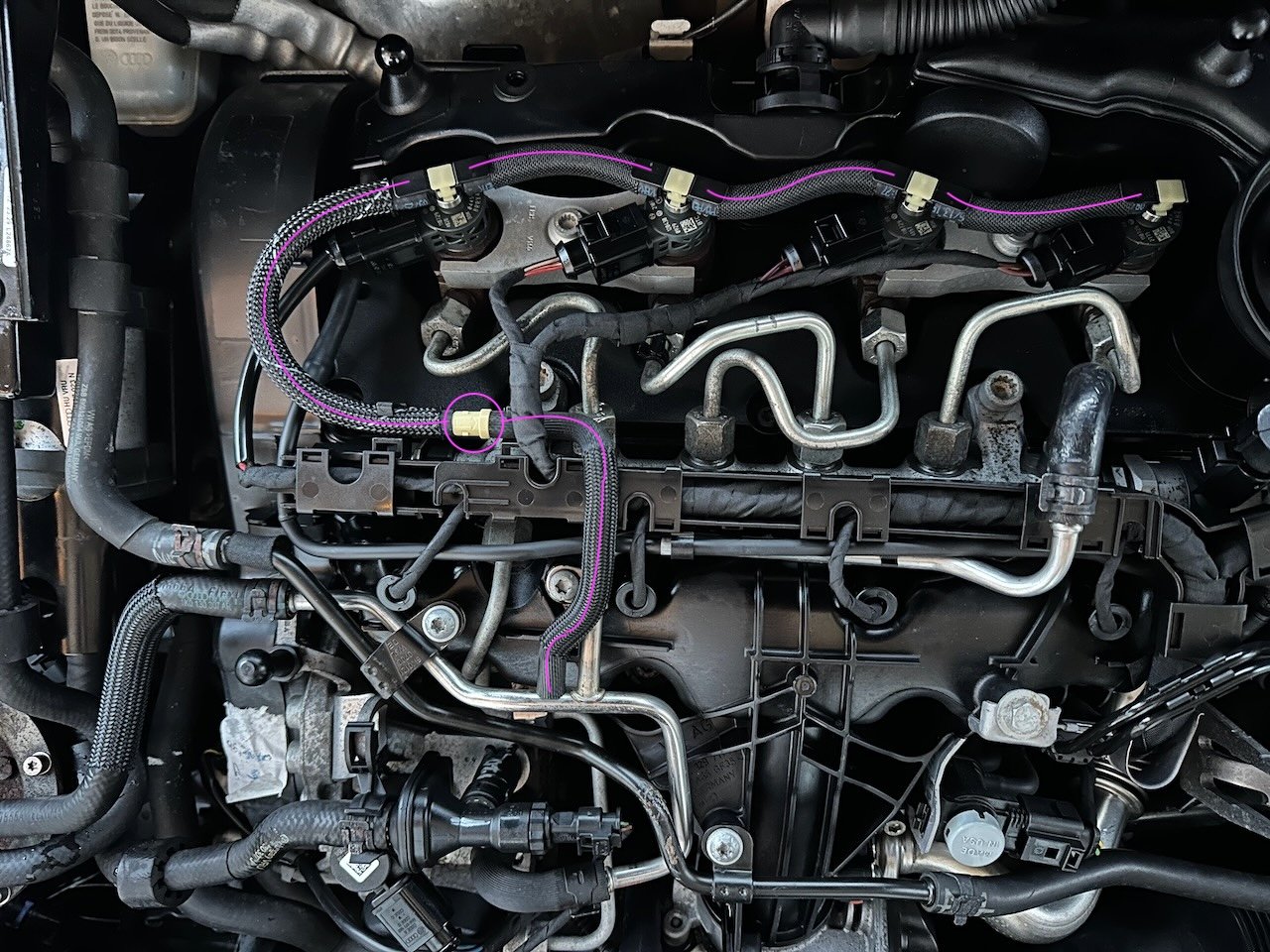
Just a follow up to say all of the pipes highlighted below were replaced and the car runs fine. There was some weird stuff with the fuel gauge not reading properly, but a battery disconnect for 30 mins solved that. I guess -20'c was too much for the little plastic retainer (circled) and that caused the pipe to separate.
 3 points
 -
3 pointsThanks for the interest. Yes and no. Seems not to be as worrying as first feared, but I don't yet understand why. Main driver took it on a reasonably long trip (3hrs each way) this week, and checking of level in expansion tank prior to return journey suggested no loss of coolant or pressure-related change in level. Will have time at the weekend to look at current level and to open cap and listen for any unexpected pressure. Have temporarily stopped actively looking for the right spare engine on ebay. 😀3 points
-
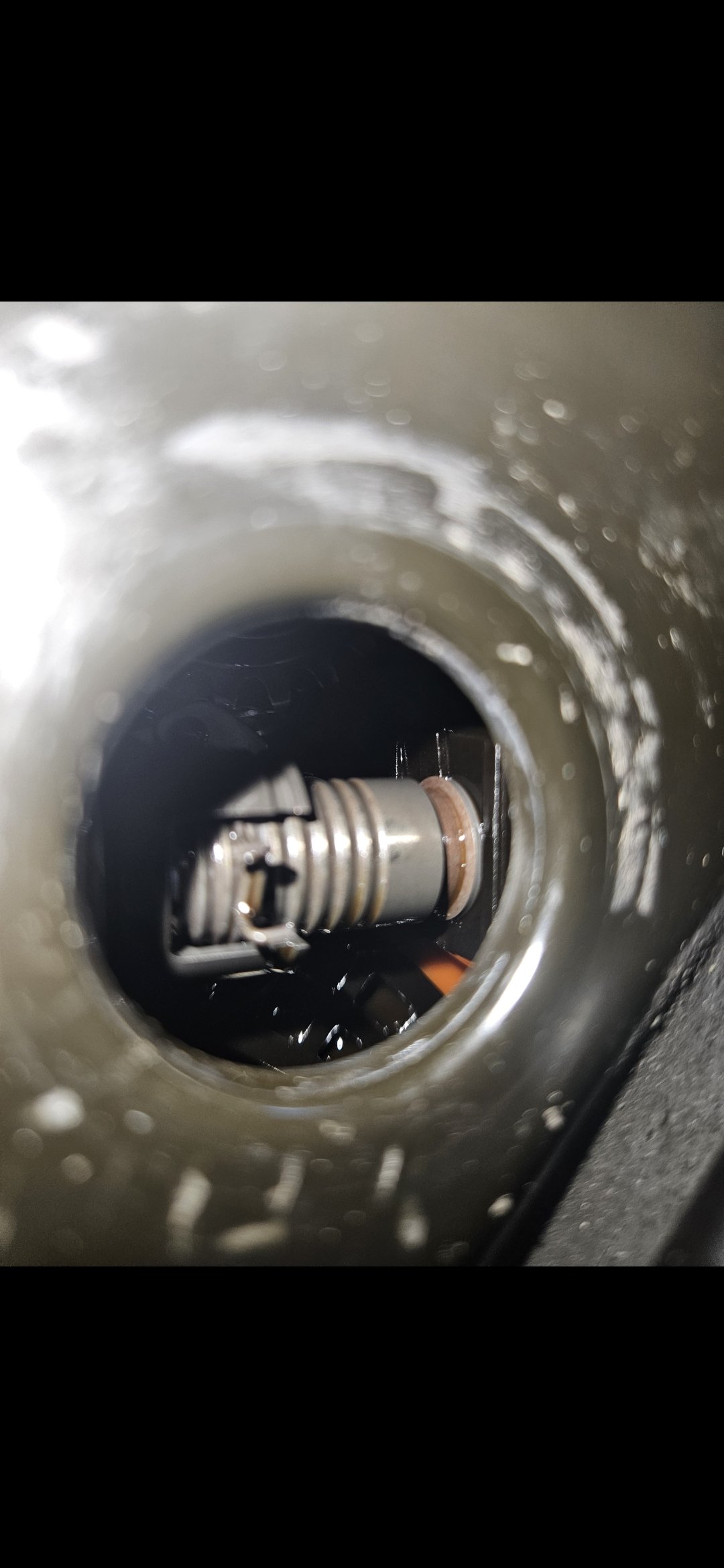
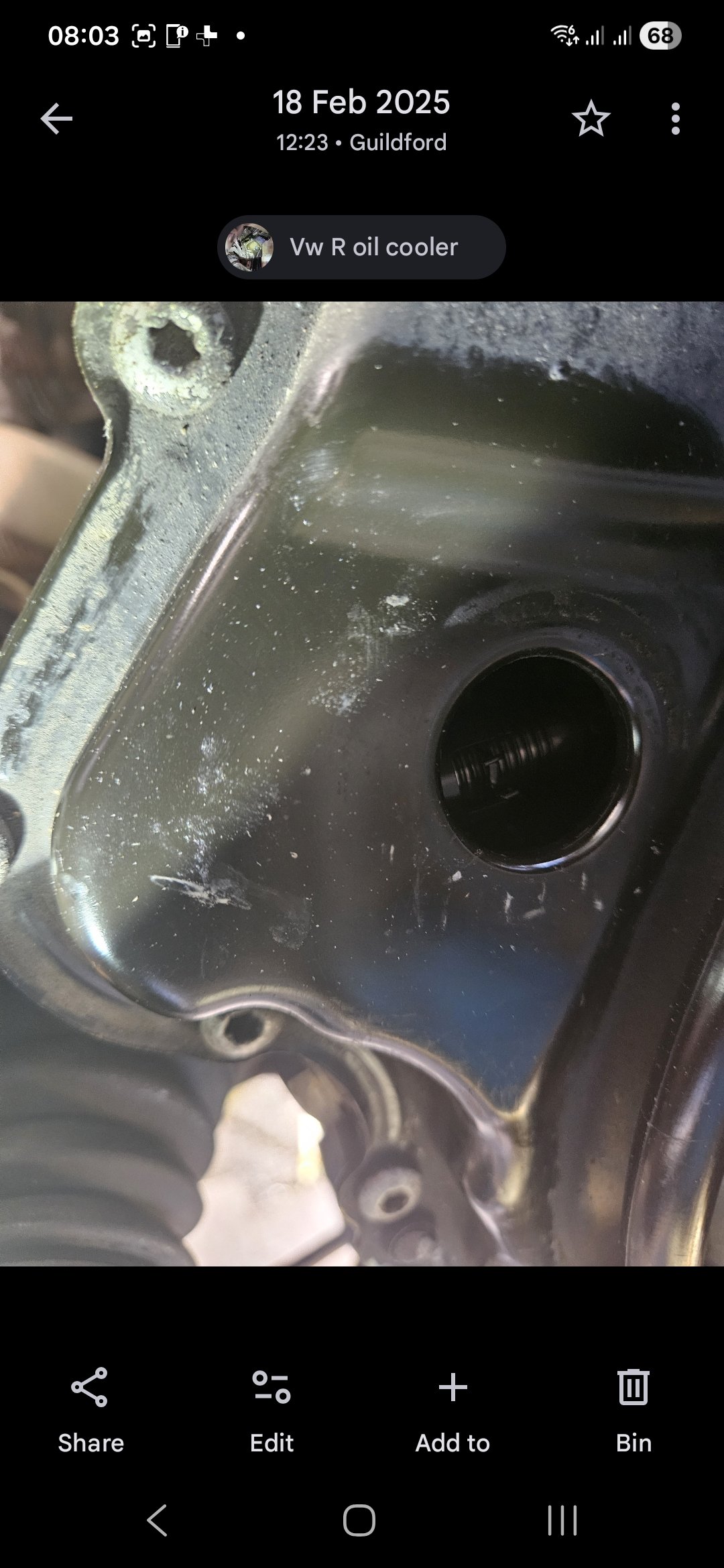
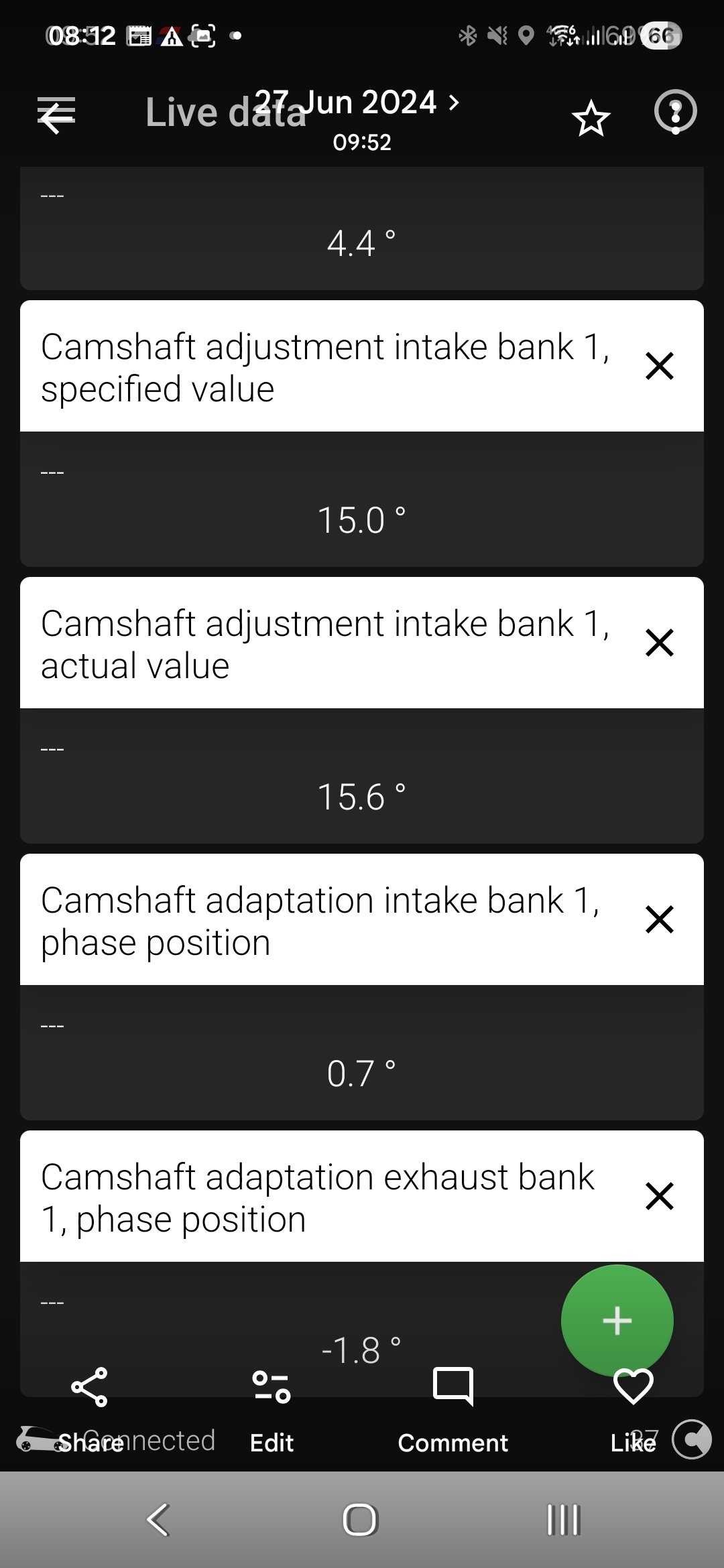
3 pointsLots of repeated mis understanding here. All ea888 are chain. Ea888 gen 3 no exception. The real debate is to replace, preventitively or not. That is debated over past forums, you tube videos many times in past. I can speak from some personal experience as I have a golf r on 102k miles. Same base ea888 gen 3 engine design. Without taking the upper timing cover off and taking measurements, there are a few indicators you can look at. Lower timing cover inspection hole, remove count ratchet extensions on tensioner. Live data, intake and exhaust timing correction readings. The cost will differ by garage. The job is probably carded at 5.5 hours. It wouldn't surprise me the parts are now close to £700. On a gen 2, in 2016 they were about £350.... So £2k is at the top end maybe above the top end pricing.... Unless theyre doing other stuff and more than the main timing chain, guides and tensioner, gaskets and lower cover replacement..... As a base reference with similar mileage, my correlation measurements are in spec about 3degrees from memory, the ratchet is at 4 extensions showing I think. Answer, there is stretch but it is still serviceable but a replacement not a bad idea.... Ill see if I can find my photo of the extensions.. and post. Edit photos added Second edit. Live data. The bottom two are correlation adjustment. General rule of thumb 5 replace, 4 caution, 3 and under good.
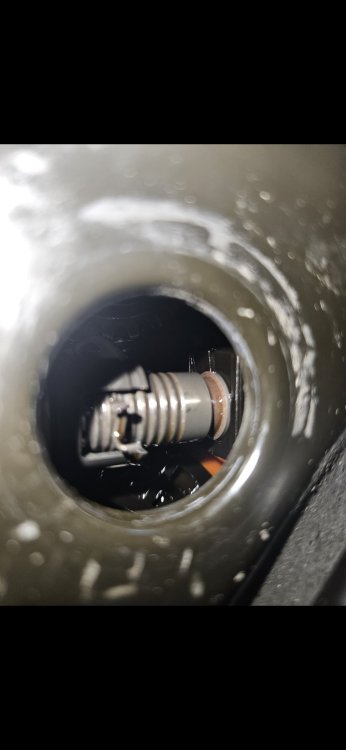
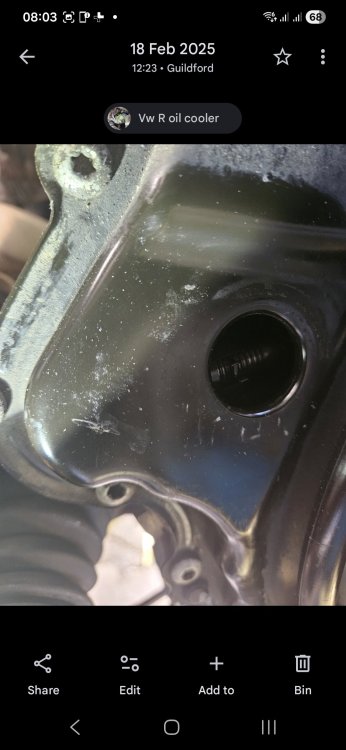
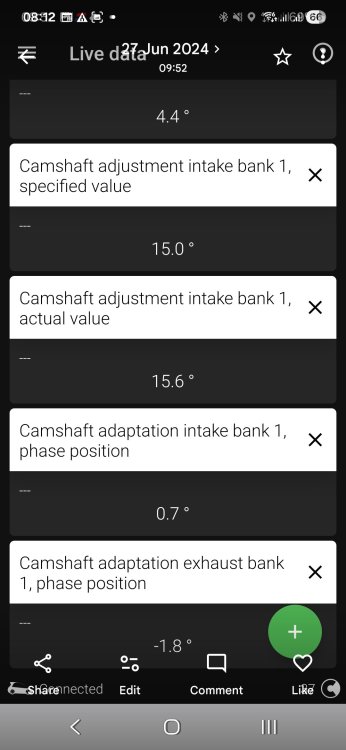 3 points
 -
2 pointsHe needs to check again, the 1.5 is an EA211 engine type where the water pump is on the opposite end of the engine to the timing belt.2 points
-
Had mine from new since July 2016 and still works fine (electronic). The thing does occasionally have a hissy fit and beeps to say it's not closed properly, but this tends to occur when it coincides with one of the main car doors also being closed, which obviously causes a pressure change just at the wrong moment.1 point
-
1 point
-
1 pointMIB1 was fitted in production until April 2015, so a February 2015 will be a MIB1.1 point
-
1 pointThank you kindly once again . I will check this with him . I plan on keeping the car for as long as I can do it will be worth it for peace of mind . It's the Sel e-tec saloon and really like it a lot .1 point
-
1 pointI think that will be MIB1 - you can confirm if you check the hardware version in settings.1 point
-
1 pointNot sure with the Mk4, but I believe I have seen a reference to removing the trim cover to access it - simpler on the Mk3 as the sensor is exposed.1 point
-
1 point
-
1 pointSkoda Octavia Mk3 Amundsen MIB 1 ended production in 2015 and the latest maps for yours are 2020 as they were only updated for five years (I know, ridiculously short!). I had the same issue and the latest updates available for my 2014 Rapid were 2019. I got mine from satnavishop.co.uk. The guy was very helpful in getting me the right card for my Amundsen. IIRC forum member @Tell posted something about a workaround using SEAT? maps but even that wasn't the latest available maps.1 point
-
1 pointUpdate: I just remembered another 2 times that i was in a hurry and didn't follow the proper procedure. After 5-6 hours that my Felicia was parked (low level, underground parking) i want to move it close to Exit so when i finish my shift to don't lose time to return home. Key insert, 1st scale and immediately crank, the car started the ''brough-brough" (trembling) and i turn it off with agony. Scenarios started in my head ''3 cylinder, damager spark plug, the coil, the pump or the gasoline pressure regulator" etc. I waited few seconds, fingers crossed and then did the start in two steps, thankfully everything went OK and the car started normally. Few months later i did the same mistake, the car start trembling and i turn it off, the next second i slander myself ''you @%&#* ,you already know that this does not work, don't brake the rule" ,waited few second i did the engine start step-by step and the car start ''nice and easy". So, for me now it's a rule: "No matter what, follow the protocol".1 point
-
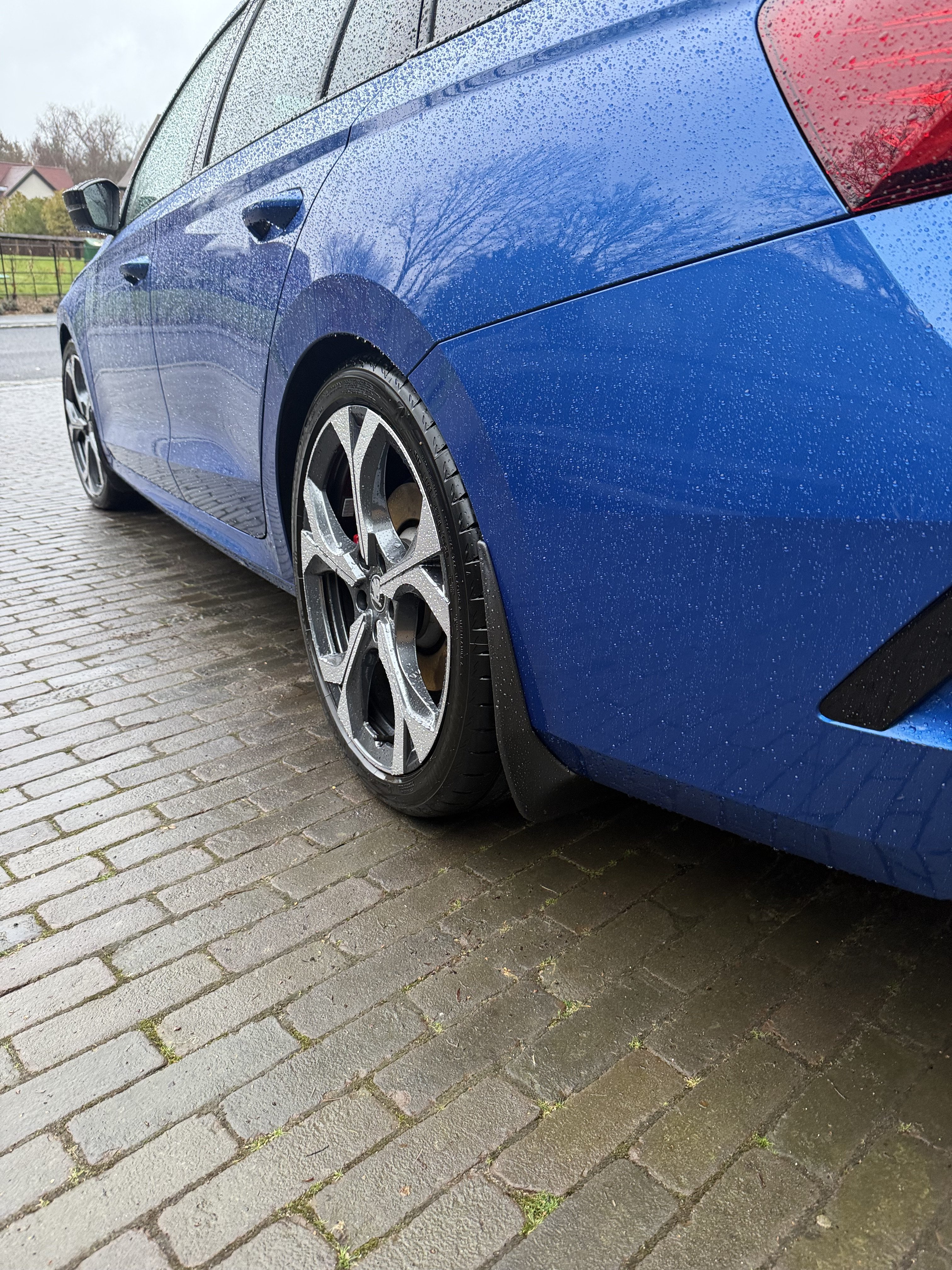
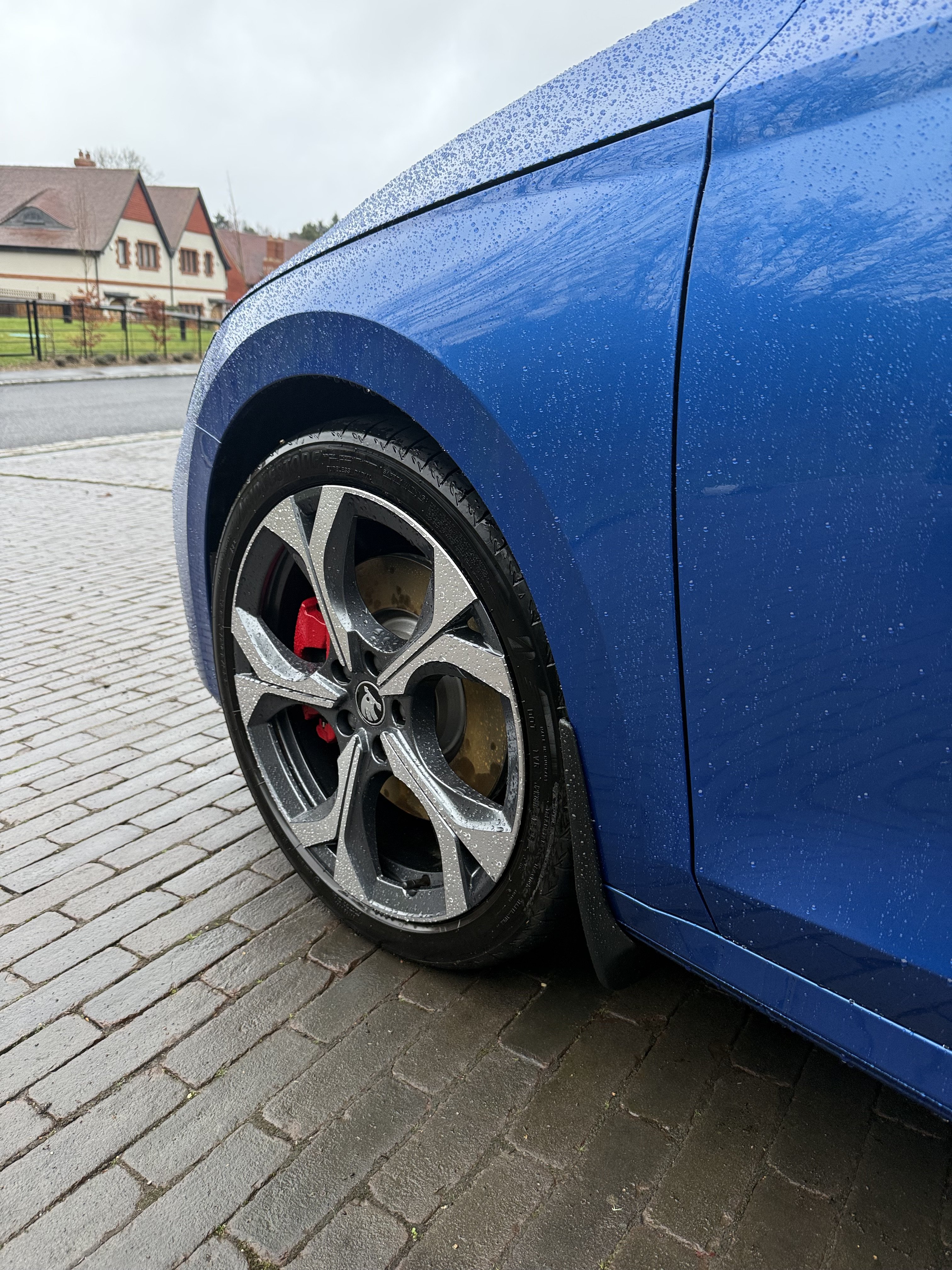
1 pointMy mud Flaps (my 4 Superb) do a good job, not quite what I’d hoped, as I drive a few times a week around narrow country roads. The amount of crud on the front door sill is almost nil, still residue from dirty water. The rear doors as you’d expect get a little more than the front, but it’s still very noticeable to be honest. Finally around the rear corners there is significantly less crud built up. Hope that feeds your confidence 👍1 point
-
Guess it could be any or all of those things, but as it plays perfectly in the PC could be a lot of work involved in the root cause, but maybe I'll try a diff stick first as thats an easy one to try. With my previous Octy I used an iPod so the decompression etc all done before it hits the cars audio, but with this new car...as with everything else...totally dependent on the car computer which seems to struggle with just about everything...1 point
-
1 pointI've scanned the car (Ancel BM700) but no fault codes. Display says actually says "sensor impaired" so presume its got something over the radar. I'll look at checking it when it stops raining!1 point
-
@markob Thanks for the resolution feedback1 point
-
Personally I use NGK across the board from chainsaws etc up to cars. Never had a bad one and they do last. I would stick to them. I have heard that denso are equally as good but never tried them. Alasdair1 point
-
That section was always empty as well. Funnily enough there was a large update that appeared last night, everything was fixed. Shop works again and the other Apps have come back.1 point
-
1 pointhttps://mega.nz/file/Mr1DFQrI#Fyn-bEmxKITIcPN-WSNdG_02QbnpPtLvjciRjxPyvgQ1 point
-
Motability do not Spec the cars Customers order and lease. Skoda UK offer with whatever Advance Payment the vehicles they are keen to get First Registered . Some can be bought cheaper than others by Motability from Skoda to lease. They are almost certain to be offering models with Front parking sensors or camera & rear camera. The tyres fitted will be just as fitted at the factory and part of the lottery any UK customer might get in the way of tyres. Now if the tyres are replaced at KwikFit while under lease different tyres might get fitted, and maybe what the customer wants if Motability approve. Or like my cars from Motability the car is handed back with the tyres i fitted on the rims, so that is All Seasons.1 point
-
Thanks NTA16 for your response. In my specific case Carcanner ELM locked the ECM communication???, when I performed DTC clear command ( First time when something like this has happened). Positive thing happened in 24h later, when CEL disappeared in dashboard. ECM unlocked itself, after period of time? //Olari1 point
-
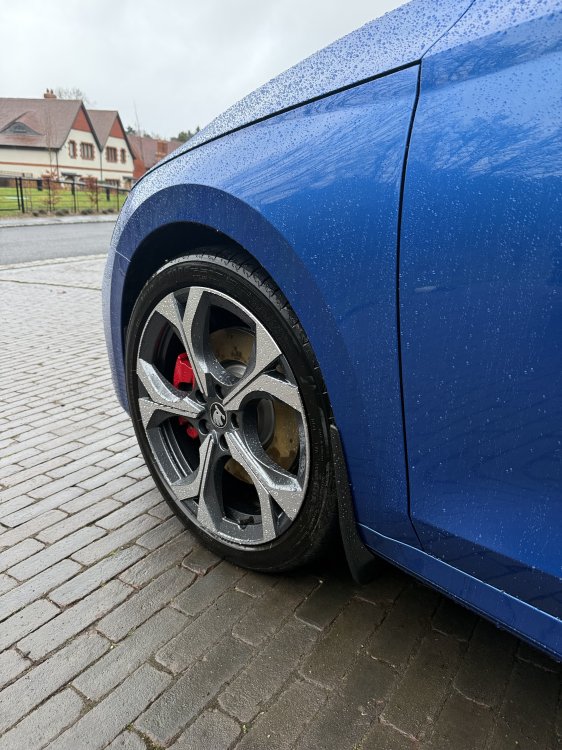
1 pointMud flaps installed. Happy with the look and hopefully they do their job when driving around the local country roads
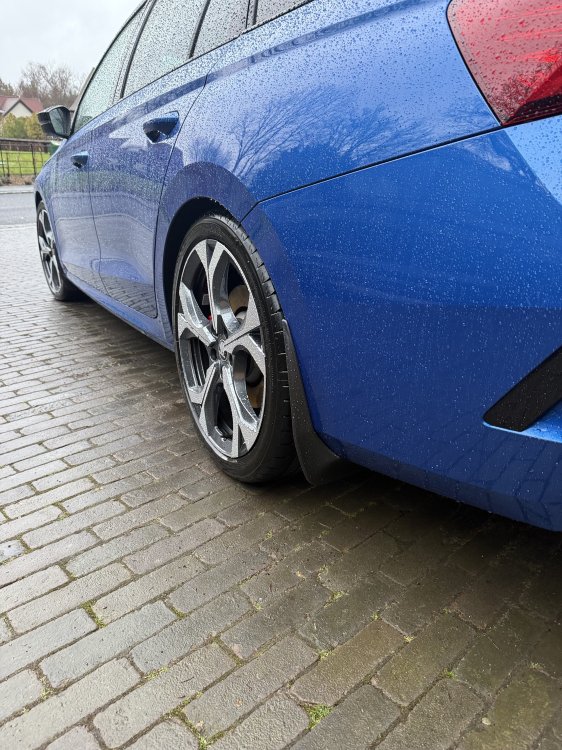
 1 point
 -
1 point
-
1 pointHad similar problems on my 1.9tdi. I oiled waste gate actuator and manually operated until smooth again. I cant see why they are wanting to replace turbo unless they found something wrong with it. I would oil or replace wastegate first as its a much cheaper option. Alasdair1 point
-
I haven’t experienced the issue you’ve described but I have to say that overall I’m very disappointed in the quality of my 2025 vRS sound system.1 point
-
That may be the case but I think that one should not assume that it was correct for the car that it was taken from. There are many on the well known auction site with the wheel and tyre specifications mentioned in my posting above; these are good value for money compared to the one that I bought from the main dealer specifically for my Octavia 4.5.1 point
-
1 pointIf the car has been sitting around for a while and/or is infrequently used over reasonable distance drives then it will have some issues from this alone, cars were designed to be used. If they are to be show cars or very little use and stored away then they need to be in a certain condition before you can do this and during storage, or lack of use, for extended periods then this needs to be done correctly otherwise the lack of use issues will be there on next uses.1 point
-
It might well feel that it is the DQ200 7 speed Twin Dry Clutch DSG, and if it is then that is a big problem. BUT, Quite possibly the 1.5TSI ACT engine though causing the behaviour. That is something the Master Tech might be checking.1 point
-
I too would be walking away. Though my last word to the sales staff before leaving would be that if they put the car through the workshop, find the fault, and fix it, they'd be welcome to invite you back for another test drive. I certainly wouldn't be committing to buy the car on the understanding that any faults can be fixed after you take ownership.1 point
-
Personally, I would walk away and look at others.1 point
-
I have a 150 TDI SEL estate, earlier this week I drove from the south coast in West Sussex to North Yorkshire in wintry conditions with ambient temperatures between -4C and +3C. I had the ACC set at an indicated 70mph where appropriate and had a couple of roadworks and some congestion to deal with. Starting with a full tank of diesel I did 334 miles and after that the dashboard said my car had 570 miles of range left giving a total of 904 miles on a tank of diesel. (The app said 60.1mpg average). I don't think that's too bad for such a big car and I was just driving normally.1 point
-
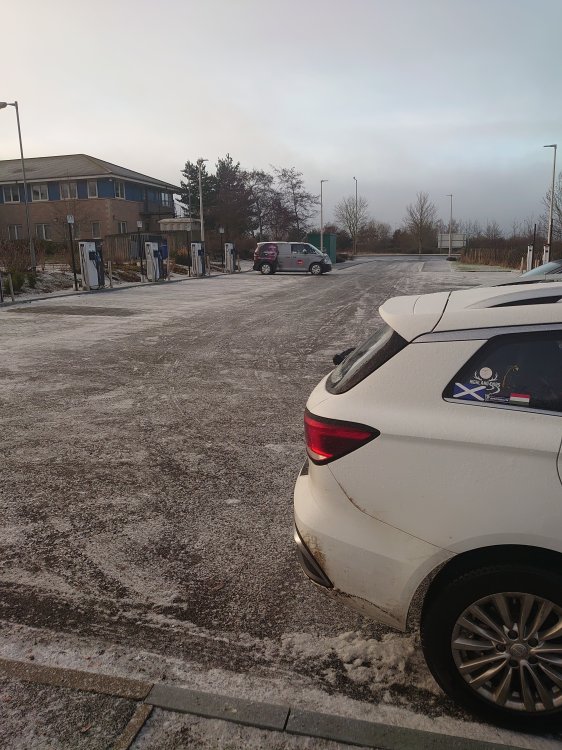
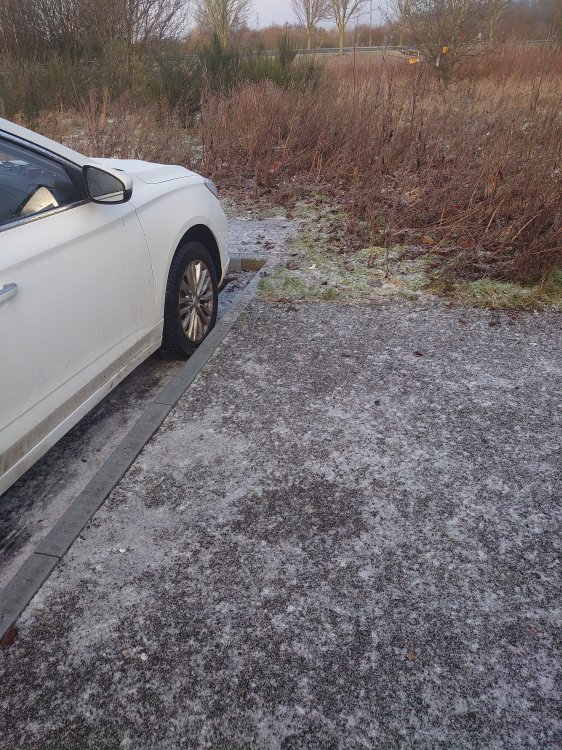
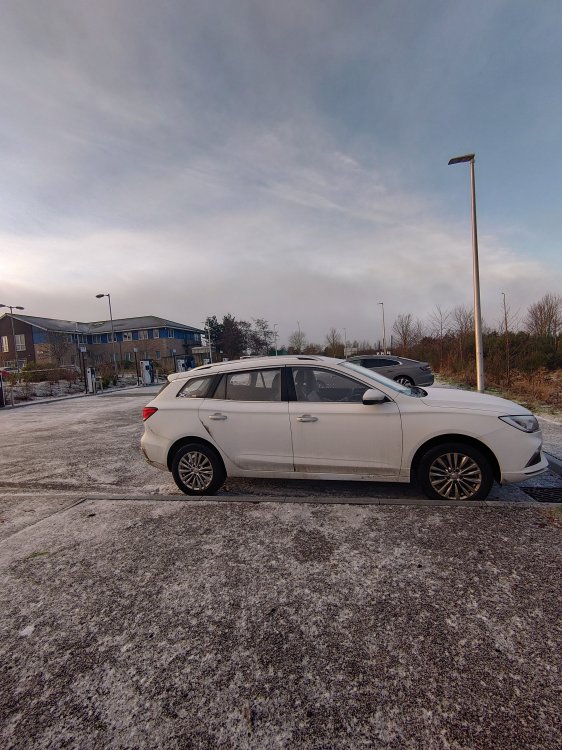
BEV,s are just the best for freezing / icy conditions. The correct tyres and the De-icing in minutes. No De-Icer or Pre-deicer required.
 1 point
 -
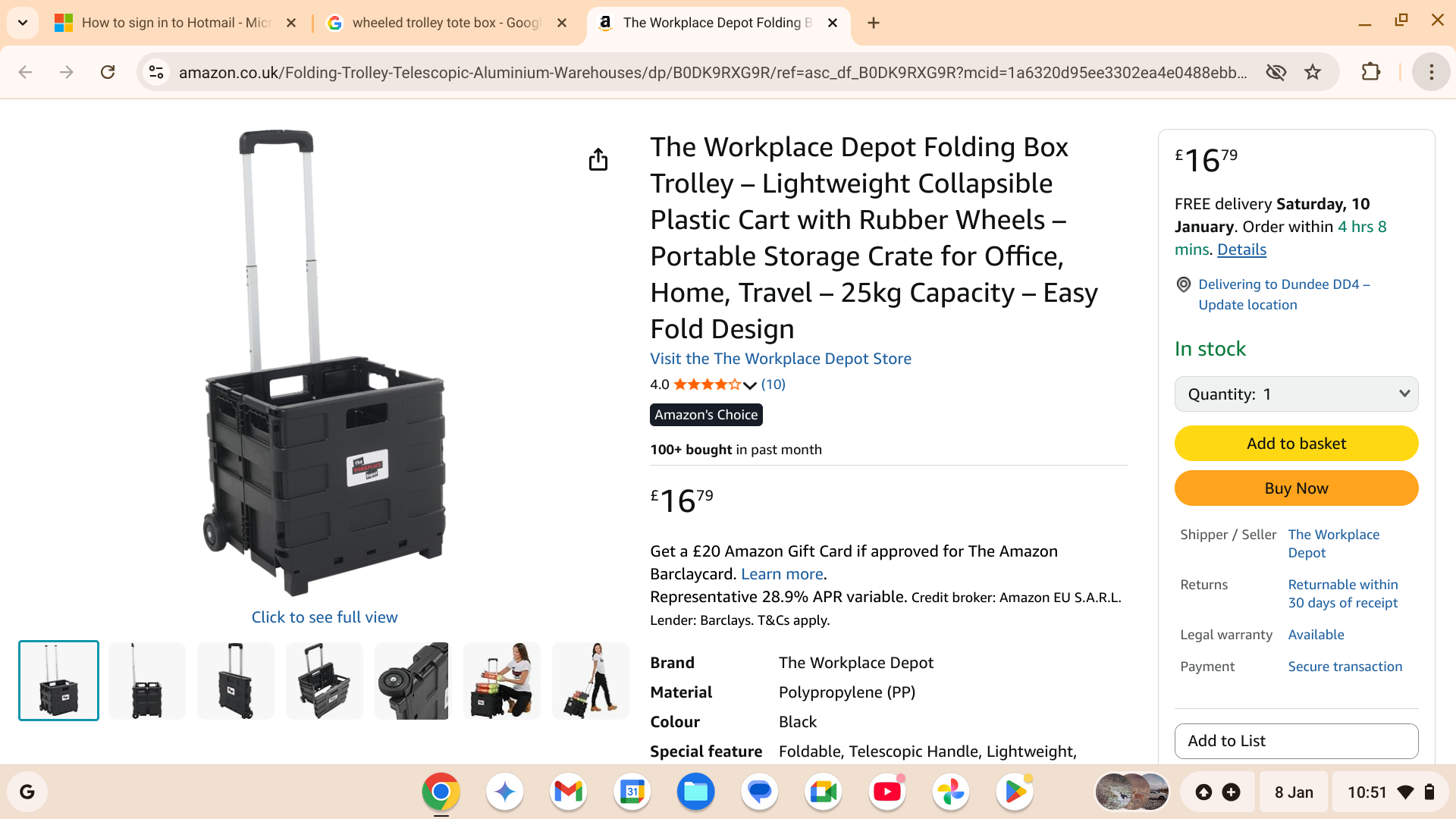
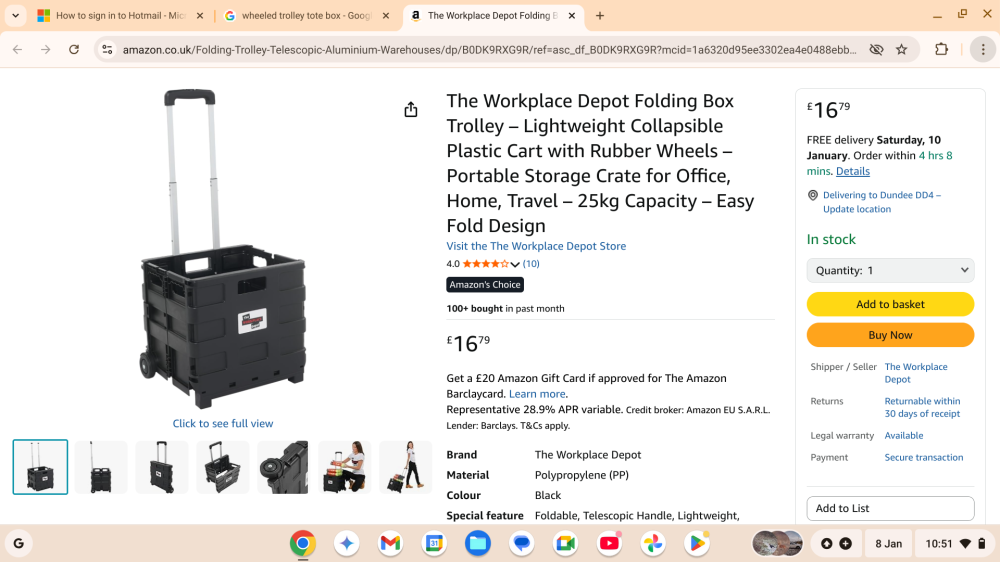
1 point@Aspman My error, i thought she was gathering up the cable and putting in the car to take with her. For home, just a wheeled tote box / karty does to coil the cable into. Keep the gloves in it as well.
 1 point
 -
Battery needs to be coded into the cars electrics or the car will charge it as if it was an old battery, so the new battery never reaches its potential, so to speak. Sorry cross post Warrior19631 point
-
1 point
-
1 pointHi, Gave the door latch a good clean and spray with a silicone lubricant (not wd40) and has so far been fine until this morning. I had to defrost the car this morning. I drove the car for 40 minutes or so and pulled into the garage to grab a coffee. The door wouldn't open from the inside this time. I had to put down the window to let myself out. 5 minutes later after parking at work I was able to let myself out using the inside lever without issue. Can't be a coincidence that all three issues have occurred when the temperature has been below zero. Most likely some water ingress into the mechanism and it is freezing over now that the weather is getting colder however I have emailed my local dealer for some advice.1 point
-
I want to share my recent experience updating the Skoda Octavia 3 FL Swing unit (LG MEN2), because a lot of details are not clearly documented anywhere, or I did not find that. Hopefully this helps someone avoid problems during FW update. My unit configuration Head unit: Swing (MEN2, LG) HW number: 5E0 035 869 D Original firmware: MEN2_EU_SKGPx_P7381L / MU 8740 Modules present: MU‑CPU, MU‑PIC, MU‑DAB, BT, SmartLink Modules NOT presented: MU‑TNR, ENGECU - This is very important later, because missing modules must be unchecked manually. Why I updated? After updating my iPhone to iOS 26.1, CarPlay stopped working. A factory reset solved the issue, but I decided to update the firmware to 8755 for stability. Update procedure - Use SD card, FAT32 (USB should also work, but SD is more reliable). Copy the content (not the folder) of the firmware package MEN2_EU_SKGPx_P0080L_8755 to the root of the SD card. Thanks to @pab567 for providing that. You can also download the package here, the *_working one: https://mibsolution.one/#/1/9/MEN2%20-%20LG - Insert the SD card - Hold SETUP for ~10 seconds to enter UPDATE MENU. - Choose UPDATE. The unit automatically selects modules to update → uncheck everything that does NOT exist in your unit (It has an empty number of application version). In my case, I had to uncheck MU‑TNR and ENGECU, otherwise update failed. - Start update. - Ignition does not need to be ON, but make sure the battery is not weak (keep charger connected if unsure). What happened during my update. The head unit attempted to update all modules including the ones that are physically missing. This resulted in: MU‑CPU and MU‑PIC → updated successfully (8740 → 8755) SmartLink → updated successfully (0072 → 0074) MU‑TNR → update attempted even though module is not present → signature error ENGECU → attempted but does not physically exist → failure Even though the update ended with “Software update failed”, all real modules were actually updated and the system is working. Important advice 1. Always uncheck modules you don’t have. If a module shows “empty” as previous version, you must uncheck it before updating. Otherwise you will get errors like: “33 – Source signature cannot be confirmed. System will restart…” 2. Swing MEN2 (LG) does not show all modules correctly in UPDATE MENU and missing modules may appear in the list → just uncheck them. 3. No downgrade possible. Once updated to 8755, you cannot return to 8740 (cryptographic signature prevents it). Hope this helps future Swing users!1 point
-
I'm not going to do a factory reset. Car is booked in next week to see whether dealer can get windscreen washer to work. They can look at it then. Skoda broke it, they can fix it.1 point
-
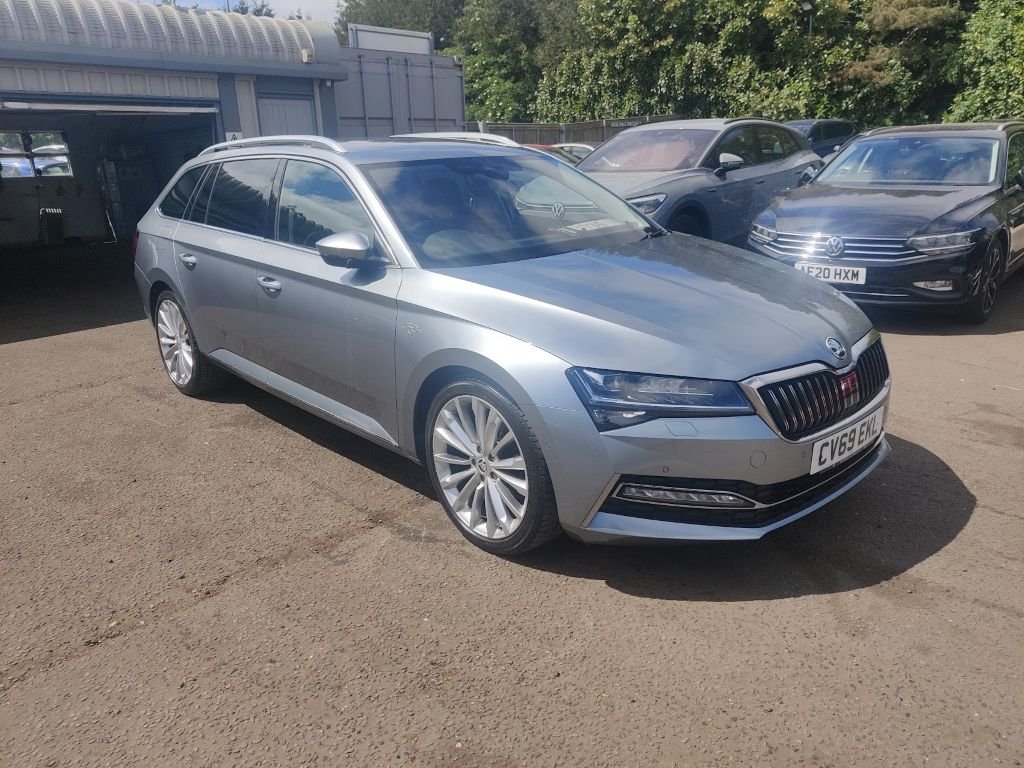
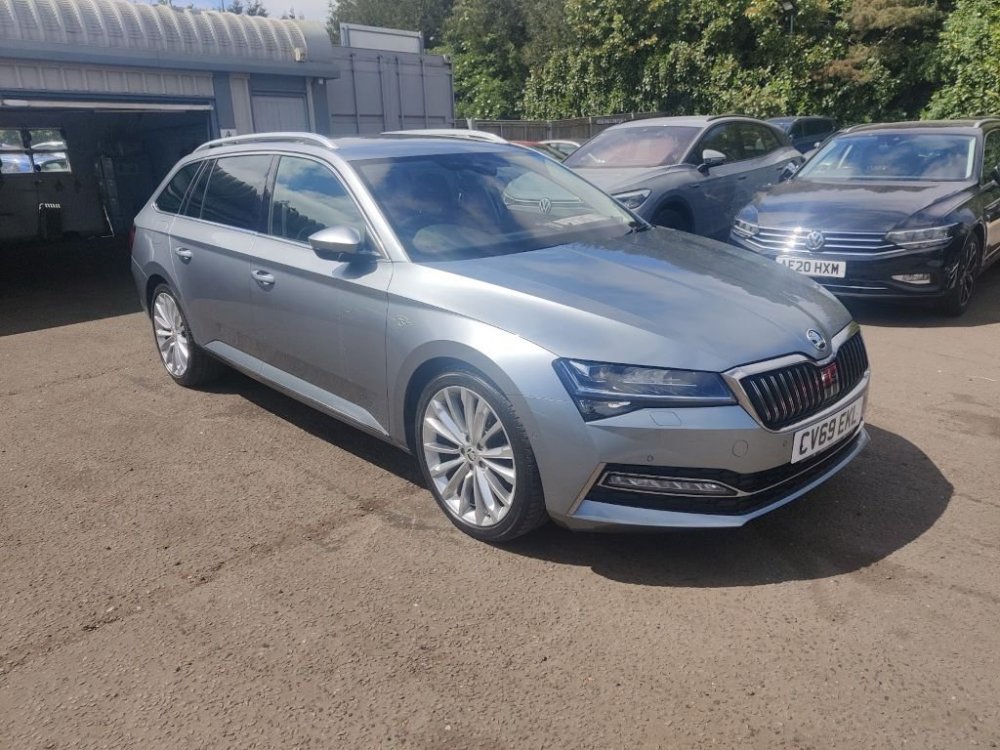
1 pointThought I'd say hello, just joined the world of Skoda today after 13 years in a Hond Accord. I've just picked up this 2019 (MY2020) Skoda Superb 190 TDI in Laurin & Klement trim, it's got 67K miles on it, 19" Trinity wheels, the boot net and divider options and a spare wheel. It seems to have been a motorway car as the bonnet is quite heavily stone chipped, but the inside is in amazing condition, I'm not sure anyone has ever actually sat in the back! Next steps, sort out a boot liner, new set of front mats (the drives side one is worn through) and get a tow bar fitted to tow the other car around!
 1 point


.thumb.jpg.f83a46b9b3c0d976b9dbffbb523c9874.jpg)