Leaderboard
-
skomaz
FREEDOM10Points11,413Posts -
Lee01
FREEDOM7Points36,936Posts -
MickA
Resident Member6Points2,890Posts -
Lady Elanore
FREEDOM6Points25,083Posts

.thumb.jpg.9dd3f612ba7f13d10be5c518d3c8d255.jpg)

Popular Content
Showing content with the highest reputation on 30/07/26 in all areas
-
4 points
-
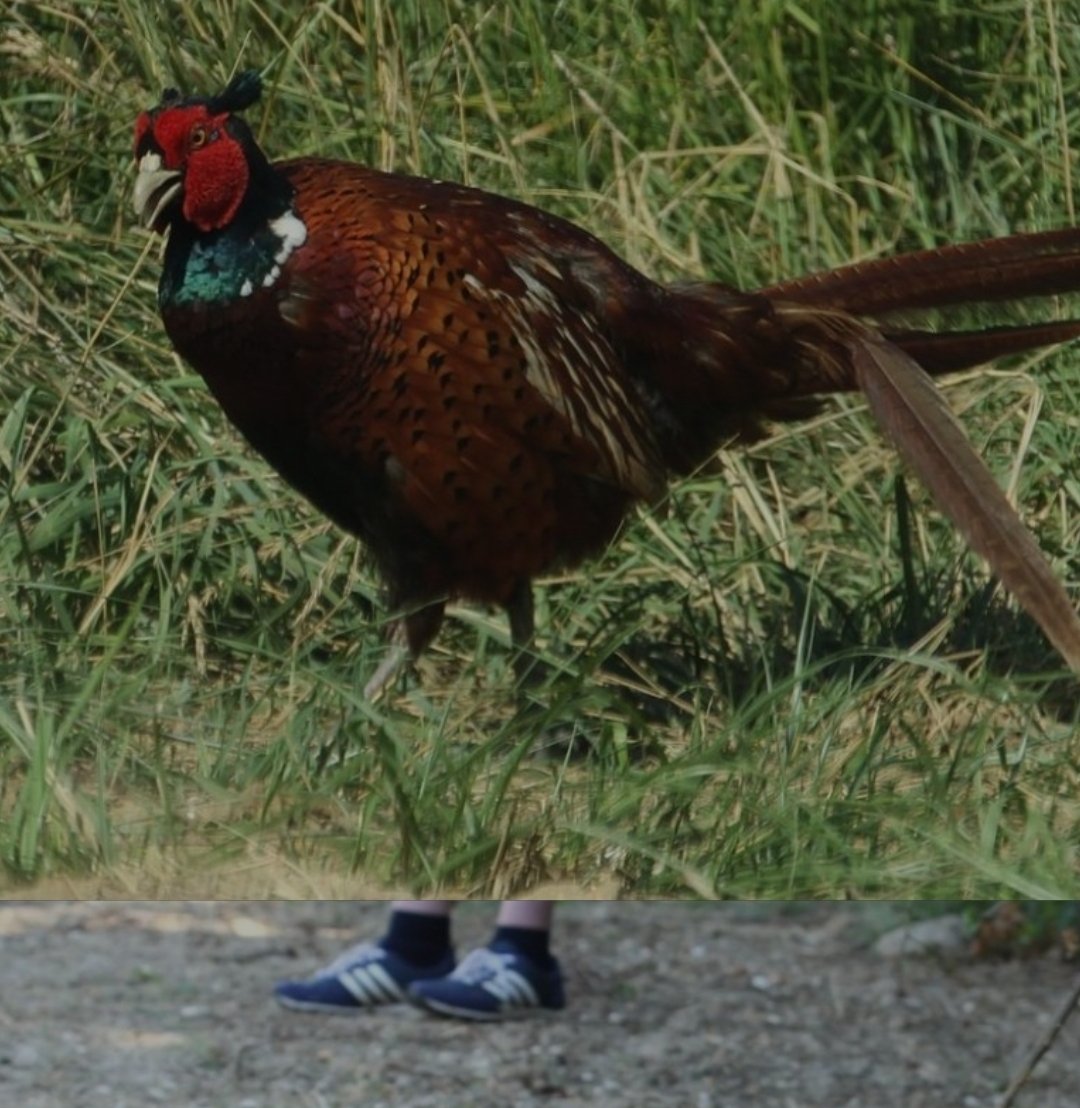
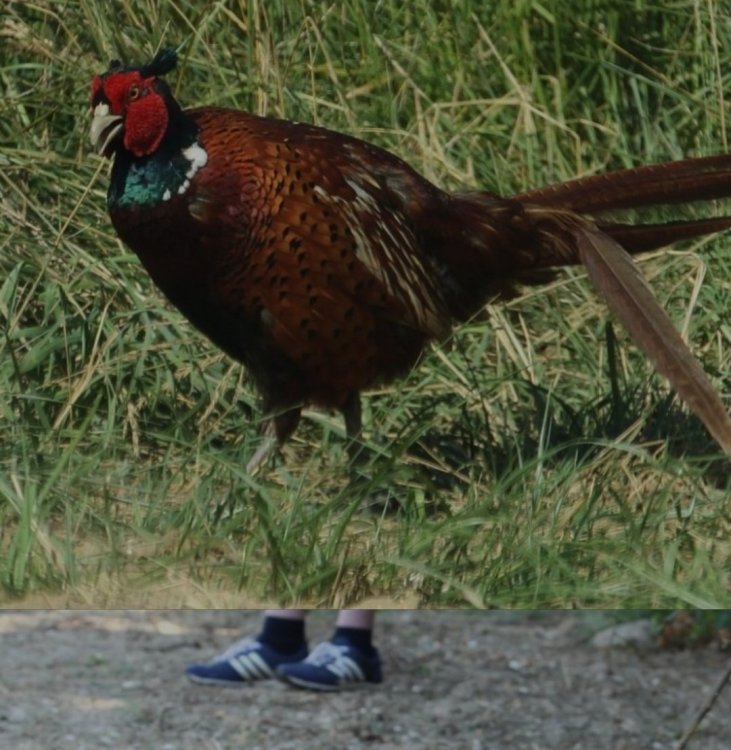
3 pointsLoving the way these pics went together on my phone: Unexpected footwear for a pheasant!
 3 points
 -
After OTA software upgrade, my car started to show the SOS call limited error message. When checking with OBD11 it reported Battery Service Life Critical (I believe that is 5-year time based and a sneaky money making trick by VW group) and Battery Flat errors. Read widely online that this costs upwards of £400 for Skoda to fix. I brought the replacement battery 3G0 915 089. Did not trust AliExpress units enough, so paid £130 for the original. Skoda price is about £100, but out of stock. Instructions are exactly the same as many YouTube videos about doing it for VW ID4. Pull up rear bench seat by hand. Pull back carpet quite far. Pull out the communication unit. Slide it out of the plastic cover. As the connectors are rather fiddly I did not undo all of them (only the power and data). Replaced the battery and put it all back together. Then drove the car for 2 days to make sure the new battery was fully charged. Then used ODB11 to reset error messages, (in the OBD11 'Apps' menu, it is called 'Emergency Call Battery Reset'. This costs £29 it tokens. Error message is gone. About an hour of work.2 points
-
2 pointsJust getting back here.. Everybody can take a breather for a couple of days to think, reflect, and question whether this particular discussion is actually going to resolve to a consensus or is it going to spin in circles for another 4yrs of back and forth polarised views that will never be changed and whining. I fear the latter, looking back through the pages and pages of this thread full of personal digs, unsubstantiated claims (from all sides), fear mongering and anecdotes masked as evidence it gives me ptsd to the brexit threads.2 points
-
2 pointsHardly surprising seeing as Skoda don't make windscreens themselves, the 'aftermarket' windscreens will be made by the same companies that supply Skoda OEM windscreens, but with a different badge on them, and probably somewhat cheaper - that Skoda logo costs a lot of money!2 points
-
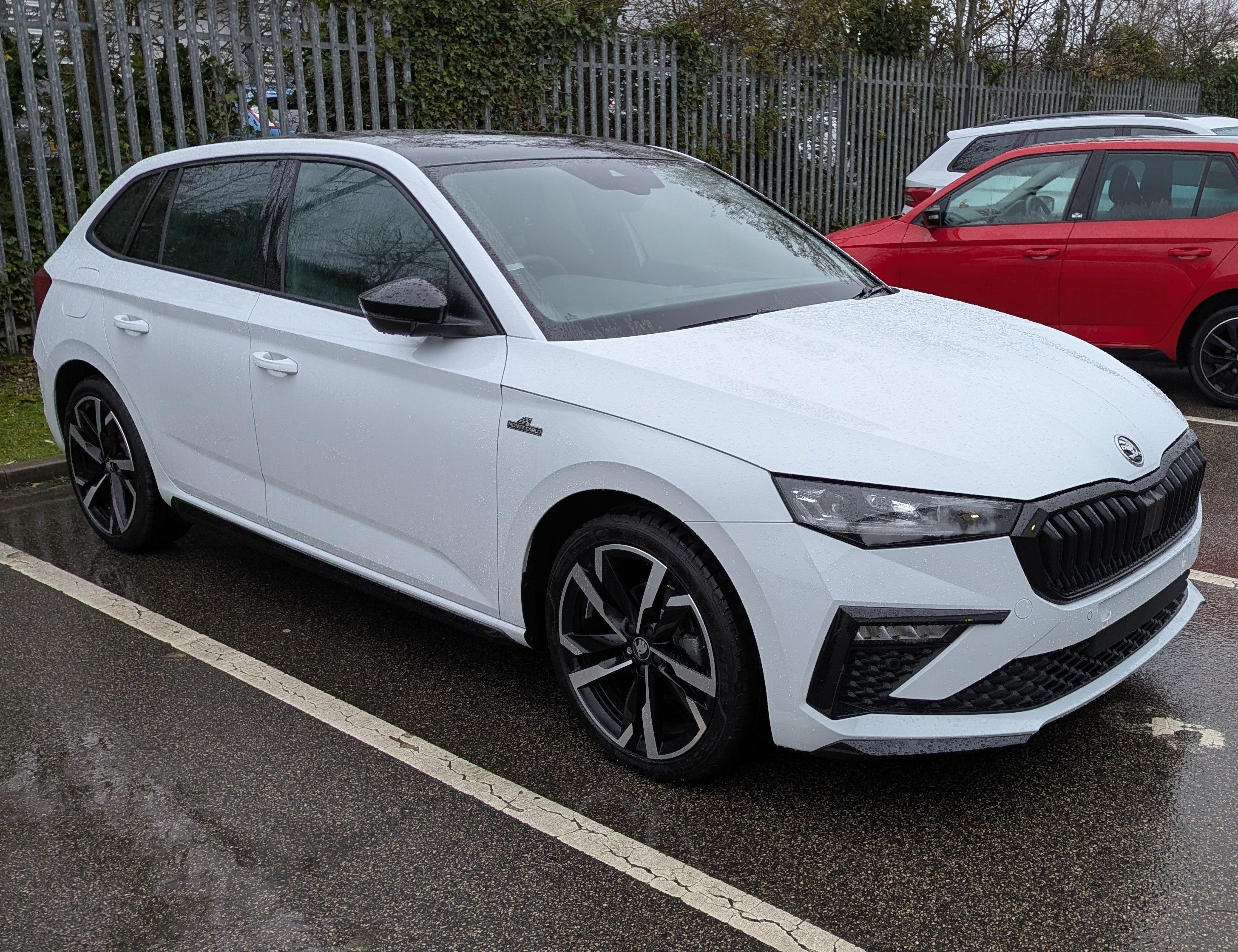
So we traded our Kodiaq in just before Christmas for a new Scala Monte Carlo Edition 1.5 tsi in Moon White. Wanted a smaller car with good mpg but enough space for normal everyday use. So far I have been generally impressed, mid 50's mpg and it's reasonably spritely too. Love the pano roof, heated stearing wheel, wireless Android auto and wireless charging. It has knobs for heating controls and the infotainment screen isn't the size of a small TV, seats are comfortable and the boot is a good size. One thing that is annoying though is the design of the wheels, whoever thought it was a good idea to have a 20mm trough running around behind the spokes without a drain channel really needs to think about what they have done. Each wheel collects a pool of water that sits in the channel until you remove it with a cloth or sponge, just argh... Have a few niggles for my dealer to look at, had a few miscellaneous dashboard messages that have come and gone and come and gone again, one related to speed or traffic sign, one airbag that came and went. The rear discs are all grooved like they have done 1000's of miles, they haven't bedded in like the fronts. Sometimes when pulling away from a standstill it makes a noise a bit like it's wheelspinning but is not, worse when cold. Otherwise it's a great little car.
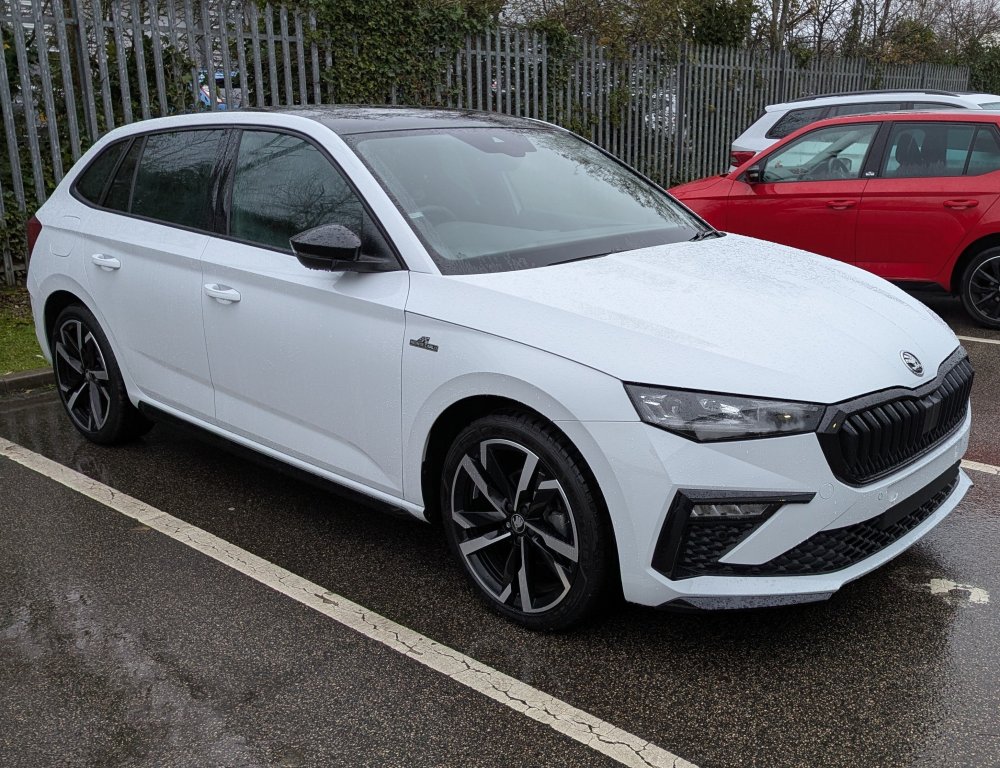 1 point
 -
1 pointCould've sworn they were fixed and non opening... Edit: just checked and they're definitely fixed in the three door we're getting as no fixings on the outside of the glass for the latch1 point
-
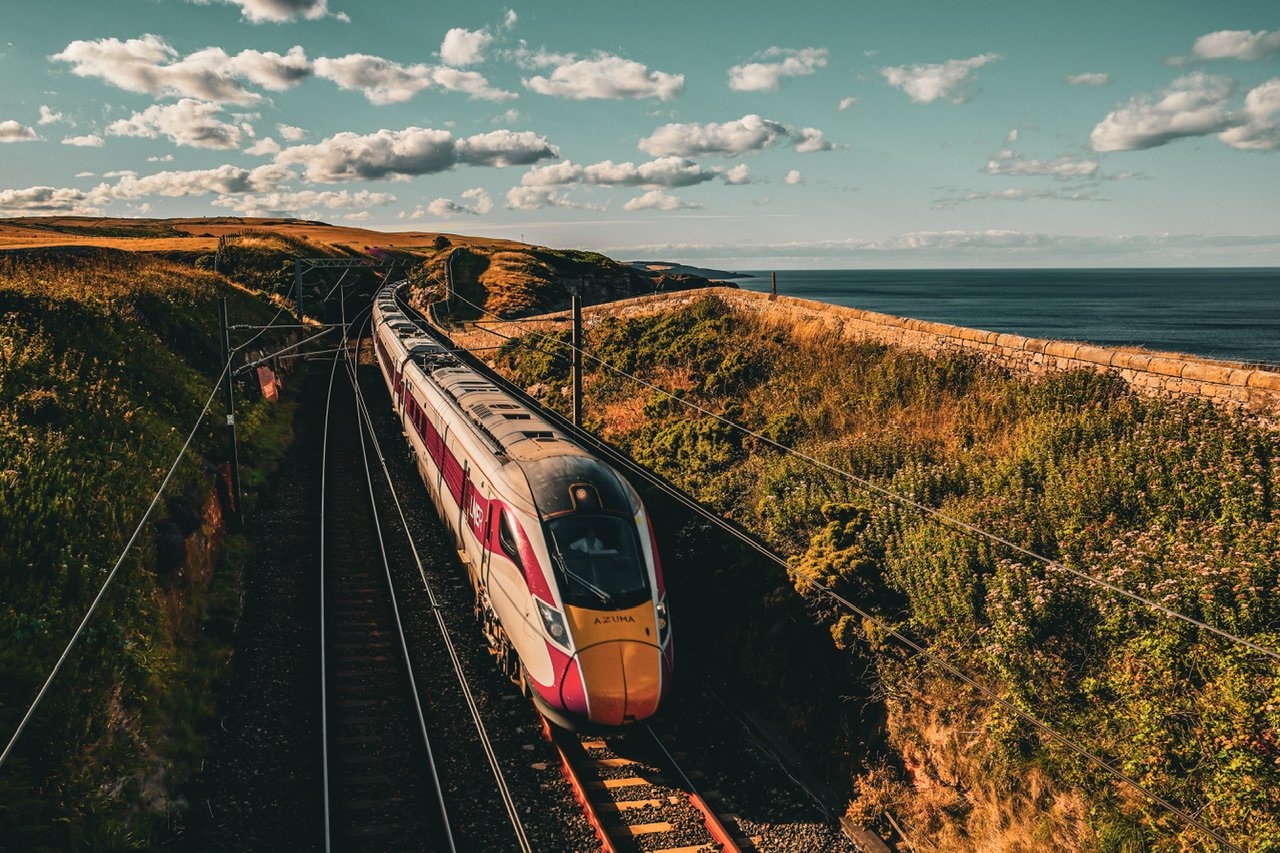
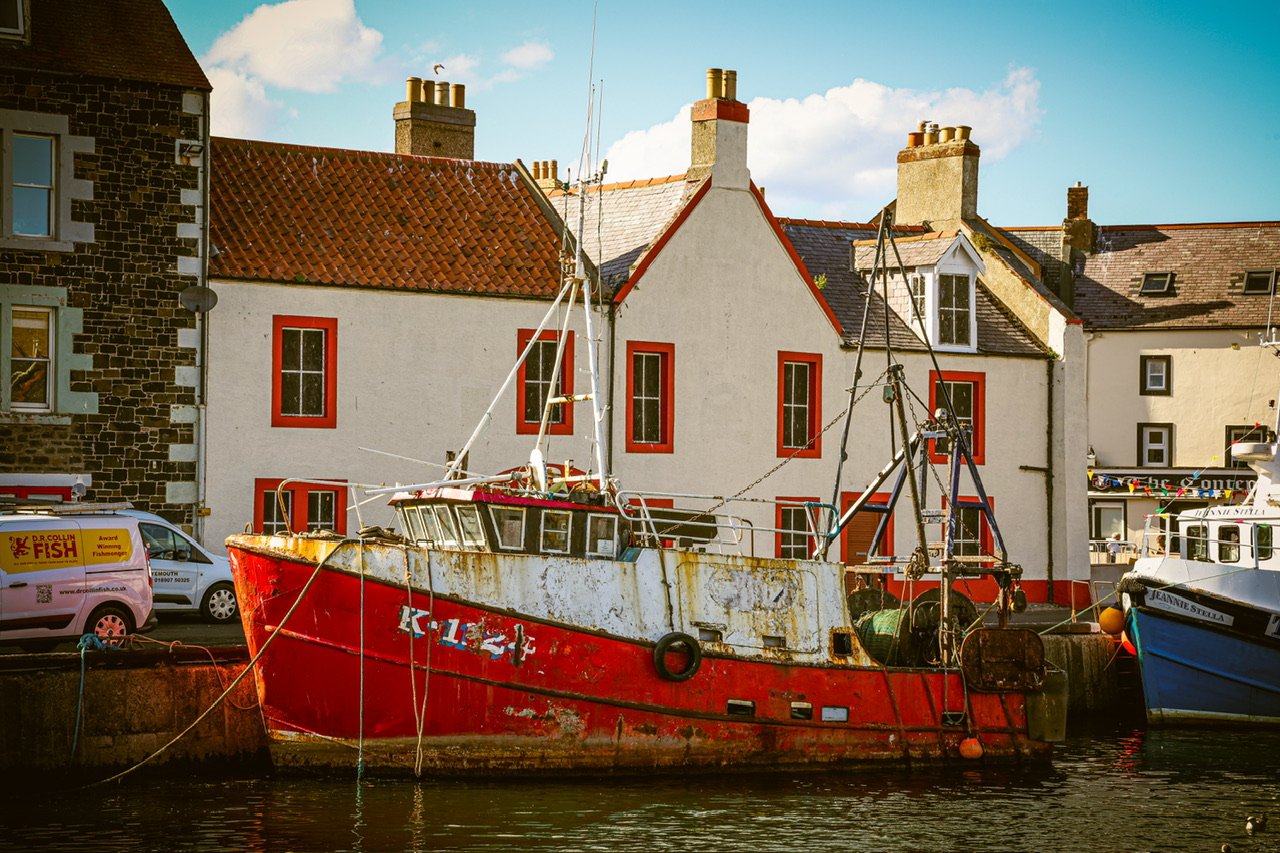
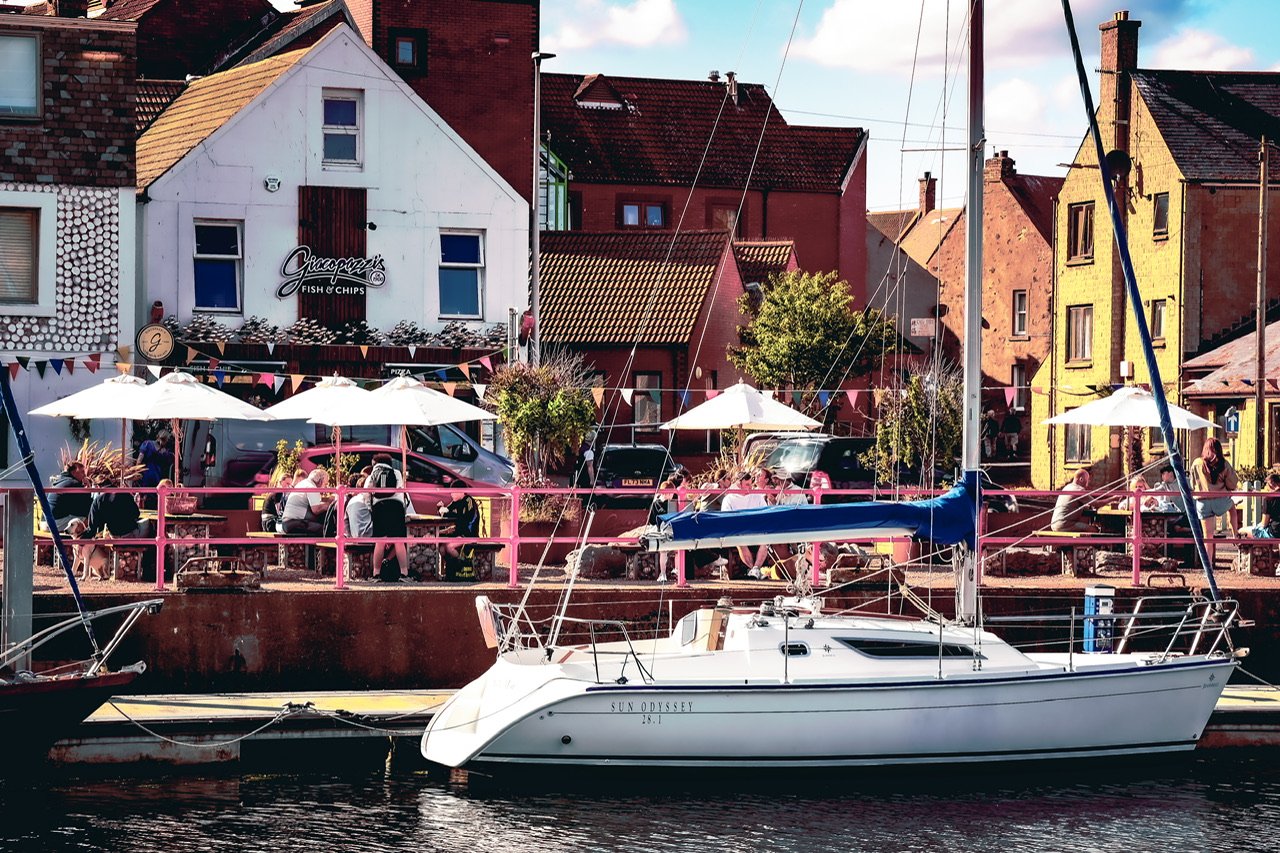
1 pointWe didn’t get along to where they normally hang out. The footbridge along the back of the harbour has been removed for repair.1 point
-
1 pointMy mate has one. The rear window seals are a bit dodgy, but aside from that it’s a perfectly good little car. MOT history also isn’t everything - I’ve had two previous cars that turned out to be lemons, both with pristine MOT histories going back 6 and 8 years respectively.1 point
-
1 pointCheck for water in the spare wheel well - may have been solved in the face lift, but on the older ones it was a dodgy seal around the light cluster let water in.1 point
-
1 pointThanks guys. Yes Facelift version. It's in good nick generally with not much picked up on the MOT history other than a misting rear shock absorber and tyres getting low. Service history is pretty good up until the last year or so when usage has been very low mileage due to the owner being at Uni then heading off to Oz. It's also got no rust around the fuel filler and drives well with no undue noises. The place I'm getting it from is actually a neighbour's S/H car dealer but I never knew until yesterday. They'll service it sort the tyres, MOT it and sort the shockers if needed. So we've pulled the trigger and put a deposit down. Will look to thoroughly underseal around the filler flap and sort arch liners when I get my hands on it, and I'm looking for a auto headlight sensor switch, mudflaps, a parcel shelf and a couple of other bits for it...1 point
-
1 point
-
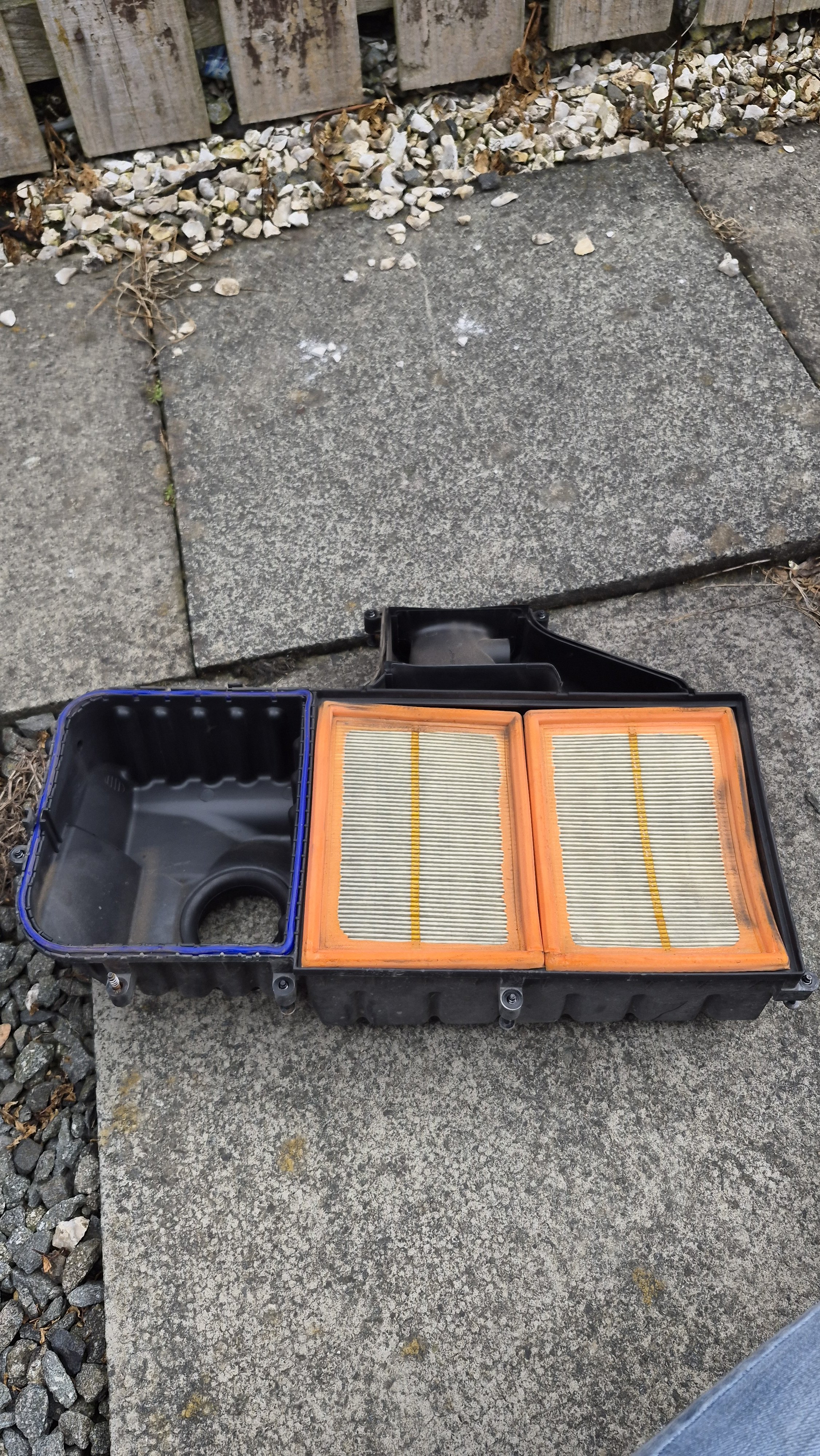
If the filter doesnt help then found post I mentioned https://www.briskoda.net/forums/topic/481670-p1553-and-p1504-coming-in-and-going-out/1 point
-
1 point
-
Might do - I had similar codes and limp mode on a Civic Diesel I had a number of years ago that I could never seem to get to the bottom of, assuming it was a MAF sensor issue - until I found that someone had failed to replace the air filter when it was serviced and hence it had been in there a long time - a new filter and no more codes!1 point
-
That might do it... Wasn't me, guv. I've just bought the bloody thing. 🤣
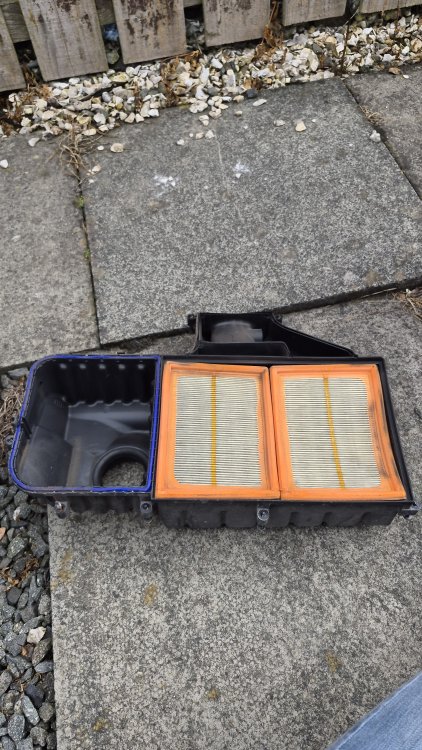 1 point
 -
1 pointIndeed. Salary sacrifice does not always look great as those quoted deals don't seem to be anywhere near what the tax relief should provide. We, at Bollore and CMA/CEVA were told we were going to get SS EV deals but time passed and they never materialised. The EV grants have been nice from both the Con government and current government but both are icing on the cake and I was always buying cake rather than bread (ICE). ICE cars loads of bread to run and don't taste as nice to take the analogy a bit too far.1 point
-
1 pointmy wife looked at salary sacrifice and worked out that because it included tyres and maintenance costs it was actually cheaper to buy cash and haggle. My employer refuses to provide salary sacrifice.1 point
-
1 pointLike climate denial there are those that cannot see the clear mass of evidence in front of the them for what ever reason. BEVs are already great and improving rapidly. ICE cars are pretty much stuck in the doldrums. As my fellow converts we gave driven ICE for decades, in my cases done about 1M miles and owned about 50 of them. Sadly many Luddites still around or maybe it is an initial purchase, credit obtaining thing but clear to me that BEVs are the future, whether that is LFP, Na or whatever battery chemistry. I too am tired of this thread and will try and not contribute any more as it seems flogged to death. Am looking forward to even cheaper running from October 1st though when VAT on charging at home goes to zero. Just bought £33 public charge charge from Gridserve so about £5 VAT, not nice compared to home.1 point
-
1 pointSame here, no deals or bungs on my car and my wife bought hers without any offers. She haggled on price but you do that with any car. In our street we have 2 Skoda Enyaqs, 1 cupra Born, one ID3, a Kia EV9, Kia E niro, a ford mustang, a nissan leaf, peugeot e208 a Ford Capri, and en e corsa. That's a street of 17 houses. Of that lot the EV9 is the only one that is a company car1 point
-
1 pointUnfortunately it isn't, I've ordered a branded sd card with latest maps. I've read that the branded ones are coded. I'm hoping that the replacement card will resolve the issue.1 point
-
1 pointThe coasting function is slightly different on later models. On my 74 plate it only operates when in 'Eco' mode, on my earlier 71 plate it operated in 'Normal' & 'Eco'1 point
-
Came across an old post from 2020 with BBY engine codes P1553 and P1504 with same symptoms as yours. Sorry cant seem to post link but he had done a major overhaul on engine and it started and ran then got the codes with EPC,ASR Idle all over the place and no response from throttle. Eventually they did the following and it cured it. It was solved by resetting the ECU to factory defaults by writing value 00 to channel 00 in the engine control module. A bit above my zone but might work Alasdair1 point
-
1 pointI've noticed it coasting at times. Going downhill engine braking disappears when it happens 😲1 point
-
1 point
-
1 pointI have the CTEK charger too, ran a recond programme on my battery a couple of times and a few good, long runs later and it's (almost) as good as new. I don't leave mine on a trickle or anything but if I'm ever plugging in an OBD device then I hook it up. Best money I ever spent1 point
-
1 pointSorry to laugh, but every tme I come back to this topic is to have a laugh at the "get rid of 'em trees" 😄1 point
-
1 pointStrange indeed, but I think you need again a good look and diagnostic at the charging system, alternator (how much is pulling out and wether the rectifier - that the word in English? - is working), also do not discount that even the battery you replaced was ruined by the failing alternator during the time between replacement of both. It would be also worth checking if the BMS - Battery Management System - in the car is working properly (but for this you need to have a diagnostics like VCDS or OBD11), and wether the proper type battery and size was correctly installed and coded in the system. Do not exclude anything, unfortunately. Do not rule out anything, at least at this stage. Once more knowledgeable on the problem, is easier to take measures ...1 point
-
1 point
-
1 point
-
1 pointAgree with @scotthugh3s, check your 12v battery. It's so often the cause of many electrical gremlins, even if the voltage is only slightly down it will start playing up. I keep mine connected to a CTEK smart charger if the car is to be left standing for longer than two days at a time. It's eliminated any such electrickery.1 point
-
1 pointWhen stuck in a never ending spiral, it can never reach an end…1 point
-
1 point
-
On one of my old cars there was I think a non return valve which was gummed up. Hopefully its that simple. Alasdair1 point
-
1 point
-
1 pointA couple of recent photos......... And what I think is a Whooper Swan (at the local reservoir)?





 1 point
 -
1 pointOK, got your VIN in PM. You don't have CANTON so if there is no audio then either all speakers are broken, all harnesses between infotainment unit 5Q0035874B and speakers failed or the infotainment unit itself is broken. I can try to repair it but you have to deliver it to me to Poland. In the worst case scenario, i.e. if it's BER (Beyond Economic Repair), then I can prepare new unit, in Plug&Play version (Component Protection error visible in diagnostics only but everything works correctly, no need to visit Skoda dealer). Pls switch to PM if you are interested.1 point
-
1 point
-
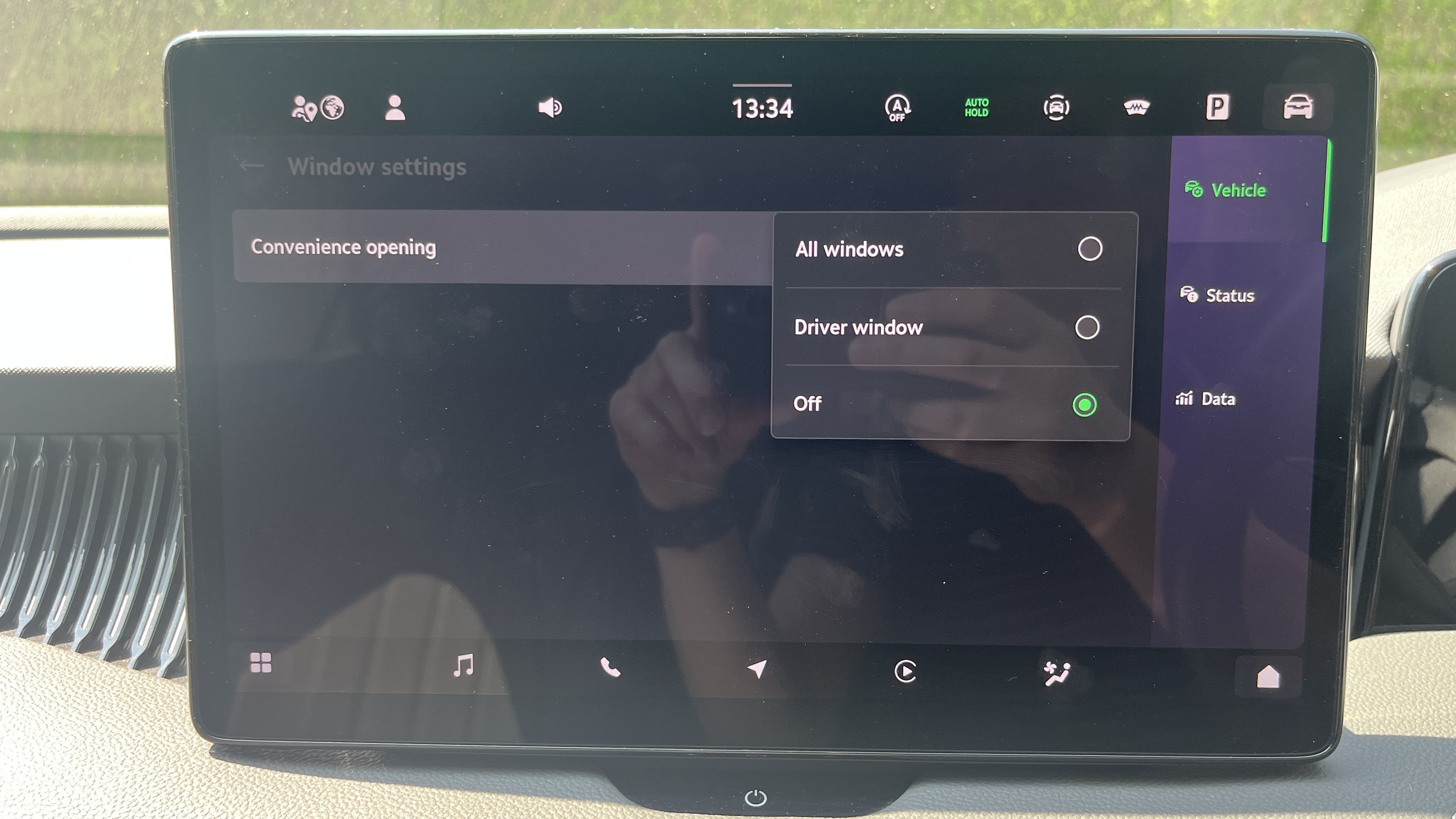
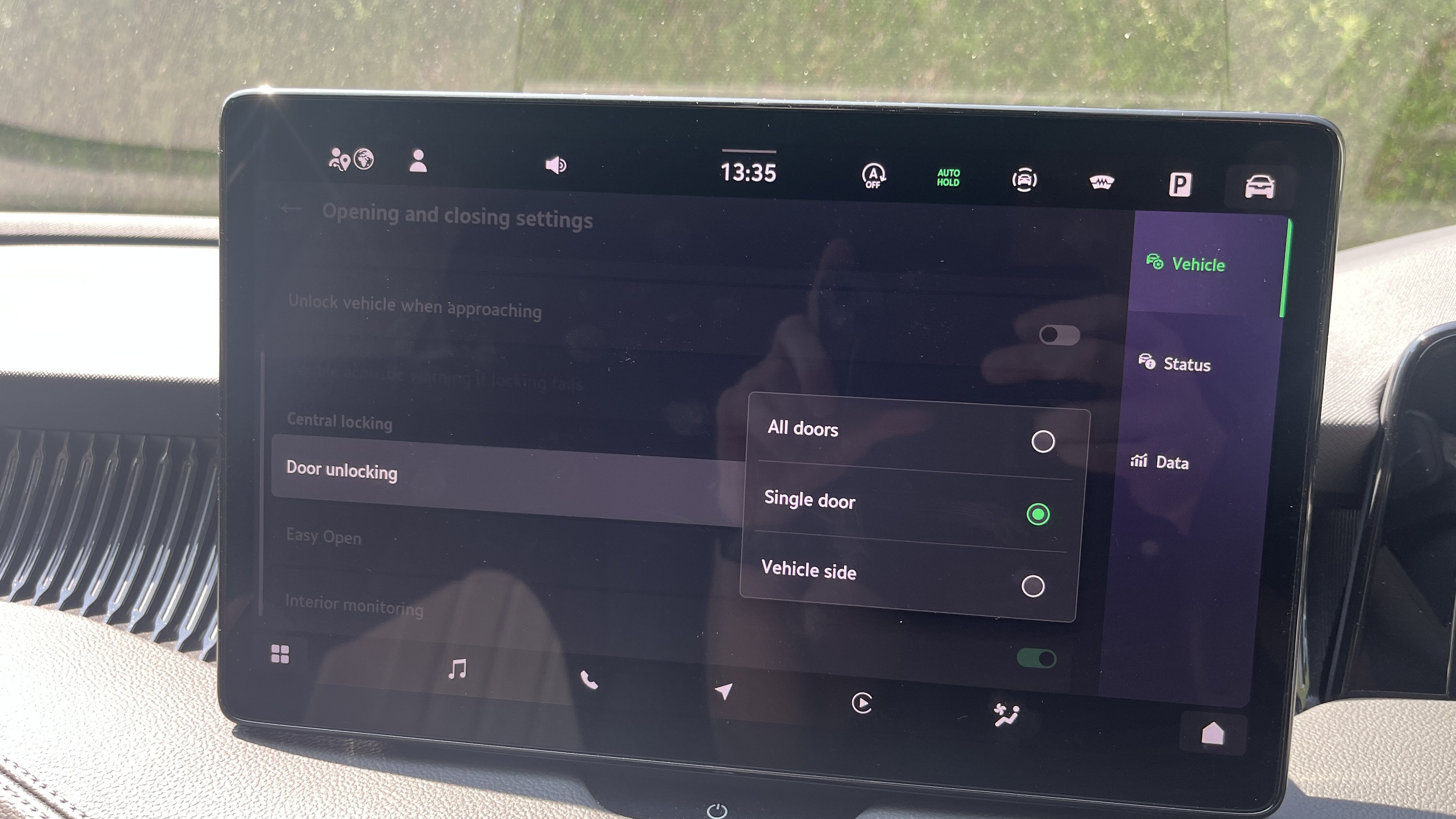
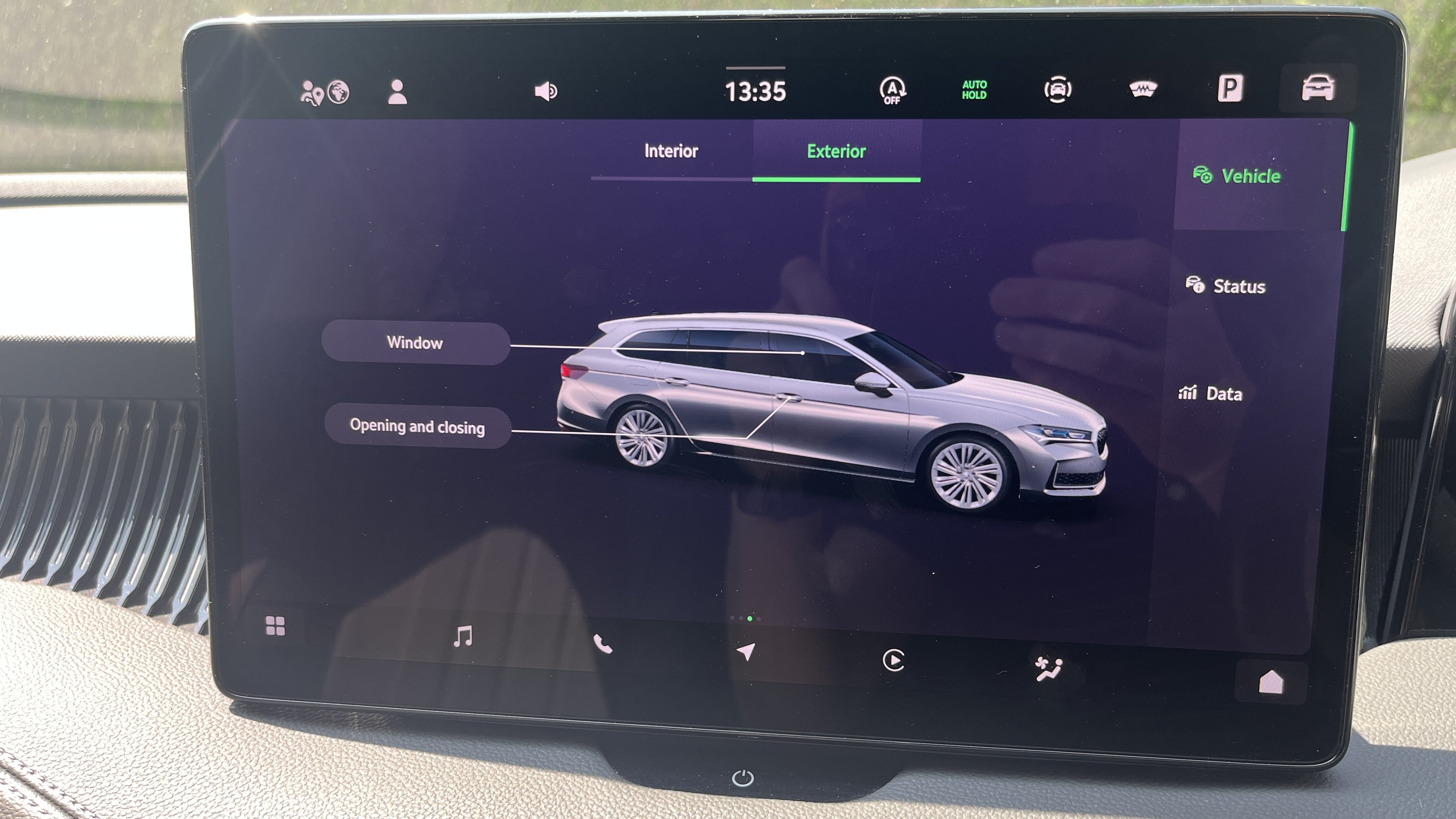
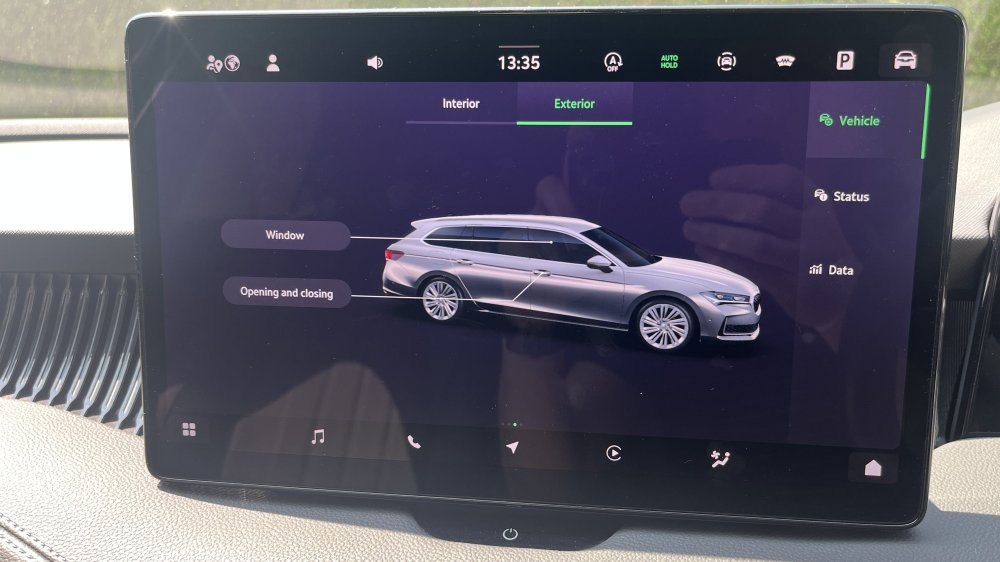
Find the setting screen for Window and Opening and Closing. You can adjust both from there.
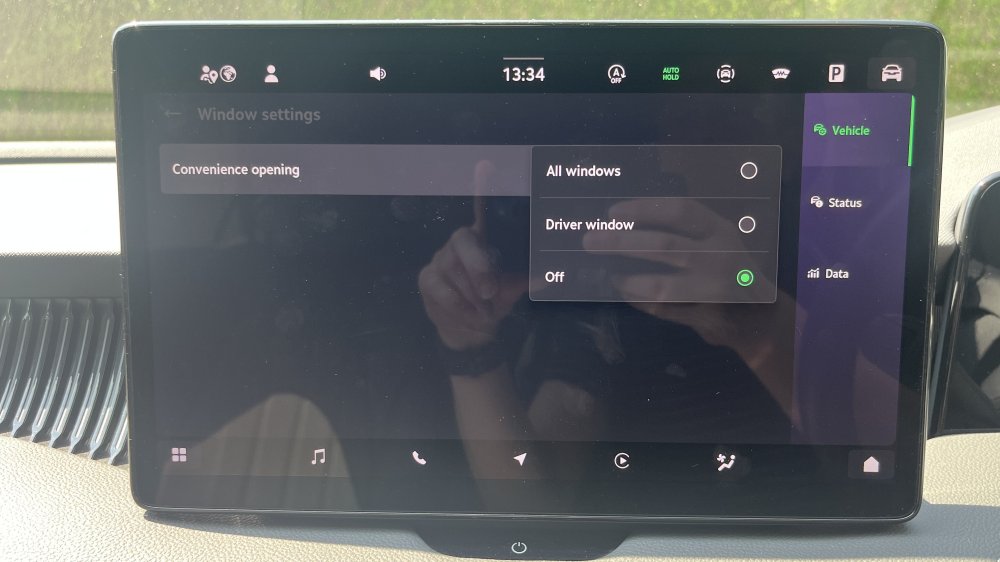
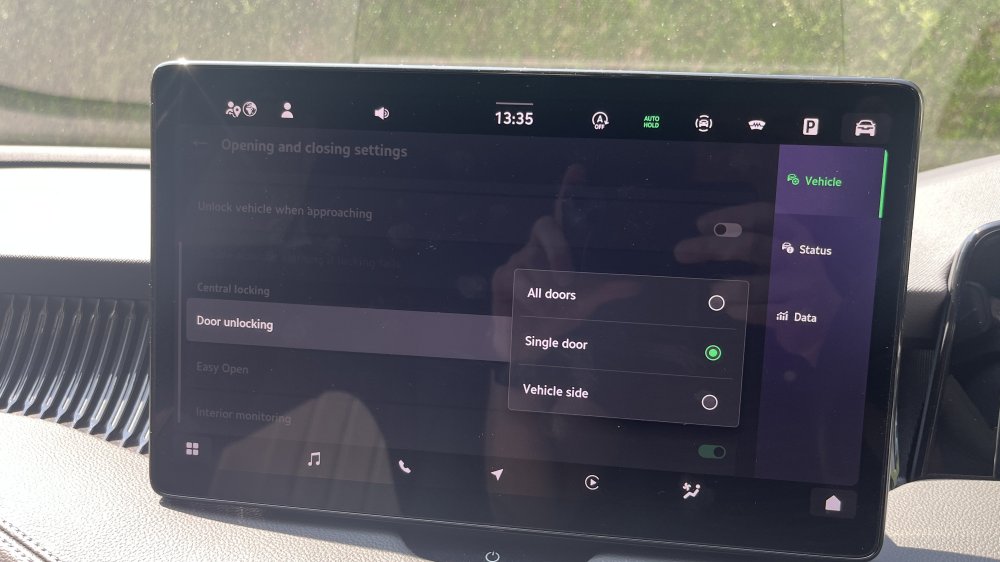
 1 point
 -
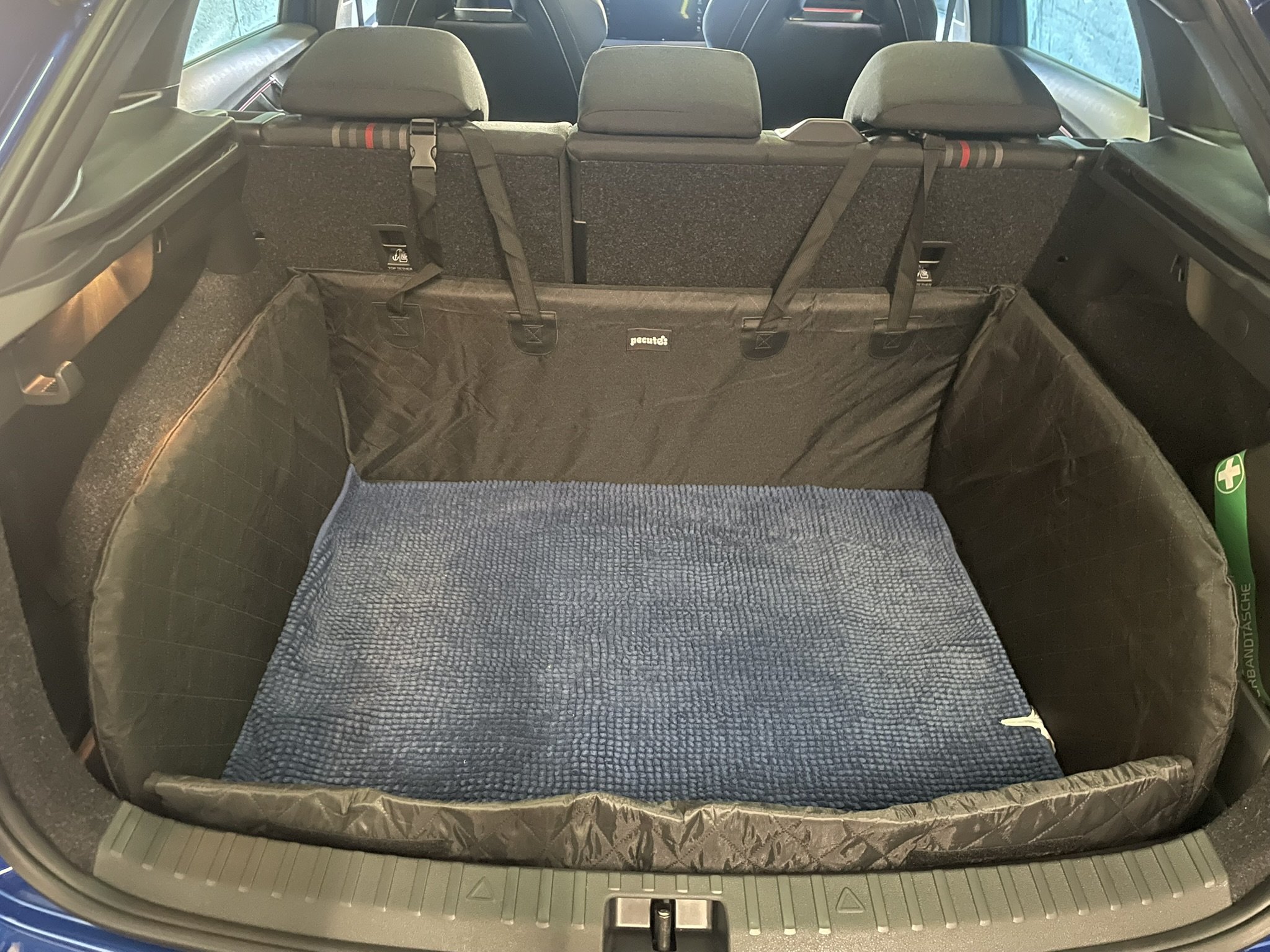
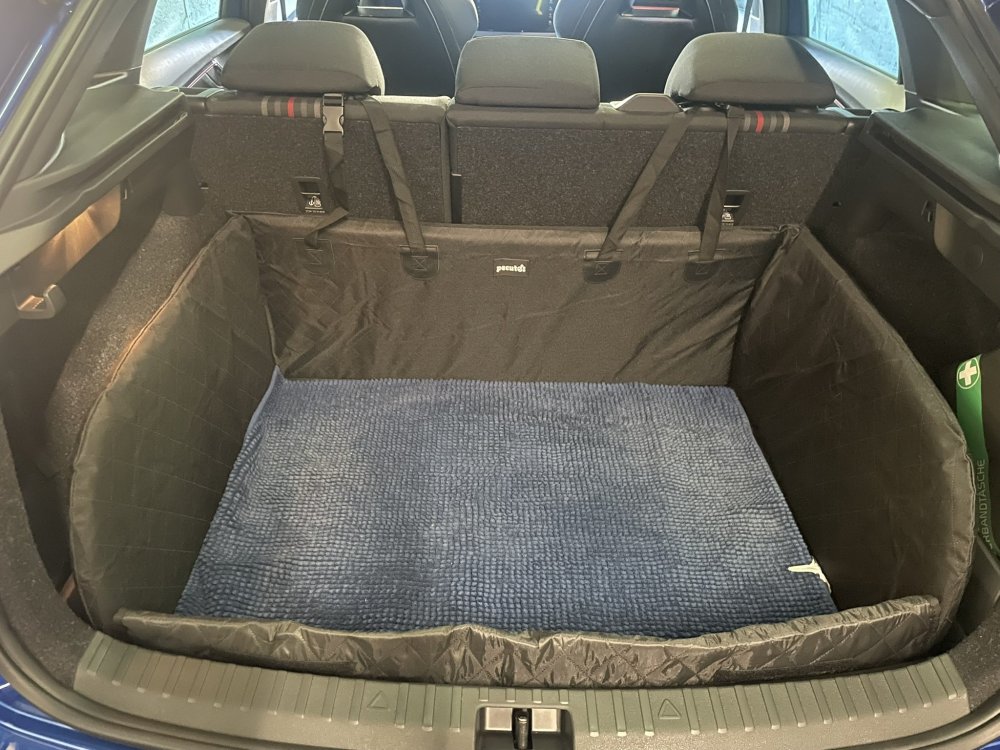
So I went with this https://www.amazon.fr/dp/B0DK8K31P1 It fits perfectly
 1 point
 -
1 pointIf your car is like mine you can change the view as you get closer to things. This does show the edge of the bumper. It's all explained in the manual how to change from the normal to the close up view.1 point
-
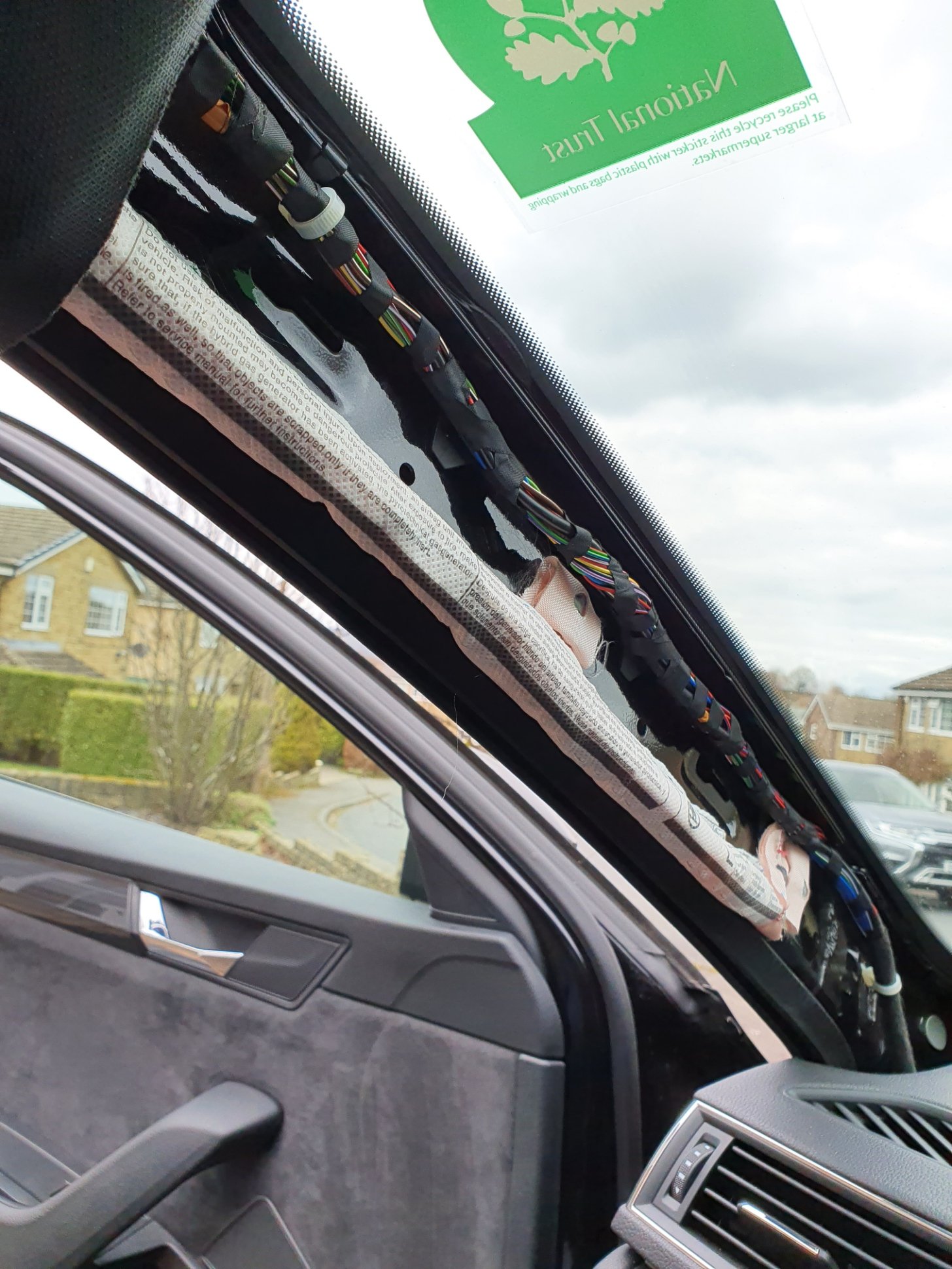
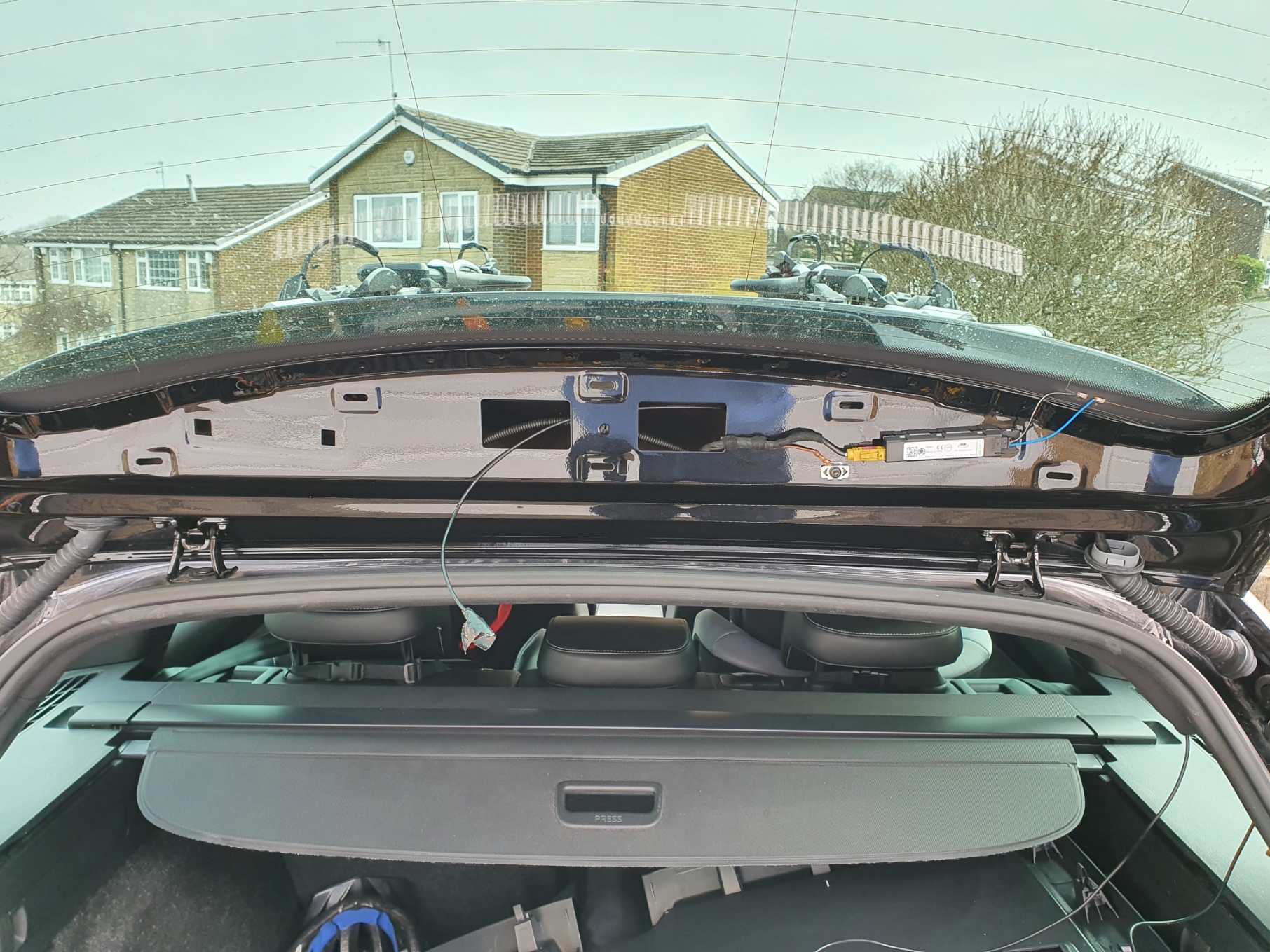
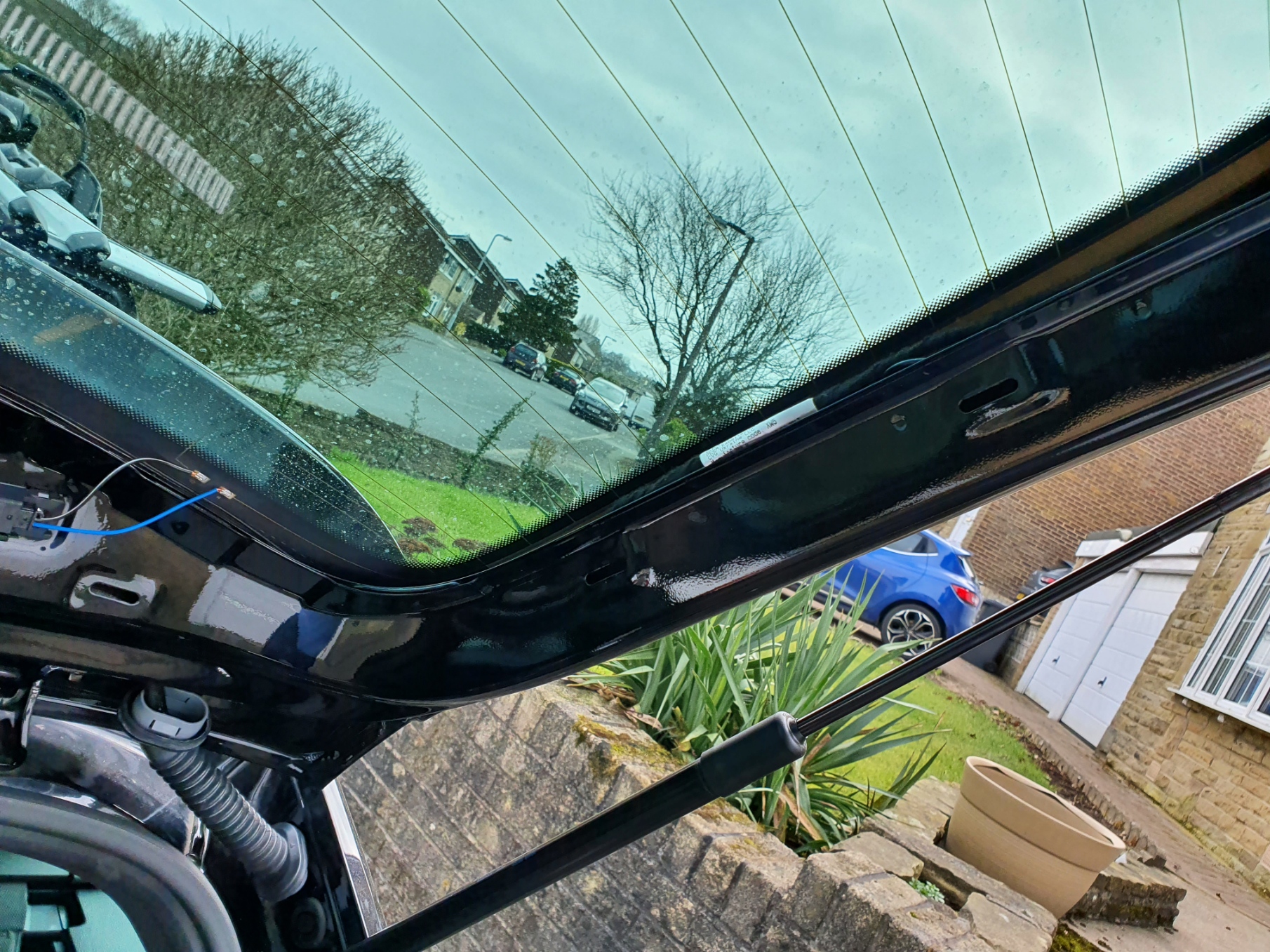
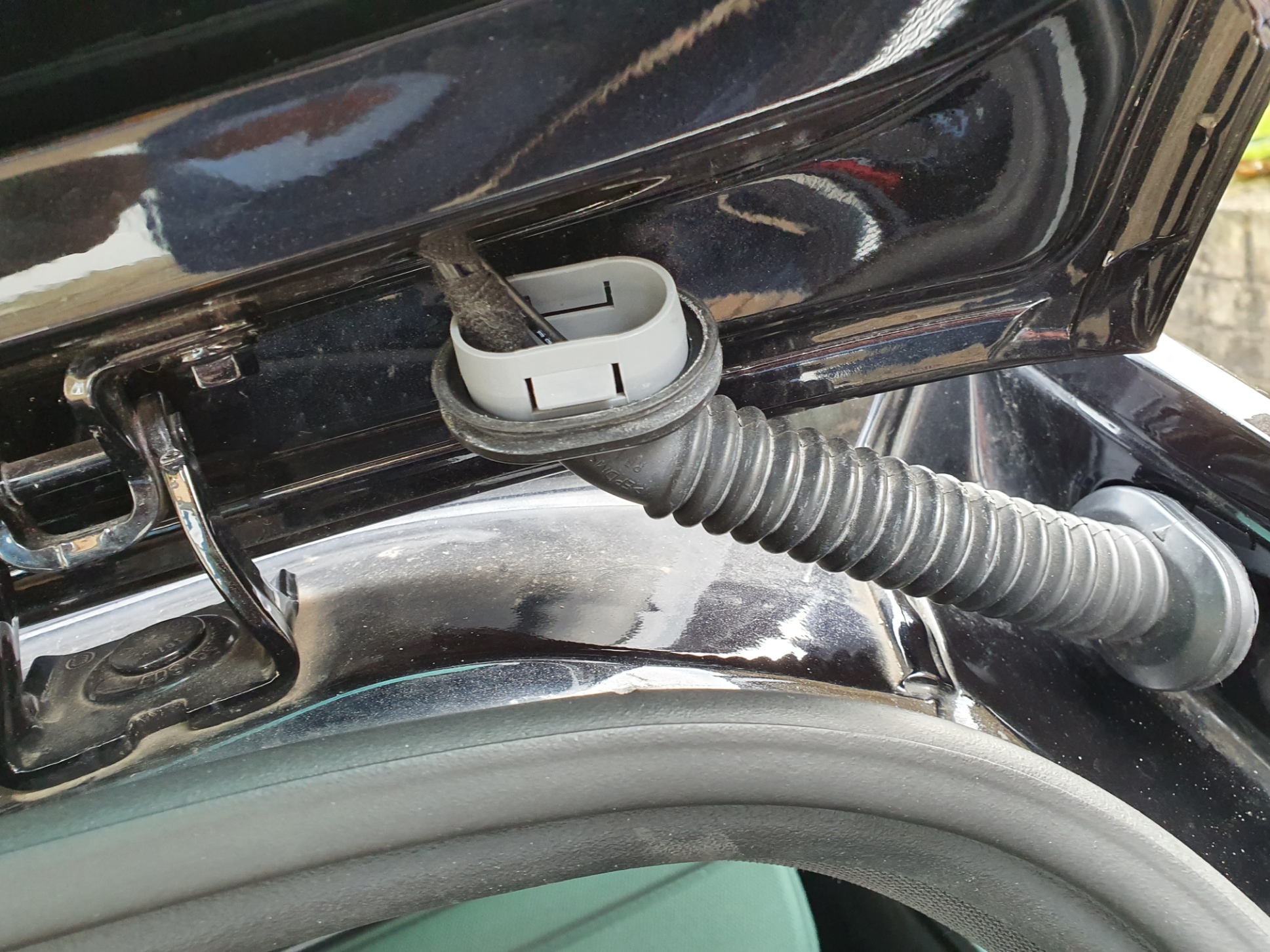
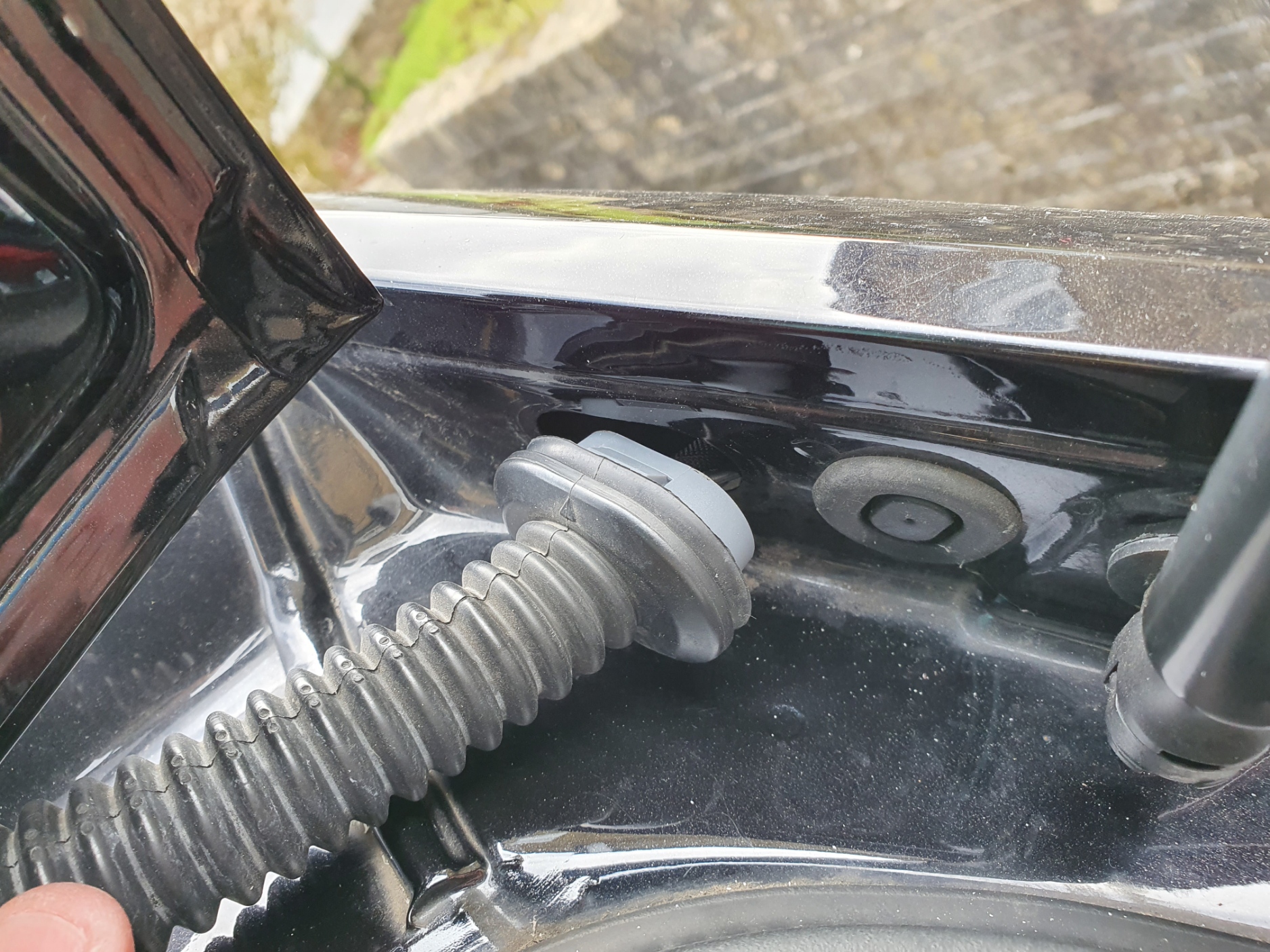
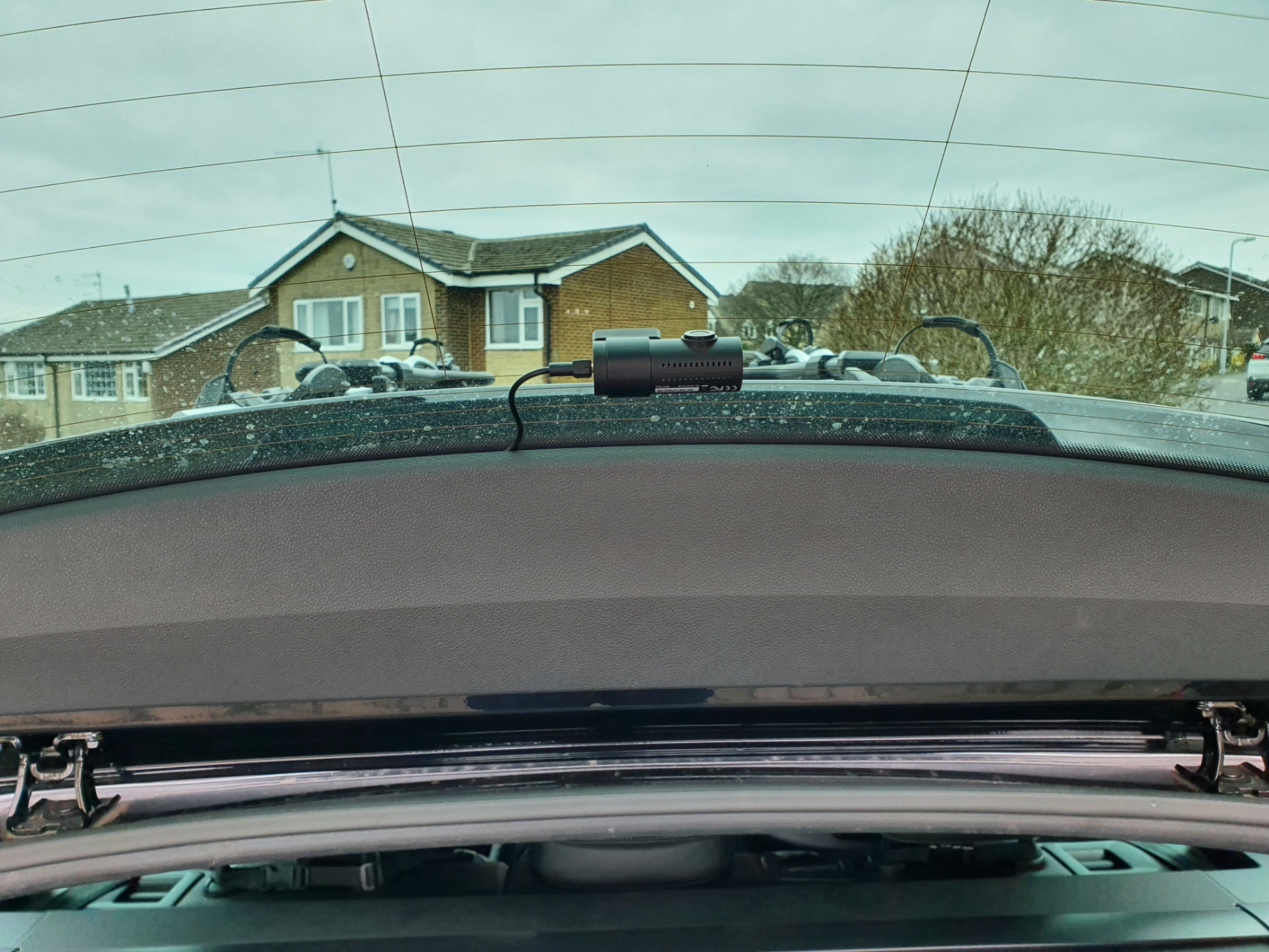
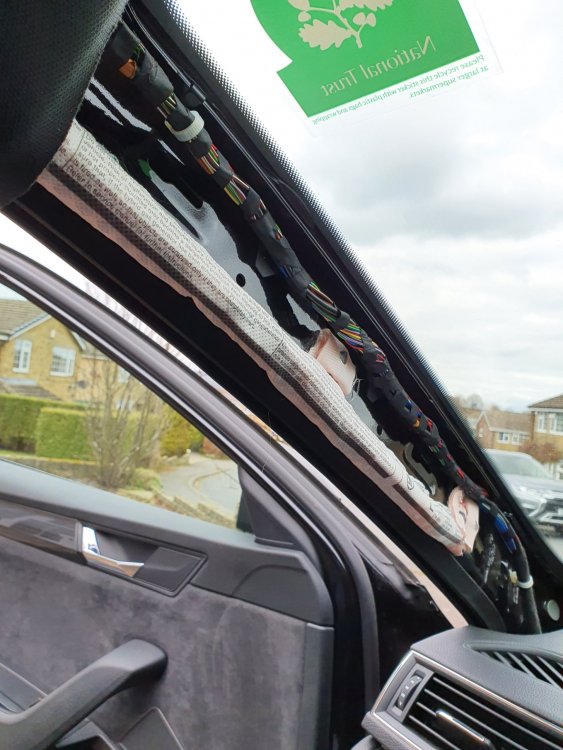
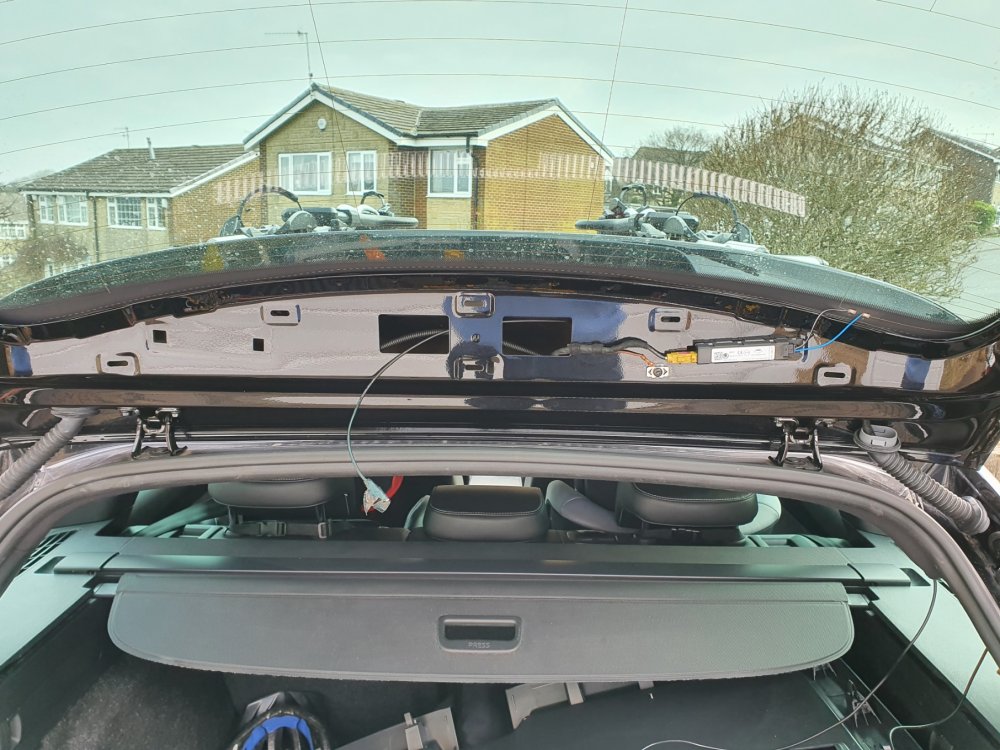
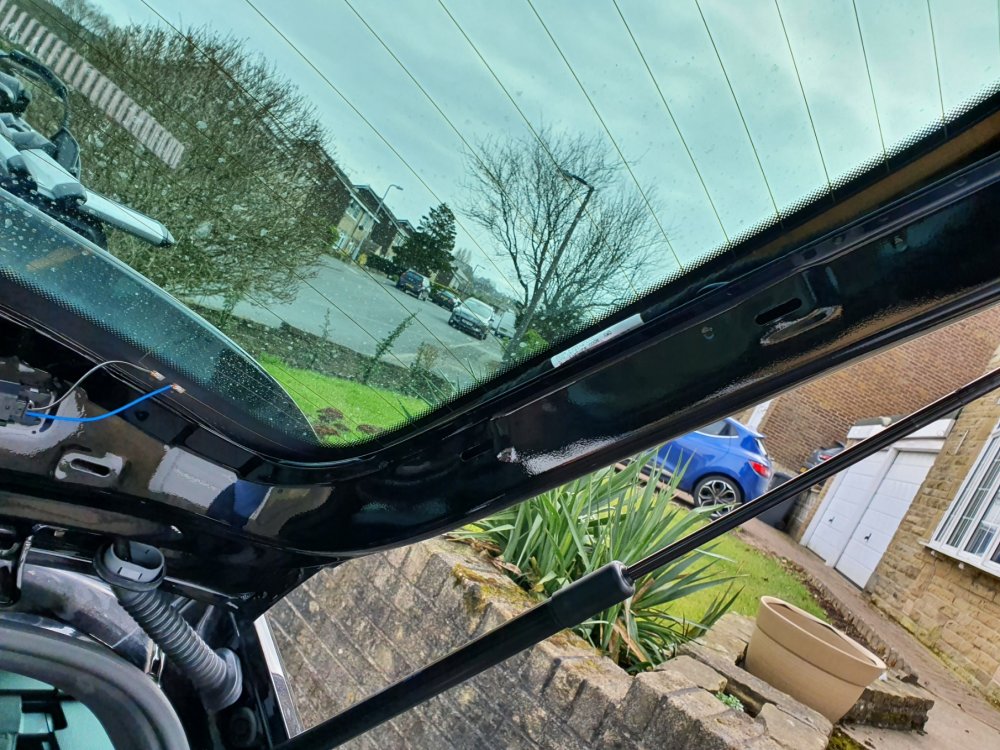
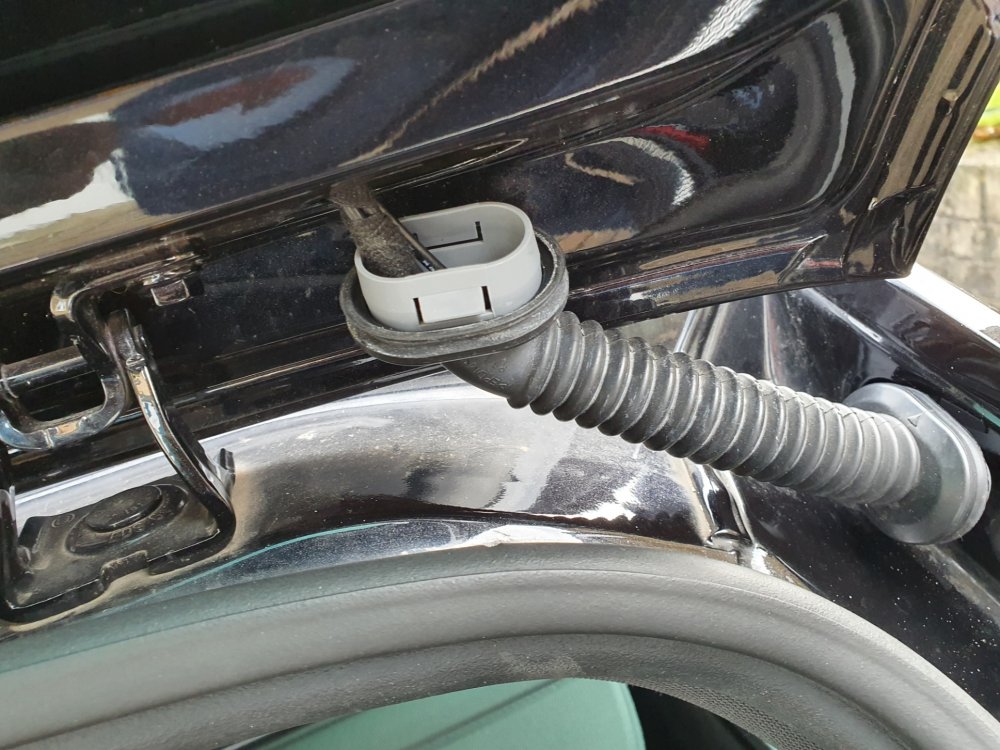
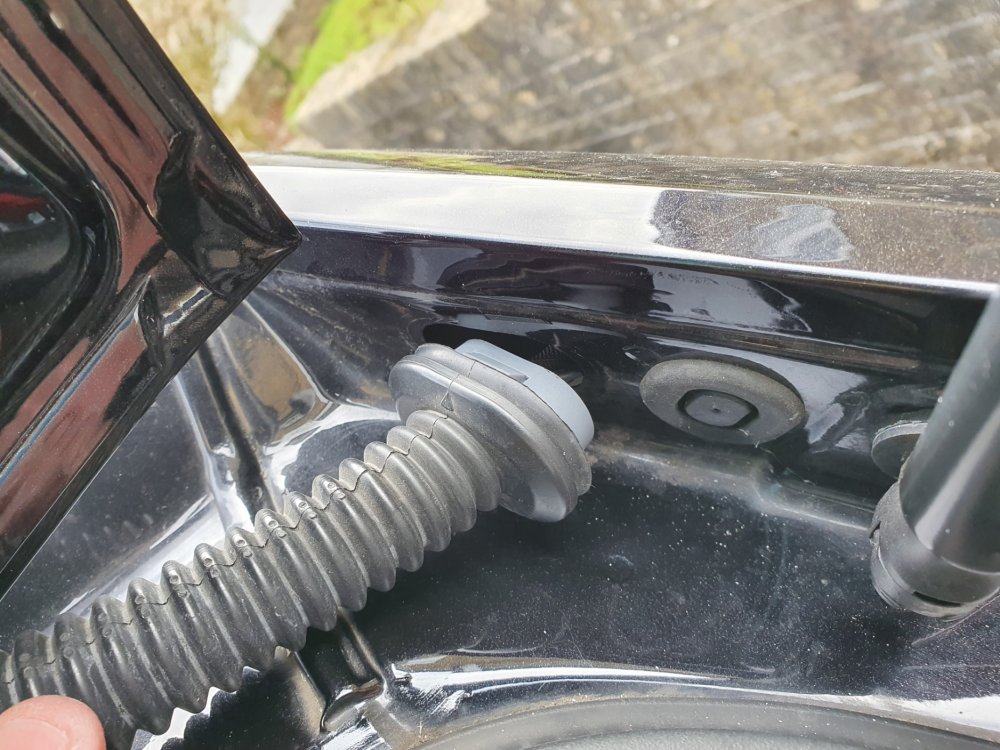
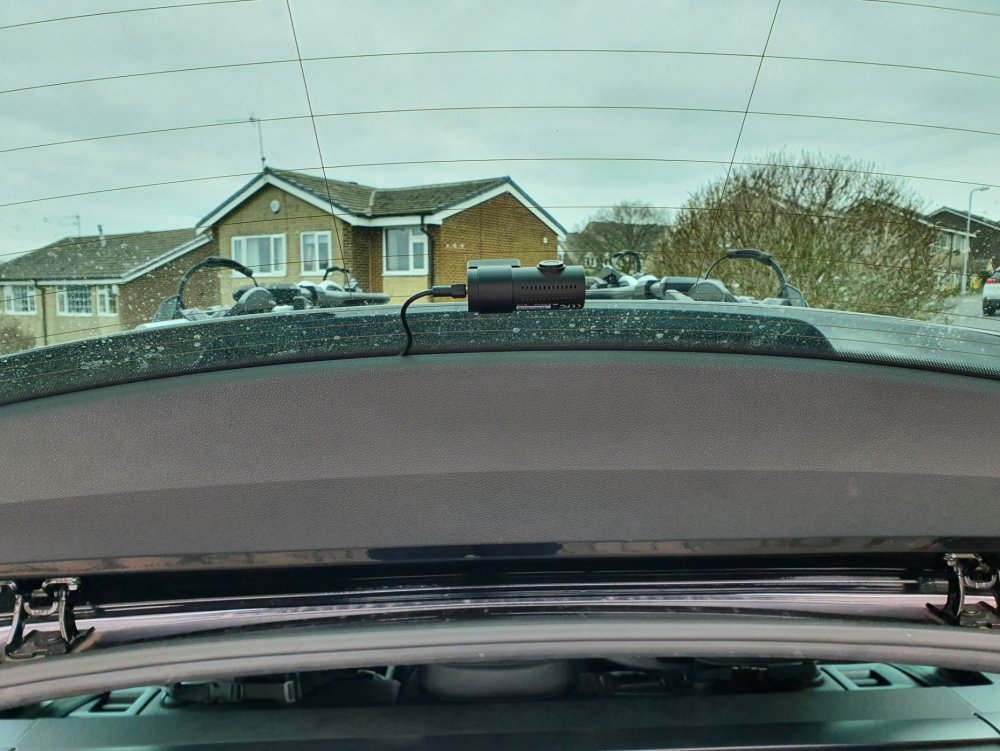
I have just installed a Blackvue DR-750s 2ch dashcam in my 2018 Superb Sportline estate (combi) and I wanted to share my experience of installing this dashcam should anyone else be considering installing a 2ch dashcam. I would also like to link back to @RoyF280 who did a post back in 2017 and I referred to his post a lot during my install, but I also referred to various videos and posts all over the internet and this forum for tips and pointers, which helped my install, which I did slightly differently, so thought I'd put my notes up here in case they help fill in any blanks etc. I haven’t got pictures of all of it, but have included some and can hopefully explain what I did enough to assist. First of all invest in some trim tools, you’ll need them to avoid damage to your trim. I bought some several years ago for a few pounds off ebay and they worked fine. Secondly a set of narrow cable rods, which can be had off Amazon / ebay for c£10-£20. Thirdly, set aside plenty of time, in my case due to having small children and limited spare time, I ended up doing this piecemeal over a week in total as and when I could spare a bit of time and when the weather was dry and I had daylight. I will point out the front install is a cinch and was done the first day I started in under half an hour, it’s the back that is the time consuming piece and as I had to build in research time and physically looking at the car to work out my plan of attack for the job, that coupled with kids and a full time job is why it took so long for me! Firstly, don’t be afraid of removing your trim! I was and wasted time trying to avoid it initially. All clips on the trim I removed were metal and none broke. They were a lot easier to work with than the plastic ones I’ve encountered in the past on other cars. Start with your A-pillar trim (the piece running down the edge of the windscreen) and I used the passenger side. Gently pull it away from the top where it meets the roof lining, there are two clips, the top one came out easily and then with a bit of gentle pulling and wiggling the trim, slightly pulling upwards, the second one went with a ‘ping’ and I could then, with a bit more wiggling and pulling up and away from the dash, free the bottom of the trim. The bottom hooks in behind a metal clip fixed to the underside of the dash. You then have the following exposed: You can now see the airbag, which you want to route your cable behind where you can see the manufacturer cables bundled together, when I had installed the power cable for the dashcam I cable tied it to these cables. Next pop the side trim off your dashboard, so you can get to pull the cable through from above. Just use a smooth flat trim tool in the middle and gently tease it out. It has around 6 clips from memory and it hooks under the door seal and has a hook moulded on the bottom vertical edge to hold it behind the lower footwell trim, remember this when putting back as you need to hook this in first then put it behind the rubber and then push it back in the clip holes. Most pictures I’ve seen show some foam wadding at the bottom of the A-pillar, mine didn’t have any (perhaps they were rushing to build it on a Friday teatime!), so the cable could be easily dropped through from the top of the A-pillar above the dash, if you have foam I believe you just have to poke it through as the other cables go through it. Make sure to leave enough cable to go up the A-pillar and across the top of your windscreen to where you wish to mount the dashcam. I have not hardwired mine (as of yet), but if hardwiring I understand the fuse box is behind the glovebox, so you have your cable in the right place now and can just take it from there. For me I carried on from here with the cable, I took the plug end out over the lower footwell trim near the door and then looped and tucked the cable back behind and under it into the footwell (difficult to explain, but you’ll hopefully see what I mean) and ran it under the inner lower door trim and then under the back edge of the carpet mat / storage unit trim under passenger seat and I currently plug in to the cigarette lighter in the dash. That’s your power cabling done and you just tuck the cable under the headlining across the top of the windscreen. So your cable should now run from wherever you want to mount it in the top of the windscreen across the edge of your headliner and down the A-pillar, all above and out of the way of the airbag. Next, the fun really begins! It’s now the time to get your rear cable through to the rear! I chose to run the rear cabling through the headliner. Leaving the front A-pillar trim off, go to the back of the car and pull off the D-pillar trim, being the last plastic trim on the left in your boot by the back window (see picture). To pull this off I wiggled it from hooking my fingers behind it at the top near the window, by where it meets the roof liner and my other hand on the edge by the boot seal. There are four clips and the panel slides forwards towards the back seat. In my case it suddenly broke free and flew out of my hands and in to the boot! No damage was done. Next gently pull the headliner down in the corner by where the boot seal runs round. Then, grab your thin cable rods and feed them gently into the headliner, the aim here being to run it down to the A-pillar at the front. Your curtain airbag resides in the edge of the headling running over the doors, so gently push the rods and twist whilst pushing to avoid snagging on anything, and try to get them to go level and slightly down to keep them under the airbag. At this point I pushed mine enough to get it to the middle of the back door and I gently peeled the rubber seal back on the back door and pulled the edge of the headliner down so I could see the rod and the airbag above and with my fingers, I pulled the rod a little to ensure it was running smoothly and passing under the airbag. I pushed a bit more from the boot end and then repeated again on the front door, but as the A-pillar trim is off, the headlining is easy enough to pull down at the front over the door and you can see your rod and the airbag above. Once you have the rods through, tape your cable to the rods and gently pull it back through from the boot. Now you have your cable hanging into your boot, but you don’t want any issues with the airbag. From here I spent quite a bit of time pulling the cable taught by wedging it at one end (front or back) and then pulling it up and across towards the drivers side and then repeated at the other end. The aim here was so I could get the cable into the headlining as much as possible and out of the way of the airbag. So at the front half, it is up near the back of the grab handle and comes over the middle of my windscreen and at the back it routes the same near the grab handle and goes across to the opposite corner of the roof on the drivers side. I have a little bit showing if I look in the headliner between the front and back doors, but it’s taught and away from the airbag, which will shoot straight down if triggered and making the cable be effectively behind it. I will stress here I am happy that my airbag will work, but you must be happy yourself with this set up, the key is to ensure nothing runs over the airbag or in the way of its deployment in an accident. Alternatives to running it this way will be all at floor level from front end to back, but in my case the cable wasn’t long enough and you can’t really avoid cable poking out somewhere on show, so it’s not a neat install, but safety is the primary concern here, so ensure you are comfortable. From here and sadly, the whole of the inside boot trim needs to come off, unless you are happy to have a dangle on your cable! Whilst this is daunting, it’s actually straightforward and I even priced up new panels should I have damaged any in the removal, around £60 for the bottom and £40 for the bit round the rear window (eBay, but genuine new parts). Not a cost you want, but not the end of the world. Anyway, I didn’t break anything and doubt you would as long as being careful. Starting at the lower boot trim, the bit with the boot lights and if applicable electric tailgate switch or pull handle if no electric tailgate. Pop out the lights and switch (I don’t have an electric tailgate so no switch for me) and if like me you have the rubber pull handle, unscrew this (note: need a torx screw driver). Then starting from the middle by the boot lock part gently pull and the edge ones will start popping loose. Work your way around the edges. The very edge corner one near where the trim meets the angle of the window is hard and needs a lot of force with your trim tool, but once this pops you find the rest will just come, with the exception of the opposite corner one. This just needs a little tug and the whole panel then comes downwards, as you’ll see it hooks into the upper tailgate trim that runs round the window. Having removed the lower part, move on to the upper part. There are two torx screws one each side to remove then again working from the sides, ease out one side at a time, there’s two clips (see picture) and when you have them unclipped on both sides (they are stiff and take some pressure to ‘pop’), I started along the bottom edge against the metal (not the glass edge as I didn’t want to slip on that edge and damage the heater elements). Again force is needed, but they will come and eventually with a wiggle this panel comes free and you see the following: Now what you need to do is get the cable up to that section via the rubber conduit either side of tailgate. I chose the drivers side as a lot less cables in that side, as the passenger side has the rear washer hose as well as cables, so that side is very full. You will need to pull off the opposite D-pillar trim to gain access to the driver’s side and then some more fun begins! You then need to pop the rubber conduit off at both points, just push each end in the middle whilst wiggling and they will come off from the body and tailgate. You then have it like this: Then with a long cable tie (or similar) try to route it through from the bodywork end of where the rubber conduit fitted first going down in to the D-pillar, then tape your cable and pull it through. Then you need to get the cable through the rubber conduit, I chose to massage it through as I couldn’t get a cable tie or anything else down as it kept fouling on the rubber. Some videos I watched suggested silicone spray to act as a lubricant, I didn’t have any! Once through here you just use another long cable tie to get it into the tailgate and across to where you want it. On the picture below you can see I have it hanging out of the middle hole: I later changed my mind and moved it over to the left of the two smaller square holes on the left side (the equivalent holes for whatever is mounted on the drivers side, being the heater element control unit I think). From this hole it is a lesser distance for the cable to poke out under the trim and allows the cable to be fed under the trim edge when clipped back on and the trim doesn’t bulge, which I thought it might if I brought it straight out of the middle as the trim clips are close to that. I taped the cable to the washer hose in the middle to secure it. Following this, I clipped the trim back on (bit of a faff, you’ll find a way) I did one side then a slight clip in the middle, followed by the other side, which kind of wiggled in to place, then fully clip the middle and put screws back in. Then slot your lower tailgate trim back on, which glides nicely in to place, remembering it hooks into the upper trim and to poke your lights and tailgate button through (where fitted) and just clip the remaining bits back in and screw in your grab handle and secure your lights and tailgate switch (if fitted). Finally remember to push your rubber conduit back on to the tailgate and body, secure your cable excess possibly in the D-pillar (mines in the roof lining) and clip your D-pillar trims back on and you’re done! Well you then need to position your front camera (if not already done) and rear camera and plug it in. My rear one looks like this and is just within the top of the wiper area: Finally, I can confirm that I have not suffered any interference with the DAB, a problem I know many seem to have with other dashcams. I understand Blackvue cables are quite well shielded, but this is something to be mindful of maybe testing to make sure you are happy before proceeding. Hope this helps and happy to answer any questions if I missed anything or didn't clarify very well.
 1 point
 -
0 points