All Activity
- Past hour
-
^^^ 4 years later.
-
samirajl joined the community
-
Bumping old topic but this video extremely useful in having an idea on best way to get door apart and give maximum length of loom to work with. Not a job for the faint of heart or unsure with electrical.
-
Hi, I've been on Briskoda for just over 4 years but on the Superb forum. Tomorrow I am getting my 2026 Karoq 1.5 TSI SE L Edition delivered. 3 Months old ex demo, so will be on this forum now a lot, to learn about it, and perhaps contribute a bit.
-
Best of luck with it!
-
Well, been on here for over 4 years now, contributed some, and learnt a lot more. But time to say goodbye. But not to Briskoda, just this forum. I am getting a 2026 Skoda Karoq delivered tomorrow, so will be migrating over to that forum. Thanks for all advice given here, it's helped a lot.
-
Could this 60g be a natural occurrence? The worst-case scenario is that oil gets into the DPF. If the 60 g is a value calculated from the regenerations, it could not have accumulated from the normal regeneration cycles. It is currently regenerating every 350 km.
- Today
-
-
Why? If valves are not stuck all four ways it is easy. I did not do laptop magic. Just gravity. Blocking pedal in down position is important. I would check if cable allows to connect another pump or look for extension on ali. Maybe brushes in motor are dirty, worn. Probabbly circuit sensing too much resistance or intermittent power supply.
-
I have the Solution and dont need help
-
DPF ash load primarily depends on mileage and the number of regens. While it is possible that on EU6 engines it is measured / derived from DPF pressure loss after regen (doubt it), at least on our 2012 Roomster's EU5 1.6TDI CAYC 105bhp engine the ash load is simply calculated and increased based on mileage and number of regens, no measurements involved. If you experience frequent regens, you will find ash load going up quickly even though there is no change in pressure readings around DPF, i.e. no actual ash.
- Yesterday
-
Hello everyone I am new here. In the process of buying a 2012 5J Fabia RS Estate (We call them Wagons in OZ) looking to get some info and share my upgrade journey. I am a bit of a car collector/ hoarder with a lot of JDM and Euro oddities Regards Scott 3SpeedScottie
-
ThreeSpeedScottie joined the community
-
@mpg_cloud @Cairus If you need to update to version 0480 and activate CarPlay, send me a message.
-
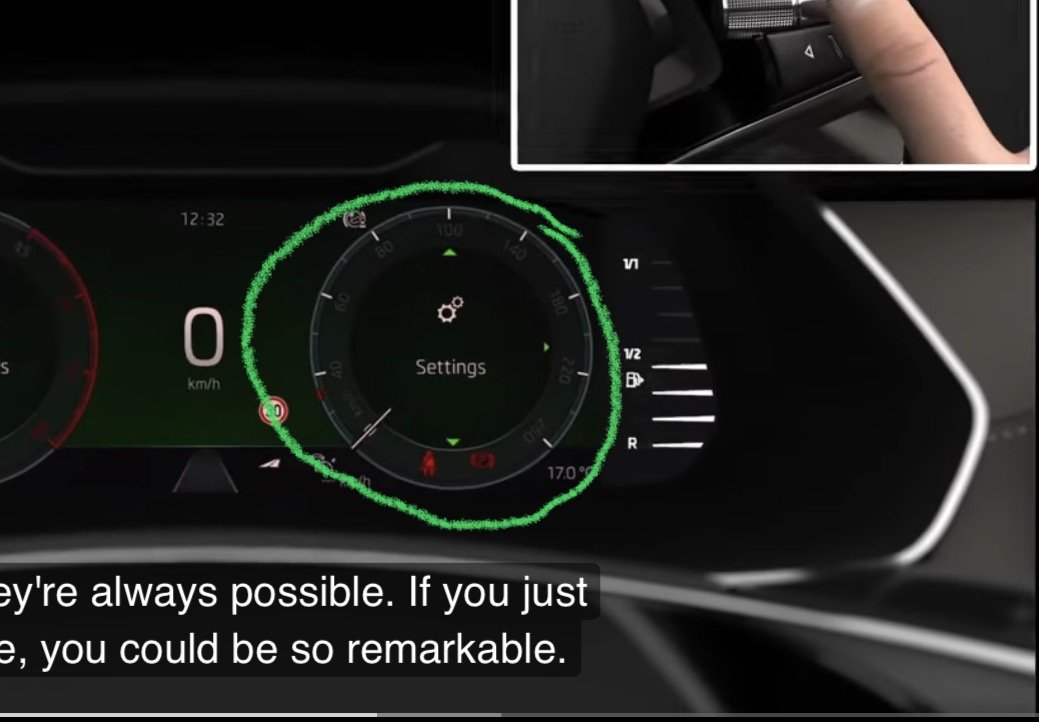
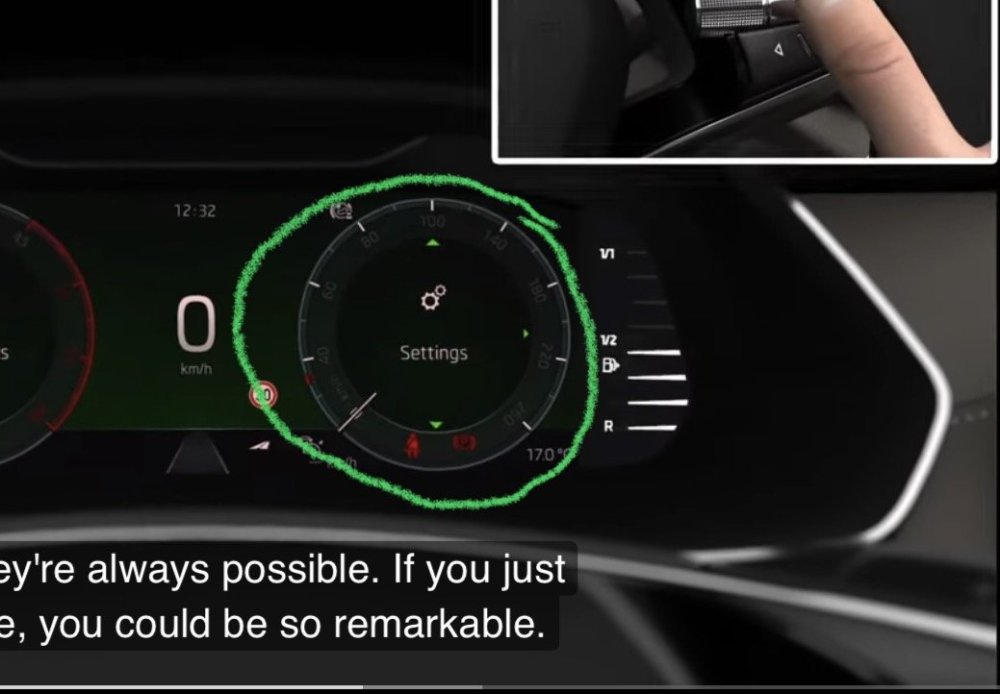
Specifically, I am referring to this part I’ve marked in the photo.
-
I have the older Mk4 Octavia, so unfortunately I can't help you. But I wanted to add that disappearing functions from the infotainment menu is a problem which is suffered in the Mk4 too. Skoda really need to invest in some decent software techs
-
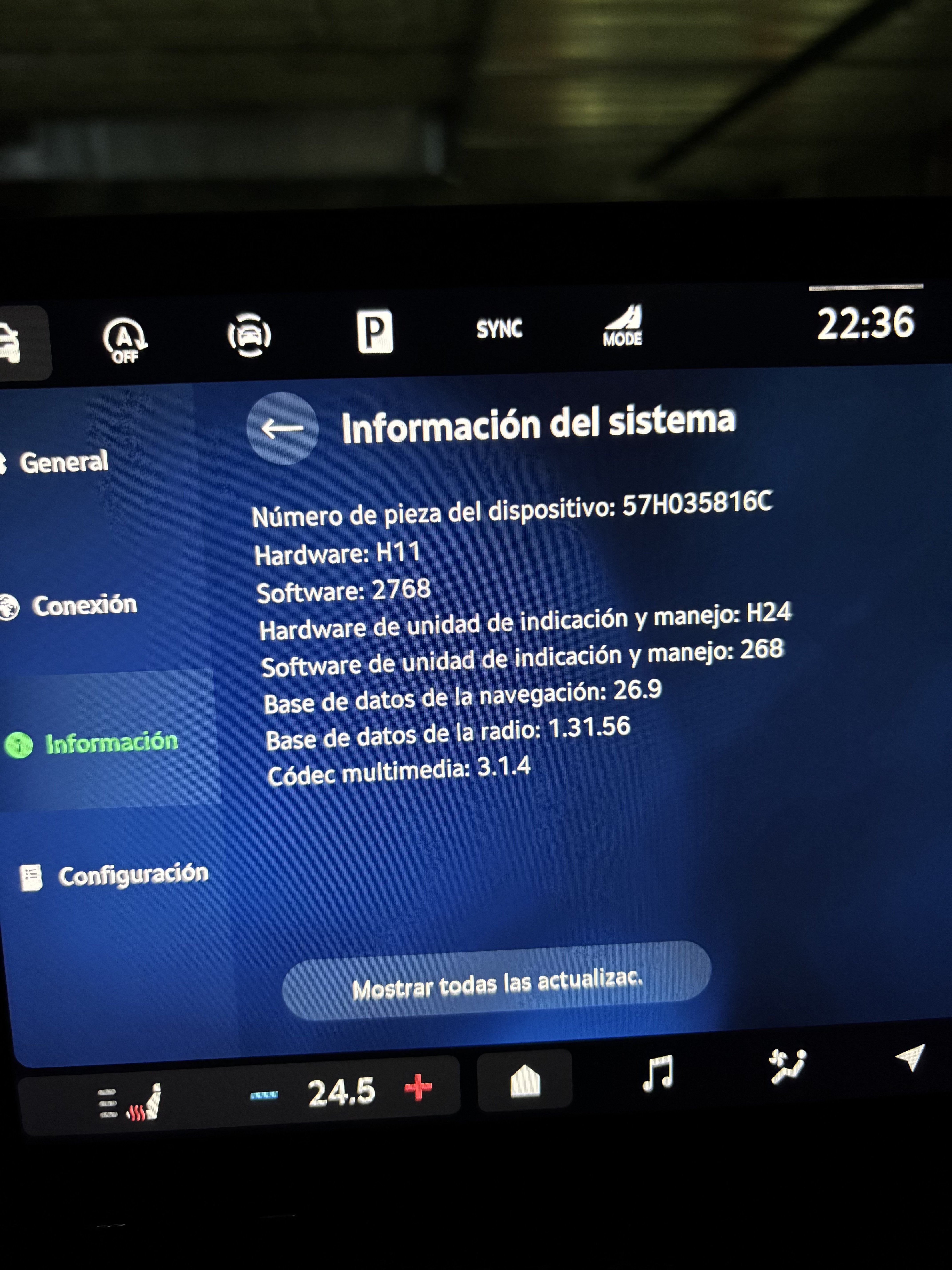
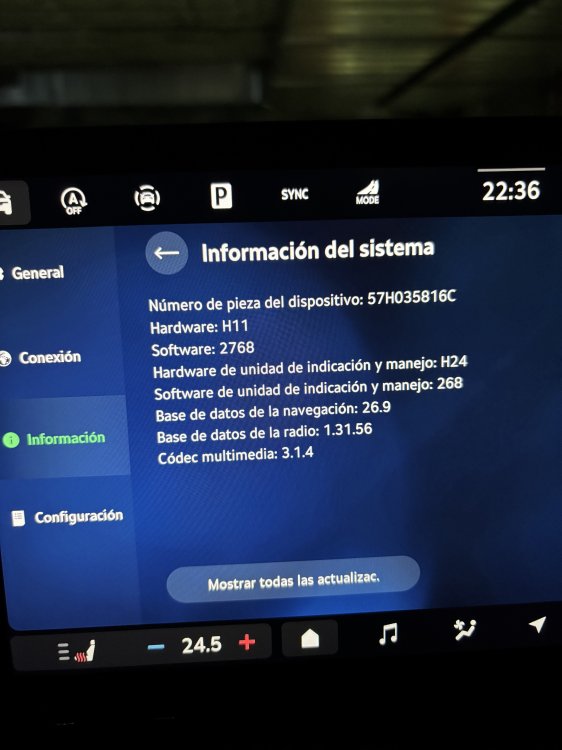
I’ve had a 2026 Octavia Sportline (1.5 TSI) since August. The configuration option on the Virtual Cockpit display—used to add or remove data—has disappeared. I’ve reset the infotainment system, but I still haven't been able to get that function back. I’m attaching a photo showing my hardware and software details. Can anyone help me?
-
Is this the kind of upgrade that you can tutorialise?
-
red-ireland joined the community
-
PM sent
-
I sent you PM
-
Indeed, glove box unit must be replaced. I will send you PM.
-
I can do it for you, as I can see you are from Czech Republic and I am in Poland so shipping costs will not kill it... @CrazyWolf @Rocketeer125 check your PMs for MST2_EU_SK_ZR_P0480T download link
-
lucky987 joined the community
-
Notta762 joined the community
-
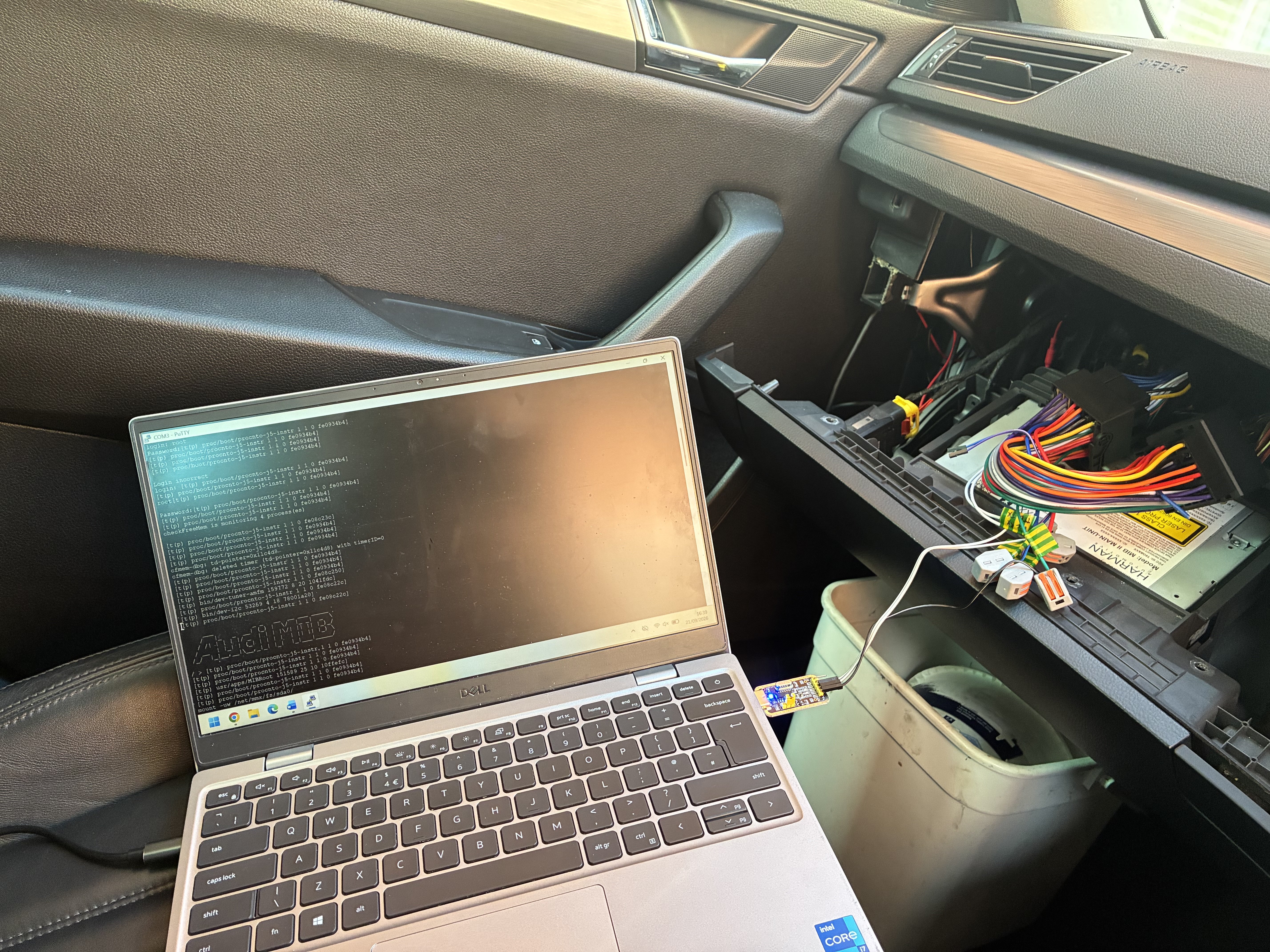
I wrote a guide for connecting by UART should anyone need it in future.
-
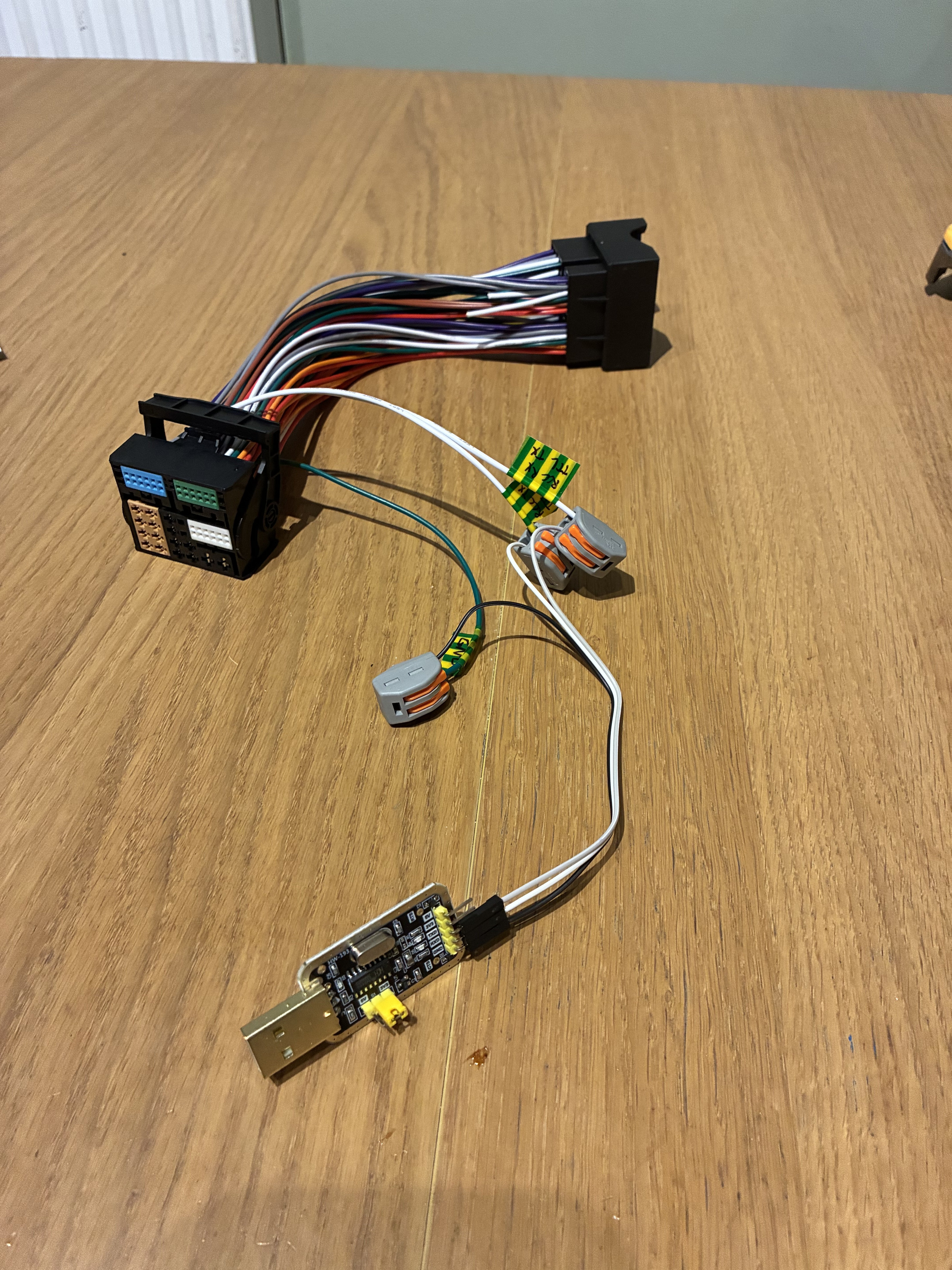
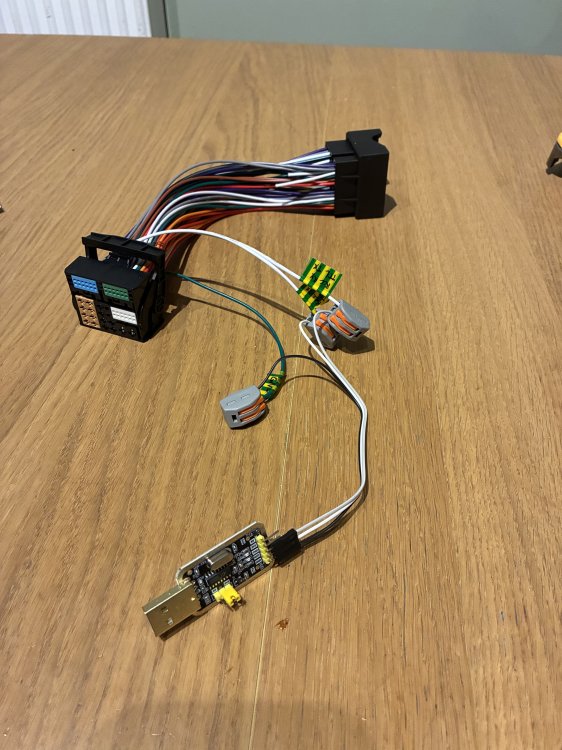
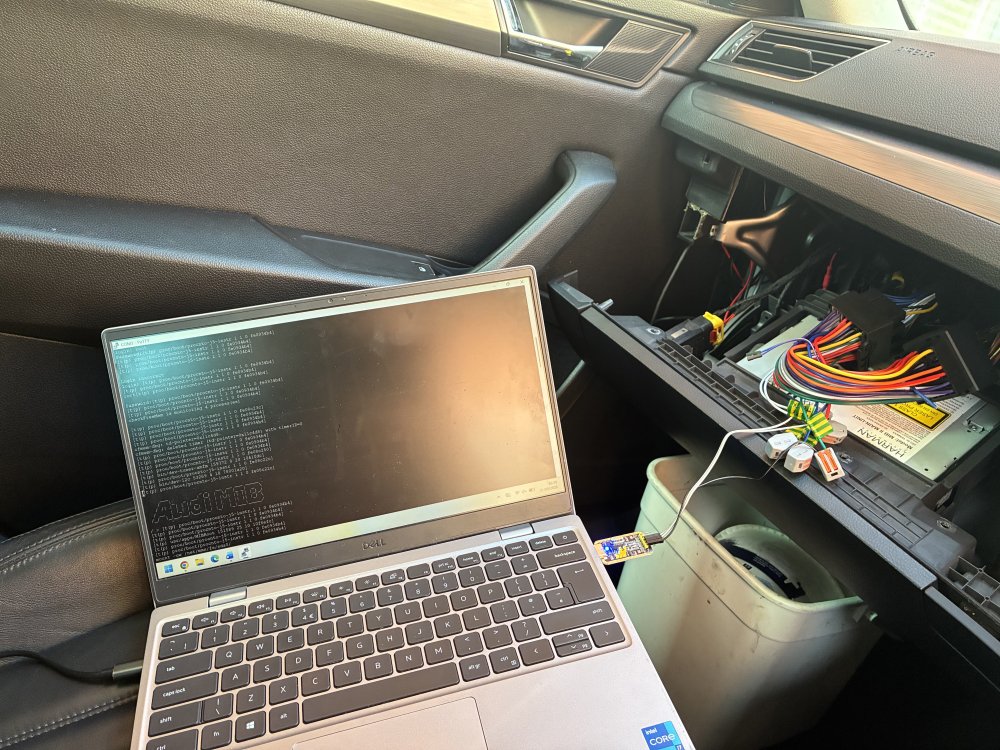
Having had to do this recently to try to recover a bricked MHI2, I found the info to be a bit all over the place so thought I would gather it into one guide. You may well need the guidance of an expert such as @pab567 once connected to the MIB for the next steps in recovery/programming, but this set up will allow them to remote access to you to do so. I take no responsibility for any effect connecting in this way has and am in no way an expert on this process! Parts required: TTL to USB adaptor. There’s lots about on Ali or Amazon. Look for CH340 chip and you need to make sure it supports 3.3v. This is the one I used https://amzn.eu/d/03Rt3b1k Quad lock extension cable. Not completely essential but this is an easy way of connecting to the right pins and also allows you to connect cleanly and reversibly to the existing wiring whilst maintaining all the other connections to the car for testing purposes. https://amzn.eu/d/086O3DlR Connectors, such as crimp terminals or WAGO connectors. Laptop First step is to make up the cables following this guide https://www.scribd.com/document/849387823/Connecting-TTL-adapter-to-UART-on-quadlock-VAG-MIB2 find the correct wires in the quad lock extension cable and then cut them and crimp/connect on the UART connection wires so they connect to the lever plug end of the extension. I added some labels so I could ensure I connected them to the USB adaptor correctly. You may need RCC or MMX connection so I added in the wires for both and then just connected the right ones to the USB adaptor as needed. Next, prepare the laptop. Download and install PuTTY https://www.chiark.greenend.org.uk/~sgtatham/putty/latest.html Plug in the USB and find the correct com port associated with it in device manager. Then set up the connection as per the scribd article linked above. Save this as a profile for easy connection next time. Find the correct password required to login to the MIB based on brand and software version as per this article https://www.scribd.com/document/464567838/Audi-Mib2-solution And put it into a txt file so it’s ready to copy and paste. Now connect to the car. It is essential that the car battery is in a good state of charge. Connect a good quality battery charger during this process. I would highly recommend charging the battery for a few hours prior to starting this process to ensure it’s in a good state. You can take the MiB unit out of the glove box but I chose to drop down the whole glove box and rest it on a bucket as it allowed access to the fuses and keeps all other wires connected to the MiB. Remove the 20a fuse (position 12) from the fuse box to power down the MIB unit. Remove the quad lock from the back of the MIB unit and add in the modified extension you have just made by connecting it to the back of the MiB. And the other end to the quad lock of the car that you’ve just removed from the MiB. Ensure the correct wires are connected to the usb adaptor in the right way and that it is set to 3.3v. Plug usb in to laptop. My wires were quite short so I had to balance the laptop on the passenger seat. You can extend the wires when making the adaptor but they should not be extended more than a metre. Open putty and load the profile you set up. You should see a blank black screen. Now copy the password from the txt file. Insert the fuse for the MiB unit. You should see the screen now being populated with text and code as the client logs the activity of the MiB. Press enter and type root, then enter then right click on the black background. (This will paste the password you copied) and press enter. If the login is successful you should see “Audi MIB” in ascii characters as per the picture above. You are now logged in to the MiB. If you are being supported remotely ensure you have an appropriate remote access tool installed to allow your support to control your laptop to enter commands. Using certain command codes it’s possible to backup to an SD card as well as various things such as remove component protection or update fec codes/ program the eeprom etc. I have no information on how to do this! There is a high chance of bricking your unit so do not proceed unless guided by an expert or you are confident in what you are doing!
-
Rolls Royce engineer. Think he prefers trains to cars.
-
The Octavia is a great family car IMO. VAG cars do like pampering though and servicing can't be skimped on without risk. They're very good so long as you anticipate known issues and head them off. Some have high oil consumption, some have issues with silica bags in the coolant that can split and gum up your heater matrix. The more you learn about your car, the better you'll be able to prevent things going wrong with it. (I've no idea what the dealers are like these days as I ducked out of the dealer network as soon as my warranty was up.)
-