



Leaderboard
-
Lady Elanore
FREEDOM14Points25,085Posts -
Colin170CR
FREEDOM8Points2,455Posts -
mac11irl
FREEDOM8Points16,806Posts -
Monkhai
Moderators7Points32,045Posts




Popular Content
Showing content with the highest reputation on 17/03/21 in all areas
-
Hi. I've contacted a friend at Which! and he is going to pass on the list of issues many first edition owners have faced. I'll see if this gains any traction with them and feedback.4 points
-
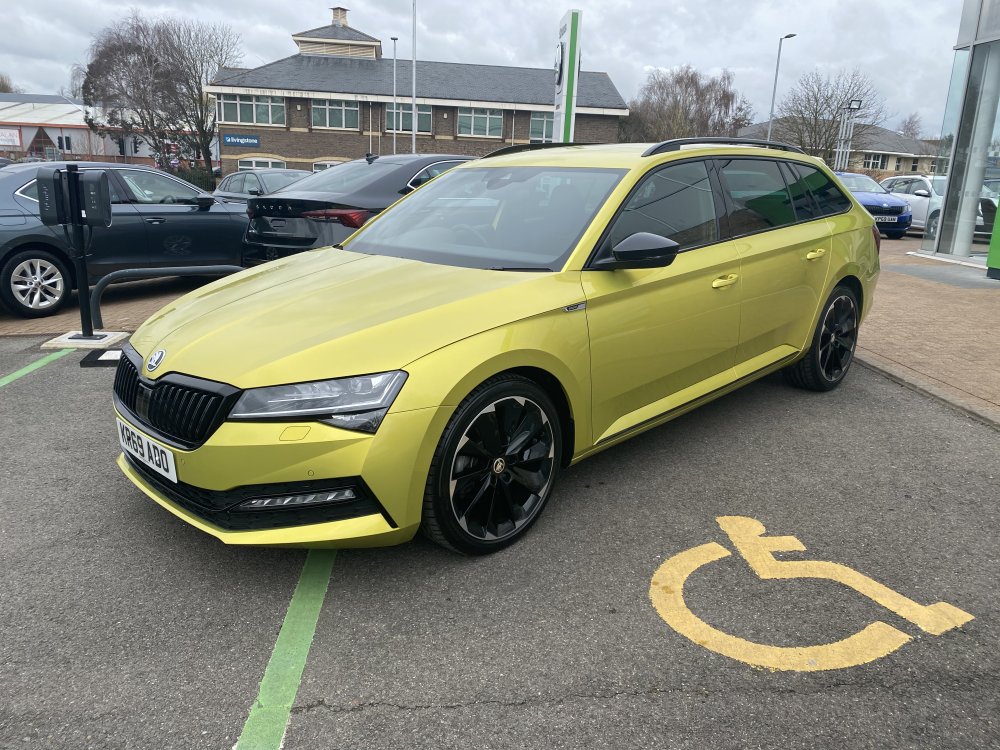
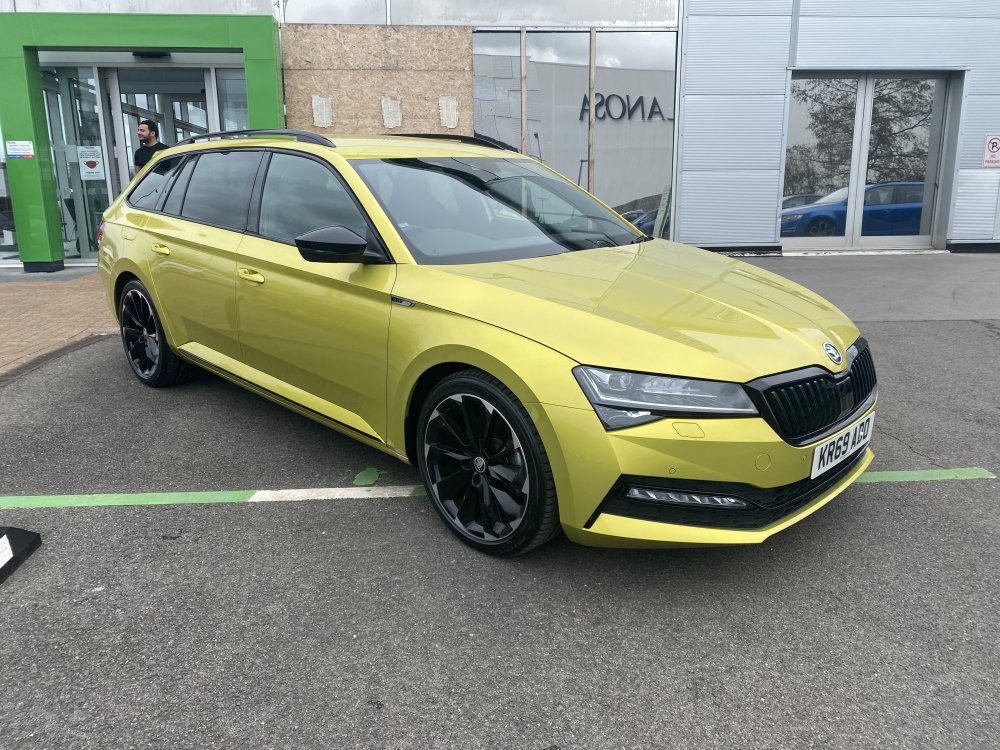
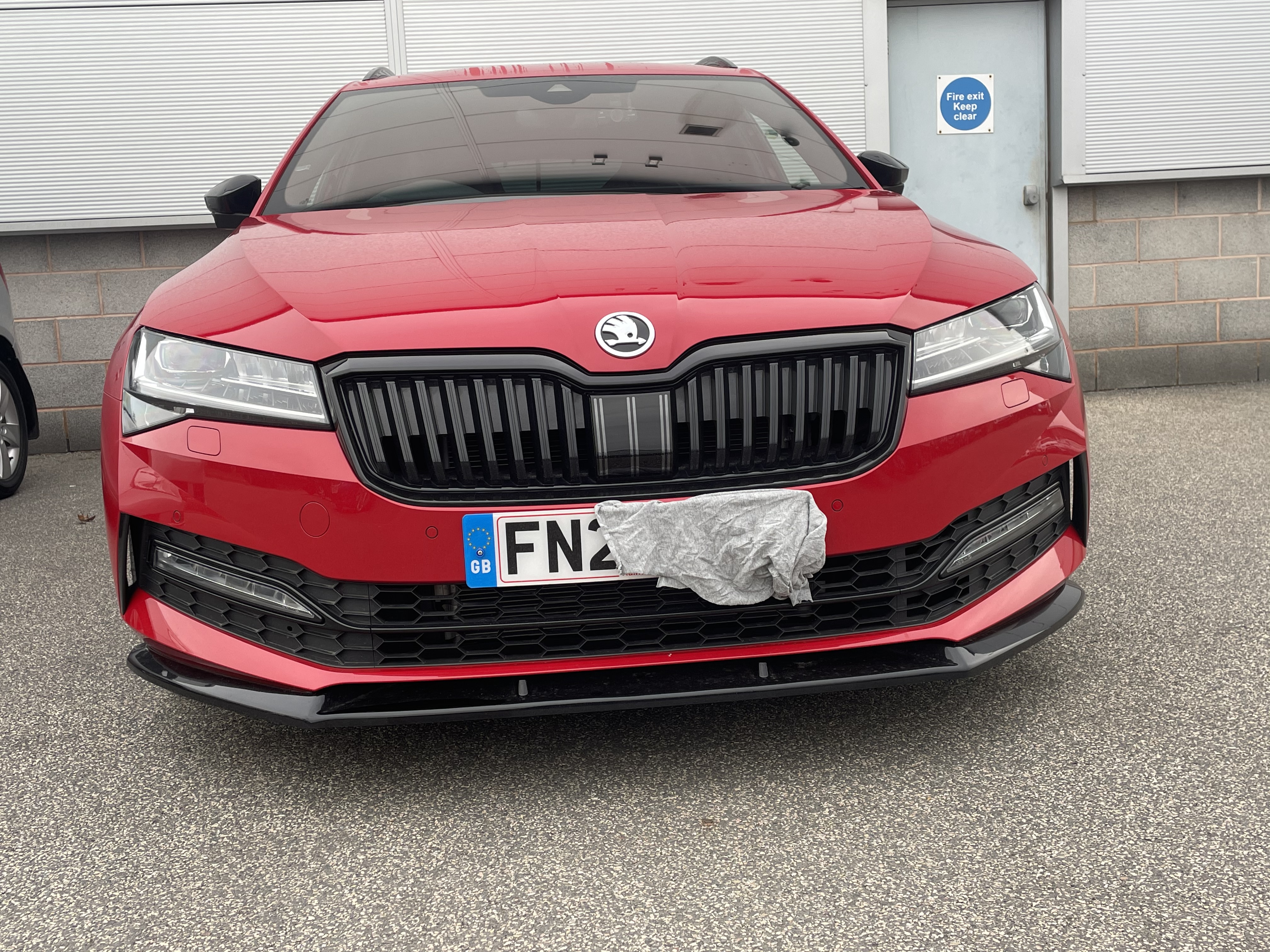
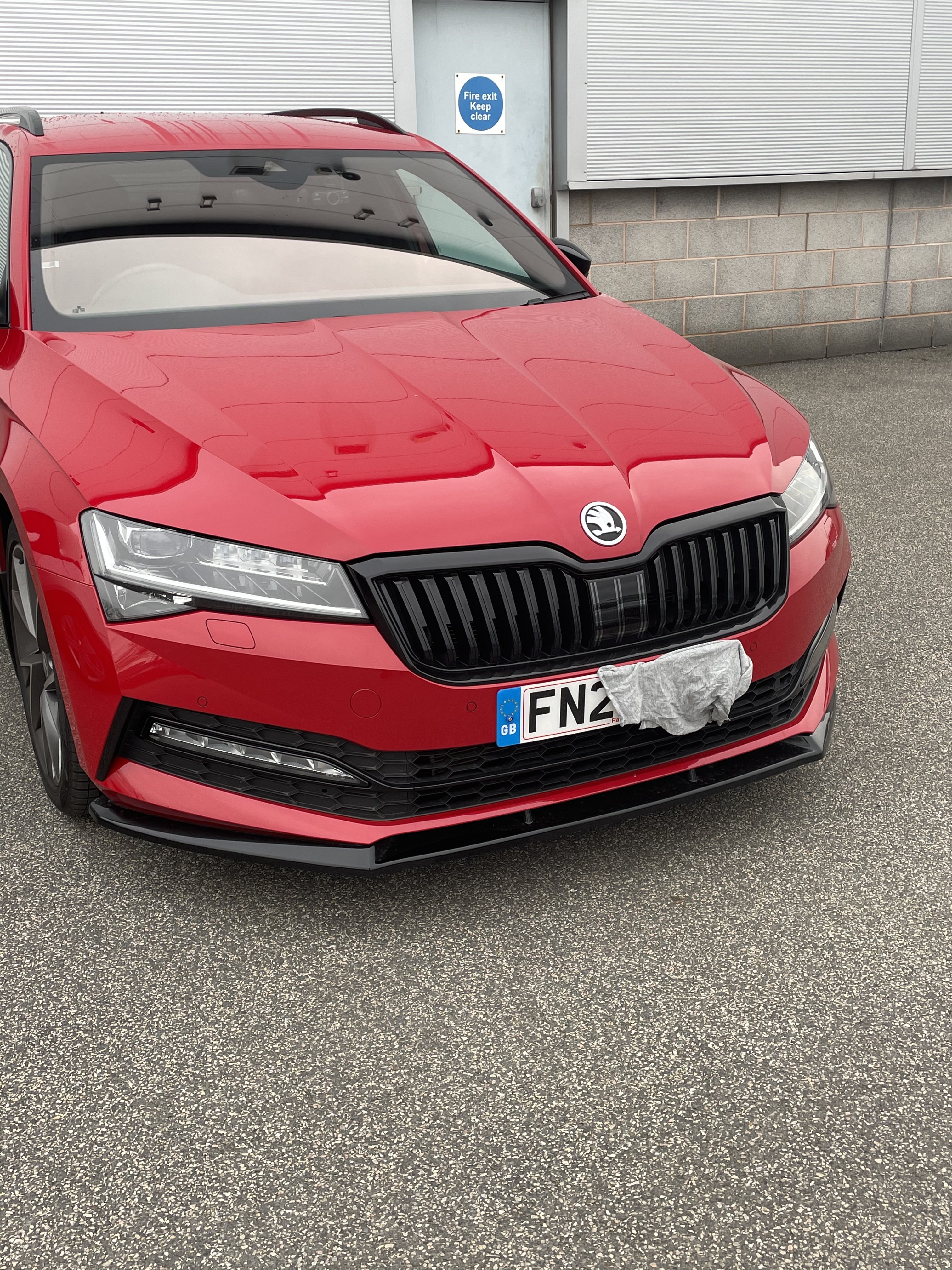
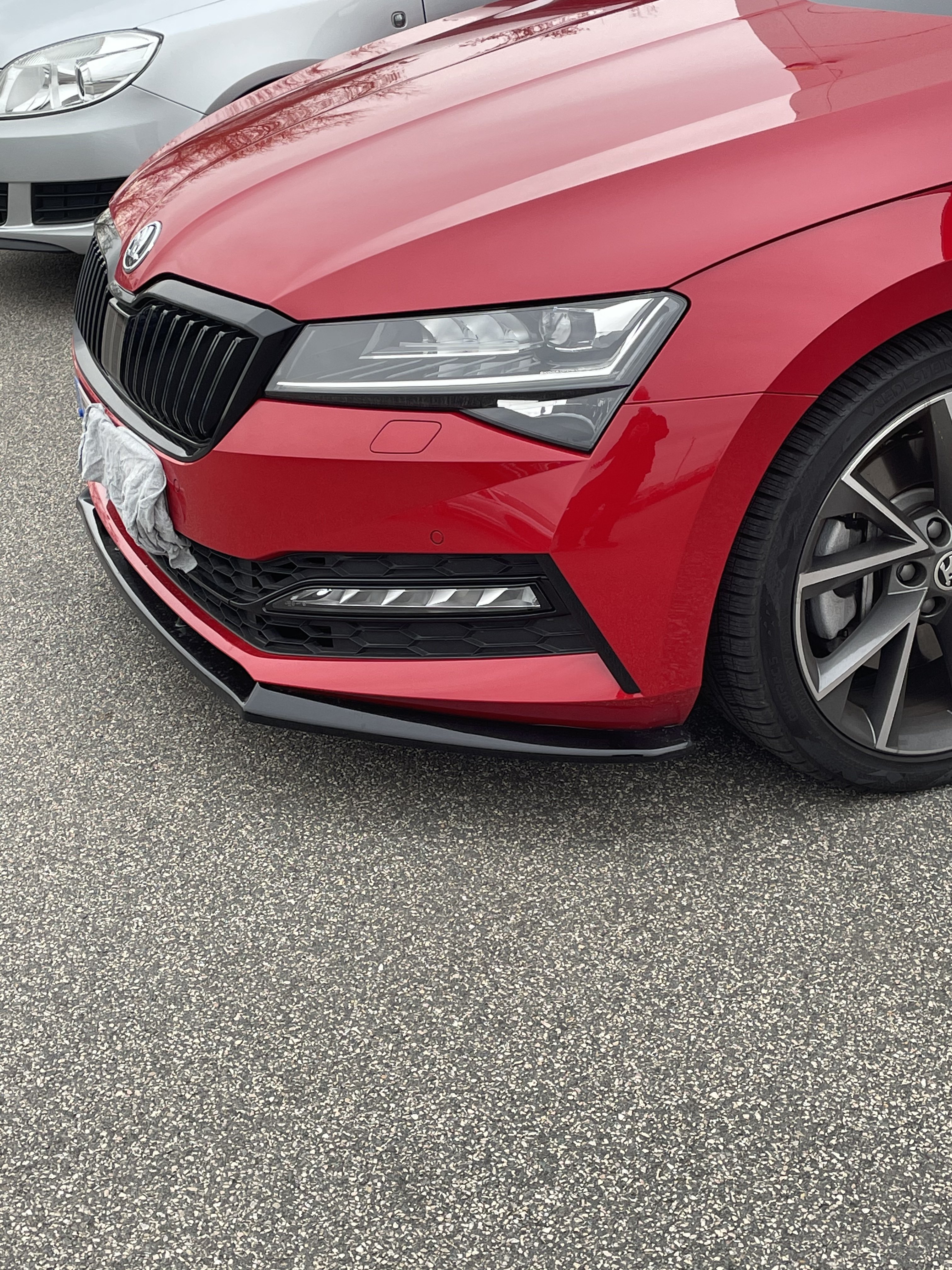
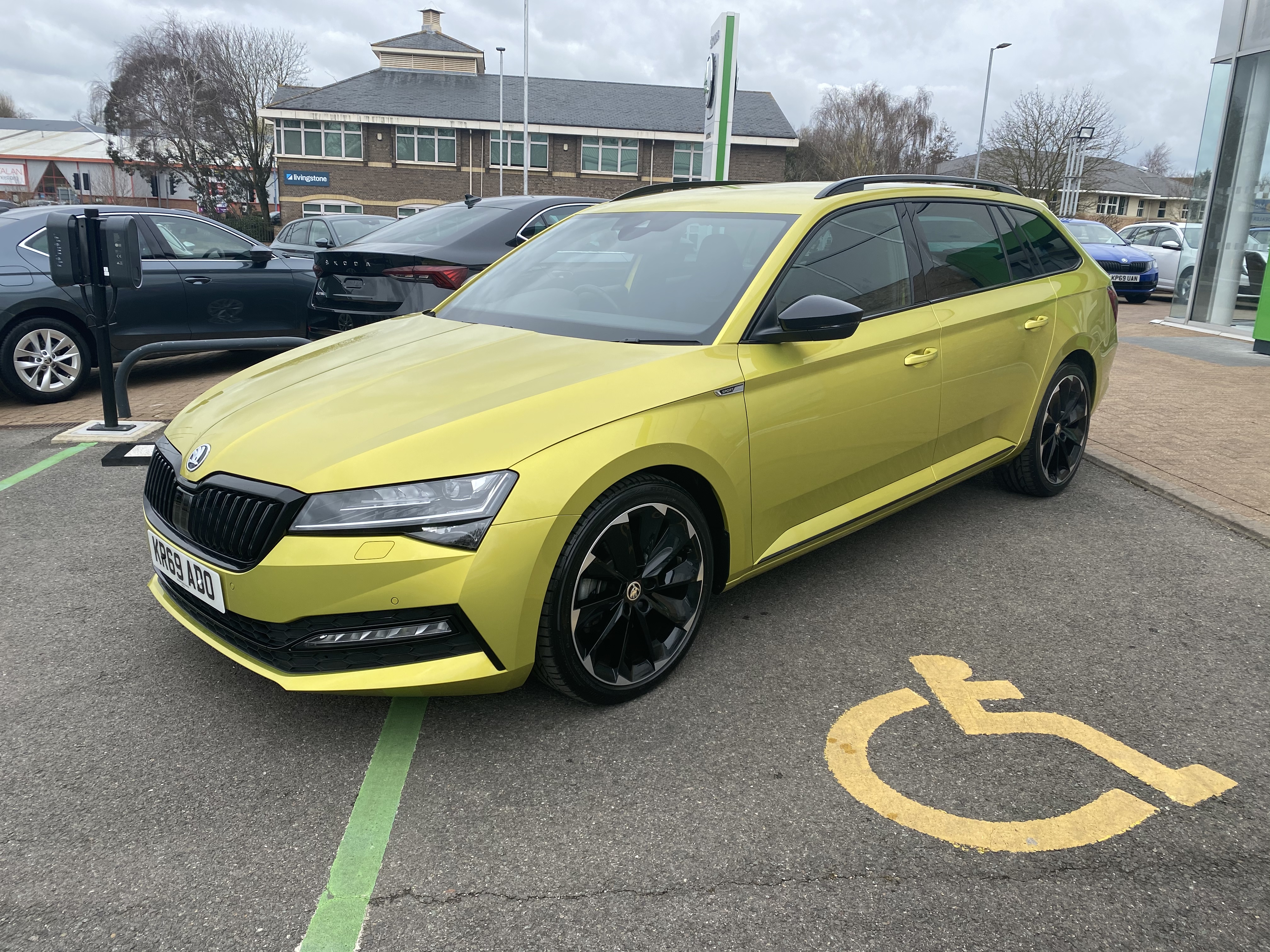
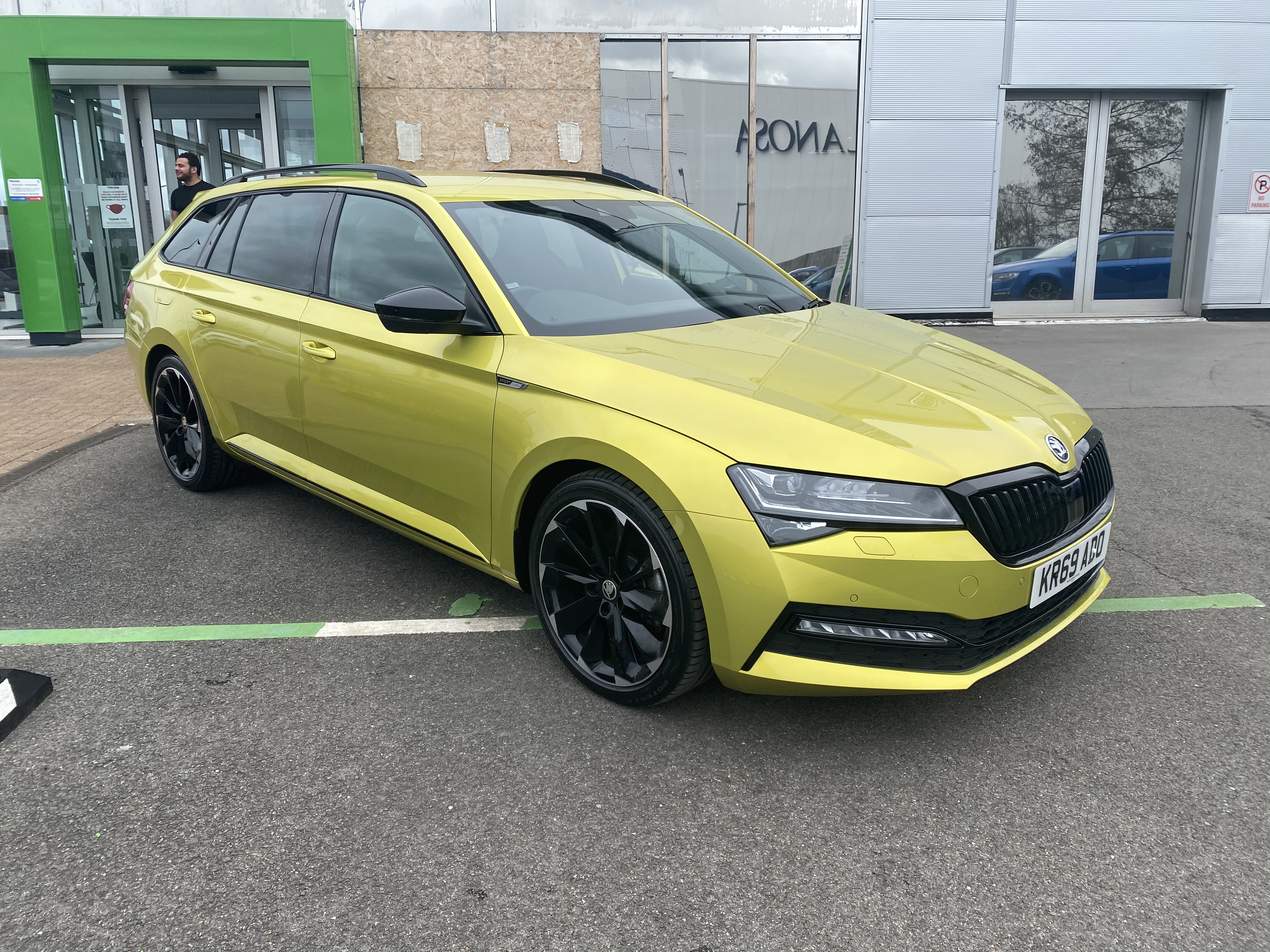
4 points4 pointsCollection day has finally come around and I’m super stoked to be a Superb owner at last! I only grabbed a couple of pics as I was hoping it would be light and dry when I got home to take more but it was neither. Here it is on the forecourt It’s a MY2020 Facelift Superb SportLine Plus 2.0 TDI 190 DSG with the following options Exclusive Dragon Green paint Supernova wheels Virtual Pedal Reverse cam with washer Spare wheel Virtual Cockpit All of which put the list price at pennies under £40,000 which is nuts considering what I paid and the paltry 6560 miles it had when I collected it this morning. The 260 mile trip home was fabulous and I look forward to a much quieter build thread compared to my Octy as it has so much spec there is little to do, but I’ll be sorting a few things for sure! Badges are a start and some cool lighting mods too. More soon
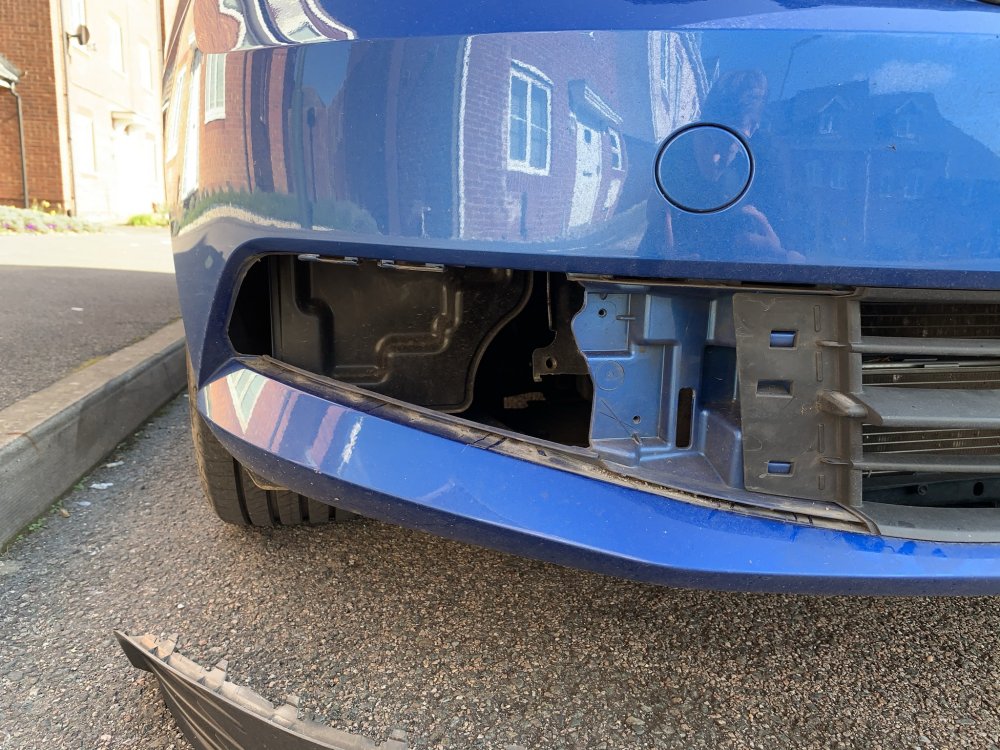
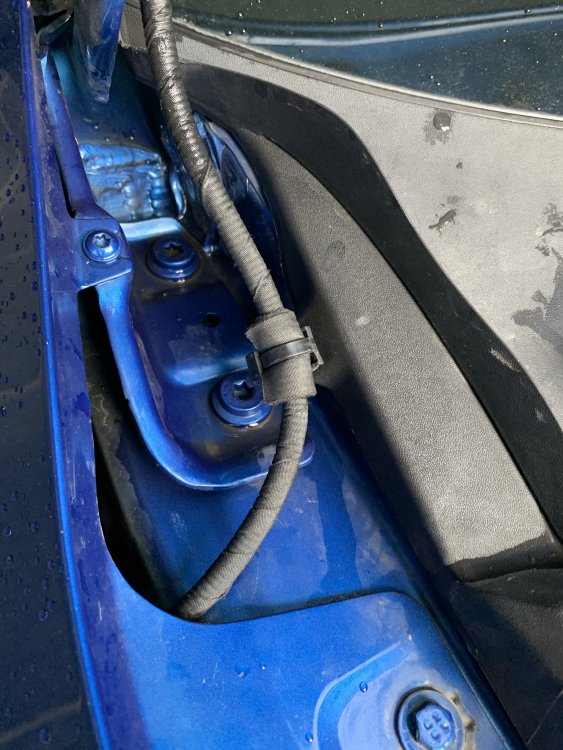
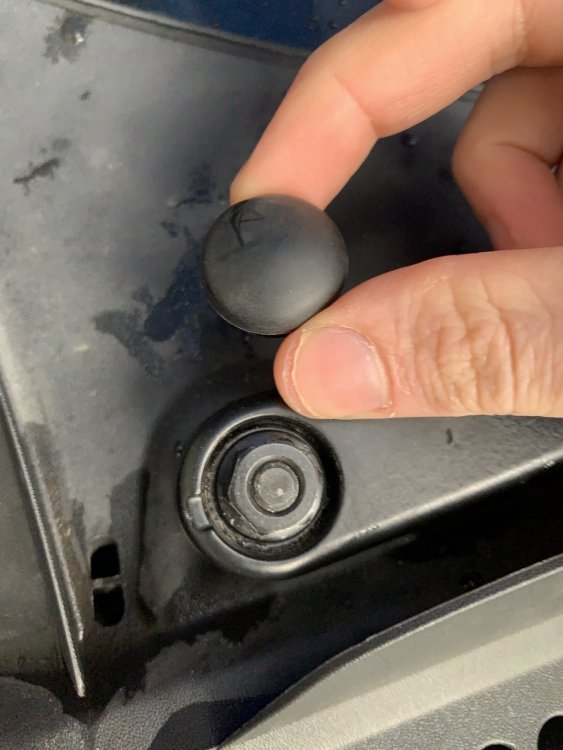
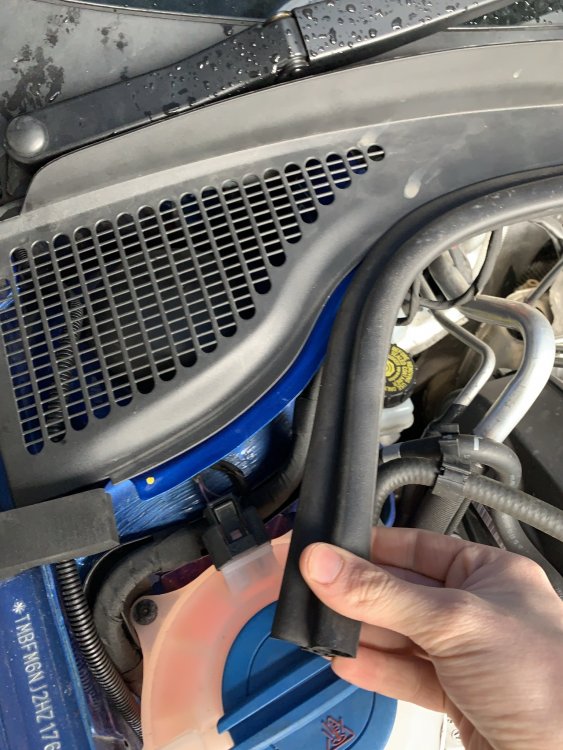
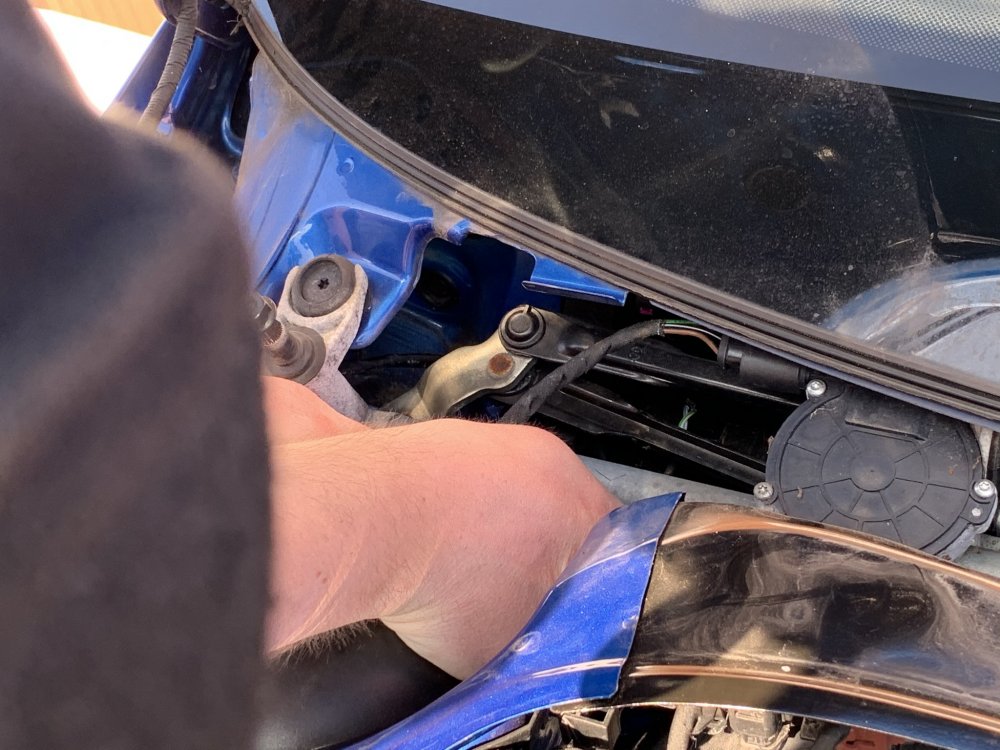
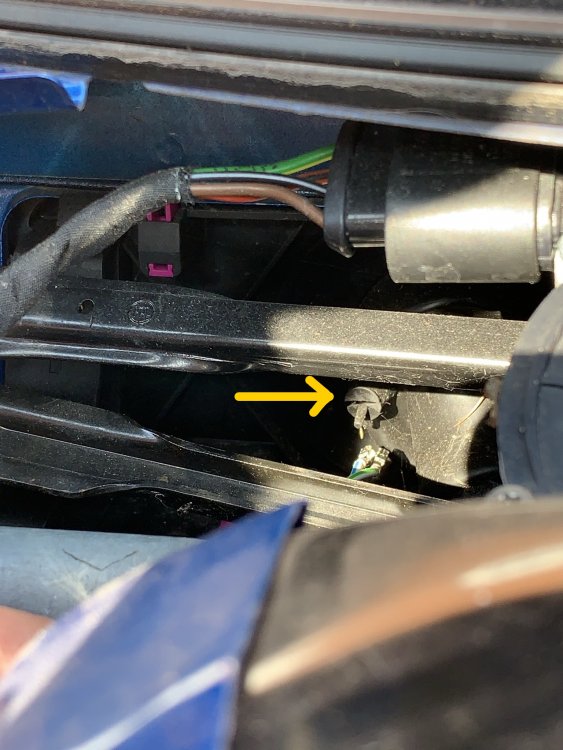
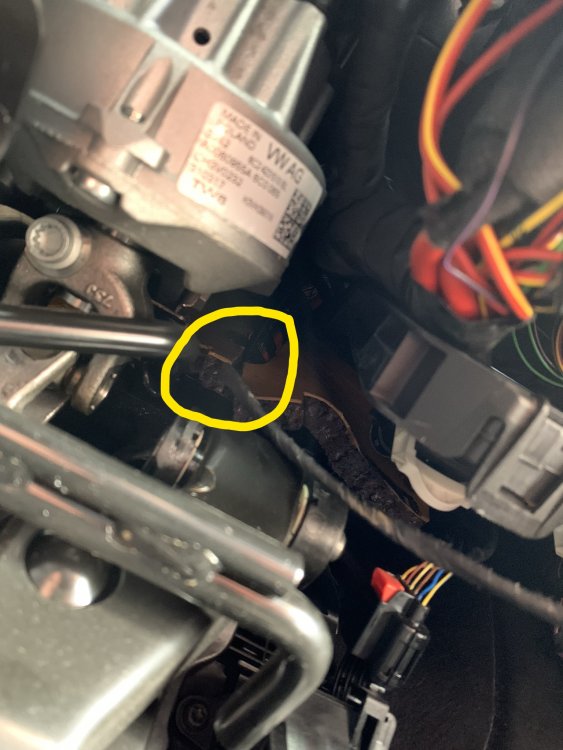
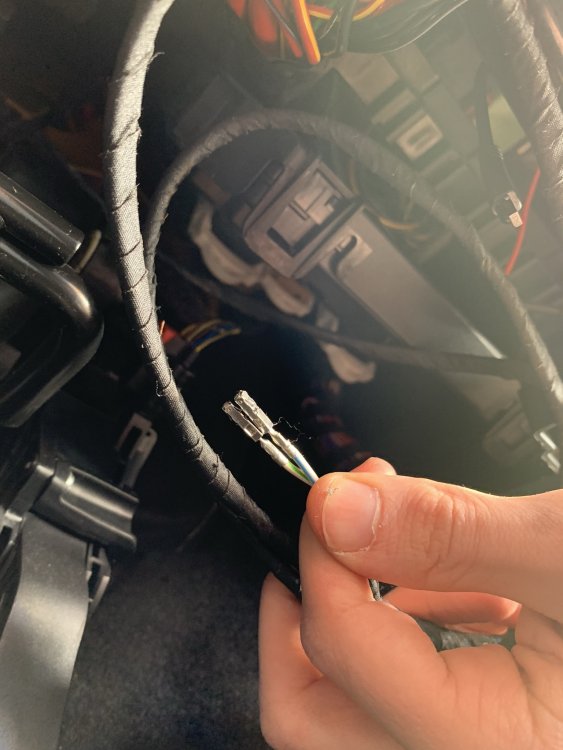
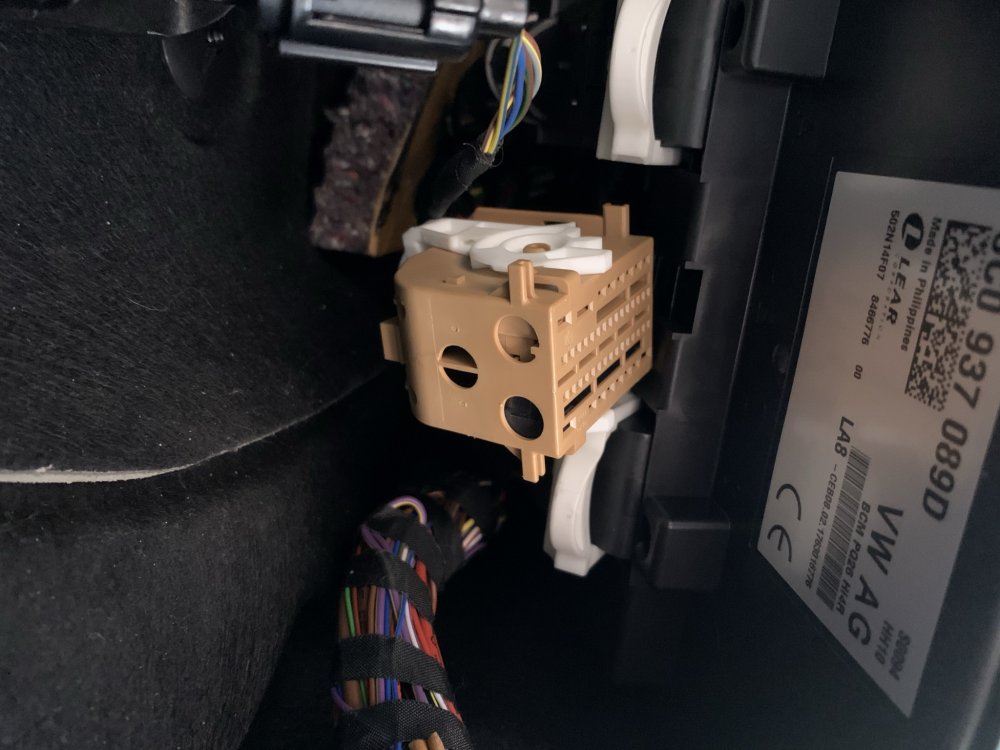
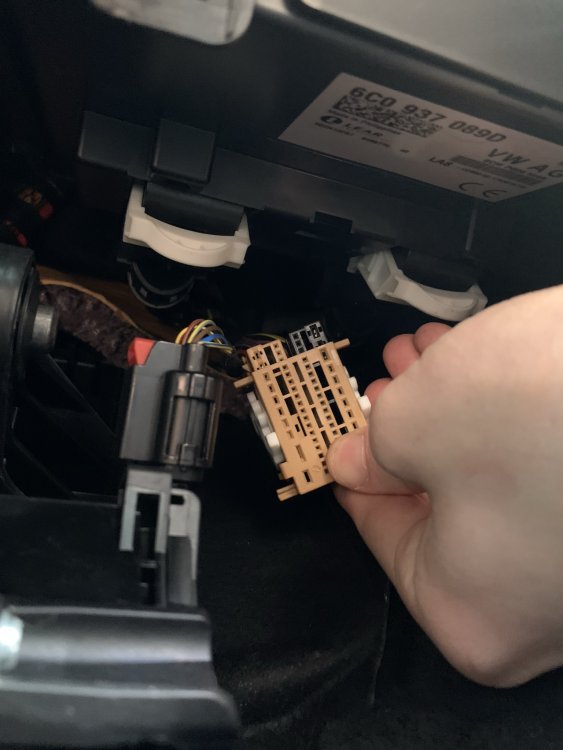
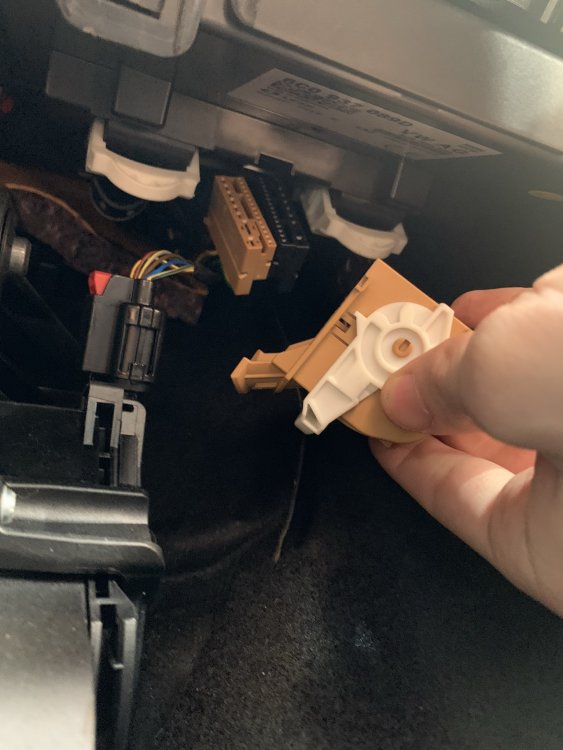
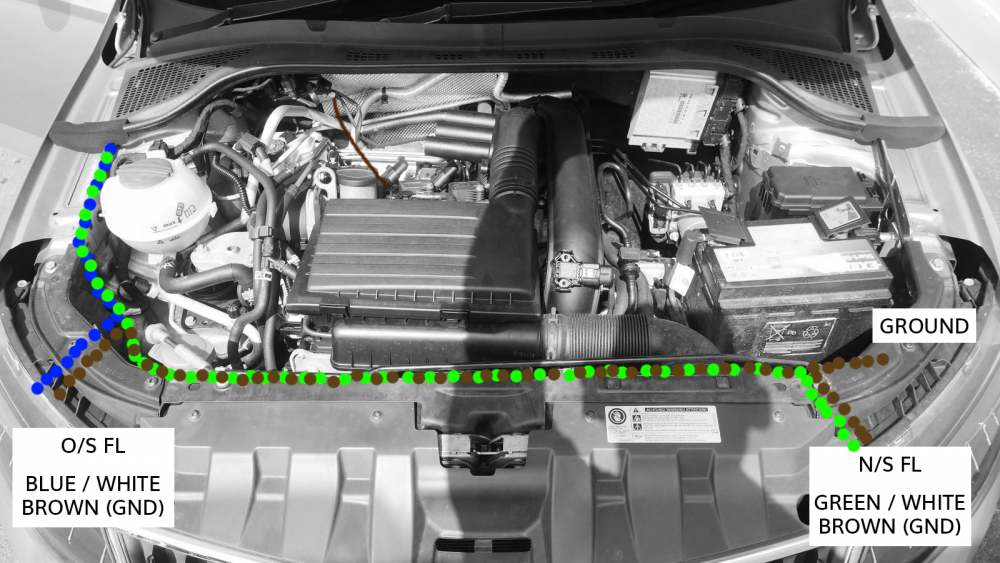
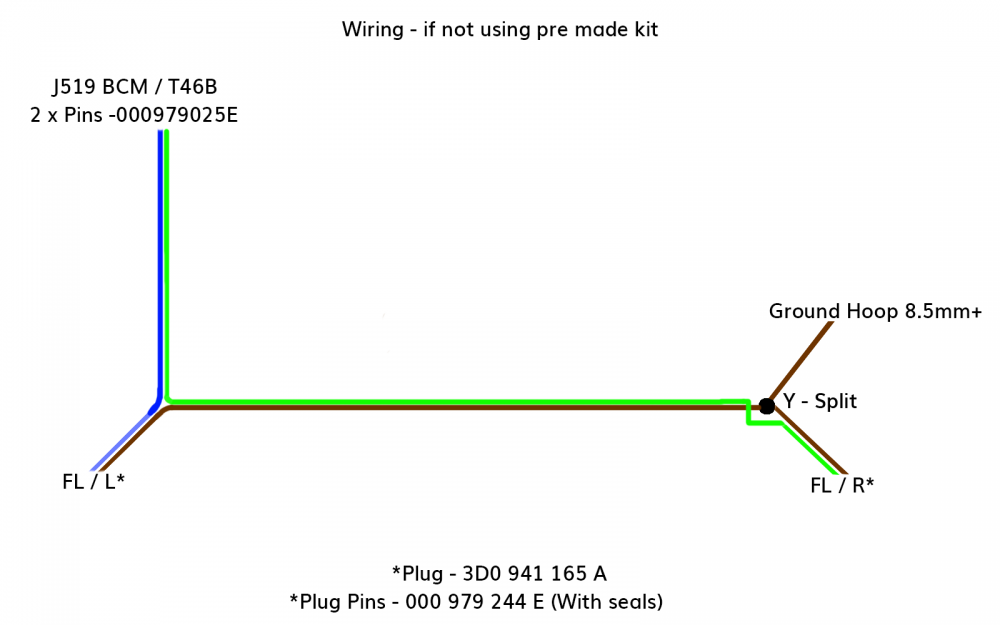
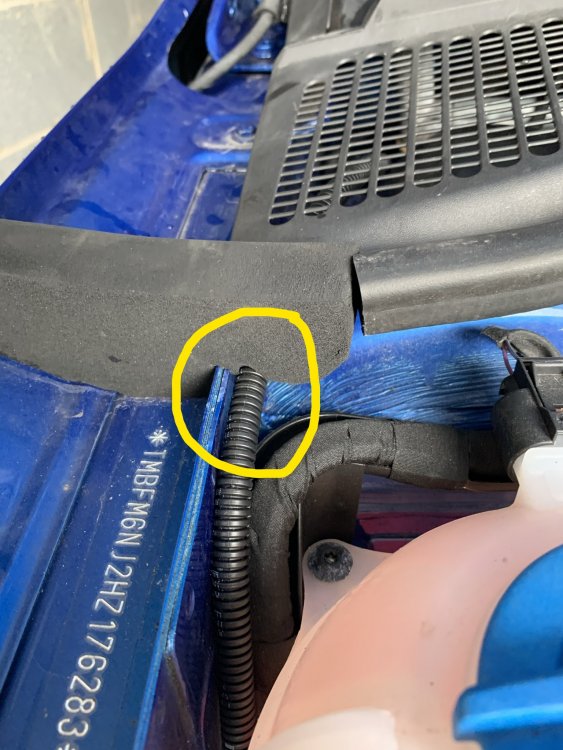
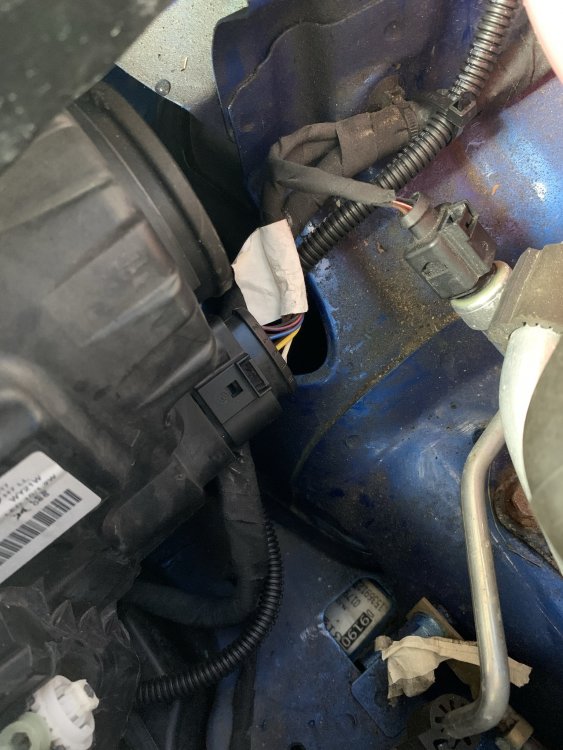
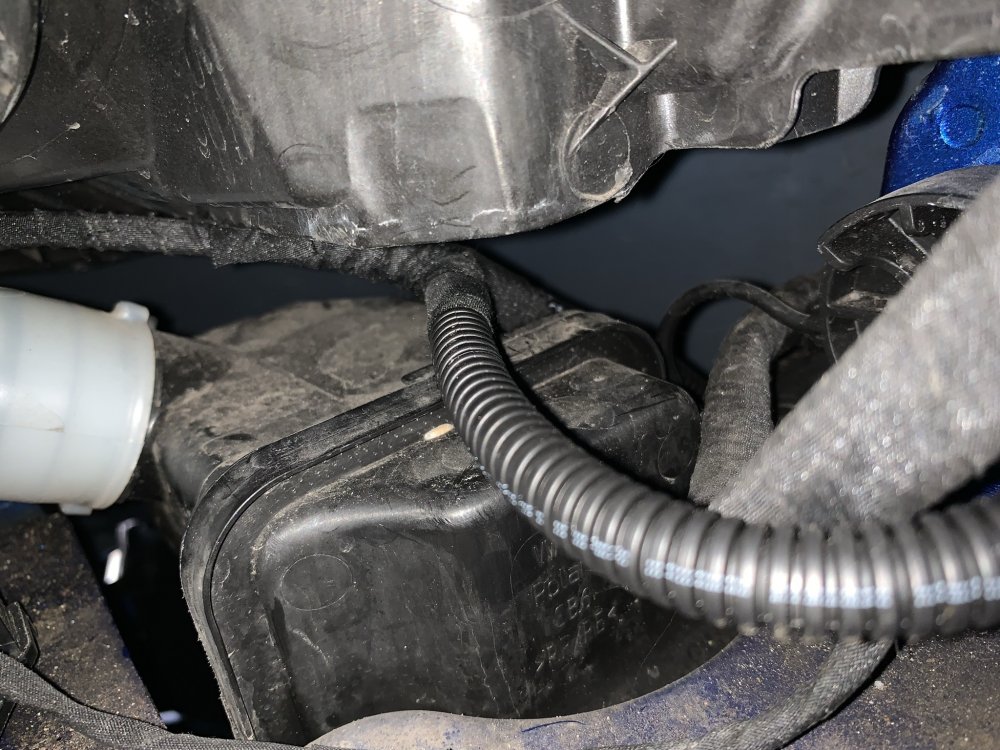
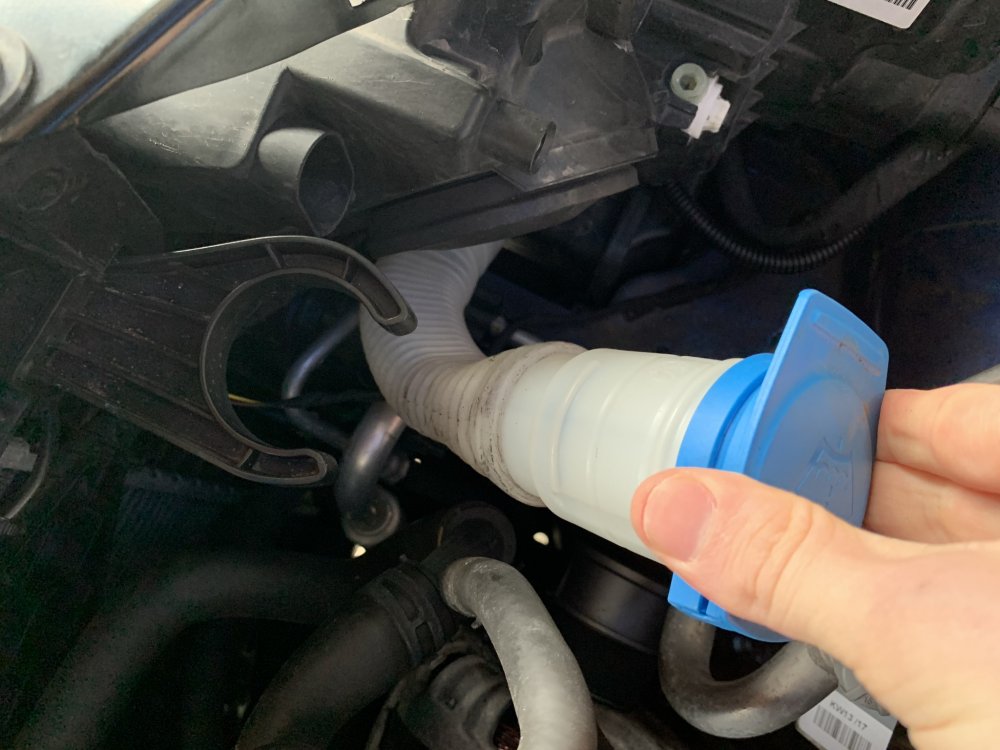
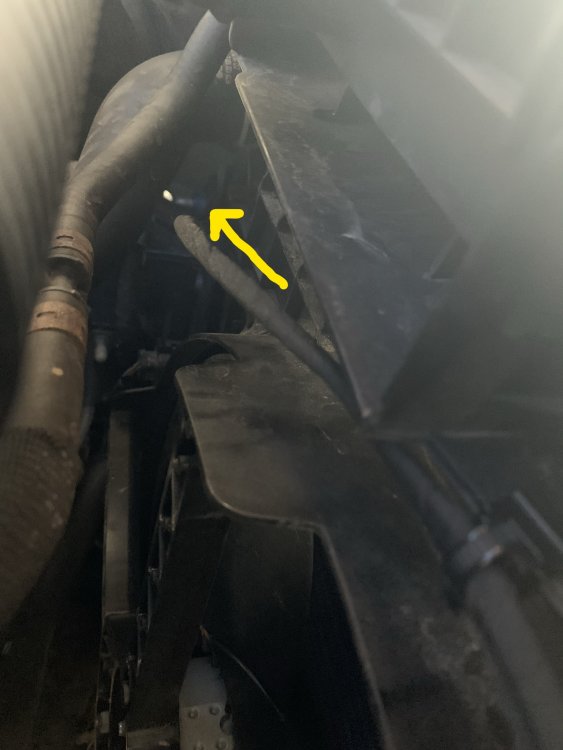
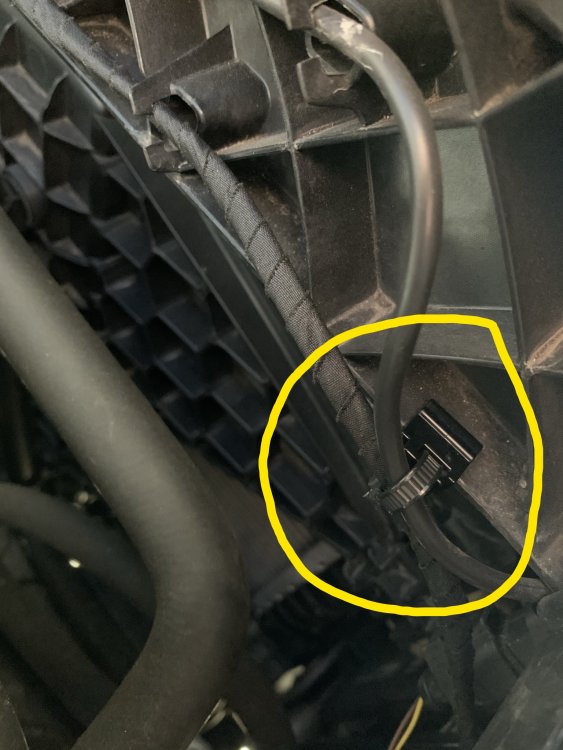
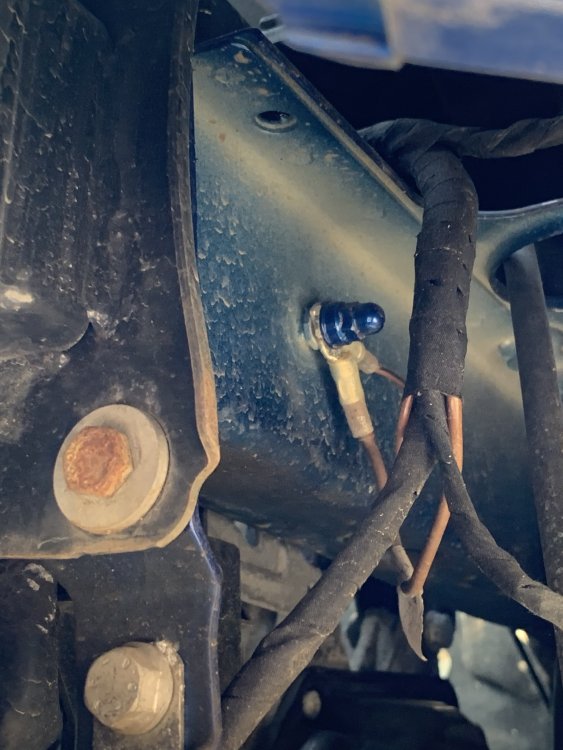
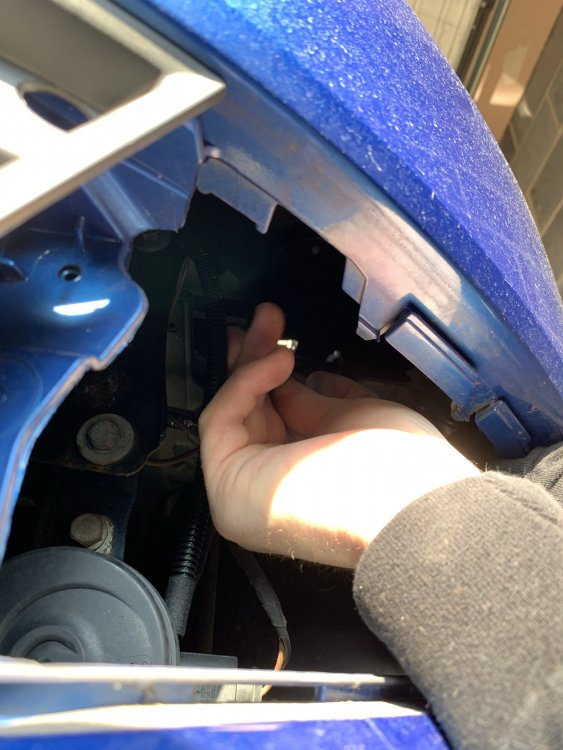
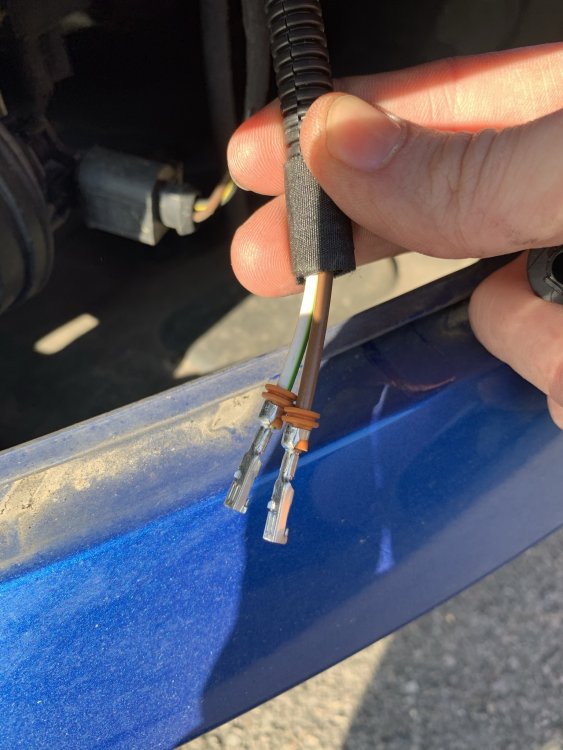
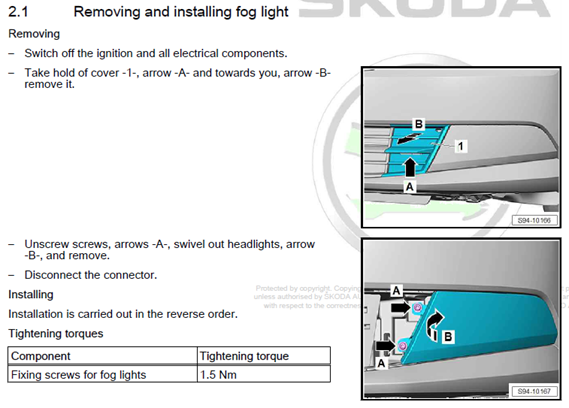
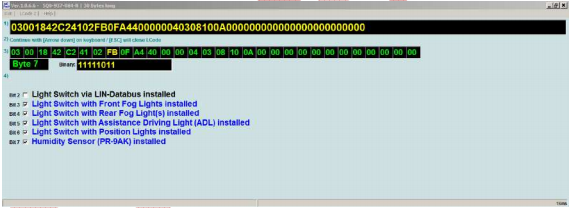
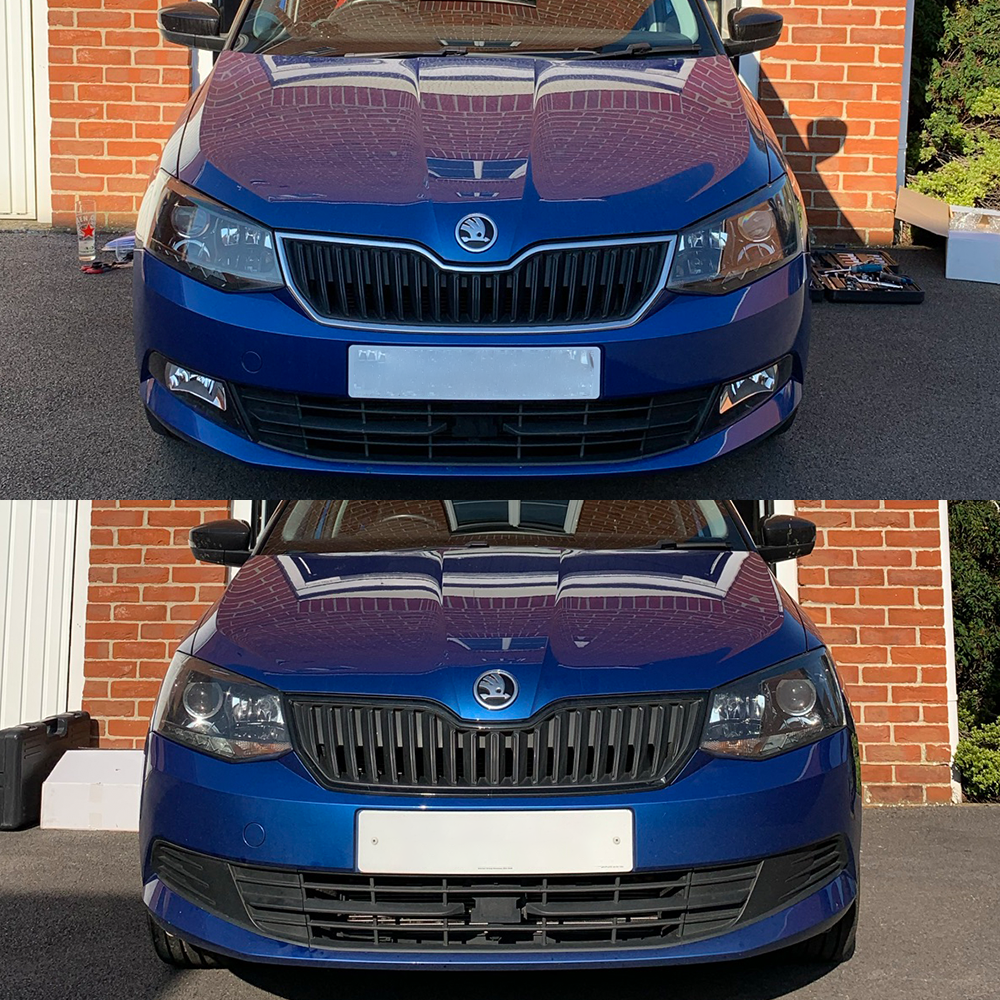
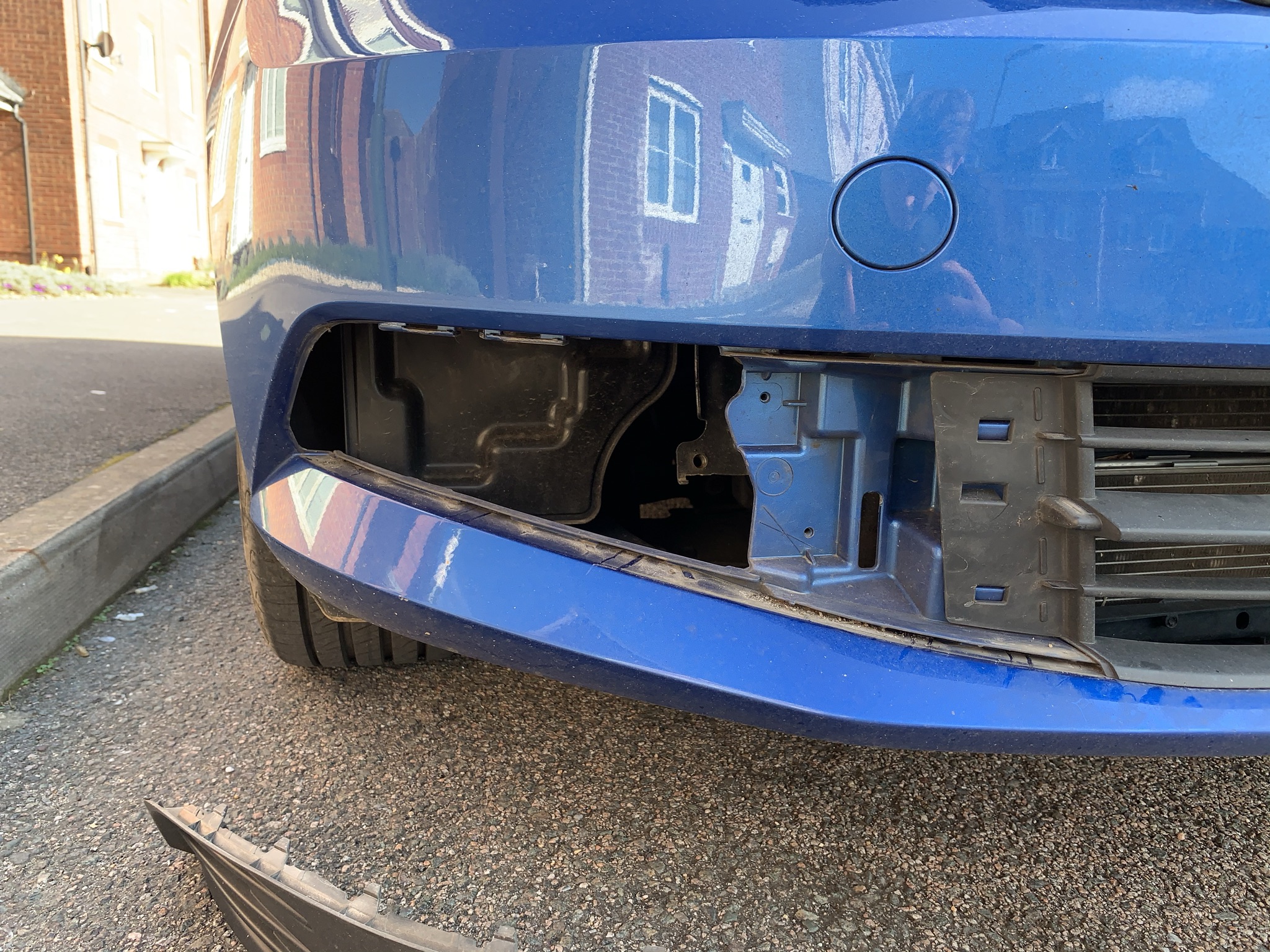
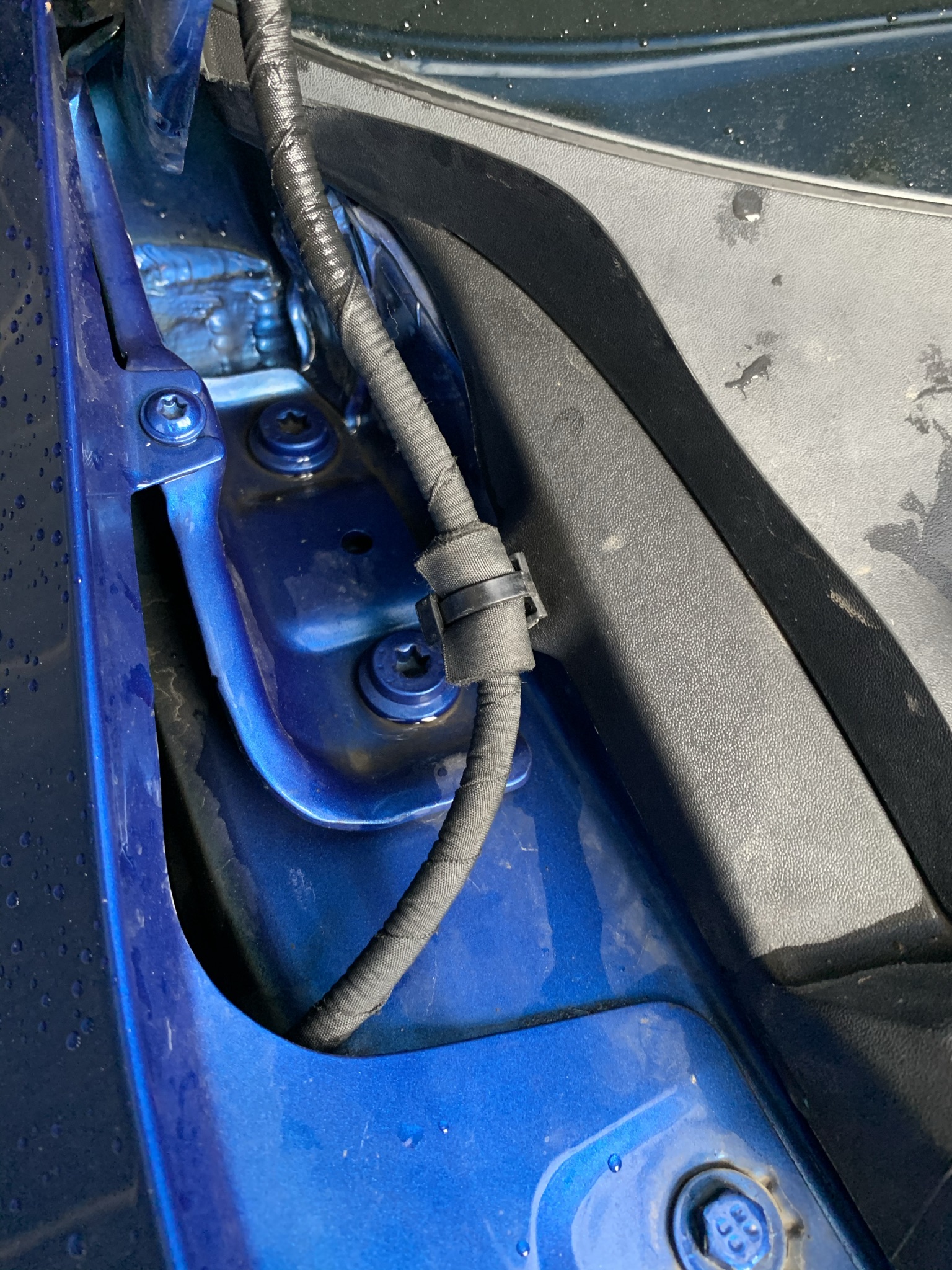
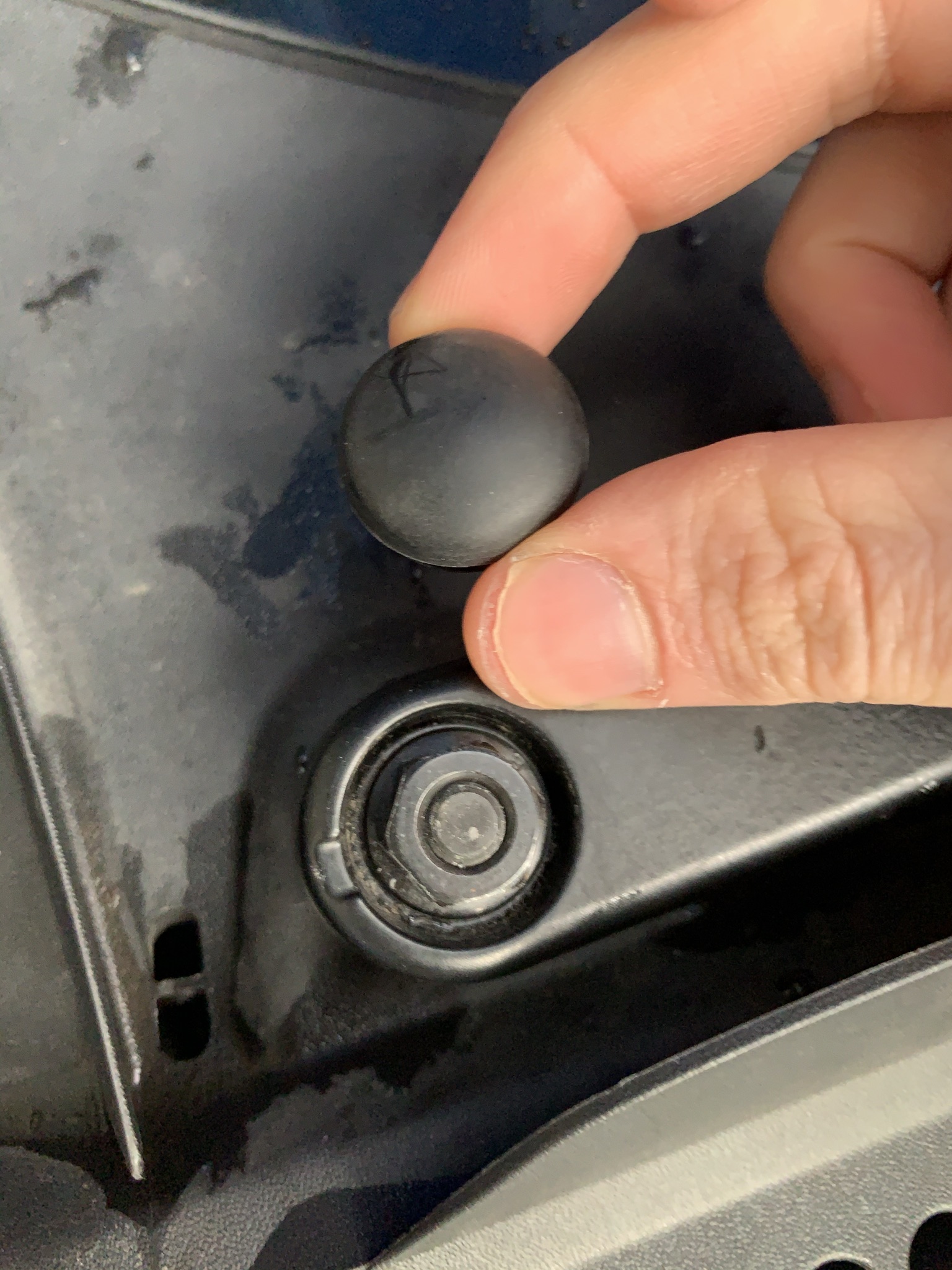
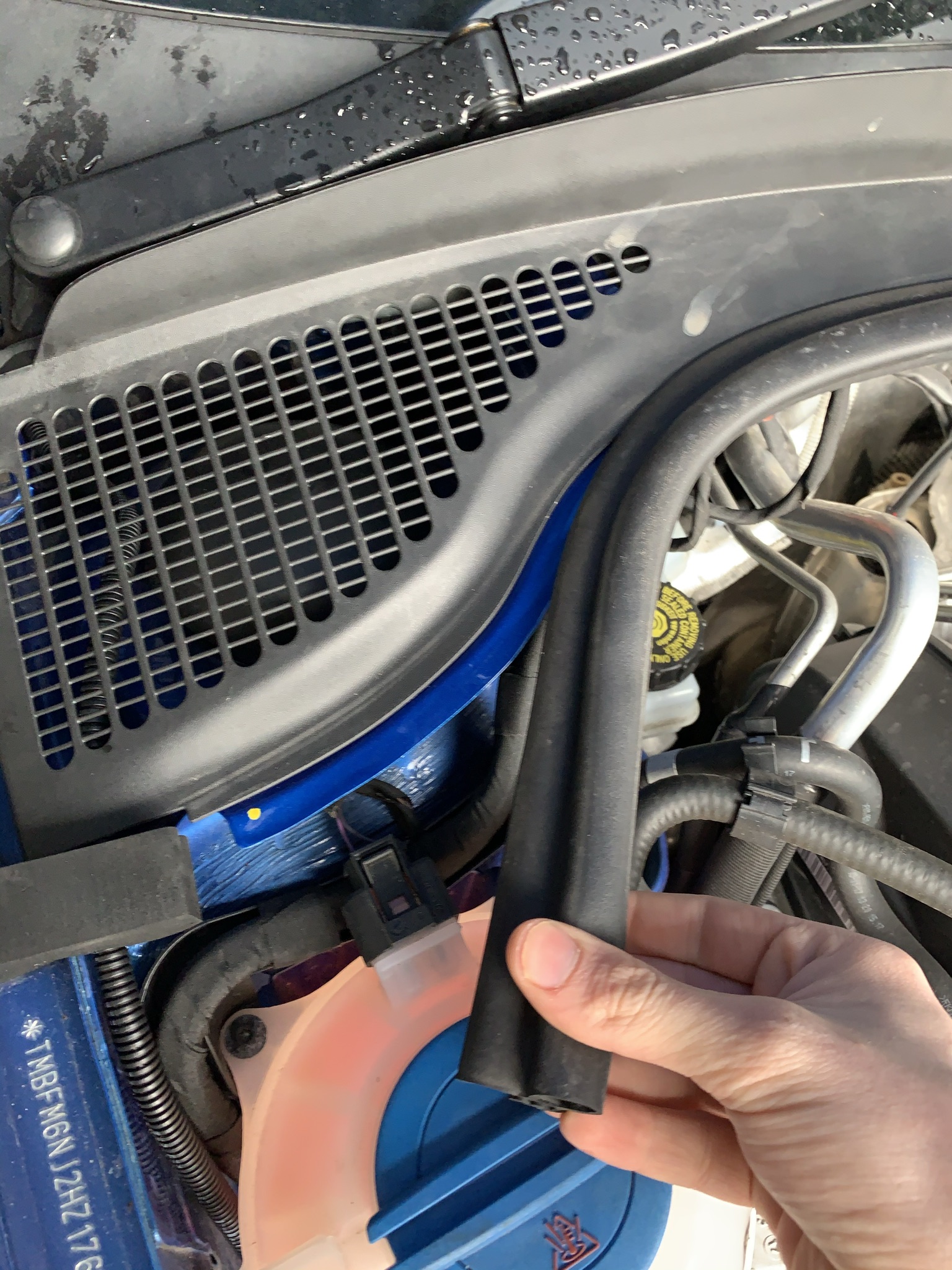
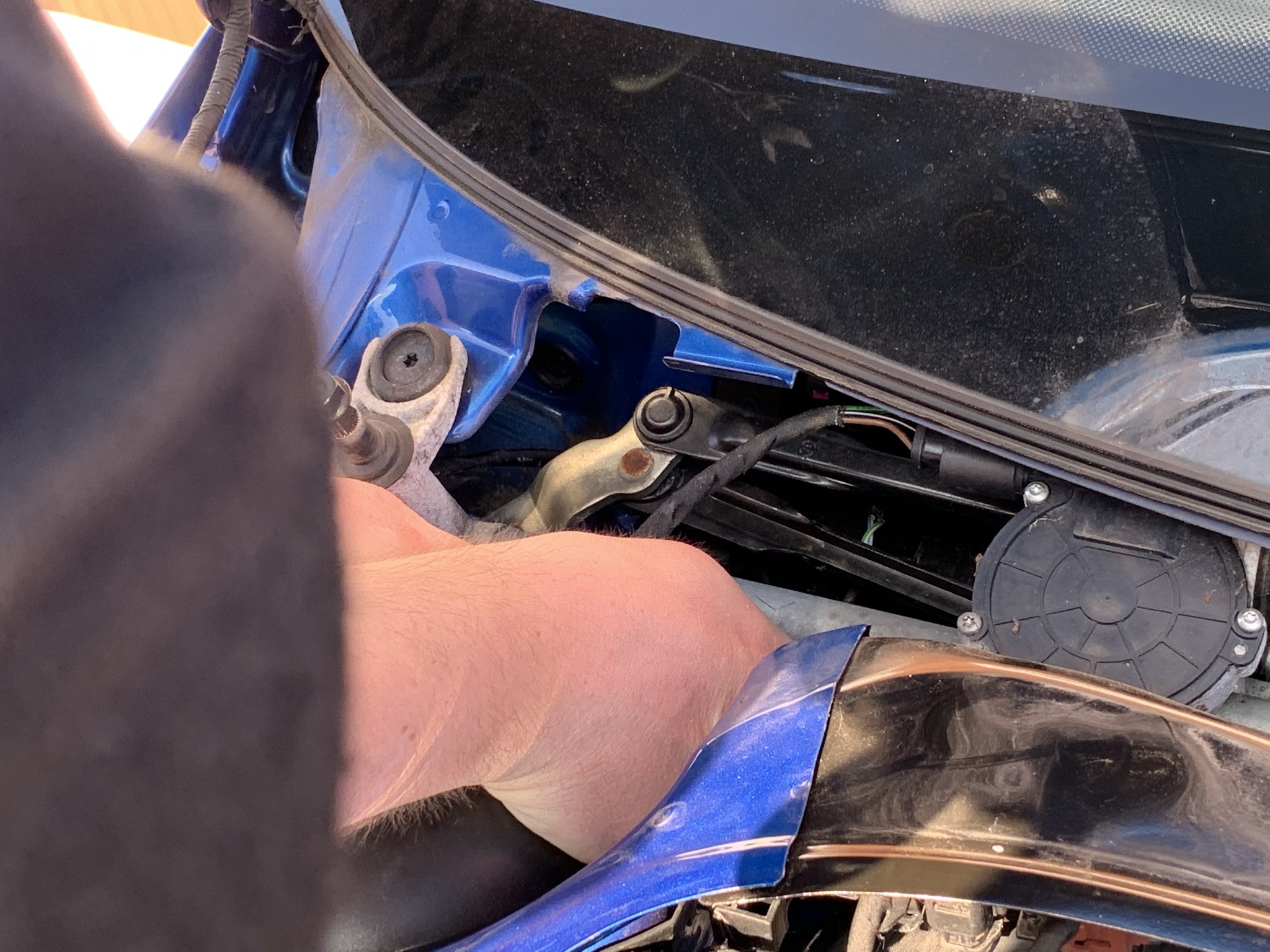
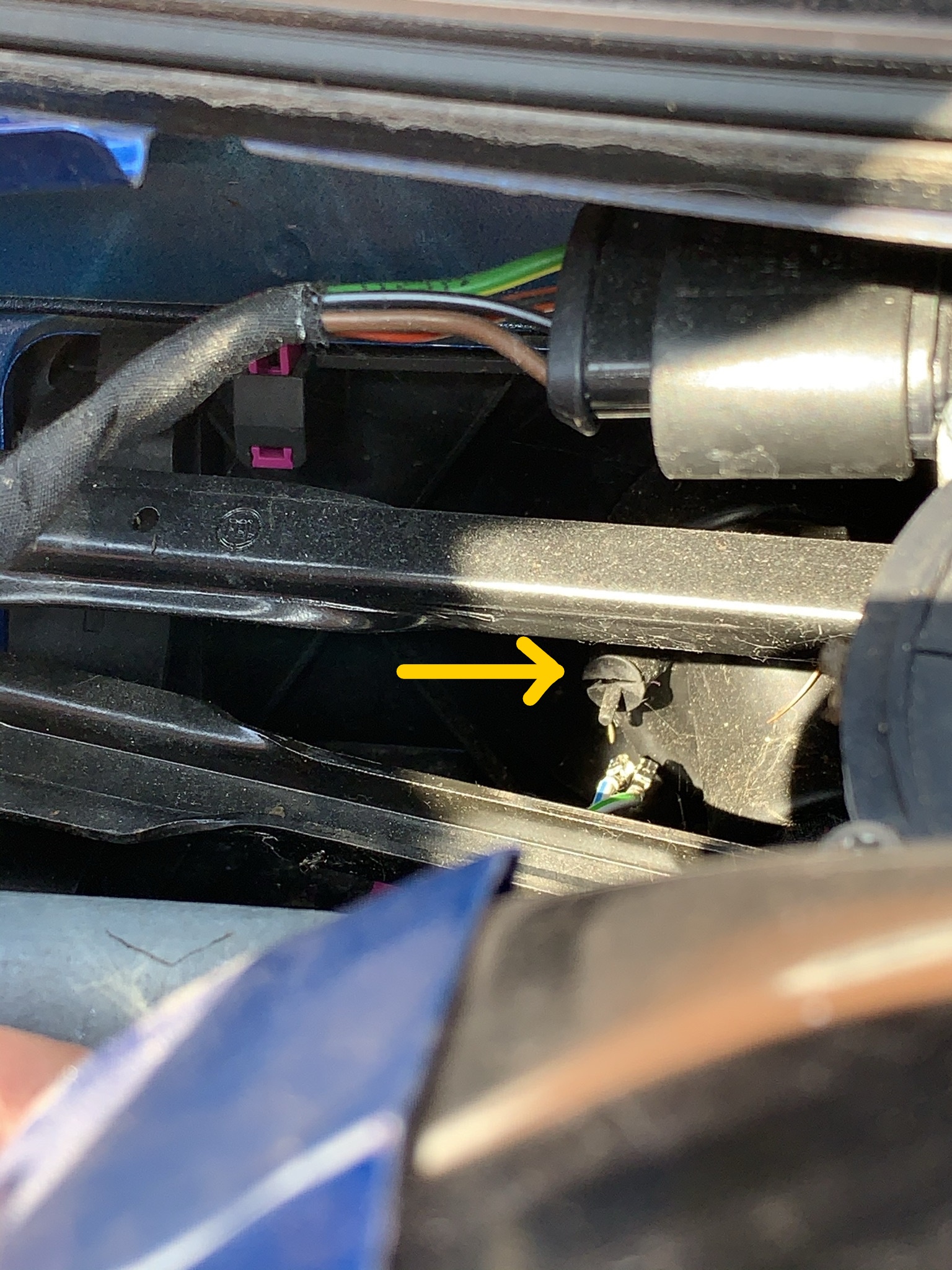
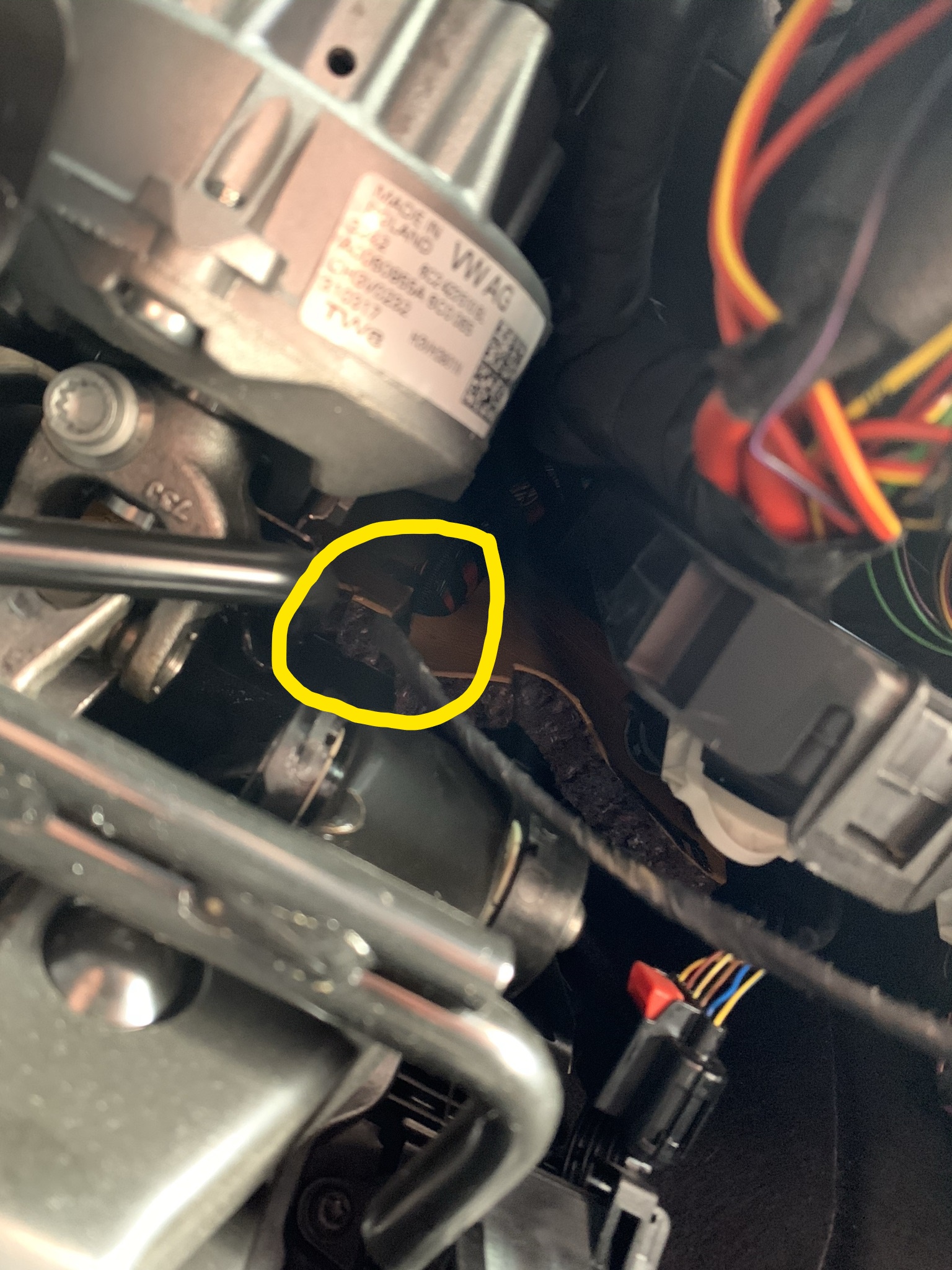
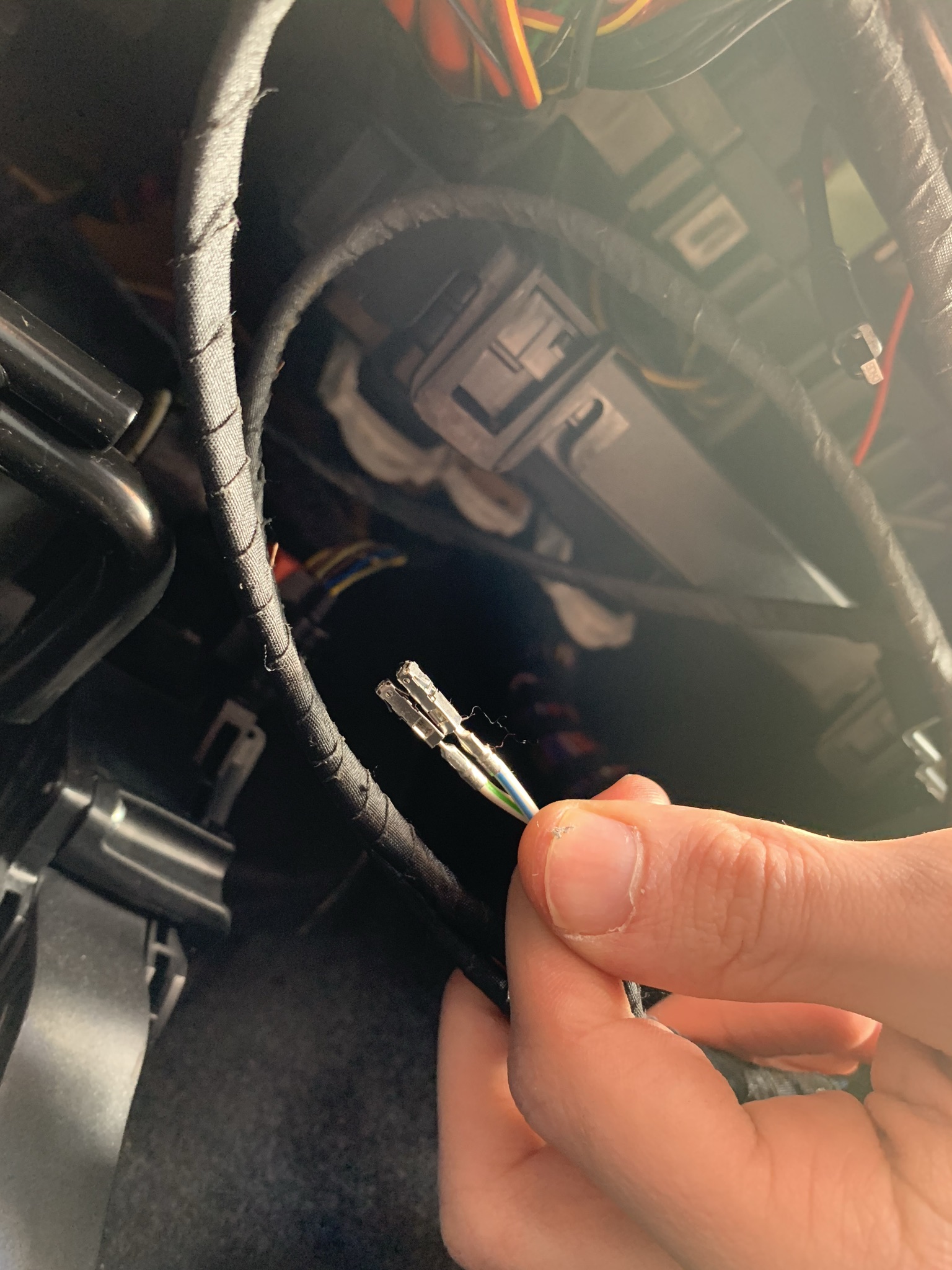
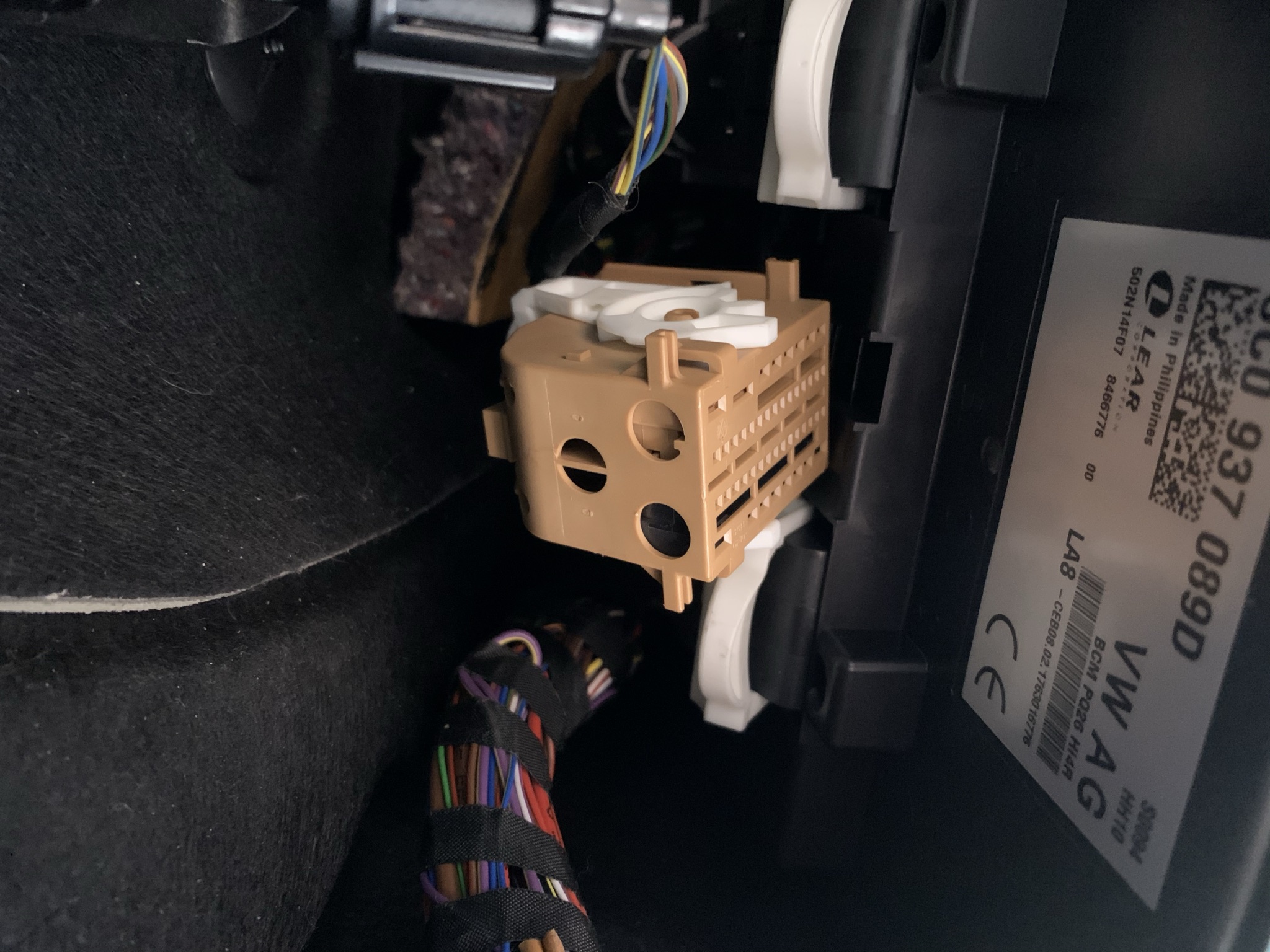
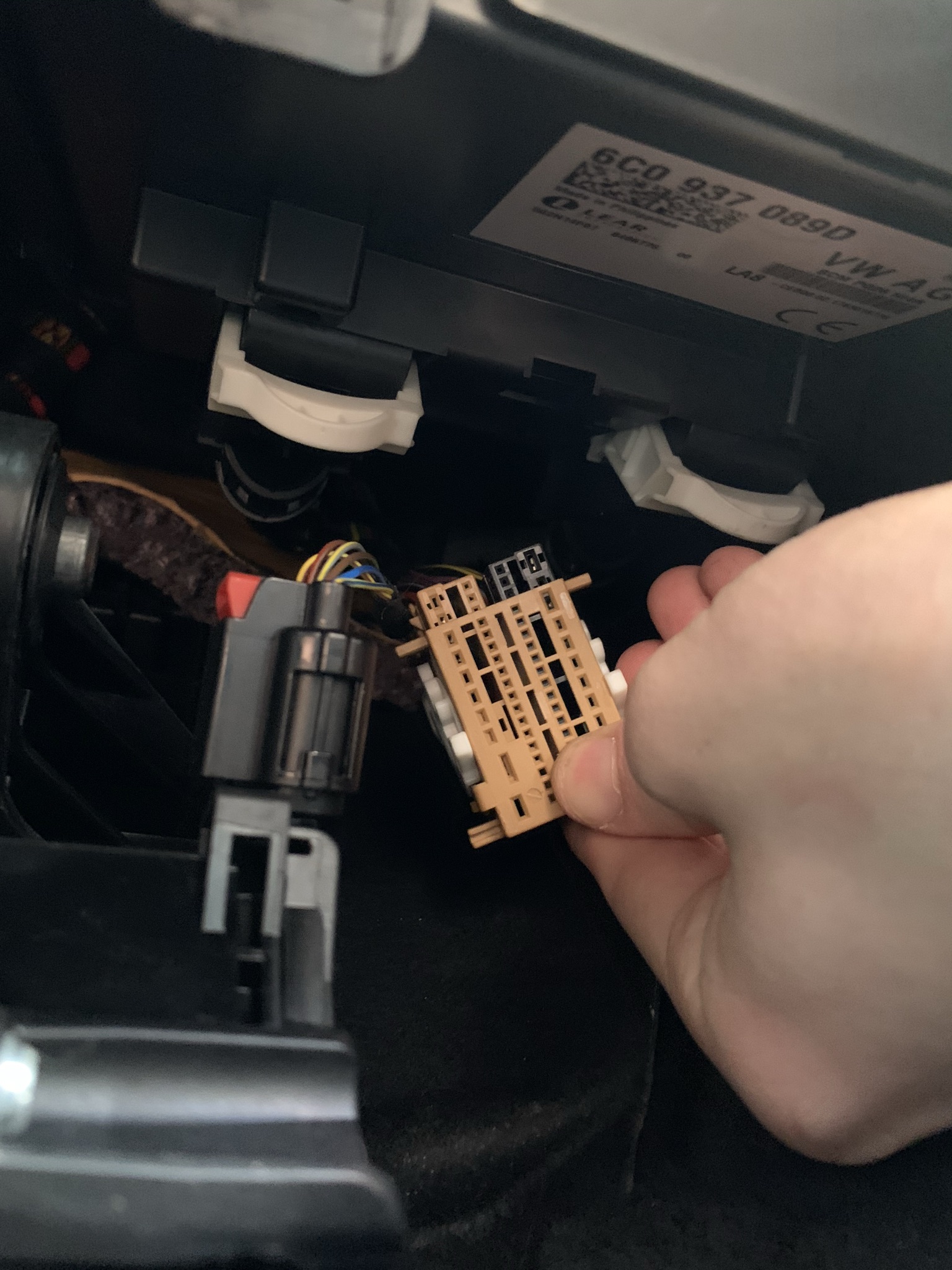
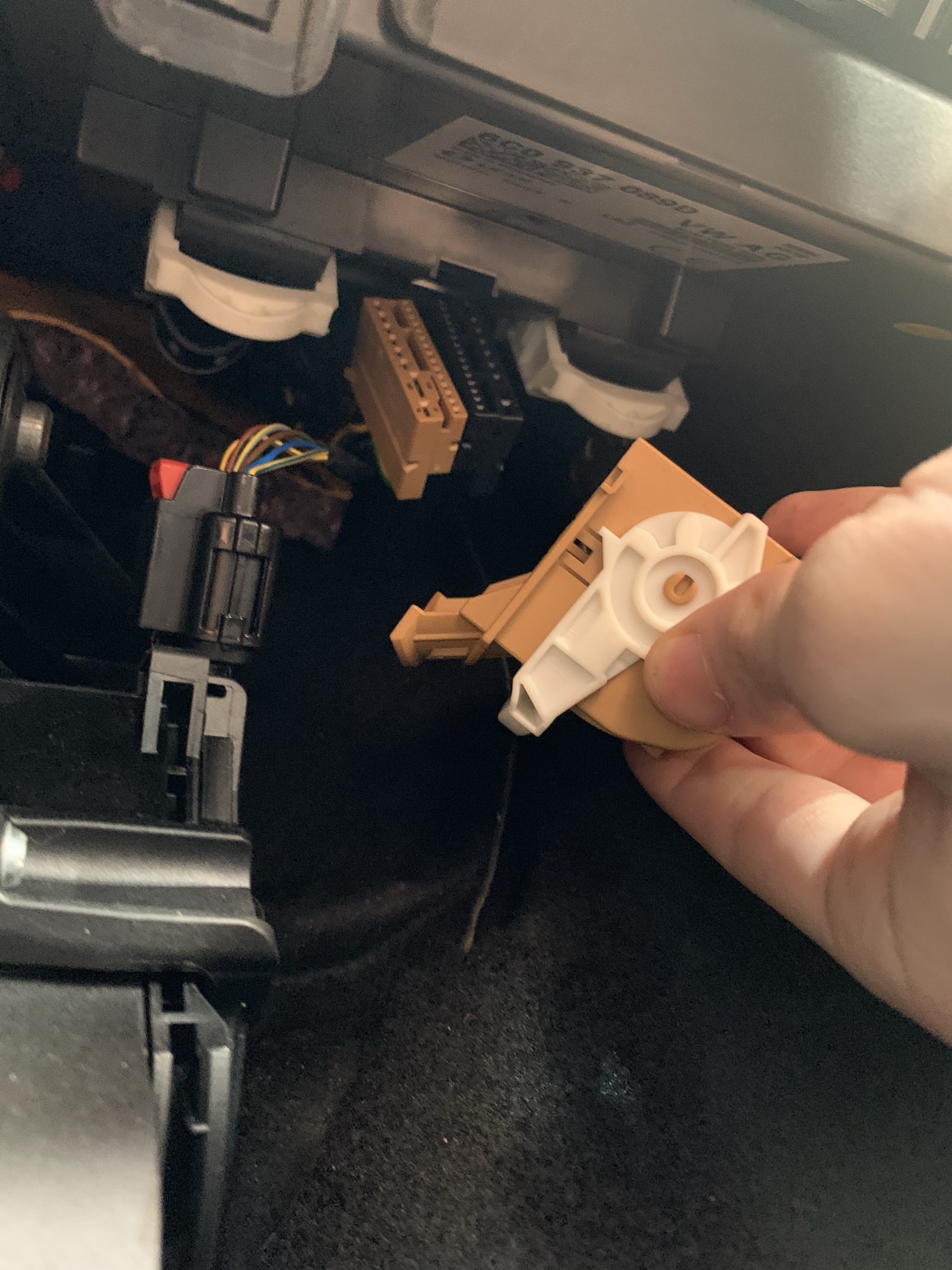
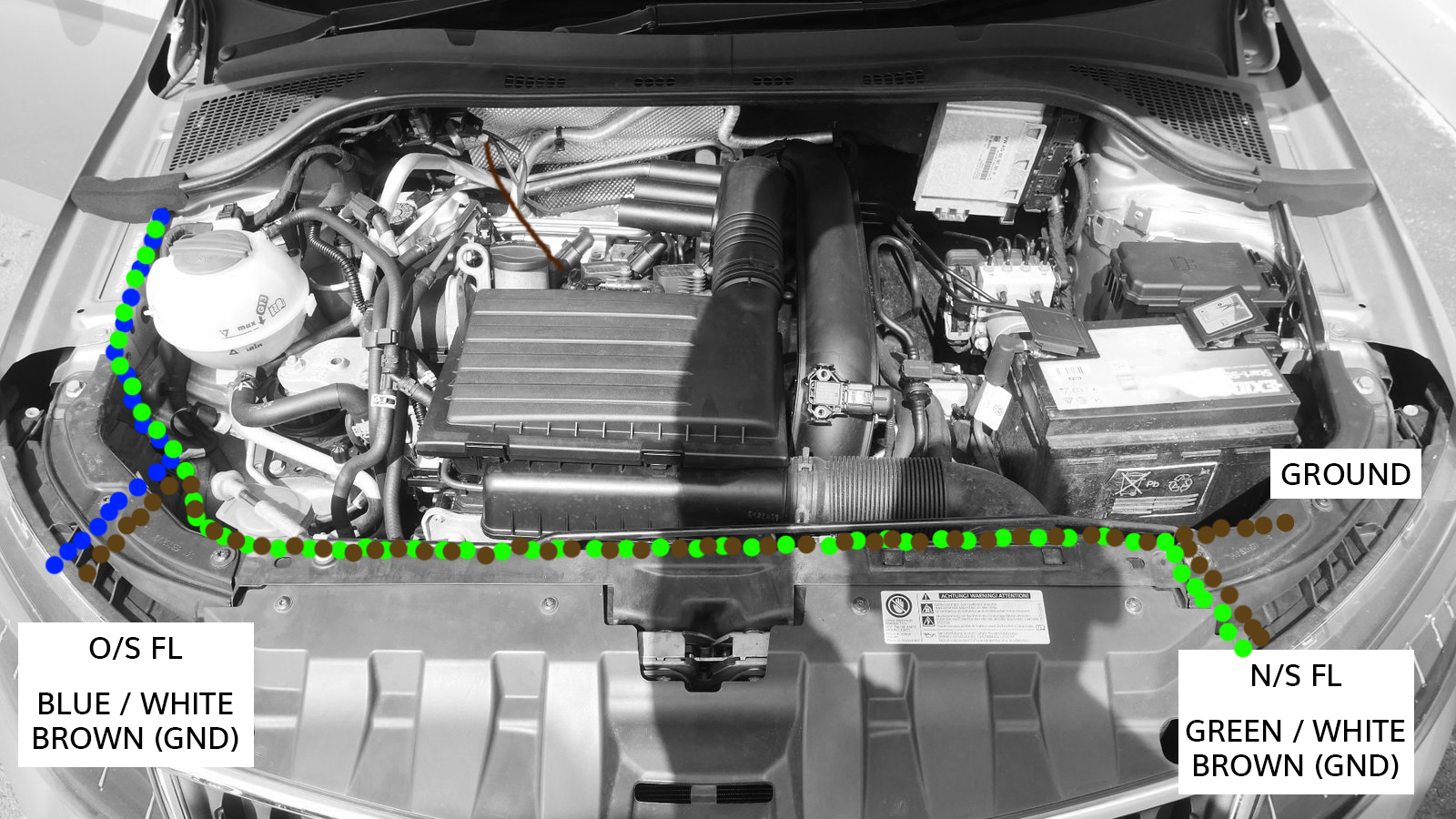
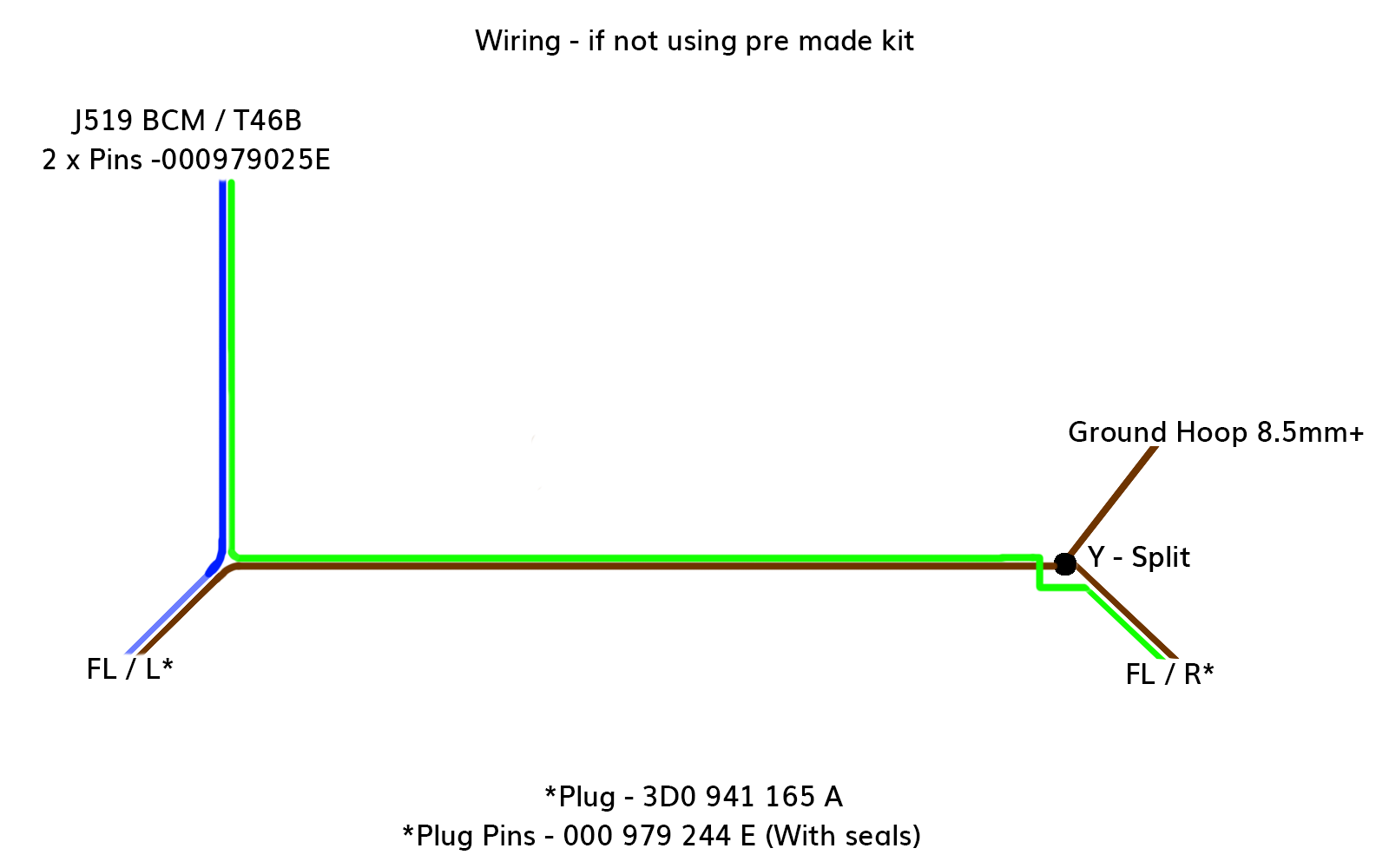
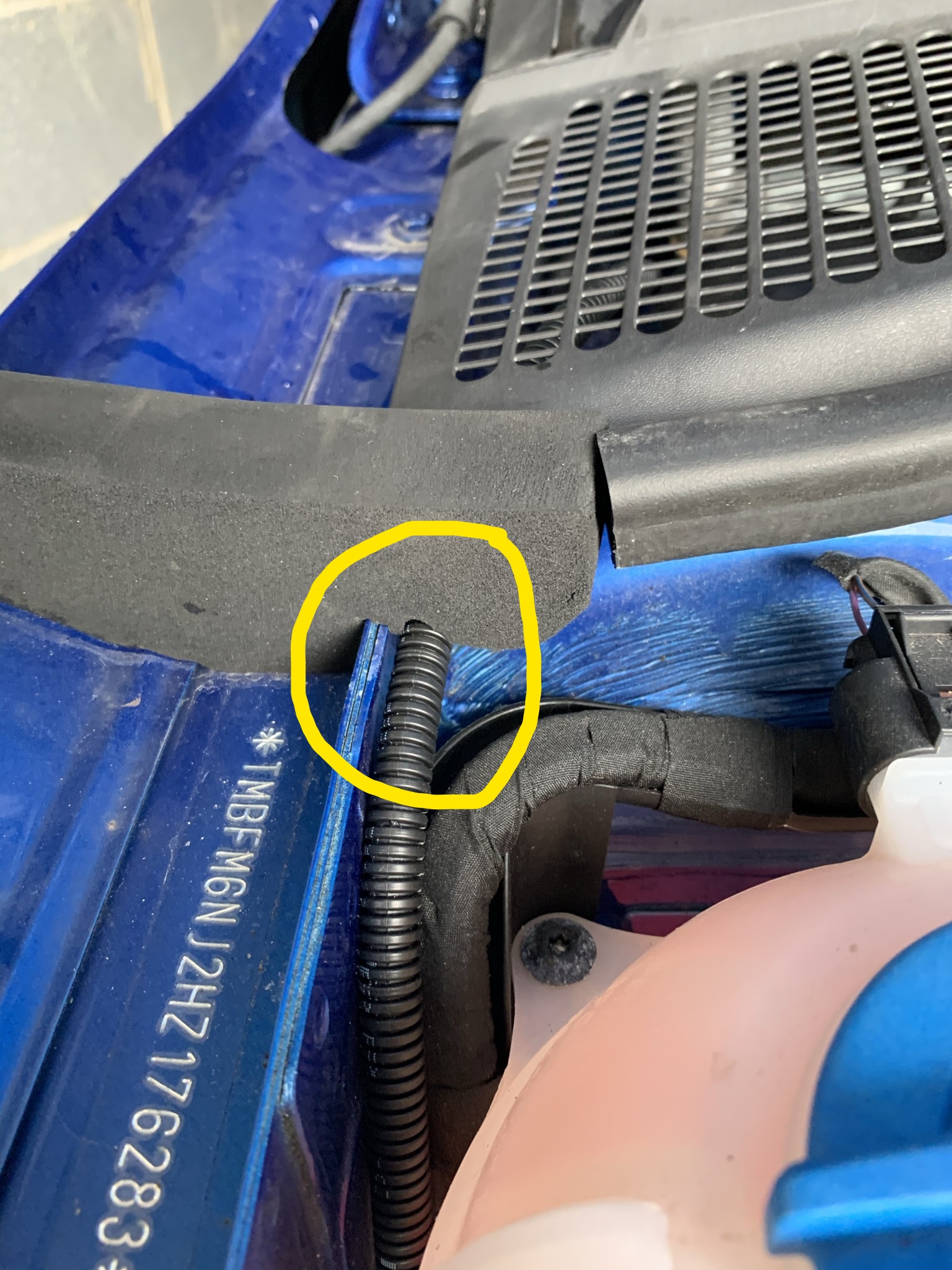
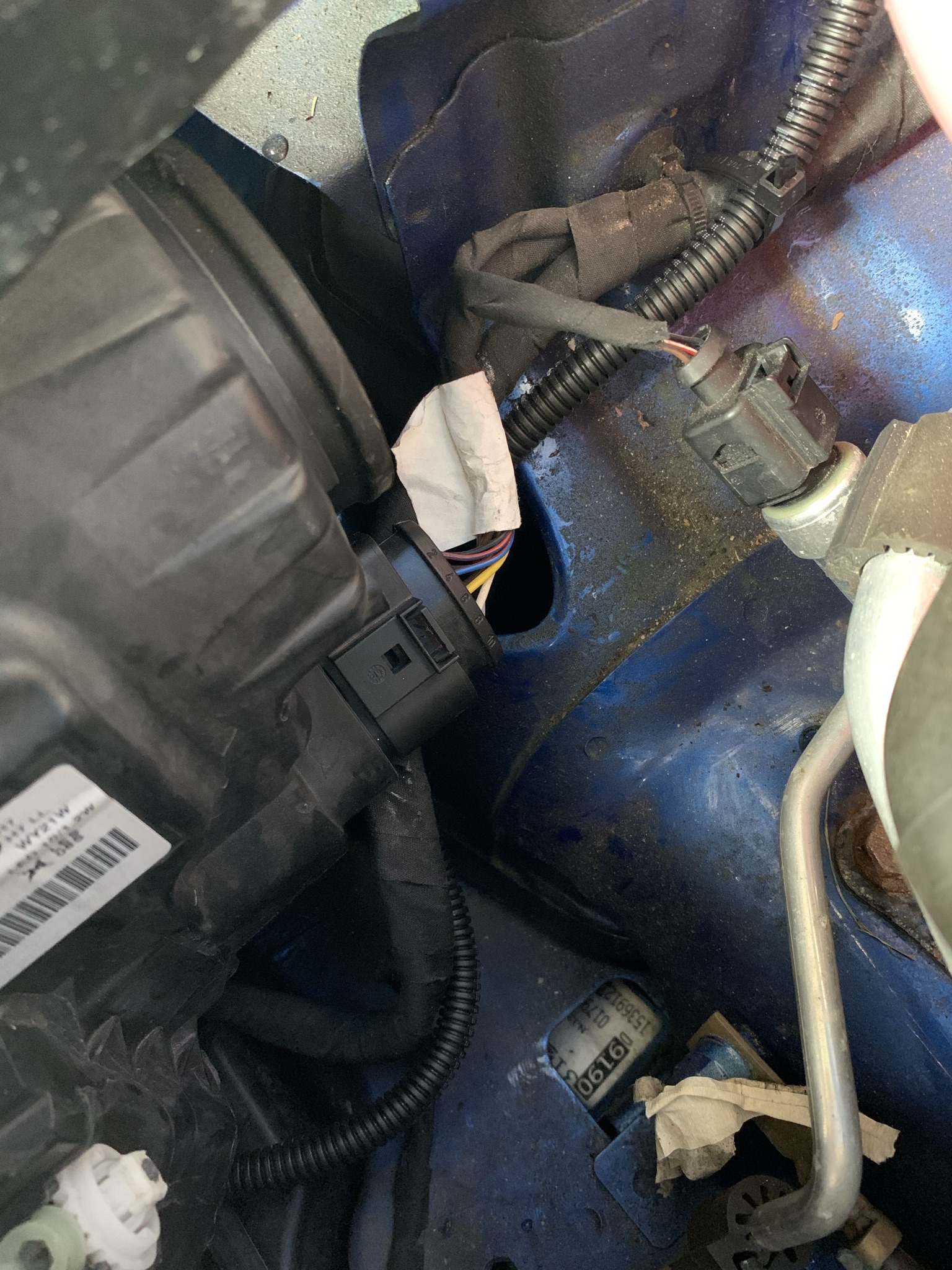
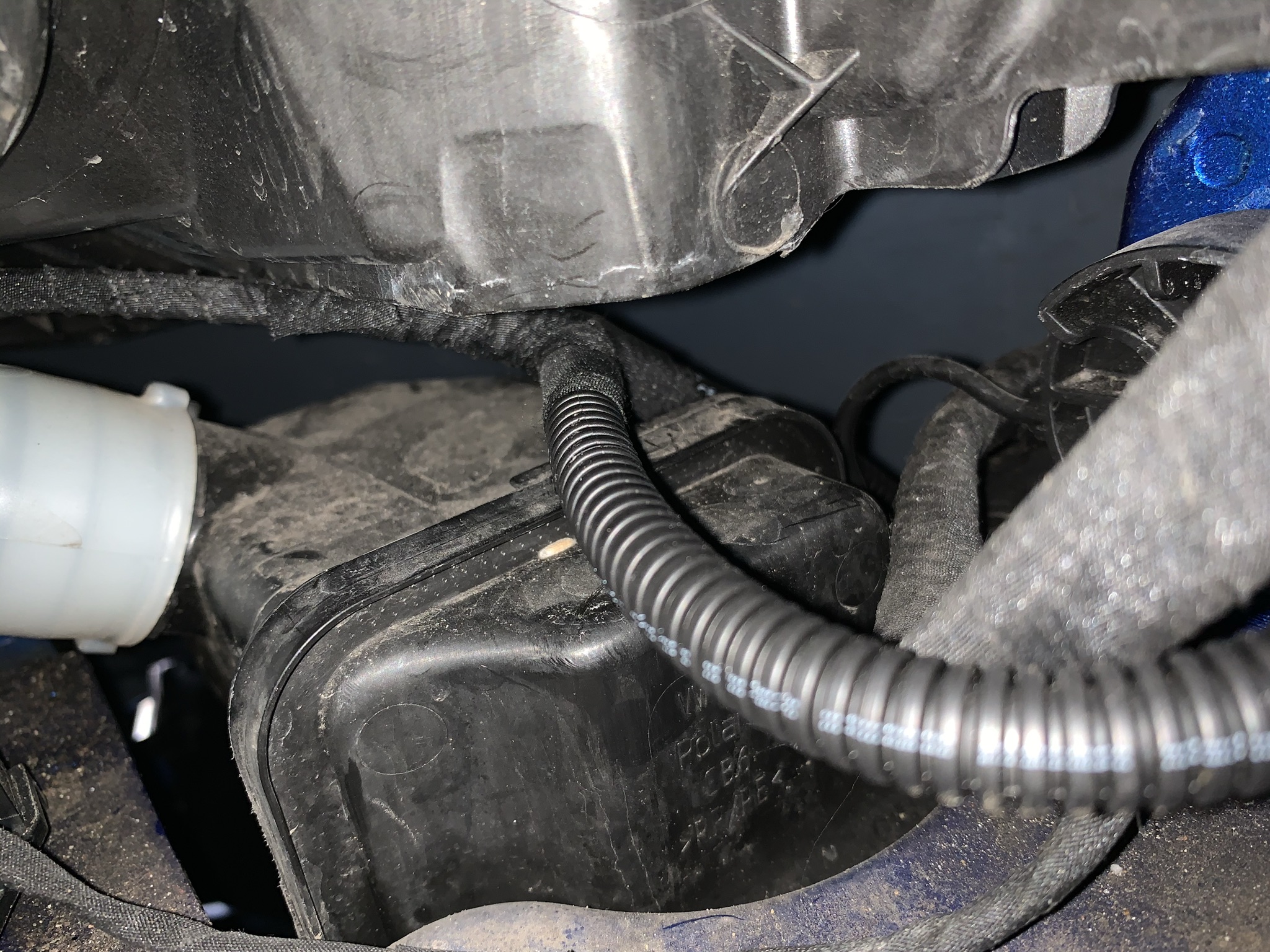
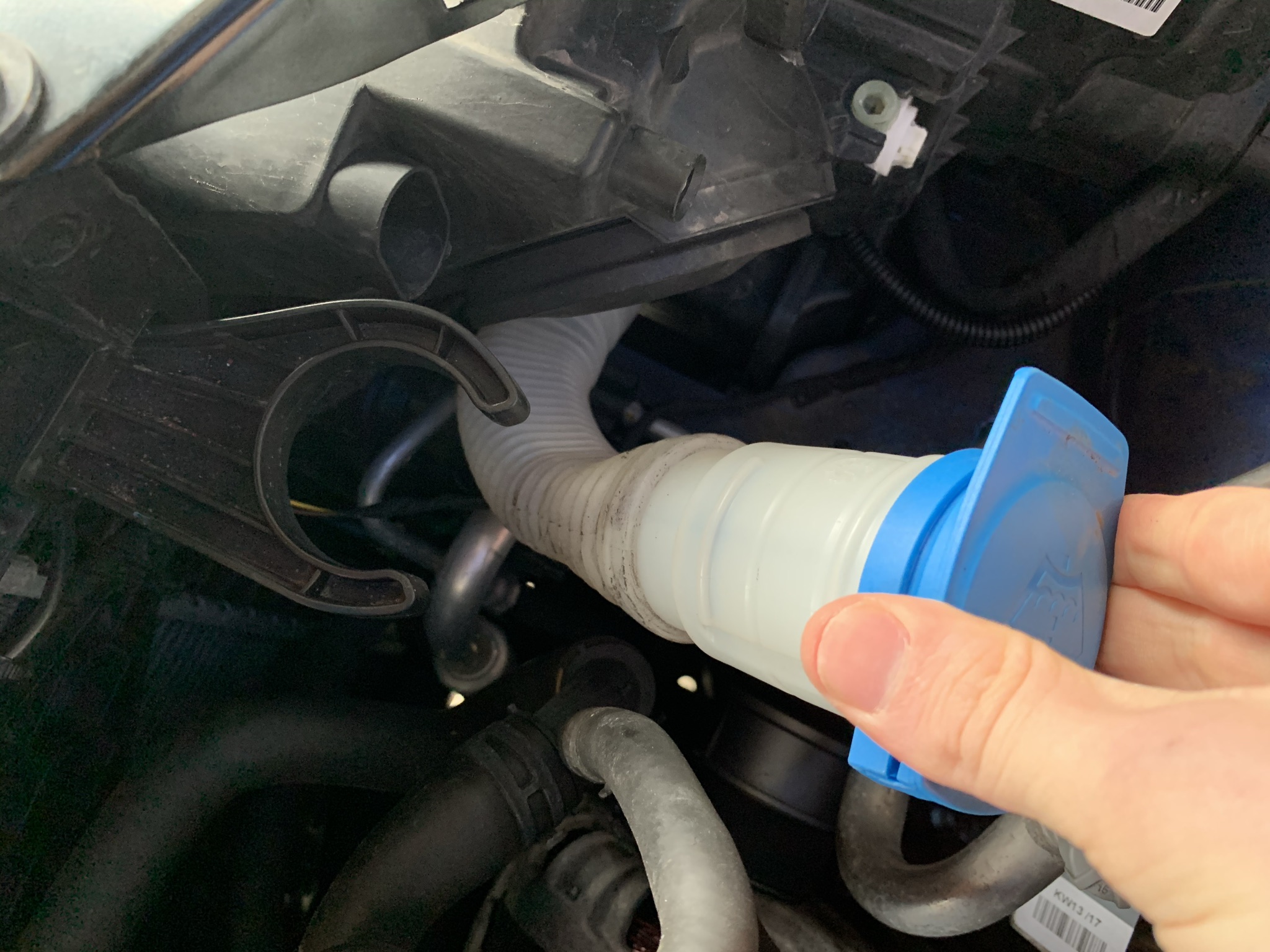
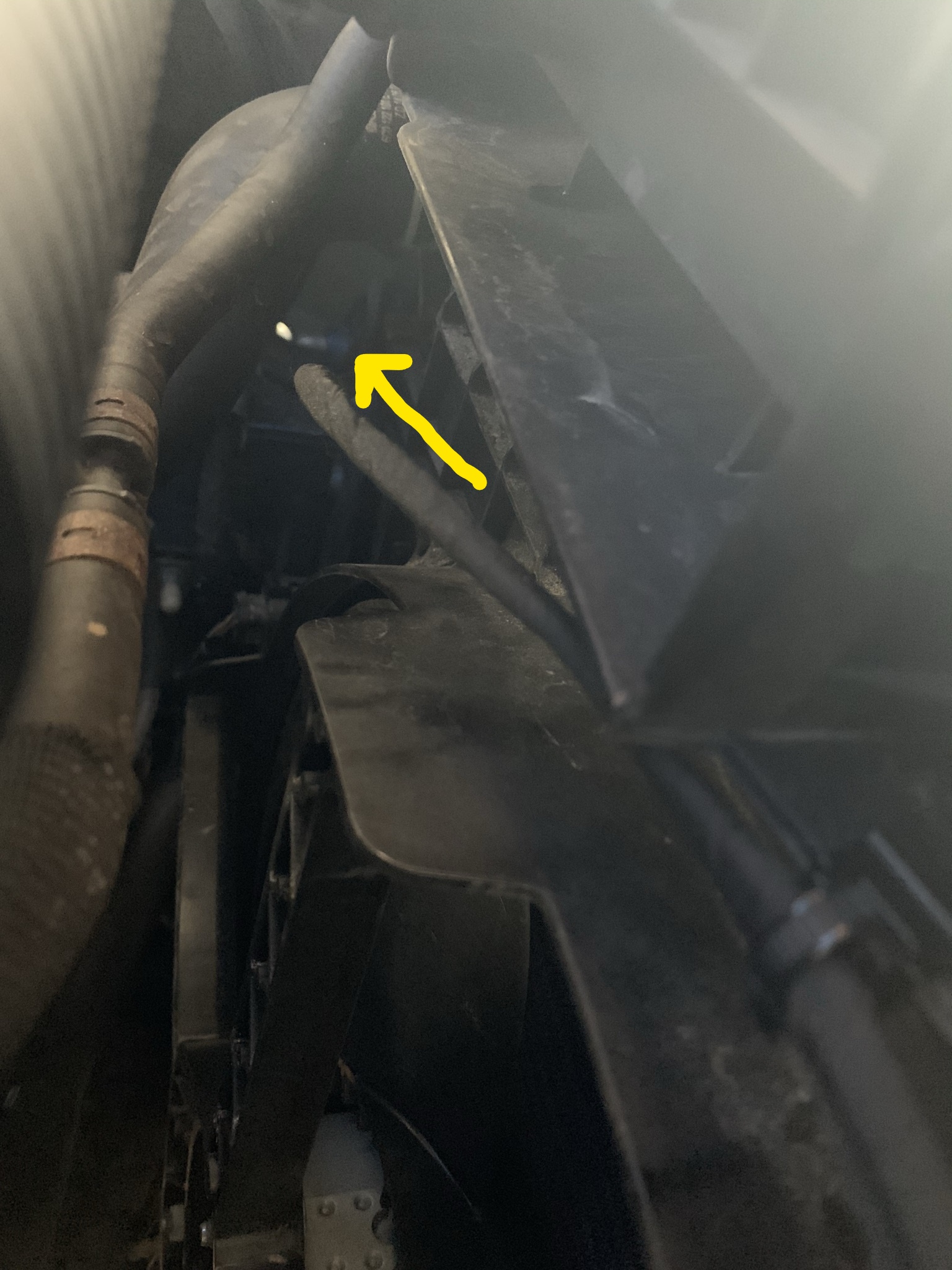
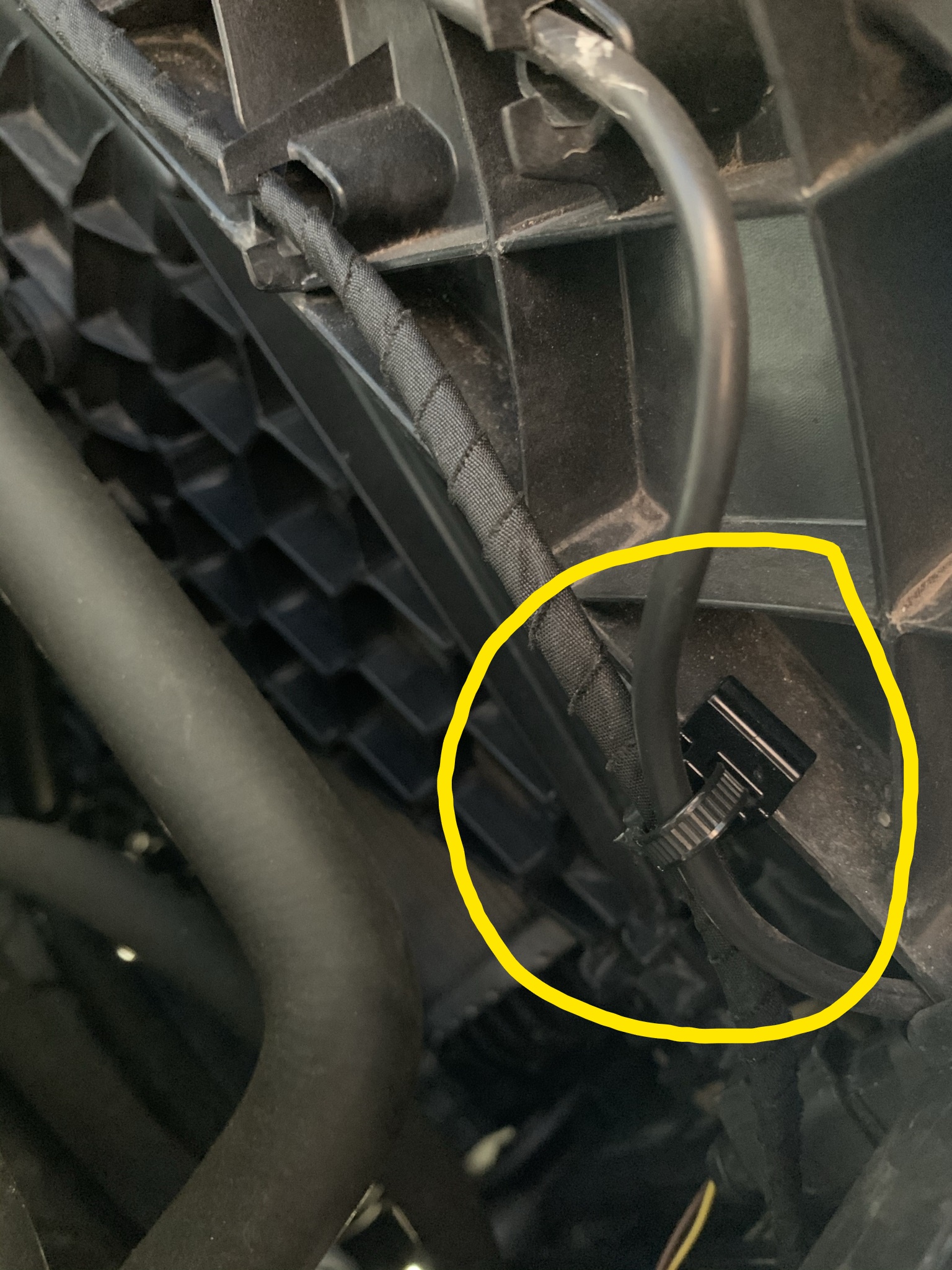
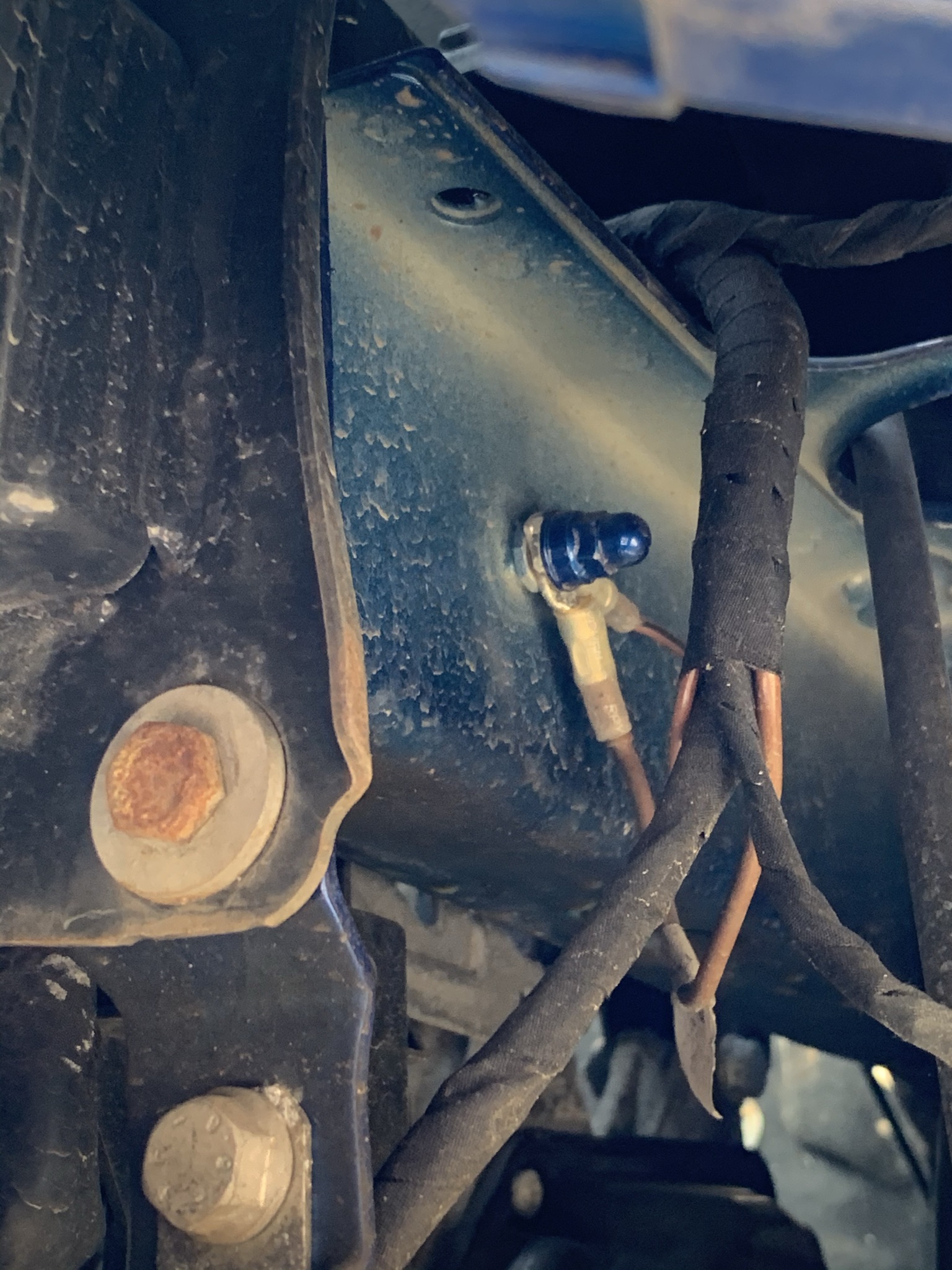
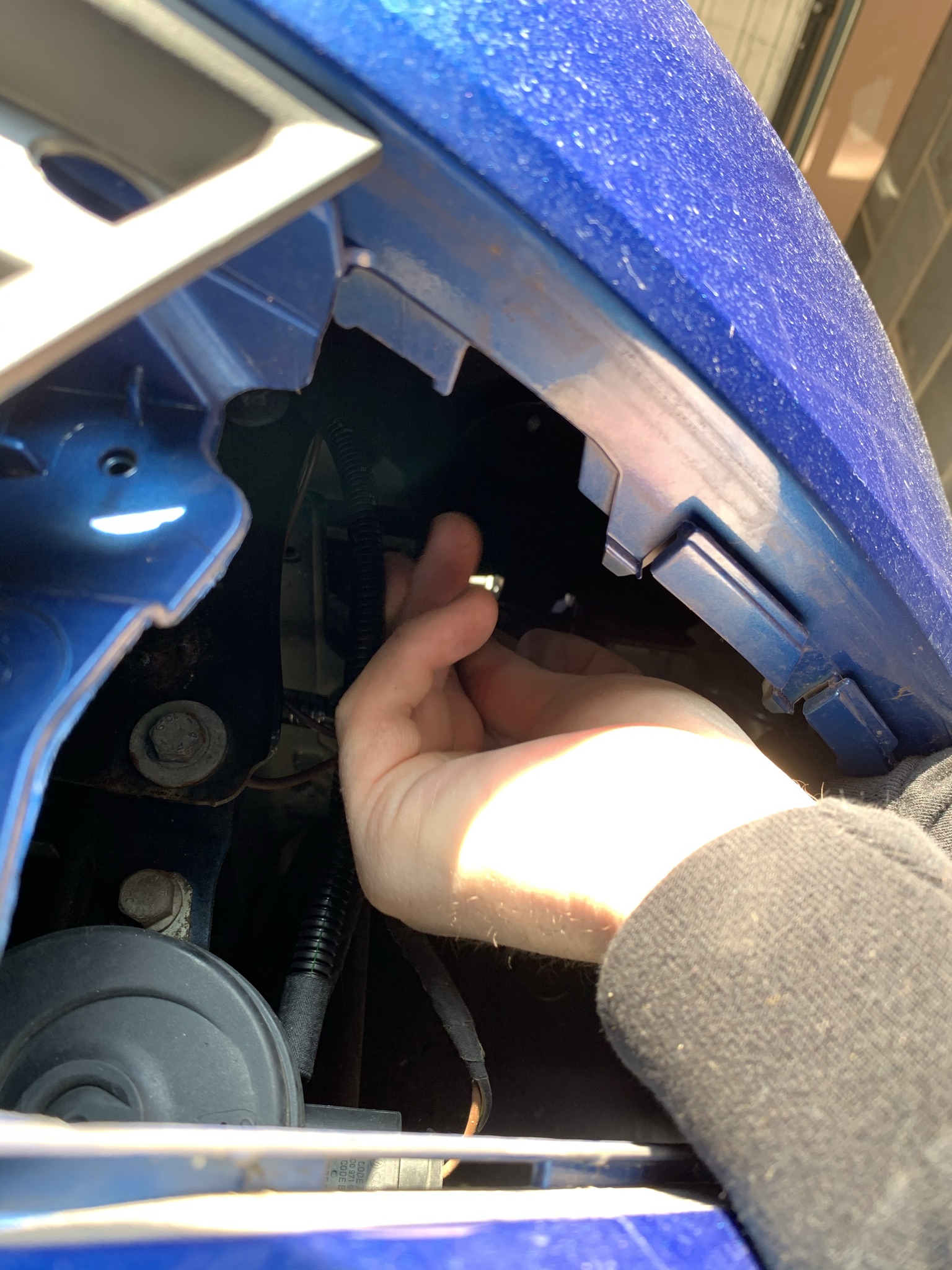
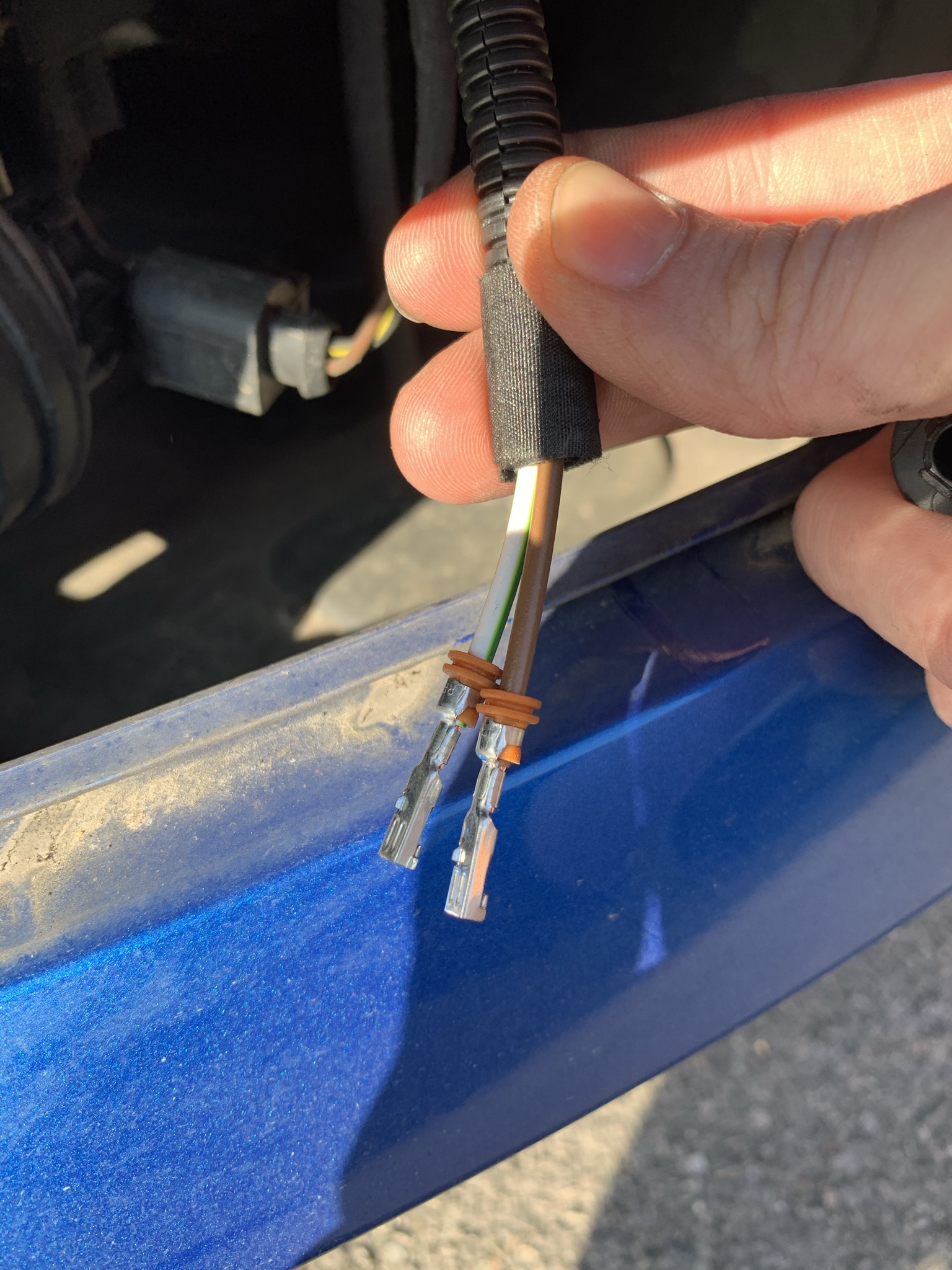
 2 points2 pointsAfter a few months with the Superb have to say I'm convinced its the best all rounder you can buy... It swallows all the stuff you could ever need (bought it because we have a newborn and needed the space and it more then covers this off), on my daily commute on my own it hums along the motorway wonderfully and the ACC and DSG just make it so easy. Then the other day when the motorway was a mess I had to come the 'back way' which is about 25 miles of twisty B roads, have to say I wasn't especially looking forward to it, thought it was going to be too big and I wouldn't be able to make my usual progress, but it just ate that up too and was more then capable round the corners and the odd overtake for the slow moving tractors... Annoyingly the supplying dealer fit a set of budget tyres on it which annoyed me (it had done less then 10k when I got it so theres another car out there somewhere with the tyres from mine which are no doubt still in pretty good nick) but its going today to get some PS4's on it which I just think will make it even better...2 points2 points2 pointsHallelujah Guys, Just had this e mail; from Skoda Head Office which I have copied and pasted below to give us all some hope??!! Re: Karoq SE Drive – Dear Mr .......... Thank you for getting in contact with us. I have spoken with one of my colleagues who has confirmed that the map updates are done automatically to your Multi-Media Unit. This is because all new ŠKODAs come with 1 year free ŠKODA Connect Services. Once this has expired, you can either chose to renew your ŠKODA Connect Services, or not and have to do this manually. This would be done by downloading the map update onto a USBC stick; that would then be plugged in and manually uploaded onto the vehicle. These instructions will be updated for your make and model, once translated over from German to English. I would like to apologise for any inconvenience this may have caused. Of course, should you have any other queries, please do not hesitate to contact us on the details below. Thank you for contacting ŠKODA UK. Kind regards Jennifer-Louize Todd Customer Relations Manager 01137334218 ŠKODA UK | Selectapost 34 | Sheffield | S97 3FA Tel: 0333 0037504 [email protected] | www.skoda.co.uk | www.skoda-auto.com2 points2 pointsI'm sure they will claim that voice control is replacing many options and touch screens are only for backup. However, I've yet to drive any car with an effective voice control system. And it's not just that I sound like an East coast farmer. SO has a proper posh English accent and neither the RR or her Newish mini are even remotely useful using voice.2 points2 pointsA Recall is forced on a manufacturer by the relevant country authorities for a serious road safety issue; but Skoda UK, dealers and owners often incorrectly call a Service Campaign a 'Recall'. What is happening at the moment are 'only' Service Campaigns not Recalls.2 points2 points3 methods to lock car with interior detection disabled. 1 - Lock using switch between the front seats behind gearstick. 2 - Lock using 2 presses on the fob within 2 seconds. 3 - Loch on fob after pressing switch at bottom of drivers "B "post.2 pointsFABIA NJ 2015+ FRONT FOG LIGHT RETROFIT GUIDE After looking around on this forum there wasn't any guide or info on retrofitting fog lights into the Fabia III (NJ) - The only posts I could find on here was this post back from 2017. I went to order the kit mentioned in that post. (6V0 052 186) But its discontinued. TPS and Skoda both said this item was not available even from 'Germany' I did some googling and found two sights selling the kit. (NOT UK) Link 1 - https://www.skoda-parts.com/spare-part/6v0052186-retrofit-kit-halogen-fog-lamp-oe-24655.html (I ordered mine from here and didn't encounter any import fees post Brexit) (NO LONGER AVAILABLE) The Skoda Kit has been discontinued so moving forward you will most likely need to source the parts yourself or purchase a pre made wiring loom off a site like AliExpress. The kit came with instructions but for LHD and only for the kit itself so I decided to produce a guide for RHD vehicles with pictures to help, also the guide lists all of the Part Numbers needed to make your own kit up if you cant source a Skoda kit. **If making your own kit you will need to build the wiring loom yourself and measure out the distances of wire needed as I used the pre made loom in the kit, I have included a basic wiring diagram for this) I would estimate around 5m of each wire would be more than enough to produce a wiring loom*** ******************************************************************************************************************************************************************************************************************************* ***THIS IS A GUIDE AND YOU DO THIS RETROFIT AT YOUR OWN RISK, I WILL NOT BE HELD RESPONSIBLE FOR ANY DAMAGE CAUSED DURING INSTALATION OR CODING. PROFFESIONAL INSTALATION AND CODING BY A REPUTABLE GARAGE OR MECHANIC IS ALWAYS ADVISED*** PARTS NEEDED 6V0 052 186 – Front Fog Light Kit (Discontinued but can be found in Europe) Here Is a list of the individual parts found in the fog light retrofit kit (Since I used the Skoda made kit my wiring loom was premade, I wont be able to help you make it but I have included all the parts + diagram below to build your own, Green wire is for the left N/S fog, Blue wire is for the Right O/S fog and Brown is for ground) · Left fog light – 6V0 941 699 · Left trim for fog light – 6V0 853 665 (9B9) · Right fog light – 6V0 941 700 · Right trim for fog light – 6V0 853 666 (9B9) · 4 x hexagon socket head panel bolt – N 10412804 · 2 x Halogen bulb – N 10529501 (H8 12v 35w Bulb) · 2 x Bulb plugs - 3D0 941 165 A (Some come with pre-installed wire tails) · 4 x pins for bulb plugs - 000 979 244 E (With seals) · This is repair wire so you will need to solder the pins onto new wire as this is only repair wire. · 1 x crimp hoop for ground strap (8.5mm and up) · 2 x pins to connect to BCM - 000979025E. · Felt tape and 7mm polypropylene solid conduit to protect the wires. · Cable ties · Trim clip cable tie - 3D0 971 838 E · Silicone sealant · Green / White wire · Blue / White wire · Brown wire As well as the kit you will need a new rotary light switch. Rotary light switch with fog light (Auto model) – 5E0 941 431 D / Rotary light switch with fog light - 5E0 941 431 F This will only work on cars with BCM Control Units – 6C0.937.087 - 6C0.937.088 - 6C0.937.089 If you have BCM model 6C0.937.085 then you will need to order higher series of BCM control unit with Part Number 6C0.937.089 from ETKA (TPS or Local Dealer) *** YOU WILL NEED TO RECODE THE MODULE. I AM NOT RESPONSIBLE OR HAVE THE KNOWLEDGE ON HOW TO RECODE A BCM SO PLEASE DON’T ASK*** *************************************************************************************************************************************************** INSTALL Firstly, open bonnet and disconnect the battery. Remove lower grill blanking covers in the bumper where the fog lights are going to be installed. Remove wiper arms and water tray / plenum cover. You will need to use a flat head screwdriver to remove the washer jets wiring from the side of the water tray Behind the wiper mech you will see a rubber grommet with a nipple and a tab on it. Cut a slit in this rubber nipple for the two BCM wires to be passed through. (Do this first so you then know you have enough wire to plug into the BCM. (You will need to use the silicone sealant to reseal this hole once installation is complete to stop water ingress. Make sure to pass the wires underneath the wiper mechanism so that the wires do not get in the way of the wiper mechanism. There is a plastic ring to the left of the wiring that you can pass it through that keeps it neat. Once you feed the wires through you will see the wires appearing through the foam duct above the driver’s pedals. (I had a friend push the wires through till I was able to grab them and pull them through myself. Picture bellow with the circle around it is where the wires will come through. Pull through around 25cm of wire. Once you have pulled the wires through you need to remove T46B (Brown middle plug) from J519 (BCM) Lift the white tab up and the brown plug will slide out. Once unplugged you will need to remove the black and brown plugs from the brown plug. They have small little clips that hold them in place on the outer edge of the clip. On the inner plugs they will have the numbers for the relevant pin holes. Plug the corresponding wires into the corresponding pins. Green / White Wire --> BCM Plug B / Pin 40 Blue / White Wire --> BCM Plug B / Pin 3 To reconnect brown plug, do the reverse of removal. *************************************************************************************************************************************************** WIRING INSTALL - ENGINE BAY Here is a diagram to show you how the wires are run through the engine bay. This is a diagram for making your own loom, use plenty of cloth tape / conduit to protect the wires. The ground wire is the only one that will need a split to go to each light. Green and blue can be one continuous wire Run the wiring loom down the left hand side of the engine bay (looking at windscreen) under the foam, tuck down the side following the existing wiring harness, towards the front O/S headlight Cable tie the wiring loom to the existing loom by the AC sensor and headlight plug. (not tight as to allow the harness to move freely until installation is complete) I found that removing the headlight plug allowed me to tuck the harness under the light. This is where the wiring loom tees off to the O/S fog light and the remaining wires run over the radiator to the N/S fog light. Unclip the washer fluid neck and runt the wires behind it. Use 3D0 971 838 E to secure the wiring to the trim pieces / radiator and use existing wiring securing points along the way. I used a total of 3 cable ties across the radiator. Run the wires underneath the top radiator hose towards the N/S chassis leg. Where you pass the wires over the leg down towards the N/S fog light. Connect the grounding loop over the existing grounding strap found on the outer edge of the chassis leg, access this through the empty fog light hole In the bumper. You should now have two sets of wires dangling in the open areas of the bumper. Ground sound (N/S) you will have a Green/White + Brown and O/S Blue/White + Brown. Plug the wires / pins into the 3D0 941 165 A plugs. N/S – Left hand fog light · Green/White Wire – PIN 1 · Brown Wire – PIN 2 O/S – Right hand fog light · Blue/White Wire – PIN 1 · Brown Wire – PIN 2 Once the plugs are built on both sides you can plug them into the H8 Bulb located on the back of the fog light. Seat the fog light into the bumper and secure using the two hexagonal fixing bolts - N 10412804 Then place the new grill and push into place, this takes some force. Go round and fully secure your cable ties. Use your silicone sealant if you have not already to seal up the rubber grommet behind the wiper mech before re installing the water tray and wipers. Before you close the bonnet, move into the cabin, and remove the old light switch by pushing in the light switch dial and twisting clockwise, this will release the switch and you will then be able to pull it out and swap in the new switch. – do the reverse for install. Now reconnect the battery ready for coding. *************************************************************************************************************************************************** CODING Once in your preferred diagnostic software navigate to 09 Central Electrics. OBD11 – Long Coding, Tab 2 (little family) scroll down till you see ‘Light Switch with front fog lights’ click on this and change the following – Not Installed --> Installed – Swipe to write. ***If someone could confirm this - I believe the long coding to activate light switch with front fog lights is as follows - 09 CE – Long Coding, long coding helper – Byte 7 bit 3*** Photo from @wirer's VCDS Guide. (Thank You) Once you have told the car the light switch has been installed, you will see that when you pull out the fog light switch the front fog light symbol appears in the dash cluster. Navigate to the Adaptations and locate both the following. Once found change only the settings listed below. /// Leuchte12NL LB40 /// Type of Load 12 (lasttype) Nicht Aktiv --> Allgemein Scheinwerfer Light function A12 (Lichtfunktion A12) Nitch Aktiv --> Nebellicht Links Dimming AB 12 (Change value) 0 --> 100 /// Leuchte13NL RB3 /// Type of Load 13 (lasttype) Nitch Aktiv --> Allgemein Scheinwerfer Light function A12 (Lichtfunktion A13) Nitch Aktiv --> Nebellicht Rechts Dimming AB 13 (Change value) 0 --> 100 INSTALL COMPLETE *************************************************************************************************************************************************** To activate static cornering fog lights, do the following Adaptation for SCF sourced from Briskoda - ECU09 (Central electronics) - Adaptations //-----Left-----// - "Leuchte12NL LB40" - "Lichtfunktion B 12" - Set "Abbiegelicht links" (Default: "nichts") //-----Right----// - "Leuchte13NL RB3" - "Lichtfunktion B 13" - Set "Abbiegelicht rechts" (Default: "nichts") *************************************************************************************************************************************************** Credits: Thank you to @langers2k for helping me with the coding. Thank you to @wirer for your guides online. *************************************************************************************************************************************************** If you liked this guide please give it a thumbs up and any questions feel free to ask bellow.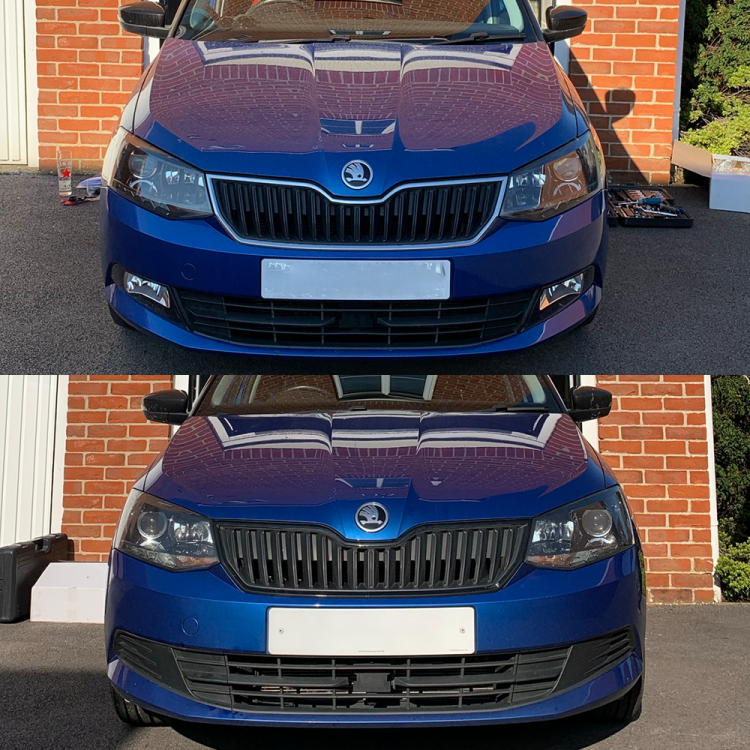
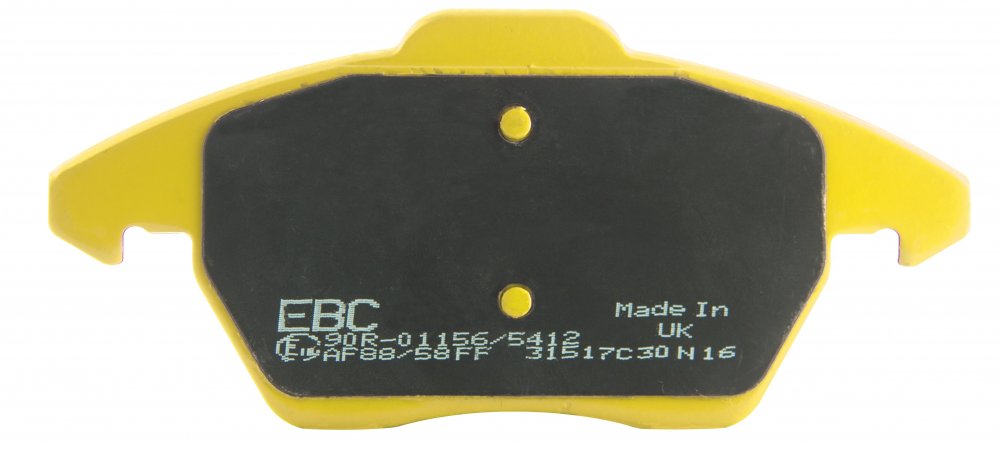
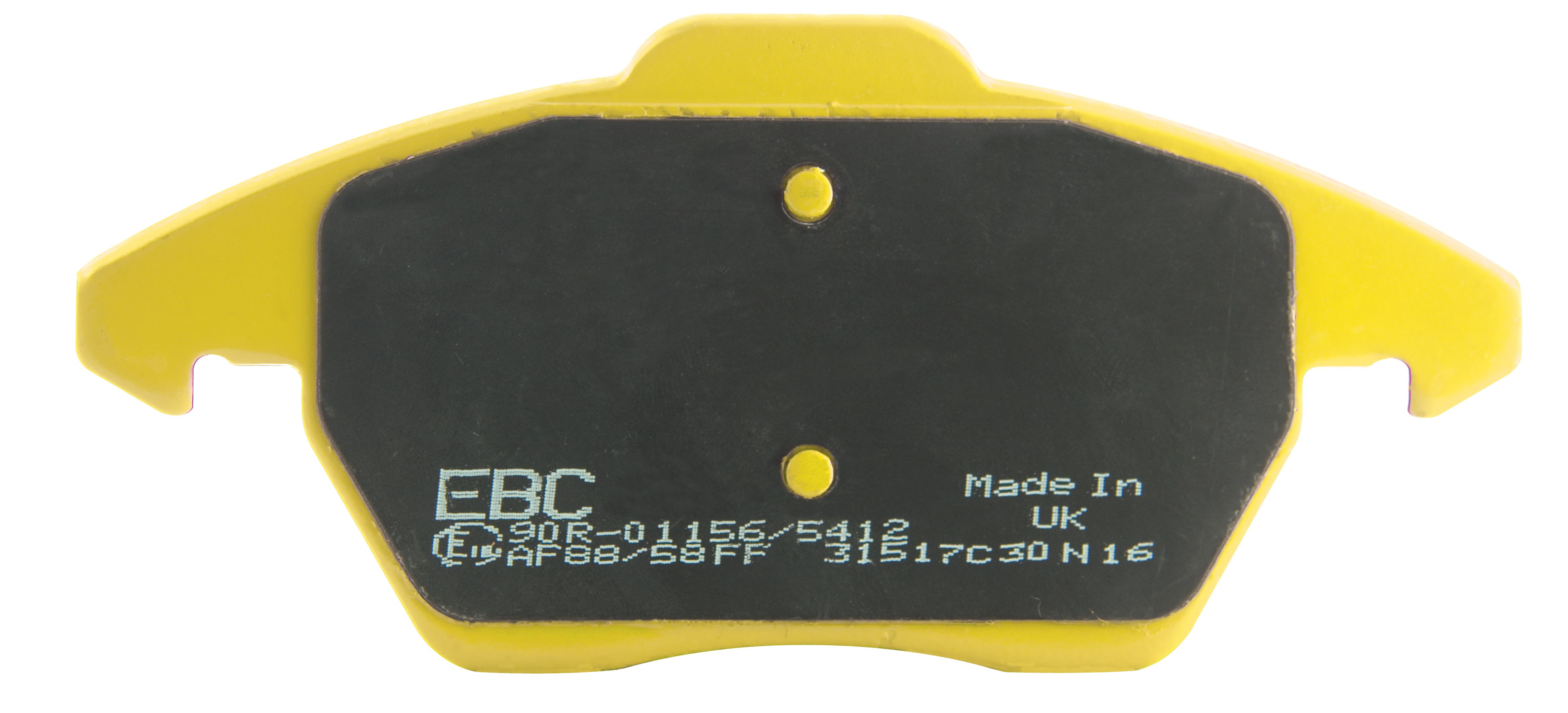
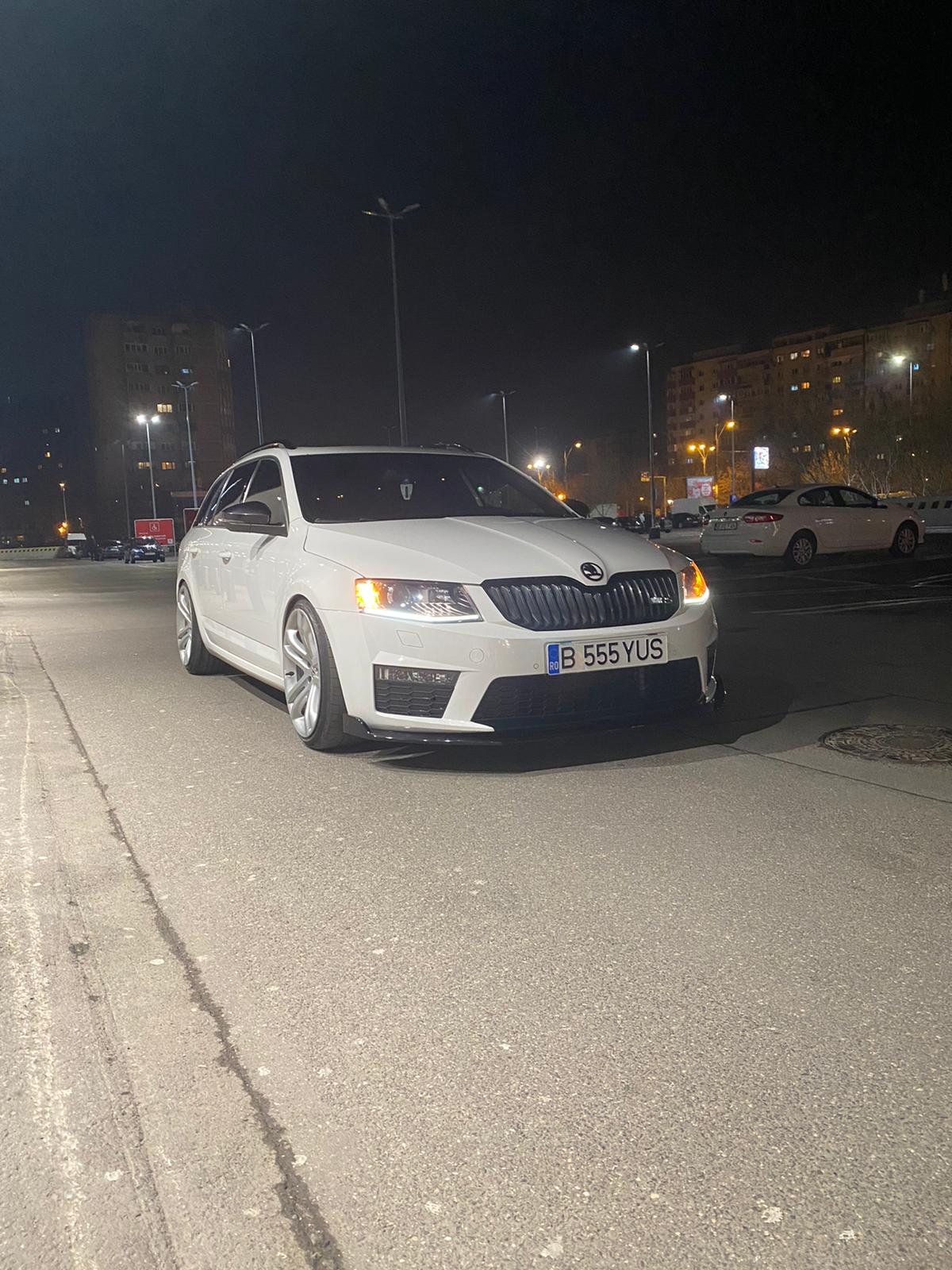
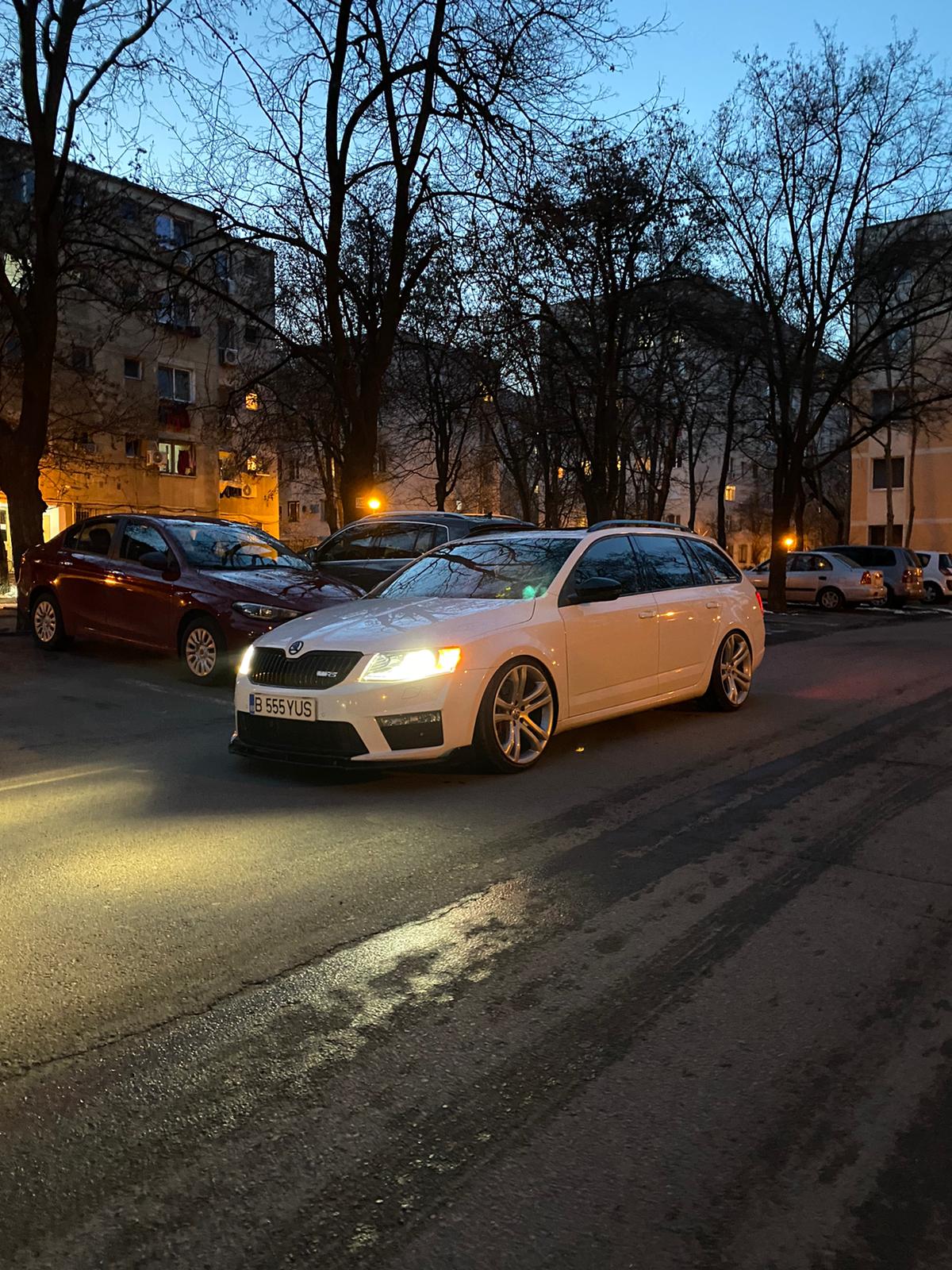
 1 point1 pointEBC Brakes are excited to announce their ‘March pads giveaway’ We are offering one set of free brake pads (Yellowstuff, Redstuff or Bluestuff) to a randomly selected forum user who posts a photo of their vehicle below. We would like your photos to be as artistic as possible and show your pride and joy in their best light. The lucky winner will be announced shortly after the closing date of 31st March 2021 and details will be posted on this forum. Please be aware that this thread may appear in more than one section on the forum and one winner will be selected from the whole forum, not a winner per thread. Pad choice will be based on availability and where a chosen pad is unavailable, an alternative will be offered. GOOD LUCK……… EBC Brakes’ Range of High-Performance Automotive Braking Products When it comes to performance aftermarket braking components, there aren’t many names that are embedded as deeply into the scene as EBC Brakes. EBC Brakes is an independently owned and managed brake manufacturer, employing over 400 people across the UK and US, and produces the world’s largest range of brake pads and discs for virtually anything with wheels. Supplying some of the best-selling ranges of brake discs and pads for the majority of cars, EBC Brakes is a solid choice when it comes to improving your stopping power.
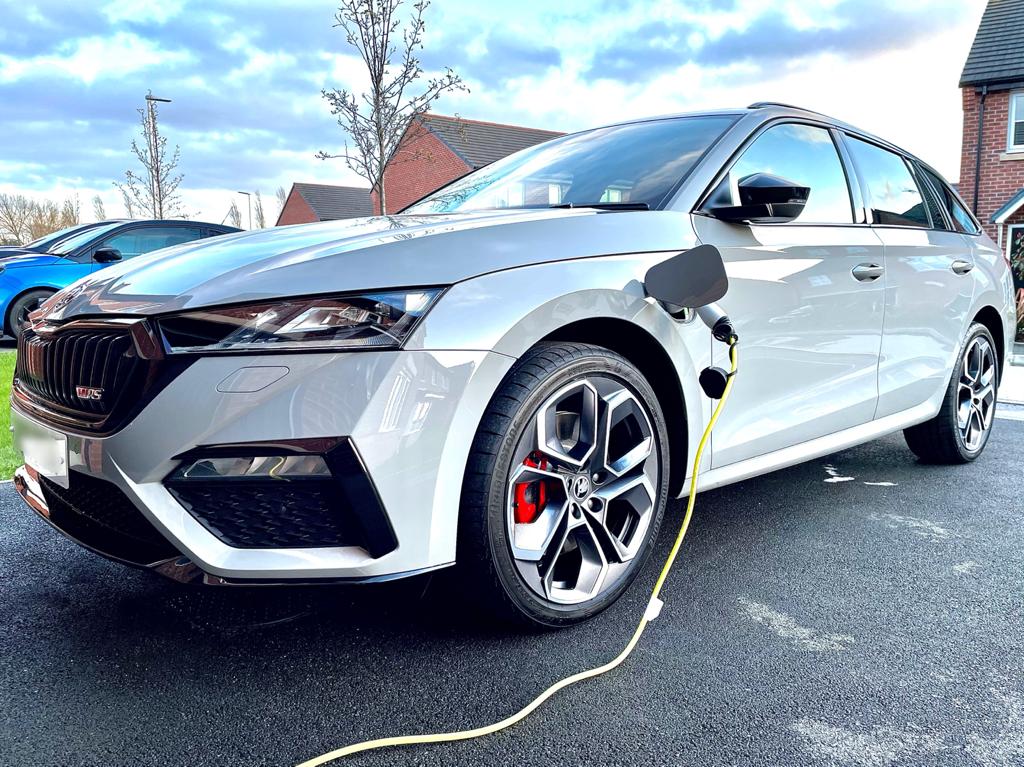
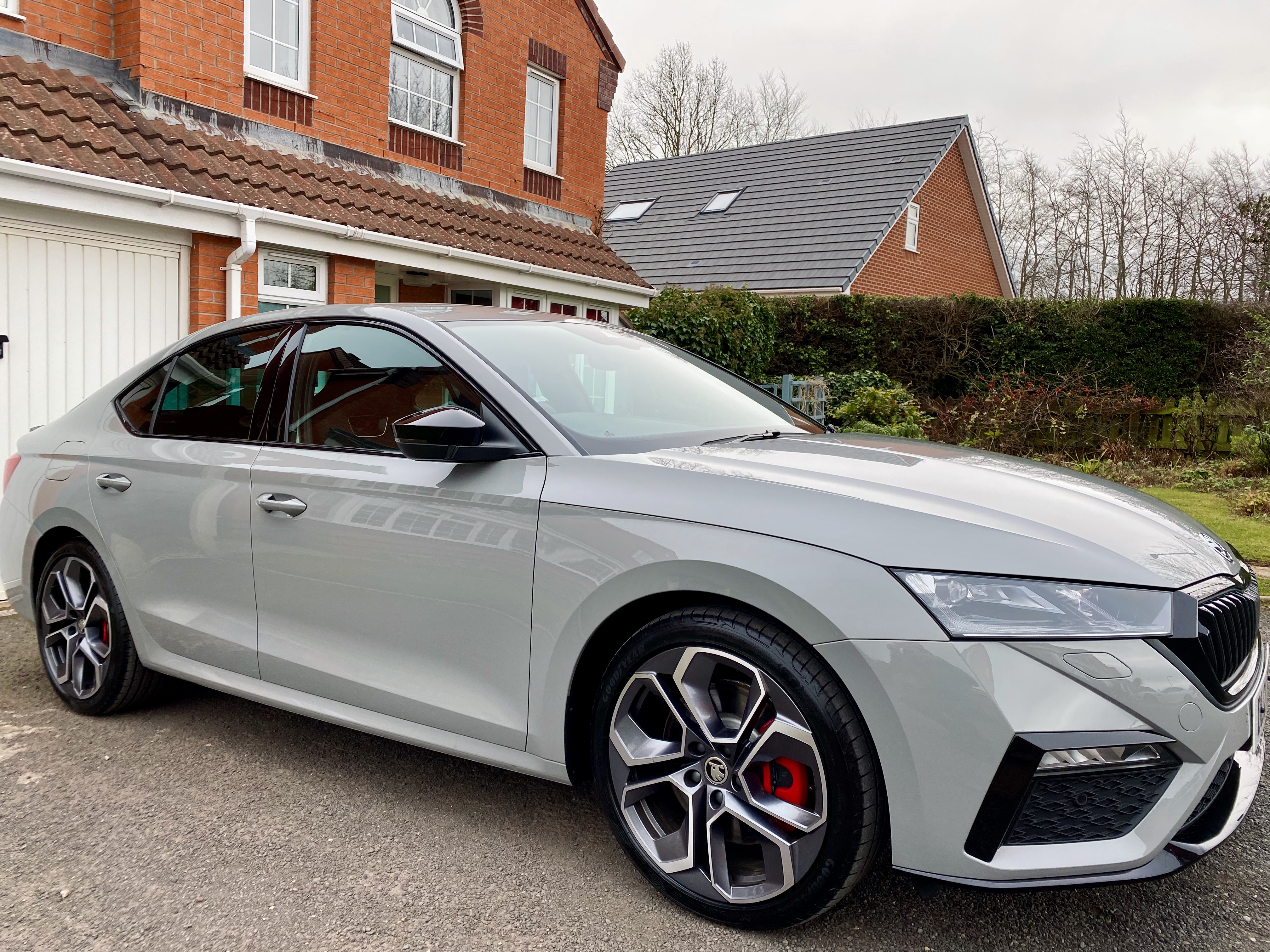
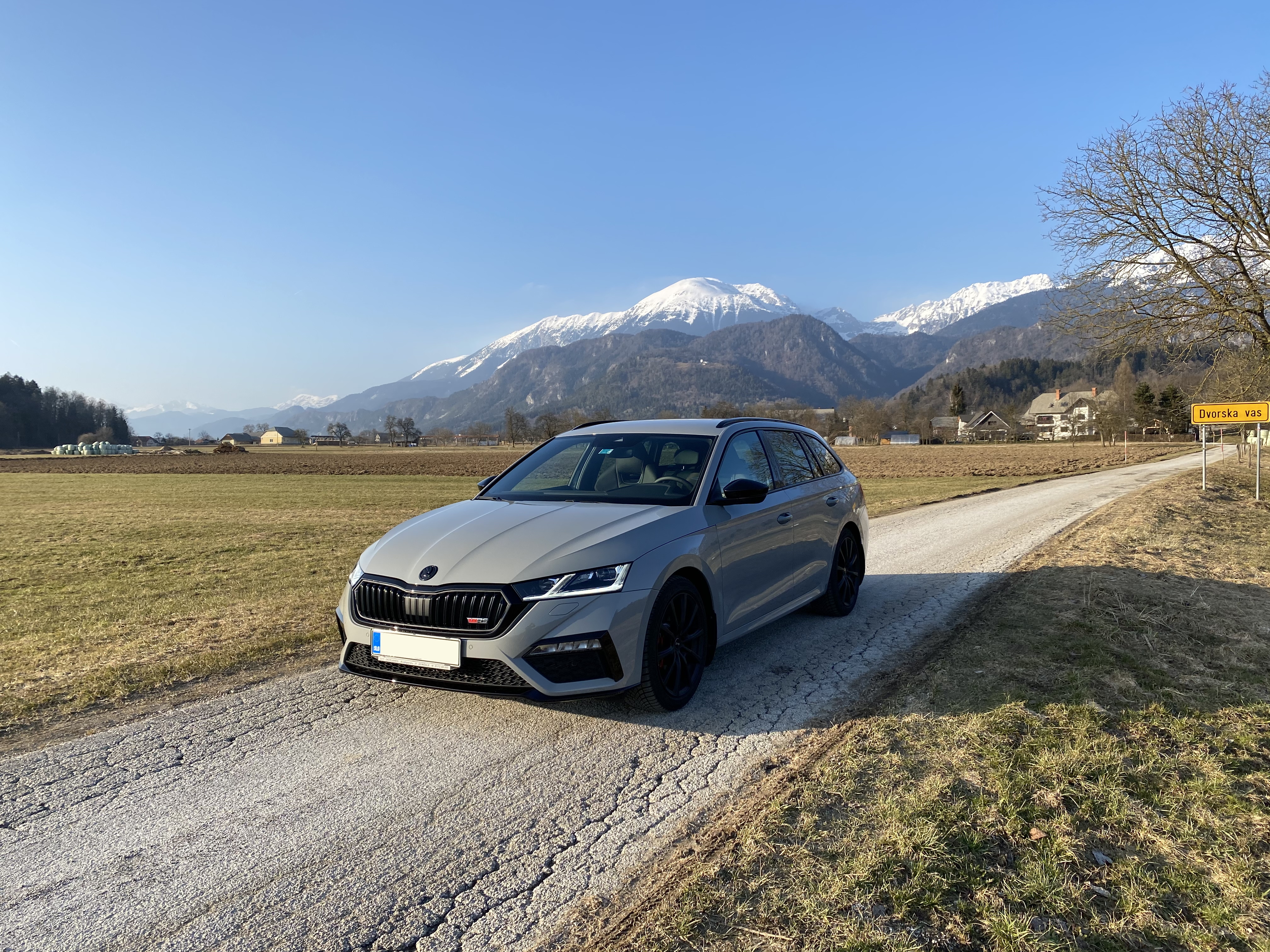
 1 pointThe latter....only the garage will see the error. They won't bat an eyelid. No error is shown in the car.1 point1 pointThe RS4 would be the one i could happily live with just on how it looks.1 point1 pointUpdate on the gearbox issue, I had a call of bob gerard leicester today, skoda northampton rang them and said the low oil in the gearbox came out the factory like that, and even tho its out of warranty they will foot the bill, which is a new gearbox called a MECHATRONIC, that's what they called it, so i defo dodged a 30 caliber size bullet. Someone will be buying that in a month or two i just hope the young lads fitting a new gearbox no what there doing, is this a common problem i wonder?1 point1 pointIntermittent short circuit cell 6 cells x 2.12v each which makes up 12.72v fully charged One shorted cell, (5x 2.12v) is 10.6v which is equal what you have seen on the volt meter. I guess you have seen that there is no apparent pattern to it failing. Sometimes just the heat soak from the engine will put enough extra curvature on the plate packs in the battery to trigger a defect to short. Others will be down to the load applied across the battery causing the short to appear, usually when asking the starter motor to operate. If the battery is aged a few years and been discharged and rapid charged a few times, that can also create short circuits with internal deterioration. New battery...1 point1 pointThe MK3 Octavia has touch screen for radio, with steering wheel controls plus a volume/station turn/press button. The other things are traditional buttons/knobs, which can also be set through the touchscreen if required. Going only touchscreen, is definately something I won't do, at least not without hepatic feedback and even then it would need to be good.1 point1 pointMy phone is Android, when I switch the ignition on the phone connects to the car using bluetooth, this allows me to make calls using the touchscreen, the bluetooth also connects to the dataplug and they use bluetooth to transmit information between the car and the app. Your phone will then use it's mobile connection to send bits of data and the backup of your data to VAG. I run an app on my phone called Hotspot Automatic. When the phone connects to the car using bluetooth hotspot automatic creates a wifi hotspot, and the car connects to the wifi hotspot so it can use the phones connection to the internet. This allows the red globe to change to white indicating the car is connected to the internet and allows me to get the traffic information on the navigation (expensive but I find the traffic useful).1 pointExactly that, when I’m eco is disengages then tend to coast a lot more, so I can apply the brakes for longer. At first I hated eco as the driving experience is more clunky feeling with lag etc but i’ve got use to it, I keep meaning to put it back into normal driving mode but keep forgetting1 point1 pointIt all looks a bit fishy to me as I can't imagine anyone at Motability looking up the service details for the car and booking it in for a gearbox oil change at a back street garage when it wasn't even due until the car had covered 40,000 miles, unless someone working there gets a backhander from the garage if they receive work from them?1 point1 pointOctavia VRS iV. - Meteor grey Picked it up last Friday and detailed it with a ceramic coating also.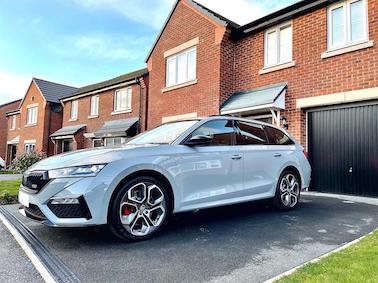
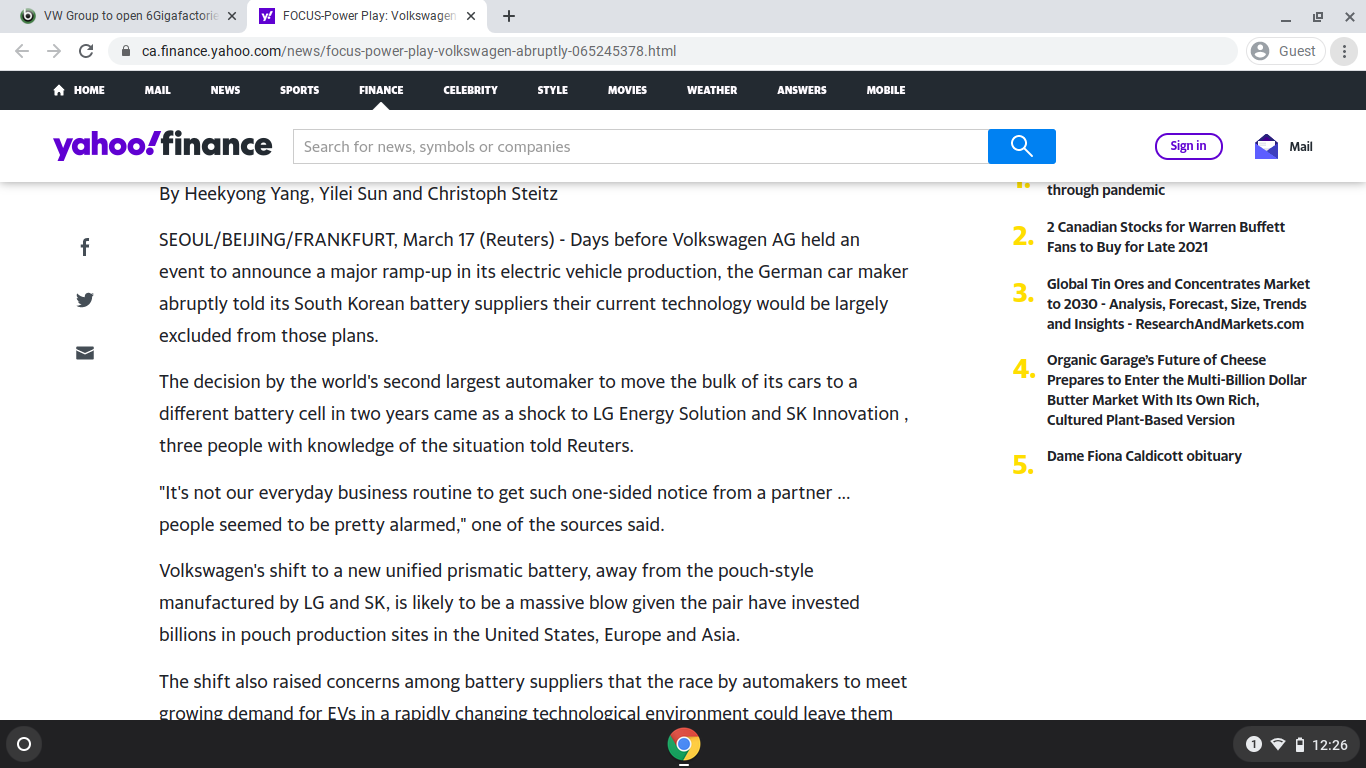
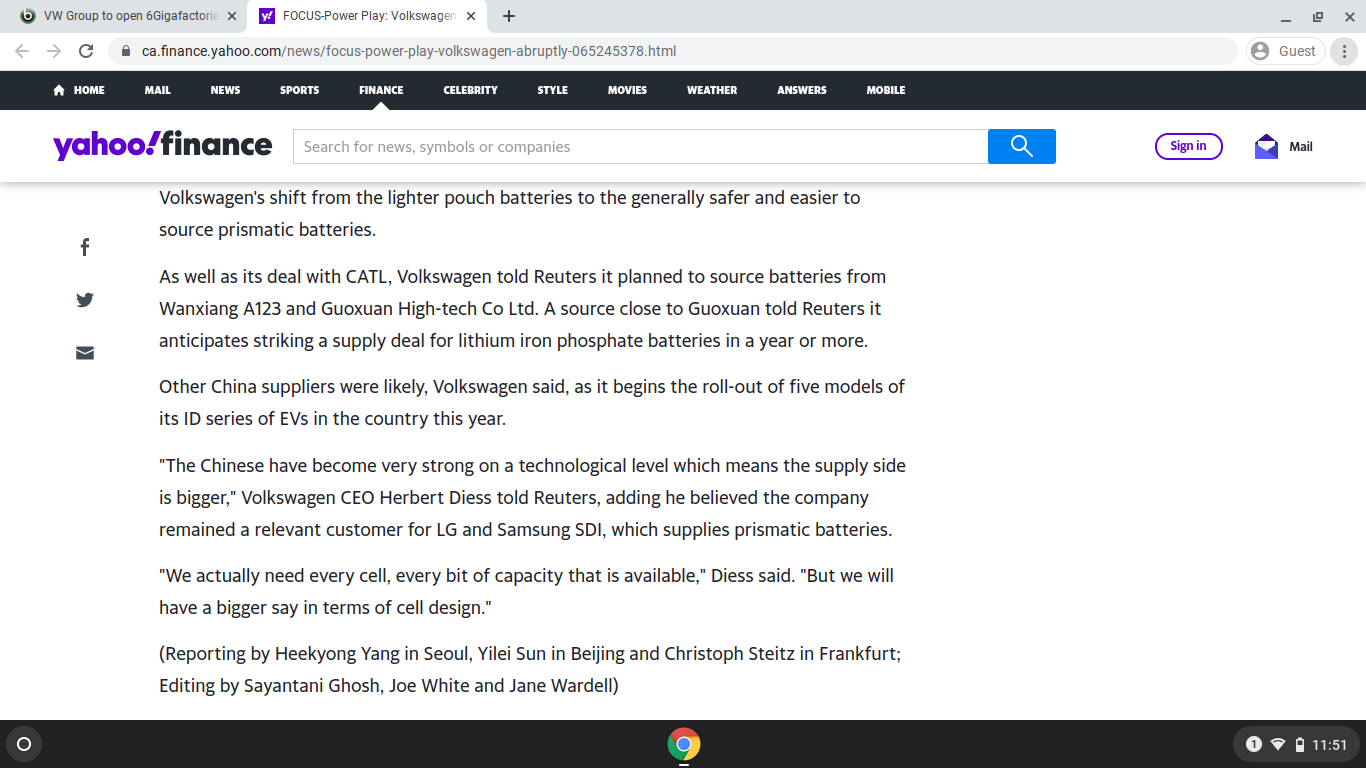
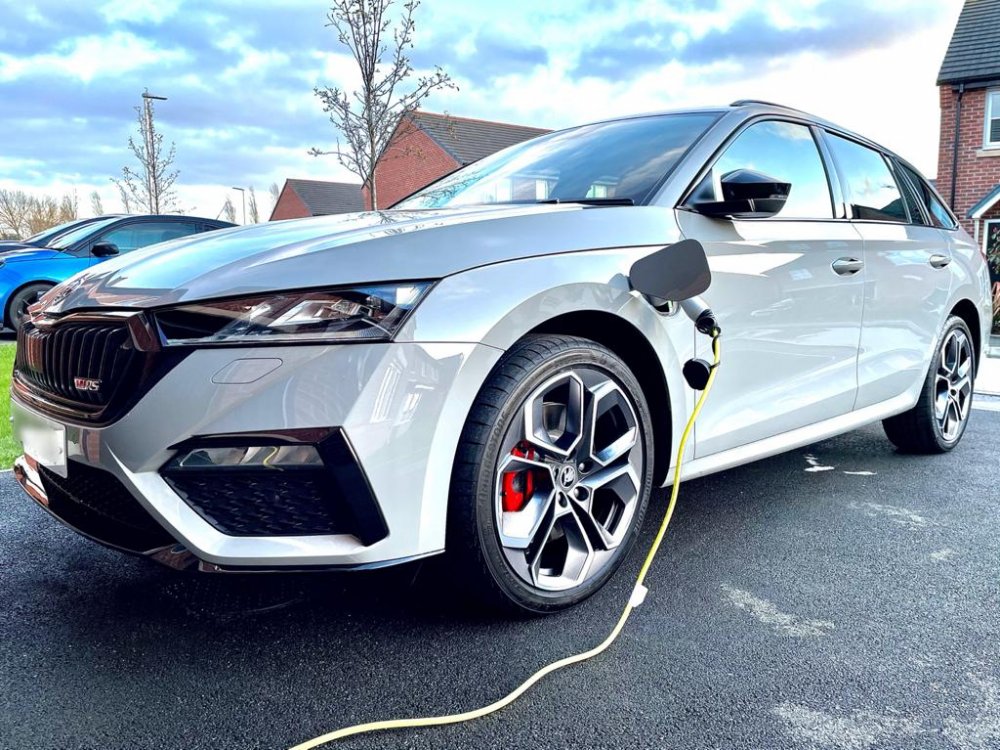 1 pointNo idea but if it gets parted out don’t expect cheap parts1 pointArticles and news on this from the 17th March 2021 & in the next days might be more useful than ones from the weeks past. https://ca.finance.yahoo.com/news/focus-power-play-volkswagen-abruptly-065245378.html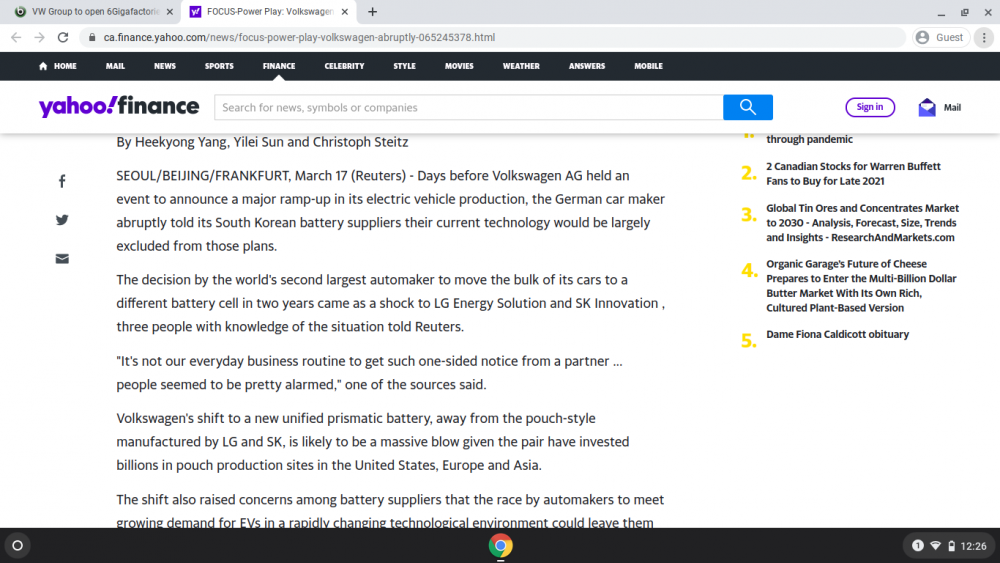
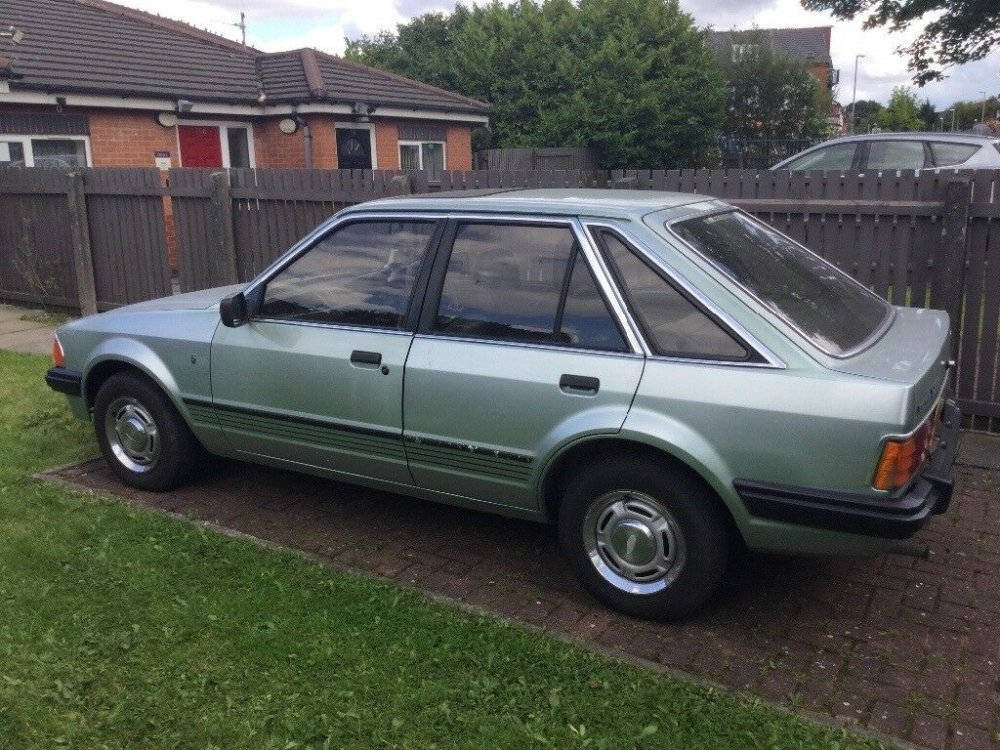
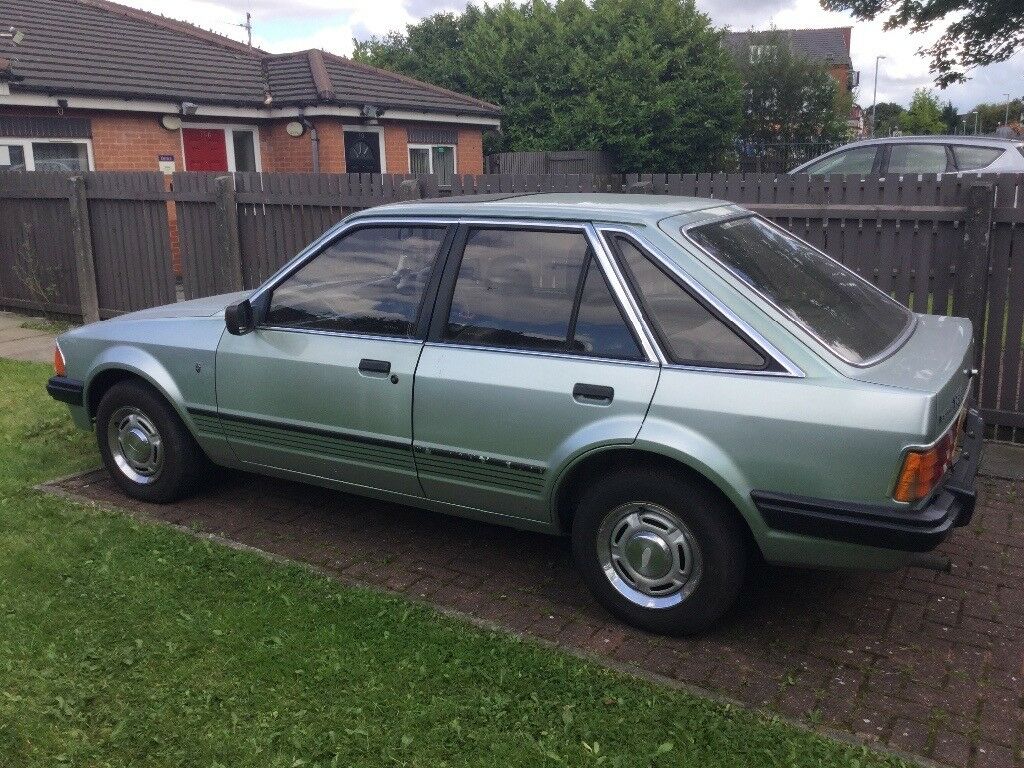
 1 point1 pointwelcome. Maybe something in these. http://briskoda.net/forums/topic/310030-quick-rack-conversion-parts-needed-for-on-going-project http://briskoda.net/forums/topic/127446-tt-s3-lcr-r32-steering-rack-quick-rack-fitting-guide-octy-vrs-mk1 http://briskoda.net/forums/topic/139677-tt-rack1 pointCheck around for prices for the Dataplug. They can vary from around £6 to £40. My car is MY2019 without any internet connection. The car talks to the phone via Bluetooth. When the car needs to talk to Skoda (like when first configuring) I assume it does it via the phone. tom1 point1 point'Honest John' website, as in the organisation as it is not someone called 'John' anymore or even 'Honest John', http://honestjohn.co.uk as owned by Heycar can go to the head of VW or Skoda UK, be that a CEO or Brand Director and ask the questions regarding IT and Skoda vehicles of VW Brand Vehicles without acting as an agent for individuals. If they want to raise individuals particular issues then good. First they can ask the questions having gathered various owners / drivers experiences and the anecdotal evidence. If they ask the PR department Spin Doctors they get the spin from the manufacturers & not actual answers from someone on the Board or the person VW have in the job of fronting VW in the UK.1 point1 pointSeems that HJ contacts Skoda UK Head of PR to forward on our complaint/issue. After emailing him with my issue he asked for permission to share with Skoda, along with a bunch of other details about the car and contact details (all this for GDPR privacy compliance as well as giving Skoda the details they’d need).1 pointIve got to say i love my VRS , its sooo fast and responsive. I dont care about the software niggles. Its so smooth when i drive eco ( when the mrs is in the car) Fuel economy is ****e though ,, best ive had after 1400 miles is 33.6. Ive waxed it to death and it gets looks from loads of peeps. One looker said "WHALLL is that a SKODA". I like the fact from my POV that the car is rare right now and its nor an Audi or a Beemurr as the roads are full of these .1 pointIt's a pity that Skoda are so conservative about colour choice in the cars sold in the UK, you would think that they would change the colours offered or even shades thereof rather more often than they do. Many years ago my first car was a secondhand Ford Escort 1.6 Ghia in Crystal Green, which was a nice colour on that car, nothing even remotely like that on the road these days, wish I'd been able to keep that car! Found an image of a car in that colour online, not great quality but it does give an idea of the colour.
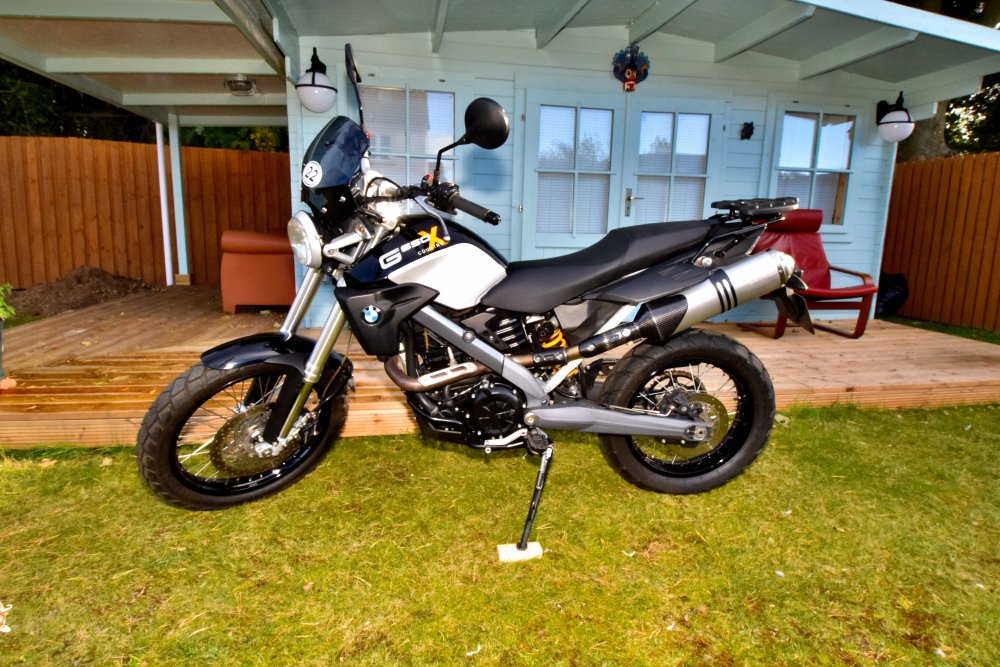
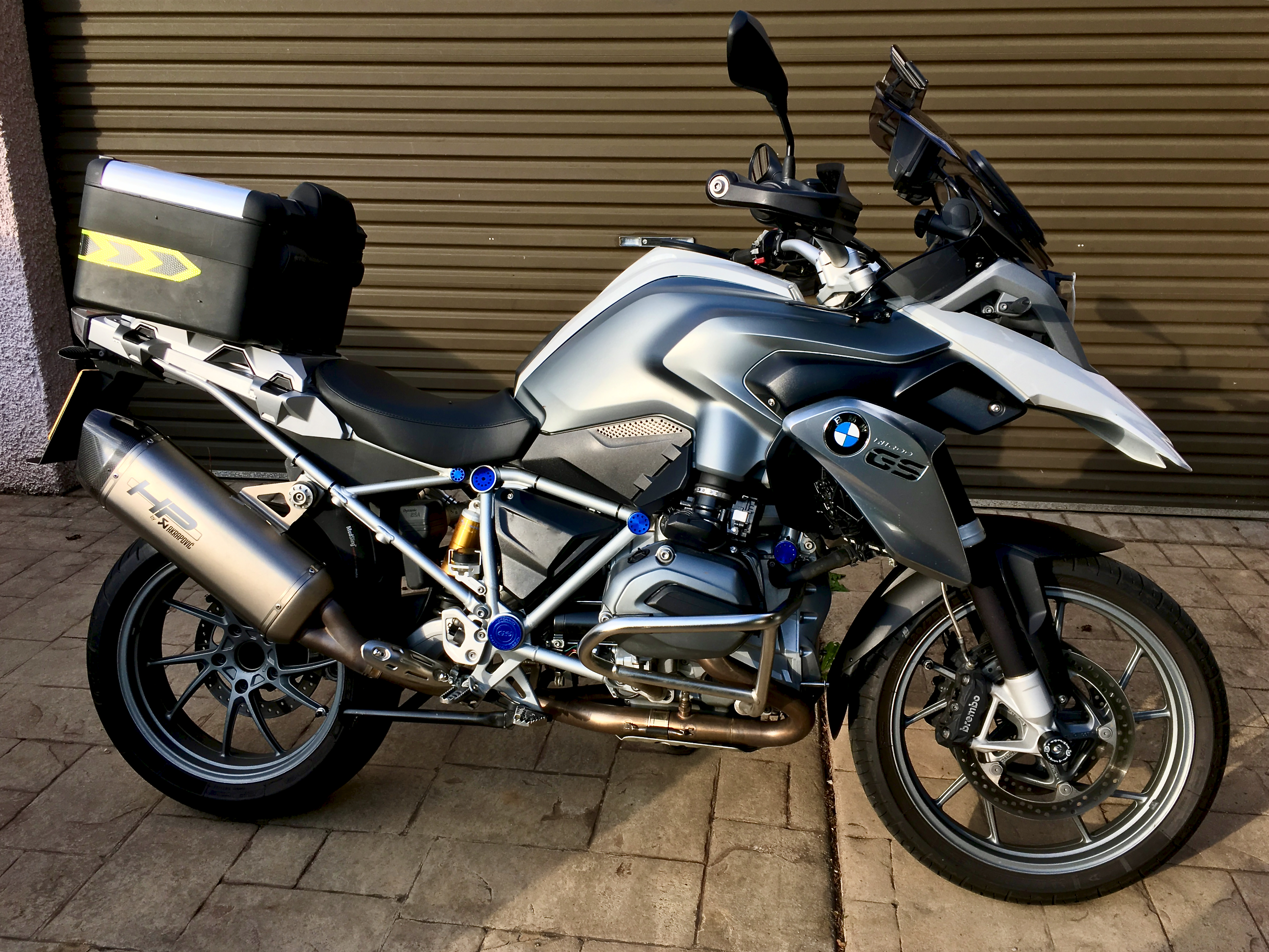
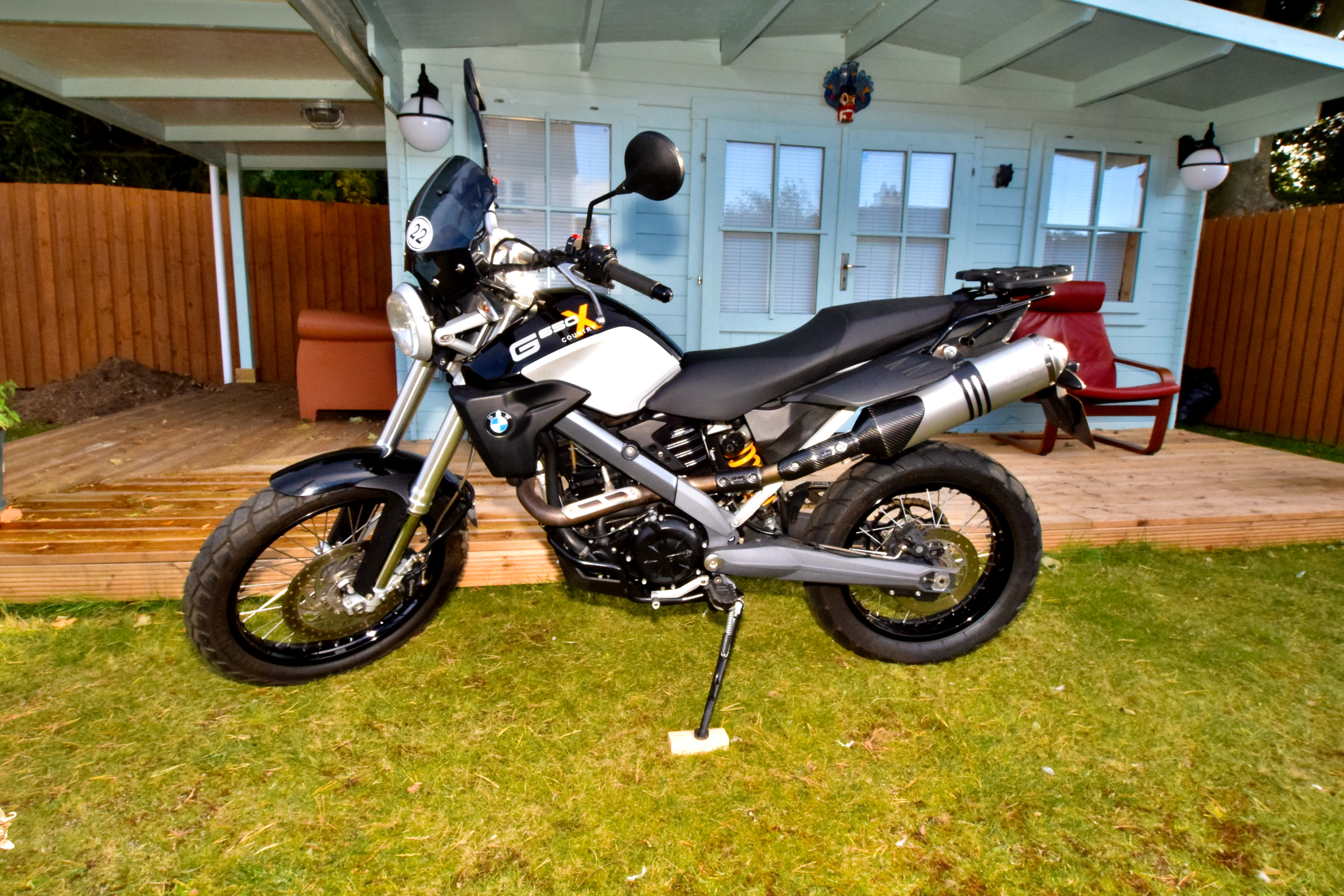
 1 pointNo specific interval for water pump, but always use the correct anti freeze as some pumps will fail with the wrong type on certain models and as said you will soon know when the chain needs to be looked at, my only advice is keep your oil changed every year and only before this if you go over the mileage interval, this keeps the chain and engine parts in in good condition1 point1 pointMy last sentence answers your question as 1. You need to find an oil that meets the appropriate VW group spec, and that's it. SAE grade whatever.1 pointI have a couple of BMW's. A 2013 R1200GS LC TE that I've owned from new. It's got a few mods, including a full Akrapovič exhaust system and a Hilltop ECU flash + some ergonomic mods. I also have a 2008 G650 X-Country which has a cat' delete via a Leo Vince exhaust can and Hilltop ECU flash. It also has one or two other mods, including a fully floating Brembo brake disc on the front.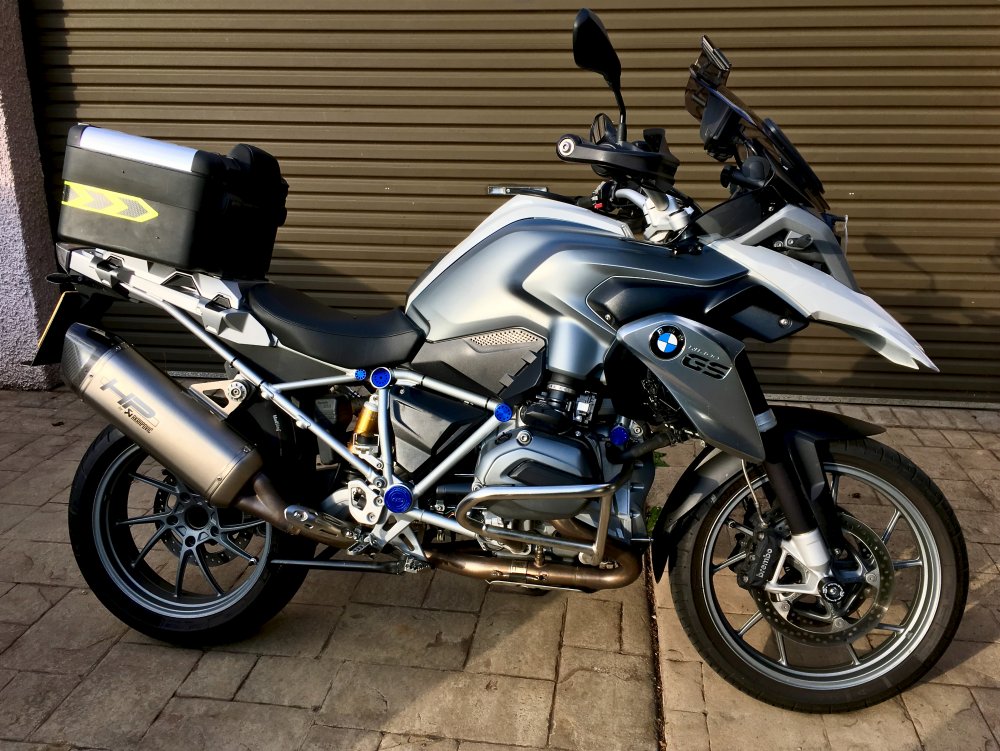
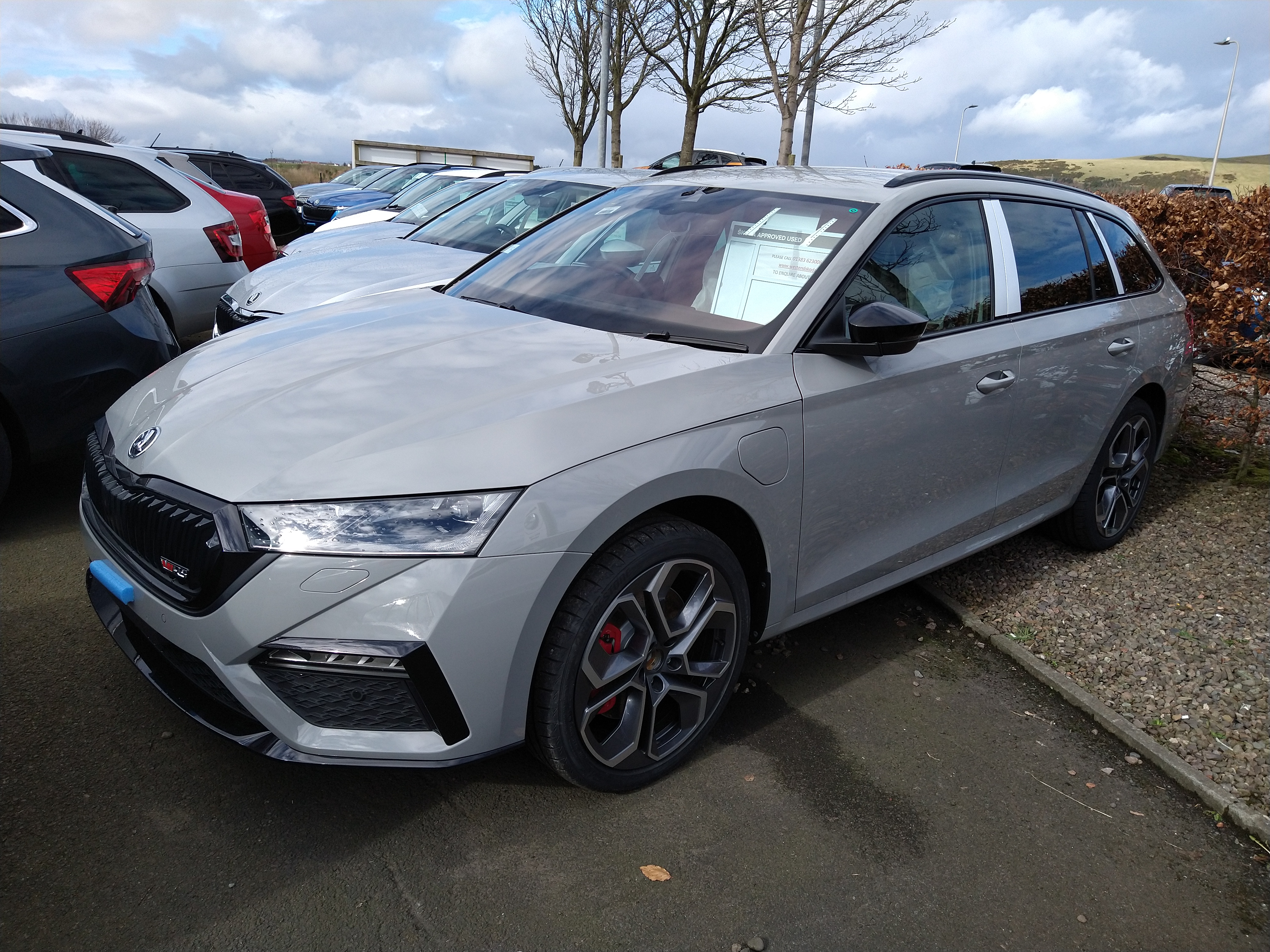
 1 pointIt does use the connection on your phone, it uploads all the backup data somewhere probably to the Skoda account so if you remove and reinstall it all gets reloaded. Ialso think it sends all the data about your car back to VAG, suspect its anonymous but no doubt all that data must tell them something about their engines. I haven't noticed it using massive amount s of data in two weeks it's used 14 mb.1 pointWhy is Shy banned? Or has he fell asleep at the wheel whilst recording his economy?1 pointIt doesn't need anything, the mechanic was 'trying it on' to see if you'd wear it. Avoid.1 point1 pointIntended to take a better pic, but work has got in the way over the last 7 days. Taken the day I picked it up last week, TSI in Meteor.
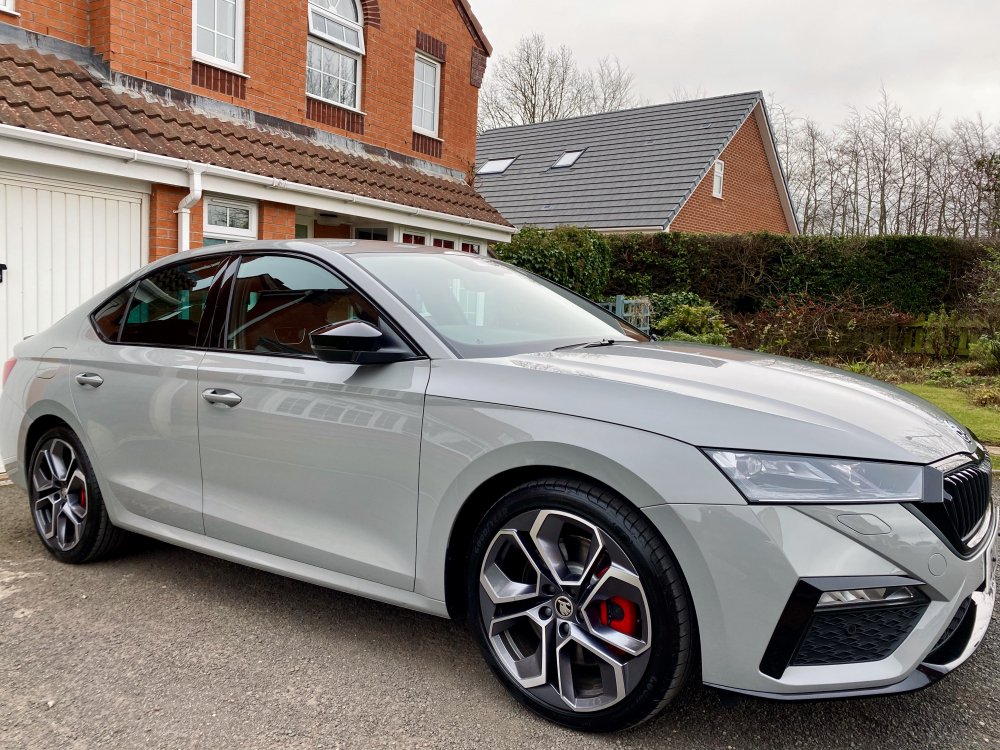 1 pointThere are plenty of nice 2013/2014 cars out there for sale - try to get a high-spec one - Elegance. https://www.autotrader.co.uk/car-search?advertising-location=at_cars&year-from=2013&price-to=7000&postcode=td145js&sort=relevance&price-from=6000&fuel-type=Diesel&include-delivery-option=on&minimum-badge-engine-size=2.0&guid=f19c937c-838c-4f46-85f1-fab0c0bb392e&model=OCTAVIA&page=1&aggregatedTrim=Elegance&radius=1500&make=SKODA&year-to=2014&onesearchad=New&onesearchad=Nearly New&onesearchad=Used#2021022494382041 point1 pointIt's a new 280 hp / 206 kW engine I believe as it now has 400nm of torque between 2000-4950rpm. There's no documentation detailing the exact DSG spec, but I can confirm it is a 7-speed. It seems to be the same gearbox as in my father's 2019 272ps (yes, we now have matching cars! ). There's a small improvement to claimed 0-60mph with it now being 5.2 seconds. Happy to provide any other information people may require on this new UK spec if it's something I can get.1 point1 pointI saw my first M4 in a dealership today (mines in for a big service (2.5 hours to change the spark plugs!). I wasn't allowed to linger or open the doors sadly and it surprised me that it didn't look bigger. It isn't a small thing, but it's a bit more svelte than I thought it would be and the grill really doesn't jump out at you. It was a very dark green colour, sort of dark pearlescent Oxford Green, quite subtle really.1 point1 pointThat does seem logical. If you wanted to prove it you could swap the bearings/hubs and see if the fault swaps sides?1 point1 pointThe standard set up is good for over 300bhp with the std filter in place. There some improvements you can make by removing the snow grate from inside the filter box. Also fit a blanking plate to the inlet to allow extra air into the airbox. You can also fit larger boost pipes from Darkside performance that give 5bhp and allow the engine to breathe easier. As for performance airfilters. They don't work I'm afraid but there are plenty of topics on that on here.1 point1 pointIt can’t have been a back street garage that motability had the gearbox oil service done at, they always use main dealers for any repair work or Kwik fit if it’s a tyre issue.1 pointJoe Achilles big BMW fanboys review of new M3 and he has got one on order,so money where his mouth is.1 point1 pointJust been at the local dealer for a walk around (just outside obviously) hoping to see a car in meteor grey and luckily they have one of the PHEV VRS on the forecourt. I'm surprised how much I liked the meteor grey. It's convinced me it's the colour to go for!
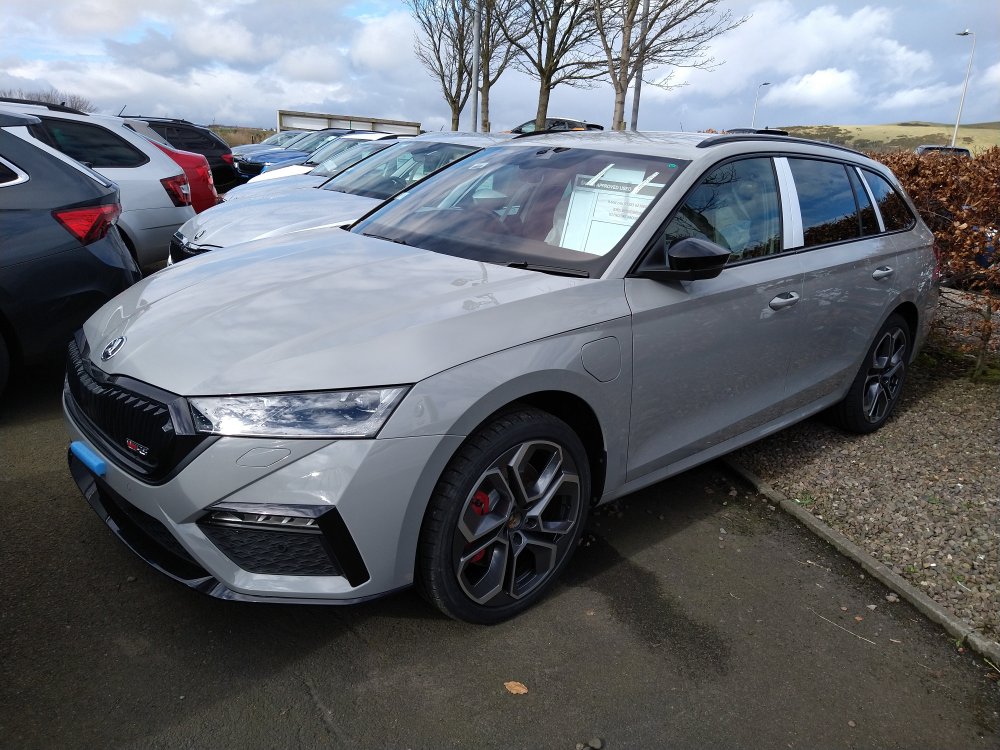 1 point1 pointI think you won't regret the color choice. Topic about the boot covers:
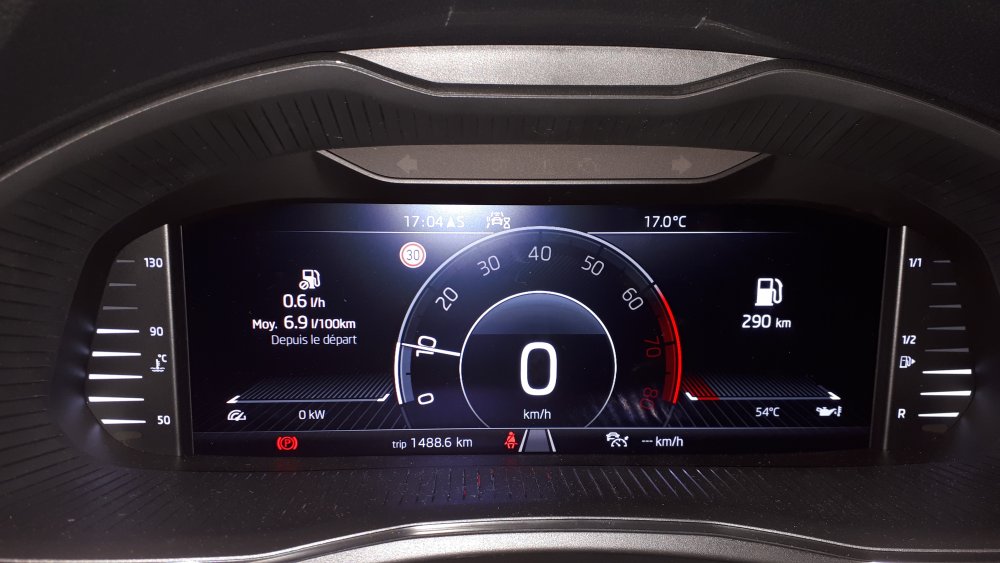
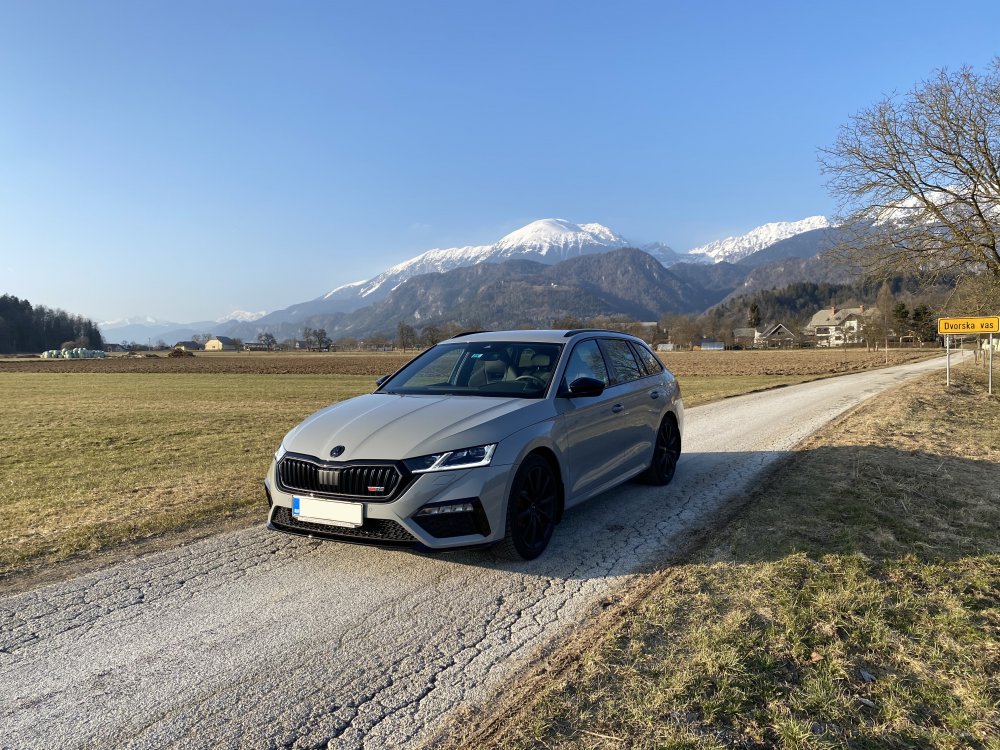 1 point1 point1 pointECU swap is not the same as a tuning box. The former is a straight swap for the factory control unit. The latter is a piggy back unit that alters the signal to the factory system. They have their advantages and some are better than others.1 pointHi everyone. Thanks to this topic and the clues that gave me Chli (by the way, thanks a lot for all the help you provided to me, dude) i finally gor my TSR fixed. It was not an update issue in my case though, but a hard reset of the entire TSR software (it seems the warehouse in Czechia didn't do it the right way). Anyway i can drive now better and safer (lol)😅🤣. Greetings from France
 1 pointthe link is still live guys.... https://mega.nz/#!h1dkiaQZ!yhdd--xrkMGjNMEMslkXjLo4VgNzqtHzG1jumO6PsIU1 point





.thumb.jpg.f83a46b9b3c0d976b9dbffbb523c9874.jpg)





















Important Information
Welcome to BRISKODA. Please note the following important links Terms of Use. We have a comprehensive Privacy Policy. We have placed cookies on your device to help make this website better. You can adjust your cookie settings, otherwise we'll assume you're okay to continue.