



Leaderboard
-
pinkpanther
FREEDOM12Points3,969Posts -

mac11irl
FREEDOM7Points16,806Posts -

Crasher
Members7Points622Posts -
Former
FREEDOMLite4Points8,151Posts




Popular Content
Showing content with the highest reputation on 13/05/23 in Posts
-
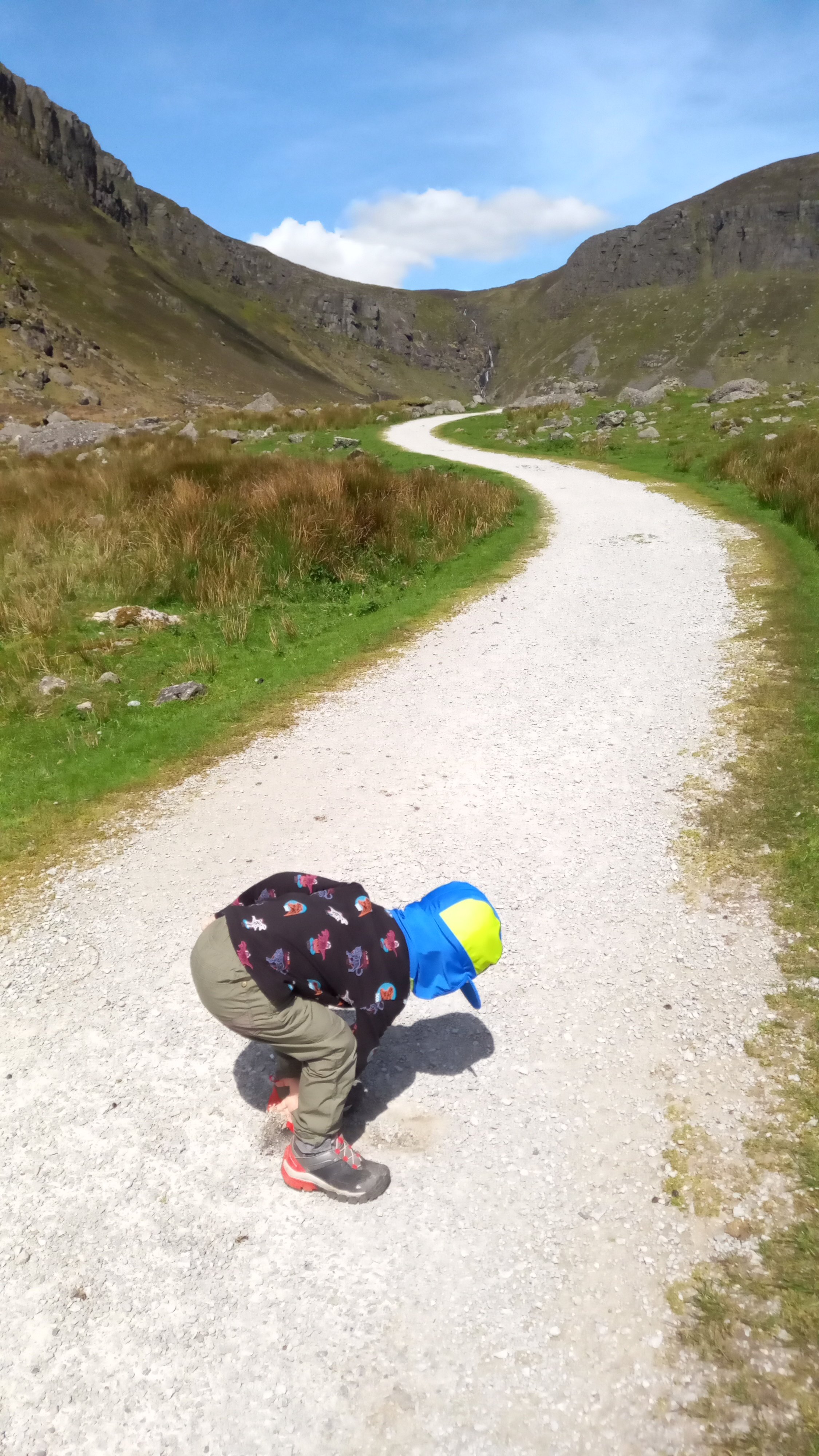
4 pointsup Mahon Falls today with the family... sun shine, knockin about 18-20deg... of course we need to sample to gravel... view up the valley meanwhile last weekend... the men went trailblazing in a new woods wed never gone to before.
.thumb.jpg.4dab68d62b77e5217f1b2331525e7b98.jpg)

 4 points
 -
4 points
-
4 points
-
2 pointsThanks. After watching a few YouTube vids, I was recommended 'Hugin'. I downloaded it and use it. You can create a panorama simply with a few clicks or go deeper with their advanced settings. It can create HDR pics too. https://hugin.sourceforge.io Camera's I use. My phone (Moto G8 Power) and a cheap bridge camera, that is probably, 5 or 10 years old.2 points
-
I know that, I want to know why @skodafabia9000 is soliciting for his private number instead of trying to solve the problem on here in plain sight.2 points
-
UPDATE. So, he was right, there was nowhere near the amount of gas in the system there should’ve been. Noise has gone (yay!) and in now it’s seriously bloody cold! He said that the likes of KF don’t have a clue what they’re doing and invariably have their “automatic” Aircon regas “Dalek” incorrectly setup so it doesn’t fully discharge the system and / or delivers too little gas or both. His “system” was fully manual, so he completely removed the gas and oil, checked the system for leaks and slowly recharged it. He also put in an additive which lubricates the seals and has a die in it so a leak can be identified under UV light. Cost was £130, so yeah, more expensive than KF but it’s fixed. Anyone in interested in his services in Surrey/South London drop me a PM for his details.👍🏻2 points
-
You don’t have drive hard for passive regens to happen. Car needs a steady speed at 1800+ rpm or something like that, fuel above 1/4 tank, coolant above 75 C and driving for longer time in order to allow the exhaust to reach the required temperature(can’t remember how much exactly). Those conditions which are usually met on highway driving. Mine does it at around 45-60 minutes of highway driving. But most of the time car does active regens due to city driving and like @MarkyG82 I’ve never seen the DPF lamp on even though it does regen on every 100-150 miles. Just leave DPF to finish the active regen when possible and change the oil frequently. Don’t think about it much2 points
-
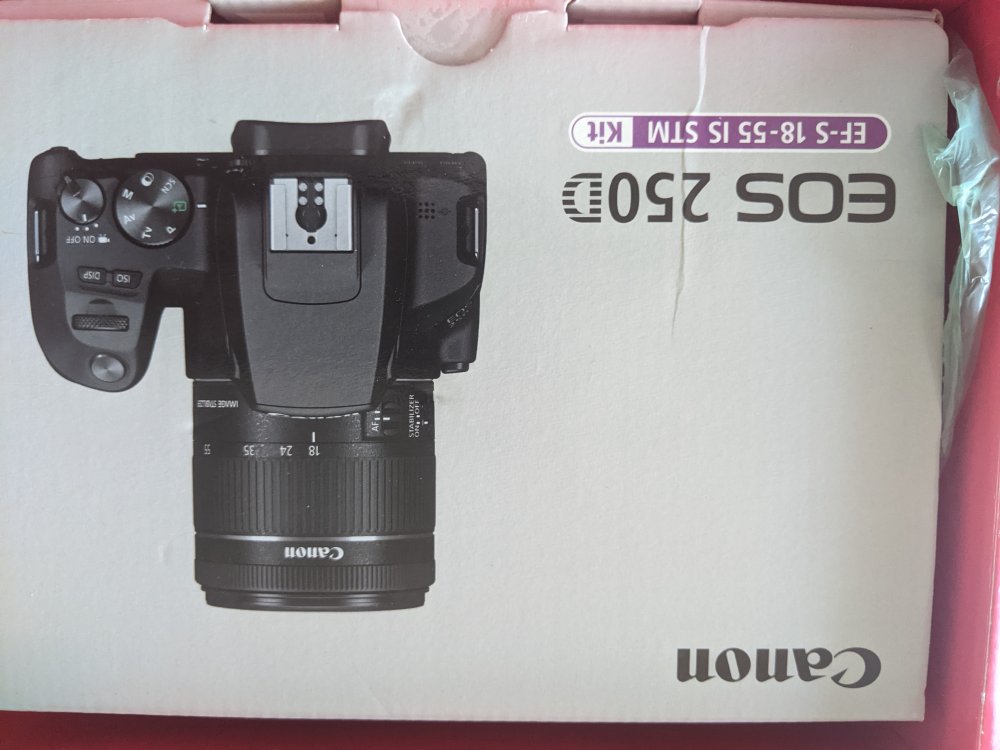
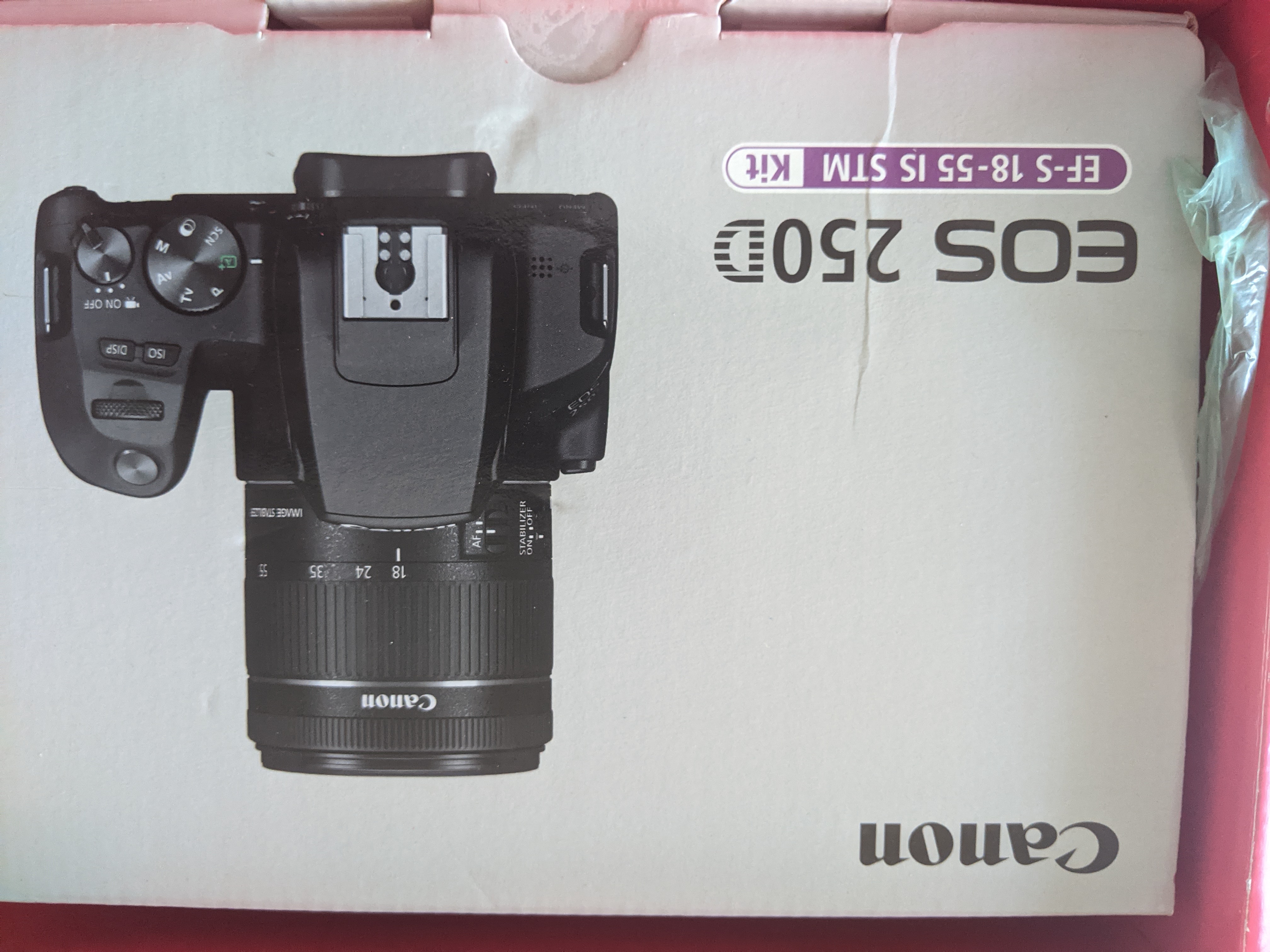
2 pointsSo, this arrived today. It could be a while before I take any pics mind. The manual's like War and Peace. Bluetooth and WiFi successfully paired after not RTFM and blundering away on my own. My pic of the day 😂 span widget
 2 points
 -
Damn! Looking good. Do you or anybody know, if its possible for Octavia NX from 2021?1 point
-
1 point
-
1 pointMissed it out but the engine code is DAJA. Not sure if it’ll have any bearing but it has all extras minus Dynaudio and electronic suspension. Battery is also in the boot/luggage compartment.1 point
-
1 pointI'm not 100% sure of latest specs but the wording on options throught the whole VW group can be pretty confusing at times. Are you sure you've read the pricing correctly? My guess is that if heated front seats were std then the likelyhood is they're still standard, it's just that the heated screen will come as a pack. So when they mention heated seats as part of that pack, you're not paying for an item twice, they mean rear seats. If it was front seats in the pack and they were already std on the car then the pricelist usually quotes two prices for that pack or option - one for the car that doesn't already have part of the pack and another for ones that do. Regarding packs - unfortunately that's the path Skoda have now taken. Seat done away with packs and options three years ago, Audi have been offering packs for years. BMW are another company who've gone down the pack route rather than offer individual options. At least Skoda still offer some options, with most other manufacturers you have to pay many thousands more for the next trim level altogether. You might only want a sunroof but the car that offers this comes with leather and a more powerful engine with 4wd. As for adding a heated screen aftermarket, anything is possible but I strongly suspect the cost will be prohibitive.1 point
-
1 pointPanorama Maker is what ive uswd previously. The older versions were free from memory if you can find a download1 point
-
Try your nearest John Lewis; that's where I got my last coffee maker.1 point
-
1 pointI had a look and mine is only fastened by 1 screw in the side so should be easy to fix if you can find the bit of plastic1 point
-
1 pointMy car was a factory order and arrived as specified - I suspect the majority of cars arriving with the wrong spec were wrongly ordered (by the dealer). Headlight washers just seem to waste washer fluid in my view - certainly no replacement for the wiper and washer system previously fitted to Volvos of old!! I understand the LED headlights on the older Karoq were of the self-leveling variety and I was a little disappointed to find the ones in my car aren't, although on balance they are superior (in terms of light output) to the Xenons in a previous Yeti. No removable torch in the boot seems a little mean too.1 point
-
Some more.
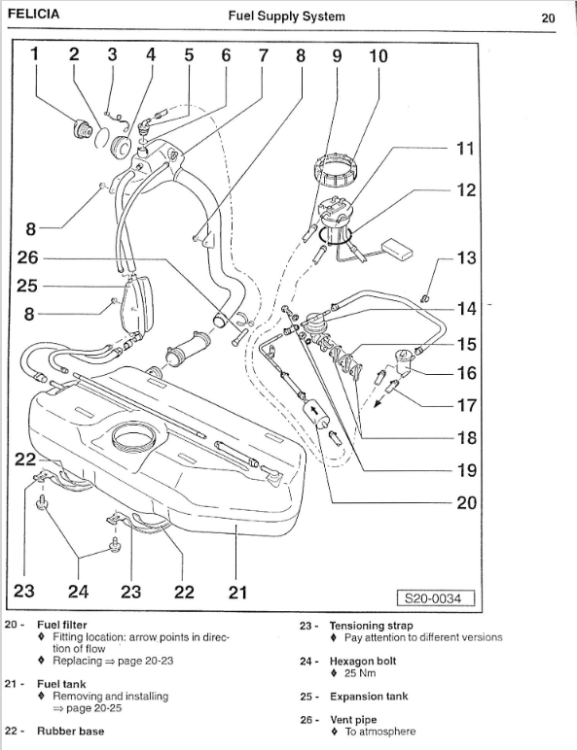
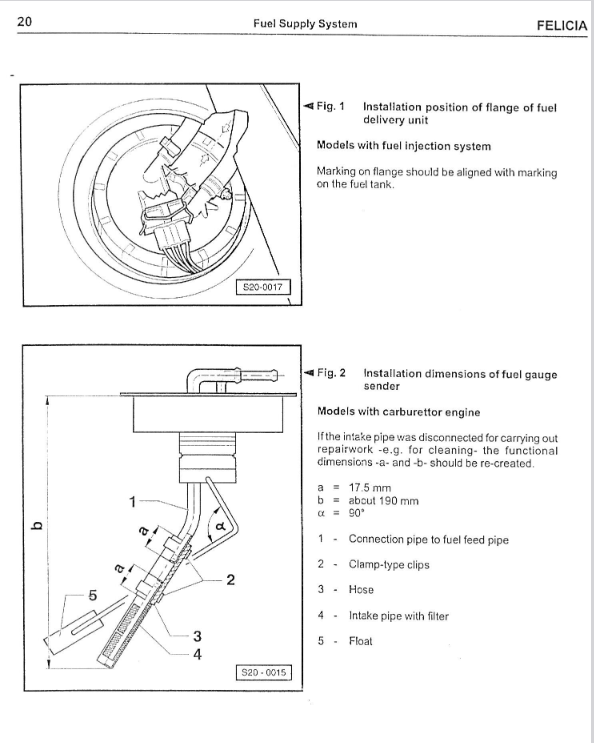
 1 point
 -
Be taking it to retrorides in a few months Debating taking it to the penines next month. Hoping to take the Monte to that if its not broken by then.1 point
-
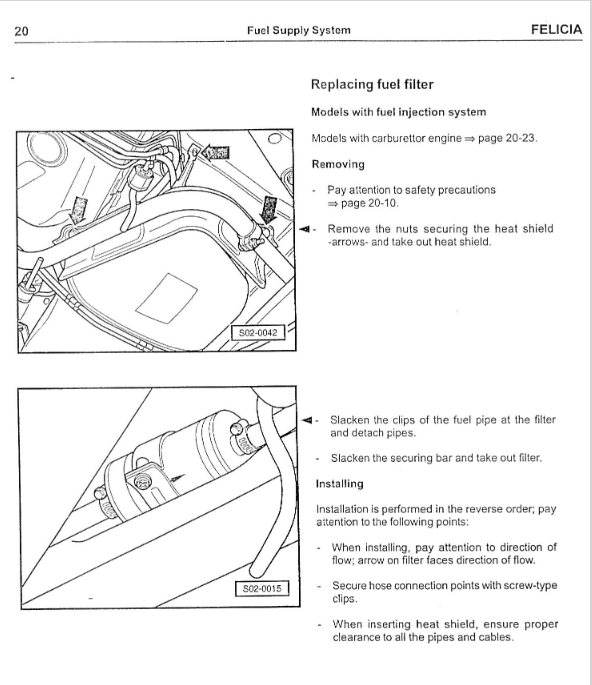
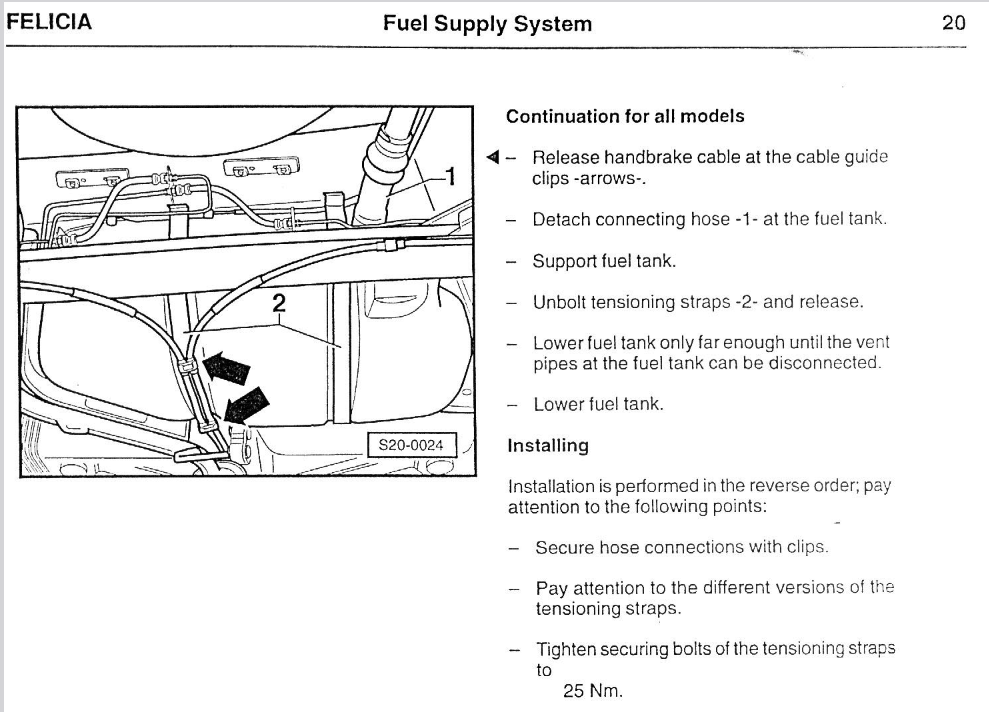
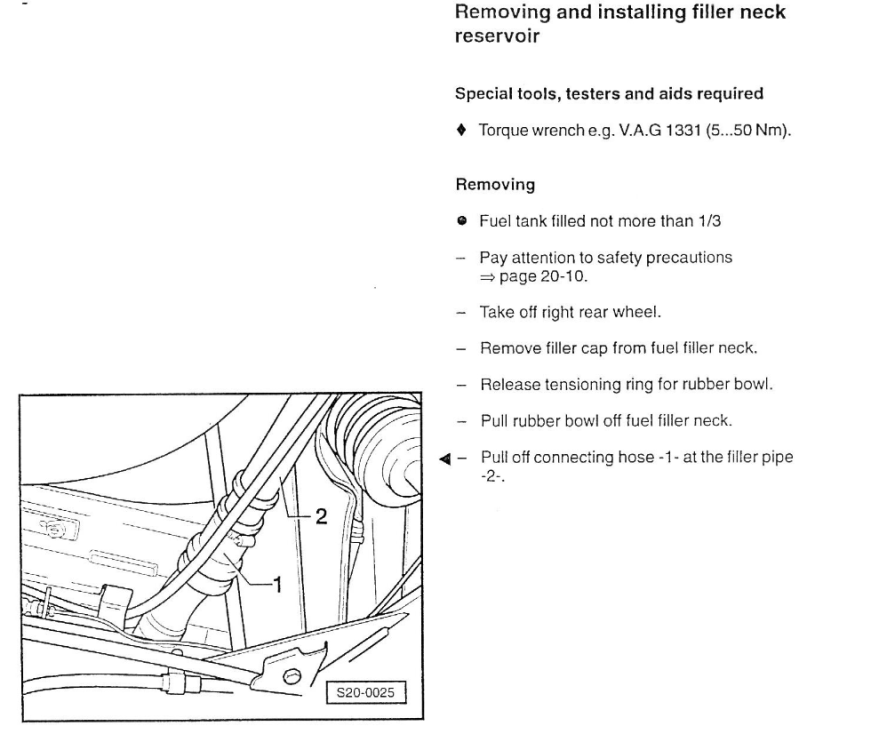
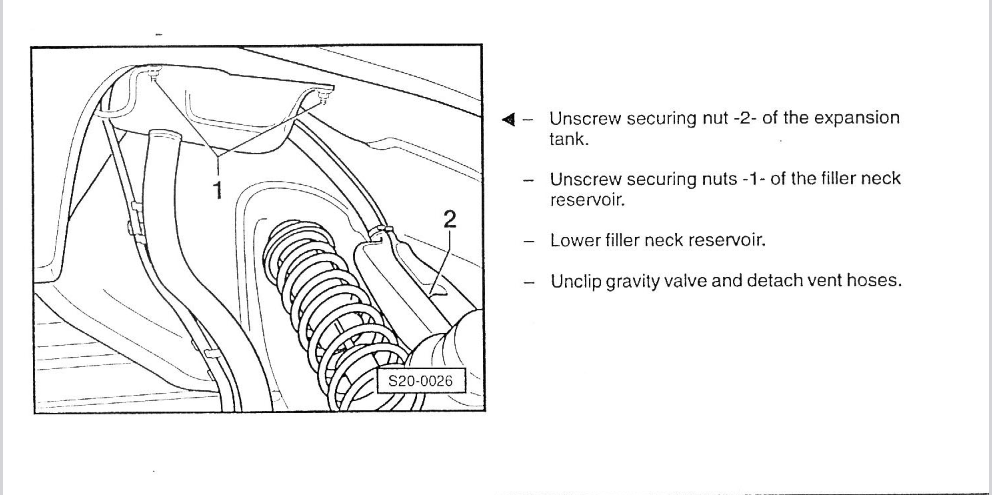
The Haynes is for a driver that just wants to know the basics (of the basics) and do only few things, if you want to go further does not help you. Does these attachments help?
 1 point
 -
Congratulations on this finally being road legal. Is it going to be o'er here anytime soon?1 point
-
1 pointRight so did it all! It's fully working, no error codes. Wanted to share some tips / tricks and what went wrong so it might be useful to someone else. It goes without saying that this is a risky process - only start if you are comfortable with what you are doing, and can fix it (or afford to pay someone to fix it) if you break it. It's also worth noting, I tried to do this myself to save the ~£160 cost of unlocking it at a dealer, but I ended up having to pay £90 for ODBeleven in order to complete the job, so didn't really save that much money in the end. Note that my car is a MY2016 with MIB2 Amundsen. Remember, your car might be different. Step 1 - Research The first thing I did was read as much as I could, watched as many videos as I could, to make sure I knew as much as possible what I was doing before I started fiddling with anything. Step 2 - Update firmware Before doing anything else I wanted to update to the latest firmware for my unit - in this case I was running 0241 but the latest is 0253. Thanks to @varooom I got the latest firmware for my unit. I simply put this on an SD card, put it into the unit in the glovebox in place of the nav card, and ran the firmware update process on the MIB (press & hold MENU, then navigate the options - pretty straightforward). Step 3 - Unlock "Green Engineering Menu" / GEM I have a basic ELM327 OBDII-bluetooth adapter, and Carista - so I unlocked the green developer menu using that. In the Carista options, it said it was for "Discover Pro" only (which I think is VW's equivalent of the higher end Columbus) but it worked anyway. This video might help you understand how to do it, although it's based on OBDeleven, not Carista: Step 4 - Load the "MIB toolbox" This is pretty much the same as updating the firmware, but instead you need to load on this software https://github.com/olli991/mib-std2-pq-zr-toolbox/releases/tag/v1.2.1 . I encourage you to read the readme on https://github.com/olli991/mib-std2-pq-zr-toolbox - for my version of the firmware (02xx) it was necessary to copy some files around, before putting them on the SD card and doing the firmware update process. Check out this video: Step 5 - Unlock Smart Link Next, use the toolbox software to unlock Smart Link. Here's a video that explains it better than I could: Step 6 - Dispare At this point, from everything I read it was supposed to work. I had Smart Link in the menu, and it no longer told me to contact a dealer - but I couldn't get it to connect to my phone, no matter what I tried. A bit confused I had to do a lot of research. It turns out I had 2 new problems I needed to fix: 1) Turns out there is an extra step to code the stereo to activate Android Auto & Apple Carplay 2) An error code - now the car is running updated firmware, it throws an error code as the version doesn't match what it thinks it should be running I was trying to get away doing this without OBDeleven or VCDS, but turns out these last 2 steps are impossible without one of those tools. So I ended up buying the OBDeleven Pro Pack for circa £90 from their website (it's 30 cheaper than Amazon). Step 7 - Activate Android Auto & Apple Carplay This video explains what you have to do in VCDS or OBDeleven to enable these options: Step 8 - Remove the fault code logged in the stereo There was a permanent fault code logged in the stereo as the stereo was running a newer firmware and something didn't like it. Another video to help fix this: Step 9 - Android Auto And voila! It works! Hope this is helpful. I wouldn't have been able to do this without firmware from @varooom, the fantastic MIB toolbox or the excellent videos by mr-fix on Youtube.1 point
-
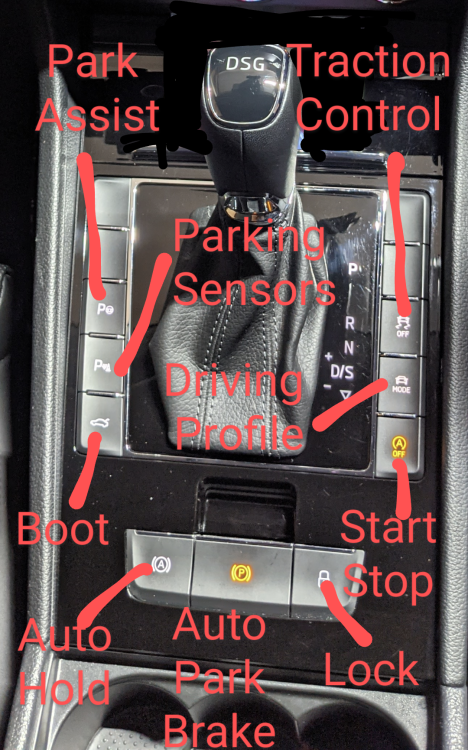
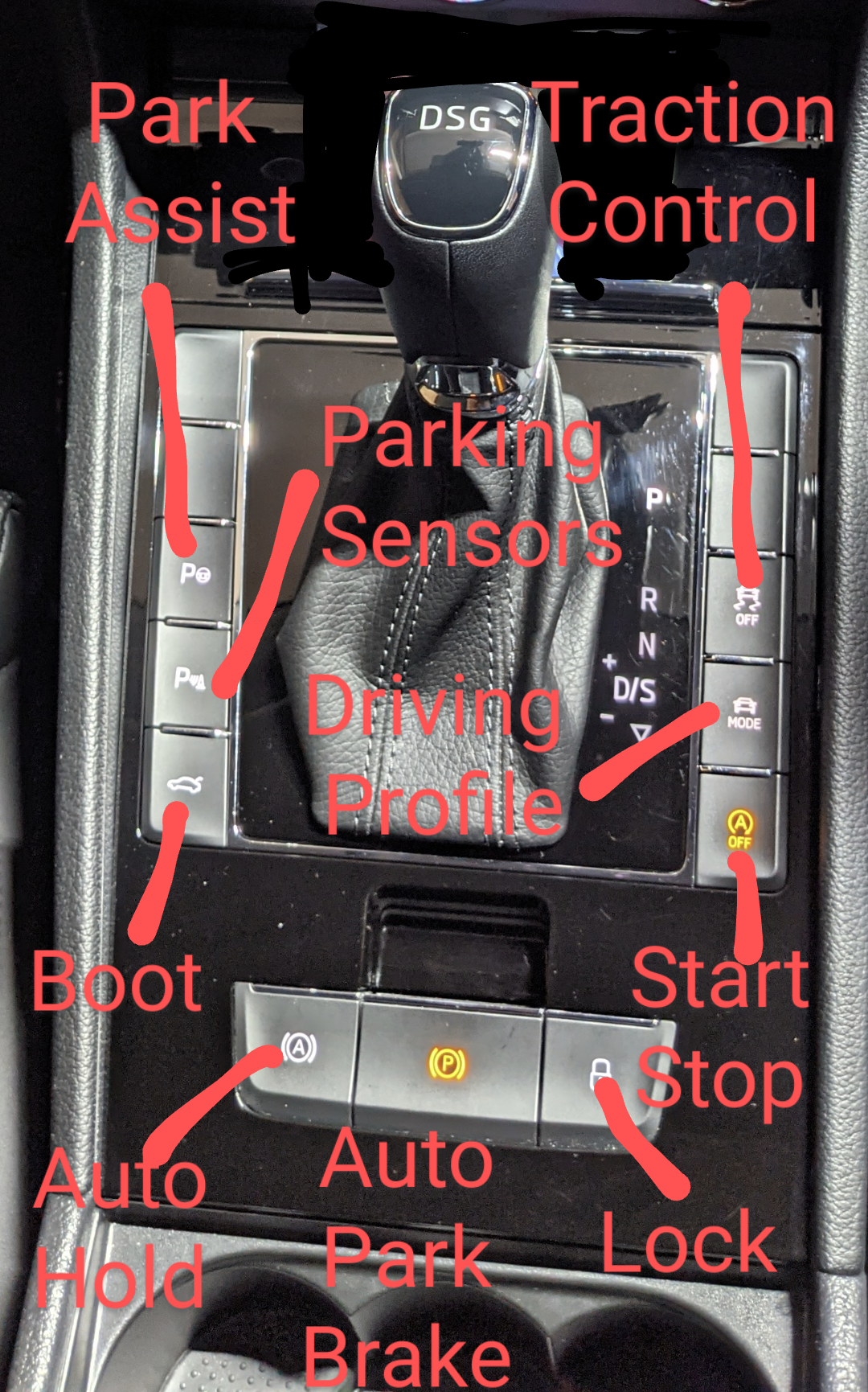
1 pointMake sure Auto Hold is enabled. Button is on the centre console.
 1 point
 -
Thing is the engine isn't really serviced at these oil changes and inspection services let alone servicing the whole car so I doubt many places look at an engine air filter if they're not scheduled to change it, I might be wrong about this I'll have to have a look at the lie tick sheets for my wife's car to check. I think it's ridiculous to leave it 6-years/60k-miles before changing the engine air filter but these German engineers must know what they're doing as German engineering is so good. My wife's filter was changed with changing the spark plugs which makes sense given the design of the air filter airbox removal and additional fun of the what's involved with the plugs.1 point
-
Just thought another alternative is for us to register “interest” in a second hand car at a dealer Go for a test drive but say “it’s got a problem with the TMC not working, if you can get it fixed let me know” 😀1 point
-
1 pointShirley I have to decide on the shape first? Round seems quite fashionable these days. 😀1 point
-
That could be for many reasons which is why it's best to be methodical and start with the basics and at the start of the basics. If you want to improve this you could consider how old the petrol is, whether it is E10 or E5, or if the previous owner used any additives. Then have a look (replace) the engine air filter and clean the housing on the inside and inside of all hoses/trunking to/from it it if required. Taking the air filter out IIRC and you should be able to see if the carb plate is in a right state or not or any blockages from storage or static lack of use of the car. TBH I'd not bother with the grille lights I've never found front spots or fog lights to be of much use. Brings me on to another thing I'd forgot, I always advise that you don't think about dealing with cosmetic changes or upgrades or improvements (unless the item needs to be replaced anyway) until at least 12 months of year round use of the car on reasonable length journeys through the range of driving environments and conditions. Otherwise you could be spending money on items that might be needed for more pressing and important items in the future plus as I put until you have fully driven the car in various circumstances you wont know what the car really needs and what you want with the car or what you get used to. What you think you want when first getting the car may change or disappear with using the car. Plus many improvements and upgrades can turn out to be the opposite or not the most effective way to make the upgrades or improvements you may want. A good battery in good condition and state of charge is always good but can be very necessary if you have electrical or starting issues as a good battery will help with diagnosing and sorting the issue whereas a poor and/or low battery will hinder and even perhaps cover what the actual cause is or that the issue has been resolved and the battery is now the issue. Good tyres can be a big improvement and upgrade for braking, steering, road holding ride comfort and noise. Memory is a funny thing, I remembered my Rapid as having a very variable wiper settings on the intermittent but when I looked at a Rapid at the NEC Classic Motor Show the three(?) switches weren't there. Has yours got the radio aerial in the rear window? Check you oil for coolant, and if you find it necessary after driving the car perhaps get a tester pipe kit as I remember head gasket failures weren't uncommon.1 point
-
Did your latest refiller do a test with pressurised dry nitrogen gas? Any written evidence of? Should have, since there was knowledge of a recent refill. Vacuum hold test not as good.1 point
-
1 pointLol what's chav about wanting better visibility and lighting that does not blow like the conventional filament bulbs seems like I've upset the secret clan by daring to call out the grand pubar of this little bromance site.1 point
-
Sounds like only the passage of time will help you realise I'm right. Good luck.1 point
-
Good to know thank you! 👍 I am hesitant to drive it again to be honest, don’t want to to do any more damage. I’ll report back in a few days once I’ve got a verdict and costs for anyone else who gets this.1 point
-
very fair point! as they say assumptions are the mother of all f**k ups. will call the garage on Monday to get it back in and looked at again. I have breakdown cover, is it worth getting a tow back there?1 point
-
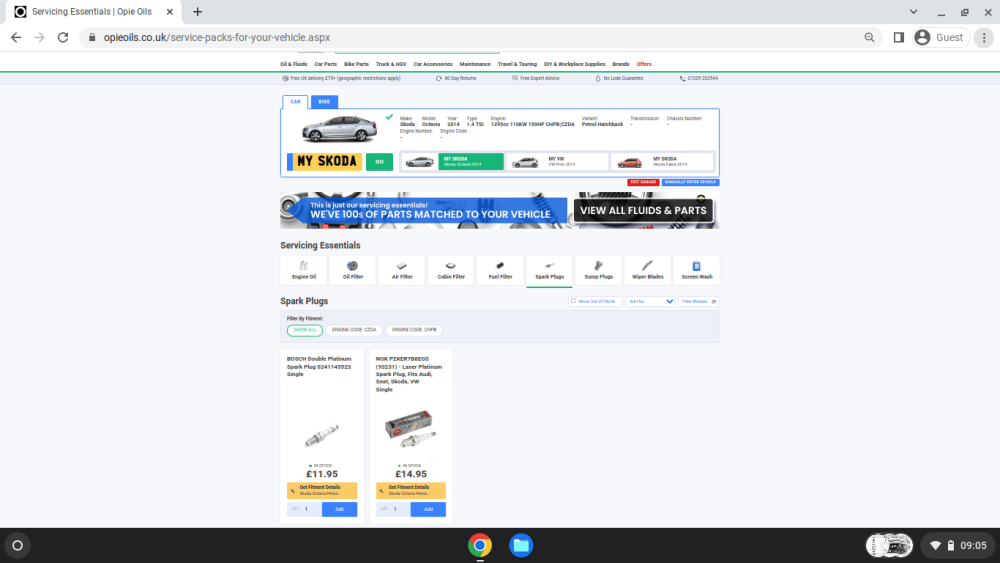
Assume nothing. You have the EPC light, you could have had the Exhaust Emissions light as well, or Limp Mode. Do not assume because the plugs come Pre-gapped that they checked the gap anyway. Or never knocked a plug putting one in. Or that they actually do have the correct plugs. But likely it is the coils, or one. Even just a breather pipe not back on correctly or any of the other things that get coc-ked up at a simple replacing of spark plugs. 'We do them every day, we can do them with our eyes shut, this is our profession'.
 1 point
 -
The thieving b#@@!!5ds. It's not enough to take the car but drive it to trash it,. That hole in sump is a big worry like you say. The mfd will have reported no oil pressure and oil level low and stop immediately but did they, and what damage has ensued? Awful... The bonnet is a faff. Like the doors, but maybe less so, can you find a good vag auto locksmith who may know a few tricks for door ingress? Which would then solve the bonnet issue. But I understand your concern on splashing cash now, knowing what you know. Search broken bonnet cable octavia mk3 either inside briskoda or Google and see what you can find. If no help try a similar mqb platform car like golf. I'll see if I can find something.1 point
-
1 point
-
I find it difficult to believe it is possible in the UK driving environment. An active regen generates very high temperatures (400+ degrees) to burn off the collected carbon. Might be possible at Autobahn speeds or towing a heavy trailer/caravan up a long steep hill but otherwise modern vehicles use a fraction of their available power to maintain motorway speed limits so exhaust temperatures would never get hot enough. My personal opinion is that long runs enable low soot generation so what is thought of as a passive regen is just enabling extended periods between real regens. I will be quite happy to be proved wrong1 point
-
I'd say a tapping noise on first starting for the day is either a slightly crudded up hydraulic tappet or more likely a touch of piston slap until warmed up. I had a Passat diesel with a dodgy tappet - I found using Wynn's engine flush helped. However my Octavia 1.416v petrol had a knock/tap on first starting that quietened down after a few minutes - piston slap. It did it from near new until we sold it 19 years later and never got any worse.1 point
-
I ordered a soon to be instock lease Scala(standard factory blue 110 se) 3/3 , confirmed built and on its way to port 18/4 , arrived in uk port 25/4 and only just arrived at dealership. Hopefully with me soon!1 point
-
I’m having a call with a Skoda executive on Monday about something else but I’ll mention this too and see what they say1 point
-
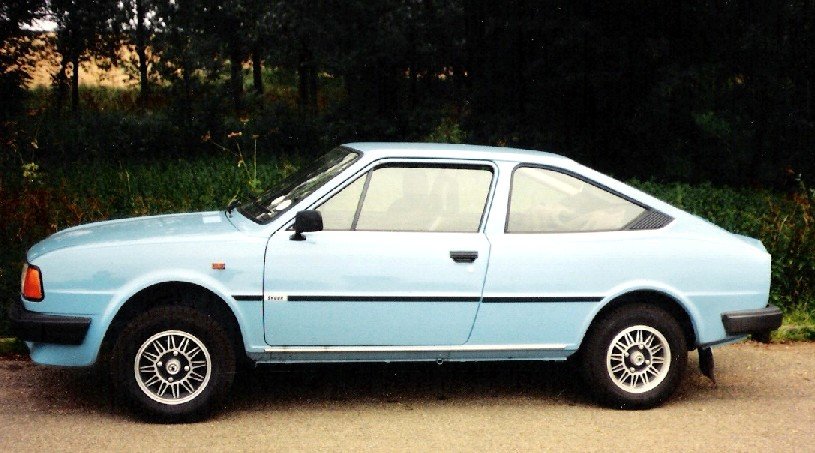
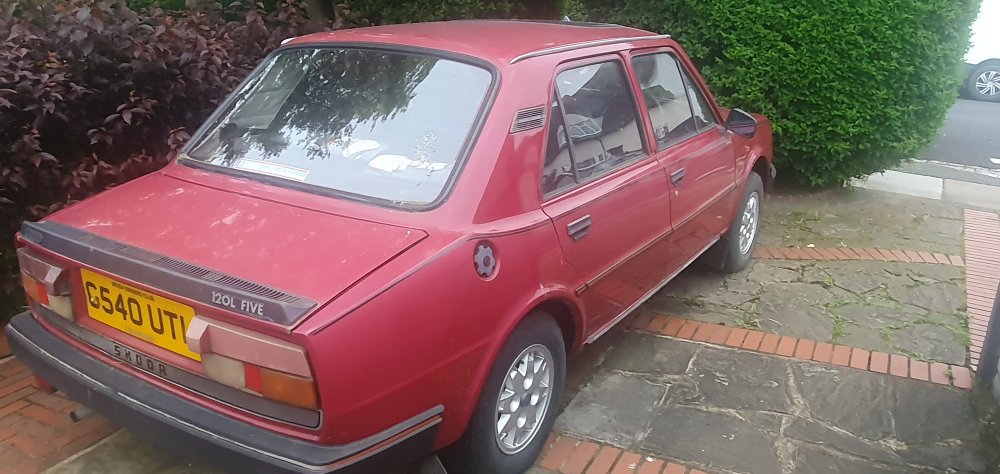
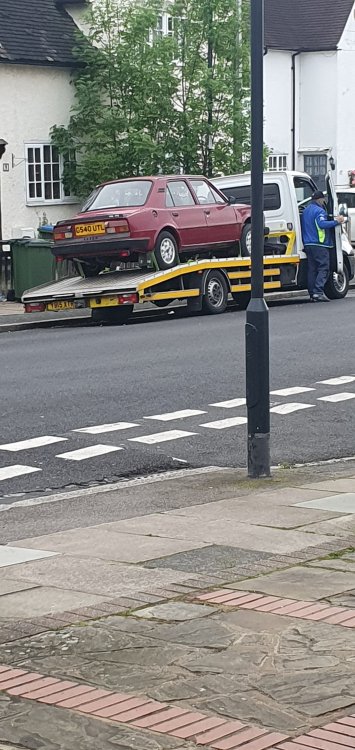
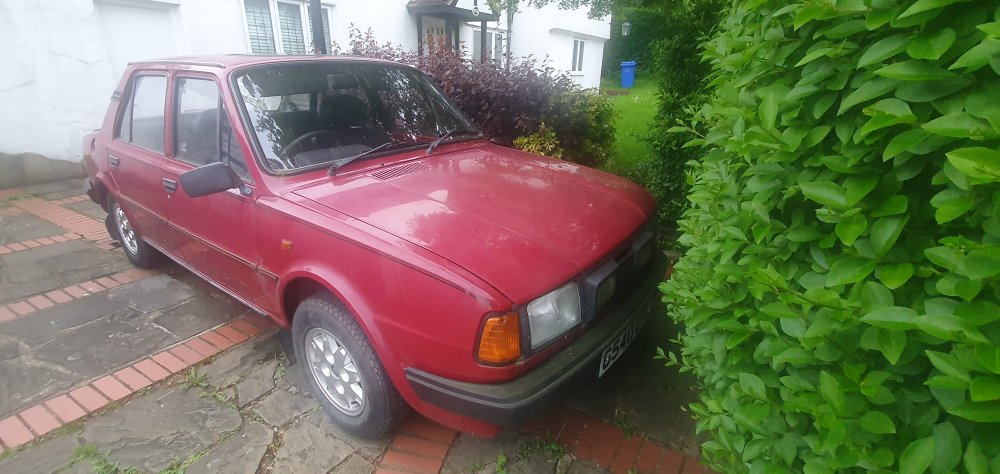
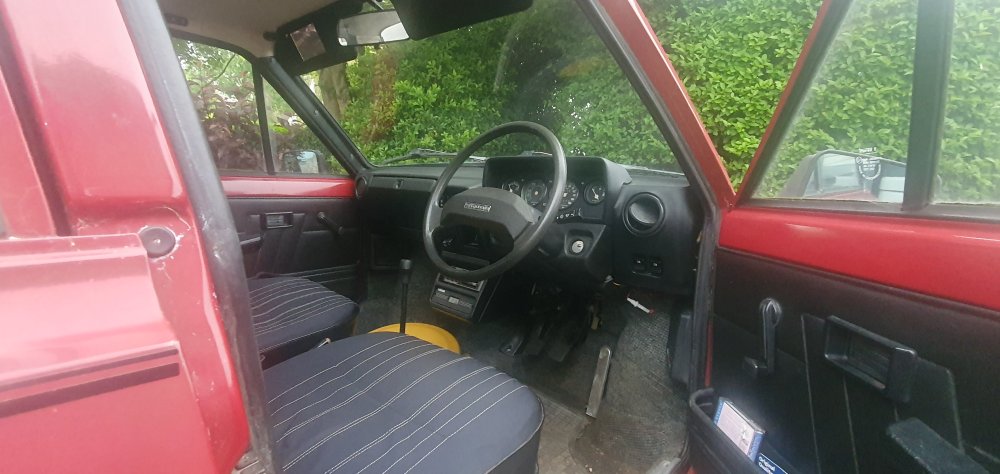
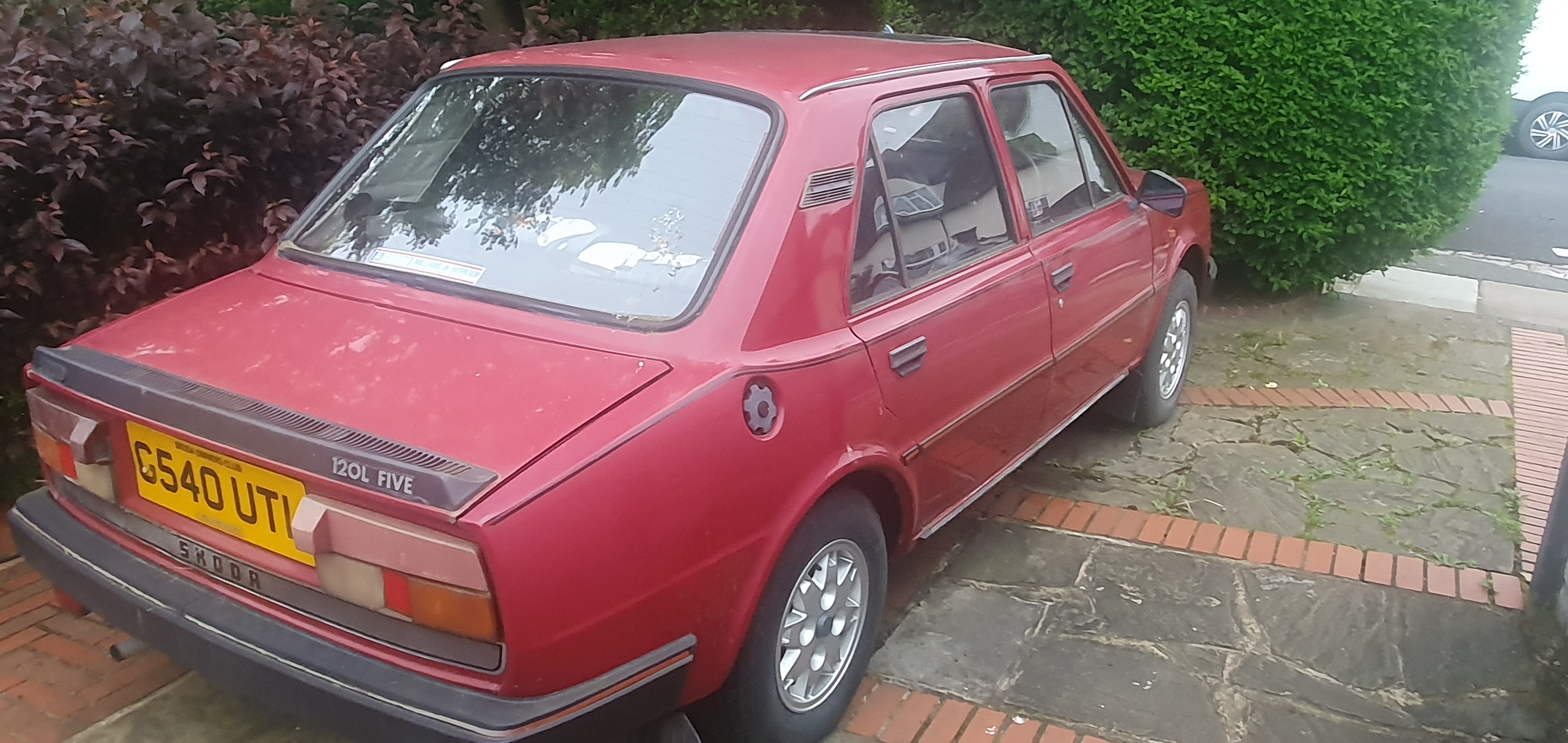
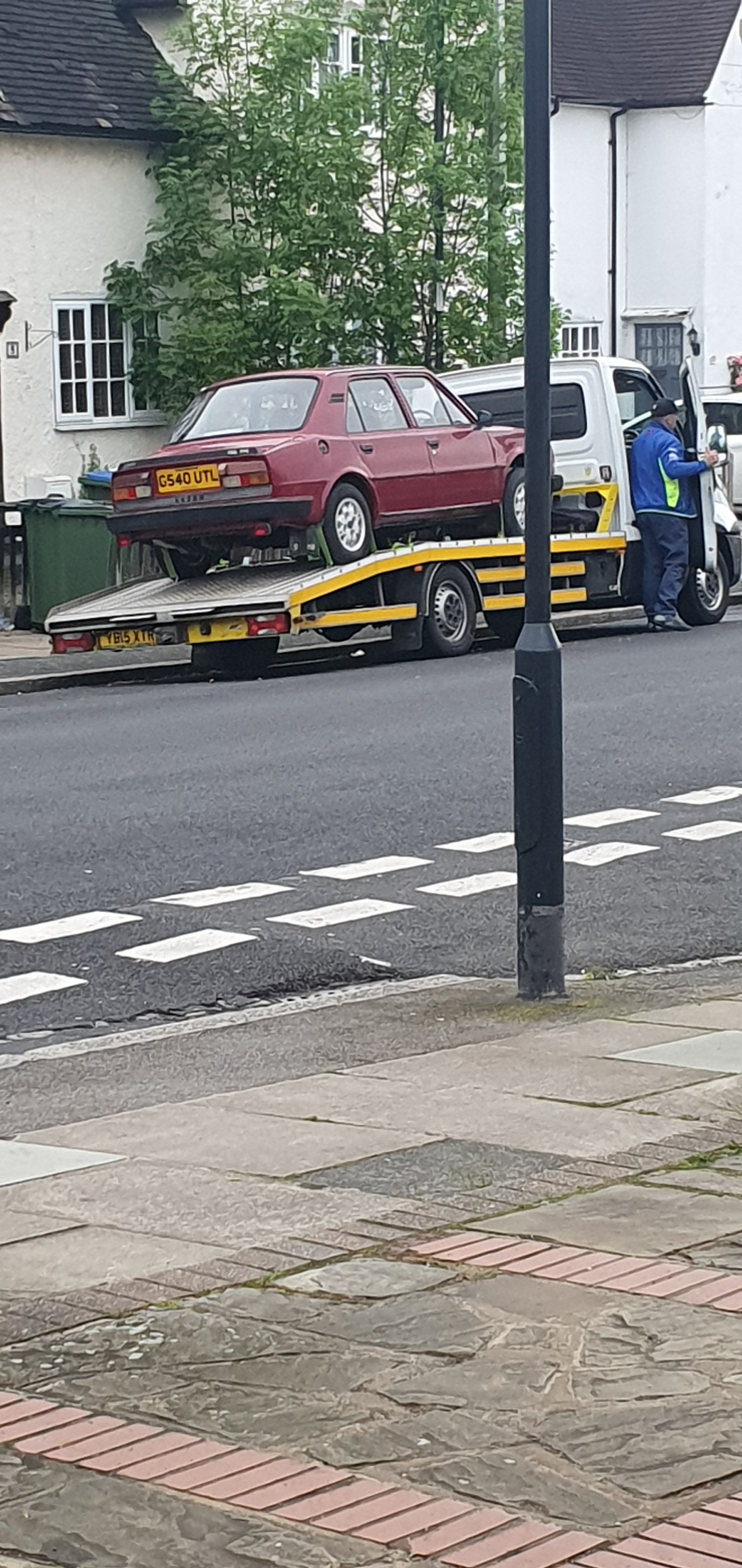
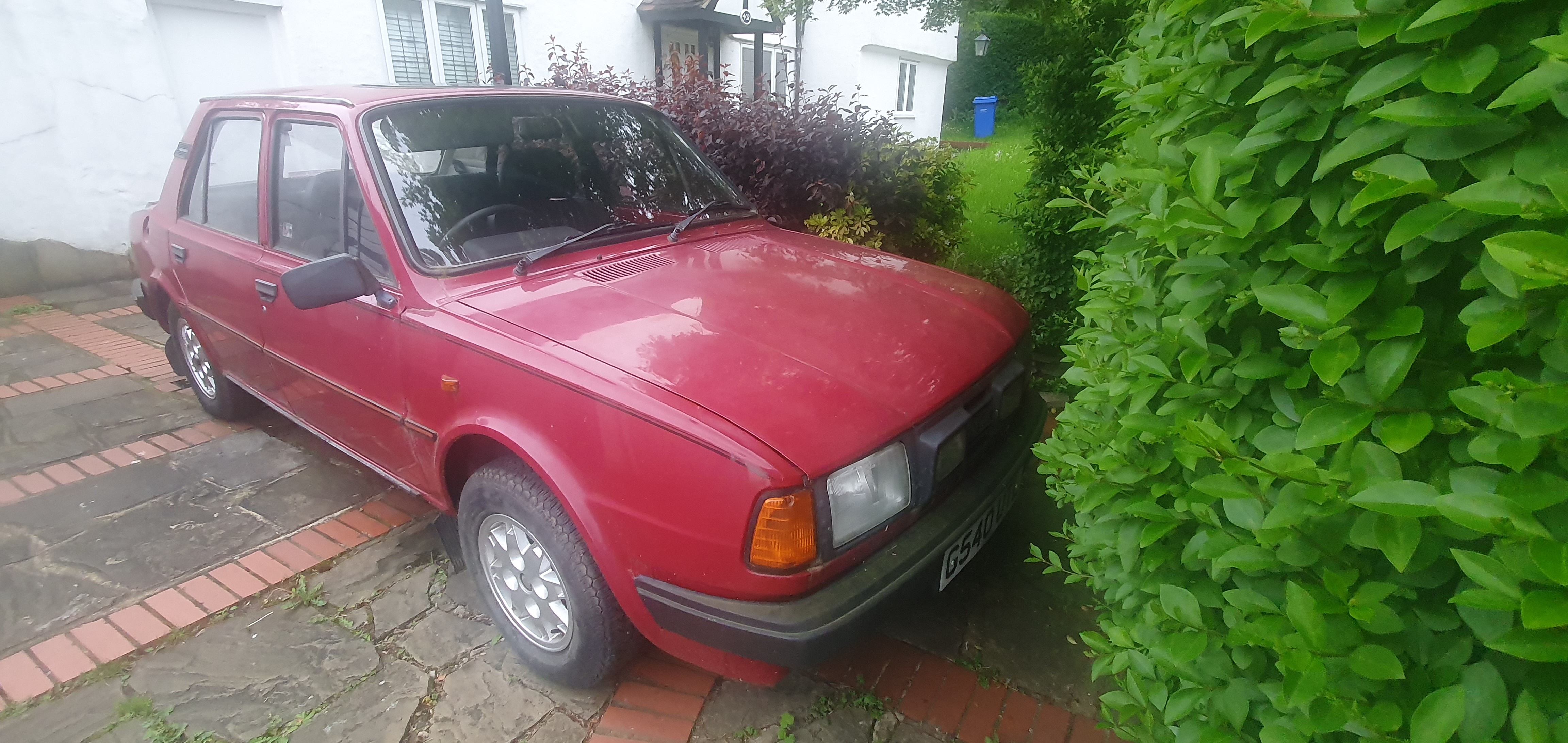
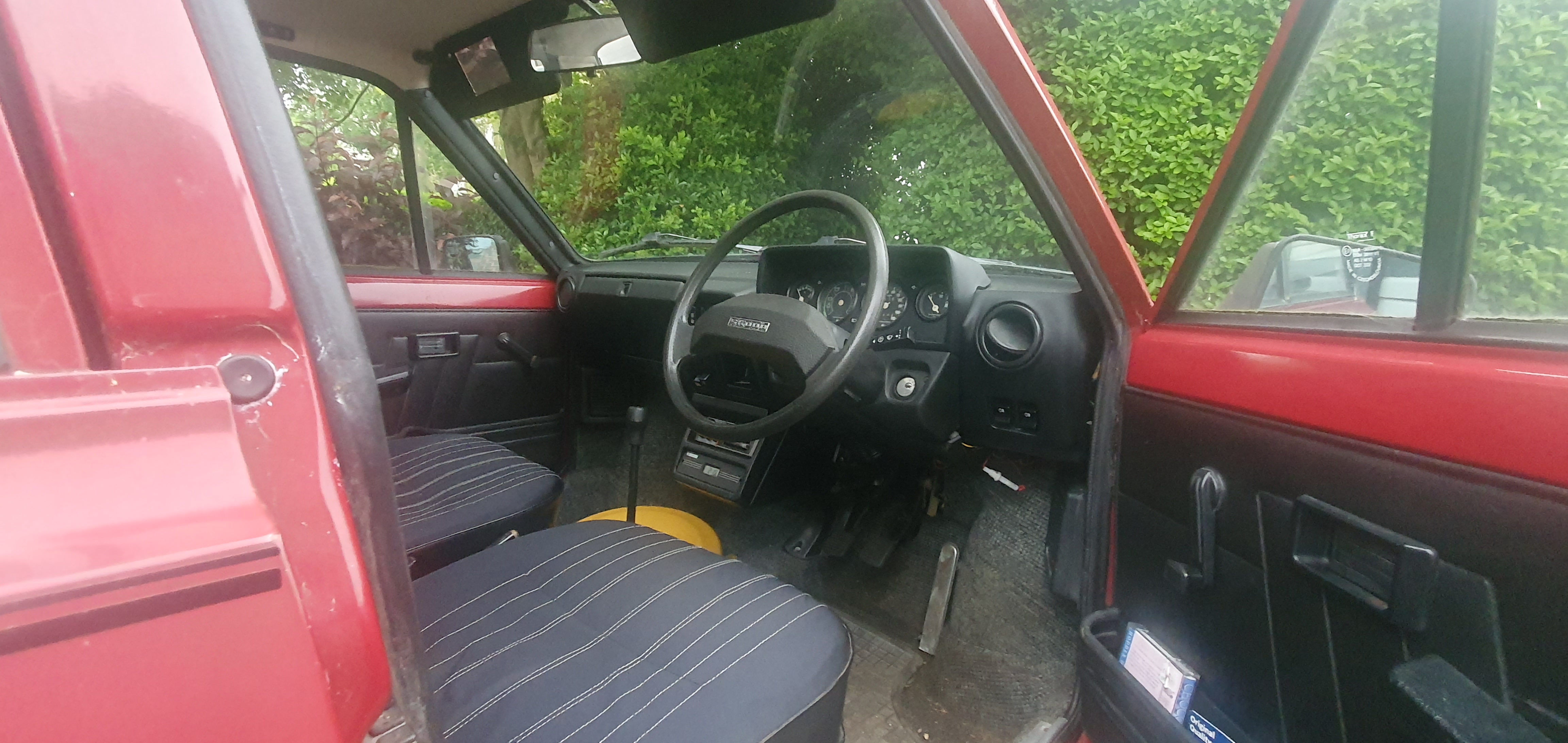
well its finally here! looking a bit sorry for itself paint wise but I think it will clean up well. Minimal rust spotted so far. It runs like crap though so thats job number one. I think it's likely carb related given its not been driven for couple of years so maybe needs a clean and fresh fuel
 1 point
 -
1 pointVery many thanks for this Carlston. I'm definitely not going to fit 16 inch (or larger) wheels - it's what SWMBO's car has got. If 185/60R15 fitted to a 6Jx15 ET38 5/100 57.1 steel rim is 'standard' then that's what we'll go for. However, I was thinking of not fitting wheel trims... any comments on that last point anyone?1 point
-
1 pointSure the chip is for the immobiliser and not the alarm, so turning the ignition on will light the dash up and will probably start it for 2 seconds before immobiliser kicks in shutting it down.1 point
-
I have the same noise. I don't know what it is, but I think it's something registering or initialising or resetting. Maybe the climatronic? I've got used to it, and it doesn't seem to have ever got worse. Maybe someone more experienced can enlighten us.1 point
-
1 point1.2 DSi is Dual Spark Ignition (two spark plugs per cylinder with the spark timing adjusted by the ECU). It is a petrol engine, not a diesel. I have never ever owned a diesel car Regarding engine oil. I always buy quality oil and change it at the engine manufacturers stated intervals or annually, whatever comes first. At my current mileage I will be changing my engine oil at around 1.000 miles!1 point
-
Hi @MB21 Mine's not booked in until the 23rd so no updates on my front I'm afraid Appreciate that @toot's questions were directed to you but in the interest of sharing info: - My car has done 22,000 miles, and I've had every service done at my main Skoda dealer where I bought the car from and have had whatever's recommended done at each service interval - My cam belt was done at the same time as my 5 year service and MOT, where I also had brake fluid change, coolant change, air-con service - my spark plugs were replaced last year - Car got the usual Skoda health check done at the same time as the service and everything was marked as green aside from a corroded exhaust clamp which I had replaced at the same time as all the other work Given that the car was running perfect prior to the service, MOT and cambelt and immediately had noticeable vibration at 1200 revs (and I think it's vibrating between 1000 and 2000 revs but it's much more subtle than what happens at 1200 revs!) post the work, my immediate thoughts are that there must be something slightly off on the timing per @ApertureS's comments or generally related to the cambelt change so it's interesting that your garage thinks it's not that. I was discussing the issue with some of my work colleagues who work on their own cars and their opinion (for what it's worth) is that it definitely sounds like the timing is off and that if the timing is only off by a few degrees then it wouldn't necessarily show up in a diagnostic or trigger the EML to come on. Best guess is that my car has done about 90 miles since the work was done and at this time it hasn't gotten any better or worse and the EML hasn't come on Seems extraordinarily unlikely that three of us with the same engine have all encountered an identical issue post a cambelt change and it's related to something other than the cambelt change.... Please keep us posted with what your garage is able to find and (fingers crossed!) how they fix the issue so I can pass the info on to my garage when I take mine in!1 point
-
1 point1 point1 pointHi @theandywaite The latest official SW for that unit is sw253, and the options for enabling the unit are either that way or via unlock code (approx £100 from dealer) You need to make sure the unit supports Android auto first however otherwise you won't be able to activate it1 point1 pointTry cleaning the bulb, bulb holder and wires connection plugs with electrical contact cleaner and a brush and see how that goes.1 pointIt depends which MY your Superb is, from the facelift model (2019 on) the keys have a movement sensor which stops transmitting any signal when it's not being moved.1 point1 pointi have the same kit and its awesome (especially how the pipe work runs over gearbox rather than the engine and i too went black on black) , very impressed with it , i have some spare mods if needed left over from my recent turbo swap too and an abundance of spares should anything be require 😛1 pointThe genuine motor for the combi is 5F4 955 711 A and costs £203.04 from any Skoda dealer. The only aftermarket version I know of is by Bugiad under their number BWM50656 but doesn’t appear to be easily available The number of rear wiper motors I have changed on an Octavia 1 over the last 22 ish years? Zero. The number of Octavia 2, 3, Audi A3, A4 estate etc etc… can’t begin to count the number, all so the washer jet could come out the middle, style over function. The A3 type 8P motor must be the single most unreliable car component I have experienced in my 42 years spannering.1 point
.jpg.eddf328cc3bd606005aed5a70df4a9b5.jpg)












.thumb.jpg.9dd3f612ba7f13d10be5c518d3c8d255.jpg)













.thumb.jpg.06721e8c8b33ed0eea16572ff131b291.jpg)


















.thumb.png.26e4ef1cd991d7943ece4e7bf5baf72f.png)
Important Information
Welcome to BRISKODA. Please note the following important links Terms of Use. We have a comprehensive Privacy Policy. We have placed cookies on your device to help make this website better. You can adjust your cookie settings, otherwise we'll assume you're okay to continue.