Leaderboard
-
.jpg.1006585dfe4e2977315b67c3d642e37b.jpg)
Guest_
FREEDOM12Points83,824Posts -

Guest__
Members10Points1,770Posts -
Lee01
FREEDOM7Points36,947Posts -
pinkpanther
FREEDOM7Points3,969Posts


.thumb.jpg.9dd3f612ba7f13d10be5c518d3c8d255.jpg)

Popular Content
Showing content with the highest reputation on 23/07/24 in all areas
-
4 pointsWelcome to Briskoda and pleased to hear you like your Octavia. They are indeed nice cars. I’ve never attempted the sort of DIY job you’re thinking of, but my guess is that the wiring is likely to be there, and yes, folding of mirrors would need coding in. Perhaps the guys at @East_Yorkshire_Retrofits (sponsors of this site) could advise and I’m sure they’d be able to do the job for you - at a cost of course. In the meantime, enjoy the car…4 points
-
3 points
-
You at least want a voucher or something for your next visit3 points
-
3 points
-
3 points
-
3 pointsIt is hard to imagine any mainstream car not having some hybrid, either full or mild. It is such a cost saving tech, despite what Davetakesiton say who clearly has not fathomed.3 points
-
I didn't think the wire ring is for the nut cover removal, either locking or standard covers, the plastic pliers are used for that, which I have used multiple times for all the covers. It was my understanding that the wire ring was for removing the cover to access the rear light cluster, via the small hole in it. Shown in the handbook section on replacing lamps.3 points
-
I took advantage of the slightly cloudy weather this morning to wash, clay, polish and wax it. My cheapo Halfords polisher decided to almost smash itself to pieces just as I'd started polishing the bonnet so I had to do the rest of the polishing plus the wax by hand. Of course, my 'fancy' NXT wax had separated so I had to throw that away and dig out a very old bottle of Turtle Wax. It did the job but I forgot how hard it was to buff off. It now feels like someone is trying to twist my right shoulder off 😧3 points
-
3 pointsThat's a really good point. I've been reading posts on here about retrofitting a reverse camera, and @East_Yorkshire_Retrofits came up a lot. I'm already thinking of taking a family trip north sometime! Glad my theory about the wiring didn't sound too wishful thinking too!3 points
-
3 pointsPathetic after sales service from Skoda Dealerships. Really this nonsense needs more from Skoda / VW UK. Deaf dumb and blind Franchised Dealerships / Authorised repairers. The people you have to report Warranty issues to and unsafe behaviour to. They learned nothing from the WLTP / 2018 kangarooing issues. That ended up with RECALLS. Well past time that the DVSA were involved.3 points
-
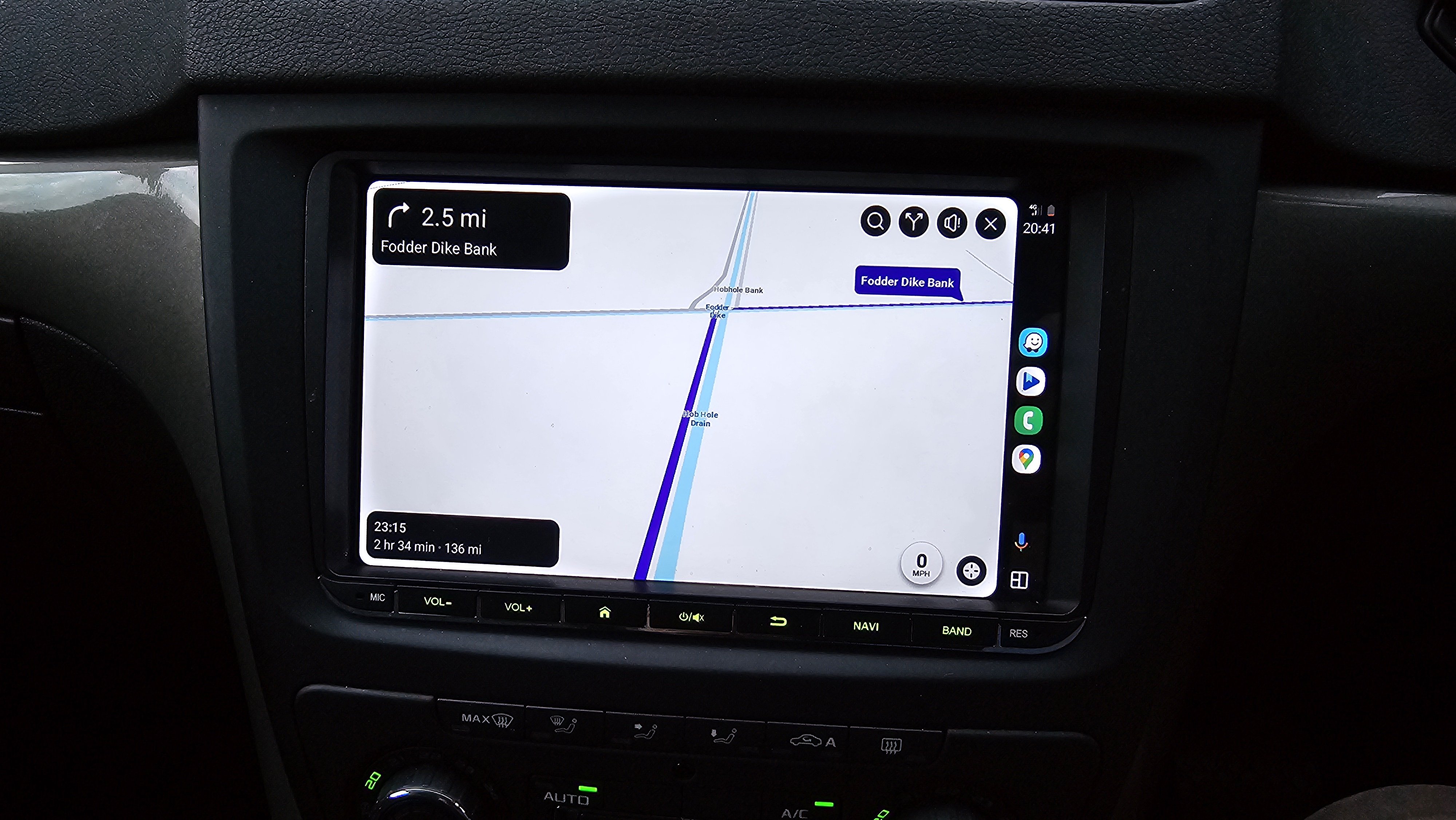
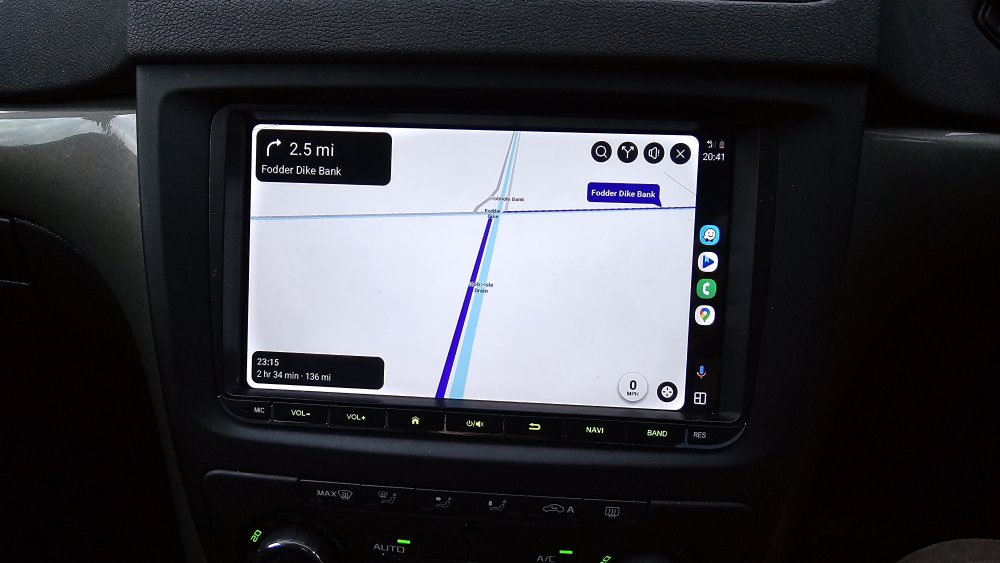
That looks good. Have they finally fixed it after many years of complaints or is this just because chinese fixed the issue where half the screen was covered with useless information? This is what it used to be: Haven't used android auto for years so might have to try it out.2 points
-
2 pointsTired of years of boring Yawn Grey/ Boring Silver/Show every mark Black/Had its day White. Times have changed, time for a little colour in our lives. Doesnt show the dirt. Never lost in a car-park.2 points
-
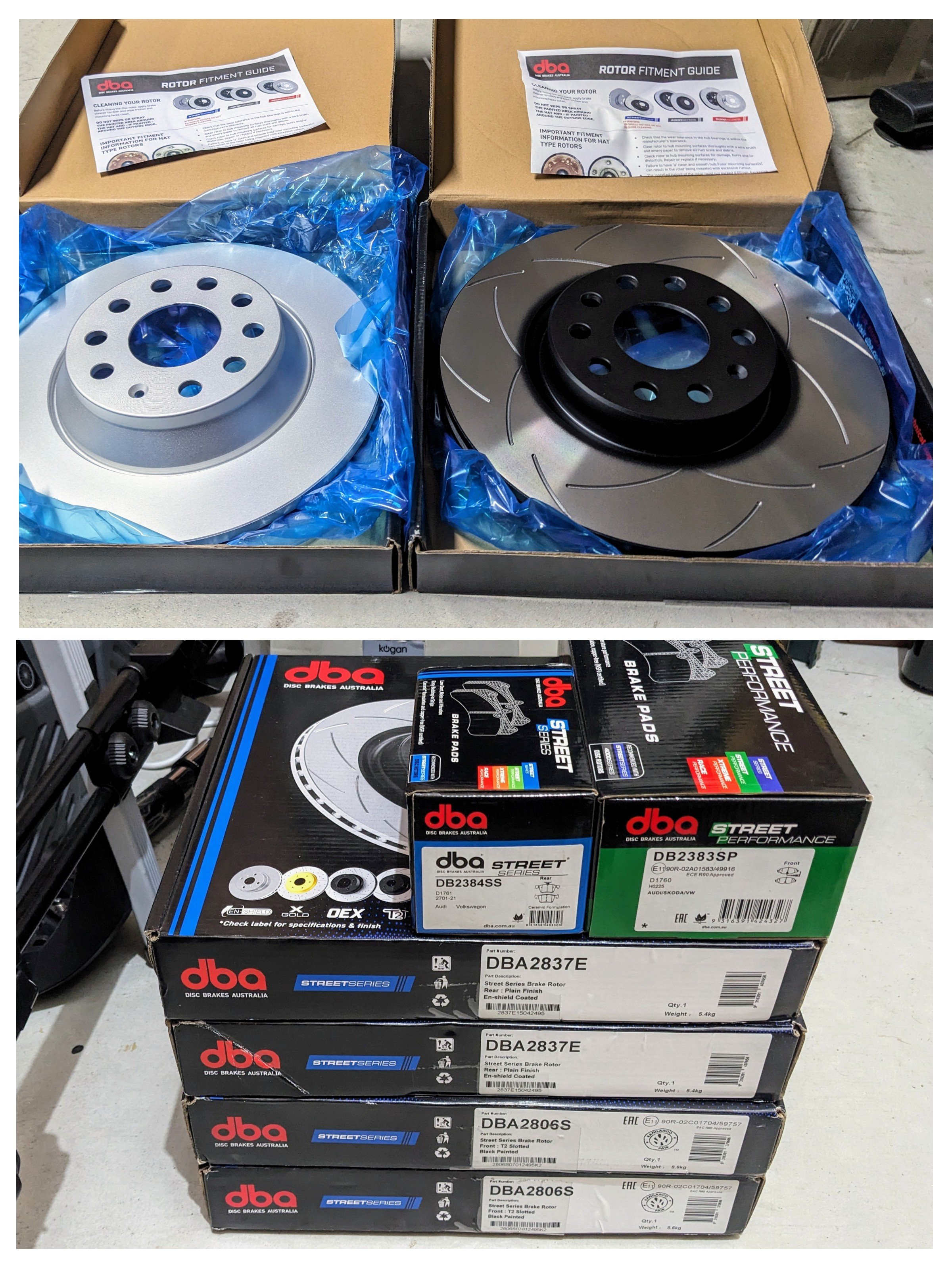
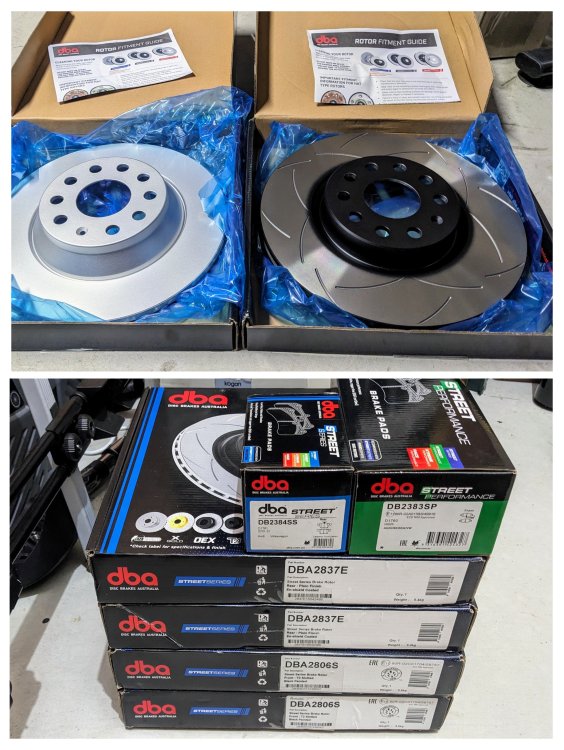
Gandalf got new brake pads & rotors fitted today....after 90k kms, the factory original brakes, front specifically, were getting low. Rears still had another 5.5mm left. Decided to change all 4 corners for DBA Rotors and Pads. Front - DBA2806S slotted rotors + DB2384SP Performance pads. Rear - DBA2837E plain rotors + DB2384SS pads.
 2 points
 -
2 pointsI've just emailed my dealer to confirm what the 57NL campaign concerned and this is the reply: "The recall 57NL is a control unit update to the body control module and prevents the car from automatically locking itself when unnecessary."2 points
-
Update - B107c14 or 1080340 Park Assist Speaker Open/Short Circuit this was the parking buzzer. if anyone has the same issue, in the Near Side black B pillar behind the seat belt is the buzzer pop the pillar trim off, pop the inside bit of the plasic lugs out, just push them all the way through, then swap out the buzzer and replace. whole job took about an hour, but the bulk of that was hunting behind the carpet for the plastic pin in the plastic, and having to do the job twice because the metal clip popped off and wouldn’t hold the trim. next job is the 0343, which I think relates to side light/interior bulbs, which would make sense as it seems that there are 2 that are blown. Then the antenna, which may be a replacement, may be a broken antenna cable or from a quick trawl of forums may just need the nut tightening, we shall see when I get that far.2 points
-
2 pointsIt’s probably a poor design with so many people having the same issue and across the VWA group. I have just ordered a replacement from AliExpress which has the emergency release cord that you feed through into the boot. Be interesting to see if that’s any good. Will update in like 2 weeks.2 points
-
Errrrr, c’mon. Do you really think you’d need to have two tools to do the same job? Try again; it definitely works on the locking wheel nut cover.2 points
-
2 pointsMy Karoq 1.5 Tsi Drive, manual, new on March 1st, 2024, had the same symptoms...losing power randomly at junctions and roundabouts. I was left in dangerous situations on several occasions. The car would fire up again after 5-10 seconds, only by pressing the ignition button on the column. I took it to the nearest Skoda dealer three weeks after delivery. They found nothing wrong after diagnostic testing. They, too, said the issue was new to them. Another dealer refused to test the car, saying that their diagnostic equipment would be the same, so not to bother bringing the car in for testing. Every time I got in the car, the first thing I did was to turn off the start/stop function. I tried E5 petrol...no difference. I began to plan my driving routes so as to avoid as many junctions/roundabouts as I could. My car was on a 3-year Personal Hire Contract. Eventually, after regular stress to my passengers and myself, I got Skoda Finance involved. I managed to get my contract terminated, without penalty. I am now awaiting delivery of a Qashqai! Let's hope for better times ahead!2 points
-
2 pointsThank you for the quick responses. In the 6 years I had the car I have never seen anything like this, so I was going into a slight panic, thinking the holiday was going to be ruined with chasing repair shops and having no car to get around. But I will call off the alarm and have a glass of cold wine. 😁2 points
-
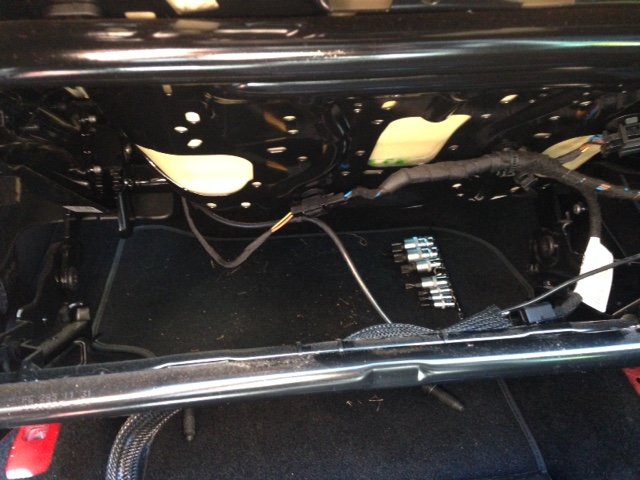
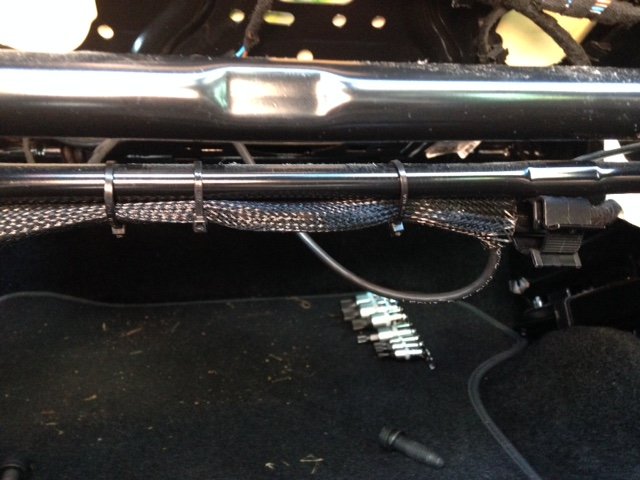
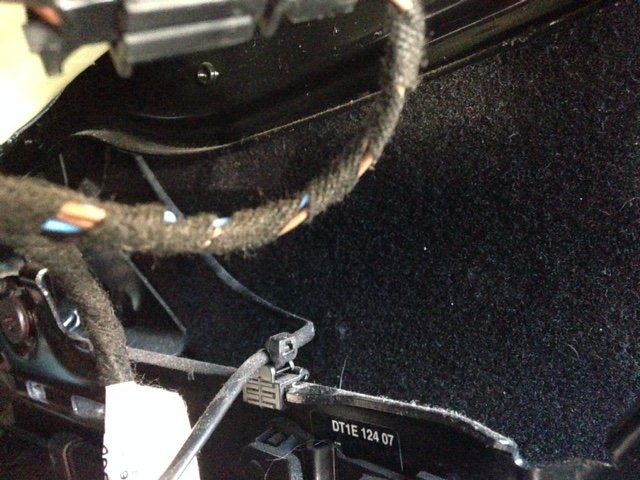
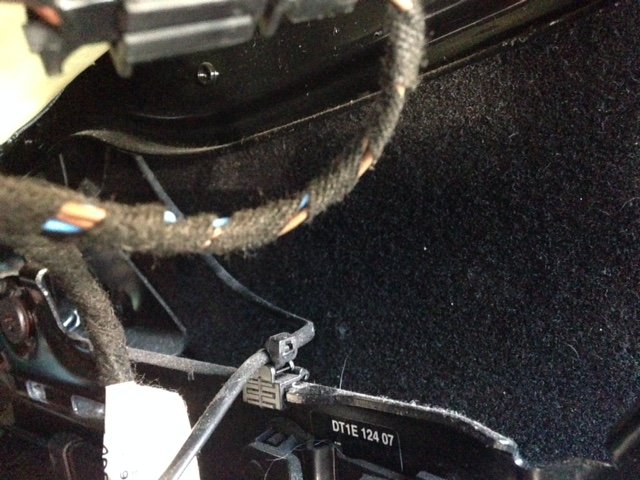
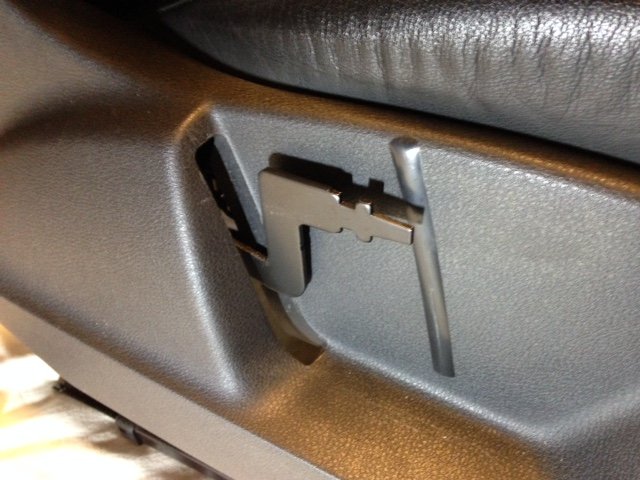
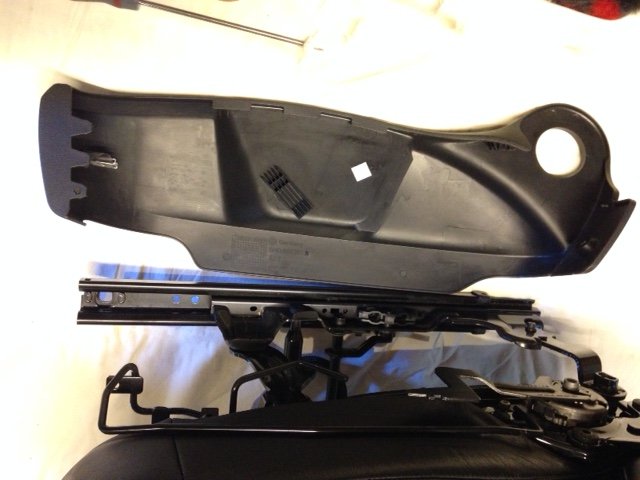
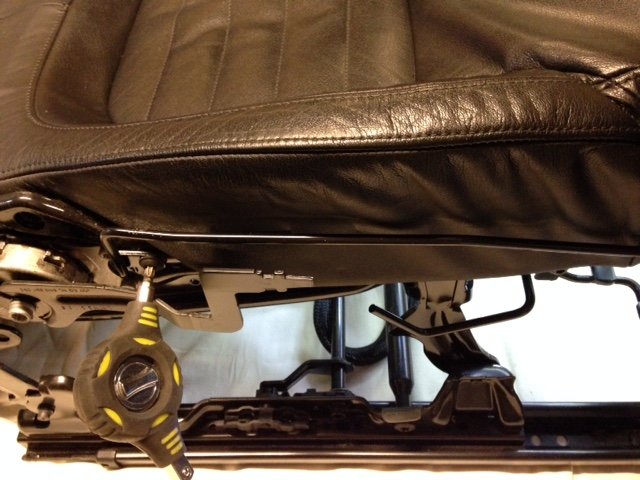
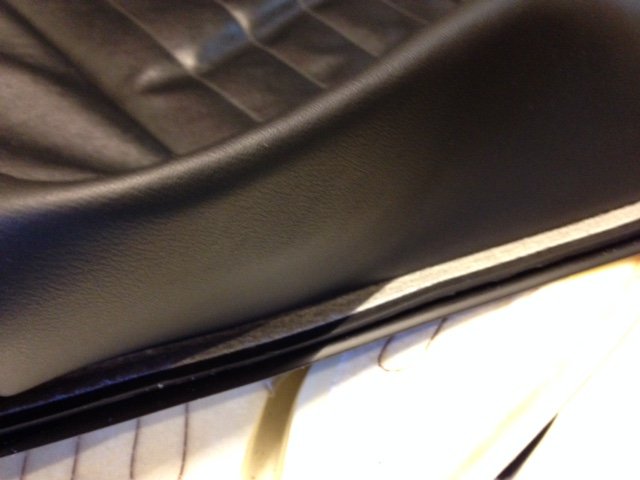
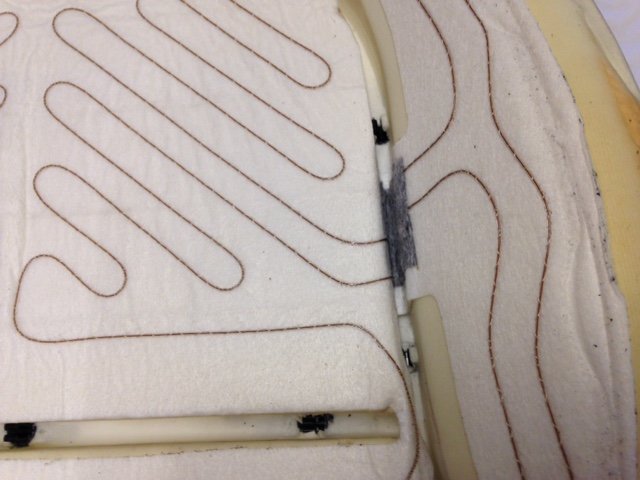
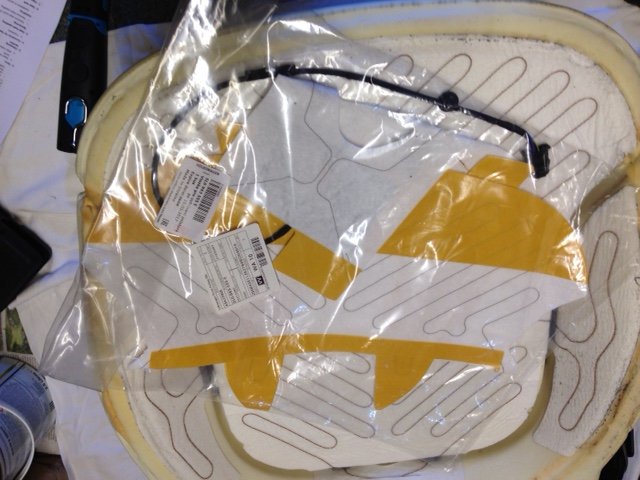
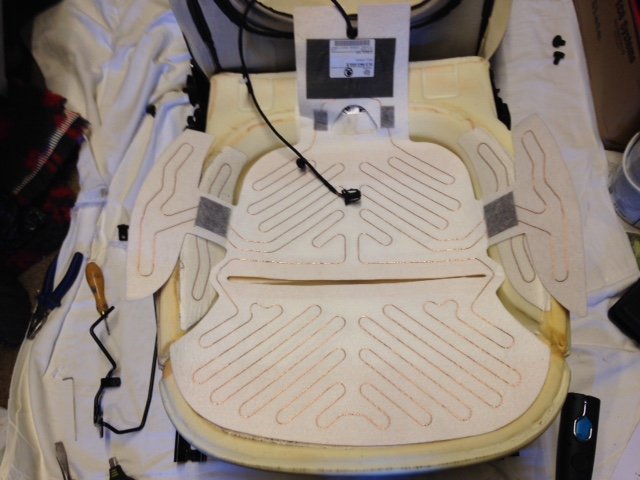
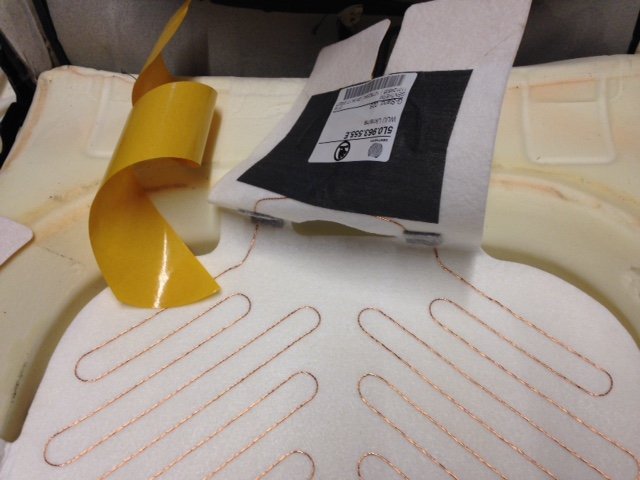
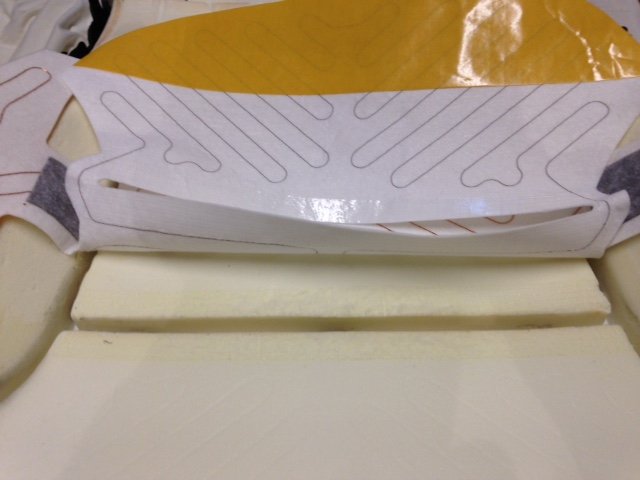
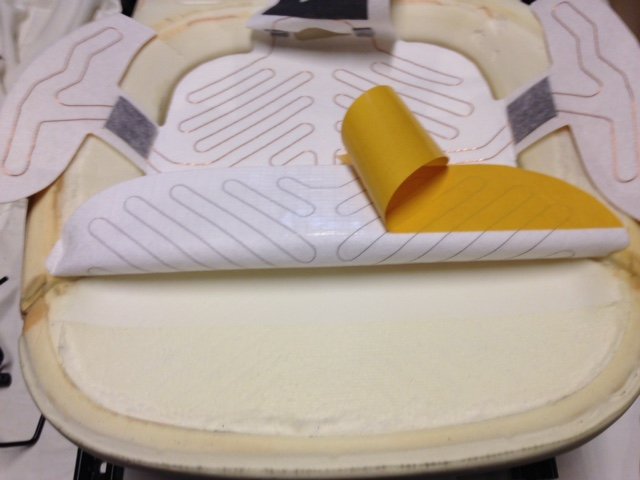
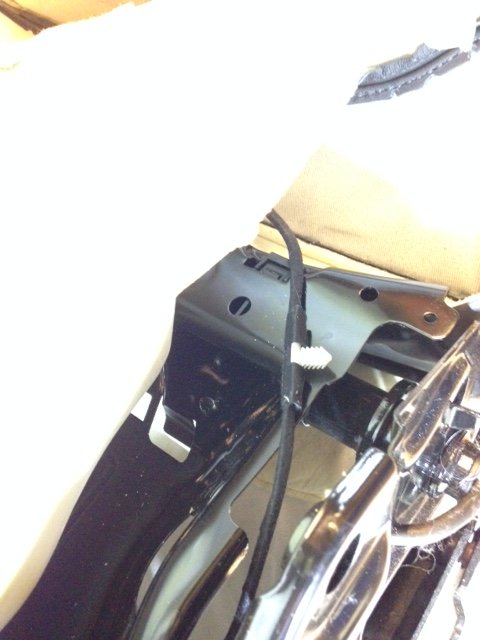
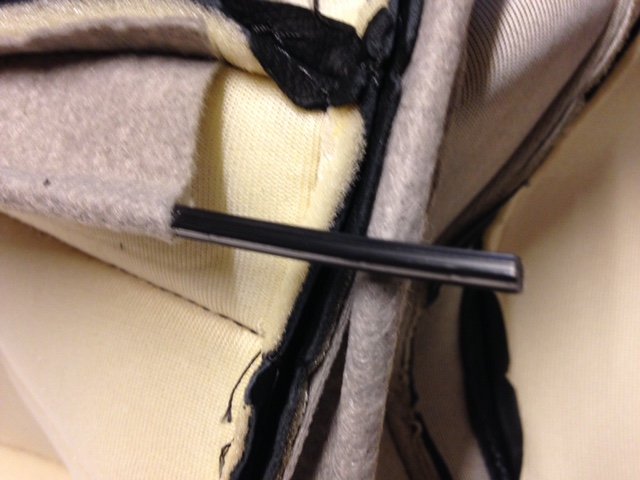
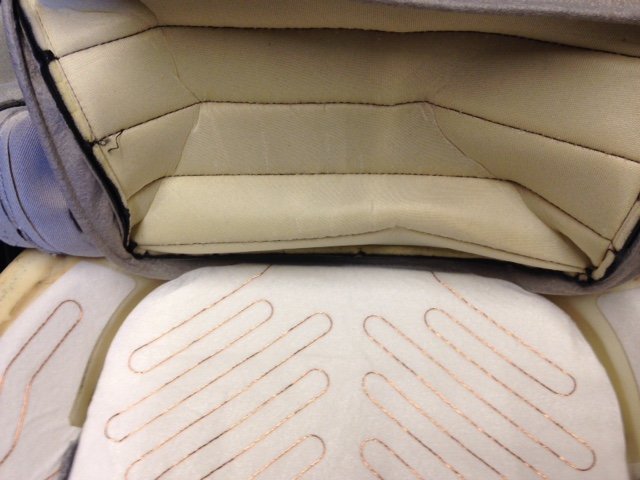
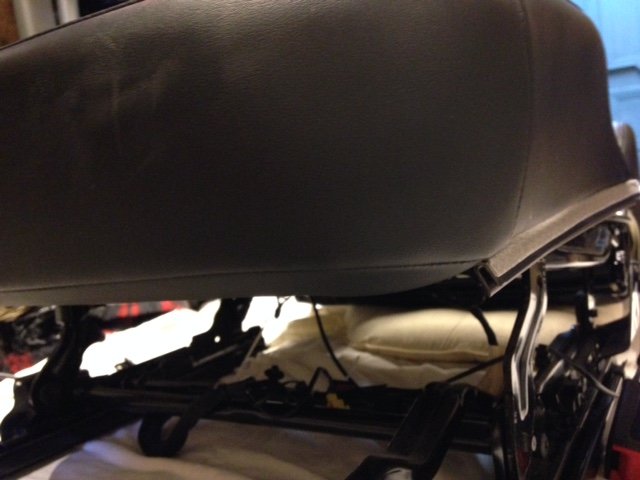
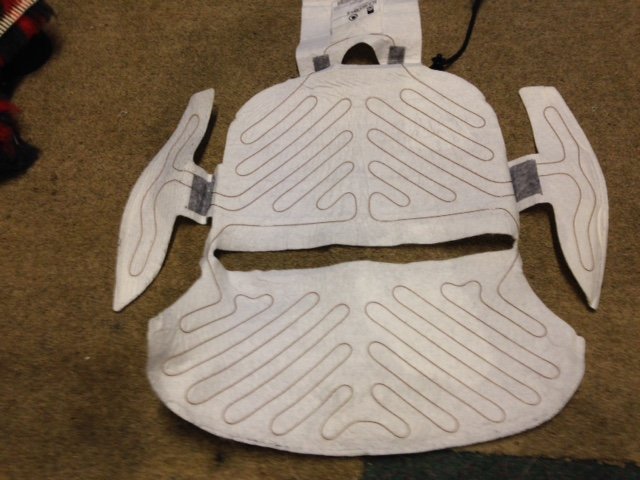
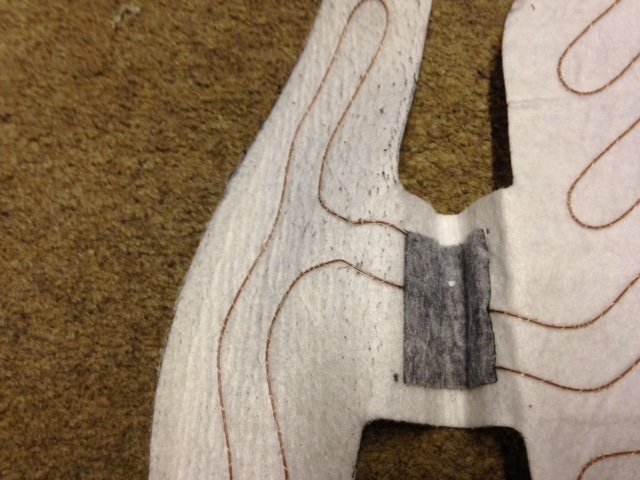
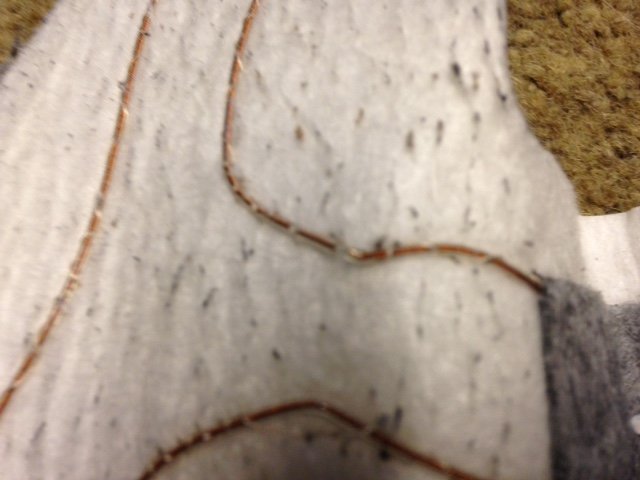
Replacing 2011 Yeti Elegance 4x4 drivers heated seat element Requirements for job 1. A replacement heating element 5L0963555E cost £40.62 30Apr2018. This is for leather seats on Elegance drivers side base heating element. NOTE: Correct item required for Model of car as different versions for Leather/Cloth seats. I believe 5L0963555D is correct for cloth seats. Quote reg/VIN # to dealer to obtain correct part. 2. M10 Spline tool for removing/replacing seat bolts. 3. M8 Spline tool for removing/replacing seatback bolts. 4. T30 Torx tool for removing/replacing some seat plastic panels. 5. Pliers to pull expanding plastic rivets. 6. Small screwdriver or bradle for removing/replacing expanding plastic plugs. 7. Large flat blade screwdriver, preferably well used with rounded corners on blade for prising various parts free and also replacing seat cover into clips. 8. Torch 9. Mirror 10. Some silicone spray to apply to the head restraint bars and mechanism. (optional but probably required on vehicle that’s 3 years or more old) 11. Another pair of hands! Will be required to help replace seat cover into clips. 12. Total time to do, about 4hrs. half a day. The drivers heated seat element failed (base of the seat), whilst the backrest continued to work correctly. So rather odd to have a cold bum, but a warm back! This happened early on in 2018 and I reviewed the procedure for doing this myself or getting the garage to fix. Whilst I couldn’t find a good guide on the web or this forum, I did have access to the Skoda workshop information for doing this and decided I would do this later on in 2018 and went ahead and sourced the replacement part from Skoda (end of April) since the cost was a mere £40 compared to at least £150 to £200 for the dealer fix. So I had in mind to do this over the summer months, but since it was so hot left till the end of September and the onset of some cooler weather, but still pleasant and dry. I have attached the Skoda workshop information, which doesn’t actually show the removal and replacement of the heated elements, but gives the overall process. When you review these you will see that metal C clips are used to hold the seat cover in place and you need to cut these C clips and replace with new ones and use a special pair of pliers to recrimp these C clips. That element alone was enough to make me think this little fix project was going to take some time to do without the special tool and also pry apart the old clips. However this was not required as you will see in the process and pictures below. This is true for our Nov2011 build Skoda Yeti and presumably later builds. This may not be the case for earlier build models. Procedure to replace 1. Fully Unlock and Park the car with plenty of room by the driver’s side, so the doors can be fully opened front and rear, with the ability to get the complete seat assembly out and past the vehicle. 2. Check if you require a radio code. Not required if factory fitted radio/satnav. Installed from new. 3. This is MANDATORY with vehicles fitted with side airbags. Disconnect the battery earth lead. (This is somewhat at odds with my lifelong electronics knowledge. It always used to be remove the Hot lead, Positive, but now most cars state it’s the Cold, earth lead. No idea why this has changed over the years.) Once this is done you will lose the trip miles information and the Clock will also need resetting when you reconnect the battery. You will also get some TCS/ESP errors on the MFD display. You need to drive some 5meters for this to reset correctly. See attached documentation. I originally discovered this when I replaced the battery end of 2017 as it was failing to hold a charge. 4. Remove the headrest. (I didn’t do this but discovered it was required when I tried to remove the seat assembly from the car. In the process I discovered the headrest was stiff to move, so removed and lubricated all the headrests (front and rear) and sprayed silicone grease into the holes and also on the shafts. Totally solved issue with all the headrests. Like new again!) 5. Adjust the seat base so it is as high as it can go. 6. Adjust the seat back so it is leaning as far forward as it can go. 7. Move the seat fully forward and remove the 2 rear bolts. 8. Move the seat fully backwards and remove the 2 front bolts. 9. Now lean the seat assembly backwards so you can gain access to underneath. 10. The Skoda info implied that it was possible to disconnect the wires under the seat base, but in fact that’s not the case. The cables all disappear into a small cut-out inboard from the front seat bolt and rail. Flip the carpet cover up and you will see 3 connectors. Oddly the outer 2 connectors remove by pulling up once locking clips are depressed. The middle one (yellow) needs to be removed downwards and you need to remove it from the clip holding it to the metalwork. A pain for sure. Some odd design! The larger connector has a cable tie mount into the bodywork. Large screwdriver required to lever that out. However having the seat assembly leaning backwards gives good access. 11. Wrap the loose cable connectors around the bar where it is tie wrapped so they don’t get caught when you remove the seat. 12. Carefully remove the seat assembly from the car (it’s fairly heavy and cumbersome) and place on a work surface or bench. (My garage is full of a house clearance so I had to work on the floor on a cleared area. I do have a carpet tiled garage floor, but also put some old dust sheets down to work on top of that. If you have a bench (with access to all sides) it will make life easier as you will be working at a good height and not on your knees. 13. Starting on the left handside of the seat, pry off the backrest adjustment round knob using a large screwdriver. It has 3 clips that hold it on. 14. Pull of the height adjustment lever, by again using the large blade screwdriver to lever it forward. It might be possible to pull off by hand depends on your grip levels. 15. Now remove the expanding plastic rivet and then back. Use a bradle or small blade screwdriver to push the centre plastic bar out and then grab it with pliers and pull out. 16. At the front there was a Torx screw T30 holding the plastic rather than another expanding rivet. Easier to remove. 17. You now have to bend and wriggle the side plastic off. Seemed best to pull the rear part out and then move forward and up. See picture for view of parts that clip over metalwork. 18. On the other side remove the other expanding plastic rivet. It should be noted that at this stage it is worth undoing the seatbelt catch and moving to one side as it aids removal of this plastic cover and also as I discovered it needs to be moved so you can access one of the seatback bolts. There is also a plastic clip into the metalwork that you can access from behind and ease out with a large screwdriver blade. 19. Now remove the 4 seatback bolts, 2 from either side. You really should remove the cabling to the backrest heated panel at this stage, but it looked to me to be easier to support the backrest on cushions so it lay flat and no strain is put on the cables as there is enough length to do this. (Second and third picture show seatbelt before and after moving to gain access to bolt.) 20. Next step was not detailed in the Skoda instructions. I looked at removing the seat cover and realised the metalwork bar down the outer edge needs to be removed. There are 2 @T30 Torx screws and that comes of easily. 21. Now we can actually get the seat cover off to replace the heater element. The cover is held in place by what looks like a section of car door seal. Its U shaped and clips over the thin metalwork. There are 3 sections, one across the front and pieces down either side. Start at the front at one end and press down on the seat to relieve the tension and roll it out and off. It’s effectively clicked into place so expect some clicks as it undoes. 22. Once you have that done, start on one side and do the same and then repeat on the other side. 23. You will now see the seat cover is attached across the middle and down the sides below the side bolsters in those foam grooves. I expected these to be metal C clips, but it turns out the design must have changed and these are basically plastic C clips with a star shaped plastic bar section in the fabric which clips in. All that is required is to gently use a large screwdriver blade to ease the clip apart and out pops the seat cover. The plastic C clips are buried deep in the foam seat so it was not easy to take a picture, but trust its clear enough to see. 24. There are 3 clips across the middle and then there are 2 down each side and 3 across the back section. Took a number of pictures to show element and placement which is stuck in place with the element tracking under and around various parts. 25. Now get the replacement element. 26. Ensure it’s the same pattern and see how it will fit. Basically you will need to fold and push it down into the groves at the sides and the back. Check how this works while you still have the sticky tape covered. 27. Now remove the old element. Not quite that easy as you would think the sticky tape would fail over time. In some areas it was welded to the foam and removal meant some foam removal too. Try all round in different areas and you should find like I did that some came away easier than others work on those sections first. Once you have it starting to peel off pull it back at an acute angle and ease off with your fingernails. I lost a couple of millimetres of foam at the most in a few places. Other areas will remain a bit sticky from the old tape. 28. Once it’s fully unstuck, remove the cable underneath by unplugging and removing the cable tie clamps, one black and one white and move aside. 29. Now place the new element on the seat foam and align as best you can. Its foam so it’s never going to be a precise fit. I lined up the centre grove cut and tried to ensure the cable element was equidistant either side of the centre groove cut. Once you are happy it’s in its correct place I decided to stick at the rear, as it’s the smaller taped area and work forward doing middle then front. Then do the two side bolsters as these areas need folding down into the grooves. I was surprised to find the sticky tape will easily unpeel, so you can do a bit of repositioning should you need to. Pictures below showing this. 30. Lastly do the rear connection area ensuring the cable follows the original route under the seat and push in the new cable tie mounts. I couldn’t accurately remember which holes, but of course you can look at the passenger side and check how it’s routed there. The white cable tie is 3 holes down (and you can see where it cuts into the foam base) and the black one is by the larger cut-out in the base. The cable is fairly taught under the seat base metal. Once connected check the cable routing at the rear of the foam and stick the last area down. It’s fairly easy to see the original sticking areas so it should be pretty much the same for the replacement. 31. Then ensure the star shaped plastic bars are central in the fabric of the seat base. Pulled one out to show it here. 32. Then place the seat cover over the rear and pull forward and you will see that you need to press the seat down to compress the foam whilst getting the bar section back into the middle C clip at the rear. I could not achieve this on my own. This is where you probably need another pair of hands! Makes it a doddle for sure. Carefully line up the bar with C clip and gentle press down with a large blunt screwdriver blade. Do the 3 at the rear, then down the sides and finally the 3 across the front. 33. Now the seat cover is in place it’s just a matter of getting the edges rolled over and clipped back into tension. 34. Do this by pressing on the front edge at one side and roll the channel over and onto the metal and feed along the full length and press up firmly to clip into place. Do the same on each side. 35. Now it’s just a matter of replacing everything you took off the seat in reverse order. 36. Replace the complete seat assembly back into the car. 37. Lean in backwards before bolting in place so you can reconnect the 3 cables. Do the yellow one first and reclip back onto its mount. Do the other small one then the larger connector and remember to push the tie clamp back into the metalwork. 38. Lean the seat assembly forward to its correct place and loosely bolt into place. 39. Move the seat forwards and replace the rear bolts. 40. Check all 4 bolts for correct tightness. 41. Reconnect the battery earth lead (push down quickly so there is little sparking). 42. Start the engine and drive the car 5 metres to remove the TCS/ESP error message in the MFD. 43. Adjust the Clock to the correct time. 44. Enjoy a warm bum again on cold days. Lastly I looked at the old heating element to see where it had failed. As expected I guessed it would be the driver’s door side bolster as this gets the most flexing over time. In fact all it takes is kneeling on the seat to lean in to get something out of the car to severely stress this heating element. I suspect this happens to many vehicles. I doubt the backrest heater ever fails, just the driver’s seat base and occasionally the passenger’s seat base element. Sure enough it was easy to see the break in the element. I noticed the old element seemed to be a single core design, whereas the new replacement seemed to be a multi-strand core design, so it should survive longer. However I really can’t see the point of heating the bolsters as it’s just not required. The base is all that’s needed to be heated in my view. The part number label hides the connections which contain a thermistor (for temperature control) and then the connections for the heater element. The connector can be checked for the correct resistance. The thermistor reads somewhere around 8.5Kohms when I checked (suspect this is in the range 7K to 10Kohms depending on room temperature.) The element should of course read a short circuit s/c, but will be open circuit o/c if it has failed. You can check across the connector. Pin/cable colours are blue and brown/black for the …thermistor and brown and yellow/black for the heater element. Would I do this again? Well it lasted 6 years from new, so the replacement should last beyond the 10 years we will keep this car before being replaced with an EV. The passenger side may of course fail in that time, so I suspect I would probably do it again myself as I at least have done it once and have a typed up guide. Noticed someone has fixed a heater element by soldering it back together. Suspect that will work for a while and then fail again as the element is now stiffer due to the solder joint. If attempting this fix I would remove the element from the drivers bolster and join along the foam groove so it never gets distrubed. Trust the info and pictures will help others attempting this repair. Safety precautions when carrying out repairs on the airbag system.pdf Work sequence when connecting the battery.pdf Assembly overview of covers and upholstery for backrests.pdf Assembly overview of covers and upholstery for seat.pdf Removing and installing seat height adjusting elements.pdf Removing and installing storage compartment on passenger side.pdf Removing and installing the backrest frame for the seat frame.pdf Removing and installing the front seats.pdf Removing and installing the lumbar support.pdf Summary of components of side airbag unit.pdf Summary of the components of the front seat.pdf





















 1 point
 -
1 pointSkoda Auto a.s. has now made official Rapid documentation in English available for download from Skoda-Auto.cz. The links at the foot of this post cover different production periods for the Rapid so make sure that you select the correct one for your car. The following documentation is available: Owner's manual User's manuals for car radios, navigation systems and MDI Media-compatible music players: Blues Swing Amundsen Navigation https://mediaportal.skoda-auto.com/resource/documentation/manuals/Forms/AllItems.aspx?RootFolder=%2fresource%2fdocumentation%2fmanuals%2fen%2fRapid%2f07%2d2012&FolderCTID=0x012000B97B65C85804644C9CFD91588B4A0B85&View=%7b5F8895A9%2dDC6C%2d4250%2dBC1F%2dADE6076A3046%7d N.B. These links and the documentation they contain could change at any time. If you are likely to need to refer to any of the documents at some time in the future, you are strongly advised to download the files now to your computer while they are still available.1 point
-
1 pointGoing to view one tomorrow. Currently have a 1.2tsi yeti. What is a rapid like to live with? Any specific issues to look out for? It’s a 1 previous owner family car, but we need the rear leg room. Have looked at Octavia’s again but very few locally within my budget (mostly newer cars and out of price range). Wife is worried that the interior looks a little basic and dated but Skoda’s tend to be a little like Lego and I’m sure people here have swapped trims etc to lift the interior slightly? With this one it already has sat nav and dab but it’s not a Columbus it’s and older 3 button one with a tiny screen (Amundsen?) so maybe changing that will update the dash area a little? Has anyone changed the basic air con dials to climatronic? thanks in advance1 point
-
No it should be the one that you were videoing under that steel bracket in the enigne bay beside the expansion tank, at least I think so on that year of common rail. Maybe hold a screwdriver to it and put it on your ear to try and pinpoint the noise but from the video it seemed like a good place to start considering your running issues.1 point
-
Hi, Got one of these within 24Hrs delivered to my door:- https://www.tayna.co.uk/car-batteries/enduroline/096-agm/ Started first crank, so I'm hopefull things will be back to normal after a wee run. Thanks.1 point
-
I experienced two false tyre warning light episodes in the 5 years I owned my Yeti and I have had two on my present car a now 5 year old Audi A3. These things just happen. As regards warning warning lights in general, these frequently occur when battery voltage is low or the battery has been replaced. Once a new/fully charged battery is in place then the dash and warning lights usually sort themselves out after a mile or so of driving. Colin1 point
-
1 pointcurrently its around £59 with no subscription, does most things. I think a 1 year subscription with it is around £85 VCDS around £250 I think it is, but no yearly subscription1 point
-
1 pointI'll try driving mine at lower rpm see how it compares just out of interest and report back.1 point
-
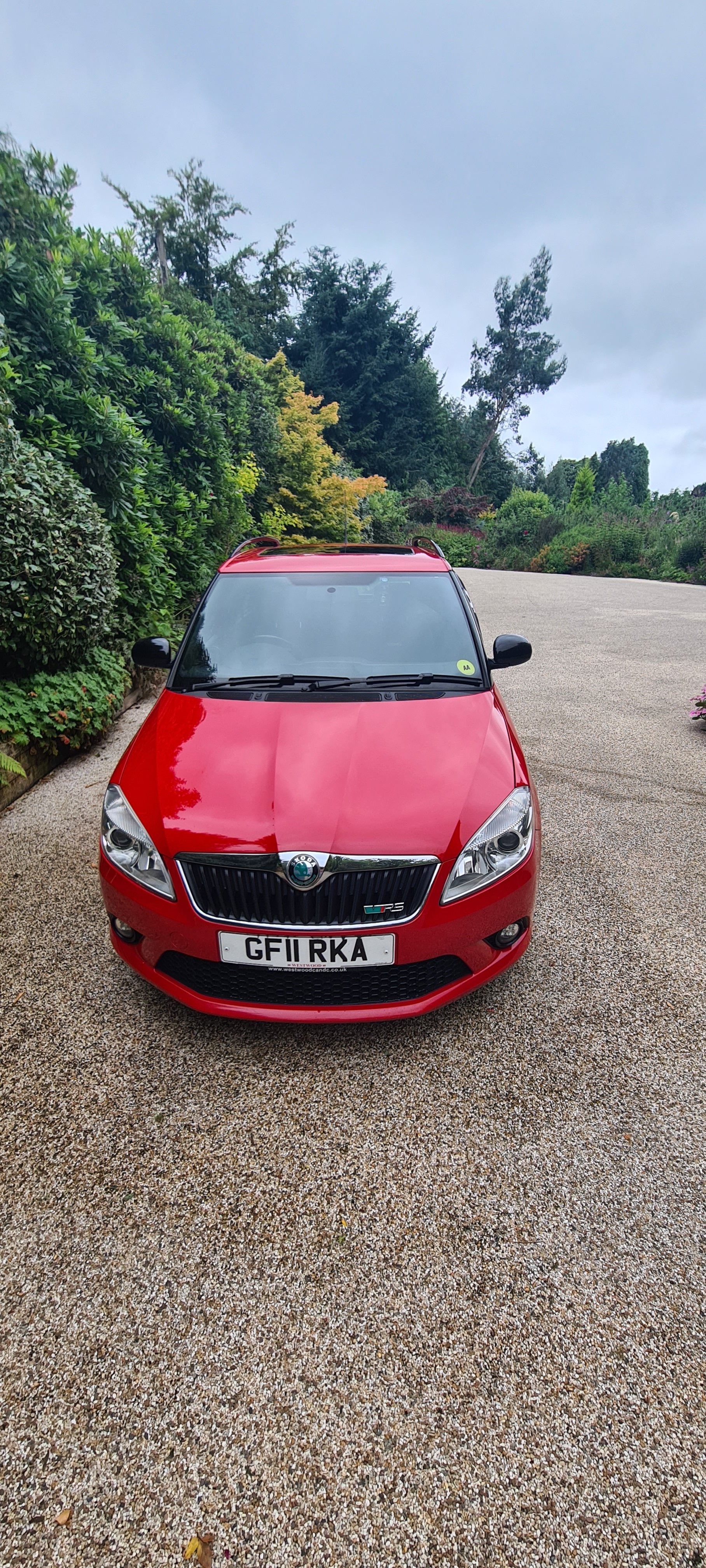
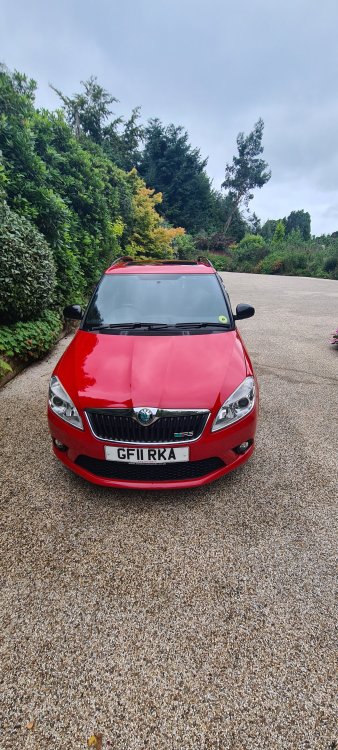
1 pointFinally going to put my beloved fabia vrs estate up for sale. Need a bigger car for work. Will be sorly missed absolute pocket rocket . Just about to have a service too No idea how to post for sale on here looks like I've got t o pay £10 to be a freedom member which is fair. But why is it so complicated. Emyhoo bye bye
 1 point
 -
If they have connected the head unit to a CAN bus adapter and head unit does not turn off then either the wiring is wrong or it simply does not work with CAN bus. Luckily if you don't want or don't need CAN bus then you can hard wire head unit to the ignition and have it turn off every time you turn off the car from key. For that you need a piggy back fuse adapter. Connect it to any of the less critical fuses in the fuse box that loses power when ignition is off. Can't remember which one I used. And then wire piggy back fuse adapters wire to the head units red wire. Yellow wire is constant +12v.1 point
-
1 pointThat will be part of the motor - keep note there are different kinds, I believe 4 and 6 wire ones depending on if it’s memory or not.1 point
-
1 pointIt’s possible you’ll need replacement door control modules, not all of them support power folding mirrors The wiring you’ll need will come with the replacement mirrors, and plugs into the door control modules1 point
-
1 point
-
1 pointJust bumping due to the other thread by @BomerTimpson That does not say it is a 90 ps 1.2 TSI and nobody asked other than me. Just because it is always worth trying to find out what someone has before advising them what to do to improve performance or do upgrades. It is not just about Engine Power, or acceleration, the gearbox the car has matters, and the brakes, tyres, suspension etc matters.1 point
-
No, my sound was only the one posted this week (an addit to a previous thread where I asked if they'd found a resolution). All great since disconnecting the battery. The extra warning lights came up, took her for a run - hey presto! Loke magic the beeping was gone! Thank you for your concern, but we're all good now.1 point
-
1 pointBefore what kicks in, any power? If so, the question you need to be askingis why you have such little power there. These engines are typically way better at the low-mid nd than the mid-high, mine feels great around 2k revs but has dropped any power by 4k If so, throttle response will change nothing. I tried the XLR5 once and returned it after a week. Although it felt great whilst in gears, it was so impractical whilst setting off from stationary as one tiny touch of the pedal nearly sent it to redline, bye bye clutch. Suppose, if you get used to a setting it wont be so bad. Really though, if power is the issue you should be looking at a tuner chip from racechip and not an XLR5 pedal box. or both, theyd both work together. I use the RS Chip, which "gains" 16hp and 44Nm, but the difference can very much be felt between race mode and standard. If you have access to OBDeleven or VCDS there is a slight tweak you can make to your throttle pedal to so called increase the responsivity.1 point
-
That’s normal, just where the hinge is for the 1/3rd 2/3rd split. Small piece of black trim over the hinge top and bottom to cover it but the cut out bit is normal yes1 point
-
This is what Waze looks like for me, I've never found it hard to use. Not had any slow response issues with my unit either, but as you see from my link and choice in my 1st response, I did pick one of the more expensive options.
 1 point
 -
There doesn’t need to be, at that age and mileage. From my understanding…1 point
-
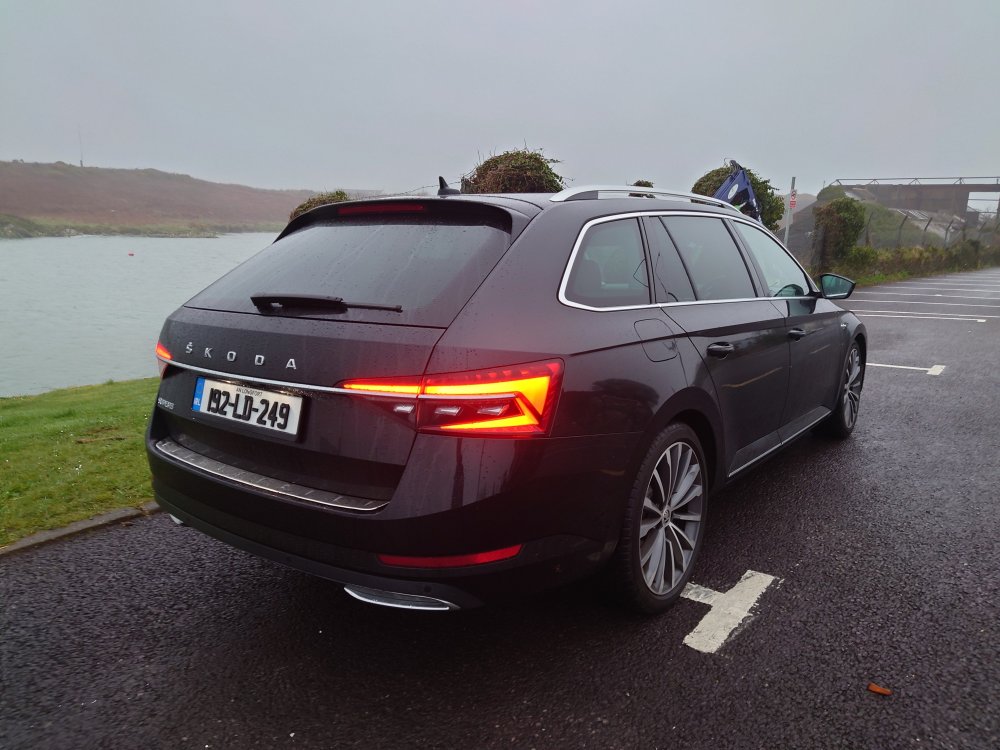
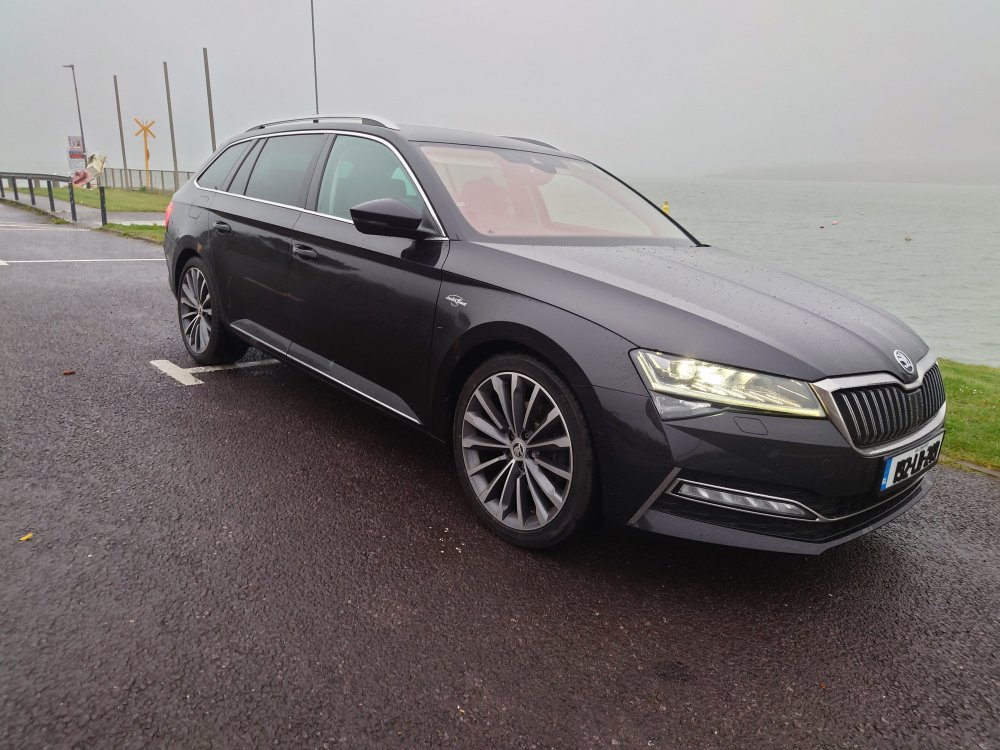
1 pointJust a quick update. The MCU is on its way back from Germany. I'm based in Ireland so sent it to Germany as opposed to the UK, avoiding the customs hassle and poor exchange rate. Just for clarification this is the MCU for the DQ381 in a Skoda Superb 2020 2.0 TDI 190 2WD Related codes: 10666 / P173500 – Position sensor for clutch 1, electric fault. 10668 / P173600 – Position sensor for clutch 2, electric fault The issue is one or both of the Bosch pressure sensors failing, these are mounted inside the MCU. They can be replaced at home , If you're handy with a soldering iron. The 2 pieces work out around €300, plus your time. I sent mine away, peoce of mind it's done correctly and 2 years warranty. I hope to get the MCU fitted sometime this week. Will update as it happens.
 1 point
 -
1 pointPretty sure this should be aircon condensation and is normal. Enjoy your holiday.1 point
-
1 pointIn a place where you don,t have a fuse - which have fabric wire behind + yours rd/gn1 point
-
They only imported manual 1.4 ones to the UK so it must be a 1.2. We've had a few Yetis and chose not to get an L&K just because of the roof 'risk' as it ages. I would have gambled but my other half would have hated the thought of water getting in at some stage.1 point
-
Mine doesn't get that much use these days. The car slightly more, but anyway, discs.... Have Pagid rears that have been OK but pick up lots of deposits from the handbrake (you must use matching pads with these or they're terrible). I did have Brembos (discs and pads) on the front that probably had between 15k and 20k on them. Definitely warped. No issue with the hubs or clean backplates, definitely the discs. Not a lot, but enough to feel under braking. Swapped them out and back to fine-and-dandy.1 point
-
1 pointYou've posted in the wrong forum, this for the site generally, you would be better looking or posting in the 'Skoda Rapid & Spaceback (2012 > )' forum (or a similar model forum). - https://www.briskoda.net/forums/forum/225-skoda-rapid-spaceback-2012/ HTH.1 point
-
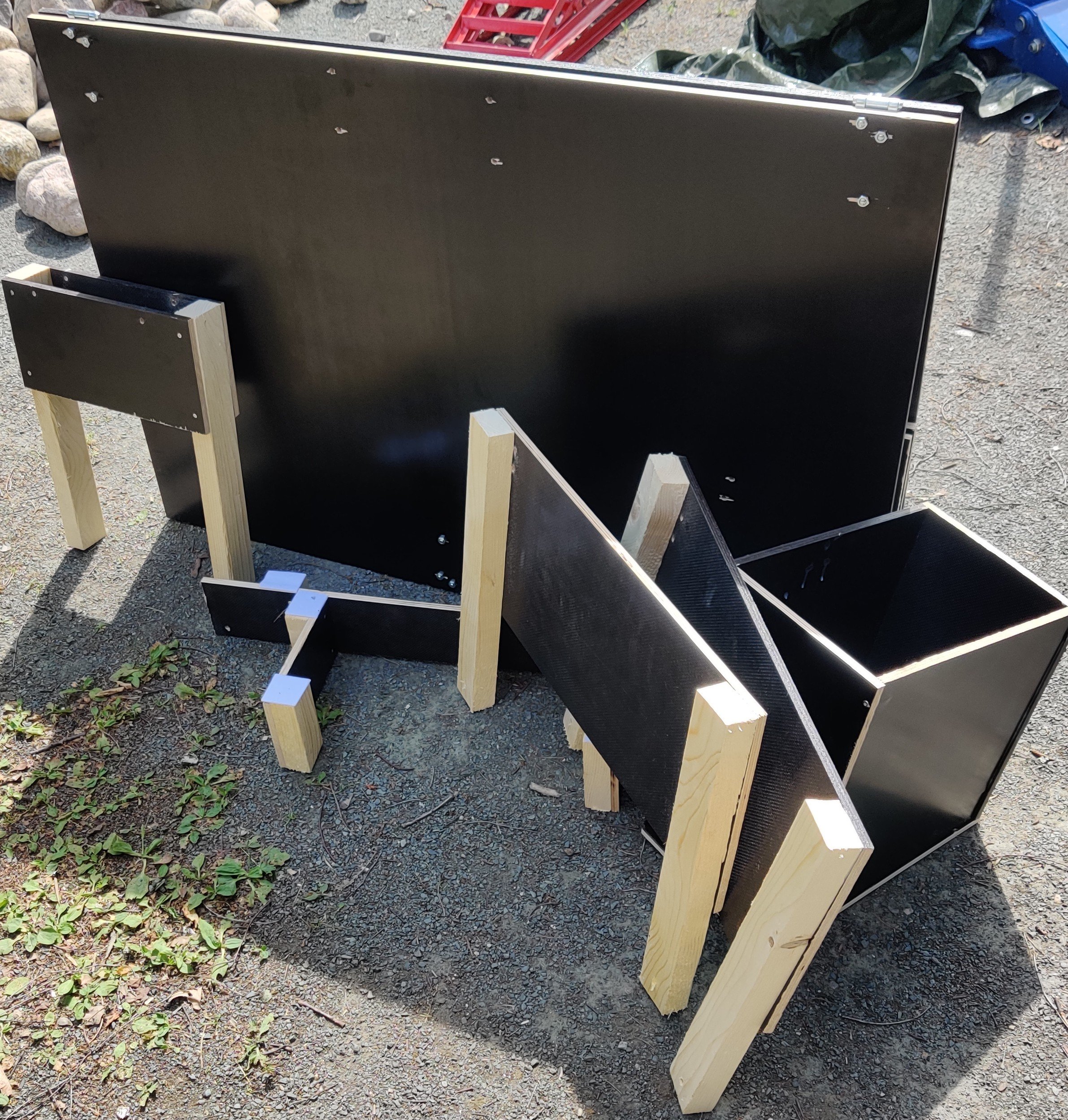
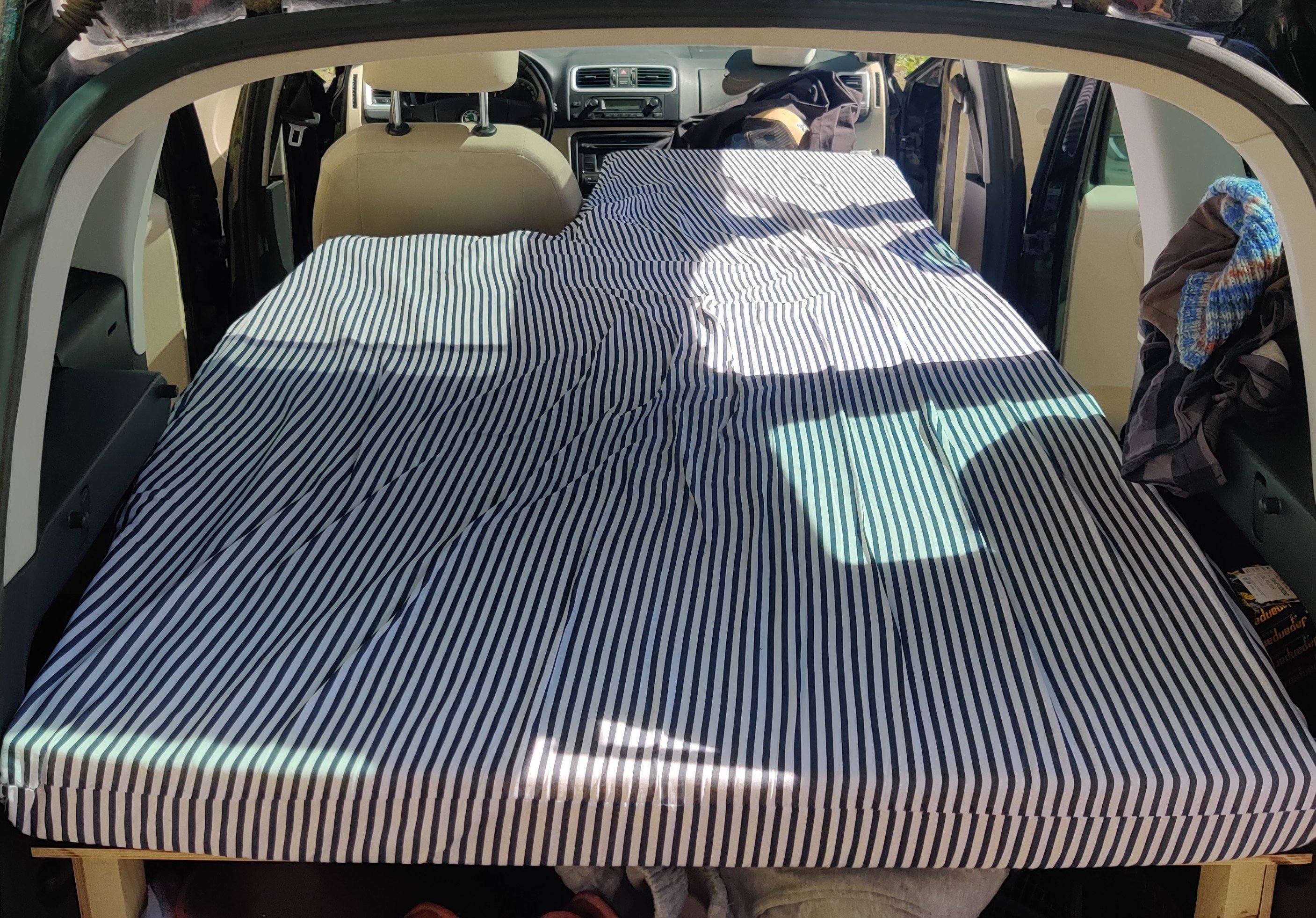
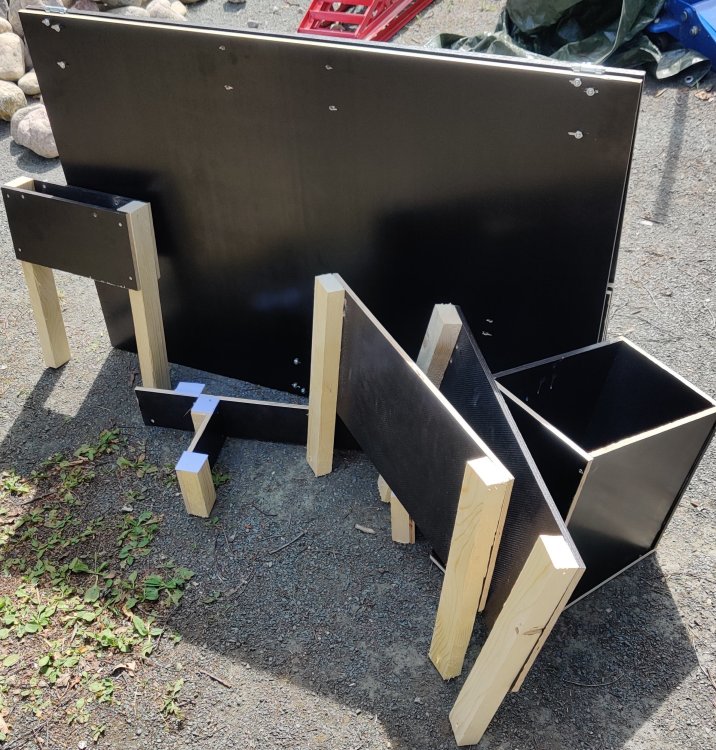
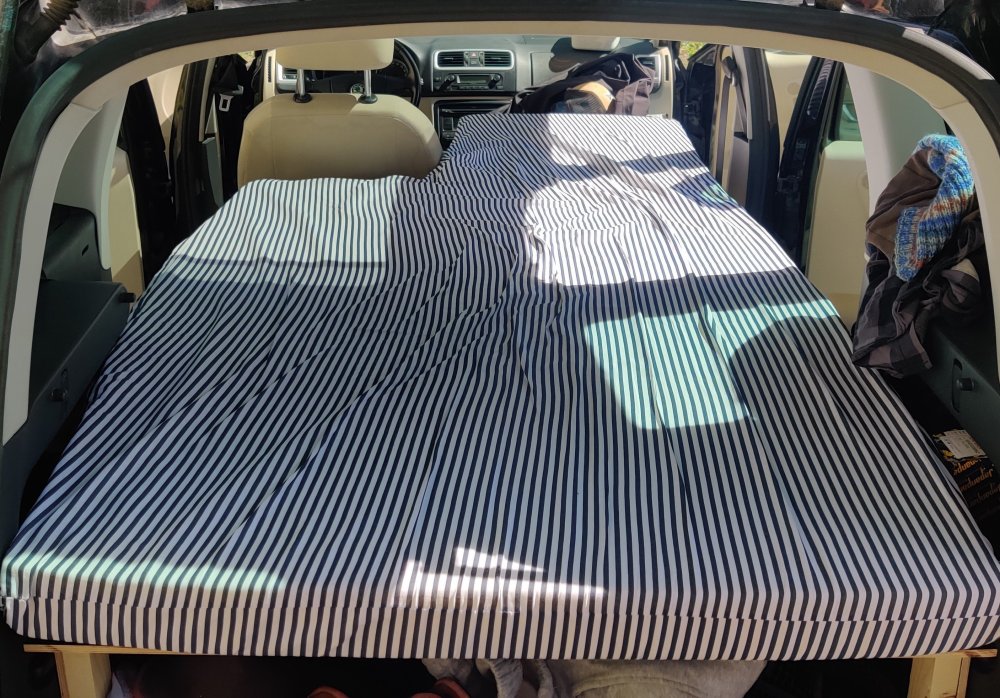
Last week I made a light sleeping equipment to be added to Roomster as needed, and during the midsummer I made first three nights fly fishing trip to north east. Everything worked quite ok, middle frame wasn't sturdy enough so little bit of wobbling while climbing in, and the bed plane didn't stay levelled. Bed was straight enough for sleeping, so not a biggie. Because the car is used mainly on other duties, the camping equipment should be easily removed and stored, so I made it mostly foldable. The parts are attached with one gargo cloth and few zip ties, so its quite fast to put on and take out. With everything on, there is plenty of room for sleeping and stuff needed. Bed is comfortable for one, maybetoo for two very small persons or persons who like to sleep very close together. Main area is 100cmx140cm and the add on on the passangers side is 60x70cm so it's quite nice. I wanted to make it driveable while the bed is on full size to avoid hassle while changing locations, and you don't have to do a lot of setup. The add on is foldable to give normal room to your right shoulder while driving. I'm going to make some little upgrades, but the basic idea is good enough now.
 1 point
 -
1 pointthere is a notice on the side of the login screen that for personal use it's free and you can use given guest logins to get in1 point
-
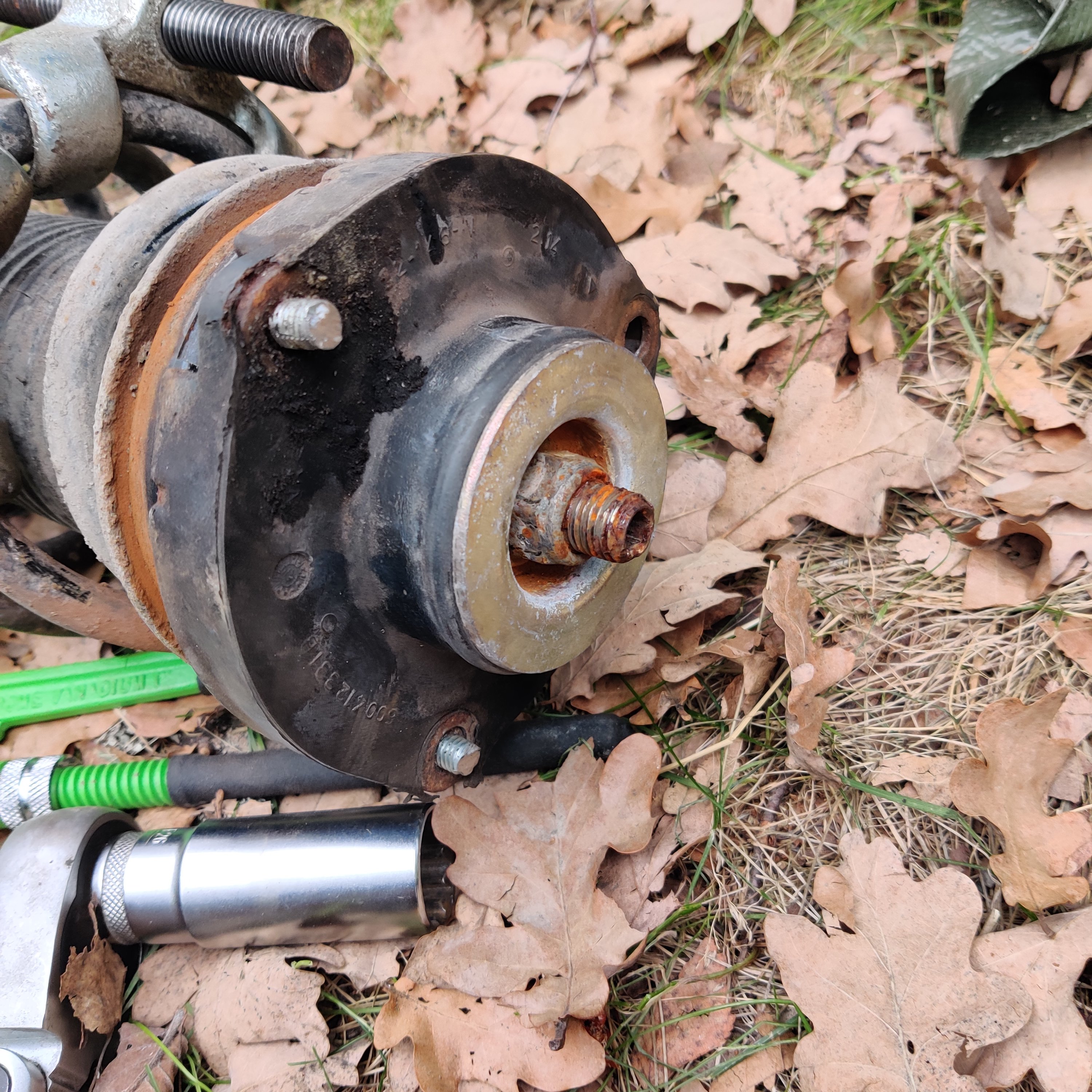
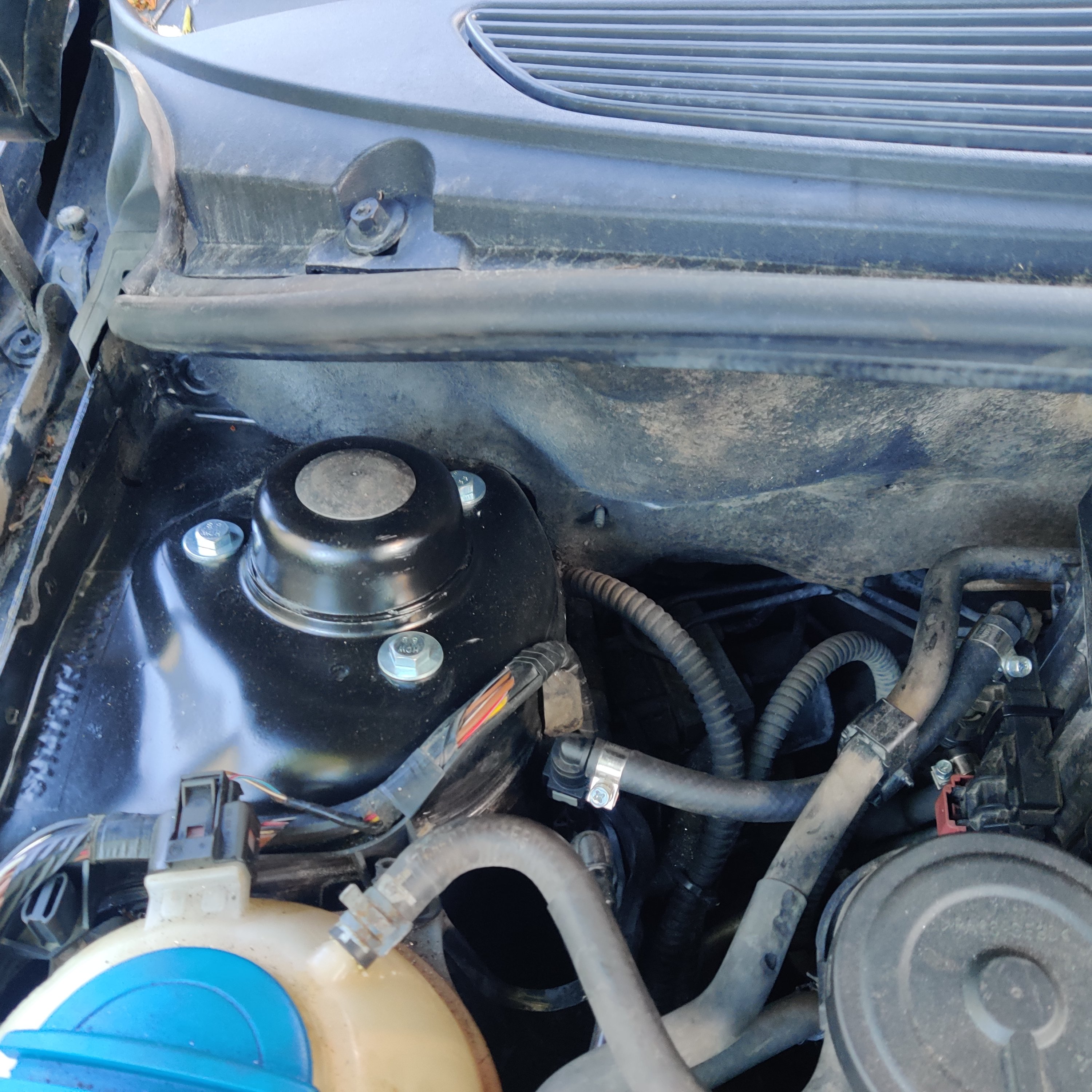
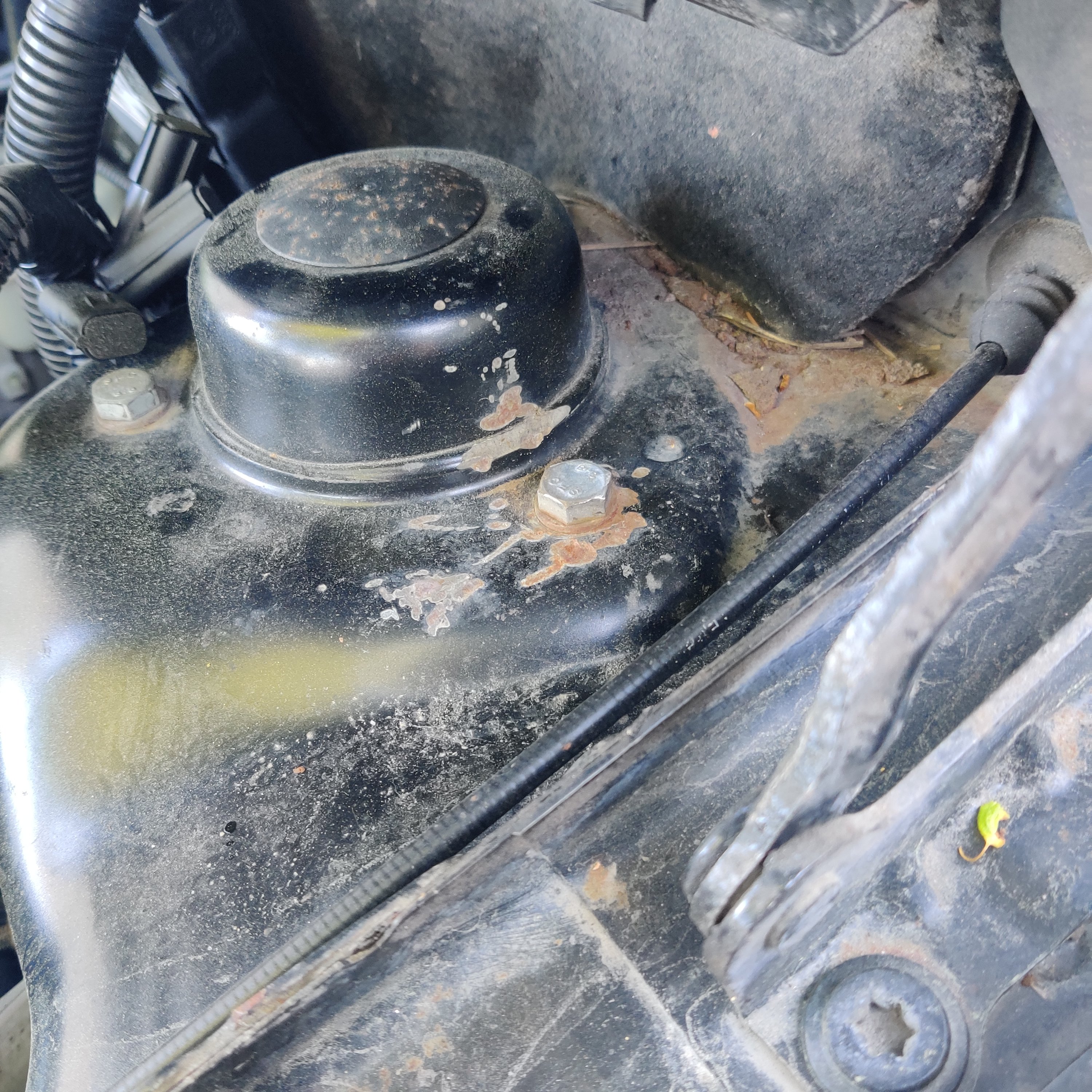
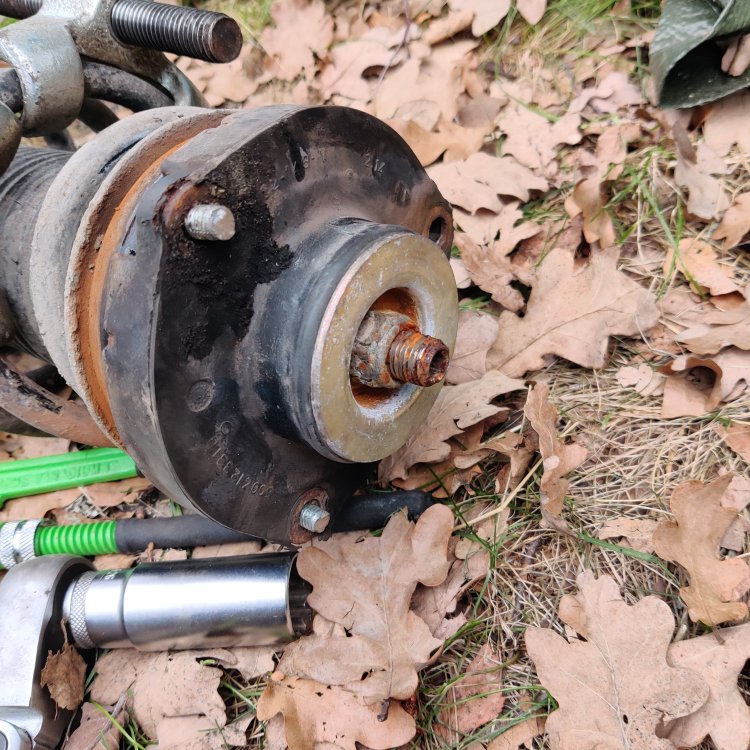
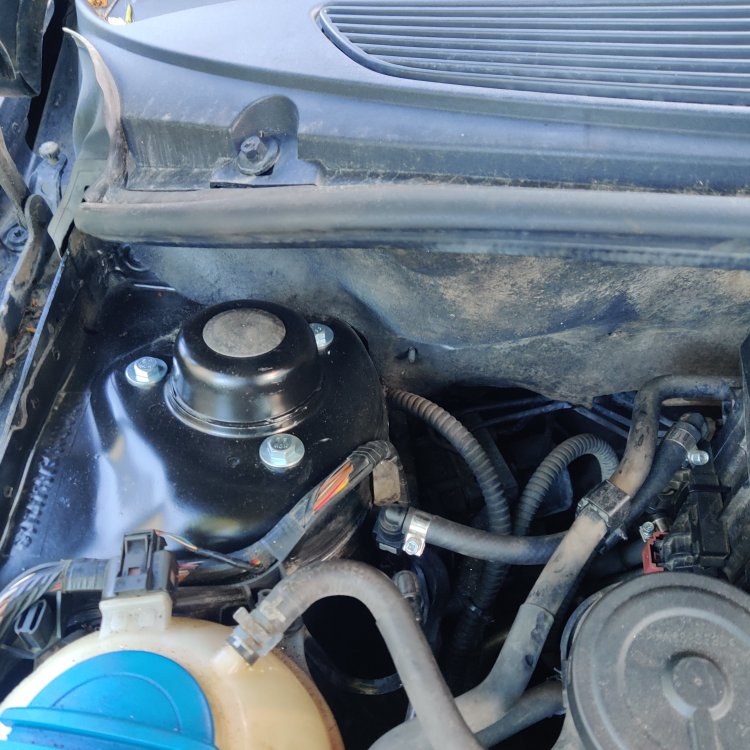
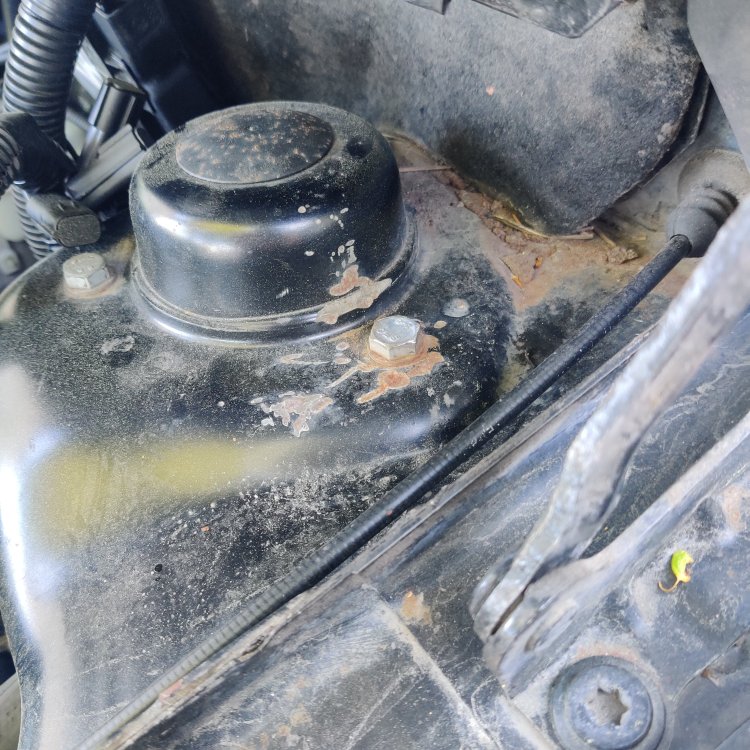
One of the hardest job was the steering bearings. My first car of this generation of vag cars, so I didn't know about the nice structure of nuts, where they are somehow molded in that rubber ring and welded on an extremely thin plate inside the molding. While the are exposed to the conditions inside the fender, of course they will be stripped away from that plate while a innocent diy-guy tries to take them apart. I should have noticed that something is wrong as I saw this: But I didn't. So a bit too much force and not enough patience and I too sawed those bolts off. Don't recommend that to anybody, it sucked. Construction is like that: There you can see bolts that are cut. Nuts spinned freely in that rubber thing. After the foxtail saw and a bit frustraited owner the area around those bolts looked quite rough, so I did a bit of make up with steel wool, and rattle cans, first zink primer then black: I like it, but now everything around needs some attention too, to match, maybe.
 1 point
 -
1 pointUSB ports installation This is the plastic we removed from the back side. We need to remove the part that is the ashtray and replace it with the USB base With a plastic tool or a small screwdriver, press the plastic pins (there are 4) and the ashtray comes out easily.press the plastic sheets (there are 4) and the ashtray comes out easily. In the opening created, put the plastic with the USBs and make sure it clicks correctly. We connect the brown plug in place and fasten all the plastic to the center console. ΅We are done!!! Now we can enjoy our new USB ports.1 point
-
1 pointWell, i managed to retrofit rear usb ports. As i mentioned i bought the plastic trim with the USBs holes. (5E3863618 (9B9) The USB module with 2 USBs - C ports is the 3G5035954A An cheap sourch is from a Poland site named SkodaParts (https://www.skoda-parts.com/spare-part/3g5035954a-usb-c-connector-skoda-38659.html) I did the wiring. I bought some plugs for this purpose. The black to connect the wiring to the car's (needs a little modification), the red to connect the existing contact of the front seats and the brown for the rear seats USB. The black plug (female) needs a bit of cutting to get the male red plug in. Please see the photo below: And this is the wiring Each plug has 4 pins. Connect 1 to 1, 2 to 2 and 3 to 3 to all plugs. 4 only needs to be connected from the black female to the red male. The new USBs that we will put back do not need to be connected to No.4. This is the schematic This is the result of the preparation.1 point
-
1 point