Leaderboard
-
Aspman
Resident Member13Points21,291Posts -
.jpg.3745ef413bb0c636456d024dfd5d2fd7.jpg)
Evolution13
Resident Member9Points3,212Posts -
Lee01
FREEDOM9Points36,938Posts -
Former
FREEDOMLite6Points8,151Posts


.thumb.jpg.9dd3f612ba7f13d10be5c518d3c8d255.jpg)

Popular Content
Showing content with the highest reputation on 01/05/26 in Posts
-
First I would do a compression test to rule out piston wear etc. If it comes back fairly equal and above spec then as said PCV etc and finally valve stem seals. Not sure if they can be done with head in place. On a very old Fiat my local garage fed soft string into chamber and compressed it to hold valve to replace broken spring so may be possible to do stem seals the same way. Check as well that the coolant isnt dropping and theres no oil in coolant. If its a diesel then it may be poor pattern/worn injectors that's causing smoke. Alasdair4 points
-
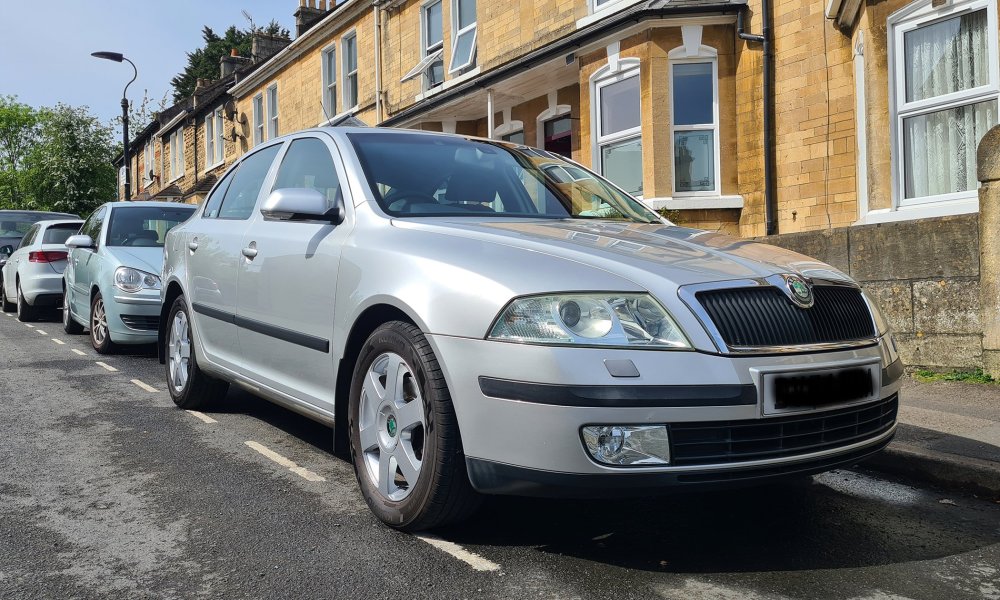
3 pointsSadly said goodbye to my beloved 2.0TDi BKD Mk2 of the last 18 years on Sunday. It was a very sad moment. Almost like grieving a relative. At 22 years old she was still a stunner. It was the best car I ever have owned. It was loved, cherished and pampered. Always reliable. Always started (except when I left the lights on). Comfortable. Solid. Economical. I wondered why I was getting rid as I drove it to Oxford and back last Saturday. Alas, she is gone..... Not moving far from the fold though. Getting a MK3 Estate on a 2020 plate so last of the MK3's before the MK4's Not picked it up yet but hope it's every bit as good as this one.
 3 points
 -
2 pointsLovely Crepuscular Rays on the way home this afternoon. Almost as though God himself was peering down through the clouds!
 2 points
 -
2 pointsA performance sports car comparable to the macMaster's car would probably do mid 20s per gallon?2 points
-
2 pointsFor full warming of the engine I forget about the coolant guage and go for 90+C with the oil temperature. ETA: if you're doing the work yourself you can take more time and care than masny garages do, so slightly underfilling means you can top up as and when required from your use. Some engines when they're older find their own fill level and you learn this from all the oil changes you have done on the car and from when you check the oil level between oil changes. Of course the first thing to check everytime you lift the bonnet isn't the relatively unimportant engine but the level and colour of the brake fluid, often very easily done by a quick glance at the plastic see-through resioviour. Whether you can stop is more important than whether you can go.2 points
-
2 pointsOil at max or below when new oil in is one thing. The issue is as happens with Servicing & Techs, Fitters, Apprentices etc. Cars engine needs running and up to Normal Operating temp so 90*oC indicated, not just left ticking over and warm. Then the Level is checked on the flat after parked 'a few minutes' so 4 or 5. Then any topping up required. So really that is the Road Test after a SERVICE. Not the off a ramp and back to the Customer parking / collection area. VW Servicing that a premium is paid for often has this missed.2 points
-
2 points@hymek said in his last post that the shoes and cylinders were only replaced a month ago. Perhaps something that would have been sensible to mention in the opening post?2 points
-
2 pointsA really bad idea to even consider using cruise in fog and snow or heavy rain - these are conditions where the driver needs to be fully in control at all times.2 points
-
I have cancelled the plan of going for a stage 2 setup, stage 1 is enough for daily use. I am not the same car enthusiast now as I was before, lol2 points
-
2 points
-
2 pointsSo I guess it was set for fixed because the alert came up and I thought: no, that's too soon and reset it again I'm fine doing fixed from now on, assuming that can only do good for keeping my engine healthy2 points
-
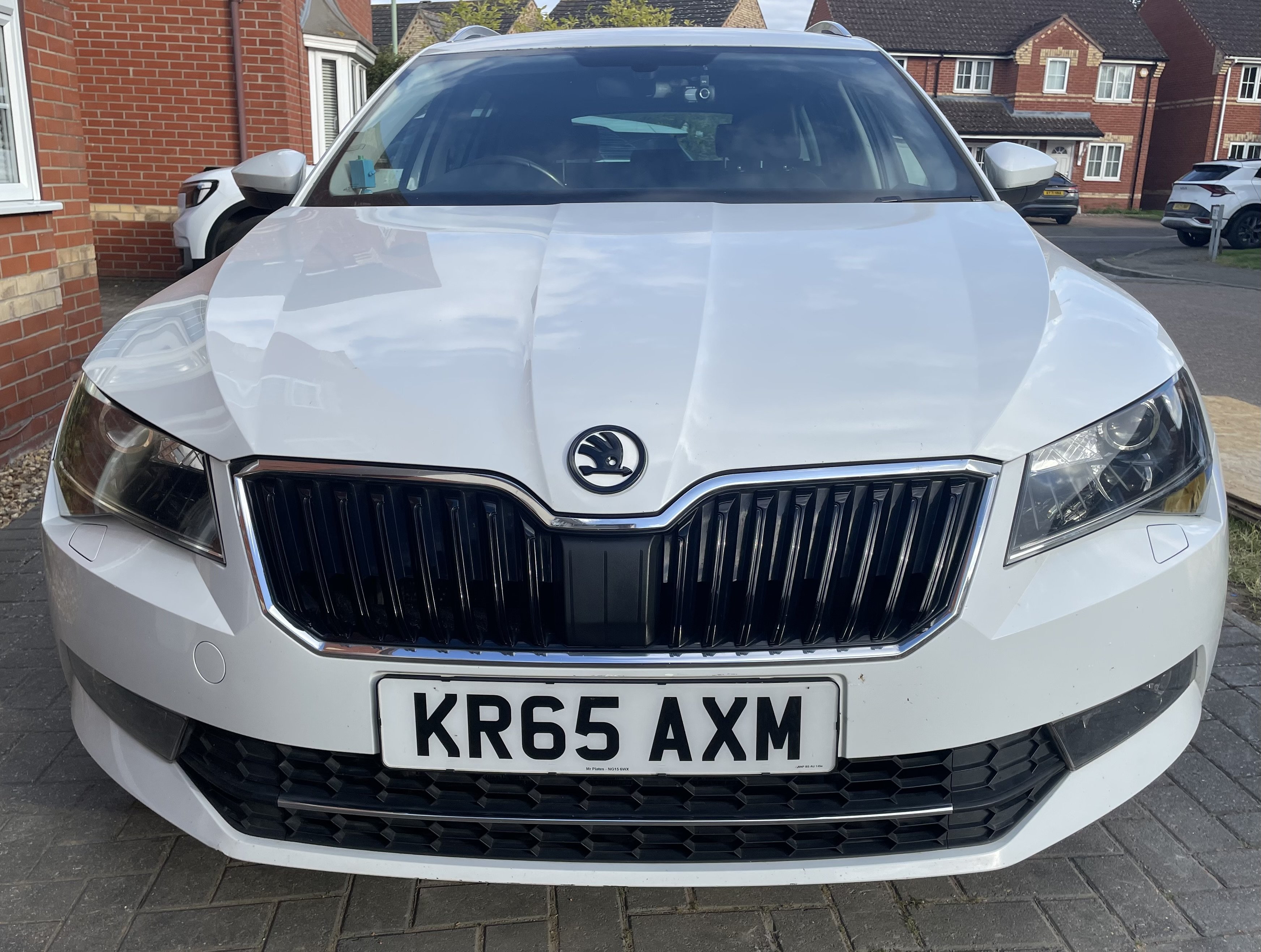
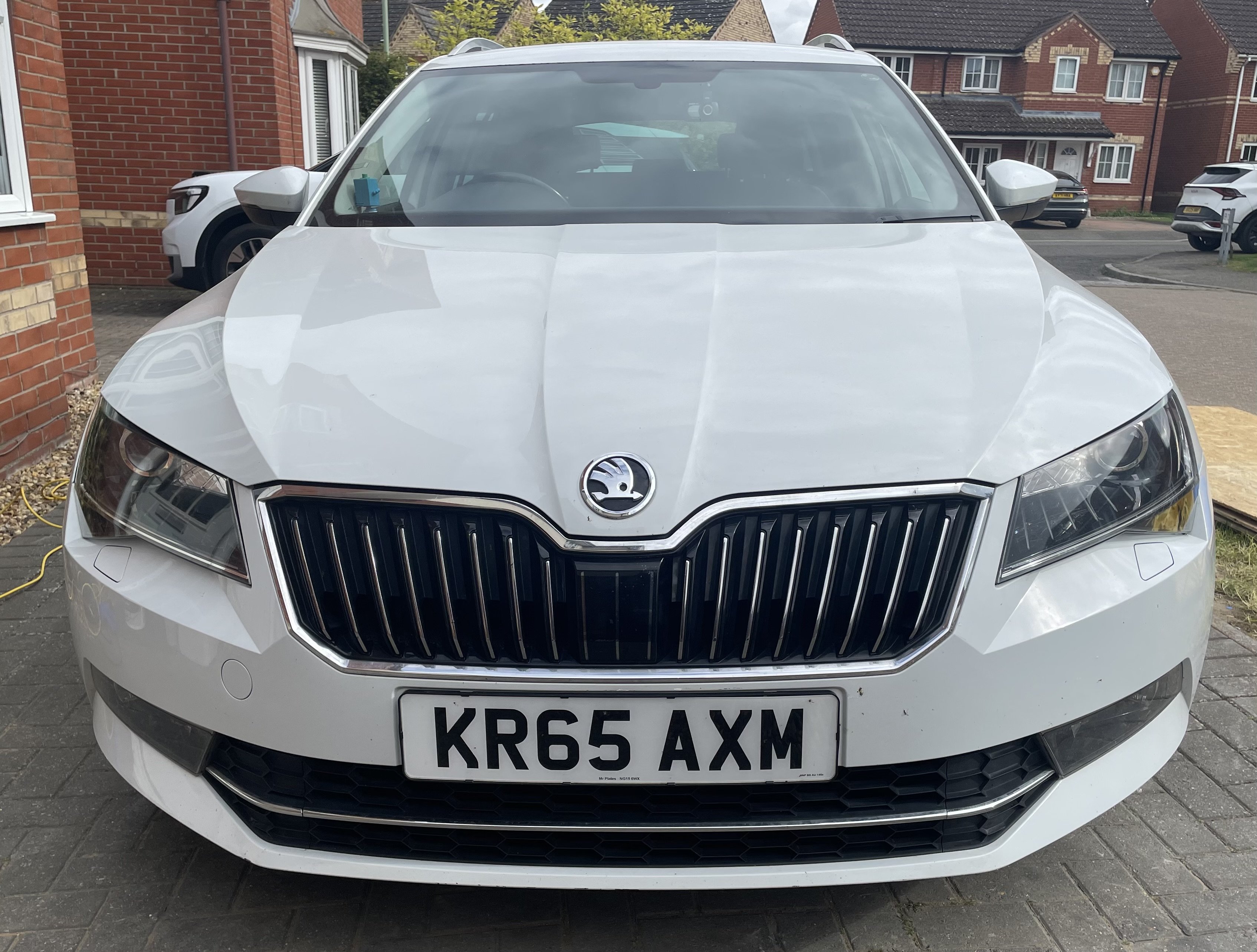
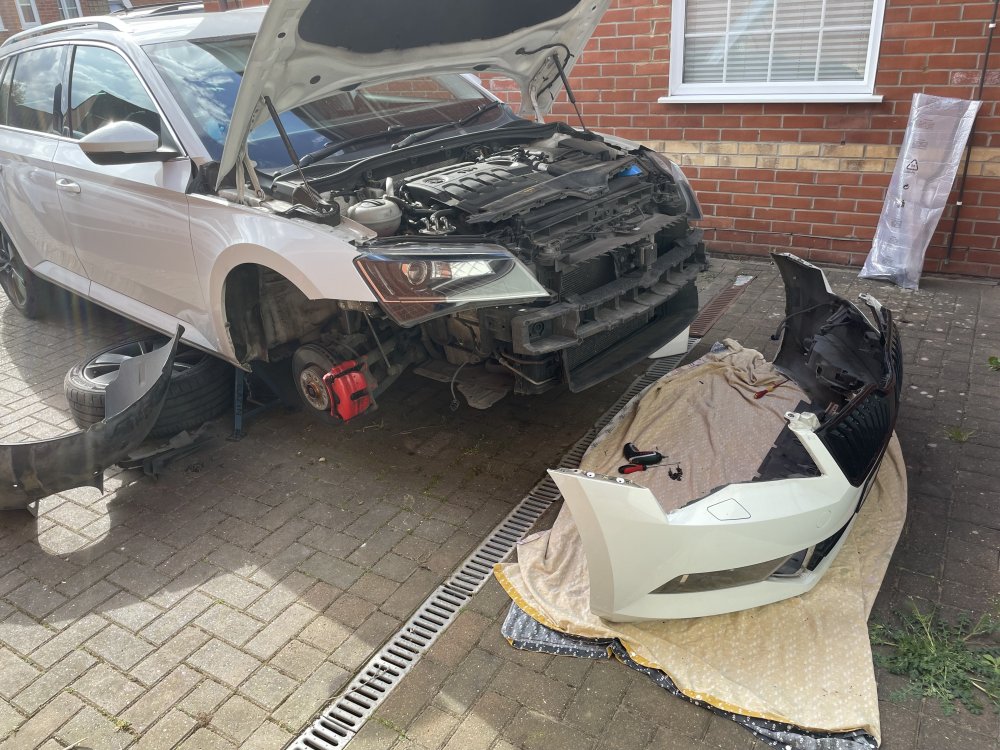
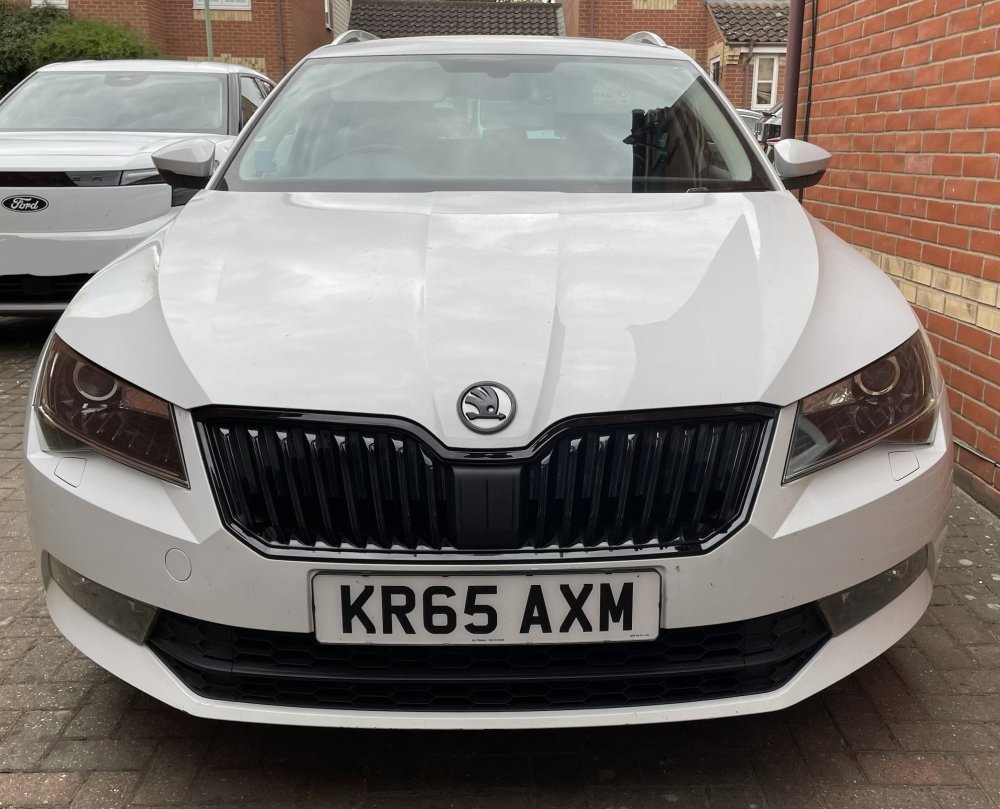
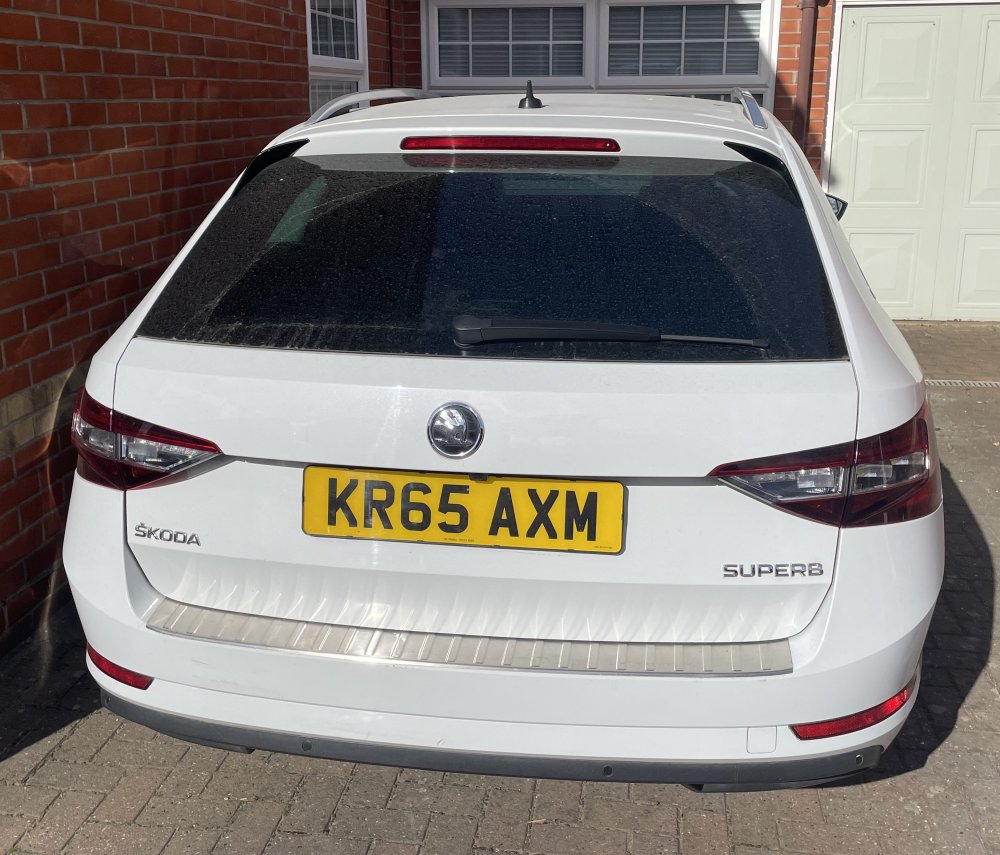
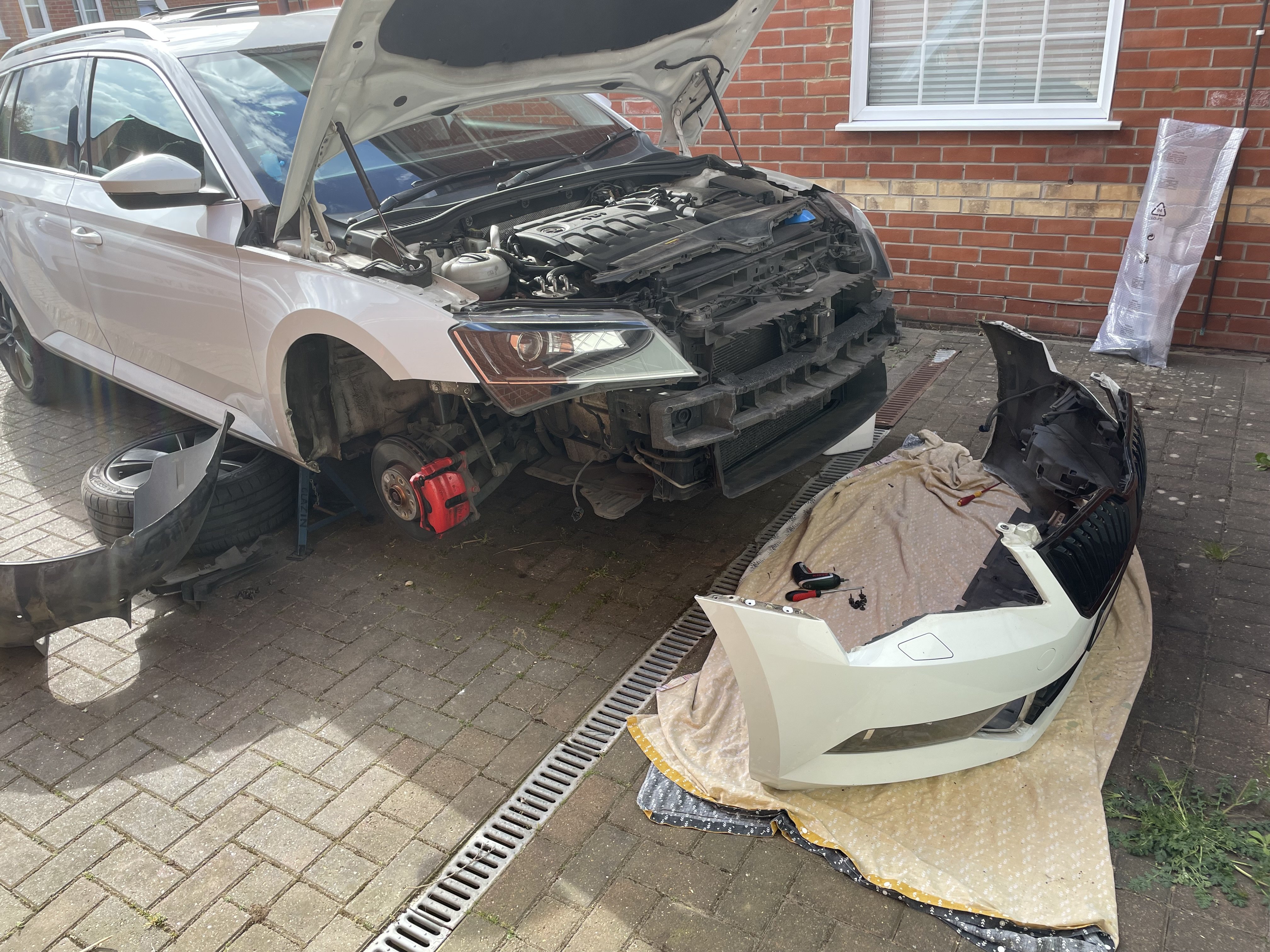
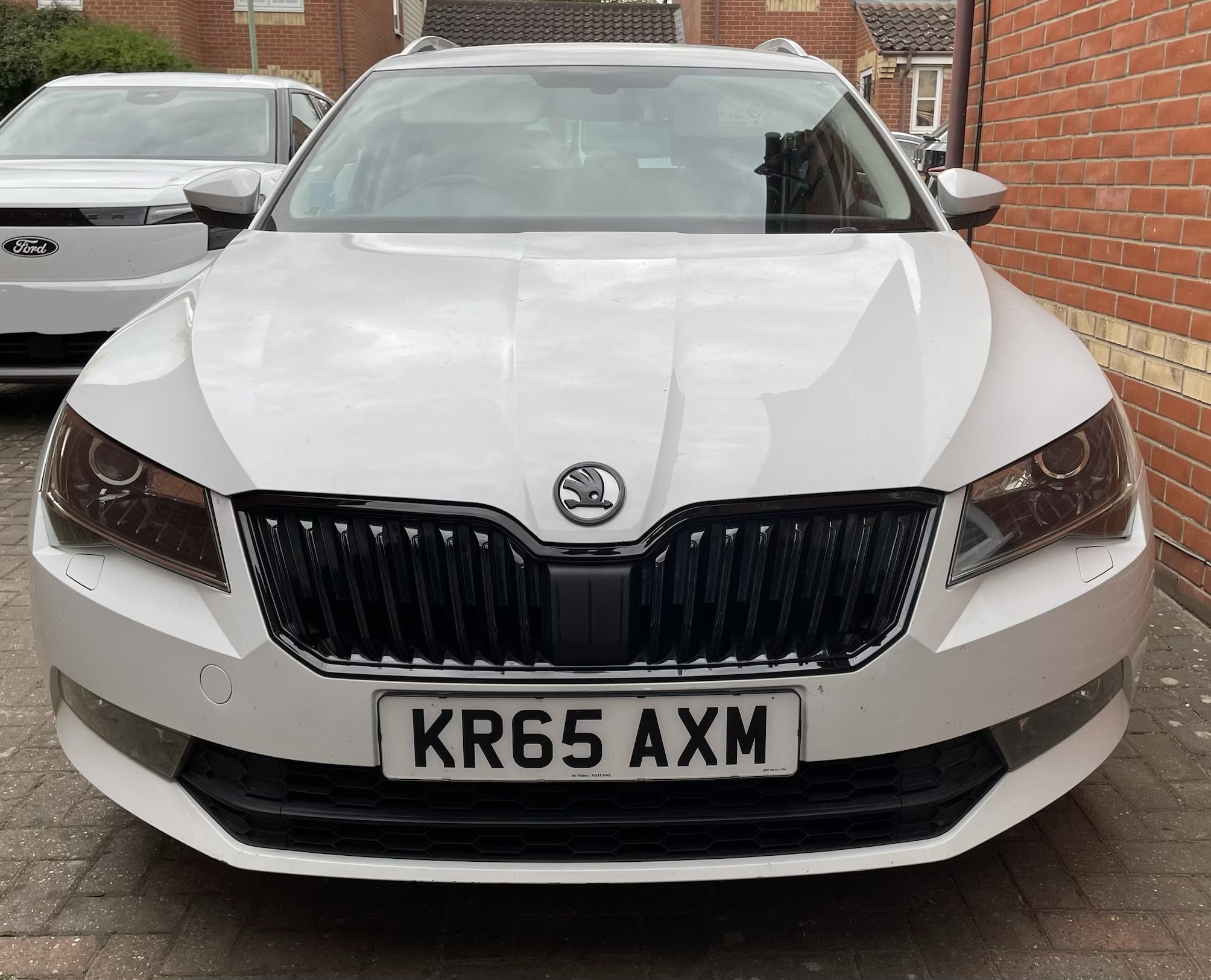
Finished off the front grill today. Bumper off job. Once again a big thanks to @JR RS for a brilliant how to guide. https://www.briskoda.net/forums/topic/469985-front-bumper-removal/#findComment-5277204 Lots and lots of Torx screws and fiddly clips but it wasn’t too bad a job in the end. Really like the look now it’s all done! The badge is not quite the right white. I think it’s more candy white. But I begrudge paying £100 from kopacek for two colour matched badges. I may get another couple of cheap Ali ones and try painting them myself with touch up paint. Just the side view left to dechrome with wrap around the windows and the roof rails to install
 2 points
 -
1 pointIm looking to replace my Exeo with either an Octavia or Superb, (looking at 2016 ish), ive noticed there seem to be a few Cat N & Cat S cars listed nowdays, and was wondering if its possible to find out exactly how much damage was done to a car, as ive heard not all sellers tell the whole truth and if a Cat S or N repaired car would cost more (or less) to insure compared to if it had no damage at all. and lastly if i were to buy a Cat S or N car and was involved in a RTC would the insurance pay out be alot less due to being a Cat S/N car or is there a thing like protected NC so youd get current market value of the car?? Thanks in advance1 point
-
1 pointI agree with your feedback for the most part except for the birds part. 😀 Turning off lane keeping is something I do without thinking with my right thumb after pushing start and luckily for me in NZ there is no speed limit warning. I agree the front collision thing is stupid and way too sensitive. As far as I’m aware there is non way to turn it permanently off. At least you can use shortcuts to make it easier to do but I don’t like the warning lamps that are on the dash then so tend to just put up with it.1 point
-
1 pointR5 is light and Scenic a bit more but not very heavy even for the 90 KWh battery version well under 2T kerb weight. Just down to how the makers chooses to do their BMS. Be nice to have an agreed consistency i reckon.1 point
-
1 point
-
1 pointHave you cleared the fault codes and found that they come back? May just be stored/historical.1 point
-
1 point
-
1 point3.3 miles a kWh is rather poor for the way he drives which is very canny. They are a big heavy lump though.1 point
-
1 pointThe thing about Oil Service reminders, that is for Oil & Filter changes. Best you know when stuff needs servicing and maintenance & not just visual inspections. Main Dealer Servicing involves very little. Extras, Pollen Filter, Air Filter, Brake Fluid Change, Spark Plugs replaced, Fuel filter diesels can cost extra & the Air Filter might never even get checked.
.thumb.png.0f280a69ae020e2455eefa6f048477cd.png) 1 point
1 point -
1 pointHello @Warrior193 again and thanks for more of your help I will have a check of that compressor pulley thing, thank you! James1 point
-
1 pointFirst check that the compressor shear-plate (on compressor pulley) is still intact. Strongly suggest having the refrigerant gas charge checked - if that's been lost, have the A/C system leak-tested and repaired before having the system recharged by an A/C technician.1 point
-
1 point
-
1 point
-
1 point
-
1 pointReckon if you go for a well known aftermarket like febi,pierburg etc should be ok. I would avoid any manufacturer that you haven't heard of e.g ridex,maxgear Alasdair1 point
-
Thanks both, good points and will follow your guidance! :-)1 point
-
7 yo beer guide, crikey half the pubs will be long gone by now1 point
-
1 pointmy diesel superb also a 2012 has done 188000 miles over 300000 kms its due a belt next year which i will change myself . this car runs fine and always starts so why change it. when it starts costing me money i will scrap it.1 point
-
You're preaching to the converted, I don't use Tw*tNavs. These type of things are what I use for route planning (old photo).
 1 point
 -
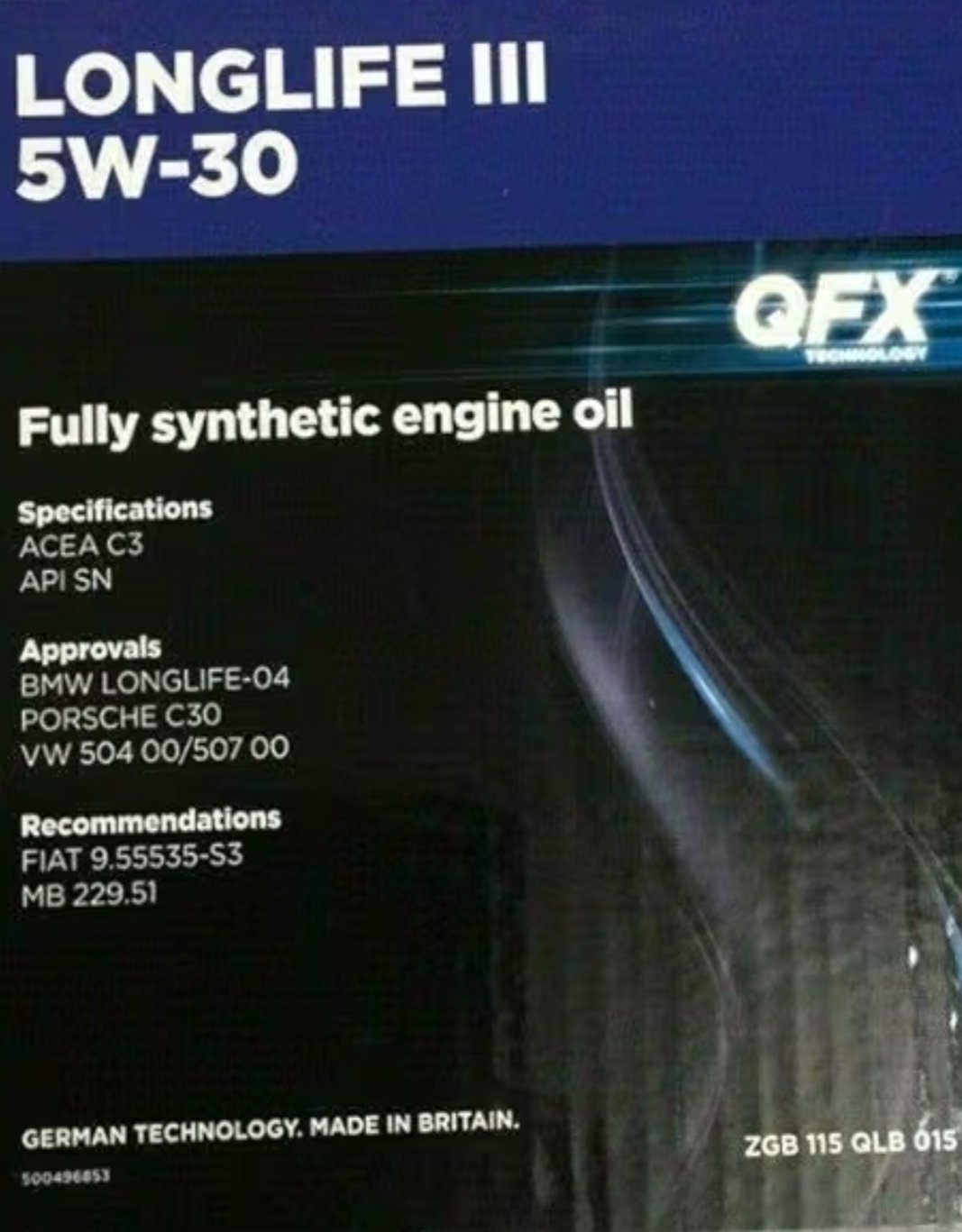
1 pointThat Amazon link didn't work for me but the image shows on the can label with VW spec 507 00 (504 00 is for petrol) and API SN. The car's 'Owner's Manaul' will give you the engine oil spec VW want (if not the quantity and multigrade). Link requested. - https://www.oilspecifications.org/volkswagen.php Depending on how the mileage is done 10k-miles (9,400 by book IIRC) and once a year would to me be a minimum. For engine oil changes personally I get the oil hot and drain hot - observing safety required - filler cap off and drain for as long as possible. Once old oil and muck is fully out I tip a quanity of fresh clean oil (warmed if required, solar or other) and let than fully drain before replacing sump plug and slowly refilling in stages, to check level. I always stay below 'Max' on the dipstick until the car is on level ground and all the new oil has settled. I usually check and top up the next day or after the first run of the car. Depening on the wet refill quantity your engine requires and what will be left out of 5l you might want to be generrous with the mini-flush I mentioned. Longlife is more of a marketing term, a good oil is a good oil. Some Yanks change their oil every 3k-miles and their engines can hold huge amounts of oil and they travel greater distances, though some using 'fully synthetic' engine oils might change at 5k-miles, but some don't bother much about engine oil changes until the oil sludge starts effecting their engines. I hope all of that helps.1 point
-
Could be failing seals in the wheel cylinder. My sons was leaking slightly and when took old ones off they were badly coroded inside that had damaged seals. I fitted two new ones and back to normal. There not that expensive from memory £12-00 per side. I fitted new adjuster at same time as they can get worn over time. keep and eye on base of drum for moisture especially when weather is dry. Alasdair.1 point
-
1 pointCost to insure would be no different, but they probably would try to knock you quite heavily on PAV if it were written off again. Some of the more expensive car history checks (car vertical and the like) will sometimes show pictures from when the car was in the salvage auction. I personally wouldn't buy a repaired car unless the seller was prepared to show me pictures of the original damage, so I can see where repairs have been done and check the quality of them.1 point
-
1 pointI need to disagree. I had the predictive thing on and it drove me crazy, I wanted to keep it at 100 KMPH and the damn thing reset to 130, since I was on a highway. It was night, foggy and snowing, with slush already on the road, so I did not want to go 130. Ended up not using the CC at all. Then I searched the web, found the solution, went to the car and disabled the predictive thing. Now, if I use travel mode, it will adjust to the road speed signs, as it sees them, w/o preparing for it, as in slowing before the sign. If I use ACC, it will keep the speed I set, no matter the road signs, but still keep the distance from the car in front. This is what I wanted. Travel mode is way more than just steering, it can also be used in slow traffic, as it will stp and start the car from standstill, keep the distance from the car in front, keep you at the speed limit etc. Why do you think VAG would put options doing the exact same thing, safe for assist steering? This is what Google gives you - what I explained is Option 2: Option 1: Complete ACC Deactivation (Stalk Method) Push the cruise control lever on the left side of the steering column all the way away from you until it "clicks" into the off position. Option 2: Deactivate Predictive Elements (Infotainment Method) Open Driving Assistance on the central screen. Select ACC. Toggle "Road layout preview" (corners, roundabouts) and "Speed limit preview" (signs) to off. Temporary Cancelation Tap the brake pedal. Push the lever slightly away from you (not to the full click). Permanent Deactivation To disable PCC permanently for all trips, it must be switched off in the driving assistance settings menu. Switching to Regular Cruise Control Some models allow switching to standard cruise control by holding the distance button on the stalk/steering wheel.1 point
-
1 pointIf the Dealership leave as the car comes from the Factory when it is taken out of 'Transit Mode' at the PDI it stays set on Variable, 24 months / 18,000-20,000 miles. If you had it serviced at 12 months / 5,000 miles and the Indicator was just reset than it would show another 24 months / 18,000-20,000 miles til servicing. (There is also Oil Service & Inspection Service might show, some mess that up.) For you best IMO to ask them to put to the FIXED SERVICING Regime. Especially if you are going to buy a Service Plan. Some cars are automatically put to Fixed Servicing like Demonstrators or Fleet cars., Motability cars are not.1 point
-
1 pointThe birds either like (or dislike) Skoda's just the same as any other brand. The rest of it is just tech that you'll get used to. The speed at which you approach a potential collision obstacle, whether forward or in reverse, determines the collision warning and braking trigger - it's a fine tolerance.1 point
-
1 pointPurely circumstantial re the birds. The car isn't quiet compared to a hybrid or EV, and none of the safety systems would have an impact on birds. The car doesn't have LiDAR, and the radar used in cars is hilariously low-powered compared to anything in aviation, let alone military. There are plenty of birds flying around Portsmouth with no issue, despite there being one or two SAMPSON radars nearby. Regarding everything else, it's just a new car. I test drove a Mk4 and then bought my 2020 Mk3.5. The TSR was disabled within the first week of ownership! I don't use any of the lane keep/assist, except when on the motorway. I've had no emergency braking activations in two years, but that said, I did get a warning last week out of the blue. I use the ACC system all the time.1 point
-
My honest advice would be to leave the car as it is, and wait until you have something more capable. Have you done a track day?1 point
-
The link to my build page goes in detail, but yes - u lose a lot of coolant. I had to top up with almost a 1L back in.1 point
-
1 pointBTW, I bought this oil this time around: VW Genuine Quantum Longlife 5W-30 Fully Synthetic Engine Oil 5 Litres1 point
-
1 point
-
1 pointIt means Extended Service Intervals. So Variable / Flexible from the factory. Tell the supplying Dealership you want it reset (gets done at the PDI) to Fixed Service Regime Intervals. 9,400 miles 372 days and not 24 months ,18000-20,000, If you want an extended warranty be sure to get that before the car is First Registered. PS. Or you can always just get your servicing Annually if that is what you want.1 point
-
The dealership that I ordered the car from The dealership I ordered the car from.1 point
-
Yes and that is the problem, same for all the other driver "aids" and "assists" on the vehicles now. I know humans are very far from infallible and these systems may sometimes help but I do wonder about more modern drivers that fully rely on them and those that believe computers without question, mental passengers behind the driver controls. As I put I've known some of these systems for decades and have seen improvements but they now seem in a period of a sort of regress in reliability.1 point
-
1 pointPlease don't talk nonsense, the Side Assistant is not a FoD/SwaP or FeC product. Only the master from the 3C is activated in the gateway.1 point
-
1 pointI agree with the others, I suspect you'll have a challenge getting it to anything other than 50/50. In reality, of course, it's completely the fault of the SLK, and I expect you were looking for a space. That being said, you did drive behind a vehicle that already had the reversing lights on and, technically, you could have stopped. In reality it of course wasn't your fault, but I suspect it'll be 50/50 as there were steps you should/could have taken to avoid.1 point
-
1 pointI deleted my original answer, but I think it'll go 50/50, knock for knock. How is the AA harassing you?1 point
-
1 pointyep that's the latest software i have, tty getting a wireless dongle from ali-express1 point
-
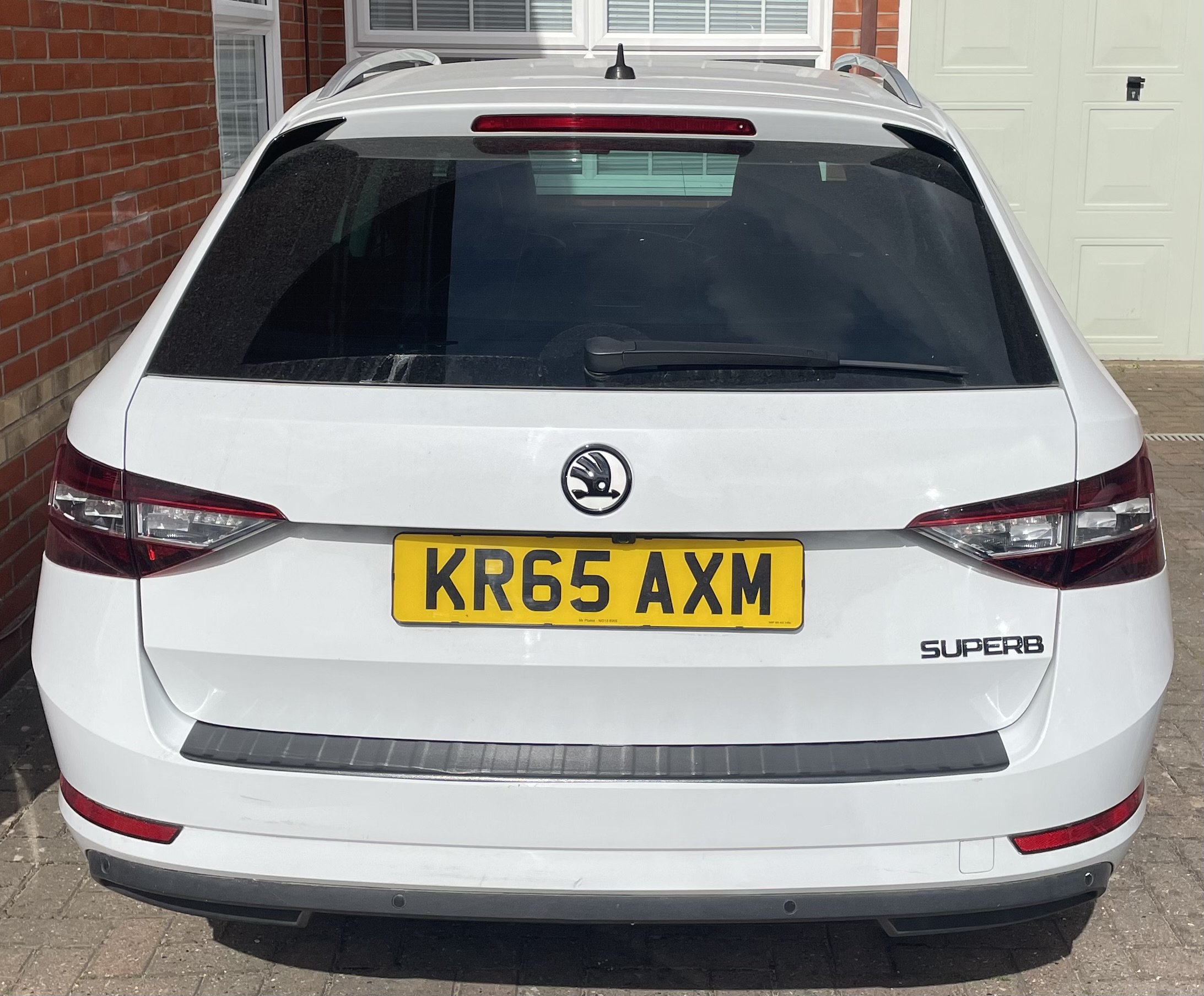
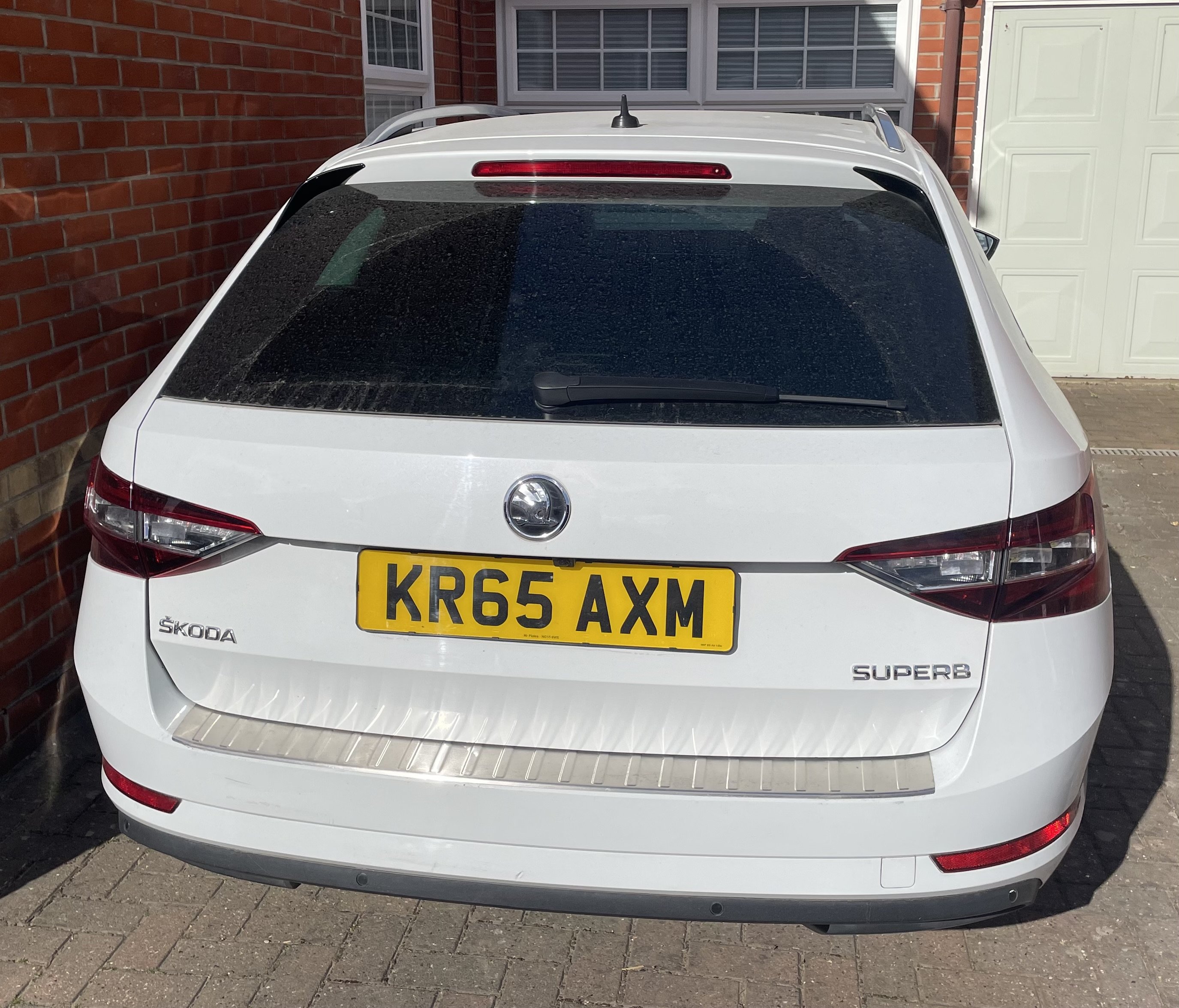
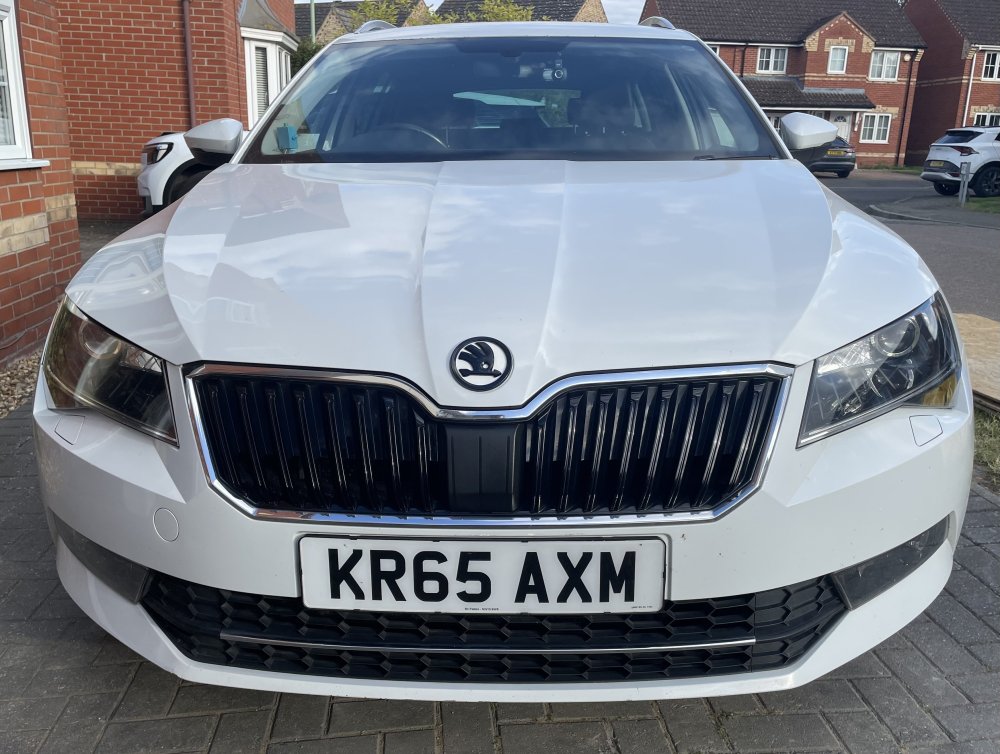
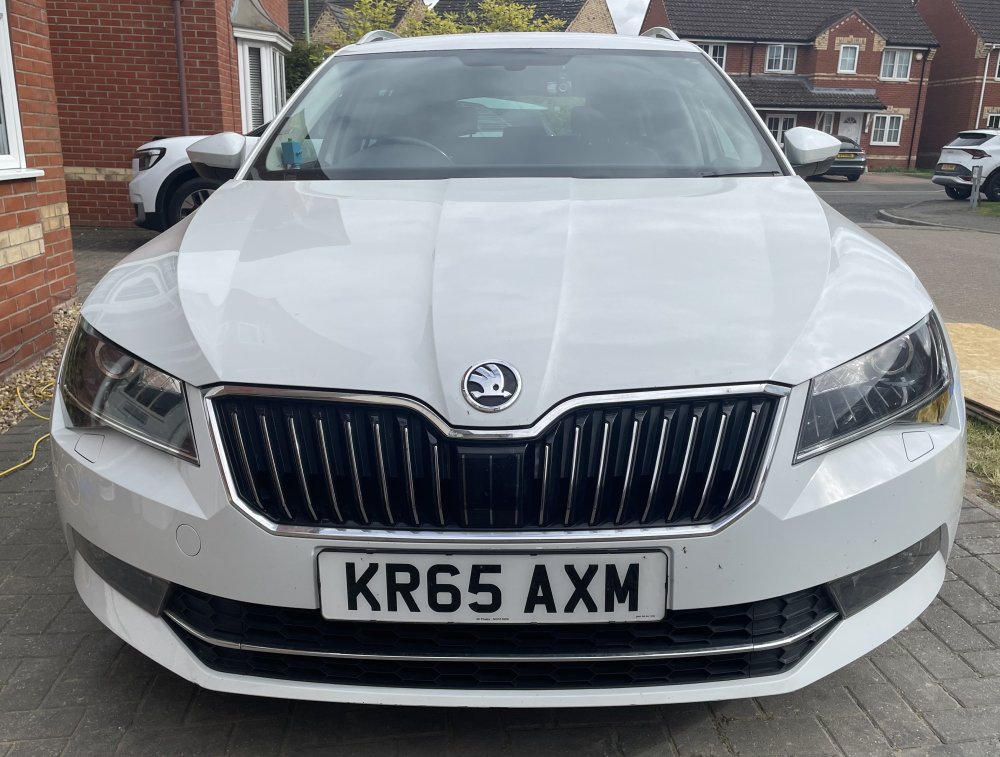
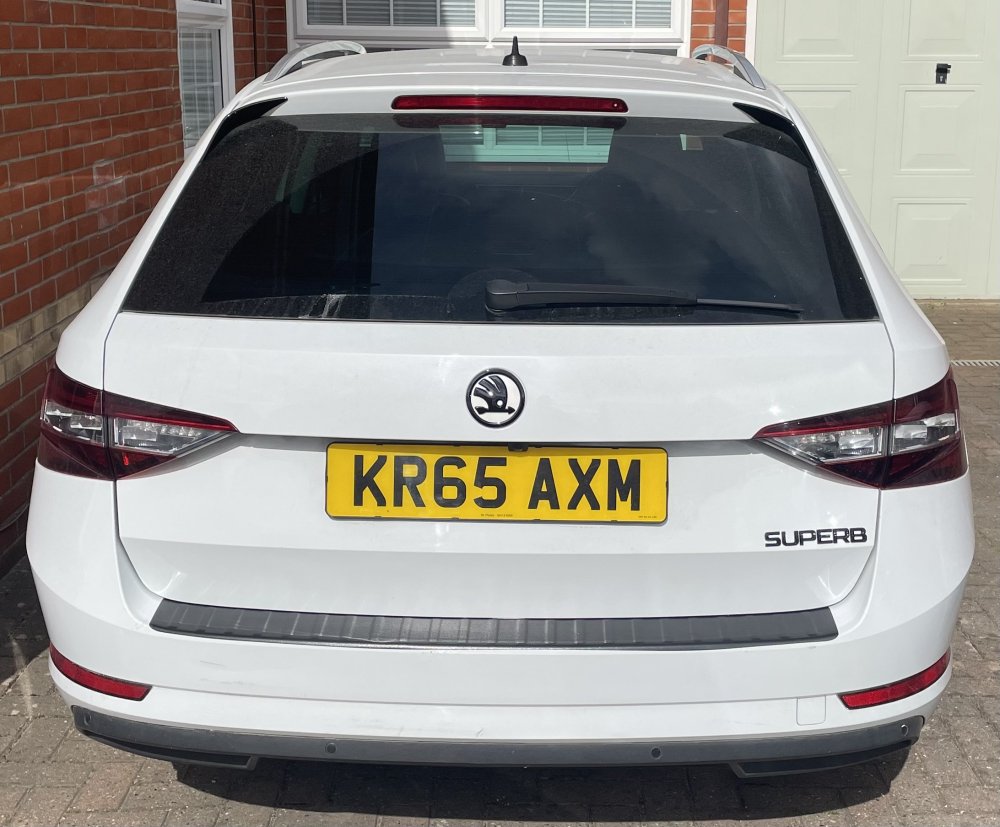
Tackled some of the easier of the dechrome tasks today. Now need to take front bumper off to fit the grill surround and lower grill strip, fit roof bars and wrap window chrome.
 1 point
 -
On such a critical application as this engine I'd be tempted to pay the extra fiver or whatever for genuine from dealership.1 point

_1.thumb.jpg.a1192bbf41f272c9e8d062560a0c4c2a.jpg)









.png.77d2c6248544d414a29b70327418b479.png)