



All Activity
- Past hour
-
Matus22 joined the community
-
It could be that the brake pedal hasn't returned fully. Try and lift it with your toe. Also check reservoir isnt full to the brim. Only other thing I can think of is ABS unit. It may require vcds or similar to bleed if air got in while changing calipers. As its all four wheels I reckon its trapped hydraulic pressure somewhere between master and ABS. Alasdair
-
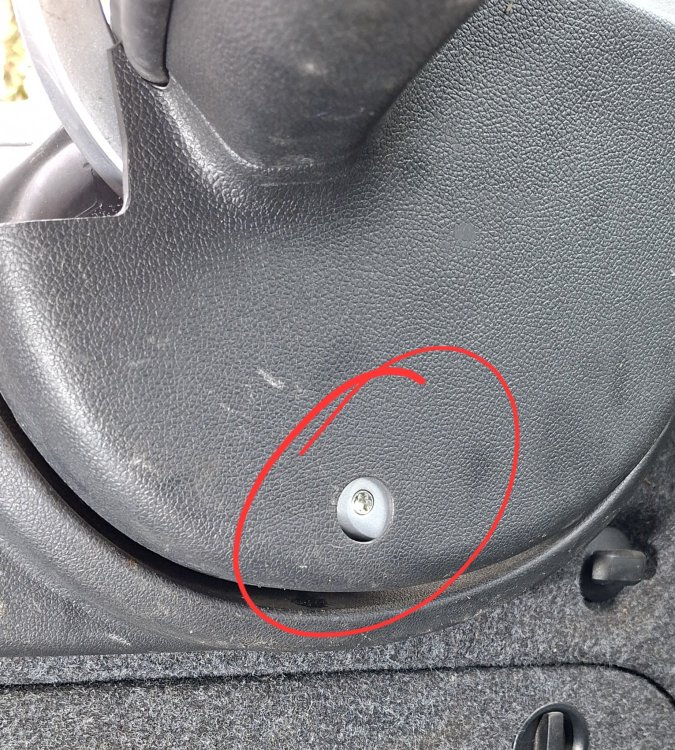
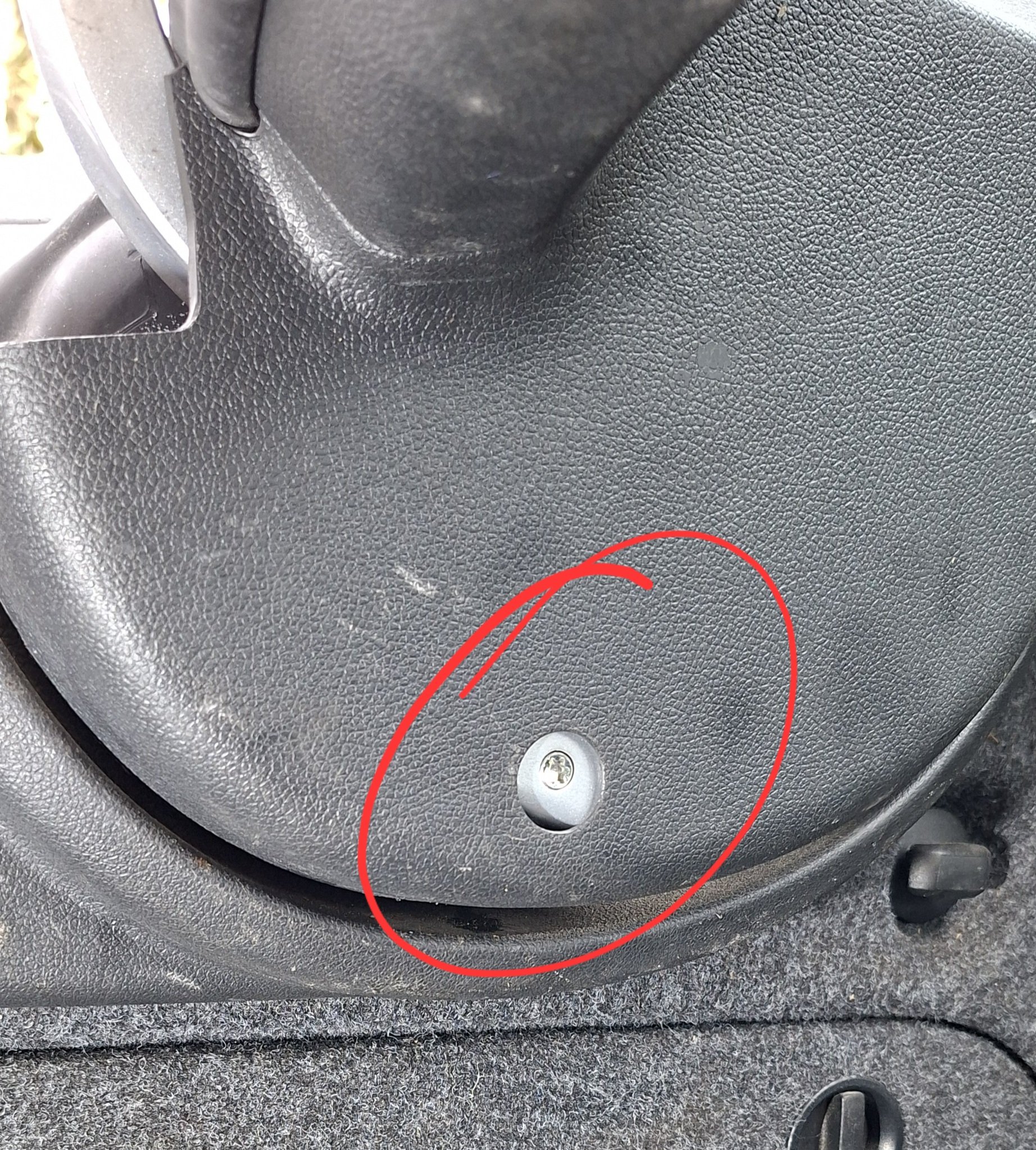
Hi Only the boot (half) of my 2013 Superb opens.Is it possible to open the full hatch manually to examine the wiring in the hinged area. What does the Torx Bolt pictured do?
-
I have just fitted new front dics calipers and pads to my 2015 skoda roomster 1.2 tsi with 35000 miles the items were replaced as brakes had seized on 1 wheel following a successful mot/nct test a d 1 front disc had been fried so to speak after fitting new brakes and bleeding system all 4 wheels are locked any ideas
-
Yes Sir, Mr. Thread Revival.
-
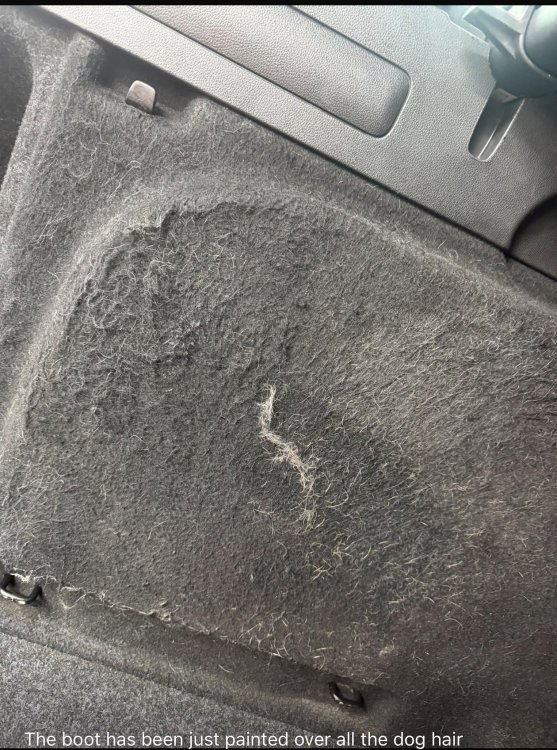
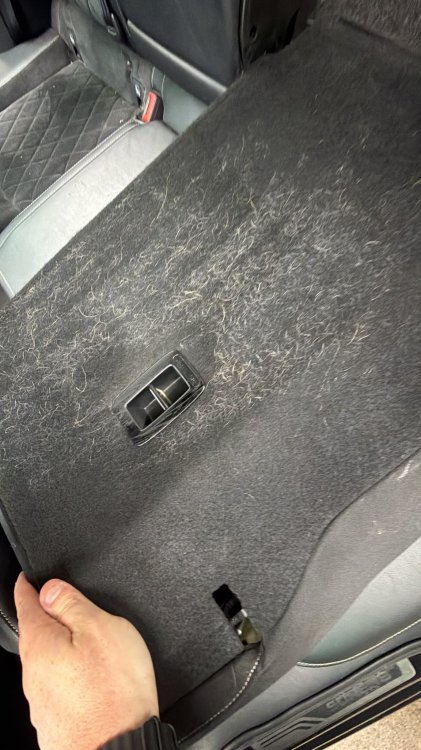
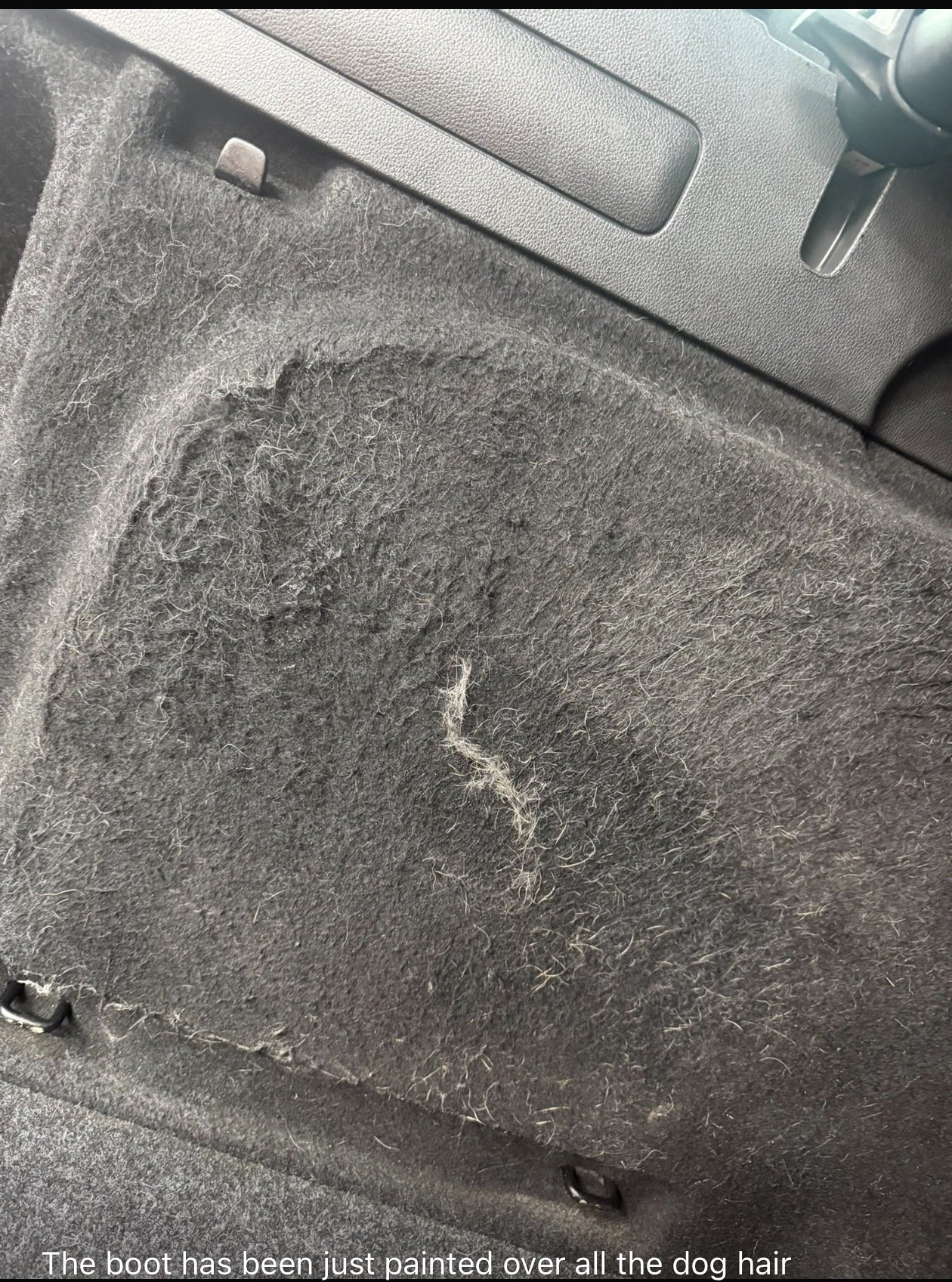
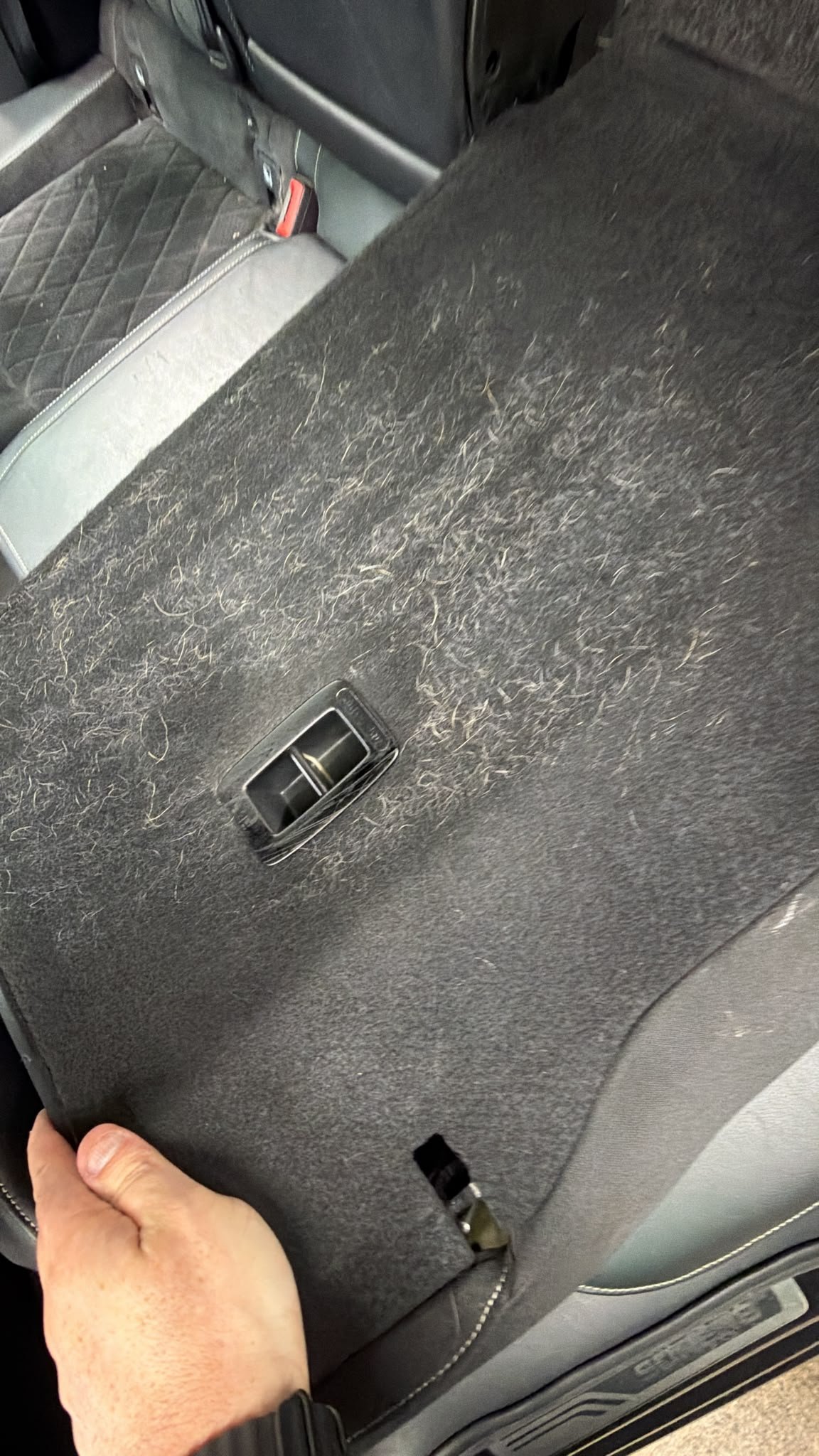
So when I collected my car Smelt of dog constantly Detailer says they have painted over the dog hair with black spray paint While he will do his best to get a lot of it off Is there part numbers for new side pieces, maybe bottom carpets and back of the seats? This is what I’m faced with So might just replace Part numbers and pieces be perfect for all rear pieces Estate
-
Daturon joined the community
- Today
-
Thank you for the detailed study.
-
To be fair, it's always been a requirement for drivers to check their vehicle. The Highway Code states: Checks you should carry out Every time you drive you should check: the windscreen, windows and mirrors are clean all lights work the brakes work It's our laziness that encourages reliance on the car's electronics, but are they always right. There are now street legal LED retro fit bulbs that can still be seen as failed by some ECU's (older I suspect) that can be fooled by a resistor pack (Osram do all of this). NOTE: Unsurprisingly, the UK is behind the majority of European countries in granting LED retro fit bulbs type approval 🙄 All 'coding out' bulb failure means is doing checks as per the Highway Code 🙂
-
-
tylerf16 joined the community
-
Thanks a lot mate qick question will this file work with VCP? I tried couple of .frf files allready and all the time the VCP run into an error due to missing .odx file. Thanks for answer
-
I get that I just like shorter clean plates Maybe have the front bumper smoothed in the future
-
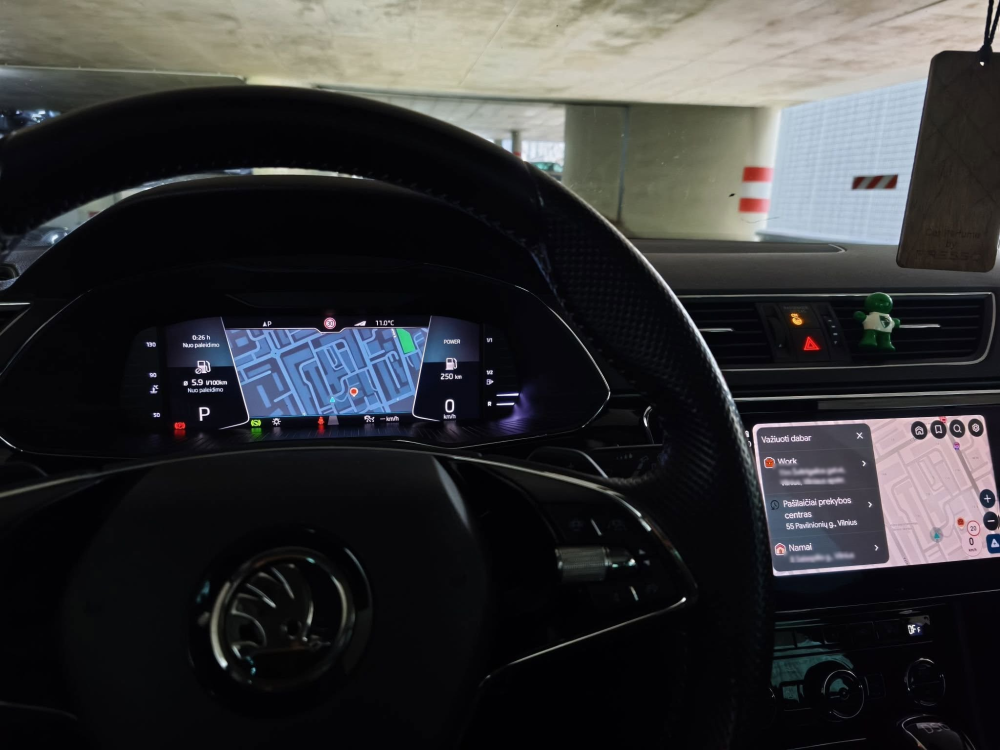
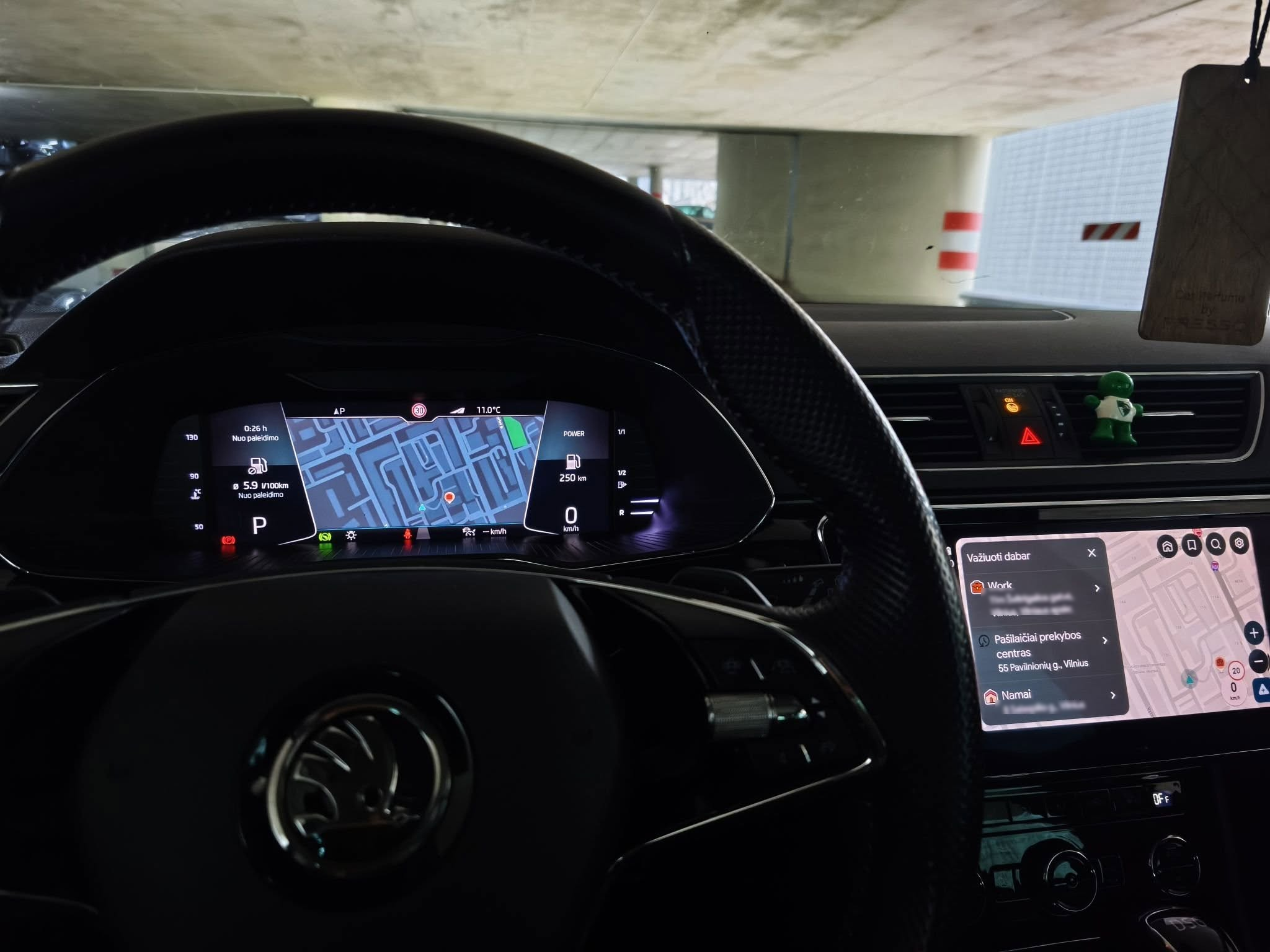
Waze and Google maps were set up on the digital dash. Certainly not a must have, but a nice little gimmick.
-
Martski joined the community
-
Yeah mine seems to have about 20 holes through it. I put plate holders on as I don’t like seeing screw heads in plates!
-
Yeah noticed the rears Front bumper looks a **** show 🫣😂
-
Also with the plates, rear one has rivnuts through the metal skin so screw hole positions are fixed. Front are just self tappers through the plastic bumper.
-
Hi everyone, I wanted to update this thread with the final solution, as the car is now 100% fixed and running perfectly! It turned out to be a classic, physical wiring issue hidden behind phantom voltage, and NOT a digital/software lock or component protection. How the fault was isolated: After systematically verifying that the ignition switch (D-switch) and the internal board of the J527 Steering Column Module were healthy, I started measuring the actual voltage under load. I discovered that Pin 1 (Red wire - Terminal 30 / Constant Power) on the main 20-pin connector (T20a) going into the Steering Column Module (J527) was only receiving between 1.5V and 3.5V. This was a classic phantom voltage situation. The wire had enough physical continuity to pass a basic multimeter beep/continuity test, but under any form of load, the voltage collapsed completely. Because the J527 module was only getting a few volts, its internal network chip couldn't boot up. This caused the LIN-bus to shut down, made the instrument cluster go completely pitch black, and threw the whole car's CAN-bus into a frenzy, triggering all the Lost Communication codes. The Root Cause: While the fuse box under the hood (E-box) was delivering a healthy 13V, the voltage dropped to 1.5V on the inside of the cabin where the wire changes color/thickness. When the alternator originally failed (draining the system) and the new battery was connected, the initial inrush current/spark acted as a "fuse" at the weakest link of that specific power line. The wire had physically burned out/melted inside the factory crimp/welded splice inside the wiring harness harness right where it passes through the firewall (torpedvägg). Only a single strand of copper was left touching, allowing just enough "ghost voltage" through to trick a multimeter, but not enough to wake up the modules. The Fix: I hooked up a power probe to inject a clean, fused 12V/13V Terminal 30 source directly into Pin 1 on the J527 connector—and the entire car instantly woke up! The dashboard lit up, the Terminal 15 relay clicked automatically, and the car started right up with zero issues. To make a reliable and permanent fix without ripping apart the entire insulated factory wiring loom under the firewall, I performed a permanent bypass: Ran a new, high-quality 12V wire from a verified, constant Terminal 30 slot in the cabin fuse box. Added an inline 5A fuse to protect the new circuit. Snipped the damaged original wire a few centimeters before the J527 connector (insulating the old 1.5V end). Spliced the new, clean 12V line directly into Pin 1. Everything is now working flawlessly, and all communication errors are gone. Thank you to everyone who read along—if you ever experience a completely black dash and dead ignition after a battery change on a VAG car, always load-test Pin 1 on your steering column module!
-
-
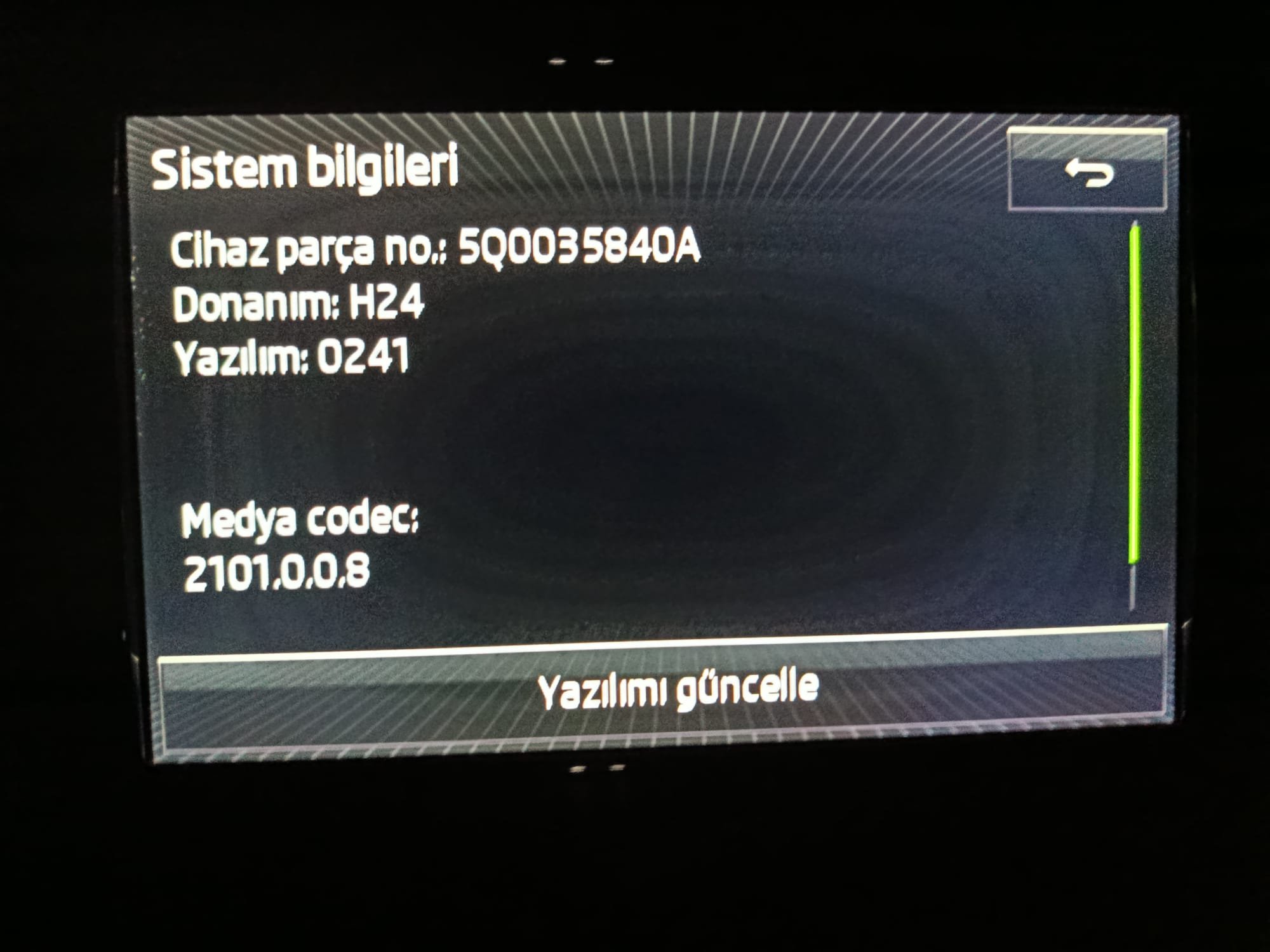
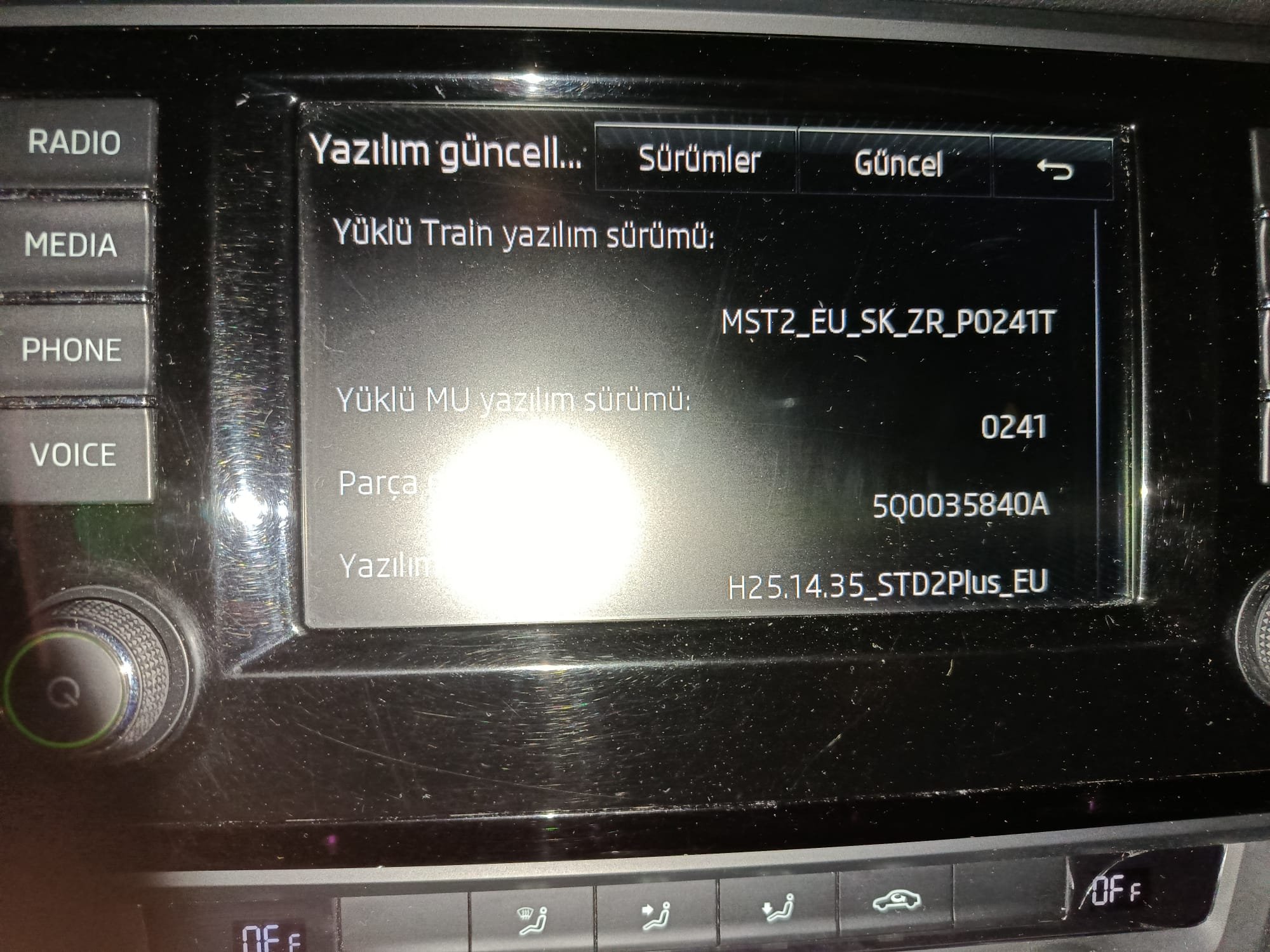
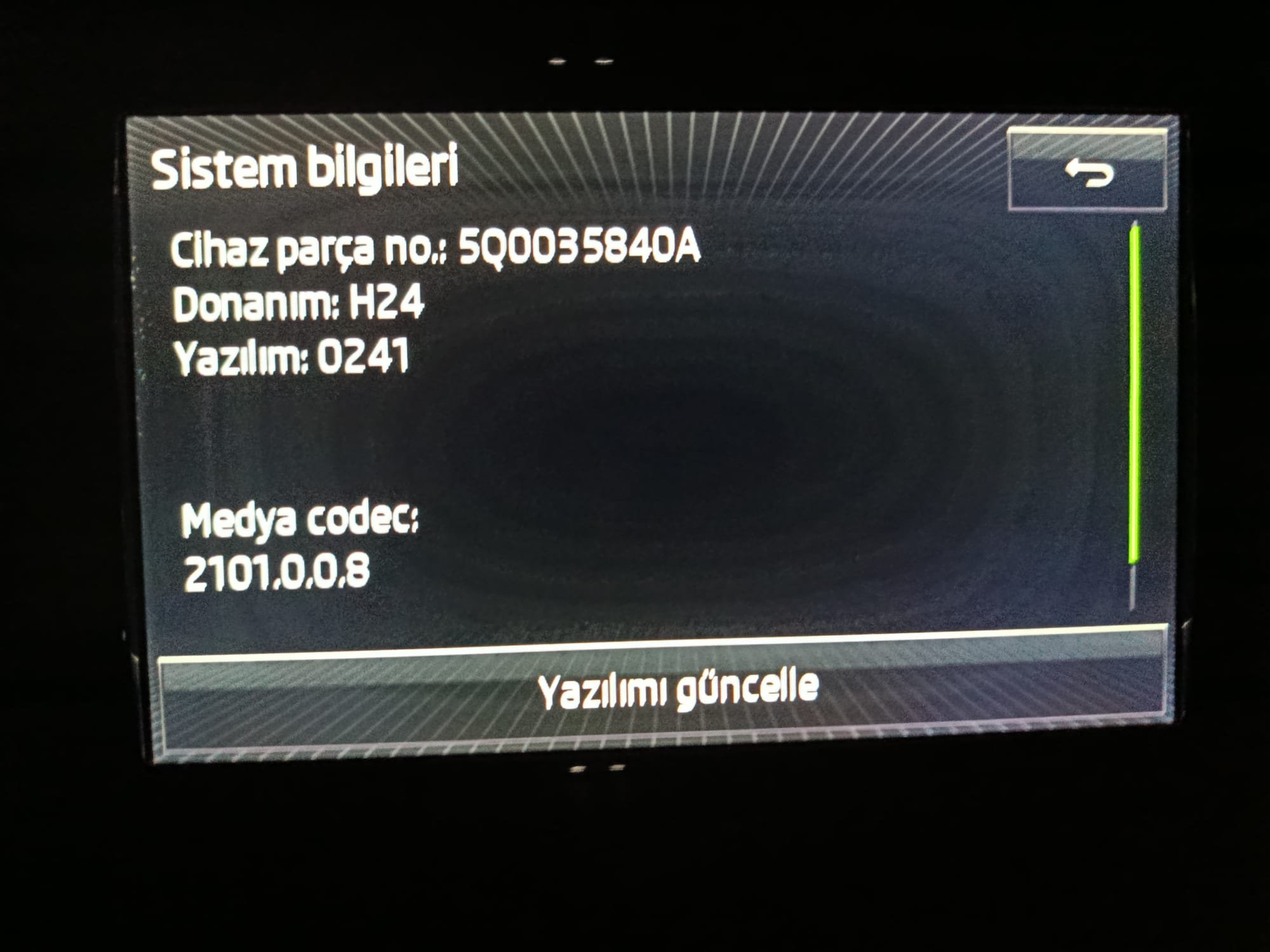
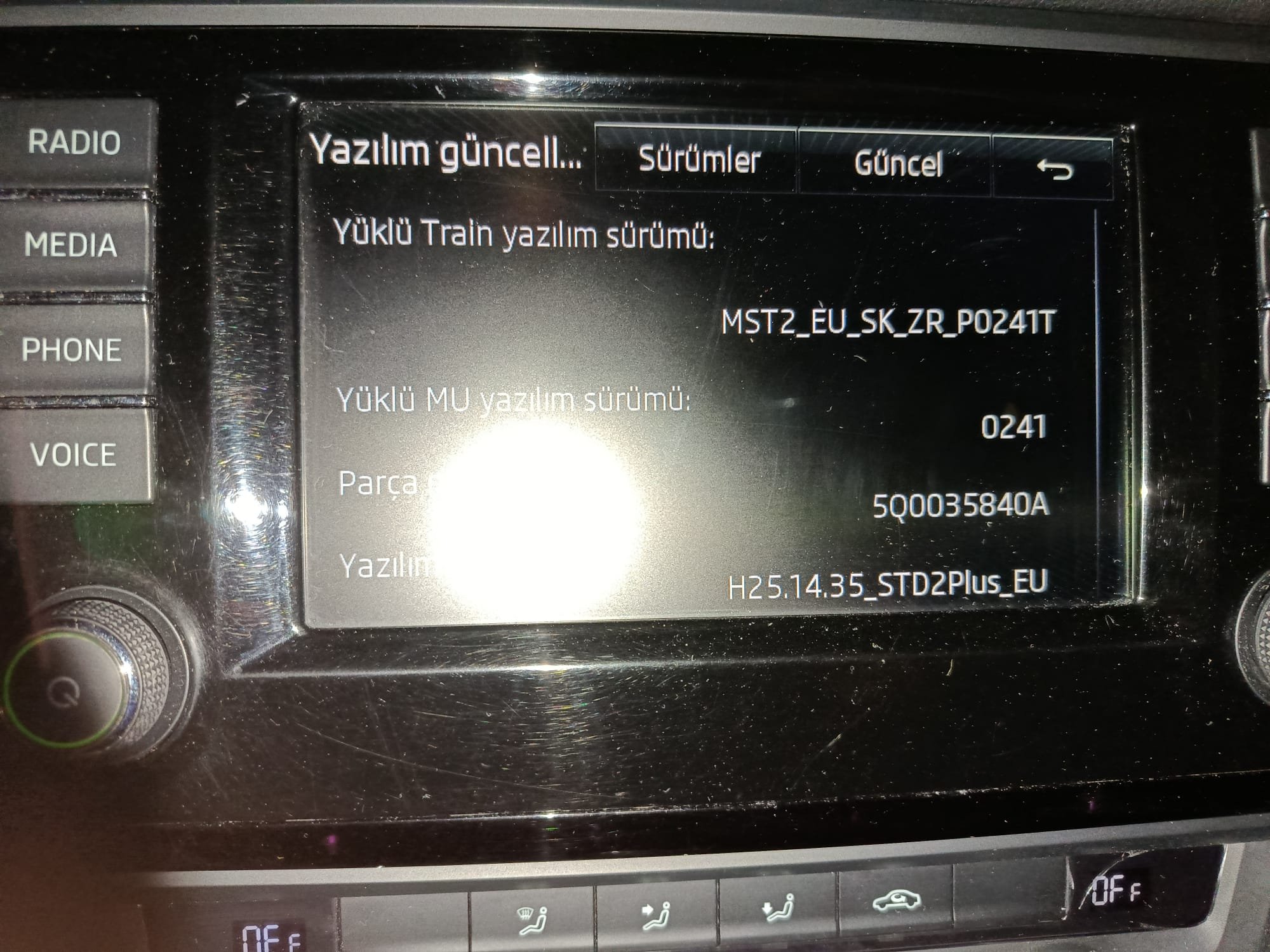
MST2_EU_SK_ZR_P0241T What is the current version? Is the link available?
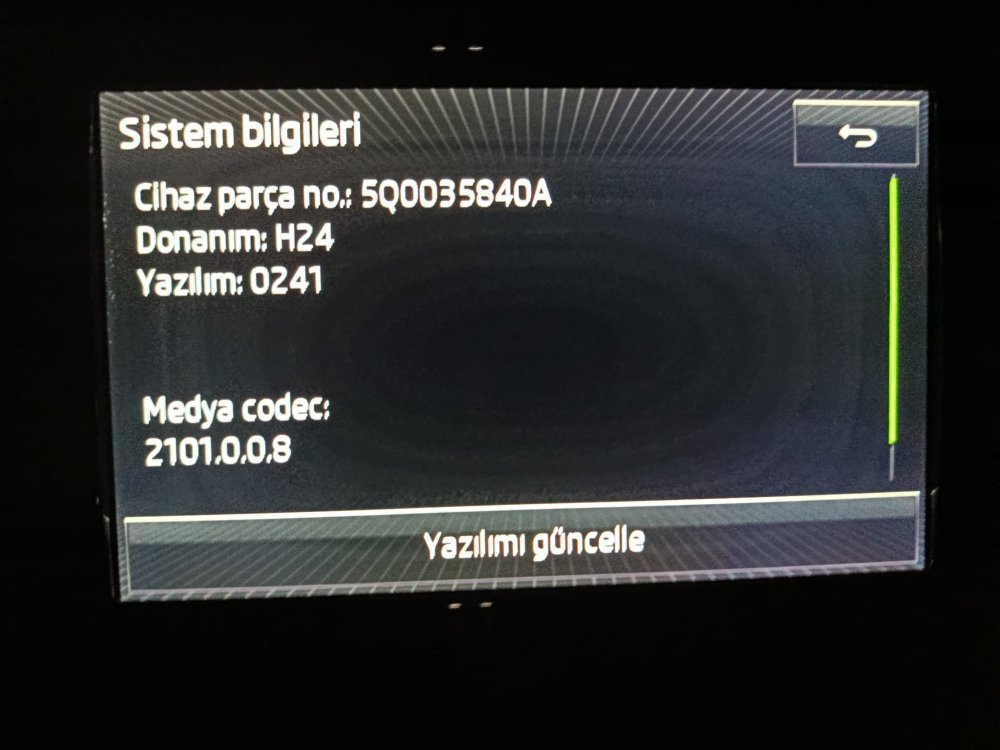
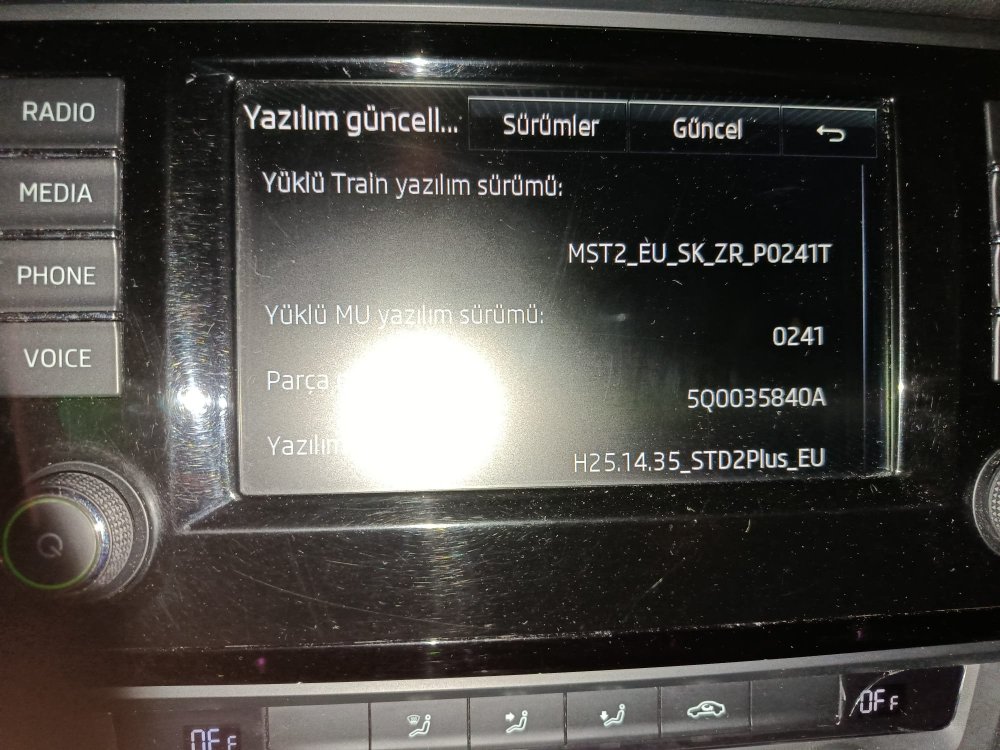
-
I have the same problem, gently hit an invisible bollard and would love to check before putting in the garage. Skoda superb estate
-
What is the current version? Is the link available?
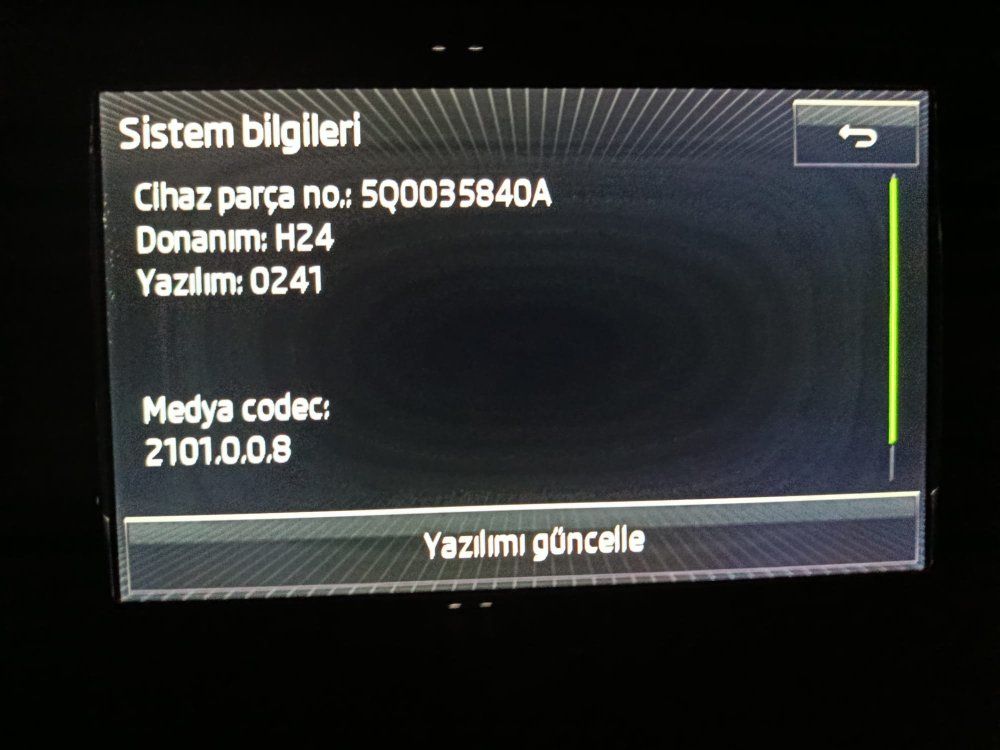
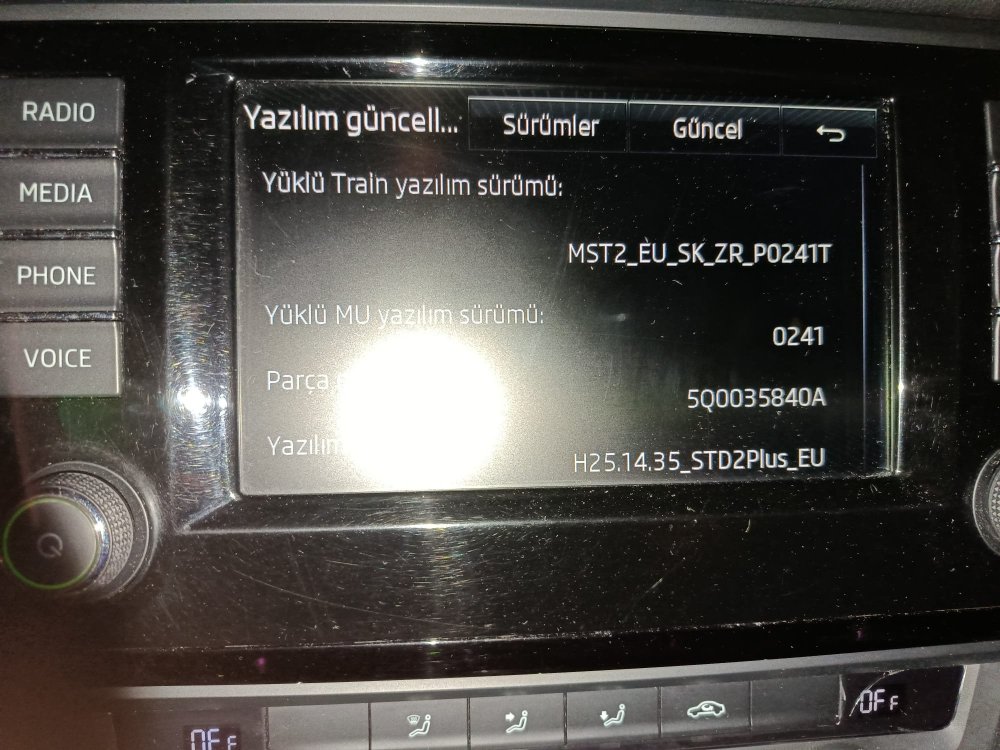 I’m sure he would appreciate it. I needed something in a rush a few weeks ago, dropped them a message around 3pm with the order and it left an hour later with Tracked 24. Just really good service, and not something you get that often these days, unfortunately. My approach would be to make a cardboard template, find the centre point of the pad, and then keep enlarging the hole until it fits nicely. It can be a bit of a bugger to fit, so I’m not sure how much luck you’ll have with regard to the cover sliding into place. If that doesn’t prove possible, I would then consider, as you suggested, making a square cut out, and some sort of cover to go over the top. Of course, there’s always the option of getting some underseal and ditching the covers entirely!Hi all, I want to remove the turbo wastegate actuator as it is throwing up the P334B fault code and is in limp home mode. My local Indie dealer said it should be a straightforward swap on my model. However, one thing I am unsure of is how many screws hold the heatshield in place, and whether they can all be accessed from the engine bay and not on a lift. The engine is the CBZB with the spark plugs at the front. I did try to undo one of the bolts on the top, but with no success, even after using penetrating spray. If anyone has taken this part off or any recommendations, I'd be grateful. Thanks, JohnGot this from AI so ??? 1. The Steering Column Module (J527) is "Bricked" or Frozen A sudden surge during a battery reconnection can easily scramble the volatile memory or freeze the microprocessor of the J527 module. Because the module is completely unresponsive, it is not broadcasting its digital ID over the LIN bus. The BCM, seeing total silence on that data line, assumes the module is physically missing or "Not Installed." How to fix it: Perform a hard microprocessor reset. Keep the car battery connected, but locate the large multi-pin harness plugged directly into the Steering Column Module (under the plastic shroud behind the steering wheel). Unplug it completely for 5 to 10 minutes, then plug it back in. This completely cuts local power to the chip and forces a hard reboot. 2. The BCM Lost its Gateway Coding (EEPROM Corruption) When car batteries are changed, a massive voltage arc can sometimes corrupt the EEPROM memory inside the BCM or the Gateway module. The car hasn't physically changed, but the BCM's internal configuration file has suddenly "forgotten" that a steering column module is supposed to be there. How to fix it: If you are using VCDS, OBDeleven, or a similar high-level scan tool, go into Address 19 (Can Gateway) or Address 09 (Central Electrics / BCM). Look at the Installation List. Check to see if the Steering Column Module (often Address 16) has become unticked or deselected in the gateway configuration. If it is unchecked, re-tick it and save the coding. Why this keeps the Dashboard Blank Even though the BCM sees you turning the physical key via hardwired pins, VAG security and power-distribution logic requires a valid digital handshake over the LIN/CAN bus from the steering column electronics before it will authorize the Instrument Cluster to wake up. Without that handshake, the car stays in a digital "sleep" state to prevent theft. You may have already tried the above but you did say any ideas. AlasdairMy current software level is MO13_EU_SKMQB_P33200P (0332) and I am wondering if a newer software level is available and where to get it from as MIBsolution appears to be down?

















Important Information
Welcome to BRISKODA. Please note the following important links Terms of Use. We have a comprehensive Privacy Policy. We have placed cookies on your device to help make this website better. You can adjust your cookie settings, otherwise we'll assume you're okay to continue.