



Leaderboard
-
varooom
Resident Member12Points4,411Posts -
FatWolfie
Members10Points207Posts -
.jpg.1006585dfe4e2977315b67c3d642e37b.jpg)
Guest_
FREEDOM9Points83,824Posts -
MikeTheThinker
FREEDOM8Points8,537Posts


Popular Content
Showing content with the highest reputation on 12/02/23 in all areas
-
4 pointsJust to bring this request for help to a close… Varooom very kindly contacted me this morning and by 15.00 today I was at his place, only about 15 miles from home. I was so glad not to be tackling this job on my own, Varooom very patiently went through loads of stuff on his ODIS and laptop and eventually, hidden away, the solution was found. And finally I have the car set up just as I want it, with no VERY annoying fake sound in any mode. Bliss 😎😎😎 Thanks again to Varooom, a real hero of this forum. And a top bloke 👍🏻👍🏻👏🏻 I will put a post separate to this using some screenshots Varooom took and (hopefully) an explanation in case others struggle to fix this issue and don't have access to OBD Eleven or VCDS but do have ODIS.4 points
-
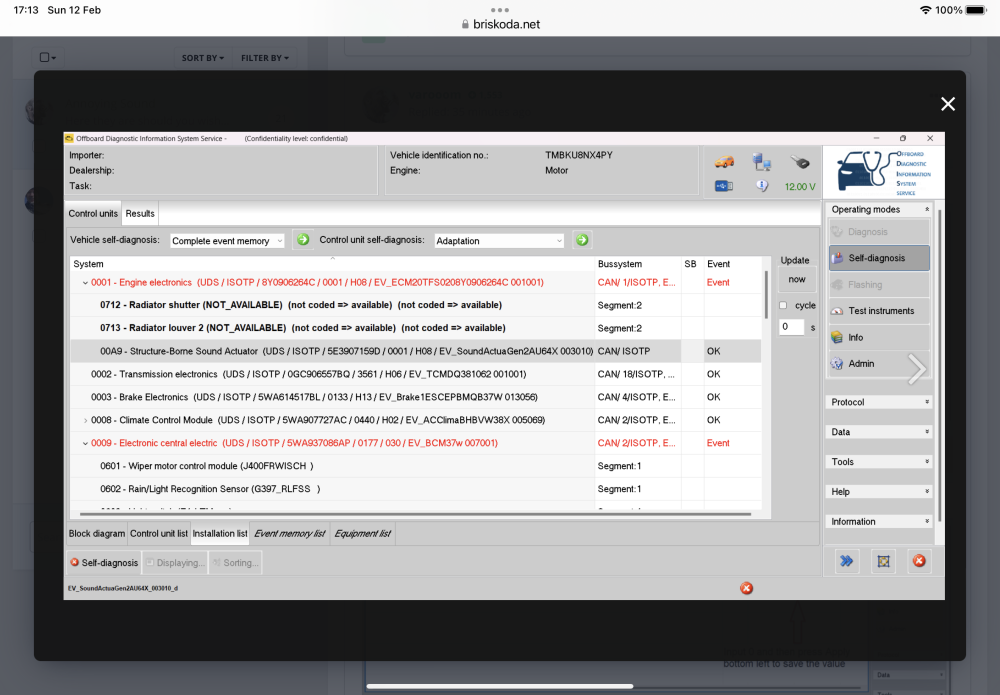
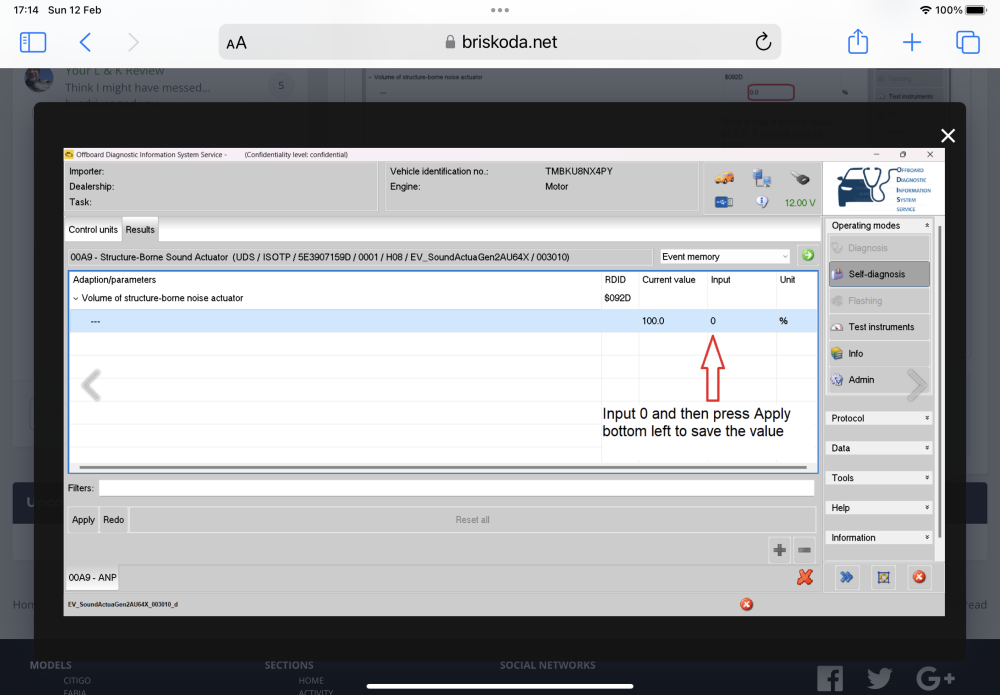
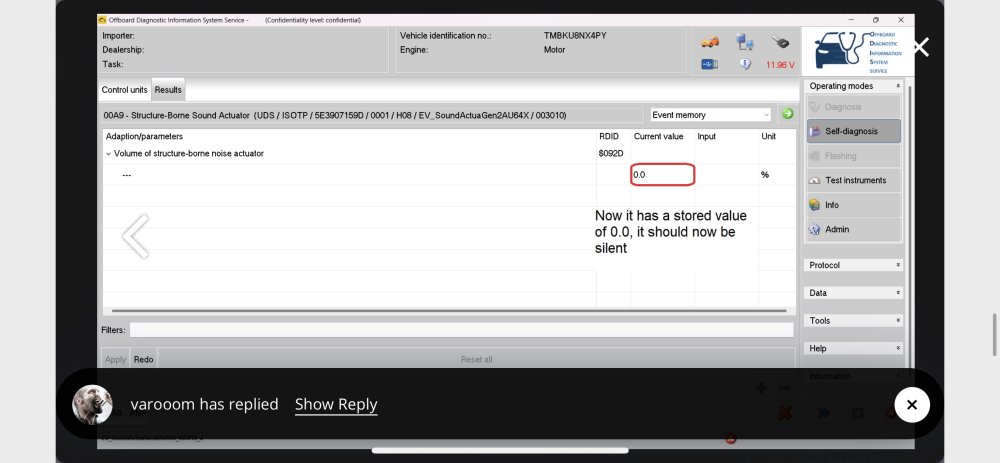
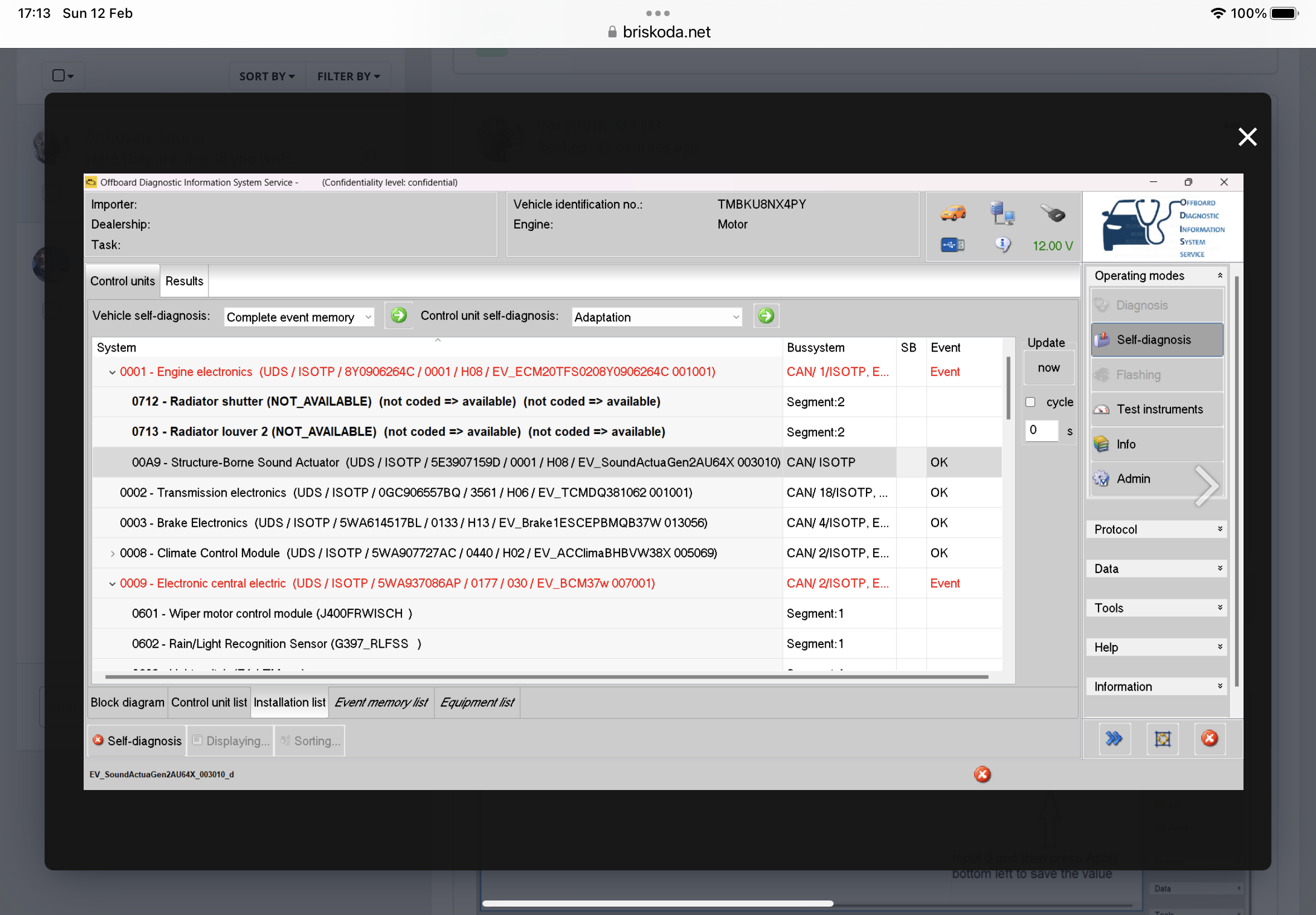
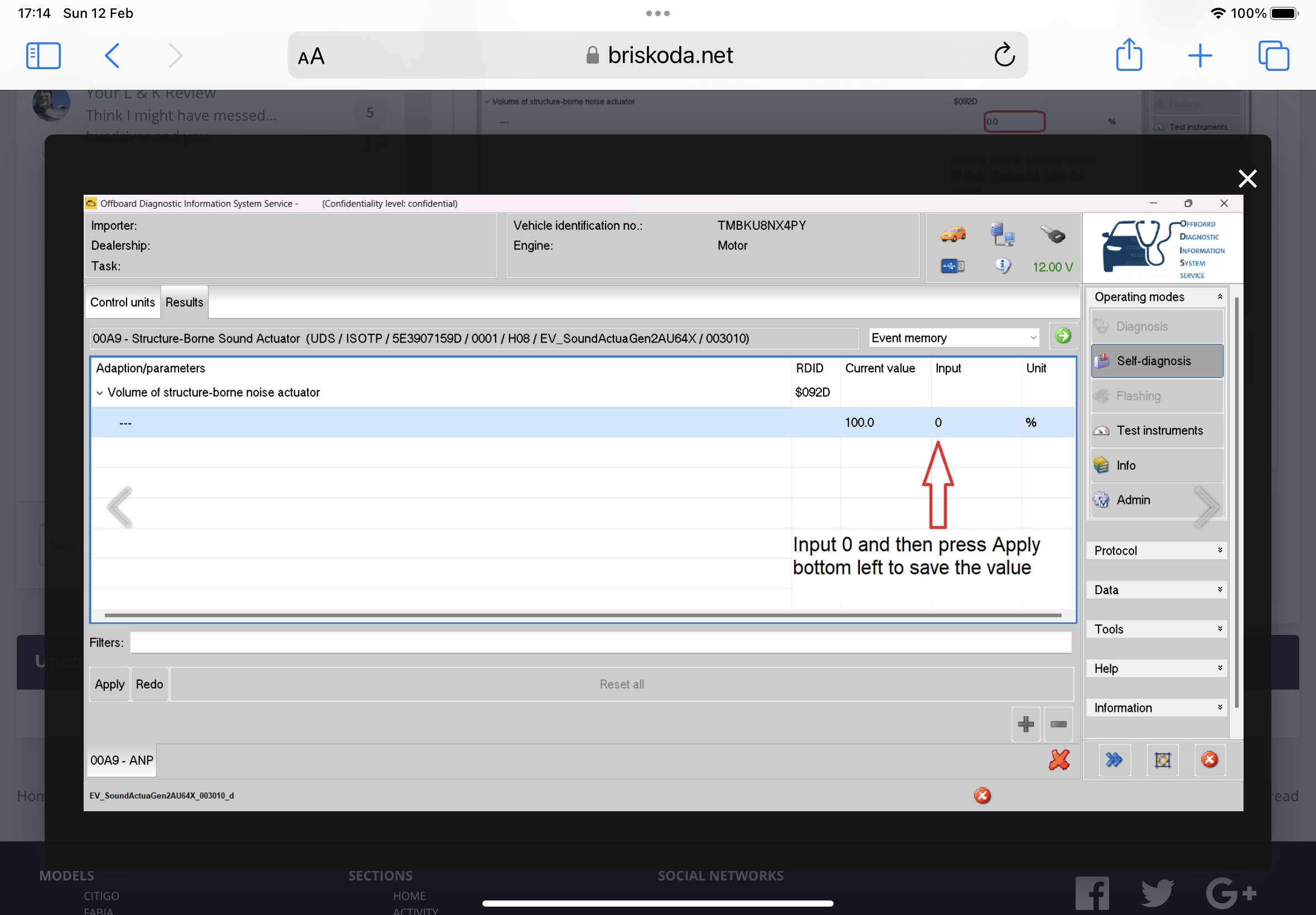
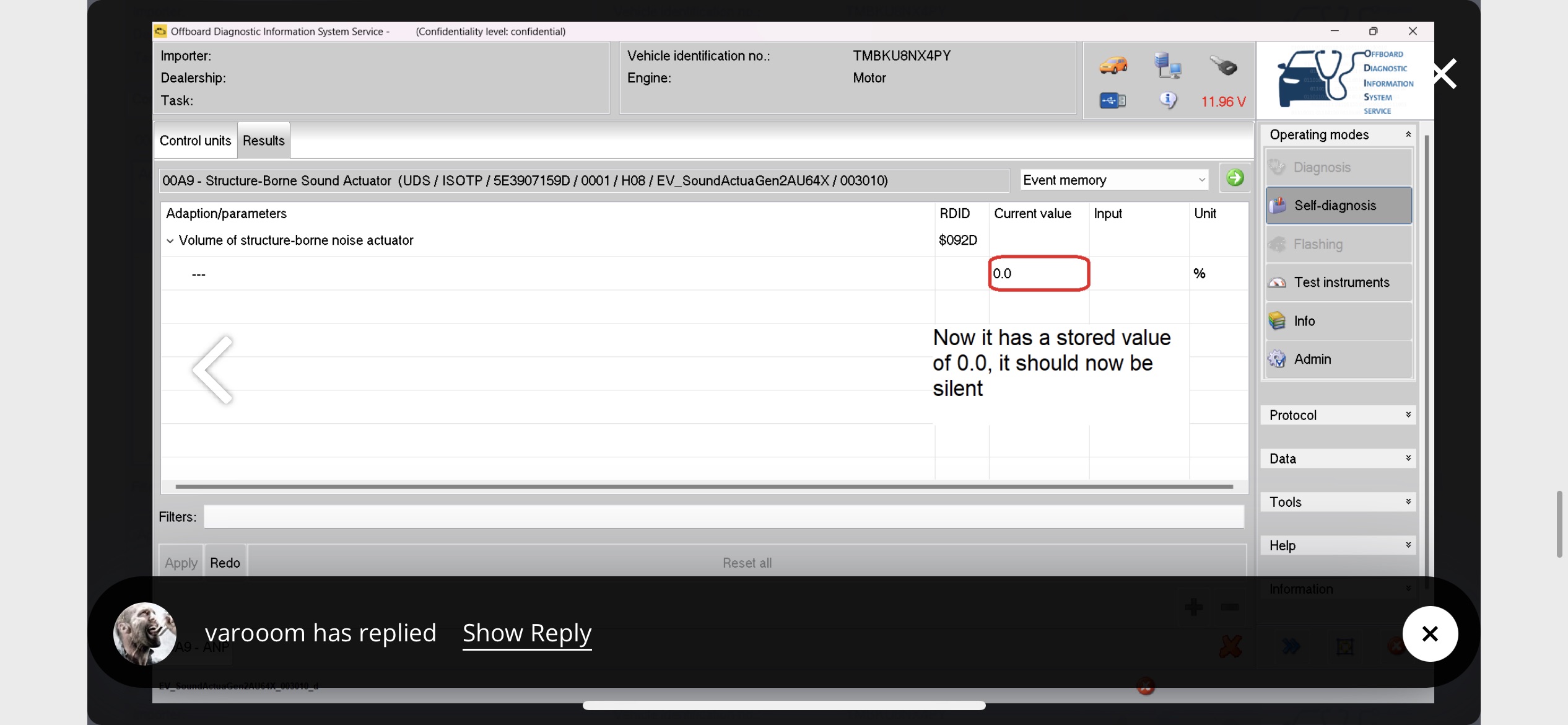
After my earlier plea for help, I went over to see @varooom who had access to an earlier version on VCDS and also ODIS. Sadly the VCDS couldn’t find Hex A9, so we plugged in the ODIS into the OBD port and computer and went from there. Car ignition was on, and bonnet open during this process. It was a bit like a needle in a haystack, with very little information on YouTube or the web. After searching through probably 1,000 different modules/entries on the screen, eventually we found under 0001 Engine Electronics a submenu with 00A9, the dreaded Sound Actuator. This should be photo#1 clicking on that took is to the second picture, which showed the volume of the actuator as 100. We (he) then changed that value to “0” (zero), clicked “apply”. Then as per the third picture, you can see it has stored the current value as 0. Shut the ODIS down and remove plug from OBD port Turned ignition off, shut the bonnet, shut and locked the car for a minute. unlocked the car and started up. And silence (from the actutor) ensues. As all you have done is turn down the volume, no other faults are thrown. (Disconnecting the unit physically reportedly throws other faults up, and removing the fuse also stops other stuff working) Anyhow, that’s how it was done, and hopefully this information will save other people a lot of time trying to find where 00A9 is buried on ODIS Oh, just to add, running the diagnostics does chew through the car battery, so make sure you have a jump start pack or can plug the car in to something g like a Ctek charger/conditioner while running the diagnostics. And make sure you have turned the heated seat off too as that really seems to eat the battery 🤦🏼 And big thanks to my new hero, @varooom
 2 points
 -
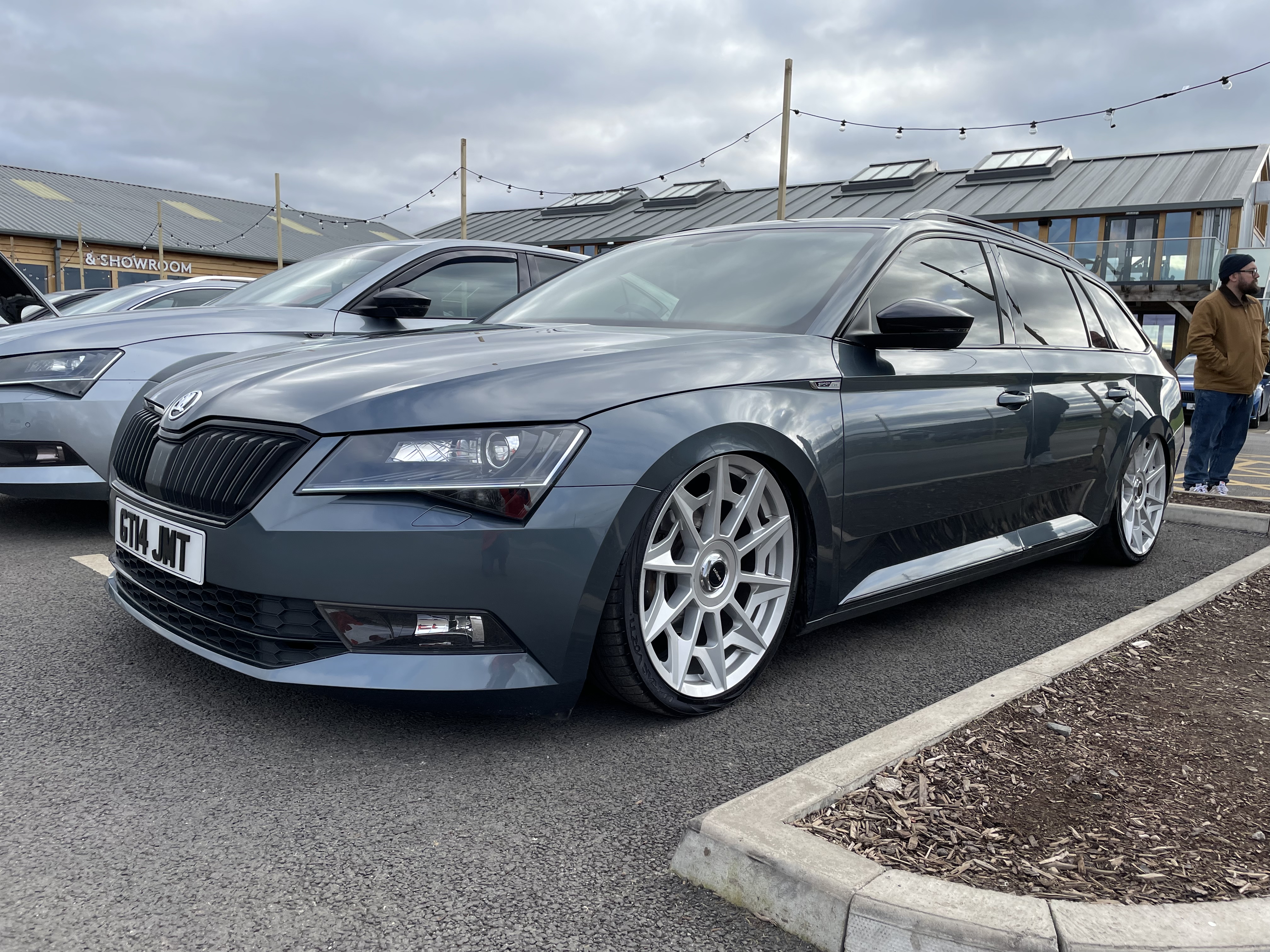
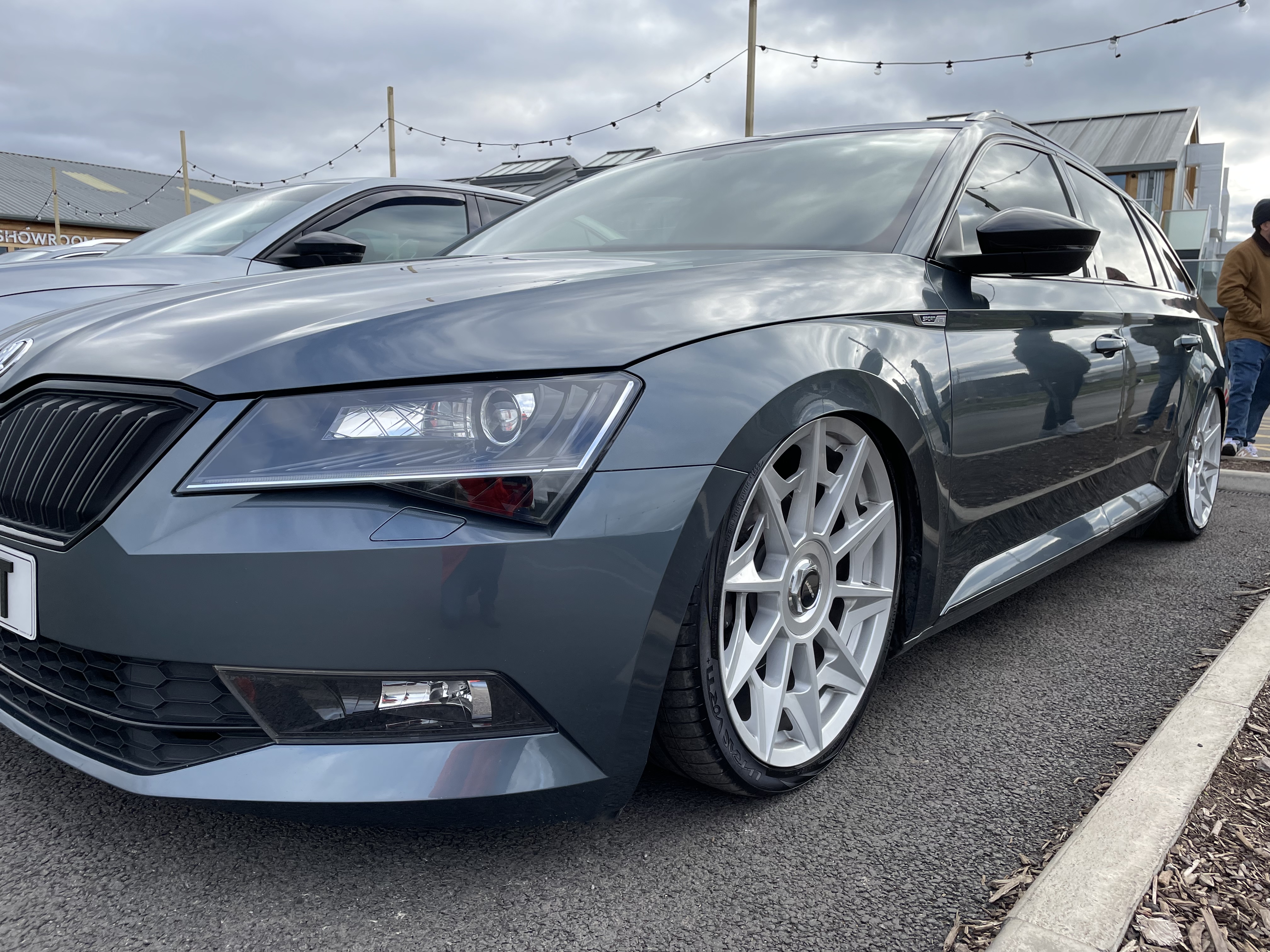
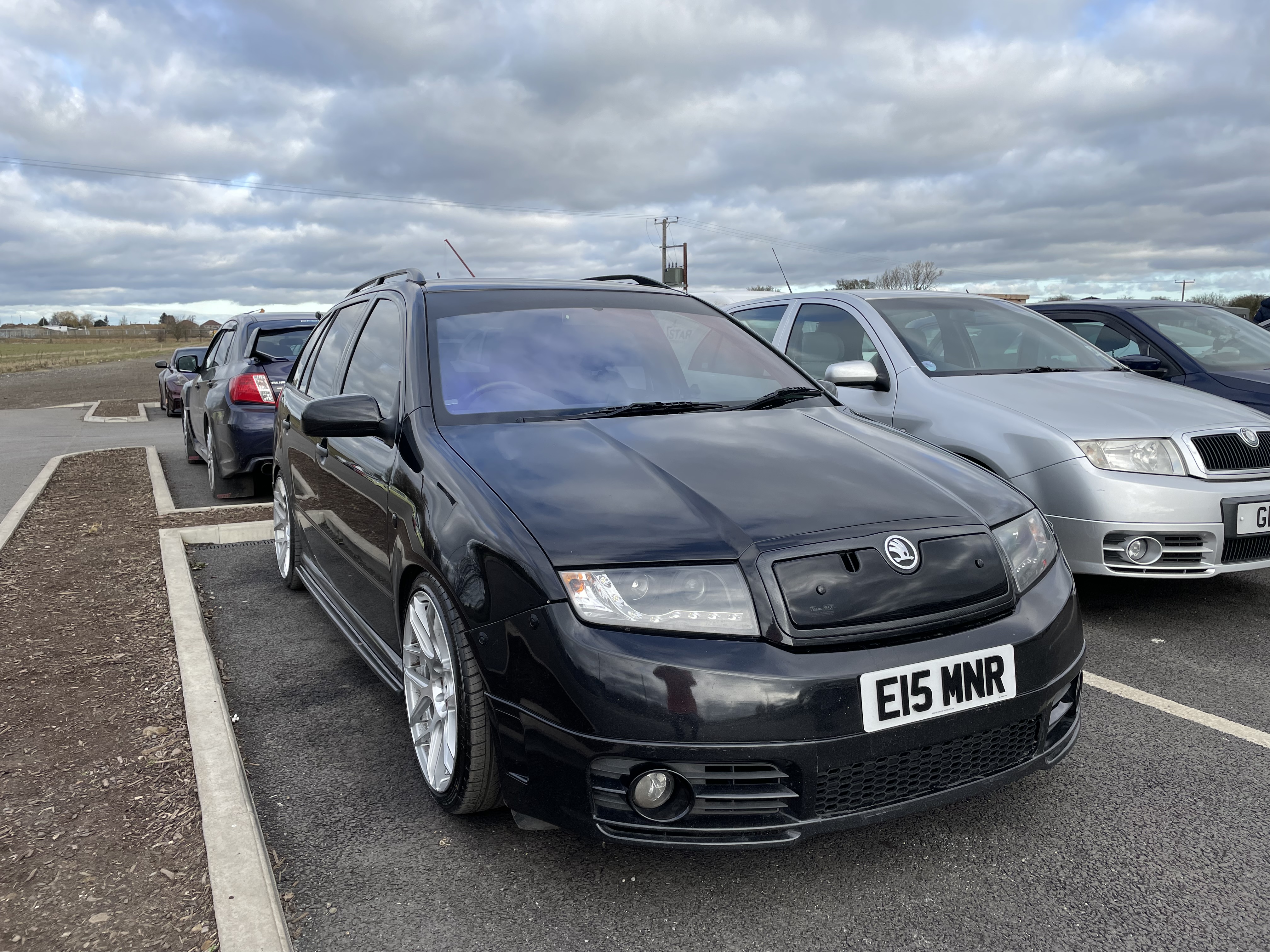
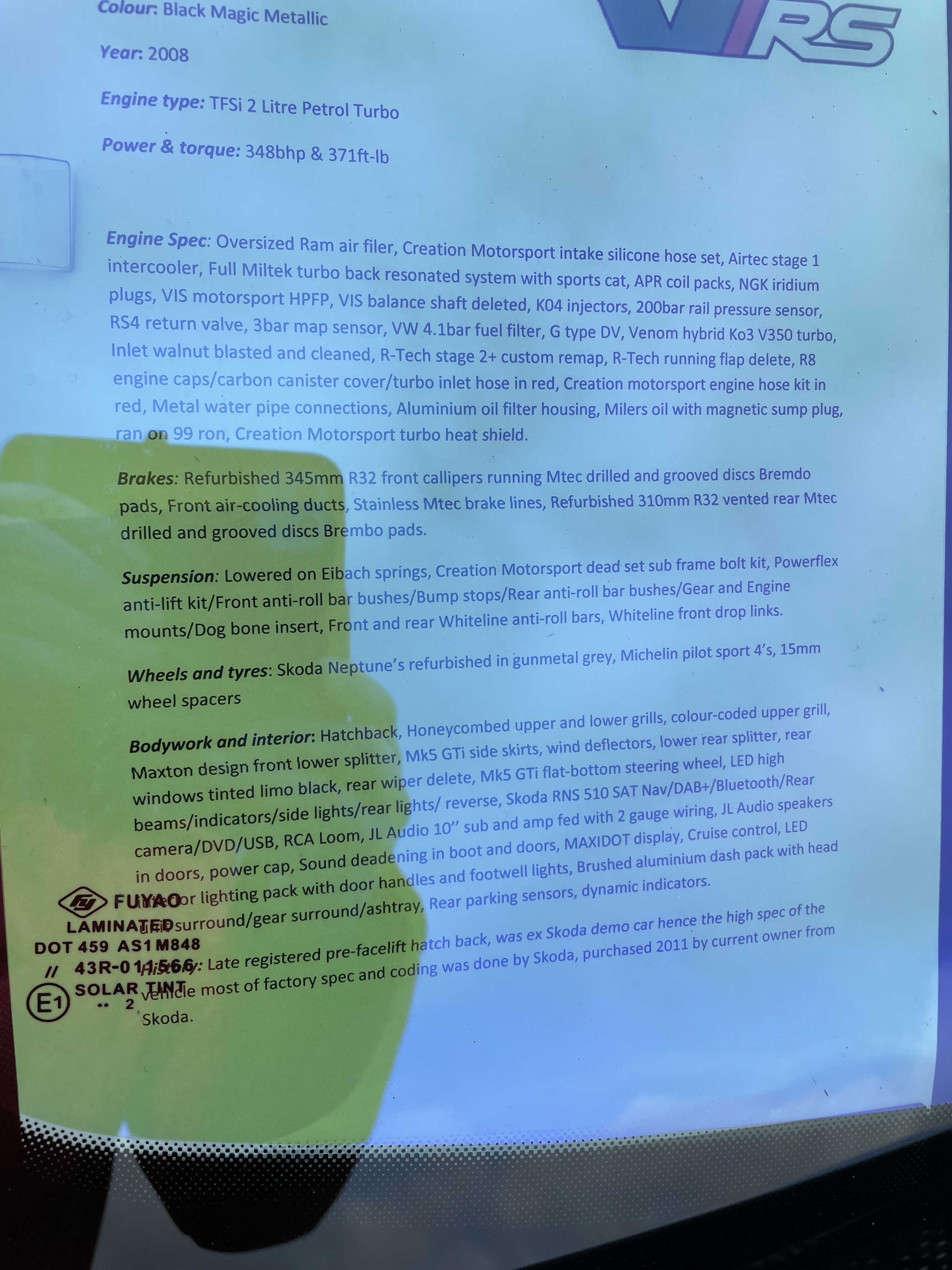
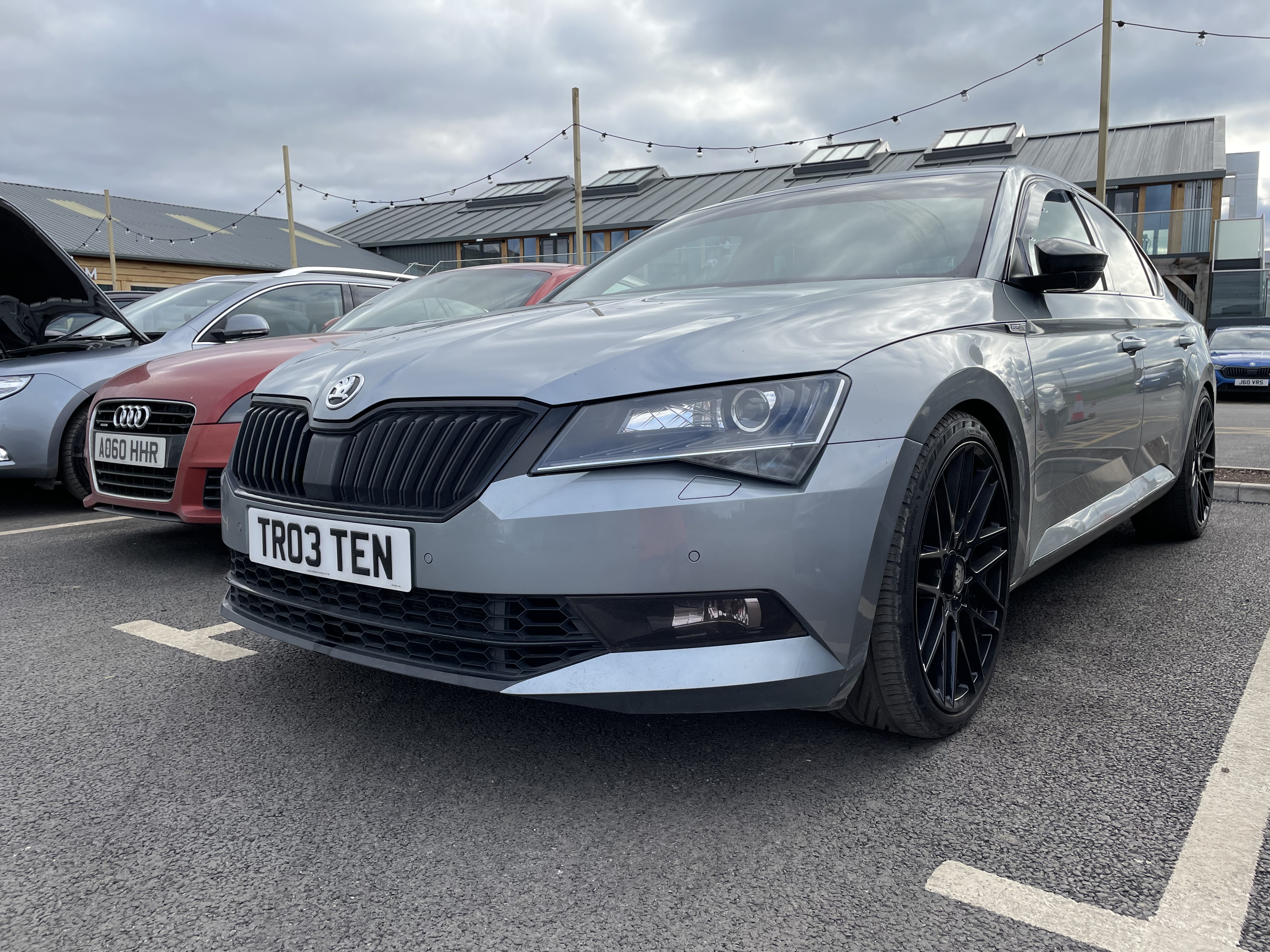
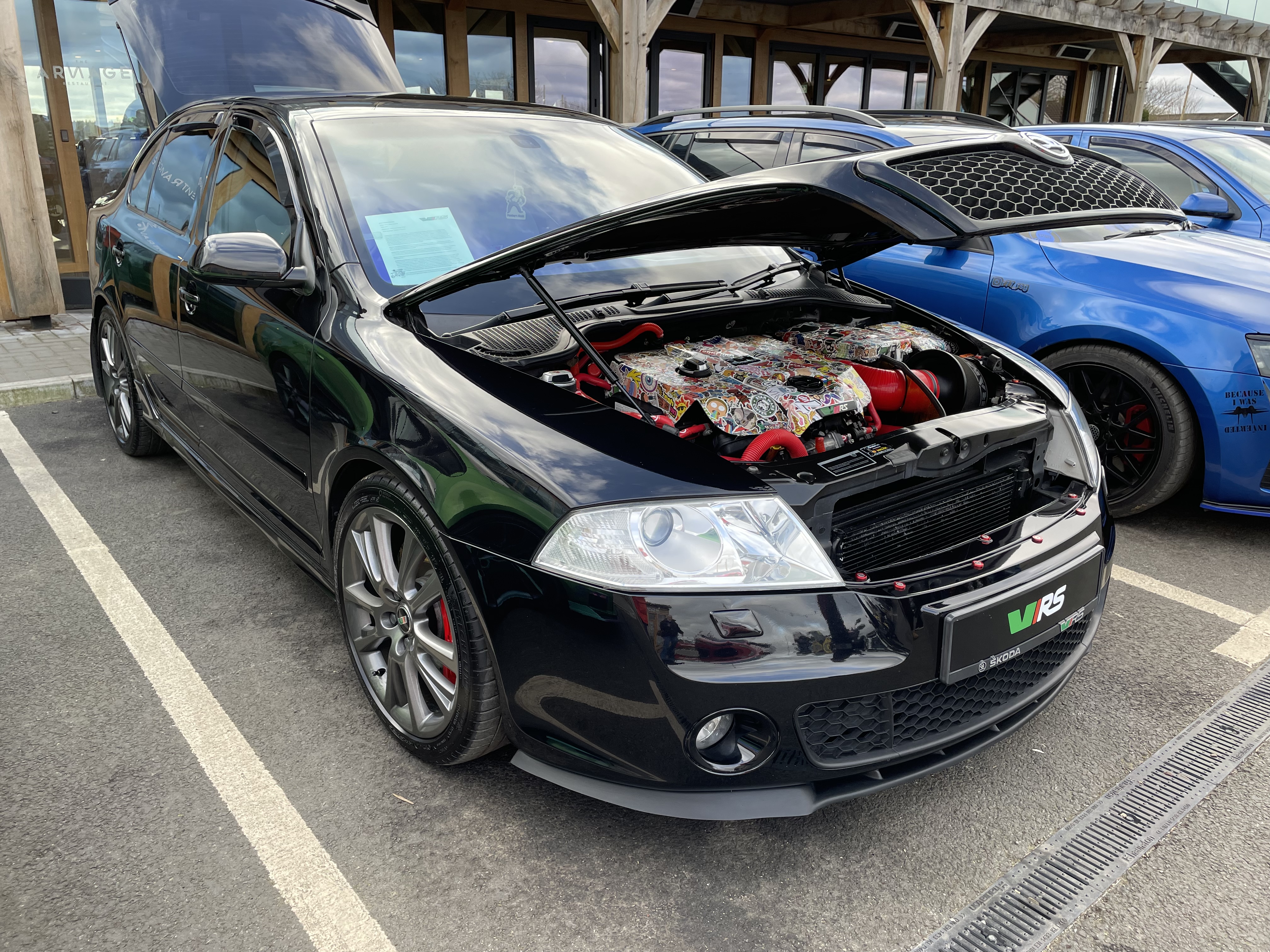
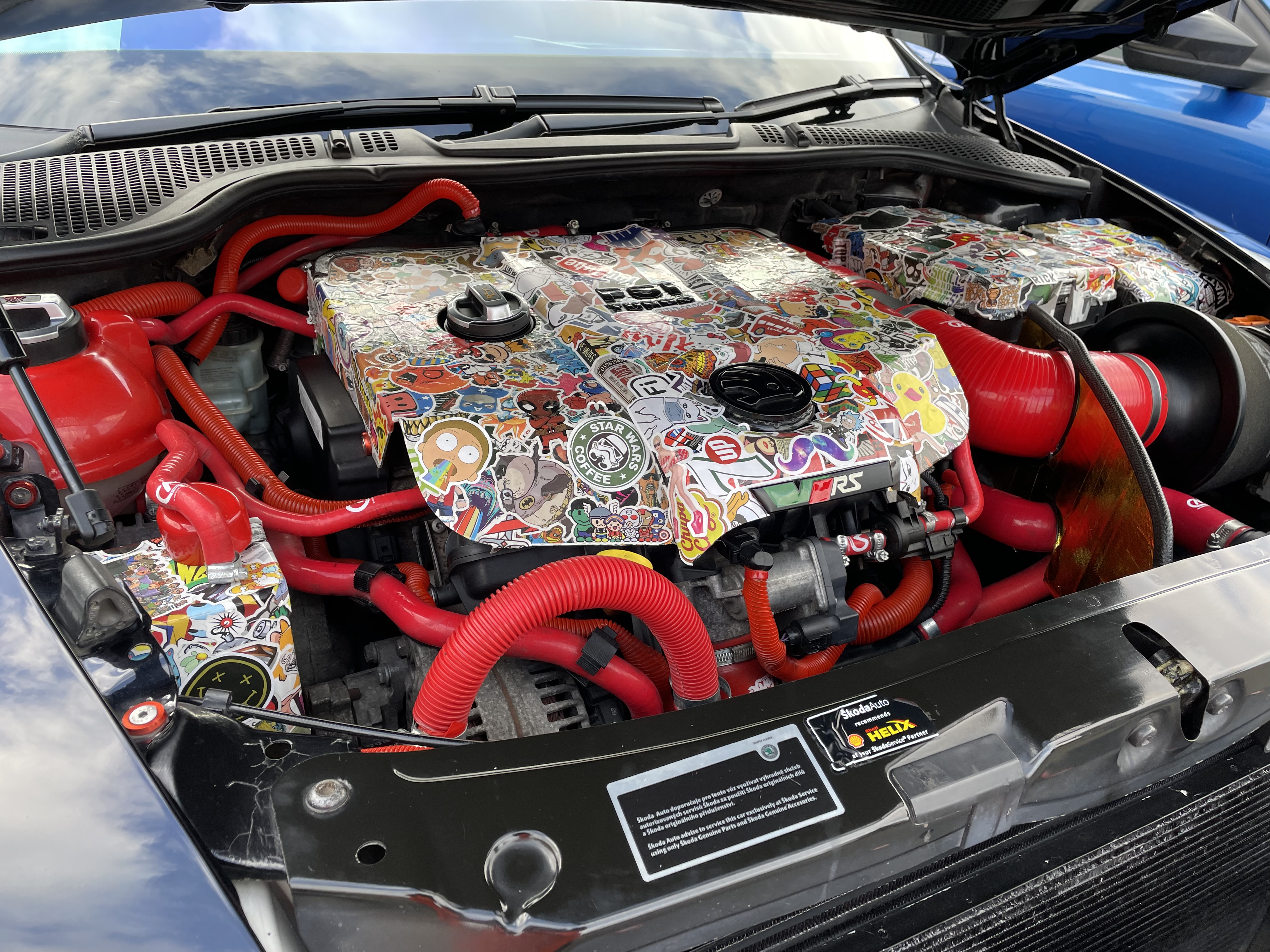
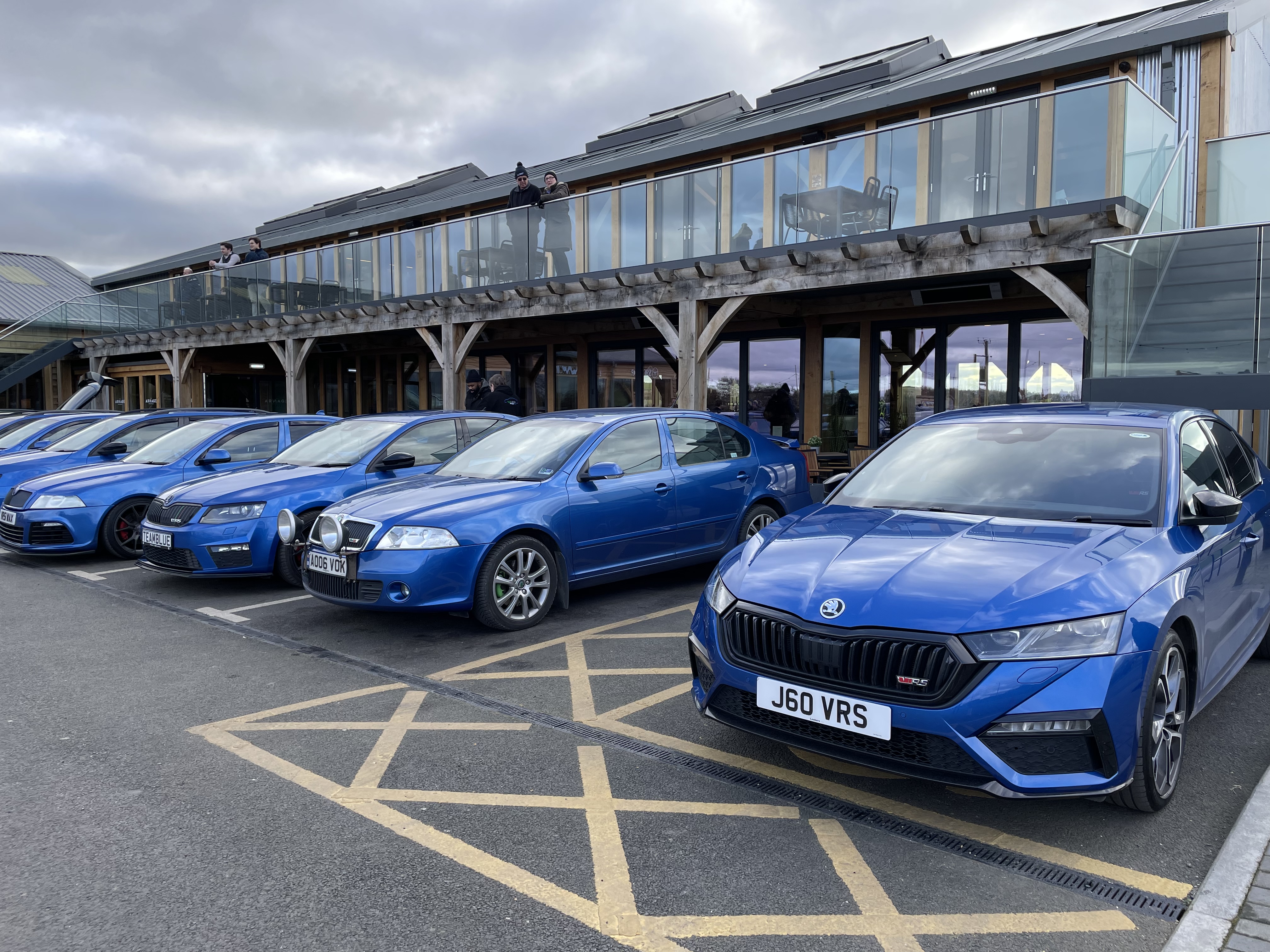
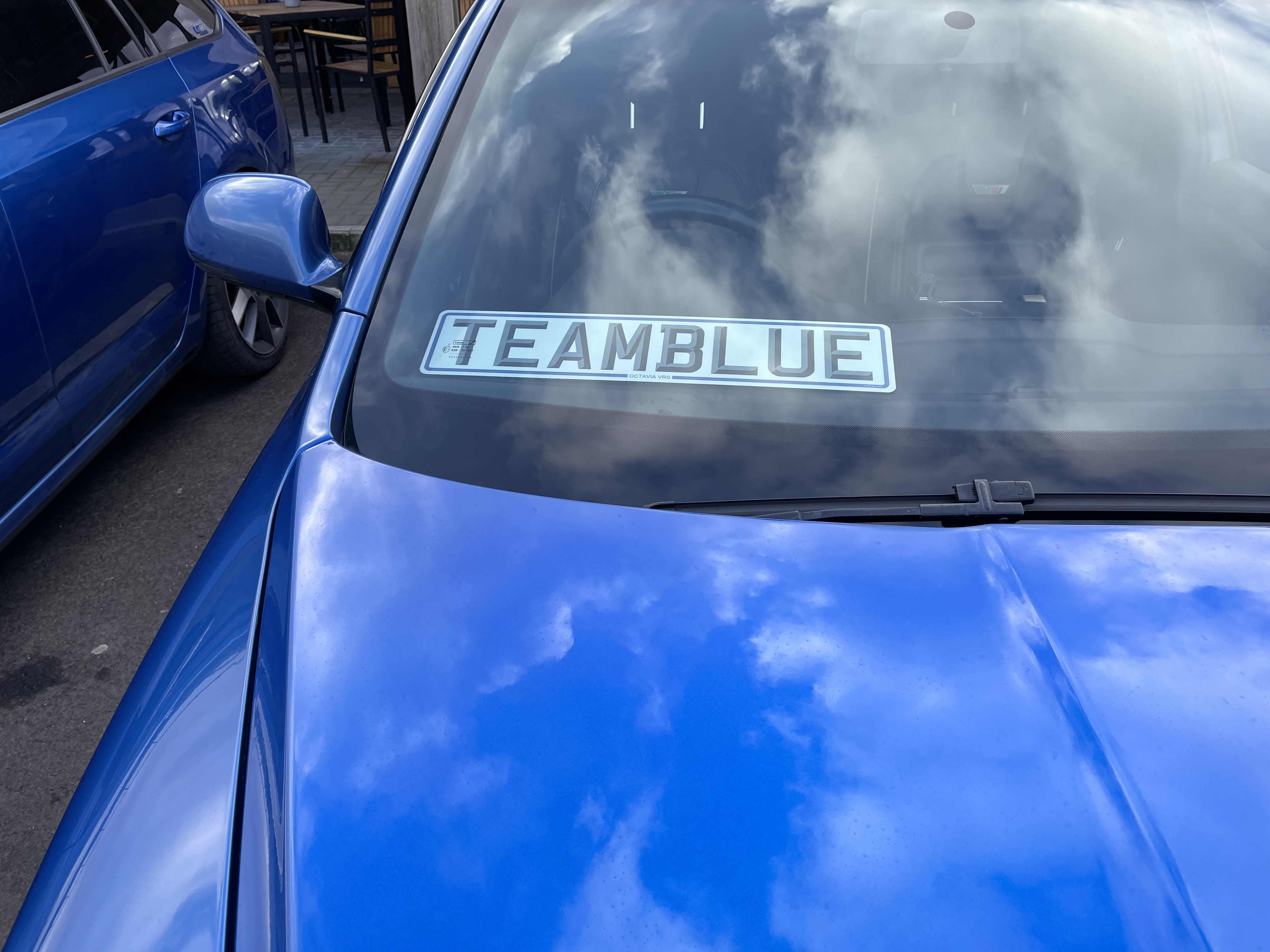
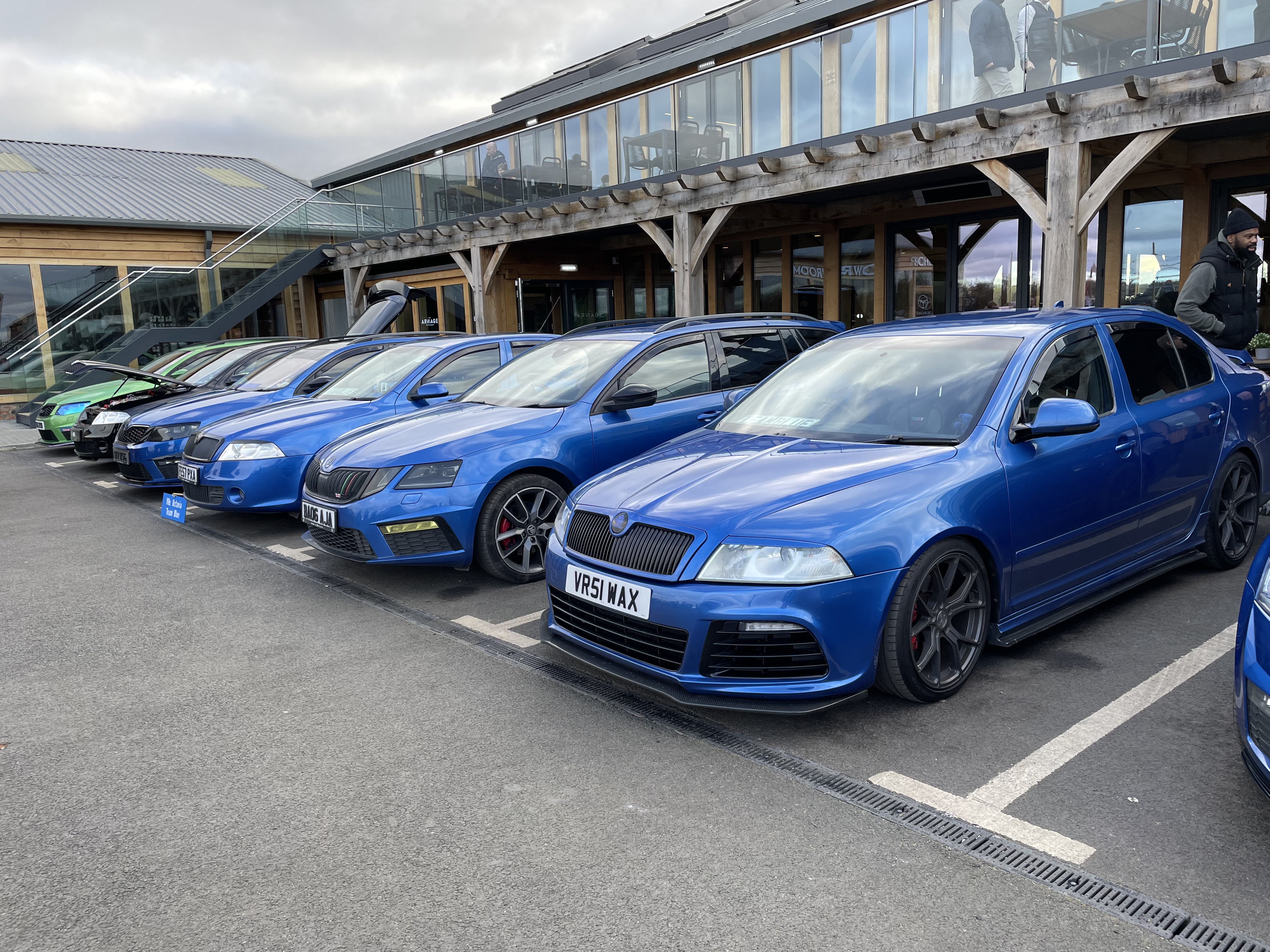
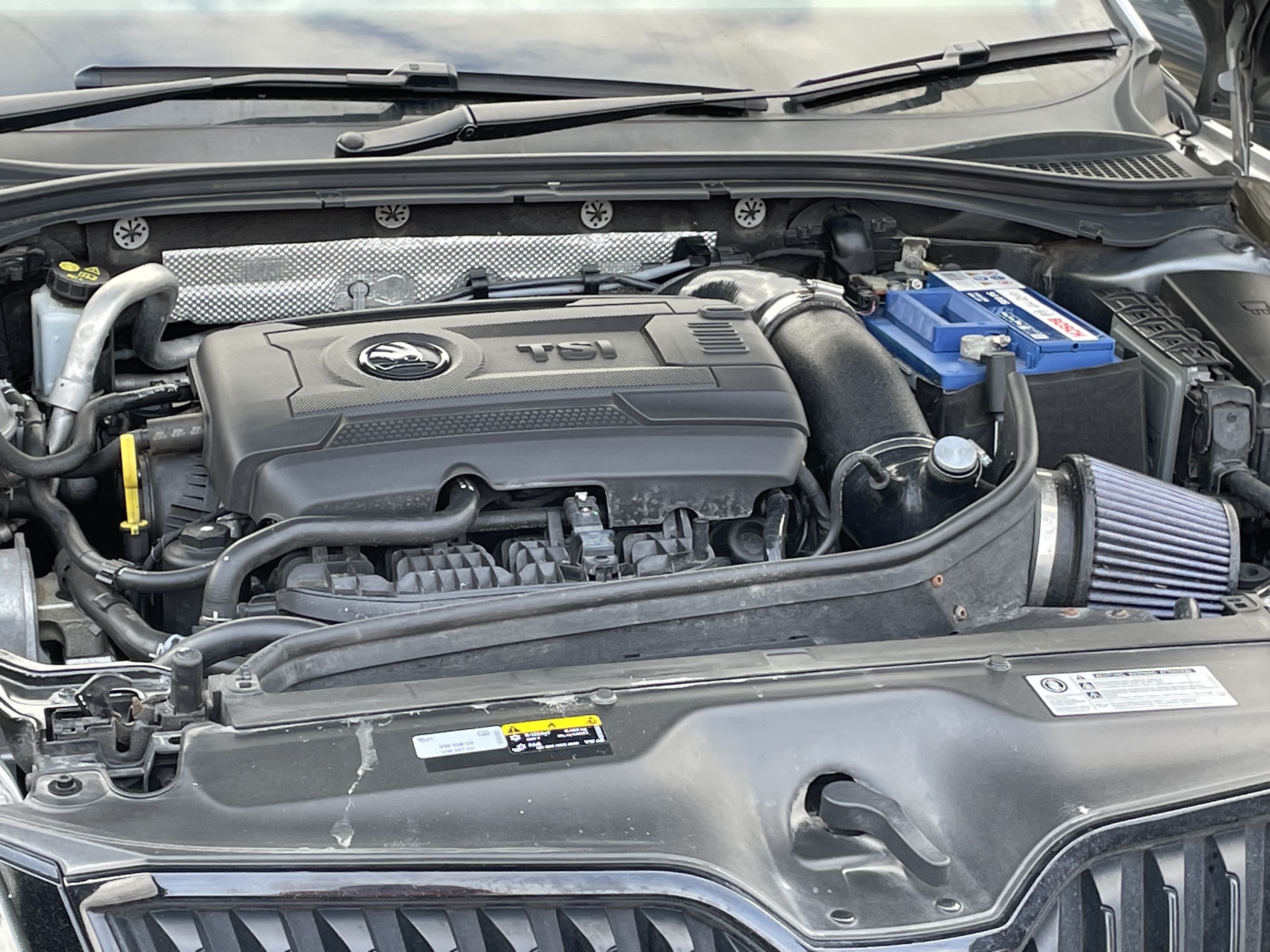
The Motorist at Sherburn in Elmet ran a Skoda day yesterday, which I went over to. Quite well supported, probably a few guys and gals from this site. Blue VRS seemed to be the dominant car! some nicely modified cars, particularly liked a Superb Estate on bags (not normally my thing but this just looked “right”), anyway some pictures for those who couldn’t go..
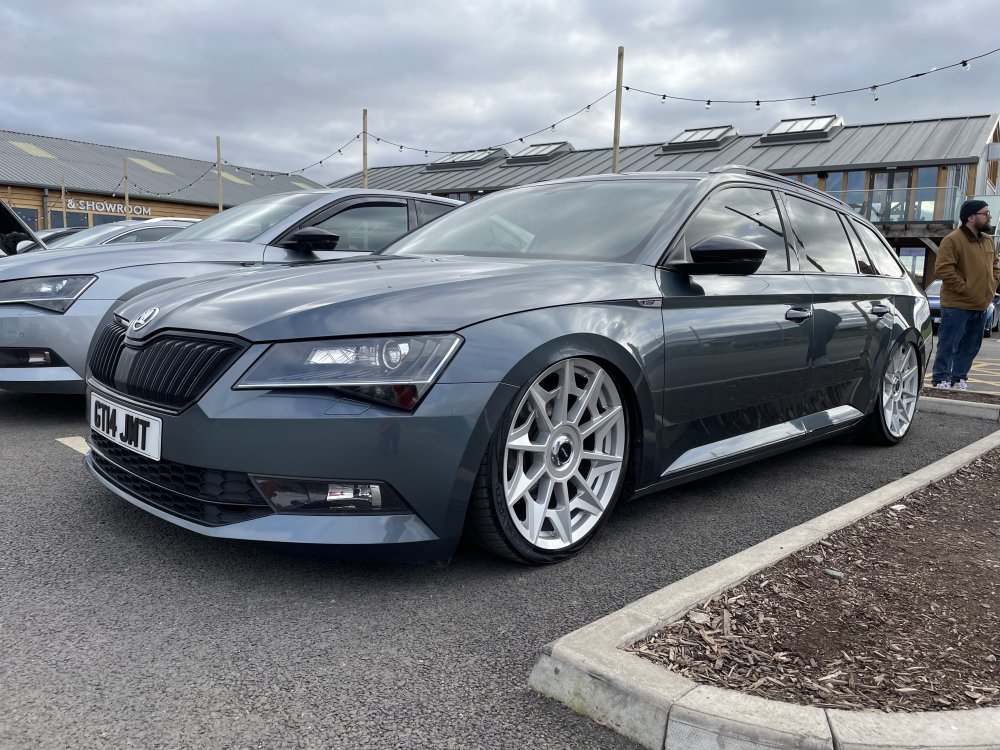
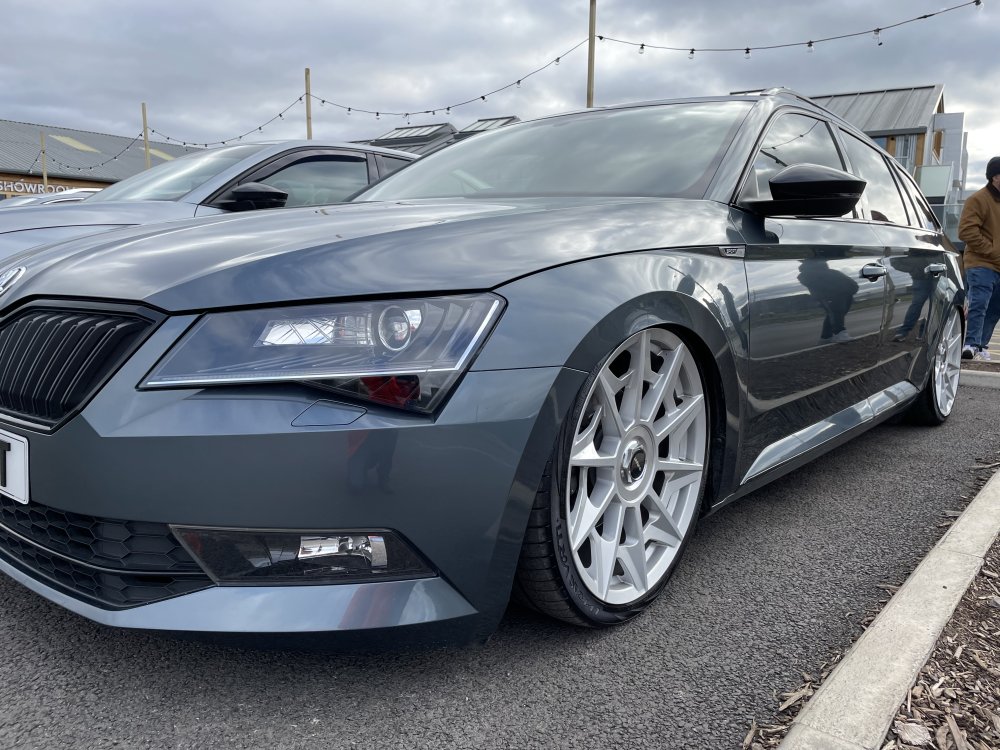
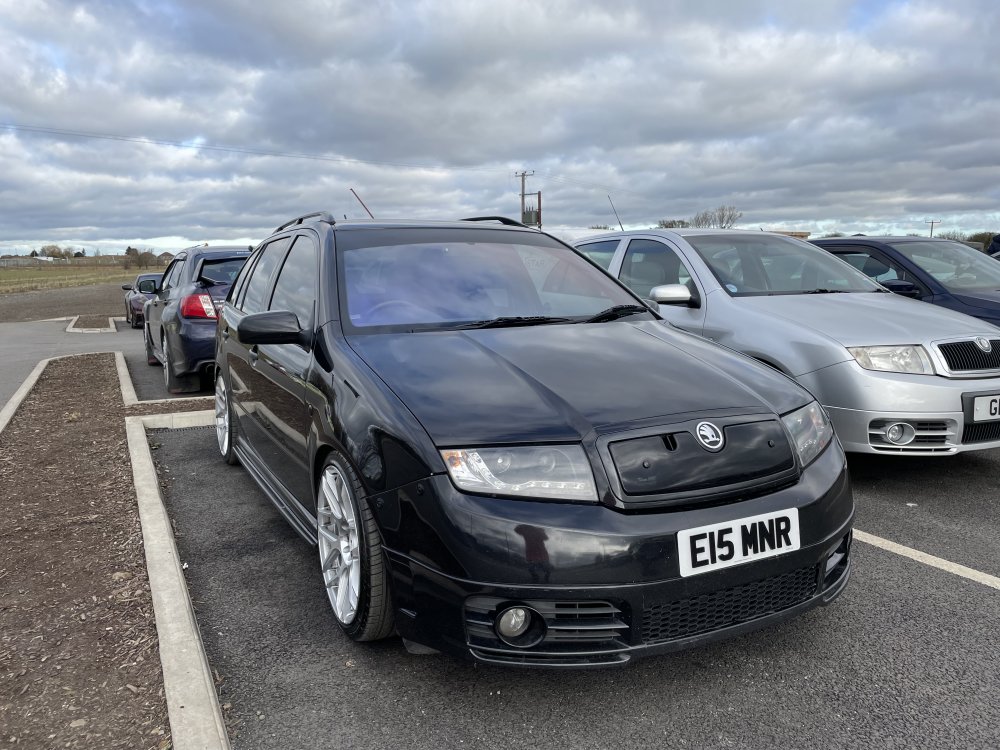
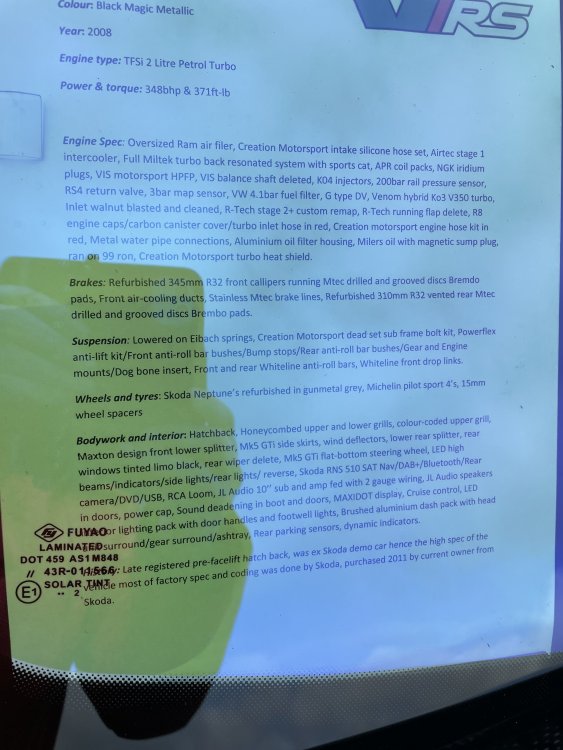
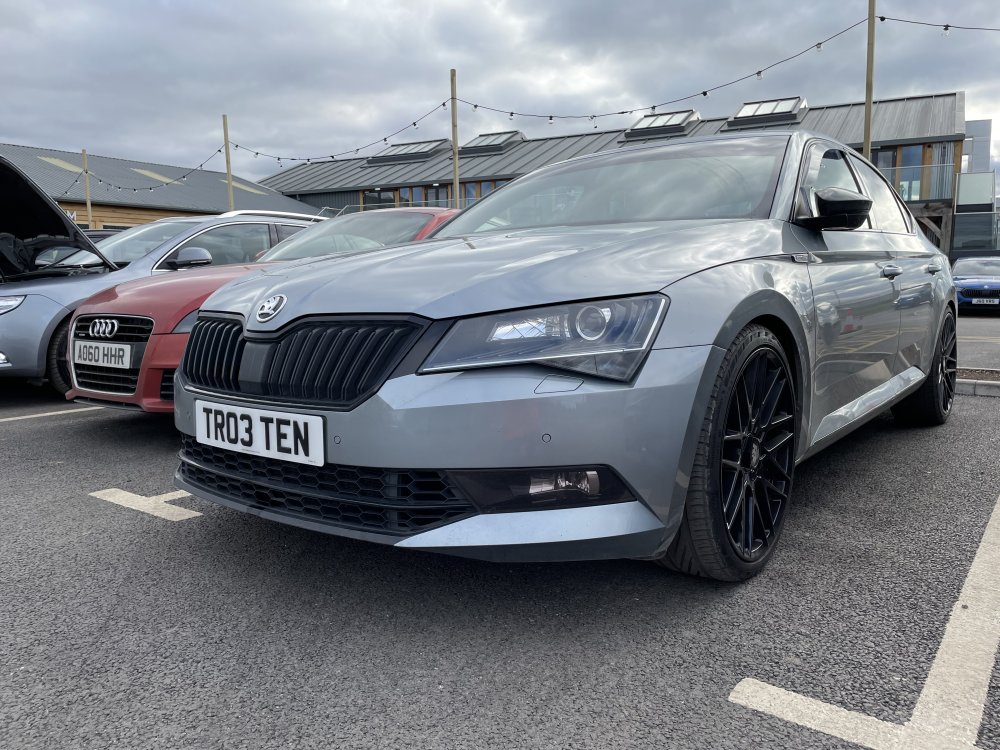
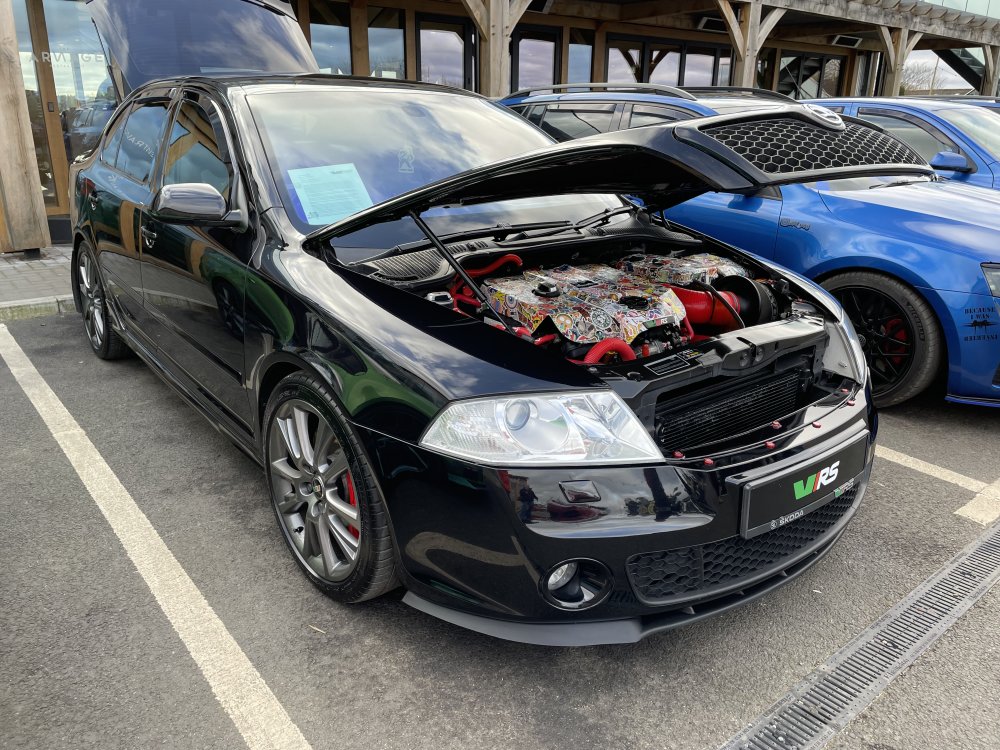
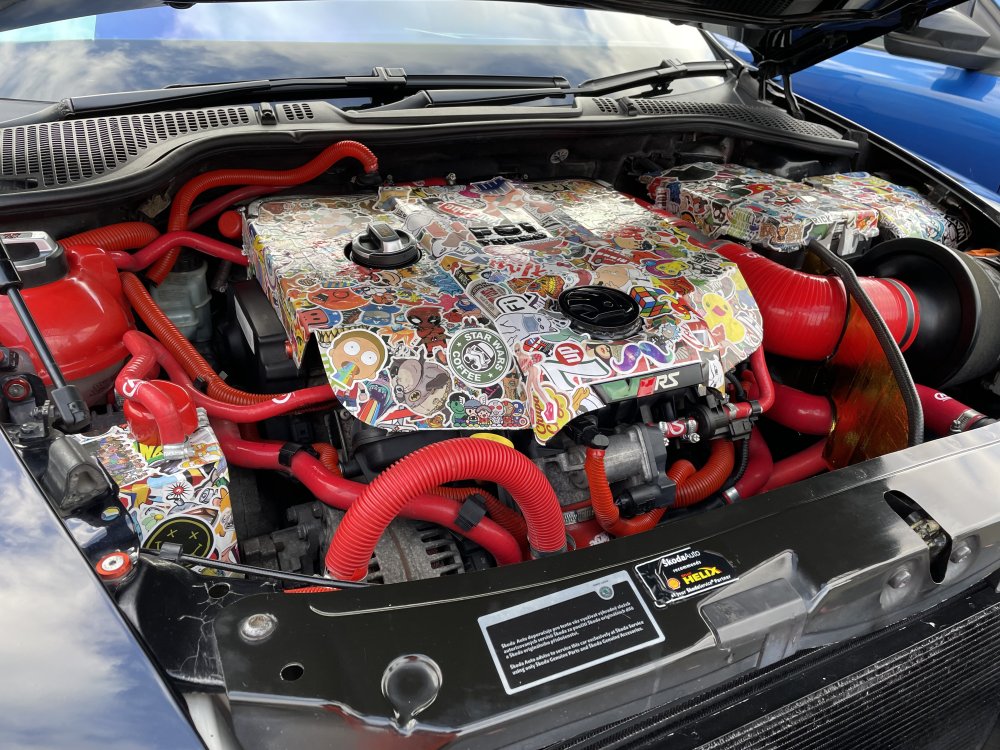
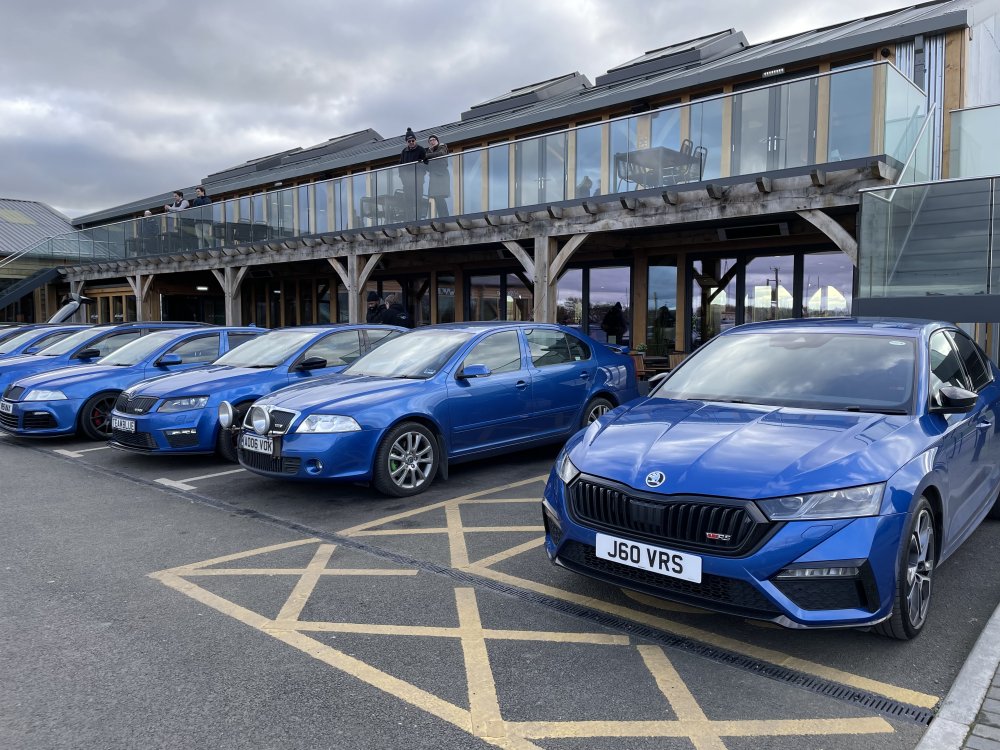
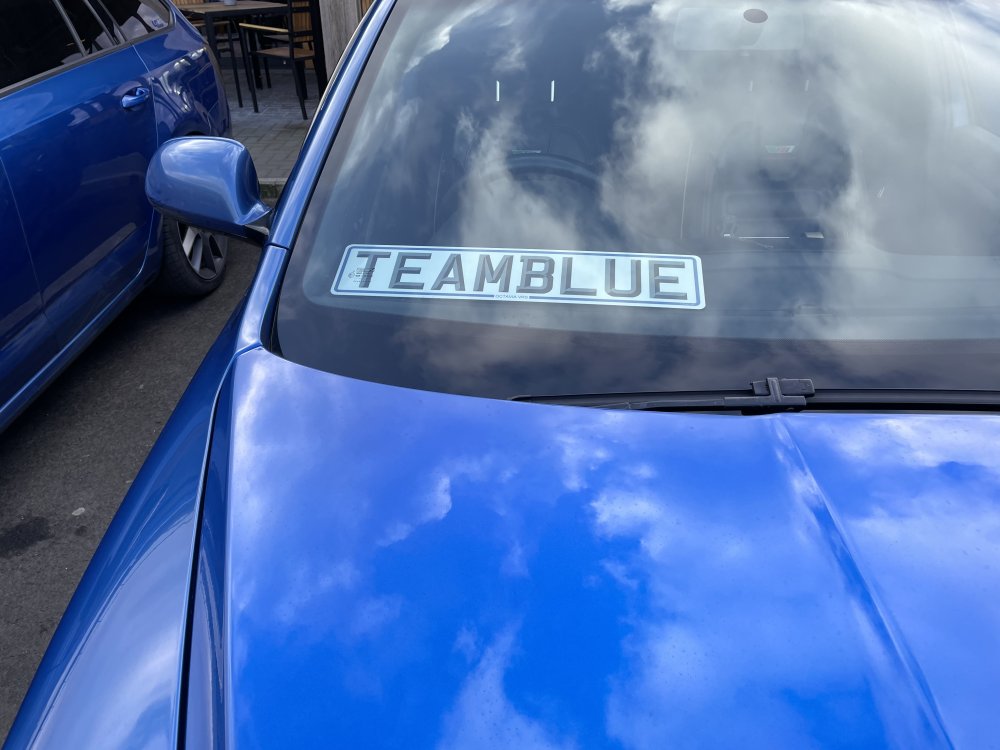
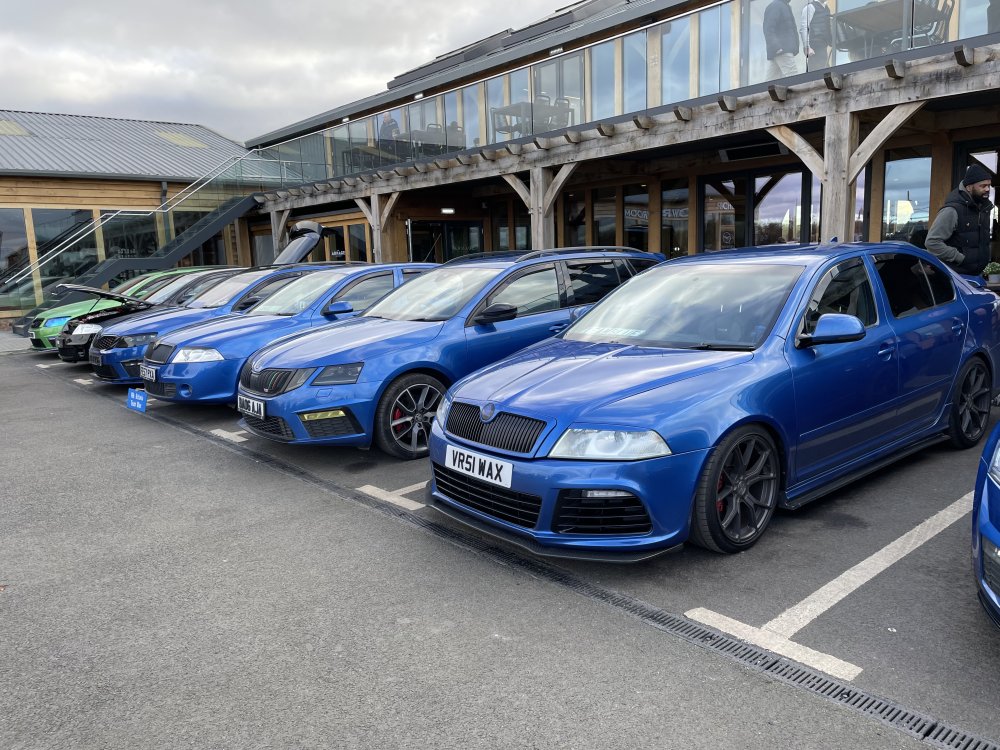
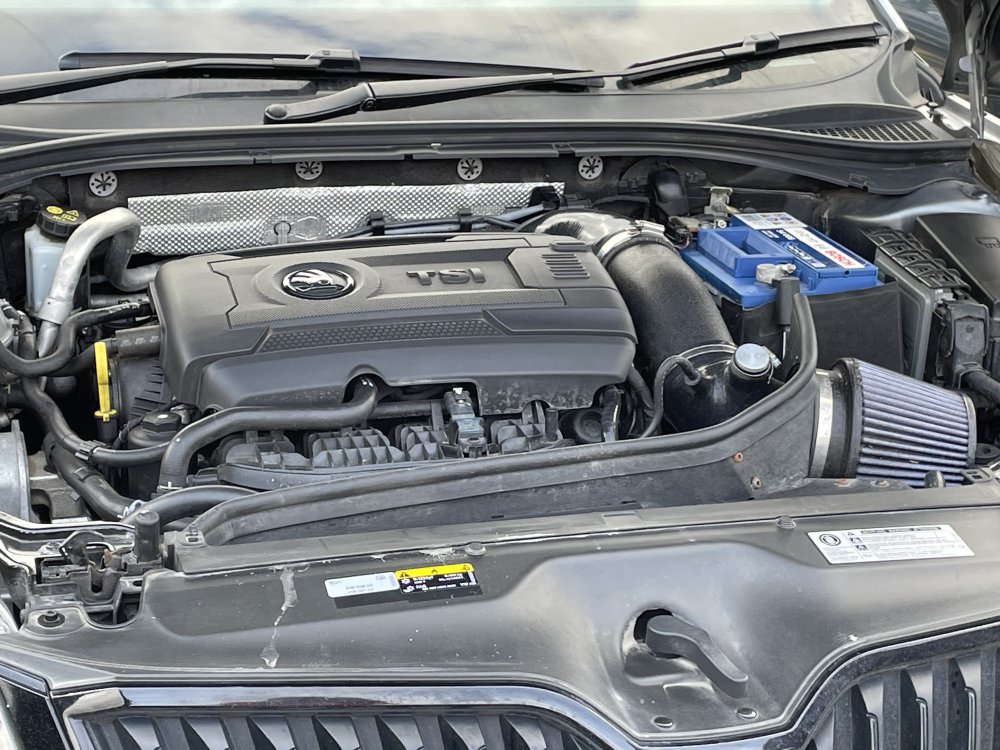 2 points
 -
2 pointsCheck the light switch hasn't been turned on - especially if you have "little" people in the back. The light will go out when you lock the car as it shuts down all sorts of things, but will come when you unlock and stay on with the ignition. There's a few posts about this across all models.2 points
-
Hi, is your consumption calculation correct? Unlikely that a stage tune will significantly improve your consumption figures, you will most likely be tempted to use the extra performance - and the fuel use will increase.2 points
-
2 pointsCongratulations thommo41 I took delivery of my identical vRS petrol estate 2 weeks ago. It's absolutely fabulous and definitely worth the wait of nearly 10 months. Ordered in March 22 with Pan roof and a couple of extras. Just fitted genuine Skoda mudflaps to help lessen the stone chips and given it a couple of coats of Meguiars wax to protect it as best as I can.
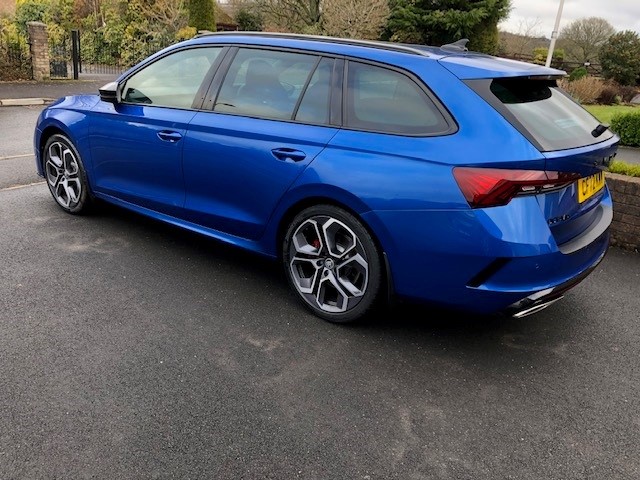 2 points
 -
2 pointsQuiet possibly the worse call centre contractor in the world. They may well’’ve been “building” (repurposing) an office in Leeds, but that doesn’t mean that the calls will be answered by that centre, as they also have English-speaking centres in India, The Philippines, Malaysia and South Africa and they can route calls wherever TTEC see fit. They’re targeted to get call lengths minimised. The days of true customer service is well and truly over, with one of the last bastions of great service, namely John Lewis, now providing mediocrity at all levels.2 points
-
2 pointsA brief update, I tried my old VCDS HEX-CAN-USB (really only made to talk to 2015 motors roughly, but not fully able to talk to the new ones) and couldn't find A9 module. So out with ODIS, and I still was struggling as it was not a main module, but actually a sub module off Engine 01 address. We did look all over google to find a guide as to where to look exactly, but alas very lacking. Hopefully FW will post up, or me the images if needed. Seeing the smile from him when the dreaded sound was disabled was priceless, it must be really awful.2 points
-
2 pointsNo nothing of their MMs, do know, 30-35 years ago I purchased a Martindale 3 pin 240v socket tester, still have it, gets used occasionaly, it rattles around in one of my tool boxes, still works, still going strong.2 points
-
2 pointsI'm pleased to report that the problem is fully solved. I mentioned that there is a clicking sound... which even carried on after the ignition was off.. so it was thought that this could be a problem with a motorised air vent. I did a search and came across this which was for the Octavia but also relates to the Superb: This resets the ventilation which I presume reset the what may have been a sticky vent flap. So all is good now... have worked the cab since the reset with no issues at all now. Thanks for the input 😉 AP2 points
-
2 pointsUS$3500 is around £2900 For a 3yr factory warranty ! Std warranty in the EU is 2yr with, for example, France, charging EU1290 ( £1143 ) for a 3yr ( 150,000km ) extention. You say you've already purchased the car but I was under the impression that to obtain a factory warranty, that had to be arranged before the car was delivered. Are you quite sure it's a factory warranty your dealer is selling you?2 points
-
2 pointsAlso @Lorrigirl29 - That's what I was afraid of, because it's a gearbox out job to replace the slave cylinder, and that means hoists and the like to support the engine and remove the gearbox. If you have to ask, even if you have the skills you probably don't have the tools. When they're in there anyway, ask a trusted mechanic to report on the clutch and flywheel before reassembling..2 points
-
2 points
-
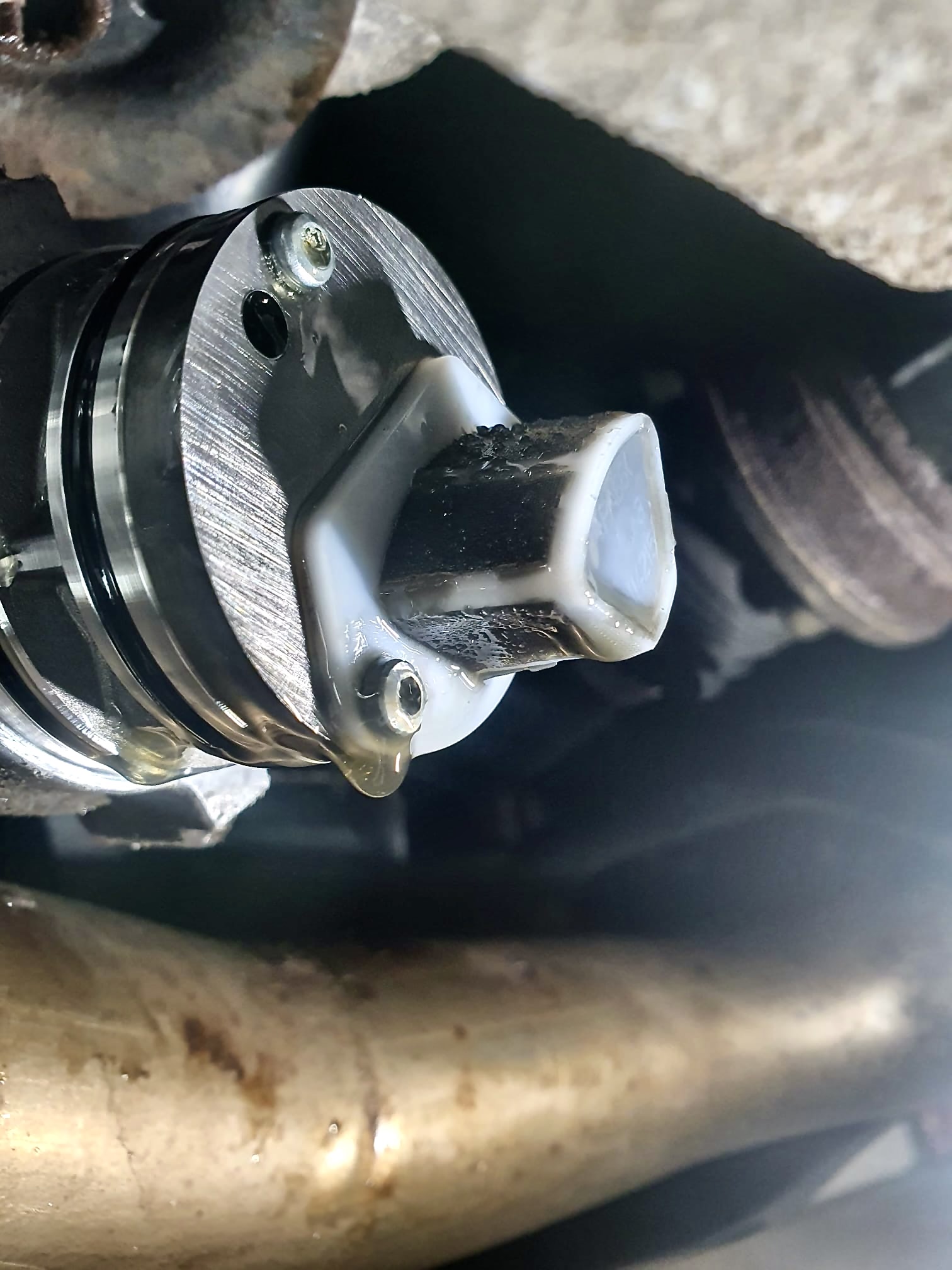
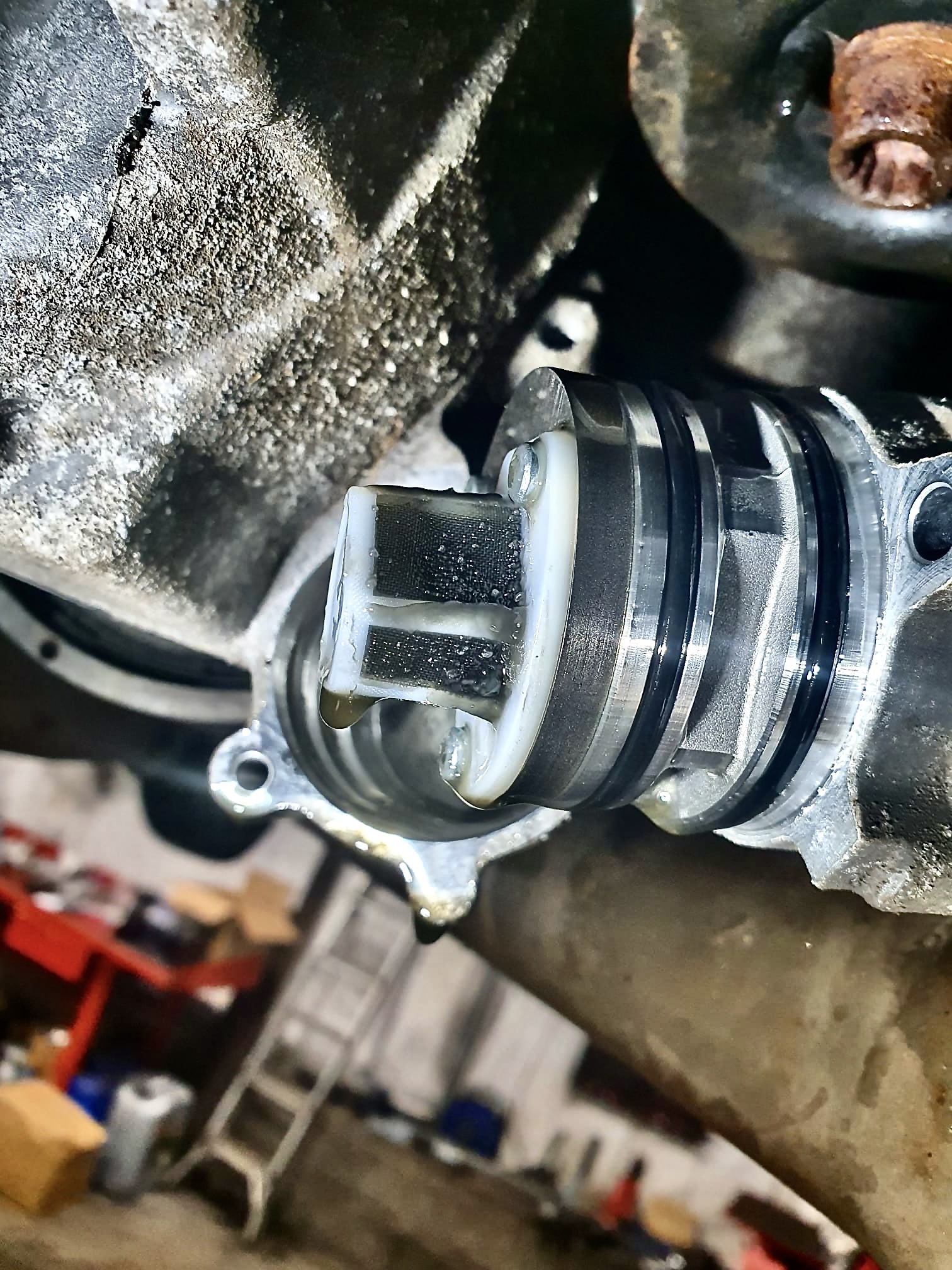
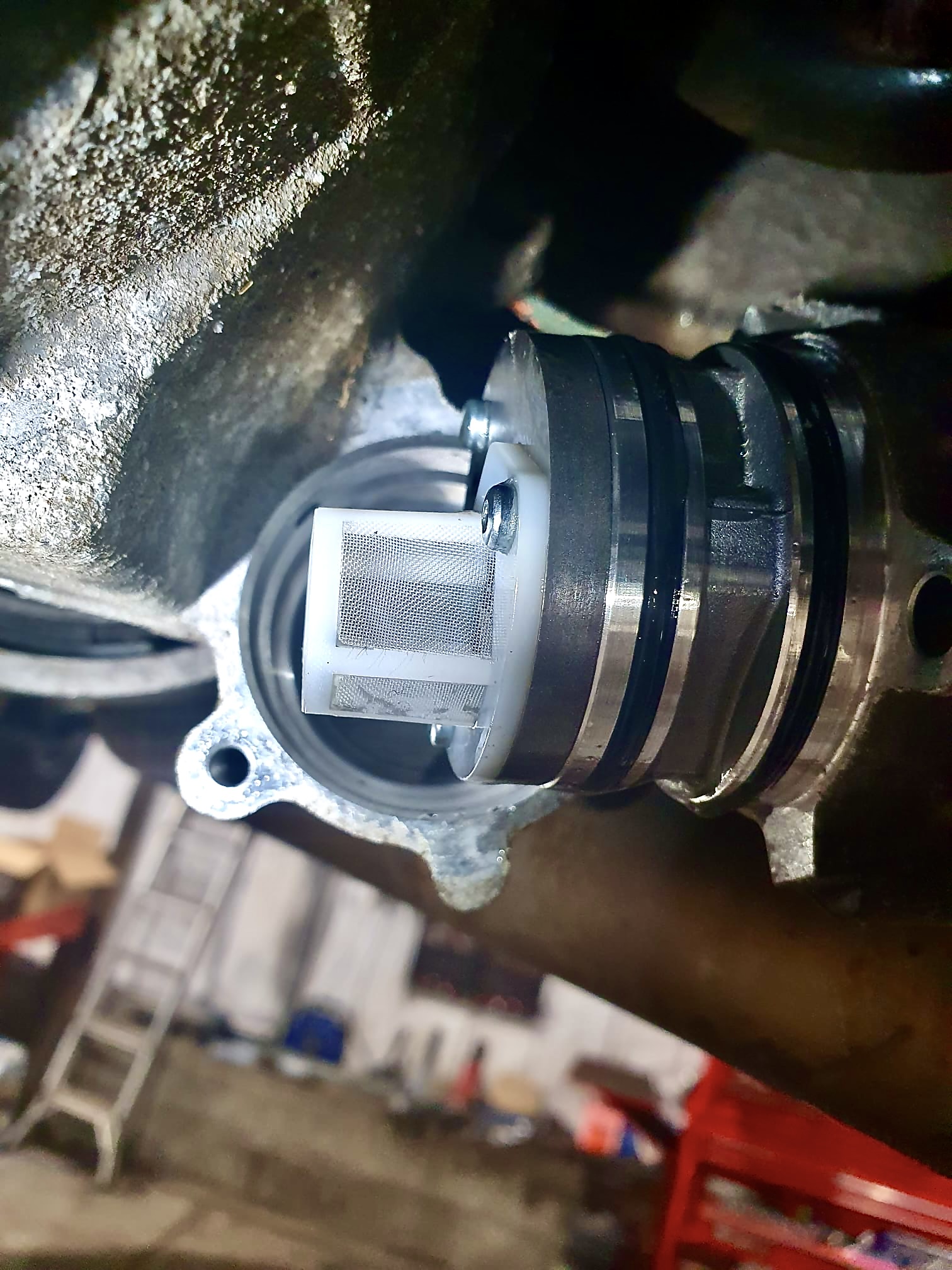
2 pointsI recognise this is an old thread. However, by way of an update and because Haldex servicing is a continuing issue and probably will be until VAG recognise the need to do it properly, i.e changing the filter or cleaning the gauze strainer. These are before and after service pics of the Haldex 5 gauze strainer from my wife's Karoq 190 TDI at just over 2 years old and some 20k miles. I leave you to draw your own conclusions.
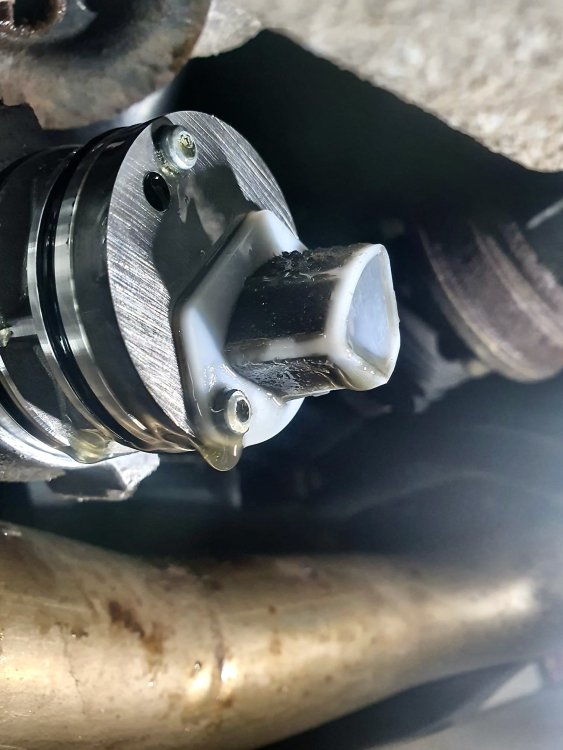
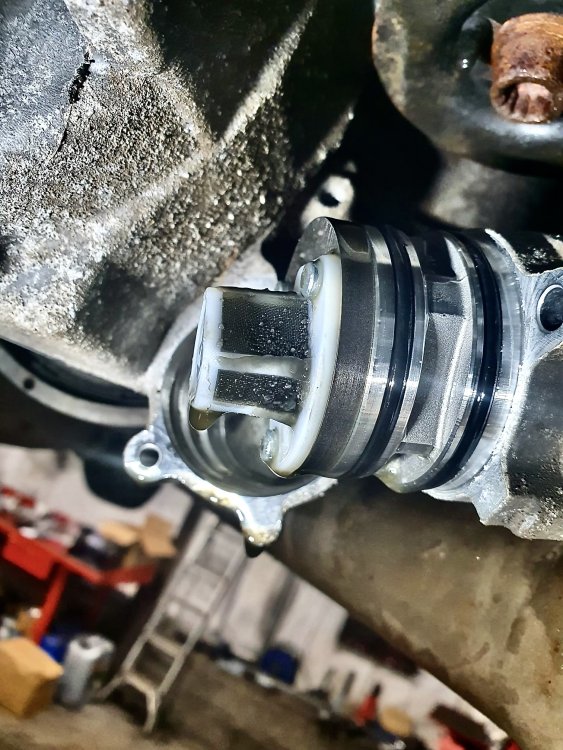
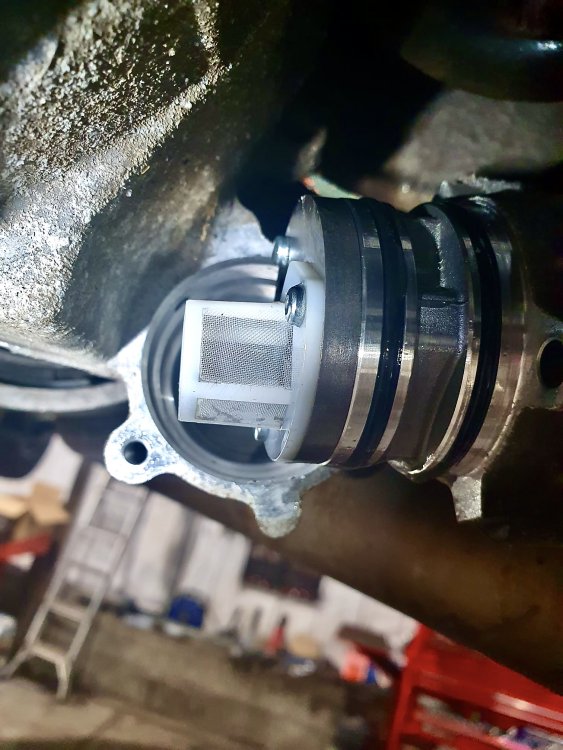 2 points
 -
2 pointsI think it's more likely to be the master or slave cylinder. I can't say which from 200 miles away though.2 points
-
2 pointsIf you have the 1 litre engine, your car will be petrol and not diesel. I have a 68 plate Octavia with this engine and the fuel injectors were replaced by my local Skoda dealer due to a recall. Whatever the problem was, it may be the cause of your fault. I didn't have any injector problems with my car before or after the recall though.2 points
-
1 pointHi All, I bought my wife a 2012 Fabia Estate in October 2022 and have been impressed enough to buy a 2014 2l tdi Octavia Estate myself in November last year. I've looked around the various user groups and this looks the most sensible and welcoming as I've already met the spotty kid at the carwash who wants to tell me my car is "no f*^kin good wivvart a stage 2 map an' coilovers mate". I come from Land Rovers though, so I'm used to a bit of banter! I'll keep quiet now for a bit and learn who are the various gurus for these vehicles, hopefully one day I too may be able to impart some knowledge to a newbie.1 point
-
1 pointI’m in Singapore ! So am I right to say that any issues would probably surface within the first 2 years ? And that the extended 3 year warranty is not necessary ? Yeah. I paid for the deposit. Just making the decision if I want to get the extended warranty before I collect my car 😅. Sorry for being unclear.1 point
-
"I like big BUTTs and I cannot lie". Used in Shrek, but really no song for kids.1 point
-
I am afraid you commited a common 'rookie' error when converting to mpg as you used the smaller US gallon. The good news is that in Imperial mpg you got about 45 mpg which is about standard for a petrol vrs on the sort of journey you describe.1 point
-
Went and visited the same lad who gave me the seats for the car, and we swapped some Fabia bits so I can sort some of the niggles my car has got. But also fitted these snazzy vRS needles... playing the fiddle while Rome is burning. Still need to adjust the one for the temp gauge as it sits just below the halfway point, but that's due to alignment when fitting them. I quite like it though, matches the paint.
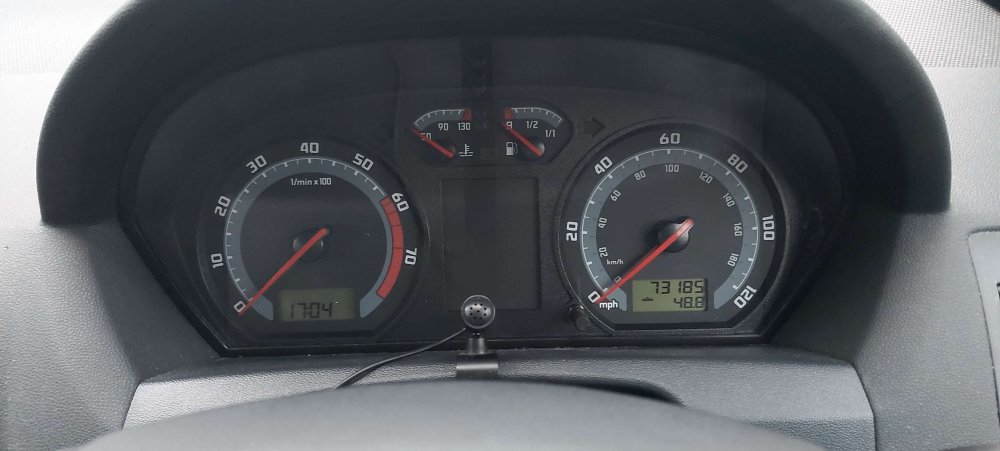 1 point
 -
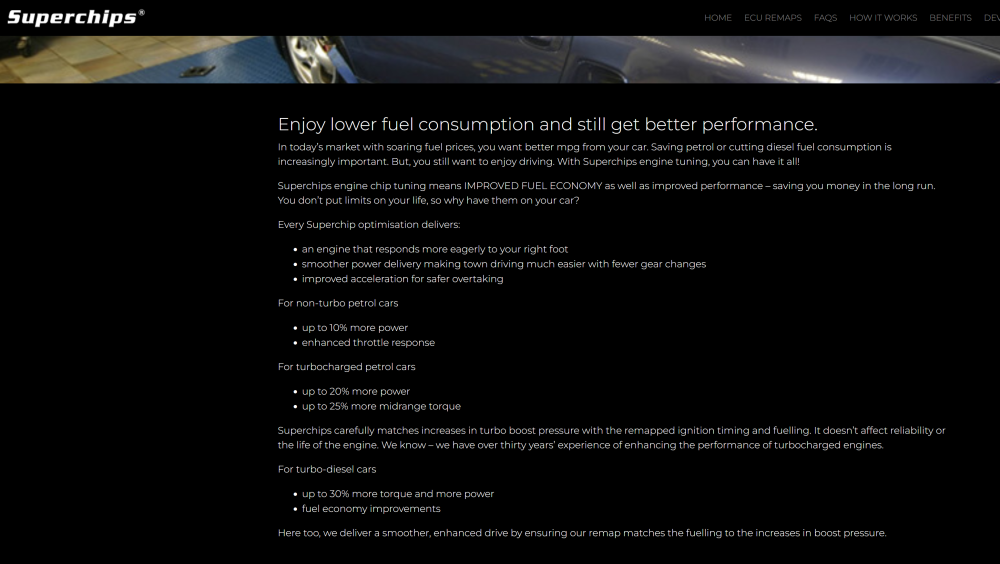
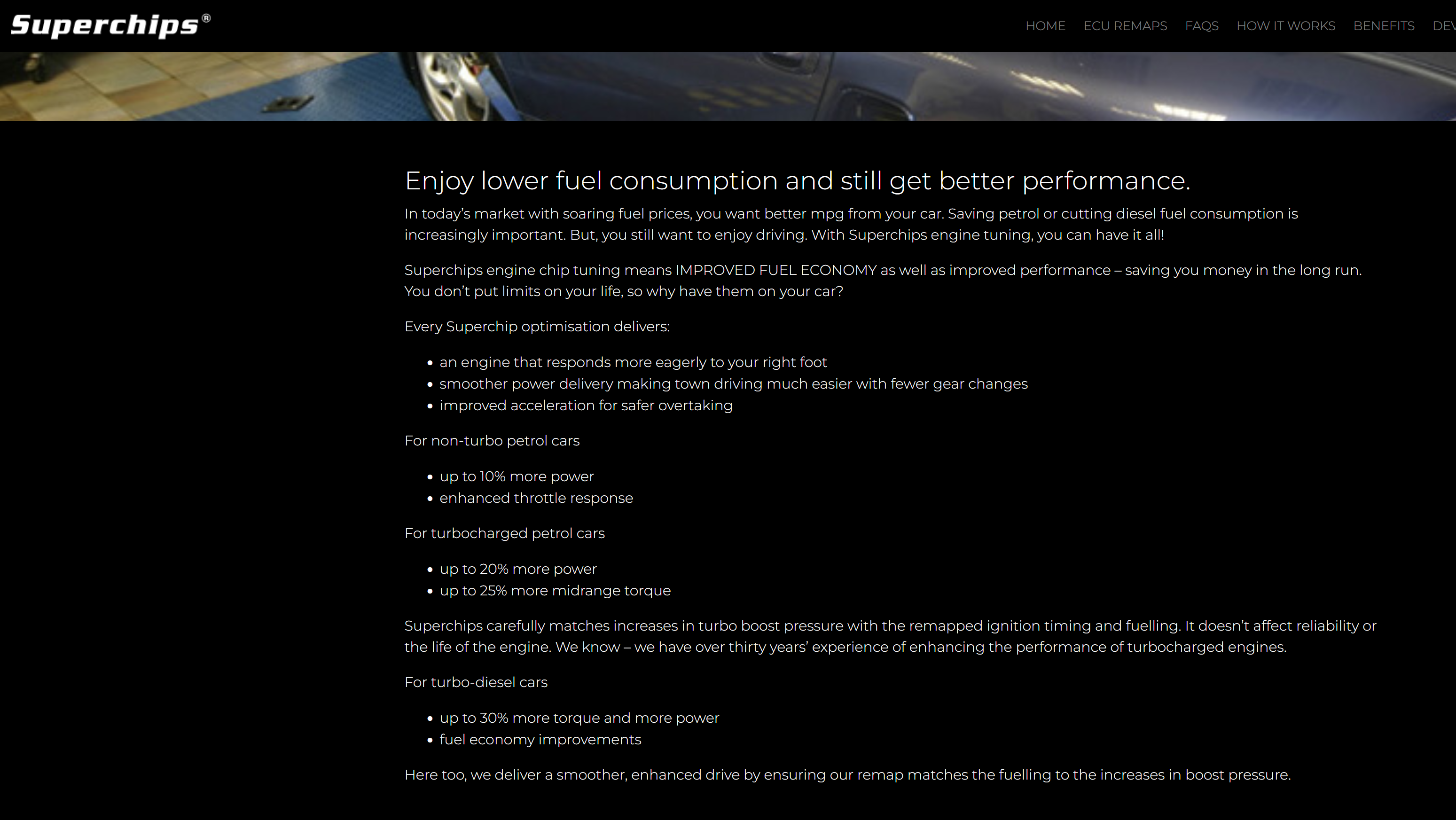
To get more MPG, you need to make the car more efficient, i.e. the remap will need to get more energy from the same amount of fuel, so when driving. For the increased MPG claim to be true, the remapped car would have to need less fuel to propel the car forward at a given speed than it did with the original fuelling map. I've never seen any convincing evidence that a remap will improve a vehicle's MPG, though there are plenty of anecdotes about them increasing MPG, and tuners sometimes claim increased MPG as the remap will give the car more torque at low RPM which means you can use a lower gear. (What they don't say is HOW the car gets more torque at low RPM. The answer, presumably, is that they bung more fuel in.) What's needed is a proper before/after MPG test with a remap, and I haven't seen one of those done. Example claim from Superchips. They simply state you'll get better fuel economy and expect you to take their word for it. If your remapped car fails to give you improved fuel economy, they will tell you it's because you're enjoying all that additional power. (Which is quite likely true.) In my limited experience (two remapped cars and a couple of tuning boxes), a good remap will give you more power when you want it, and no penalty in the form of increased fuel use when you don't. My remapped car has given me improved economy on the same route to my holiday. However no two journeys are precisely the same, and I would not be able to prove that the difference was not caused by traffic conditions or me driving slightly differently. What is undisputable is that if I use the extra power, I get worse fuel economy.
 1 point
 -
Yeah, I default to the same individual mode setup. I'd engage Sport to be in the correct gear, *before* initiating an overtake rather than pulling out, then stamping on the throttle and waiting for the DSG to get it's **** together. I'm aware most drivers would be close and closing on the car in front before even pulling out, but the motorcyclist in me has long been trained out of this. I'd often move to sport for engine braking and correct gear around a large roundabout for proper vehicle control. I hate eco upshifting to 4th gear as you roll around the roundabout before dropping to 2nd or 3rd and unsettling the car as you accelerate off the roundabout.1 point
-
1 pointNothing special, just what I'd expect in my mind and other cheap DIY stuff (like Ring Automotive chargers/testers). The mate who bought it for me asked to compare it against to his two cheap multimeters and a slightly less cheap third he'd just bought and that registered lower than the other two. My Martindale was close to his first two but all three were slightly different and all three above his latest purchase so he sent it back. As long as I stick to it and any inaccuracies are consistent it doesn't matter for the very, very little I use it, mainly batteries car and others.1 point
-
Nice write up, I just wish someone had mentioned it was under engine address, as it took longer to find than execute the change. But it should help others locate it, if they are struggling 🤝1 point
-
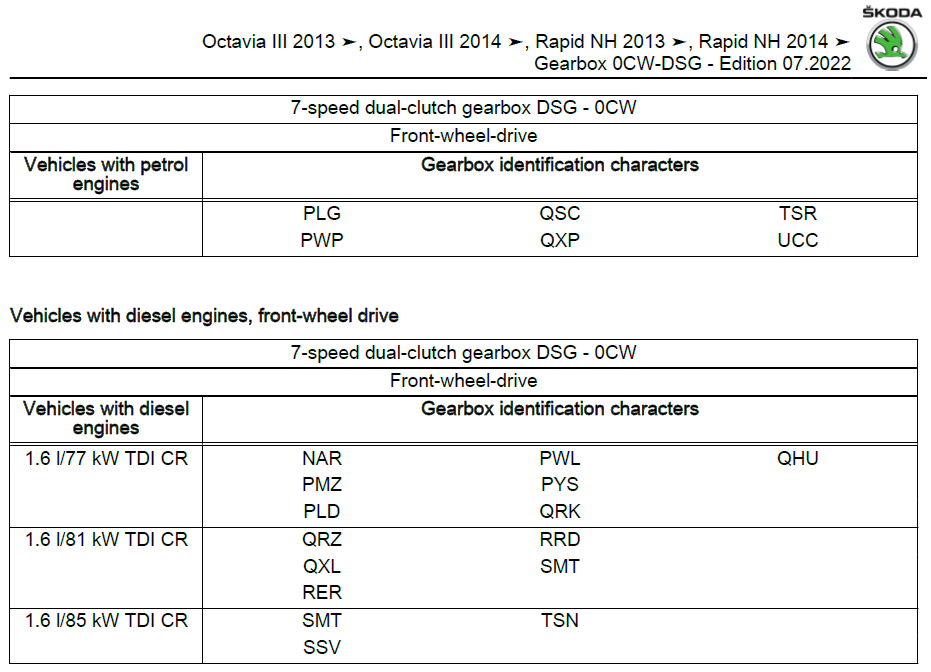
1 point1 point1 pointBecause VAG urrrggghh, how weird that it needed key for that, must be some additional security malarky.1 point1 pointShould have listened to him 'bruv. That spotty kid knows it all. Hopefully you both enjoy your motors, so welcome 🤝1 point@CrasherI know of one about 7 years back on a Mk2 Fabia vRS that the new MCU came in from Germany and the same thing and more and they needed to get sent a new ECU.1 pointIt might also be related to the file (map) stored on the TCU for each different car/engine combination. I cannot find a definitive answer, at the moment either.1 pointI cannot say for sure, but it could be about the mounting plate for different engines, Petrol vs Diesel and all the output shaft connections. FWD vs. 4x4 and so on.
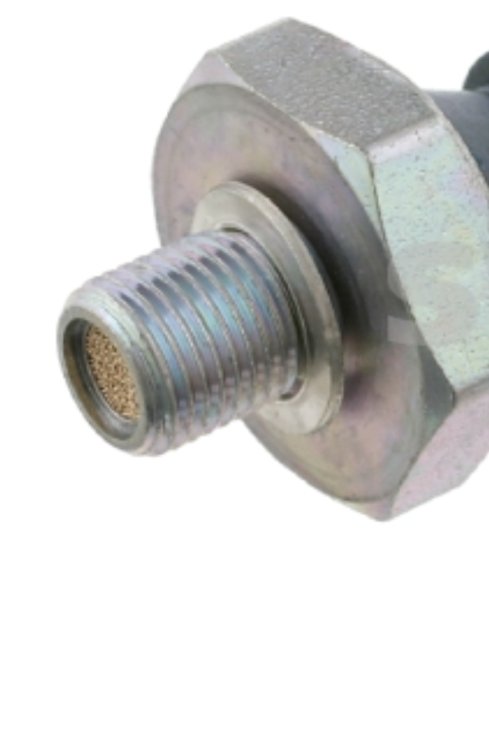
 1 point1 pointYou do not know that from 200 miles away without knowing what gearbox the vehicle has. However drips from the bellhousing drain do point to failure of a concentric slave cylinder but it could also be the O ring seal on the bleed block which is external Lorrigirl, do you have a 5 or 6 speed gearbox?1 point@varooom hopefully you’ve got a PM in reply. I can’t seem to make a link work though for the post I was referring to, but hopefully from the thread title I sent you you’ll be able to find it!1 point1 point1 pointThree months after changing mine I got the warning. Annoying but changed it again. The error message persisted. Eventually I realised the spare key - which lives in an allegedly RF proof pouch a long way from the car - had somehow contacted the car to tell it it was sad. Changed that one and all was OK. Got 2+ years out of the first set. The dealer might not have changed both.....1 point1 pointLet's do some common sense analysis: Most people don't care about what's under the hood of their car, specially when it comes to transmissions. So why do they put an MQ200 transmission on the 125HP version of the 1.4 TSI and the MQ250 on the 150HP version, the later being more expensive? There must be a technical reason for it. I doubt people at VAG are stupid and they don't know that they could save money by installing the MQ200 across the entire range. One possibility I see is that MQ200 is destined for small cars while the MQ250 for medium cars, so the axles are different (wheel bolt pattern on small cars is 5x100 and 5x112 for medium and beyond). Maybe there is only one version of each, so you have to use the MQ200 if you want the 5x100 bolt pattern, and MQ250 if you want 5x112. However, this is obviously not true, having some cars like the Golf, with both MQ200 transmissions and 5x112 axles. The other possibility I see is the way the safety margin is designed. The rating of a transmission is not so much for continuous usage, but for catastrophic conditions. Like you push the clutch, engage first gear, forget you're pressing the clutch and release it suddenly. If you have an MQ200 transmission, and an engine with up to 200 Nm, such as the stock 1.2 TSI, it will just stall, and nothing would break. Same for the MQ250: up to 250 Nm, like with the 150 HP 1.4 TSI, a sudden clutch slam will result in nothing breaking and only stalling. But maybe -just maybe- if you install an MQ200 (rated for 200 Nm) with a 150 HP 1.4 TSI (rated for 250 Nm), if you accidentally slam the clutch, the engine will not stall, and something in the transmission is going to break.1 point1 pointMaybe it doesn't matter what color it is, if your sensor has something like this sieve on top. I think the cause of the error is that there is sediment from the oil that closes the oil flow and the sensor and reports an error to the computer. I replaced that sensor, it was located in the front, it is easy to change. first I removed the propeller from the cooler to have easier access with the tool.
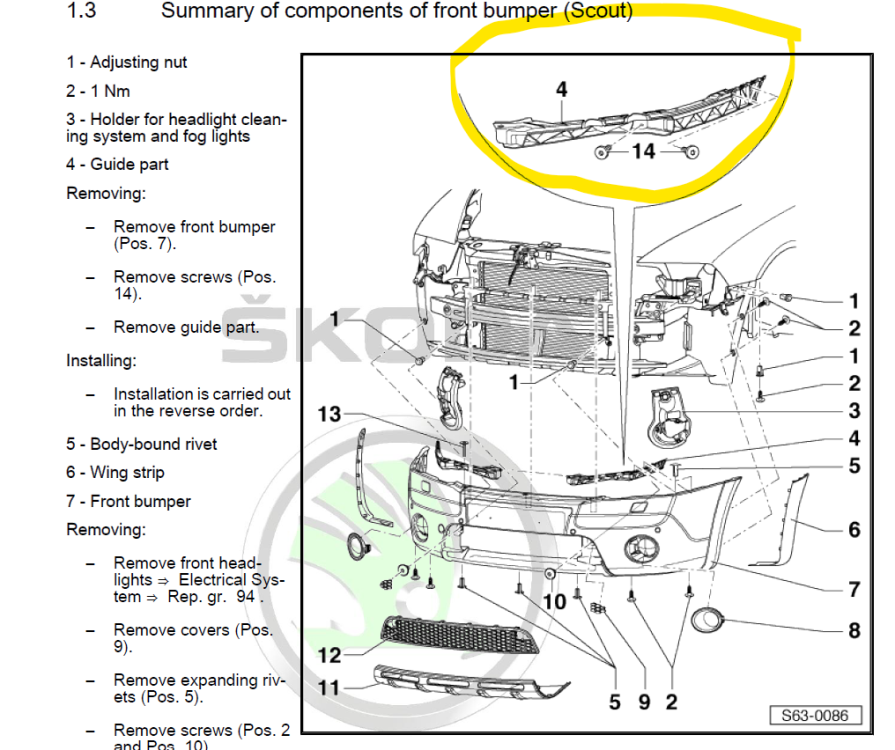
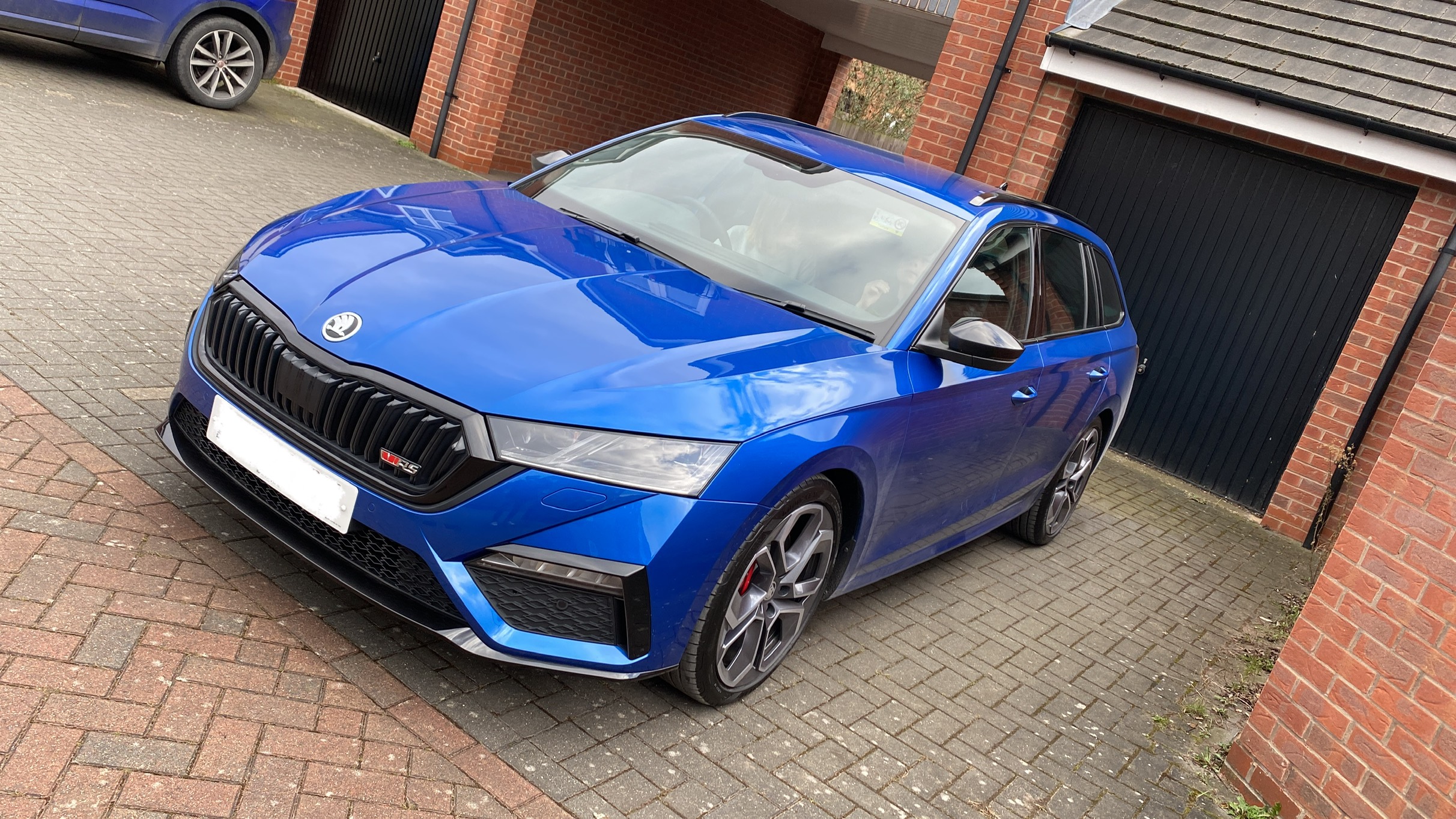
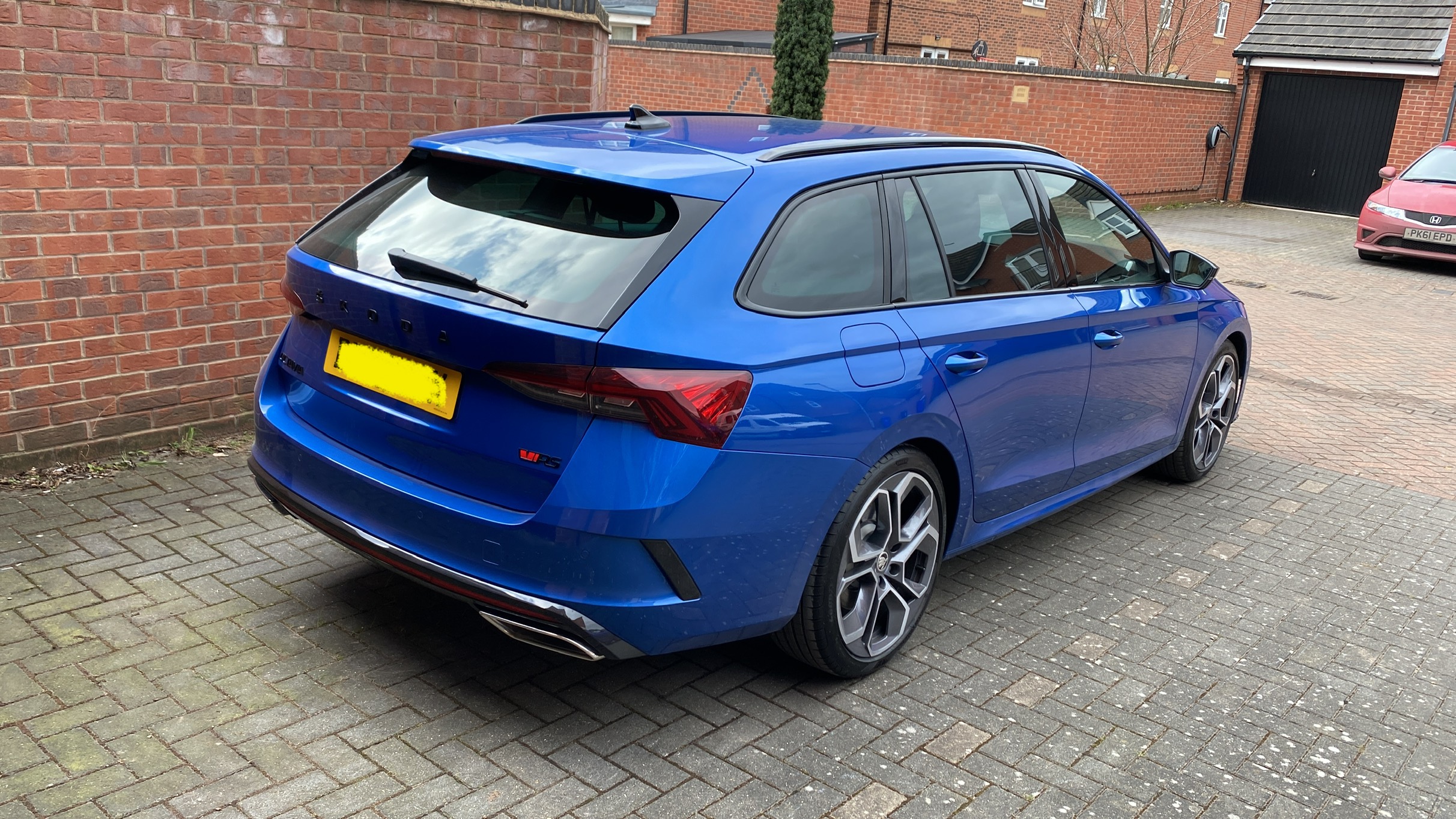
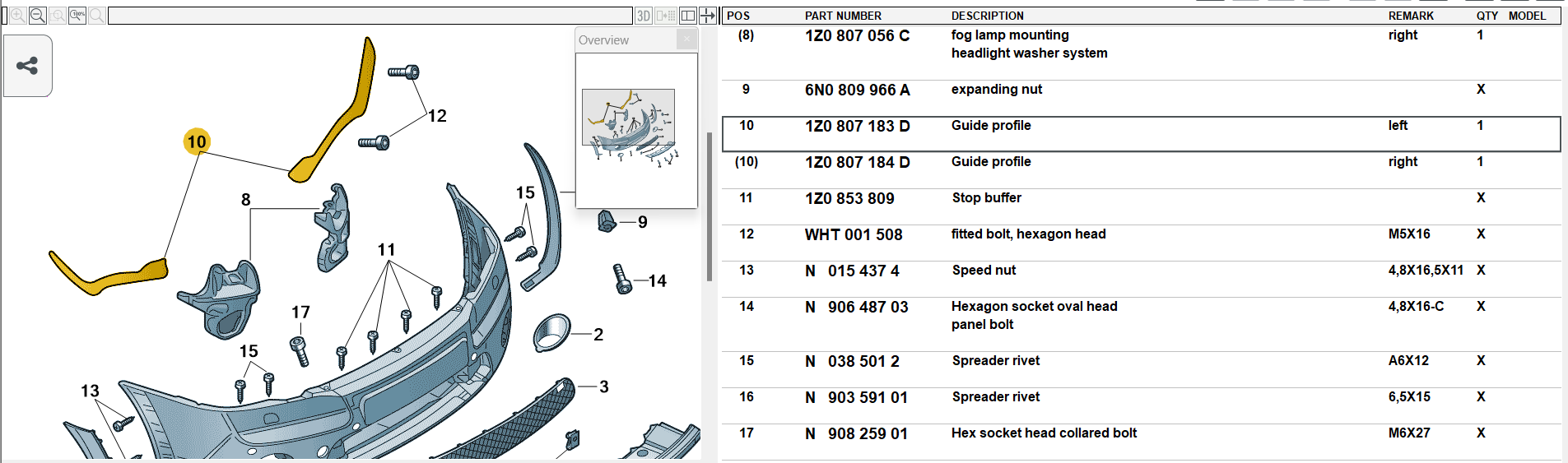
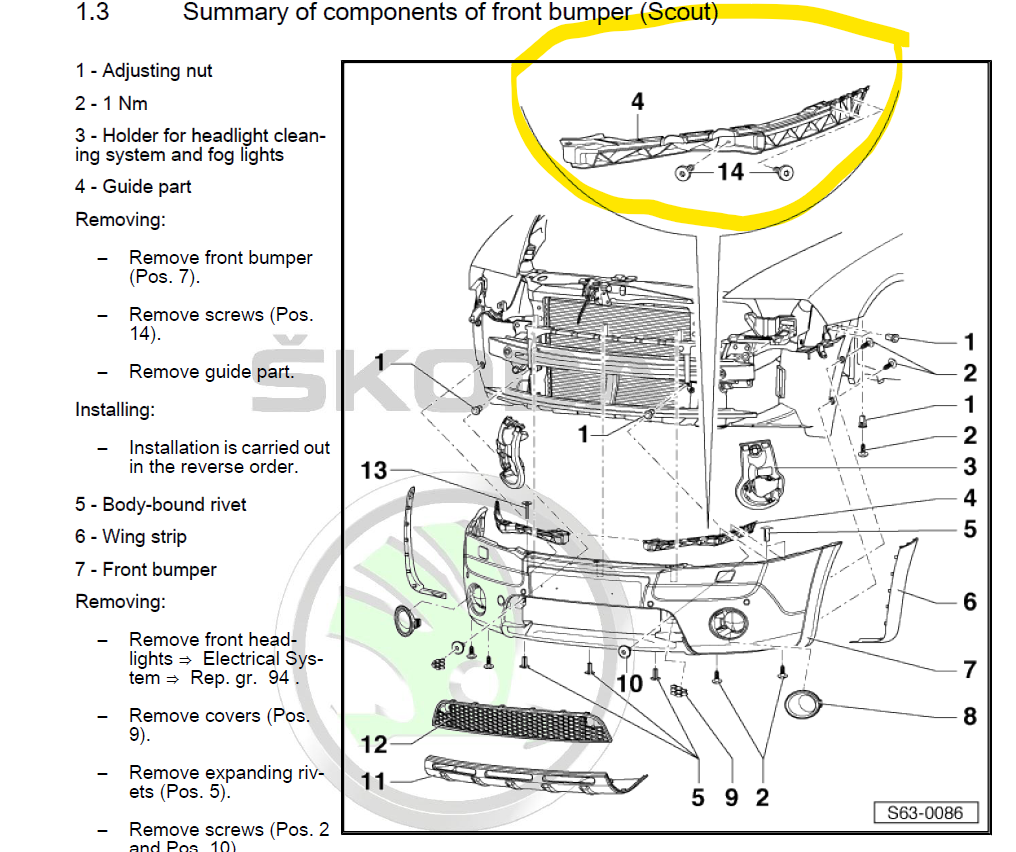
 1 point1 point@John2022 great information, good on you for going to such sources. The battery manufacturers do vary a little with their information and advice so one consensus source like yours is good (but don't necessarily believe that 11.9V (totally) knackered) . Trying to add to your info and not diminish it as you can only have general advice because there are so many variables with the vehicle use so I'm not knocking you at all, you can take or leave my notes, they're just my notes - - the volts to % can be about 0.1V variance - 11.9V in reality is nowhere near knackered, might be weakened, even the Ring "smart" would probably start charging a battery at 10.7V (as an example, it doesn't state), see my earlier post (7 hrs back now) - in summer if it's 30c weather then the battery itself discharges twice as much as at 20c and at 40c (as last summer) then the self-discharge is twice as much as 30c, so the battery is weaken for it's late-autumn and winter use Just for info and to show variance, not that it matters generally, figures from my neighbour's Ring RSC612 battery charger/tester. - 12.7v - 100% - 12.5v - 90% - 12.4v - 80% - 12.3V - 70% - 12.2v - 60% - 12.1v - 50% - 11.9v - 40% - 11.8v - 30% - 11.6v - 20% - 11.3v - 10% And VW figures. - Charge level No-load voltage 1.28 g/cm3 100% 12.7 V 1.21 g/cm3 60% 12.3 V 1.18 g/cm3 40% 12.1 V 1.10 g/cm3 0% 11.7 V I've seen 12.9V put as 6 x 2.15V but I'd go with whatever figure any particular charger uses for 100% charge, the Ring RSC804 (808) doesn't give any so it makes things easier. 😄1 point1 pointJust an update on the fuel consumption issue..... I have fitted a MAF sensor (Bosch) and the smoking issue, under hard acceleration, which has always been an issue, has disappeared completely. Also the fuel economy has come back. I also seems to run a lot better. Thank you for your advice.1 point1 point1 pointI’d probably just wrap it. Looks like it’s small enough you could get one of those sellotape looking rolls of wrap.1 point1 pointIn Kodiaq this engine doesn't sound any better. It can be coded, but default behavior in Kodiaq will be the same i think. Haven't had such issues, my ACC works ok. But again - in Kodiaq you have exactly same system. I would expect Kodiaq to consume 20-30% more than O4. I'm not defending your O4 here. It's pretty subjective, but i understand your feelings about this car. My point is, that you're changing O4 to Kodiaq, which is based on exactly same platform and tech, so at least some of the issues you had with O4 will also be present in Kodiaq. You probably should've look at some other brands.1 pointPlease note - I am not a mechanic or expert in anything. Last thread I saw with something like this is was some like the connector or wires to a rear sensor, always working checking such things as a no cost item, perhaps wiring/connection at the gearbox(?). What type of gearbox is it as that might make a difference. With electrics it's often wires and/or connectors, then perhaps the actual units but of course there's also the computers and their programs also on modern cars, so on to scan tools. You can listen if the rear sensors are working - "confirmed by switching the ignition (but not the engine) on and putting my ear against each sensor in turn. You should be able to hear a faint clicking sound a few times per second from all 4 of the sensors." Don't know if this might help you. - https://www.briskoda.net/forums/topic/499513-parking-sensors-not-working/#comment-5646491 See also 'Similar Content' at bottom of this page. Hopefully someone will be along that know something about your issue. Full marks for looking at the Owner's Manual.1 point1 pointPlease note - I am not a mechanic or expert in anything. You've done it now you've mentioned the bloody silly VW bolts, instead of wheel studs, that gave me Sciatica which apart from totally p1ssing me off also reminds me to recommend the use of TWO Fitting Removal Alignment Tools instead of trying to balance the wheel on the *!&£%^"$ stupid centre ring. Two of these should be in the car's tool kit. - The VW wheel bolt system is literally a PITA to me. 🙃 I can laugh about it at the moment but not always for the first half to hour after getting out of bed many mornings.1 point1 pointNew number 3 glow plug (preferably all four) and investagte why the grill is playing up, active aerodynamics, more things to go wrong that do bugger all! Looking at ETKA, the blind has changed part number five times to a new number 3V0 122 321 E at £366 so that is probaly the answer.1 point1 pointIt may be down to how he drove it. Pottering along and shifting into S won't necessarily cause a downshift. It will however cause it to more readily downshift. They need to understand the kit they are servicing. I am particularly impressed that they are still pushing the funny driving style. Shifting back and forth between modes was standard pretty much every time I got in the car.1 point1 pointMy best stab in the dark guess is a guide profile, but it's not easy to see myself from the images. Note they are not the same shape Left/Right. As mentioned, I could be barking up the wrong tree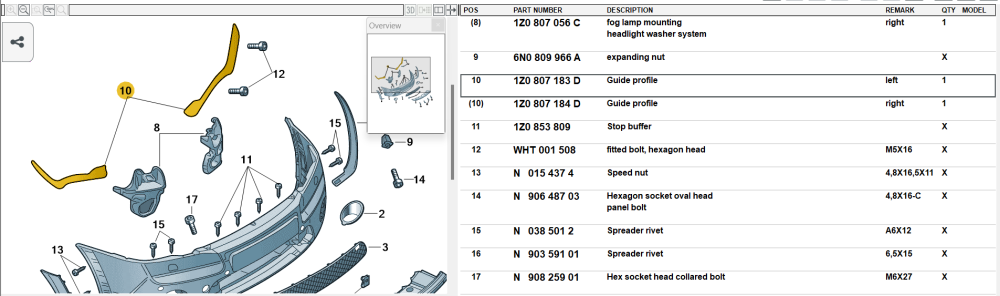
 1 point





.thumb.jpg.9dd3f612ba7f13d10be5c518d3c8d255.jpg)
















Important Information
Welcome to BRISKODA. Please note the following important links Terms of Use. We have a comprehensive Privacy Policy. We have placed cookies on your device to help make this website better. You can adjust your cookie settings, otherwise we'll assume you're okay to continue.