Leaderboard




Popular Content
Showing content with the highest reputation on 16/06/20 in all areas
-
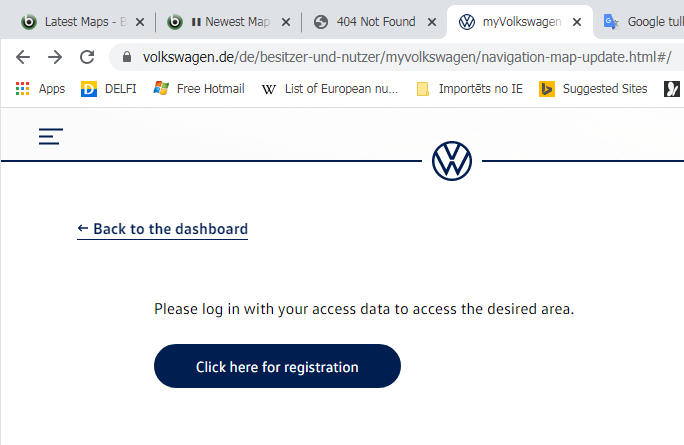
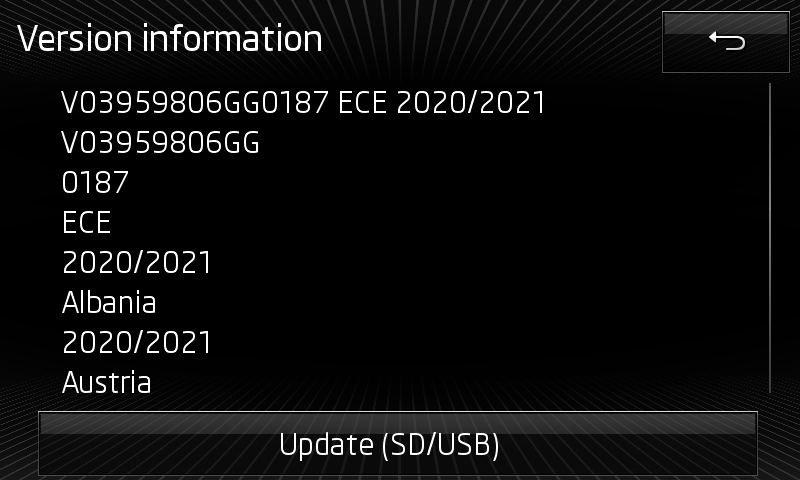
Have to start from bad news - now also VW's portal requires registration to download map updates 😞 previously there was ability of select different car models and choose files for different media systems and regions +++ edit 2020.06.16 17:25 +++ died https://webspecial.volkswagen.de/vwinfotainment/de/de/index/downloads/maps-download#/ but https://webspecial.volkswagen.de/vwinfotainment/int/en/index/downloads/maps-download#/ still alive, thanks to @langers2k for info! +++ edit off +++ another news, style of forming file names is changed # previous # # "P169_N60S5MIBH3_EU.7z" # "P175_N60S5MIBH3_EU.7z" # "P177_N60S5MIBH3_EU.7z" # "P184_N60S5MIBH3_EU.7z" 2019.11.08 5d # "P187_N60S5MIBH3_EU_NT_Q3.19" 2020.05.20 3d interesting how will transform Škoda's absolute random style # previous # # "HIGH12_P169_EU_2018_2019.zip" # "HIGH12_P175_EU_2019.zip" # "HIGH12_P177_EU_201920.zip" # "HIGH12_P184_EU_2020.zip" 2019.12.03 2d # "HIGH12_P187_EU_2020????.zip" ----.--.-- +++ edit 2020.06.18 +++ # "HIGH12_P187_EU_202022.zip" 2020.05.19 2d for Skoda Columbus (MIB1/MIB2/MIB2GP), Seat Navi Plus (MIB2), VW Discover Pro (MIB1/MIB2/MIB2GP), Audi MMI Navigation Plus (MIB1/MIB2 A3, A4, A5, A6, A7, Q2, Q5, Q7) # ECE 2020-2021 27Gb Version: V03.959.806.GG 0187 ECE 2020/2021 VW portal: #- #- #- http://vw-mapscdn.tdd.adacorcdn.com/P187_N60S5MIBH3_EU_NT_Q3.19.7z dead: 2020.07.0? VW portal: http://vw-maps-cdn.lighthouselabs.eu/vw-maps/P187_N60S5MIBH3_EU_NT_Q3.19.7z VW portal: http://vw-maps-cdn.lighthouselabs.eu/vw-maps/P187_N60S5MIBH3_EU_NT.7z Files inside: 2019.12.19 Downloadable: 2020.05.20 3d Published: 2020.06.15 Škoda portal: http://infotainment-cdn.skoda-auto.com/base/maps/HIGH12_P187_EU_202022.zip Files inside: 2020.05.12 (content equal) Downloadable: 2020.05.19 Published: 2020.06.17 Seat portal: - older, 2019-2020 # Rest of World 2020-2021 23Gb Version: V03.959.806.GS 0088 ROW 2020/2021 VW portal: #- #- #- http://vw-mapscdn.tdd.adacorcdn.com/P88_N60S5MIBH3_ROW_NT_Q3.19.7z dead: 2020.07.0? VW portal: http://vw-maps-cdn.lighthouselabs.eu/vw-maps/P88_N60S5MIBH3_ROW_NT_Q3.19.7z VW portal: http://vw-maps-cdn.lighthouselabs.eu/vw-maps/P88_N60S5MIBH3_ROW_NT.7z Files inside: 2020.01.21 Downloadable: 2020.05.20 3d Published: 2020.--.-- Škoda portal: http://infotainment-cdn.skoda-auto.com/base/maps/HIGH12_P88_ROW_202022.zip Files inside: 2020.05.12 (content equal) Downloadable: 2019.06.01 Published: 2020.06.?? ======= coverage ======= # EU Albania *, Andorra, Belgium, Bosnia and Herzegovina *, Bulgaria *, Denmark, Germany, Estonia *, Finland, France, Gibraltar, Greece, Ireland, Iceland, Italy, Kosovo *, Croatia, Latvia *, Liechtenstein, Lithuania *, Luxembourg , Malta, Macedonia (Former Yugoslav Republic) *, Moldova *, Monaco, Montenegro *, Netherlands, Norway, Austria, Poland, Portugal, Romania *, Russia(European part) *, San Marino, Sweden, Switzerland, Serbia *, Slovakia, Slovenia *, Spain, Czech Republic , Ukraine *, Hungary, Vatican City, United Kingdom, Belarus *, Cyprus * * partially # ROW Argentina *, Australia, Bahrain, Botswana *, Brazil *, Brunei *, Chile *, Indonesia *, Israel, Jordan, Qatar, Kuwait, Lesotho *, Malaysia, Mexico *, Mozambique *, Namibia *, New Zealand, Oman, Philippines * , Reunion *, Saudi Arabia, Singapore, South Africa, Swaziland *, Thailand *, Turkey *, United Arab Emirates * partially ======= instruction ======= 1. download 7z/zip archive from direct link 2. extract content to SD Card or USB 3. insert memory device into slot of Columbus 4. start of update usually is offered automatically, manually can be found under Navi-> Settings !!! note for MAC users -> https://www.briskoda.net/forums/topic/452002-direct-download-links-for-ece-20182019-maps/page/2/?tab=comments#comment-5095042 couple of potential questions are answered in previous post
 2 points
 -
I had posted about the car reverting to Normal driving mode in the other thread of first impressions, but since it was early days with the car I wanted to experiment some more and set everything up properly. Now, after 3 weeks of playing with the settings but more importantly confirming this with other fresh owners of MY19 cars and the user manual itself I believe it is a given that MY19 cars or at least MY19 cars made after a certain date have this behaviour from factory. So, I have set up 2 different profiles, assigned them to different keys, the car detects the key and greets the assigned user and remembers ALL settings that particular user has set, as it should be. There isn't any issue of profiles forgotten or of keys mis/non-assignment. The only thing which is not remembered is in which Driving mode the driver left the car in before turning off. Well, not exactly. You see, in the 1st user profile, I have set the Individual mode to DCC Comfort and Drive to ECO. In the 2nd profile the DCC and Drive are set to Sport. Whenever I select one of the two user profiles, the actual Individual settings of each one are correctly stored and retrieved. 1st one will have an in Individual mode of Comfort + ECO, the 2nd an Individual mode of Sport + Sport. I don't need to re-register those. It's just that after turn on, Driving mode is ALWAYS set to Normal by default. Is my car broken? Well, already another MY19 owner ( @Avskum) who picked up his car just last week (mine was built on the 17th of January so I assume everything after that date at least should be the same) confirmed the same reverting to Normal on his car and I would appreciate whoever reporting which behaviour their cars show on this, to supplement it with the build date. @SteHaworth you should be picking up in the near future so would be good to know what's the case with yours too. Furthermore, I found two pages of the user manual (finally) confirming this is normal: Page 56 on the PDF, regarding options that Personalization remembers: "Driving mode - the last selected mode, mode setting Individual" At first I thought it meant which mode you were last in, but actually I think it means not that, but which settings you selected in Individual mode, not which mode the car starts in, as happens in mine. Page 244 on the PDF: "After switching the ignition off and on, the drive is set to Normal in the current driving mode. To change the drive setting, select the relevant driving mode again." That is pretty clear I think. It would be interesting to compare the content of the same chapter/page of MY18 user manuals and see if that statement exists there. Regardless, I am pretty sure this behaviour can be changed via VCDS. Browsing the 09 - Central Electrics module the other day, I found an adaptation called Personalization or similar and that seemed to hold several User profile parameters. If only it wasn't half in German half English... PS. Re-reading the 2nd bit I quoted from the PDF it refers to the Drive aspect (the gearbox mode) and not the driving profile so not the confirmation I was after really. Still...1 point