Leaderboard
.thumb.jpg.9dd3f612ba7f13d10be5c518d3c8d255.jpg)



Popular Content
Showing content with the highest reputation on 03/01/26 in all areas
-
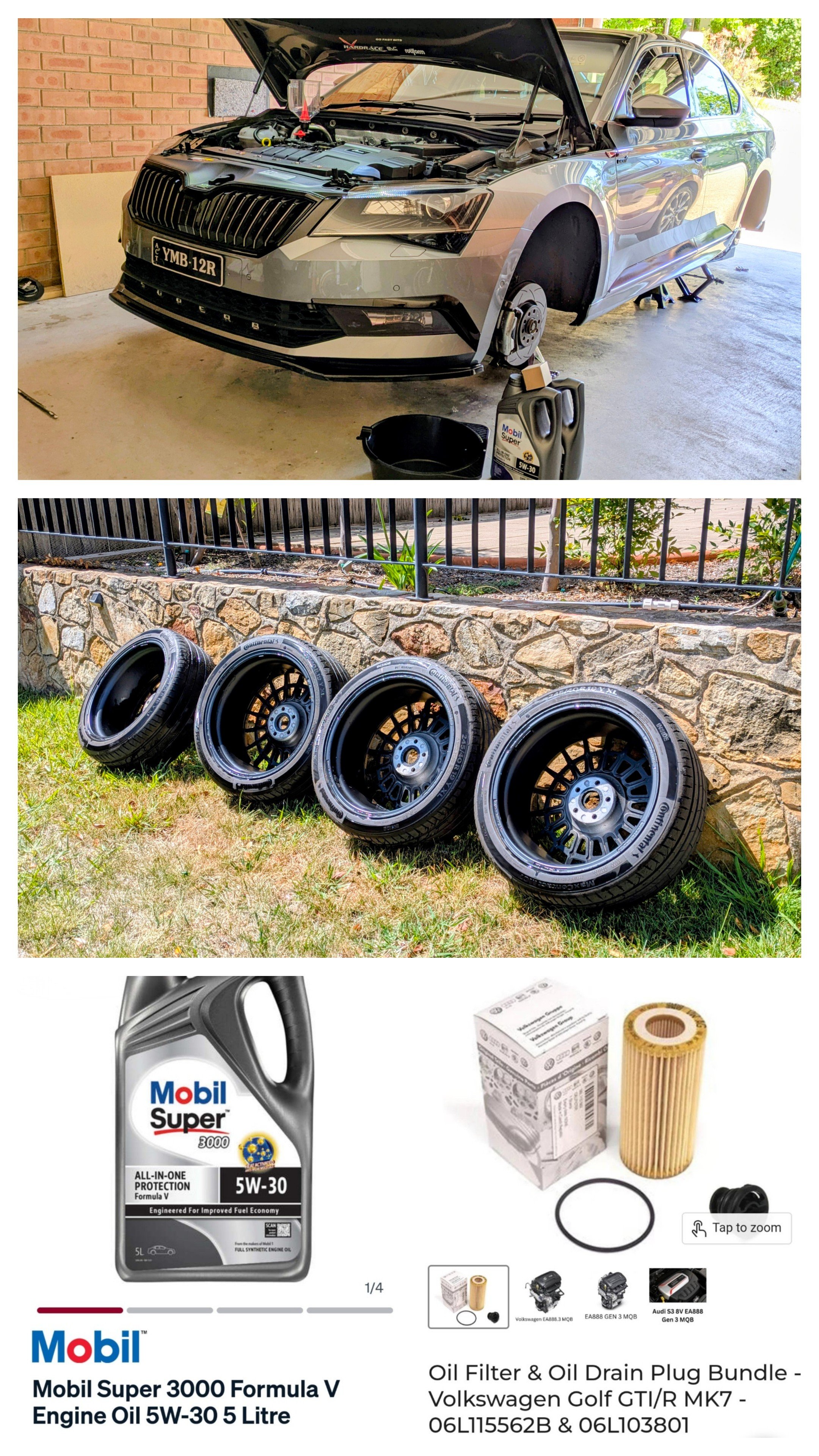
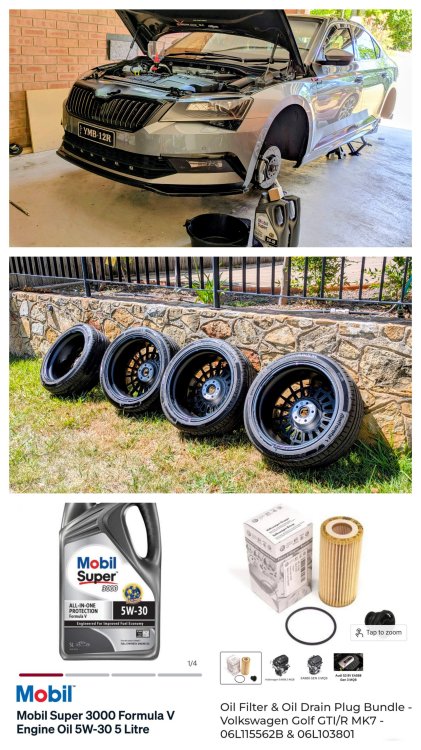
That time of the year for me to do the Interim 6-month service. Oil change and tyre clean (inside) & rotation 🙂
 6 points
 -
When I first read your post I thought you meant you actually take the tyres off the alloys, to clean the 'inside' of the tyres before putting them back on the alloys!. That really would be detailing! I now see you meant clean the inner side of the alloys & inner side of the outside of the tyres. The only people who usually see the inside of the tyres are the tyre fitters.3 points
-
I fitted a new AGM battery, same type and capacity, with 6 months the stop start failed to work and bat capacity was at 70% even on after a long run.... i then coded it and re charged it. Has been fine since. Evidence perhaps not but considering the OP has had issues without a coding, it does seem to point to that batteries need coding upon replacement.2 points
-
2 pointsThanks Lee. Currently trying to dream up an explanation that isn't head gasket.2 points
-
Arh - the "car will learn" way of doing things. No - sorry; I don't buy that. Yes, eventually the car does learn, but it never fully charges or optimises the battery. Get somebody with ODBEleven or VCDS and properly code up the correct battery type and capacity.2 points
-
2 points
-
2 pointsCheck the fuse panel, look at the diagram there is a small icon of a person running away from a sound wave, that is the alarm fuse. When mine played up I removed this and it stopped the alarm going off. The actual siren is under the scuttle panel between the fire wall and base of windscreen - wipers off, panel unbolted and it lifts up, from memory there is a metal plate also that covers the siren. My Fabia is a 2009 - I replaced mine about 8 years ago and touch wood it has behaved ever since.2 points
-
Lol, that would indeed b next level cleaning!! Objective was to rotate the tyres, front to rear, rear to front. So while I was at, it was a good chance to give the inside of the rims a good scrub n a clean.2 points
-
From memory I inputted the following: - I entered the new battery capacity ( up from 049 to 060 (AH's)), space, UNK ( for the battery manufacturer ), space, and added 1 to the serial number ( ten digits ) and confirmed. Eg:- 060 UNK 1111111112 This was with OBDeleven. Thanks. AG Falco2 points
-
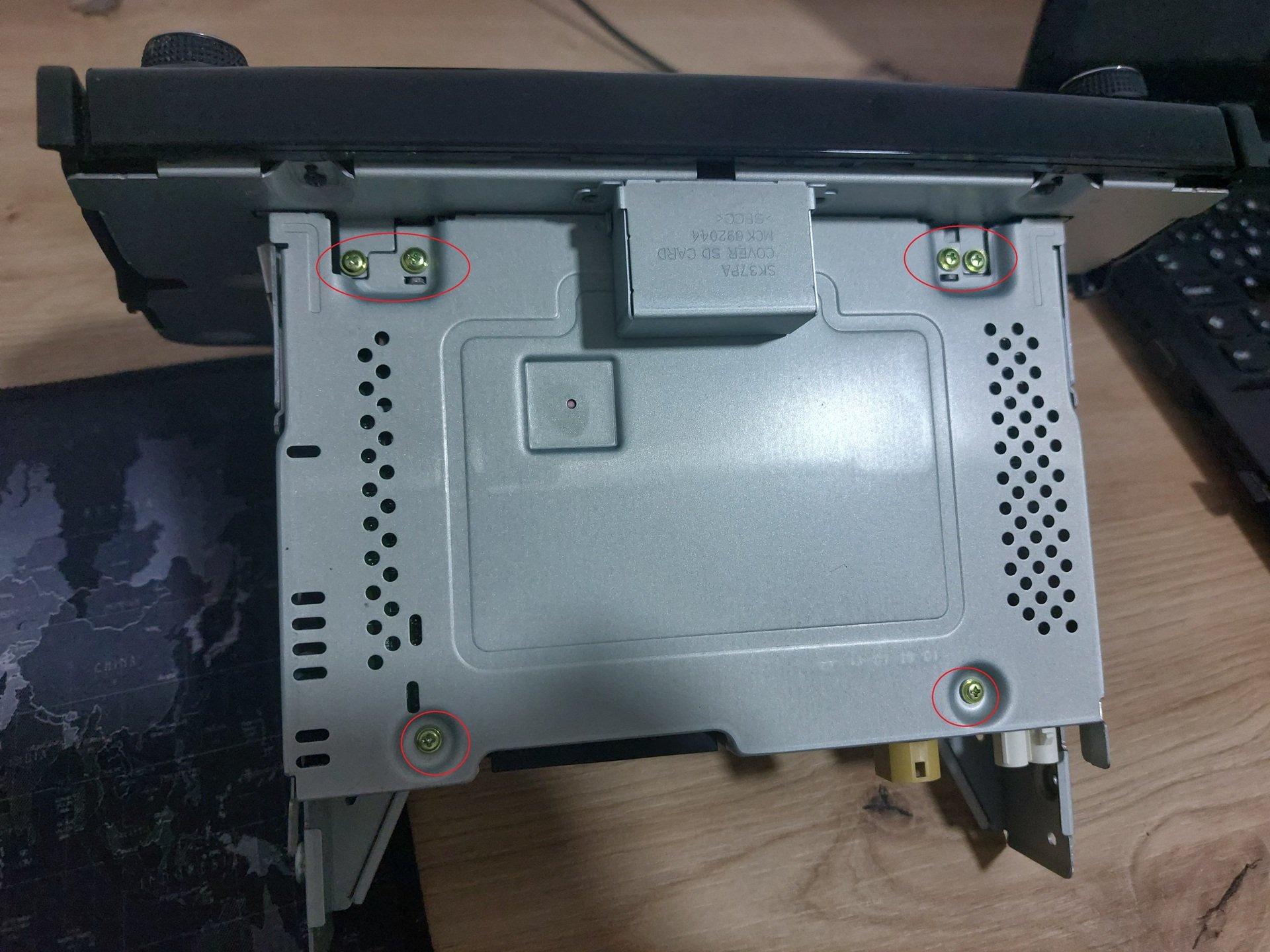
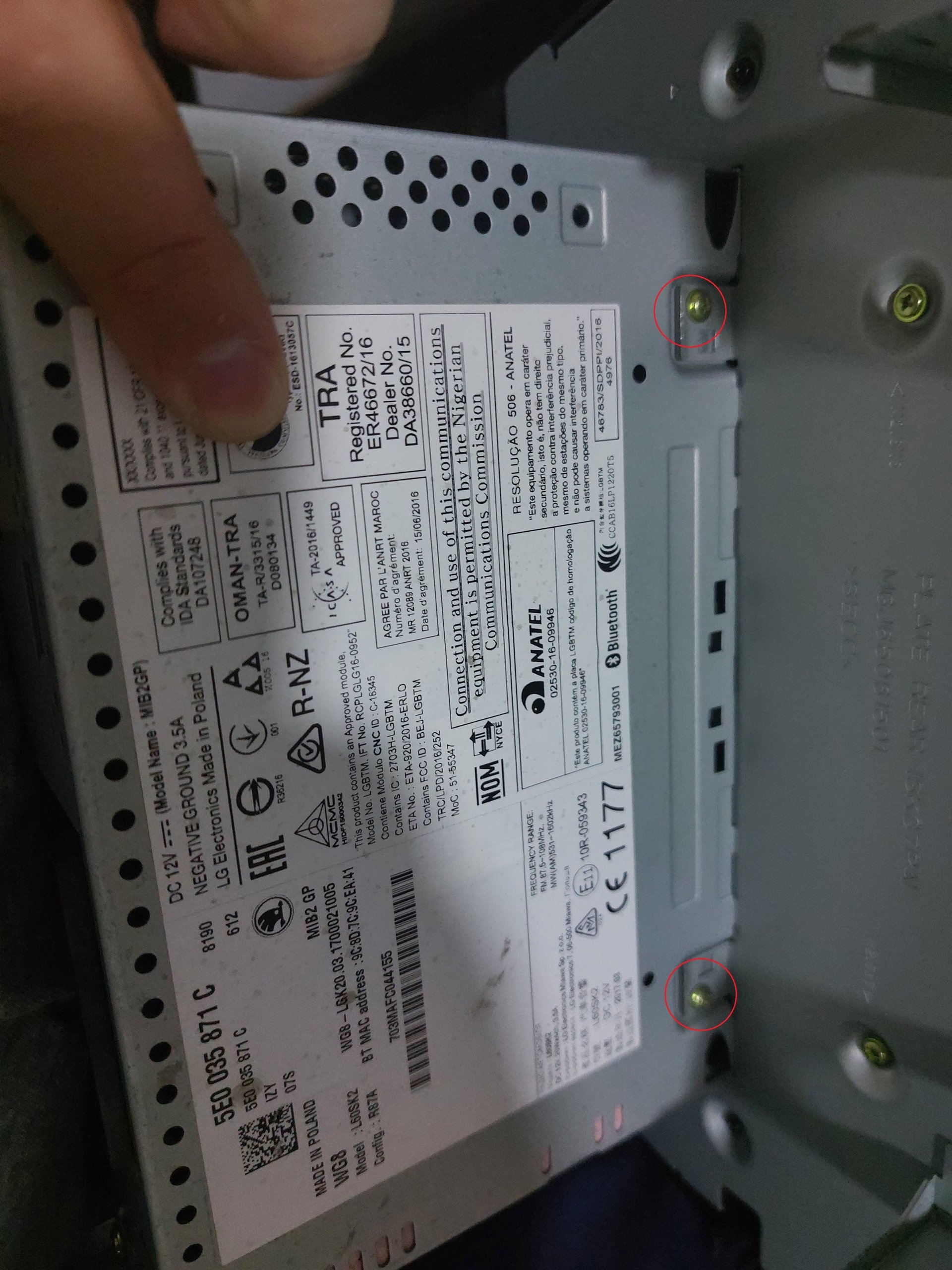
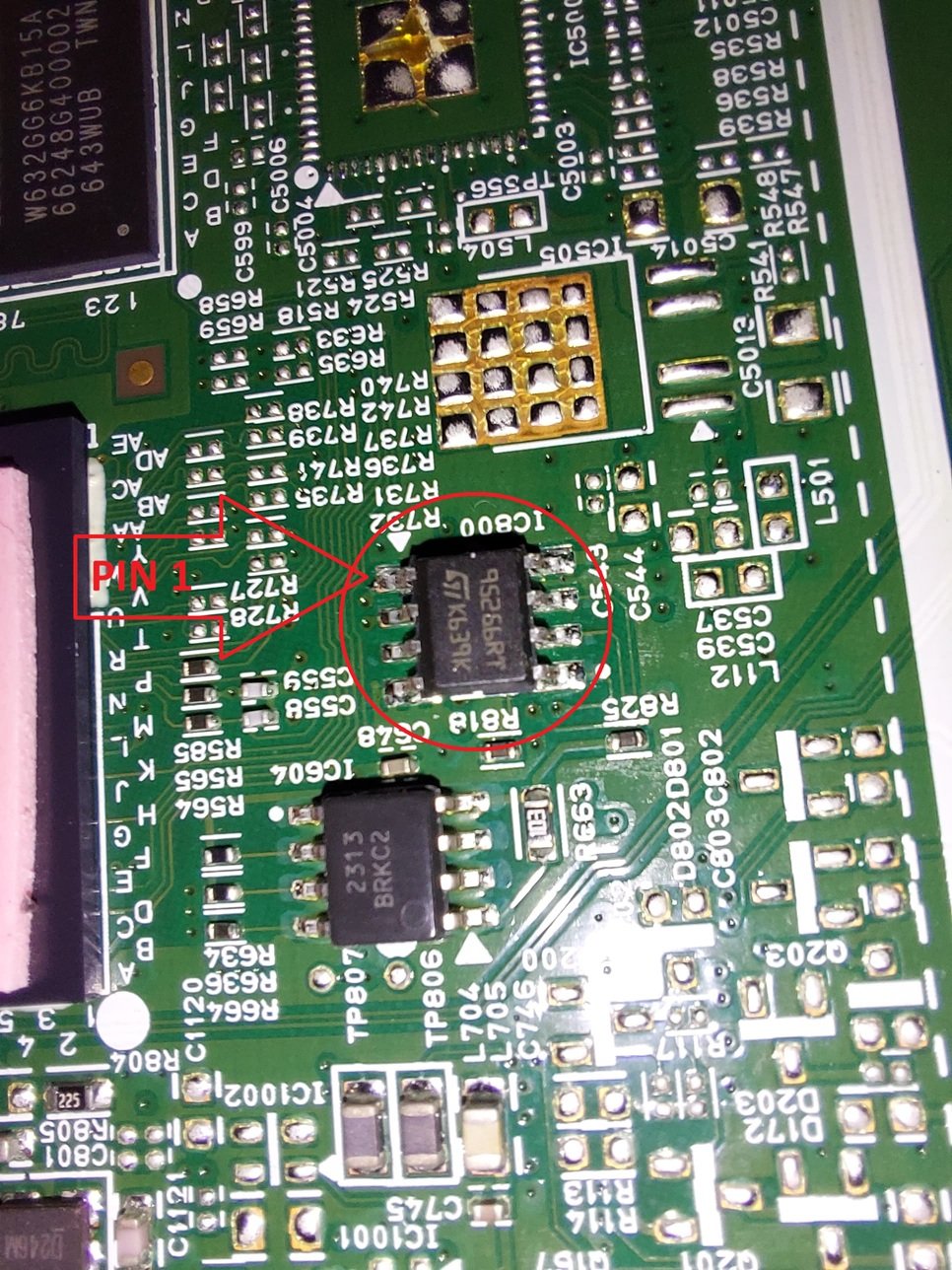
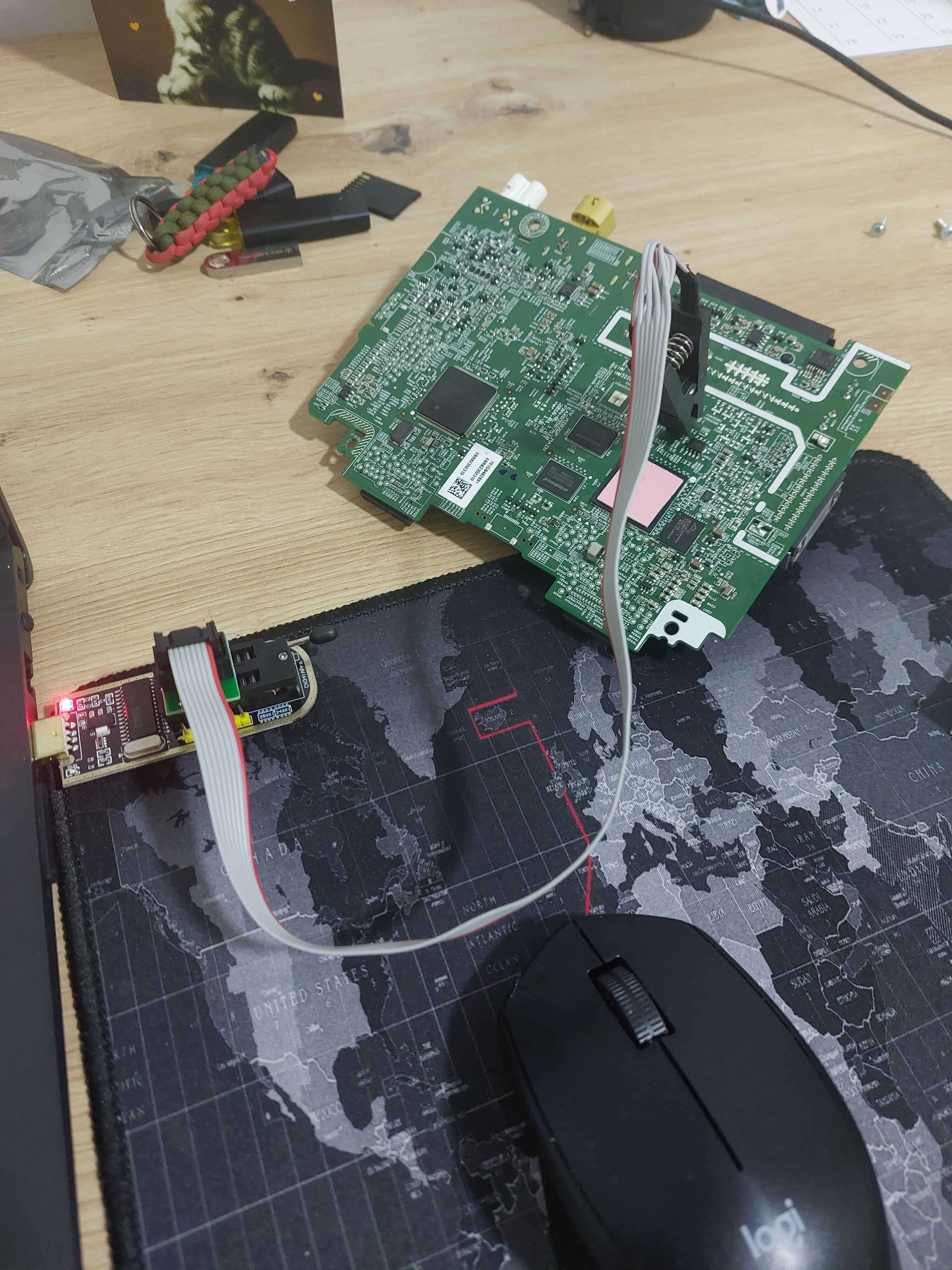
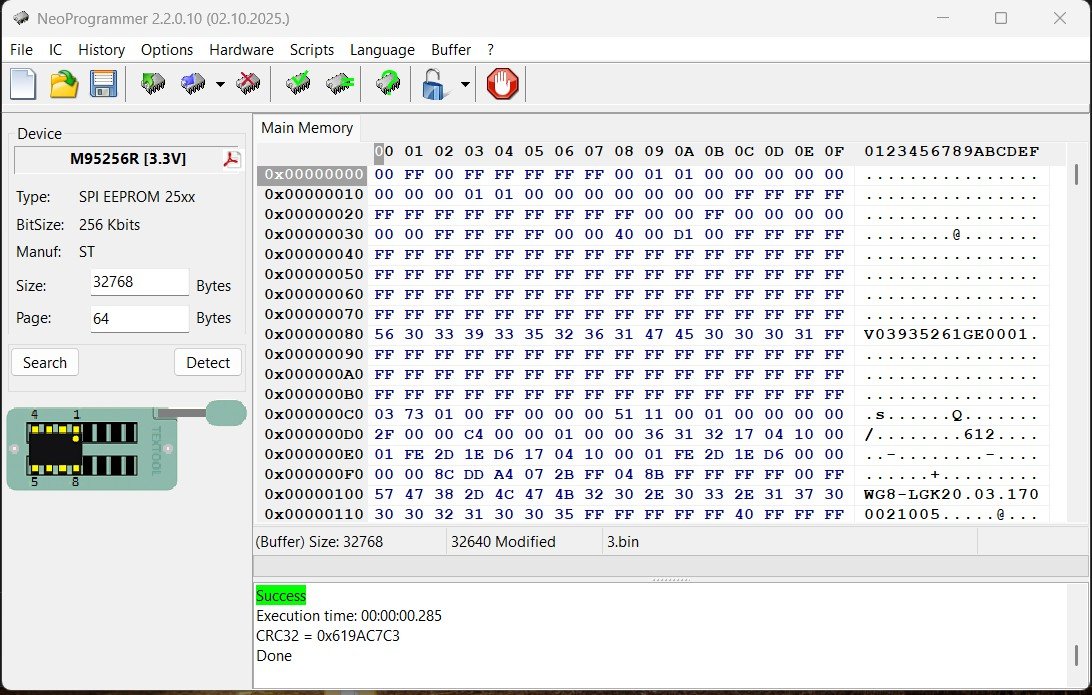
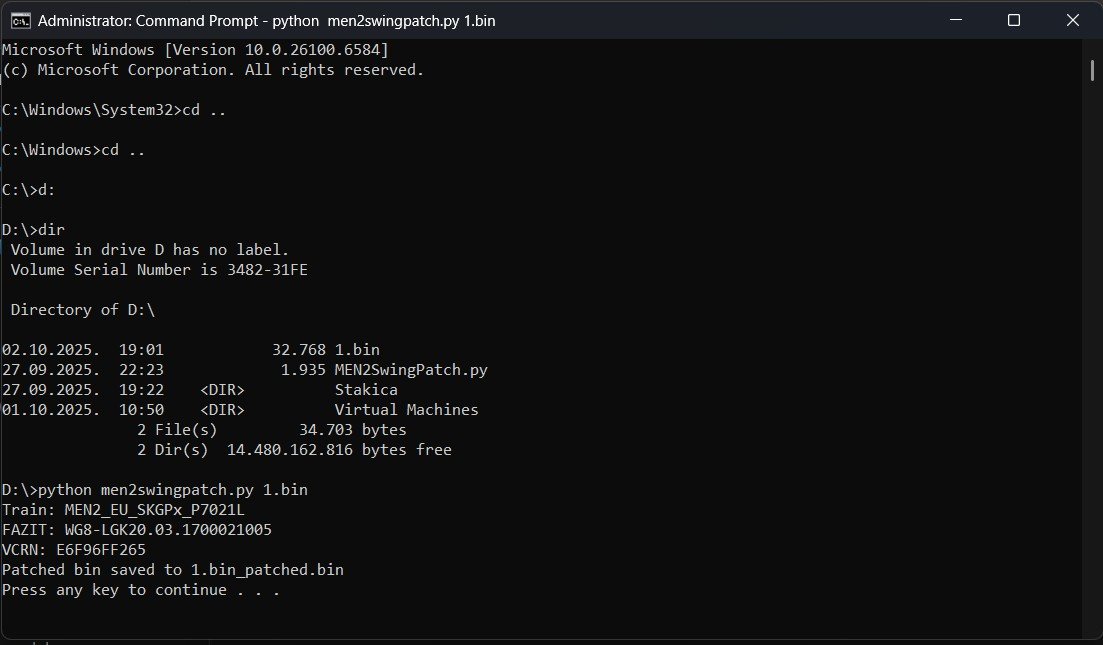
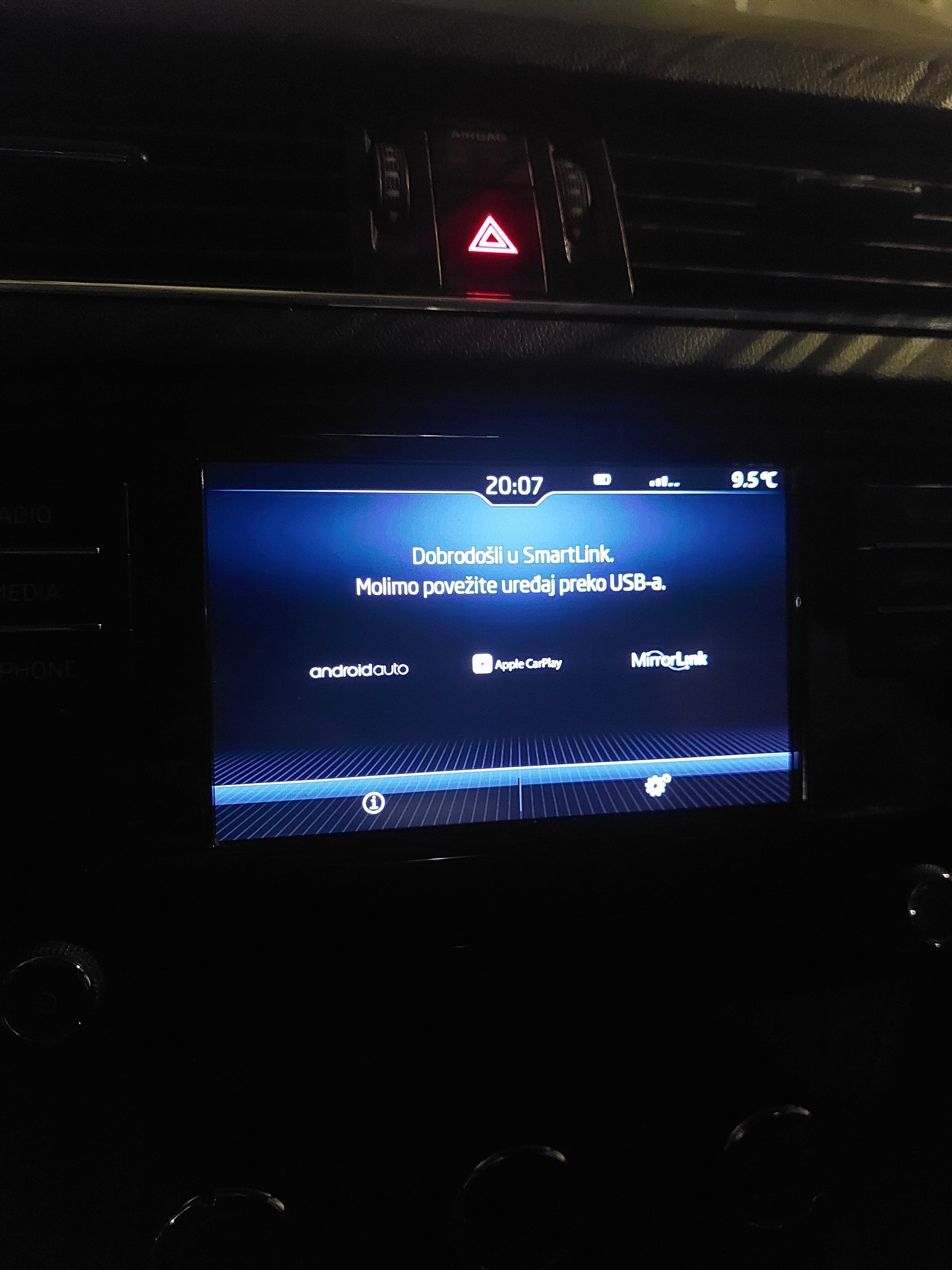
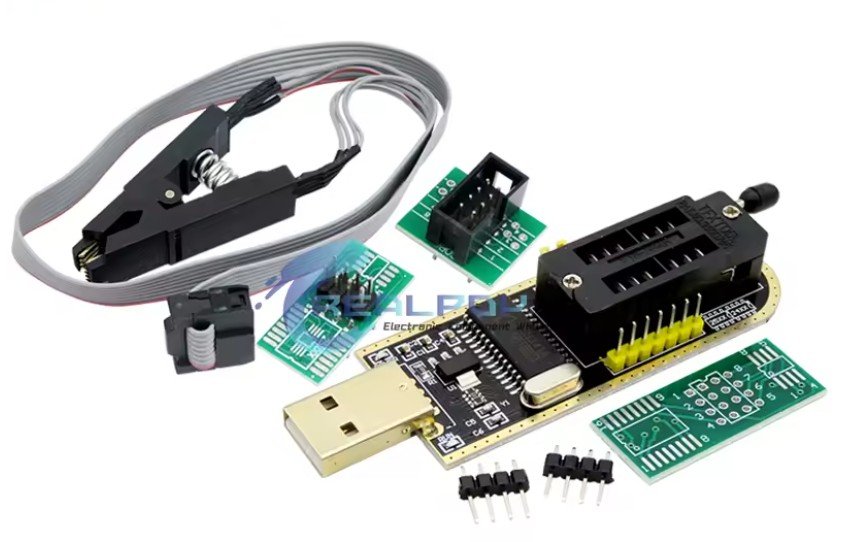
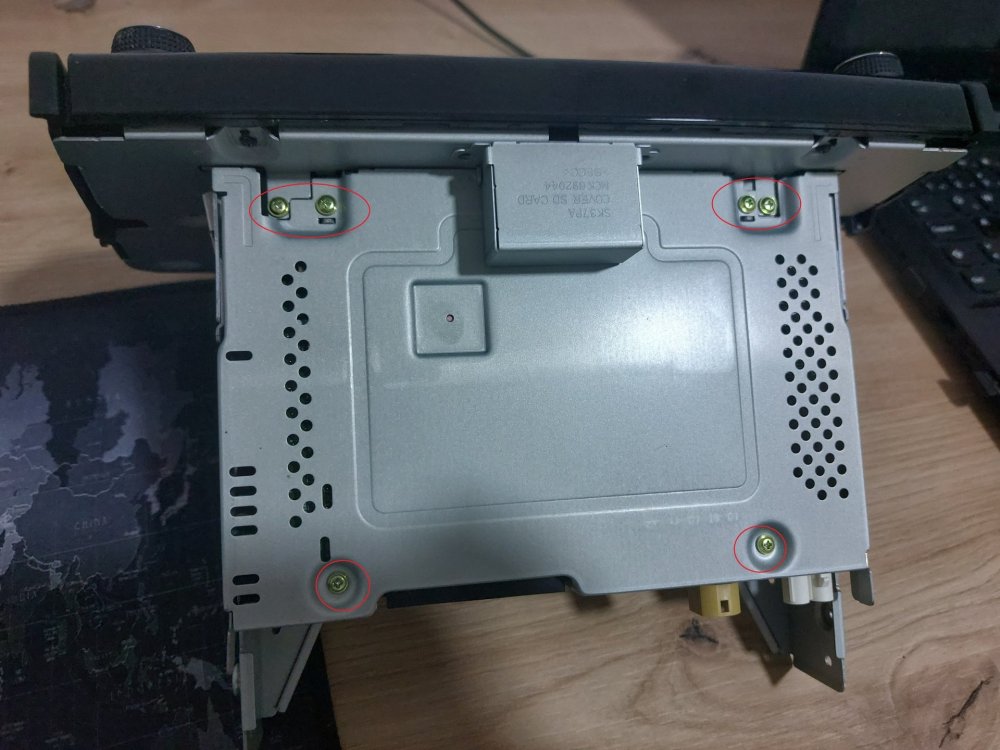
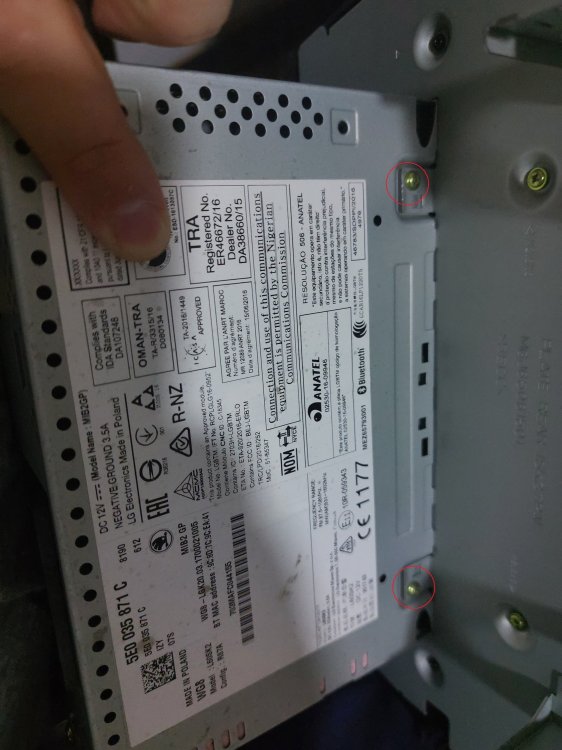
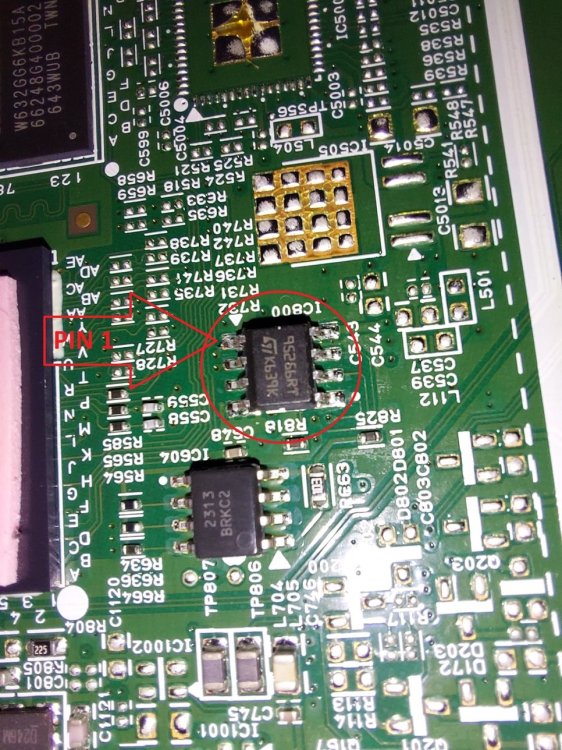
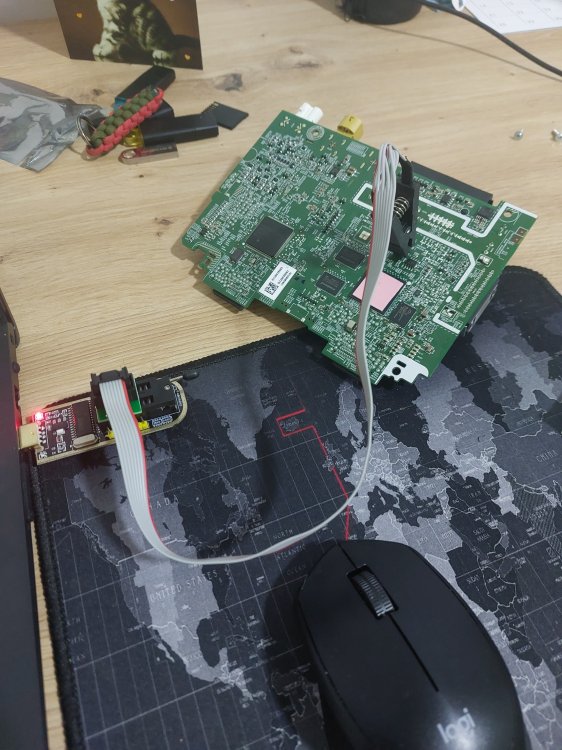
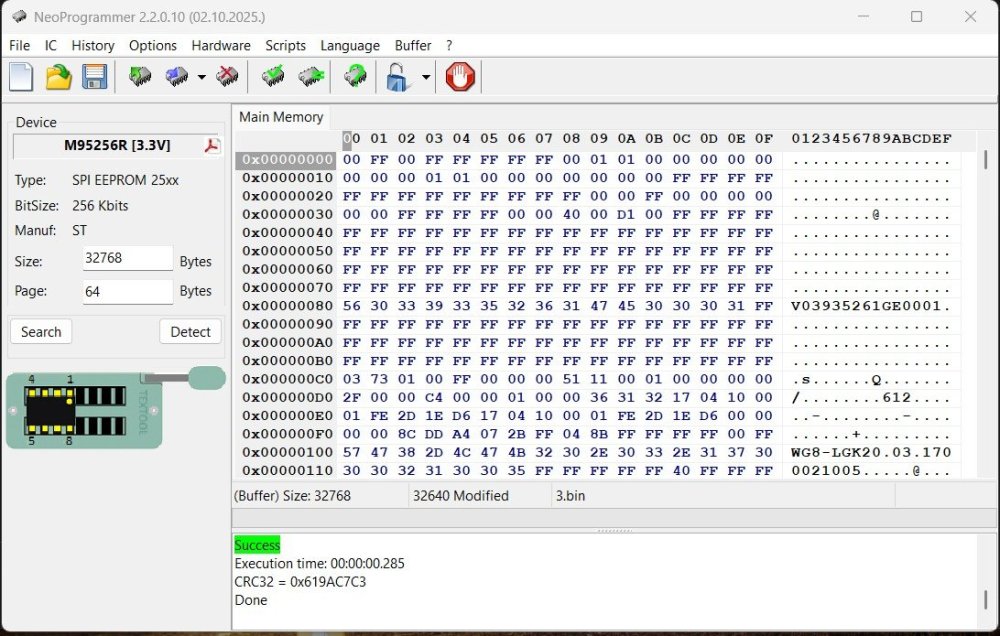
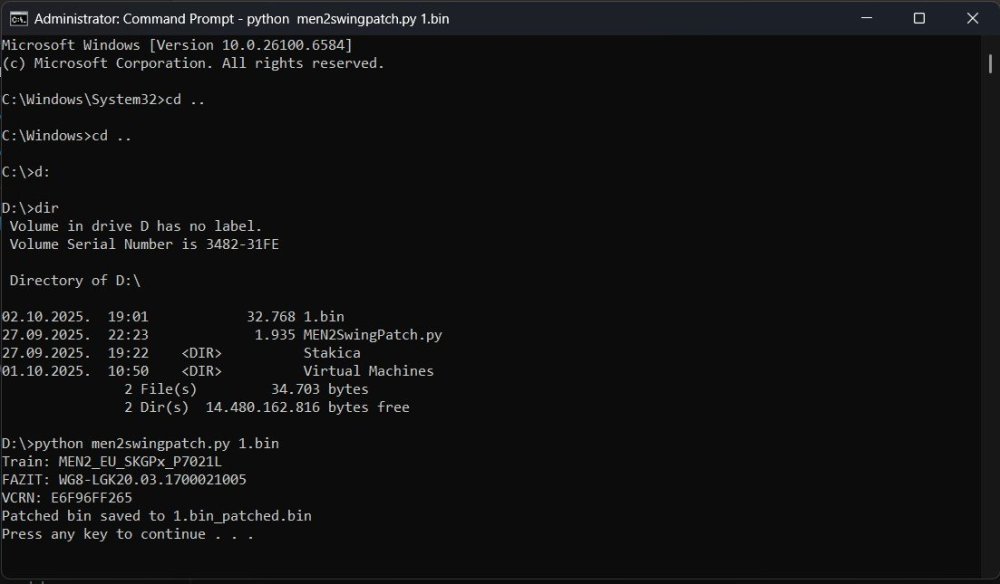
1 pointHello, I activated Smart Link on my swing 3 radio, at Skoda Octavia mk3 MY 2018, so I want to share with everyone how it can be done. DISCLAIMER: You do it at your rensponsability, is not easy to do, and you can mess things out, possible brick you device. Do it only if you have expereince in this kind of activity. Physical tools needed: Tool for removing radio 4 pieces, just google "VAG radio removal tool", cost about 1€. CH341A Mini Programmer, cost about 10€. PC/Laptop Philips screwdriver Software needed (all software in attachment): CH341A driver NeoProgrammer Python (In windows 11, open start menu, type cmd, press enter, type Python, press enter. Microsoft store will open with Python 3.13, click on "Get" and wait to install complete.) Python script for activating CarLink (MEN2SwingPatch.py) Install CH341A driver and NeoProgrammer, make sure python is installed, put MEN2SwingPatch.py script at some accessible location (for example at root D:\). Firstly, you need to remove radio from car, its pretty simple, just insert four "keys" and pull the radio out. Then remove 6 screws from the top and 2 from the bottom, split display from the unit, and pull the top cover to expose top of the PCB. I removed PCB fully from the case to check is there present video chip for reversing camera (unfortunately not), but you don't have to do that. After top cover is removed, and PCB is accessible, you have to find ST 95256 R EEPROM. Put clamp from the CH341A on the EEPROM chip, make sure red cable (clamp) is on the pin 1 (EEPROM). Clamp connector insert in appropriate adapter, and adapter insert in CH341A in part intended for 25XX, make sure red cable facing toward lever. Plug CH341A in computer USB port. All this can be sawn in picture named EEPROM 2. Run NeoProgrammer.exe, go to Hardware tab, select "CH341 Black". Next go to IC>Search>type 95256>select M95256R> click on Read IC. This is the tricky part, if you get all blank result it means that clamp on the eeprom not have a good grip, try to move clamp left-right, take it off and put on again. After 5-6 times of re adjusting clamp I finally got the eeprom content. Save it on pc (for example at root D:\ as 1.bin). Read IC couple more times to be sure that you have good conection to the eeprom chip (if you want to take extra check, you can compare couple .bin with Notepad++ to be sure that you have identical read every time, this is good sign that all is correct). Make sure you dont move accidentaly clamp or PCB. Click on start, type cmd, press enter, navigate to D:\ (place where you saved EEPROM dump and script), type python men2swingpatch.py 1.bin, press enter. If everything is correct you should get printed on display TRAIN:xxx, FAZIT: xxx (see picture "script"), and now you have file named 1.bin_patched.bin. This new file we now need to write back to the eeprom. Get back to the NeoProgrammer, click on File>Open and find 1.bin_patched.bin at D:\, click on Write IC. After writing you can read it again and compare to patched bin, just to be sure its written correct. Now you can disconnect clamp, assemble unit and put it back in the car. Enjoy in your unlocked Smart Link. DOWNLOAD needed software

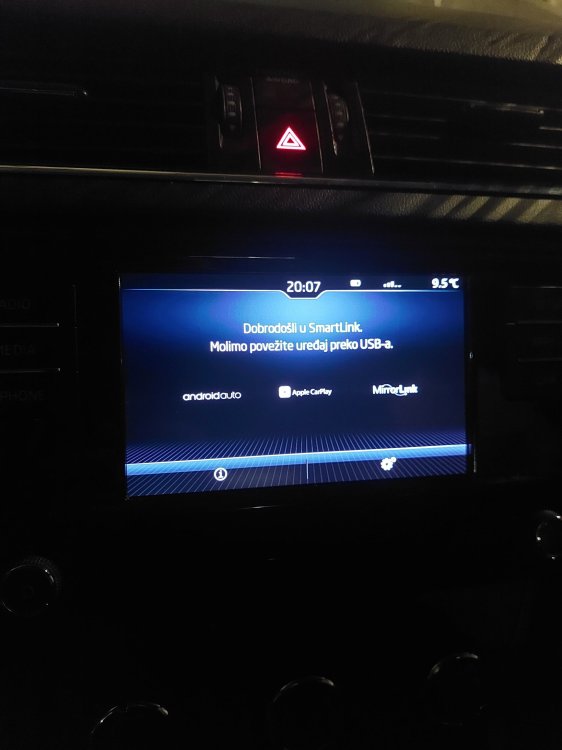
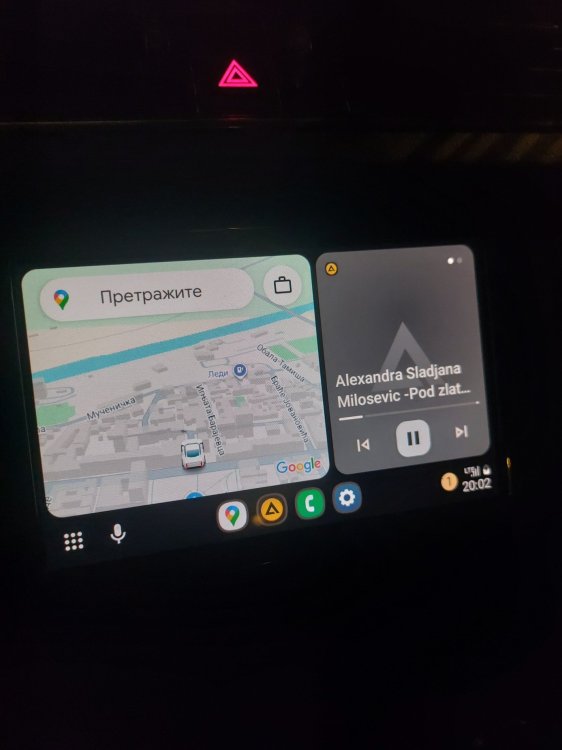 1 point
 -
1 pointHi, I am looking at used Skoda Superb's so thought I'd join. If it all works out, then no doubt I'll be posting with new car neuroses in no time 🤣.1 point
-
1 pointHello to all, just to say hello and hope everyone good. I've had some skodas in the past, Favorit, felicia car and van. Recent years mainly vag stuff (favorite was bora 1.9tdi 150 brake) but now I've bought a 2012 fabia2 1.6 tdi which looks like it's going to be a whole lot of pain so that's why I'm here. Thanks for reading.🙂1 point
-
I agree no one has offered any evidence either way. However I still prefer to play safe and do the coding. No-one has ever said doing the coding is bad in any way.1 point
-
If the battery is of the same type, eg., EFB or AGM as the old one and the same capacity and cold cranking amps, then there is no need to recode it.1 point
-
1 pointDo you need something more about Felicia A/C? https://www.skodabook.ru/en/remain/Felicia/power/cooling/sistema-kondicionirovaniya-informaciya-i-predostorozhnosti1 point
-
1 point
-
And you'll get exactly the same divided opinion here. I'm in the 'car will figure it out just fine' camp. No-one ever really produces any proper evidence either way.1 point
-
1 pointThanks for the info. I'll give the dealer a call on Monday and see what they suggest. Andy1 point
-
Considering Skoda's recommendation to change Haldex oil is after 3 years, and the only known history shows a Haldex oil change after 4 years (maybe 5, since it's a MY18), I fear it has been "forgotten" and done 1 (or 2) year(s) later. Additionally, AFAIK, a MY18 TDI190 4x4 is DSG6 equipped, which requires a DSG oil change at 60000km. Thus no history about about DSG oil change at 60000km is possibly the same scenario with DSG oil change forgotten and done 30000km later... To me, it would be a "leave"...1 point
-
1 pointHi, Not very common where I live, I then took the opportunity of a quick picture this morning:1 point
-
1 pointTwo things that many owners don't have stock of, or sufficient stock of, or for some never carry stocks of, is time and patience. Even if you fully prepare for the job and allow loads of time to do it things can happen and you end up running out of something (daylight, warmth, parts, consumables, materials, time and patience) so you do something that you regret later. For screws, nuts and bolts, after cleaning pre-apply (24-hours ahead if possibly) a good penetrating/releasing fluid, I favour GT85 as it is also a good longer last lubricant (than WD-40 Multi-Use) and has a nice smell. Hold can upright, give it a good shake before use, apply as liberally as possibly and reasonable, leave to soak in as long as possible, first try to slightly tighten before untightening (to crack rust/crud seal). If that doesn't work repeat the spray and leave and try again. Given time and patience with this I've found it it's very rare that heat is needed or fixings are broken.- https://gt85.co.uk/ PlusGas I don't think is such a good penetrating/releasing fluid as it used to be but that might not be the case and I'm not sure if the new lot have now stopped manufacturing it but stocks will be about, don't buy the tippy (gravity) can as I can assure you over time the bottom of the can can rust emptying the contents (previous PlusGas manufacturer's tippy can I have for decades with no issue, both GT85 and PlusGas used to be British decades back). Various makes, sizes and types of spanners and sockets(or other tools) can be handy for a better fit to old and rusty fixings. Always check, clean and lubricate (GT85 is often useful for this) before refitting. Most servicing, maintenance and many repairs boil down to clean and often lubricate (even clearing error codes is a form of cleaning). I used to always replace screws, nuts and bolts and other fixing with new, partly to see what I'd done in future but then the quality of new screws, nuts and bolts generally available over here deteriorated so much I'd reuse any reasonable fixings. Whilst the seats are out have a good look at the condition of the frames, any tilt mechanisms and the rails, again clean and lubricate as much as you can, obviously the driver's side gets far more use so if things aren't handed you could swap over with passenger. I had some seats re-upholstered one time (now an expensive job) and I asked that the seats frames were given a good look over whilst they were stripped down before doing the re-upholstery, a number of months after the work was done the tilt mech broke and the new seat cover had to be cut and stitched leaving a very visible repair on it, and the upholsterer didn't even do a great job of the re-upholstery, Such is lif. 😁1 point
-
1 pointVolks Wagen finally launching the ID2, with a smart move calling it the Polo ID rather than ID to drill in to that heritage. The good, in fact very good things is the rear seating space is a very good, much better than my Renault 5 and also in moving from RWD to FWD has has the benefits of a very big boot for a B segment car ie over 400 litres. Main fly in the ointment is the base model is 37 kwh (LFP) which is quite small and that is the one that is the starting price of 25k Euros being quoted. 52 Kw ( L ion NMC ) might be quite close to 30K Euros but then with battery prices falling on a quarterly basis, and improving capacity and cold weather performance, there may be discounts in the following quarters after launch in Europe / UK. So very good design, buttons where there should be buttons etc. Think it will do well ? Not sure whether it will be get the £1500 grant or get the £3750 grant from the off, not sure what the battery production is centre and whether the pack will have enough local content to qualify. Car is being made near Barcelona I gather............1 point
-
I know what you mean. I do all my own if I can. Used to have an excellent old school garage but Robert retired a couple of years ago. With the two mechanics plus his son and himself they had over 100 years of experience added together. He was finding that modern cars were requiring more and more expensive diagnostic euipment and tools. Shame its gone but I understand why. Maybe someone on here could reccomend a decent one in your area. Alasdair1 point
-
1 pointYou need thin ones for this task but you won't get great results, for improving the ''rolling quality'' as we say here in GR (means reducing the sound while travelling in Highway) you need to buy plastic arches and install noise insulation beneath them. Some cars as Lexuts have them on from the factory. You can make a wheel-arch sound improving but this means cost and adds some weight.1 point
-
1 pointΙ stongly suggest to look BENEATH the carpets,you may find dust-mud or corrosion marks from all these years and you must make a thoroughly cleaning. I am speaking by bad experience of course...1 point
-
1 pointGood morning, Is anyone with a new vRS with this hardware and software, equipped with a Canton sound system, experiencing 0.5-second audio dropouts? A few of us on the forum are having this issue, and we’d like to know whether it’s related to the infotainment system or the Canton amplifier. Hardware H11 Software 2768 Display unit / control panel hardware H24 Display unit / control panel hardware 266 Thx1 point
-
1 pointDCC is great I use it a lot. Great to be able to soften it off just burbling around town and then tighten it up when having a fang. Best of both worlds.1 point
-
1 pointCoincidentally I do find this engine runs better on super, no noticeable power difference just smoother power delivery.1 point
-
1 pointHooray! Identified and fixed the rattle! It spent a day at the dealer, but they couldn't identify the source of the noise. They suggested that it might emanate from inside the dash, and since the warranty doesn't cover the cost of eradicating squeaks and rattles, I wasn't prepared to pay who knows how much to have the IP removed, taken apart and reinstalled. However, I'd noticed that the noise only became apparent at speeds above around 50mph, or when the weather was windy. This led me to think that it must be caused by the passage of air somewhere. Then I began to wonder about the under-engine tray - what if it was that which was flapping under the right/wrong conditions? Feeling under the car revealed that though the tray was securely attached front and back, at the back there was still sufficient play for it to knock against the car floor. Wedging the rear of the tray in place has cured the problem - at last! But I still don't know what that little flap inside the top of the bonnet is for...1 point
-
1 pointSkoda did this decades before VW. 1995 model year started in August 1994. So it should align with UK registration. They did this, because they change tooling during the all-factory summer holiday and to build stock before the calendar year starts.1 point
-
On my Mk1, I replaced the locking nut with replacement same spec Febi bolts. I have a full size spare (yes I know its bulky and reduces space in the boot area) but its piece of mind for me. I can still have it present even with the back row seats in the UP position.1 point
-
1 pointIf the pedal is dropping when under pressure it may be the fluid passing seals but not leaking on master/slave. . On mine 58 plate the slave is external but the rod that activates clutch is internal with rubber gaitor so any leaks end up in bell housing. It can be replaced without Gbox removal. My slave looks like this Check for leaks at master and if none might be worth removing slave and replace anyway. A replacement for master was around £40 and the slave was around £20 so not the end of the world and worth trying. Its only two bolts and a push clip join.1 point
-
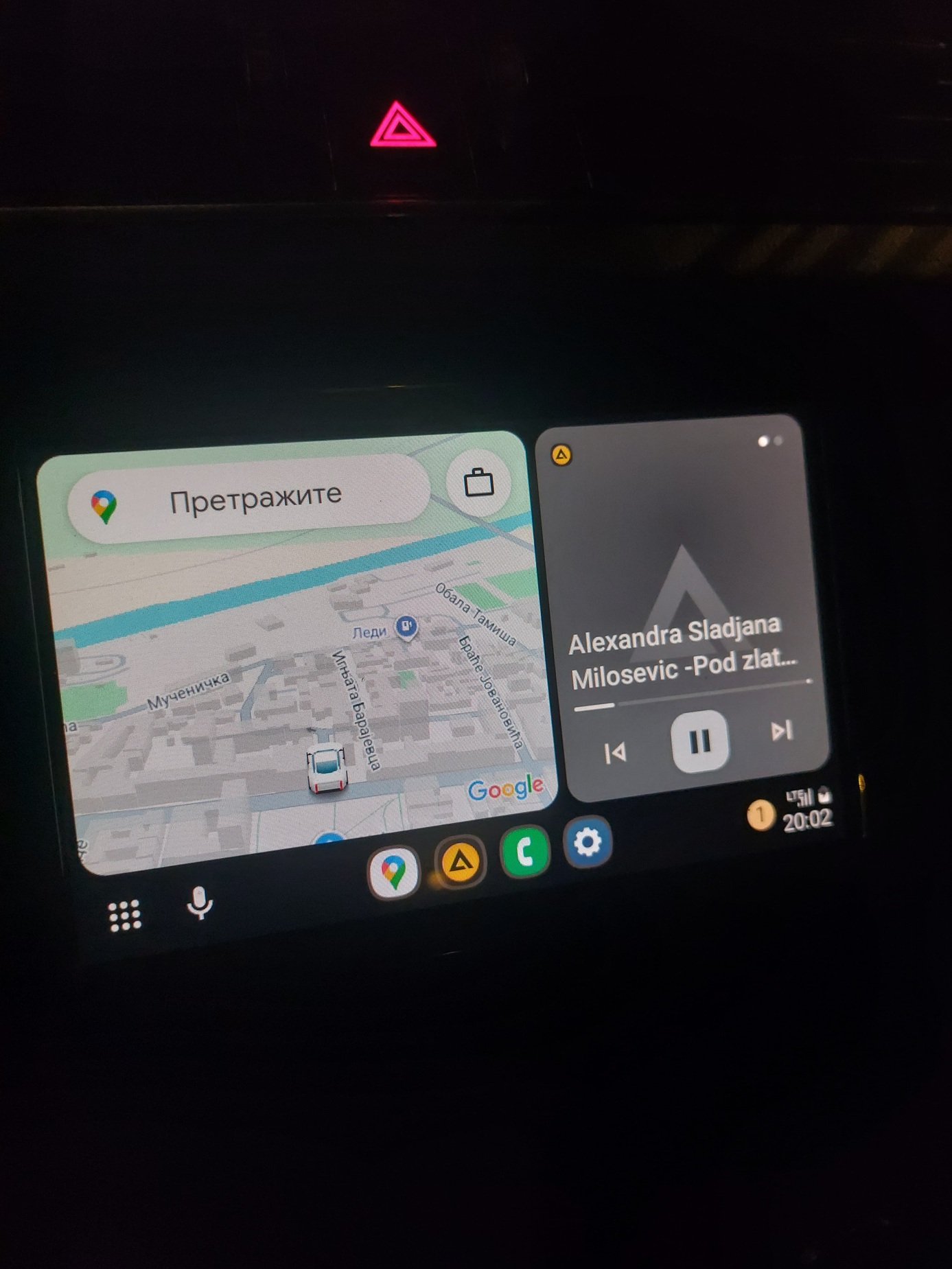
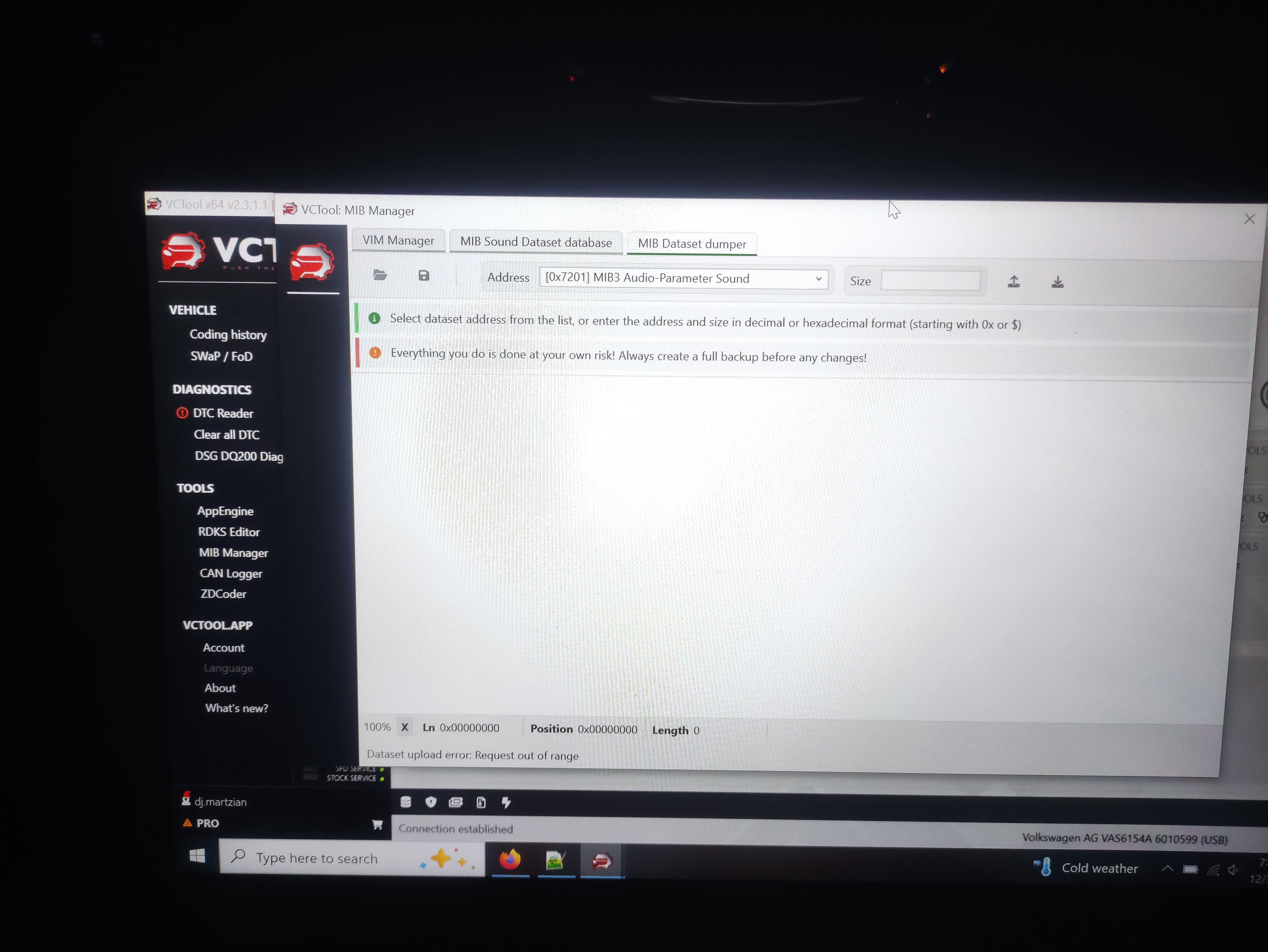
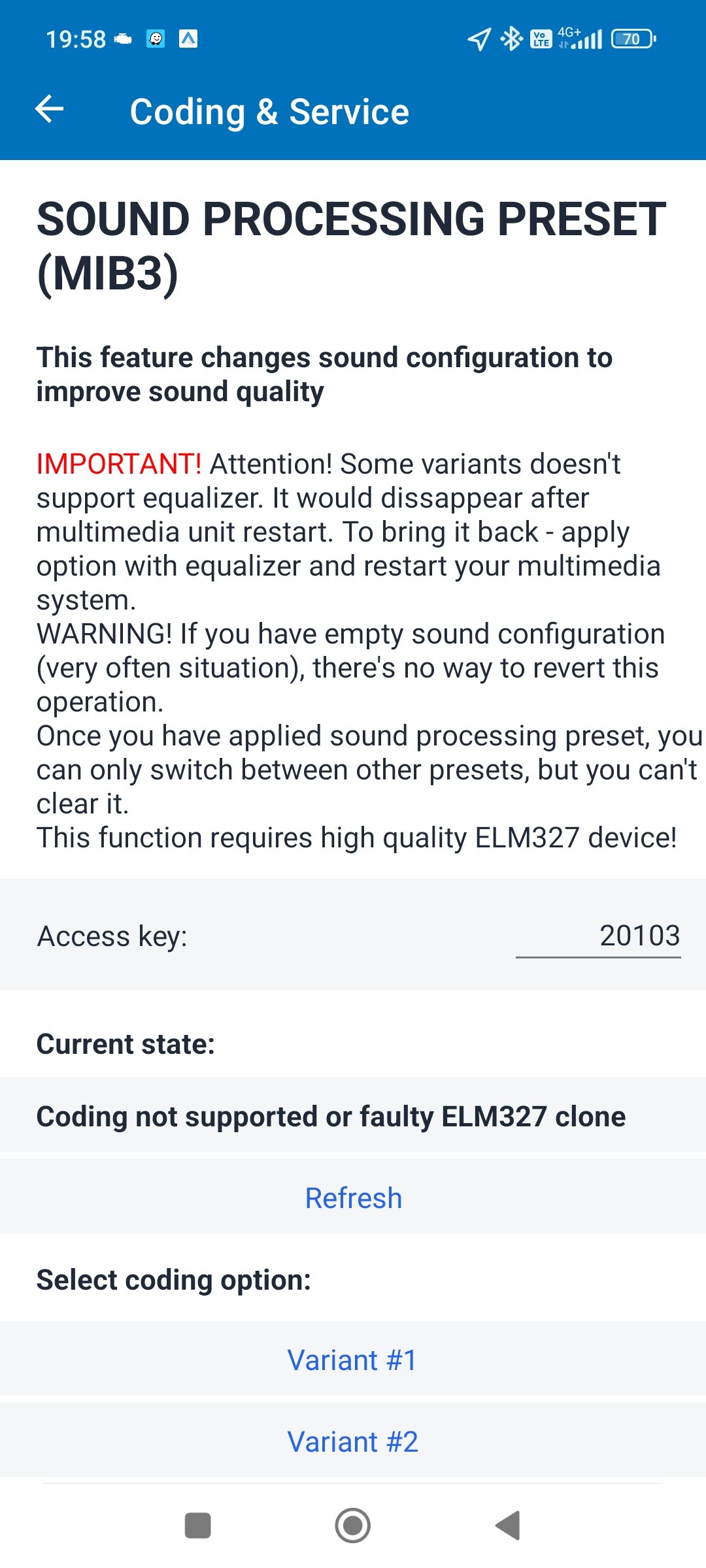
Hello, Updates on the above: I've tried the Presents/Options in Car Scanner PRO, without any luck on SK MkIV! I've also tried, but didn't manage, to read and save 7201 dataset with MIB Manager(VcTool). The only option that worked is activation of VIM option. Happy New Year!
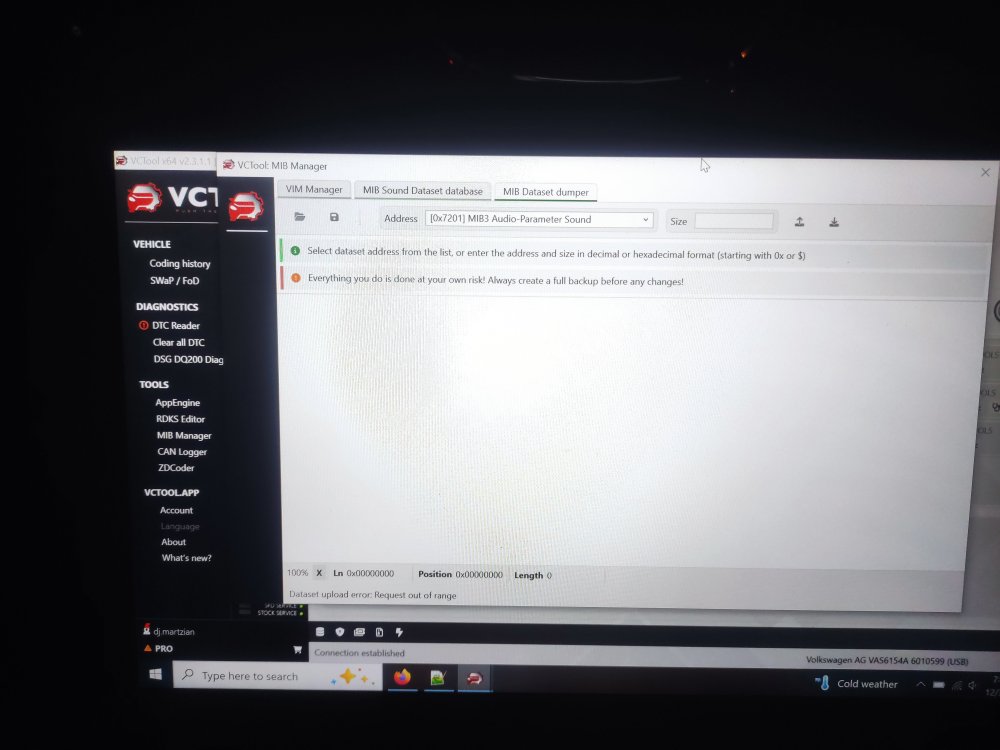
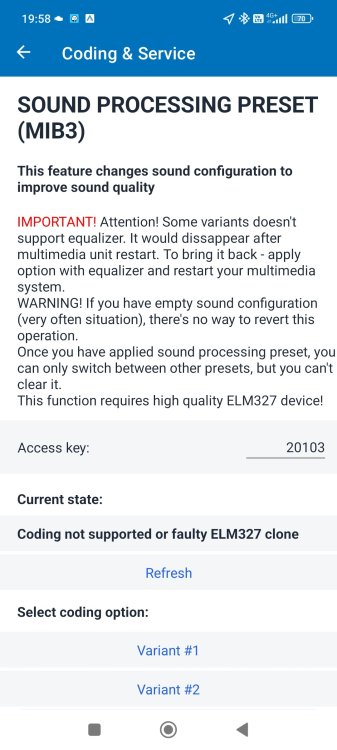 1 point
 -
It is probably part of the procedure for removing the light switch. Certainly is on earlier models; push and twist, can't remember which direction.1 point
-
Run your car normally till gets hot and the radiator spins,turn the heat to 4th scale and keep if for a while Sto and raise the hood while the engine is running at idle Wear gloves and take a cloth-towel,squeeze gently any coolant house you can reach especially the main,this will push the air bubbles to go to the top Cover the cap from the coolant expansion tank with the cloth-towel,unscrew it extremely softly,if a ''hisss" sound heard means you had air bubbles,continue and loosen one click more,maybe the ''hisss" sound will be heard again maybe not,one click more and the cap it's easily loosen till comes out By the way check the inside of the expansion tank for any detritus Turn of the heat to 0 and turn off the engine,screw the cap back but not with extremely force Return home and leave the car to cool off completely at night,next morning check the cap because one click tighten maybe needed (maybe not). You can check for leaks in a repair-shop,they have at least 2 ways to raise the pressure in the system and if there is a problem then coolant drops will show-up in the problematic spot.1 point
-
1 pointTo me, that would sound like some sort of leak or, pipe expanding. The reason they quoted so is due to the recommendation of the doing the DMF while the clutch off. By the time you've factored in the prices of the clutch kit and DMF it won't be far off the price with labour. Of course, shop around. The price does seem a little high to me, I would expect more around the £600-£800... Now, if the car worth it to you and you're going to keep it for a while, then I wouldn't be put off by doing this. I don't really factor things like this in with the car, as with every car it will need doing, just like routine maintenance. Or, I would've got rid of so many cars... This is my personal opinion.1 point
-
1 pointSounds like either master or slave failing and letting fluid past seals. Had same on my 1.9tdi. Random clutch to floor and wouldnt come back until I lifted pedal with foot. Only did it once in a blue moon and no fluid loss then one day clutch to floor and that was it. External seals had gone on master but couldnt see any leaks until it got winched onto truck and fluid drained out of engine under tray. Check the fluid level. If its ok then maybe a clutch bleed in case its drawing in air but it does sound like a master/slave problem. I took master off put part number into Amazon and got a new sachs one £42-00 about half the price I could get one locally. Not the easiest thing to get to. If your fitting it yourself there is a rubber grommet seal that normally sticks in old one that needs to be swapped over or replaced. Its easy to miss Alasdair1 point
-
1 pointThank you @travs i have seen both of those and I forgot to say no cream leather and those alloys do not float my boat.1 point
-
1 pointThis is a bit unclear. Can you explain a bit more Do you mean that the clutch seems to not disengage properly? Id agree. Have you checked fluid level and for leaks? If there is a leak, the fluid will be lower and or you will see the leak or dripping fluid. Next time it is difficult to change gears, try pumping the clutch a few times quickly. If that helps it sounds like master/slave cylinder issue1 point
-
Just to reply publicly about how grateful I am with @pab567 help with all of this. Unit supplied and fitted with the cables. Ideal retro fit on the car.1 point
-
1 point
-
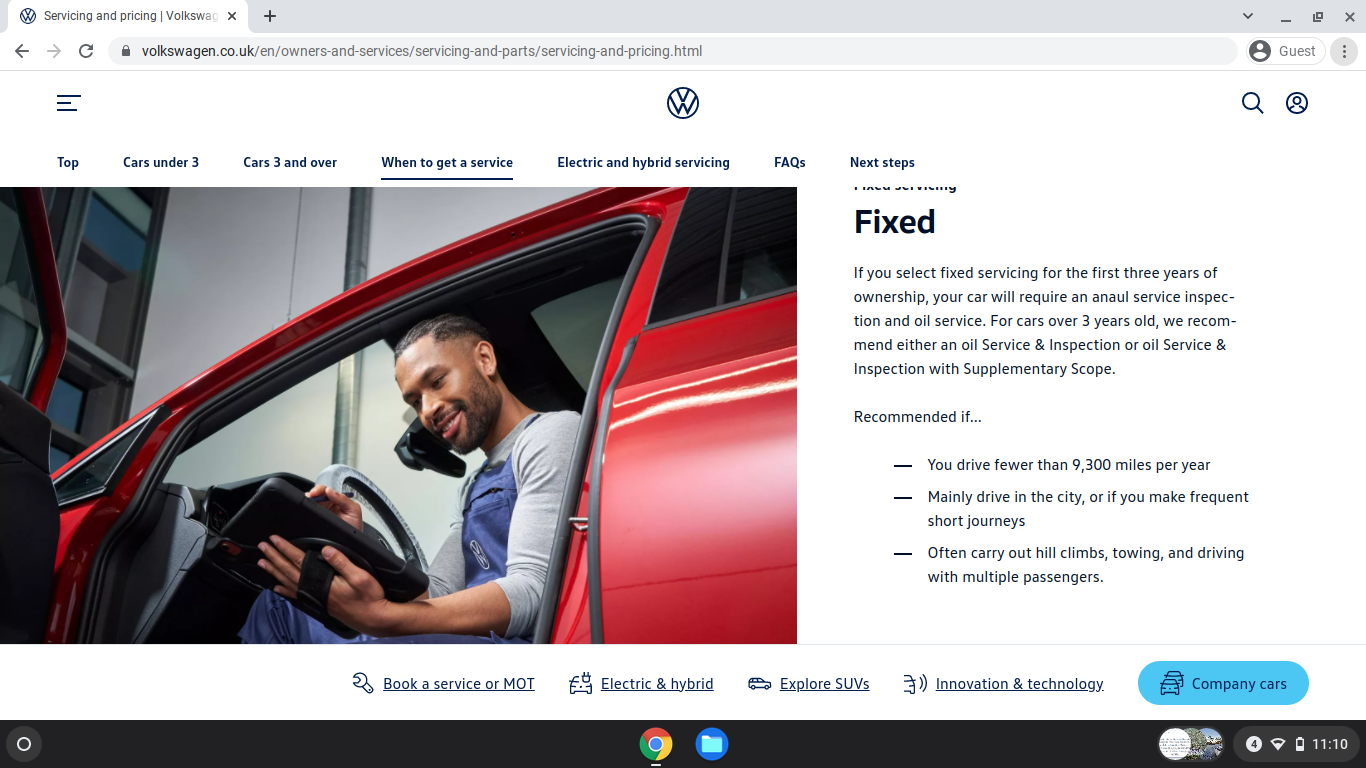
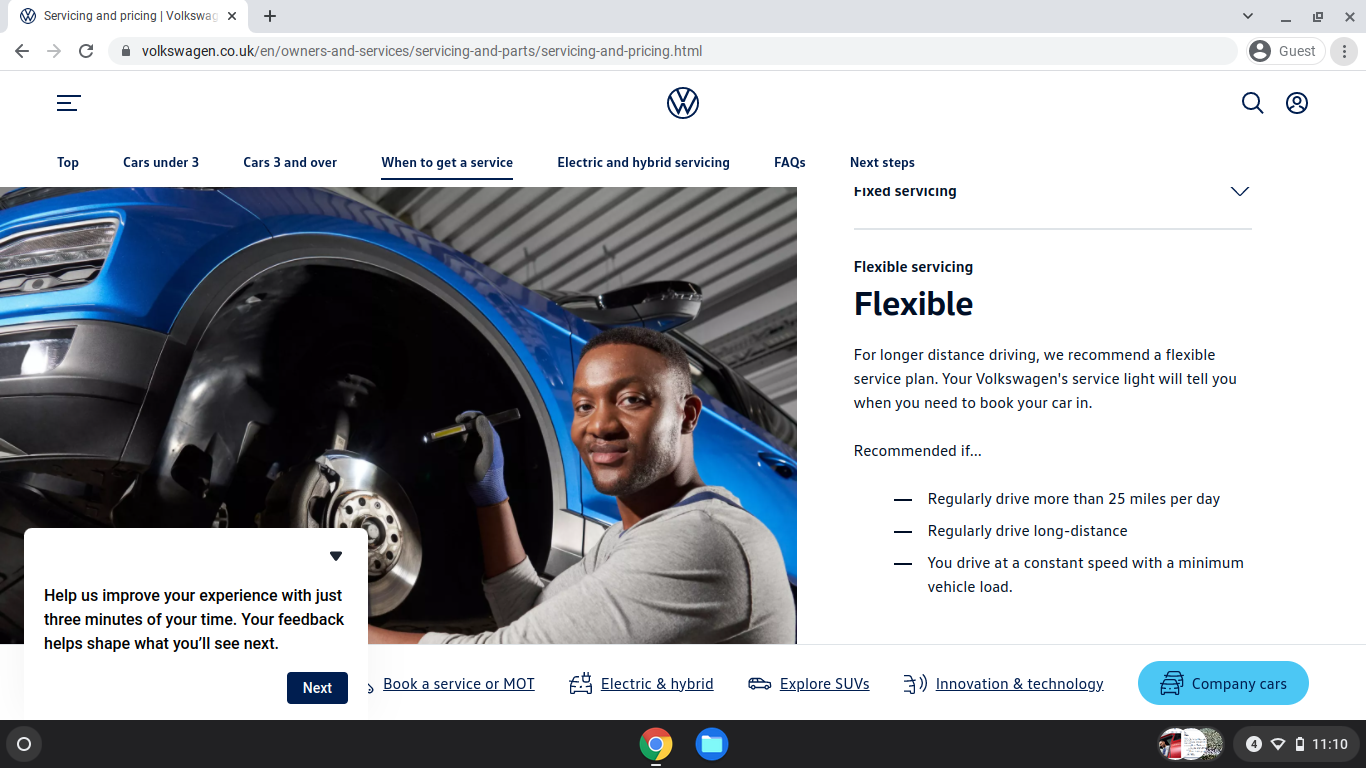
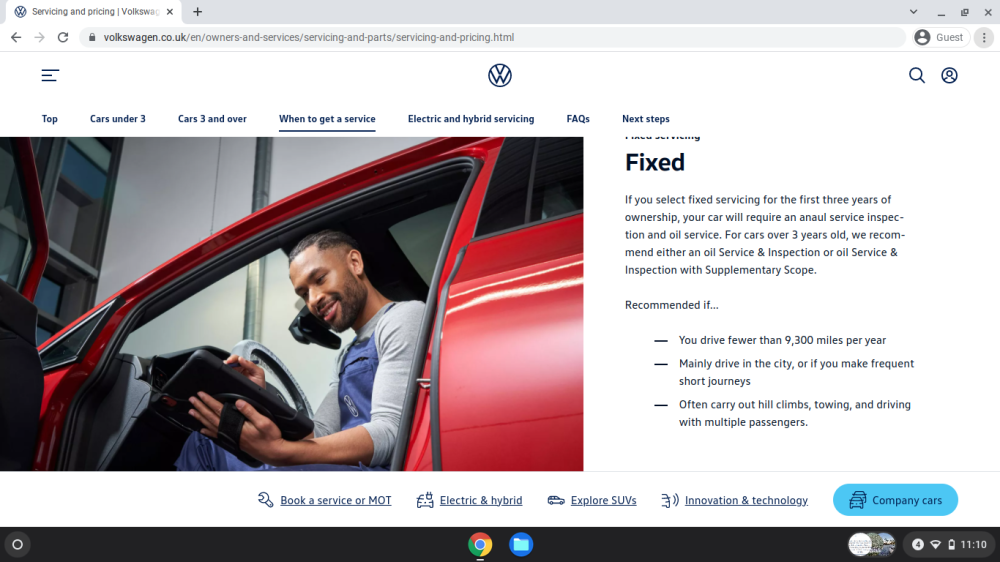
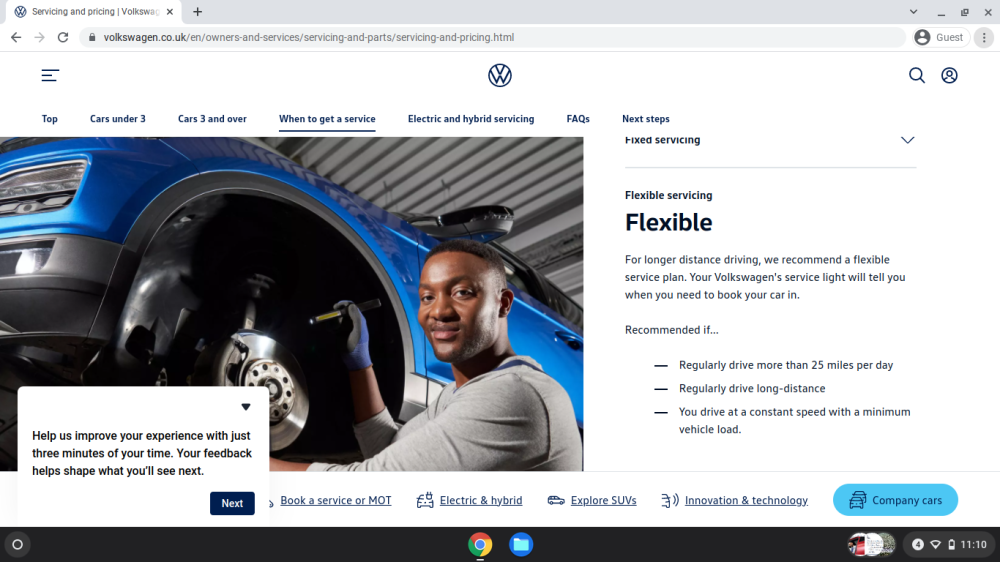
The Recommended servicing in the EU / Europe / UK is pretty much the same. According to use for Oil & Filter changes. Variable as they leave the factory, or Fixed to suit certain use, low miles, short trips, etc etc. Cambelt now in the UK not the 5 years / 50,000 miles in a non High Dust country since 2023.
 1 point
 -
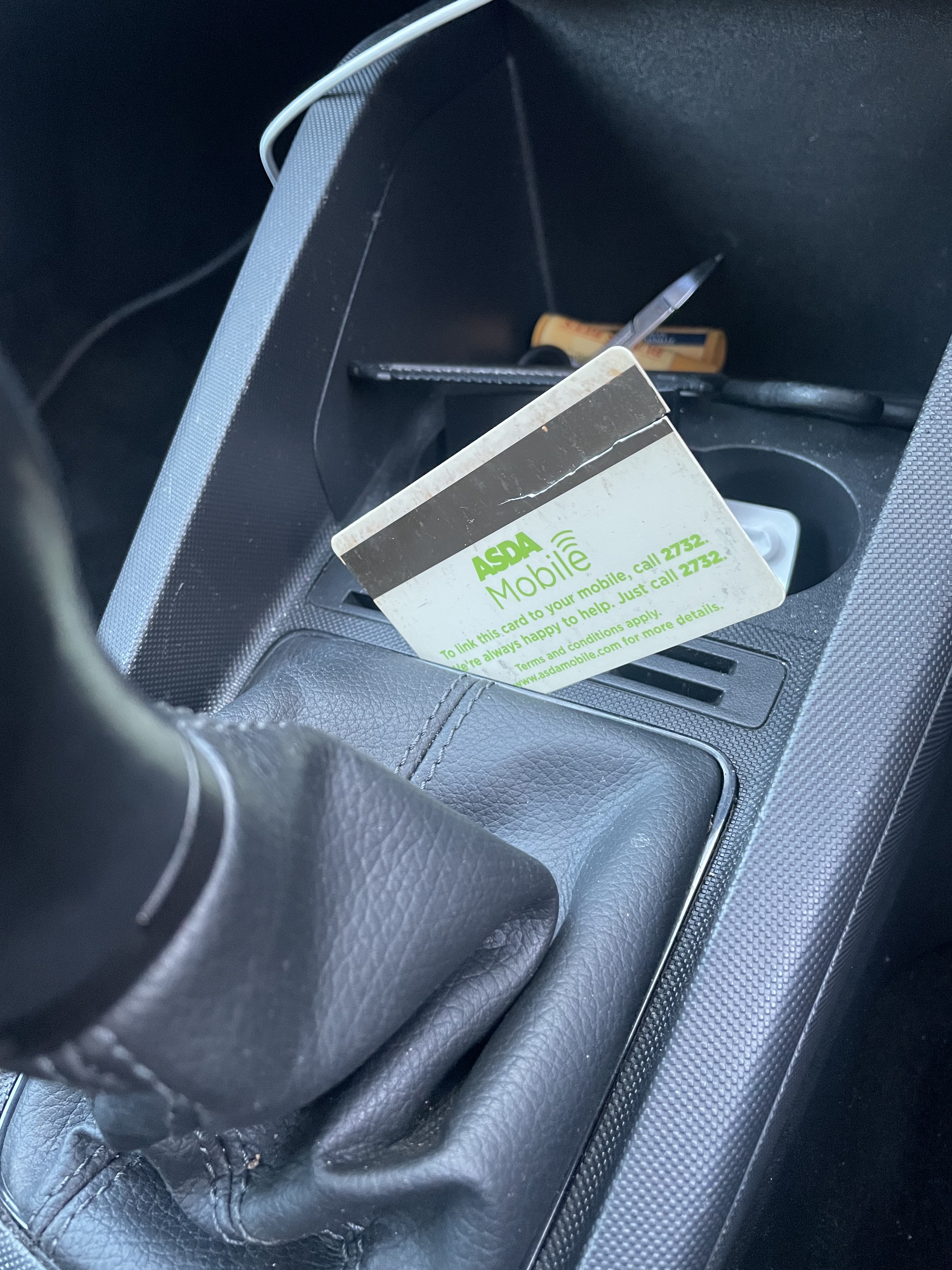
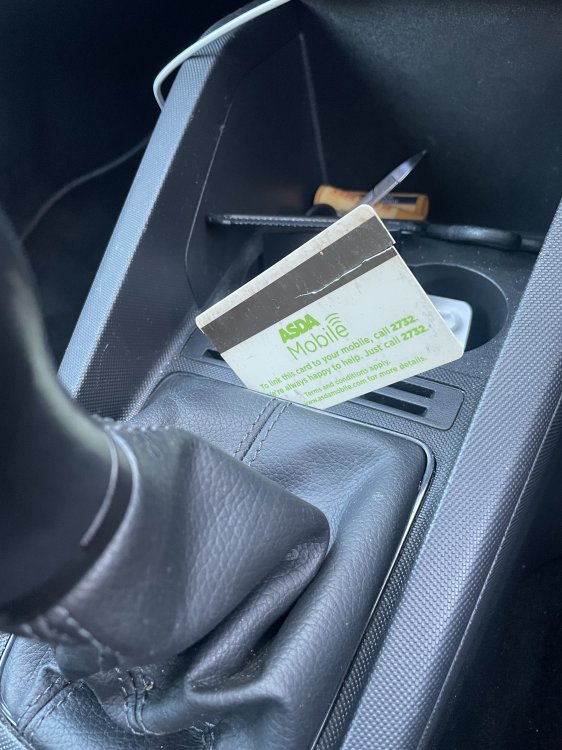
Hi I was struggling to access the gear lever locking pin as the on line vids etc did not seem to fit with what I could see. On my daughters 2020 1.0 60 SE. I got some suggestions from other members and managed by 1. Working at the back edge 2. Inserting an old plastic card between the shiny trim and the centre console until it felt something. 3 sliding the card toward the left corner while pushing down on the card and gently pulling up on the gaiter. The corner clip just clicked and let go then it was easy to free the others. Photo below if inserted card. Hope someone finds this helpful.
 1 point
 -
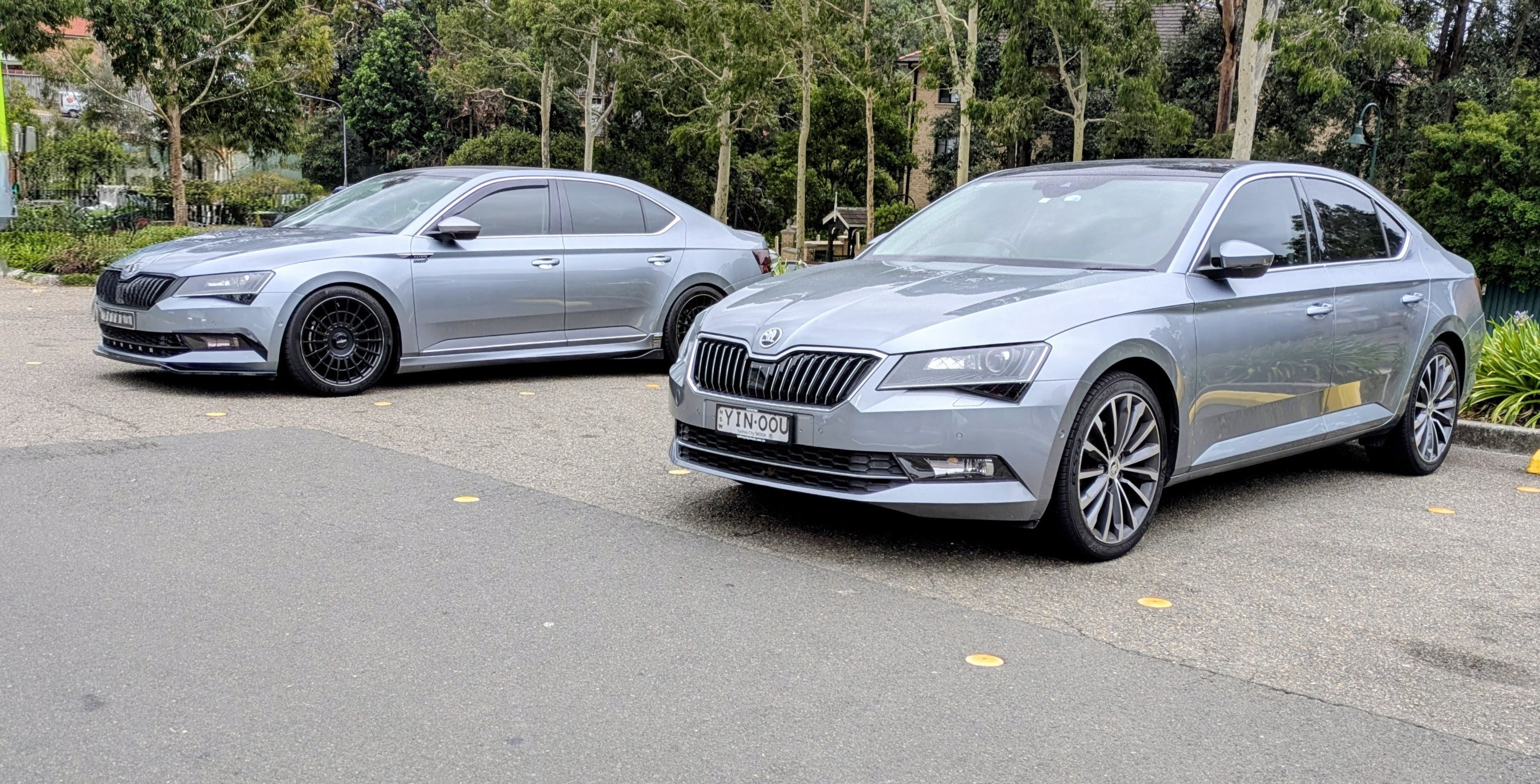
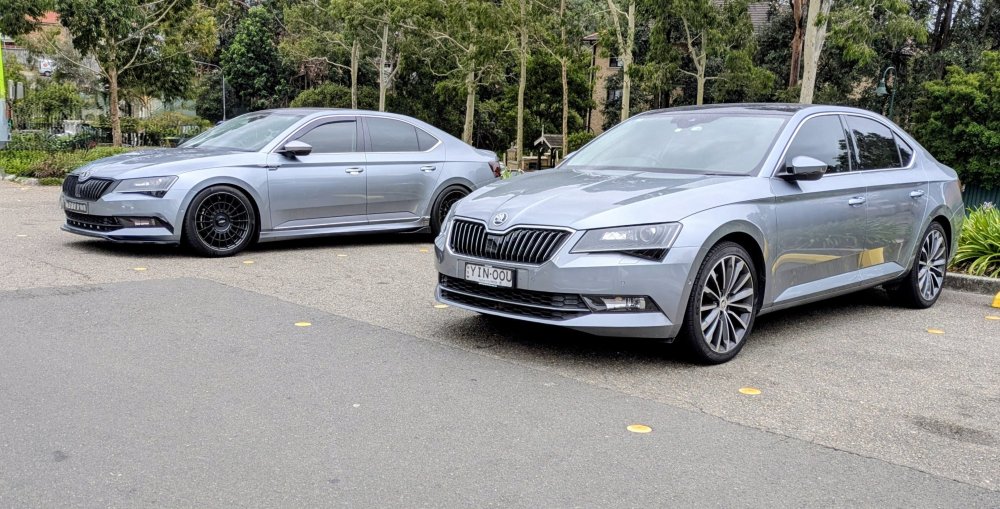
1 pointBefore & After I caught up with a fellow forum member today - seeing his car (MY18) took me back to 8 yrs ago when I picked up Gandalf (MY17). Original factory look. Both 162TSi Business Grey Lift back with Tech & Comfort packs.
 1 point
 -
1 pointIt's a flap on your intake, gravity should drop it down when stationary, inrushing air keeps it open during driving to allow cooling air into the engine bay, it does look like yours has become detached on one side ? Probably ok to tape up to see if it cures your rattle. then further investigation (top of intake off) and see if a clip has broken.1 point
-
1 pointOld topic, but let's contribute. Today installed Milltek SSXVW349 on Skoda Superb 280. Perfect fit as I have expected. I have to measure if there is change in performance, feels like mid-range is better, but I have to confirm it. Audible change is almost not distinct. On idle, city driving, I can not hear the difference. On full throttle it is also not obvious, at least not from the inside. For sure there is some change, but not that is night and day. Car is already Stage 1, so noise was harder than stock due to higher turbo boost. Supposedly rear O2 sensor is already disabled in the map, so I should not have any codes related to downpipe installation. And 200cell cat helps too. So, to confirm that downpipe from Golf 7R is suitable for 280 for sure.1 point
-
0 pointsFound that the oil level was rather low, despite no external leaks these days. Must be burning some. ☹️ Has done a fair number of miles since I last looked, so not too alarmed. Buuut, just this afternoon, went to re-check the oil level (fine) but noticed coolant was a bit low. Hadn't been driven for almost 24 hours when I opened the expansion cap to top it up. Sickening sound of pressure release, stone (ice!) cold engine. Oh dear...0 points
-
0 pointsAn acceptable limit is still way below what current, and certainly ICE cars of the pervious decade and older belch out. A report summarizing several recent reports.... United KingdomAir pollution and United Kingdom research documents significant air quality improvements over recent decades whilst highlighting persistent challenges in urban areas and around major transport corridors. Studies reveal that whilst traditional pollutants like SO2 have decreased dramatically, NO2 and particulate matter continue to exceed health guidelines in many locations. The evidence shows both the success of coordinated policy efforts and the ongoing need for additional measures, particularly addressing transport emissions. Explore the research documenting the UK's air quality evolution and what challenges remain for protecting public health. OverallThe total cost to the NHS and social care system related to air pollutants between 2017 and 2025 is estimated to reach £1.6 billion (Moldoveanu, 2025) The contribution to the annual mortality of human-made air pollution across the country is roughly between 28,000 to 36,000 deaths every year (Moldoveanu, 2025) Air pollution in the UK is costing more than £500m a week in ill health, NHS care and productivity losses (Gregory, 2025) Killing more than 500 people a week Air pollution in the UK now kills 30,000 people and costs £27bn a year, according to the research, which also said there was no safe level of air pollutants (Gregory, 2025) Physical inactivity costs the UK economy an estimated £7.4 billion per year (Healthy Air Coalition, 2025) Air Pollution and United KingdomAir pollution and United Kingdom research documents significant air quality improvements over recent decades whilst highlighting persistent challenges in urban areas and around major transport corrido0 points